
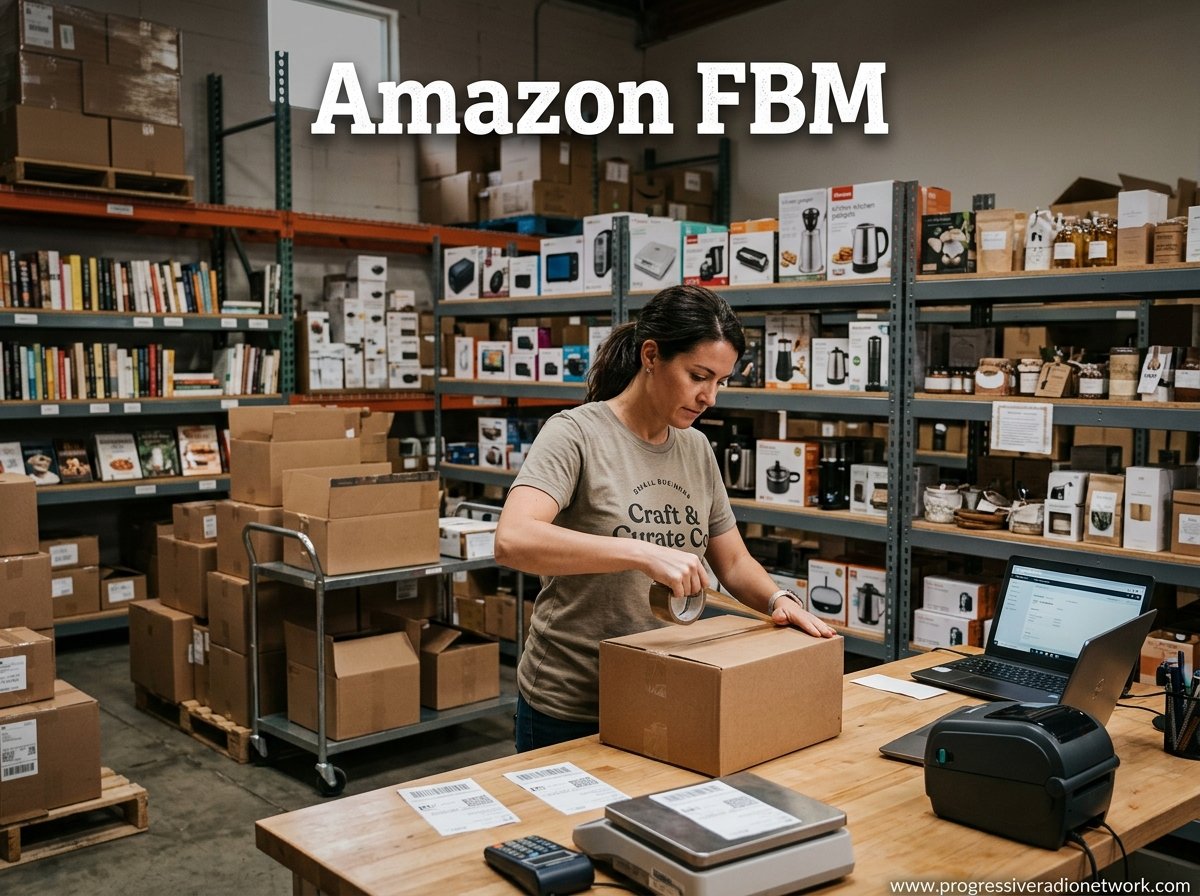
If you’re searching for a way to sell on Amazon without surrendering control over every detail of your business, Amazon FBM might be the answer you’ve been looking for. Every day, sellers face a fundamental choice: hand off their entire fulfillment operation to Amazon’s massive logistics network, or keep it close and manage it themselves. Neither approach is universally better, but understanding how Fulfilled by Merchant actually works in practice could save you thousands in unnecessary fees and give your brand the edge it needs. This guide breaks down everything from the basic definition to the performance metrics Amazon monitors closely, the fee structure that catches many new sellers off guard, and the specific situations where FBM outperforms its more famous counterpart.
The Amazon seller landscape has shifted considerably over the past couple of years. Rising FBA storage fees, tighter restock limits, and peak season surcharges have pushed more sellers toward exploring merchant-fulfilled options. If you’re considering building an Amazon business, you might also want to learn about Amazon Private Label Secrets as a complementary strategy. Whether you’re a beginner exploring your first selling method or an experienced seller evaluating a hybrid approach, this guide covers what Amazon’s official documentation does not always spell out clearly.
Key Takeaways
- Amazon FBM (Fulfilled by Merchant) means you store, pack, and ship orders yourself while using Amazon as your sales channel.
- Also called Merchant Fulfilled Network (MFN), FBM is ideal for large, bulky, fragile, or slow-moving products that would rack up high FBA storage fees.
- Amazon monitors four critical performance metrics: Valid Tracking Rate (95%+), On-Time Delivery Rate (90%+), Late Shipment Rate (under 4%), and Cancellation Rate (under 2.5%).
- FBM fees include referral fees (typically 8-17% by category), a monthly selling plan fee, and your own shipping and storage costs.
- You can qualify for Seller Fulfilled Prime (SFP) to display the Prime badge, though it requires meeting strict performance standards.
- FBM sellers face an uphill battle for the Buy Box but can compete by offering faster shipping, lower prices, and excellent seller ratings.
What Is Amazon FBM?
Amazon FBM stands for Fulfilled by Merchant, and it represents one of the two primary fulfillment methods available to sellers on Amazon’s marketplace. Under this model, the seller is responsible for the entire post-purchase process: storing inventory, picking and packing orders, shipping packages to customers, handling returns, and managing all customer service interactions. Amazon’s role is essentially limited to providing the platform, processing payments, and enforcing its policies.

The Merchant Fulfilled Network, or MFN, is the technical name Amazon uses internally for FBM orders. When you see “MFN” referenced in Seller Central or in seller forums, it is referring to the same fulfillment method where the merchant handles logistics rather than Amazon. Many sellers use these terms interchangeably, though FBM is the more common industry shorthand.
Unfolding Amazon FBM
Amazon FBM is fundamentally a business model about control and autonomy. When you sell via FBM, Amazon acts purely as a sales channel and payment processor. You decide where your inventory lives, which carrier delivers each package, how your products are packaged, and how you handle customer questions or complaints. This level of control is the defining characteristic that separates FBM from Fulfillment by Amazon (FBA), where Amazon takes over storage, shipping, and customer service for a fee.
The FBM model suits a surprisingly wide range of sellers. Large and bulky items that would incur astronomical FBA storage fees are natural fits. Fragile or temperature-sensitive products that require special handling are often better managed in-house. Sellers who already operate their own warehouse or fulfillment center can extend their existing infrastructure to Amazon orders without paying Amazon’s fulfillment premiums. Premium and niche brands that prioritize custom packaging and branded unboxing experiences also gravitate toward FBM because it lets them control every touchpoint the customer experiences.
It is worth noting that FBM is not a free-for-all. Amazon still imposes requirements on FBM sellers through its Account Health standards, shipping policies, and performance metrics. The misconception that FBM means “no rules” persists on seller forums, but experienced sellers know that Amazon can and does suspend sellers who fail to meet its obligations. Understanding those obligations is one of the core purposes of this guide.
How Does Amazon FBM Work?
The FBM workflow follows a straightforward sequence that any new seller can grasp in an afternoon. Here is how the process unfolds from listing to delivery and beyond:
- Create Your Seller Account: Register through Seller Central, choose between the Individual or Professional selling plan, and complete the identity and banking verification process.
- List Your Products: Use Seller Central’s inventory tools to create product listings with accurate titles, descriptions, pricing, and photographs. You can match existing ASINs or create new ones for unique products.
- Manage Your Inventory: Store your products in your own facility, track stock levels, and reorder from suppliers before you run out. Amazon does not manage your inventory for FBM listings.
- Receive Order Notifications: When a customer purchases your product, Amazon sends you an order notification through Seller Central. You can also set up email alerts or use third-party tools to stay informed.
- Pick, Pack, and Ship: Retrieve the item from your inventory, package it safely, purchase a shipping label, and hand the package to your carrier. You must update tracking information in Seller Central.
- Deliver and Follow Up: The carrier delivers the package to the customer. You remain responsible for any post-delivery customer service, including handling questions, returns, or refunds.
Amazon provides tools to streamline much of this workflow. Shipping Settings Templates let you define how you charge customers for shipping based on item weight, price, or destination. Amazon Buy Shipping integrates directly with major carriers to purchase discounted labels. Automated Handling Time can update your estimated delivery dates automatically. These tools are worth exploring early because they reduce the manual labor involved in managing a high volume of FBM orders.
For a deeper understanding of how Amazon’s other fulfillment system works, check out our guide to Amazon FBA Rapid Express Freight, which covers the Fulfillment by Amazon model in detail. If you are also exploring ways to scale or eventually exit your Amazon business, learning about Amazon Aggregator Solutions can provide a roadmap for growth and acquisition.
Performance Metrics and Account Health
One aspect that surprises many new FBM sellers is how closely Amazon monitors their performance. Amazon holds FBM sellers to the same Account Health standards as FBA sellers, and falling short of any metric can result in restrictions, warnings, or even account deactivation. There are four key performance indicators every FBM seller must track consistently.
The Valid Tracking Rate (VTR) measures the percentage of your orders where you provide a valid tracking number within the expected timeframe. Amazon expects a VTR of at least 95%. Orders without tracking information put your account health at risk, so investing in a reliable shipping solution that auto-populates tracking data is essential.
The On-Time Delivery Rate (OTDR) tracks whether your shipments arrive within the delivery window you promised to customers. The minimum threshold is 90%. This metric is particularly important for FBM sellers because you control the carrier and shipping speed. Using slower carriers to save money can backfire if delivery consistently misses your stated estimates.
The Late Shipment Rate (LSR) reflects the percentage of orders where the shipping date has passed but you have not yet confirmed shipment in Seller Central. Amazon’s threshold is under 4%. This is one of the most common pitfalls for new FBM sellers who underestimate how quickly orders need to move through their fulfillment process.
Finally, the Cancellation Rate measures orders you cancel after the customer has placed them. Amazon requires this to remain below 2.5%. High cancellation rates typically stem from poor inventory management, so keeping accurate stock records and listing quantities is non-negotiable. You can monitor all four metrics at any time through the Account Health Dashboard in Seller Central, and Amazon sends alerts when any metric approaches the threshold.
Amazon FBM vs FBA: A Detailed Comparison
Choosing between Amazon FBM and Fulfillment by Amazon (FBA) is the most consequential decision an Amazon seller makes. Both models have earned their place in the seller ecosystem, but they serve different business profiles and product categories. The right choice depends on your product type, volume, operational capacity, and long-term goals.

Expanded FBA vs FBM Comparison
| Aspect | Fulfillment by Amazon (FBA) | Amazon Fulfilled by Merchant (FBM) |
|---|---|---|
| Fulfillment | Handled entirely by Amazon, from storage to shipment. | Managed by the seller; shipping is handled personally. |
| Inventory Storage | Products are stored in Amazon’s fulfillment centers across the country. | Sellers store their own products at home, in a private warehouse, or through a third-party logistics provider. |
| Shipping and Handling | Shipping costs are included in FBA fees, often at discounted carrier rates negotiated by Amazon. | Sellers arrange shipping directly with carriers and negotiate their own rates. |
| Customer Service | Amazon handles customer inquiries, returns, and refunds for FBA orders (though some sellers use Customer Service by Amazon for additional control). | The seller is fully responsible for all customer communication, return processing, and dispute resolution. |
| Returns Processing | Amazon manages the entire returns process according to their standardized policies. | Sellers handle returns directly, set their own return policies within Amazon’s guidelines, and process refunds or replacements. |
| Control Over Inventory and Shipping | Limited control once products are sent to fulfillment centers. Amazon decides fulfillment centers, packaging standards, and shipping methods. | Full control over storage locations, packaging design, carrier selection, shipping speed, and branding of the unboxing experience. |
| Shipping Speed | Eligible for free two-day and one-day shipping through Prime, plus same-day delivery in select areas. | Shipping speed depends on the seller’s chosen carrier and location. SFP members can offer Prime-eligible speeds. |
| Buy Box Advantage | FBA sellers typically have an edge in Buy Box competition due to Prime eligibility and Amazon’s preference for FBA listings. | FBM sellers must compete on price, faster shipping estimates, and seller rating to win Buy Box placement. |
| Fees | Includes fulfillment fees per unit, monthly storage fees (including long-term storage charges), referral fees, and various add-on fees like peak season surcharges. | Standard Amazon referral fees apply, plus the seller covers all storage, shipping, packaging, and labor costs directly. |
| Scalability | Highly scalable. Amazon handles the logistics infrastructure, so sellers can focus on sourcing and marketing as volume grows. | Scaling requires the seller to expand their own warehousing, hire staff, or partner with a 3PL. More operational overhead but more direct cost control. |
| Prime Eligibility | All FBA listings automatically qualify for Prime shipping benefits. | FBM sellers must separately qualify for the Seller Fulfilled Prime program to display the Prime badge. |
| Policy Impact Risk | Account health and policy compliance still apply, but Amazon’s fulfillment system handles most operational risks. | Sellers bear full operational risk, including shipping delays, lost packages, inventory obsolescence, and customer service failures. |
| Multichannel Fulfillment | Multi-Channel Fulfillment (MCF) allows FBA inventory to fulfill orders from other sales channels like Shopify, Walmart, and eBay. | FBM sellers can fulfill orders from any channel through their own warehouse or 3PL, making FBM inherently multichannel-friendly. |
When to Choose FBM Over FBA
Deciding between FBM and FBA is not about finding which model is objectively superior. It is about finding which model fits your specific situation. Here is a practical decision framework to help you determine which path makes the most sense.
Choose FBM if: You sell large, bulky, or heavy items that would incur high FBA storage and fulfillment fees. You already operate a warehouse or fulfillment center and want to leverage existing infrastructure. You sell fragile, temperature-sensitive, or otherwise specialized products that require custom handling. You want full control over packaging, branding, and the customer unboxing experience. You sell slow-moving inventory that would rack up long-term storage fees in Amazon’s warehouses. You are a multichannel seller who already fulfills orders for Shopify, Walmart, or eBay and want to consolidate logistics. You are switching from FBA due to rising fees or restock limitations.
Choose FBA if: You sell small, lightweight, fast-moving products where Amazon’s fulfillment fees are lower than your own shipping costs. You want the Prime badge and the conversion boost that comes with it. You do not want to handle the operational complexity of picking, packing, and shipping. You are a new seller who wants to outsource logistics while you focus on sourcing and marketing. You sell seasonal products where warehousing costs would be prohibitive during off-seasons. You need Amazon to handle customer service and returns so you can focus on growing the business. For an in-depth look at FBA operations, our guide to Amazon FBA Rapid Express Freight covers the full picture.
Many successful sellers eventually adopt a hybrid strategy, using FBA for certain product lines and FBM for others. This approach lets you capture Prime eligibility on fast-moving items while keeping oversized or specialty products under your direct control. Testing both models with a small selection of products is often the smartest way to gather real data before committing to one approach.
Amazon FBM Fees and Costs
One of the most commonly searched topics around Amazon FBM is cost. Understanding the fee structure is essential because FBM costs differ substantially from FBA costs, and hidden expenses can erode your margins if you do not account for them upfront. Here is a detailed breakdown of what FBM sellers can expect to pay.
Amazon Referral Fees
Every sale on Amazon incurs a referral fee, regardless of fulfillment method. This fee is a percentage of the item’s total sale price, including the product price and any shipping charges the buyer pays. Referral fees vary by category, ranging from as low as 8% for certain electronics accessories to 17% or more for apparel, jewelry, and watch products. Some categories have a minimum referral fee per item rather than a flat percentage.
Common referral fee ranges by category include: Electronics and Accessories (8-15%), Books (15%), Home and Garden (8-15%), Beauty and Personal Care (8-17%), Apparel (8-17%), Shoes, Handbags, and Sunglasses (15-17%), and Jewelry (8-20% with a $2.50 minimum fee). These percentages can shift when Amazon adjusts its fee schedule, so checking the latest Seller Central fee schedule before pricing your products is always wise.
Monthly Selling Plan Fees
Amazon offers two selling plans. The Individual plan charges $0.99 per item sold with no monthly subscription fee. This plan suits sellers testing the waters or moving under 40 units per month. The Professional plan charges a flat monthly fee with no per-item charge, making it the better value for sellers consistently moving more than 40 units monthly. The Professional plan also unlocks additional features like bulk listing tools, advertising reports, and the ability to create shipping templates.
Hidden Costs to Budget For
Beyond the fees Amazon charges directly, FBM sellers must account for several operational costs that do not appear on an Amazon invoice. Shipping supplies, including boxes, tape, bubble mailers, and packing slips, add up quickly. Carrier rates for parcels range widely depending on weight, dimensions, distance, and delivery speed. Many sellers find that Amazon’s shipping credit does not fully cover their actual shipping costs, especially for heavier or larger items destined for remote locations.
Warehousing is another significant cost. If you store inventory in your home, garage, or rented space, factor in the real cost of that space. Third-party logistics providers charge per pallet or per cubic foot, typically ranging from $0.75 to $1.50 per cubic foot per month depending on location and volume. Labor costs for picking, packing, and shipping orders should be included if you employ staff or contractors. Returns processing, including inspection, repackaging, and restocking, adds another layer of expense that many sellers underestimate.
If you use shipping software or third-party tools to automate label printing, order syncing, or inventory tracking, those subscription fees should be included in your cost calculations. Many FBM sellers use Amazon Buy Shipping to access discounted carrier rates, but even those discounted rates can exceed the shipping credit Amazon provides for certain product categories. If you plan to run advertising campaigns for your FBM listings, understanding your ACoS on Amazon is essential to ensure your ad spend remains profitable after accounting for all fulfillment costs.
Seller Fulfilled Prime (SFP) Program
One of the biggest advantages of FBA is automatic Prime eligibility. Every FBA listing displays the Prime badge, which signals free two-day shipping and drives a significant conversion boost. FBM sellers can earn the same Prime badge through the Seller Fulfilled Prime program, though qualifying is considerably more involved than simply enrolling.
To qualify for SFP, sellers must meet Amazon’s stringent requirements. You need a Professional selling plan, a minimum of 100 orders shipped through FBM over the past 30 days, and a valid tracking rate of at least 99%. Your on-time delivery rate must be 97% or higher, your late shipment rate must stay below 1%, and your cancellation rate must remain under 0.5%. Additionally, you must offer free two-day shipping on eligible items and use Amazon Buy Shipping or approved carrier partners.
The SFP application process includes a trial period during which Amazon closely monitors your performance metrics. Sellers who maintain the required standards after the trial earn the Prime badge on their listings. The payoff is substantial: Prime listings consistently outperform non-Prime listings in conversion rates and search ranking. However, the operational demands of maintaining SFP compliance are significant, and many FBM sellers find the cost of guaranteed two-day shipping through their own logistics network eats into the margin gains they hoped to achieve.
Amazon FBM Shipping and Fulfillment Options
FBM sellers have access to a range of tools and strategies for managing shipping efficiently. Mastering these options is critical because shipping represents both your largest variable cost and one of Amazon’s most closely monitored performance metrics.
Shipping Settings Templates
Shipping Settings Templates in Seller Central let you define how shipping costs are calculated and charged to customers. You can set flat rates, weight-based rates, price-based rates, or combinations of these approaches. Templates can be customized by item weight, dimension, destination zone, and shipping speed. Setting up templates carefully is important because poorly configured shipping settings can either scare away customers with unexpectedly high shipping costs or leave you paying more for shipping than you charge the buyer.
One of the most common complaints on seller forums is the difficulty of adjusting shipping fee settings, particularly for the US marketplace. Some sellers report that changes to shipping templates do not apply correctly or that the interface behaves inconsistently. If you encounter issues, clearing your browser cache or using Seller Central’s incognito mode often resolves the problem, and contacting Seller Support can help when settings appear stuck.
Amazon Buy Shipping
Amazon Buy Shipping is a built-in tool that lets FBM sellers purchase shipping labels directly from major carriers at negotiated discounted rates. It integrates seamlessly with Seller Central, automatically pulls order details, and populates tracking information. The primary benefit is cost savings on shipping labels, but Buy Shipping also provides automatic tracking upload and delivery confirmation, which helps maintain a high Valid Tracking Rate.
Amazon Buy Shipping supports UPS, USPS, FedEx, DHL, and regional carriers depending on your marketplace. Sellers can choose from multiple service levels within each carrier, from economy ground shipping to expedited and priority options. The tool also lets you compare rates across carriers for each order, which can lead to meaningful savings over time.
Carrier Selection and Shipping Rates
Choosing the right carrier for your FBM orders involves balancing cost, speed, and reliability. USPS is often the most cost-effective option for lighter packages under one pound, with First Class Mail offering the lowest rates for small items. For heavier packages, UPS and FedEx tend to provide better rates, especially for dimensional-weight shipments. Regional carriers can offer competitive pricing and service quality in specific geographic areas.
Shipping costs for FBM sellers typically range from $3.50 to $8.00 for standard domestic packages under five pounds, depending on the carrier, speed, and distance. Amazon’s shipping credit for standard domestic shipping often falls in the $3.99 to $4.99 range for small items, which means sellers of heavier products frequently absorb the difference. Offering expedited shipping options can improve your Buy Box competitiveness, but it also raises your operational costs, so pricing your products to accommodate expedited shipping margins is important.
Peak season surcharges are another factor to budget for. Carriers typically impose surcharges during the holiday season, and Amazon’s shipping credits do not increase to cover these added costs. Planning inventory and pricing strategies around peak season surcharges prevents margin surprises during the busiest selling months.
Buy Box Strategy for FBM Sellers
The Buy Box is the “Add to Cart” button that appears on Amazon product pages, and winning it is critical for visibility and sales. FBA sellers hold a significant advantage in Buy Box competition because Amazon’s algorithm favors FBA listings due to their reliable two-day shipping and Prime eligibility. FBM sellers can still win the Buy Box, but it requires a more deliberate strategy.
The most effective lever for FBM sellers is price. Offering a lower price than competing FBA listings can push your offer into the Buy Box, though this approach compresses margins and can trigger price wars. A more sustainable strategy is offering faster shipping than the competition. If the current Buy Box holder ships in three to five business days and you can guarantee two-day shipping through SFP or expedited carrier services, Amazon may favor your listing.
Seller rating and feedback score also influence Buy Box allocation. FBM sellers who consistently deliver excellent customer service, process returns quickly, and maintain high feedback scores build the kind of reputation that Amazon’s algorithm rewards. Investing in proactive customer communication, accurate listing descriptions, and careful order fulfillment pays dividends in Buy Box placement over time. Some sellers also use repricing software to dynamically adjust their prices based on competitor movements while maintaining minimum margin thresholds.
Pros and Cons of Amazon FBM
Like any business model, Amazon FBM comes with genuine advantages and real trade-offs. Understanding both sides helps you set realistic expectations and decide whether FBM aligns with your goals and resources.
The Advantages of FBM
Lower fulfillment costs for certain products. For large, bulky, or heavy items, Amazon FBA fees can exceed the actual shipping cost. FBM eliminates those fulfillment fees entirely, replacing them with the often-cheaper direct carrier rates you negotiate yourself.
Full control over the customer experience. You choose the packaging, inserts, thank-you notes, and shipping speed. For brand-focused sellers, this control is invaluable. Custom packaging and branded unboxing experiences can turn one-time buyers into repeat customers who associate your brand with quality and attention to detail.
No Amazon storage fees or inventory restrictions. Amazon imposes storage limits on FBA sellers based on their Inventory Performance Index score, and fees increase during peak months and for long-term storage. FBM sellers store products on their own terms, eliminating these constraints entirely.
Inherent multichannel capability. Your warehouse or 3PL arrangement likely already fulfills orders for other channels like Shopify, Walmart, eBay, or your own website. FBM lets you consolidate fulfillment across all channels, simplifying operations and potentially reducing per-unit costs through volume shipping discounts.
Faster access to revenue. With FBM, there is no waiting for Amazon to receive and process your inventory at a fulfillment center before sales can begin. You can list and sell products immediately as long as you have stock on hand.
The Disadvantages of FBM
Customer service and returns are your responsibility. Amazon does not handle any aspect of post-purchase support for FBM orders. You must respond to customer messages, process returns, issue refunds, and resolve disputes. This takes time and requires systems to manage effectively at scale.
No automatic Prime eligibility. Without qualifying for SFP, your listings lack the Prime badge, which is a significant conversion disadvantage. Many Amazon customers filter for Prime-eligible items only, which can cut your potential audience substantially.
Harder to win the Buy Box. Amazon’s algorithm gives preference to FBA listings in Buy Box allocation. FBM sellers must compete more aggressively on price and shipping speed to earn placement, which compresses margins.
Operational overhead scales with volume. Every additional order requires picking, packing, and shipping. As your sales volume grows, so does the need for warehouse space, labor, shipping supplies, and management time. FBA abstracts this scaling problem away; FBM does not.
Shipping costs can exceed Amazon’s credit. For heavier or distant shipments, your actual shipping cost often exceeds the shipping credit Amazon includes with the referral fee. This margin leakage catches many new sellers off guard and can turn seemingly profitable products into money-losers.
How to Start Selling with Amazon FBM
Getting started with Amazon FBM involves a series of practical steps. Unlike FBA, where a significant portion of the work involves preparing and shipping inventory to Amazon’s warehouses, FBM puts almost all of the operational responsibility in your hands from day one. That means your setup process should be thorough.
Setting Up Your Seller Account
The first step is creating your Amazon seller account through Seller Central. Navigate to sell.amazon.com and click the “Sign Up” button. You will be prompted to enter your business name, address, and contact information. Amazon requires identity verification, which typically involves providing a government-issued ID and, in some cases, a credit card or bank statement for address confirmation.
Next, you will select your selling plan. The Individual plan at $0.99 per item sold is appropriate for testing products or maintaining low sales volume. The Professional plan at a flat monthly rate is the better choice for serious sellers moving more than 40 units monthly. The Professional plan unlocks bulk listing tools, detailed advertising reports, and access to advanced inventory management features.
You will also need to provide banking information for Amazon to deposit your earnings and tax identification details so Amazon can report your income to the IRS. For non-US sellers, Amazon requires additional documentation including proof of identity, proof of address, and a valid credit card from your country of residence. The verification process typically takes a few business days, though it can take longer during peak registration periods.
Listing Your Products
Once your account is active, listing products is the next milestone. Log into Seller Central and navigate to the Inventory tab. Select “Add a Product” to begin. If the product already exists on Amazon, you can match the existing ASIN and list your offer alongside other sellers. If your product is new to Amazon, you will need to create a brand-new ASIN by providing detailed product information.
A strong product listing includes a descriptive title with relevant keywords, bullet points highlighting key features and benefits, a detailed product description, and high-quality photographs on a pure white background. Pricing your product competitively while accounting for all FBM costs is crucial. Use the formula: Sale Price minus Amazon Referral Fee minus Shipping Costs minus Cost of Goods Sold equals your profit. If the result is negative or wafer-thin, you need to adjust pricing, sourcing, or shipping strategy before listing.
Managing Inventory and Shipping Day to Day
After your listings go live, the daily rhythm of FBM selling begins. Monitor your inventory levels closely and reorder from suppliers before stock runs out. Nothing kills a listing’s momentum faster than running out of inventory and watching your sales rank plummet. Setting reorder alerts and maintaining a safety stock buffer of at least two to four weeks of sales is a prudent practice.
When orders arrive, process them promptly. Aim to ship within one business day to maintain a healthy Late Shipment Rate. Use Amazon Buy Shipping or your preferred carrier solution to generate labels with tracking numbers, and confirm shipment in Seller Central as soon as the package is handed to the carrier. Keeping your Valid Tracking Rate above 95% requires disciplined tracking upload practices.
Customer service for FBM sellers demands consistent attention. Respond to buyer messages within the 24-hour window Amazon requires. Process returns efficiently and document everything. Building a reliable customer service routine early prevents small issues from escalating into policy violations that could harm your account standing.
Amazon FBM vs Dropshipping
New sellers frequently confuse Amazon FBM with dropshipping, and the confusion is understandable since both models involve the seller fulfilling orders directly rather than using Amazon’s warehousing. However, they are distinct business models with important differences.
With Amazon FBM, the seller typically owns or controls the inventory. Products are stored in the seller’s warehouse or at a third-party logistics facility before a customer places an order. When the order arrives, the seller picks the item from existing stock and ships it. The inventory is already in hand.
Dropshipping, by contrast, involves listing products for sale without owning the inventory upfront. When a customer orders, the seller passes the order details to a third-party supplier who ships the product directly to the customer. The seller never handles the product and often does not hold any stock. While FBM can theoretically be combined with dropshipping arrangements, pure FBM implies that the seller maintains control over their inventory and fulfillment process. Amazon’s policies around dropshipping are also stricter than for FBM, requiring sellers to identify themselves as the seller of record on all packaging and communications.
Frequently Asked Questions
What is Amazon FBM?
Amazon FBM (Fulfilled by Merchant) is a selling model where sellers store, pack, and ship their own products to customers while using Amazon’s marketplace as the sales channel. Amazon handles payment processing and platform access, but the seller manages all logistics, customer service, and returns independently.
How does Amazon FBM work?
Amazon FBM works through a six-step process: create your Seller Central account, list your products, manage your own inventory, receive order notifications from Amazon, pick and ship orders directly to customers, and handle all post-purchase customer service. You maintain full control over storage, packaging, and delivery while Amazon provides the platform and processes payments.
Is Amazon FBM better than FBA?
It depends on your product type and business model. FBM is better for large, bulky, slow-moving, or fragile products where FBA fees would be excessive. FBA is better for small, lightweight, fast-moving items where Prime eligibility drives more sales. Many sellers use both models simultaneously for different product lines to maximize profitability.
How much does Amazon FBM cost?
Amazon FBM costs include a referral fee (typically 8-17% of sale price by category), a monthly selling plan fee ($0 or $39.99 depending on your plan), plus all your own shipping, packaging, warehousing, and labor costs. FBM avoids Amazon’s fulfillment and storage fees, but you are responsible for every cost associated with storing and delivering your products.
Do I need an LLC to sell on Amazon FBM?
You do not need an LLC to sell on Amazon FBM. You can register as an individual seller using your personal information and Social Security Number. However, forming an LLC provides liability protection and can make your business appear more professional to suppliers and partners. Many sellers start as individuals and form an LLC as their business grows.
Can I switch from FBA to Amazon FBM?
Yes, you can switch between FBA and FBM at any time. Converting an FBA listing to FBM involves creating a merchant-fulfilled offer on the same ASIN. Amazon does not penalize sellers for switching fulfillment methods, though you will need to manage your own inventory logistics after switching.
Does Amazon handle customer service for FBM sellers?
No, Amazon does not handle customer service for FBM orders. As an FBM seller, you are responsible for responding to all buyer messages within 24 hours, processing returns, issuing refunds, and resolving disputes. Managing customer reviews effectively is crucial for FBM success, so check out our guide on u003ca href=u0022https://print2webcorp.com/amazon-reviews/u0022u003eAmazon Reviews Best Practicesu003c/au003e to build and protect your reputation.
Are Amazon FBM sellers eligible for Prime benefits?
FBM sellers are not automatically Prime-eligible, but you can qualify for the Seller Fulfilled Prime (SFP) program. SFP requires maintaining a 99% Valid Tracking Rate, 97% On-Time Delivery Rate, under 1% Late Shipment Rate, and under 0.5% Cancellation Rate, along with offering free two-day shipping. Once approved, your listings display the Prime badge.
How do I get paid as an Amazon FBM seller?
Amazon deposits earnings every two weeks directly to your registered bank account. Each disbursement reflects sales from the previous settlement period minus Amazon’s referral fees, any selling plan fees, and any customer-initiated refunds. You can track pending deposits and transaction history in Seller Central under the Payments section.
Can anyone use Amazon FBM?
Almost anyone can use Amazon FBM, provided they can verify their identity, provide valid banking and tax information, and agree to Amazon’s selling policies. There are no minimum inventory requirements, no warehousing prerequisites, and no upfront fees beyond the optional Professional selling plan subscription. Sellers from most countries can register, though specific marketplace access depends on local regulations.
Is Amazon FBM the same as dropshipping?
No, Amazon FBM is not the same as dropshipping. In FBM, the seller typically owns or controls the inventory and ships orders from their own stock. In dropshipping, the seller passes orders to a third-party supplier who ships directly to the customer without the seller ever handling the product. Amazon’s policies also differentiate between the two models, with stricter requirements for dropshipping operations.
How do Amazon FBM performance metrics work?
Amazon monitors four key performance metrics for FBM sellers: Valid Tracking Rate (must be 95% or higher), On-Time Delivery Rate (must be 90% or higher), Late Shipment Rate (must be below 4%), and Cancellation Rate (must be below 2.5%). These metrics are tracked through your Account Health Dashboard, and falling below any threshold can result in account warnings, selling restrictions, or deactivation.
Conclusion
Amazon FBM is not simply an alternative to FBA. It is a fundamentally different approach to selling on Amazon that rewards sellers with operational capability, strategic product selection, and a willingness to manage the details. The model offers genuine advantages: lower fulfillment costs on certain products, complete control over the customer experience, freedom from Amazon’s storage restrictions, and natural multichannel flexibility. These advantages are real and have drawn thousands of sellers away from FBA, particularly as Amazon’s fees and limitations have grown more restrictive in recent years.
At the same time, FBM demands more from you. Customer service, shipping logistics, performance compliance, and Buy Box competition are daily realities that FBM sellers navigate without Amazon’s operational support. The sellers who thrive with FBM are those who invest in systems, track their metrics religiously, negotiate favorable shipping rates, and treat customer experience as a competitive differentiator.
If you are deciding between FBA and FBM, start by evaluating your product characteristics. Large, bulky, or specialty items almost always benefit from merchant fulfillment. Fast-moving small items often perform better with FBA’s Prime advantage. Consider running both models in parallel with a small product selection to gather real performance data before committing fully. If you are ready to explore other Amazon selling strategies alongside FBM, learning about Amazon Private Label Secrets can help you build a more diversified and resilient Amazon business in 2026.
Leave a Reply