
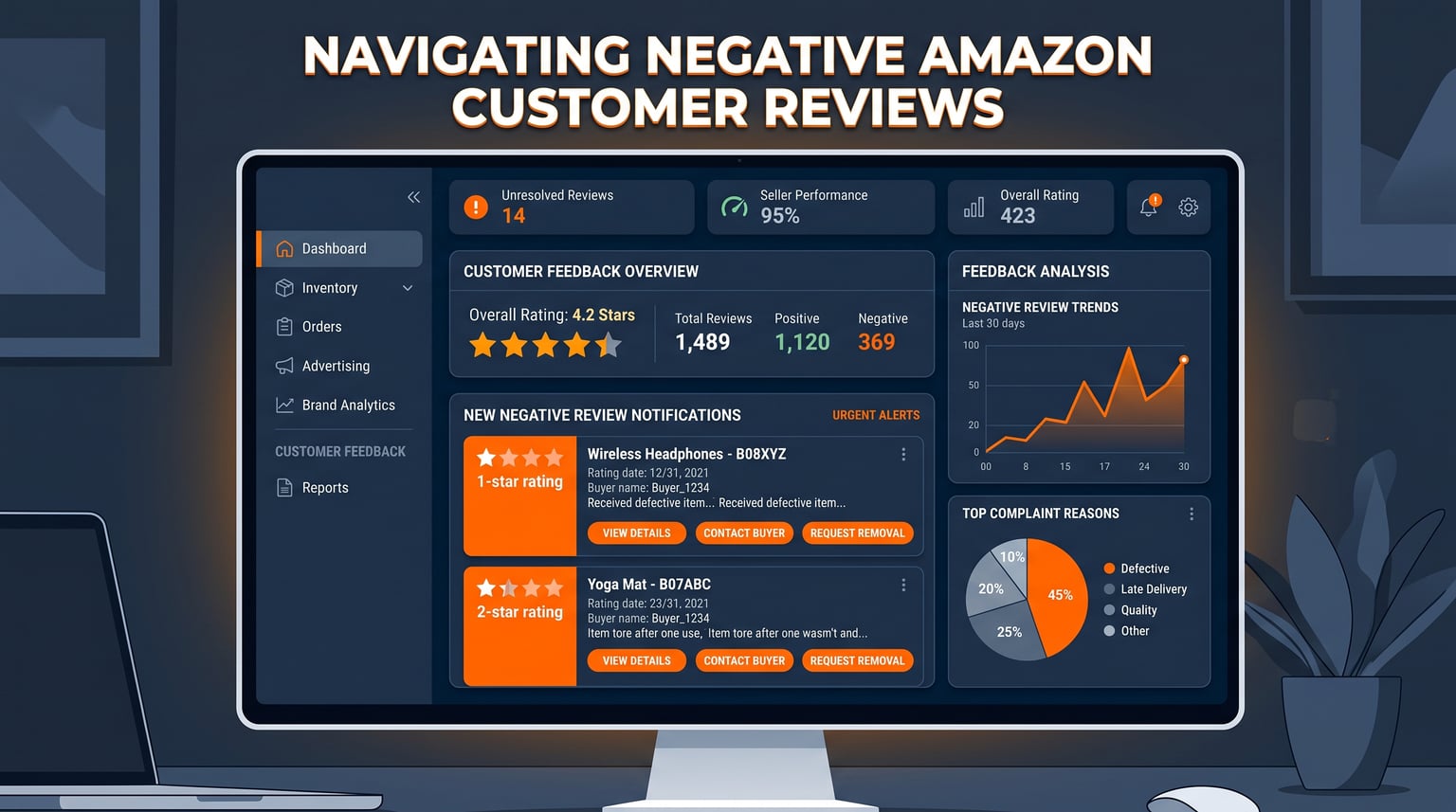
Every Amazon seller knows the feeling. You log into Seller Central, pull up your Feedback Manager, and there it is: a one-star review staring back at you. Your stomach drops. In that moment, it feels personal. But Amazon Customer Reviews are not just emotional triggers; they are the single most influential factor in whether your product converts, whether you win the Buy Box, and whether your listing survives algorithm changes rolling out in 2026.
I have spent years managing Amazon listings across dozens of categories, and I can tell you that negative reviews are not the end of the world. In fact, they can be one of the most valuable sources of product intelligence you will ever receive. The sellers who win long-term are the ones who treat each critical review as a data point, respond strategically, and build proactive systems to generate authentic positive feedback. Over 90 percent of shoppers read reviews before making a purchase decision, which means your review profile is effectively your storefront.
This guide covers everything you need to manage negative Amazon Customer Reviews in 2026: how the review system actually works behind the scenes, how to identify and remove policy-violating feedback, proven strategies to generate more positive reviews proactively, and real-world response frameworks that protect your seller metrics. Whether you are dealing with your first negative review or your hundredth, the strategies below will help you respond with confidence.
How Amazon Customer Reviews Actually Work in 2026
The relationship between Amazon customers and reviews has grown considerably more complex over the past two years. What used to be a straightforward text-and-star system now includes AI-generated review summaries, review highlights with aspect-tagged keywords, customer-uploaded photos and videos, and integration with Amazon’s Rufus AI shopping assistant. Understanding these layers matters because they change how potential buyers consume and interpret your review profile.
When a shopper lands on your product page, they rarely read every review top to bottom. Instead, they glance at the overall star rating, scan the AI-generated highlights that surface recurring themes, and then click into specific reviews that catch their attention. Amazon’s review highlights feature automatically groups customer feedback into categories like “quality,” “value,” “ease of use,” and “shipping.” This means a cluster of negative reviews mentioning “arrived damaged” can get amplified into a visible tag that every shopper sees before they even scroll down.
Adding another layer, Rufus, Amazon’s AI shopping assistant, can now answer shopper questions by pulling information directly from review content. A customer might ask Rufus whether a product runs small, and the assistant synthesizes an answer from existing reviews. If your review profile is filled with complaints about sizing, that AI-generated answer will reflect it. Your reviews are no longer just read by humans; they are parsed by algorithms that shape the shopping experience in real time.
Star Ratings Are Not Simple Averages
One of the most common misconceptions sellers hold is that the star rating shown on their listing is a straightforward average of all review scores. It is not. Amazon uses a machine learning algorithm that weighs multiple factors to produce the displayed rating. The system considers the recency of reviews, whether the reviewer has a verified purchase badge, the reviewer’s own voting record, and how recently the review was submitted.
This means a five-star review from a verified buyer posted last week carries significantly more weight than a three-star review from an unverified buyer posted eight months ago. It also means that a sudden influx of recent negative reviews can drag your displayed rating down faster than you might expect, even if your historical average looked solid.
For sellers, the takeaway is clear: recency matters. You cannot rest on a pile of positive reviews from two years ago. You need a steady stream of fresh, verified-purchase reviews to maintain your rating. This is why proactive review generation is not optional anymore; it is a core operational requirement. If you want to understand how review health ties into your overall search visibility, our guide on how to rank high on Amazon breaks down the connection in detail.
Product Reviews vs. Seller Feedback: Know the Difference
This distinction trips up new sellers constantly. Product reviews evaluate the item itself: its quality, functionality, design, and whether it matches the listing description. Seller feedback evaluates the seller’s performance: shipping speed, communication, packaging quality, and customer service. These are two separate systems with different impacts on your account health.
A buyer might leave a one-star seller feedback rating complaining that the package arrived late. That feedback has nothing to do with your product quality, but it still drags down your seller metrics and can affect your Order Defect Rate. FBA sellers face this frustration regularly: Amazon handles fulfillment, but the seller still takes the blame when a shipment arrives damaged or delayed. The review system works differently across marketplaces, and you can see a detailed comparison in our eBay vs Amazon for sellers breakdown.
In August 2024, Amazon updated its seller feedback system to allow buyers to leave a star rating without writing any text. This change created confusion in the seller community because it made it harder to understand why a buyer left a low rating. You might see a two-star seller feedback with no explanation, leaving you guessing whether it was a shipping issue, a product quality complaint, or something else entirely. Knowing how to identify and address each type of feedback is the first step toward managing your reputation effectively.
Why Amazon Customers Leave Negative Reviews
Before you can fix negative reviews, you need to understand what drives them. The most common trigger is a gap between buyer expectations and the actual product received. If your listing images make a product look larger than it actually is, or your description promises a feature that does not exist, the buyer will feel misled. Clear and accurate product descriptions that sell without overpromising are your first line of defense against negative reviews.
Beyond expectation gaps, negative reviews typically fall into a few recognizable categories. Product defects and quality issues are the most obvious: items that break after a week, electronics that stop charging, or fabrics that pill after one wash. Shipping-related complaints are the second major category, and these are particularly painful for FBA sellers who have no control over how Amazon handles the package once it leaves their warehouse. Third, customers leave negative reviews when they cannot get help from the seller, which underscores the importance of responsive buyer-seller communication.
Forum discussions among Amazon sellers reveal another frustrating category: reviews that belong in seller feedback but end up on the product page. A buyer might write a review saying “took three weeks to arrive” when that complaint is about fulfillment speed, not product quality. These misplaced reviews are common, and while they are technically removable through the review removal process, getting Amazon to act on them can require persistence.
Identifying Fake and Policy-Violating Reviews
Not every negative review is legitimate. Competitors sometimes plant fake one-star reviews to damage a rival’s ranking. Some reviews come from buyers who never purchased the product. Others violate Amazon’s community guidelines with profanity, personal information, or promotional content. As a seller, you need to know how to spot these and what to do about them.
Amazon’s community guidelines prohibit several types of reviews: reviews from someone with a financial interest in the product, reviews that include hateful or obscene content, reviews that promote competing products, and reviews that are incentivized without proper disclosure. If a review falls into any of these categories, you have grounds to request its removal. The challenge is proving the violation and getting Amazon to act within a reasonable timeframe.
How to Report and Remove Policy-Violating Reviews
The review removal process in 2026 involves several steps, and sellers who understand the system get better results. First, check whether the review violates a specific Amazon policy. Look for profanity, personally identifiable information, comparisons to competing products, or signs that the reviewer never purchased the item. If the review is actually about seller performance rather than the product itself, that is also grounds for removal since it belongs in seller feedback.
Once you identify a violation, use the Report Abuse link located next to the review on the product page. This flags the review for Amazon’s moderation team. For more complex cases, contact Seller Central support directly through your dashboard and cite the specific community guideline the review violates. Some sellers also email [email protected] with a detailed explanation of why the review should be removed.
Persistence matters here. Sellers on Amazon forums report that the first removal request is often denied. If your initial request gets rejected, review the policy guidelines again, refine your argument, and submit a second request with more specific citations. Amazon’s review filtering system is inconsistent: it sometimes removes legitimate reviews and keeps ones that clearly violate guidelines. Staying patient and persistent is the only way to navigate this process.
Proactive Strategies to Generate More Positive Reviews
The best defense against negative reviews is a strong offense. If you have hundreds of positive reviews, a single negative one barely registers. But if you only have eight reviews and three are negative, your rating looks terrible. Proactive review generation is the long-term solution, and Amazon provides several legitimate tools to help you build your review profile without violating policy.
The Request a Review Feature
Amazon’s Request a Review button, located in Seller Central under the Manage Orders page, is the simplest and safest way to ask buyers for reviews. One click sends a standardized Amazon-branded email requesting both a product review and seller feedback. The message is templated by Amazon, which means you cannot customize the wording or risk violating communication policies. This limitation is actually a benefit: it keeps you fully compliant.
The Request a Review button is available from 5 to 30 days after product delivery. Timing matters because buyers are most likely to leave a review while the product experience is still fresh. Sending the request too early means the buyer has not had enough time to form an opinion. Sending it too late means the purchase has faded from memory. The sweet spot is around 7 to 14 days post-delivery for most product categories.
Some sellers automate this process using third-party tools that trigger the Request a Review button automatically based on delivery confirmation. This eliminates the manual workload and ensures you never miss the optimal window. For broader strategies on building positive reviews, see our complete guide to Amazon Reviews Best Practices.
Amazon Vine Program for New Products
If you are launching a new product or relaunching one with limited reviews, Amazon Vine is one of the most effective tools available. The Vine program connects brands with trusted reviewers who are known for providing detailed, honest feedback. Amazon sends your product to selected Vine reviewers at no cost to the reviewer, and in return, they publish reviews that carry a special Vine Voice badge.
Vine reviews carry significant weight with shoppers because they come from Amazon’s most active and trusted reviewers. The program is available to brand-registered sellers, and while there is a per-ASIN fee, the return on investment can be substantial for products that are struggling to gain initial traction. A product with zero reviews is almost impossible to sell. A product with thirty Vine reviews has social proof that drives conversion.
Keep in mind that Vine reviewers are not obligated to leave positive reviews. They are selected for their honesty and detail. If your product has quality issues, Vine will surface them just as quickly as any other review channel. Make sure your product is genuinely ready for scrutiny before enrolling it.
Package Inserts and Post-Purchase Follow-Up
A well-designed package insert can encourage reviews without violating Amazon’s policies. The key is subtlety. You cannot offer discounts or free products in exchange for reviews, and you cannot ask specifically for positive reviews. But you can include a card thanking the customer for their purchase and letting them know their feedback matters. A simple QR code linking to your product’s review page makes it effortless for satisfied customers to share their experience.
For sellers using Fulfillment by Amazon, package inserts are one of the few direct touchpoints you have with customers. Amazon handles the shipping and customer communication, which means you have limited opportunities to build brand loyalty. A thoughtful insert card turns an unboxing moment into a branding opportunity. If you are weighing whether FBA is right for your business model, our Amazon FBA vs dropshipping comparison covers how each model handles customer relationships differently.
Steps to Handle Negative Amazon Customer Reviews
When a negative review lands, your response strategy matters as much as the review itself. Future customers can see how you respond to criticism, and a professional, empathetic reply can actually build trust. Conversely, a defensive or dismissive response drives buyers away. Here is a step-by-step framework for handling negative reviews that I have refined across hundreds of listings.
Step 1: Assess Before You React
Take a breath. Do not respond within the first hour of reading a negative review because emotions cloud judgment. Read the review carefully and categorize the complaint. Is it about product quality, shipping, sizing, or something else entirely? Does the review contain a policy violation that makes it eligible for removal? Understanding the nature of the complaint determines your next move.
If the review is legitimate and specific, it provides valuable feedback about something you can fix. If the review is vague (“terrible product, do not buy”), there may be little you can address directly. If the review violates policy, skip the response and head straight to the removal process described earlier in this guide.
Step 2: Respond Publicly and Professionally
For legitimate negative reviews, a public response demonstrates to future buyers that you stand behind your products. Start by acknowledging the customer’s experience without making excuses. Express genuine empathy for the frustration they described. Then offer a concrete solution: a replacement, a refund, or direct assistance through buyer-seller messaging.
Keep your response concise and solution-focused. Avoid lengthy explanations about manufacturing processes or shipping logistics because future readers do not want a wall of text. They want to see that you care and that you take action. A strong template looks something like this: “Hi [Name], thank you for sharing your experience. We are sorry to hear the product did not meet your expectations. We take quality seriously and would like to make this right. Please reach out to us through Buyer-Seller Messaging so we can send a replacement or arrange a full refund.”
Step 3: Move the Conversation Offline
Complex issues should not be resolved in a public comment thread. Once you have posted a public response showing that you are engaged, invite the customer to continue the conversation through Amazon’s Buyer-Seller Messaging Service. This keeps personal details private and gives you room to ask for order numbers, shipping addresses, or photos of the defective product.
The Buyer-Seller Messaging Service has strict guidelines about what you can and cannot say. You cannot offer compensation in exchange for changing a review, and you cannot ask a customer to remove a negative review in exchange for a refund. What you can do is resolve the underlying problem and let the customer decide whether to update their review on their own. Many buyers will voluntarily revise or remove a negative review once the seller has made things right.
Step 4: Learn and Iterate
Every negative review contains a lesson. If multiple customers complain about the same issue, that is a signal something in your supply chain or listing needs attention. Maybe your packaging is insufficient and products arrive damaged. Maybe your sizing chart is inaccurate. Maybe a batch from your manufacturer had quality defects. Track review themes over time and feed those insights back into your product development and listing optimization process.
Sellers who treat review feedback as product intelligence rather than personal criticism build better products over time. The data from your reviews can inform everything from packaging redesign to supplier selection to listing copy adjustments. This is how you turn a negative moment into a competitive advantage.
The Business Impact of Negative Reviews on Your Amazon Store
Negative reviews are not just a blow to your ego; they have measurable business consequences. Two areas where the impact is most severe are Buy Box eligibility and your Order Defect Rate. Understanding the mechanics of each helps you appreciate why review management deserves ongoing attention.
How Negative Reviews Affect Buy Box Eligibility
The Buy Box is the yellow “Add to Cart” button on a product page. Winning the Buy Box means your offer is the default choice when a customer decides to purchase. On listings with multiple sellers, the Buy Box rotates based on price, fulfillment method, and seller performance metrics. Review health feeds into that performance calculation.
When your review profile deteriorates, Amazon’s algorithm interprets this as a signal that buyers are not having good experiences with your product. The algorithm then prioritizes competing offers from sellers with better review profiles. Even if your price is competitive and you use FBA, a poor review profile can cost you the Buy Box. Losing the Buy Box on a high-traffic listing can mean a 50 percent or greater drop in sales almost overnight.
Negative reviews also influence your ability to rank in Amazon search results. The A9 search algorithm considers conversion rate as a major ranking factor, and reviews directly impact conversion. A product with a 3.2-star rating converts far worse than the same product at 4.3 stars. When conversion drops, ranking drops, which reduces traffic, which reduces sales further. It is a downward spiral that can be difficult to reverse once it starts.
Order Defect Rate and Account Health
Your Order Defect Rate, or ODR, is one of the most closely watched metrics in Seller Central. Amazon calculates ODR based on three components: negative seller feedback (1 or 2 stars), A-to-z Guarantee claims filed against your orders, and chargebacks. Your ODR must stay below 1 percent. Exceeding that threshold puts your selling privileges at risk.
A single negative seller feedback rating on a low-volume account can push your ODR above the threshold temporarily. If your account is small, one bad rating represents a larger percentage of your total orders. This is why monitoring your Feedback Manager daily is essential for newer sellers who do not yet have hundreds of orders to absorb occasional negative ratings.
A high ODR can also trigger account-level reserves and other restrictions. Amazon may hold a percentage of your funds in reserve to cover potential claims, which creates cash flow challenges for growing sellers. To understand how this works, our guide on the Amazon account level reserve explains the connection between account health metrics and fund disbursement.
Tools and Systems for Monitoring Reviews
You cannot manage what you do not measure. Setting up a review monitoring system ensures you catch negative reviews early and respond within the optimal timeframe. The tools available range from built-in Seller Central features to third-party automation platforms.
Start with the Feedback Manager in Seller Central, which provides a consolidated view of your recent seller feedback and allows you to respond directly. For product reviews, there is no native notification system in Seller Central, which means you need to either check manually or use a third-party tool. Several review monitoring tools can send instant alerts when a new review is posted on any of your ASINs, complete with sentiment analysis to flag negative reviews automatically.
For sellers managing multiple SKUs, automation is not a luxury; it is a necessity. Review monitoring tools can track review velocity, meaning how many reviews you are getting per week, alert you to sudden rating drops, and even help you identify which products need attention first. Some platforms also automate the Request a Review button, ensuring every eligible order gets a review request within the optimal window.
Beyond tools, establish a review response protocol for your team. Define who responds to reviews, how quickly they respond, and what templates to use for common scenarios. A standardized process ensures consistency and prevents emotional or inconsistent responses.
Amazon Customer Reviews FAQs
How do I handle negative Amazon customer reviews?
Start by reading the review carefully to understand the specific complaint. If the review violates Amazon’s community guidelines (profanity, competitor promotion, seller feedback posted as a product review), use the Report Abuse button or contact Seller Central for removal. For legitimate complaints, respond publicly with empathy and a concrete solution, then move the conversation to Buyer-Seller Messaging to resolve the issue privately.
Can a seller respond to negative feedback on Amazon?
Yes. Sellers can respond to both product reviews and seller feedback. For product reviews, use the Comment feature below the review on the product page. For seller feedback, use the Feedback Manager in Seller Central. Public responses show future buyers that you are engaged and committed to resolving issues professionally.
How do I remove a fake or policy-violating review from my Amazon product page?
Use the Report Abuse link next to the review on the product page to flag it for Amazon’s moderation team. For complex cases, contact Seller Central support with specific citations of the community guidelines being violated. You can also email [email protected] with a detailed explanation. Persistence is important because initial removal requests are frequently denied.
How does Amazon calculate star ratings for products?
Amazon uses a machine learning algorithm rather than a simple average. The system weighs factors including review recency, verified purchase status, and reviewer credibility. Recent reviews from verified buyers carry more weight than older or unverified reviews. This means a sudden cluster of negative reviews can impact your displayed rating faster than historical positive reviews can buffer it.
What is the Amazon Vine program and how does it work?
Amazon Vine connects brand-registered sellers with trusted reviewers called Vine Voices. Amazon sends your product to selected reviewers at no cost to them, and in return they publish detailed reviews with a Vine Voice badge. Vine reviews carry significant weight with shoppers and are particularly effective for new products that need initial social proof to start converting.
Can customers change or update their Amazon review after posting it?
Yes, customers can edit or delete their reviews at any time. If a seller resolves the buyer’s problem through Buyer-Seller Messaging, the customer may choose to update their review voluntarily. Sellers cannot ask customers to change or remove a review in exchange for compensation, as this violates Amazon’s review policies. Focus on solving the underlying problem and let the customer decide.
What is the difference between seller feedback and product reviews on Amazon?
Product reviews evaluate the item itself: its quality, design, and functionality. Seller feedback evaluates the seller’s performance: shipping speed, communication, and customer service. These are separate systems with different impacts on account health. Seller feedback directly affects your Order Defect Rate, while product reviews affect your listing’s conversion rate and search ranking.
Conclusion
Negative Amazon Customer Reviews are inevitable, but they are also manageable. The sellers who thrive in 2026 are the ones who approach reviews as data rather than criticism. By understanding how star ratings work, how AI review summaries and Rufus are reshaping the shopping experience, and how to respond to negative feedback professionally, you can protect your Buy Box eligibility and maintain a healthy Order Defect Rate.
Remember that proactive review generation is your most powerful tool. The Request a Review feature, Amazon Vine, and well-designed package inserts all contribute to building a review profile that can absorb occasional negative ratings without catastrophic impact. Pair these strategies with consistent monitoring and a standardized response protocol, and you will be positioned to handle whatever feedback comes your way.
Every review, positive or negative, is a conversation with your customer. Listen, respond, improve, and repeat. That cycle is the foundation of a resilient Amazon business in 2026 and beyond.
Leave a Reply