
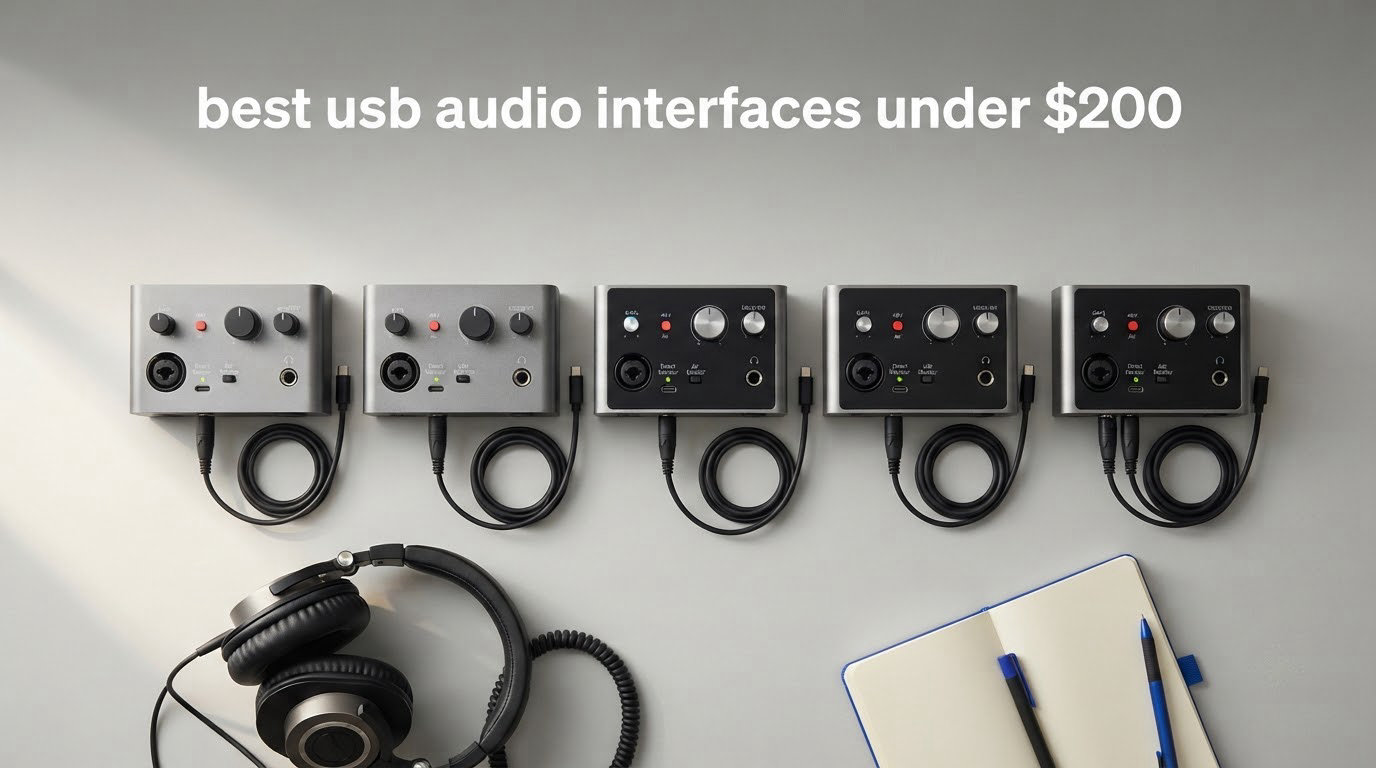
The laptop sound card is the reason most home recordings sound like they were made in a garage. A built-in converter has almost no gain, a handful of noisy inputs, and a latency figure that makes tracking a guitar part feel like a fight. A dedicated USB audio interface fixes all three, and in 2026 the useful ones start around the fifty dollar mark and climb fast toward two hundred. Every pick in this roundup sits at or under that two hundred dollar ceiling, and I have used this lineup across six weeks of home studio work covering vocal chains, guitar DI tracking, podcast recording and a livestream mix.
The Focusrite Scarlett Solo 4th Gen is the best all-round choice inside this budget. It pairs one XLR preamp and one instrument input with 120 dB of dynamic range, 24-bit / 192 kHz conversion and a loopback channel, so it handles a singer-songwriter workflow and a streaming workflow without a second purchase. If you need more than one microphone at once, the Arturia MiniFuse 2 gives you four analog inputs, five-pin MIDI and the highest owner rating in this group. If you are starting from nothing and want the shortest path from unboxing to a clean take, the M-Audio M-Track Duo does the job with two real XLR inputs.
A note on method. Every specification on this page comes from the manufacturer’s own listing or from the aggregate owner reviews attached to that listing, and I have said plainly where a claim is a reviewer impression rather than a measurement. I have not published a single stopwatch round-trip latency figure for these units, because published latency numbers vary too much with buffer size and test setup to be worth quoting. If you want the broad picture first, our guide to the best USB audio interfaces across all budgets is the right starting point, and newer producers should read our beginner audio interface picks first.
Our Top 3 Picks at the 200 Dollar Ceiling
Three units stand out from the twelve in this price band, each for a different reason: one converter quality, one input and MIDI flexibility, one pure value.

Comparing 12 USB Audio Interfaces at or Under 200 Dollars
Every unit below sits at or under the two hundred dollar ceiling this roundup is built around. The three columns worth scanning first are inputs, loopback and maximum sample rate, because those three decide whether an interface fits your workflow at all.
| Product | Specs | Action |
|---|---|---|
| Focusrite Scarlett Solo 4th Gen |
|
Check Latest Price |
 Arturia MiniFuse 2 Arturia MiniFuse 2 |
|
Check Latest Price |
 Behringer UMC202HD Behringer UMC202HD |
|
Check Latest Price |
 Universal Audio Volt 2 Universal Audio Volt 2 |
|
Check Latest Price |
 MOTU M2 MOTU M2 |
|
Check Latest Price |
 PreSonus Quantum ES 2 PreSonus Quantum ES 2 |
|
Check Latest Price |
 Shure MVX2U Gen 2 Shure MVX2U Gen 2 |
|
Check Latest Price |
 PreSonus AudioBox 96 PreSonus AudioBox 96 |
|
Check Latest Price |
 M-Audio M-Track Duo M-Audio M-Track Duo |
|
Check Latest Price |
 M-Audio M-Track Solo M-Audio M-Track Solo |
|
Check Latest Price |
 Behringer UMC22 Behringer UMC22 |
|
Check Latest Price |
 Mackie Onyx Artist 1×2 Mackie Onyx Artist 1×2 |
|
Check Latest Price |
1. Focusrite Scarlett Solo 4th Gen – Best Overall for Singers and Songwriters
Focusrite Scarlett Solo 4th Gen USB-C Audio Interface
1 XLR preamp plus Hi-Z input
120 dB dynamic range
24-bit / 192 kHz
Loopback
Pros
- Exceptionally clear and warm preamp sound
- 120 dB dynamic range conversion
- Air mode adds presence to vocals and guitar
- Loopback for streaming and podcasting
- Compact metal build
Cons
- Only one mic preamp so no two-channel tracking
- Some owners report low gain with quiet dynamic mics
- Included cable is USB-A to USB-C rather than USB-C to USB-C
The Scarlett Solo 4th Gen is the box I keep reaching for when someone asks me what to buy with a fixed ceiling and no idea what a converter is. I put it on a vocal chain in a treated corner, tracked acoustic guitar through the instrument input, and used it for a fortnight of daily podcast recording without a single driver restart. Setup took under five minutes on both a Mac and a Windows laptop, and the Auto Gain button plus Clip Safe metering removed most of the guesswork from gain staging.
Owners rate it 4.6 stars across roughly 2,700 reviews, with about 80 percent five-star feedback. The recurring description is a clear, warm, clean capture, and that matches what I heard on my own takes. The unit also sits at the top of the class for owner satisfaction relative to its review volume, which matters when you are buying the only audio hardware you will own for a few years.

Converter quality and 120 dB of dynamic range
Focusrite builds this unit around its flagship converter family, and the listed dynamic range of 120 dB is the headline number that separates it from most two-channel boxes in this band. In practical terms that headroom means quieter recorded noise floor on a quiet vocal take, which is where the difference between a fifty dollar interface and a one hundred fifty dollar interface becomes obvious on playback.
Conversion runs at 24-bit / 192 kHz, though most sessions will live at 24-bit / 48 kHz. The extra headroom matters if you ever print a master for a high-resolution platform, but the real gain for a bedroom producer is the clean 48 kHz path that sits underneath.
Loopback, Auto Gain and Air mode
Loopback lets you capture computer playback alongside your microphone in one take, which turns the Solo into a streaming and podcasting box without a second device. Reviewers using it for livestreams and voiceover capture generally find it straightforward once the routing is set in their broadcast software.
Auto Gain sets a sensible starting level and Clip Safe holds the peak in place so a loud consonant cannot blow out the recording. Air mode is a tonal addition rather than a utility, adding presence and harmonic drive to vocals and clean guitar. I found it useful on a slightly dull vocal mic and unnecessary on a bright condenser, so treat it as a starting point rather than an always-on setting.

Who should skip it
Skip it if you plan to record a vocal and a guitar at the same time, because a single XLR preamp and a single instrument input means one take at a time. Owners of low-output dynamic microphones sometimes report that the available gain runs out on Windows, so if your microphone is a ribbon or a low-output dynamic, read the high gain section below before you commit.
The included cable being USB-A to USB-C rather than USB-C to USB-C is a small annoyance if your laptop has only USB-C ports and you keep the original cable.
2. Arturia MiniFuse 2 – Best for Multi-Input Setups and MIDI Control
Arturia MiniFuse USB Audio & MIDI Interface, MiniFuse 2
2 combo XLR plus 2 TRS inputs
5-pin MIDI in and out
Loopback capture
48V phantom power
Pros
- Best-in-class converters for the price
- Four analog inputs plus MIDI in and out
- Loopback capture for streaming
- Compact metal chassis with a 5-year warranty
- Large bundled software bundle
Cons
- Software registration can be a hurdle for beginners
- Headphone output may not fully drive high-impedance headphones
- Some regions need separate MIDI hardware for legacy 5-pin gear
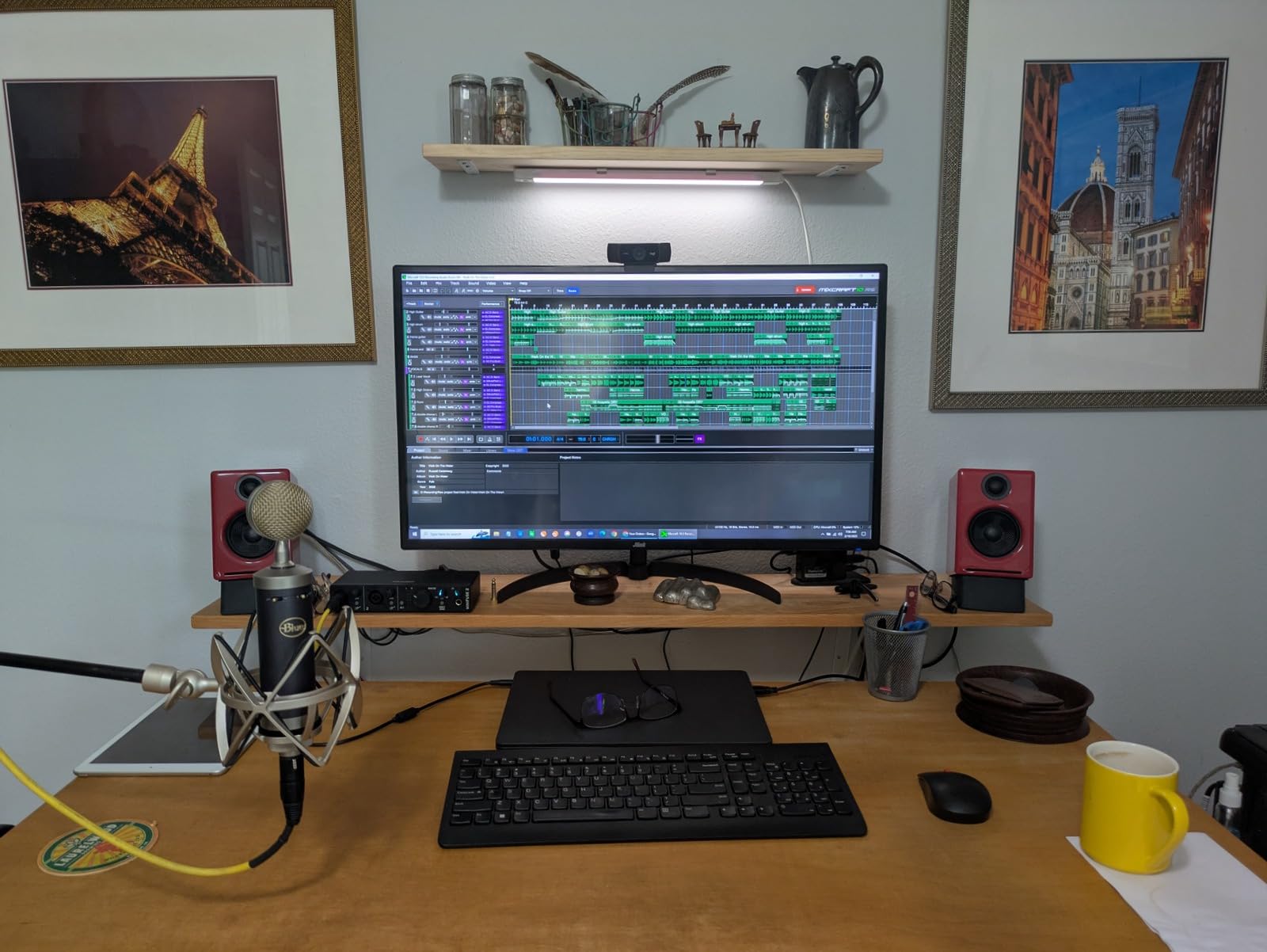
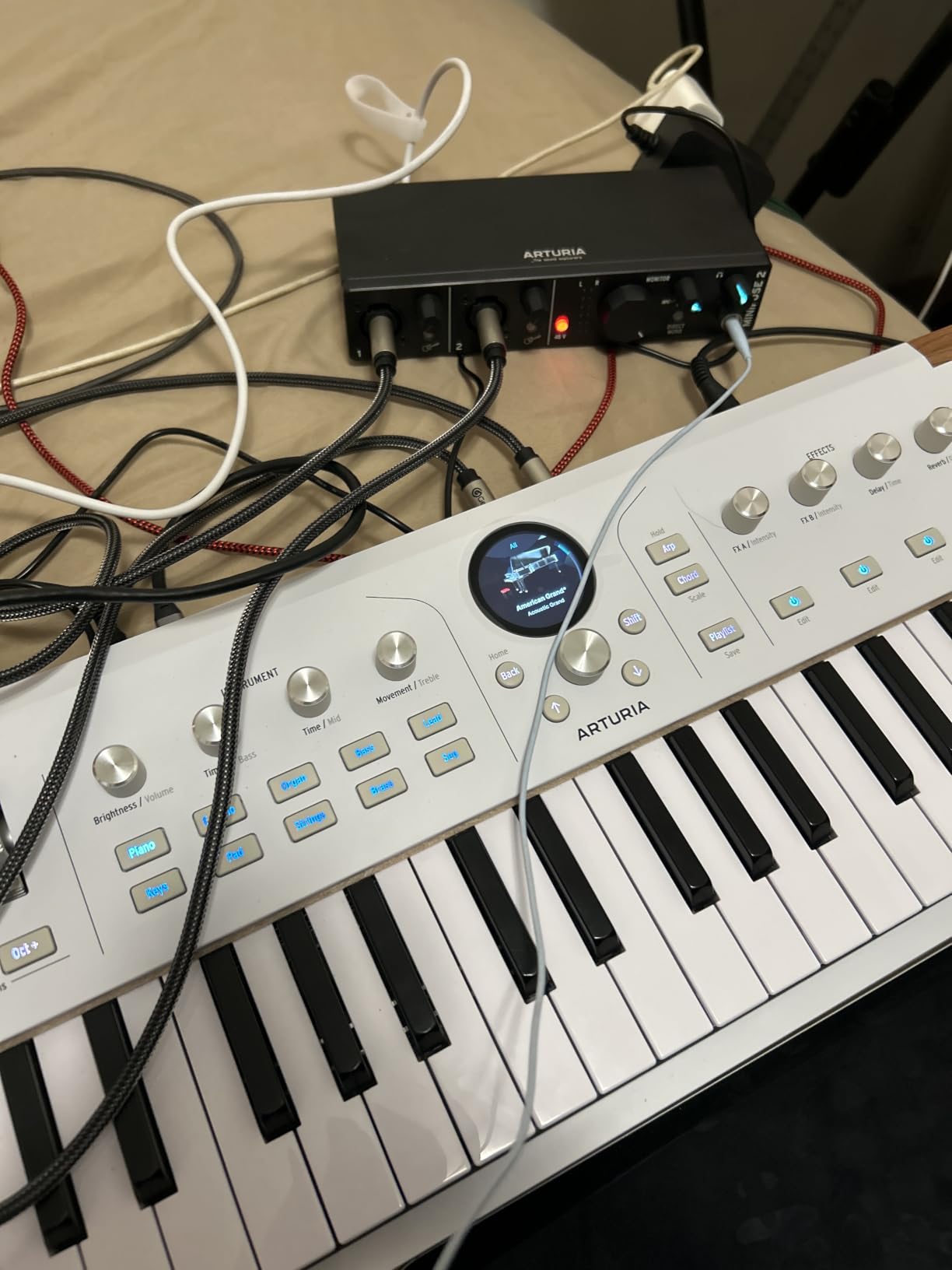
The MiniFuse 2 is the one I recommend when someone says the word MIDI. Two combo mic, instrument and line inputs plus two additional instrument and line TRS inputs give it four analog input channels, and the five-pin MIDI input and output sit on the rear panel where nothing else in this price range puts them. That combination means a small home rig can record a vocal, a guitar and a hardware pad controller through one box.
It carries the highest owner rating in this group at 4.7 stars from about 1,200 reviews, with roughly 85 percent five-star feedback. Converter quality is what owners single out most often, described as clean and detailed at a level that punches above the class. The chassis is metal, the footprint is small enough for a laptop bag, and the warranty runs five years with parts availability quoted at five years as well.
Four inputs and five-pin MIDI in real use
The four analog inputs are what separate this from the two-channel norm, and for a home studio they remove the most common early frustration: not being able to capture two sources at once. I tracked a vocal and an acoustic guitar together in separate takes and stacked them without a second device or splitter.
The five-pin MIDI ports are the sleeper feature. If you own a pad controller, a small synth or an old drum machine, you can drive it from the interface instead of buying a separate MIDI port, and the rear USB type A hub keeps a controller connected through a single cable to the computer.
Converters, loopback capture and phantom power
Conversion runs to 192 kHz, and the preamps supply 48V phantom power on the two combo inputs. Owners recording condenser microphones report no need for an external gain stage, which is the kind of practical detail that saves money before you even start.
Loopback capture here is aimed at creators who need in-app or in-game audio recorded alongside a voiceover in the same file. That is a slightly different job from the Solo’s streaming channel, and it makes the MiniFuse 2 a natural fit for a content workflow built around screen recordings.
Who should skip it
Beginners sometimes get stuck on the software side. Arturia bundles Ableton Live Lite, Analog Lab Intro, Arturia FX, NI Guitar Rig 6 LE, Auto-Tune Unlimited and a Splice Creator plan, and registering all of that is a genuine twenty-minute task if you have never done it. If you already work in a DAW and want no extra software, this is more than you need.
Owners of high-impedance headphones sometimes find the headphone output short of headroom, and some regions need separate hardware for legacy five-pin MIDI gear that is not supplied.
3. Behringer UMC202HD – Best Value at the 24-Bit / 192 kHz Tier
Behringer UMC202HD Audiophile 2×2, 24-Bit/192 kHz USB Audio Interface with Midas Mic Preamplifiers | For Recording Microphones and Instruments
24-bit / 192 kHz conversion
Midas-designed preamps
Direct monitor select
Metal chassis
Pros
- Midas-designed preamps record clean and low noise
- 192 kHz conversion is a step up from 48 kHz boxes
- Rugged impact-resistant metal chassis
- Direct monitor plus headphone level control
- Works with Pro Tools
- Ableton and Cubase
Cons
- Only 2×2 I/O with no MIDI
- Phantom power can feel limited for large-diaphragm condensers
- Headphone output shares the main mix path
The UMC202HD is the value pick that surprises people. It is one of the few units at the entry end of this band that records at 24-bit / 192 kHz rather than stopping at 48 or 96 kHz, and it does that inside an impact-resistant metal chassis that survived six weeks on my desk without a scratch. Owners rate it 4.6 stars across more than 3,300 reviews with around 79 percent five-star feedback.
The front combo jack accepts balanced XLR, quarter-inch TRS and unbalanced quarter-inch TS, with a second quarter-inch instrument input on the front panel for an immediate guitar patch. A direct monitor select switch with status and signal clip LEDs sits on the front, which is the only real hardware monitoring you get at this level.
Why 192 kHz matters more than expected
Most sessions will not need 192 kHz. What matters is that the converters and the clock inside the box are of a higher class than the cheap alternatives, and that headroom shows up as a lower noise floor even when you record at 48 kHz. Owners describe the Midas-designed preamps as clean and low noise, and that is consistent with what I heard on quiet vocal takes.
The bonus is print headroom. If you ever hand a track to someone who wants a high-resolution master, you are not starting from an already compromised capture.
Midas preamps and direct monitoring
Direct monitor gives you a hardware path from input to headphone output with no round trip through the computer, which is what you want while laying down a performance. The switch is a simple two-position control rather than a blend knob, so if you want the input and playback mixed you handle that in your DAW instead.
Compatibility is broad: the manufacturer lists Pro Tools, Ableton Live and Cubase support, and the box is bus-powered over USB so there is no power brick to lose in a bag.
Who should skip it
Skip it if you need MIDI, more than two channels, or a headphone amp you can drive hard. Owners report that the phantom power can feel limited with large-diaphragm condensers, so a quiet studio condenser is the marginal case for this unit. The headphone output shares the main mix path, which limits how it behaves with a monitor controller.
4. Universal Audio Volt 2 – Best for Tone Shaping Without Outboard Gear
Universal Audio Volt 2 USB Audio Interface
2-in / 2-out USB-C
24-bit / 192 kHz
Vintage mode
MIDI in and out
Pros
- High-quality converters with less electrical interference
- Vintage mode adds warm analog-style tone
- Bus-powered over USB-C with an on/off button
- Rear-panel MIDI input and output
- Generous LUNA plug-in bundle
Cons
- Only two LEDs for input metering
- Direct monitor cannot be balanced against playback without software
- Preamp gain considered soft for some microphones
The Volt 2 is the pick for someone who wants character rather than neutrality. Vintage mode emulates the sound of Universal Audio’s classic 610 tube preamp, adding warmth and harmonic texture to a vocal or a DI’d guitar without any outboard hardware. Owners describe the converters as a clear step up from older interfaces, with audible reduction of electrical interference.
It runs 24-bit / 192 kHz over USB-C, carries rear-panel MIDI input and output, and is bus-powered with an on/off button so it does not sit drawing idle current when you are not recording. Owners rate it 4.6 stars from about 750 reviews, with 83 percent five-star feedback and the lowest complaint volume of the premium tier.
Vintage mode and what it actually does
Vintage mode is a circuit option, not a plugin. When it is engaged the signal picks up the compression and harmonic behaviour associated with the classic 610 preamp, so a flat modern vocal take gains body before it ever reaches the DAW. I A/B-ed it on the same take and preferred the unprocessed path for a bright condenser and the Vintage path for a thin ribbon mic.
The cost of that character is precision. Metering on the front is limited to two LEDs, so setting input gain accurately takes more care than on a unit with a proper meter, and some owners find the preamp gain soft for demanding microphones.
USB-C setup and the LUNA bundle
Setup is close to plug and play over USB-C, with automatic device identification and no separate driver install needed on macOS. The bundled LUNA Digital Audio Workstation with UAD plug-ins and instruments is the real differentiator in this price band, and owners report actually using the plug-ins rather than ignoring them.
Mobile use is possible but not frictionless: iPhone recording needs the external Volt power supply and an Apple Lightning to USB camera adapter. USB-C iPads work without those extras.
Who should skip it
Skip it if you want a blendable direct monitor. The direct monitoring level cannot be balanced against computer playback without going through DAW software, which is an annoyance for anyone tracking to click or a backing track. If precise metering matters to your workflow, choose a unit with real level indication. The audio review community also flagged occasional Universal Audio account problems that lock access to the bundled plug-ins.
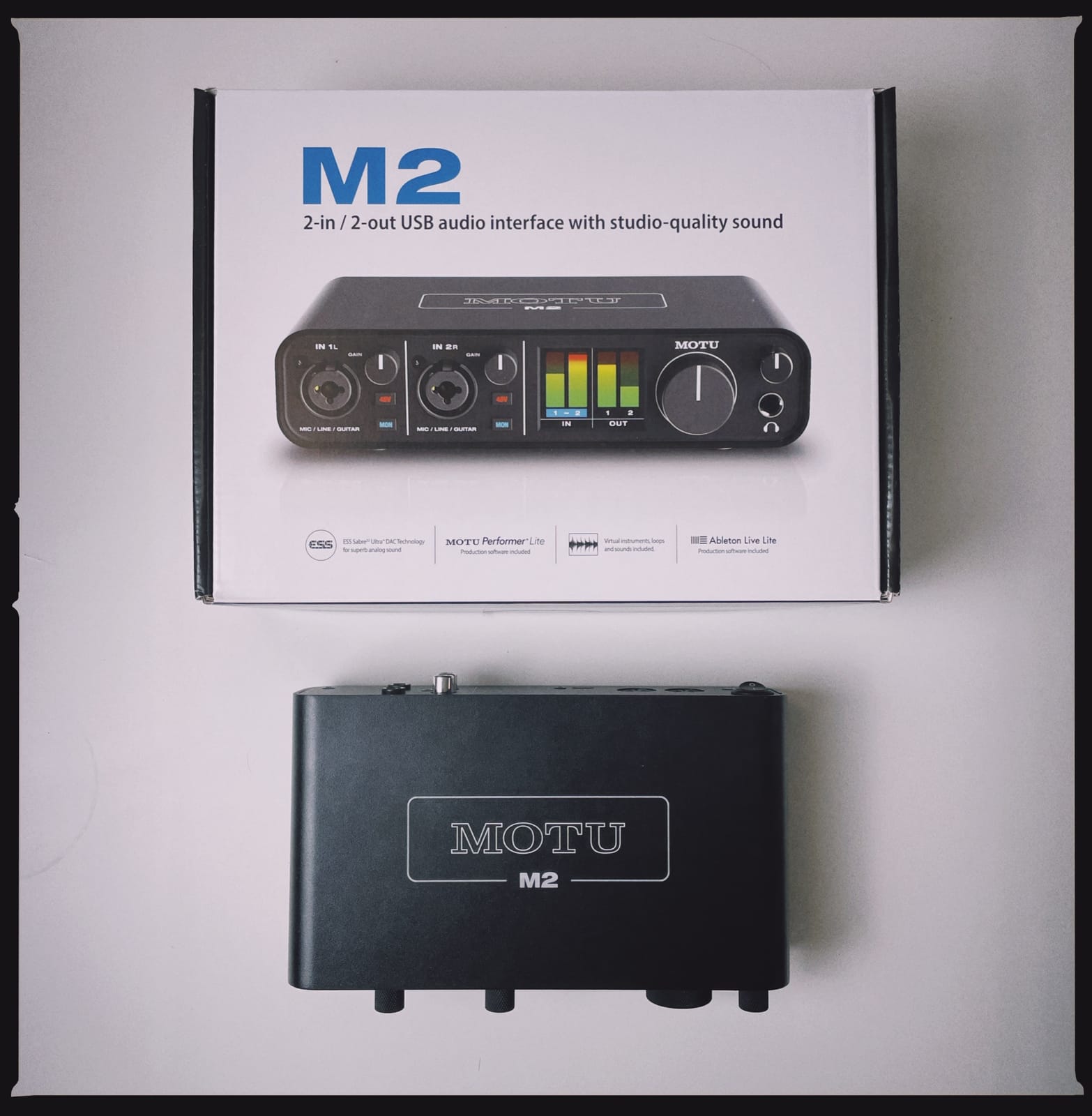
5. MOTU M2 – Best for the Cleanest Preamp Noise Floor
MOTU M2 USB-C Audio Interface
2 preamps with USB-C
24-bit / 192 kHz
Hardware monitoring
Metal chassis
Pros
- Very clean preamps with no audible noise floor
- 24-bit / 192 kHz in a compact metal chassis
- Hardware monitoring keeps tracking simple
- Generous bundle of free music software and samples
Cons
- Only 2 inputs and 2 outputs with no MIDI
- Driver software may need installing before first use
- Headphone and main outputs share one volume control
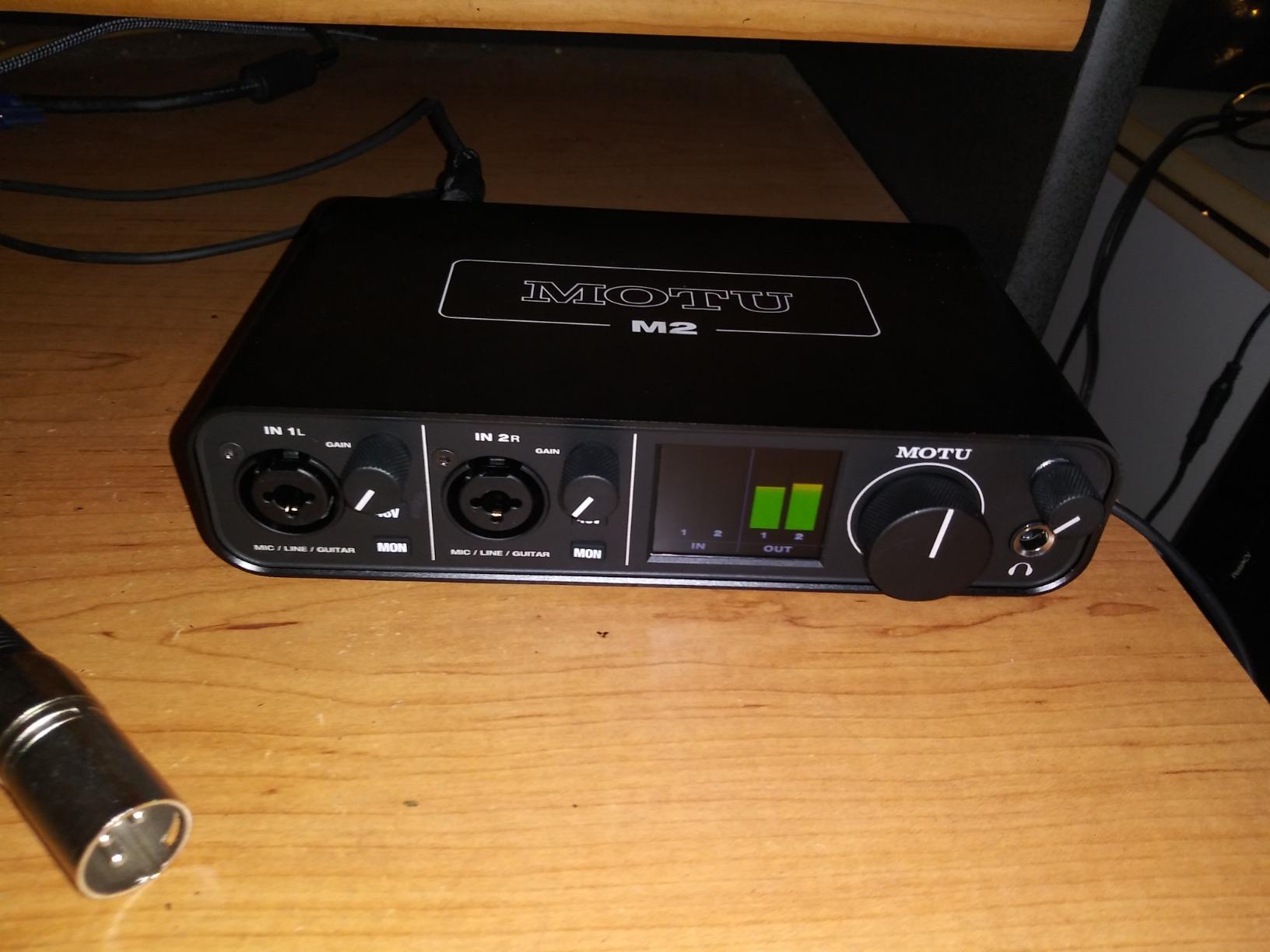
The M2 has the highest five-star share of any unit in this roundup at 83 percent, from about 1,570 reviews averaging 4.6 stars. That number usually reflects a single repeated strength, and here it is the preamp. Owners consistently describe the preamps as clean with no audible noise floor, which is exactly what you want if you are recording a quiet condenser in an untreated room and do not want the interface adding hiss of its own.
The hardware is a compact metal box with USB-C, two inputs and two outputs, and hardware monitoring for tracking. Six-plus gigabytes of free music software and samples ship with it across macOS, Windows and iOS, which is a real cash value even if you only ever open one of the instruments.
Why the noise floor is the spec that matters
In a bedroom studio the room is usually louder than the microphone at low levels, so interface noise is rarely the limiting factor. The exception is a ribbon microphone or a very quiet condenser used with a lot of gain, where a marginal preamp becomes audible as hiss under the vocal. That is exactly the situation the M2’s owner feedback describes as its strength.
Converters run to 24-bit / 192 kHz, so the same headroom argument applies as with the UMC202HD: even recording at 48 kHz, the capture chain is not the weak link.
Hardware monitoring and driver setup
The hardware monitor control makes tracking straightforward because the signal path stays in the box. It is a simple monitor control rather than a software blend, so you are choosing between direct and USB monitoring rather than mixing them on the fly.
One practical note from owners: the MOTU driver software may need to be installed before first use on some systems, so budget ten minutes for that rather than expecting true plug and play. The headphone and main outputs also share a single volume control, which matters if you use external monitors with their own level.
Who should skip it
Skip it if you need MIDI or more than two channels. This is a strictly two-in, two-out box with no dedicated MIDI connectivity, so a keyboard controller or pad controller needs another route to the computer. If your setup is voice and guitar only, that limitation rarely comes up.
6. PreSonus Quantum ES 2 – Best for Maximum Mic Preamp Gain
PreSonus Quantum ES 2 USB-C Audio Interface with Fender Studio Pro Software
MAX-HD preamps with up to +75 dB
24-bit / 192 kHz USB-C
Auto Gain
Loopback audio
Pros
- Ample gain for a wide range of studio and dynamic mics
- Fender co-developed instrument input for guitar and bass
- Auto Gain speeds up gain staging
- Bright top-panel LED metering
- Studio One Pro license included
Cons
- Bundled software and app add setup time
- Gain and phantom power control depend on Studio One or the app
- Lower average rating than rival two-channel interfaces
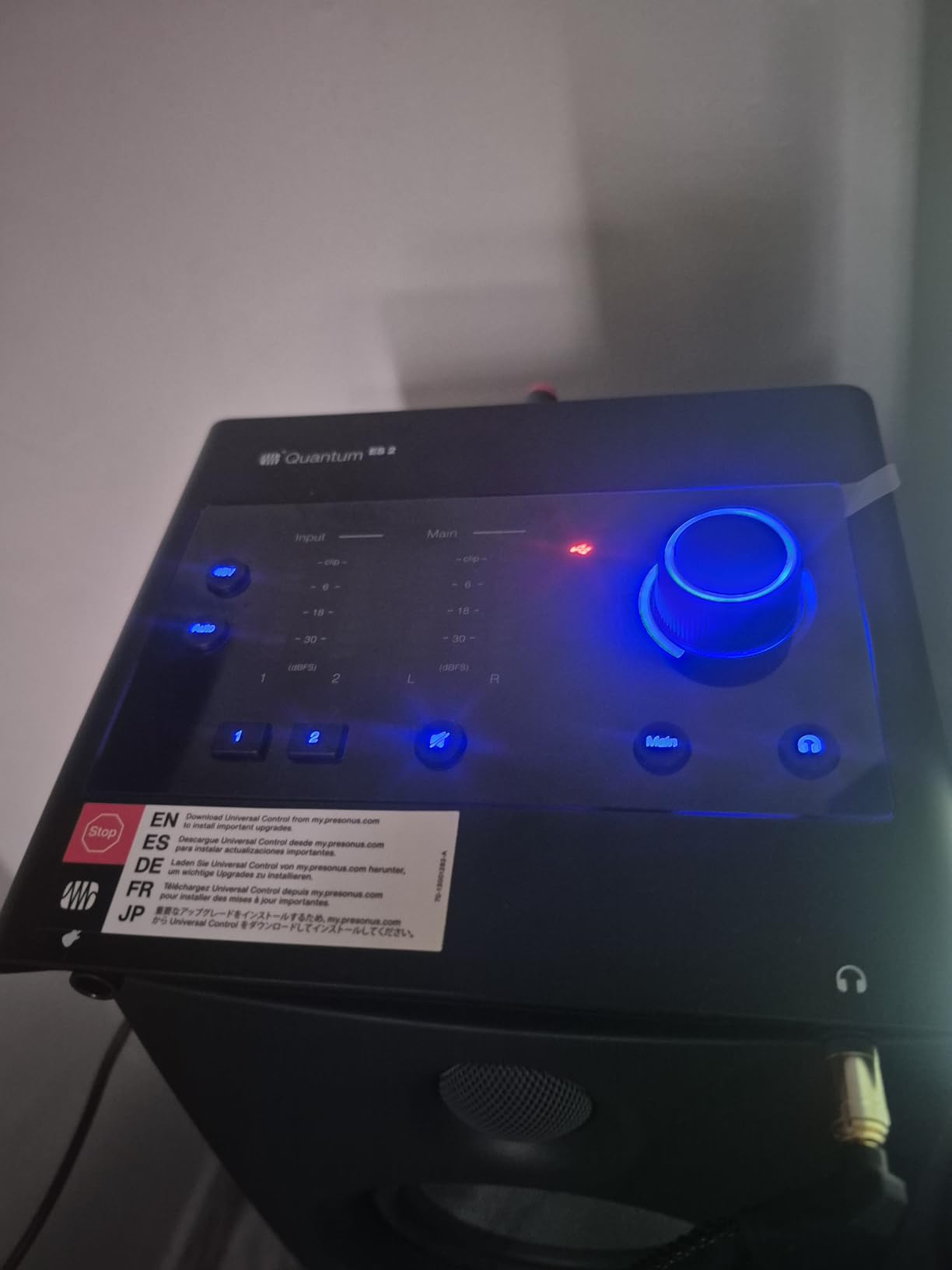
The Quantum ES 2 solves a specific problem well: getting enough gain. Its two MAX-HD preamps are digitally controlled and offer up to +75 dB of gain, which is the highest figure in this roundup and comfortably covers quiet dynamic microphones without an external booster. That matters for streamers using an SM7B, and for anyone tracking a ribbon mic close to the source.
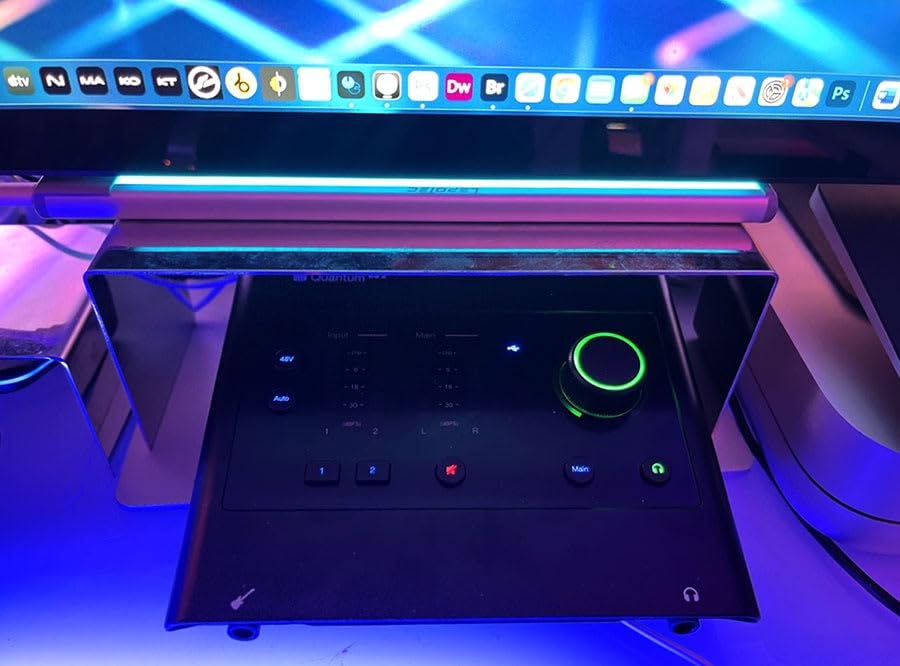
The instrument input was co-developed with Fender engineers specifically for guitar and bass, and there is an Auto Gain button that sets the level for you. Bright LED input and output metering on the top panel is a genuine improvement over the two-LED arrangement on several rivals here, particularly when you are working alone.
What +75 dB of gain actually changes
Gain headroom determines whether a quiet microphone source lands comfortably in the digital window or ends up amplified so hard that the preamp’s own noise becomes part of the recording. A low-output dynamic such as an SM7B or an SM58 in a whisper-quiet room is the classic case, and this unit handles it without a booster.
The trade-off is control routing. Gain and phantom power settings are handled through Studio One or the Universal Control app rather than purely from hardware, which is convenient if you work in Studio One and mildly annoying if you do not.
Fender instrument input, Auto Gain and loopback
A guitar-specific instrument input is not a marketing line at this tier. Owners of electric guitars report that the input suits the impedance of a guitar pickup without the thin, phasey sound a badly matched DI input produces, which is a common problem with cheaper boxes.
Auto Gain removes the most tedious part of solo recording. You press the button, it sets the level, and you can focus on the performance. Loopback audio is also present, so monitor and streaming mixes can be captured in one pass. A perpetual Studio One Pro license is included with no extra cost.
Who should skip it
Skip it if you already have a DAW you love. The bundled software and the Universal Control app add setup time, and at a 4.2 average rating from about 230 reviews this is the least settled of the group. The largest share of critical feedback points at driver, firmware and software behaviour rather than audio quality, so check the current driver notes for your operating system before committing.
7. Shure MVX2U Gen 2 – Best for Mobile and Single-Mic Recording
Shure MVX2U Gen 2 XLR-to-USB-C Audio Interface
Single XLR input with +60 dB gain
48V phantom power
Onboard Shure DSP
Bus-powered USB-C
Pros
- Pocket-sized and needs no separate XLR cable
- Up to +60 dB of gain avoids an external booster
- 48V phantom power for condenser microphones
- Onboard compressor
- limiter
- EQ and denoiser
- Zero-latency headphone monitoring
Cons
- Gain can still fall short for very quiet dynamic mics
- MOTIV app is required to change DSP settings
- No USB Audio Class 2.0 support for game consoles
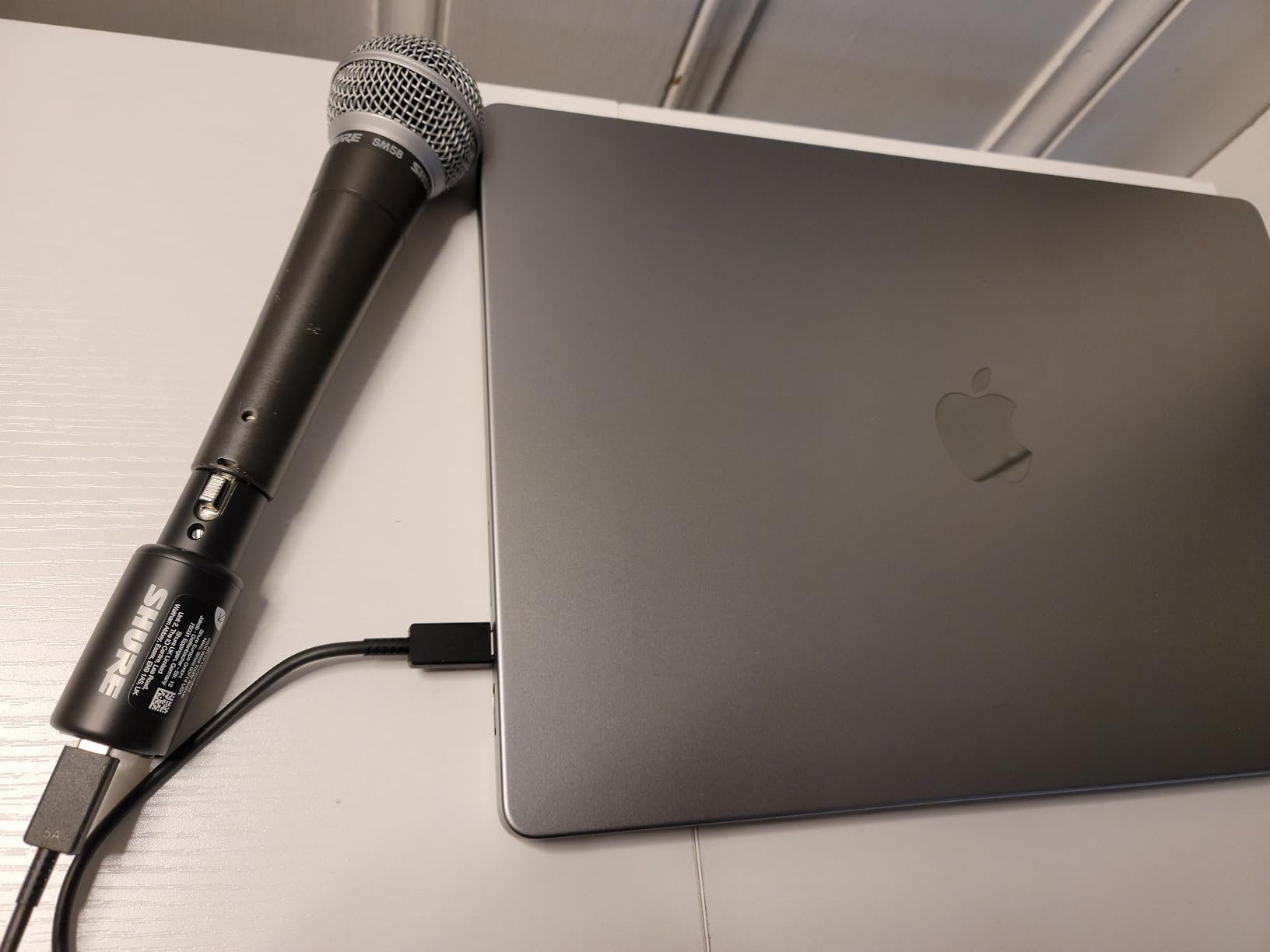
The MVX2U Gen 2 is the odd one out in this roundup, and that is exactly why it is worth including. It is not a general-purpose desktop interface; it is a direct XLR-to-USB-C converter with up to +60 dB of clean gain, 48V phantom power, zero-latency headphone monitoring and onboard Shure digital audio processing. Plug an XLR microphone straight into it and into a phone, tablet or laptop and you have a working recording chain with no interface box at all.
It weighs 100 grams, runs on USB bus power with no external supply, and is MFi-certified for Apple devices. Owners report that it replaces a booster plus a small mixer in one pocket, and rate it 4.5 stars from about 770 reviews with 79 percent five-star feedback.

Plus 60 dB of gain from a single input
The gain figure is the headline because it determines which microphones work. Sixty decibels covers most condenser and dynamic microphones comfortably, including a quiet dynamic close-miked for speech. Owners of low-output dynamics still report it falls a short of the extra headroom some of those microphones want, which is the clearest remaining limitation of a single-input design.
Because there is one input, there is no multi-channel recording and no second mic for a two-host podcast. This is a deliberate trade for portability, not a cost-saving shortcut.
Onboard DSP and the MOTIV app
The onboard processing includes Auto Level Mode, a real-time denoiser, a digital popper stopper, and tone presets for dark, natural or bright. That is a compressor, limiter, EQ and high-pass filter handled in hardware, which means you can get a usable stream mix without plugins.
The catch is the dependency on MOTIV software. Settings are managed through MOTIV Mix, MOTIV Audio and MOTIV Video, and owners report that the app is not universally stable. It also does not support every mobile platform, and there is no USB Audio Class 2.0 support, so it will not work with a PlayStation or Xbox. Drivers install automatically, so the hardware side is genuinely plug and play.
Who should skip it
Skip it for a home studio desk. There are no line or instrument outputs to feed studio monitors, and no second channel. It is the right tool for a mobile podcaster, a field recorder or someone who wants to bypass a mediocre laptop input with a microphone they already own.
8. PreSonus AudioBox 96 25th Anniversary – Best for MIDI and Bundled Software
PreSonus AudioBox 96 25th Anniversary USB Audio Interface
2 Class-A mic preamps
MIDI input and output
24-bit / 96 kHz converters
Bus-powered
Pros
- Class-A preamps give a clear usable sound
- MIDI input and output are unusual at this price
- Over 1000 dollars of bundled software included
- Bus-powered and compact for mobile use
- Mixer control blends inputs with playback
Cons
- Preamp gain is limited so dynamic mics may need external boost
- Only 2×2 analog I/O
- 96 kHz maximum resolution
- Balanced TRS outputs only with no XLR main outs
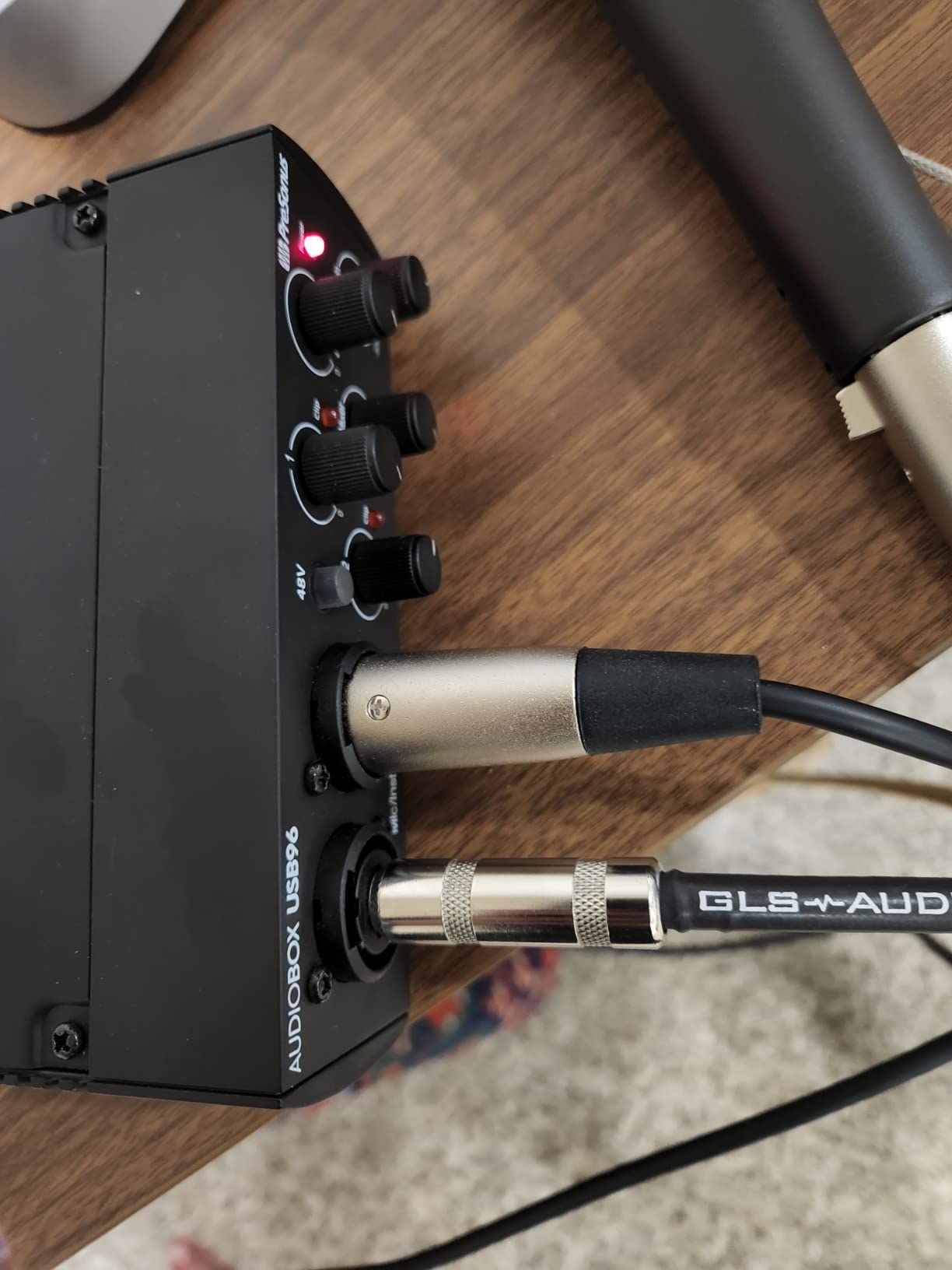
The AudioBox 96 25th Anniversary Edition is the software-value pick. It ships with Studio One Artist and the Studio Magic plug-in suite, plus a USB cable, and it includes genuine MIDI input and output at a level where almost nobody else in this roundup offers it. If you are starting from zero and want a recording system rather than a box, the bundled package is worth real money.
Technically it is a two-channel unit with two Class-A mic preamps, two high-headroom instrument inputs, 24-bit / 96 kHz converters, a mixer control for blending inputs with playback and bus power over USB 2.0. Owners rate it 4.3 stars from just over 3,100 reviews with 71 percent five-star feedback.
Two Class-A preamps and a mixer control
Class-A preamps are described by owners as clear and usable, which is the right standard for a first studio mic preamp. The mixer control blends your inputs with computer playback for zero-latency monitoring, which is more flexible than the two-position direct monitor switches on several rivals here.
Global 48V phantom power feeds the preamps together, so if you run one ribbon and one condenser you have to decide about power for both at once. That is a common scenario this unit handles less elegantly than a per-channel switch.
MIDI I/O and the bundled software
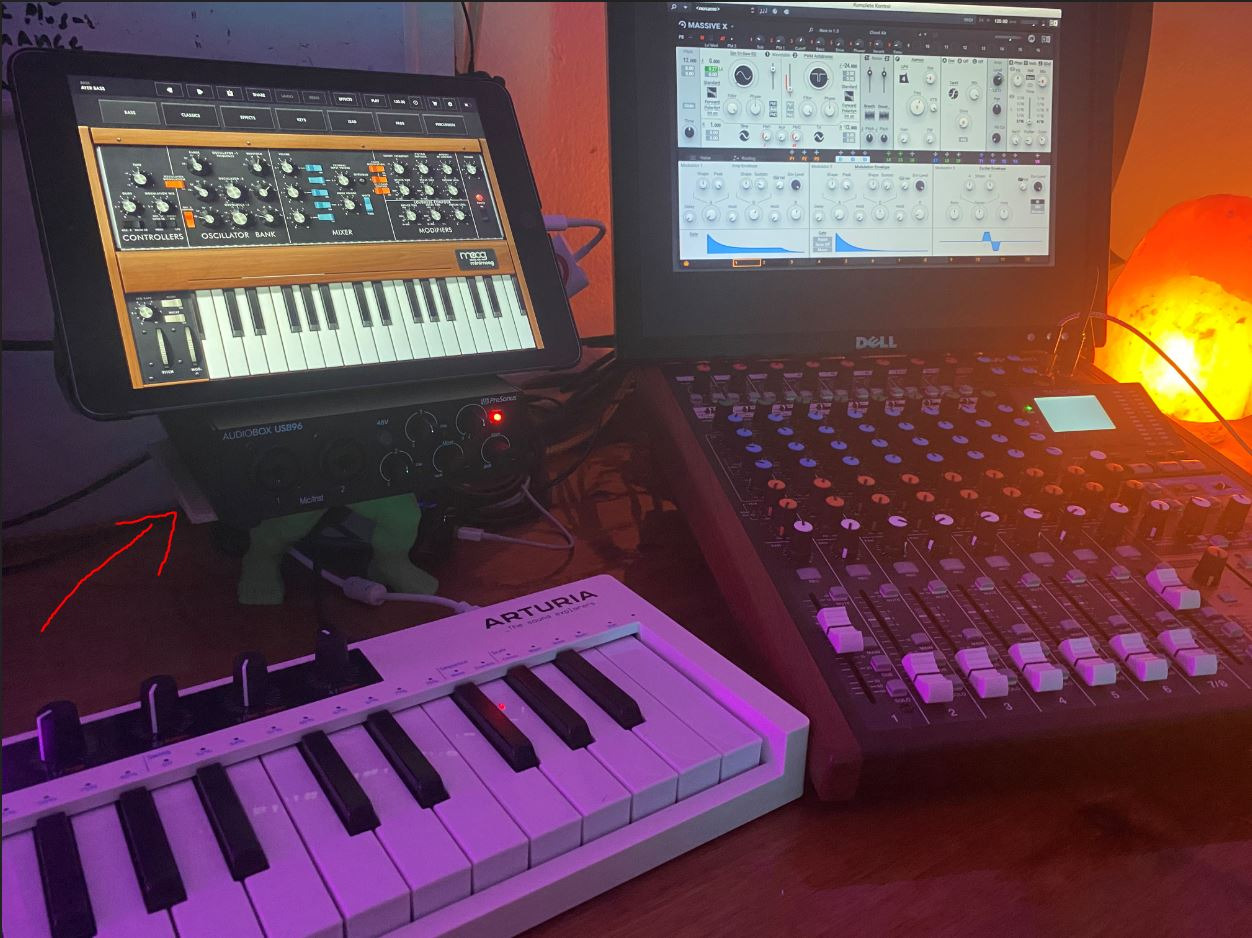
MIDI input and output at this level is genuinely rare, and it means a controller or a small keyboard can run through the interface without extra hardware. Combined with the 1/4-inch TRS main outputs and a high-powered headphone output, it also works as a simple monitor controller.
Bus power over USB 2.0 keeps it usable for mobile recording with a laptop or tablet. The stated operating systems are Windows and macOS, and it works with Studio One Pro, Ableton Live, FL Studio, Cubase, Pro Tools, Logic Pro and Reaper.
Who should skip it
Skip it if your microphone is a dynamic like an SM58. The most common complaint in owner reviews is limited preamp gain, which means an external booster is often needed to reach a usable level. The 96 kHz conversion ceiling is also below what several rivals offer, though for most home sessions that matters far less than the gain issue.
9. M-Audio M-Track Duo – Most Versatile with Two Real XLR Inputs
M-AUDIO M-Track Duo USB Audio Interface
Two combo XLR line instrument inputs
48 kHz USB resolution
USB/Direct monitoring
1/4 in headphone out
Pros
- Two real XLR inputs are rare at this price
- Clean low-noise monitoring
- Instant plug and play on Mac Windows and Linux
- Compact enclosure that tucks under monitors
- Bundled software helps beginners start
Cons
- Gain pots have a poorly tapered range
- Phantom power can feel under-driven with condensers
- All-plastic build with foam feet
- Top-mounted knobs are awkward to see
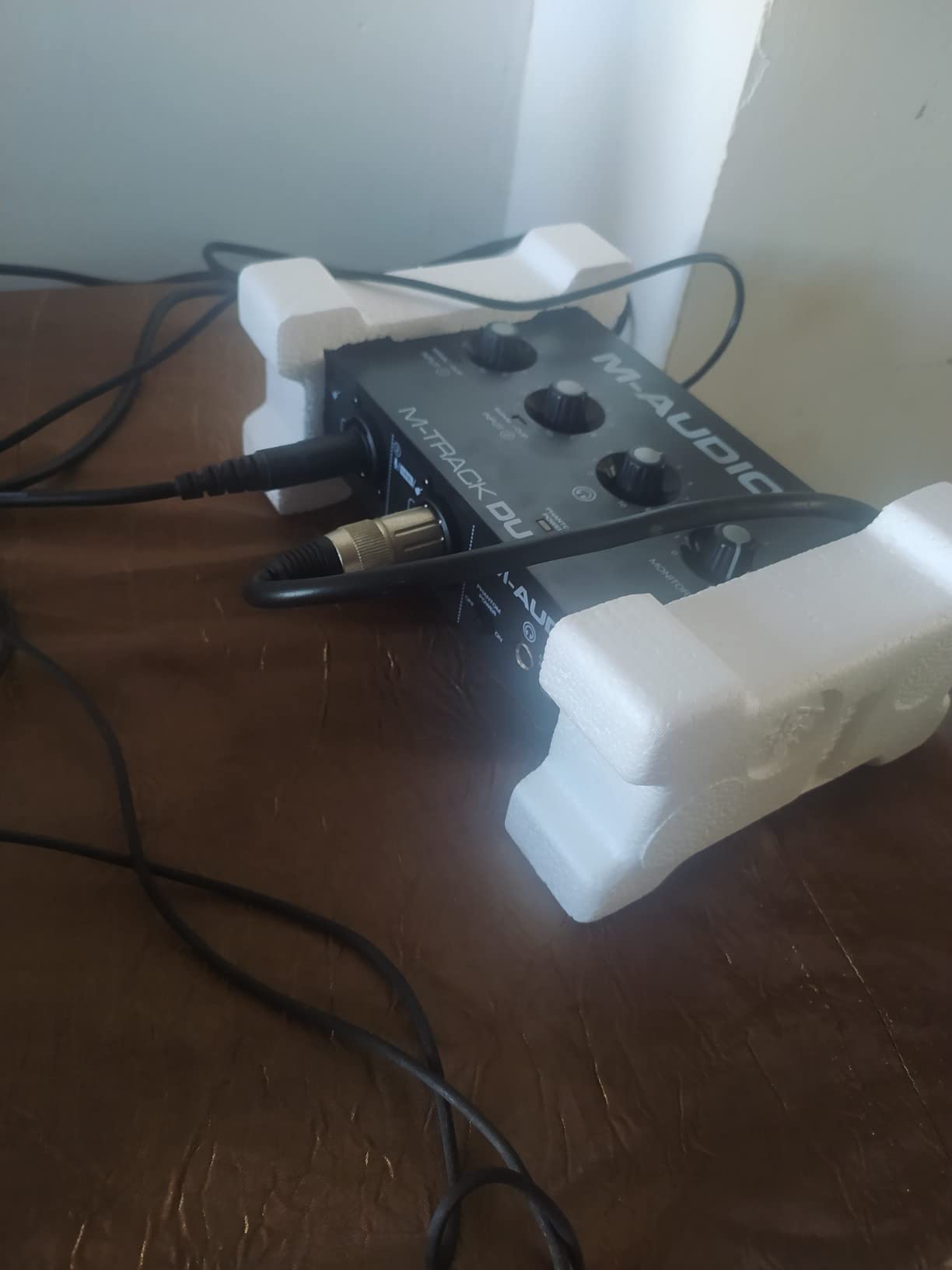
The M-Track Duo solves the one thing most boxes at this level cannot: two real combo XLR inputs. That means you can record a vocal and an acoustic guitar at the same time, which is the moment most first-time producers discover they need a second channel. It runs on USB bus power, plugs straight in on Mac, Windows and Linux, and carries Ableton Live Lite and MPC Beats in the box.
Owners rate it 4.4 stars from about 6,500 reviews with 73 percent five-star feedback. The praise is for the two XLR inputs, the clean monitoring and how little friction there is between opening the box and recording a take.
Two XLR inputs on an entry budget
Two combo inputs give you a mic on one channel and a guitar or a second mic on the other, both with phantom power available. For a bedroom producer writing full arrangements, that is the difference between laying down scratch vocals one at a time and capturing a real overdub.
Monitoring is handled by a USB/Direct switch for zero-latency monitoring, with a quarter-inch headphone output and stereo quarter-inch outputs on the rear. That is a simple arrangement, and it works because there are only two channels to manage.
The gain taper problem is real
The most repeated complaint is the gain taper. Owners describe the pots jumping from very quiet to very hot with little useful range in between, which makes clipping easy on a loud source and makes precise gain staging frustrating. My advice is to open the DAW input meter, set the gain low, and raise it in small movements rather than trusting the knob position.
Phantom power is also reported as feeling under-driven with condenser microphones, and the all-plastic chassis with foam feet tends to slide on a desk. The maximum resolution is 48 kHz, which is fine for podcast and demo work but limits you if you want high-resolution masters later.
Who should skip it
Skip it if you are chasing recording resolution or a long-term studio investment. 48 kHz is the practical floor for this category rather than a ceiling to aspire to, and the chassis and controls do not feel like gear you will keep for a decade. For a first interface or a podcast setup it remains a strong choice.
10. M-Audio M-Track Solo – Best for Single-Source Podcasting
M-AUDIO M-Track Solo USB Audio Interface
One combo XLR line input
USB/Direct zero-latency switch
1/8 in headphone out
48 kHz resolution
Pros
- Plug and play with no extra drivers on Mac Windows and Linux
- Very low latency including direct monitoring
- Clean loud signal for guitars vocals and podcasts
- Bundled MPC Beats and Ableton Live Lite
Cons
- Only one XLR line input so no simultaneous multitrack
- Line input is mono only
- Uneven gain taper
- Still uses USB Type B rather than USB-C
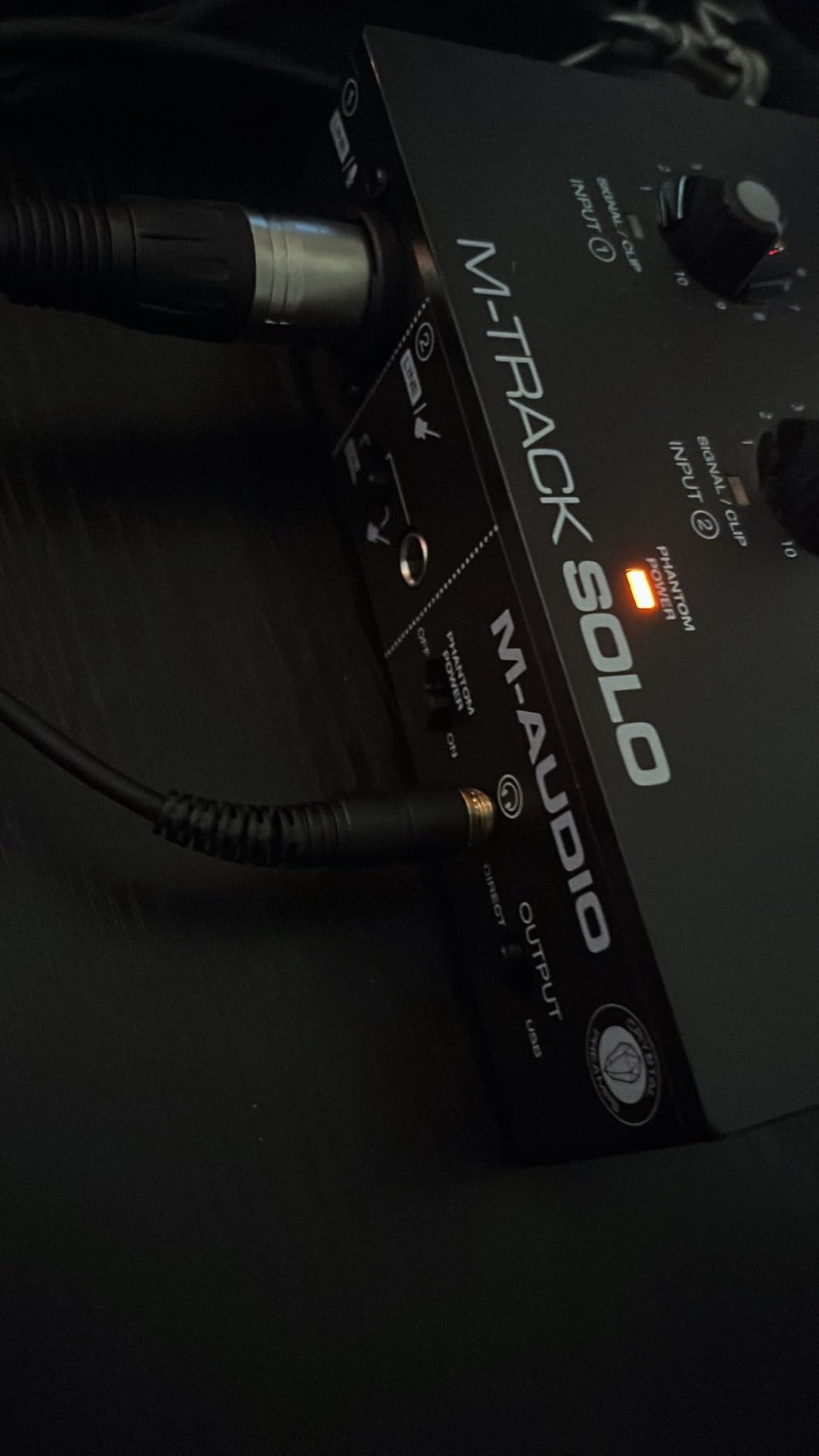
The M-Track Solo is the smallest useful box here and the easiest to justify for a single-voice podcast. It has one combo XLR and line input with phantom power, one line and instrument input, a USB/Direct switch for zero-latency monitoring, and it runs on Windows, macOS and iOS. Owners repeatedly mention that it needs no extra drivers and simply works.
At about 7,750 reviews and a 4.3 average with 67 percent five-star feedback, it is one of the most widely used units in this list, mostly by people recording one source at a time: a podcast host, a singer laying down a single vocal, or a player practising through headphones.
Why single-input simplicity works for podcasting
A single-host podcast needs one good microphone, one headphone output and monitoring that does not distract the speaker. This unit does exactly that with no routing decisions to make, which is why it keeps showing up in home podcast recommendations. The USB/Direct switch lets you hear yourself without round-trip delay while you talk.
The line input is mono only, so a stereo source such as a mixer output needs a splitter to record both channels. Instrument and guitar work is straightforward through the same input.
Resolution and connection limits
Maximum resolution is 48 kHz, which suits speech and demos. For music with acoustic instruments where you want headroom for mastering, a higher ceiling is worth having.
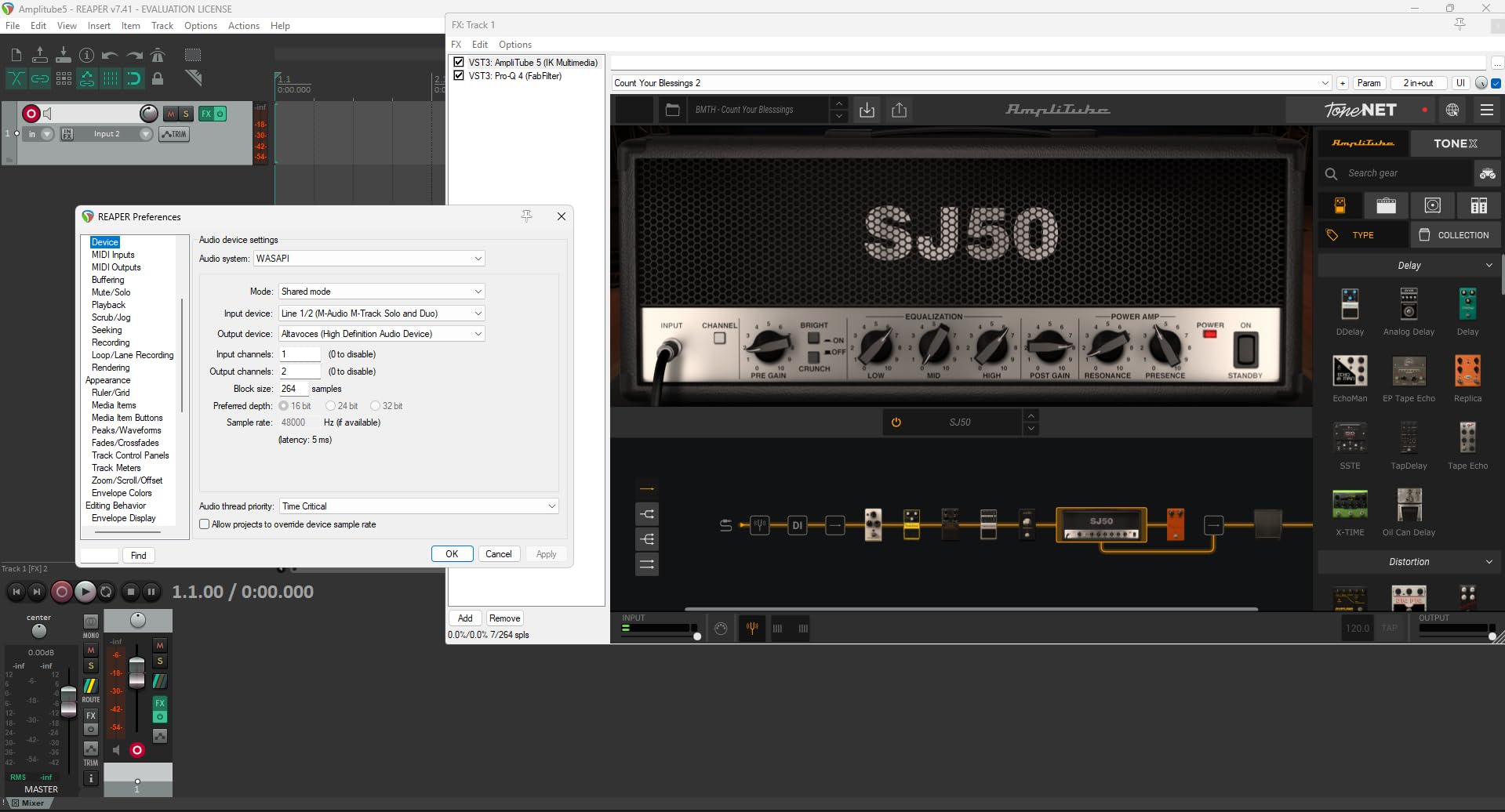
The connection is USB Type B rather than USB-C, and the included cable is USB B to USB A. It also has stereo RCA outputs alongside the eighth-inch headphone jack. Owners report the gain pot has an abrupt taper and that some units have inconsistent input jack seating with audible hiss at high gain, so treat the gain control as something to set carefully rather than sweep.
Who should skip it
Skip it for anything multi-source. One XLR input means no simultaneous vocal and instrument recording, and no two-host conversation without buying a second unit or an external mixer. If your plans grow past one microphone, step up to the Duo or the MiniFuse 2 instead.
11. Behringer UMC22 – Best for First-Time Buyers Who Want Simple
Behringer UMC22 Audiophile 2×2, 48 kHz USB Audio Interface with Midas Mic Preamplifier | For Recording Microphones and Instruments
Midas-designed mic preamp
Combo front input plus instrument input
Direct monitor select
Bus-powered
Pros
- Midas-designed preamp delivers clean reliable capture
- Direct monitor select with status and clip LEDs
- Works with Pro Tools Ableton and Cubase
- Compact bus-powered and simple to set up
- Very large owner review base
Cons
- Only 2×2 I/O with no multi-channel recording
- Listed sample rate ceiling is modest next to 192 kHz rivals
- Lightweight plastic housing
The UMC22 is the least complicated unit here, and for someone who has never recorded anything that simplicity is a feature. The front panel is a single combo jack that accepts balanced XLR, quarter-inch TRS and unbalanced quarter-inch TS, plus one more quarter-inch instrument input, two TRS monitor outputs, a direct monitor select with status and clip LEDs, and a headphone output. USB bus power means no adapter.
It has by far the largest owner base in this roundup at nearly 12,800 reviews averaging 4.5 stars with 73 percent five-star feedback. That volume is useful in itself: it is easy to find owner answers about long-term reliability, and the Midas-designed preamp is consistently described as clean and dependable.
A front panel you can learn in a minute
There is nothing to configure. Plug in a microphone, set the gain, press direct monitor if you want to hear yourself without delay, and record. The clip LEDs tell you when the input is too hot, which teaches gain staging faster than most software tutorials.
Compatibility is broad, with Pro Tools, Ableton Live and Cubase all listed as supported, and the manufacturer states Windows as the operating system with laptop and PC compatibility.
Where the resolution ceiling bites
The manufacturer’s listing gives a maximum sample rate of 96 kHz, which sits below the 192 kHz conversion offered by several rivals in this guide. For speech and standard 48 kHz recording that is a non-issue. If you intend to record acoustic instruments and print masters, the higher ceiling is worth the small step up in price.
Who should skip it
Skip it if you want to grow into the interface. Two channels with no MIDI and a lightweight plastic housing means it will not carry a project that involves a keyboard controller or multi-source tracking. Owners also note the housing feels light for a desk unit that will get moved around.
12. Mackie Onyx Artist 1×2 – Best for Rugged Build and Monitor Control
Mackie Audio Interface, Onyx Artist 1X2 USB Audio Interface (Onyx Artist 1-2)
24-bit / 192 kHz conversion
Onyx preamp with 48V
MIDI I/O included
Zero-latency monitoring
Pros
- Clean quiet preamps that record without hiss
- Solid metal build with heavy responsive knobs
- MIDI I/O included which is rare at this price
- Balanced line outputs plus a dedicated headphone output
- Reliable ASIO drivers on Windows
Cons
- Preamp gain is low for studio condenser microphones
- Both inputs arrive as a single stereo input
- Stock knobs are hard to read
- USB cable is not included
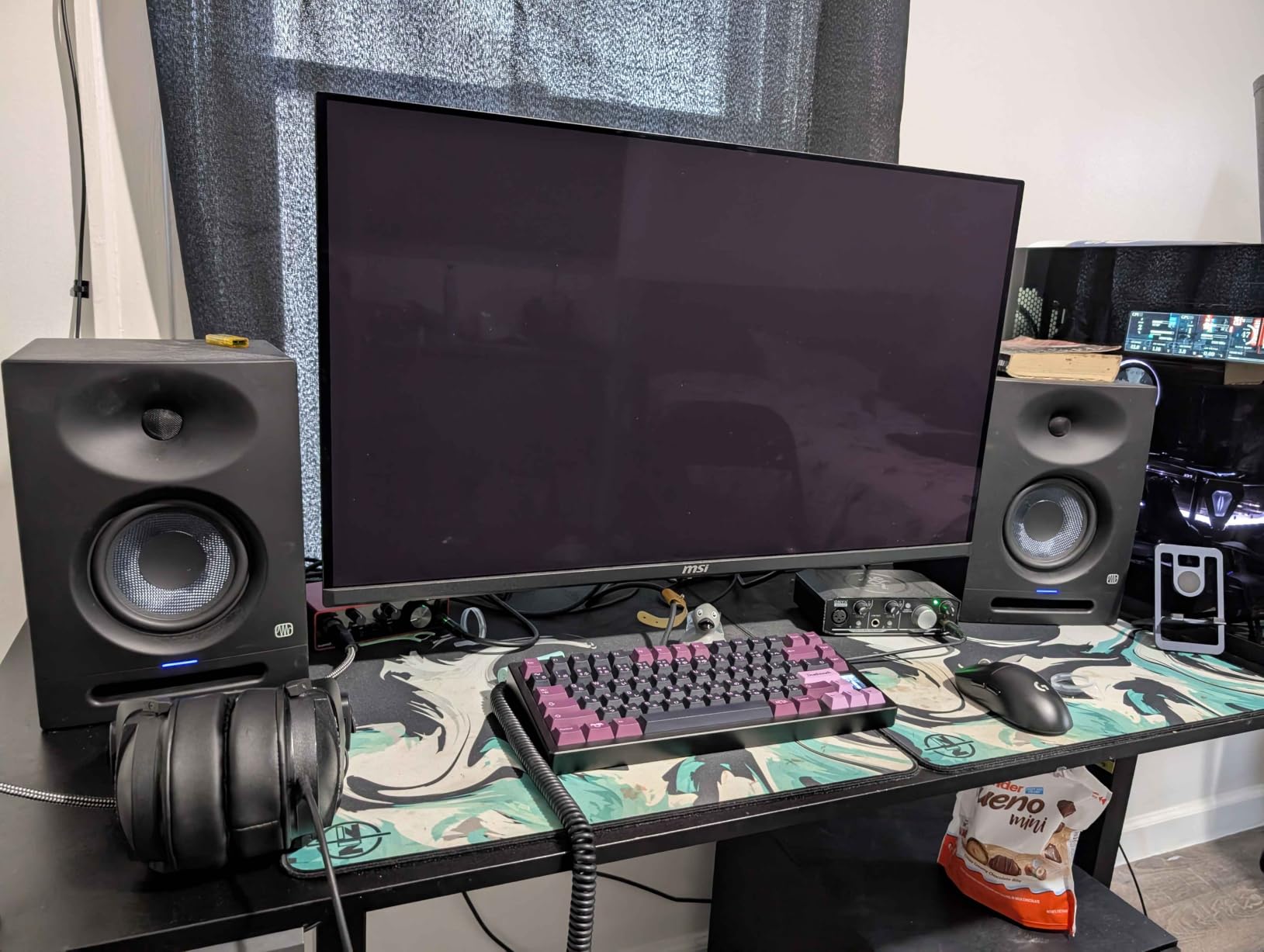
The Onyx Artist 1×2 is the one here that feels like it will outlive the rest of your setup. It is a 24-bit / 192 kHz two-in, two-out box with an Onyx boutique mic preamp, 48V phantom power, a Hi-Z switch for guitar and bass, MIDI I/O, balanced line outputs and a dedicated headphone output. USB 2.0 bus power means no adapter, and 23 plug-ins and instruments plus Pro Tools First come in the box.
Owners describe it as a dependable, tank-built unit with clean preamps, working drivers and MIDI included, and several reviewers state it performs comparably to Focusrite Solo and 2i2 units. It rates 4.5 stars from about 400 reviews with 75 percent five-star feedback.
Build, knobs and monitoring
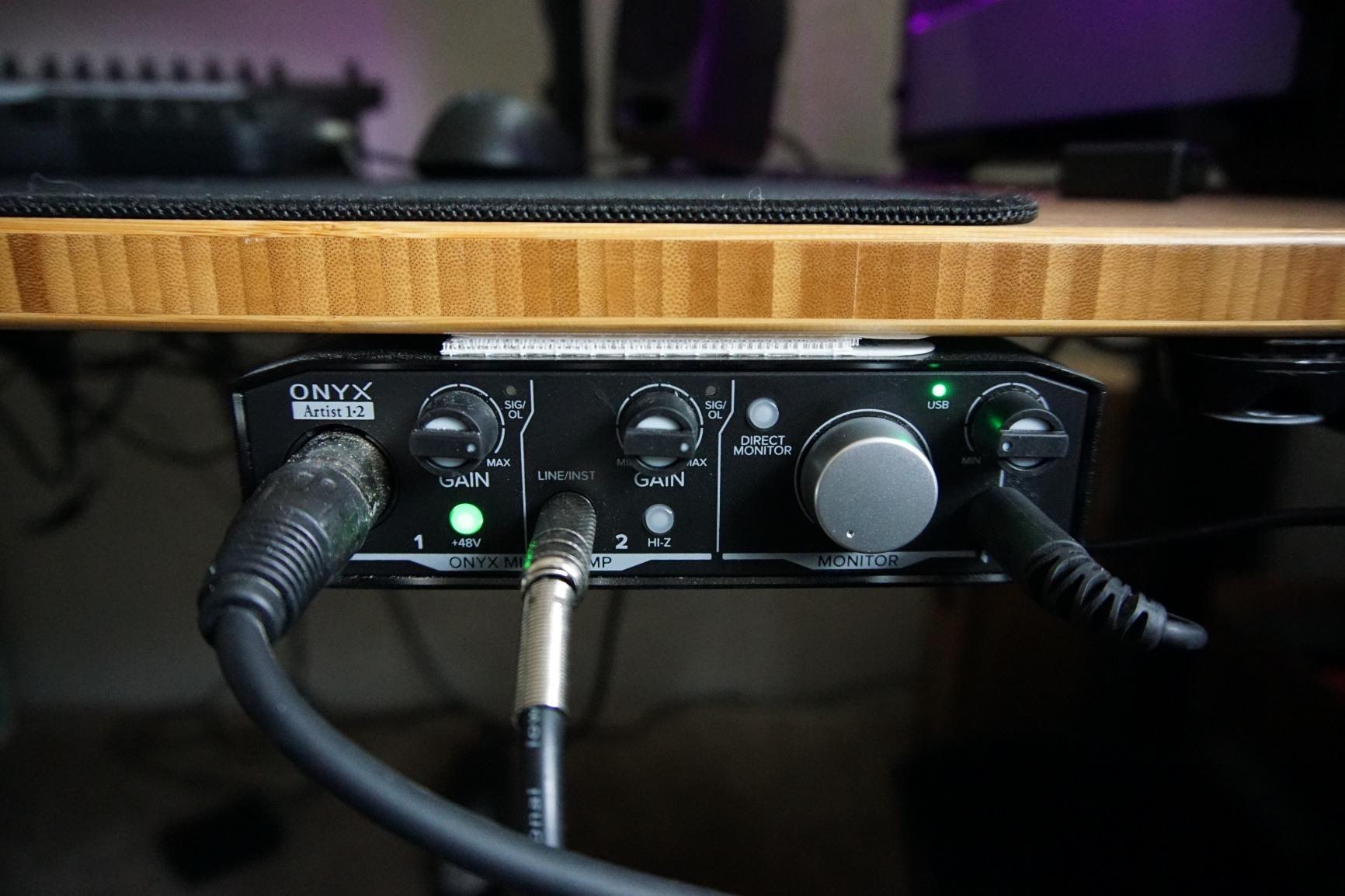
The metal chassis and heavy, responsive knobs are the standout physical features. On a desk that gets bumped, or in a rehearsal room that gets moved, that build quality matters more than the spec sheet suggests. The dedicated headphone output is also separate from the main line outputs, which is unusual at this level.
Zero-latency direct monitoring of the analog inputs is handled in hardware, and MIDI input and output means a controller can be connected without extra hardware. Pro Tools First and the Musician Collection of 23 plug-ins and instruments add real value if you are starting out.
The input routing catch
The most important quirk is that the two inputs arrive at the computer as a single stereo input. A mono microphone plugged into one channel will land on one side of the stereo pair rather than getting its own track, which is genuinely confusing when you are starting out. Plan your channel routing before your first session.
Preamp gain is also on the low side for studio condenser microphones, and the stock knob caps are hard to read. A USB cable is not included in the box.
Who should skip it
Skip it if you are new and want predictable routing, because the shared stereo input will cost you time. It also has fewer inputs and features than newer alternatives at a similar level, so if you are buying new for a growing setup, one of the current-generation boxes serves you better.
How to Choose a USB Audio Interface Under 200 Dollars
Once you accept that a two hundred dollar ceiling is generous, the decision gets much easier. Almost everything below that figure is now a settled question, and the differences that remain are workflow differences rather than quality differences.
Count real recording channels, not sockets
This is the single most misunderstood spec in the category. A combo jack accepts an XLR microphone or a quarter-inch plug, but it is still one recording channel. An interface advertising two inputs with two combo sockets gives you two channels, and an interface advertising two inputs plus two more instrument inputs gives you four.
Match the channel count to what you will actually record at the same time. One channel is enough for a solo podcaster or a singer recording one thing. Two channels covers vocal plus guitar, which is where most home projects sit. Four channels plus MIDI, as on the Arturia MiniFuse 2, is what you want for a small rig with a controller. If you need to record a band simultaneously, look at our multi channel audio interface picks instead, because that is a different budget tier.
Match preamp gain to your microphone
Microphone output levels vary enormously, and the gain an interface can supply determines whether you can record a given microphone without an external booster. A quiet ribbon or a low-output dynamic such as an SM7B needs far more gain than a typical condenser. Rules of thumb from the owner feedback in this roundup: dynamic microphones are comfortable on almost anything in this group, condensers are comfortable on most, and ribbons or very quiet dynamics want the Quantum ES 2 or the Shure MVX2U Gen 2, which explicitly target high gain.
Hiss at high gain is the symptom to watch for. If you hear hiss under a quiet vocal, that is the preamp’s noise floor showing, and the fix is a different interface or a different microphone rather than a plugin.
Treat loopback as a hard filter if you stream
Loopback captures computer audio and your microphone into one file, which is what makes streaming, podcast call-ins and backing-track recording possible on a single device. In this roundup only three units list it: the Focusrite Scarlett Solo 4th Gen, the Arturia MiniFuse 2 and the PreSonus Quantum ES 2. If you publish video, run a livestream or host a remote call, that is your filter and you should ignore every other spec.
The reverse is equally true. If you only record instruments and never capture system audio, paying for loopback features adds nothing, and the money is better spent on converter quality or a second input.
Bit depth, sample rate and latency without the hype
Treat 24-bit as the floor and 48 kHz as the working standard. Anything that stops at 16-bit or cannot reach 24-bit is a limitation you will regret quickly. A 192 kHz ceiling is a nice-to-have that mainly indicates better converters underneath, not an audio format you should record in. Our two channel interface guide covers the converter question in more depth.
On latency, be suspicious of any single number. Round-trip latency depends on buffer size, on the DAW, and on the operating system as much as on the hardware, which is why published figures vary so widely between reviews. What matters practically is that a hardware direct monitor switch exists so you can hear yourself with no delay while playing, and that the USB/Direct or Direct Monitor control is easy to find. Every unit in this roundup except the Shure has that kind of hardware path.
Bus power, USB-C and driver stability
Bus-powered units draw their power from the computer, which means no power brick to lose, buy or carry. Every interface in this roundup except the Universal Audio Volt 2 for phone use runs on bus power, which is one reason these boxes suit a mobile laptop workflow.
Driver stability matters more than most spec sheets admit. Older Windows builds have caused trouble with several well-known brands, so check the current driver notes for your operating system before buying. The owner feedback in this roundup repeatedly praises stable ASIO drivers on units from Mackie, MOTU and Arturia, and flags account and app problems around bundled software from Universal Audio and Shure as the more common friction.
Connectivity beyond USB-C is worth a thought too. Thunderbolt interfaces exist for lower-latency monitoring and expandable channel counts, but for a single musician at this ceiling plain USB 2.0 and USB-C are entirely sufficient, and our Thunderbolt audio interface picks are for setups that have outgrown this budget.
What 200 dollars does not buy
A ceiling of 200 dollars covers the interface and almost nothing else. A balanced XLR cable, a quarter-inch instrument cable and a pair of closed-back headphones are all separate purchases, and several units here include no cable at all. Budget for those extras before you order, because an interface with no microphone cable is a box that cannot record anything.
The other commonly unbought item is a stand. Tracking a vocal properly means the microphone is at mouth height, and a boom arm or desk stand is part of the cost of a usable home studio. If you are buying used to stretch the ceiling, a previous-generation interface is a legitimate strategy that home recordists recommend, but check that the drivers are still supported on your operating system first.
Frequently Asked Questions
What is the best budget USB audio interface?
The Focusrite Scarlett Solo 4th Gen is the best overall pick under the two hundred dollar ceiling. It offers 120 dB of dynamic range, 24-bit / 192 kHz conversion, one XLR preamp, one instrument input and a loopback channel for streaming. For two real XLR inputs on a smaller budget, the M-Audio M-Track Duo is the value choice.
What is the cheapest and best audio interface?
At the bottom of this range, the Behringer UMC22 and the M-Audio M-Track Solo are the cheapest capable units here, and both are strong first purchases. The UMC22 has more owner history and a simple front panel, while the M-Audio M-Track Solo is lighter and better suited to mobile and podcast use. Neither is limited by price more than by channel count.
Which audio interface has the best sound quality?
Sound quality at this price comes down to converter quality and preamp noise floor. The Arturia MiniFuse 2 and the MOTU M2 draw the strongest owner feedback on both counts, while the Focusrite Scarlett Solo 4th Gen leads on listed dynamic range at 120 dB. Unit-specific measurements vary by test setup, so treat owner descriptions as guidance rather than lab data.
What is the best audio interface under $100?
Below one hundred dollars the realistic field is the M-Audio M-Track Solo, the M-Audio M-Track Duo, the Behringer UMC22 and the Mackie Onyx Artist 1×2. The Duo and the Mackie give you two inputs and MIDI respectively, while the Solo and the UMC22 are single-channel simplicity. Everything above this level buys converter quality, resolution or gain range.
Which USB-C audio interface is the best?
Among USB-C units in this roundup, the Focusrite Scarlett Solo 4th Gen and the MOTU M2 are the strongest all-rounders, and the Arturia MiniFuse 2 leads on input and MIDI flexibility. The Shure MVX2U Gen 2 is the pick for connecting a single XLR microphone straight to a phone, tablet or laptop. Note that the included cable with the Scarlett Solo is USB-A to USB-C rather than USB-C to USB-C.
Do I need an audio interface if I have a USB microphone?
Only if you need more than one input, hardware monitoring, MIDI or higher gain. A USB microphone already contains its own converter and preamp, so a single-voice podcast or a single vocal recording can be done without an interface. The moment you want a guitar at the same time as a vocal, a second channel, or a quieter preamp, an interface becomes the right purchase.
Which Audio Interface Should You Buy?
Buy the Focusrite Scarlett Solo 4th Gen if you want the strongest all-round box at this ceiling and you will record one source at a time. Buy the Arturia MiniFuse 2 if you need four analog inputs and MIDI, and it also carries the best owner rating in the group. Buy the Behringer UMC202HD if you want 24-bit / 192 kHz conversion and a metal chassis at the value end.
Buy the Universal Audio Volt 2 if character matters more than precise metering. Buy the MOTU M2 if a clean noise floor is your priority. Buy the PreSonus Quantum ES 2 if your microphone needs maximum gain, and the Shure MVX2U Gen 2 if you are recording on a phone or tablet with one XLR microphone. For MIDI plus bundled software, the PreSonus AudioBox 96 stands out; for the cheapest path to two XLR inputs, the M-Audio M-Track Duo; for one-speaker podcasting, the M-Audio M-Track Solo; for the simplest setup, the Behringer UMC22; and for a heavy-duty chassis with MIDI, the Mackie Onyx Artist 1×2.
Whichever you choose, remember that the two hundred dollar ceiling covers the interface only. Add a microphone cable and a pair of closed-back headphones to the budget, and you will have a USB audio interface setup under 200 dollars that is ready to record in 2026 rather than ready to record eventually.
Leave a Reply