
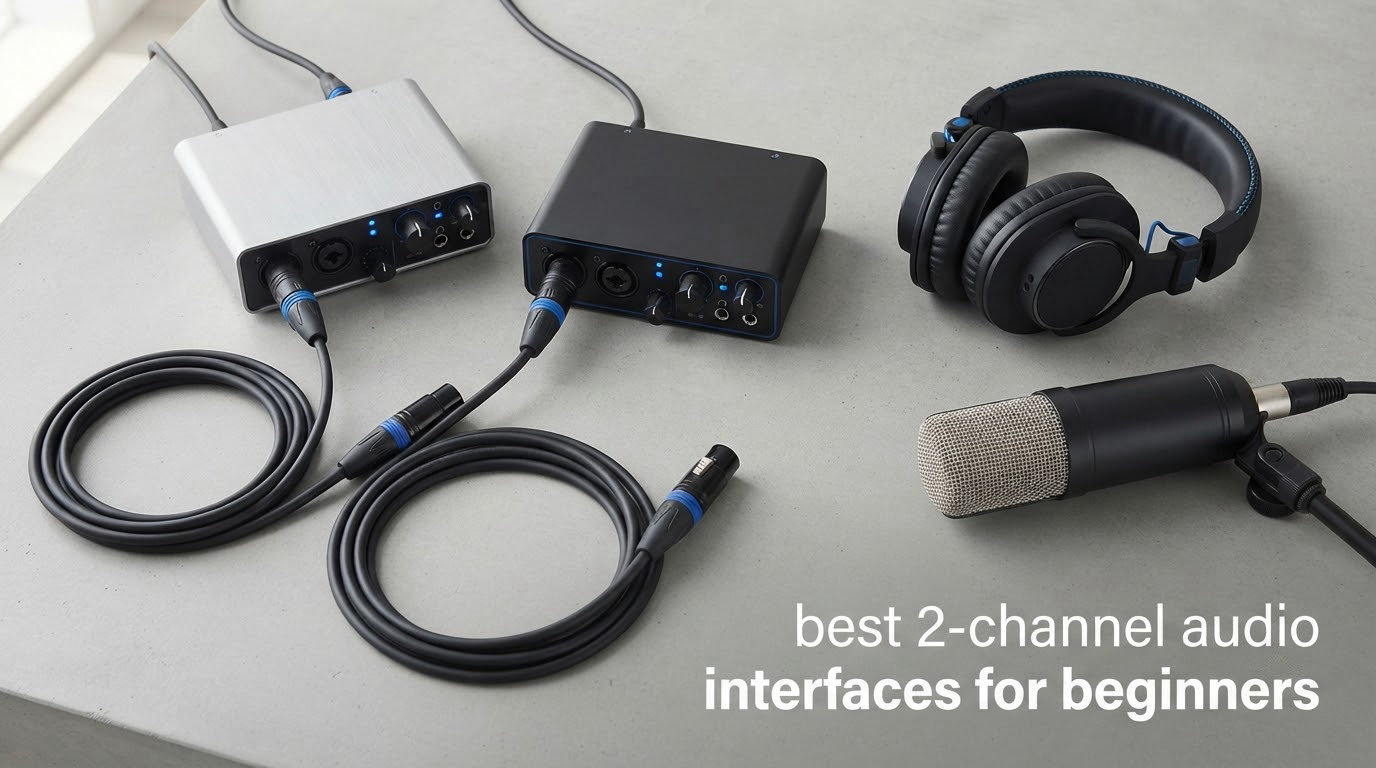
Most people buying their first audio interface are not trying to assemble a commercial studio. They want to record a guitar part, capture a vocal, or simply hear themselves properly instead of through a laptop’s built-in headphone jack. That is exactly the job of the best 2 channel audio interfaces for beginners, and it is a much narrower search than the spec sheets suggest.
I have spent the last few months moving between desk setups with these boxes, checking what a first-year user actually runs into: whether the gain knob is usable, whether phantom power has enough headroom for a condenser mic, whether the direct monitoring path keeps up with a singer, and whether the bundled software works or fights you. Every unit below is a true two-channel design, meaning two inputs and two main outputs. I have excluded four-input boxes and hybrid mixers on purpose, even though they appear on most competing lists, because a 4-in/4-out unit bought as a first interface usually means knobs you will never touch.
One thing worth saying up front, because it comes up constantly in forum threads: the interface is rarely what makes a recording sound good. Your microphone, your room and your gain staging matter far more. What a good interface does is get out of the way, give you clean conversion, let you monitor without delay, and not require an engineering degree to operate.
If you want the wider picture first, our guide to 2-channel audio interfaces covers more of the format, and our beginner USB interface guide covers bus-power and driver questions in more detail.
What Is a 2-Channel Audio Interface?
A 2-channel audio interface is a small USB-C box that converts two analog signals, usually two microphones or a microphone and a guitar, into digital audio your computer can record. It also converts playback back out to studio monitors and headphones. A laptop’s built-in sound card has no microphone preamps, no phantom power, no instrument inputs and no low-latency monitoring path, so an interface is what makes a home recording usable rather than merely possible.
The confusing part is the channel count. Most of these units have two combo jacks, and a combo jack is a single physical socket accepting either an XLR microphone plug or a quarter-inch TRS line or instrument plug. So a unit with two combo inputs has two inputs, not four, even though the box appears to have six holes on the front. Outputs are counted the same way: one pair of main outputs is stereo, which manufacturers call two channels, and a headphone jack is not counted as an output channel at all.
Signal flow is straightforward once you see it. Your mic signal enters a combo jack, gets amplified and cleaned by a mic preamp, gets 48V phantom power if it is a condenser, and is converted to digital by A/D converters before streaming into your DAW. Playback runs in reverse through D/A converters to the outputs. A separate hardware path lets you hear the input directly with no round trip through the software, which is what people mean by zero-latency monitoring.
Our Top 3 Picks for First-Time Buyers
These are the three I would put in front of someone buying their first interface this year.

M-Audio M-Track Duo
- Two combo XLR inputs
- Zero-latency USB/Direct switch
- Bundled MPC Beats and Ableton Live Lite

Behringer UMC202HD
- Midas-designed preamps
- 24-bit/192 kHz converters
- Impact-resistant metal chassis
Comparing the Best 2-Channel Audio Interfaces in 2026
Every unit below is a two-channel interface. The table gives you the decision-critical details in one place so you can narrow the field before reading the individual reviews.
| Product | Specs | Action |
|---|---|---|
| M-Audio M-Track Duo |
|
Check Latest Price |
| Behringer UMC202HD |
|
Check Latest Price |
 PreSonus AudioBox USB 96 PreSonus AudioBox USB 96 |
|
Check Latest Price |
 Focusrite Scarlett 2i2 4th Gen Focusrite Scarlett 2i2 4th Gen |
|
Check Latest Price |
 MOTU M2 MOTU M2 |
|
Check Latest Price |
 Audient iD4 MKII Audient iD4 MKII |
|
Check Latest Price |
 Arturia MiniFuse 2 Arturia MiniFuse 2 |
|
Check Latest Price |
 Audient iD14 MKII Audient iD14 MKII |
|
Check Latest Price |
 Shure MVX2U Gen 2 Shure MVX2U Gen 2 |
|
Check Latest Price |
 Universal Audio Volt 2 Universal Audio Volt 2 |
|
Check Latest Price |
1. M-Audio M-Track Duo – The Easiest First Interface to Get Running
M-AUDIO M-Track Duo USB Audio Interface
48kHz/16-bit
2 combo XLR inputs
USB/Direct zero-latency switch
Pros
- Two combo XLR inputs
- Zero-latency direct monitoring switch
- Works immediately on Windows and macOS
- Bundled MPC Beats and Ableton Live Lite
Cons
- Gain pots have a poorly tapered response
- Phantom power circuit is under-driven
- Light all-plastic chassis
This is the unit I hand to friends who want to record something tonight rather than research converters for a month. It has two combo XLR inputs with phantom power, a 1/4 inch headphone output and stereo 1/4 inch main outputs, and it weighs 0.3 kg. The USB/Direct switch gives you true zero-latency monitoring, so you can hear yourself without the delay that makes people think their pitch is bad.
The Transparent Crystal preamps produce genuinely good sound for the money, and owners consistently report clean, low-noise headphone monitoring with no buzz even at high gain. It is also the most forgiving unit here about software, because there is essentially nothing to configure.
Two Combo Inputs in a Very Small Box
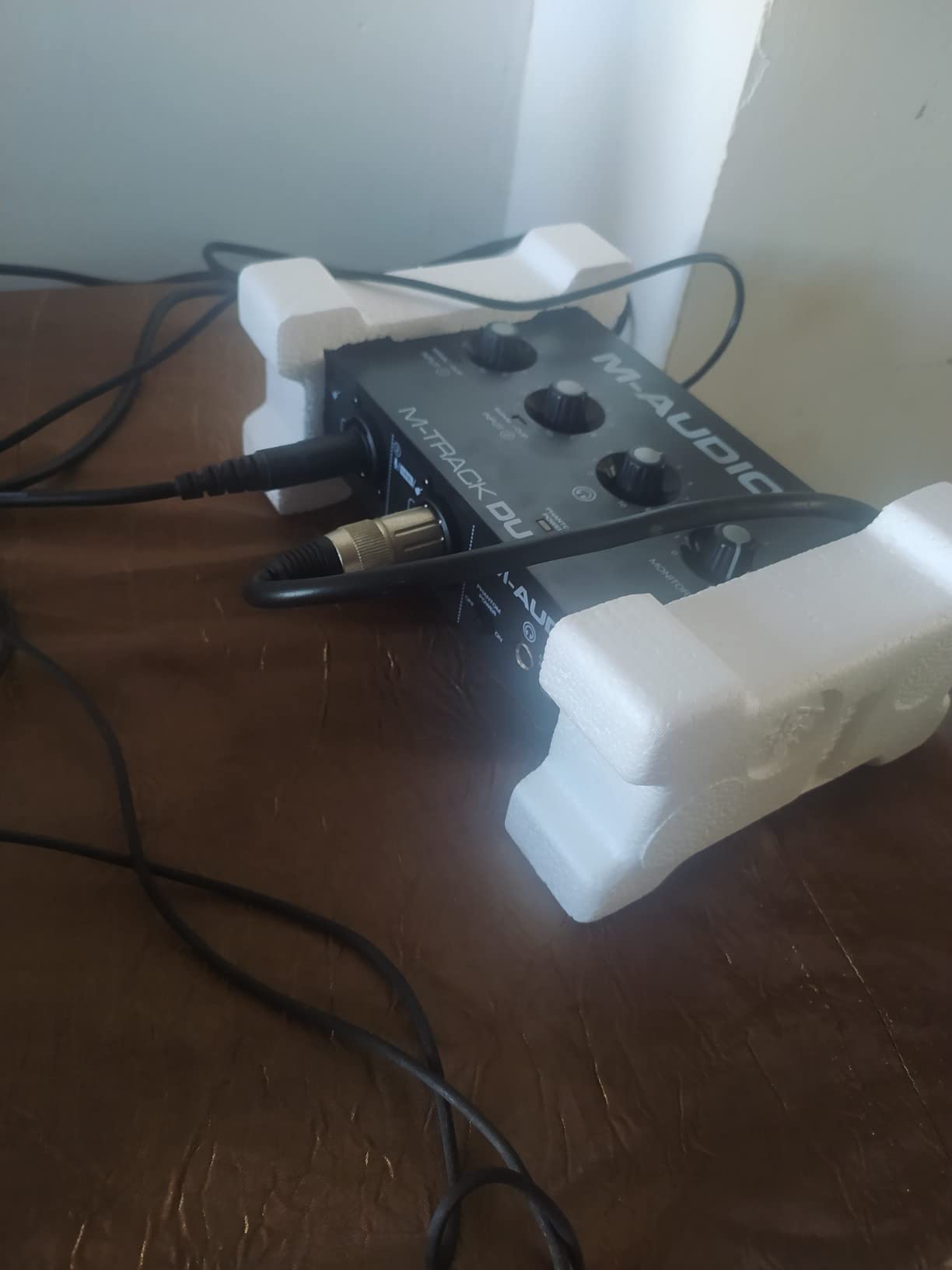
Each of the two combo sockets takes a balanced XLR mic input or a balanced 1/4 inch TRS line input, and there is a dedicated unbalanced instrument input as well. That means you can mic an acoustic guitar in stereo, or put a mic on a vocalist and a mic on a snare, without buying anything else. The listed impedance is 1 megaohms, which suits both dynamic and condenser microphones.
Maximum sample rate is 48 kHz with 16-bit conversion. That specification dates this unit, and I want to be straight about it: you are giving up hi-res capture and a little headroom against the 192 kHz converters further down this list. For podcasting, voiceover and demo work, it makes no practical difference to the finished file.
Gain Taper Is the Weak Spot
The most repeated criticism in owner feedback is the gain taper. The pot moves from almost nothing to clipping with very little usable space between, which is exactly what produces distorted vocal takes for someone who does not yet know what headroom means. Work around it by starting fully down, speaking at a normal level, and opening the gain slowly until your meter sits near -12 dBFS.
The 48V phantom power circuit is also described as under-driven with condenser microphones, so if a large-diaphragm condenser is your very first recording plan, look at the models below with more headroom. The all-plastic chassis is light enough to slide when you move a front cable, and the foam feet grip very little, so park it somewhere flat.
What the Bundled Software Is Worth
The box ships with Ableton Live Lite and MPC Beats, and both are real software rather than a demo that expires. Live Lite is a usable introduction to a DAW, and MPC Beats is the faster route to a finished track. Neither replaces a full DAW long term, but both let you record on day one. Our beginner USB interface guide covers how to decide when a Lite version is the right permanent home.
Who It Suits and Who Should Skip It
Choose the M-Track Duo if your goal is to hear yourself properly, record a podcast, capture ideas quickly or build a one-cable setup you can move between a laptop and a desktop. Skip it if you intend to record on a large condenser as your first session, or if you need hi-res sample rates.
2. Behringer UMC202HD – Best Value With Metal Chassis and Midas Preamps
Behringer UMC202HD Audiophile 2×2, 24-Bit/192 kHz USB Audio Interface with Midas Mic Preamplifiers | For Recording Microphones and Instruments
24-bit/192 kHz
Midas-designed preamps
Metal chassis
Direct Monitor
Pros
- Metal chassis built to survive daily studio use
- Midas-designed preamps with real headroom
- 24-bit/192 kHz converters
- Direct Monitor select with phones level control
Cons
- Bus-powered only
- No onboard meters or talkback
- Minimal bundled accessories
The UMC202HD is the one I recommend when someone has a fixed budget and wants hardware that will outlive their first three years of recording. It is a 24-bit/192 kHz 2-in/2-out interface with two inputs, phantom power, Midas-designed preamplifiers and an impact-resistant metal chassis that weighs 1.2 pounds. Reviewers rate the build well above the plastic competition at this level.
Professional engineers on the Sound On Sound forum describe the Behringer UMC interfaces as remarkably good value for money, and that sentiment shows up clearly in owner feedback. The preamps have enough headroom that you rarely run out of clean level.
Midas Preamps and Headroom
The preamplifier design comes from Midas, and the practical effect is that the input stage stays clean at higher gain settings than most plastic-boxed rivals. That matters when your chain is a dynamic microphone in a room with some noise floor, because you need gain without adding hiss. Frequency response is listed at 96 kHz and maximum sample rate at 192 kHz.
Compatibility is broad: the unit is tested with Avid Pro Tools, Ableton Live and Steinberg Cubase, which in practice means it will work with whatever DAW you already own. There is nothing to relearn and nothing to install beyond the driver.
Bus Power and Its One Limitation
The UMC202HD draws power from the USB bus, which is what makes it a one-cable portable studio. The trade-off is headroom: on some laptops, particularly older machines or ones charging from the same port, bus power reduces available clean gain. If you record one source at a time on a modern laptop, you will not notice.
The other limitations concern the control surface rather than the audio. There are no onboard meters and no talkback, so you check levels in your DAW. Bundled accessories are minimal, and unlike several units here you get no software bundle to install.
Who It Suits and Who Should Skip It
This is the pick for a singer-songwriter who wants a durable metal box, hi-res conversion and a straightforward control layout without paying for unused extras. Skip it if you rely on bundled software to get started, or if you need talkback for live performance use.
3. PreSonus AudioBox USB 96 – Best for MIDI on a Budget
PreSonus AudioBox 96 25th Anniversary USB Audio Interface
2 Class-A preamps
MIDI I/O
24-bit/96 kHz
Bus-powered
Pros
- MIDI I/O is rare at this price
- Two Class-A mic preamps
- Mixer control blends input and playback
- Bundled Studio One Artist and Studio Magic plug-ins
Cons
- 96 kHz ceiling is below most current rivals
- USB 2.0 rather than USB-C
- Minimal onboard meters and controls
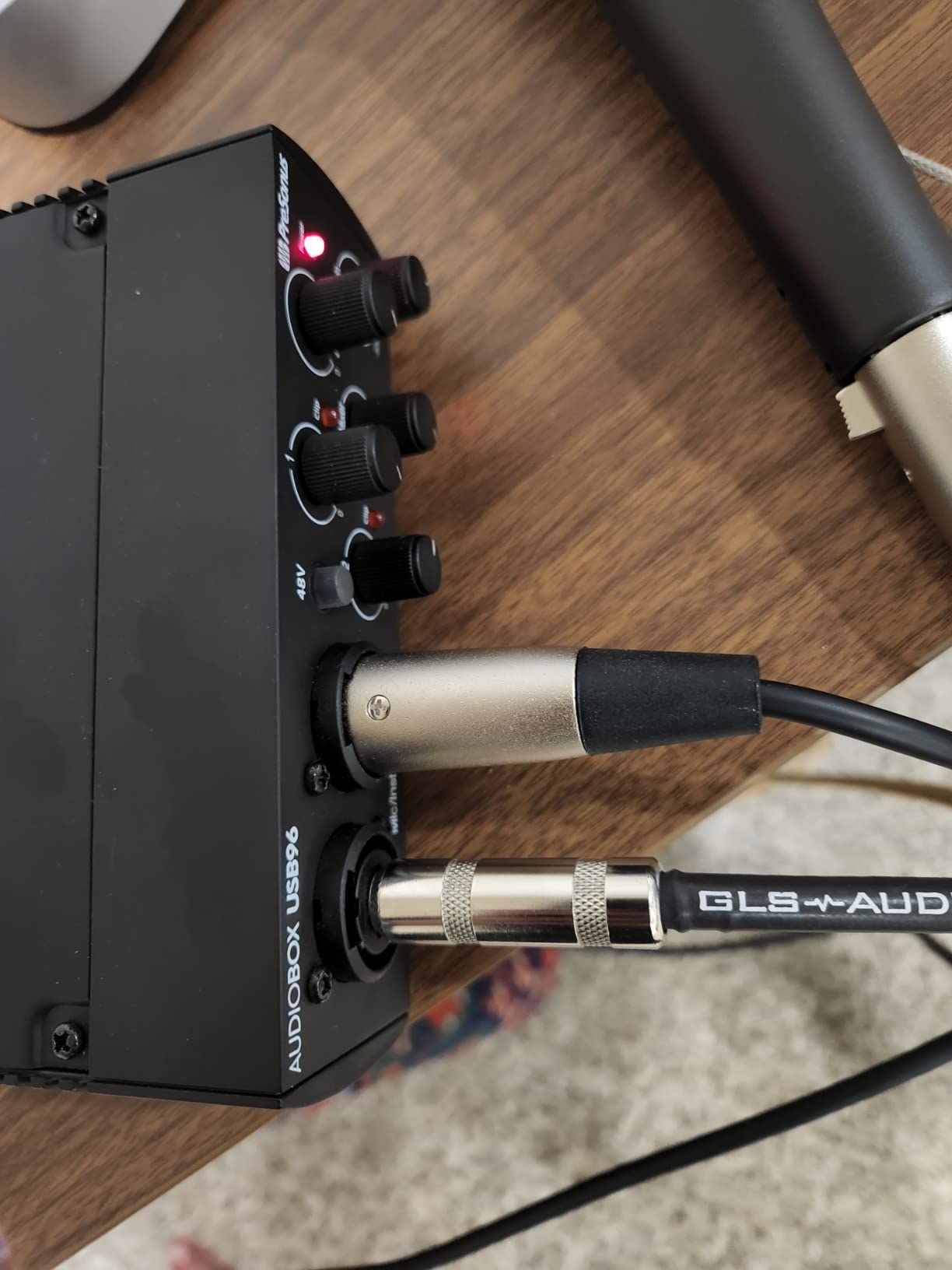
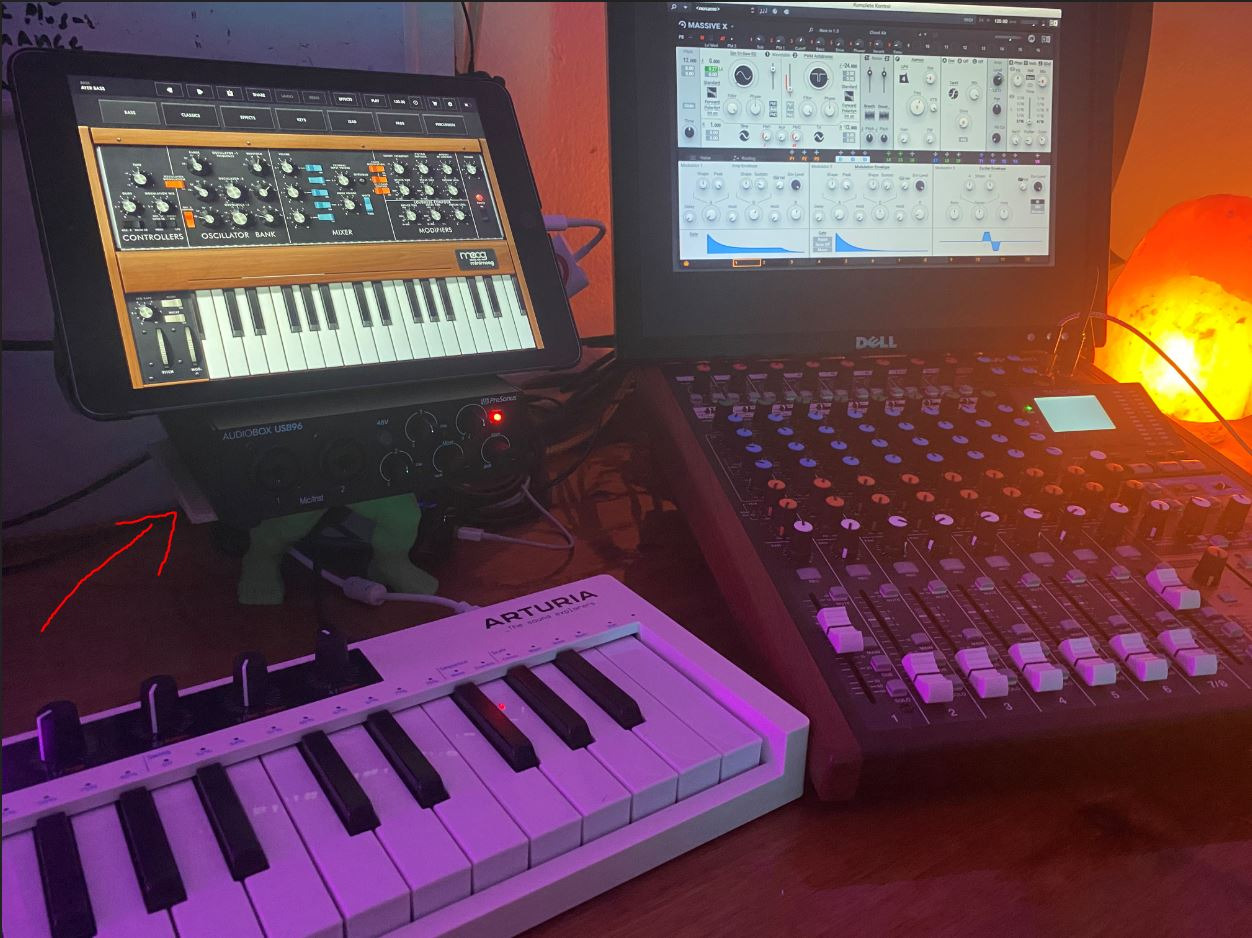
The AudioBox USB 96 25th Anniversary Edition stands out for a feature most competitors at this tier omit: MIDI in and out. If you own a hardware synth, a drum machine or a pad controller and have wondered whether you need a separate MIDI interface, you do not.
It is portable at 2 pounds and bus-powered, so one USB cable is the whole setup. On the audio side you get two Class-A mic preamps, two high-headroom instrument inputs, converters up to 24-bit/96 kHz, global 48V phantom power and a high-powered headphone output alongside balanced 1/4 inch TRS outputs.
MIDI I/O Removes a Whole Extra Purchase
The Arturia MiniFuse 2 further down this list also has MIDI, but it sits in a different bracket. For a beginner who wants to trigger software instruments from a controller and also use a hardware synth, having MIDI on the interface removes a box, a cable and a second configuration step.
MIDI confusion comes up constantly with beginners, and the pattern is consistent: people buy a two-channel interface assuming it has MIDI because it looks like studio gear, then discover it does not, then buy a standalone MIDI interface anyway. Checking this one line on the spec sheet saves that detour.
The Mixer Monitoring Blend
Instead of a simple monitor switch, the AudioBox gives you a mixer control for a custom blend between inputs and playback with zero latency monitoring. You can dial in as much of the backing track as you want while playing and keep the raw input dry, which is the closest thing to a console workflow you will find in this category.
Owners also single out the Class-A preamps as a genuine step up in clarity for the money, and the headphone output is described as high-powered, which matters for the higher-impedance headphones people tend to buy later.
Where the 96 kHz Ceiling Bites
Maximum sample rate is 96 kHz and the connection is USB 2.0 rather than USB-C. Neither is a problem for podcasting, voiceover or guitar tracking, because 48 kHz and 24-bit capture is what almost every beginner project actually needs. It becomes relevant only if you are mastering hi-res material or growing into a hi-res workflow.
The onboard control surface is sparse, and owner feedback notes the lack of meters compared with newer units. If you like watching hardware meters while tracking rather than a screen, that is a real preference difference.
Who It Suits and Who Should Skip It
Choose the AudioBox if you want MIDI in and out, two solid preamps, a portable bus-powered box and a generous software bundle, all without moving up a tier. Skip it if your workflow depends on 192 kHz capture or a large front-panel control surface.
4. Focusrite Scarlett 2i2 4th Gen – Most Versatile With Take Protection
Focusrite Scarlett 2i2 4th Gen USB-C Audio Interface
120dB dynamic range
Auto Gain and Clip Safe
Air mode
24-bit/192 kHz
Pros
- 120dB dynamic range from flagship converters
- Auto Gain and Clip Safe protect first takes
- Air mode lifts vocals and guitar
- Three-year manufacturer warranty
Cons
- Costs more than most entry-level 2×2 units
- Bundled software needs registration and setup
- Headphone output shares the main level control
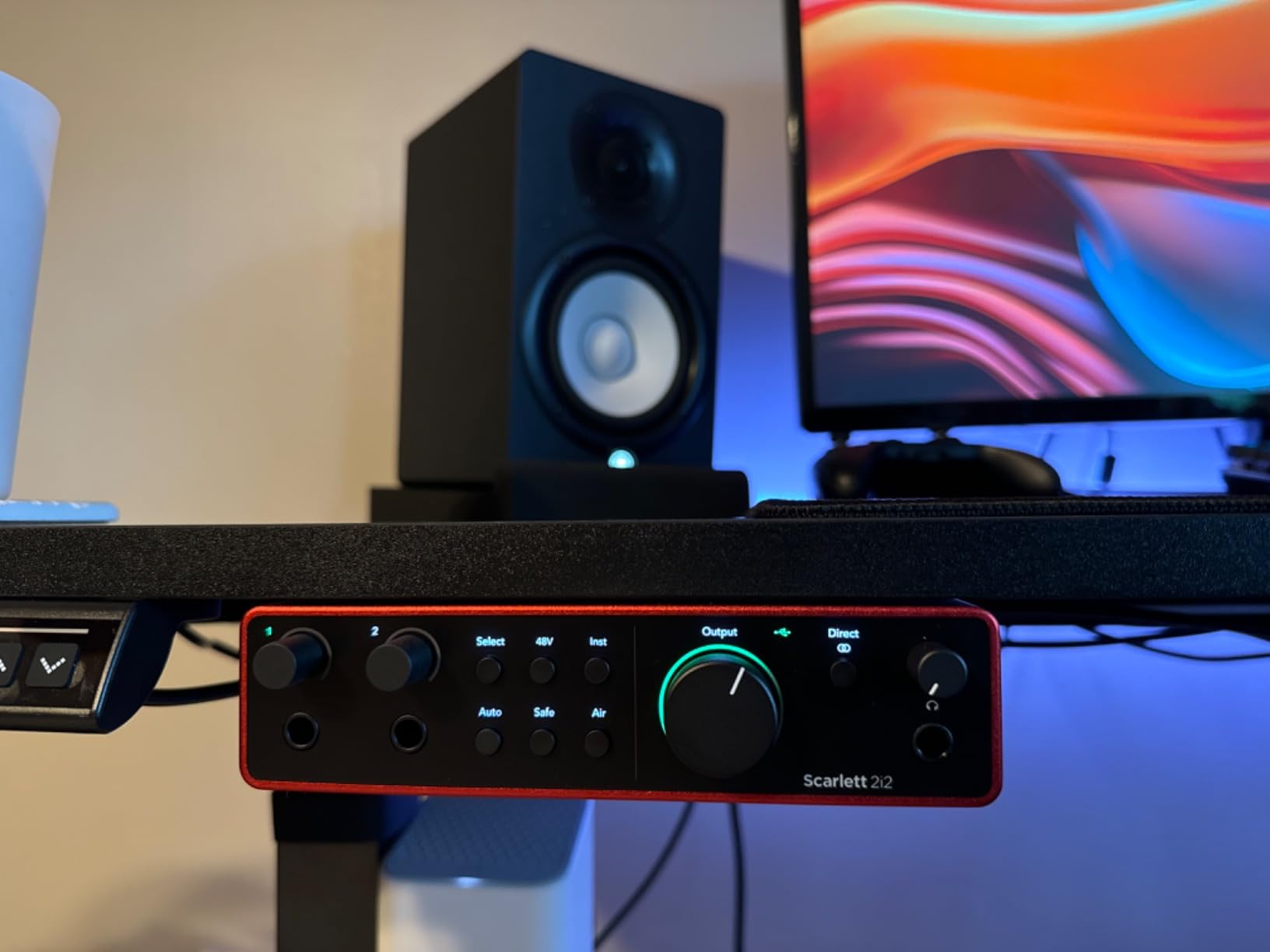
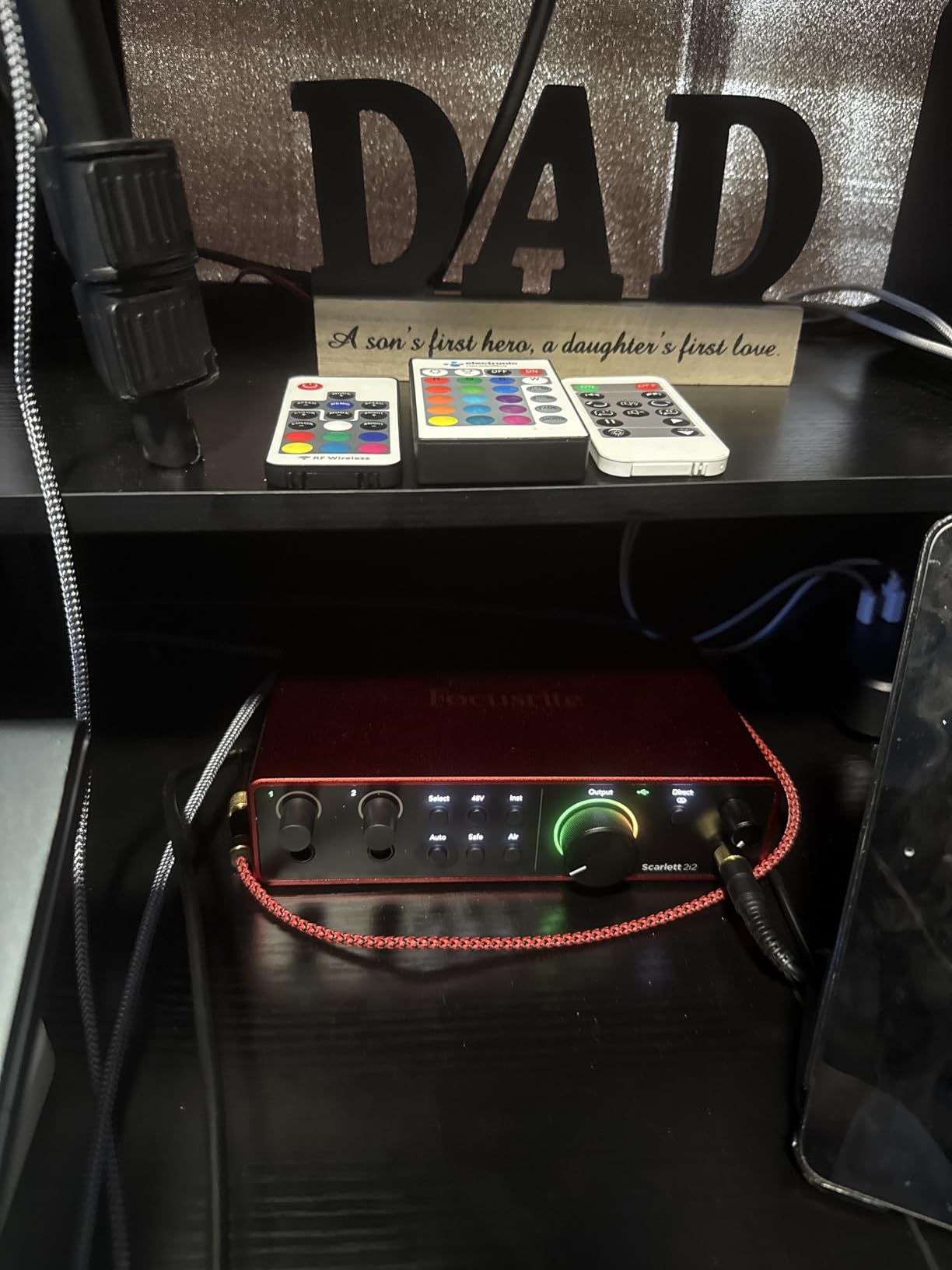
The Scarlett 2i2 4th Gen is the interface most beginners end up with, and the reason is not the logo. It is Auto Gain and Clip Safe. Those two features set the input level for you and then protect the take if the level jumps, removing the most common beginner failure of coming home with a distorted vocal.
Underneath you get 120dB dynamic range using Focusrite’s flagship converters, two mic preamps, two Hi-Z instrument inputs and 24-bit/192 kHz conversion. Bus-powered USB-C makes it portable across Mac, Windows and iOS, and it carries a three-year manufacturer warranty.
Auto Gain, Clip Safe and Air Mode
Auto Gain analyses the incoming signal and sets a sensible level. Clip Safe watches for peaks and pulls them down rather than letting them distort. Between them they mean a beginner can record a full vocal take without touching a plugin to catch a stray peak. That is a practical benefit rather than a marketing line.
Air mode is the creative control. It adds presence and harmonic drive to vocals and guitars, lifting them forward in a mix. It is a tone shape rather than a level change, so it is a legitimate alternative to reaching for an EQ plugin on every track. The bundled package is unusually deep, including Pro Tools Intro+, Ableton Live Lite, Cubase LE and the Hitmaker Expansion.
Dynamic Range and the Hi-Z Inputs
120dB dynamic range describes the gap between the quietest noise the converters register and the loudest peak they handle. More range means you can record a quiet source and still have clean data at the top. For a home studio recording a voice in an untreated room, that translates to less hiss between words and more usable headroom.
The Hi-Z instrument inputs matter for guitarists. A Hi-Z input accepts the high impedance output of a guitar pickup directly, without a separate DI box. Plug a guitar into input two, avoid the hum and thinness you get from a mic-level input, and you have a two-input setup that handles a mic and a guitar simultaneously.
Where It Costs You
The Scarlett 2i2 sits at the upper end of what a beginner typically spends, and that gap is real. The bundled software also requires registration and installation time, which is a genuine friction point for people who want to record the day the box arrives. Note also that the headphone output shares the main output level control, so you cannot set monitor level independently of your speakers.
None of that makes it a bad buy. It makes it a buy for someone who will use the safety features and the bundled ecosystem, rather than someone optimising every pound.
Who It Suits and Who Should Skip It
Choose the Scarlett 2i2 4th Gen if you record vocals, want your takes protected without thinking about it, and value a long warranty and deep software bundle. Skip it if budget is tight and Auto Gain and Clip Safe are not going to change how you work, because plainer units do the basic job well.
5. MOTU M2 – Best for Low-Latency Monitoring and Portable Recording
MOTU M2 USB-C Audio Interface
2-in/2-out USB-C
24-bit/192 kHz
Hardware monitoring
Compact metal
Pros
- Clean transparent preamps with no added colour
- Hardware monitoring delivers very low latency
- Compact metal chassis
- 6+GB of free software across three platforms
Cons
- No MIDI or talkback
- Minimal onboard controls
- Bundled software takes time to install
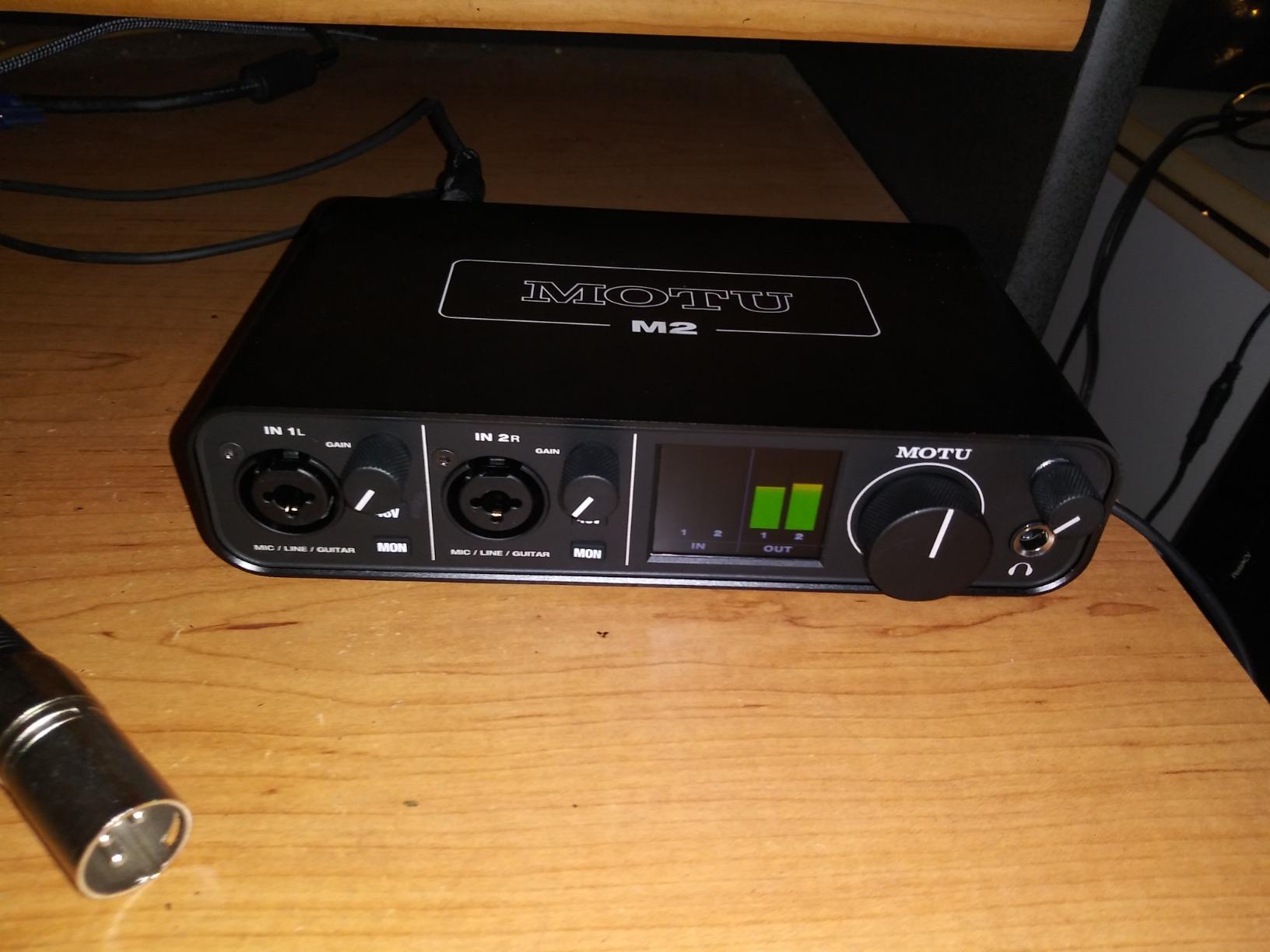
The M2 is the smallest unit here that still feels like studio hardware rather than a dongle, and its reason for existing is monitoring. MOTU’s hardware monitoring path gives you direct monitoring with very low latency, which means a guitarist can hear a clean, immediate signal without reaching for a plugin or fighting a buffer size.
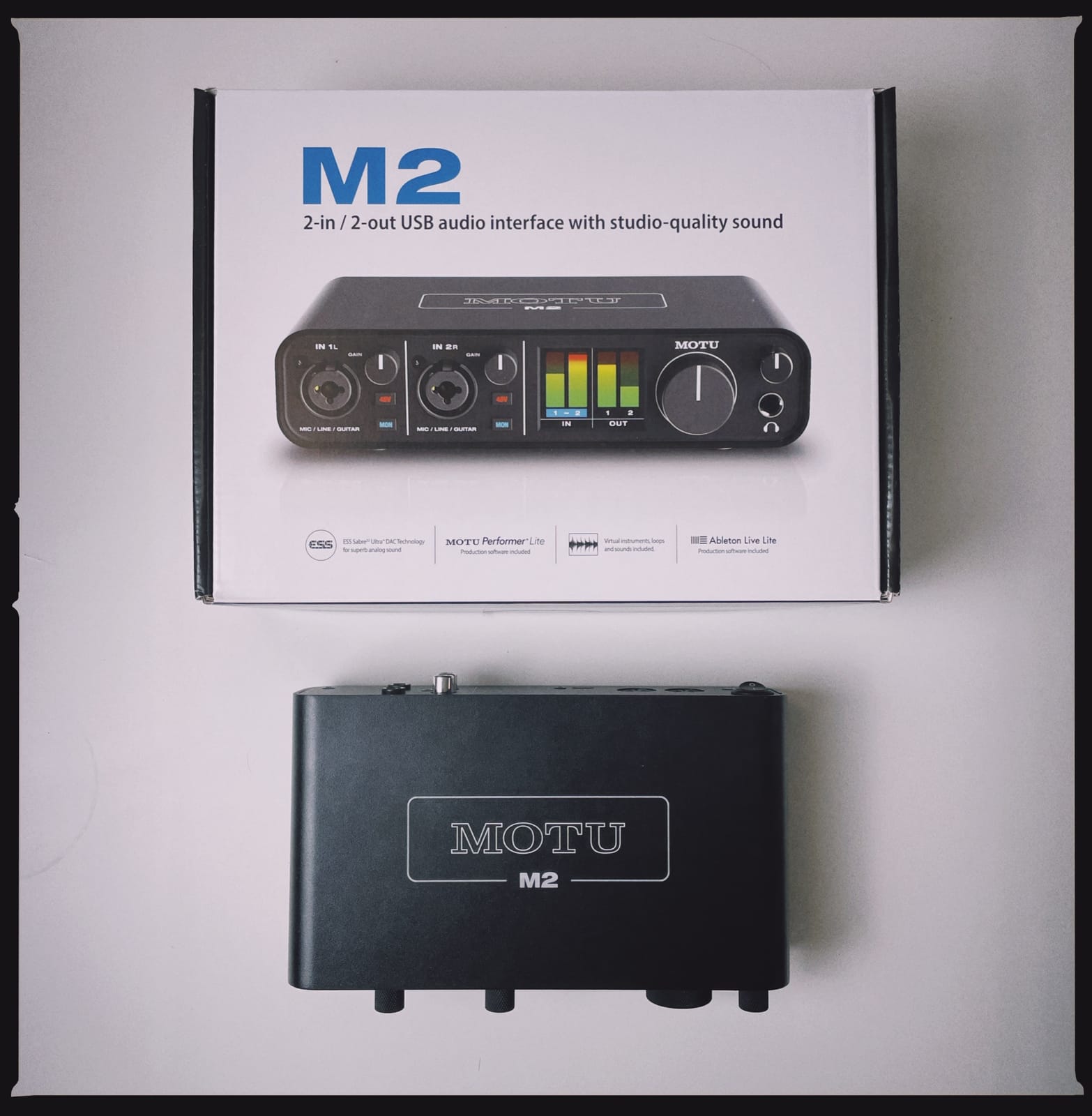
It is a 2-in/2-out USB-C interface with two preamps, 24-bit/192 kHz resolution and a compact metal chassis that measures 4.25 inches wide, plus a two-year warranty. It also works as an iOS interface, not just a desktop one, which makes it genuinely portable.
Transparent Preamps and Clean Converters
Owner feedback describes the M2’s preamps as clean and transparent with no added colouration, so the unit does not flatter or dull your source. Some competitors here add tube-style or vintage character on purpose. The M2 takes a more neutral approach, and for a beginner learning to make mixing decisions, neutral is the more useful starting point.
The converters are described as excellent for the size, and at 24-bit/192 kHz you are not trading away resolution. Reviewers report no audible noise under computer load, which is the specific failure that makes cheap interfaces frustrating when you are trying to hear a quiet vocal.
Hardware Monitoring Versus Software Playback
Hardware monitoring routes your input straight to the output without going through the computer. That is why latency collapses and why a guitarist or drummer can actually play along. The limitation is that you hear the input, not the backing track, unless your software sends playback to the same output.
Beginners often blame their interface for the delay they hear when playing. In most cases the delay is the DAW buffer size, not the box. Monitoring through headphones on hardware monitoring while tracking, then switching to software monitoring while mixing, resolves most of these complaints.
The Software Bundle
The M2 includes more than 6GB of free music software covering macOS, Windows and iOS, along with MOTU Drivers. Reviewers treat the bundle as generous rather than essential, and it does take time to install. There is no MIDI and no talkback on this two-channel version, which is the honest trade-off for the compact layout.
Who It Suits and Who Should Skip It
Choose the M2 if you play guitar or keys and want the shortest practical monitoring delay, want a neutral starting point for mixing decisions, or want one box that works on a laptop, a desktop and an iPad. Skip it if you need MIDI, talkback, or a large front-panel control surface.
6. Audient iD4 MKII – Best for Console Character and Shared Listening
Audient Audio Interface iD4 MKII, Class A Console Microphone Preamp (High Speed USB-C, Monitor Mix and Monitor Panning Function, 2 Headphone Outputs, Mac/PC/iOS Compatible), Black
ASP8024 Class-A preamp
ADAT expansion
2 headphone outputs
96 kHz
Pros
- Console-derived Class-A preamp with a musical character
- All-metal housing feels stable and premium
- Two headphone outputs for shared listening
- Monitor Mix and Monitor Panning
Cons
- Single-mic-first design
- 96 kHz maximum sample rate
- No MIDI
The iD4 MKII is built around a genuine console preamp. The microphone preamplifier is the Audient ASP8024 HE Class-A design taken from their console hardware, and owners describe the result as musical and transparent rather than merely clean. For someone starting out, hearing a preamp that flatters vocals slightly is often more encouraging than a flat one.
The housing is all metal, the connection is high-speed USB-C with an improved power supply, and it is Mac, PC and iOS compatible with a three-year warranty. It also ships with Cubase LE, Cubasis LE 2, Steinberg Retrologue 2, Twonotes Wall of Sound and a Loopmasters sample pack.
Two Headphone Outputs Change Duo Work
There are two headphone outputs, one with its own independent volume control. That is the feature I point to when two people record together, a duo, a two-person podcast, or a writer and a performer sharing one interface. The second person gets their own level without unplugging anyone or rebuilding a monitoring path in software.
It is also useful in a teaching scenario, where a student listens on the second pair while the player hears the main mix. A small feature with a large effect on how many people can use one interface at a time.
Monitor Mix, Monitor Panning and ADAT
Monitor Mix lets you blend the direct input against computer playback in hardware, and Monitor Panning centres a mono input in the stereo image so it does not jump when you pan. Both are quality-of-life details that are hard to live without once you have them. Latency stays low because the blend happens before the signal returns to the software.
The ADAT optical input is the most interesting growth path in this list. It does not add recording channels on its own, but it lets you attach an external converter later or bring in a stereo source, so the box is not a dead end when your setup grows.
The Single-Mic Reality
Here is the honest limitation, and it catches people out: the iD4 is a single-microphone-first design. You have one Class-A mic preamp plus an instrument input, so recording two microphones at once means the iD14 MKII below. For solo vocal work, a single mic plus a guitar, and shared headphone monitoring, it is excellent. For a duo with two mics, it is the wrong box.
Maximum sample rate is 96 kHz and there is no MIDI. If you need either, look at the MiniFuse 2 or the Volt 2.
Who It Suits and Who Should Skip It
Choose the iD4 MKII if you record a single vocalist, want a preamp with character, want two headphone outputs for working with someone else, or want an ADAT input as a growth path. Skip it if your project needs two microphones at once, hi-res capture above 96 kHz, or MIDI.
7. Arturia MiniFuse 2 – Most Connected Per Square Inch
Arturia MiniFuse USB Audio & MIDI Interface, MiniFuse 2
MIDI in and out
USB hub
Loopback
5-year warranty
Pros
- MIDI in and out plus a USB type A hub
- Highest average rating in this group
- Compact metal build with a five-year warranty
- Loopback captures in-app audio with voiceover
Cons
- 48 kHz maximum sample rate
- Only one headphone output
- Large bundled suite takes time to configure
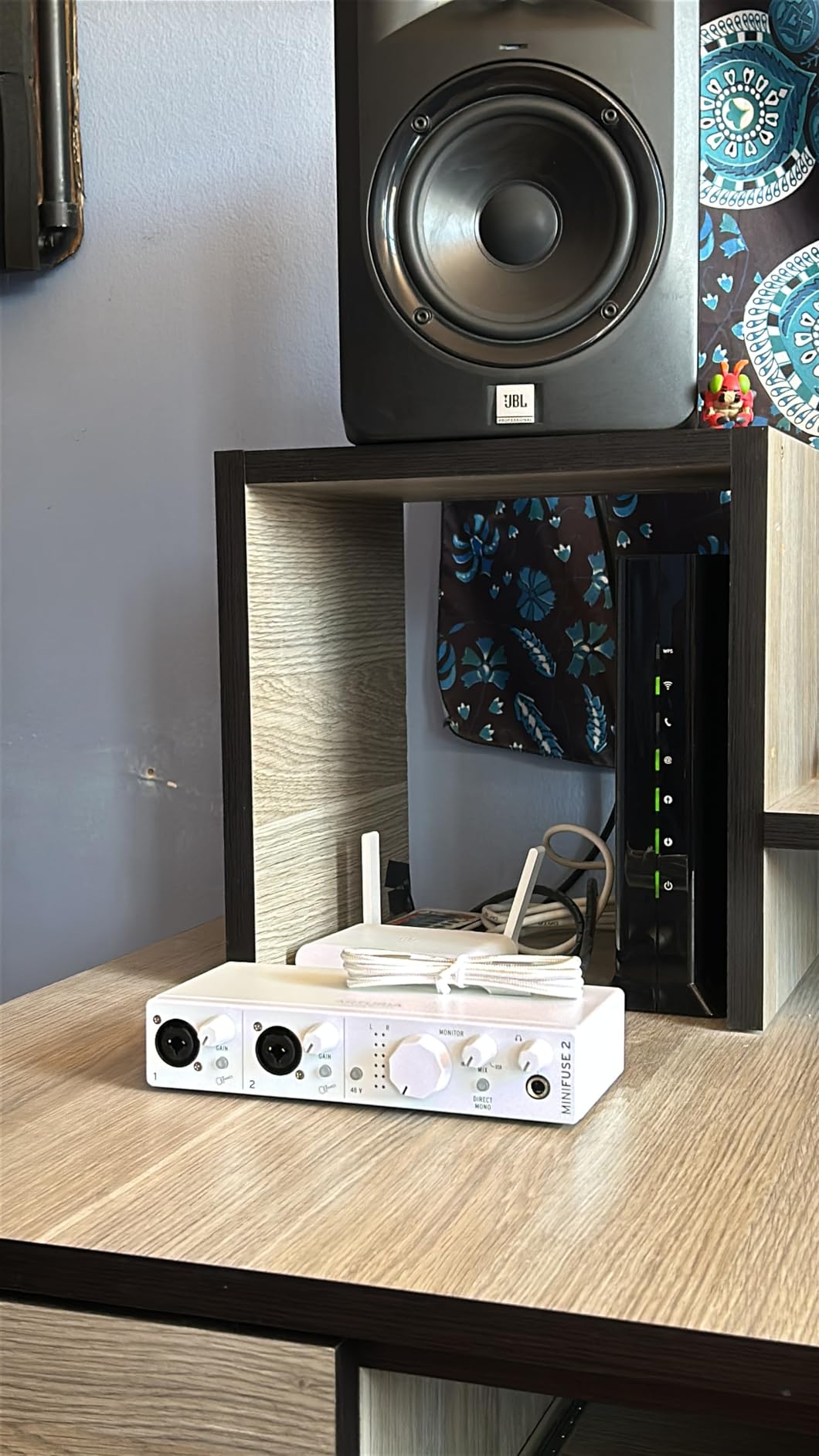
The MiniFuse 2 has the highest average rating of anything in this roundup, because it is the most generously connected small interface available. Two combo mic/inst/line XLR inputs with 48V phantom power, two instrument/line TRS inputs, two balanced 1/4 inch TRS line outputs, one headphone output with volume control, 5-pin MIDI in and out, and a USB type A hub.
It also has a five-year warranty with more than 200 reliability tests per unit, the longest coverage in this group. The build is metal, not plastic, and the listed weight is 1.1 pounds.
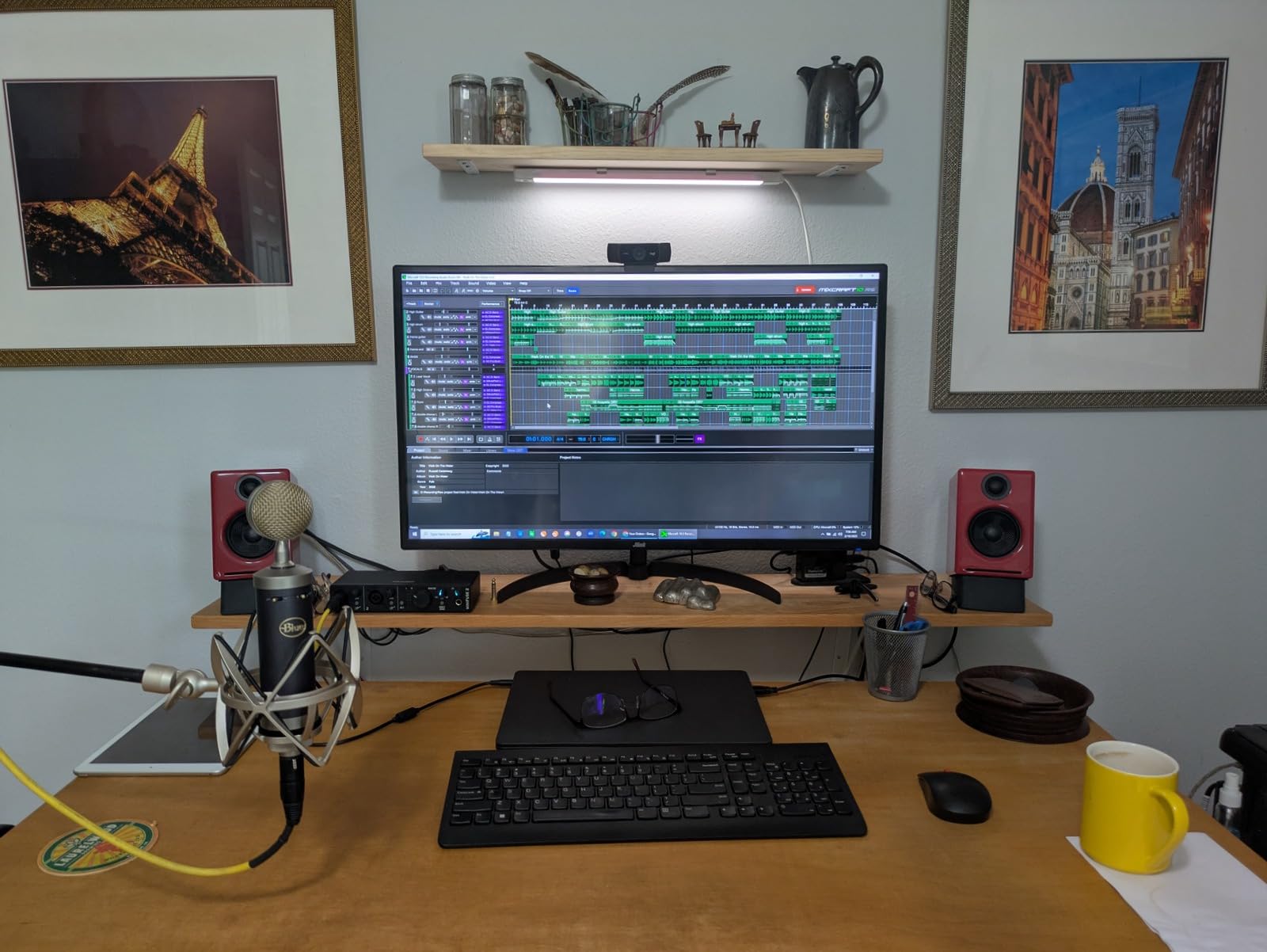
MIDI and a USB Hub in a Two-Channel Box
If you have wondered whether a beginner needs MIDI on an audio interface, this is the unit where the answer is unambiguously yes. Both 5-pin MIDI input and output are present, so a hardware synth, drum machine or pad controller connects without a separate MIDI interface.
The USB type A hub is the quieter feature but the more convenient one. It lets you plug a keyboard, mouse or storage device into the interface instead of hunting for a spare port, which matters on a laptop with only two or three connectors.
Loopback for Voiceovers and Streaming
Loopback captures voiceovers alongside in-app or in-game audio, routing both into the same record. That is what makes this unit useful for streaming, game commentary and video voiceover, where you want your commentary and the underlying audio in one file rather than layered later.
The bundled software is the deepest here: Ableton Live Lite, Analog Lab Intro, Arturia FX, NI Guitar Rig 6 LE, Auto-Tune Unlimited and a Splice Creator plan, plus beginner tutorials and ready-made song projects. That is a lot of value if you use it and a real configuration task if you do not.
Two Honest Limits
Maximum sample rate is 48 kHz, the lowest ceiling in this list, and there is only one headphone output. The 48 kHz ceiling is fine for podcasting, streaming, guitar and vocal demo work, but it removes the option of hi-res capture. The single headphone jack means shared listening requires a splitter or the two-output Audient models.
The 4.7 rating comes with fewer reviews than most units here, so treat it as a strong signal rather than a settled verdict. A high rating on a smaller review base can move as more owners report in.
Who It Suits and Who Should Skip It
Choose the MiniFuse 2 if you use hardware controllers, want MIDI without a second box, stream or record video voiceover, and like the idea of a large creative software library already installed. Skip it if two people need to listen at once, or if you plan to record above 48 kHz.
8. Audient iD14 MKII – Best for Growth Into Duo Recording
Audient Audio Interface iD14 MKII, 2 Class-A Microphone Preamps (High Performance USB Audio Interface, USB-C Connector, Monitor Mix and Monitor Panning Function, 2 Headphone Outputs), Black
2 Class-A preamps
ADAT expansion
2 headphone outputs
96 kHz
Pros
- Two console Class-A preamps for duo recording
- ADAT input expands the channel count further
- Two headphone outputs with independent level
- Bundled Cubase LE and Retrologue 2
Cons
- 96 kHz maximum sample rate
- No MIDI
- Bus-powered rather than externally powered
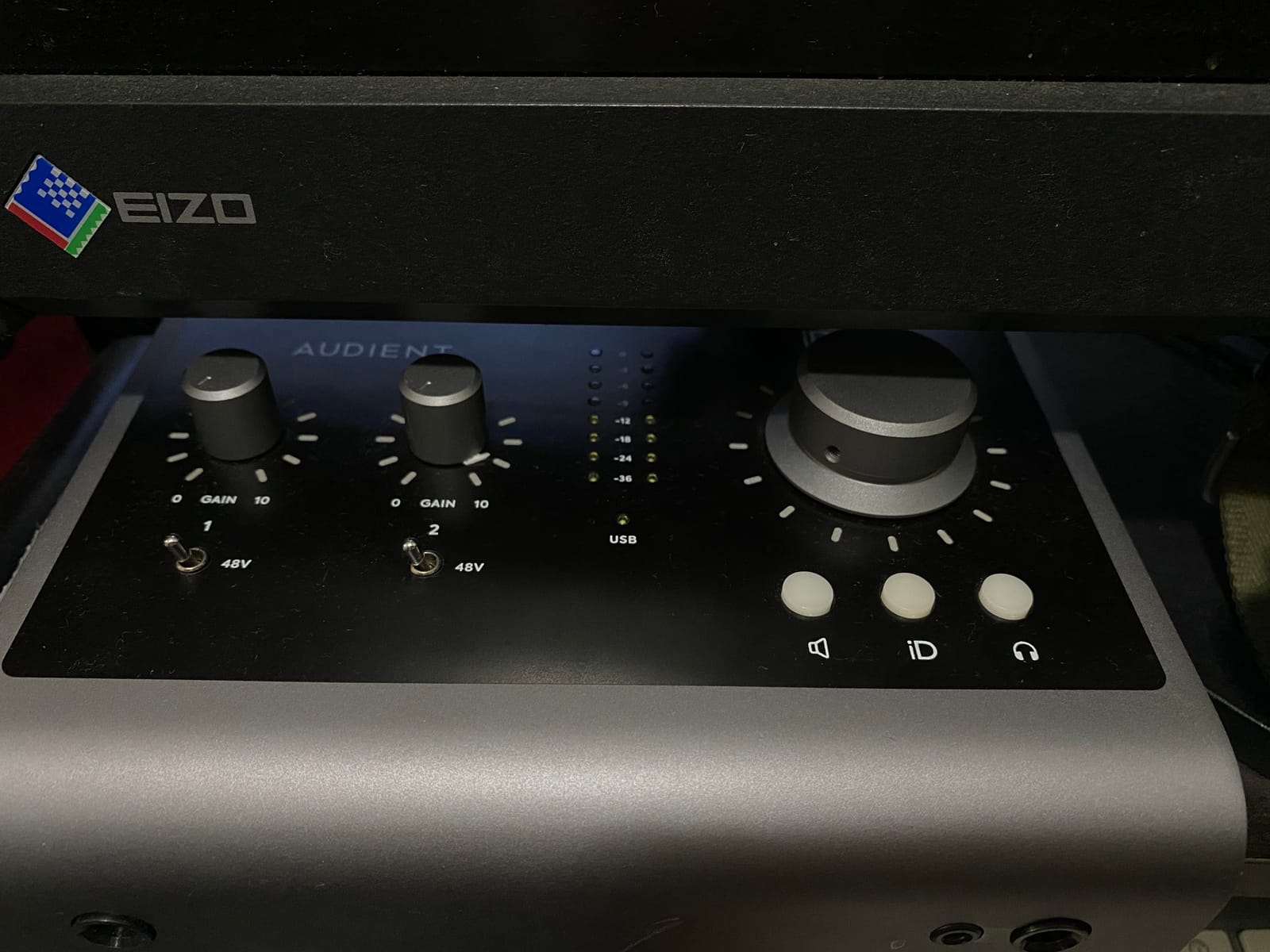
The iD14 MKII is the answer to the question the iD4 cannot handle: what if I need two microphones at the same time? It carries two Audient ASP8024 HE console Class-A microphone preamplifiers, two high-performance instrument inputs, two balanced TRS line outputs, two headphone outputs and a jitter-free ADAT input for expansion.
That ADAT input is the detail that makes this a growth purchase rather than a finished one. When you outgrow two channels, an ADAT converter adds eight more, so the box is a platform rather than a stepping stone.
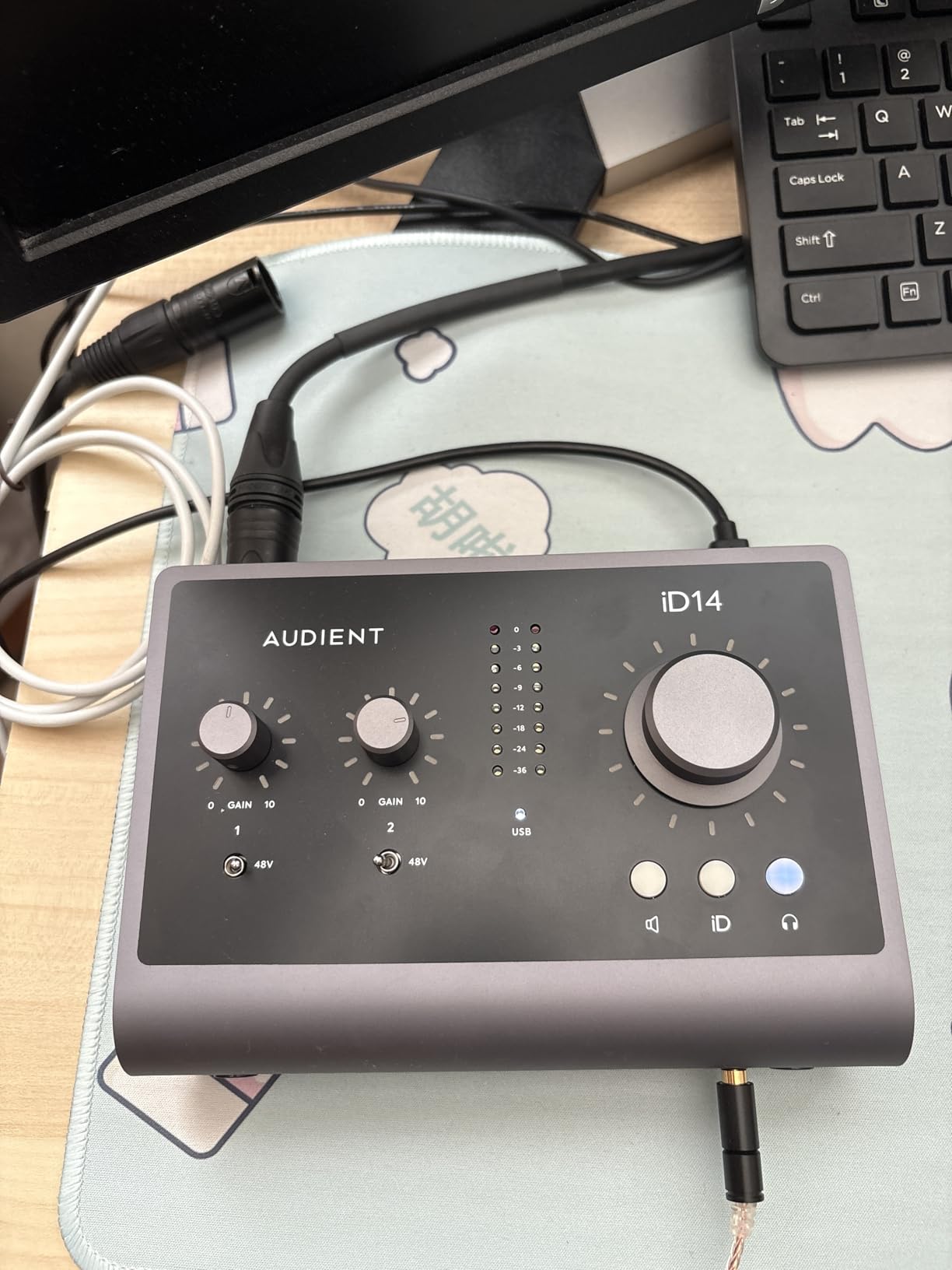
Two Console Preamps From the ASP8024
Using the same Class-A console preamp design as the iD4 means you are not trading sound quality when you move up a step. You are gaining a second preamp so you can mic a vocalist and an acoustic player simultaneously, or run a two-person podcast with two microphones. That is the most common real reason people need more than one input.
For a singer-songwriter recording an acoustic guitar with two microphones in a stereo pair, the second preamp is exactly what makes that technique possible. The instrument inputs keep high-impedance guitar connections clean at the same time.
ADAT as a Long-Term Plan
An ADAT optical input is a digital connection carrying eight channels. Attach an eight-channel converter and the iD14 becomes a ten-channel system for multitrack drum recording or tracking a small band. Nothing else in this list offers that, which is why readers who start with a two-channel box keep discussing a move up to a larger platform once a project grows.
It is worth being honest that ADAT requires an extra box and a Toslink cable, so it is a future capability rather than a present feature. But unlike a disposable two-channel unit, the money here stays useful.
Power, MIDI and Sample Rate
Three limitations are worth naming. It is bus-powered, drawing from the computer rather than an external supply, which is convenient for portability but constrains headroom on some laptops. There is no MIDI, so hardware controllers still need a separate route. And maximum sample rate is 96 kHz, so hi-res capture above that is unavailable.
It is also larger and heavier than the iD4 MKII, with a listed weight of 1250 g, so it wants a permanent desk spot rather than a laptop bag.
Who It Suits and Who Should Skip It
Choose the iD14 MKII if your near-term plan includes two microphones at once, a two-person podcast, a stereo acoustic pair, or recording that will grow toward drums. Skip it if you are recording one source at a time, or if MIDI and hi-res capture are non-negotiable.
9. Shure MVX2U Gen 2 – Best Single-Mic Solution for Podcasters on the Move
Shure MVX2U Gen 2 XLR-to-USB-C Audio Interface
XLR to USB-C
Plus 60 dB gain
48V phantom
100g body
Pros
- Plugs straight into an XLR mic with no extra cable
- Up to plus 60 dB of gain
- Onboard denoiser and auto level
- Works on Windows macOS iOS and Android
Cons
- Single XLR input only
- MOTIV software needed for DSP settings
- Recent MOTIV versions dropped Windows 10 support
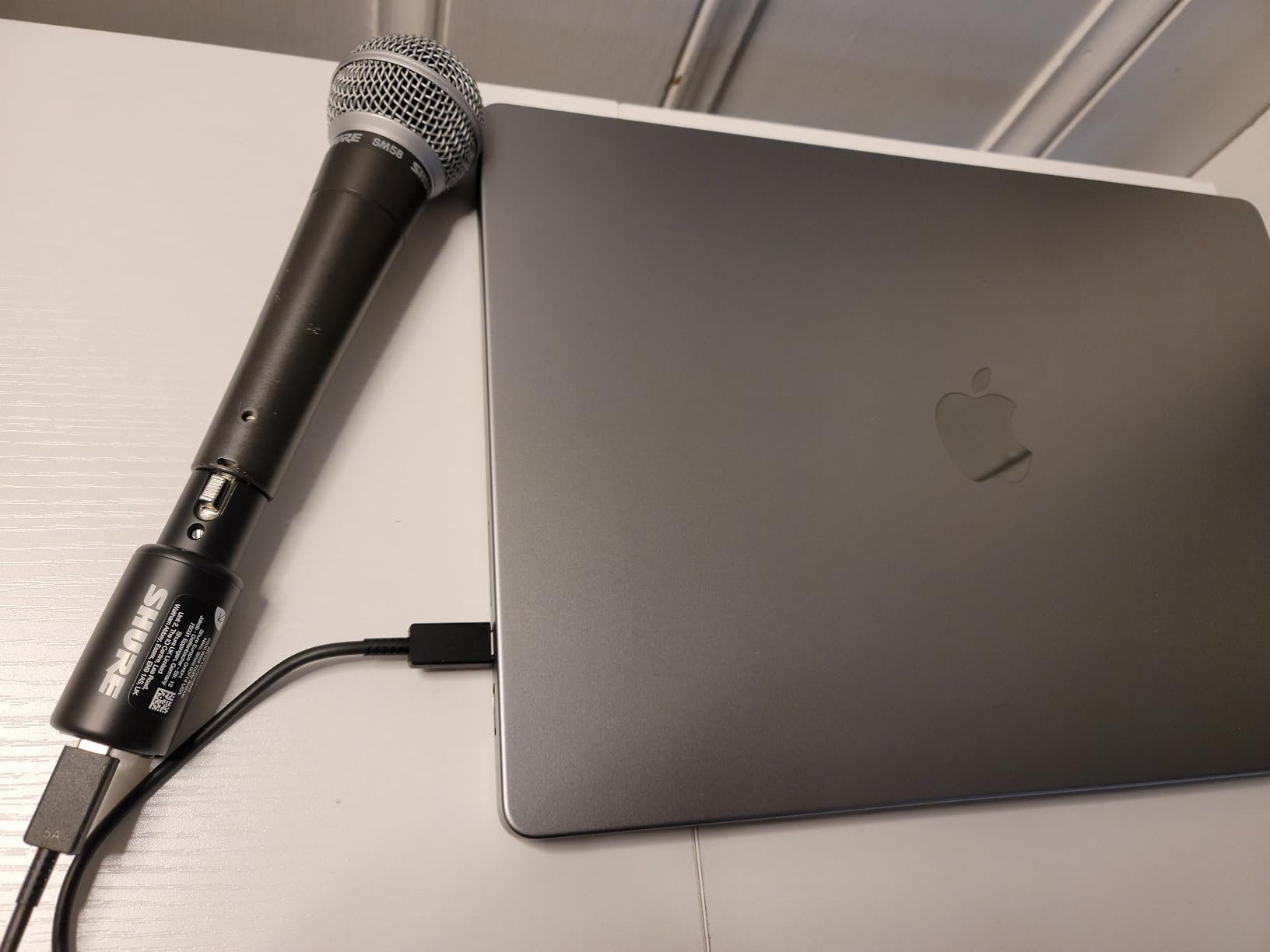
I want to be clear about where this fits, because it is not a two-channel interface and I would not pretend otherwise. The MVX2U Gen 2 is a single XLR input device, and it is in this list because podcasting and solo vocals are the most common first purchases there is. For someone who will only ever use one microphone, this solves the problem better than any two-channel box.
It converts any XLR microphone to USB-C, with up to plus 60 dB of clean gain and 48V phantom power, and it weighs 100 g. That gain figure is the headline: dynamic microphones that normally need an external booster, including the Shure SM7B, get usable level from the device itself.

Onboard DSP Does the Cleanup for You
The Shure Digital Audio Processing built into the device includes Auto Level Mode, a real-time denoiser and a digital popper stopper, plus Dark, Natural and Bright tone options. For a first-time podcaster in an untreated room, the denoiser alone can be the difference between a usable episode and an unusable one.
Management runs through the MOTIV Mix, MOTIV Audio and MOTIV Video apps. Full control of gain and DSP settings lives in software, not on a hardware panel, because the device is too small to carry controls. If you like physical knobs, this is the wrong product.
Why Plus 60 dB of Gain Matters
Gain is simply how much the preamp boosts a weak signal. Dynamic microphones such as the SM7B output a very quiet signal and normally need a booster or a high-gain preamp to reach a usable level. At up to plus 60 dB, the MVX2U covers that requirement on its own, so a beginner with an expensive dynamic microphone does not need to buy a second box.
The 48V phantom power covers condenser microphones, so the device is not limited to dynamics. The same unit handles most microphone choices a beginner is likely to make.
Real Limitations
Three things to know. It has a single XLR input, so it cannot record two microphones, a stereo pair or a guest. Recent MOTIV software versions no longer support Windows 10, which matters if you have not upgraded. And there are occasional reports of units arriving non-functional from third-party sellers.
It also carries a two-year limited warranty and a best sellers rank of 88 in microphone accessories rather than interfaces, which tells you how the manufacturer positions it.
Who It Suits and Who Should Skip It
Choose the MVX2U Gen 2 if you record a single microphone, want to travel, own a demanding dynamic microphone, or want noise cleanup handled in hardware. Skip it the moment a second person joins the conversation, or if you want to record a mic and a guitar together.
10. Universal Audio Volt 2 – Best Vintage Preamp Character With MIDI
Universal Audio Volt 2 USB Audio Interface
2-in/2-out 24-bit/192 kHz
610 Vintage mode
MIDI
Bus-powered
Pros
- Vintage mode adds classic 610 preamp character
- Transparent converters with no audible noise
- Bus-powered USB-C with physical on/off switch
- Plug-and-play with no drivers to install
Cons
- Two-LED meter makes gain hard to dial in
- Cannot blend direct monitor with playback in hardware
- LUNA account can be troublesome to set up
The Volt 2 is the only unit in this roundup with both a modern clean signal path and an on-demand vintage character, and owners describe it as the best interface they have owned in its price class. The UA 610 preamp emulation with Vintage mode adds the character of Universal Audio’s classic 610 preamps to a signal chain that is otherwise transparent.
It is a 2-in/2-out 24-bit/192 kHz USB-C interface with a Hi-Z instrument input, MIDI input and output, and bus power through USB-C with a physical on/off switch. The bundled LUNA Recording System DAW and UAD plug-ins are widely praised, and it supports macOS, Windows, iPad and iPhone.
Vintage Mode Versus a Clean Signal
This is the interface lesson worth learning early. A vintage preamp mode is not a gimmick; it is a deliberate harmonic shaping that adds density and warmth to vocals and bass in a way that is hard to reach with plugins alone, because plugins simulate the end result while hardware adds it at the source.
The important part is that you choose per channel and record dry, then decide later. That workflow is far more flexible than committing to one sound. It is why the Volt 2 appeals to producers who eventually want to mix rather than merely capture, and why musicians comparing interfaces at fixed budgets on r/musicproduction weight preamp character heavily.
Converter Quality and Quiet Signal Path
Owners report excellent DAC and conversion quality with no audible electrical noise under computer load. That second part matters more than it sounds: noise that appears when the computer’s fan spins up or a heavy plugin scan runs is the classic complaint about cheaper units, and it makes quiet vocals unusable.
Because it is bus-powered it works from a laptop with no adapter, and the physical on/off switch lets you cut idle draw. The trade-off is the same one as other bus-powered units here: on some laptops you have slightly less clean gain available.
Three Frustrations to Prepare For
Input gain is sensitive and the meter has only two LEDs, which makes levels hard to dial in accurately. Use a DAW meter and treat the hardware LEDs as a rough warning. There is also no way to blend direct-monitor input with computer playback inside the hardware, so levels must be balanced in the DAW, which means software monitoring latency when mixing.
And the LUNA account and app can be troublesome to get running on some systems, so allow time for that setup. The warranty is one year, the shortest in this roundup, which is worth weighing against the bundled software and the preamp character.
Who It Suits and Who Should Skip It
Choose the Volt 2 if you record vocals or bass, want warmth from a hardware preamp rather than a plugin, want MIDI included, and prefer a bundled DAW to grow into. Skip it if you need a hardware monitor blend, a large metering display, or a long warranty.
How to Choose a 2-Channel Audio Interface: 6 Specs That Matter
Here is the order I would actually evaluate these boxes in, rather than the order they appear on a spec sheet. If a feature does not appear here, it is unlikely to change your first year of recording.
1. Mic Preamp Quality and Headroom
The preamp is the part you are closest to on every take, so it is the first thing to judge. Headroom means how much clean gain is available before the signal distorts. Dynamic microphones need more gain than condenser microphones, and ribbon microphones need more still. A unit that runs out of clean gain adds noise and distortion exactly when you are trying to capture something.
Class-A preamp designs appear in the PreSonus AudioBox and both Audient models. Midas-designed preamps appear in the Behringer UMC202HD. Vintage and tube-style emulation appears in the Volt 2. If you cannot tell what the architecture means, listen for noise at a given gain setting rather than reading the label.
2. Direct Monitoring Behaviour
Direct monitoring lets you hear your input without round-tripping through the software. It comes in three forms: a simple switch between direct and USB playback, a blend control mixing the two, and a full monitor mixer. The AudioBox mixer blend and the Audient Monitor Mix and Monitor Panning are the most flexible; the M-Track Duo and the M2 use simpler switches.
The Volt 2 has no hardware blend, so you balance levels in the DAW. That is fine for mixing and worse for tracking while playing.
3. Converter Resolution, and What 192 kHz Really Means
Sample rate and bit depth describe how much digital data describes each moment of sound. Every unit here does 24-bit, which is the number that matters most for noise performance. Sample rate is 48 kHz on the M-Track Duo and MiniFuse 2, 96 kHz on the AudioBox, iD4 and iD14, and 192 kHz on the Behringer UMC202HD, MOTU M2, Scarlett 2i2 and Volt 2.
For a beginner, record at 48 kHz and 24-bit. Higher rates are useful when converting analogue material to digital, and they are harmless to have, but they are not a quality upgrade for new recordings the way convertor pedigree sometimes implies. Our USB audio interface guide covers the wider USB tier if you want to see how these compare to higher-channel-count boxes.
4. MIDI I/O and Loopback
MIDI is a separate protocol from audio, and an interface with MIDI DIN connectors can pass controller and keyboard data alongside your audio. It matters if you use hardware synths, drum machines or pad controllers. It does not matter if you trigger everything from a laptop keyboard.
Loopback is different and it matters for creators: it lets the interface record your voice alongside in-app or in-game audio. If you stream, record video voiceover or make game commentary, loopback saves you a second audio track and a mixing session. The MiniFuse 2 includes it natively.
5. Headphone Output Drive and the Second Jack
The headphone output is usually the first thing you will use for years. Higher-impedance headphones, including 48 ohm models, need real drive to reach a comfortable level. Ask about output strength rather than assuming a headphone jack is a headphone amp.
The second headphone output changes working relationships. The Audient iD4 and iD14 give you two, one with independent volume, which is what makes a two-person podcast or a lesson comfortable. If you own 48-ohm Beyerdynamic DT900 Pro X headphones, that output strength question is worth asking before you buy anything.
6. Bus Power, Enclosure and Warranty
Bus-powered units run from the USB connection with no adapter, which is what makes a laptop-only studio possible. The price is headroom: on some laptops, especially older or heavily loaded machines, bus power reduces available clean gain.
Enclosure material is a durability proxy. The Behringer UMC202HD, MOTU M2, Audient models and MiniFuse 2 are metal; the M-Track Duo is light plastic. Warranty length signals manufacturer confidence: five years on the MiniFuse 2, three on the Scarlett 2i2, iD4 and iD14, two on the MOTU M2 and the Shure MVX2U, and one on the Volt 2.
What a Beginner Can Safely Ignore
Four things are marketing more than function at this tier. Advertised hi-res sample rates above 48 kHz will not change your recordings. Named converter pedigree matters far less than preamp behaviour and whether noise appears under computer load. A large physical button count does not mean easier operation, and a bundled plugin list does not save money unless you would have bought those plugins anyway.
What does matter is the room, the microphone and your gain staging. A cheap interface paired with a decent microphone in a treated corner beats an expensive interface in an untreated bedroom, and forum regulars are consistent on that point.
One Input or Two? The Question That Costs the Most Money
This is the most repeated confusion in home studio and podcasting forums, so let us answer it directly. Most single-input units exist because the manufacturer optimised for the solo performer. The step up to two inputs is small in money and significant in flexibility, which is why I lean two ways for nearly everyone.
Choose one input if you will genuinely never record more than one source at a time, you work entirely in headphones, and you have no plans for a guest, a stereo pair or a hardware instrument alongside a microphone. The Shure MVX2U Gen 2 is the strongest version of that choice, with high gain and built-in processing.
Choose two inputs if there is any chance of a second microphone, a stereo acoustic guitar pair or a guest appearing. The reason is not that you will use it on day one. It is that the upgrade path from one input to two is not cheap, whereas starting at two costs little extra and keeps a second microphone, an acoustic pair and a two-person podcast available from the start.
The two-person case is decisive. Podcasters consistently land on the two-channel tier for a reason: a two-person conversation needs two inputs, and a single-input device forces workarounds that compromise the recording. The same applies to miking an acoustic guitar with a stereo pair, the technique experienced recorders reach for first.
If you want to see how this tier compares with wider channel counts, our guide to multi-channel audio interfaces covers the next step up, and our Thunderbolt interface guide covers the high-end tier.
Troubleshooting: Hum, Clipping, Drivers and Monitoring Confusion
No competing roundup on page one covers this, and it is where most beginner questions actually land. Work through these in order, because the first three account for the large majority of problems.
1. Hum and Buzz in the Signal
A steady hum at mains frequency is almost always a ground loop, meaning two paths for the electrical signal to travel. Common sources are a laptop charger connected to the interface, studio monitors sharing a strip with the computer, and a dimmer switch on the same circuit. Plug the interface into a different outlet, unplug the laptop charger while recording, and hear whether the hum changes.
If the hum only appears on the guitar input, the cause is different: a ground loop between the guitar’s pickup and the input, fixed by a hum eliminator or a battery-powered instrument. Balanced connections between the interface and powered monitors prevent hum there entirely.
2. Clipping and Distorted Vocals
Distortion that changes with how loudly you sing is almost always too much gain, not a faulty preamp. Turn the preamp down, raise the level in your DAW, and keep peaks around -12 dBFS. The M-Track Duo’s gain taper makes this harder than it should be, and the Volt 2’s two-LED meter makes it harder to see, so use a DAW meter for both.
Phantom power on a ribbon microphone is a separate cause of quiet or damaged signals. Ribbons rarely need it and can be harmed by it, so check the microphone specification before engaging 48V.
3. Driver and Registration Problems
If the interface does not appear in your DAW at all, the driver is the first suspect, not the hardware. Download it from the manufacturer’s own site, restart after installing, and confirm the sample rate in your DAW matches the interface. If the DAW sees a doubled input count, a sample rate mismatch is usually the cause.
Registration is a separate, more tedious matter. Several units here ship their bundled software as a download tied to product registration, so expect to create an account before any of it appears. This does not affect recording, only the extras. It is still worth doing, because registration is linked to warranty coverage on several of these products.
4. Monitoring Latency and Playback Lag
Latency has two sources that people usually conflate. Buffer size in the DAW causes the round-trip delay you hear when monitoring software playback. Hardware direct monitoring removes the round trip entirely but shows you the input only.
The standard workflow is: track with hardware direct monitoring for zero delay, raise the buffer size when mixing to reduce delay, then check your headphone mix on the same path. If the lag is present only while playing, it is buffer size.
5. Recording Too Quiet, or Recording Nothing
A quiet recording is usually gain, or a microphone that needs more of it. Ribbon and dynamic microphones need more gain than a beginner expects, which is exactly why the Shure MVX2U’s plus 60 dB range is useful and why bus-powered units with less headroom can disappoint. If nothing records at all, check the input source selection in your DAW, the phantom power state, and whether the instrument is monitored through a separate volume control.
Frequently Asked Questions
What is the best audio interface for a beginner?
For most beginners the M-Audio M-Track Duo is the fastest route to a working recording, because it has two combo XLR inputs, a zero-latency USB/Direct switch and bundled software that works immediately on Windows and macOS. If you can stretch further and want automatic level protection, the Focusrite Scarlett 2i2 4th Gen adds Auto Gain, Clip Safe and 120dB dynamic range.
Which interface is best for beginners?
Two-channel models are the right tier for beginners because they handle one microphone, one microphone plus a guitar, and a two-microphone duet with the same box. The M-Audio M-Track Duo is the simplest, the Behringer UMC202HD is the most durable for the money, and the Focusrite Scarlett 2i2 4th Gen is the most beginner-friendly in the sense that Auto Gain and Clip Safe stop you from ruining a take.
Do you need an audio interface as a beginner?
Yes, if you plan to connect a microphone, an instrument or external studio monitors, because a laptop’s built-in sound card has no microphone preamps, no phantom power, no instrument input and no low-latency monitoring. No, if you are only listening to computer-generated audio through headphones, where the built-in jack already does the job. The interface becomes essential the moment you want to record or hear yourself properly.
What is a good audio interface with multiple channels?
For multiple channels, the Audient iD14 MKII is the natural step: two Class-A microphone preamplifiers, two instrument inputs, two headphone outputs and a jitter-free ADAT input that adds eight channels with an external converter. The PreSonus AudioBox USB 96 and the Arturia MiniFuse 2 add MIDI for hardware controllers. If you are recording a drum kit or a live guitar rig, those are the features that change what you can capture.
Can I record two microphones at once with a 2-channel interface?
Yes, on any unit with two independent preamps, such as the M-Audio M-Track Duo, the Behringer UMC202HD, the PreSonus AudioBox USB 96, the Focusrite Scarlett 2i2 4th Gen, the MiniFuse 2 or the Audient iD14 MKII. The Audient iD4 MKII is the exception in this roundup, because it pairs a single Class-A preamplifier with one instrument input. Remember that a combo jack offers XLR or quarter-inch TRS on the same channel, so two combo jacks means two inputs, not four.
Which 2-Channel Audio Interface Should You Buy?
If you want one recommendation rather than ten, take the M-Audio M-Track Duo. It is the fastest path from unboxing to a recorded take, it has two real combo inputs, its direct monitoring switch has no measurable delay, and it costs less than most of the alternatives here. The trade-offs are a gain taper that asks for patience and a 48 kHz ceiling, and neither will touch a first year of vocals, guitar or podcasting.
If your budget stretches a little further, three options answer different needs. The Behringer UMC202HD is the one to buy if you want a metal chassis and clean Midas-designed preamps that will last a decade. The Focusrite Scarlett 2i2 4th Gen is the one to buy if you want your takes protected automatically, because Auto Gain and Clip Safe remove the most common beginner mistake outright. The Universal Audio Volt 2 is the one to buy if you want warmth from a hardware preamp emulation, MIDI included, and a bundled DAW to grow into.
For specific setups: add MIDI by choosing the PreSonus AudioBox USB 96 or the Arturia MiniFuse 2, and choose the Arturia when you also want a USB hub, loopback for streaming and a five-year warranty. For two people in the room, choose the Audient iD14 MKII, which pairs two Class-A preamps with two independently level-controlled headphone outputs. For a single microphone on the move, choose the Shure MVX2U Gen 2, and accept that it is a one-input device.
Record at 48 kHz and 24-bit, keep your peaks around -12 dBFS, use hardware direct monitoring while playing, and treat the microphone and the room as the real upgrade. Whatever you choose from this list of the best 2 channel audio interfaces for beginners, the differences between them are smaller than the difference between a good microphone in a treated corner and a bad microphone in an untreated bedroom. The right time to move past two channels is when a second person joins, a stereo microphone pair enters the picture, or you start tracking drums.
Leave a Reply