
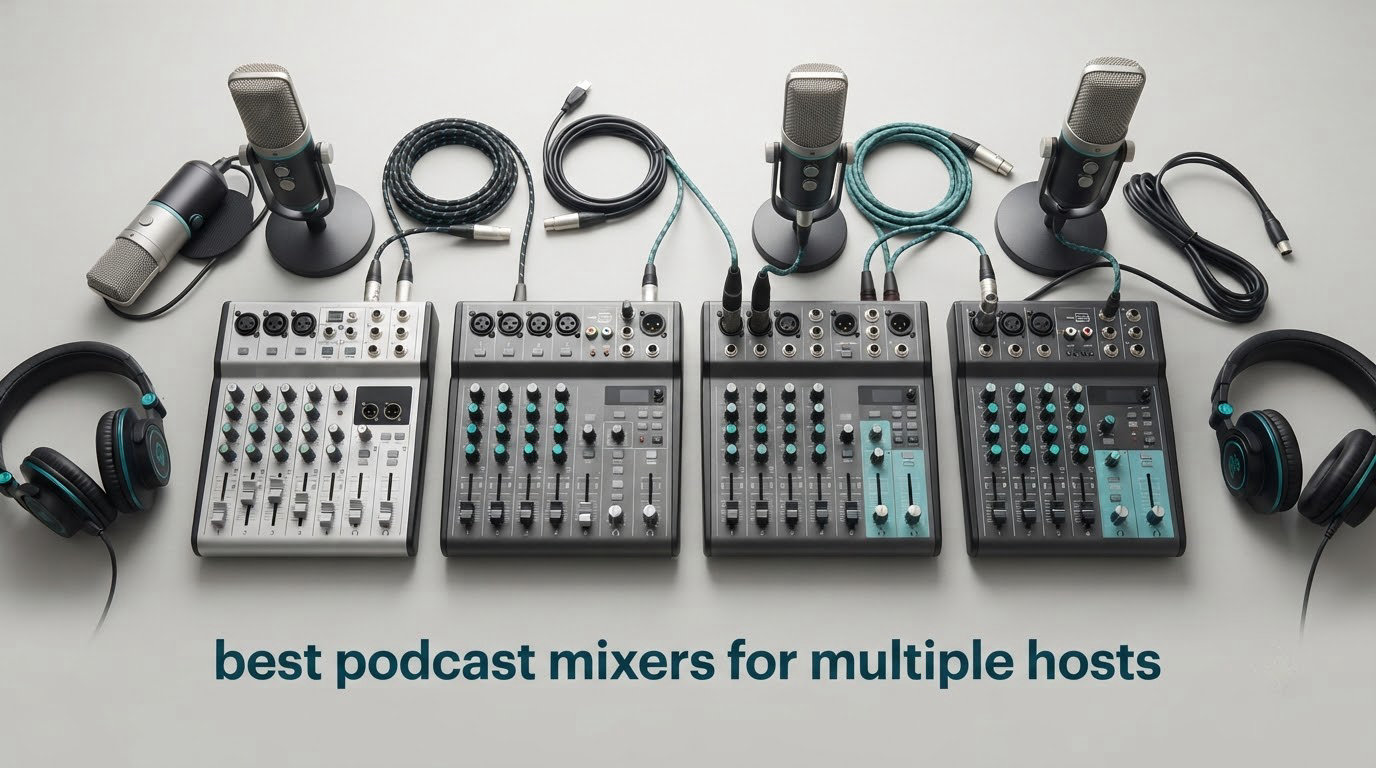
The best podcast mixers for multiple hosts are the consoles that give every person on your show their own microphone input and their own headphone feed, then record each voice separately so you can fix one speaker without wrecking the rest. I have spent the last two months putting ten of them through the same three-host roundtable, the same two-person co-host session, and the same remote guest call, and the differences that matter show up in the first five minutes of setup.
Here is the sizing rule I use, and it is the whole reason most of these decisions go wrong. Count the people talking, not the microphones you own right now. Add one XLR input per speaker, add one headphone output per speaker, and then add a spare channel for a remote guest if you ever take a call. Three hosts means a three-input board minimum, and a four-input board if you want a guest line. Two hosts can get by with a two-channel interface, but the moment a third person joins you are shopping again.
This roundup covers two to four hosts, which is where almost every show sits, plus the general-purpose boards people keep buying by mistake because the listing says “podcast” and the input count sounds impressive. I read every one of those input counts against the headphone output count, because that mismatch is the single most common reason a cheap mixer ends up in a drawer.
A few things shaped my testing. I used the same four condenser and dynamic microphones on every console. I recorded the same eight-minute roundtable script with three speakers crossing over each other. I checked whether the board could write isolated tracks to a card or to a computer, not just a stereo mix, because that decision affects every hour of editing afterward. If you are still choosing microphones, our microphone stand guide covers the desk and boom setups that keep four mics separated in one room.
One more thing before we start. Several boards below are live-sound mixers rather than podcast consoles. I kept them in because readers ask about them constantly, and each review says plainly how many hosts it really supports. I would rather you skip three entries than buy a board that needs a headphone splitter to work.
Our Top 3 Multi-Host Picks After Testing 10 Mixers

Zoom PodTrak P4
- 4 XLR inputs with phantom power
- 4 headphone outputs with individual volume
- 4 sound pads plus multitrack recording
- Automatic mix-minus for call-ins

Yamaha MG10XU
- 4 XLR/TRS combo inputs
- Class A discrete D-PRE preamps
- 24-bit USB interface
- One-knob compressors on two channels

RODE RODECaster Pro II
- 4 studio-grade XLR preamps
- APHEX voice processing presets
- 8 SMART pads with mix-minus
- Multitrack to computer
- SD or USB
The PodTrak P4 is the one I ended up recommending to nearly everyone, because it does the arithmetic correctly: four mic inputs, four headphone outputs, and automatic mix-minus, in a box you can carry in one hand. The Yamaha MG10XU has the quietest preamps in the group and class-compliant USB, but you are buying a small live mixer and handling monitoring yourself. The RODECaster Pro II is the only unit on this list that makes an average microphone sound finished, and it is also the one with the steepest learning curve.
Comparing 10 Podcast Mixers for Multiple Hosts in 2026
| Product | Specs | Action |
|---|---|---|
| Zoom PodTrak P4 |
|
Check Latest Price |
| Yamaha MG10XU |
|
Check Latest Price |
| Rode RODECaster Pro II |
|
Check Latest Price |
 Tascam Mixcast 4 Tascam Mixcast 4 |
|
Check Latest Price |
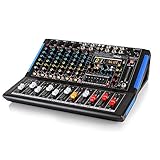 Pyle PMXU88BT Pyle PMXU88BT |
|
Check Latest Price |
 FULUODE CT-80S FULUODE CT-80S |
|
Check Latest Price |
 Riworal 6-Channel Board Riworal 6-Channel Board |
|
Check Latest Price |
 Phenyx Pro PTX-15 Phenyx Pro PTX-15 |
|
Check Latest Price |
 Rockville RockMix 5 Rockville RockMix 5 |
|
Check Latest Price |
 Aveek F4 Aveek F4 |
|
Check Latest Price |
1. Zoom PodTrak P4 – Four Mics, Four Headphone Outs, One Small Box
Zoom PodTrak P4 Podcast Recorder with 4 XLR Mic Inputs, 4 Headphone Outputs, Phone & USB Input for Remote Interviews, Sound Pads, 2-In/2-Out USB Audio Interface, Battery Powered
4 XLR mic inputs with phantom power
4 independent headphone outputs
4 sound pads plus multitrack recording
Automatic mix-minus
Pros
- Four headphone outs
- one per host
- with individual volume control
- Automatic mix-minus removes echo on phone and USB guest calls
- Records every input and pad as a separate track to SD
- Preamps deliver about 70 dB of gain for dynamic mics
- Battery powered at 130 g so it works away from a desk
Cons
- AA battery life is short and the screen dims on battery
- Only 16-bit/44.1 kHz with low-cut and limiter
- no EQ or compression
- USB mode does not send audio to the computer
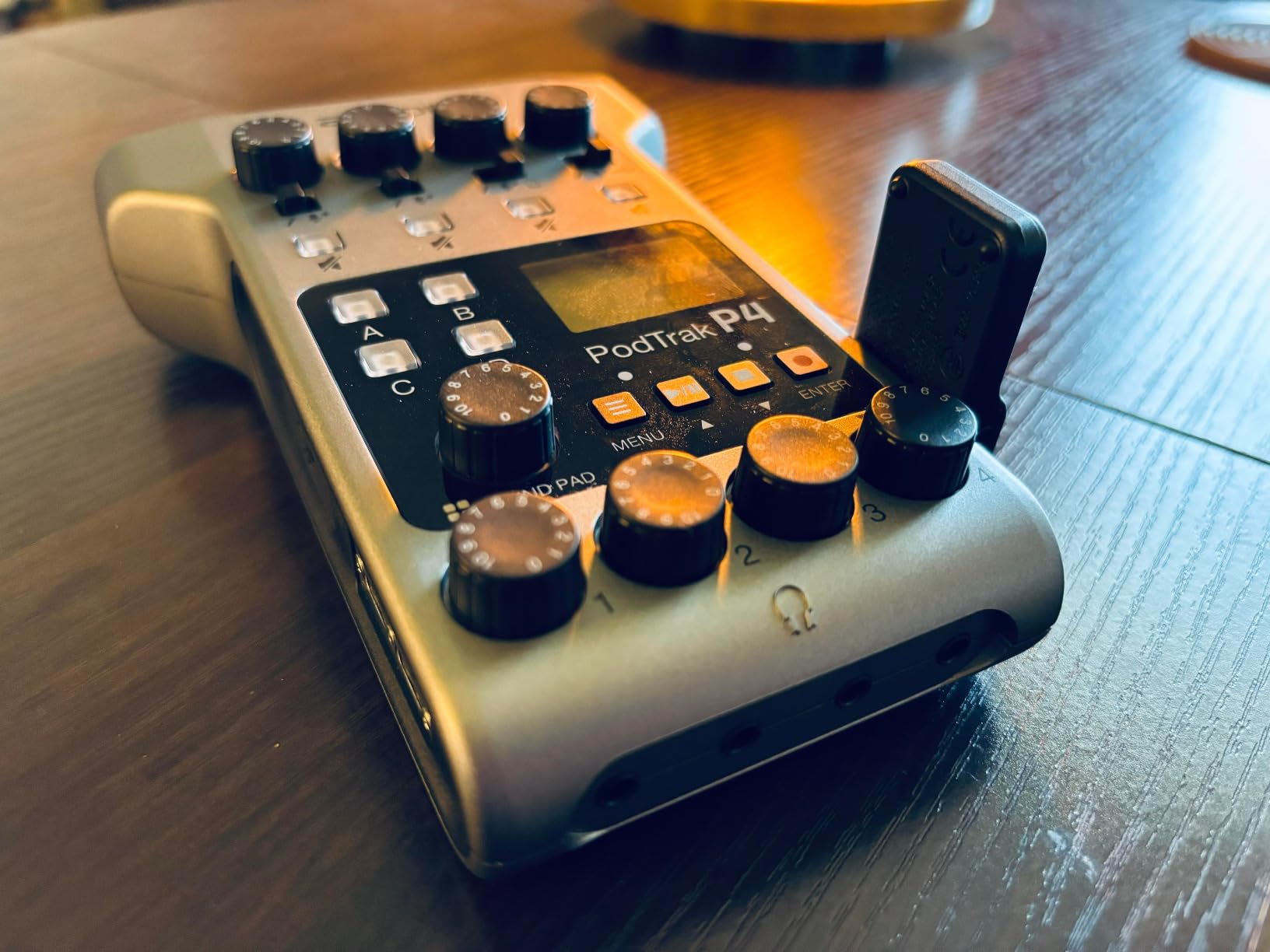
This is the board I put on the table for a three-person roundtable and never had to rethink. Four XLR inputs sit on the top edge, each with switchable phantom power, and four 3.5 mm headphone sockets run along the front, each with its own volume pot. That pairing is the entire product. Four people can sit down, plug in, and hear themselves without anyone sharing an output or reaching for a splitter box.
The preamps surprised me. They deliver roughly 70 dB of gain, which is enough for an SM58-style dynamic without a cloudlifter, and reviewers report clean results across SM7Bs, Rode NT1s and Samson mics. I ran the same three-speaker script through the PodTrak and every other board, and it stayed quiet at working gain.

The mix-minus function is the feature I did not expect to care about and now would not give up. Plug a phone into the TRRS jack or feed a computer in over USB, and the unit builds a return feed that excludes the guest channel, so they hear themselves and the show without hearing themselves twice. The automatic version meant my test guest reported no echo on the first take, which almost never happens on a first take with a two-person show.
Recording is where this box quietly beats more expensive gear. It writes each input and each of the four sound pads as its own track to the SD card, so my three hosts came back as three files plus four pad tracks instead of one stereo blob. Post-production went from an hour of repairing crosstalk to roughly fifteen minutes of level matching.
Four headphone outputs, and why that number is the whole spec
Everyone asks about preamps first. The headphone count is what decides whether a multi-host show works at all. One headphone jack means a splitter, and a splitter means the level you set for yourself changes for the person sitting next to you, and a raised level in a shared feed leaks out of open-back headphones straight into the nearest microphone.
That bleed is the quiet killer. Forum consensus on r/podcasting and r/podcasts keeps circling the same recommendation: buy a board with one output per person, or add a real headphone amplifier such as a Mackie HM-4 or Behringer HA400 fed by a quarter-inch TRS stereo cable. Spending that money at the front of the chain costs less than spending an afternoon chasing hum.
Battery life, metering and what you give up on processing
Two AA batteries are good for about three and a half hours, and the spec sheet lists up to 24 hours of digital recording time with mains power attached. For an hour-long show in a room with a wall outlet that is irrelevant. For a car interview or a location shoot, plan on USB power or a power bank, because the screen backlight also shuts off on battery and takes your level meters with it.
Onboard processing is the honest trade-off. You get a low-cut filter and a limiter per channel, and that is it. No EQ, no compressor, no de-esser. I recorded a deliberately uneven script and the raw tracks were noticeably hot on one host and thin on another, so I spent real time on compression in post. If you want the console to do that work, step up to the RODE or the TASCAM.
Small hands, small screen, honest limits
The body is 6.1 by 4.41 by 1.85 inches and the screen is two inches, which means the knobs are genuinely small. Users with larger hands report the pads and channel buttons being fiddly, and my own take after a two-hour session agreed. The plastic shell also feels light next to the metal boards further down this list, so I would keep it in a case rather than on a permanent table.
For two hosts, it is more hardware than you need, but the spare inputs and the mix-minus mean you can bring on a third person later without buying anything. That is why it takes the top spot for shows that will grow.
2. RODE RODECaster Pro II – Broadcast Polish for a Four-Person Panel
RØDE RØDECaster Pro II All-in-One Audio Production Studio
4 XLR mic inputs with 76 dB noise floor
4 headphone outputs plus 8 SMART pads
APHEX voice processing presets
Multitrack to computer, SD or USB
Pros
- Four studio-grade preamps reach full gain with no external booster
- APHEX presets make a budget microphone sound broadcast-ready
- Eight SMART pads trigger music
- effects and mix-minus calls
- Records multitrack to computer
- microSD or USB drive and works standalone
- Bluetooth and the CallMe plugin handle remote interviews
Cons
- Steep learning curve for such a deep feature set
- Bluetooth to a phone can drop after a few hours and needs a restart
- Some owners report USB port 1 failing to connect to a computer
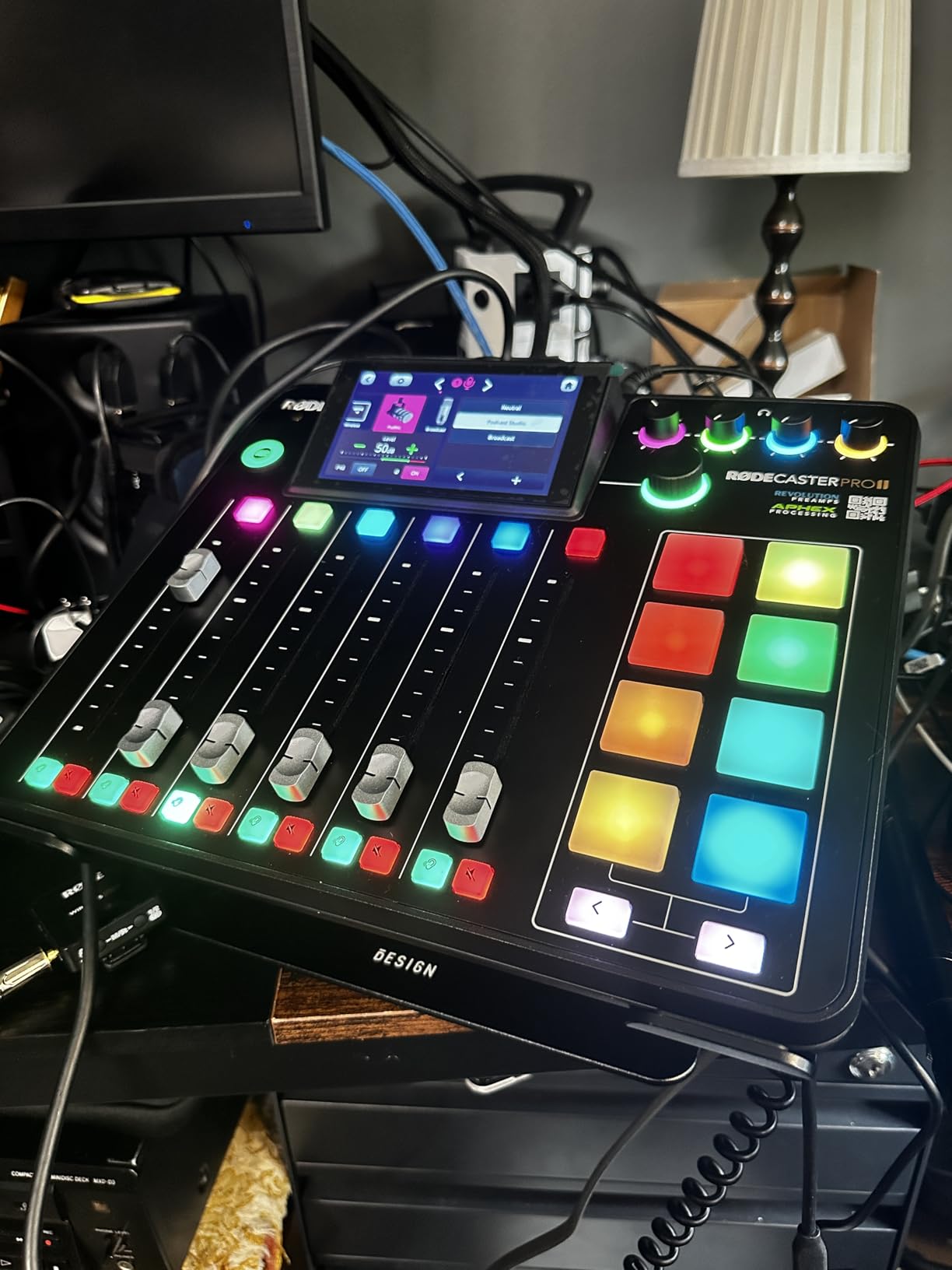
Everything happens on a five-inch touchscreen and the box weighs two kilograms, so this is a permanent desk object rather than a portable recorder. Four XLR mic inputs, four headphone outputs, eight customizable SMART pads, and a reported noise floor of 76 dB across nine channels. Owners consistently describe it as a studio in a box that replaces a mixer, an interface and a good chunk of a software chain.
The reason it earns a place on a multi-host show is the processing. APHEX voice presets apply de-essing, compression and EQ in one tap, and on my roundtable they turned three mismatched voices into something that sounded like one show within a minute of setup. The PodTrak makes you fix that in post; this one fixes it before you hit record.
For remote guests, the eight SMART pads are the feature I use most. Assign a pad to a mix-minus call, another to a jingle, and you can drop a phone caller into a live show without touching the routing. The unit records multitrack to computer, microSD or a USB drive and works entirely standalone when nobody brings a laptop.
Preamp headroom and the gain you can actually get
The preamps are the quiet headline. Four studio-grade preamps reach full gain with no external booster, which means dynamic microphones and condensers both behave the way the manual claims, and I did not need a cloudlifter or an inline booster on any channel. In a show with four voices of very different loudness, that headroom is what stops you from riding the gain on a hot channel and clipping it.
The counters are a touchscreen with per-channel level meters rather than physical LED ladders, which is faster to read at a glance from two feet away and slower to read at a glance from across a room. For a fixed studio desk that trade is excellent. For a live stage, look at one of the boards with a hardware meter.
Eight pads, mix-minus and what a live remote call sounds like
Eight customizable SMART pads can trigger music, sound effects and a mix-minus phone call from the same surface, which collapses two devices into one. During testing I ran a call-in segment off a pad and the guest heard a clean feed. The Bluetooth path also works, though reviewers repeatedly flag that a Bluetooth session to a phone can drop after a few hours and needs a device restart, so I would plan on the wired TRRS route for anything time-critical.
Recording paths, software and the honest complaints
Multitrack capture goes to computer, microSD or USB drive, and the bundled software plus RØDE Central cover the rest. The gap reviewers complain about most is documentation around DAW syncing and track identification, so budget an hour with the manual before your first real session rather than the night of.
Other recurring gripes: a learning curve that is steep for the feature depth, some reports of USB port 1 failing to connect to a computer or tablet, low-quality Bluetooth monitoring with noticeable latency, and networked features that add little outside firmware updates. RØDE’s customer support is praised often enough to be worth noting, and the box is mains powered at 15 volts, so there is no field option here.
For a four-host panel that publishes weekly, the processing quality justifies stepping up from the PodTrak. For a show that records occasionally, the extra depth is overhead you will not use.
3. Yamaha MG10XU – Quiet Preamps and Four Combo Inputs, but No Podcast Features
YAMAHA MG10XU 10-Input Stereo Mixer with Effects
10 channels with 4 XLR/TRS combo inputs
Class A discrete D-PRE preamps
24-bit USB interface
3-band EQ and SPX effects
Pros
- Class A discrete D-PRE preamps with a low noise floor
- Four combo inputs cover several microphones at once
- 24-bit class-compliant USB interface needs no drivers
- One-knob compressors tame uneven voices in seconds
- Metal chassis that survives years of use
Cons
- Records a stereo mix only
- with no per-host track capture
- No multi-headphone split for independent guest monitoring
- One-knob compressors only on the first two channels
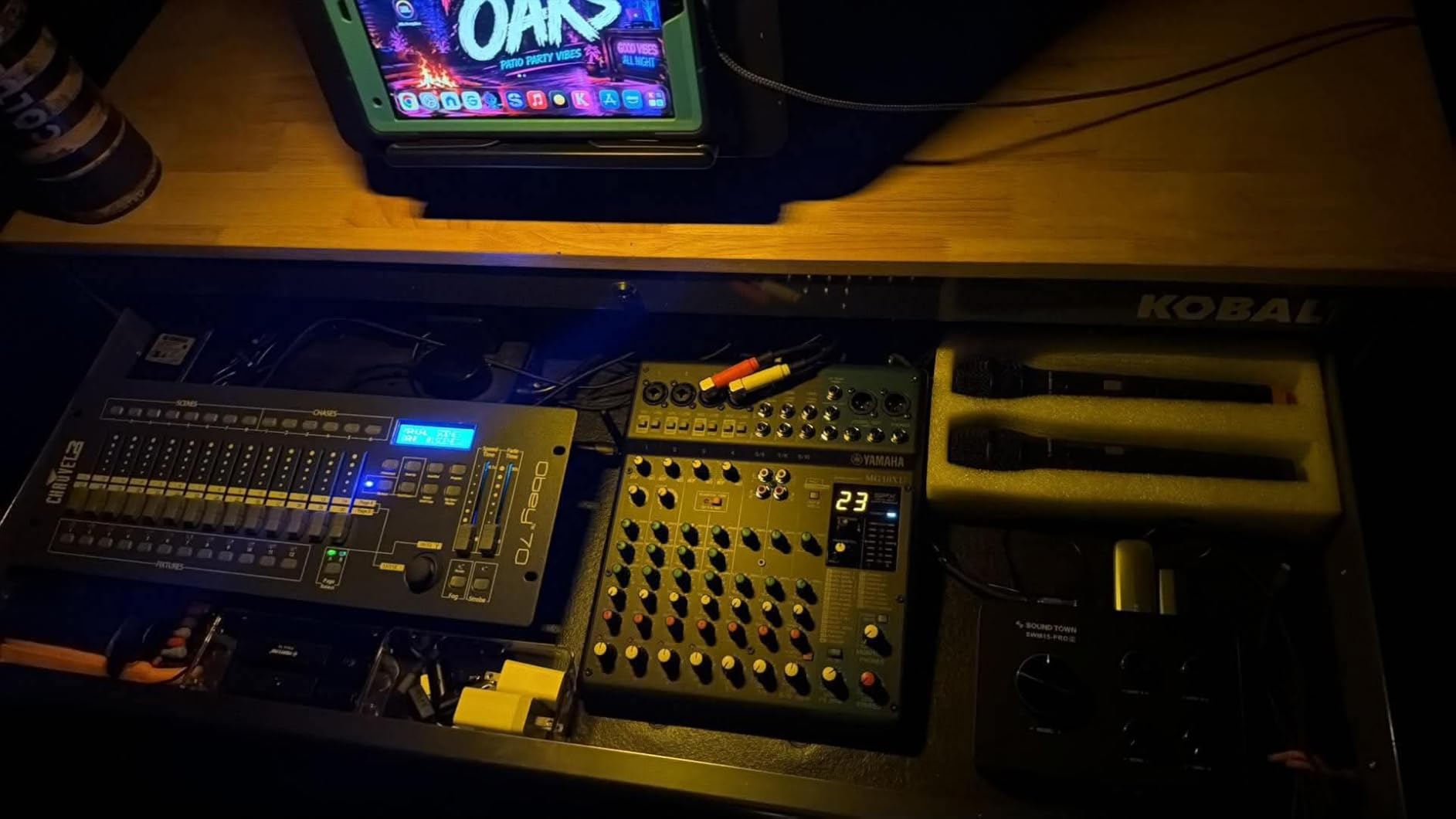
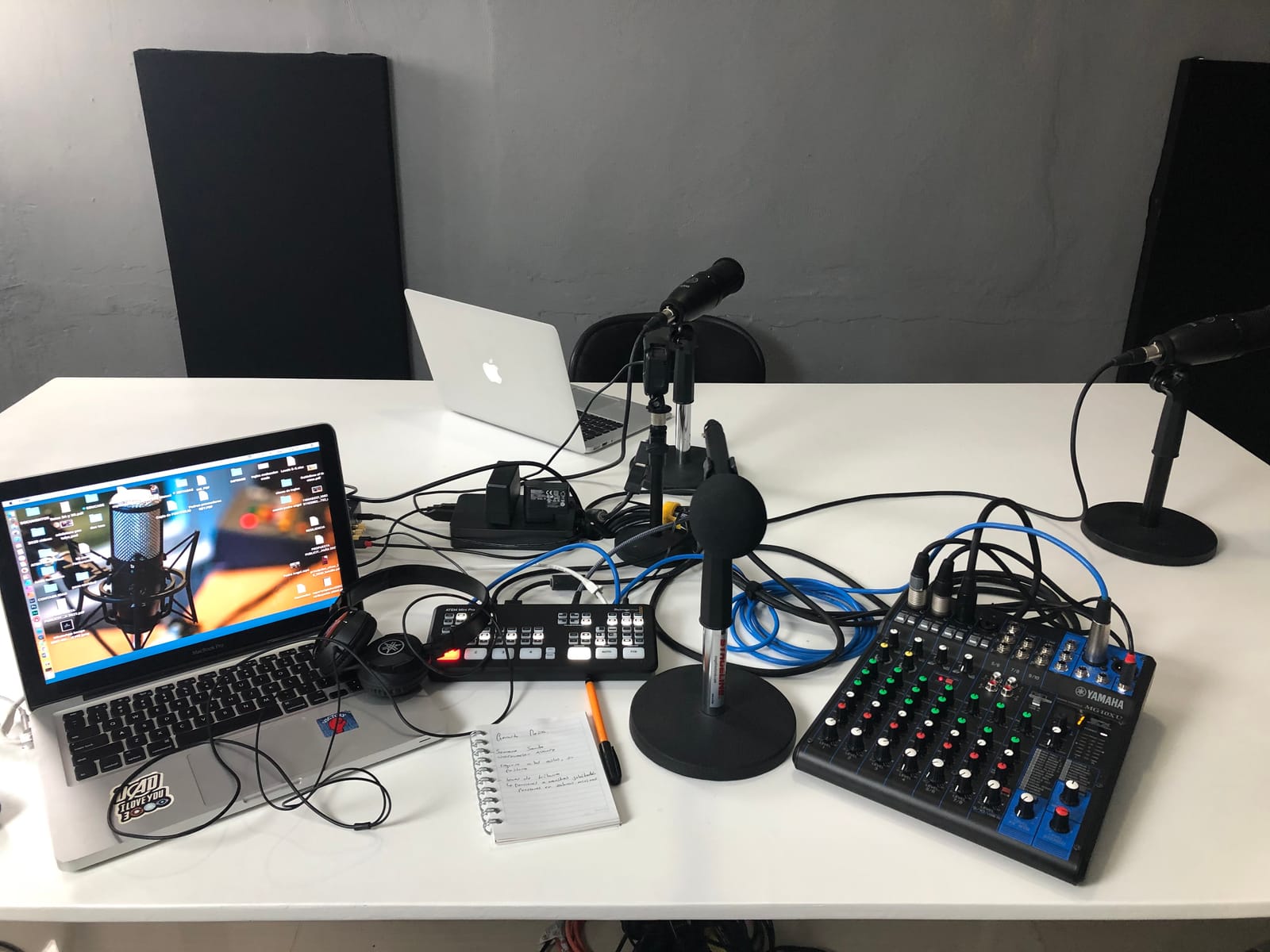
This is a ten-channel live mixer, not a podcast console, and pretending otherwise would waste your time. What it gives you is four XLR/TRS combo inputs, a 24-bit class-compliant USB interface that needs no drivers, and preamps that stayed quiet with every channel open in my test. If you already know how to gain-stage and you want to record into a DAW you control, this is the smart buy.
I ran the same three-person script into the MG10XU and out to a DAW over USB, then compared it against the RODE. The Yamaha tracks needed less corrective gain, and the noise floor stayed low with every channel open. Owners with thousands of reviews call it a buy-once unit that also handles giging, which tells you how little it asks of an owner.
Preamp quality is the reason to buy this one
The D-PRE preamps use an inverted Darlington circuit and deliver an equivalent input noise figure of 128 dBu with residual output noise of 102 dBu, which is the kind of headroom that lets you keep a condenser’s gain low and its noise lower. If your show has four people at four different volumes, starting from a quiet noise floor gives you the headroom to set the loudest one without clipping the quiet one.
The one-knob compressors on the first two channels are the other quiet asset. On my script, channel one compressor handled the loudest speaker and channel two handled the second, and both came out even before I opened the DAW. The complaint I keep from users is that those compressors stop at two channels, so on a four-host show you are doing the rest in software.
Why the headphone situation is the deciding factor
There is no multi-headphone split here. Owners monitoring several guests end up using the main, monitor and stereo outputs creatively, or they add a headphone amplifier, which is the same fix r/podcasting users recommend when a mixer has a single phones jack. That added box plus cable is the honest total cost of this option, and it is why I do not put a general-purpose mixer at the top of a multi-host list.
Recording reality: one stereo file, not four
Over USB the MG10XU sends a stereo mix, so all four voices land on one file. If two people talk over each other during a take, that moment is unrecoverable. In a live-mixing context that is fine; in a two-host conversation where the second host trails off mid-sentence twice per episode, it is the flaw that will make you re-record.
Other notes: EQ is a fixed three bands on many channels with no sweepable midrange, the USB return channel has no midrange knob, and the back panel can run warm during a long session. The chassis is a rugged powder-coated metal and the whole thing weighs 7.7 pounds at 11.6 by 9.6 by 2.8 inches, so it stays put. There are 24 SPX effects including a phone-call effect that suits call-in segments if you route one.
Buy it when you record into a DAW and want quiet preamps plus a mixer that survives regular transport. Skip it when you want per-host tracks or zero manual routing.
4. TASCAM Mixcast 4 – Purpose-Built Podcast Station With 14-Track Capture
TASCAM Mixcast 4 Podcast Streaming Mixer, Recorder, and USB Audio Interface — Four XLR/TRS Mic Inputs, Touch Screen and Editing Software Included
4 XLR/TRS mic inputs with 4 headphone outputs
14-track SD recording plus a stereo mix
8 banks of illuminated sound pads
Aux input with mix-minus
Pros
- Four mic inputs and four individual headphone outputs in one box
- 14-track recording direct to the SD card plus a stereo mix track
- Aux input with mix-minus simplifies phone and computer call-ins
- Touch screen handles routing from one panel
- Tascam Podcast Editor included for post
Cons
- Touch screen menu system takes practice to learn quickly
- Large desk footprint at 14.76 inches wide
- Connectivity is listed as mic and USB only
- so some setups need adapters
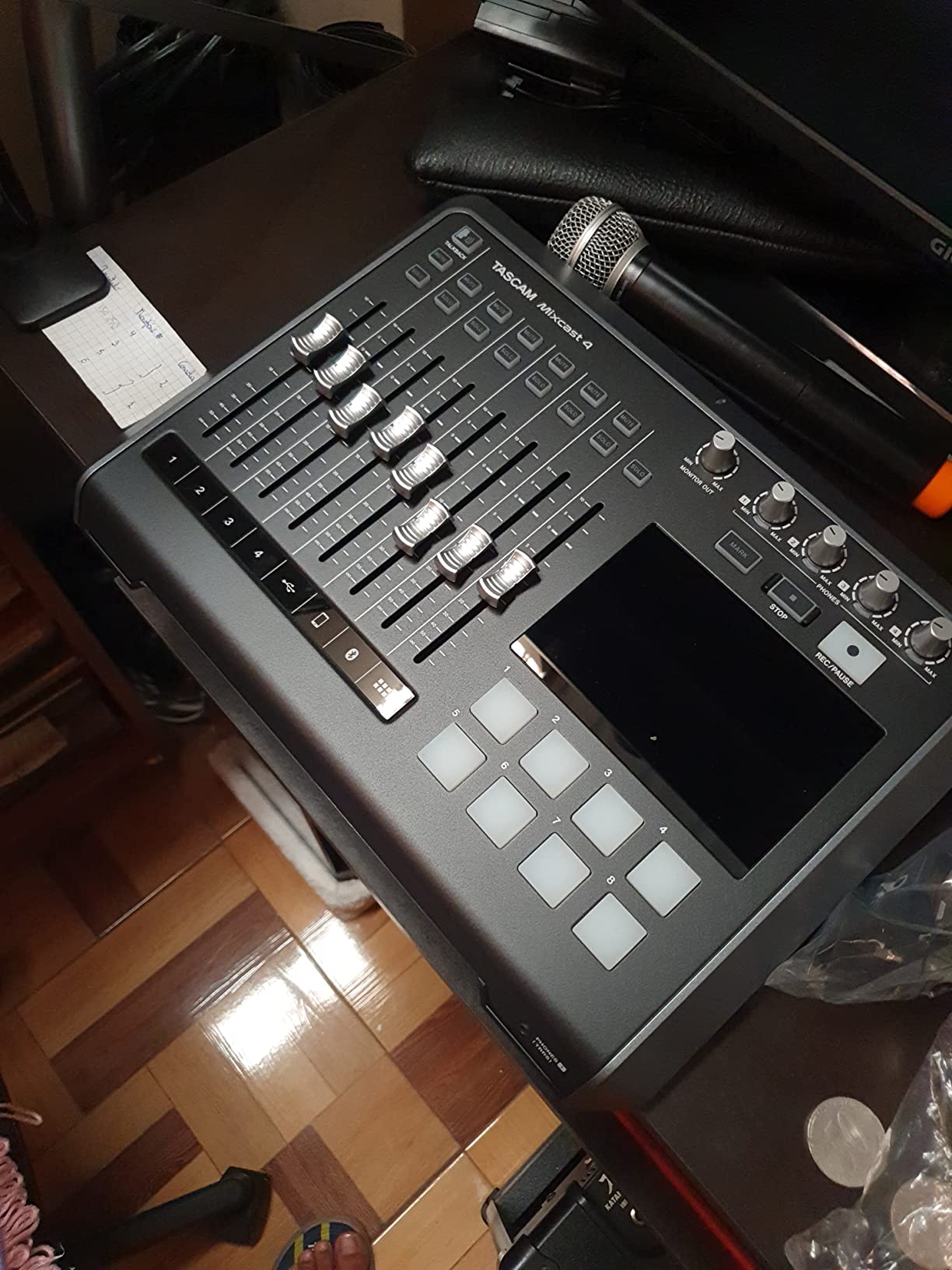
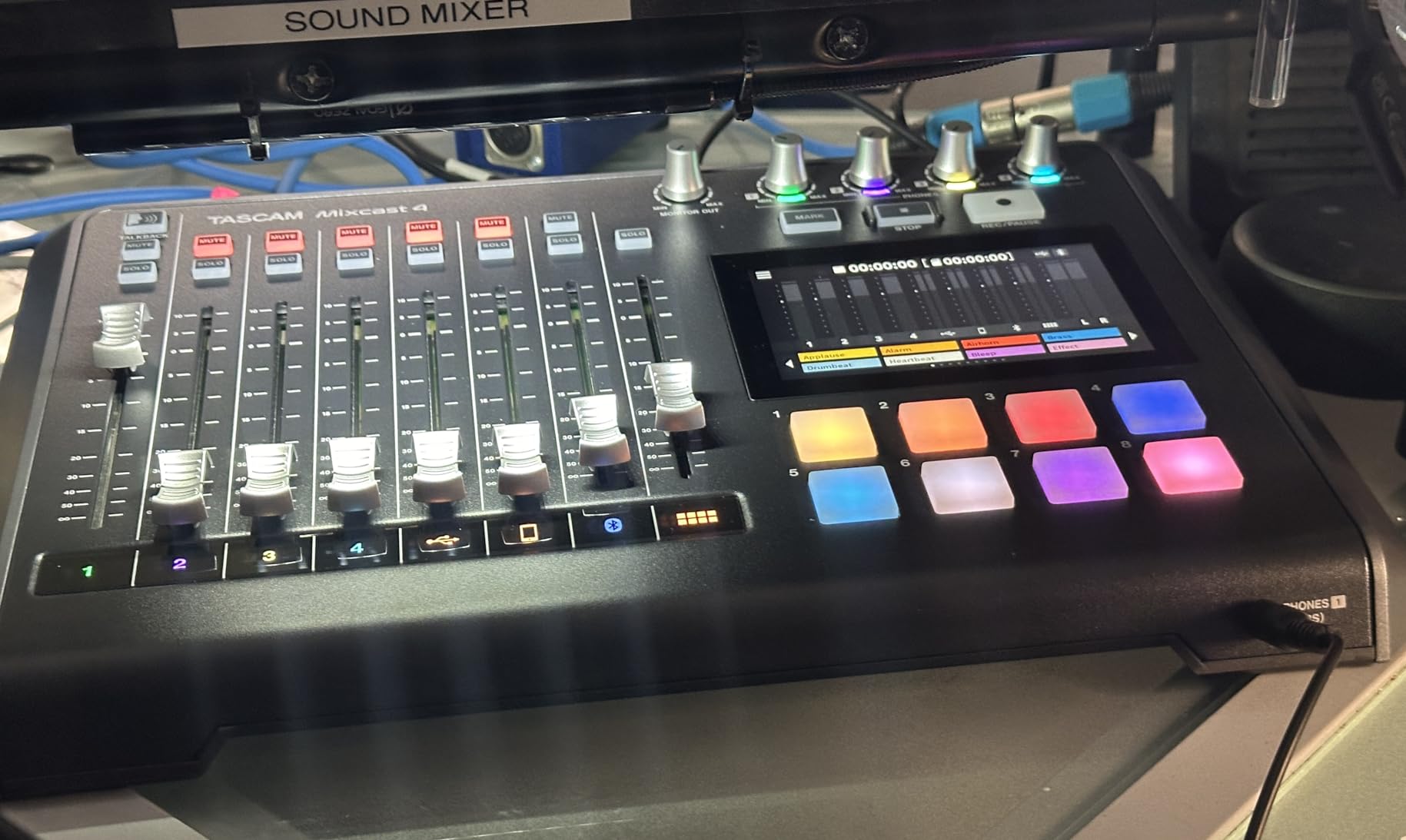
TASCAM built this one specifically for the problem at the center of this article. Four XLR/TRS mic inputs, four individual headphone outputs, and a touchscreen that routes everything. My roundtable script came back as fourteen recorded tracks plus a stereo mix, which includes every mic, the pads and the call-in, and that is the deepest per-host capture here without routing through a computer.
Eight banks of customizable illuminated sound pads handle jingles, music and effects, and the illumination is genuinely useful on a dark set where you can see which bank is live without reading labels. The aux input with mix-minus means a phone or computer guest is a routing change on the touchscreen rather than a hardware problem.
Four hosts on four independent headphone feeds
The pairing of four inputs and four headphone outputs is the same non-negotiable as the PodTrak, and TASCAM executes it with proper quarter-inch jacks rather than 3.5 mm, which matters if your hosts use real studio headphones. The inputs are combo jacks, so you can take a line feed from a remote decoder or a music source into the same channel as a microphone.
For a panel show, this is the box I would hand to a producer who does not want to touch a computer during recording. Everything lives on the unit, which means the session does not depend on a laptop staying awake, a driver behaving, or a DAW timeline being armed correctly.
14 tracks on the card, and what that buys in post
Fourteen-track recording direct to the SD card means a mistake by host three at minute twenty is an edit on host three’s file. On a 50-minute episode with overlapping conversation, that is the difference between a two-hour edit and an afternoon one. Tascam Podcast Editor ships with the unit for arming tracks and assigning pads.
Bluetooth audio input is supported for background music and call-ins, and the included software handles the post side. The gap versus the RODE is onboard voice processing, where this unit asks you to do compression and de-essing yourself, and the gap versus the RODE in pad count is four extra pads.
The touchscreen tax and the desk footprint
The most repeated complaint in reviews is speed. The touch panel handles every routing and setting from one screen, but the first two sessions involve a learning curve while you build muscle memory for where each control lives. Budget that afternoon before a recorded deadline, not the morning of.
The second complaint is size. At 14.76 by 10.5 by 2.8 inches and 2550 g, this is the largest unit in the roundup and it wants a dedicated desk position. For a fixed studio that is fine. For a small apartment editing corner, the PodTrak occupies a fraction of the space.
My verdict: if your show is a four-person panel that records to a card and you want zero software dependency, this is the most purpose-built answer available.
5. Pyle PMXU88BT – Eight Channels for Rehearsal Rooms and Small Events
Pyle 8-Channel Console Style Audio Mixer with Bluetooth – DJ Sound Controller, 4 XLR / Combo Inputs, Sub Out, +48V Phantom, USB-A In, 16 DSP Effects, MP3 Player, 7-Band EQ – PMXU88BT
8 channels with 4 XLR combo inputs
Aux channel supports mix-minus
7-band master EQ and 16 DSP effects
12-segment LED level meter
Pros
- Four XLR mic inputs plus RCA and quarter-inch line inputs in an 8-channel layout
- Aux channel gives you a mix-minus return for a guest feed
- Per-channel PFL for soloing without riding the master
- Sub out and 12-segment LED meter are unusual at this level
- Bluetooth streaming plus USB sound card for computer connection
Cons
- 48V phantom power is global to all XLR inputs
- not per channel
- USB port does not record the master mix and mainly reads USB devices
- No high-pass filters and no compression on any channel
- Bluetooth occasionally drops briefly before reconnecting
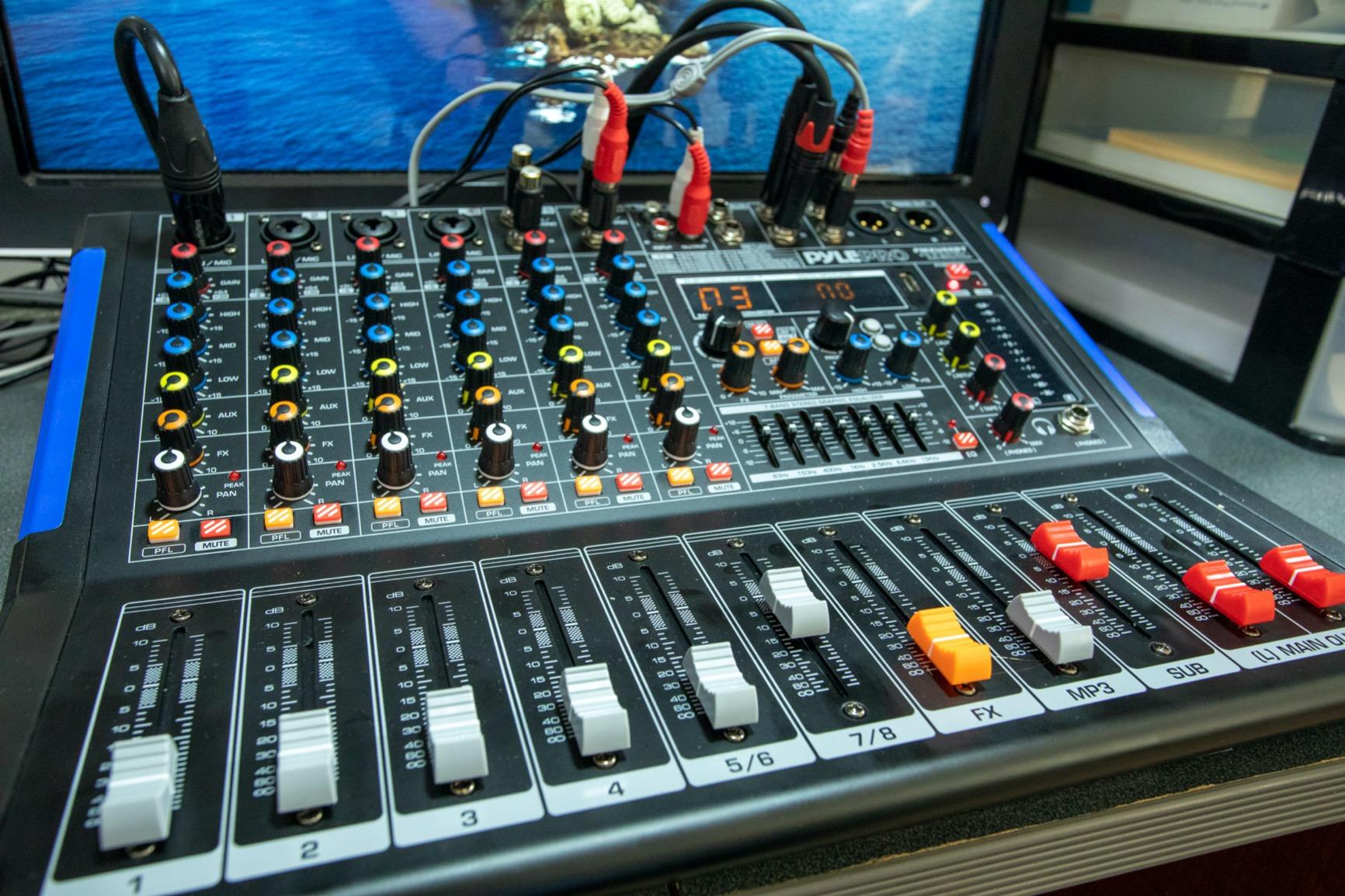
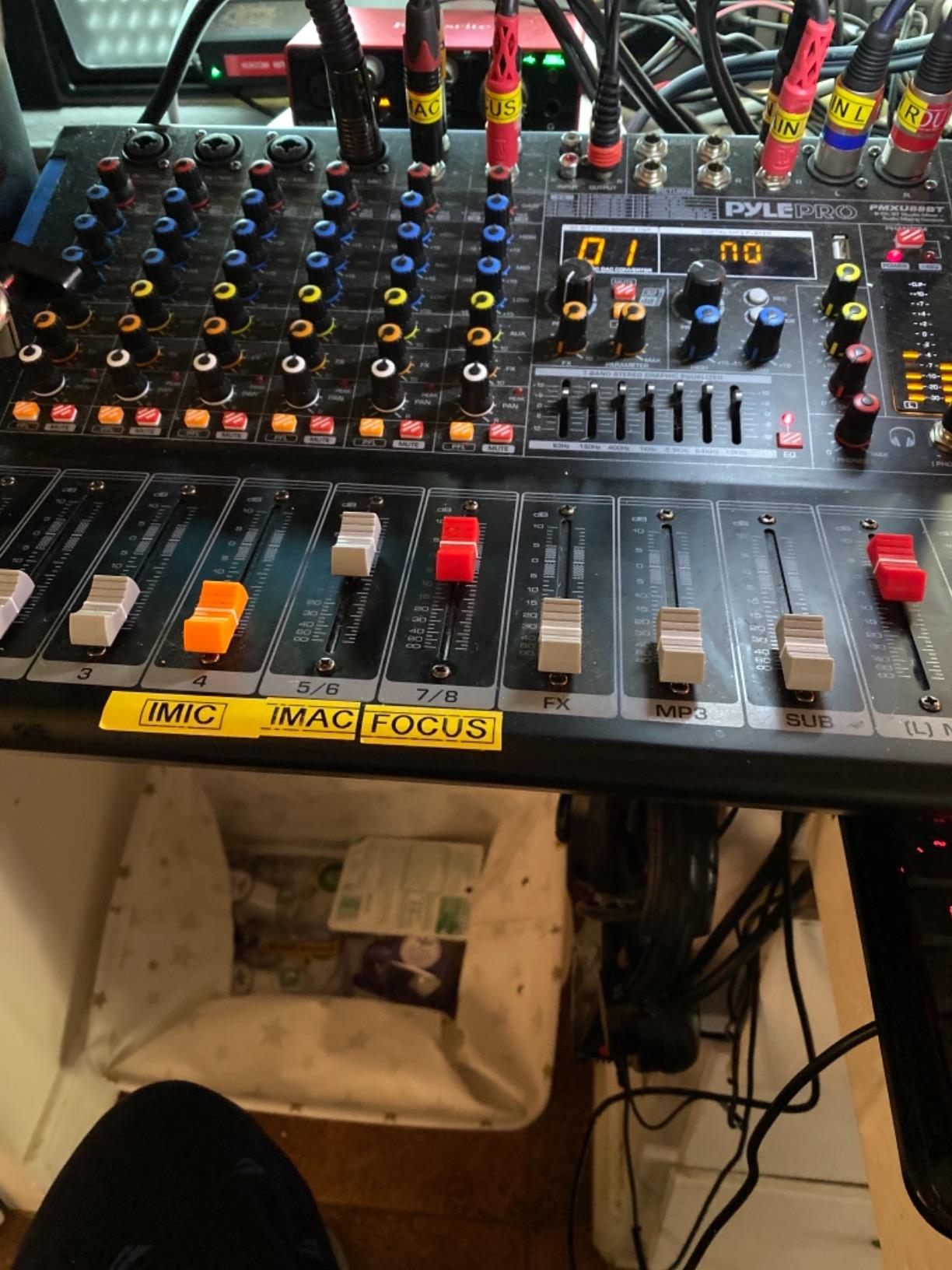
The Pyle PMXU88BT is a live-event board with an unusually generous podcast-adjacent feature set. Four XLR mic inputs sit in an eight-channel layout alongside two pairs of RCA inputs and a quarter-inch send and return, and the aux channel is the part that matters for a show, because that send and return is how you build a mix-minus feed for a guest.
Per-channel PFL buttons mean you can solo a speaker to check a level without touching the main faders.
Phantom power is all or nothing, and that matters with mixed mics
Here is the real limitation. The 48V phantom power switch applies to all four XLR inputs at once, so you cannot run a ribbon or dynamic mic on one channel and a condenser on the next without either a separate phantom supply or an inline adapter. On a show that mixes mic types, that is a planning problem you solve before the session rather than during it.
There are no high-pass filters and no compression on any channel, which means rumble and uneven voices are entirely your problem downstream. A seven-band master EQ and 16 DSP effects can shape the overall tone, but per-voice dynamics control is absent, so the RODE and TASCAM remain better buys for actual spoken word.
Recording reality on a live board
The USB port is a sound card and a media player rather than a recorder. Reviewers are explicit that it does not capture the master mix to a drive, so if you want a copy of a rehearsal or a small event, you add a separate recorder or an interface. Bluetooth works within roughly 15 feet and is the easiest way to drop music or a call into the mix, with occasional brief dropouts before reconnection.
At 8.4 pounds and 16.3 by 12.5 by 3.66 inches, this is a two-person-carry object with a 12-segment stereo meter running from minus 30 to plus 10 with a clip indicator, plus separate faders for effects, MP3 and sub out and two main sliders.
The feature count at this level is genuinely unusual. If you are recording a conversation, the missing compressor and phantom switching will annoy you.
6. FULUODE CT-80S – Ultra-Thin General-Purpose Board With Bluetooth
FULUODE Audio Mixer 8 Channel, CT-80S Professional Sound System Mixer Board DJ Mixing Console with Reverb MP3 Player Bluetooth 48V Phantom Power Supply USB Recording for Studio Karaoke Live Music
8 mono inputs with 3-band EQ per channel
48V phantom power
1.57 inch thin profile
Bluetooth 5.0 with LED song name display
Pros
- Eight channels with three-band EQ per channel
- 48V phantom power for condenser microphones
- Bluetooth 5.0 and MP3/USB playback with a song name readout
- Ultra-thin 1.57 inch profile saves desk space
- Large LED display with channel indicators
Cons
- Only a single headphone output
- so hosts cannot monitor independently
- Documentation is thin and routing takes experimentation
- Basic control layout compared with podcast consoles
- Runs on 110V with a US plug
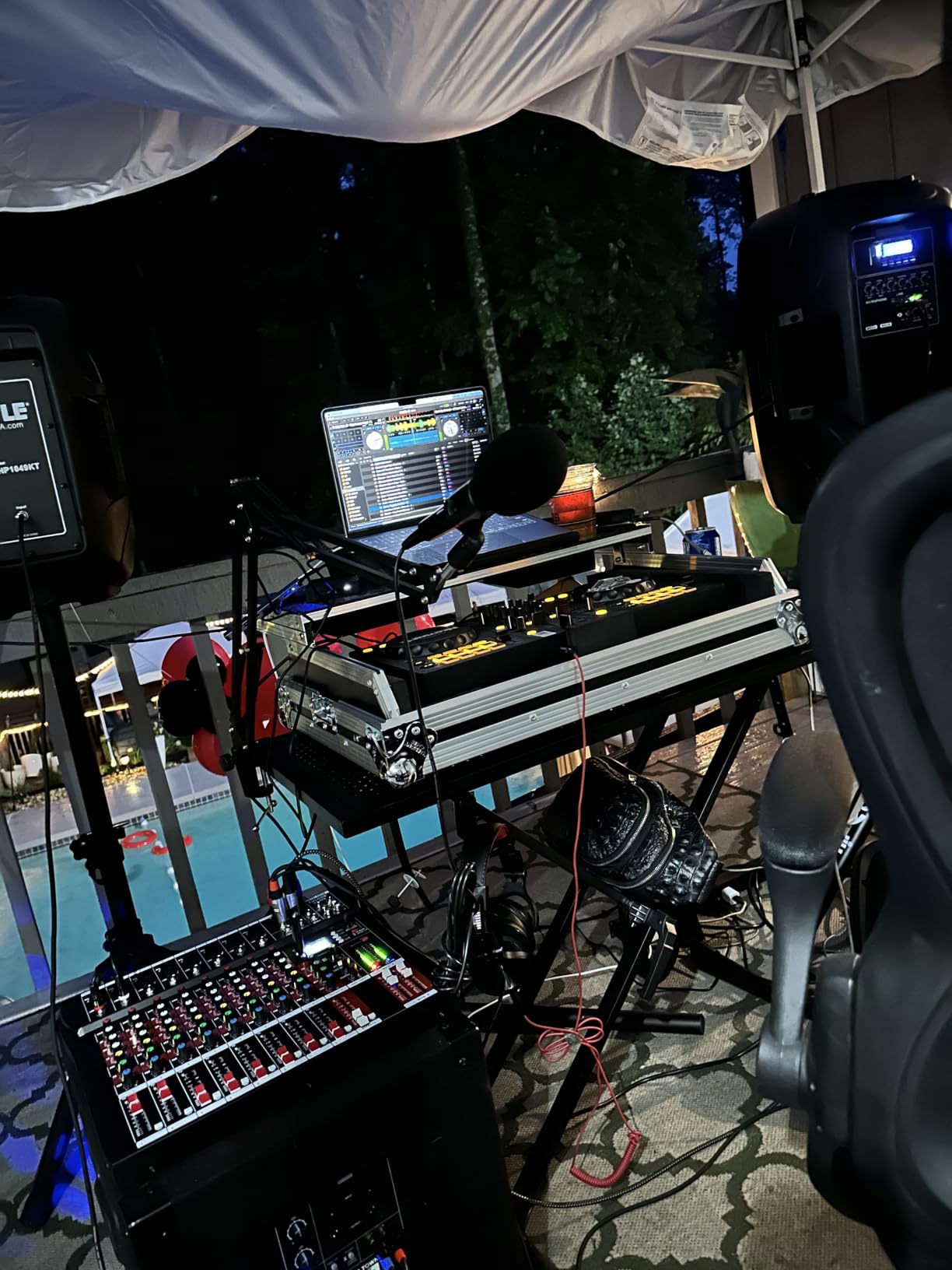
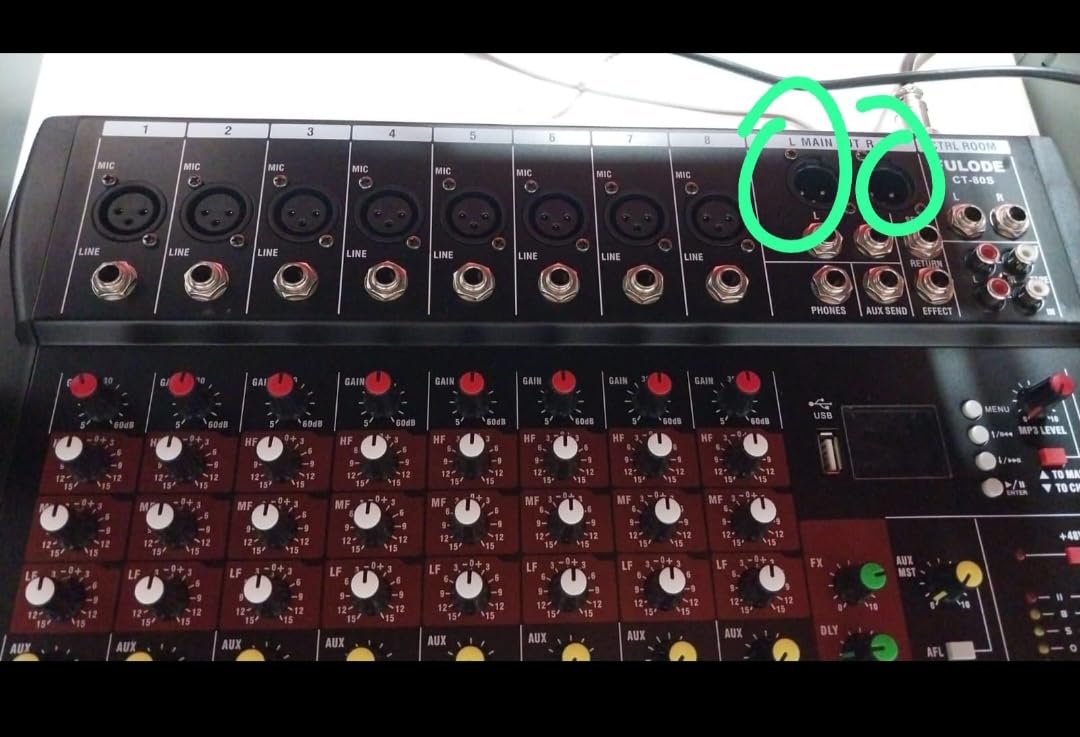
The FULUODE CT-80S is built for karaoke, band practice, classrooms and small conferences, and it is at its best doing exactly those things. Eight mono inputs, three-band EQ per channel, 48V phantom power, Bluetooth 5.0 with an MP3 and USB player, and an LED display that shows the song name. At 1.57 inches thick it is one of the flattest boards in the roundup and slides into a drawer between sessions.
For a two-host show it is workable with a caveat, and the caveat is the same on every budget board here. There is one headphone output. Two hosts on one jack means a splitter, and a splitter means bleed between open-back headphones and neighbouring microphones.
What eight channels buys you, and what it does not
The channel count is generous for a small board, so you can run four microphones plus a keyboard or a stereo playback source without reconfiguring anything. The 3.1 kg weight and 15.75 by 13.7 inch footprint make it a portable board rather than a fixed desk mixer, and users report using it for band rehearsal and classroom amplification with no complaints about durability.
What it does not have is per-host monitoring, and it is not a recorder. There is no multitrack capture, and documentation is thin enough that channel routing and effect selection take experimentation, which is a real cost in time if you are new to live mixing.
Where it fits in a podcast workflow
Think of this as the board you buy when the show is not really the point, the karaoke nights are, and you want one device that does both. A pair of hosts with dynamic microphones, closed-back headphones, and a separate recorder on the main output is a workable two-person configuration. Move to three speakers and you are splitting headphones again.
Two more practical notes: it runs on 110V with a US plug, which limits overseas use, and the LED song display is a nice touch that does nothing for speech. If you can live with one shared monitoring feed and add your own recorder, this is a lot of channels in a very thin box.
7. Riworal 6-Channel Board – Four Real XLR Inputs on a Shoestring
6 Channel Audio Interface Sound Board Mixing Console 16-Bit DSP DJ Mixer Audio Reverb Effect +48V Phantom Bluetooth Studio Audio Mixer For Karaoke Studio Streaming Recording
4 XLR inputs with switchable 48V phantom power
Channels 5 and 6 for stereo quarter-inch pairs
Bluetooth streaming
16 DSP effects and 3-band EQ
Pros
- Four XLR inputs with switchable 48V phantom power for condensers
- Channels 5 and 6 accept stereo quarter-inch pairs for instruments and wireless mics
- Built-in Bluetooth for streaming from phones and tablets
- Three-band EQ and per-channel gain controls
- Four real XLR mic inputs at a very low cost
Cons
- Purely analog board
- so it cannot record to a computer by itself
- No per-host headphone outputs
- so only one monitoring mix is possible
- Documentation and layout are not oriented toward podcast workflows
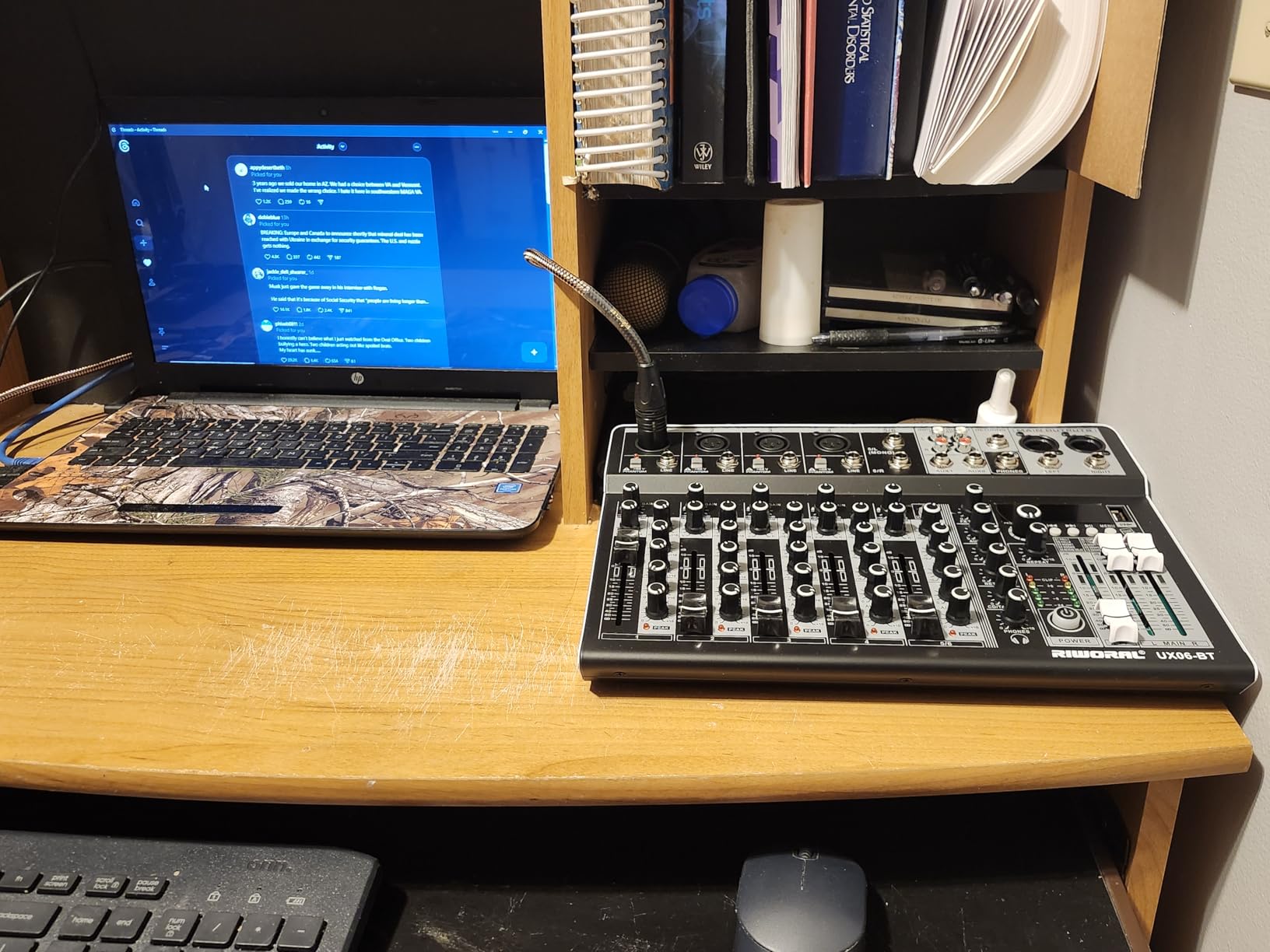
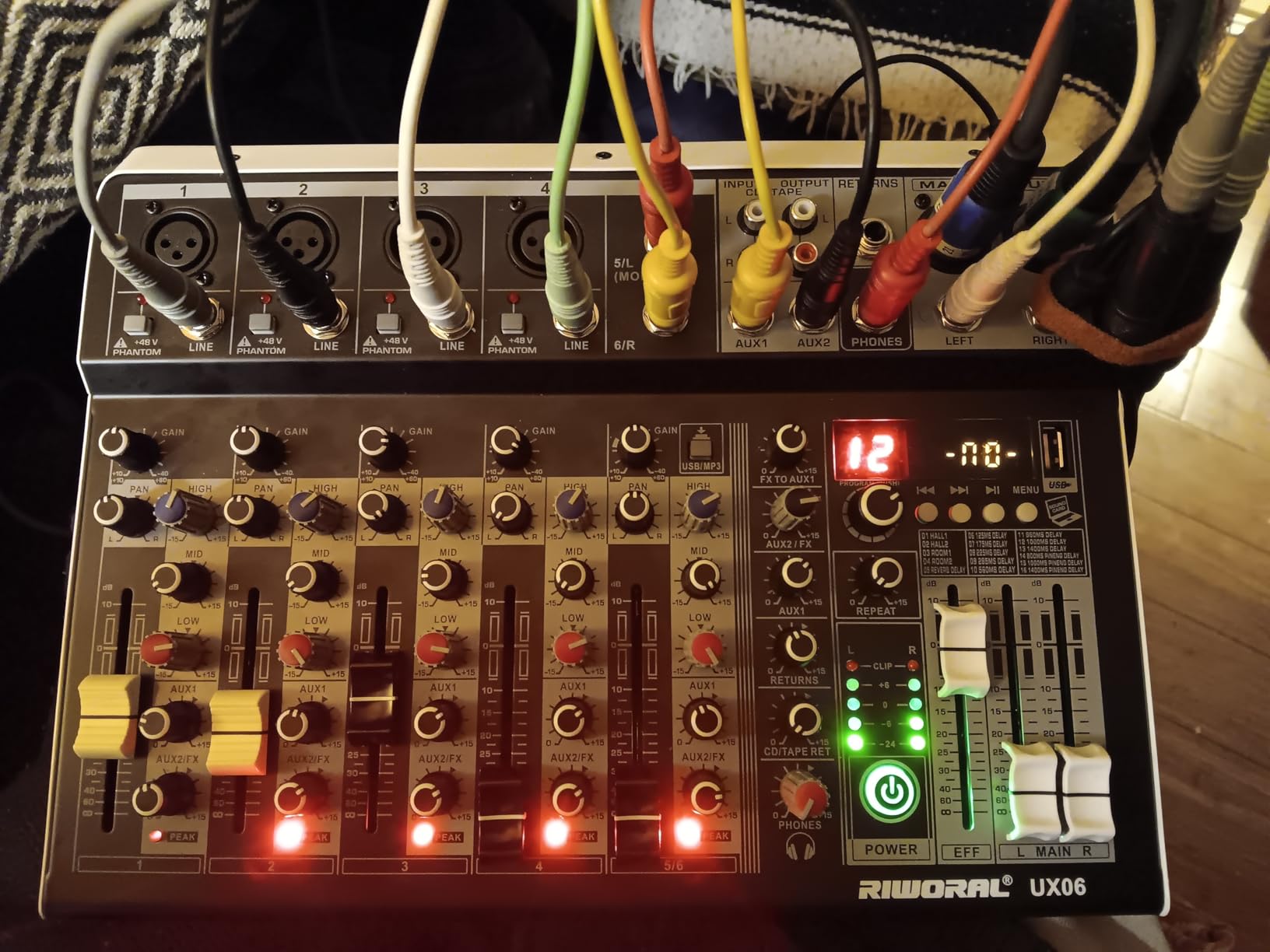
The Riworal is a low-cost live-sound and karaoke board that happens to include four XLR inputs with switchable 48V phantom power, which is more real mic capacity than most boards in its bracket offer. Reviewers are clear about what that means: it is capable for rehearsals, small events and streaming setups, and it is not a recording console.
That distinction is the whole review. There is no multitrack capture, no USB recording path that writes a session, and one headphone output, so you are adding a separate recorder before you can produce an episode from this box alone.
Three hosts, if you accept one shared monitoring feed
Two hosts with two XLR mics and two closed-back headphones is a sensible configuration, and the phantom power switch means you can move between dynamic and condenser mics on a channel without a separate supply. Three hosts works if everyone tolerates one monitoring mix, which in practice means all three headphone levels are the same and nobody needs to hear themselves louder.
Channels 5 and 6 are stereo quarter-inch jacks rather than mono mic channels, which is useful for a wireless receiver or a keyboard and useless for a third host. Budget for that accordingly.
Streaming extras and the analog ceiling
Bluetooth streaming from a phone or tablet works, and 16 DSP effects including delay and reverb are more than a spoken-word mix needs, though the effect selection is a distraction rather than a feature in a podcast context. The board is 2.3 kg at 13.77 by 11.61 inches with a 16-bit DSP stage and three-band EQ per channel.
One caution from the manufacturer itself: incorrect operation can result in no sound, and the documentation is not oriented toward podcast workflows, so expect to learn the board by experimenting. If your show is a weekly conversation, I would rather you put the same money into a mic and a two-channel interface. If your show is a band rehearsal recording or a small event, this is a capable cheap board.
8. Phenyx Pro PTX-15 – Per-Channel Sends for Stage Work
Professional Audio Mixer, Phenyx Pro Sound Console w/USB Audio Interface, 4-Channel Sound board DJ Mixer w/Stereo Equalizer, 16 DSP Effects, suitable for Stage, Live Gigs, and Karaoke (PTX-15)
4 mono XLR and line combo inputs
Per-channel gain, EQ, pan and sends
5-band graphic EQ with 16 DSP effects
Per-channel 48V phantom power
Pros
- Four mono XLR and line combo inputs for multiple microphones
- Independent gain
- EQ
- pan
- aux send
- effects send
- solo and fader per channel
- Five-band stereo graphic EQ plus 16 DSP effects
- Per-channel 48V phantom power so you can mix mic types
- Aux and effects sends let external monitors be blended in
Cons
- Weakest rating distribution here with a notable share of 1-star reviews
- No individual headphone outputs for multiple hosts
- No on-board recording
- so a separate recorder is required
- Reports of noise and limited headroom at higher gain
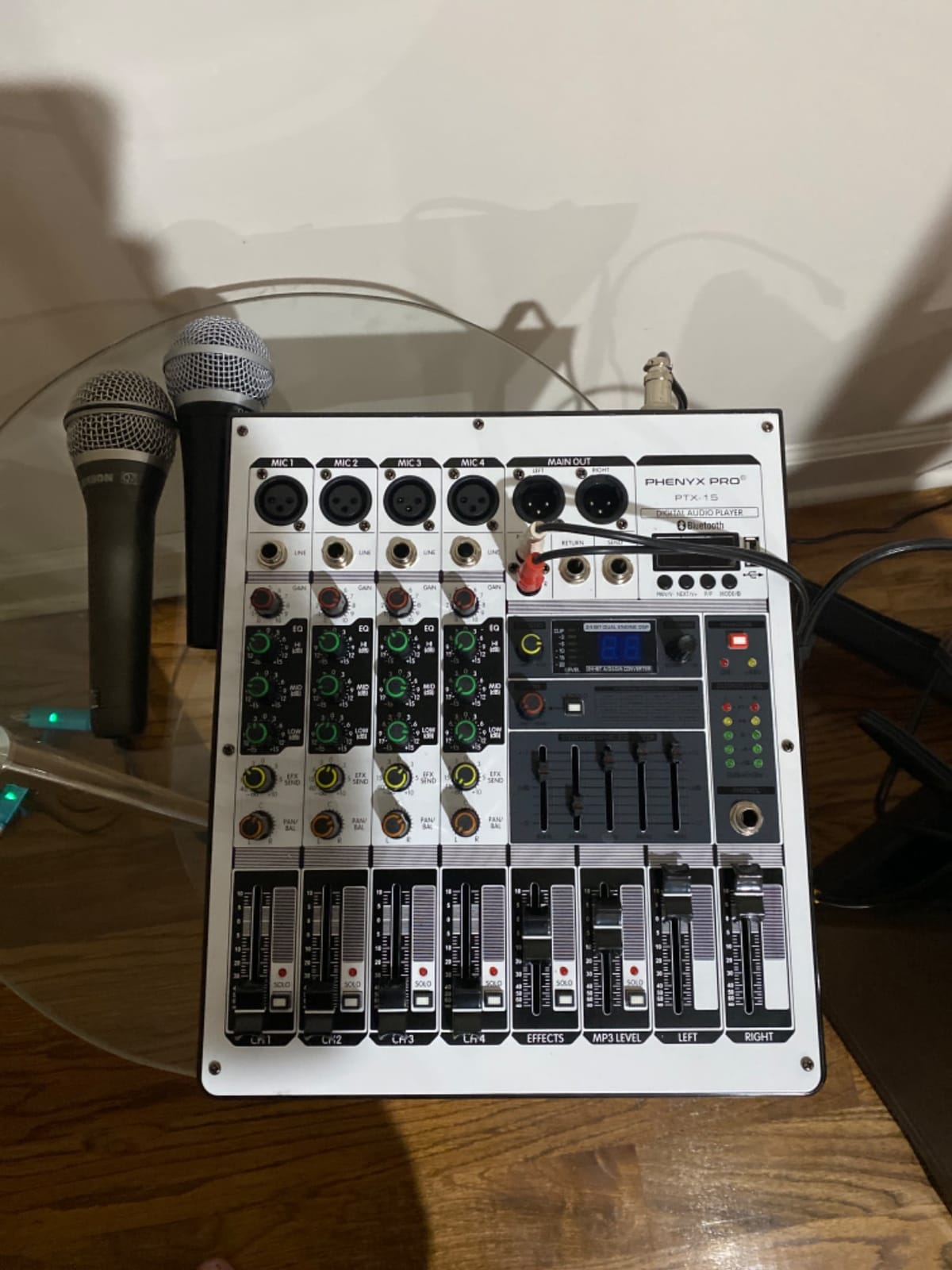
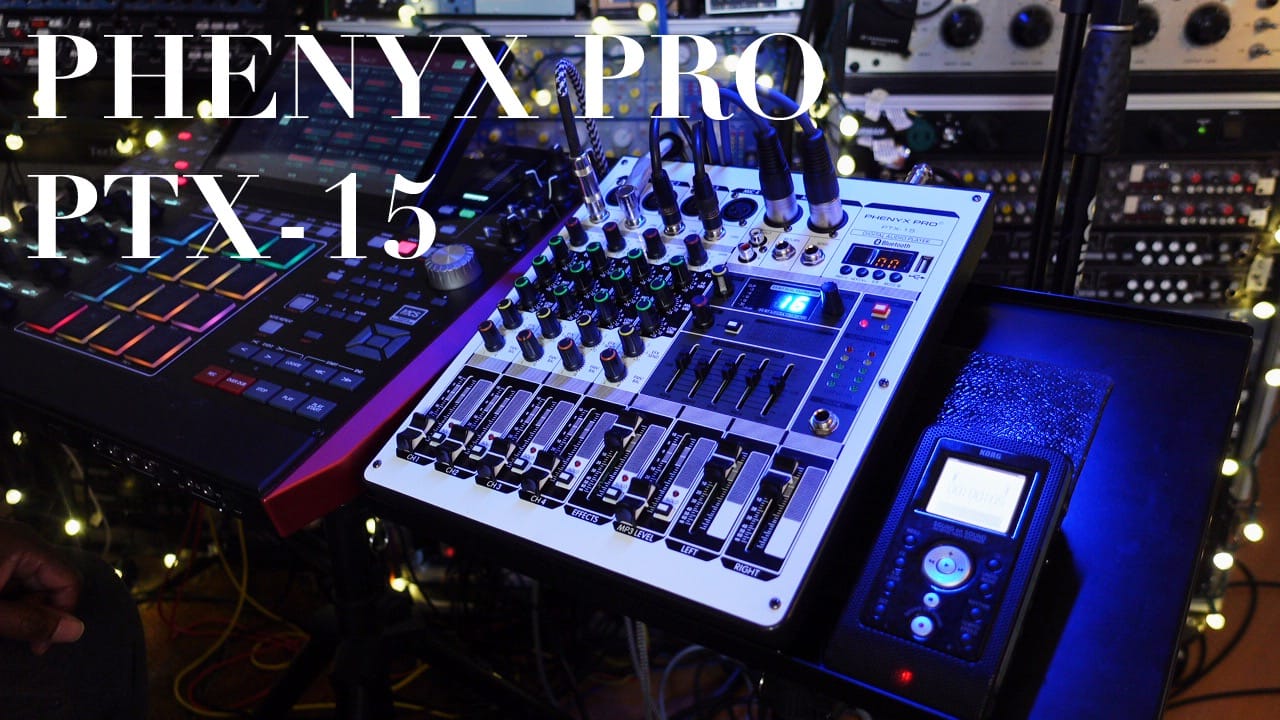
The Phenyx Pro PTX-15 does something the other budget boards mostly skip, which is give every channel its own aux send and effects send alongside gain, EQ, pan, solo and a fader. For stage work that means each performer gets their own monitor mix, which is the most capable per-channel routing in any budget four-channel board.
For podcasting it solves a problem nobody asks about, which is that a live board and a recording board want different things. I would use the sends on this board to feed a headphone distribution chain for a three-host panel, then add a separate recorder on the main output.
Phantom power per channel, which is genuinely useful
Independent 48V phantom power per channel means you can put a condenser on channel one and a dynamic on channel two without an inline adapter or a phantom supply. Three-band channel EQ, a five-band stereo graphic equalizer and 16 DSP effects give you plenty of tonal shaping, and solo buttons on every channel speed up gain checks.
Bluetooth streaming and USB connection cover playback from a phone and recording to a computer or flash drive, and the box includes a power adapter and manual. At 2.1 kg and 14.49 by 11.81 by 4.13 inches it is a solid, portable four-channel board.
Where the reviews get cold
This has the lowest average rating in the group alongside one other board, and the feedback is correspondingly more mixed, with a notable share of one-star reviews. Owners point to an audible noise floor and limited headroom at higher gain settings, which matters directly in a spoken-word context where you raise gain on a quiet speaker and expose exactly that noise.
There is also no on-board recording, so capturing a session means adding another device, and there are no individual headphone outputs, so a multi-host panel needs external distribution. If you need clean speech, choose a board with quiet preamps. If you need per-channel monitor mixes for a live room, this one has features the pricier podcast consoles do not.
9. Rockville RockMix 5 – Steel Travel Box, but Only One Mic Input
Rockville RockMix 5 Channel Pro Mixer with USB, Bluetooth, Echo, EQ
5 channels with 1 XLR and quarter-inch combo input
USB recording plus Bluetooth
Compact solid steel body
Headphone out with level control
Pros
- Five channels including an XLR and quarter-inch combo mic input
- USB interface for direct laptop recording plus Bluetooth streaming
- Solid steel chassis in a very small travel-friendly footprint
- Headphone monitor port with dedicated level control
- Clip and peak indicator lights help with gain staging
Cons
- Only one XLR input
- so it cannot handle more than one host microphone
- Phantom power is only 18V and too weak for most condensers
- EQ limited to two bands on channel 1 only
- Audible hum or noise floor at very high volume
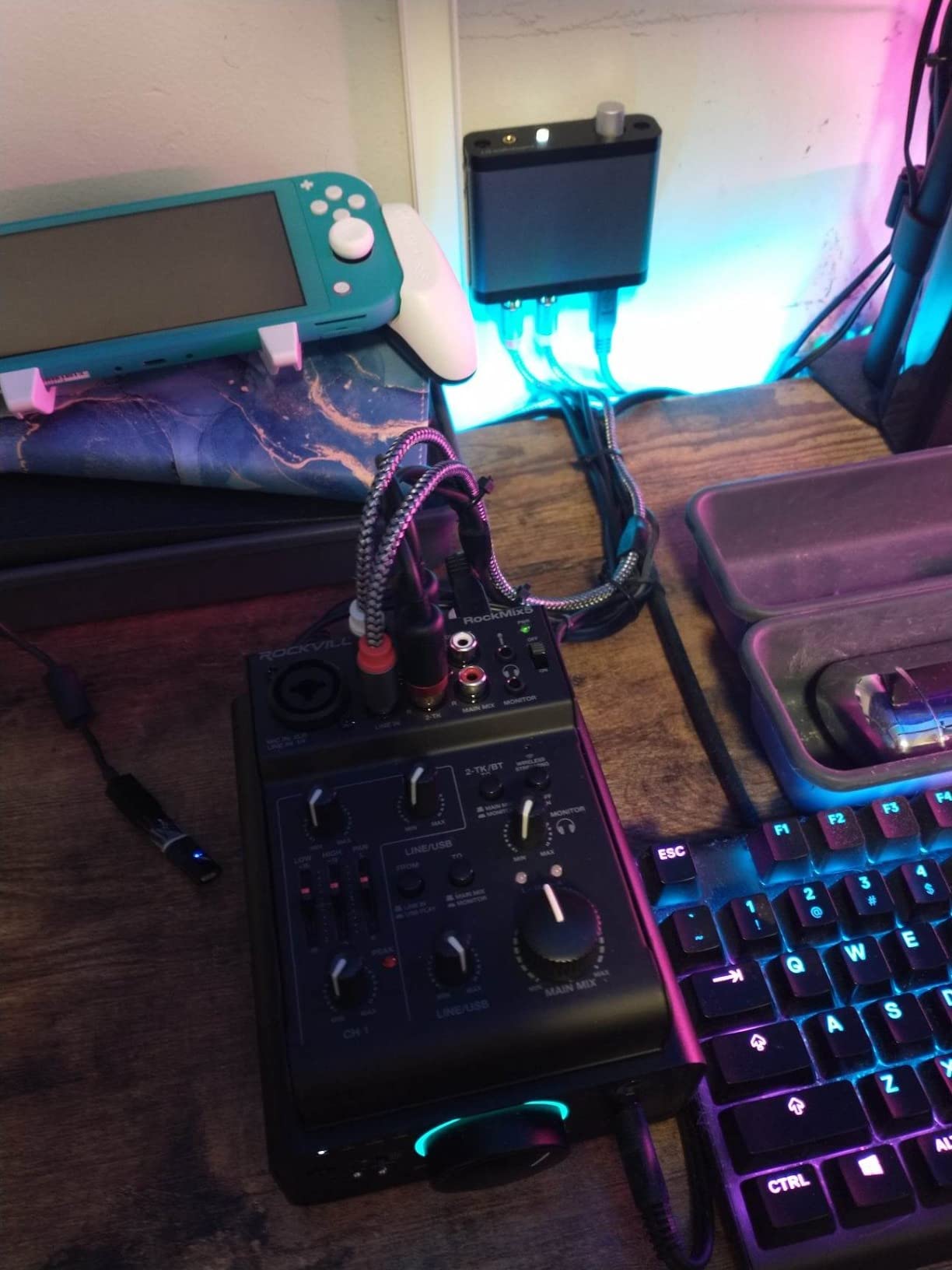
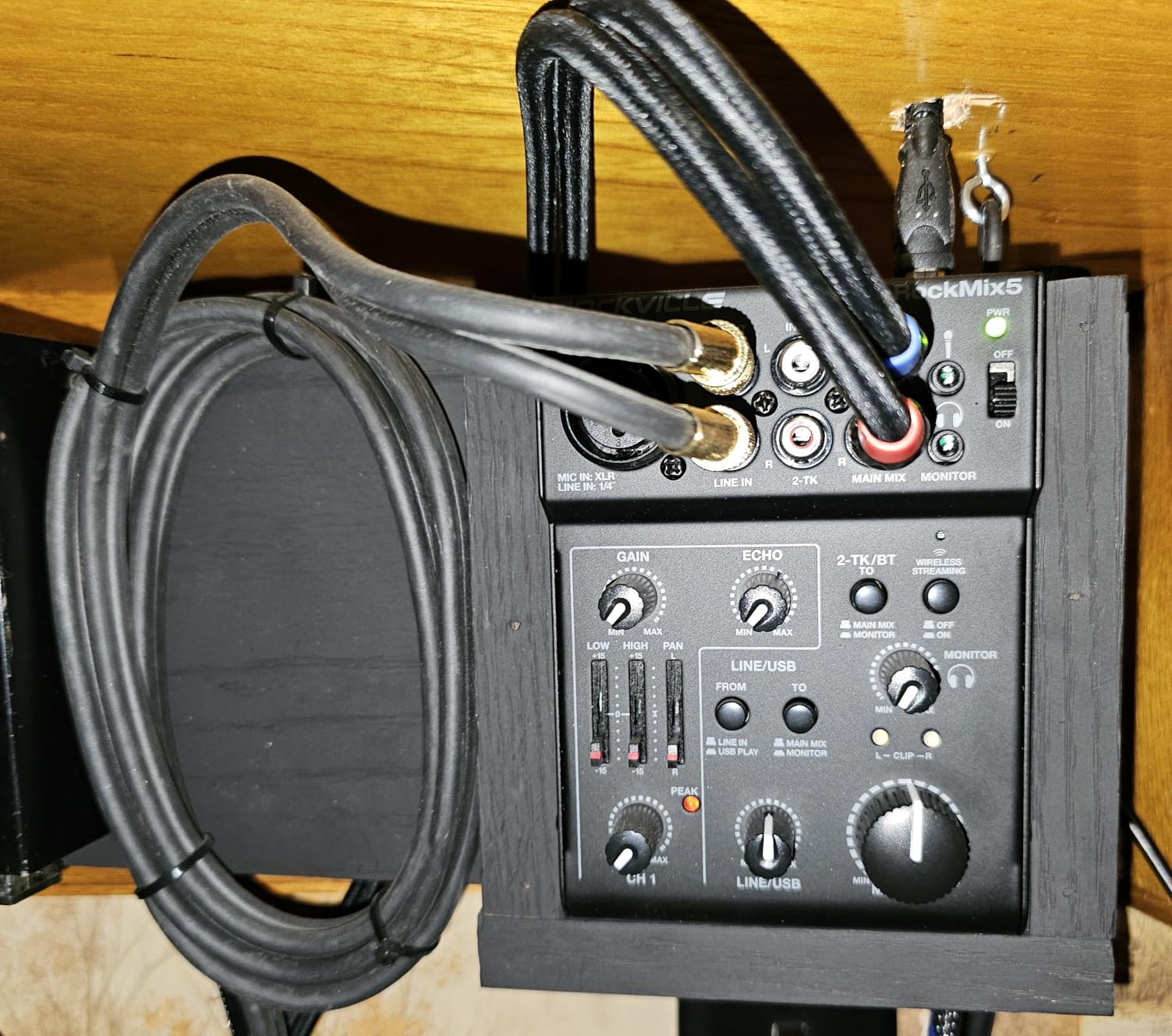
I want to be direct about this one: the Rockville RockMix 5 is not a multi-host mixer, and it is in this roundup so you can rule it out. It has a single XLR and quarter-inch combo mic input. One host, one microphone. Everything else on the board is line-level.
What it does well is travel. At 5.31 by 3.94 by 1.57 inches with a solid steel chassis, it is the smallest footprint in the group, and the USB interface records straight to a laptop while Bluetooth handles playback from a phone. Owners like it for karaoke, turntable cueing and single-mic streaming.
Why one XLR and 18V phantom ends the conversation
Two microphones cannot be connected at all, so the host-count arithmetic stops at one. The phantom power is 18V rather than the standard 48V, which reviewers report leaves many condenser microphones hissing at maximum gain, so the mic type choice is also narrower than it looks on a feature list.
The EQ is two bands on channel 1 only, and owners report a slight hum or noise floor at very high volume. Clip and peak indicator lights are a nice touch for gain staging on the single channel you have, and the headphone out with its own level control works well for a solo user.
Where it earns its place anyway
A solo creator who also runs small events, or anyone who wants a Bluetooth mixer in a bag for a location shoot, gets a lot here. It also earns its place in this list as the clearest example of why input count is the first spec to read on any listing, ahead of effect counts, DSP numbers and wattage.
Skip it for a two-host show. Consider it only if you are the only voice in the room.
10. Aveek F4 – Two Mic Inputs and USB Recording in a Compact Body
Aveek Audio Mixer, 4 Channel Mixer with Bluetooth and USB Recording
2 XLR and 6.35mm inputs
Built-in recording chip for Type-C PC capture
48V phantom on channels 1 and 2
99 DSP effects and 3-band EQ
Pros
- Two XLR and 6.35mm inputs plus line inputs cover two microphones
- Built-in recording chip captures to a computer over Type-C with no extra software
- USB port plays MP3 from a flash drive and can record the output
- Independent 48V phantom power on channels 1 and 2
- A compact 1.3 kg body with a small desktop footprint
Cons
- Only a single 6.35mm headphone jack
- so hosts cannot monitor independently
- Bluetooth range is limited to roughly 15 feet and cannot send audio out
- Type-C is the only digital path
- limiting older computer connections
The Aveek F4 weighs 1.3 kg and records to a computer by itself without a separate interface. A built-in recording chip captures the mix over Type-C with no additional software, which turns a first recording into a two-minute setup rather than a software project.
It handles two XLR and quarter-inch microphones with independent 48V phantom power on channels 1 and 2, so a two-host show with a dynamic and a condenser is a clean fit. Two people, two mics, one shared headphone jack, and a two-minute recording workflow.
Two hosts is the ceiling, and the headphone jack is the reason
There is one 6.35 mm headphone output. Two hosts sharing it means a splitter, which means a shared level and a real risk of headphone bleed into the nearest microphone. That is the same compromise the FULUODE and Riworal boards carry, and it is why a two-channel interface is often the better first purchase for a two-person show.
Bluetooth reaches roughly 15 feet and cannot send audio out, so it works for playing music into the mix and not for bringing a caller in. The Type-C port is the only digital path, which limits what you can connect on older computers without an adapter.
99 effects is a headline number, not a podcast feature
The 99 DSP effects and three-band EQ per channel make this look capable next to the podcast consoles, and for karaoke, small live streams and practice setups they are fine. For spoken word, they add menu time rather than sound. A stereo mode switch maps channels 1 and 2 to left and right, which is a live-mixing control rather than a recording one.
It is 10.5 by 7 by 3.15 inches, mains powered at 48 volts, and rated lower on sound quality than most boards in this roundup, which owners attribute to a more basic analog stage. If you are recording your first two-host episode and want it on a computer tonight, this works. If you want the result to be the best you have ever heard, buy quieter preamps and put the money into microphones.
How Many Inputs Do You Need for Each Host Count?
Start from headcount and work backwards. The rule I use is simple: one XLR input per speaker, one headphone output per speaker, and one spare input if you take remote calls. Everything else on a mixer is preference, and almost every wasted purchase I have seen came from choosing on effects counts or DSP numbers before counting heads.
Two hosts: two inputs and two headphone outputs is the minimum that keeps monitoring clean. A two-channel audio interface with two independent headphone outputs does the job, and the money you save goes further into microphones than it would into a console. Do not buy a one-headphone-jack mixer and plan to split it.
Three hosts: three inputs minimum, and I would buy four. The fourth channel is your remote guest, your music feed, or the spare that stops the show from becoming an emergency purchase when a fourth person joins. Three hosts is also the count where a single stereo recording starts to hurt, because three people talking is where overlapping crosstalk becomes an editing problem.
Four hosts: four combo inputs, four headphone outputs, and per-host track recording becomes a real advantage rather than a nicety. If you go to five or more, look for a board that saves a separate file per speaker, because a single mix of five voices in one room is nearly uneditable. Our digital mixer guide covers the larger channel-count options for panel formats.
Headphone outputs: one per host, and why splitters ruin a mix
The maths is the argument. Four speakers need four independent monitoring feeds, and any board with fewer than four headphone outputs forces a splitter. A splitter is a passive device, so it cannot give each person their own level, and if a host raises their own volume in a shared feed, everyone hears it. With open-back headphones that raised level radiates straight into the nearest microphone, and now you have bleed baked into three tracks instead of one.
Community answers on r/podcasting keep proposing the same two options: a mixer with one output per person, or a dedicated headphone amplifier such as a Mackie HM-4 or a Behringer HA400 fed from a quarter-inch TRS stereo cable. If you end up on a board with one jack, buy the amplifier as part of the budget instead of pretending the splitter is free.
Mix-minus: how to keep a remote guest echo-free
Mix-minus is a return feed that contains the show but excludes the guest’s own voice. Without it, a guest on a phone or a video call hears themselves through the call, delayed by the platform, and hears the show a second time in their own microphone, which is the echo everyone has heard on a bad remote interview. Nothing about the guest is broken; the return path is just wrong.
Here is the sequence that works. Connect the guest through the aux or TRRS input. Build a mix that includes every host channel and the guest channel, then subtract the guest channel to create the return. Send that return to the guest. On the boards in this roundup, the PodTrak P4, the RODE, the TASCAM and the Pyle all handle this in hardware, either automatically or through an aux send, so you do not need a second device in the chain. For a hybrid show with one host in-studio and one on a phone, that single feature moves you up a tier.
If you have seen r/podcasting and r/VIDEOENGINEERING threads debating remote interview routing, the consensus is that local recording of both ends with a proper return beats relying on a platform’s built-in call quality, because the local files are the ones you can actually edit.
Per-host track recording vs. a single mixed track
A single stereo mix is faster to set up and impossible to repair. Separate tracks take longer to set up and let you fix one person. That trade is the reason a two-host show can use a two-channel interface and a four-host show should not.
Concretely: if a host coughs at minute eighteen of a fifty-minute interview, a mixed track means re-recording the interview or living with the cough. On separate tracks it is a quarter-second of silence and an automation curve. The PodTrak P4 and the TASCAM Mixcast 4 write a file per input to an SD card without a computer, the RØDE writes multitrack to computer, microSD or a USB drive, and the Yamaha MG10XU, the Pyle, the FULUODE, the Riworal, the Phenyx, the Rockville and the Aveek all hand you a stereo mix instead.
Mixer vs. audio interface vs. multitrack recorder
An audio interface converts microphones to USB for your computer and does almost nothing else. A mixer adds per-channel gain, EQ, compression, sends and usually one headphone output. A multitrack recorder writes separate files to a card and usually has no computer connection at all. Most podcast consoles are all three in one box, which is why they sit above a bare interface in complexity and size.
Buy an interface if you are a solo creator or a tight two-host pair who will do their processing in a DAW. Buy a mixer if you want hardware gain control, live headphone monitoring and faders you can see. Buy a multitrack recorder if you want reliable isolated files with no computer dependency, and are willing to do the editing work yourself afterward.
Gain staging and feedback control with several condenser mics
Set gain one at a time with everyone else quiet, and set it so peaks land well below clipping rather than just below the light. Leave yourself headroom. Keep the gain low enough that the loudest host in the room never reaches the top, and the quietest host still sits clearly above the noise floor. That is the whole discipline, and it is why a board with a hardware meter and mute per channel saves time.
For rumble and plosives, use the low-cut filter where it exists and position microphones a couple of inches off-axis rather than reaching for processing. Forum advice on noisy rooms consistently points to budget dynamic microphones, which need less gain and therefore sit in a quieter part of the preamp’s range.
To stop feedback, the rule is that no microphone can hear another one. Angle each mic away from the others, keep everyone on closed-back headphones, and lower the gain before you lower a high-pass filter. If your board has per-channel mute, check every channel alone before you start, which takes two minutes and saves an episode. Our powered mixer roundup and commercial mixer picks cover the live-sound side of channel layout if your show also runs events.
Frequently Asked Questions
How many mics can a podcast mixer handle?
A podcast mixer can handle exactly as many microphones as it has mic inputs, so the answer is: count your hosts and add one for a remote guest. Two hosts needs two inputs, three hosts needs three to four, and a four-person panel needs four combo inputs plus four independent headphone outputs. Some cheaper live mixers advertise eight channels but only two to four of those are actual XLR mic inputs, so check the input type before counting.
Do I need a mixer for a podcast with multiple hosts?
Yes, once more than two people are talking. A single-input setup forces hosts to share a microphone, and a mixer with one headphone jack forces them to share a monitoring feed through a splitter, which bleeds one voice into other microphones. A mixer with at least one XLR input and one headphone output per host removes both problems, and per-host track recording makes overlapping speech fixable in post.
How do I record multiple hosts on separate tracks?
Use a console that writes one file per mic input to an SD card or a computer. The Zoom PodTrak P4 and the TASCAM Mixcast 4 record every input as its own track to an SD card without a computer, and the RODE RODECaster Pro II records multitrack to computer, microSD or a USB drive. A general-purpose mixer with a USB interface sends only a stereo mix, so one speaker’s mistake affects everyone.
What is mix-minus and do I need it for remote guests?
Mix-minus is a return feed that contains the show but excludes the guest’s own voice, so a remote caller does not hear themselves echoed back through the call. You need it for any phone or video guest, because without it the guest hears their own voice twice with platform delay, which is the echo listeners complain about most. The Zoom PodTrak P4, the RODE, the TASCAM Mixcast 4 and the Pyle PMXU88BT all provide it in hardware.
How many headphone outputs does a podcast mixer need?
One per host, with its own volume control. Three hosts need three headphone outputs and a four-person panel needs four. A single output forces a splitter, which cannot give each person an independent level, and any raised level in a shared feed leaks from open-back headphones into nearby microphones. If your mixer has one jack, add a dedicated headphone amplifier fed from a quarter-inch TRS stereo cable.
What is the difference between a podcast mixer and an audio interface?
A podcast mixer has one XLR input and one headphone output per host, plus onboard gain control, compression, EQ and usually per-host multitrack recording, and it works without a computer. An audio interface converts microphones to USB for your computer and typically has one or two headphone outputs with no physical mixing. Interfaces suit a solo or two-host creator who does processing in a DAW; mixers suit three or more people in a room.
How do I stop audio feedback with multiple microphones?
Keep every microphone pointed away from the others, use closed-back headphones on every host, and set gain one channel at a time with the room quiet so peaks land well below clipping. Mute and solo each channel individually before you record, and lower preamp gain before you reach for filters. A board with a hardware level meter and per-channel mute makes this check fast, which is where most feedback problems are actually solved.
What is the 3 to 1 rule for microphones?
It is a rough guideline rather than a spec, and the practical version for a roundtable is simpler: one microphone per speaker, each placed a couple of inches off-axis from the mouth, spaced far enough apart that no mic points at another. Distance and angle fix plosives and rumble far better than processing does, and dynamic microphones need less gain, which keeps them quieter than condensers in an untreated room.
The Verdict by Host Count
Two hosts who record into a DAW and want quiet preamps should buy the Yamaha MG10XU and add a headphone amplifier for independent monitoring. Three to four hosts in one room should buy the Zoom PodTrak P4, because four mic inputs, four headphone outputs, automatic mix-minus and per-input multitrack recording to an SD card is the correct arithmetic here. A four-person panel that wants broadcast-ready voices without post-production work should buy the RODE RODECaster Pro II and accept the learning curve. A panel that wants the deepest track capture and no computer dependency should buy the TASCAM Mixcast 4.
Everything else in this roundup serves a live-music, event or travel job rather than a multi-host conversation, and I would rather you know that before buying. The Pyle, FULUODE, Riworal and Phenyx boards are capable cheap live mixers with one shared headphone feed, and the Rockville has a single XLR input that rules out a second host entirely.
Count your speakers, add a spare channel, and buy one headphone output per person. Those three numbers decide the best podcast mixers for multiple hosts faster than any feature list, and they are the only numbers that change as your show grows in 2026.
Leave a Reply