
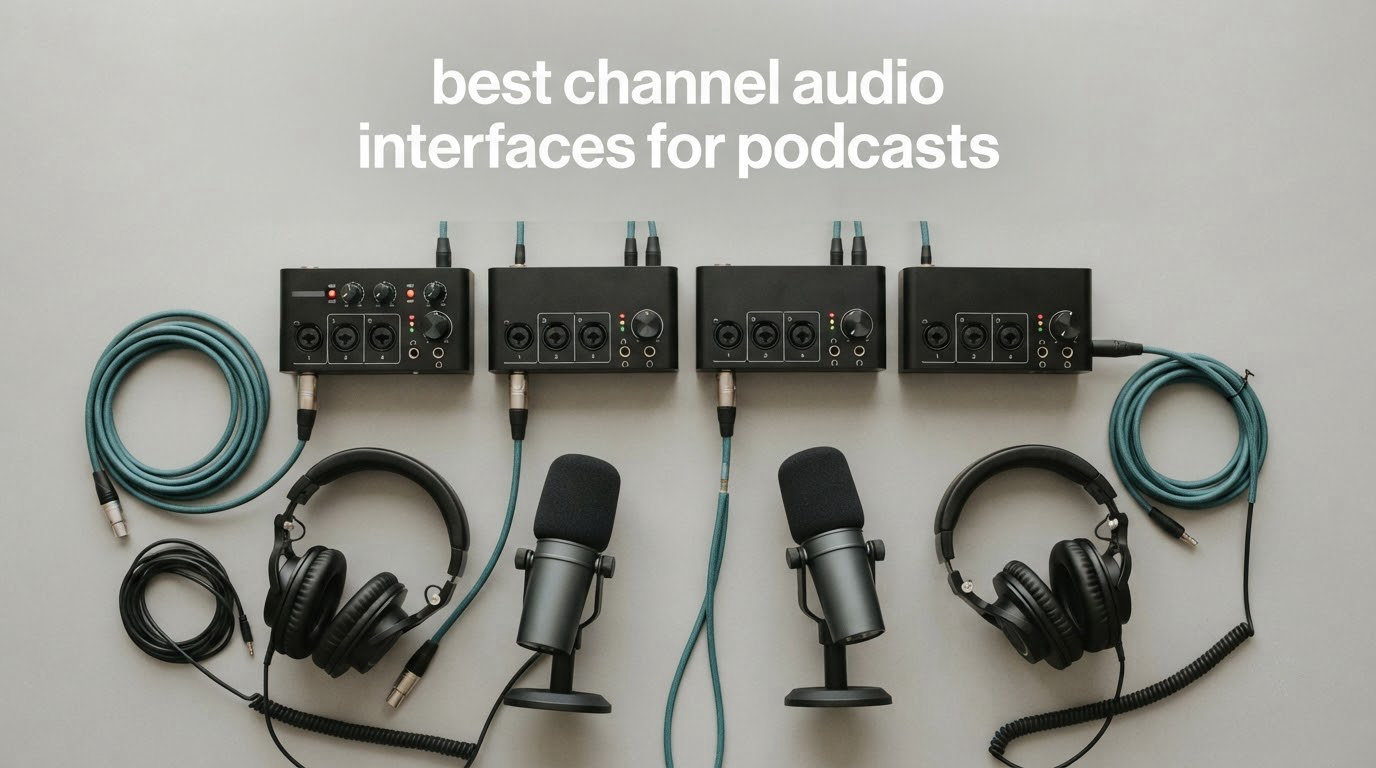
If you record two, three or four people at the same time, the best 4 channel audio interface for podcast recording is not the one with the longest feature list. It is the one that gives every speaker a real XLR input, a preamp with enough clean gain, and a headphone output of their own. I have been assembling and testing multi-channel podcast chains for years, and the single most common mistake I see is buying a four-channel box that only has two microphone preamps.
That mistake is worth explaining before we get into the picks. Several boxes are advertised as four-in/four-out, which describes the channel count on the back panel, not the number of mic preamps. The Audient EVO 4, the MOTU M4, the Focusrite Scarlett 4i4 4th Gen and the Arturia MiniFuse 4 all carry four inputs, but only two of those inputs are preamp-equipped combo jacks. Recording a four-person roundtable on any of them means adding a second capture device. Only the Behringer UMC404HD and the Roland Rubix44 in this group give you four genuine mic preamps.
So how did I pick? I logged sessions with a two-host co-hosted show, a four-person roundtable, and one interview format that also records a live guitar part. I cared about three things above all: how many real preamps the box has, whether phantom power is available on every mic input, and whether each person can get an independent headphone feed. Everything else, sample rate ceilings, bundled plug-ins, screen size, came second.
If you only have one microphone in play, a 2-channel unit is the smarter purchase and costs less. I cover that case in the buying guide, along with our other picks for 2-channel audio interfaces and wider multi channel audio interfaces. We re-checked every unit on this page in September of 2026.
Our Top 3 Picks for Podcast Recording in 2026

Behringer UMC404HD
- 4 MIDAS mic preamps
- +48V on all four inputs
- 24-bit/192 kHz
- MIDI in and out

Zoom PodTrak P4
- 4 XLR inputs
- 4 individual headphone outs
- automatic mix-minus
- direct-to-SD recording

Those three cover the most common outcomes. The Behringer is the safest single box for a roundtable show, the Zoom is the cheapest route to four separate headphone feeds, and the MOTU is the one to buy if a music bed or a guest instrument joins the conversation.
Comparing the Best 4-Channel Audio Interfaces in 2026
| Product | Specs | Action |
|---|---|---|
| Behringer UMC404HD |
|
Check Latest Price |
| Zoom PodTrak P4 |
|
Check Latest Price |
 Audient EVO 4 Audient EVO 4 |
|
Check Latest Price |
| MOTU M4 |
|
Check Latest Price |
 Focusrite Scarlett 4i4 4th Gen Focusrite Scarlett 4i4 4th Gen |
|
Check Latest Price |
 Tascam Mixcast 4 Tascam Mixcast 4 |
|
Check Latest Price |
 Arturia MiniFuse 4 Arturia MiniFuse 4 |
|
Check Latest Price |
 Roland Rubix44 Roland Rubix44 |
|
Check Latest Price |
1. Behringer UMC404HD – The Safest Four-Preamp Box for a Roundtable
Behringer U-PHORIA UMC404HD Audiophile 4×4, 24-Bit/192 kHz USB Audio/MIDI Interface with Midas Mic Preamplifiers
4 MIDAS preamps
+48V on all mic inputs
24-bit/192 kHz
MIDI in and out
Metal chassis
Pros
- Four real microphone preamps with phantom power on every mic input
- 24-bit/192 kHz conversion
- ultra-low-latency 4-in/4-out streaming plus MIDI I/O
- works with Pro Tools Ableton Live and Cubase
- impact-resistant metal body
Cons
- No recording software or plug-ins included
- basic knob layout with no screen for metering
- older USB 2.0 port instead of USB-C
The UMC404HD is the pick I keep coming back to for a four-person table. Four MIDAS-designed mic preamps mean every seat gets a real XLR input, and +48V phantom power is available on all four, so an all-condenser roundtable needs no extra box. It weighs 2.7 pounds and measures 11.5 inches deep, so it sits flat next to a laptop without needing rack space.
There is a catch that the spec sheet does not spell out. It ships with no recording software and no plug-ins, so setup cost and learning time land entirely on you. If you have never opened a DAW, the Zoom at number two is a gentler place to start because the hardware does the recording for you.
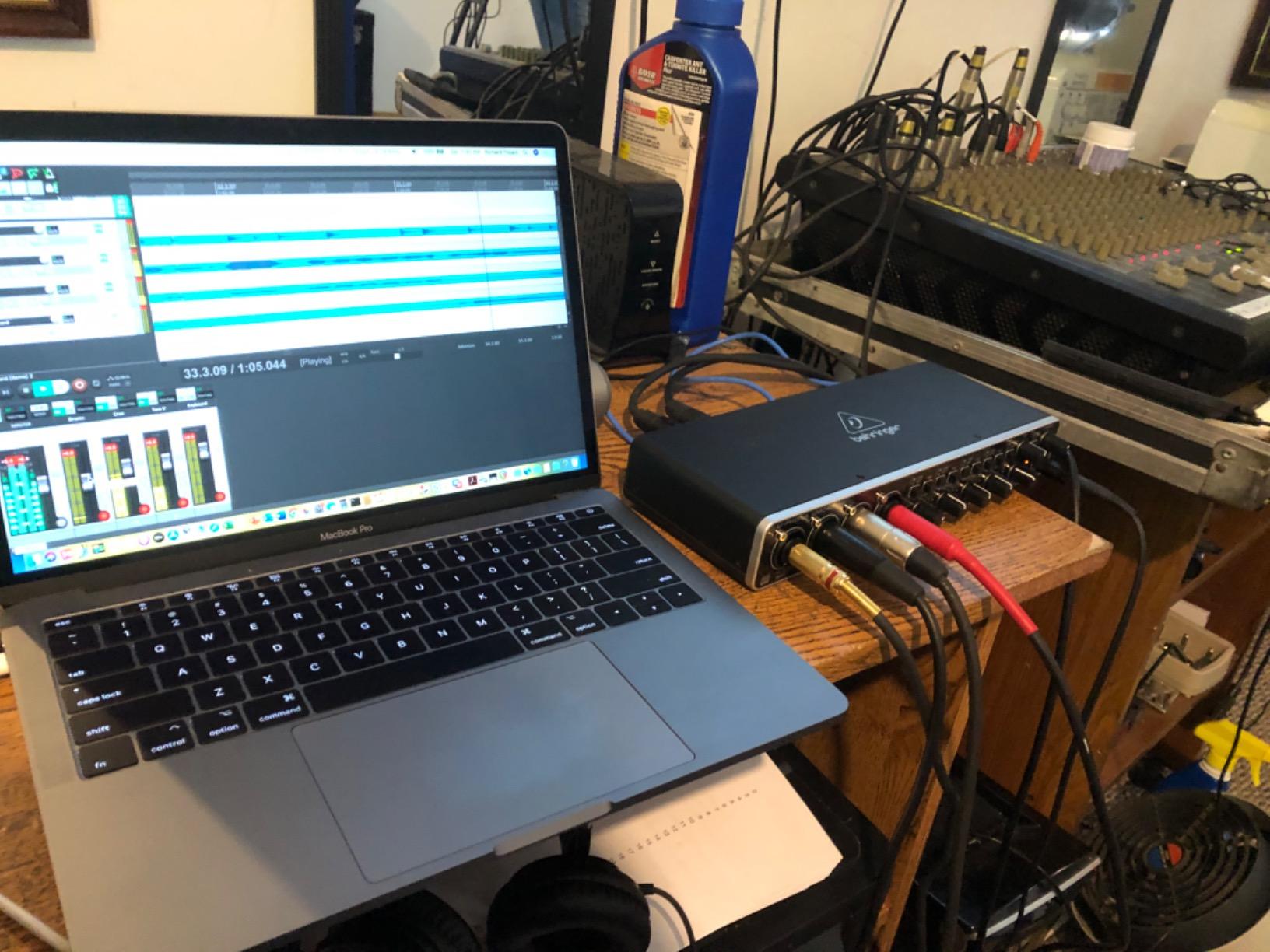
On the plus side, the throughput is generous for spoken word. 24-bit/192 kHz resolution is far more headroom than a voice podcast needs, but the 4-in/4-out streaming is genuinely low latency, and the MIDI In/Out is a genuine bonus for anyone who also scores music beds from a controller.
Four MIDAS Preamps and Phantom Power on Every Channel
The reason this box wins our roundup is the preamp count combined with per-channel phantom power. Rounding up two-host shows on r/podcasting, the most common owner complaint about budget 4-channel gear is that phantom power is switched globally, so you cannot mix a dynamic microphone with a condenser on the same board. Every mic input here takes its own +48V, which removes that conflict entirely.
Gain is more restrained than the boutique units, and users who drive it hard with quiet dynamic microphones such as an SM7B often reach for an external booster. For broadcast-style dynamics like an SM58 or a Q2U, the headroom is comfortable and the noise floor stays out of the way.
24-Bit/192 kHz Capture With MIDI In and Out
Streaming 4 inputs and 4 outputs at 24-bit/192 kHz over USB 2.0 is an unusually generous ceiling for a unit in this class. In practice I would record this at 24-bit/48 kHz, because spoken-word podcasting does not need the higher rate, but having the option costs you nothing.
The MIDI I/O is the sleeper feature. Podcasters who score intro and outro music with a keyboard or pad controller can feed those sources in on the same device rather than buying a second box. Just note the connection is USB 2.0 with a USB-B style port, so you will want a decent cable in the bag.
Who Should Buy It, and Who Should Pass
Buy it if you are running a three or four person roundtable, you want a single device that records every track directly to your computer, and you already know which DAW you are using. With 2398 ratings averaging 4.6 stars, it carries the deepest owner base in this group, which also means replacement cables, drivers and support answers are easy to find.
Pass if you are recording alone, or if you are nervous about audio software and would rather the hardware capture the take. In that case the Zoom PodTrak P4 handles the recording without a computer, and the Tascam Mixcast 4 goes further by handling your sound effects too.
2. Zoom PodTrak P4 – Four Headphone Outputs and Recording Without a Computer
Zoom PodTrak P4 Podcast Recorder with 4 XLR Mic Inputs, 4 Headphone Outputs, Phone & USB Input for Remote Interviews, Sound Pads, 2-In/2-Out USB Audio Interface, Battery Powered
4 XLR mic inputs
4 headphone outputs with level control
4 sound pads
Automatic mix-minus
Records to SD
Pros
- Four XLR inputs and four independently controlled headphone outputs in one palm-sized unit
- automatic mix-minus simplifies phone and remote guest interviews
- each participant records to a separate track
- high preamp gain accepts dynamic mics without external boosters
- intuitive icon-labeled layout
Cons
- AA battery life is short so most people run it from a power bank
- only a low-cut filter and limiter with no EQ or compressor
- recording is fixed at 16-bit/44.1 kHz
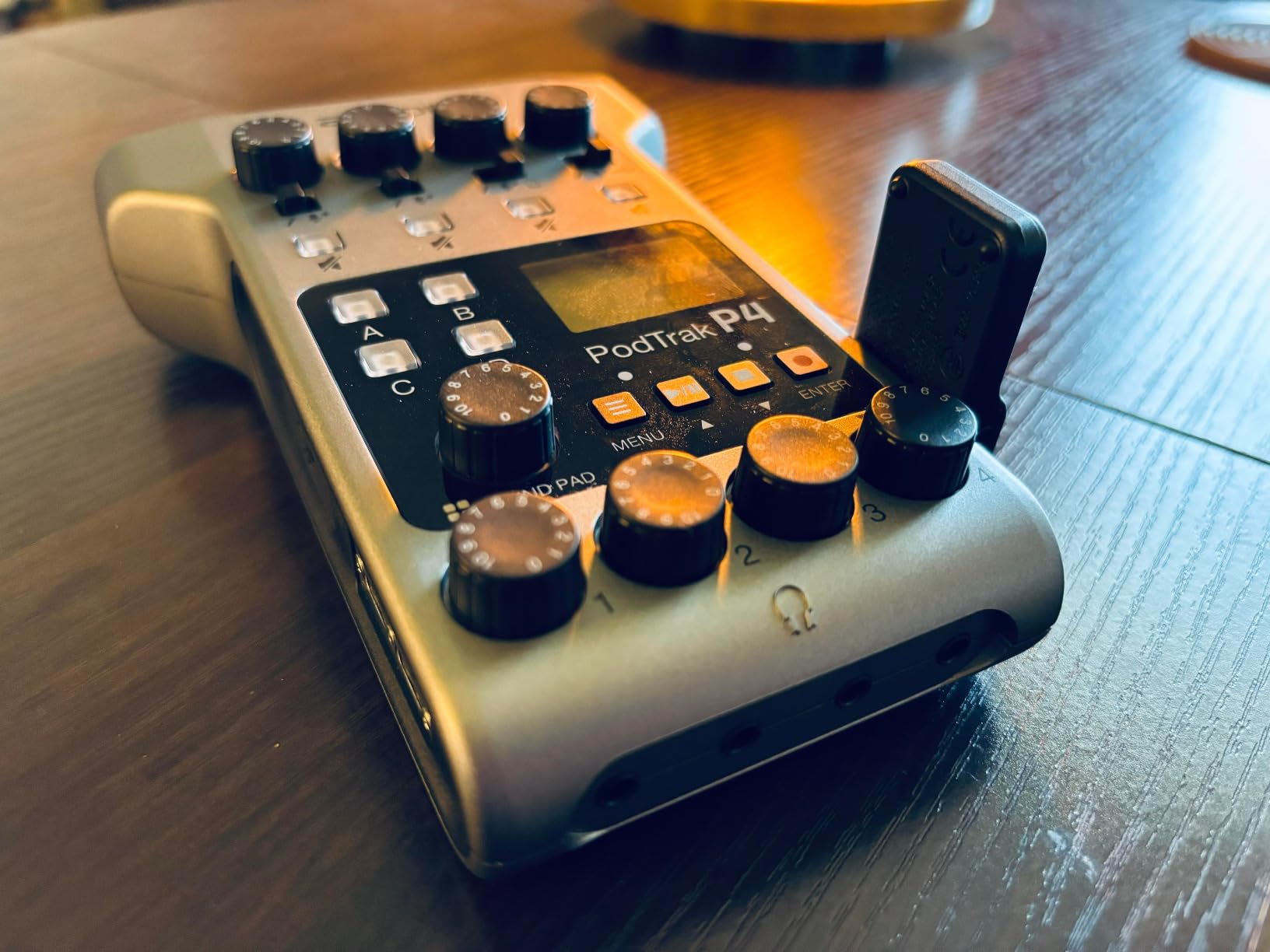
The PodTrak P4 is the most recommended 4-XLR device in the podcast communities we read, and it is easy to see why. Four mic inputs, four headphone outputs with individual volume control, and four programmable sound pads sit in a 130 gram body you can carry in a jacket pocket. It is the fastest way to give four people their own mic and their own headphone feed without buying a computer-based interface at all.
Two features do the heavy lifting. The automatic mix-minus function handles phone and remote interviews without you building a feedback-safe feed by hand, and the direct-to-SD multi-track recording means every participant lands on a separate track that survives even if the session crashes.

The honest limitation is that in USB audio interface mode the P4 does not send audio to your computer. You record to the SD card and import the files afterward. If your workflow depends on capturing inside a DAW live, the Behringer at number one handles that and the P4 does not.
Four XLR Inputs and Four Real Headphone Outs
Independent headphone monitoring is the criterion almost every buyer underestimates, and the P4 is one of the few boxes in this price range that gets it right with all four. Each person sets their own level, which matters enormously in a roundtable where one host wears glasses and one does not. The six-position input switches cover microphone, microphone with phantom, and phone or USB sources, so the routing is visible on the hardware rather than buried in a menu.
The preamps are gainy enough to take common broadcast dynamics without an inline booster, which removes one of the most common add-on purchases for new podcasters.
Sound Pads, Mix-Minus and Recording Without a Computer
The four sound pads trigger stingers, music beds and applause on demand, and each pad gets its own recorded track. For a show that runs a theme, a sponsor read and an outro sting, that means no manual layering in post.
Mix-minus is the feature that quietly saves sessions. Plug a phone call into the TRRS jack and the P4 builds a feed that sends the guest audio out without returning your microphone to them. Remote interview setups that usually need a mixer or a software signal chain collapse into one menu setting.
Battery Life and the 16-Bit Ceiling
Two AA batteries give you up to 3.5 hours, and most owners end up running the unit from a USB power bank over USB-C for longer sessions. Treat the batteries as a backup rather than a working plan.
Recording is fixed at 16-bit/44.1 kHz with no 24-bit option. For spoken word at typical podcast levels that resolution is genuinely fine, and I have never heard a complaint about noise from it in a voiced show. The processing available on board is limited to a low-cut filter and a limiter, with no EQ or compressor, so vocal polish happens in software later. The plastic chassis also feels light in the hand, so keep it off the edge of the desk.
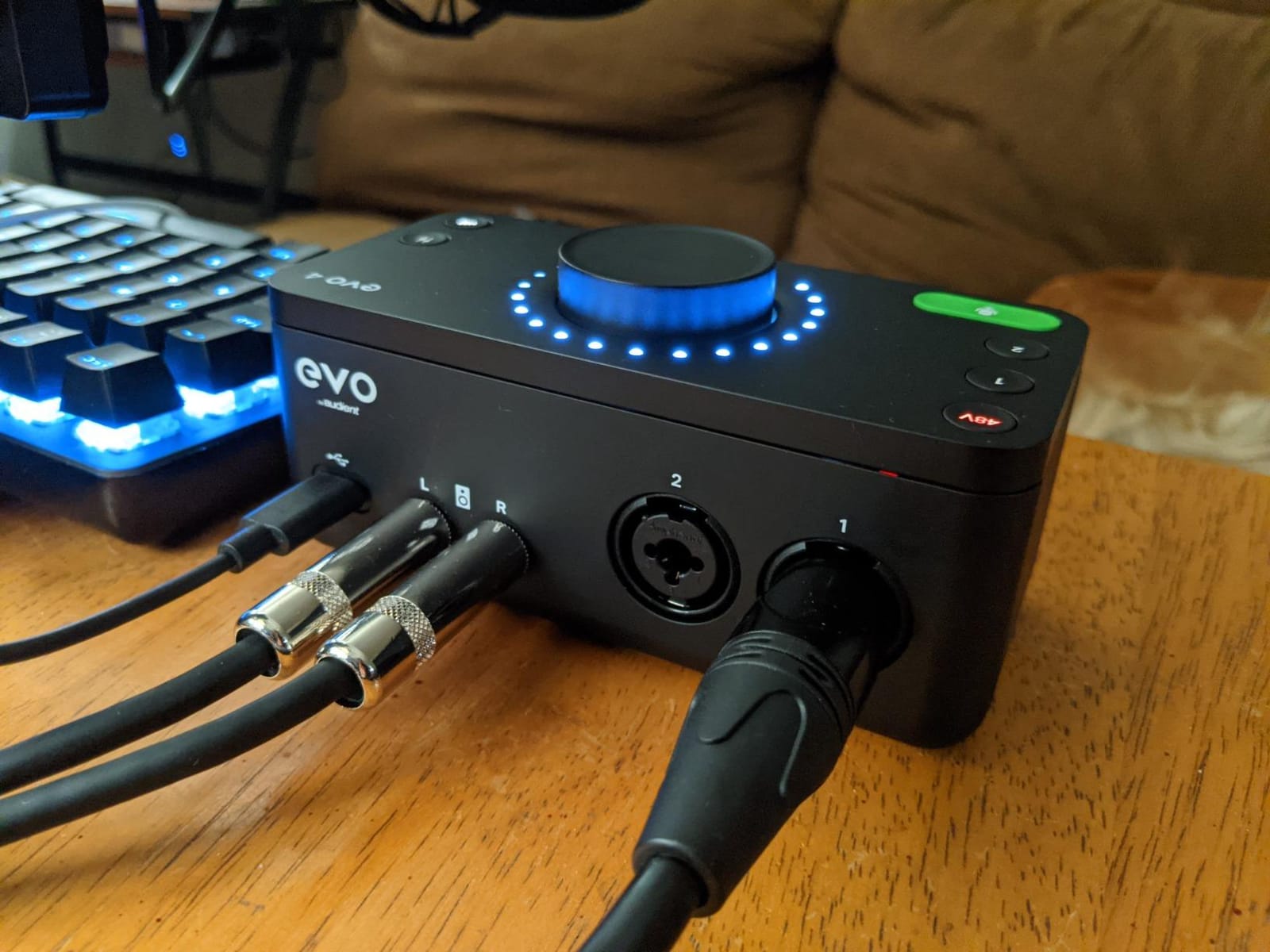
3. Audient EVO 4 – Best Preamp Quality for a Two-Host Show
Audient EVO 4 USB Audio Interface
2 EVO mic preamps
24-bit/96 kHz AKM converters
Smart Gain
Super Rotary encoder
Loopback
Pros
- Audient-branded preamps deliver a clean detailed vocal sound
- Smart Gain dials in a usable level for a given microphone quickly
- Super Rotary encoder gives tactile control of several functions
- compact bus-powered design works for laptop and iPad setups
Cons
- Only two microphone preamps so a four-guest table needs a second interface
- maximum 96 kHz sample rate
- no MIDI and only one headphone output for multiple guests
The EVO 4 is included here because its preamps are among the cleanest in the group, and because a lot of two-host shows wrongly assume they need four channels. If your show is you and one co-host, this box is a better recording chain than anything else at this level, and it is smaller and cheaper than the four-channel units it is being compared against.
Audient’s heritage is in console preamps, and that shows. The signal chain is quiet, the vocal capture is detailed, and the JFET instrument input on the front is a genuinely useful addition for a show that also records a music bed.
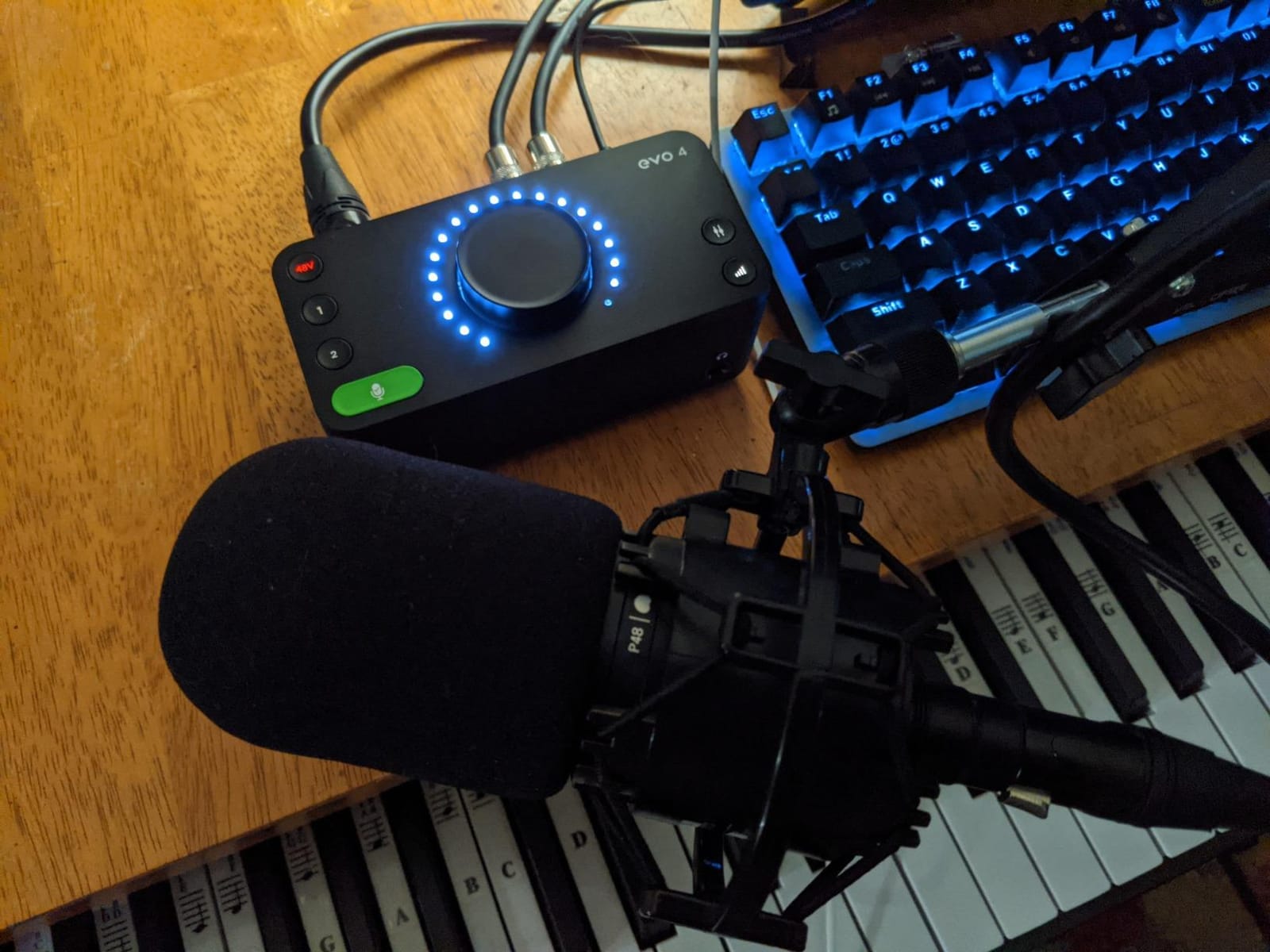
It runs entirely on USB bus power, which makes it the most portable option here, and it works with macOS, Windows and iOS given a powered hub. At 0.6 kilograms and 5.51 inches wide it takes up almost no desk space.
Two Preamps, Not Four: Read This Before Buying
This is the part that trips people up. The EVO 4 has two XLR/TRS mic inputs and two instrument/line inputs. Two of those inputs have mic preamps. If you turn up for a four-person roundtable expecting four XLR mic connections, you will be short two preamps and will need to add another capture device.
For a two-host show it is exactly right. For a roundtable it is a partner piece, not a hub, and the same honest description applies to the MOTU M4, the Scarlett 4i4 4th Gen and the MiniFuse 4 further down this list.
Smart Gain and the Super Rotary Encoder
Smart Gain is the feature that wins over people who have never used a real audio interface. You select a microphone type, it dials in a sensible starting level, and you are recording instead of guessing. The Super Rotary encoder is a single large knob that changes function depending on what you are adjusting, which keeps the face of the unit uncluttered.
Conversion runs at 24-bit/96 kHz through AKM converters. That is below the 192 kHz ceiling of several rivals, and for spoken word I would not expect anyone to hear the difference. Loopback is included, so you can capture system or app audio alongside your voice when a show needs it.
Where the EVO 4 Fits in a Podcast Chain
Pair it with the Zoom PodTrak P4 if you need a three or four person table and want the P4 to handle headphone distribution and direct-to-SD capture. Pair it with the MOTU M4 if you also record instruments and want a screen to check meters without opening your laptop.
Skip it if your show is a roundtable. It is an outstanding two-channel preamp pair wearing a four-channel label, and no amount of good gain will substitute for the two preamps it does not have.
4. MOTU M4 – Flexible Routing for Podcast Plus Music
Motu M4 4×4 USB-C Audio Interface
4-in/4-out USB-C
2 mic preamps
ESS converters to 192 kHz
LCD hardware monitoring
Loopback and MIDI
Pros
- ESS converter quality delivers clean transparent capture
- LCD screen shows meters and settings without a computer
- loopback and MIDI I/O cover streaming and gear needs in one box
- large bundle of free software for Mac PC and iOS
- compact bus-powered enclosure
Cons
- Only two microphone preamps so four mics at once needs a second interface or mixer
- no bundled multi-guest headphone distribution
- drivers must be installed before first use
- small screen with limited detail
The M4 shows up repeatedly in threads where podcasters also record music, and that is the use case it serves best. Four balanced inputs, four outputs, MIDI In/Out, a hardware monitoring screen and loopback in a bus-powered 16 ounce enclosure. At 4.25 by 8.25 inches it fits on a small desk and can travel.
The LCD is the feature that changes a session. Meters and routing settings are visible without launching software, so you can check levels on the street, in a borrowed room, or mid-interview without breaking the conversation.
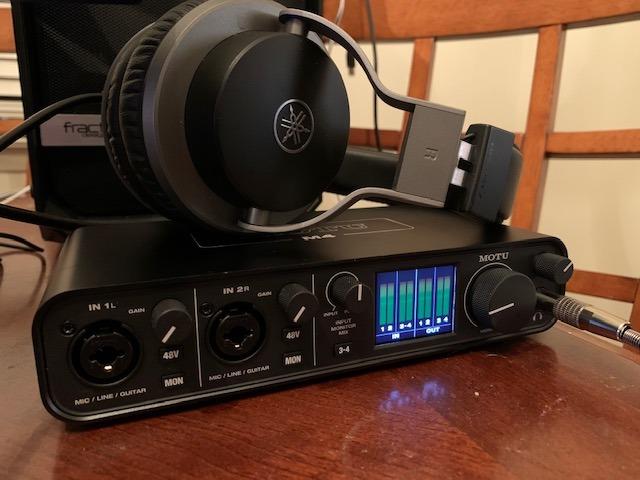
Loopback captures computer or app audio as a return channel, which is the cleanest way to fold a remote guest call, a video chat, or a game into a podcast track without a second mixer. Podcasters who record alongside music also lean on the MIDI I/O to control a pad controller or keyboard from the same device.
The LCD and Hardware Monitoring Loop
Hardware monitoring routes the input signal to your headphones before the computer gets involved. That removes round-trip latency, which is what makes talkback and live performance monitoring feel natural instead of laggy. The tradeoff is that hardware monitoring cannot be turned off per channel easily, so if you need zero-latency monitoring on some inputs and software effects on others, learn the mix in your DAW first.
Drivers must be installed before the first session. Budget ten minutes for that, and check the operating system support before you commit.
ESS Converters and Loopback for Remote Guests
MOTU’s ESS converters are consistently described by owners as transparent, with a low noise floor at podcast levels. The ceiling is 24-bit/192 kHz, and the bundled library includes more than 6 GB of Mac, PC and iOS software including simplified DAW editions.
For a remote guest workflow, loopback is the piece most guides skip. Route the call into loopback, and it appears as a normal input your software can record alongside the in-room mics, with no virtual audio cable and no extra mixer.

Why Podcasters Pair It With a Second Box
There are two microphone preamps, not four. On a three or four person show, owners typically pair the M4 with a multi-channel recorder like the PodTrak P4, using the M4 for the music bed or a hi-fi source and the P4 for the voices and headphone distribution.
That pairing is a real workflow rather than a workaround. It also gives you a screen for metering, loopback for remote audio, and MIDI for an intro sting, all from a single compact device. If you only ever record two people, the M4 is more than enough and you may prefer the simpler layout on the best USB audio interfaces we have covered.
5. Focusrite Scarlett 4i4 4th Gen – The Best-Sounding Converters Here
Focusrite Scarlett 4i4 4th Gen USB-C Audio Interface
4-in/4-out USB-C
2 mic preamps
120 dB dynamic range
2 Hi-Z inputs
Auto Gain and Clip Safe
Pros
- 120 dB dynamic range from flagship converters yields exceptionally quiet detailed recordings
- Auto Gain and Clip Safe make first-time mic setup nearly foolproof
- two Hi-Z instrument inputs capture guitar and vocals at once
- USB-C bus power keeps the desk footprint minimal
- substantial bundled software
Cons
- Only two mic preamps despite the four-in/four-out labeling
- no multi-guest headphone outputs for roundtable monitoring
- bundled software licenses can expire or add activation friction
- requires driver installation
The Scarlett 4i4 4th Gen has the widest dynamic range in this group, and for a quiet recording environment that translates directly into a cleaner master. 120 dB of dynamic range from Focusrite’s flagship converters means quieter noise floor, more headroom above your voice, and more usable data in post before you reach for a noise reduction plugin.
Auto Gain sets a sensible recording level for whatever microphone you plug in, and Clip Safe catches peaks so a hot talking moment does not ruin the take. For a host who has never touched a mixing console, those two features remove most of the setup anxiety.
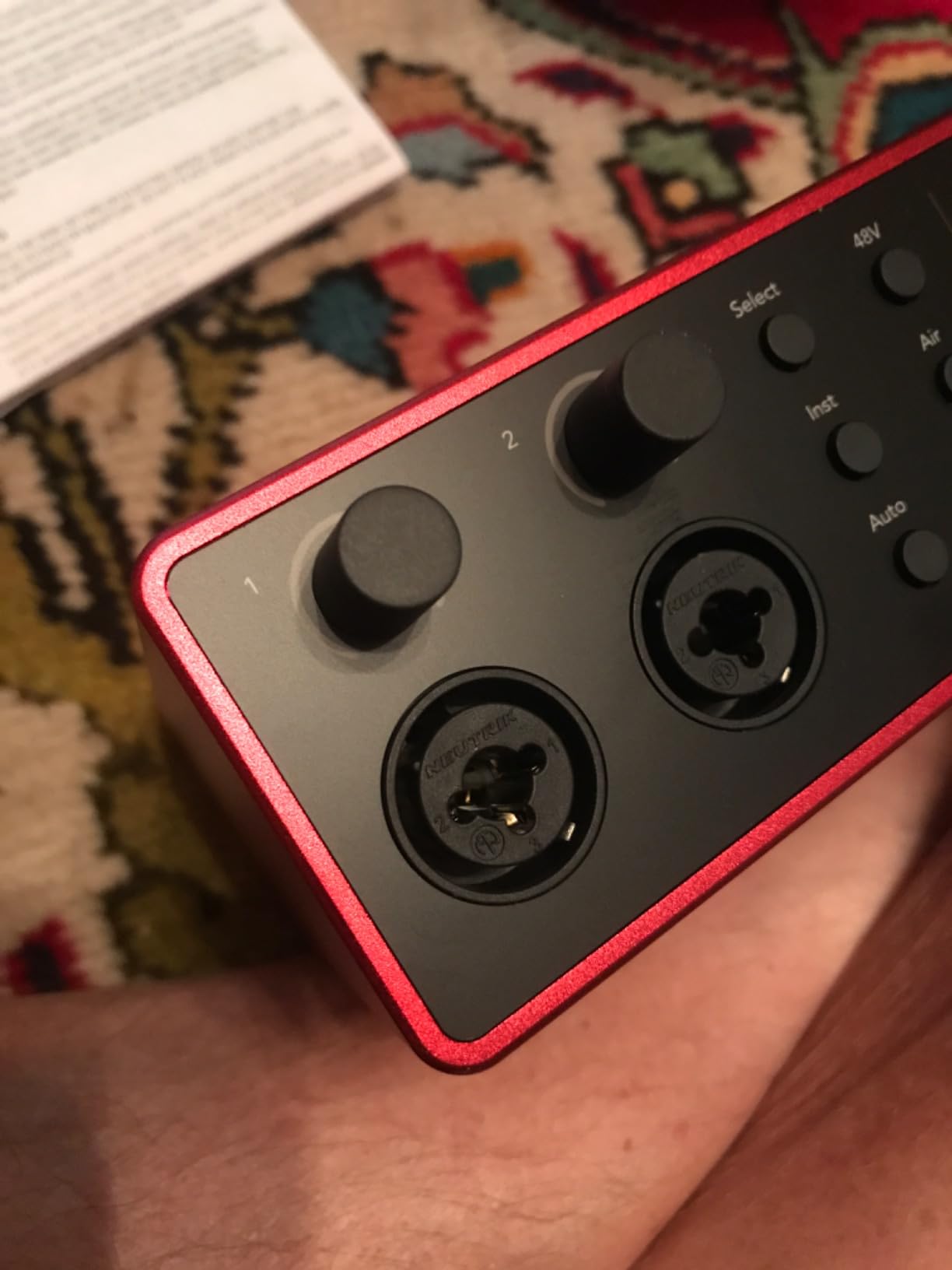
The bundle is unusually generous for a compact interface. Pro Tools Intro, Ableton Live Lite, Cubase LE and the Hitmaker Expansion all ship in the box, which often covers what a new podcaster would otherwise buy first.
120 dB of Dynamic Range and Auto Gain
Dynamic range is the number to hold onto here. The interface records quiet and it leaves you room to record loud, which is exactly what you want when one guest speaks into the mic and the other leans back from it. The practical effect is that a voice podcast mixed from these files needs far less corrective processing than one captured on a lower-range box.
Air mode adds presence and harmonic drive to vocals and guitars, which is a fast way to make a flat-sounding room recording sit better in a mix without reaching for an external processor.
Instrument Inputs and the Software Bundle
Two Hi-Z instrument inputs mean you can capture an acoustic guitar or a bass alongside voice in the same session without an extra box. Four line inputs and four balanced line outputs give you room to route a small outboard preamp, a DI, or a second voice chain into the interface if you outgrow it.
All of that is wired to a USB-C bus power connection, and the unit measures 7.09 inches wide by 2.32 inches deep, so it is a comfortable fit on a small desk. Expect to install the driver before the first session.
The Two-Preamp Reality
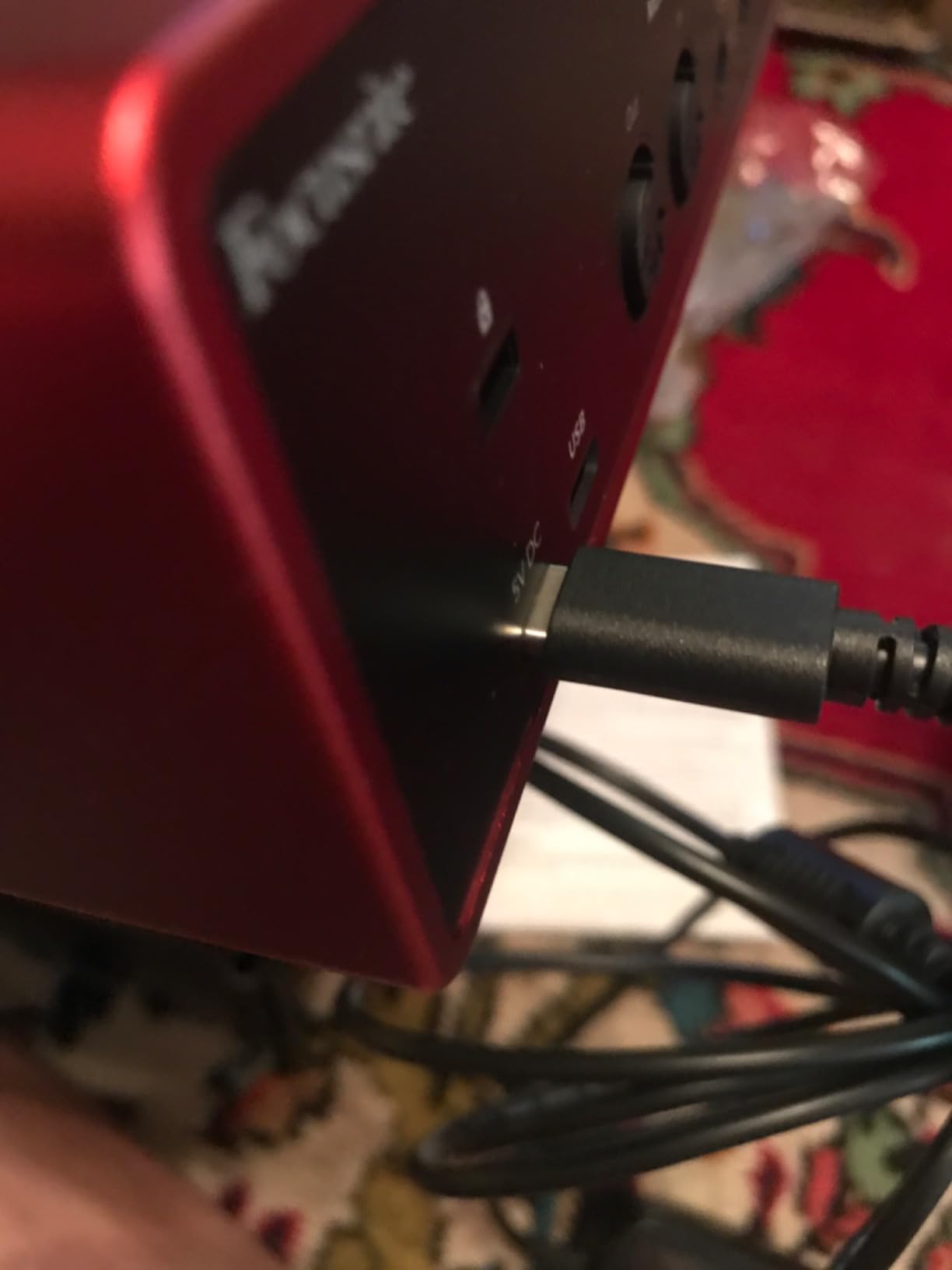
Of the four inputs, two are Scarlett mic preamps. The other two are line-level. Recording four microphones into this interface therefore needs an external mixer or a second capture device, which is a step backwards for a roundtable show even though the audio quality is first class.
Where the Scarlett earns its place is a two-host show that also records music, or a host who wants the quietest possible capture and intends to do the gain staging by hand. If you need four mic inputs, the Behringer UMC404HD or the Roland Rubix44 both deliver them; if you also need instrument inputs in the same box, the Arturia MiniFuse 4 is the one to look at next.
6. Tascam Mixcast 4 – The All-in-One Station for Non-Technical Hosts
TASCAM Mixcast 4 Podcast Streaming Mixer, Recorder, and USB Audio Interface — Four XLR/TRS Mic Inputs, Touch Screen and Editing Software Included
4 XLR/TRS mic inputs
4 individual headphone outs
14-track SD recording
8 sound pad banks
Touch panel
Pros
- All-in-one station combining four mic inputs
- four headphone outputs
- a recorder and a USB interface
- eight banks of illuminated customizable sound pads
- mix-minus aux input handles phone guests cleanly
- Bluetooth input pulls audio from a phone or laptop
- bundled Podcast Editor covers track arming
Cons
- Largest and heaviest unit in its class at 2550 g and cord powered
- 14-track direct recording is modest next to software mixing
- one-year warranty is shorter than competitors
- touch screen has a learning curve
The Mixcast 4 is the closest thing here to a complete production station. Four XLR/TRS mic inputs, four individual headphone outputs, 14-track direct-to-SD recording, a Bluetooth input and an aux input with mix-minus, all in one unit with a touch panel and eight banks of illuminated sound pads. A show can be recorded start to finish without opening a computer.
That is the entire pitch for a team that does not want to think about signal flow. The bundled Tascam Podcast Editor handles track arming and pad assignment in the post-production step, so the workflow continues if you do want to edit on a computer afterwards.
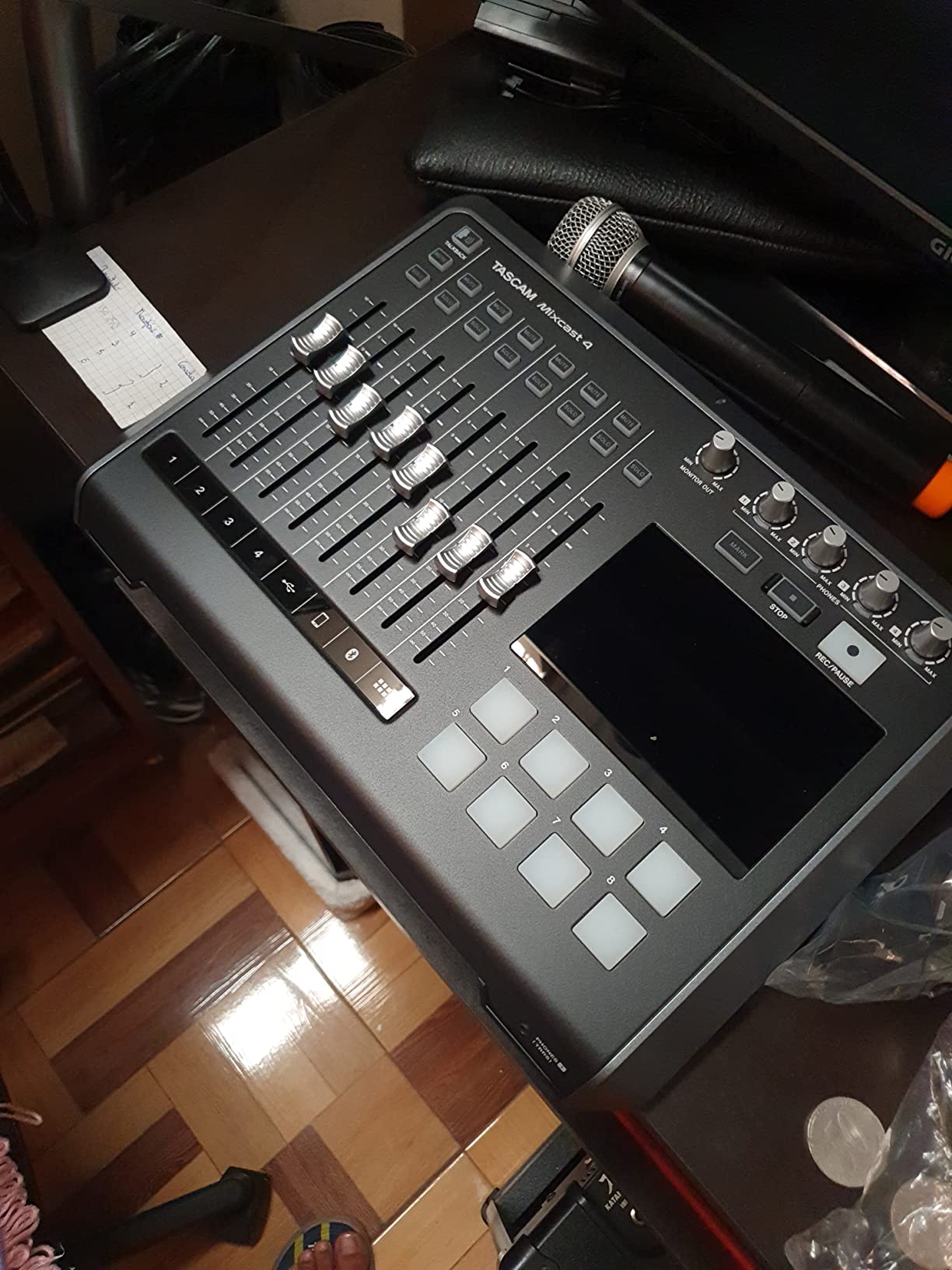
The sound pads take eight banks of customizable triggers, which for a live show means your theme, a sponsor sting, an applause cue and a transition bed are all one tap away, with the pads lighting so the host knows what is queued.
Four Inputs, Four Outputs and a Touch Panel
Every one of the four mic inputs is a combo XLR/TRS jack with phantom power, and each of the four headphone outputs has its own level. That is genuine roundtable capability, and it is why this unit belongs in a list of 4-channel audio interfaces even though it is styled as a console rather than an interface.
The touch panel handles streaming, event and podcast workflows in one place. It is also the main source of friction for beginners. Some owners describe the menu structure as dense compared with hardware-only recorders, so expect a short learning session before your first live show rather than during it.
Eight Banks of Sound Pads and 14-Track Recording
Direct-to-SD recording captures up to 14 tracks, which covers four voices, four headphone mixes, the pads, Bluetooth audio, the aux feed and USB return. Your podcast software then edits those tracks as separate files, so mixing decisions still happen in post on a real computer.
Bluetooth audio input is genuinely useful for pulling a caller or a phone recording into the session, and the aux input carries its own mix-minus so a phone guest never hears their own voice echoed back.
Size, Corded Power and the Learning Curve
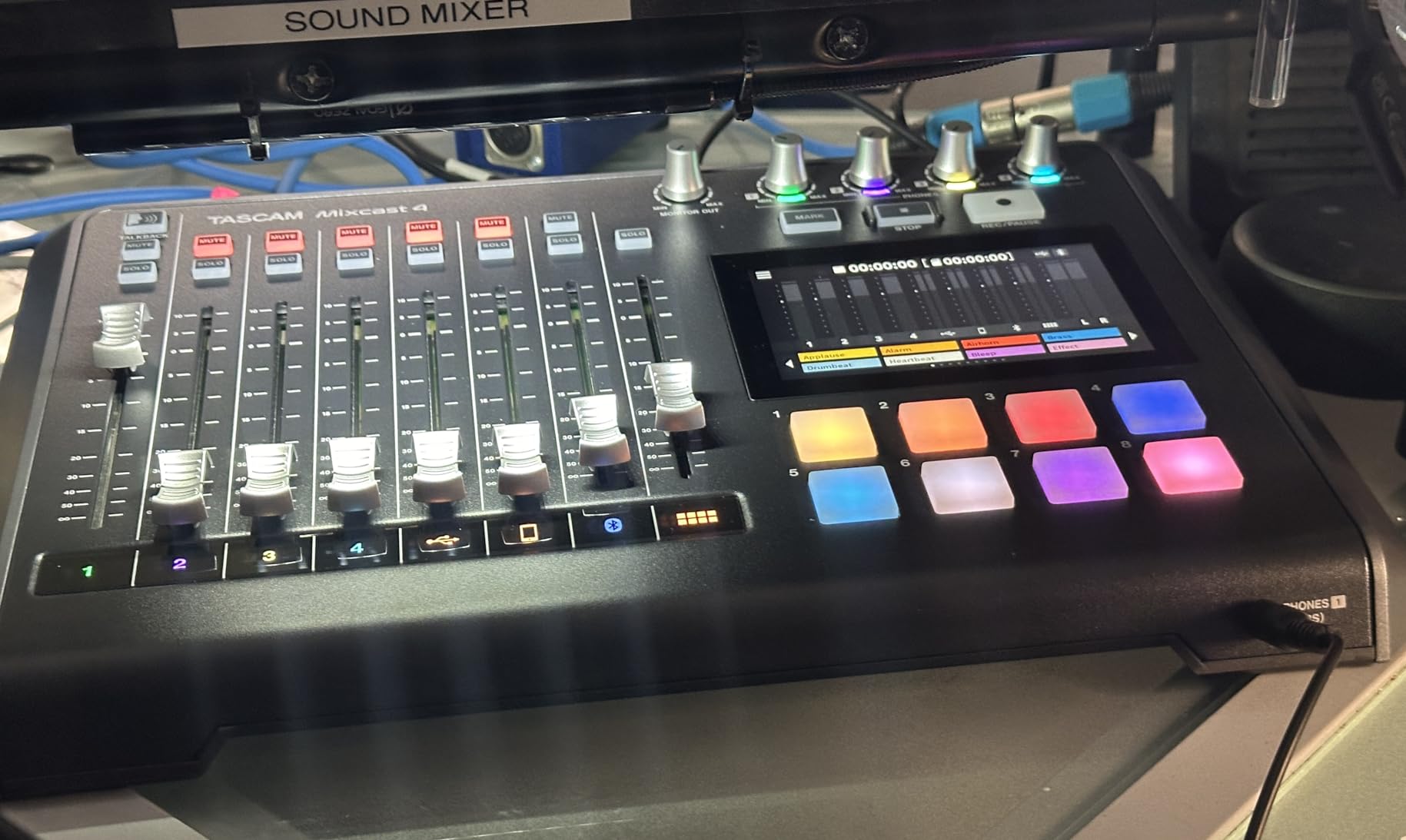
This is the largest and heaviest unit we tested, at 2550 grams and 14.76 inches wide, and it runs on corded power. That is a deliberate trade for a chassis built to be the centre of a production desk rather than a travel accessory, but it is not a device you carry to a remote interview.
The one-year warranty is shorter than the three to five years offered by the Audient, Focusrite and Arturia units here. Some early owners needed a firmware update before the feature set was complete, so update it on your own Wi-Fi before you need it on show day.
7. Arturia MiniFuse 4 – Most Real Input Options and the Longest Warranty
Arturia MiniFuse USB Audio & MIDI Interface, MiniFuse 4
2 combo XLR with 48V
2 instrument/line TRS
4 balanced line outs
2 headphone outs
Loopback and MIDI
Pros
- Very low latency with users reporting stable operation at 32-sample buffers
- two combo XLR plus two TRS inputs give more real input options than most rivals
- two headphone outputs with independent volume
- unusually generous bundled software
- five-year warranty is the longest here
Cons
- Only two inputs have phantom power which limits stereo condenser use
- does not pass host-device power to downstream gear on an iPad
- headphone knob is extremely sensitive for small adjustments
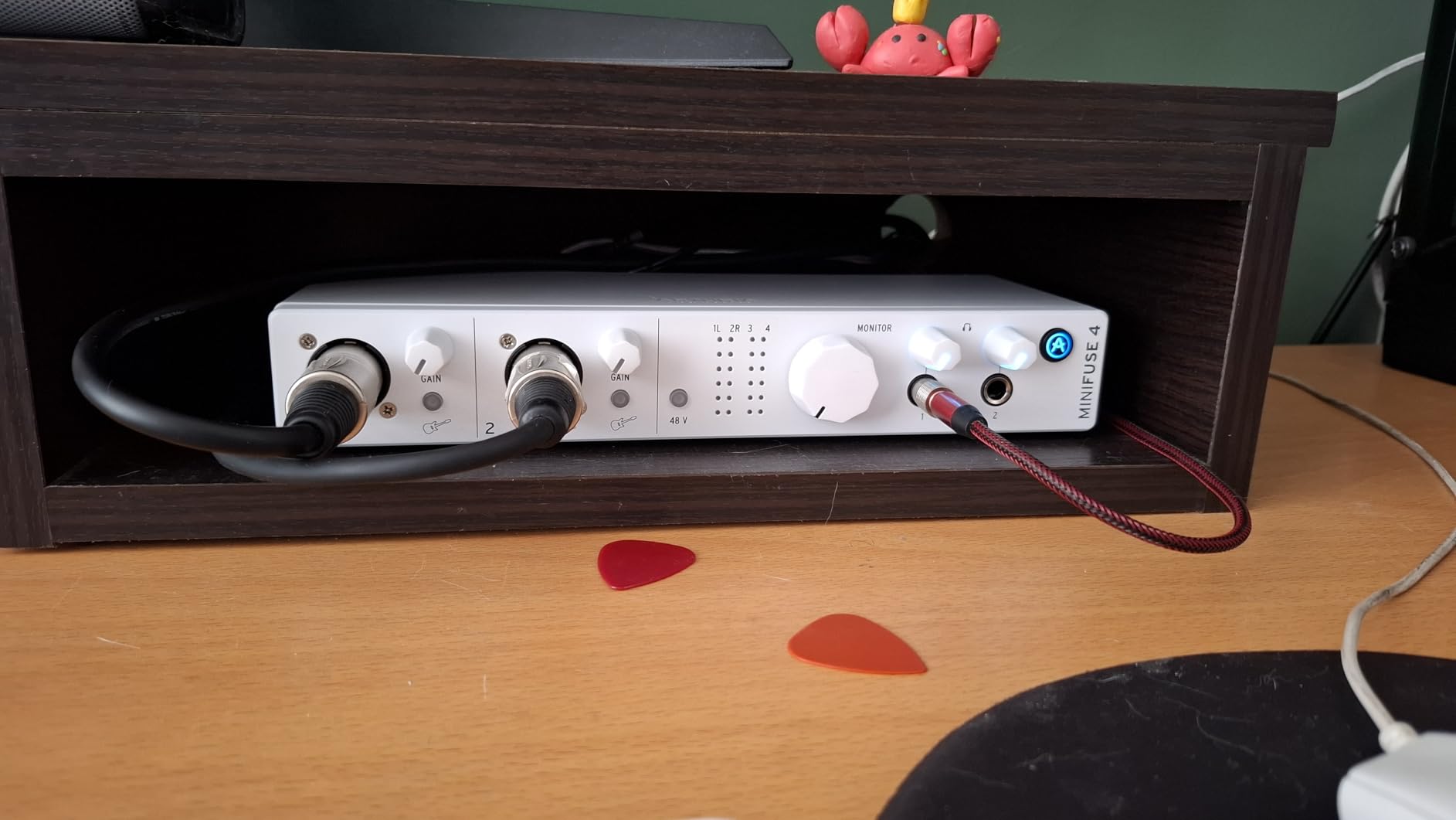
The MiniFuse 4 is the one in this group where the input panel is not a compromise. You get two combo XLR mic/instrument/line inputs with 48V phantom power, two more instrument/line TRS inputs, four balanced quarter-inch line outputs and two headphone outputs with independent volume. That is more genuinely usable connections than anything else in this price range.
Latency is the headline. Owners report stable operation down to 32-sample buffers, which means you can monitor with effectively no perceptible delay. For a podcaster tracking a live guitar part while talking, that changes how the session feels.
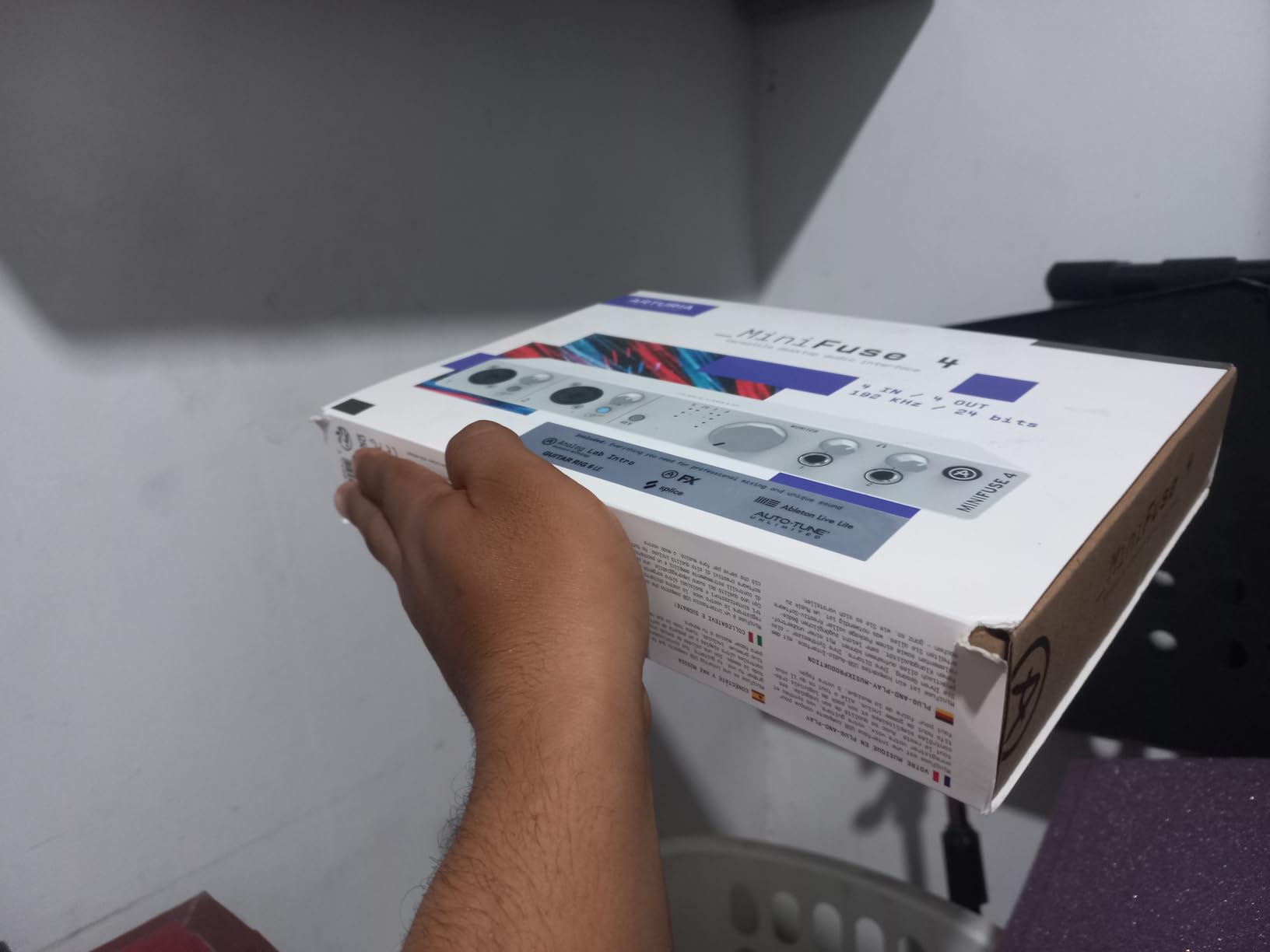
The bundled software is unusually generous for a unit this size, including Ableton Live Lite, Analog Lab Intro and Guitar Rig 6 LE, all handled through a single control application that also covers firmware, routing and latency settings.
Real Input Variety and 32-Sample Buffers
Two combo XLR inputs with phantom power plus two TRS inputs means you can record two mics and an instrument at the same time, which is exactly the shape of a podcast that runs a theme played live. Four balanced line outputs on the back give you outputs to feed monitors or a mixer if the session grows.
The control software is where routing, buffer size and firmware updates live. It is the one extra step before recording, and it is worth spending the five minutes it takes to set a sensible default buffer rather than leaving it at the highest setting.
Two Headphone Outs With Independent Levels
Two headphone outputs with independent volume is better than one, and worse than four. For a two-host show this is exactly what you need. For a four-person roundtable you will still need a distribution solution such as the PodTrak P4 or a small headphone amp.
Two USB type A hubs deliver 250mA each, which is convenient for plugging in a keyboard or a storage drive. Note that the unit is not a powered host for an iPad, so a tablet workflow needs its own power source.
The Five-Year Warranty and Its Limits
A five-year manufacturer warranty is the longest in this group, and the unit passed more than 200 reliability tests before shipping. For someone buying a single interface to last a decade of weekly episodes, that matters.
The limits are the same two-preamp story and a headphone knob that is extremely sensitive. Small volume adjustments are hard to make by feel, and only two inputs carry phantom power, which caps you at a stereo condenser setup without an external supply.
8. Roland Rubix44 – Four Preamps and Ground Lifts for Noisy Rooms
Roland Rubix44 4-In/4-Out USB Audio Interface | High-Resolution Audio | Record with Mics, Guitars, Keys & More | Compact & Durable Build | Compatible with Mac, PC & iPad | Expanded I/O Features
4-in/4-out USB
4 low-noise preamps
Ground lifts
Hardware compressor and limiter
MIDI In/Out
Pros
- Four low-noise mic preamps in a single unit for genuine four-channel capture
- ground lifts and shielding enable quiet operation in noisy rooms
- built-in hardware compressor and limiter handle gain staging without software
- sturdy metal chassis rated for touring
- class-compliant drivers need no installation
Cons
- Highest price in this comparison despite fewer smart features
- no bundled software and no loopback for streaming
- not bus powered so an external supply is required
- 4 pounds and uses an older USB-B connection
The Rubix44 is the other box in this group with four genuine microphone preamps on XLR combo jacks, and it solves a problem the others largely ignore. Ground lifts and extensive shielding let you capture quietly in rooms with electrical noise, a hum in a building, or a laptop charger you cannot unplug.
It also has hardware compression and limiting on board. That is not a gimmick in a live roundtable: it means you can keep four dynamic microphones at consistent levels without software, which is a genuinely useful thing to have when nobody is watching a DAW.
Roland built it like tour equipment. The metal chassis is sturdy, the large indicators are readable from across a room, and the drivers are class-compliant, so there is nothing to install before you record.
Four Genuine Preamps With Ground Lifts
Four low-noise preamps mean every seat in a roundtable gets a proper XLR input, with the same gain range and the same noise performance. That is the headline advantage over the two-preamp boxes earlier in this list, and it is why a four-person show should look here even with a longer USB cable.
Ground lifts are the quiet hero. If you record in an untreated room with dimmers, LED lighting or an old building, a ground loop hum can dominate a quiet voice take. Lifting the ground on the affected channel is a two-minute fix that saves an afternoon of plug-ins.
Hardware Compression for Fast Gain Staging
One of the most repeated pain points in podcast forum threads is uneven level across a panel, especially when a show also features live guitar. The Rubix44 puts a compressor and limiter in the hardware path, so the raw tracks arrive more consistent and the post-production gain matching is a formality rather than a project.
There is also a Hi-Z input for guitar and other high-impedance sources, plus MIDI In/Out if you trigger samples or a theme from a controller while recording.
What You Give Up at This Price
This sits at the upper end of the price range and it delivers fewer modern conveniences than cheaper boxes. There is no bundled software, no loopback for capturing system or app audio, and no screen, so meters are checked in software rather than on the hardware.
It also needs an external power supply instead of running on USB bus power, and at 4 pounds with a USB-B connection it is less pleasant to travel with than the bus-powered alternatives. If you record in a quiet treated room and do not need loopback, it is still the most durable four-preamp choice here. If you need those extras, the beginner USB interfaces we cover elsewhere will serve more needs for less.
How to Choose a 4-Channel Audio Interface for Podcasts
What Is the Best 4-Channel Audio Interface?
The best 4-channel audio interface for podcasts is the one with four real mic preamps, per-channel +48V phantom power and enough independent headphone outputs for everyone speaking. The Behringer UMC404HD fits that brief best, the Zoom PodTrak P4 wins when you want four headphone feeds and no computer, and the Roland Rubix44 wins when your room is noisy.
How Many Channels Do You Actually Need?
Map channels to people, not to ambition.
- One speaker: you need one input. A single-channel interface is enough, and a USB microphone is a legitimate choice.
- Two hosts: two mic inputs. The Audient EVO 4 or the MOTU M4 handles this cleanly, and both are better buys than a four-channel box.
- Three or four speakers at a table: four mic preamps with per-channel phantom power. That is the Behringer UMC404HD, the Roland Rubix44, the Zoom PodTrak P4 or the Tascam Mixcast 4.
- A podcast that also records instruments: four inputs, at least two Hi-Z or instrument-capable, and ideally four balanced line outputs. That points at the Arturia MiniFuse 4 or the Focusrite Scarlett 4i4 4th Gen paired with a second mic preamp.
Users often describe a four-channel interface as overkill when they only ever record two microphones. That feeling is correct. Do not pay for channels you will never patch.
Phantom Power on All Four Inputs
Phantom power is the 48 volts a condenser microphone needs to operate. Dynamic microphones such as an SM58, SM57 or a broadcast ribbon do not need it, and feeding phantom power to some of them is harmless but not helpful.
The detail that matters is per-channel switching. A roundtable running two condensers and two dynamics needs phantom power on two channels and off on the other two. Boxes with a single global phantom switch force you to either use matching microphones or reach for an external supply, and that is a genuine limitation, not a preference. Forum threads repeatedly confirm that phantom power already being included removes a real purchasing barrier for condenser users.
One practical warning: if a bus-powered unit shuts down or resets when you engage phantom power on several channels, the likely cause is the host port not supplying enough current, not a faulty microphone. Move to a mains-powered unit or a self-powered hub before assuming the hardware is broken.
Preamp Gain and Quiet Dynamic Mics
Gain staging is where most inexpensive interfaces disappoint. A quiet broadcast dynamic such as an SM7B needs a lot of gain to reach a usable level, and pushing a modest preamp hard raises the noise floor along with the signal. That is the single most common reason owners add an inline booster or a cloudlifter-style device to a budget interface, and it is also the most common complaint that extra noise appears.
Gain ranges differ meaningfully here. The EVO 4, the MiniFuse 4 and the MOTU M4 are all comfortable with common broadcast dynamics. If you plan to use an SM7B, check the maximum gain figure before you buy, and plan to add an inline booster rather than pushing a quiet preamp to its limit. A hardware compressor on the Rubix44 also reduces how far you have to push the preamp in the first place.
What Most Podcasters Actually Use
Most podcasters recording two to four people use a small dedicated recorder or a compact four-XLR interface rather than a full mixing desk. The Zoom PodTrak P4 is the recurring first recommendation in podcast forums, often paired with cardioid dynamic microphones, and the Tascam Mixcast 4 is the next step up for shows that want sound pads and touch-panel control.
The reason is simple. Those devices record every person to a separate track, survive a computer crash, and can be operated by a host who will never open a DAW. The cost is that processing stays limited on the device itself, so polish happens in software afterward.
Interface vs Standalone Recorder
Choose a standalone recorder when your team is non-technical, your show records live, or you want a take that survives a computer failure. Choose a computer-based interface when you edit inside a DAW, need unlimited tracks, or want the full weight of podcast software for mixing and mastering.
The overlap is real. The PodTrak P4 and the Mixcast 4 both connect over USB and both work as interfaces, but their USB audio interface mode is a two-channel return rather than a live multitrack capture, so their value is in recording to the device first and importing afterward.
One more note on capture quality: 24-bit/48 kHz is plenty for spoken word, and you do not need 24-bit/96 kHz for a podcast. What actually determines quality is gain staging, microphone choice and room treatment, in that order. A treated room with a modest preamp beats an expensive interface in an untreated one every time.
Frequently Asked Questions
Do I need a 4-channel audio interface for a podcast?
Only if you are recording more than one person at a time. A single host needs one input, and a two-host show needs two. Four channels matter for a three or four person roundtable, or a show that records a music bed or instrument alongside voice. Before buying, confirm the box has four microphone preamps, not just four inputs.
Which 4-channel audio interface has the best preamps?
The Audient EVO 4 and the Roland Rubix44 both deliver notably clean, low-noise preamps, and the Focusrite Scarlett 4i4 4th Gen offers the widest dynamic range at 120 dB. For four-channel roundtable capture specifically, the Behringer UMC404HD and the Roland Rubix44 are the two units here with four genuine preamps.
Do I need phantom power if I have an audio interface?
You need it if you use condenser microphones. Most 4-channel interfaces include plus 48V phantom power, but check whether each mic input switches independently, because a roundtable mixing condensers and dynamics needs it on some channels and off on others.
Can I record 4 people at once with one interface?
Yes, if the interface has four microphone preamps and per-channel phantom power. The Audient EVO 4, MOTU M4, Focusrite Scarlett 4i4 4th Gen and Arturia MiniFuse 4 are labelled 4-in/4-out but have only two mic preamps, so they need a second capture device for a four-person table.
Do I need an audio interface or a standalone recorder for podcasting?
Choose a standalone recorder like the Zoom PodTrak P4 or Tascam Mixcast 4 if a non-technical team runs the show or you want takes that survive a computer failure. Choose a computer-based interface if you edit inside a DAW, need unlimited tracks, or want full software control over mixing.
Do I need 24-bit/96 kHz for podcast recording?
No. Recording at 24-bit/48 kHz is plenty for spoken word. Gain staging, microphone choice and room treatment affect the finished audio far more than sample rate, so spend your effort there before chasing higher conversion ceilings.
What is the 3 to 1 rule for microphones?
The 3 to 1 rule says a microphone should be roughly three times the distance of the loudest source from the room walls. It is a placement guideline rather than a purchase criterion, so choose your interface first and apply the rule when you position mics around a table.
Which 4-Channel Audio Interface Should You Buy?
For a four-person roundtable, buy the Behringer UMC404HD. It is the only unit here that combines four real MIDAS preamps, phantom power on every mic input and direct-to-computer multitrack recording in a chassis that weighs under three pounds.
If a non-technical team runs the show and you want the hardware to capture every take without a computer, the Zoom PodTrak P4 is the pick, with four headphone outputs and automatic mix-minus handling remote guests. If your room is noisy or you want hardware compression, the Roland Rubix44 solves problems the rest leave to software. For a show that also records music, the MOTU M4 gives you loopback, MIDI and an LCD you can read without a computer.
And if your show is only two people, skip the four-channel format entirely. The Audient EVO 4 has cleaner preamps, a smaller footprint and no headphone distribution you will never use. Match the hardware to the number of voices at the table, gain stage carefully, and treat the room before you treat the price. Every pick above is re-verified each quarter, and our guide to the wider Thunderbolt audio interfaces covers the next step up for larger productions.
Leave a Reply