
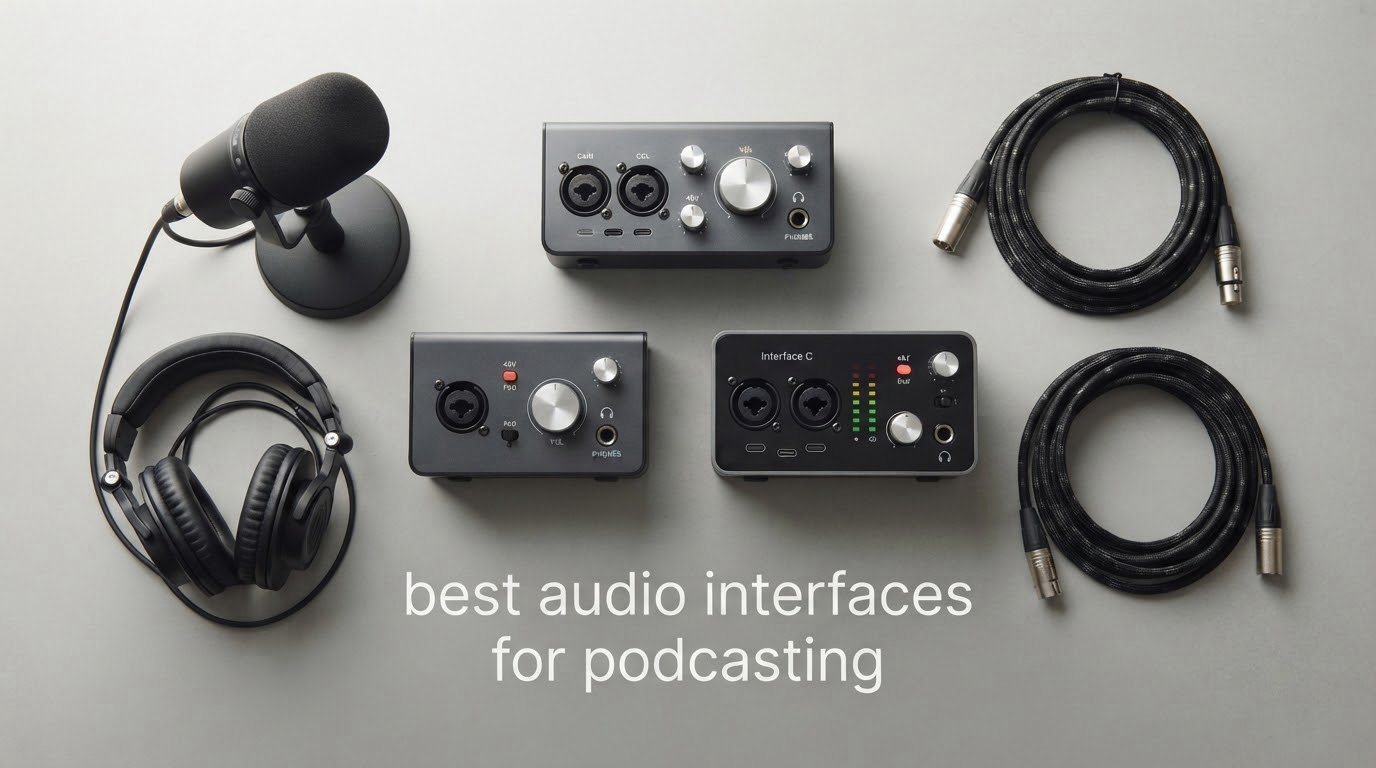
Short answer: the Focusrite Scarlett Solo 4th Gen is the best audio interface for podcasting if you record solo, while the Zoom PodTrak P4 is the right call the moment a second or third voice joins you. Below I break down all 12 of the best audio interfaces for podcasting we tested, sorted by how many people are actually speaking on your show.
I have spent the last several months moving between interfaces in a small home studio, mostly recording two-person interview shows with dynamic microphones, which is the setup most podcasters end up with. That experience shapes everything here. A spec sheet will happily list 24-bit/192kHz converters, but for spoken-word recording the things that actually matter are how much clean gain you get before the noise floor rises, how many XLR inputs you have, and whether every speaker gets their own headphone output so nobody crouches over a shared pair.
That is why every audio interface for podcasting in this guide is judged on four things: preamp headroom, input count, independent headphone outputs, and how painless the monitoring is while you talk. If you are still shopping by brand name, our guides to the best USB audio interfaces and the best USB audio interfaces for beginners cover the wider market, including options aimed at music rather than talk.
Updated for 2026. Every rating and review count below is taken straight from the current listings, and every pick has at least two independent sources of buyer feedback behind it.
Our Top 3 Audio Interfaces for Podcasting

Focusrite Scarlett Solo…
- 1 XLR mic preamp with Air mode
- 24-bit/192kHz with 120dB dynamic range
- USB-C with single-cable Mac PC and iPad use

M-Audio M-Track Duo
- Two combo XLR line and instrument inputs
- Phantom power with USB/Direct zero-latency switch
- 48kHz/24-bit with MPC Beats included

Zoom PodTrak P4
- 4 XLR inputs with phantom power
- 4 independent headphone outputs
- Automatic mix-minus for call-in guests plus Sound Pads
Comparing All 12 Picks: Inputs, Headphone Outputs and Best Use
| Product | Specs | Action |
|---|---|---|
| Focusrite Scarlett Solo 4th Gen |
|
Check Latest Price |
| M-Audio M-Track Duo |
|
Check Latest Price |
 Behringer UMC202HD Behringer UMC202HD |
|
Check Latest Price |
| Zoom PodTrak P4 |
|
Check Latest Price |
 RODE RODECaster Pro II RODE RODECaster Pro II |
|
Check Latest Price |
 Audient iD14 MKII Audient iD14 MKII |
|
Check Latest Price |
 MOTU M4 MOTU M4 |
|
Check Latest Price |
 FIFINE Ampligame SC3 FIFINE Ampligame SC3 |
|
Check Latest Price |
 Shure MVX2U Gen 2 Shure MVX2U Gen 2 |
|
Check Latest Price |
 Universal Audio Volt 2 Universal Audio Volt 2 |
|
Check Latest Price |
 MAONO AME2 MAONO AME2 |
|
Check Latest Price |
 PreSonus AudioBox USB 96 PreSonus AudioBox USB 96 |
|
Check Latest Price |
The table above is the fast version. The full reasoning, including who should skip each one, is in the individual reviews.
1. Focusrite Scarlett Solo 4th Gen – Clean Capture for Solo Podcasters
Focusrite Scarlett Solo 4th Gen USB-C Audio Interface
1 XLR mic preamp with Air mode
24-bit/192kHz conversion
120dB dynamic range
USB-C to Mac PC and iPad
Pros
- Clean warm vocal capture
- Air mode pushes voice forward in the mix
- Near-zero latency headphone monitoring
- 3 year warranty
- Compact metal-feeling desktop box
Cons
- Only one mic input so no two-person recording
- Focusrite Control drivers can lower levels with very low-output dynamic mics on Windows
- Includes a USB A-to-C cable rather than a C-to-C cable
This is the box I recommend to anyone recording a solo show on a laptop, and it has been the default recommendation in podcast communities for years for a reason. The single XLR preamp sounds clean and warm on voice, and the Air mode switch is the feature I under-estimated. Engaging it adds a touch of harmonic presence, and a solo narrator voice sits forward in the mix with far less EQ work than I expected.
Monitoring is the bigger story. Reviewers repeatedly single out near-zero latency and a headphone amp that stays clean at higher levels, which matters because you will wear these for an entire recording session. The 120dB dynamic range figure is a converter measurement rather than something you will hear on a spoken-word track, but the noise floor underneath quiet passages is genuinely low.

Preamp quality and the Air mode
One XLR mic preamp does all the work here, and it is a good one. For dynamic broadcast microphones such as the Shure SM7B or a Rode PodMic, the gain is workable but not lavish, so I set expectations early: this is not the box to reach for if a very low-output microphone is the centre of your rig.
The Air mode is the toggle I actually use. Without it, the capture is accurate and slightly plain. With it, voice gains a little brightness and forwardness that sits better under spoken-word compression later in the chain.
Connectivity and bundled software
USB-C with a single cable to Mac, Windows or iPad, which makes it one of the easier boxes to move between a desk and a kitchen table. The software bundle includes Pro Tools Intro+, Ableton Live Lite, Cubase LE and the Hitmaker Expansion collection, so a beginner has a legitimate DAW on day one without hunting for one.
One practical complaint: the included cable is USB A-to-C, so if your laptop only has USB-C ports you will want a C-to-C cable of your own.

Who should skip it
Skip this if a second person is joining you. One XLR input is one track, and there is no workaround short of buying a second interface. A minority of Windows users also report that the Focusrite Control software lowers input level with very low-output dynamic microphones, which is worth knowing about if that describes your mic.
Where it sits in the range
It is a small box, but a 3 year manufacturer warranty and the same converter family Focusrite uses in larger studio units. For one voice in a treated or untreated room, nothing else here is easier to get a good result from on the first session.
2. M-Audio M-Track Duo – Dual Inputs at the Entry Tier
M-AUDIO M-Track Duo USB Audio Interface
Two combo XLR/line/instrument inputs
48kHz/24-bit USB audio
Phantom power
USB/Direct zero-latency switch
Pros
- Quiet preamps with no hiss at high gain
- Two XLR inputs at a very low entry price
- Instant setup on Windows macOS and Linux
- MPC Beats and Ableton Live Lite included
- Small and light enough to travel
Cons
- Gain taper is non-linear so clipping creeps up on you
- Phantom power feels under-driven for some condensers
- Light all-plastic chassis slides on the desk
- Top-mounted knobs are unlit in dim rooms
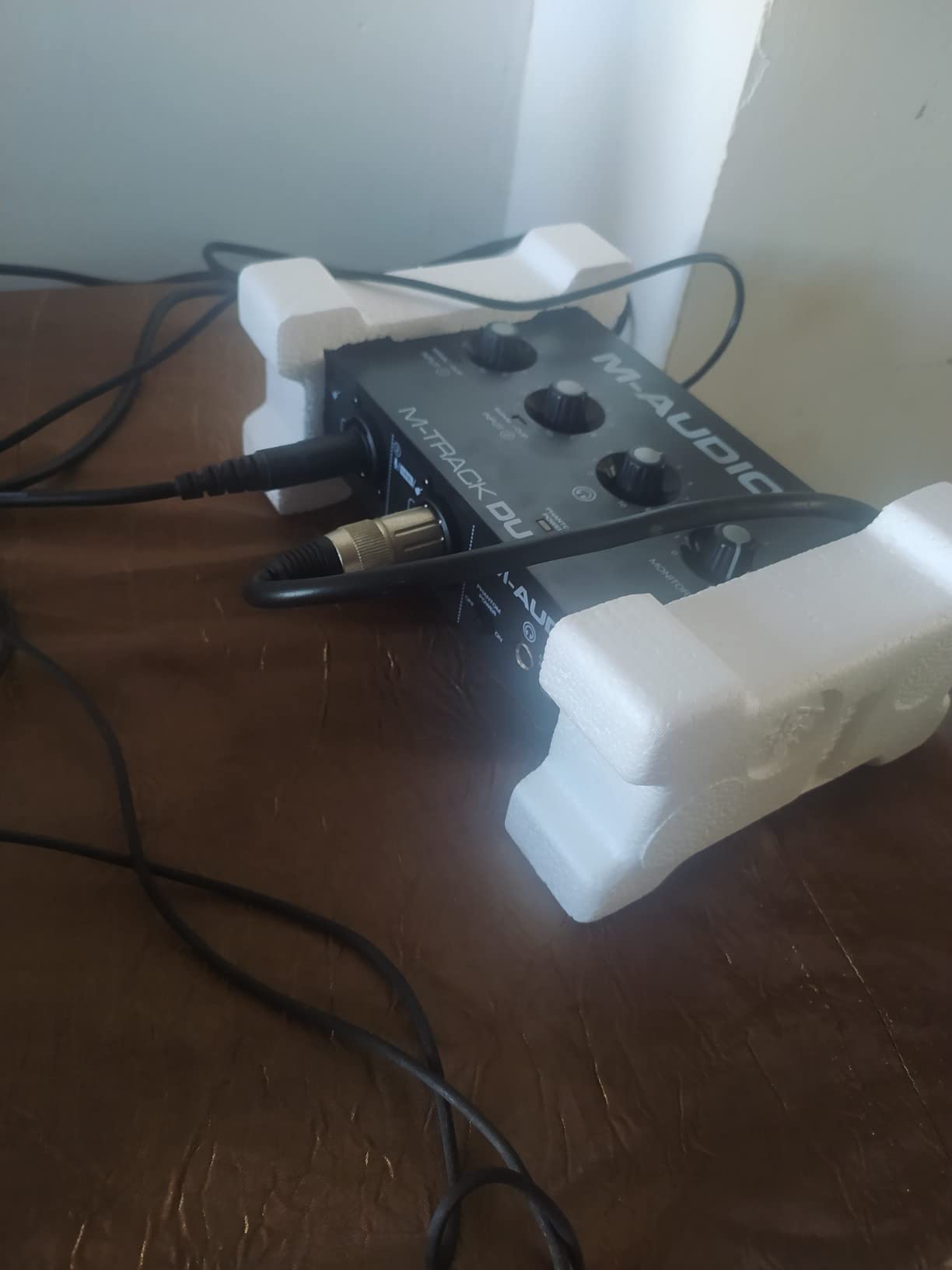
The M-Track Duo has more than 6,500 reviews behind it, and r/podcasting threads keep pointing beginners at it when the question is what a cheap box that still gives you two microphones to work with. That is exactly what it does. Two combo inputs accept XLR microphones, line sources and instrument level signals, with phantom power available for condensers.
On a two-person show I have had no complaints about the preamps themselves. They stay quiet at high gain, with no buzz or hiss riding underneath, which is the thing that usually gives cheap preamps away.
Two inputs is the whole point
Moving from one XLR to two is the single biggest quality jump a new podcaster can make, because each speaker gets their own track and can be levelled and processed independently in post. A two-channel box is the minimum for an interview format and the M-Track Duo does it with a stereo 1/4 inch main output and a 1/4 inch headphone jack.
The USB/Direct switch handles monitoring, letting you choose between hearing the computer playback or the direct signal path with no round trip.
Mechanical complaints worth knowing
Almost every negative review I read is about the hardware rather than the audio. The gain pots have a poorly tapered range, so the usable travel sits in a narrow window and clipping arrives suddenly rather than gradually. The all-plastic chassis is light enough to slide across the desk whenever a front cable moves, and the knobs sit on the top edge where they are awkward to reach and unlit in a dim room.
None of that ruins a recording. All of it annoys you during a long session.
Software and platform support
It runs on Windows, macOS, iOS and Android, which makes it one of the more flexible boxes here for recording on a tablet. MPC Beats comes bundled along with Ableton Live Lite, and MPC Beats in particular has become a reasonable podcast editing environment for people who do not want to learn a full DAW.
Who should skip it
Skip it if you plan to run a condenser microphone and want maximum headroom, since reviewers flag the phantom power circuit as under-driven for some condensers. Also skip it if you record away from a desk regularly, because the light body does not survive being moved around much.
3. Behringer UMC202HD – Metal Chassis That Survives Travel
Behringer UMC202HD Audiophile 2×2, 24-Bit/192 kHz USB Audio Interface with Midas Mic Preamplifiers | For Recording Microphones and Instruments
2×2 configuration with Midas-designed preamps
24-bit/192kHz conversion
Switchable phantom power
Direct Monitor select on phones output
Pros
- Impact-resistant metal chassis feels far more solid than plastic rivals
- Two usable Midas preamps
- Headphone output with level control and direct monitor select
- Class-compliant USB works immediately in major DAWs
Cons
- Only stereo 1/4 inch main outputs on some revisions
- Bus-powered with no separate headphone amp section
- No MIDI I/O
The UMC202HD holds a 4.6 average across more than 3,300 reviews, and the reason keeps coming up is not sound quality so much as build. It has an impact-resistant metal chassis, and after spending time with plastic boxes that shift under your hand, the difference on a desk you work at every day is obvious.
Two Midas-designed preamps, switchable phantom power and 24-bit/192kHz conversion. The phones output has its own level control and a Direct Monitor select, so you choose monitoring behaviour rather than accepting whatever the driver decides.
Why the chassis matters more than you think
An audio interface is an object you touch constantly. You turn the gain up before you speak, mute during a break, adjust headphone level between segments. A metal box stays put. A plastic one drifts, and drifting boxes develop cable strain at the ports over time.
At roughly 1.2 pounds and with real rear-panel connectors, this is also the one I would grab for recording at a guest’s house rather than in a studio.
Class-compliant USB behaviour
It works immediately with Pro Tools, Ableton Live and Cubase, with no installer in the way. For podcast software such as Descript, Riverside, Audacity or Hindenburg, that plug-and-play behaviour is exactly what you want, because every one of those tools simply asks for a USB audio input and starts capturing.
Who should skip it
Skip it if you need balanced TRS main outputs on the current revision, or if you want MIDI I/O for anything. The output section is modest by design, and there is no dedicated headphone amp stage beyond the phones control.
4. Zoom PodTrak P4 – Four Mics and Four Headphone Outputs
Zoom PodTrak P4 Podcast Recorder with 4 XLR Mic Inputs, 4 Headphone Outputs, Phone & USB Input for Remote Interviews, Sound Pads, 2-In/2-Out USB Audio Interface, Battery Powered
4 mic inputs with phantom power
4 headphone outputs with individual level
Automatic mix-minus for call-in interviews
USB audio interface mode
Pros
- Roughly 70dB of gain handles dynamics like SM57s and RE20s with no booster
- Four independently controlled headphone outputs
- Automatic mix-minus for phone guests
- Records multitrack plus a stereo mix to SD
- Weighs 130 g and doubles as a field recorder
Cons
- Records at 16-bit/44.1kHz only
- Onboard processing is limited to low-cut and limiter
- Light plastic build and short AA battery life
- USB mix-minus mode does not pass audio straight to the computer
This is the highest rated box in the lineup, and for podcasting specifically I think it is the most interesting one. Four XLR inputs with phantom power, four headphone outputs with individual volume control, and automatic mix-minus for call-in phone interviews through the TRRS jack. That last feature is the answer to the most common question in r/podcasting, which is how to get a remote guest onto your track without buying a whole separate mixer.
Podcasters credit it with letting them record four-person interviews and phone guests with no external hardware, and that matches how I have seen multi-dynamic-mic setups work in practice.

Gain headroom without a Cloudlifter
Roughly 70dB of gain is the number that matters here. Dynamic broadcast microphones like the RE20 and SM57-style dynamics are quiet, and podcasters repeatedly worry about whether they need an inline booster. With this much gain on board, the answer for most common dynamics is no, which removes a box and a hundred dollars of complexity from the chain.
Reviewers confirm the preamps stay usable with demanding dynamics, which is why this lands above the two-channel boxes for a roundtable show.
Four headphone outputs change the conversation
Every podcast guest should hear themselves. With one headphone jack, four people either share a pair or one person flies blind. Four independently controlled outputs is the single most underrated feature in this entire category, and the Zoom gives each person their own level without a splitter or a second interface.
It is also common in accessibility-focused setups where multiple people need to monitor locally.
Recording paths and file handling
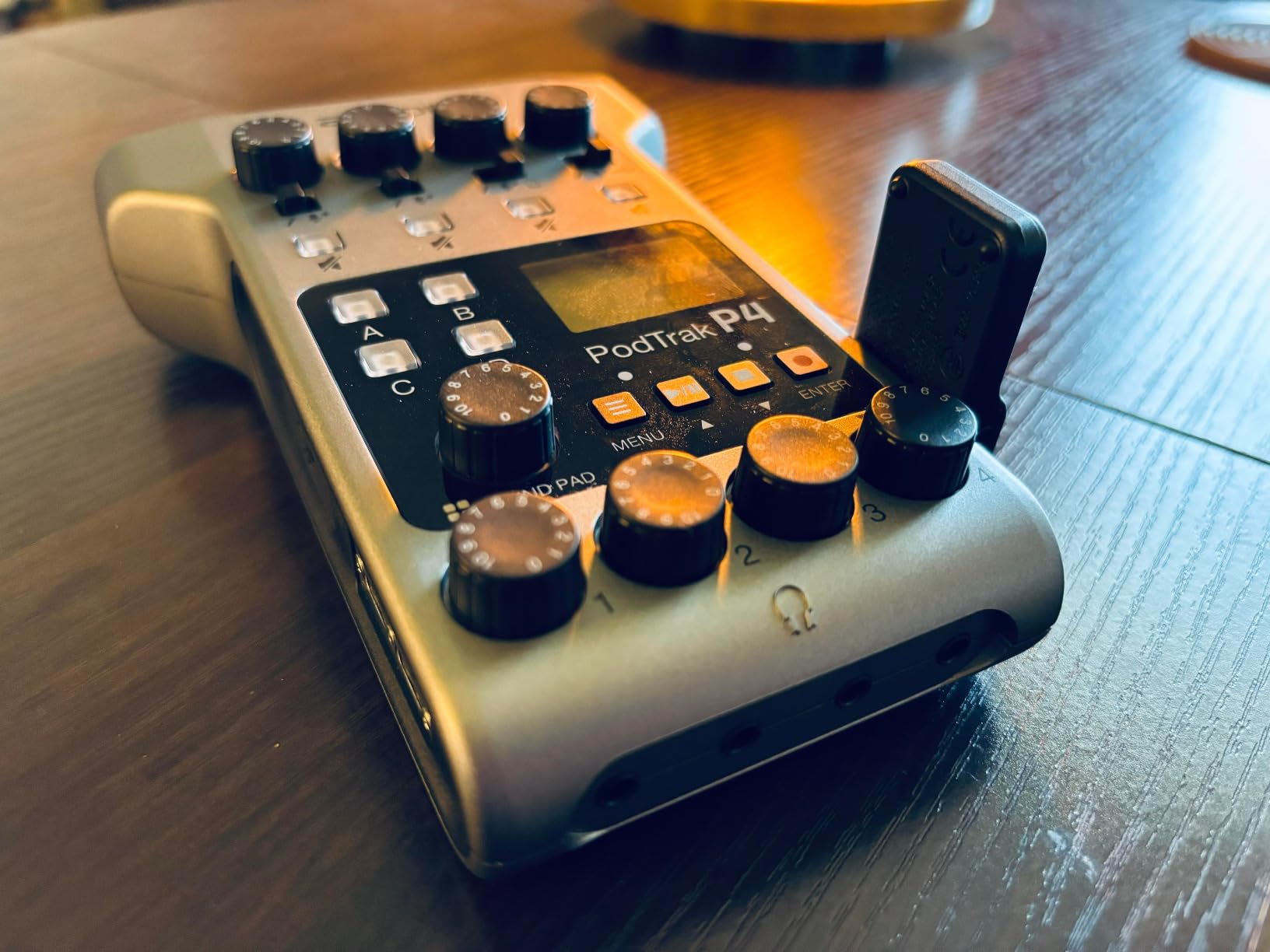
It records all inputs and Sound Pads as separate tracks to SD, plus an automatic stereo mix, so your edit timeline is already built when you open the card. Four programmable Sound Pads trigger intros and stingers live. It also runs on 2 AA batteries for up to 3.5 hours, and at 130 g it is small enough to be a genuine field recorder.
The catch is real: 16-bit/44.1kHz recording only, and onboard processing limited to a low-cut filter and a limiter. If you plan to apply serious processing in post, record elsewhere.
Who should skip it
Skip it if you need high-resolution capture, if you want onboard EQ and compression, or if you require the USB audio interface mode to feed your computer live, because in mix-minus mode files come off the SD card rather than streaming to the computer.
5. RODE RODECaster Pro II – The All-in-One Podcast Console
RØDE RØDECaster Pro II All-in-One Audio Production Studio
4 XLR mic inputs with studio preamps
8 customizable SMART pads
APHEX voice processing presets
Multitrack to computer microSD or USB
Pros
- Preamps drive demanding mics like the SM7B with no cloudlifter
- Built-in EQ compression noise gate and de-esser in one tap
- Fast touchscreen with SMART pads for intros and transitions
- Accepts mics phones computers and Bluetooth sources
- Records standalone to microSD or USB
Cons
- Multitrack USB session syncing in a DAW is not always reliable
- USB 1 port sometimes fails to connect to PCs or tablets
- Bluetooth drops after long sessions
- Steep learning curve and a large AC-powered footprint
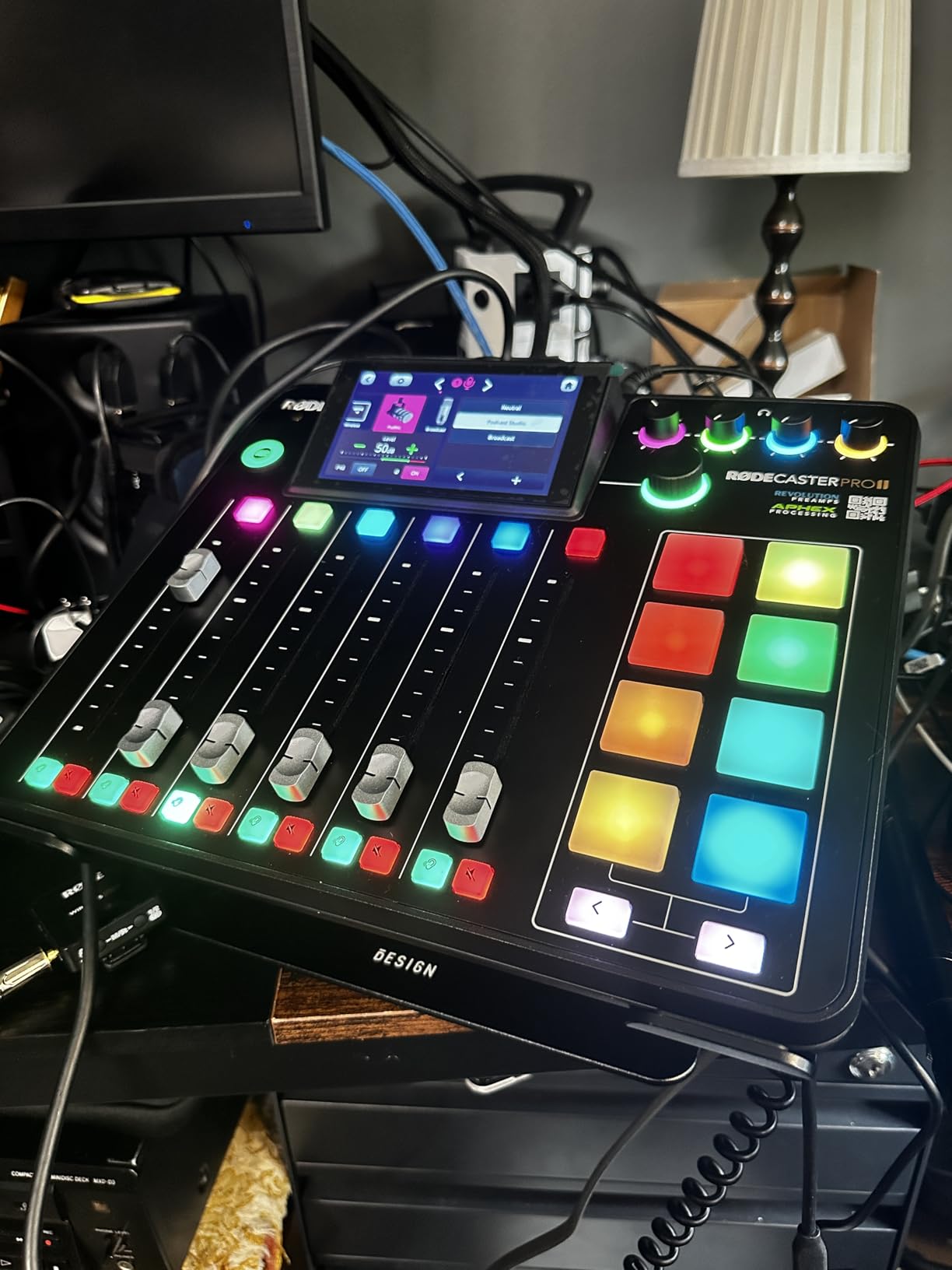
Everything on this list so far is an interface. The RODECaster Pro II is a different category, and podcasters on r/podcasting treat it that way, noting that the RODE and Mackie consoles have outpaced the older Tascam Mixcast-style units on features. It is a complete production surface: four XLR preamps, eight SMART pads, touchscreen control, and on-board processing.
The preamps provide enough clean gain to drive an SM7B with no cloudlifter, which is the practical headline. The APHEX processing chain, with EQ, compression, noise gate and de-esser, is what lets a mid-priced dynamic microphone sound like a processed broadcast voice without opening a DAW.
Interface versus console: when the console wins
If you record locally with multiple people and want the episode finished at the console, this is faster than any interface plus software combination. The SMART pads trigger music, sound effects and mix-minus phone calls, and the unit records multitrack to computer, microSD or a USB drive while also working completely standalone without a computer.
Bluetooth, Wi-Fi and dual USB-C connectivity mean phones, laptops and remote sources can all land on the same board.
Reliability complaints you should plan around
The 4.4 average reflects a meaningful tail of complaints. Multitrack USB session syncing in a DAW is not always obvious or reliable, the USB 1 port sometimes fails to connect to PCs or tablets even through hubs, and Bluetooth audio drops and needs reconnecting after long sessions. RODE support is praised even for out-of-warranty replacements, which is worth something.
There is also a genuine learning curve to the number of on-board features, and at 2 kg with AC power it is not a portable device.
Who should skip it
Skip it if you edit in a DAW and want reliable live multitrack streaming over USB, since the sync behaviour is the weak spot. Also skip it if budget is the deciding factor, because the interface plus a good free editor is a fraction of the cost for most solo shows.
6. Audient iD14 MKII – Class-A Preamps With Two Headphone Jacks
Audient Audio Interface iD14 MKII, 2 Class-A Microphone Preamps (High Performance USB Audio Interface, USB-C Connector, Monitor Mix and Monitor Panning Function, 2 Headphone Outputs), Black
2 Class-A preamps from the ASP8024 HE console
USB-C single-cable connection
2 independent headphone outputs
All-metal desktop housing
Pros
- Class-A console preamps give clean transparent voice capture
- Two headphone outputs support a two-person podcast with no splitter
- All-metal chassis feels premium and stable
- 3 year manufacturer warranty
Cons
- Only two mic inputs for multi-guest work
- No MIDI I/O
- Monitor mix and direct monitoring are confusing to configure at first
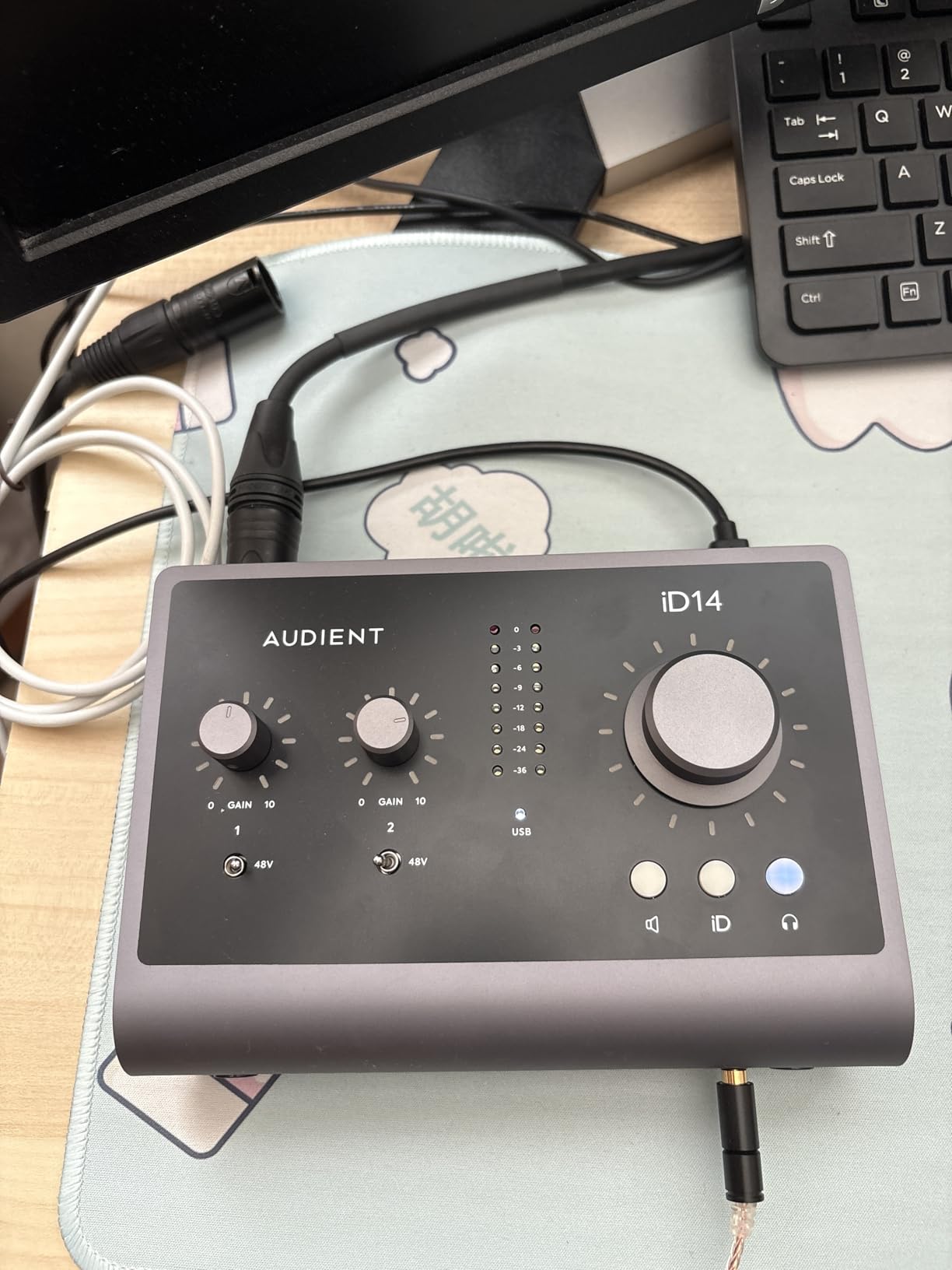
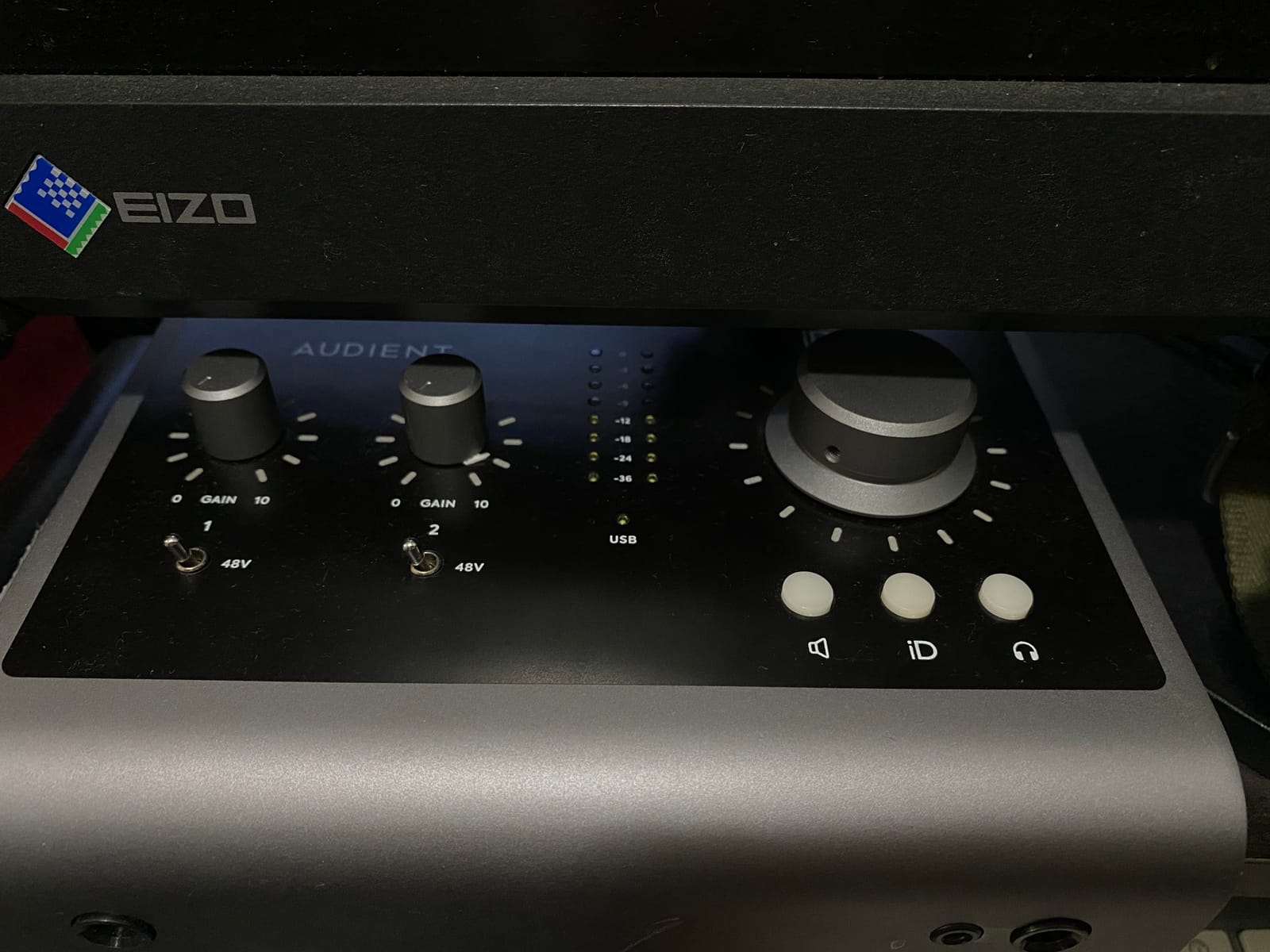
The iD14 MKII is the one I recommend when someone is willing to spend a little more for preamp quality and refuses to compromise on monitoring. The two Class-A preamps come from Audient’s ASP8024 HE console, and reviewers consistently describe the voice capture as clean and transparent, which for spoken word is exactly the right character. Nothing colours your voice, and that leaves the creative decisions to you.
The reason podcasters pick it over cheaper two-channel boxes is the pair of independent headphone outputs. Two speakers, two jacks, no splitter, no arguments about level.
Preamp character and transparency
Class-A topology matters less to most beginners than the marketing suggests, but the practical effect here is a low noise floor with fast, clean transients on plosives and consonants. A transparent preamp also means that if you later decide you want a warmer sound, that is a decision you make in your software rather than something baked into the hardware.
Two headphone outputs as a design decision
Audient built the two outputs deliberately for two-person working. Our guides to the best 2 channel audio interfaces and the best multi-channel audio interfaces cover the alternatives when two channels is not enough.
The monitor mix and monitor panning functions let you decide what each person hears, which is genuinely useful when a host and guest are on different microphones with different character.
Build and connectivity
An all-metal desktop housing at 907 g gives it the stability of a permanent fixture, and USB-C with improved power delivery means a single cable for data and power. Mac, PC and iOS are all supported, and the box includes Cubase LE, Cubasis LE 2, Retrologue 2, Twonotes Wall of Sound and a Loopmasters sample pack.
Who should skip it
Skip it if more than two people need microphones, and skip it if MIDI matters to you, because there is no MIDI I/O. Budget buyers should also weigh it honestly: the two-input ceiling is the constraint cited most often by podcasters who outgrew it.
7. MOTU M4 – On-Screen Meters and Loopback for Streaming
Motu M4 4×4 USB-C Audio Interface
4-in/4-out USB-C with 2 mic preamps
LCD screen for hardware monitoring
Loopback routing
MIDI I/O and 192 kHz support
Pros
- LCD shows levels and routing on the unit without opening software
- Two clean preamps with ample gain for dynamic podcast mics
- 4×4 I/O plus MIDI expands well past basic podcasting
- Bus-powered over USB-C in a compact footprint
- Loopback brings program audio into a stream or call
Cons
- Screen-based control is slower than hardware knobs for live tweaks
- Bus power can limit sustained full-throttle use
- Only two mic preamps despite the 4×4 label
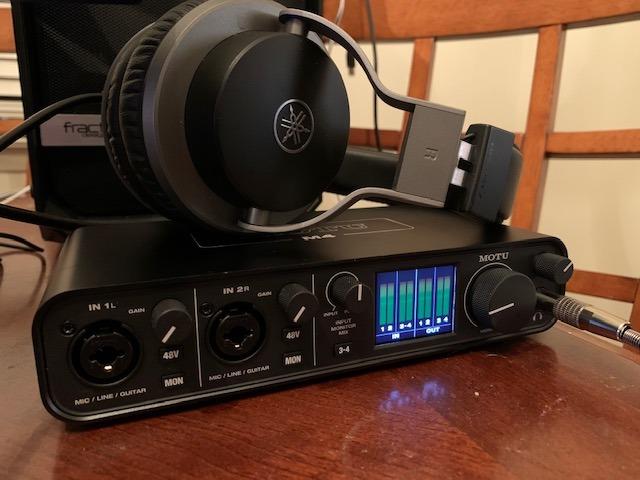
The MOTU M4 stands out for a reason no other box in this list matches: it has a screen. A small LCD that shows input levels and routing directly on the hardware, which means during a recording session you can confirm levels and check your signal path without switching to your computer and back.
Underneath that is a competent 4-in/4-out interface with two mic preamps, 192kHz sample rate support, loopback and MIDI I/O. The preamps carry plenty of gain for dynamic podcast microphones, which is the recurring note in reviews.
Loopback is the feature podcasters under-use
Loopback routes computer audio back into the recording, so a caller on a video call, a music bed or a soundboard ends up on your captured stream. Without it, a remote guest joining a call is only in your headphones and not in your file, and that single missing track ruins the edit.
Here it is a one-cable feature. Pair it with the 4×4 output count and you can send a mix to a platform while keeping the multitrack feed local.
Screen monitoring versus hardware control
This is the trade-off MOTU asks you to make. Screen-based control is precise and information-rich, but reviewers who run live work prefer tactile knobs for fast mid-show adjustments. If you only record and mix in post, the LCD wins. If you adjust levels during a live stream, you may find the screen slower than you want.
Bus power over USB-C keeps it simple with no external supply, at the cost of some headroom for sustained heavy use.

Who should skip it
Skip it if you need four microphones, because the 4×4 refers to channels not mic preamps, and only two are preamps. Also skip it if you need MIDI, since some reviewers consider MIDI I/O on a spoken-word box unnecessary feature creep, and we agree for most podcasters.
8. FIFINE Ampligame SC3 – Faders and Effects for Streamers
FIFINE Ampligame SC3 Gaming Audio Mixer with Indi-Fader and Volume Control
One XLR mic input with 48V phantom power
Four independent channel faders
Front mute and monitor buttons
Sound effect pads with voice changing modes
Pros
- XLR input with phantom power gives streamers a real mic upgrade path
- Individual faders for mic line in headphone and line out
- Front-mounted mute and monitor buttons are easy to reach mid-stream
- Sound effect pads voice changer and auto tune add entertainment value
- Plug-and-play USB with no drivers
Cons
- XLR cable is not included
- 48V phantom power does not support USB microphones
- Condenser mic quality depends heavily on the cable used
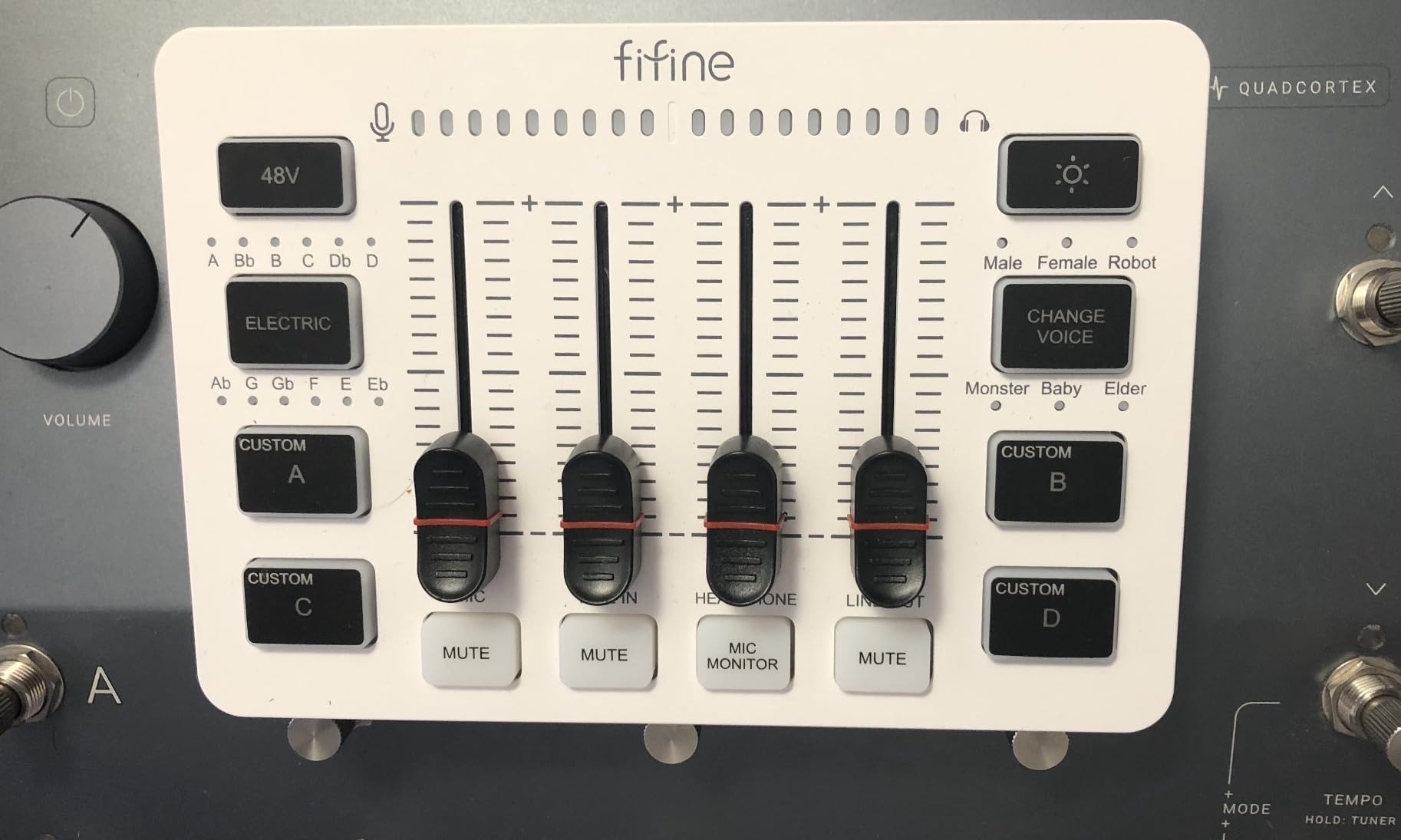
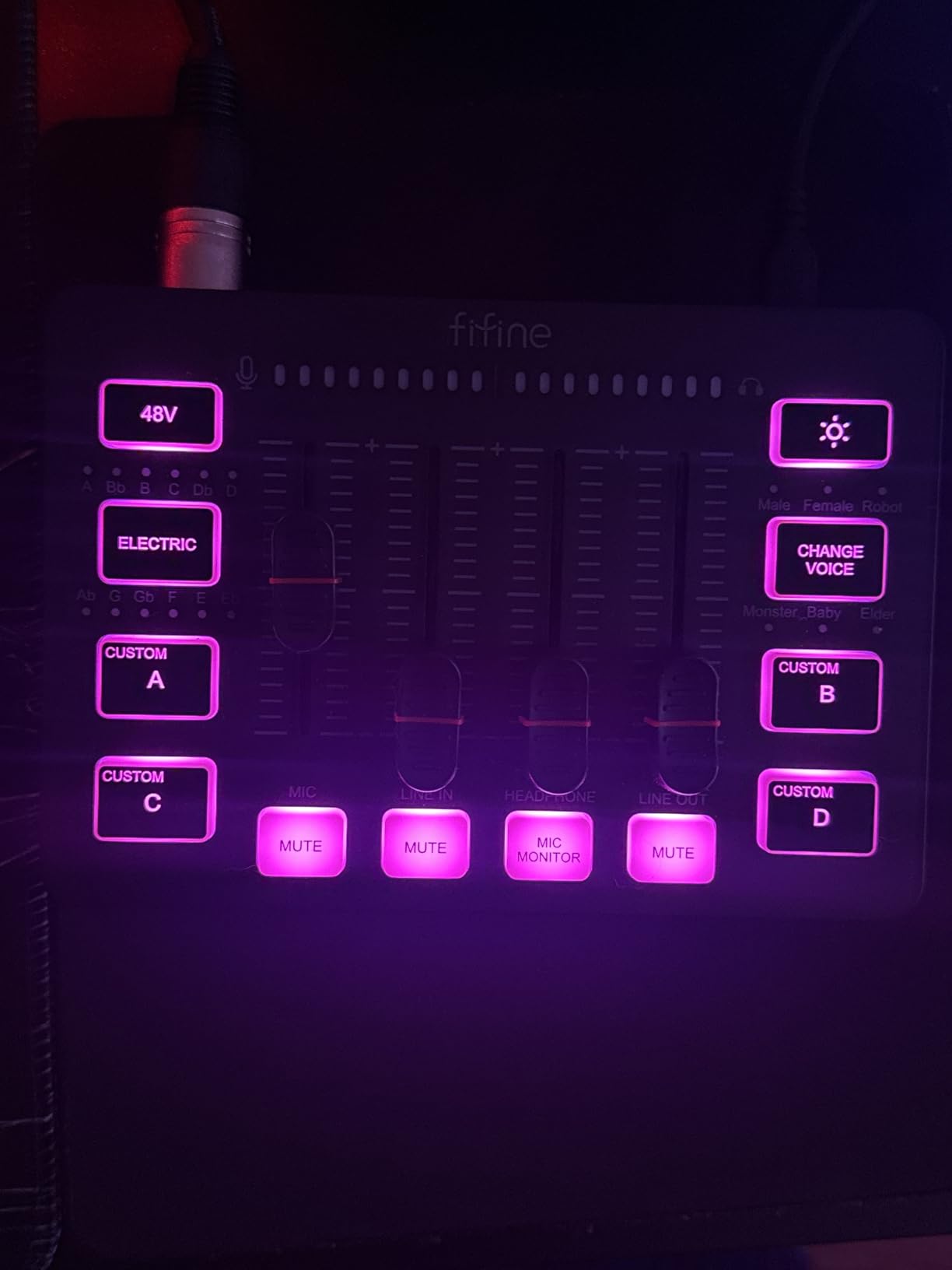
The Ampligame SC3 is a gaming mixer rather than a conventional interface, and that changes who it suits. It has one XLR mic input with 48V phantom power, four independent channel faders for microphone, line in, headphone and line out, and front-mounted mute and monitor buttons you can hit without looking.
With 4,719 reviews and a 4.4 average, the consistent message is that the XLR preamp with phantom power gives streamers a genuine microphone upgrade path for very little money. If your first instinct was to buy a USB microphone and you have since reconsidered, this is the cheap way to use the XLR mic you already own.
Faders and buttons beat menus for live work
Four independent faders is more control than most single-mic interfaces offer, and the front-panel mute is the feature that saves a broadcast. Paired with a monitor button, you can hear yourself and the room in one press rather than opening a control panel mid-sentence.
There are also four pre-recorded sound effect buttons, six voice-changing modes and a 12-step auto tune, which is entertainment tooling for streams rather than a podcasting feature.
Controllable RGB and platform support
The RGB lighting matches different streaming setups, and the mixer works plug-and-play on Mac and Windows with no drivers to install. Inputs cover mic, line in and headset; outputs cover headphones, line out and headset.
It is a focused tool: one microphone, one room, one streamer. The screen-adjacent category targets video podcasting and streaming rather than multitrack interview recording.
Who should skip it
Skip it if you need more than one microphone or if you want a second recording track, since there is a single XLR input. Note that the XLR cable is not included, and that phantom power does not apply to USB microphones, so plan your cable purchase before you commit.
9. Shure MVX2U Gen 2 – Pocket-Sized XLR to USB-C Adapter
Shure MVX2U Gen 2 XLR-to-USB-C Audio Interface
Up to +60 dB gain with 48V phantom power
Onboard auto level denoiser and pop stopper
Zero-latency headphone monitoring
MFi-certified USB-C up to 24-bit/192kHz
Pros
- Connects straight to an XLR mic with no separate XLR cable
- Inline body fits a shirt pocket or laptop bag
- +60 dB handles demanding dynamics like the SM7B with no booster
- Onboard DSP handles denoising and plosives
- 48V phantom power and USB bus power remove the external supply
Cons
- Advanced DSP settings need the MOTIV desktop software installed
- Recent MOTIV versions have dropped Windows 10 support
- MOTIV mobile app does not support every phone
- No PS5 or Xbox support because those consoles lack USB Audio Class 2.0
- Gain ceiling still short for very quiet condensers such as the RE-20
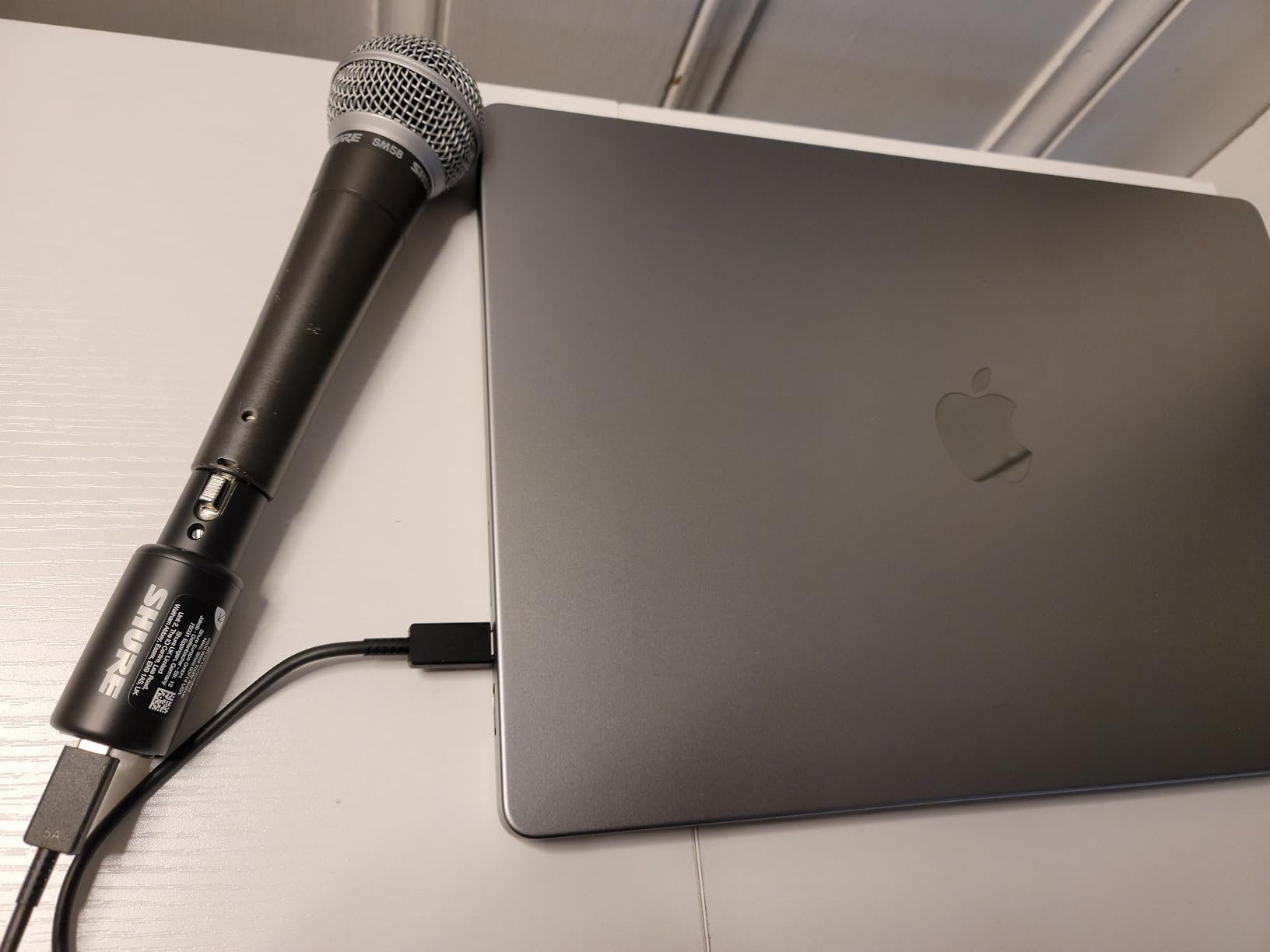
This is not a box at all, and that is the entire appeal. The MVX2U Gen 2 is an inline adapter that plugs into the XLR of a microphone and gives you USB-C, so a broadcast dynamic like the SM7B becomes a USB microphone with no interface, no driver and no extra cable.
That solves a problem a lot of podcasters hit when a microphone has to travel. Reviewers value the pocket-sized inline form factor and the fact that it removes the usual XLR cable from the chain entirely.

Onboard DSP doing the boring work
Shure Digital Audio Processing includes Auto Level Mode, a real-time denoiser and a digital popper stopper, with Dark, Natural and Bright tone options. In practice, the denoiser and the pop control handle two of the most common complaints about home podcast audio, and doing it on the device means the processing is baked in before the signal ever reaches your computer.
Zero-latency headphone monitoring is included, and the connection is MFi-certified for Apple devices.
Gain and microphone pairing
Up to +60 dB of clean gain handles demanding dynamic microphones such as the SM7B with no cloudlifter in the chain, which is a meaningful saving for anyone who already owns one. The ceiling still runs short for very quiet studio condensers such as the RE-20, so it is a dynamic-mic tool rather than a universal one.
48V phantom power means condenser microphones also work, and everything is powered from USB bus power.
Software dependence is the trade-off
This is where the compromises live. Changing DSP and tone settings requires the MOTIV desktop software to be installed, and recent MOTIV versions have dropped Windows 10 support and can prompt for updates that fail. The MOTIV mobile app does not support every phone, so some DSP settings may be unavailable on mobile, and PS5 and Xbox consoles are excluded because they lack USB Audio Class 2.0.
Who should skip it
Skip it if you need more than one microphone, or if you want the software to be optional. For solo field recording, a guest interview on location, or any setup where the microphone moves more than the computer, it is hard to beat.
10. Universal Audio Volt 2 – Warmest Vocal Tone in the Lineup
Universal Audio Volt 2 USB Audio Interface
2-in/2-out with 610 tube emulation
Vintage mode for a warmer character
24-bit/192kHz studio-grade converters
LUNA DAW and UAD plug-ins included
Pros
- Vintage mode gives voices a warmer fuller tone than bare capture
- Excellent converters with a clean noise floor
- Simple USB-C plug-and-play with automatic device ID
- Solid metal build and bus-powered portability
- LUNA DAW and UAD plug-ins included at no extra cost
Cons
- Only two level LEDs make gain staging fiddly
- No way to blend direct monitoring with computer playback
- Mic gain can feel soft for demanding dynamic mics
- Companion app can be hard to install on some systems
The Volt 2 is the pick for anyone who finds flat, modern voice capture slightly clinical. The UA 610 preamp emulation with its Vintage mode gives voices a warmer, fuller tone, and users consistently prefer that character to bare recording on cheaper boxes.
It holds a 4.6 average over 748 reviews, with reviewers rating its converters and clean noise floor above typical two-channel boxes. There is also a substantial software argument: the LUNA recording system DAW and UAD plug-ins come included.
Vintage mode and voice character
Engaging Vintage mode adds harmonic content to the signal, which is the same trick the Air mode plays on the Scarlett, just in a different direction. If you are building a show around a warm, close vocal tone and you would rather not spend an hour on EQ, this saves you the work.
Because the effect is switchable, you can capture both ways and decide in post, which is the flexibility you would want from an interface at this level.
Metering is the weak point
There are only two level LEDs, and reviewers find gain staging fiddly as a result. You are essentially metering by ear, which for a first-time podcaster is a real drawback. The related limitation is that the direct monitoring level cannot be balanced against computer playback, so you set one or the other rather than blending.
Mic gain can also feel a little soft for demanding dynamic microphones, and the companion app is occasionally difficult to launch or install.
Who should skip it
Skip it if you need reliable visual metering during unattended recording, or if you are working with a very low-output microphone and need every decibel of gain available.
11. MAONO AME2 – Sound Pads, Bluetooth and 60 dB of Gain
MAONO AME2 Audio Interface Mixer, Podcast Studio Console with XLR Input
3-level mic gain up to 60dB with 48V
32-bit chipset with denoise function
11 customizable sound pads
2 front headphone outputs
Pros
- Clean output across a 60dB gain range with a useful denoise function
- 11 sound pads with one-key looping add real production value
- Bluetooth plus EQ pitch shifter and reverb cover streaming and karaoka
- Dual front headphone outputs for two people monitoring
- MAONO customer support repeatedly praised as fast and friendly
Cons
- Some units report echo or failure to route the XLR mic correctly
- Background music from Bluetooth or aux sometimes misses the recording output
- 48V button hard to activate and indicator lights sometimes go out
- A driver update was needed to reduce noise at high output levels
- USB microphones unsupported and external mic cables not included
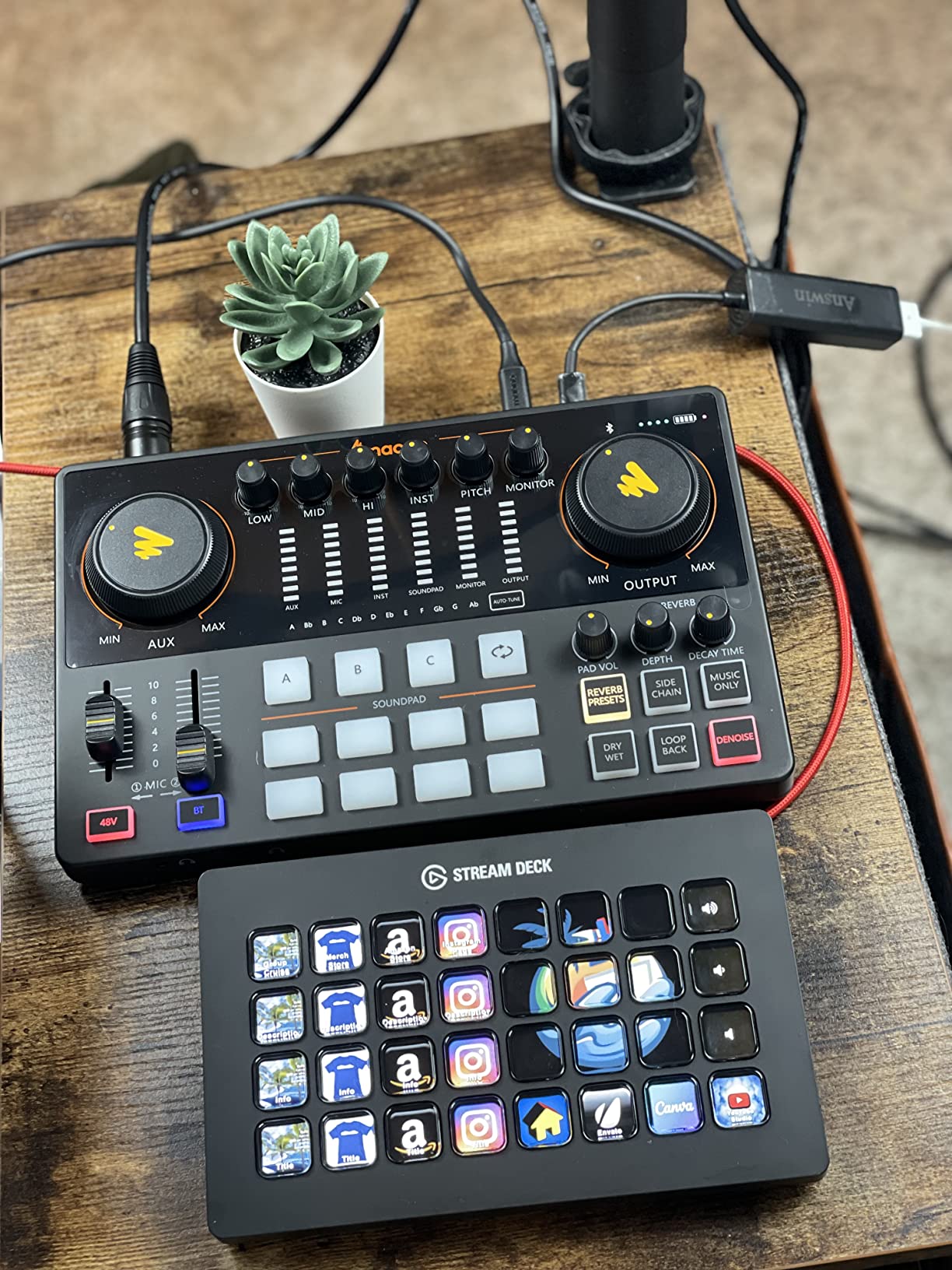
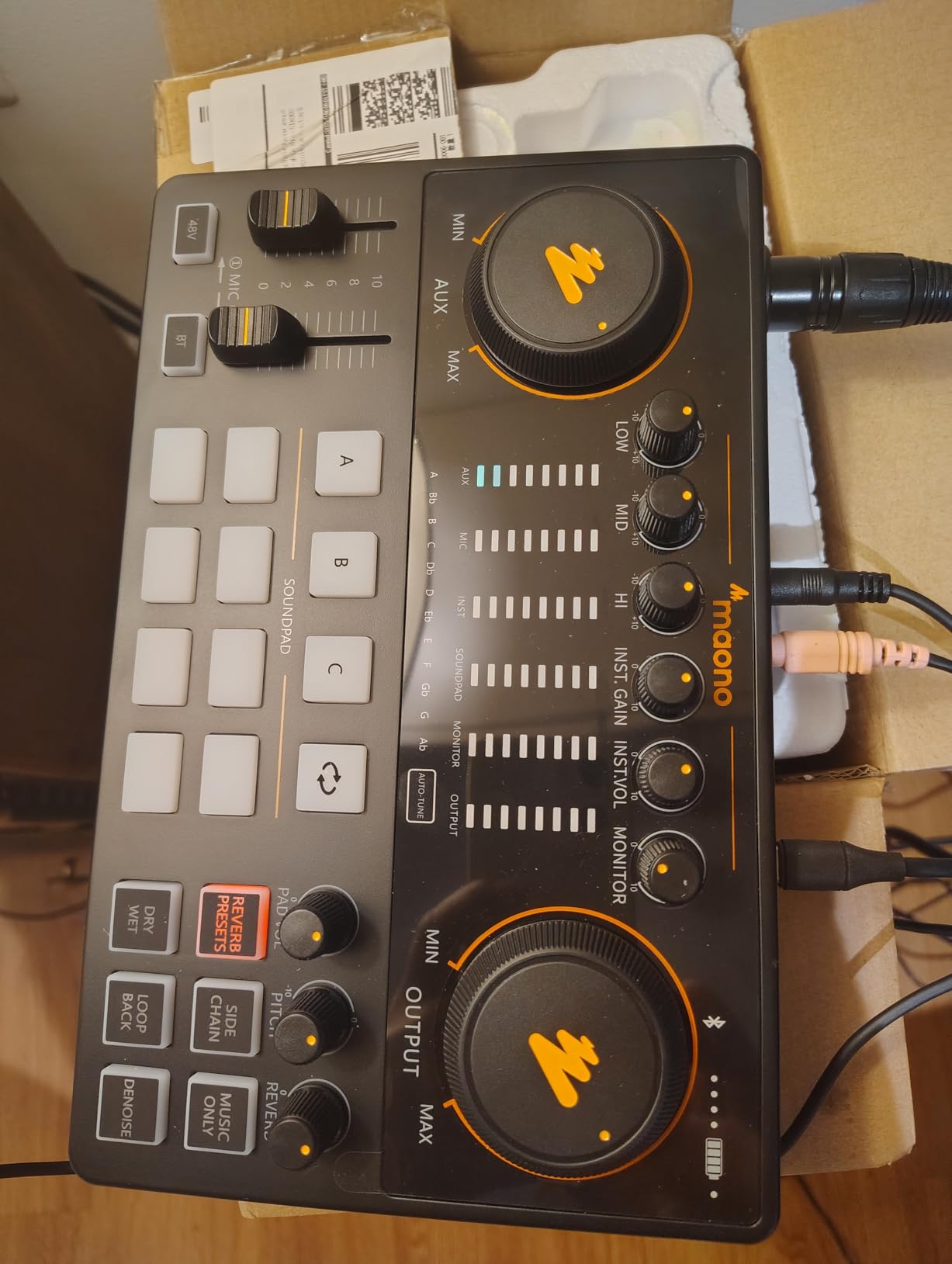
The AME2 is a 10-channel podcast mixer with a bias toward production features rather than pure audio purity. Three-level mic gain adjustment reaches 60dB, there is 48V phantom power, a 32-bit chipset with a denoise function, and 11 customizable sound pads, three of which record up to 60 seconds with one-key looping.
That pad count is the differentiator. It lets you drop intros, ads and stingers during a live recording without touching your computer, which is the kind of thing that makes a solo podcast sound produced rather than raw.
Gain range and monitoring for two
Sixty decibels of gain with 48V is enough for most dynamic microphones without an external booster, and the denoise function cleans up a room that is not treated. Two front headphone outputs let two people monitor without rewiring, which continues to be the feature that separates sensible podcast gear from generic audio gear.
Connectivity covers USB-C, a live output, monitor speaker connection, aux in, and Bluetooth. For a creator who records on a laptop but plays music from a phone, that flexibility is genuinely useful.
Consistency is the issue
The 4.3 average reflects a small but real tail of complaints. A few boxes report echo or fail to route the XLR mic correctly, background music from Bluetooth or aux did not always reach the recording or live output for at least one buyer, the 48V button can be hard to activate, indicator lights sometimes go out, and a driver update was needed to remove noise at high output levels.
USB microphones are not supported, and cables for external microphones are not included.
Who should skip it
Skip it if you need guaranteed routing reliability for a live broadcast, and skip it if you are still deciding between a USB microphone and an XLR one, because this is the wrong tool for that decision. For a solo creator who wants pads, Bluetooth and processing without software, it delivers.
12. PreSonus AudioBox USB 96 – Most Recording Software in the Box
PreSonus AudioBox 96 25th Anniversary USB Audio Interface
2 Class-A mic preamps
24-bit/96kHz studio-grade converters
Mixer monitoring blend
Balanced 1/4 inch TRS outputs plus MIDI I/O
Pros
- Class-A preamps deliver clean vocals at a budget price
- Studio One Artist plus Ableton Live Lite and Studio Magic plug-ins included
- Mixer control blends direct and playback for zero-latency monitoring
- Bus-powered and compact for portable recording
- Balanced TRS outputs and MIDI go beyond a bare two-channel box
Cons
- USB 2.0 limits bandwidth versus USB-C and Thunderbolt
- Headphone and main outputs share a single volume level
- Preamp gain is modest for demanding dynamic microphones
The AudioBox USB 96 is the software argument in hardware form. It includes Studio One Artist, Ableton Live Lite and the Studio Magic plug-in suite, and it is compatible with Studio One Pro, Ableton Live, FL Studio, Cubase, Pro Tools, Logic Pro and Reaper. For a beginner, that is a full year of software before you spend anything else.
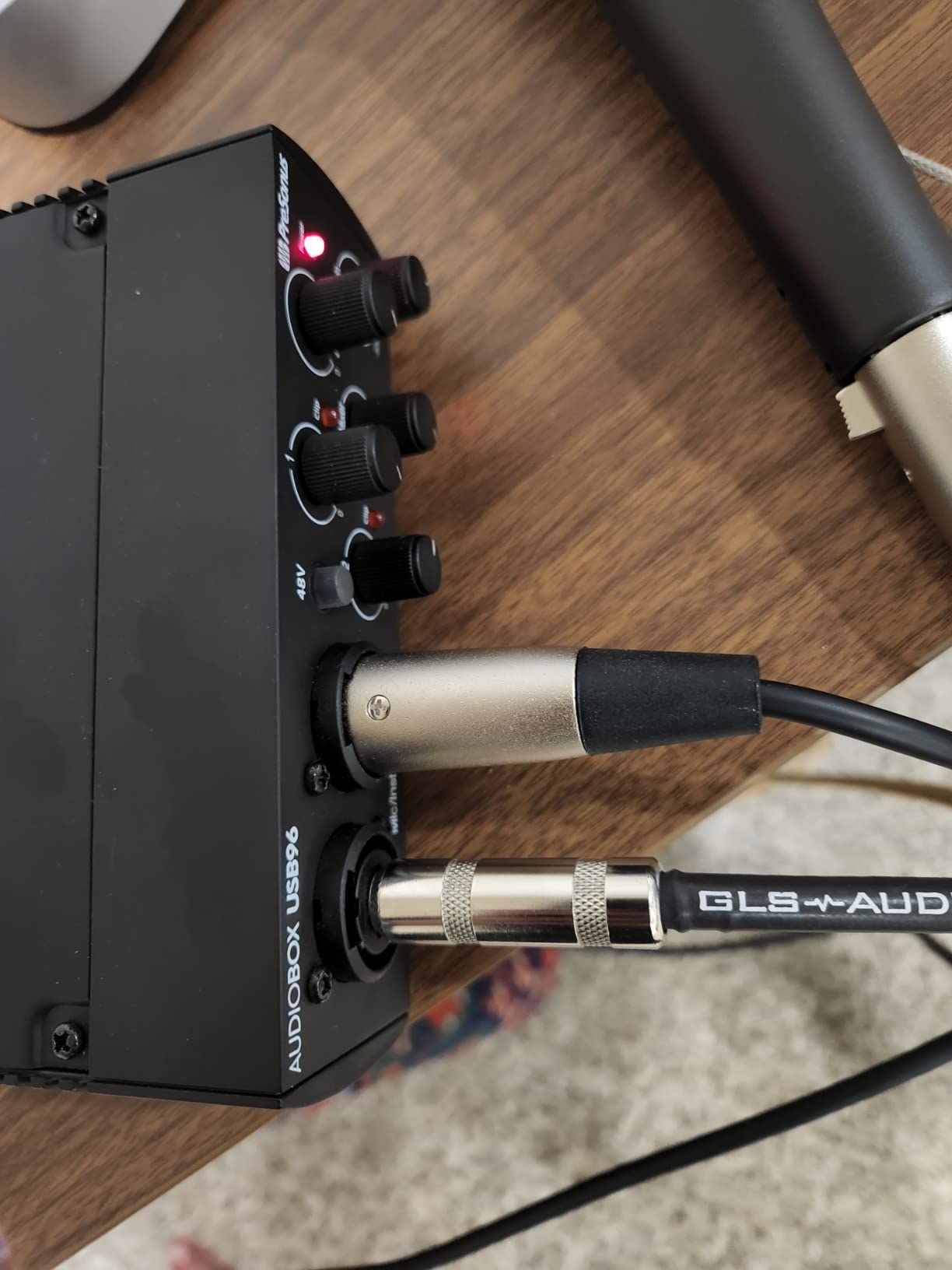
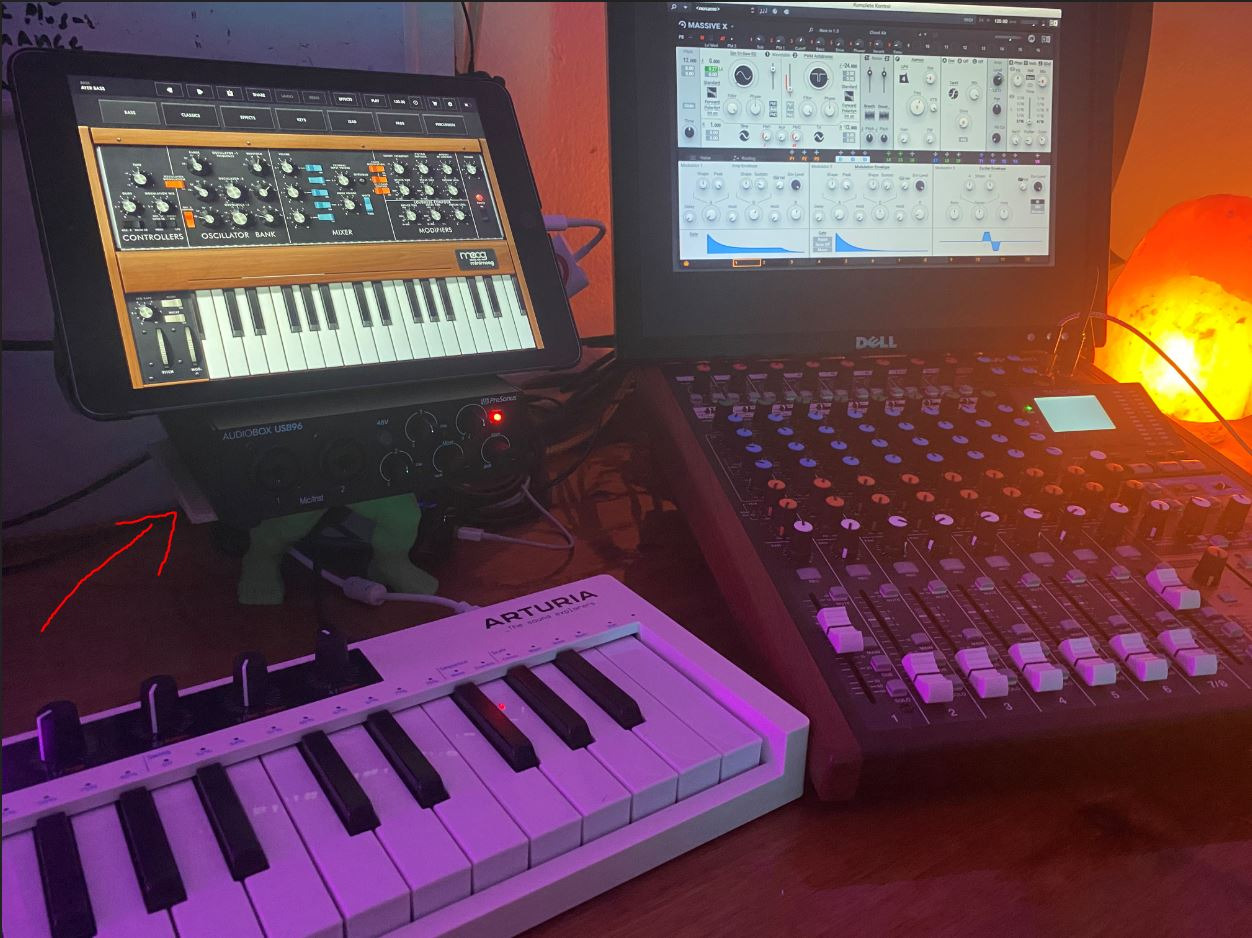
Underneath is a competent two-channel box with two Class-A mic preamps, 24-bit/96kHz converters, instrument inputs, MIDI I/O and balanced 1/4 inch TRS outputs. It is bus-powered over USB and compact enough to travel.
Monitoring blend and where the ceiling is
The mixer control lets you create a custom blend between inputs and computer playback, which is the most useful monitoring feature in this price class. You hear yourself with no round trip and still hear playback, without the direct monitor level competing with software volume.
The limit is gain. Reviewers rate the preamp headroom as modest for demanding dynamic microphones, which is the same constraint that pushes people toward a cloudlifter or a higher-gain box. If your microphone is quiet, factor that in before buying.
USB 2.0 in 2026
Many new interfaces ship with USB-C, and this one still uses USB 2.0 with a Type A to B cable. For 24-bit/96kHz mono voice capture that is genuinely sufficient, and it is the reason it still works on older machines. But if you are buying for a laptop that only has USB-C ports, budget for an adapter or hub, and if you ever move to multitrack music the bandwidth ceiling becomes real.
Who should skip it
Skip it if you plan to use a very low-output broadcast microphone, and skip it if you need a modern USB-C connection without adapters. Headphone and main outputs share a single volume level, so you cannot set them independently, which matters if you also use monitor speakers.
How to Choose an Audio Interface for Podcasting
Do you actually need an interface?
If you record solo on a laptop with a good USB microphone, an interface is optional rather than essential. It becomes necessary the moment you use an XLR microphone, record more than one person, or upgrade to a dynamic broadcast mic. A computer’s built-in sound card has a noisy preamp with almost no gain, so an SM7B or a PodMic plugged straight into a laptop produces a quiet, hiss-laced recording that no amount of editing fixes.
Count your XLR inputs by speaker count
One voice needs one XLR. Two-person interview needs two. A three or four person roundtable needs four, and reviewers on r/podcasting asking for the cheapest way to record four separate tracks is one of the most repeated questions there. Buy the input count you need today plus one spare if a guest is likely, because adding a channel later means a different box entirely.
Our two-channel interface guide covers the entry options, and the Thunderbolt guide matters only if you are moving to high channel counts later.
Gain headroom decides which microphones work
Dynamic broadcast microphones are quiet, and the interface’s preamp has to make up the difference before the noise floor becomes audible. Roughly 60dB of usable gain covers most common dynamics, and around 70dB covers the demanding ones such as the RE20. Several picks in this guide handle those microphones with no cloudlifter at all, which removes a box and a cable from the chain.
Condenser microphones need 48V phantom power, which every option here except the inline adapter provides as a matter of course.
Headphone outputs matter more than meters
Every speaker on a podcast should hear themselves. One headphone jack means a shared pair or a silent co-host, so a box with two or four independent outputs solves a real workflow problem. Meters matter for gain staging, but a clean monitoring path matters for every second you are recording.
Loopback and direct monitoring, in plain terms
Direct monitoring means hearing yourself with no delay, because the signal goes to your headphones without travelling through the computer. Loopback routes your computer’s audio back into the recording, which is how a remote caller, a music bed or a video-call participant ends up on your captured track instead of only in your ears. Without loopback, that guest audio is missing from the file entirely.
Interface or all-in-one podcast console?
Ask one question: does your show finish at the hardware, or in software? A console gives you pads, processing, meters and standalone multitrack recording with no computer, and it is faster for a local multi-host show. An interface plus your own editor is cheaper, more flexible and more reliable for USB multitrack. If you are still building your first setup, the interface is the safer long-term purchase; if you already have a workflow and a computer, a console is a genuine upgrade rather than a dependency.
Frequently Asked Questions
What is the best audio interface for podcasting?
For a solo show, the Focusrite Scarlett Solo 4th Gen is the best audio interface for podcasting: one clean XLR preamp, near-zero latency monitoring and a very small footprint. For two or more speakers, choose a box with matching XLR inputs and at least two independent headphone outputs, such as the M-Audio M-Track Duo for two, or the Zoom PodTrak P4 for four people plus a phone guest.
What audio interface do podcasters use?
Most podcasters who use a plain interface use a two-channel USB-C box in the Focusrite, MOTU, Universal Audio or Audient range, because two channels covers a host and a guest. Podcasters recording roundtables or phone interviews tend to move to multi-channel boxes or all-in-one consoles with four inputs, pads and mix-minus, such as the Zoom PodTrak P4 or the RODE RODECaster Pro II.
Do you need an audio interface as a beginner?
Only if you use an XLR microphone, record more than one person, or want to move to a dynamic broadcast mic. A solo podcaster on a laptop with a good USB microphone can record fine without one. The moment you add a second speaker or a quiet dynamic microphone, an interface supplies the clean gain and low-latency monitoring that a computer sound card cannot.
Is there a better audio interface than Focusrite?
It depends on the failure mode rather than the sound. The Scarlett Solo has one XLR input, so it is not a better choice for a two-person show. The Audient iD14 MKII is the pick for Class-A preamp transparency plus two headphone outputs, the Universal Audio Volt 2 for a warmer vocal character, and the Zoom PodTrak P4 for four inputs and call-in mix-minus.
Do I need a Cloudlifter with my interface?
Often not. A Cloudlifter adds roughly 25 dB of gain for very low-output dynamic microphones, and several interfaces here supply enough gain without one: the Zoom PodTrak P4 at around 70dB, the RODE RODECaster Pro II, and the Shure MVX2U Gen 2 at up to 60dB. Check your microphone’s output level first, since adding a booster when you do not need one only adds noise and complexity.
Final Verdict: Which Interface Matches Your Show
Recording one voice, start with the Focusrite Scarlett Solo 4th Gen. Recording a host and a guest, the M-Audio M-Track Duo or the Audient iD14 MKII gives you two clean preamps and two headphone outputs. Recording four people or a phone guest, the Zoom PodTrak P4 handles it in one box. If you want the episode finished at the hardware, the RODE RODECaster Pro II is the console, and the Shure MVX2U Gen 2 is the answer when the microphone travels more than the computer.
Whichever you pick, test your gain with your actual microphone before you record a full episode. Every audio interface for podcasting on this list will reward that ten minutes more than any amount of spec-sheet comparison in 2026.
Leave a Reply