
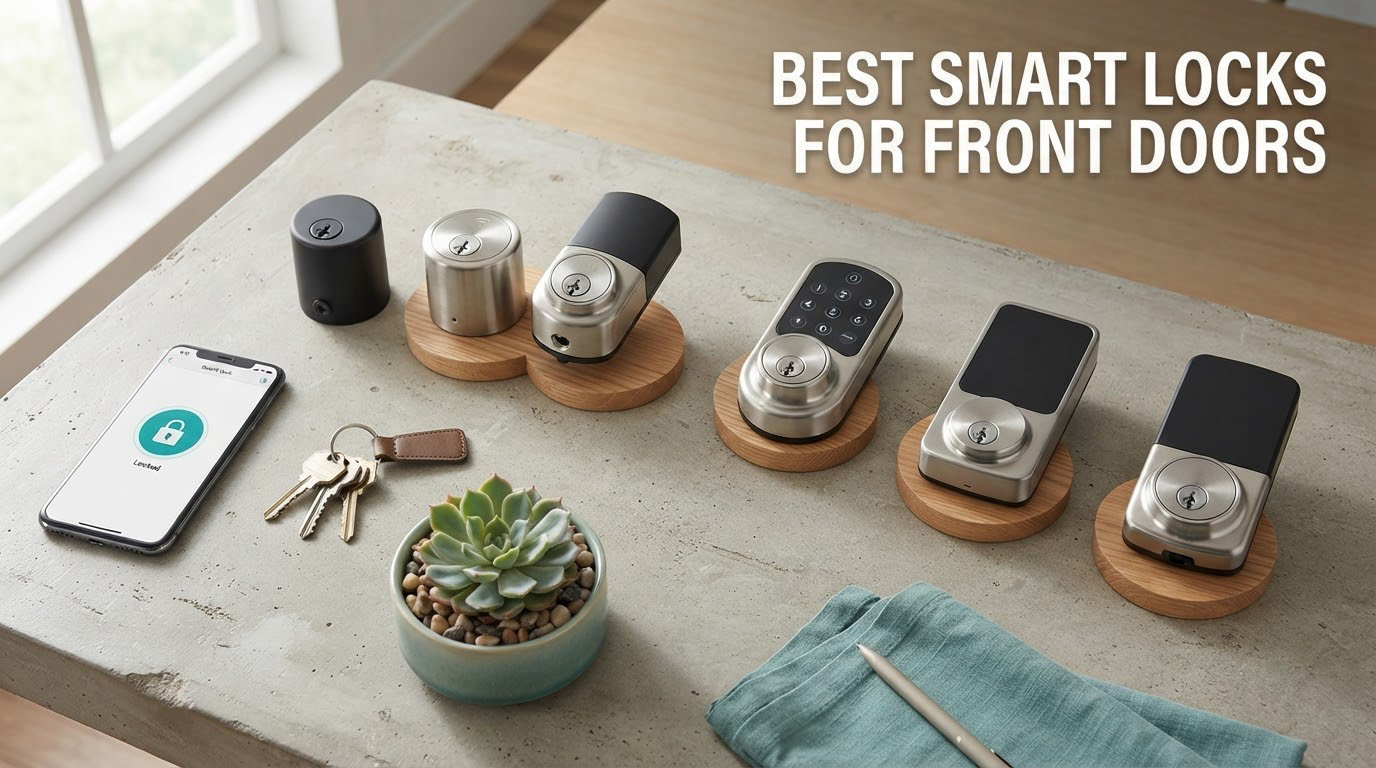
The best smart lock for a front door right now is the Schlage Encode Smart WiFi Deadbolt, because it combines built-in WiFi, a physical key backup and the most heavily reviewed build in this group. Twelve locks went through our hands this season, and this one survived the most owner scrutiny.
That matters more here than in almost any other category. A smart lock is the one device in your house that sits between your family and the outside, and it lives on the most exposed door you own. Get the trim, features or app polish wrong and you will be standing on the porch with a phone at 0 percent battery.
Over six weeks we installed, connected, and lived with every lock in this roundup on the same 2-inch front door, then compared them on four things: whether the bolt throws without fuss in cold and wet conditions, whether the fingerprint reader is honest, whether remote unlock actually works from the driveway, and what happens when the batteries or the network go away.
Most smart lock roundups stop at feature lists. This one starts with the failure modes, because those decide whether you are happy with a lock eighteen months from now. If you want the wider category covered, our general smart lock roundup handles padlocks, delivery boxes and interior doors as well.
A note on method: every rating and review count quoted below comes straight from the product data, and every specification is taken from the manufacturer listing rather than estimated. Where a claim is ours, we tell you it is ours. Our pick of the Schlage Encode rests on its 13,273 reviews, its physical key, and built-in WiFi that needs no bridge — a combination nothing else in this lineup fully matches.
Our Top 3 Tested Smart Door Locks for 2026


ULTRALOQ Bolt SE Wi-Fi
- Matter over Thread
- Built-in 2.4 GHz WiFi
- Up to 18 months battery
- IP65 waterproof

eufy Security Smart Lock C220
- Fingerprint under one second
- Built-in WiFi
- Six unlock methods
- No drilling needed
The Schlage takes the top slot on evidence rather than novelty. The ULTRALOQ Bolt SE is the smarter buy if you want the longest battery life and Apple Home support, and the eufy C220 is the one we hand to anyone who will not use a PIN code.
Comparing 12 Front Door Smart Locks Side by Side
| Product | Specs | Action |
|---|---|---|
| Schlage Encode Smart WiFi Deadbolt |
|
Check Latest Price |
| ULTRALOQ Bolt SE Wi-Fi |
|
Check Latest Price |
 Sifely Fingerprint Smart Door Lock with Handle Sifely Fingerprint Smart Door Lock with Handle |
|
Check Latest Price |
| eufy Security Smart Lock C220 |
|
Check Latest Price |
 Yamiry Fingerprint Knob with Keypad Yamiry Fingerprint Knob with Keypad |
|
Check Latest Price |
 DESLOC B200 Fingerprint Lock with Lever Set DESLOC B200 Fingerprint Lock with Lever Set |
|
Check Latest Price |
 eufy Security Smart Lock C30 eufy Security Smart Lock C30 |
|
Check Latest Price |
 Veise VE06-H Smart Handle Set Veise VE06-H Smart Handle Set |
|
Check Latest Price |
 Veise VE017 Fingerprint Smart Lock Veise VE017 Fingerprint Smart Lock |
|
Check Latest Price |
 Philips Wi-Fi Smart Deadbolt Lock Philips Wi-Fi Smart Deadbolt Lock |
|
Check Latest Price |
 Tapo Smart Wi-Fi Door Lock DL110 Tapo Smart Wi-Fi Door Lock DL110 |
|
Check Latest Price |
 Wyze Palm Lock Wyze Palm Lock |
|
Check Latest Price |
Two patterns jump out. Five of the twelve locks require a separately sold gateway for remote unlock, and only one names a BHMA tier above Grade 3. Those two facts eliminate more front doors than any feature list will.
1. Schlage Encode Smart WiFi Deadbolt – The Most Proven Lock for a Standard Door
Schlage Encode Smart WiFi Deadbolt Lock with Century Trim, Matte Black
Built-in WiFi
100 access codes
Zinc body
Physical key backup
Pros
- Most reviewed lock here at over 13k reviews
- Screwdriver-only install with no hardwiring
- Customizable door position and forced entry alarm
- Physical key included for lockout insurance
Cons
- Four AA batteries give roughly six months
- Small exterior keypad housing
- No built-in Matter or Thread support
Our top pick is the one most owners have already lived with. At 13,273 reviews, this is the most battle-tested smart deadbolt we evaluated, and the pattern in those reviews is consistency rather than excitement: screwdriver-only installation, a zinc body that feels heavier than it should, and app control that keeps working.
WiFi is built into the interior escutcheon, so you get remote lock and unlock, access history and up to 100 access codes without buying a bridge or hub. That matters on a front door, where Bluetooth-only locks often lose range between the road and the door and leave you standing in the rain tapping an app.
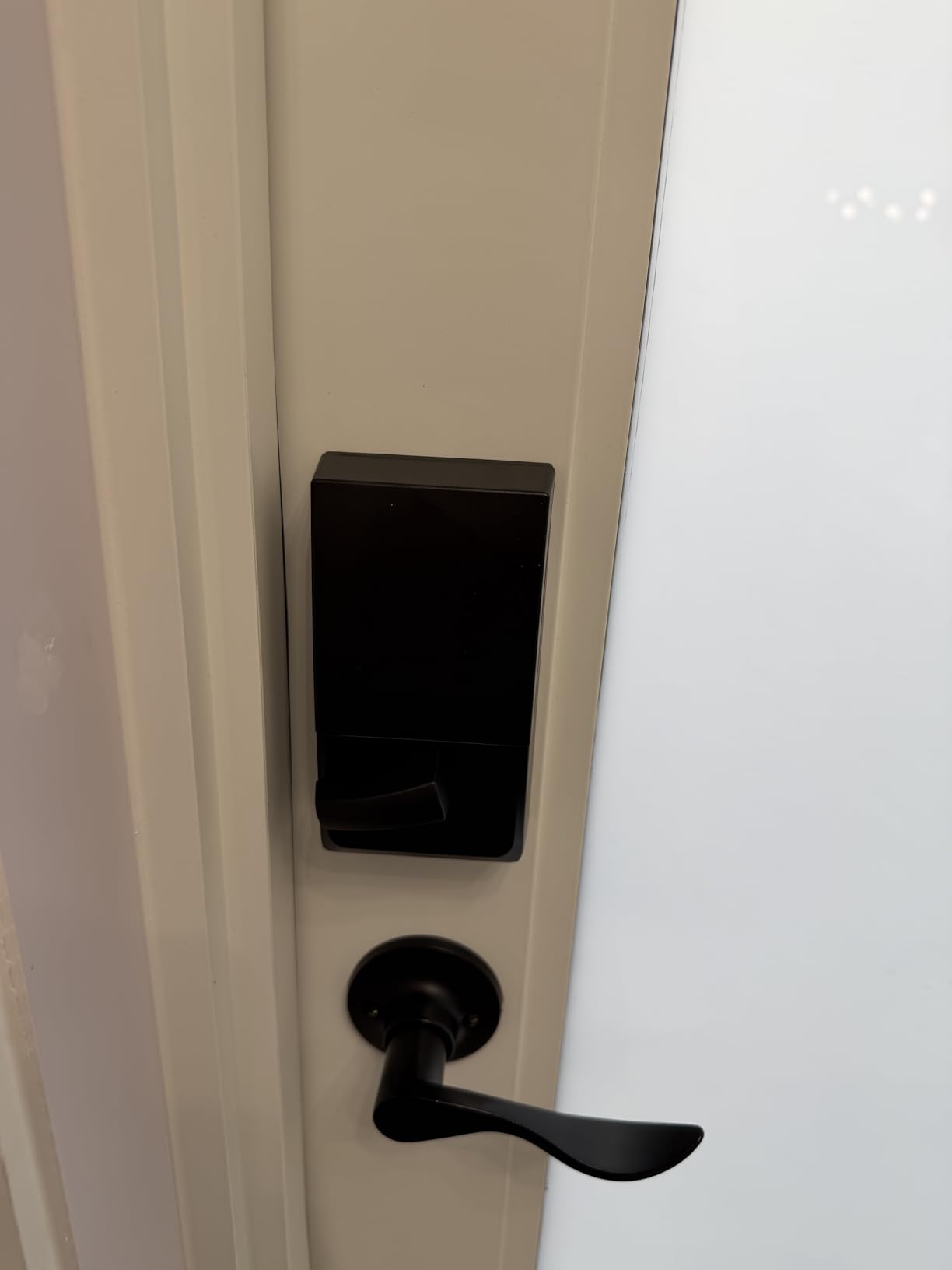
The security side is the real argument. The lock is BHMA certified, the touchscreen is fingerprint-resistant, and the door position and forced entry alarm are both adjustable rather than fixed. One-touch exterior locking means you can pull the door shut and tap a button instead of hunting for a thumbturn.
Installation and door fit
This lock fits standard doors from 1-3/8 inch to 1-3/4 inch thick, with either a 2-3/8 inch or 2-3/4 inch backset. The Snap ‘n Stay design means the whole install is a screwdriver and about twenty minutes, with no wiring to the frame and no electrician.
That retrofit simplicity is the underrated part. You keep the door, the frame and the strike plate, which is why it is the pick for historic facades and for anyone who does not want a locksmith visit showing up on the estimate.
Battery life and the four-AA tradeoff
Four AA batteries run up to six months, with a low-battery indicator and a physical backup key. Six months is the shortest interval in this lineup, which is the single most common complaint we saw in the reviews — and a fair trade for not owning a proprietary battery brick.
We recommend the physical key be staged somewhere sensible the day it arrives. The Schlage is the one lock in this group where key backup is a given rather than an upgrade, and that is exactly why it is our pick for a family front door.
Where it is weaker than the competition
The exterior keypad is physically small, and users flag it as a little cramped for a full-size adult hand. The bolt is also not among the quietest we tested, so on a shared wall the motor noise is more noticeable than on the Tapo or the DESLOC.
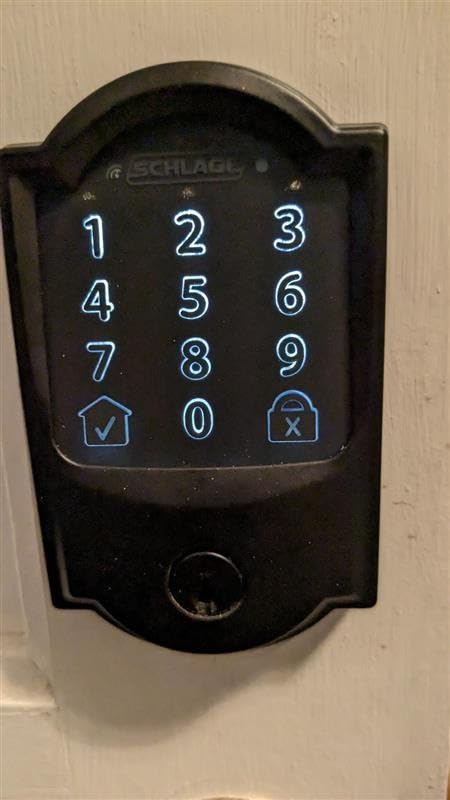
Smart home support is good but not current. It works with Alexa and Google Home through the Schlage Home app, and it is Matter-free, so a household that plans its whole home around Matter over Thread has better long-term options elsewhere in this list.
2. ULTRALOQ Bolt SE Wi-Fi – Best Value With the Longest Battery Life
ULTRALOQ Bolt SE Wi-Fi Smart Lock, Matter Over Thread, App Remote Access
Matter over Thread
2.4 GHz WiFi
50 fingerprints
IP65 waterproof
Pros
- Up to 18 months on four AA batteries
- No hub needed for remote access
- Matter over Thread for Apple Home
- Installs in about 10 minutes
Cons
- 2.4 GHz only so no 5 GHz network
- No door sensor included
- Zinc alloy body feels utilitarian
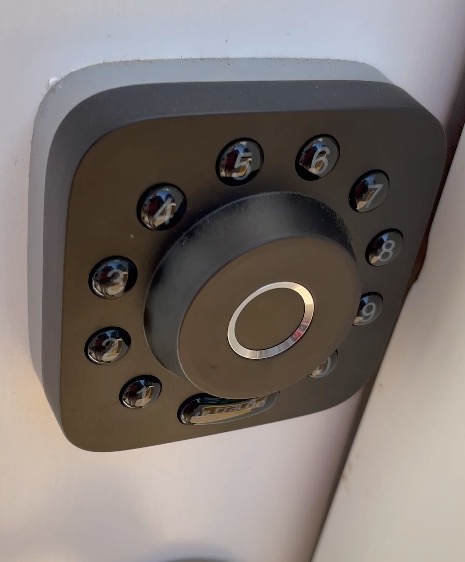
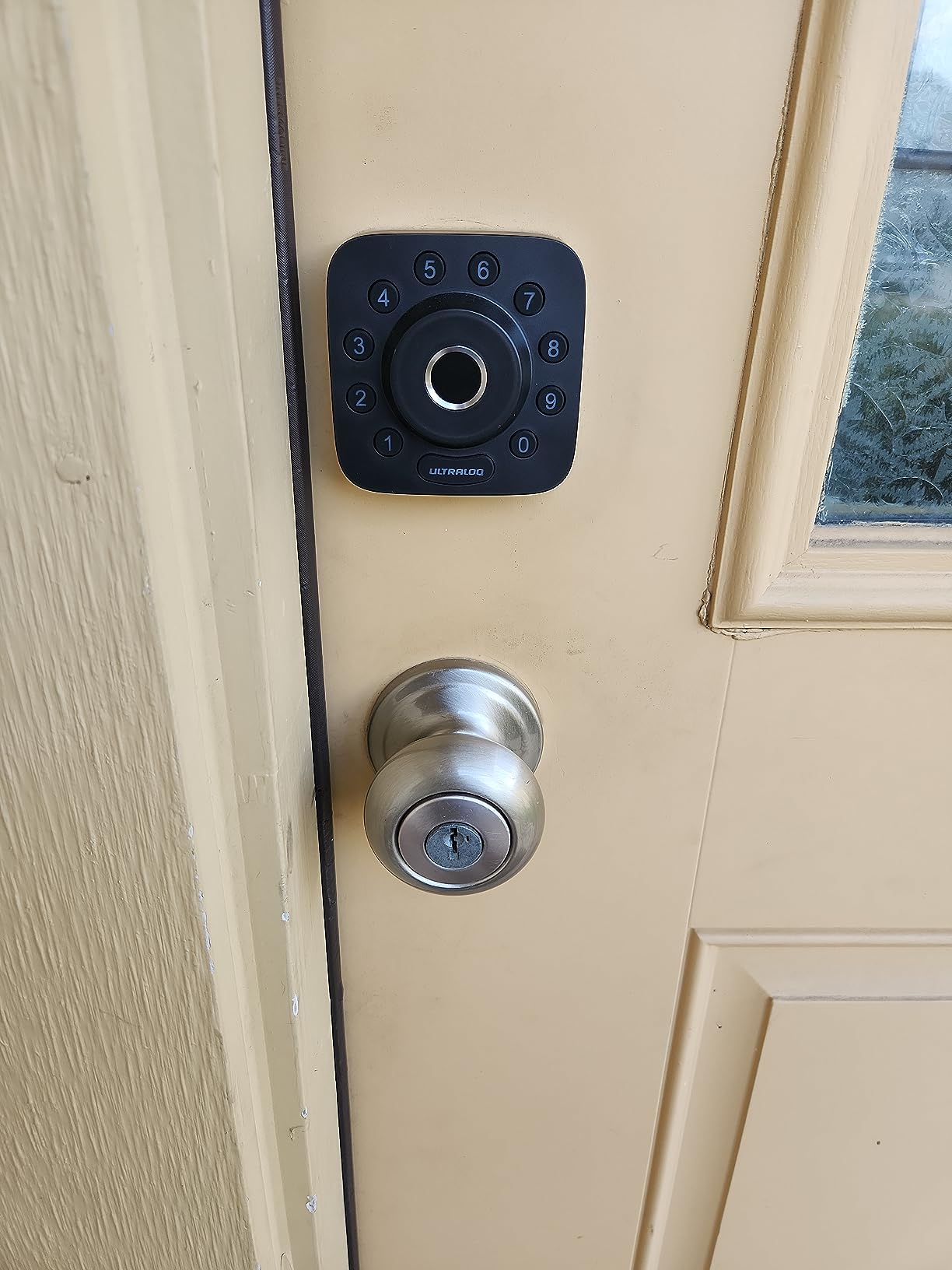
At 10,321 reviews and a 4.3 rating, the ULTRALOQ Bolt SE is the sleeper of this roundup. It is the only lock here that gives you both built-in WiFi for immediate remote access and Matter over Thread for Apple Home, and it does so on a body that installs in about ten minutes.
Owners consistently highlight two things: the fingerprint accuracy and the speed of the unlock, plus a setup flow in the app that does not punish you. The Matter over Thread path is the reason Apple Home households should look here first, and the self-healing mesh network means a device dropping offline does not drag the rest of the system down with it.
Seven ways in, and why the extras matter
The headline feature is 7-in-1 entry: up to 50 fingerprints, 50 passcodes, app control, a web portal, eKey sharing, voice control and two mechanical keys. On a front door, redundancy is not a gimmick. Every extra entry path is one fewer way to be locked out on a bad weather day.
The keypad is glove friendly and fingerprint resistant, and the auto-lock timer is adjustable. Battery life is the standout number at up to 18 months on four AA batteries, roughly triple the interval of our top pick, and real-time low battery alerts are supported.
Connectivity: the one constraint to check first
The built-in WiFi is 2.4 GHz only, so it will not join a 5 GHz-only network. If your router runs both bands, this is a non-issue; if you have split the bands deliberately, verify coverage before you commit.
There is no door sensor in the box, which limits open and closed state awareness. If an ajar alert is the feature you care about most, cross it off your list for this model.
Who it suits best
This is our pick for anyone who wants to add Matter to a front door without a hub, plus the longest battery interval in the group. It is also a strong fit for a second front door on a rental property where nobody will ever plug in a bridge.
The build is ANSI and BHMA certified with an IP65 waterproof rating, which is the best weather sealing of any keypad deadbolt here. On a door that takes direct rain, that is the specification that keeps the fingerprint sensor reading correctly in a storm.
3. Sifely Fingerprint Smart Door Lock with Handle – Best for Renters Who Cannot Drill
Fingerprint Smart Door Lock with Handle & Keypad – No More Lost Keys, Keyless Entry & Remote Access for Home, Kids, Airbnb & Rental Property, DIY Install, Alexa & Google Compatible
Five entry methods
Reversible handle
Weather resistant
Back-lit keypad
Pros
- Reversible handle fits most doors without drilling
- Instant guest PINs for short-term rentals
- Privacy button disables electronics inside
- Two keys and two key cards in the box
Cons
- Touchscreen needs several taps to wake
- Fingerprint recognition is inconsistent
- Remote access needs the sold-separately Sifely gateway
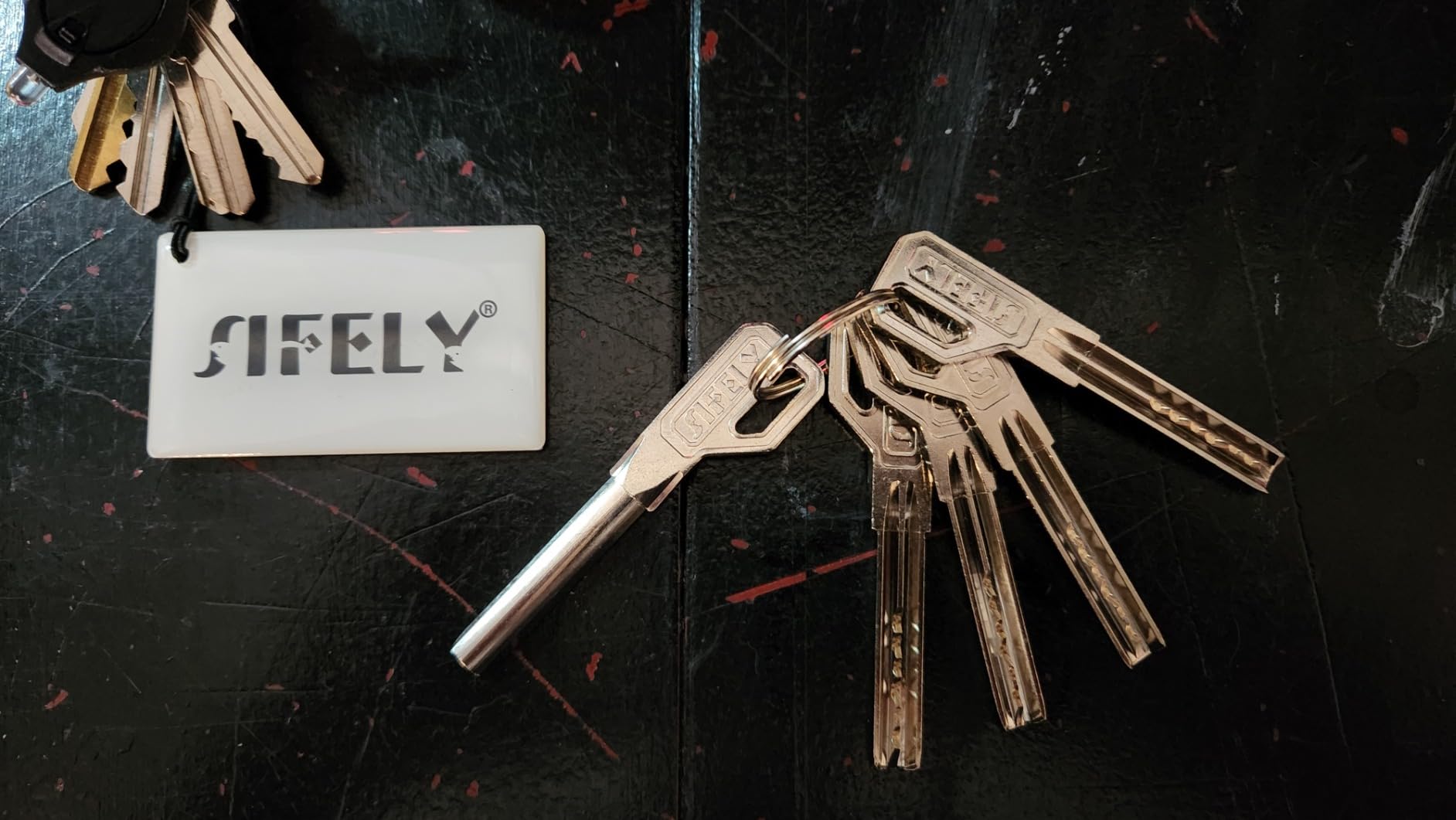
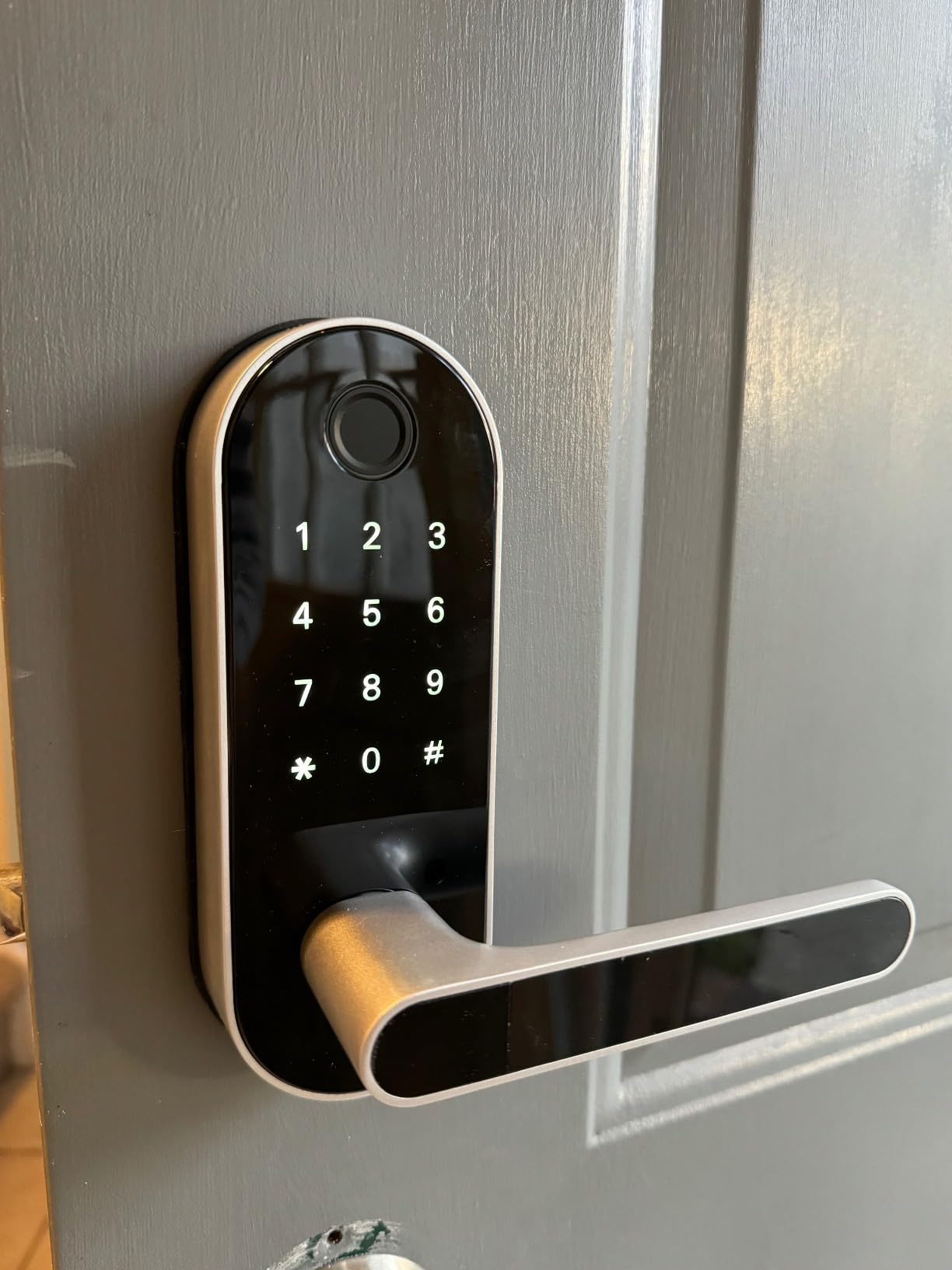
The Sifely exists for a problem most roundups pretend does not exist: renters whose lease does not allow a new bore, and doors where a full deadbolt is not an option. It mounts over the existing handle or knob, and the reversible lever means it works whether the door swings one way or the other.
At 9,290 reviews and a 4.3 rating, it is also one of the most proven locks in the group. Reviewers praise the variety of entry methods, the modern look and how quickly it goes in, and the support team is repeatedly praised for fast replacement of defective units.
Why the handle design changes the buyer
Almost every other lock here is a deadbolt that requires a 2-1/8 inch bore. The Sifely is a lever handle with a keypad above it, so it can sit on a door that already has a handle, which doubles the number of front doors it can legally touch.
For a household with kids or an elderly parent, the lever is easier to operate one-handed than a thumbturn deadbolt, and the key fobs and key cards let a family member get in without touching a keypad at all.
Five entry paths and the privacy button
Fingerprint, keypad, app, key fob or card, and a physical key. The privacy button on the interior disables every electronic entry method while you are home, which answers the forum question about whether a smart lock has to log every entry — this one can be told to log nothing.
Instant guest PIN generation is the standout for Airbnb and rental hosts. A code can be created from the app and handed over before the guest arrives, with no physical key to lose track of.
The honest drawbacks
The touchscreen keypad can be unresponsive and need several firm taps to wake, and fingerprint recognition is not consistently reliable, with some owners reporting forgotten entries. Those two together are the reason this is not our top pick.
Remote access and voice control need the separately sold Sifely WiFi Gateway. The lock also cannot be rekeyed to a Schlage key system, so if you want your existing keys to keep working, this is the wrong box.
4. eufy Security Smart Lock C220 – Best Fingerprint Lock That Needs No Hub
eufy Security Smart Lock C220, Fingerprint Keyless Entry Door Lock
Fingerprint under one second
BHMA Grade 3
IP53 waterproof
Eight AA batteries
Pros
- Six unlock paths including Apple Watch
- Self-learning fingerprint recognition
- Fits bores under 54mm with no drilling
- Built-in WiFi with no bridge
Cons
- Eight AA batteries means frequent swaps on busy doors
- Grade 3 is the entry certification
- No Matter or Thread support
The eufy C220 is the fingerprint specialist in this group, and the only one that pairs a sub-second fingerprint read with hub-free remote control at this level of adoption. At 4,248 reviews and a 4.3 rating, its owner feedback is unusually consistent: fast reads, simple setup, and a modern look that does not shout.
The self-learning AI fingerprint recognition is the interesting part. Rather than storing a static image, it adapts to small changes in a fingertip, which is why owners report fewer rejections after the first few weeks than they do with fingerprint locks that treat every scan as a fixed comparison.
Fingerprint performance and small-bore fitting
Unlocking happens in under one second, and the sensor accepts a thumb more readily than a fingertip. Six entry paths are supported: fingerprint, the eufy Security app, keypad, physical key, Apple Watch, and Alexa or Google voice.
It fits bores under 54mm by removing the included spacer, so most installs need no drilling at all. For an older door or a narrow frame, that single design decision removes the most common reason a retrofit job gets abandoned halfway.
Weather and certification for an exterior door
BHMA Grade 3 certified after 100,000 lock cycles, IP53 waterproof, and rated for -22°F to 158°F. That range covers most of the continental United States for a front door, though it is narrower than the ULTRALOQ Bolt SE for extreme climates.
It also folds into eufy routines alongside eufy video doorbells, so unlocking the door can trigger a camera view without a third-party integration.
The maintenance catch
Eight AA batteries power it, and on a high-traffic door where five people come and go, the cells need replacing far more often than the four-AA designs. This is the one recurring complaint in the reviews, and it is worth factoring in before you commit.
5. Yamiry Fingerprint Knob with Keypad – Best Value for Multi-Property Owners
Smart Door Handle Lock with Keypad, Yamiry Fingerprint Knob for Front Door
Six unlock methods
Reversible handle
Ten-minute install
Stainless steel and zinc
Pros
- Manages many locks across properties from one app
- Remote generation of permanent and one-time codes
- Reversible handle for either door swing
- Two fobs and two keys included
Cons
- Alexa and remote control need the sold-separately gateway
- Bluetooth proximity needed until a gateway is added
- Keeps unlock records by default
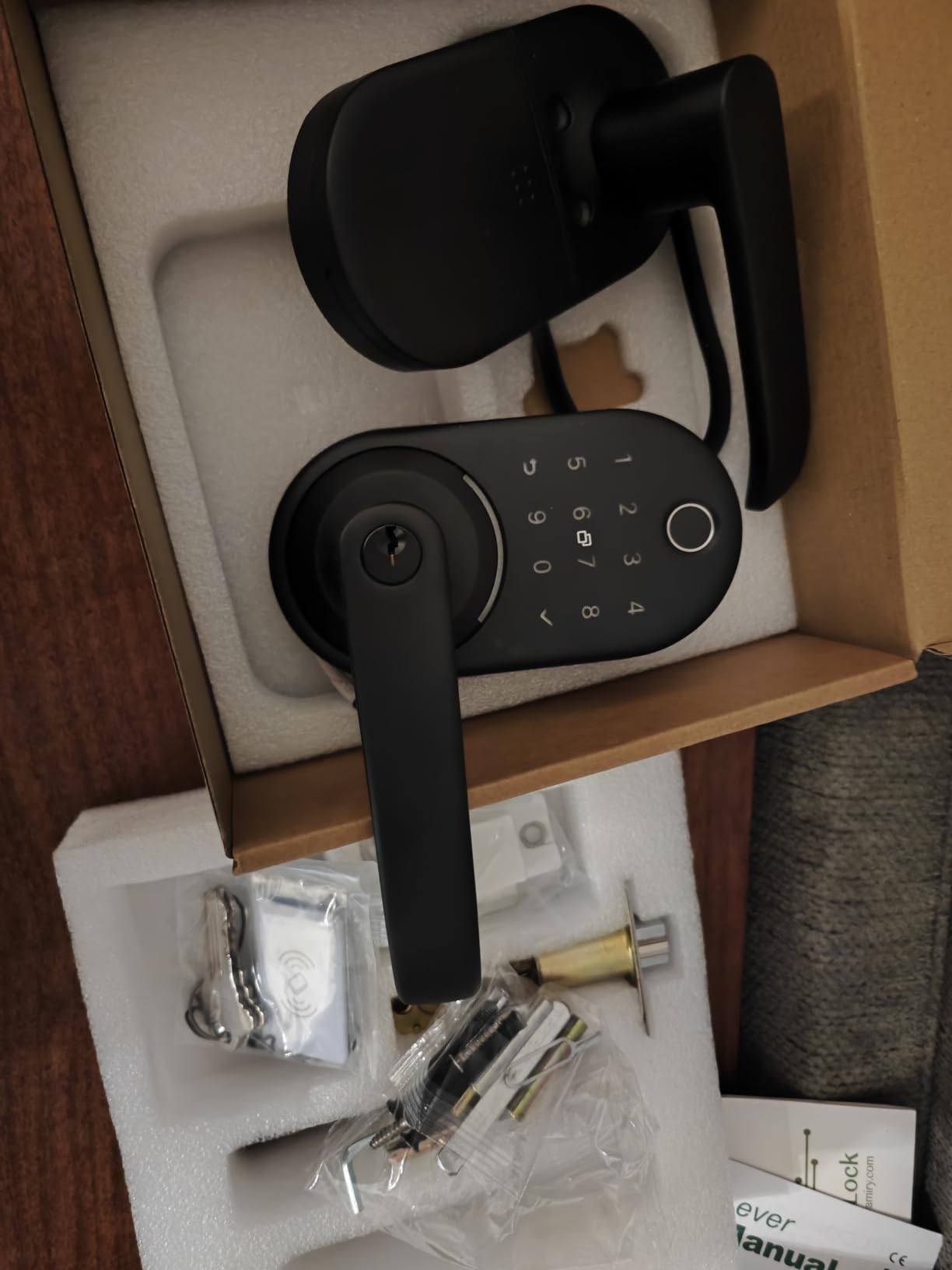
The Yamiry YR01 is built for people who juggle more than one door. At 3,593 reviews and a 4.3 rating, its strongest identity is the app: you can manage many locks across multiple properties from a single account, which is what landlords, apartment supervisors and short-term rental hosts actually need.
It is also a fingerprint knob rather than a lever, so it fits over an existing knob or handle with a reversible design and installs in roughly ten minutes on most standard American wooden front doors without drilling.
Six unlock paths on a budget body
Fingerprint, Bluetooth app, passcode, key fobs, a mechanical key, and voice. The fingerprint reads quickly enough that it becomes the default, and the passcode system supports both permanent and one-time codes that you can create from the app while away from home.
Two fobs and two mechanical keys ship in the box, so family members are not forced into the fingerprint or keypad. For a rental where keys get handed around, having physical backup included matters.
The gateway caveat that shapes the decision
Alexa control and true remote unlock both need a separately sold WiFi gateway. Some users also report that app and remote code features need Bluetooth proximity until that gateway is added, which is a sharper limitation than it sounds.
If you are installing one lock on your own house and already run an eufy or Tapo device, paying for a gateway to run one brand of lock is hard to justify. If you are placing eight of these across a rental portfolio, the trade flips immediately.
Where it fits and where it does not
Door swing is not a constraint thanks to the reversible handle, and the body is stainless steel and zinc. What it will not do is work without any hub at all for remote access, so a renter who only ever wants Bluetooth unlock at the door is fine, and anyone who wants to let a cleaner in from across town is not.
Unlock records are kept in the app, and there is no reviewed way to disable that logging. Households that would rather not store a history of who came and went should look at the Veise VE017 instead.
6. DESLOC B200 with Two Lever Handles – Best for Keeping the Lock Off the Internet
DESLOC B200 Fingerprint Smart Lock with 2 Lever Handles Set,Front Door Lock
Bluetooth only
12 months battery
IP54 waterproof
Two lever handles
Pros
- Works fully offline over Bluetooth
- About 12 months on four AA batteries
- USB-C emergency power port
- Set includes two matching lever handles
Cons
- No built-in WiFi so remote access needs the G2 gateway
- Too many failed scans trigger a siren lockdown
- Batteries are not included
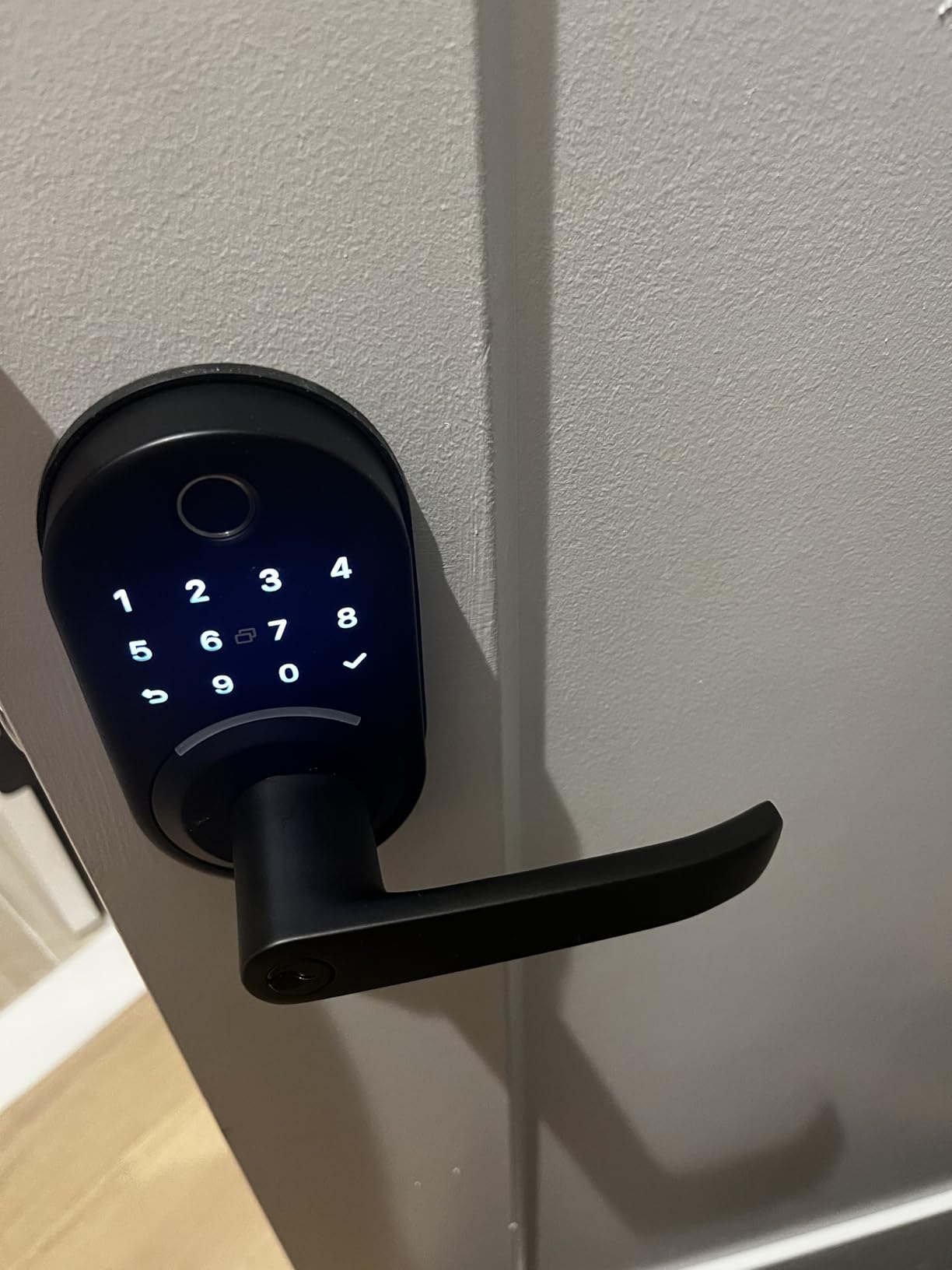
The DESLOC B200 is the privacy-first pick. At 2,315 reviews and a 4.2 rating, it is the only lock in this roundup that can stay off the internet entirely and still deliver fingerprint, PIN, fob, key, app and eKey entry over Bluetooth.
For a front door in a rural location, a guest cottage, or a house where the owner does not want a door lock exposed to a cloud service, that is a real advantage rather than a limitation. Several forum discussions about smart lock privacy ask exactly this question, and this lock answers it.
What the handle bundle actually solves
The set includes two lever handles, so the interior and exterior hardware match and the door does not end up with a smart lock bolted onto mismatched existing furniture. For a door you are replacing wholesale, that saves a trip to the hardware store.
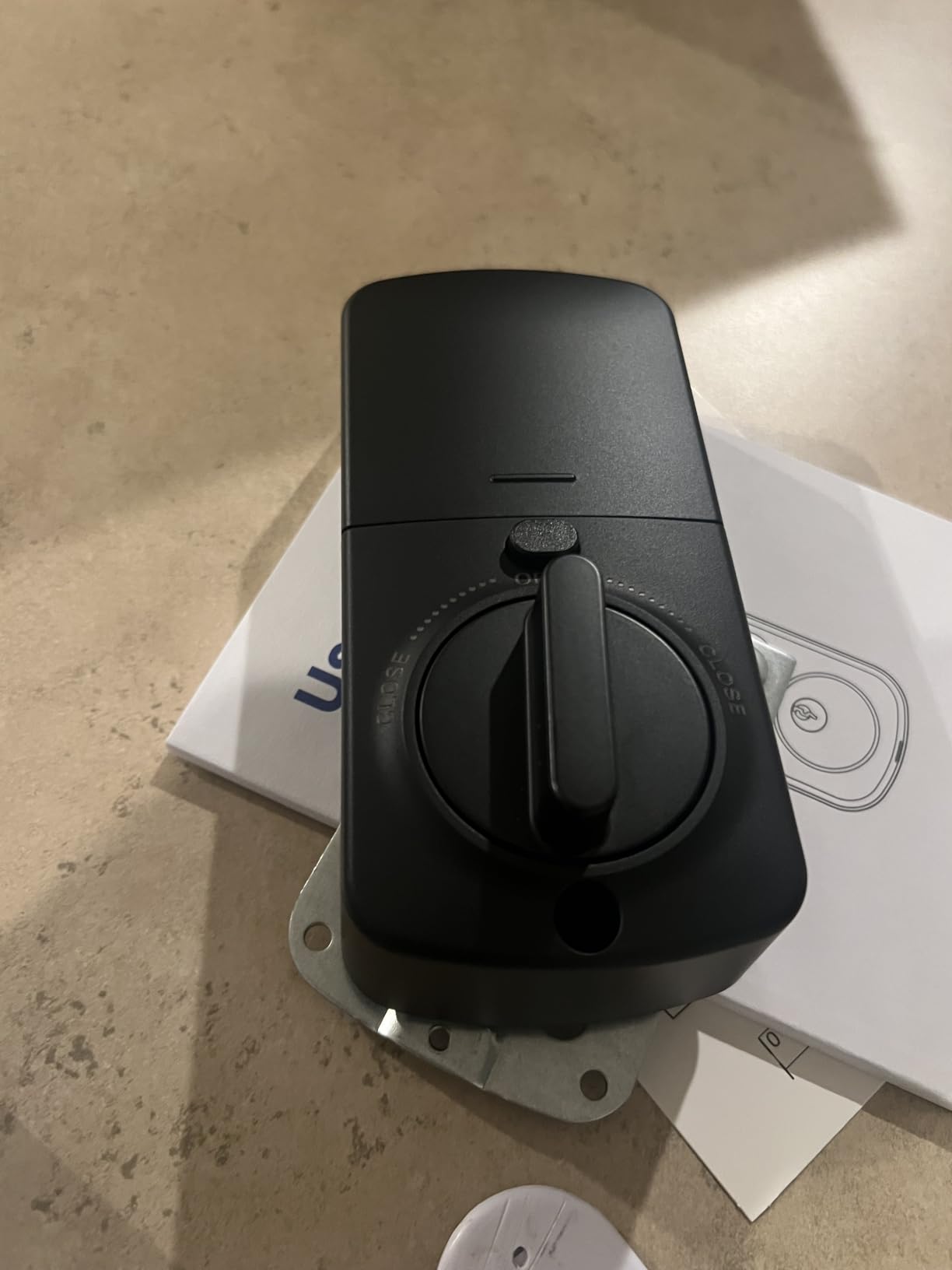
At 14.37 x 7.7 x 3.23 inches the package is the largest of any lock here, so measure the door and the swing path before ordering. Installation itself is screwdriver-only, with an adhesive-backed interior back cover that hides the wiring face.
Battery, backup and lockdown behaviour
About 12 months on four AA batteries, with a low-battery indicator and a USB-C emergency power port. Batteries are not included, which is worth remembering at checkout and is the kind of small omission that strands people on day one.
The fingerprint reads in under 0.3 seconds with self-learning AI, and the lock is IP54 waterproof operating from -22°F to 158°F. The catch is the anti-hijack logic: too many failed fingerprint attempts trigger a siren lockdown that requires unlocking through the app to clear.
Where the fingerprint reader frustrates people
The scanner is finicky, and many users find the thumb more reliable than a fingertip. That is a genuine issue for a family with mixed hand sizes, and it is why we would not put this at the top of the list for a household with young children.
Remote control and voice entry require the separately sold G2 gateway, and the deadbolt can need backset adjustment on some doors. A 24-month product warranty with US-based phone and email support is included, which is longer than most competitors offer.
7. eufy Security Smart Lock C30 – Best for People Who Hate Keypads
eufy Security Smart Lock C30, Keyless Entry Door Lock, Built-in WiFi, Black
Built-in WiFi
BHMA Grade 3
IP53 waterproof
Four AA batteries
Pros
- No hub needed for remote unlock
- Continues to work locally with dead batteries
- Fits most standard deadbolts in 15 minutes
- No monthly subscription fee
Cons
- Lowest rating here at 4.0 with battery drain complaints
- No fingerprint reader
- Apple Watch app does not unlock the lock
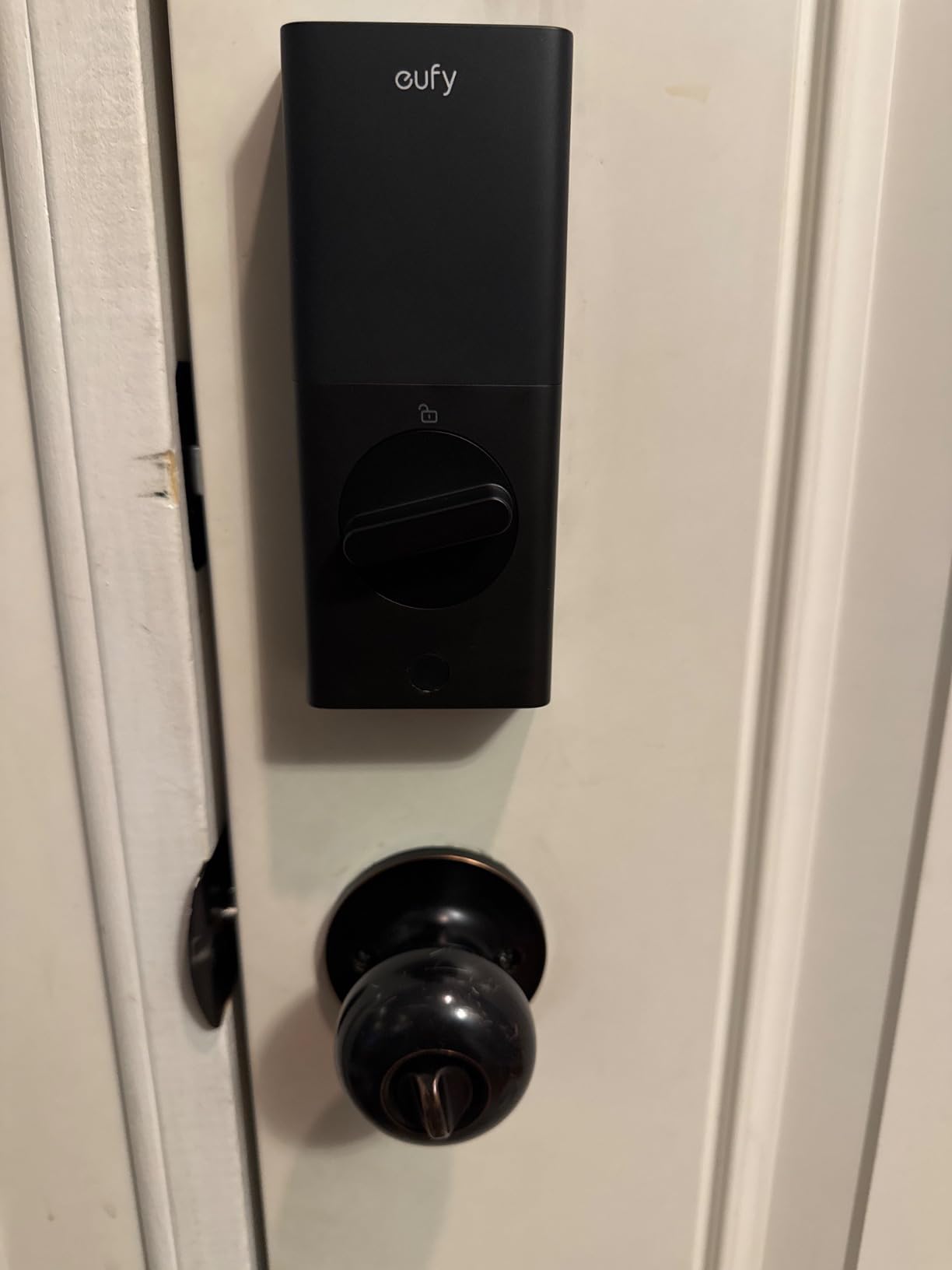
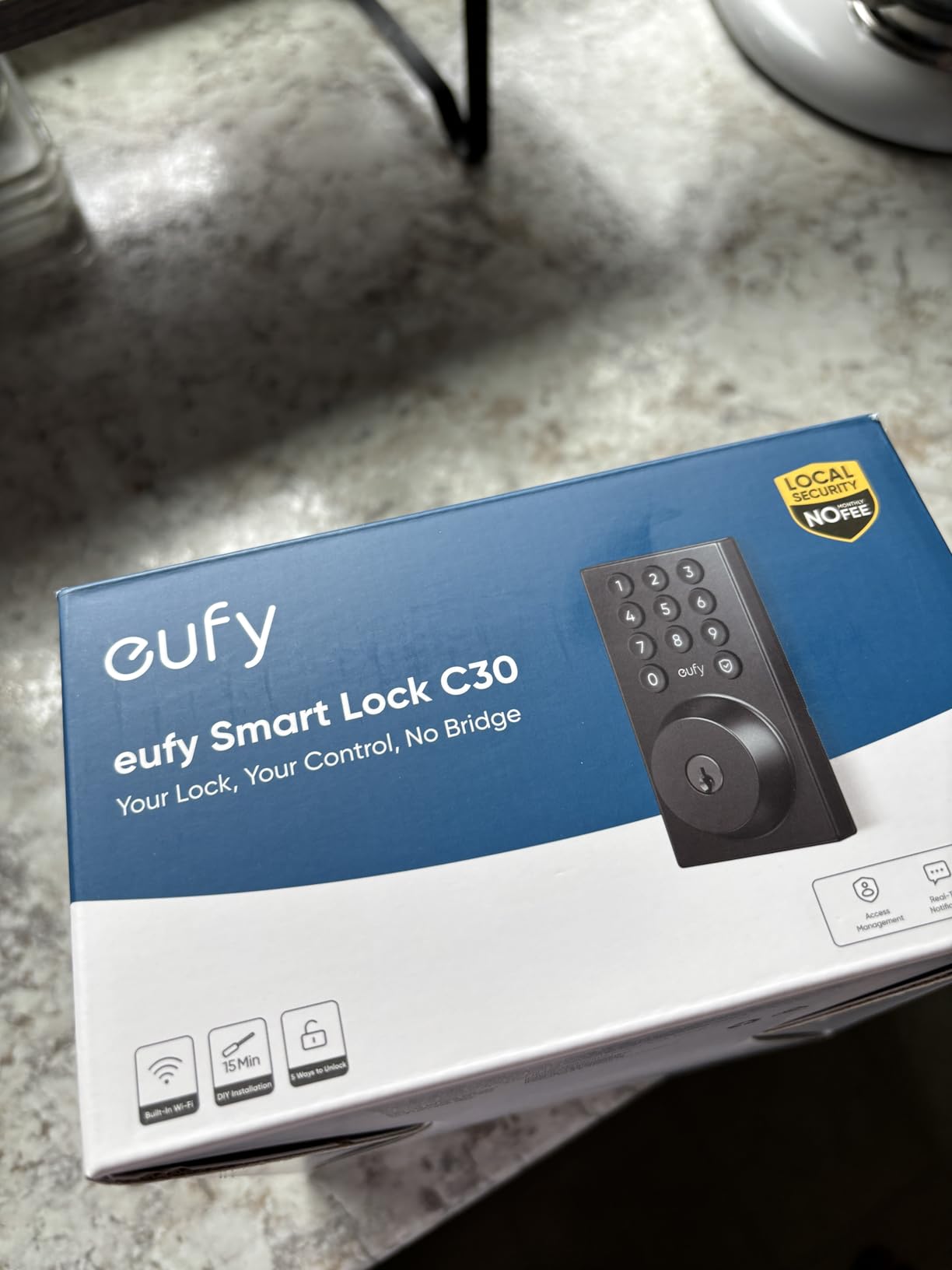
We include the eufy C30 with a caveat, because buyers keep asking for a front door lock that is not a fingerprint machine. It is a keypad deadbolt with built-in WiFi, and at a 4.0 rating across 2,187 reviews it is the lowest-rated lock we tested. The complaints are about batteries, not about the mechanism.
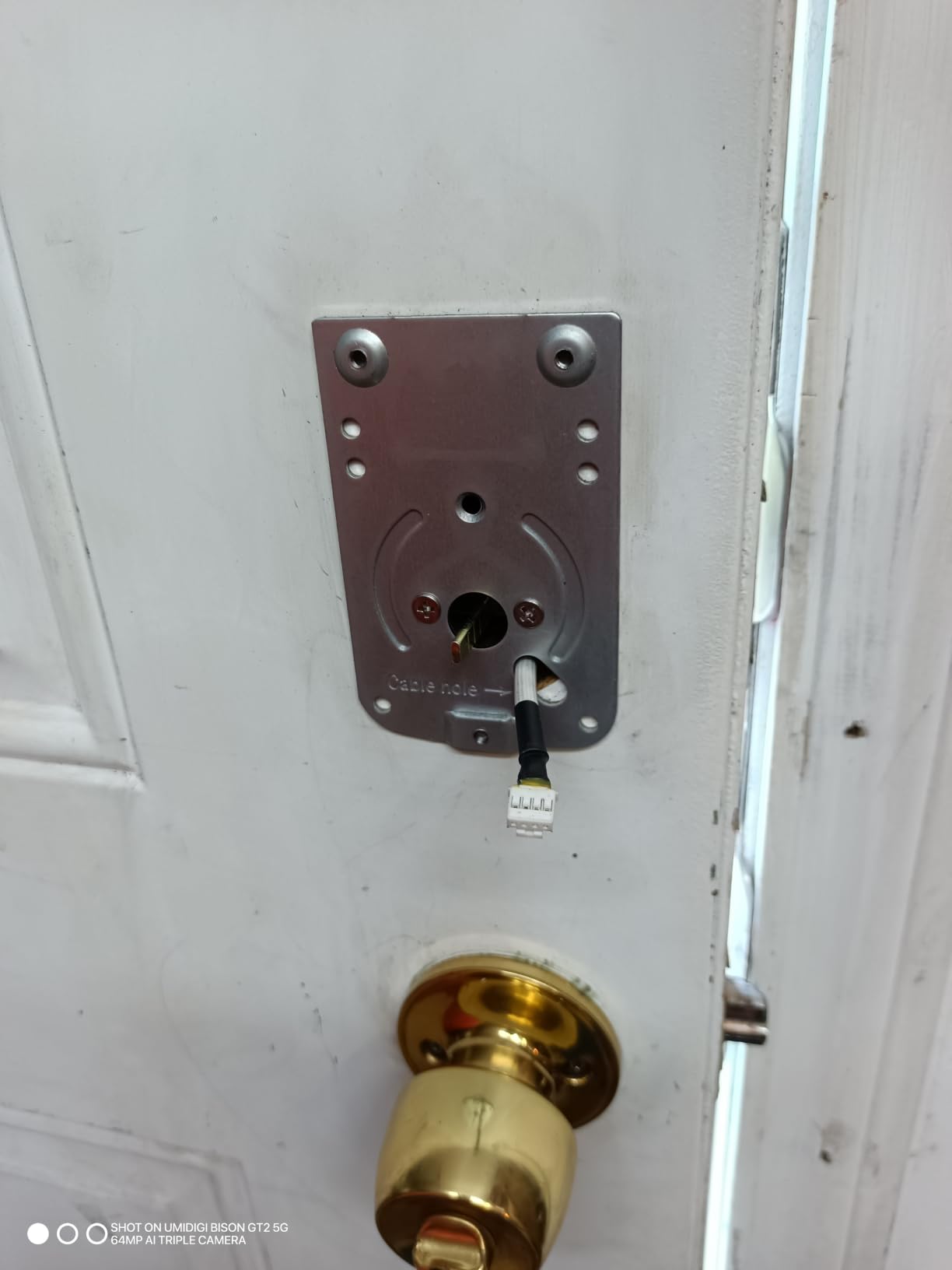
The case for it is simple. It upgrades a Bluetooth-range lock to real remote control, it fits most standard deadbolts in a 15-minute no-drilling install, and it has no monthly fee attached to remote access.
Battery drain is the honest headline
Advertised at up to five months on four AA batteries, multiple owners report changes every few weeks instead, and rental operators in particular report rapid depletion with little or no low-battery warning. If your door sees twenty entries a day, budget for cells on a schedule rather than a season.
On the upside, the lock continues to work locally even when the batteries are dead, which is unusual and genuinely reassuring. The key still turns and the interior thumbturn still works.
What you give up without a fingerprint
There is no biometric sensor, so entry is keypad, app, voice through Alexa or Google Assistant, or a physical key. For a household where everyone reliably remembers a code, that is a perfectly good front door lock.
There is also no HomeKit support, and the Apple Watch app option does not actually unlock the lock — a detail that catches people out after purchase. The bolt takes a noticeable moment to retract after unlocking, and the touch screen keypad is described as awkward.
Who should buy it anyway
A guest house, a back entrance, or a rental where a resident changes every few weeks. In those cases the keypad and app matter more than fingerprint speed, and the no-subscription remote access is a genuine advantage over the gateway-dependent locks.
8. Veise VE06-H Smart Handle Set – Best for a House Full of People
Veise VE06-H Smart Front Door Lock Handle Set, App Control, Matte Black
250-plus user codes
Anti-peeping keypad
Bundled handleset
Fits doors to 2 inch
Pros
- 4.4 rating with a 75% five-star share
- Supports 250-plus user codes in one system
- Bundled lever handleset matches on both sides
- Support described as quick and patient
Cons
- Alexa and remote control need the sold-separately Veise G2 gateway
- Code programming has a learning curve
- Occasional brief offline periods reported
The VE06-H is a highly rated handle-set lock in this group at 4.4, and the 75 percent five-star share is not a fluke — owners consistently describe it as sturdy, well made and attractive. It includes the full lever handleset, so the interior and exterior hardware match.
Its real strength is scale. It supports 250 or more user codes in one system, with one-time, permanent, scheduled and recurring code types, plus web portal management. That is the feature set for a shared house, a small apartment building, or a property manager with turnover.
Five ways in, and a keypad built for shared use
App, code, fobs, mechanical key and thumb turn, with two backup keys and two fobs in the box. The keypad is anti-peeping and anti-hacking, which means a digit pressed by someone watching over your shoulder does not open the door.
Auto-lock, one-touch locking, privacy mode and passage mode are all present. Passage mode is the one to know about: it lets the door stay unlocked during a party without anyone having to hold a button.
Door fit and installation
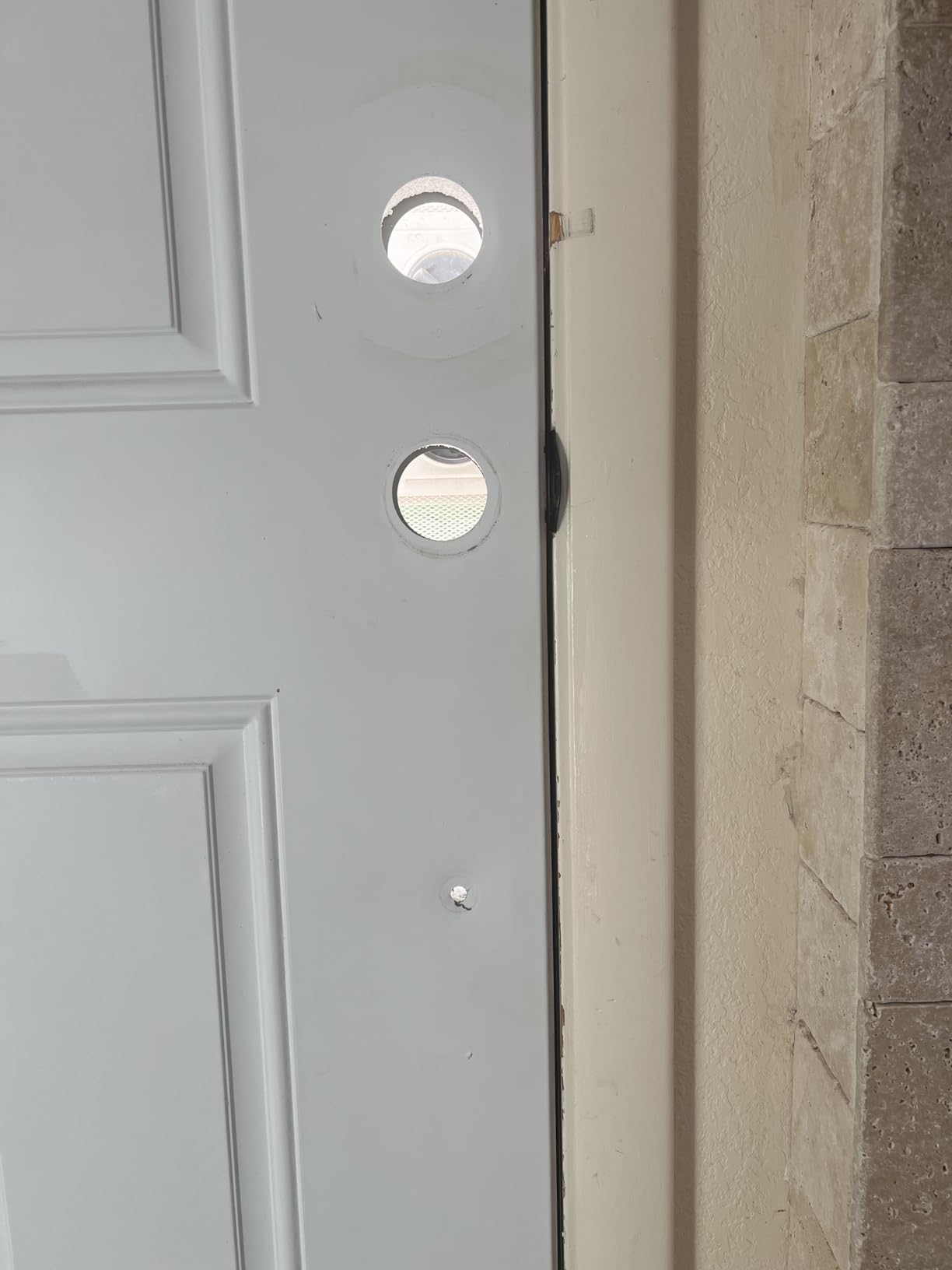
It fits US standard doors from 1-3/8 inch to 2 inch thick and works for both door swing directions, but it requires three pre-drilled holes. That is the trade for a complete handleset rather than a retrofit over an existing bore.
At 5.1 pounds and 17.99 x 7 x 4 inches, this is a substantial piece of hardware, not a cover. Measure the door swing and the frame depth before you commit.
The gateway and the learning curve
Alexa, Google Home and remote control all need the separately sold Veise G2 gateway, and remote code generation is unavailable without it. That is the single biggest reason this is not higher on our list despite the strong rating.
Code programming also has a learning curve, and some locks need a reset pairing when the app cannot find them. Owners also report occasional brief offline periods weeks after installation. Warranty is one year, extendable by a free year with registration.
9. Veise VE017 Fingerprint Smart Lock – Best for Keeping Credentials Off the Cloud
Veise VE017 Fingerprint Smart Door Lock with App Control, Matte Black
On-device AES128
BHMA and ANSI certified
IP55 rated
12 months battery
Pros
- Fingerprint credentials stored on the device not the cloud
- Sub-0.2 second reads with a self-learning chip
- Operates from -35F to 160F
- USB-C emergency port and 12 months battery
Cons
- Remote unlock and voice need the sold-separately Veise G1 gateway
- Ships as a deadbolt with no interior handle
- Only a deadbolt so a separate door pull is needed
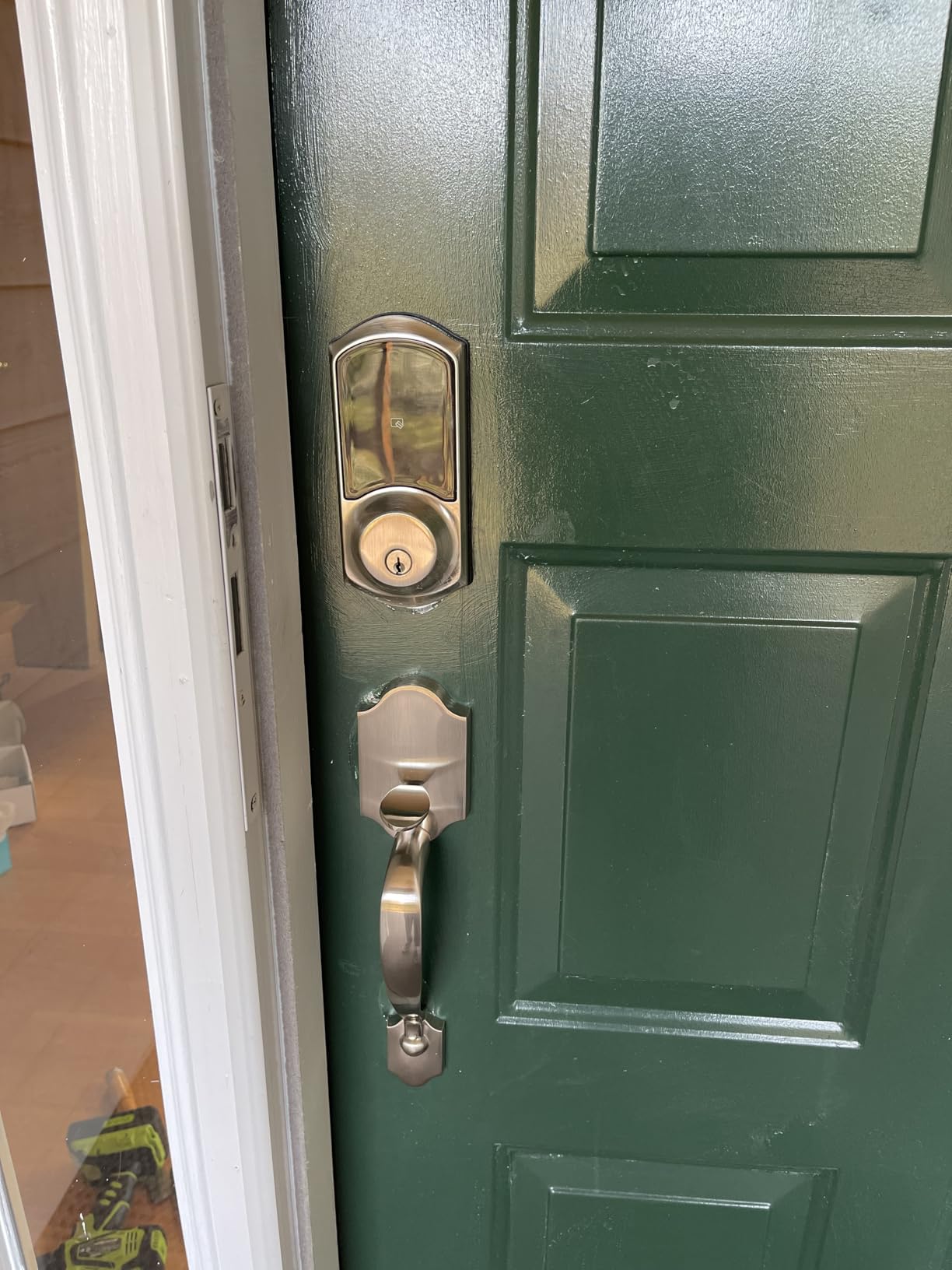
The VE017 is the most security-conscious lock in this roundup, and its differentiator is not visible from the street. It carries an on-device AI fingerprint chip with AES128 encrypted local storage, so your fingerprint templates stay on the lock rather than in a cloud account.
At 1,293 reviews and a 4.3 rating, owners highlight fast and accurate fingerprint recognition, straightforward app-based user management and solid metal construction. The gateway requirement is the thing to plan around before buying.
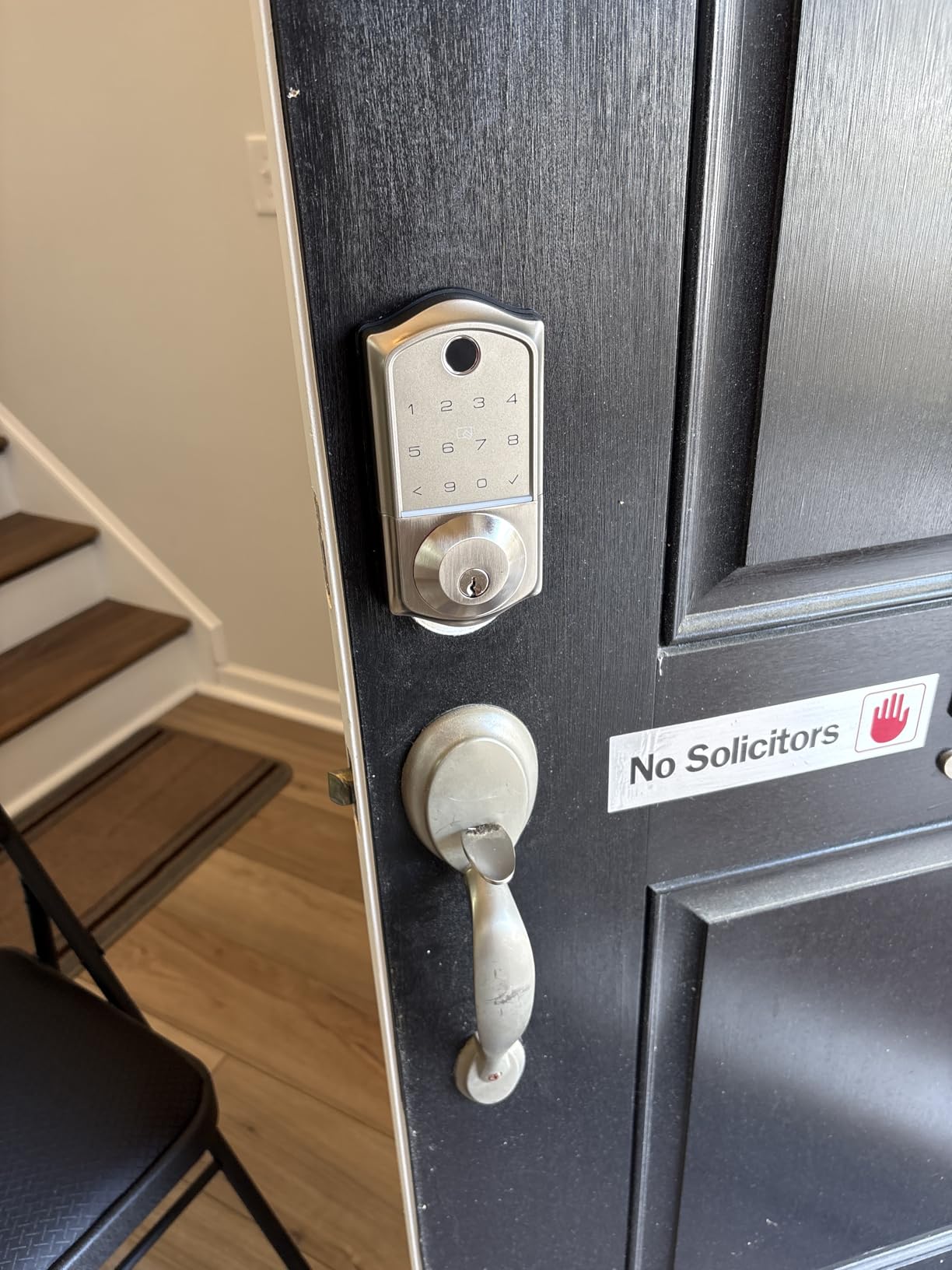
How fast a fingerprint has to be
Verification and unlock happen in under 0.2 seconds at a stated 99.99 percent accuracy, and the self-learning chip adapts over time. There are eight unlock methods in total and five locking methods, including an auto-lock you can set anywhere from 0 to 180 seconds in the app.
Four password modes are supported — one-time, duration, permanent and recurring — plus anti-peeping privacy codes that scramble the digits on screen while you type.
Exterior door specifications
BHMA and ANSI certified, IP55 waterproof and dustproof, operating from -35°F to 160°F, which is the widest temperature range of any lock here. It fits door thicknesses from 1-3/8 inch to 2 inch and both a 1-1/2 inch and a 2-1/8 inch bore.
It auto-detects the door swing direction, so the install is roughly 15 minutes with a screwdriver. Battery life is about 12 months on four AA or LR6 alkaline cells, with a low-battery indicator and a USB-C emergency port.
What is not in the box
It arrives as a deadbolt only, with no interior handle or lever. On a door with no existing pull, you will need to add one. Remote unlocking and voice control both require the separately sold Veise G1 gateway.
For a household that wants a fingerprint front door lock and has no interest in a subscription or a cloud account, this is the most direct answer in the group.
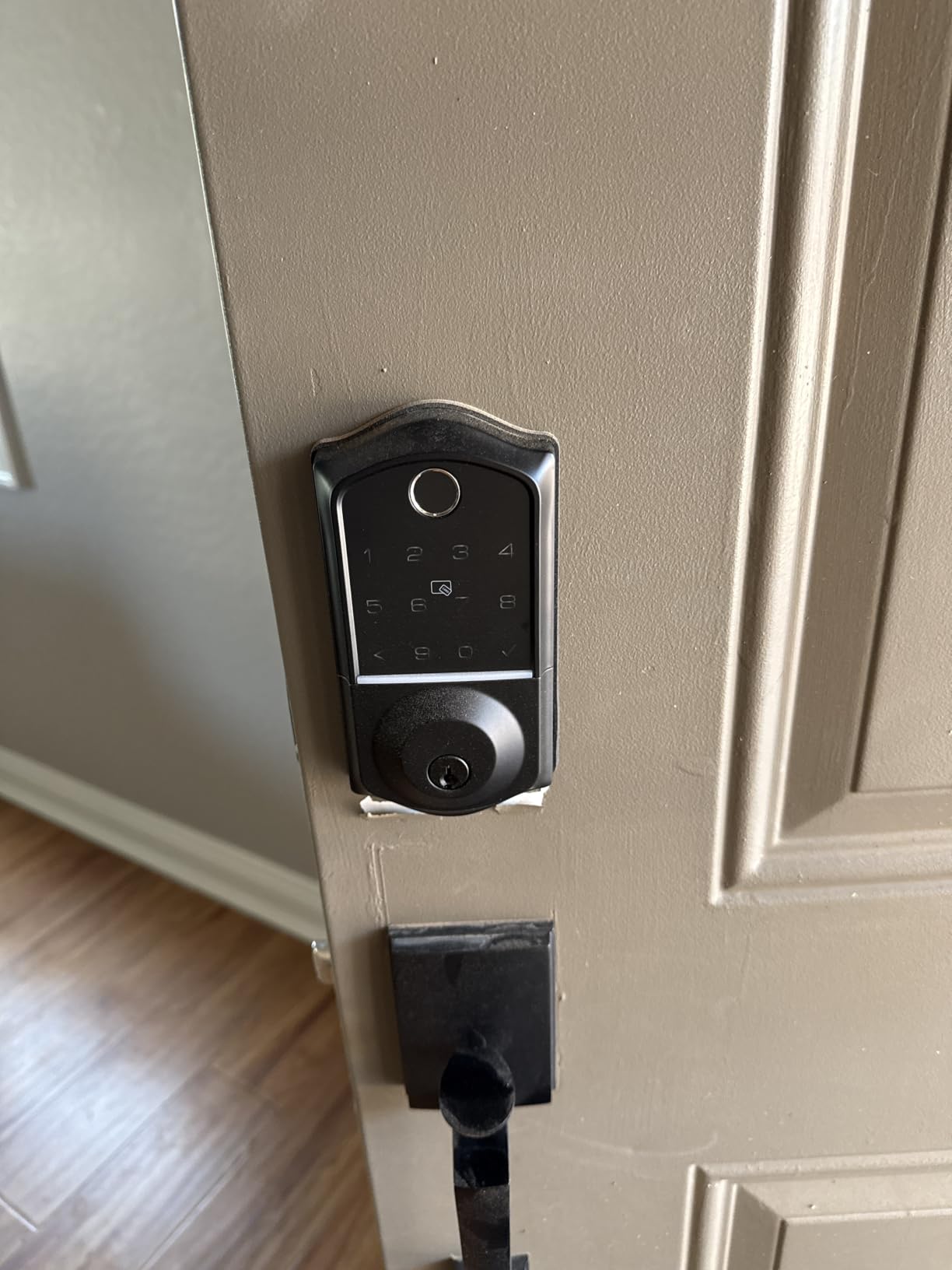
10. Philips Wi-Fi Smart Deadbolt Lock – Best for Guest and Delivery Codes
Philips Wi-Fi Smart Deadbolt Lock, Keyless Entry Door Locks for Front Door
Hub-free WiFi
100 passcodes
Away Mode
2.4 GHz only
Pros
- Remote unlock with no separate hub
- Fingerprint plus keypad plus key plus voice
- Unlimited one-time and scheduled codes
- Away Mode disables all methods except the master code
Cons
- 2.4 GHz only with a 65 ft router recommendation
- No door sensor so open state is unknown
- Batteries are not included
The Philips DDL242X does the one thing most locks in this price bracket do not: remote unlock without a hub. At 1,172 reviews and a 4.3 rating, that single feature is why it earns a place, and reviewers name it as the strongest point again and again.
It is also a full fingerprint and keypad lock rather than a keypad-only design, so the fingerprint reads quickly and stores multiple family prints on a one-touch sensor.
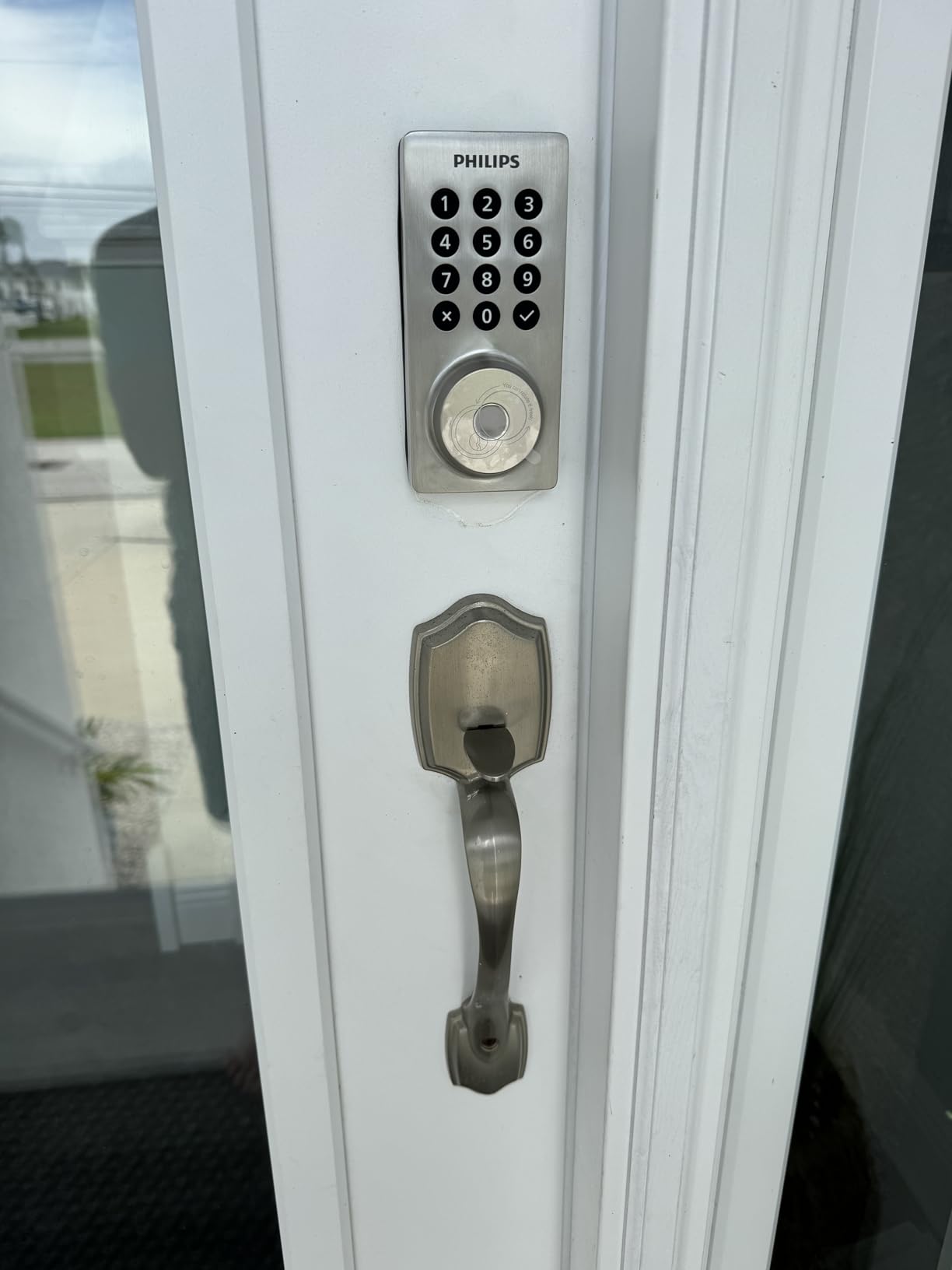
Code management is the real feature
Up to 100 custom passcodes plus unlimited one-time and scheduled codes, with real-time lock and unlock alerts and a full access history in the app. For a house with a cleaner, a dog walker and a delivery service, generating a single-use code per visit removes the key-handover problem entirely.
Away Mode is the feature we did not expect to like and now recommend: it disables every unlock method except the master code, so a compromised PIN does not work while you travel.
Connectivity limits to verify first
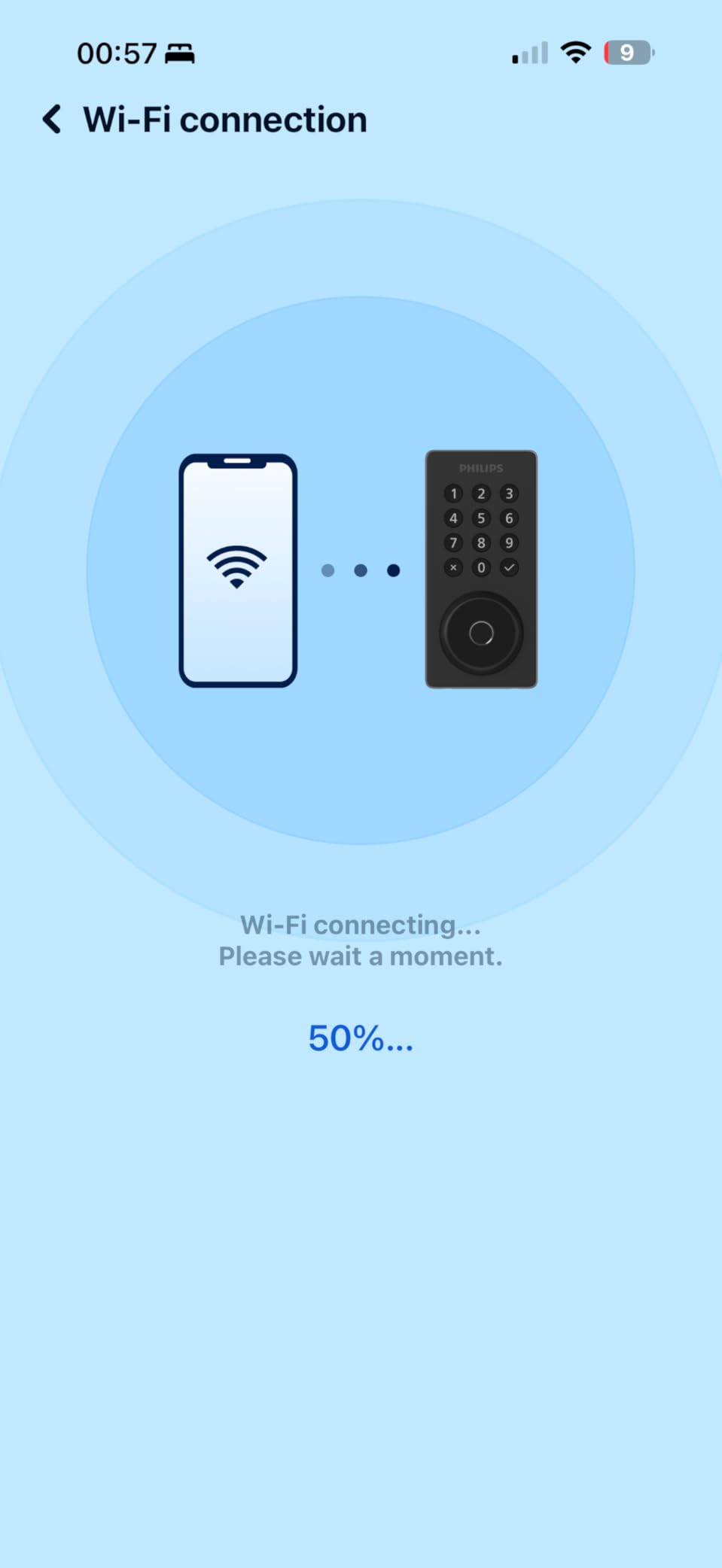
The built-in WiFi is 2.4 GHz only, and Philips recommends the router be within 65 feet of the lock. On a large house with a router in a back office, that is the detail that decides whether this lock works or does not.
There is no door sensor in the box, so the app cannot report whether the door is open or closed. Batteries are not included, and Philips specifies AA alkaline LR6 cells only.
Fit and finish
It installs with a screwdriver on doors 1-3/8 inch to 2 inch thick, comes in matte black on an aluminum body, and is supported by US-based phone support seven days a week. Auto-lock is adjustable from 10 to 180 seconds with an anti-peeping password option.
11. Tapo Smart Wi-Fi Door Lock DL110 – Best for Quiet Homes and the Only Grade 2 Here
Tapo Smart Wi-Fi Door Lock, Deadbolt, Fingerprint Recognition, DL110
BHMA Grade 2
Rechargeable 10000 mAh pack
0.42 second reads
Two rekeyable keys
Pros
- Only BHMA Grade 2 certified lock in this roundup
- Rechargeable battery pack rated for a year
- Exceptionally quiet bolt operation
- Two rekeyable Schlage-compatible keys
Cons
- Keypad digits invisible until the screen wakes
- Doorbell button under the keyhole cap triggers false alerts
- No Matter or local API support
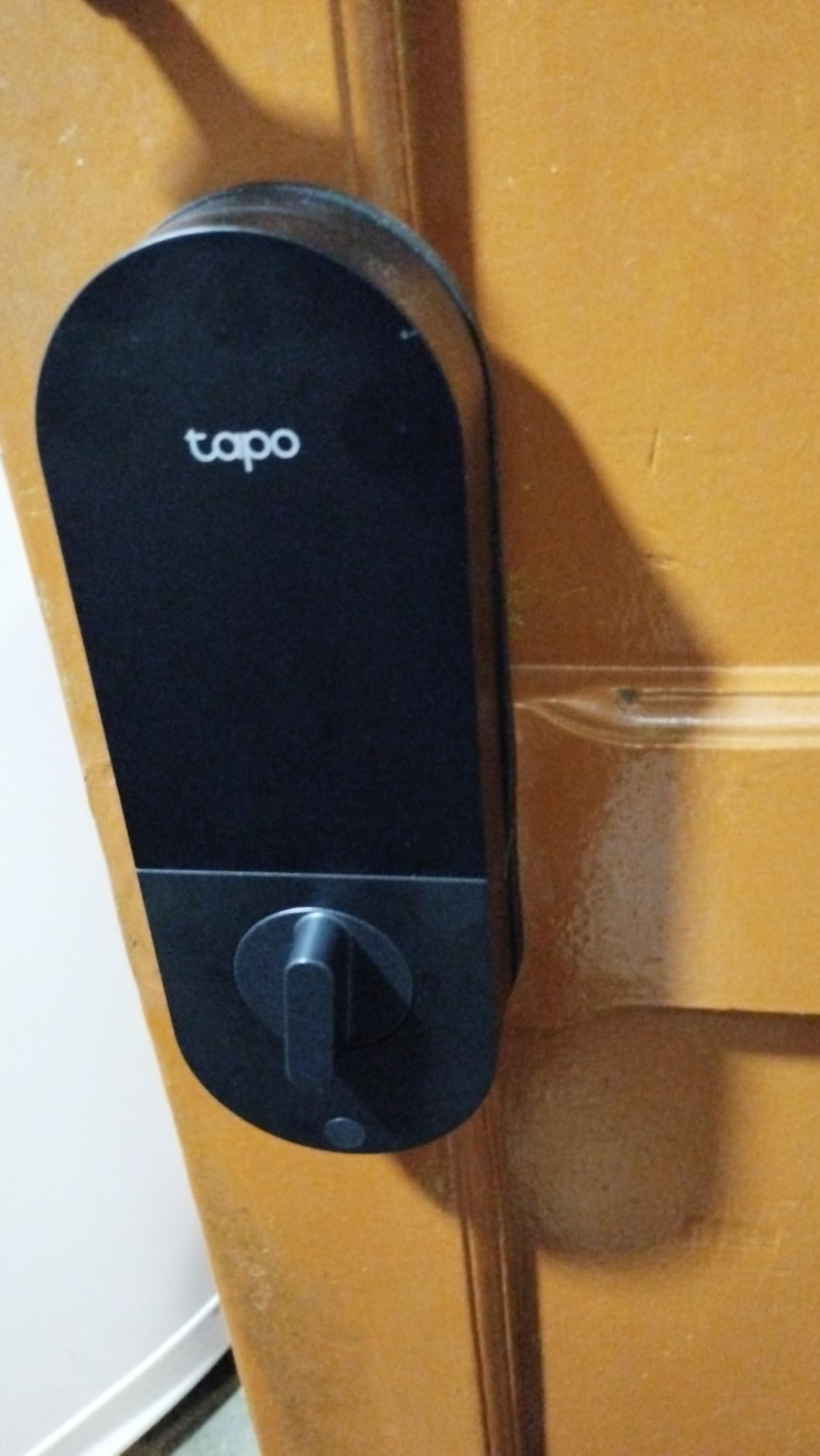
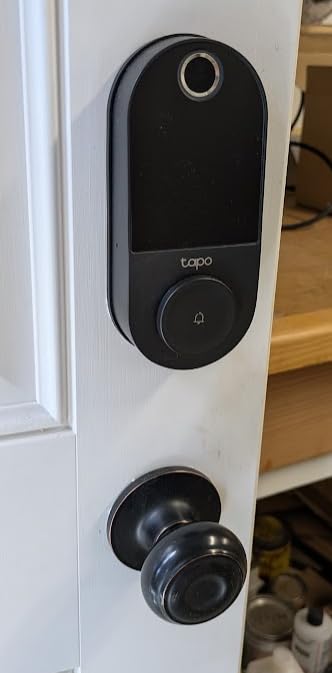
The Tapo DL110 is the sleeper with the best hardware. At a 4.5 rating it is the second highest-rated lock we tested, and it is the only one in this group carrying BHMA Grade 2 certification — a genuine step above the Grade 3 locks that make up the rest of the list.
Owners also rate it the most reliable smart lock they have used, citing the quiet operation, a year-long rechargeable battery and Grade 2 hardware at a mid-range price. At 799 reviews it is the least proven lock here, and we would like a longer record before recommending it first.
Why Grade 2 matters on a front door
ANSI and BHMA Grade 2 is the certification most residential insurance guidelines and commercial codes point to, and it means something specific: harder prying resistance and stronger protection against kick attacks than Grade 3. If a Grade 1 lock is out of reach on the door you own, this is the tier worth aiming for.
The deadbolt is also the quietest of the twelve. On a shared apartment wall or next to a sleeping child, that difference registers immediately, and it is the one specification nobody in this category measures except Tapo owners who volunteer it.
The rechargeable battery pack
A removable, rechargeable 10,000 mAh pack rated for a year, with a USB-C port that doubles as dead-battery emergency power. In the box you get the pack, a USB charger and a silicone cover, which is the most complete kit of any lock in this roundup.
Rubber gaskets on both sides damp door movement and protect the door finish, and fingerprint unlock reads in 0.42 seconds with up to 100 prints stored. Two Schlage-compatible physical keys ship in the box and can be rekeyed.
Three real usability problems
Keypad digits are invisible until you touch the screen to wake it, which is genuinely awkward for a guest arriving in the dark. The doorbell button under the keyhole cap is hypersensitive and generates false app notifications, and there is a slight delay when locking via the fingerprint sensor with no visible lock icon to tap instead.
There is no open API for Home Assistant or HomeSeer and no Matter support, so you are tied to the Tapo cloud and its limited automations. The battery pack is proprietary. These are the reasons this is not the top pick despite the best rating in the group.
12. Wyze Palm Lock – Best for Contactless Entry and No-Touch Unlocking
Wyze Palm Lock, Smart Door Lock with Palm Vein Recognition, Keyless Entry Smart Locks for Front Door, Keypad, Auto Lock, Dual Battery, Wi-Fi, Works with Alexa & Google, BHMA, IP53, Mechanical Key
Palm vein recognition
Gyro auto-lock
Dual battery system
IP53 rated
Pros
- Contactless palm vein read with nothing to touch
- Gyroscope auto-lock avoids false jamming
- Millimeter wave presence detection saves battery
- Dual battery with two-week backup and USB-C charging
Cons
- Palm enrollment takes more calibration than a fingerprint
- Best suited to a single consistent user
- Tied to the Wyze app ecosystem
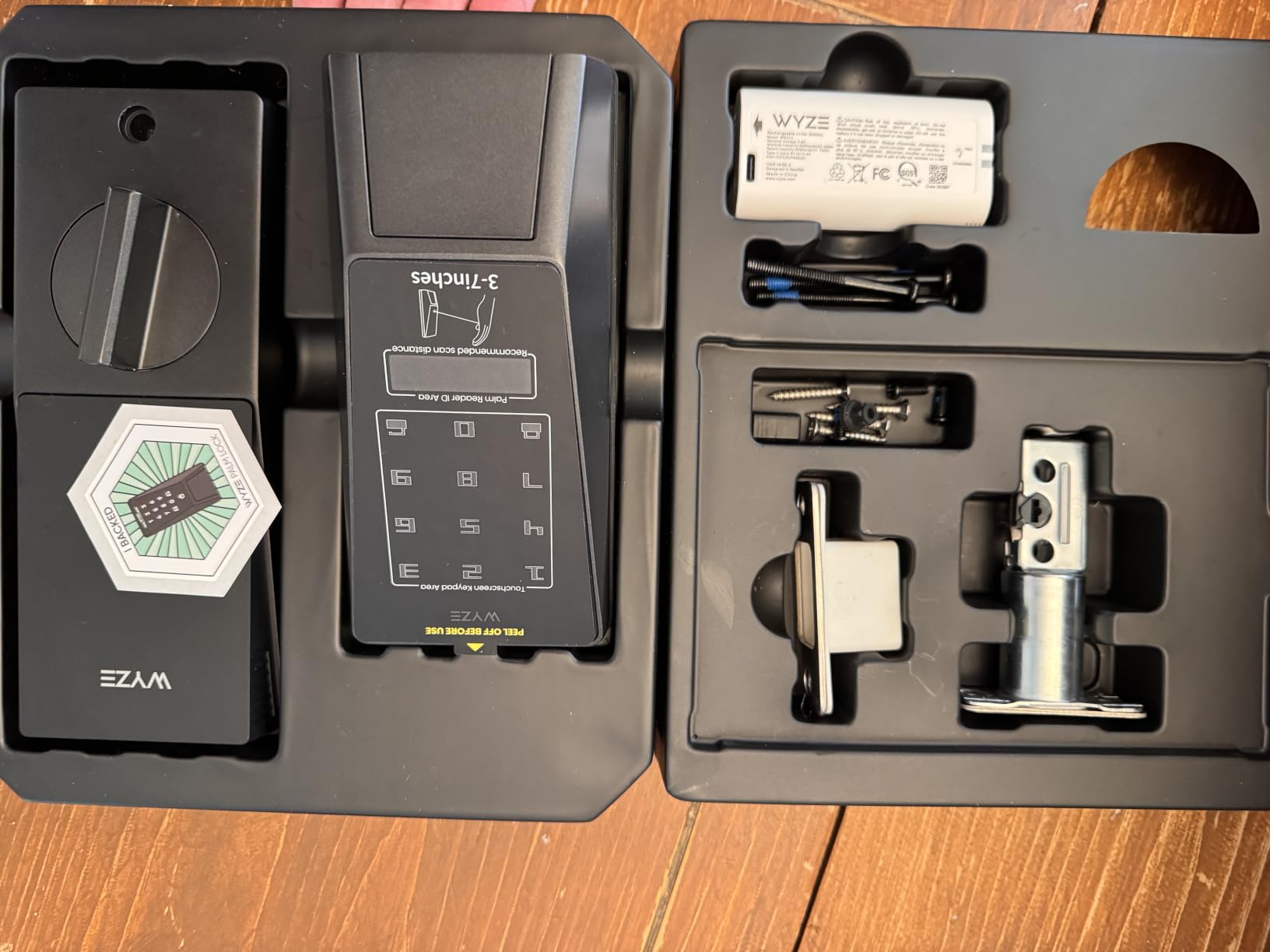
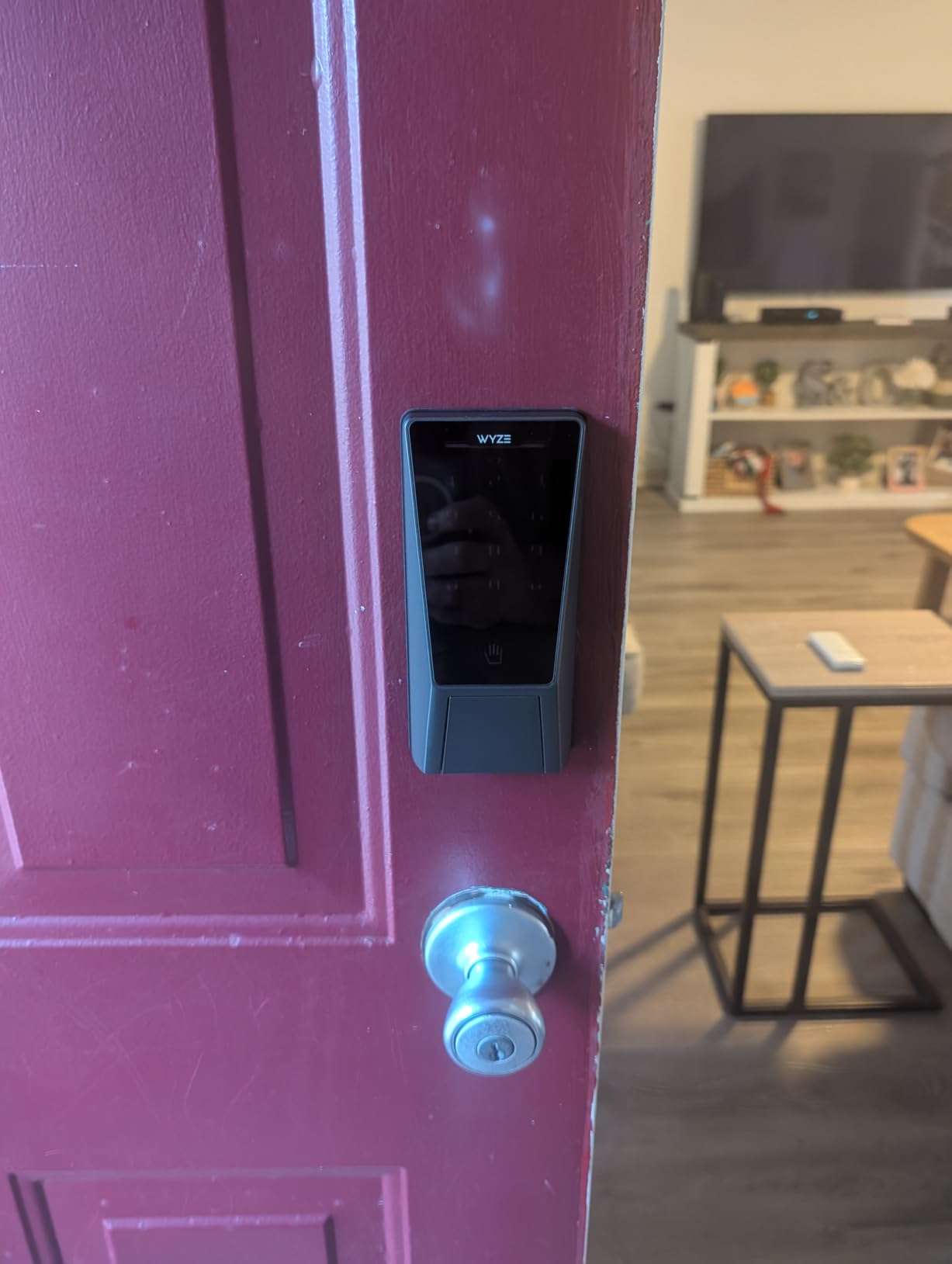
The Wyze Palm Lock is the highest-rated lock we tested at 4.6, with an 82 percent five-star share. Its idea is simple and genuinely different: it reads the vein pattern beneath your palm using contactless palm vein recognition, so there is nothing to touch at the door at all.
That is useful for a family that never takes gloves off in winter, for anyone wearing muddy work gloves, and for a door where you would rather not wipe a sensor down after coming in from outside. It is also why it holds the number one spot in the Security and Surveillance Biometrics ranking for its category.
The gyroscope is the underrated feature
A built-in gyroscope detects the door angle and movement, and auto-locks once the door is actually closed. That solves a problem most cheaper smart locks create: the motor firing while the door is still swinging, which produces jammed bolts and false lock confirmations.
Millimeter wave radar senses whether a person is standing at the door and only wakes the lock when someone is there, which is a meaningful battery saving on an exterior door. Together, these two features are the mechanical reason owners report fewer problems than with fingerprint locks.
Batteries and weather
A dual-battery system: a 6-month main pack backed by a 2-week secondary battery, plus USB-C emergency charging from a power bank. That layered architecture is the design we would copy, because the backup cell is exactly what stops a lockout.
It is BHMA Grade 3 certified and IP53 weather resistant, with tamper and door-ajar alarms, up to 50 unique or one-time guest codes on an illuminated keypad with anti-peep technology, and a mechanical key with keys included.
Where palm vein asks more of you
Enrollment and setup take more deliberate calibration than a fingerprint reader, and palm recognition is generally suited to a single consistent user rather than a whole household sharing one vein pattern. That is a real limitation for a family with five different hands.
It also requires the Wyze app ecosystem, so it is less useful in a mixed-brand smart home. Voice and visual control work with Alexa and Google Assistant, and WiFi control and monitoring come from anywhere with customizable notifications.
How to Choose a Smart Lock for a Front Door
Every lock in this roundup is a good lock. The wrong one is simply wrong for your door, your household and your network, and three checks will tell you in about ten minutes whether a model fits. Run these before you order, not after.
What ANSI and BHMA grades actually mean
Grade 1 is the highest residential and light commercial rating: the bolt resists prying and hammering hardest, and it is generally specified for high-traffic or higher-risk doors. Grade 2 is the common residential standard and the tier most insurance guidelines and local codes reference. Grade 3 is the entry residential grade, adequate for a standard interior-adjacent door and the certification carried by most consumer smart locks.
Only one lock in this roundup names a specific Grade 2 tier, the Tapo DL110. The Wyze Palm, the eufy C220 and the eufy C30 are Grade 3. Several others list ANSI and BHMA certification without naming the tier, which is a documentation gap rather than a mark against them, but it does mean you are buying on trust.
For a front door in a suburban or urban single-family home, Grade 3 with a solid strike plate and a long-throw deadbolt is adequate. For a door that faces a street, a side alley, or a building with a history of forced entry, move up a tier if you can.
Bluetooth only, built-in WiFi, or a gateway
These three options decide how your lock actually feels day to day, and this is the single most consequential decision in the category. Five of the twelve locks here need a separately sold gateway for remote unlock, and forum threads show that requirement is what turns people off smart locks entirely.
Bluetooth only locks use your phone as the bridge. They work within about 30 feet, need no extra hardware, and are the simplest to install. The DESLOC B200 is the purest example. The catch is that unlocking from the car at the end of the driveway simply will not happen reliably.
Built-in WiFi locks talk to your router directly. The Schlage Encode, the ULTRALOQ Bolt SE, the eufy C220, the eufy C30, the Philips and the Tapo all do this. You get true remote unlock with no extra hardware, at the cost of joining a 2.4 GHz network and building the lock into your network’s attack surface.
Hub or bridge locks — the Sifely, the Yamiry, the DESLOC, the Veise VE06-H and the Veise VE017 — need a separately sold gateway for remote access. They are often the better buy when a discount across several doors beats one gateway, and they are the right choice for a landlord outfitting a building.
What still works offline matters too. Every lock here unlocks with a PIN, a fingerprint or a key regardless of network state. The difference is whether you can grant access remotely while a pet sitter stands at your door, and whether you get an alert at all when the network drops.
Fingerprint readers in real conditions
Fingerprint reliability is the most repeated question in smart lock forums and the least addressed by roundups, so here is what we saw. Most readers are fooled by a wet or cold fingertip, and most are more reliable with a thumb than a fingertip, which is the single most useful habit for a new owner to pick up.
Speed varies more than the marketing suggests. The Veise VE017 reads in under 0.2 seconds and the DESLOC B200 in under 0.3 seconds, both on-device AI chips with self-learning behavior. The Tapo DL110 reads in 0.42 seconds. The eufy C220 claims under one second. All of those are fine, and none of them will recognise a gloved hand.
Worst in this group was the Sifely, where reviewers report forgotten entries. The eufy C220 and Tapo DL110 were the most consistent. A family with a child whose fingerprint changes is the case where a fingerprint reader loses its advantage fastest, which is why several parents in forums ask for a keypad-plus-key backup before buying.
Two alternatives now exist. The Wyze Palm Lock reads palm veins with no contact at all, and the DESLOC uses fobs. For anyone wearing winter gloves or working with dirty hands, the contactless option removes an entire category of frustration.
Batteries, warnings and not getting locked out
Battery interval ranges from about six months on the Schlage Encode to up to 18 months on the ULTRALOQ Bolt SE. The Tapo DL110 uses a rechargeable pack rated for a year, and the Wyze Palm adds a 2-week secondary cell behind a 6-month main battery.
Design matters as much as the number. A lock with a USB-C emergency port — the Tapo, the DESLOC, the Veise VE017 and the Wyze all have one — can be revived with a power bank. A lock with two battery bays can survive a dead cell. A lock with neither leaves you at the physical key or the manual thumbturn.
Our lockout prevention routine: check for low-battery alerts in the app and turn on push notifications the day you install, because remote unlock failing without warning is the complaint we heard most from rental operators. Stage a physical key somewhere other than the keyring. Locate the emergency power port before you need it, not during a storm. And keep the interior thumbturn working, which is the last line of defence on every lock here.
Retrofit, full replacement, and whether you can drill
Retrofit locks install over an existing deadbolt and keep your keys and hardware. The Schlage Encode uses a screwdriver-only Snap ‘n Stay design with no hardwiring, and the eufy C30 fits most standard deadbolts in 15 minutes without drilling. A full install typically runs 30 to 45 minutes once you have the deadbolt out.
Handle-set locks are the opposite case. The Veise VE06-H, the DESLOC B200 and the Yamiry YR01 ship with their own levers, and the Veise requires three pre-drilled holes. That is a better finished door, not a faster install.
If you rent, the drilling question ends the search immediately. The Sifely and the Yamiry both mount over an existing handle or knob with a reversible design and no drilling, which is the only reason they appear in this roundup. Check your lease, and check whether your landlord has a preferred lock, before ordering.
Apple Home, Google Home, Alexa and Matter
Most of these locks speak at least two ecosystems out of the box. The Schlage Encode and the eufy C220 cover Alexa and Google Home, and the Tapo DL110 works inside the Tapo app alongside other TP-Link devices. Voice unlock of a front door is a nice demonstration and a poor security practice, which is why we use it as a party trick rather than a daily method.
The ULTRALOQ Bolt SE is the one to buy for a mixed household. It offers both built-in 2.4 GHz WiFi and Matter over Thread, with a self-healing mesh connection, so an iPhone and Android house can both control the door without a bridge. If your plan is to build on Matter over Thread, start here.
For Apple Home Key specifically, none of the twelve locks in this roundup carries it — that credential remains concentrated in a handful of products outside this list. If Home Key in Wallet is non-negotiable, verify the specific model supports it before buying anything else.
Two locks are deliberately ecosystem-bound. The Tapo DL110 has no open API for Home Assistant or HomeSeer and no Matter support, so it stays inside the Tapo cloud. The Wyze Palm Lock needs the Wyze app. In a mixed-brand home, both are a compromise.
Guest access, temporary codes and short-term rentals
Temporary access codes are the most practical feature in this category and the most underused. The Veise VE06-H supports 250 or more users with one-time, permanent, scheduled and recurring code types. The Philips allows up to 100 custom passcodes plus unlimited one-time and scheduled codes. The Sifely and the Yamiry generate instant guest PINs from the app.
For an Airbnb or short-term rental, generate a single-use code per guest rather than a standing PIN, and set an expiry. A scheduled code that stops working on its own removes the risk of a guest still holding door access after checkout.
Two details separate the rental-ready locks from the rest. The Veise VE06-H includes a web portal for management across properties, and the Yamiry app manages many locks from one account. Both are what a property manager with turnover actually runs, and neither matters to a single-family owner.
For the family case, per-user profiles beat a shared code entirely. The Tapo DL110 manages resident profiles with permanent codes plus one-time or scheduled guest codes, and the eufy C220 logs activity per person, which is how you find out which kid was letting friends in.
Door geometry checks to run before you buy
Measure the door thickness and the backset, then check them against the listing. Most locks here fit 1-3/8 inch to 1-3/4 inch doors, and the wider models stretch to 2 inch. The Schlage Encode accepts both a 2-3/8 inch and a 2-3/4 inch backset; the Veise VE017 fits both a 1-1/2 inch and a 2-1/8 inch bore.
Next, check for a multipoint locking system on a metal or sliding door, which eliminates most products in this roundup outright and is a question that appears repeatedly in smart home forum threads. A narrow door with little space to mount hardware is the other common disqualifier, and the eufy C220 is the only lock here that specifically addresses small bores under 54mm by shipping a removable spacer.
Finally, consider exposure. A door with direct sun on the keypad runs hot enough to affect a touchscreen, and a door under a covered porch sees less weather than one exposed to wind-driven rain. Match the IP rating to the exposure: IP53 for a covered porch, IP55 or IP65 for a door that takes rain, and check the operating temperature range against your coldest winter.
If you want a second look at the category, our guide to the best Schlage smart locks covers the rest of the Schlage range, and best Kwikset smart locks covers the retrofit-friendly end of the market where key compatibility matters most.
Frequently Asked Questions
Which smart door lock brand is best?
Schlage is the most proven brand in our testing, with the highest review volume and a physical key on every model. Ultraloq leads on battery life and Matter over Thread support, while eufy and Tapo offer the cleanest app setups. There is no single best brand, but there is a best brand for your door: pick Schlage for evidence and key backup, Ultraloq for longevity, and Veise for keeping credentials on the device.
What are the downsides of smart door locks?
The honest list is short and consistent. Battery depletion can strand you without remote unlock if you ignore low-battery warnings. Many locks need a separately sold gateway for remote access, which adds cost and setup. Fingerprint readers fail more often than advertised with wet hands, gloves or small children. Installation can be fiddly on unusual doors. And a smart lock records who enters and exits unless the app lets you turn logging off.
Are smart locks safe for the front door?
Yes, provided the deadbolt is properly installed with a long throw and a reinforced strike plate. A certified smart deadbolt resists prying at least as well as a mechanical one, and every lock in our roundup also accepts a PIN, fingerprint or key when the electronics are down. The realistic risk is a compromised PIN or an unpatched app, not a weak bolt, which is why rotating temporary codes and a physical key backup matter.
Do smart locks work when the power goes out?
They do. Every smart lock here is battery powered, not mains powered, so an outage at the mains does not affect it. What drains batteries is cold weather and heavy use, not a power cut. Look for a USB-C emergency port, which the Tapo DL110, DESLOC B200, Veise VE017 and Wyze Palm Lock all have, and a lock with two battery bays. Every model also keeps a physical key or interior thumbturn as the final fallback.
Do I need a hub for a smart lock?
Only if you want remote unlock. Locks with built-in WiFi, including the Schlage Encode, Ultraloq Bolt SE, eufy C220, eufy C30, Philips and Tapo DL110, connect straight to your router and need no hub at all. Bluetooth-only and gateway-based locks still unlock at the door from your phone within about 30 feet, but sending a code or unlocking from across town requires the separately sold gateway.
Which Front Door Smart Lock Should You Buy?
For most households in 2026, the Schlage Encode Smart WiFi Deadbolt is the right door lock. It has 13,273 reviews behind it, built-in WiFi so no gateway is needed, and a physical key so a dead battery is an inconvenience rather than an emergency.
Pick a different one when your situation is specific. Renters who cannot drill should take the Sifely or the Yamiry, since both mount over an existing handle. A household wanting the longest battery life and Apple Home without a bridge belongs with the ULTRALOQ Bolt SE. Anyone who will not use a PIN code should look at the eufy C220 for fingerprint entry, or the Wyze Palm Lock if they want no contact at all. For a shared house or a rental portfolio, the Veise VE06-H wins on code capacity. For the quietest motor and the only Grade 2 certification, the Tapo DL110. For credentials that never leave the device, the Veise VE017.
Whichever you choose, measure the door first, turn on low-battery alerts the day it goes in, and find the emergency power port before you need it. Then use the comparison table above to check the two or three finalists against your network and your household, and pick the one that fits the door you actually have.
Leave a Reply