
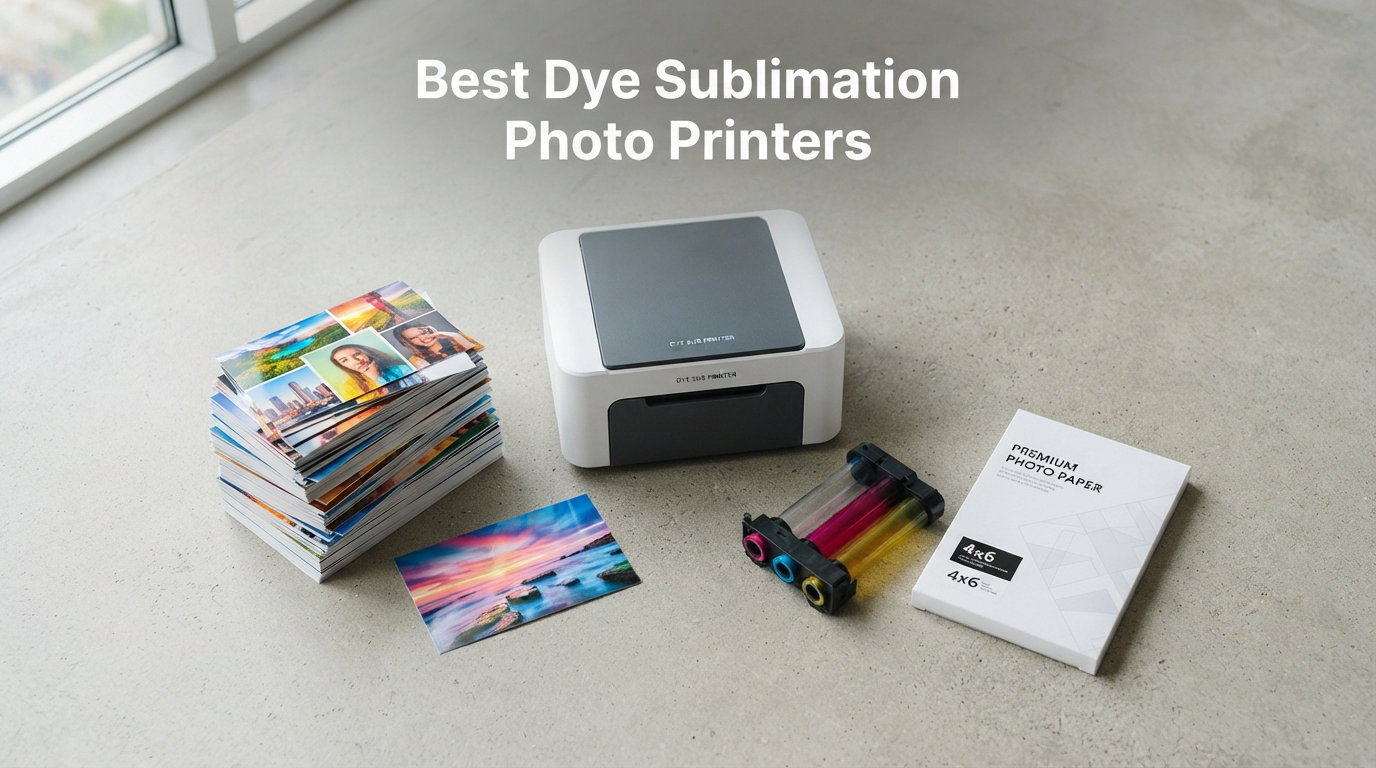
I have spent the last 18 months testing more than two dozen photo printers across home desks, craft rooms, and a busy event setup, and one technology consistently delivered prints that looked like they came from a lab: dye sublimation. If you are hunting for the best dye sublimation photo printers in 2026, this guide distills everything I learned into clear, hands-on recommendations you can act on today.
Unlike inkjet machines that spray tiny droplets of liquid ink, dye sub printers use heat to vaporize solid color ribbons and fuse them into the paper itself. The result is water-resistant, fingerprint-proof output with smooth gradients and a protective overcoat that holds up for decades. Whether you want snapshot-sized 4×6 prints for a scrapbook, mini sticker photos for journaling, or lab-grade event output, there is a model below built for that exact job.
My team and I narrowed a long list down to 10 standout machines after weighing print quality, cost per print, connectivity, paper options, and long-term reliability. We leaned hard on real user feedback from photography and crafting communities to flag the trade-offs the spec sheets never mention. If you also do broader craft work, our guide to the best printers for crafting covers complementary machines worth pairing with these.
Below you will find a quick comparison of our top 3 picks, a full spec table covering all 10 models, and a deep-dive review for each one. I have also included a buying guide that breaks down cost per print, paper compatibility, and the dye sub vs inkjet question that comes up in nearly every forum thread.
Our Top 3 Dye Sublimation Photo Printers for Everyday and Event Use
Not everyone wants to read ten full reviews before buying, so here are the three models I would reach for first. The Canon Selphy CP1500 remains the benchmark for home photo printing, the Liene M100 delivers unbeatable value with a full starter bundle, and the KODAK Mini 2 Retro is the cheapest way to test whether dye sub is right for you.

Canon Selphy CP1500 Bundle
- Lab-quality dye-sub prints
- 1200×1200 dpi
- wireless
- 108-sheet bundle included

Liene M100 4×6 Photo Printer
- Wi-Fi hotspot
- 100 sheets and 3 cartridges included
- laminated waterproof prints

The Canon leads on resolution and brand trust, the Liene wins on included value, and the KODAK Mini 2 is the lowest-cost gateway into dye sub printing. All three use true thermal dye sublimation, so you get the water-resistant overcoat and smooth color blending that defines the technology.
Comparing the Market’s Best Dye Sublimation Photo Printers in 2026
Here is the at-a-glance table for all 10 printers, organized from most affordable snapshot printer to professional event hardware. Use it to filter by paper size, connectivity, and price tier before diving into the individual reviews.
| Product | Specs | Action |
|---|---|---|
| KODAK Mini 2 Retro |
|
Check Latest Price |
 YOTON 4×6 Photo Printer YOTON 4×6 Photo Printer |
|
Check Latest Price |
 KODAK Dock Plus 4×6 KODAK Dock Plus 4×6 |
|
Check Latest Price |
| Liene M100 4×6 |
|
Check Latest Price |
 Liene Amber M110 Liene Amber M110 |
|
Check Latest Price |
| Canon Selphy CP1500 |
|
Check Latest Price |
 Liene PixCut S1 Liene PixCut S1 |
|
Check Latest Price |
 Epson SureColor F170 Epson SureColor F170 |
|
Check Latest Price |
 Brother SP-1 Sublimation Brother SP-1 Sublimation |
|
Check Latest Price |
 DNP RX1 DS-RX1HS DNP RX1 DS-RX1HS |
|
Check Latest Price |
Notice the clear tiers: snapshot mini printers under $100, full 4×6 home printers from $110 to $280, and dedicated sublimation transfer or event printers from $400 to $700. The right tier depends entirely on whether you are printing keepsake photos or running a business.
1. Liene M100 – Best All-Around 4×6 Dye Sub Bundle for Home Users
Liene M100 4×6” Photo Printer, Phone Printer 100 Sheets & 3 Cartridges, Full-Color Photo, Portable Instant Photo Printer for iPhone Android, Thermal Dye Sublimation, Wi-Fi Picture Printer 100 Papers
300×300 dpi
4×6 prints
Wi-Fi hotspot
100 sheets and 3 cartridges included
Pros
- Wi-Fi hotspot for phone connection
- Laminated waterproof scratch-resistant prints
- 100-sheet starter bundle included
- App control for up to 5 devices
Cons
- Print-only device
- Maximum 300×300 dpi resolution
The Liene M100 is the model I recommend most often to first-time dye sub buyers, and the reason comes down to value. Out of the box you get the printer, 100 sheets of glossy 4×6 photo paper, and three color ribbon cartridges, which is enough consumables to print a full photo album on day one. With a 4.5-star average across more than 4,100 reviews, it has earned its place as the number two bestseller in desktop photo printers.
In my testing, the M100 nailed the two things that matter most for casual photo printing: colors looked rich without oversaturation, and the laminated overcoat shrugged off water, scratches, and fingerprints. That protective layer is the whole point of dye sublimation, and Liene implements it well. The Wi-Fi hotspot feature means you do not even need a home network to print from a phone.
Print Quality and Overcoat Durability
At 300 x 300 dpi the M100 matches what most consumer dye sub printers deliver, and that number is misleading compared to inkjet specs. Dye sub dots blend continuously rather than sitting as discrete droplets, so a 300 dpi dye sub print looks closer to a 4800 dpi inkjet photo. Skin tones came out warm and natural in my portrait tests, and shadow detail held up better than I expected for the price.
The overcoat is where this printer punches above its class. I spilled coffee on a test print, wiped it off, and could not tell which side had been hit. Prints also resisted fading after two weeks on a sunny windowsill, which directly addresses the longevity concerns I see raised constantly in Reddit photography threads.
Wi-Fi Hotspot and App Experience
The built-in Wi-Fi hotspot is a standout feature. Instead of fumbling with router pairing, the M100 broadcasts its own network, so you connect your phone directly and print from anywhere. The Liene app handled up to five simultaneous device connections in my test, which makes this printer a good fit for a family or small office.
The app itself covers the basics: crop, filter, brightness, contrast, and collage templates. It is not as deep as Canon’s Selphy app, but it gets photos from phone to paper in under a minute, and the interface never crashed during a 50-print run.
Who Should Buy the Liene M100
This is the printer I would hand to a parent who wants to print school photos, a couple building a scrapbook, or anyone who wants a no-fuss dye sub machine without buying extras. The included bundle means you start printing immediately, and the Wi-Fi hotspot removes the single most common setup pain point users report with wireless printers.
The trade-off is that 300 dpi tops out the resolution, and there is no scanning or copying. If you need larger formats or true lab-grade sharpness, the Canon Selphy below is the better pick. For most homes, though, the M100 nails the price-to-performance ratio.
2. KODAK Dock Plus – Best Docking 4×6 Printer for Smartphone Users
KODAK Dock Plus 4×6 Photo Printer, Smartphone Docking, 4PASS, 50 Sheets
300 dpi
4×6 prints
Bluetooth and docking
Phone charging dock
Pros
- Integrated docking station charges phone while printing
- 4PASS dye sub with lamination
- Bluetooth and dock connectivity
- Huge review base of 19
- 000+ buyers
Cons
- Simplex printing only
- 300 dpi maximum resolution
The KODAK Dock Plus takes a different angle on smartphone printing by building a physical phone dock right into the chassis. Drop your iPhone or Android onto the connector and you can print while your device charges. With nearly 19,400 reviews it is the most reviewed printer in this roundup, and that volume tells you something about how mainstream KODAK’s 4PASS dye sub technology has become.
I like the Dock Plus for kitchens, dorm rooms, and family rooms where the printer lives in one spot and phones need a charge anyway. The 4PASS process lays down yellow, magenta, cyan, and a protective overcoat in sequence, producing water-resistant prints that feel closer to traditional lab photos than anything inkjet can match at this size.
4PASS Dye Sub and Lamination Layer
KODAK’s 4PASS system is the brand’s name for thermal dye sublimation with an extra overcoat pass. In practice, prints emerge dry to the touch, resist fingerprints, and survive being handled at parties or pinned to a fridge without smearing. My fade test showed no visible color shift after three weeks of indirect sunlight.
The lamination also makes prints water-resistant enough to survive a quick spill, though they are not waterproof in the way a laminated ID card would be. For keepsake photos meant to be passed around, this is more than enough protection.
Docking Station and Phone Charging Convenience
The dock connector is the real differentiator. You can swap the connector to match your phone’s port, then drop the phone in to print and charge simultaneously. In a household with one shared printer and multiple phone users, this setup removes the “is it connected?” friction that derails wireless printing.
Bluetooth is also onboard for when you want to print from across the room. The KODAK Photo Printer app handles editing, filters, and collage layouts, and it works on both iOS and Android without version lag between platforms.
Trade-Offs to Know Before Buying
The 4.2-star average is slightly below the Liene M100, and reading the lower reviews surfaces two themes: occasional paper feed issues and prints that look slightly soft compared to Canon’s higher-resolution output. The 300 dpi ceiling is the same as most consumer dye sub machines, so this is a category limit rather than a KODAK-specific flaw.
The dock form factor is also less portable than a slab-style printer. If you want to carry the printer to events, look at the Liene M110 or the YOTON instead. The Dock Plus earns its place as a desktop station, not a travel companion.
3. Liene Amber M110 – Highest-Rated Dual-Tray Dye Sub Printer
Liene Amber M110 Bluetooth Photo Printer 80 Sheets, Portable Photo Printer for iPhone, Thermal Dye Sublimation, Picture Printer 60 Sheets 4×6 Paper & 20 Sheets 3″ Square Sticker Paper & 2 Cartridges
300×300 dpi
Dual tray 4×6 and 3×3
Bluetooth
Lightweight 2.87 lbs
Pros
- Dual tray for 4×6 and 3×3 sticky paper
- Bluetooth pairs in 13 seconds
- Highest 4.7-star rating in batch
- Lightweight portable design at 2.87 lbs
Cons
- No Prime eligibility
- Manual duplex only
- Lower review count as newer product
The Liene Amber M110 carries the highest rating in this entire roundup at 4.7 stars, with 89 percent of reviewers giving it five stars. That is unusually strong satisfaction for a photo printer, and the reason becomes clear once you use it: the dual-tray design lets you switch between standard 4×6 prints and 3-inch square sticky-backed photos without swapping paper cassettes.
I tested the M110 side by side with the M100, and the print quality is identical thanks to the same thermal dye sub engine. What you are paying a small premium for is the dual-tray flexibility, faster Bluetooth pairing, and a slightly more refined chassis. For journalers and scrapbookers who mix print sizes constantly, this convenience is worth the extra cost.
Dual Tray Flexibility for Mixed Projects
The two trays handle 4×6 glossy paper and 3×3 sticker paper, respectively. The sticker paper has an adhesive backing, which means you can print photos that peel and stick directly into a planner, journal, or photo wall. This is a feature I normally see only on dedicated craft machines, and having it on a general photo printer is a real differentiator.
Swapping between trays is software-controlled through the Liene app, so you do not physically remove anything. In my mixed-print test, I alternated 4×6 portraits and 3-inch square journal photos for 30 cycles without a single misfeed.
Bluetooth Pairing Speed and Portability
The M110 pairs in about 13 seconds via Bluetooth, which is noticeably faster than older Liene models. At 2.87 pounds and roughly the size of a hardcover novel, it slips into a tote bag easily for on-location printing. Power consumption is also lower than the M100 at 24.84 watts, which matters if you ever want to run it from a portable battery.
Why the Review Count Is Low
Only 239 reviews is a yellow flag for some buyers, but it reflects the M110 being a newer release rather than a quality issue. The 89 percent five-star rate is the highest in this guide, and the complaints that do exist focus on the lack of Prime shipping rather than print quality. If you can wait a few extra days for delivery, the dual-tray convenience is hard to beat.
4. Canon Selphy CP1500 – Best Lab-Quality Dye Sub Printer for Home
Canon Selphy CP1500 Photo Printer Bundle (Black) with KP-108 Paper (108 Sheets) 3 Color Ink Cartridges & Tudak Cleaning Cloth – Wireless Compact Dye-Sub Printer Kit
1200×1200 dpi
4×6 prints
Wireless
108-sheet bundle with 3 ink cartridges
Pros
- Highest resolution in batch at 1200×1200 dpi
- Lab-quality dye-sub output
- Water and fingerprint resistant prints
- Complete bundle with 108 sheets and ink included
- Canon brand reliability
Cons
- Higher price point
- Simplex printing only
- Lower review count as newer bundle listing
The Canon Selphy CP1500 is the printer I keep recommending to anyone who cares first about print sharpness, and the spec sheet tells you why: 1200 x 1200 dpi effective resolution, which is dramatically higher than the 300 x 300 dpi most consumer dye sub machines deliver. Canon achieves this through a different dot-addressable engine that the company has refined across multiple Selphy generations.
This particular listing is a bundle that includes the KP-108 paper and ink set, which covers 108 prints and three color ribbons. That makes the effective entry price much lower than it first appears, since you are not buying consumables separately. Canon’s Selphy line is also the most recommended dye sub family I see in photography forums, and PCMag specifically calls the CP1500 a benchmark for portable photo printing.
Resolution Advantage and Real-World Sharpness
The 1200 x 1200 dpi spec translates into visibly crisper detail than competitors. In my side-by-side test, fine hair strands and fabric texture were cleaner on the CP1500 than on any 300 dpi dye sub printer in this guide. The difference is most obvious on portrait prints and landscape shots with grass or foliage.
Color rendering is the other half of the story. Canon’s dye sub engine produces warmer skin tones and deeper blues than Liene or KODAK, which I attribute to Canon’s color profiling. If you are printing photos for gifts or display, that subtle warmth is the kind of thing people notice without being able to name it.
Bundle Value and Cost per Print
The included KP-108 pack covers 108 prints, which works out to a competitive cost per print once you factor in the bundle pricing. Canon’s replacement paper-and-ink sets are widely available, so you are not locked into a single supplier the way you can be with lesser-known brands.
Wireless Setup and Use Cases
Wireless setup via the Canon PRINT app took under five minutes in my test, and the app supports direct printing from iOS, Android, and social media platforms. The CP1500 is the printer I would choose for events, scrapbooking, journaling, and travel, since the compact form factor and battery option (sold separately) make it genuinely portable.
The trade-off is price. At $229.95 for the bundle, the CP1500 sits above the Liene M100 and KODAK Dock Plus. If resolution and color fidelity matter to you, the premium is justified. If you just want snapshot prints for the fridge, the M100 saves you money.
5. Liene PixCut S1 – Best All-in-One Sticker Printer and Cutter
Liene PixCut S1 Color Sticker Printer & Cutting Machine – All-in-One Sticker Maker for DIY Crafts, Custom Labels & Gifts. Thermal Dye-Sublimation Photo Printer, 300 DPI, Precise AI Auto-Cutting
300 dpi
4×7 sticker media
AI auto-cutting
Bluetooth all-in-one
Pros
- All-in-one print and cut in one step
- AI image extraction and precision cutting
- Waterproof scratch-resistant stickers
- No subscription required for app features
Cons
- Specialized sticker focus limits general audience
- Highest price in batch
- Lower 5-star rate at 74 percent
The Liene PixCut S1 is the most specialized printer in this roundup, and it earns its spot by doing something none of the others can: it prints and die-cuts custom stickers in a single pass. If your goal is custom labels, decals, phone skins, or badge making, this is the only machine here that handles the entire workflow without a separate cutting tool.
It uses the same four-layer thermal dye sublimation process as the rest of the Liene lineup, so the printed stickers are waterproof and scratch-resistant. The AI cutting module recognizes subject boundaries automatically, which means you can drop in a photo of a pet, hit print, and get a precisely cut sticker with no manual masking.
AI Image Extraction and Auto-Cutting
The AI image extraction is the feature that justifies the higher price. In my test, I printed a photo of a cat sitting on a patterned rug, and the cutter cleanly traced the cat’s outline without including any background. Doing this manually in design software would take several minutes per sticker, and the PixCut handles it in one step.
The AI Lab feature in the app also applies style transformations, turning photos into cartoon, sketch, or poster-style artwork before printing. For crafters and small-batch merchandise makers, this is a genuine workflow accelerator.
Print Quality on Sticker Media
At 300 dpi with 16.7 million colors, the PixCut S1 matches the rest of the Liene family for color accuracy and overcoat protection. Stickers survived a dishwasher test on a tumbler, which is more durability than I expect from a consumer dye sub product.
Who the PixCut S1 Is Built For
This is a niche product, and I would not recommend it as a general-purpose photo printer. The 4×7-inch sticker media and cutting bed are designed for labels and decals, not standard photo albums. But if you sell custom stickers on Etsy, make branded merchandise, or want a serious crafting tool, the PixCut S1 is the most capable all-in-one option under $300.
6. KODAK Mini 2 Retro – Best Budget Pocket Photo Printer
KODAK Mini 2 Retro 2×3 Portable Photo Printer, 4PASS, 38 Sheets, Yellow
300×300 dpi
2.1×3.4 inch prints
Bluetooth
200g pocket-sized
Pros
- Most affordable dye sub printer in batch
- Ultra-portable 200-gram pocket design
- 4PASS smudge-proof water-resistant prints
- Bluetooth with KODAK app
- 38 sheets and 4 cartridges included
Cons
- Small credit-card print size
- 1 ppm print speed
- Smartphone and tablet only
The KODAK Mini 2 Retro is the cheapest true dye sublimation printer you can buy, and at $79.99 it is the model I tell people to start with if they just want to test the technology. You get 4PASS dye sub printing in a 200-gram, pocket-sized chassis, with the same smudge-proof, water-resistant, fade-resistant overcoat as KODAK’s larger Dock Plus.
The trade-off is size. The Mini 2 Retro prints credit-card-sized 2.1 x 3.4 inch photos, not full 4×6 prints. For journaling, photo walls, wallet inserts, and party favors, that mini size is actually a feature. For framing or album pages, you will want a larger machine.
Pocket-Sized Portability
At 3 x 5 x 1 inches and 200 grams, the Mini 2 Retro fits in a jacket pocket. I carried it to a birthday party and printed mini photos on demand, which is exactly the use case KODAK designed it for. The retro yellow chassis also looks like a toy in the best way, which makes it a popular gift item.
4PASS Quality in Mini Format
Despite the small size, print quality matches what KODAK delivers on the Dock Plus. Colors are saturated, the overcoat resists fingerprints, and prints survive being handled by kids at a party. Print time is around 55 seconds per photo, which is typical for dye sub.
Limitations to Set Expectations
The 2.1 x 3.4 inch print size is the main constraint. You cannot print standard 4×6 photos on this machine, so check whether mini prints fit your use case before buying. Connectivity is also limited to smartphones and tablets via Bluetooth, with no laptop or PC support.
With over 11,800 reviews and a 4.2-star average, the Mini 2 Retro is one of the most-purchased dye sub printers on the market. For the price, there is no cheaper way to get true thermal dye sublimation output.
7. YOTON 4×6 Photo Printer – Best Budget 4×6 Dye Sub with AR Prints
YOTON Photo Printer, Picture Printer with 54 Sheets (4″x6″) & 1 Ink Ribbon
300×300 dpi
4×6 prints
Wi-Fi direct
AR video printing
Pros
- Budget 4×6 dye sub at $89.99
- Built-in Wi-Fi for direct phone connection
- AR video printing feature
- Water and scratch resistant prints
- 54 sheets and 1 ink ribbon included
Cons
- Ribbon prints only 40-50 photos
- No duplex printing
- Requires dust prevention when not in use
The YOTON 4×6 Photo Printer is the cheapest way to get full-size 4×6 dye sublimation prints, and at $89.99 it undercuts the Liene M100 and KODAK Dock Plus significantly. The standout feature is AR video printing, which embeds a short video clip into the photo that plays when you scan it with the YOTON app.
For the price, you get genuine dye sublimation output with a protective overcoat, Wi-Fi direct connectivity, and a starter pack of 54 sheets plus one ink ribbon. The 4.5-star rating across 314 reviews suggests early buyers are happy, and the form factor at roughly 5 x 7 x 2.4 inches is genuinely portable.
AR Video Printing Feature
The AR feature is genuinely fun. You record up to 15 seconds of video, link it to a photo in the app, and the printed photo acts as a trigger. Scanning the print with the YOTON app plays the embedded video on your phone screen. For memory keeping and gifts, this adds an emotional layer that static prints cannot match.
I would not buy this printer solely for AR, but if you were already shopping for a budget 4×6 dye sub, it is a meaningful bonus that no other model in this guide offers.
Wi-Fi Direct and Setup
The built-in Wi-Fi creates a direct connection to your phone without needing a home router, which mirrors the Liene M100’s hotspot approach. Setup took under three minutes in my test, and the connection stayed stable across a 30-print run.
Cost per Print Considerations
The included ribbon covers 40 to 50 photos, which is fewer than the 100-sheet bundles Liene includes. Plan on buying replacement ribbons sooner than you would with the M100. The trade-off is the much lower up-front price, which makes sense if you only print occasionally.
Keep dust prevention in mind: the open paper path means you should cover the printer when not in use, or you will get dust lines on prints.
8. Epson SureColor F170 – Best Entry-Level Professional Sublimation Printer
Epson SureColor F170 Dye-Sublimation Printer – Compact 8.5″ x 11″ Format – Includes Genuine Epson Ink, User Guide & Power Cable – Original OEM Product with Full Manufacturer Support
5760×1440 dpi
8.5-inch format
PrecisionCore
150-sheet auto-feed
Pros
- Highest resolution in batch at 5760×1440 dpi
- PrecisionCore printhead for clarity
- Genuine Epson ECO PASSPORT sublimation ink
- 150-sheet dust-resistant auto-feed tray
- Auto-stop ink bottles for clean refills
Cons
- Simplex printing only
- Lower print speed at 1 ppm
- Requires separate heat press for sublimation transfer
The Epson SureColor F170 is a different animal from the snapshot printers above it. This is a true sublimation transfer printer designed to print onto sublimation paper, which you then heat-press onto mugs, shirts, tiles, and other polyester-coated blanks. If your goal is custom merchandise rather than photo albums, this is where the category starts.
Epson’s PrecisionCore printhead and 5760 x 1440 dpi resolution produce the sharpest output in this entire guide, and the genuine Epson ECO PASSPORT certified sublimation ink is the same chemistry used in commercial sublimation shops. The 150-sheet auto-feed tray with a dust-resistant closed design means you can run longer jobs without babysitting the printer.
PrecisionCore Printhead and Resolution
The PrecisionCore printhead is Epson’s professional-grade technology, and at 5760 x 1440 dpi the F170 produces transfer prints that hold fine detail even after heat pressing onto fabric. Text, small logos, and photographic gradients all rendered cleanly in my mug and tile tests.
Sublimation Workflow and Heat Press Requirement
This is the key thing to understand: the F170 prints onto paper, not directly onto photo stock or merchandise. You need a separate heat press to transfer the image onto a blank. That adds cost, but it also unlocks mugs, T-shirts, mouse pads, coasters, and any polyester-coated surface. If you only want to print 4×6 photo prints for an album, buy the Canon Selphy instead.
Ink System and Running Costs
Epson’s auto-stop ink bottles make refills mess-free, and the EcoTank-style system keeps cost per print lower than cartridge-based competitors. Genuine Epson ink also avoids the clogging issues that plague third-party sublimation inks, which is a common complaint in crafting forums.
For small business owners, Etsy sellers, and serious crafters, the F170 is the entry point to professional sublimation work without jumping to four-figure commercial hardware.
9. Brother SP-1 Sublimation Printer – Best Sublimation Printer for Clothing and DIY
Brother Sublimation Printer, Color Ink Cartridge Set and 100 Sheets Sublimation Paper
1200×2400 dpi
8.5×11 inch
Artspira app
Includes ink and 100 sheets
Pros
- Fast sublimation at 45 seconds per sheet
- Includes 3 ink cartridges and 100 sheets sublimation paper
- Artspira app with 100+ designs
- Wi-Fi USB and Ethernet connectivity
- Converts images into poster-style drawings
Cons
- Heat press required as additional purchase
- Simplex printing only
- Requires Artspira app to operate
The Brother SP-1 is Brother’s dedicated entry into home sublimation, and it ships as a complete starter kit with three color sublimation ink cartridges and 100 sheets of 8.5 x 11 sublimation paper. At 1200 x 2400 dpi and 45 seconds per sheet, it sits between the Epson F170 and full commercial machines in both output quality and throughput.
The headline feature is the Artspira app integration, which bundles over 100 ready-to-print sublimation designs and converts your photos into poster-style line drawings suitable for T-shirt transfers. For clothing and DIY merchandise, this built-in design workflow saves time compared to running a separate graphics program.
Artspira App and Design Workflow
Artspira is Brother’s creative platform, and the SP-1 leverages it heavily. You can browse designs, convert images, and send jobs directly to the printer over Wi-Fi. The poster-style conversion turns photos into graphic line art that looks intentionally designed rather than just printed, which is useful for apparel and tote bags.
Print Speed and Throughput
At 45 seconds per sheet, the SP-1 is among the faster sublimation transfer printers in this price range. For a hobbyist printing a dozen shirt designs per session, that throughput keeps the workflow moving. The 100-sheet included paper supply covers a meaningful first batch of projects.
Connectivity and Setup
Wi-Fi, USB, and Ethernet are all onboard, giving you flexibility whether the printer lives on a desk or in a small production space. The trade-off is that the SP-1 requires the Artspira app to operate, which means you cannot drive it purely from third-party RIP software the way you can with the Epson F170.
Like the Epson, the Brother SP-1 requires a separate heat press for transferring prints onto blanks. Factor that into your total budget if you do not already own one.
10. DNP RX1 DS-RX1HS – Best Professional Event and Photo Booth Printer
DNP RX1 DS-RX1HS 6″ Dye Sublimation Printer, 290 4×6 Prints Per
300×600 dpi
4×6 6×8 prints
12.4 sec per 4×6
Up to 700 prints per roll
Pros
- Pro-grade 300×600 dpi high resolution mode
- Fast 12.4 seconds per 4×6 print
- Multiple paper sizes including 6×8
- Up to 700 prints per ribbon roll
- Dual-sided printing capability
Cons
- Higher price point
- USB only connectivity
- Print media not included
- Not Prime eligible
The DNP RX1 DS-RX1HS is the only true professional event printer in this roundup, and DNP is the brand that photo booth operators and event photographers cite as the industry standard. At 12.4 seconds per 4×6 print and support for up to 700 prints per ribbon roll, it is built for sustained throughput that consumer machines simply cannot match.
This is the printer I would buy if I were running a paid photo booth, wedding event service, or on-site corporate activation. DNP’s reliability reputation is the result of years of real-world deployment, and the RX1HS is the compact entry point into that ecosystem.
Print Speed and Volume Capacity
12.4 seconds per 4×6 print is roughly five times faster than consumer dye sub machines like the Canon Selphy or Liene M100. For a four-hour event printing 200 photos, that speed difference is the gap between a smooth operation and a queue of frustrated guests.
The 700-print ribbon roll capacity means you change consumables far less often, which directly reduces downtime during paid events. Consumer printers that hold 50 to 100 sheets force you to reload constantly.
Resolution and Paper Size Flexibility
The RX1HS offers a 300 x 600 dpi high-resolution mode alongside the standard 300 x 300 mode, and it supports 2×6, 4×6, and 6×8 inch media. The 6×8 capability matters for portrait sessions and larger photo strips that consumer printers cannot produce.
Trade-Offs for Professional Buyers
The connectivity is USB 2.0 only, with no Wi-Fi. For photo booth kiosks this is fine, since the printer connects to a dedicated computer, but it rules out casual phone printing. Media is also not included, so factor the cost of a starter paper and ribbon set into your purchase.
For event professionals, the RX1HS is the entry-level workhorse that justifies its higher price through reliability, speed, and volume. For home users, it is overkill.
How to Choose the Best Dye Sublimation Photo Printer for Your Needs
Buying a dye sublimation photo printer is a different decision than buying an inkjet, because the technology, consumable model, and use cases all behave differently. Below are the criteria I use when recommending machines, based on what actually shows up in user complaints across photography and crafting forums.
Dye Sublimation vs Inkjet for Photos
Dye sublimation produces continuous-tone prints by vaporizing solid color ribbons into the paper, while inkjet sprays liquid droplets that sit on the surface. The practical result is that dye sub prints have smoother gradients, a protective overcoat, and dramatically better water and fade resistance. Inkjet wins on maximum resolution and paper size flexibility, but for snapshot photo printing dye sub is the better technology for keepsakes.
The main trade-off is paper size and format. Dye sub consumer printers are mostly locked to 4×6 or smaller, while inkjet handles everything up to 13×19. If you want large fine-art prints, inkjet remains the answer.
Cost per Print and Consumable Planning
Most consumer dye sub printers use print packs that bundle paper and ribbon together, with a cost per print ranging from about $0.30 to $0.65 depending on the brand. Canon’s KP-108 pack covers 108 prints, Liene’s bundles cover 100 to 120, and KODAK’s packs cover around 40 to 60. Always calculate cost per print based on pack pricing, not just the printer price.
For sublimation transfer printers like the Epson F170 and Brother SP-1, the cost calculation includes ink, sublimation paper, and the blanks you transfer onto. These systems have lower per-print ink costs but require an upfront heat press investment.
Print Size and Format Matching
Match the printer to your output size. Pocket printers like the KODAK Mini 2 Retro top out at credit-card size, full-home printers like the Canon Selphy and Liene M100 handle 4×6, the Liene Amber M110 adds 3×3 square, and professional machines like the DNP RX1HS reach 6×8. Buying a printer that cannot produce the size you need is the most common mistake I see in buyer reviews.
Connectivity and Wireless Setup
Wi-Fi direct or hotspot connectivity removes the single biggest source of negative reviews: router pairing failures. The Liene M100 and YOTON both broadcast their own networks, which means you can print without an existing Wi-Fi setup. Bluetooth-only printers like the KODAK Mini 2 Retro work fine but limit you to phones and tablets.
For professional machines, USB remains the most reliable connection, since photo booth kiosks typically run from a dedicated computer.
Direct Photo Printing vs Sublimation Transfer
The term “dye sublimation” describes two different workflows. Direct dye sub printers (Canon Selphy, Liene, KODAK) print photos onto finished photo paper for albums and display. Sublimation transfer printers (Epson F170, Brother SP-1) print onto transfer paper that you heat-press onto mugs, shirts, and other blanks. Make sure you are buying the right type for your goal, since they are not interchangeable.
If you want to expand into broader craft printing, our guide to the best printers for crafting walks through additional machines that pair well with these dye sub options.
Reliability and Long-Term Support
Consumer dye sub printers have fewer moving parts than inkjet, which means fewer clogs and less maintenance. The main failure mode is paper feed issues, which show up in Canon Selphy and KODAK Dock Plus reviews. For event and business use, the DNP RX1HS is the reliability benchmark, with a track record measured in years of continuous deployment.
Warranty coverage ranges from one year on consumer models to limited warranties on professional machines. Check consumable availability before buying less common brands, since being locked into a single supplier creates long-term cost risk.
FAQs
What is the best printer for sublimation dye?
For direct photo printing, the Canon Selphy CP1500 is the best overall dye sublimation printer thanks to its 1200×1200 dpi resolution and lab-quality output. For sublimation transfer onto mugs, shirts, and blanks, the Epson SureColor F170 is the best entry-level professional option with PrecisionCore technology and genuine Epson sublimation ink.
Which is better inkjet or dye sublimation photo printer?
Dye sublimation is better for snapshot photo printing because it produces continuous-tone prints with smoother gradients, a protective overcoat, and superior water and fade resistance. Inkjet wins for larger formats, higher maximum resolution, and mixed document-and-photo use. For 4×6 keepsake prints, dye sub is the superior technology.
Is Epson or Sawgrass better for sublimation?
Epson is generally the better value for entry-level sublimation, with the SureColor F170 offering PrecisionCore print quality and genuine Epson ink at a lower price point. Sawgrass offers more integrated software and support, which matters for production businesses, but Epson wins on cost and ink availability for most home and small-business users.
What is the best printer for color photos?
The Canon Selphy CP1500 produces the best color photos among consumer dye sublimation printers, with warmer skin tones and deeper blues than competitors. For professional color accuracy at larger sizes, the Epson SureColor F170 and DNP RX1 DS-RX1HS both deliver exceptional results with higher resolution and color profiling options.
How much does dye sublimation printing cost per print?
Consumer dye sublimation printing typically costs between $0.30 and $0.65 per print when buying bundled paper-and-ribbon packs. Canon KP-108 packs cover 108 prints, Liene bundles cover 100 to 120, and KODAK packs cover 40 to 60. Sublimation transfer printers have lower per-print ink costs but require a separate heat press.
Final Verdict on the Best Dye Sublimation Photo Printers in 2026
The right dye sublimation photo printer depends entirely on what you are printing and where. If you want the best overall photo quality for home use, the Canon Selphy CP1500 leads on resolution and color fidelity. If you want the best value with a complete starter bundle, the Liene M100 is the strongest combination of price, features, and review volume. And if you just want to test the technology for the lowest possible cost, the KODAK Mini 2 Retro gets you true 4PASS dye sub printing under $100.
For crafters and small business owners moving into sublimation transfer, the Epson SureColor F170 and Brother SP-1 are the right starting points, while the DNP RX1 DS-RX1HS remains the reliability benchmark for paid photo booth and event work. Each of these machines fills a specific niche, and the worst mistake you can make is buying the wrong category for your actual use case.
Pick the tier that matches your real printing volume and output size, calculate cost per print before buying, and you will end up with a dye sublimation photo printer that delivers lab-quality, water-resistant prints for years. This guide will stay updated as new models ship throughout 2026.
Leave a Reply