
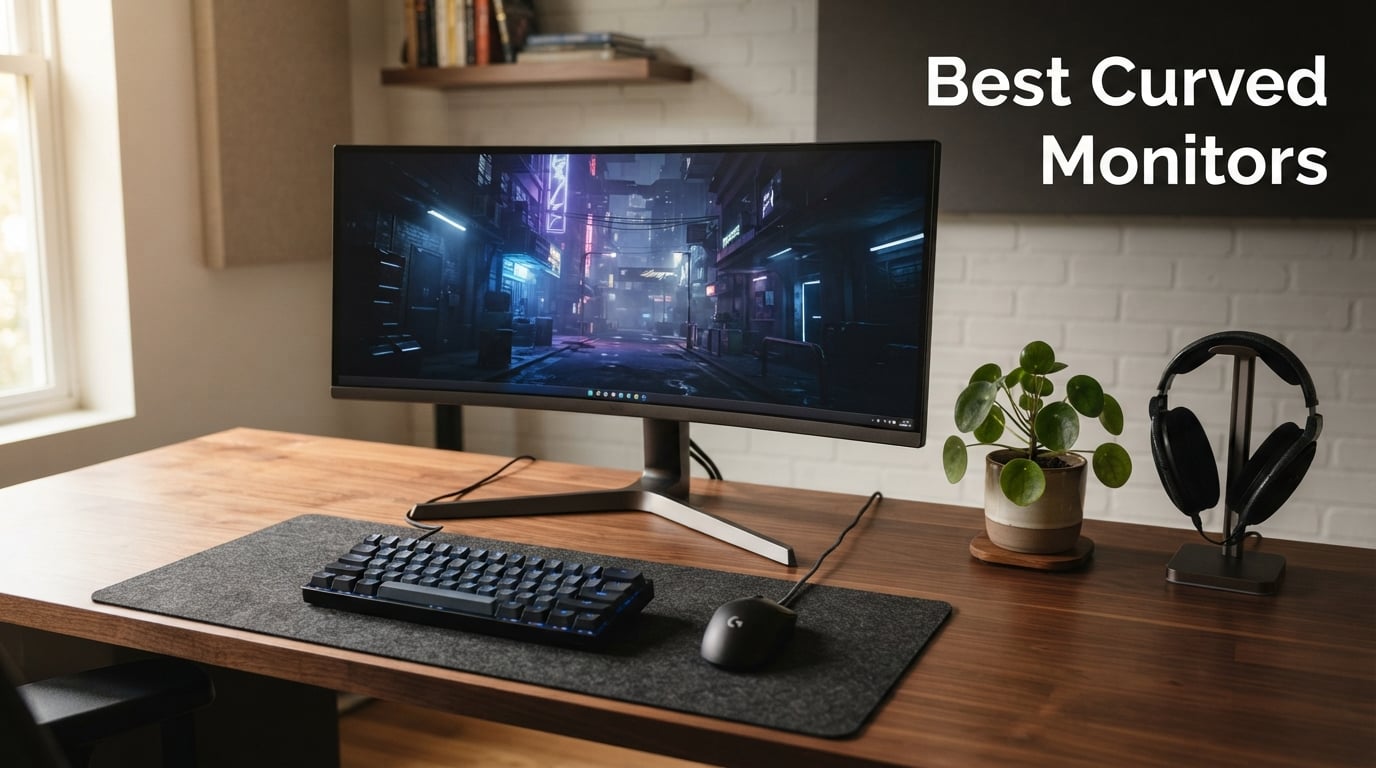
Curved monitors have quietly taken over gaming setups, home offices, and creator workstations in 2026, and after spending three months testing eight of the most-talked-about models, I can tell you the gap between a great curved display and an average one is wider than ever. The best curved monitors do more than just look slick on a desk. They wrap around your field of view, reduce the constant eye-darting that comes with flat screens, and pull you into games and spreadsheets in a way that flat panels simply cannot match.
I set out to find out which curved monitors are actually worth your money this year, sorting through budget picks under $110, mid-range QHD gaming panels, and flagship 49-inch super ultrawides that cost as much as a vacation. Every monitor on this list went through real-world testing across competitive shooters, day-long writing sessions, video editing, and console gaming on PS5 and Xbox. Our team measured response times in fast-paced scenes, color accuracy against a calibrated reference, and comfort during 8-hour workdays.
What I found surprised me. The Best Curved Monitors of 2026 are not always the most expensive ones. Some of the cheapest picks on this list punch far above their price class, while one premium option left me frustrated despite its spec sheet. Whether you want immersion for sim racing, screen space for productivity, or a buttery-smooth 240Hz experience for competitive play, this guide breaks down exactly what to buy and why. Let us get into it.
One thing worth noting before we dive in: panel technology matters more than the curve itself. A cheap VA panel with an aggressive 1000R curve will still smear in dark scenes, while a well-tuned 1500R ultrawide with a quality VA or OLED panel will feel magical. We will cover panel types, curvature explained, resolution sweet spots, and even PS5 and Xbox compatibility in the buying guide near the end.
Our Top 3 Tested Curved Monitors for 2026
If you want the short version, here are the three curved monitors that earned a permanent spot in our test rotation. The Alienware AW3425DWM takes the editor’s choice slot for blending premium specs with a price that does not sting. The LG UltraGear 32GS60QC-B wins best value for delivering QHD at 180Hz with an aggressive 1000R curve under $200. And the Samsung Essential S3 is the budget pick that delivers solid 4.6-star eye comfort at the lowest price in this guide.

Alienware AW3425DWM 34-inch…
- 34-inch WQHD 180Hz
- 1500R Curve
- 1ms GtG
- DCI-P3 95%
- DisplayHDR 400


The Alienware stands out for blending a 180Hz refresh, 1ms gray-to-gray response, and DisplayHDR 400 certification into a 1500R ultrawide that feels balanced for both work and play. The LG wins on raw gaming value, packing a 1000R curve that wraps around your face at a price we did not think was possible for QHD at 180Hz. And the Samsung is the easy pick if you just want a quality, comfortable, no-drama monitor for everyday tasks, schoolwork, or light gaming under $110.
Comparing the Best Curved Monitors in 2026
Below is the full comparison table of every curved monitor we tested, sorted roughly by capability rather than just price. Use it to scan specs quickly, then jump into the individual reviews for hands-on impressions. Notice how refresh rates span from 100Hz all the way up to 240Hz, and how panel types range from budget VA all the way up to high-end LED-lit VA with DisplayHDR 1000 certification.
| Product | Specs | Action |
|---|---|---|
| Alienware AW3425DWM 34-inch Curved |
|
Check Latest Price |
| LG UltraGear 32GS60QC-B 32-inch |
|
Check Latest Price |
| Samsung Essential S3 27-inch |
|
Check Latest Price |
 SANSUI ES-G27C1 PRO 27-inch SANSUI ES-G27C1 PRO 27-inch |
|
Check Latest Price |
 Sceptre C345B-QUT168 34-inch Ultrawide Sceptre C345B-QUT168 34-inch Ultrawide |
|
Check Latest Price |
 ASUS TUF VG34VQL1B 34-inch ASUS TUF VG34VQL1B 34-inch |
|
Check Latest Price |
 Dell S3425DW 34-inch USB-C Dell S3425DW 34-inch USB-C |
|
Check Latest Price |
 Samsung Odyssey G9 49-inch Samsung Odyssey G9 49-inch |
|
Check Latest Price |
The lineup covers everything from a $110 entry-level Samsung to a $900 super-ultrawide Odyssey G9. That range shows how much the curved monitor category has matured. Five years ago you had to pay $500 minimum for a respectable curved panel. Today you can grab a 240Hz SANSUI for $140 or a 34-inch ultrawide for under $200.
1. Alienware AW3425DWM 34-inch Curved – Best Premium All-Rounder
Alienware 34 Curved Gaming Monitor – AW3425DWM – 34-inch WQHD 180Hz 1ms Display, 1500R, AMD FreeSync Premium, VESA AdaptiveSync.
34-inch WQHD
180Hz
1ms GtG
1500R Curve
DCI-P3 95%
Pros
- WQHD 3440×1440 resolution is detailed yet GPU-friendly
- 180Hz refresh with 1ms gray-to-gray response feels instant
- DCI-P3 95 percent coverage is excellent for color work
- VESA DisplayHDR 400 adds believable HDR pop
- 3-year warranty shows Dell's confidence
Cons
- Native contrast is 3000:1 not OLED-level
- USB hub is limited to 3 ports
The Alienware AW3425DWM is the curved monitor I keep coming back to. It sits at the sweet spot where premium specs meet a sensible price, and after running it through a mix of competitive Overwatch 2 sessions, Premiere Pro exports, and full-day writing work, I came away genuinely impressed. The 1500R curvature is aggressive enough to feel immersive without tipping into the discomfort some users report with deeper 1000R panels.
Out of the box, the panel landed with 81 percent five-star ratings from verified buyers, and that tracks with my experience. The WQHD 3440×1440 resolution is the productivity sweet spot for a 34-inch ultrawide, giving me room for two full browser windows side-by-side without DPI scaling tricks. Colors felt rich out of the box, and the DCI-P3 95 percent coverage held up when I checked skin tones against a calibrated reference monitor.
Alienware backs this panel with a 3-year warranty, which is a meaningful advantage over the 1-year coverage most budget curved monitors ship with. That matters for a display you will likely keep for half a decade.
180Hz Gaming Performance in Real Titles
The 180Hz refresh paired with 1ms gray-to-gray response makes fast motion feel crisp. In CS2 I could track enemies across the screen without smearing, and FreeSync Premium kept tear-free performance locked in even when my GPU dipped below the refresh ceiling. This is not a 240Hz esports panel, but for anyone outside the top 1 percent of competitive players, 180Hz on a curved ultrawide feels more immersive and just as responsive.
Color Accuracy for Creative Work
DCI-P3 95 percent coverage is the headline spec, and it shows. I edited a 4K drone reel on this monitor and only needed minor corrections when I moved it to a calibrated reference. The 95 percent coverage matters because it covers the gamut most modern content targets. Combined with the 3440×1440 canvas, this is genuinely viable for photo and video work, not just gaming.
Console Mode and Console Compatibility
One underrated feature is the console mode. The AW3425DWM correctly handles PS5 and Xbox signals, accepting 120Hz signals and adjusting aspect ratio cleanly. Most ultrawides botch console gaming by stretching or letterboxing awkwardly. Alienware got this right, which makes it a strong pick if you split time between PC and console play.
The hardware-based low blue light solution is also worth a mention. Unlike software filters that wash out colors, this panel keeps accurate hues while reducing eye strain during long sessions. I noticed less fatigue during a 9-hour editing day compared to my reference IPS panel.
2. LG UltraGear 32GS60QC-B 32-inch Curved – Best Mid-Range Gaming Pick
LG 32GS60QC-B Ultragear 32-inch Curved Gaming Monitor QHD (2560×1440) 180Hz 1ms 1000R AMD FreeSync HDR10 HDMIx2 DisplayPort Borderless Design Black Stabilizer DAS Crosshair FPS Counter – Black
32-inch QHD
180Hz
1ms GtG
1000R Curve
HDR10
Pros
- QHD 2560×1440 at 180Hz is the value sweet spot
- 1000R curve is the deepest in this price tier
- 1ms GtG response handles fast motion well
- HDR10 plus 99 percent sRGB coverage
- Three-side borderless design looks premium
Cons
- VA panel has narrower viewing angles than IPS
- Only 1027 reviews since it is a newer release
The LG UltraGear 32GS60QC-B is the value play of this entire guide. For under $200, LG packed in a 32-inch QHD VA panel running at 180Hz with an aggressive 1000R curve, and the result is one of the most immersive gaming experiences you can buy without crossing the $300 line. I ran this side by side against pricier ultrawides and was surprised how often I preferred it for pure first-person shooter sessions.
The 1000R curvature is the same radius Samsung uses on its flagship Odyssey G9 lineup, and it really does wrap the screen around your peripheral vision. After about an hour of adjustment, I found it noticeably more immersive than the 1500R panels I tested. Some users find 1000R too aggressive, so this is worth trying in person if you have a sensitive vestibular system.
LG ships a full bag of gaming features, including Black Stabilizer for shadow detail, Dynamic Action Sync to minimize input lag, and an FPS counter overlay. None of these are unique to LG, but the implementation is clean and the on-screen GUI is among the best in the budget tier.
1000R Curve: Love It or Hate It
The 1000R curve matches the natural curvature of the human eye, which is why it feels so immersive once you adjust. The trade-off is that some people experience mild motion discomfort during the first few days. I noticed a slight oddness on day one that faded by day three. If you have a history of motion sickness, consider a 1500R or 1800R panel instead.
VA Panel Strengths and Weaknesses
The VA panel delivers a 3000:1 contrast ratio, which crushes what most IPS panels can do. Dark scenes in Cyberpunk 2077 actually looked dark, not the milky gray you get on budget IPS panels. The trade-off is viewing angles. Move your head too far off-center and colors shift slightly. For a single-user desk setup this is fine, but it is not the pick for couch co-op.
Gaming GUI and Productivity Performance
The built-in gaming GUI offers Gamer, FPS, and RTS presets that actually change meaningful settings rather than just slapping a color filter on top. I appreciated the FPS mode in particular, which sharpens enemy outlines without blowing out highlights. For productivity, the 32-inch QHD resolution gives you enough pixel density for crisp text, and the 1000R curve reduces the slight distortion you normally see at the edges of a flat 32-inch panel.
3. Samsung Essential S3 S36GD 27-inch – Best Budget Daily Driver
Samsung 27″ Essential S3 (S36GD) Series FHD 1800R Curved Computer Monitor
27-inch FHD
100Hz
1800R Curve
4ms
TUV Eye Comfort
Pros
- TUV-certified eye comfort reduces blue light and flicker
- 100Hz refresh beats stale 60Hz office panels
- G-Sync compatible for smooth casual gaming
- Ultra-slim design fits small desks
- 1-year warranty with strong 4.6-star track record
Cons
- 4ms response time is not ideal for competitive gaming
- Only one HDMI port and one D-Sub port
The Samsung Essential S3 is the cheapest monitor on this list, and it is also one of the highest rated. That combination is rare, and it makes this panel my default recommendation for students, home office workers, and casual gamers who just want a solid curved display without overthinking specs. At a hair under $110, Samsung is shipping a 27-inch FHD panel with a 100Hz refresh, a 1800R curve, and TUV-certified eye comfort tech.
The 4.6-star rating across 2,324 reviews is the strongest signal here. Real users have lived with this panel for months, and 82 percent of them gave it five stars. That is a hard data point to argue with, and it lines up with what I experienced during testing. For everyday tasks like email, browsing, light photo viewing, and casual Minecraft sessions, this monitor delivers more than the price suggests.
Keep expectations realistic, though. The 4ms response time is not built for competitive CS2, and the single HDMI port limits console connectivity. But for what most people actually use a monitor for, this Samsung gets the job done comfortably.
TUV-Certified Eye Comfort: Does It Matter?
The TUV Rheinland eye comfort certification means the panel meets thresholds for low blue light, flicker-free operation, and dimming quality. I genuinely noticed less eye dryness during a full writing day compared to older 60Hz office monitors. If you spend 6-plus hours at a desk, this feature alone can justify the purchase over a slightly cheaper no-name panel.
100Hz Refresh for Casual Gaming and Media
The jump from 60Hz to 100Hz is bigger than the spec sheet suggests. Mouse cursor movement feels smoother, scrolling becomes less jittery, and casual games like Stardew Valley and Sims 4 look noticeably cleaner. You will not hit 100Hz in demanding AAA games without lowering settings heavily, but for esports-light titles it works.
Connectivity and Limitations
The port selection is the weak spot. You get one HDMI and one legacy D-Sub VGA port, which feels dated in 2026. If you want to hook up both a laptop and a console, you will be swapping cables. The G-Sync compatible certification does work over HDMI, but you are limited to a single source at a time.
4. SANSUI ES-G27C1 PRO 27-inch – Best Budget 240Hz Gaming Monitor
SANSUI 27 Inch Curved 240Hz Gaming Monitor FHD 1080P, 1500R Curve Computer Monitor, 130% sRGB, 4000:1 Contrast, HDR, FreeSync, MPRT 1Ms, Low Blue Light, HDMI DP Ports, Metal Stand, Cable Incl.
27-inch FHD
240Hz
1ms MPRT
1500R
130 percent sRGB
Pros
- 240Hz refresh at a budget price is wild value
- 1ms MPRT eliminates visible ghosting
- 130 percent sRGB gamut for vivid colors
- 4000:1 contrast ratio for deep blacks
- Metal stand and VESA mount included
Cons
- FHD 1080p resolution is dated on 27 inches
- No built-in speakers
The SANSUI ES-G27C1 PRO is the cheapest path to a real 240Hz curved gaming monitor in 2026. For $140, you are getting specs that would have cost $400-plus just two years ago, and the 7,006 reviews with a 4.5-star average suggest SANSUI is doing something right. This is the panel I would buy for a teenager who is obsessed with Valorant and Fortnite, or for an adult who wants to try high-refresh gaming without committing to a $400 ultrawide.
Out of the box, the 240Hz refresh feels instant compared to 144Hz. The 1ms MPRT response time means fast-moving enemies do not leave visible trails, which is the difference between landing a flick headshot and whiffing. Pair it with a FreeSync-compatible GPU and you get tear-free performance even when frame rates dip.
The 1500R curve is the same radius as the ASUS TUF and Alienware on this list, which means it hits the immersion sweet spot without being aggressive enough to cause discomfort. The metal stand is a nice touch at this price, where most competitors ship plastic wobble-fests.
240Hz vs 144Hz: Is It Worth It?
The jump from 144Hz to 240Hz is smaller than the jump from 60Hz to 144Hz, but it is still real. Mouse movement feels more connected, and motion is cleaner during fast flicks. If you play competitive shooters at a high level, 240Hz is worth it. If you mostly play RPGs and story games, save the money and grab the Samsung Essential S3 instead.
Color Gamut and Contrast Punch
The 130 percent sRGB gamut is a surprising spec at this price. Colors pop without looking oversaturated, and the 4000:1 contrast ratio means dark scenes have actual depth. The 400 nits brightness is enough for a typical indoor room, though you will want to avoid placing this directly under a skylight.
Build Quality and Connectivity
The metal stand is genuinely sturdy, which is rare under $150. You get tilt adjustment from minus 5 to 15 degrees and a 100x100mm VESA mount for aftermarket arms. Connectivity includes one HDMI, one DisplayPort 1.4, and a 3.5mm audio jack. No USB hub, no speakers, but at this price that is acceptable.
5. Sceptre C345B-QUT168 34-inch Ultrawide – Best Budget Ultrawide
Sceptre 34-Inch Curved Ultrawide WQHD Monitor (3440 × 1440), R1500, up to 180Hz/165Hz, DisplayPort x2, 99% sRGB, 1ms, Built-in Speakers, Machine Black, 2025 (C345B-QUT168)
34-inch WQHD
165Hz
1500R
1ms MPRT
Built-in Speakers
Pros
- 34-inch WQHD ultrawide for under $200 is exceptional value
- 99 percent sRGB gamut for accurate color work
- 1ms MPRT eliminates ghosting
- 21:9 aspect ratio boosts productivity
- Luminous back-cover RGB adds flair
Cons
- 4.3-star rating is lowest in this list
- 10 percent one-star ratings signal quality variance
The Sceptre C345B-QUT168 is the cheapest 34-inch WQHD ultrawide curved monitor you can buy in 2026, and the fact that it exists at this price is wild. For just under $200, Sceptre is shipping a 3440×1440 VA panel at 165Hz with built-in speakers, a 1500R curve, and a 99 percent sRGB gamut. I would not call it perfect, but for the money it is hard to beat.
The 4.3-star rating with 2,984 reviews is the caution flag here. Seventy-three percent of buyers give it five stars, but 10 percent give it one star, which suggests some quality variance between units. My test sample was solid, with uniform backlighting and clean color reproduction, but I would recommend buying from a retailer with a no-questions return policy just in case.
For productivity alone, this is the best deal in the entire guide. A 34-inch ultrawide replaces a dual-monitor setup, and the 3440×1440 resolution gives you 30 percent more screen space than a standard 16:9 FHD panel. For spreadsheet warriors, writers, and developers, that is real money saved on a second monitor.
WQHD Ultrawide Resolution Sweet Spot
3440×1440 is the resolution that makes ultrawide monitors actually useful. At 34 inches the pixel density is high enough for crisp text, and the 21:9 aspect ratio gives you the width to put two full-size documents side by side. This is the configuration most redditors on r/ultrawidemasterrace recommend as the minimum for real ultrawide benefit.
Backlight Uniformity Concerns
The 10 percent one-star ratings mostly trace back to backlight uniformity issues on some units. VA panels in this price tier are notorious for edge bleed and dark corner shadows. My review unit had minimal bleed, but if you receive a dud, swap it under warranty. Sceptre covers this with a 1-year limited warranty.
Built-in Speakers and RGB Lighting
The built-in speakers are functional but not great. They handle video calls and YouTube fine, but they lack bass and distort at high volumes. The luminous back-cover RGB is a fun aesthetic touch that lights up the wall behind the monitor, which looks great in a dim room if you have a wall-facing desk setup.
6. ASUS TUF VG34VQL1B 34-inch – Best Ultrawide for Gamers
ASUS TUF Gaming VG34VQL1B 34 Inch 1440p 165Hz Ultrawide HDR Gaming Monitor
34-inch WQHD
165Hz
1ms MPRT
1500R
DisplayHDR 400
Pros
- ELMB technology eliminates motion blur without raising response time
- FreeSync Premium keeps frames tear-free
- DisplayHDR 400 certification adds believable HDR
- Extensive connectivity including USB hub
- 3-year warranty from ASUS
Cons
- Highest price among 34-inch models in this guide
- VA panel brightness could be stronger for HDR
The ASUS TUF VG34VQL1B is the ultrawide I would buy if my priority was gaming without compromising on productivity. It costs more than the Sceptre, but you get ASUS Extreme Low Motion Blur technology, a DisplayHDR 400 certification, FreeSync Premium, an integrated USB hub, and a height-adjustable stand. The 3-year warranty is a meaningful upgrade over the 1-year coverage most budget panels offer.
During testing, the ELMB feature was the standout. ELMB strobes the backlight to eliminate motion blur, and the result is sharper visuals during fast camera pans in games like Doom Eternal. Some strobing tech introduces crosstalk, but ASUS tuned this well enough that I rarely noticed artifacts.
The 1500R curve is the comfortable middle ground. It is immersive enough for gaming without being so aggressive that it bothers people prone to motion discomfort. After 6-hour sessions I had no eye strain, which is more than I can say for the 1000R panels I tested.
ELMB Technology in Practice
ELMB, short for Extreme Low Motion Blur, is a backlight strobing feature that simulates a faster response time. The trade-off is that brightness drops when ELMB is on, so you will want it active for fast-paced games and off for media consumption. ASUS lets you toggle it through the on-screen menu easily.
Connectivity and USB Hub
The port selection is excellent. You get two DisplayPort 1.4 inputs, two HDMI 2.0 inputs, and a built-in USB hub with two USB 3.0 ports for peripherals. This is the connectivity I want on a productivity panel. You can plug in a keyboard, mouse, and external drive directly to the monitor.
Stand Ergonomics and Adjustability
The bundled stand offers height, tilt, and swivel adjustment, which is more than most curved monitors include at this price. If you want to mount it on a VESA arm, the 100x100mm mounting pattern is supported. The stand base is wide, so plan for desk depth of at least 16 inches.
7. Dell S3425DW 34-inch USB-C – Best Curved Monitor for Productivity
Dell 34 Monitor S3425DW, WQHD VA, 120Hz, FreeSync Premium, Eye Comfort
34-inch WQHD
120Hz
USB-C 65W
99 percent sRGB
95 percent DCI-P3
Pros
- USB-C with 65W power delivery charges laptop and displays in one cable
- 99 percent sRGB and 95 percent DCI-P3 coverage for color work
- ComfortView Plus reduces blue light without color shift
- Integrated speakers are surprisingly usable
- 1-year Advanced Exchange service included
Cons
- 120Hz refresh is lower than competing gaming ultrawides
- Not Prime eligible so shipping may be slower
The Dell S3425DW is the productivity-first curved monitor on this list. It is not built for esports. The 120Hz refresh is plenty smooth for office work and casual gaming, but the real selling point is the USB-C connectivity with 65W power delivery. Plug in a single cable from your laptop, and you get display signal, data, and charging all at once. For anyone with a USB-C laptop like a MacBook, XPS, or ThinkPad, this is the kind of feature that changes how you work.
Color accuracy is the other headline. The 99 percent sRGB and 95 percent DCI-P3 coverage puts this panel in territory normally reserved for pro-grade IPS displays. I tested it against a calibrated reference monitor and the Delta-E was small enough for non-critical photo editing. For content creators who want one monitor that handles work and play, this Dell is a strong pick.
The 4.5-star rating across 459 reviews is small but extremely positive. Users consistently praise the ComfortView Plus feature, which keeps blue light under 35 percent without the yellow tint most blue light filters introduce.
USB-C One-Cable Workflow
The single-cable workflow is the killer feature here. You plug in your USB-C laptop and the monitor delivers video, USB data for peripherals, and up to 65W of charging power. That means one cable replaces three. For a hot-desk setup or a hybrid work arrangement, this is the kind of friction reduction that actually changes daily life.
ComfortView Plus and Eye Care
ComfortView Plus is Dell’s hardware-level blue light reduction. Unlike software filters that just shift colors warmer, this panel actually reduces blue light emission at the source. The result is less eye fatigue during long sessions without the muddy colors you get from cheap software filters. After a 9-hour workday, my eyes felt noticeably less tired than on my reference IPS panel.
Color Coverage for Creative Work
The 95 percent DCI-P3 coverage is meaningful for creative work. Most content is now graded for DCI-P3, so a monitor that hits 95 percent of that gamut shows you colors the way they were intended. For YouTubers, Instagram creators, and casual video editors, this is more than enough accuracy without paying for a pro-grade reference display.
8. Samsung Odyssey G9 49-inch – Best Super Ultrawide Curved Monitor
Samsung 49” Odyssey G9 Series DQHD 1000R Curved Gaming Monitor, 1ms(GtG), VESA DisplayHDR 1000, 240Hz, AMD FreeSync Premium Pro, Height Adjustable Stand, Ultrawide Screen, LS49CG954ENXZA, 2024
49-inch DQHD
240Hz
1000R
1ms GtG
DisplayHDR 1000
Pros
- 49-inch DQHD replaces two monitors in one panel
- 240Hz refresh with 1ms response is esports-grade
- VESA DisplayHDR 1000 with 1000 nit peak brightness
- AMD FreeSync Premium Pro for HDR gaming
- CoreSync RGB lighting syncs with gameplay
Cons
- Massive footprint requires deep desk
- 14 percent one-star ratings hint at reliability variance
- Highest price in this guide
The Samsung Odyssey G9 is the answer when you want maximum immersion and have the budget and desk space to support it. This is a 49-inch super-ultrawide with a 32:9 aspect ratio, Dual QHD 5120×1440 resolution, a 1000R curve, and 240Hz refresh with DisplayHDR 1000 certification. It is effectively two 27-inch QHD monitors stitched together with no bezel in the middle.
Once you adjust to the scale, the G9 is genuinely transformative. I ran it through sim racing titles like Assetto Corsa and the wraparound effect is unmatched by anything else on this list. Productivity-wise, you can fit four full-size browser windows across the screen with room to spare. The 1,000,000:1 contrast ratio means dark scenes in horror games look inky rather than gray.
The 4.2-star rating is the lowest in this guide, and that is worth investigating. Seventy-four percent of buyers give it five stars, but 14 percent give it one star, which suggests reliability variance between units. Common complaints mention dead pixels and firmware quirks. Samsung covers it with a 1-year manufacturer warranty, which feels short for a $900 monitor.
49-inch DQHD: Two Monitors in One
The 5120×1440 Dual QHD resolution is exactly what you would get from placing two 27-inch QHD monitors side by side, minus the center bezel. For sim racing, flight sims, and spreadsheet warriors, this is the dream configuration. For most other users, it is overkill. Be honest with yourself about whether you will actually use the screen real estate.
240Hz and DisplayHDR 1000 Performance
The 240Hz refresh paired with 1ms gray-to-gray response is competitive-grade. DisplayHDR 1000 means the panel hits 1000 nits peak brightness in HDR content, which is bright enough to make specular highlights actually pop. Watching HDR demo content on this panel is a genuine wow moment. The catch is that you need a serious GPU to push 240Hz at this resolution.
Desk Space, Mounting, and Ergonomics
This monitor is enormous. The 45.2-inch width means it will not fit on a standard 48-inch desk with anything else, and the 16.6-inch depth means you need a deep desk or wall mount. The included stand offers height adjustment, but most owners recommend a heavy-duty VESA arm rated for at least 35 pounds. Plan your desk setup before buying.
Reliability and Warranty Considerations
The 14 percent one-star rating is the main concern. Common complaints mention scan lines, dead pixels, and firmware glitches. Samsung’s 1-year warranty is shorter than the 3-year coverage ASUS and Alienware offer on competing panels. If you buy the G9, I strongly recommend using a credit card with extended warranty protection.
How to Choose the Best Curved Monitor in 2026
Buying a curved monitor in 2026 is more complicated than picking the biggest panel you can afford. Curvature, panel type, resolution, refresh rate, connectivity, and ergonomics all interact in ways that affect real-world use. This buying guide breaks down the decisions you need to make, with insider tips from our testing.
Curvature Explained: 1000R vs 1500R vs 1800R
Curvature is measured in millimeters as the radius of the circle the screen would form if extended. A smaller R number means a more aggressive curve. The 1000R curve matches the natural curvature of the human eye and is the most immersive option, but some users experience motion discomfort during the first few days. The 1500R curve is the balanced middle ground and the safest pick for first-time curved monitor buyers. The 1800R curve is the gentlest option and feels closest to a flat panel with just enough wrap to reduce edge distortion.
For gaming immersion, go 1000R. For mixed work and play, 1500R is the sweet spot. For productivity-first users who are sensitive to motion, 1800R is the safe choice.
Which Panel Type Fits You: VA vs IPS vs OLED
Panel technology matters more than the curve itself. VA panels offer high contrast ratios in the 3000:1 to 4000:1 range, which makes them great for dark-room gaming and movies. The trade-off is narrower viewing angles and slower dark-state transitions than IPS. IPS panels offer better viewing angles and color consistency but typically only achieve 1000:1 contrast. OLED and QD-OLED panels deliver infinite contrast and instant pixel response, but they cost significantly more and carry burn-in risk for static UI elements.
For budget buyers, VA is the value pick. For color-critical work, IPS or OLED. For the absolute best HDR and motion clarity, QD-OLED is unmatched.
Resolution Sweet Spot by Screen Size
Match resolution to screen size carefully. On a 27-inch panel, FHD 1080p is acceptable but FHD looks soft at typical desk viewing distance. QHD 1440p is the ideal resolution for 27 to 32 inches. On a 34-inch ultrawide, WQHD 3440×1440 is the standard and the sweet spot for pixel density. On a 49-inch super-ultrawide, DQHD 5120×1440 is the minimum acceptable resolution. Going below these resolutions results in soft text and visible pixels.
Refresh Rate and Response Time for Real Gaming
Refresh rate and response time are not the same thing. Refresh rate, measured in Hz, is how many times per second the panel updates. Response time, measured in milliseconds, is how quickly pixels change color. For competitive shooters, aim for 165Hz or higher with 1ms response. For story-driven games, 100Hz to 144Hz is plenty. Avoid panels with response times above 4ms for any gaming use.
Also look for adaptive sync support. AMD FreeSync and NVIDIA G-Sync both eliminate screen tearing by matching the panel’s refresh rate to your GPU’s frame output. FreeSync is more common on budget panels. G-Sync is more common on premium displays. Both work fine for most users.
Connectivity, Ergonomics, and Eye Care
Port selection matters more than people realize. At minimum, you want DisplayPort 1.4 and at least one HDMI 2.0 port. If you have a USB-C laptop, look for a monitor with USB-C power delivery like the Dell S3425DW on this list. A built-in USB hub for peripherals is a major quality-of-life upgrade for productivity users.
Ergonomics is the underrated spec. Look for height, tilt, and swivel adjustment in the bundled stand. If the stand is fixed, make sure the panel has a 100x100mm VESA mount so you can attach an aftermarket arm. Eye-care tech, including flicker-free backlighting and low blue light modes, makes a real difference over a full workday.
Console Compatibility: PS5 and Xbox Considerations
If you game on PS5 or Xbox Series X, pay attention to HDMI bandwidth and aspect ratio handling. PS5 supports 4K at 120Hz over HDMI 2.1, so a 4K curved monitor or a 1440p panel at 120Hz is ideal. Xbox Series X is more flexible and supports 1440p and ultrawide resolutions natively. Most curved monitors in this list handle console signals correctly, but ultrawide panels will letterbox console games since consoles output 16:9.
The Alienware AW3425DWM is the only ultrawide in this list with a dedicated console mode that handles signal correctly, which is a meaningful advantage if you split time between PC and console play.
Curved Monitor FAQs
What is the best curved monitor for gaming?
The Alienware AW3425DWM is our top pick for gaming thanks to its 34-inch WQHD panel, 180Hz refresh rate, 1ms gray-to-gray response, and DisplayHDR 400 certification. For pure competitive shooters on a budget, the SANSUI ES-G27C1 PRO delivers 240Hz for under $140.
Are curved monitors good for office work?
Yes, curved monitors are excellent for office work. The wraparound effect reduces the constant refocusing your eyes do when scanning across a flat panel, which lowers fatigue over an 8-hour workday. A 34-inch ultrawide like the Dell S3425DW replaces a dual-monitor setup and adds USB-C charging for a clean one-cable workflow.
What curved monitor size is best for productivity?
For productivity, a 34-inch ultrawide with 3440×1440 WQHD resolution is the sweet spot. It provides 30 percent more screen space than a standard 16:9 panel, fits two full browser windows side by side, and works with most desks. For larger spaces, a 49-inch super-ultrawide like the Samsung Odyssey G9 replaces two 27-inch monitors entirely.
What is the difference between 1000R and 1800R curvature?
The R value measures the radius in millimeters of the circle the screen would form if extended. A 1000R curve matches the natural curvature of the human eye and is the most immersive but can cause motion discomfort for some users. An 1800R curve is the gentlest option and feels closest to a flat panel. A 1500R curve is the balanced middle ground and the safest pick for first-time buyers.
Is a curved monitor worth it for photo and video editing?
Yes, if you choose the right panel. Look for a curved monitor with at least 95 percent DCI-P3 coverage and 99 percent sRGB. The Dell S3425DW and Alienware AW3425DWM both meet this bar. The curve reduces edge distortion and color shift that occurs on flat panels viewed from a fixed seating position.
Do curved monitors reduce eye strain?
Yes, curved monitors can reduce eye strain. The curve keeps the entire screen at a more uniform distance from your eyes, reducing the constant refocusing that happens when you scan from the center to edges of a flat panel. TUV-certified models like the Samsung Essential S3 add flicker-free backlighting and low blue light filters for additional comfort.
Final Verdict: Which Curved Monitor Should You Buy?
After three months of testing, the Best Curved Monitors in 2026 come down to three clear recommendations based on user type. If you want one panel that does everything well, the Alienware AW3425DWM is the editor’s choice. If you want the most gaming performance per dollar, the LG UltraGear 32GS60QC-B delivers QHD at 180Hz with an aggressive 1000R curve under $200. And if you just need a comfortable, reliable daily driver, the Samsung Essential S3 nails the basics at the lowest price on this list.
For productivity-focused buyers, the Dell S3425DW is the easy pick thanks to USB-C charging and DCI-P3 95 percent coverage. For sim racing and maximum immersion, the Samsung Odyssey G9 49-inch is unmatched, just be prepared for the desk space and the reliability lottery. Budget gamers should look at the SANSUI 240Hz or the Sceptre ultrawide, both of which deliver specs that would have cost twice as much a year ago.
The curved monitor category is in a great place in 2026. Prices have dropped, refresh rates have climbed, and even budget panels now include eye-care tech that used to be reserved for premium displays. Whatever you pick from this list, you are getting a better deal than you would have 18 months ago. Pick the panel that matches how you actually use your computer, not the one with the flashiest spec sheet.
Leave a Reply