
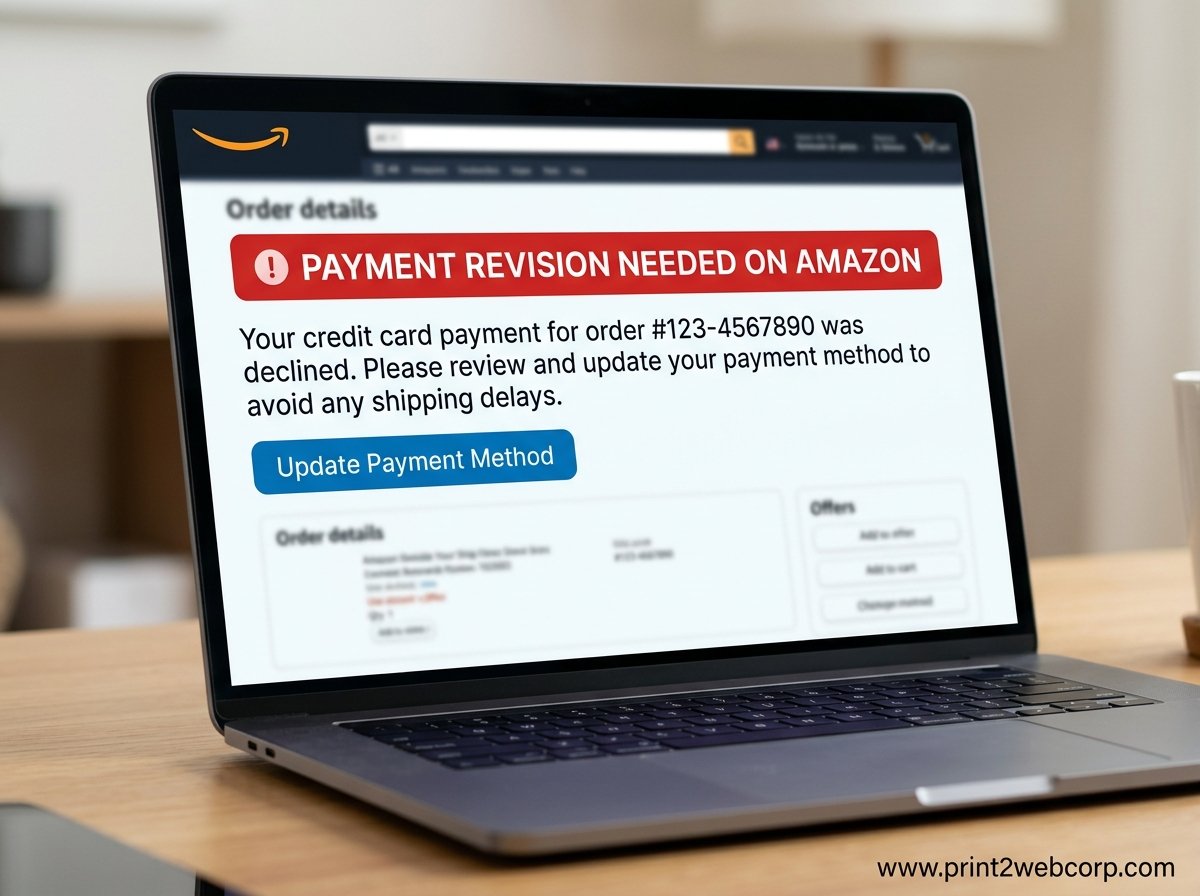
Seeing “Payment Revision Needed on Amazon” right after placing an order is one of the most frustrating checkout errors a shopper can encounter. You hit buy, you expect a confirmation, and instead you get a yellow banner telling you something went wrong with your card. In most cases, the fix takes under five minutes once you know where to look.
This guide walks through every common cause of the payment revision needed error, the exact click-by-click steps to resolve it on both the Amazon website and mobile app, and how to tell a genuine Amazon notification from a phishing attempt. I have spent time testing these fixes and pulling verified solutions from Amazon’s own help pages, Reddit communities, and user forums so you do not have to hunt for answers across a dozen sites.
Whether your card was declined, your billing address does not match, or you are using a prepaid card that Amazon will not accept, the sections below cover the specific resolution for each scenario. You will also find timelines for how long Amazon waits before canceling an order and what happens if the message appears even though you were already charged.
What You’ll Gain From This Article:
Exact navigation steps to fix the error on the Amazon website and mobile app
The Reddit-verified remove-and-re-add card fix that resolves the issue for many users
Clear timelines for how long Amazon waits before canceling an order
How to tell a real Amazon payment revision email from a phishing scam
Tips to prevent payment revision errors on future orders
Quick Summary: Fix Payment Revision Needed in Under 5 Minutes
Before diving into the details, here is the short version. The “Payment Revision Needed” message means Amazon could not verify or charge your payment method. To fix it, go to Your Orders, find the affected order, and click Retry Payment Method or Change Payment Method. Select a different card or re-enter your current card details, then confirm.
If retrying the same card does not work, remove the card from your Amazon account entirely and add it back. This is the most upvoted fix on Reddit and resolves the issue for many users. If that fails, contact your bank to check for a fraud hold, or try a different payment method altogether.
Amazon typically gives you a window of about 24 to 72 hours to resolve the payment before the order is auto-canceled. Acting quickly prevents cancellation and ensures your items ship on time.
What Does Payment Revision Needed on Amazon Mean?
The “Payment Revision Needed” status appears on your Amazon order when the payment method you selected could not be processed. Amazon gives you the option to revise, or update, your payment instead of immediately canceling the order. Think of it as a second chance to complete the transaction before Amazon gives up on it.
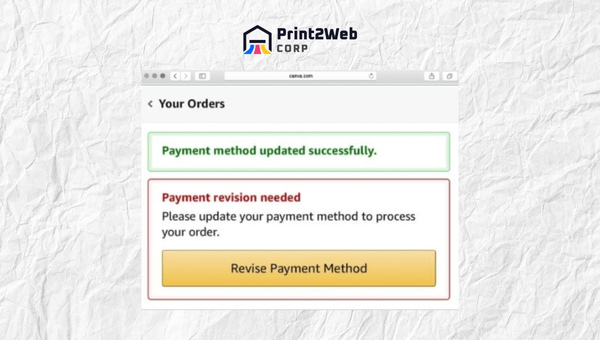
Specifically, Amazon’s system attempted to authorize or capture funds from your card and the transaction was declined by either your bank, Amazon’s own fraud detection, or a mismatch in the data you entered. The order stays in a pending state while Amazon waits for you to provide valid payment information. This is different from an outright cancellation, where the order is terminated and you must start over.
Catching this early matters because Amazon will not hold your inventory indefinitely. If the payment is not resolved within the revision window, the order is canceled automatically. Items may go out of stock, promotional discounts may expire, and shipping estimates may shift. Resolving the message promptly keeps your original order intact.
Also Read: Kindle Unlimited: Dive into Limitless Reading Pleasure!
Common Causes of the Payment Revision Error
Several triggers can produce the payment revision needed message. Understanding which one applies to your situation is the first step toward a fast fix.
Incorrect or outdated card details: A typo in the 16-digit card number, wrong CVV, expired card, or transposed expiration date will cause Amazon’s payment gateway to reject the charge.
Insufficient funds or exceeded credit limit: If your account balance or available credit cannot cover the order total, the bank declines the authorization request.
Billing address mismatch: The billing address on your Amazon account must match the address your bank has on file. Even a missing apartment number or a different ZIP code can trigger the error.
Bank fraud detection: Banks flag unusual spending patterns, large purchases, or international transactions. If your bank suspects fraud, it blocks the charge and Amazon shows the revision prompt.
Amazon’s own fraud detection: Amazon independently monitors for suspicious login locations, rapid ordering patterns, or VPN and proxy connections that may trigger an internal block.
Prepaid cards, gift cards, and virtual cards: Amazon does not always accept prepaid debit cards, one-time-use virtual cards, or certain gift cards for order payment. These often fail during card verification because the issuer cannot perform a standard authorization hold.
Order total changes: If you applied a coupon, promotion, or gift card after placing the order, or if an item’s price changed, the new total may require re-authorization of your payment method.
If you are using a VPN or proxy connection, disable it before retrying your payment. Amazon’s fraud detection system frequently flags IP address mismatches between your shipping address and your connection location, which can trigger payment revision even when your card is perfectly valid.
Some users report that the error repeats on every single order. This often indicates an account-level flag or an issue with how Amazon’s virtual card system sends card data to your bank. In those cases, the remove-and-re-add card fix described below, or contacting Amazon support directly, is usually the path forward.
How to Fix Payment Revision Needed on Amazon: Step-by-Step
Now that you know what causes the error, here are the exact steps to resolve it. These instructions match Amazon’s official help page format and include the community-verified fixes that go beyond what Amazon’s documentation covers.
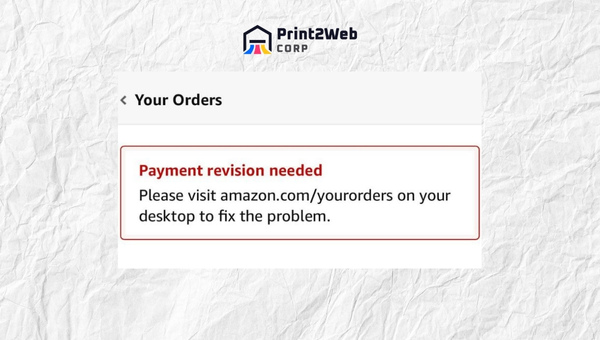
Method 1: Retry or Change Your Payment Method (Amazon Website)
This is the primary fix that Amazon recommends and the one that resolves the issue in most cases. Follow these exact steps on the Amazon website.
Go to Your Orders: Log in to your Amazon account and hover over the Accounts and Lists menu. Click Your Orders.
Find the affected order: Locate the order showing the “Payment Revision Needed” message. It will typically appear at the top of your recent orders.
Click Retry Payment Method or Change Payment Method: You will see one of these buttons next to the order. Click it to open the payment revision screen.
Select a new payment method or re-enter your card: Choose a different saved card, or add a new card. You can also select the same card you originally used.
Click Confirm: Submit the revised payment. Amazon will attempt to authorize the charge immediately. If it succeeds, your order continues processing normally.
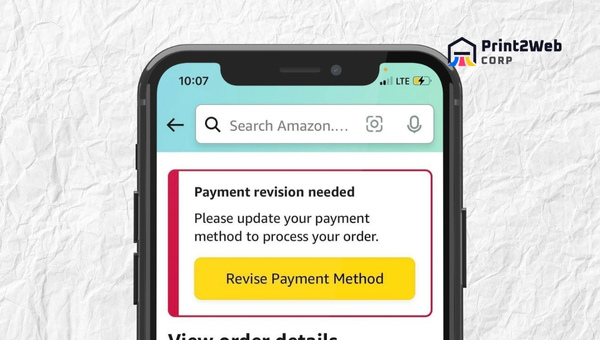
Method 2: Fix Payment Revision on the Amazon Mobile App
The steps on the Amazon mobile app are similar but the navigation differs slightly. Open the Amazon app on your phone and follow these steps.
Tap the menu icon: Tap the three-line menu (hamburger icon) in the bottom right corner of the app.
Tap Your Orders: Scroll down and select Your Orders from the menu.
Find the order with the payment error: Look for the order with the yellow “Payment Revision Needed” banner.
Tap Retry Payment or Change Payment: Tap the button shown beneath the order details.
Select or add a payment method and tap Confirm: Choose a card or add a new one, then submit the revised payment.
Method 3: Remove and Re-Add Your Card (Reddit’s Top Fix)
If retrying the payment does not work, try the most upvoted solution from Reddit’s Amazon community. Many users report that simply removing their card from the account and adding it back fresh resolves the error, even when nothing else works.
Go to Your Account and select Payment Options: Navigate to Accounts and Lists, then click Payment Options under the Ordering and Shopping Preferences section.
Delete the card causing the error: Find the card that triggered the payment revision message and click the delete or remove button next to it.
Add the card again: Click Add a Card and re-enter the same card information from scratch. Double-check every digit.
Return to Your Orders and retry the payment: Go back to the affected order and retry the payment using the newly added card.
This fix works because Amazon sometimes stores corrupted or outdated card tokens that cause recurring failures. Removing and re-adding the card forces Amazon to generate a fresh token and send clean data to your bank for authorization.
Method 4: Check Your Credit Limit and Available Balance
Sometimes the problem is not with Amazon at all but with your available credit or account balance. You may have forgotten about a recent large purchase that pushed you close to your credit limit, or an automatic subscription charge may have reduced your checking account balance.
Log in to your online banking or call your bank’s customer service line to confirm you have enough available funds or credit to cover the order. If the charge was declined due to insufficient funds, retrying the payment after confirming your balance should succeed.
Method 5: Update Your Billing Address
An outdated billing address is one of the most overlooked causes of payment revision errors. If you have moved recently, changed offices, or updated your address with your bank but not with Amazon, the mismatch will cause the payment to fail during card verification.
Go to Your Account and select Payment Options.
Edit the billing address for your card: Click edit next to the card and update the address to exactly match what your bank has on file.
Return to Your Orders and retry the payment.
Make sure the address matches character for character. Pay attention to apartment numbers, abbreviations, and ZIP codes. Even a minor difference can trigger a billing address mismatch and block the transaction.
Also Read: Side Hustles That Pay Weekly: 20 Fun and Easy Options
After resolving your payment issue, you may want to adjust your delivery timeline. Learn how to change the delivery date on Amazon if your shipping estimate shifted due to the delay.
How Long Does It Take to Resolve Payment Revision?
The resolution timeline depends on what caused the error and which fix you apply. Here is what to expect.
Retrying or changing payment method: 1 to 5 minutes. The new authorization attempt is processed immediately, and you will know right away whether it succeeded.
Removing and re-adding a card: 5 to 10 minutes. This includes the time to delete the card, re-enter the information, and retry the payment.
Contacting your bank to remove a fraud hold: 15 to 30 minutes on the phone. Once the hold is lifted, retry the payment on Amazon.
Manual review by Amazon: 24 to 72 hours. If Amazon’s fraud team is reviewing your account, the hold may take up to three days to resolve.
Amazon typically allows a window of about 24 hours before auto-canceling an unpaid order, though some users report the window extending up to 72 hours depending on the items and shipping speed selected. If you do not resolve the payment within this window, Amazon cancels the order and you must place it again from scratch.
What Happens If You Ignore the Payment Revision Message?
Ignoring the message is not recommended. Amazon will not ship your order until the payment is resolved. After the revision window expires, the order is automatically canceled and the items are released back to inventory.
Several consequences can follow if you let the order lapse. Promotional discounts or coupon codes applied to the original order may no longer be valid. Items that were in stock when you placed the order may sell out, especially during sales events like Prime Day or Black Friday. Lightning Deals and time-limited offers are particularly time-sensitive and may expire entirely.
If your order is canceled due to non-payment, you must start over. That means re-selecting the items, re-applying any coupons, and placing a new order. To avoid this, resolve the payment revision prompt as soon as you see it.
If you ignore the message and your order is canceled, you may also experience delivery delays. For help with related issues, see our guide on what to do when your Amazon package is not delivered.
“Amazon Says Payment Revision Needed But Already Charged” Explained
One of the most common and confusing complaints is seeing the payment revision message while also seeing a pending charge on your bank statement. This happens because of how authorization holds work, and it does not mean Amazon has actually taken your money.
When you place an order, Amazon sends an authorization request to your bank. Your bank places a temporary hold on the funds, which appears as a pending charge in your account. If Amazon’s payment system then fails to capture the funds, perhaps due to a data mismatch or fraud flag, the charge stays pending but is never completed. Amazon shows “Payment Revision Needed” because the capture failed, even though the authorization hold is visible on your end.
The good news is that authorization holds are not permanent charges. They typically fall off your account within 3 to 7 business days, depending on your bank’s policies. You are not being double-charged. Once you successfully revise your payment, Amazon will place a new authorization and capture the funds from the revised payment method.
If the hold does not drop off after a week, contact your bank directly. They can manually release the pending authorization. You can also check your Amazon order status to confirm whether the original charge was captured or voided.
“Payment Revision Needed But Shipped” and “Arriving Today” Scenarios
In some cases, the payment revision message appears even though your order has already shipped or shows an “Arriving Today” delivery estimate. This can happen when Amazon processes the shipment using a backup payment method or when the authorization is completed after the shipping label is generated.
If your order has shipped, the payment revision message may be stale or showing in error. Check your order details to confirm which payment method was actually charged. If the order is on its way and you have not been charged yet, Amazon will typically capture the payment after delivery or attempt to charge your selected method within a few days.
If you see “Arriving Today” alongside the payment revision message, do not panic. The item is likely already in transit. Update your payment method if prompted, but rest assured that the delivery will proceed in most cases.
How to Contact Amazon Support for Payment Issues
If none of the fixes above resolve the error, it is time to contact Amazon directly. Amazon offers several support channels, and the fastest way to get help for a payment issue is through the in-account contact system.
Go to the Help page: Scroll to the bottom of any Amazon page and click Help under the Let Us Help You section.
Click Need More Help and select Contact Us: This opens the customer service dashboard.
Select Something Else and then Payment Issues: Choose the category that best matches your problem.
Choose your contact method: Amazon offers live chat, email, and phone callback. Live chat is typically the fastest for payment issues.
Have your order number ready: The support agent will need your order number to look up the transaction and identify the payment failure reason.
You can also call Amazon customer service directly at 1-888-280-4331. Have your order number and account email available when you call.
If the issue turns out to be on the bank’s side rather than Amazon’s, contact your card issuer using the number on the back of your card. Ask whether there is a fraud hold, a daily spending limit, or a restriction on online purchases that could be blocking the transaction.
Also Read: Amazon Price Match Policy: Save More on Your Purchases!
Fraud Avoidance: Real vs Fake Amazon Payment Revision Messages
Whenever you receive a payment revision notification, your first step should be to verify that it is genuinely from Amazon. Scammers frequently impersonate Amazon in phishing emails and text messages, using payment problems as bait to steal your account credentials and financial information.
How to Identify a Real Amazon Payment Revision Email
Genuine Amazon emails come from an address ending in @amazon.com. If the sender address is anything else, even something that looks close like [email protected] or [email protected], it is a scam.
Real Amazon emails never ask for your password, full credit card number, Social Security number, or bank account details. They will not threaten to close your account if you do not click a link immediately. And they will never ask you to pay for an order using gift cards, wire transfers, or cryptocurrency.
Real Amazon message: Sender ends in @amazon.com, references your specific order number, uses correct grammar and spelling, and directs you to log in through amazon.com.
Fake message: Sender address is unfamiliar, contains spelling or grammar errors, creates false urgency, asks for sensitive information, and contains links to non-Amazon websites.
The most reliable verification method is to bypass the email entirely. Open a browser, type amazon.com manually, log in to your account, and check Your Orders and the Message Center in your account dashboard. If there is a genuine payment issue, it will appear there. Amazon’s Message Center is the official record of all legitimate account communications.
If you receive an email claiming to be from Amazon and want to verify its authenticity, Amazon recommends forwarding it to [email protected]. Amazon’s security team will investigate and confirm whether it was legitimate.
Do’s and Don’ts for Safe Resolution
Do’s:
Verify before acting: Always log in to Amazon directly and check Your Orders or the Message Center to confirm a payment issue exists.
Double-check payment information: Carefully review card numbers, expiration dates, CVV codes, and billing addresses before submitting a revised payment.
Contact Amazon through official channels: Use the Help and Contact Us system within your Amazon account, or call the official customer service number listed on amazon.com.
Don’ts:
Never share your password: Amazon will never ask for your password in an email or phone call.
Do not click suspicious links: If an email looks suspicious, do not click any links or download attachments.
Do not provide personal details over email or phone: Amazon will never ask for your full credit card number, bank account number, or Social Security number through these channels.
If you suspect unauthorized access to your account, you should immediately log out of Amazon on all devices and change your password. Enable two-factor authentication for an additional layer of account security.
Also Read: Amazon Return Pallets: Find Quality Deals for Resale
Tips to Prevent Payment Revision Errors in the Future
Once you have resolved the immediate issue, a few proactive habits can prevent the payment revision error from recurring on future orders.
Keep Your Card Information Current
Whenever you receive a replacement card with a new expiration date or security code, update it in your Amazon account immediately. The same applies if your bank issues a new card number after a security breach. Outdated card details are the single most common cause of payment revision errors.
Maintain a Backup Payment Method
Keep at least two payment methods on file, such as a primary credit card and a backup debit card or second credit card. If your primary card is declined for any reason, you can switch to the backup in seconds from the payment revision screen without missing a beat.
Avoid Prepaid Cards and Virtual-Only Cards
Prepaid debit cards, such as Vanilla Visa or Walmart MoneyCard, frequently fail on Amazon because the issuer cannot perform a standard authorization hold. Virtual-only cards from services like Privacy.com or certain banking apps may also be rejected. Stick to traditional credit cards, debit cards linked to a checking account, or Amazon’s own gift card balance for the most reliable checkout experience.
Disable VPN and Proxy Connections
Amazon’s fraud detection system monitors the geographic location of your IP address. If you are shopping through a VPN or proxy that routes your connection through a different city or country than your shipping address, Amazon may flag the transaction as suspicious and trigger the payment revision error. Turn off your VPN before placing an order.
Enable Two-Factor Authentication
Two-factor authentication (2FA) protects your Amazon account from unauthorized access, which can itself cause payment and order issues. Enable 2FA in your Amazon account settings under Login and Security. This requires a verification code from your phone in addition to your password when logging in from a new device.
Notify Your Bank Before Large Purchases
If you are planning a large or unusual purchase, call your bank in advance to let them know. This prevents the bank’s automated fraud detection from flagging the transaction and blocking it before Amazon can complete the charge.
FAQs
Will I still get my package if it says payment revision needed?
How long will Amazon wait for payment revision?
What is the purpose of a payment revision?
Why does my Amazon keep saying payment revision needed?
Why does Amazon keep saying I need to update my payment method?
Why is Amazon declining my payment?
How do I resolve a payment issue on Amazon?
Amazon says payment revision needed but already charged me. What do I do?
Can I fix payment revision needed on the Amazon mobile app?
Conclusion
The “Payment Revision Needed on Amazon” message is a temporary roadblock, not a dead end. In most cases, you can resolve it in under five minutes by going to Your Orders, clicking Retry Payment Method or Change Payment Method, and confirming a valid card. If the same card keeps failing, the remove-and-re-add fix from the Reddit community is your next best step.
Acting quickly matters. Amazon typically allows about 24 hours before auto-canceling an unpaid order, and promotions, discounts, and stock availability can change in that window. Verify your card details, confirm your billing address matches what your bank has on file, and disable any VPN connections before retrying your payment.
If you found this guide helpful, you may also want to learn what to do when Amazon sent the wrong item or how to handle it when your Amazon package is not delivered. For now, head to Your Orders, fix that payment, and get your purchase back on track in 2026.
Leave a Reply