
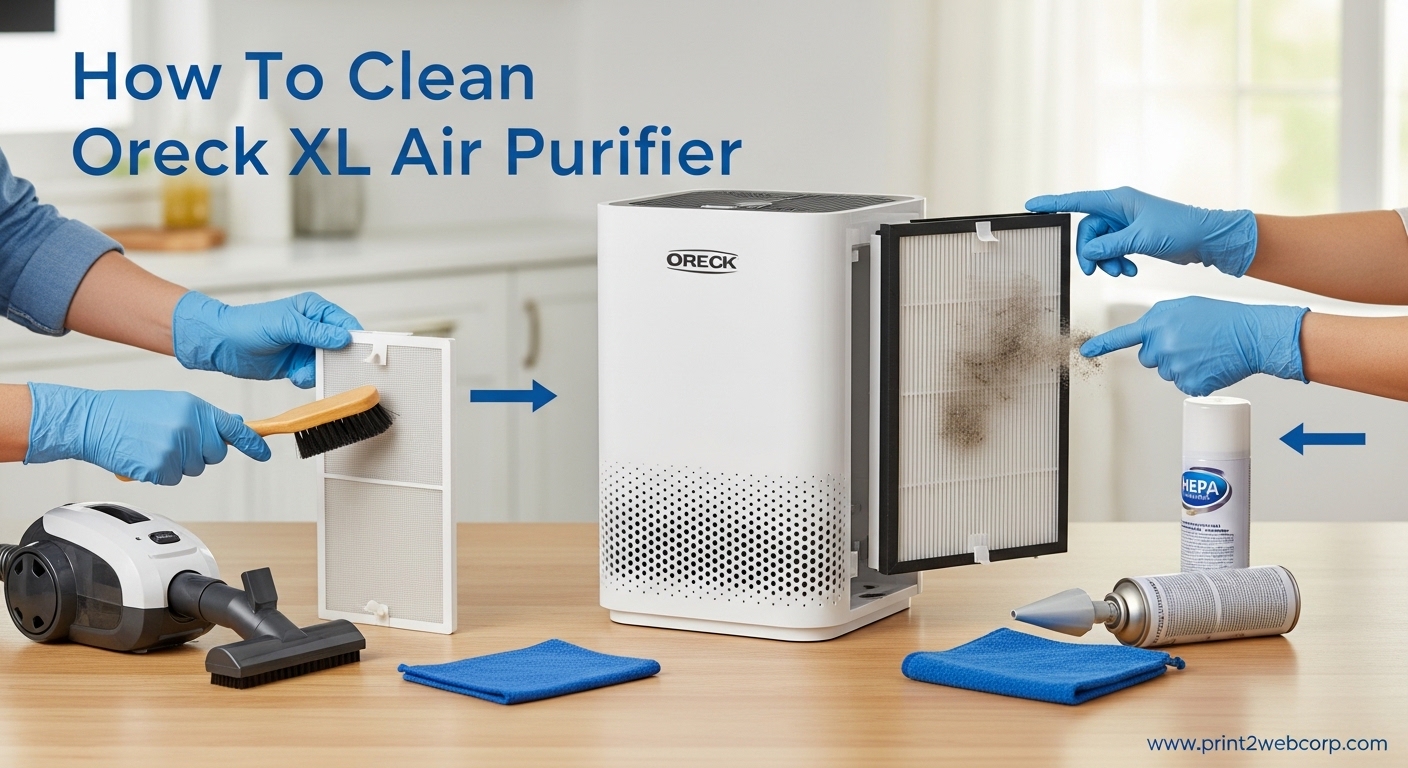
Owning an Oreck XL air purifier means enjoying cleaner air through its unique electrostatic technology, but that Truman Cell needs regular attention to keep performing at its best. After helping dozens of Oreck owners maintain their units, I’ve learned that proper cleaning makes the difference between a purifier that hums quietly and one that starts making those concerning popping sounds.
The Oreck XL uses electrostatic precipitation rather than traditional HEPA filters, which means the components are designed to be cleaned and reused for years. This guide covers everything you need to know about maintaining your Oreck XL Professional air purifier, from the basic pre-filter to the critical Truman Cell deep cleaning process.
Regular cleaning of your Oreck XL air purifier ensures optimal performance, extends the life of your unit, and prevents common issues like reduced airflow or arcing sounds. Whether you’ve had your unit for months or years, these steps will help you maintain fresh, clean air in your home.
Quick-Start Cleaning Summary
Here’s the fast version if you already know your Oreck XL:
1. Turn off and unplug the unit from the wall outlet
2. Remove the front grill and take out the pre-filter
3. Slide out the Truman Cell from the unit
4. Vacuum the pre-filter and wash the Truman Cell with mild detergent
5. Let all components dry completely for at least 24 hours
6. Reassemble and reset the red cleaning light
What You’ll Need
Before starting the cleaning process, gather these supplies:
– Soft brush attachment for your vacuum cleaner
– Mild dish soap or degreaser (alternative to discontinued Oreck cleaner)
– Warm water in a sink or bathtub
– Clean towels or drying rack
– Spray bottle (optional for applying cleaner)
The original Oreck Assail-a-Cell cleaner has been discontinued, but many users successfully use engine degreaser followed by a rinse with mild dish soap as an effective alternative.
Safety First: Always Unplug
Before cleaning any part of your Oreck XL air purifier, turn off the unit and unplug it from the wall outlet. This prevents electrical shock and protects the unit’s internal components. Never clean the Truman Cell or any other component while the purifier is plugged in or running.
How To Clean Oreck XL Air Purifier: The Pre-Filter
The pre-filter is your first line of defense, catching larger particles before they reach the Truman Cell. Cleaning it regularly prevents buildup and maintains proper airflow through your Oreck XL.
Removing the Pre-Filter
Start by removing the front grill of your Oreck XL air purifier. On most models, this involves pressing the release tabs on either side of the grill and pulling it forward. The pre-filter sits directly behind the front grill and can be lifted out easily.
Vacuuming the Pre-Filter
Use the brush attachment on your vacuum cleaner to remove dust and debris from both sides of the pre-filter. Work in slow, overlapping strokes to capture as much particulate matter as possible. The pre-filter doesn’t require water, but if it’s heavily soiled, you can rinse it with warm water and let it air dry completely.
For homes with pets or high dust levels, vacuum the pre-filter at least twice a month to maintain optimal performance.
How To Clean The Truman Cell
The Truman Cell is the heart of your Oreck XL air purifier. This electronic collector cell uses electrostatic precipitation to trap particles as small as 0.1 microns. When the cell gets dirty, you may notice arcing sounds or reduced effectiveness.
Removing the Truman Cell
With the front grill and pre-filter removed, locate the Truman Cell inside the unit. Grasp the handle on the front of the cell and pull it straight out. The Truman Cell is a metal grid assembly with closely spaced plates that collect charged particles.
Initial Vacuum Cleaning
Before washing, use your vacuum’s brush attachment to remove loose dust from the Truman Cell. Vacuum from multiple angles to clean between the metal plates. This initial cleaning reduces the amount of washing needed and prevents excess debris from going down your drain.
Deep Cleaning Method
Fill a sink or bathtub with warm water and add a small amount of mild dish soap. You can also use a spray degreaser as an alternative to the discontinued Oreck cleaner. Place the Truman Cell in the water and let it soak for 15-20 minutes to loosen stubborn deposits.
After soaking, use a soft brush to gently clean between the metal plates. Work from top to bottom, rinsing the brush frequently. Avoid using abrasive scrubbers or metal tools that could damage the delicate plates.
Rinsing and Drying
Rinse the Truman Cell thoroughly with clean water to remove all soap residue. Shake off excess water and place the cell on a towel or drying rack. This is the most critical step: the Truman Cell must be completely dry before reinstalling.
Allow at least 24 hours for the Truman Cell to dry fully. Installing a damp cell can cause arcing, popping sounds, or damage to the unit’s electronics. If you’re unsure whether it’s completely dry, wait an additional 12 hours.
Cleaning The Odor Absorber
The odor absorber contains activated carbon that neutralizes odors and VOCs. Unlike the Truman Cell and pre-filter, the odor absorber cannot be cleaned with water.
Simply vacuum the exterior of the odor absorber to remove surface dust. If the odor absorber is more than 6-12 months old or no longer effectively controls odors, replace it with a new one. Activated carbon has a finite lifespan and becomes saturated over time.
Cleaning The Oxygenator
The oxygenator component helps convert ozone generated by the electrostatic process. This part requires minimal maintenance but should be cleaned periodically.
Use only a vacuum cleaner with a brush attachment to clean the oxygenator. Never use water or cleaning solutions on this component. Vacuum from all angles to remove dust buildup, taking care not to damage the delicate fins.
Air Direction Grills
The air direction grills at the top of the unit can accumulate dust over time. Wipe them down with a soft, dry cloth or use your vacuum’s brush attachment to remove debris.
For stubborn grime, use a slightly damp cloth with mild soap, but avoid getting moisture inside the unit. Dry thoroughly before operating the purifier again.
How To Reset The Red Cleaning Light
Your Oreck XL features a red cleaning indicator light that reminds you when maintenance is needed. After cleaning your unit, you’ll need to reset this light.
With the unit plugged in, locate the “Night Light” button on the control panel. Press and hold this button for 5-10 seconds until the red cleaning light turns off. This resets the cleaning timer and the indicator will come back on after approximately 30 days of use.
If the red light stays on even after cleaning and resetting, unplug the unit for 30 seconds and plug it back in. Then repeat the Night Light button reset procedure.
How Often To Clean Your Oreck XL
Regular maintenance keeps your Oreck XL performing at its best. Here’s a recommended cleaning schedule:
Weekly: Vacuum the exterior grills and check the indicator light
Monthly: Vacuum the pre-filter thoroughly
Every 2-3 months: Deep clean the Truman Cell
Every 6-12 months: Replace the odor absorber
Homes with pets, smokers, or high dust levels may require more frequent cleaning. If you notice arcing sounds or reduced airflow, clean the Truman Cell immediately regardless of the schedule.
Troubleshooting Common Oreck XL Issues
Even with regular maintenance, you may encounter some common issues. Here’s how to address them:
Popping or Arcing Sounds
If your Oreck XL makes popping, crackling, or arcing sounds, the Truman Cell likely needs cleaning. These sounds occur when dust bridges the gap between the charged metal plates, causing small electrical discharges.
Clean the Truman Cell using the deep cleaning method described above. Make sure it’s completely dry before reinstalling. If sounds persist after cleaning, inspect the cell for damage or bent plates that may need replacement.
Red Light Stays On After Cleaning
The red cleaning light should turn off after you reset it using the Night Light button. If it stays on, try unplugging the unit for 30 seconds, then plugging it back in and repeating the reset procedure.
If the light still won’t reset, there may be an issue with the sensor or the unit may need professional service. Contact Oreck customer support for assistance.
Reduced Airflow
Weak airflow from your Oreck XL usually indicates a dirty Truman Cell or clogged pre-filter. Clean both components using the methods above. Also check that the air intake and outlet grills aren’t blocked by furniture or other objects.
Unit Won’t Turn On
If your Oreck XL won’t power on, first check that it’s plugged in and the outlet is working. Try a different outlet to rule out a blown fuse or tripped breaker. If the unit still won’t turn on, the power supply or internal electronics may need professional repair.
Ozone Safety Consideration
The Oreck XL uses electrostatic technology, which produces small amounts of ozone as a byproduct. The oxygenator component helps convert this ozone back into regular oxygen. Proper maintenance of both the Truman Cell and oxygenator keeps ozone levels minimal.
If you have concerns about ozone sensitivity or respiratory conditions, consider running the unit on lower settings and ensuring proper ventilation in the room. Replace the oxygenator if it appears damaged or excessively dirty.
Frequently Asked Questions
How do I clean my Oreck XL air purifier?
Turn off and unplug the unit, remove the front grill and pre-filter, take out the Truman Cell, vacuum the pre-filter and wash the Truman Cell with mild detergent, let everything dry for 24 hours, then reassemble and reset the red light using the Night Light button.
Can I clean my air purifier filter instead of replacing it?
Yes, the Oreck XL Truman Cell and pre-filter are designed to be cleaned and reused indefinitely. The Truman Cell can be washed with mild soap and water, while the pre-filter just needs vacuuming. Only the odor absorber (activated carbon filter) needs replacement every 6-12 months when it becomes saturated.
How do I clean the inside of my air purifier?
After removing the Truman Cell and pre-filter, use a vacuum with brush attachment to clean the interior chamber. The oxygenator inside can be vacuumed but never washed. Wipe down accessible surfaces with a dry cloth. Never spray liquids directly into the unit or allow moisture to enter the internal electronics.
Does the Oreck XL produce ozone?
Yes, like all electrostatic air cleaners, the Oreck XL produces small amounts of ozone as a byproduct of the electrostatic precipitation process. The unit includes an oxygenator component designed to convert ozone back into regular oxygen. Proper maintenance of both the Truman Cell and oxygenator keeps ozone levels minimal.
How often should I clean my Oreck XL air purifier?
Vacuum the pre-filter monthly and deep clean the Truman Cell every 2-3 months. Homes with pets, smokers, or high dust may need monthly Truman Cell cleaning. The red cleaning indicator light reminds you when maintenance is due, typically after 30 days of operation.
Conclusion
Learning how to clean your Oreck XL air purifier is simple once you understand the process. The Truman Cell cleaning is the most important maintenance task, followed by regular pre-filter vacuuming. With proper care, your Oreck XL can provide years of reliable air purification without the ongoing cost of replacement filters.
Remember to always let the Truman Cell dry completely before reinstalling it, and reset that red cleaning light after each maintenance session. Your Oreck XL will reward you with cleaner, fresher air and quieter operation.
Leave a Reply