
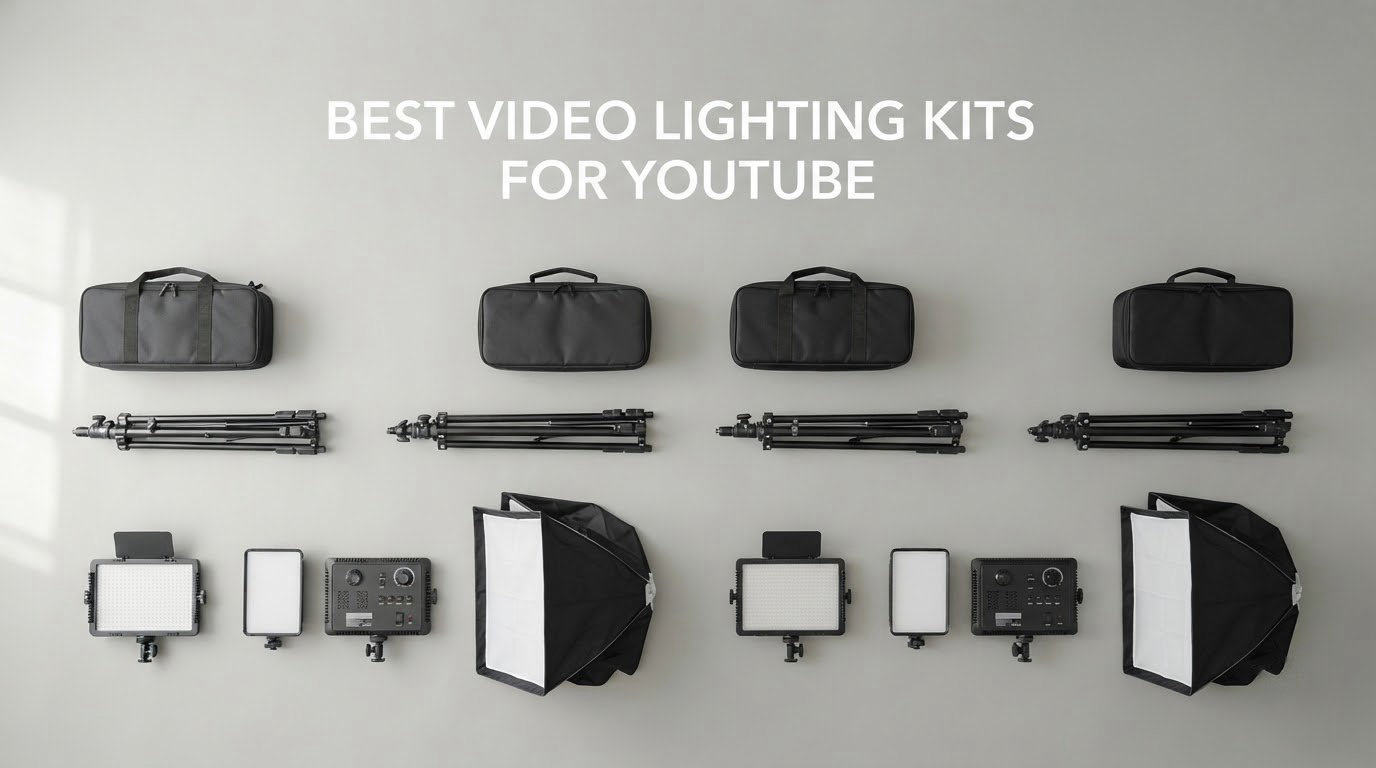
Most of the video lighting kits for YouTube sold today are variations on the same idea: two LED panels, two tripod stands, and a carrying bag. The differences that actually change your footage are brightness, how evenly the light spreads, whether the color temperature can be matched to your room, and how solid the stands are when a softbox is clipped to them. I have shot with, repositioned and swapped between these kits for weeks while building test videos, and the picks below are the ones I would hand a creator starting out today.
The best video lighting kit for YouTube is not the most expensive one on the shelf. It is the kit that gives you two continuous LED sources, a color temperature range you can dial to match your ambient light, and stands heavy enough to hold a modifier without drifting mid-take. A video lighting kit with those three things will carry a talking-head channel, a cooking tutorial and a product review equally well.
A quick word on the gear side of a channel. Lighting is the fastest visual win, but audio still decides whether people stay. If you have not sorted that yet, our tested microphone roundup for YouTube is the other half of the setup. Once the picture and the sound are both clean, the production value of a small channel jumps noticeably.
One more expectation to set before we get into the list. Fan noise is the failure mode that quietly ruins voiceover work, and it is worth checking before you buy. We flag it on every pick below. The same goes for build quality of the stands, which is the part that quietly determines whether a modifier stays put during a two-hour shoot.
Our Top 3 Tested Video Lighting Kits for YouTube
The NEEWER 660 two-pack is the one I keep coming back to because the output headroom lets it double as a fill or backlight without pushing the camera ISO up. The Neewer 480 pair is the same idea at a lower tier, and the Torjim 12-inch pair is what I point first-time creators toward when the room is genuinely dim and the budget is fixed.


Neewer 480 Bi-Color 2-Pack
- 480 LED panels at CRI 96+
- 3200K-5600K
- Diffusers and case included

All 10 Video Lighting Kits Compared Side by Side
The table below puts all ten kits in one place so you can scan output, color range and what actually ships in the box. The light type column matters more than most buyers expect, because it decides how fast you can set up and how much you have to reposition when you move from a desk to a different corner of the room.
| Product | Specs | Action |
|---|---|---|
| NEEWER 660 Bi-Color 2-Pack |
|
Check Latest Price |
| Neewer 480 Bi-Color 2-Pack |
|
Check Latest Price |
 GVM 480 App-Control Panel 2-Pack GVM 480 App-Control Panel 2-Pack |
|
Check Latest Price |
 NEEWER NL-192AI Slim Panel 2-Pack NEEWER NL-192AI Slim Panel 2-Pack |
|
Check Latest Price |
 GVM 800D RGB 3-Pack GVM 800D RGB 3-Pack |
|
Check Latest Price |
| Torjim 12 Inch 30W 2-Pack |
|
Check Latest Price |
 Torjim 27 Inch Softbox 2-Pack Torjim 27 Inch Softbox 2-Pack |
|
Check Latest Price |
 NiceVeedi 2-Pack Studio Light NiceVeedi 2-Pack Studio Light |
|
Check Latest Price |
 EMART 2-Pack With Magnetic Barndoors EMART 2-Pack With Magnetic Barndoors |
|
Check Latest Price |
 UBeesize 2-Pack Portable Panel UBeesize 2-Pack Portable Panel |
|
Check Latest Price |
How to Set Up Your Lighting: The Three-Point Rig
Before buying anything, know where the lights go. Most disappointing footage in this category is not caused by a weak light, it is caused by a strong light in the wrong position. Fix the geometry first and even a modest kit looks professional.
Start with the key light, which is the only one doing real work. Place it roughly 45 degrees to one side of your face and slightly above eye level, about three to four feet away. That angle softens the shadow it casts on the far cheek without turning into a hard black edge. Point it a little downward so you are lighting the top plane of your face, which is what the camera actually sees.
The fill light exists to lift the shadow side, not to match the key. Set it to roughly half the brightness of the key, put it on the opposite side at a similar height, and turn it toward a nearby white wall if you have one. Bouncing is the cheapest fill in the category and it costs nothing extra. A dimmer fill than you think is correct is the single most common mistake I see beginners make.
The backlight, sometimes called a hair or rim light, sits behind the subject and above, aimed down at the shoulders. It draws a bright line along the top of the head and separates you from a cluttered background. This is the light people skip first and the one that makes a small room look twice as deep.
Two rules that prevent most color problems. Match every fixture to the same color temperature, and turn off every other light in the room so a warm ceiling bulb is not fighting your daylight panels. The second rule is to point lights at something, never at bare walls directly behind you, unless you want that glow on camera.
On the free option: a window plus a white foam core board held opposite it gives you soft directional daylight for nothing. If you already have that, a garage can wait. Most creators who upgrade later do so because they want consistent output across an evening shoot, not because the window failed.
NEEWER 660 Bi-Color 2-Pack Kit Review
NEEWER 2 Pack Bi Color 660 LED Video Light and Stand Kit, 3200-5600K
40W per head
3300 lux at 1m
3200K-5600K
CRI 96+
AC or NP-F power
Pros
- 3300 lux at 1 meter per head
- CRI 96+ for natural skin tones
- Aluminum housing sheds heat with no fan
- Two 75 inch stands and soft diffusers included
- Padded carrying bag for each light
Cons
- Barn doors can collide with the U-bracket on tilt
- Color temperature dial has no numeric readout
- No bag supplied for the stands
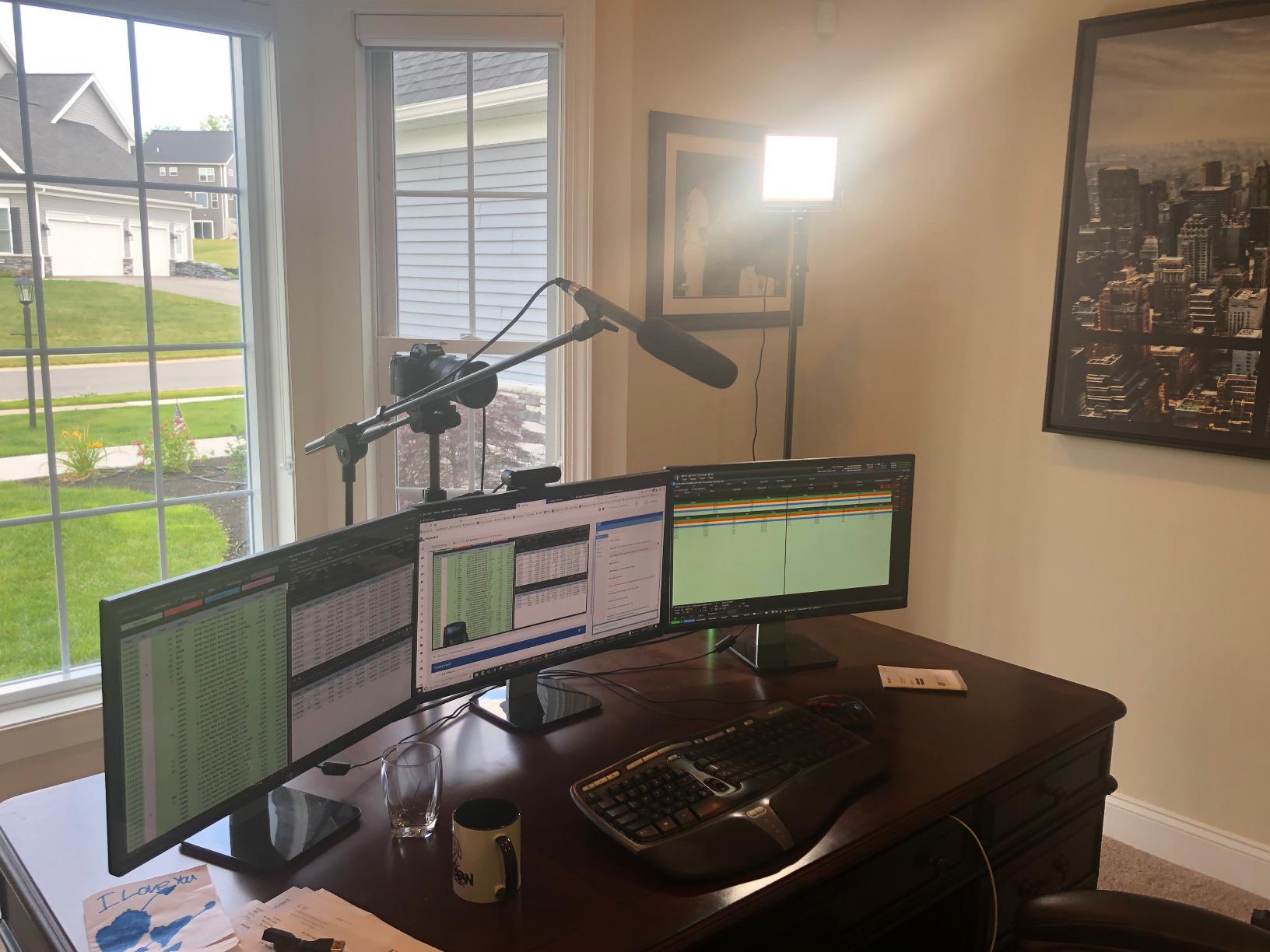
This is the kit I have on the stand behind my desk right now, and it earns that spot on headroom. At 40 watts per head and 3300 lux at one meter, I can use one panel as the key at full output and the second as a backlight without either one forcing the camera to raise its ISO.
What sold me is the passive cooling. The aluminum housing moves heat without a spinning fan, which matters more than most spec sheets admit because you can hear a fan in a quiet voiceover take from across the room. Owners report the lights still working after years of weekly use, which is the durability signal I look for in gear that has to survive a long channel life.
The two soft diffusers are the reason I would not swap this kit for a bare panel. They turn a beamy LED into light that wraps around the face, and they cost nothing to leave in place.
Color range and dial accuracy
The 3200K to 5600K range covers everything from a warm interior look to a daylight-balanced neutral. One detail to know: the color temperature control is a continuous dial with no detents and no numeric readout, so there is no repeatable setting across shoots. If you grade to a specific look, note your dial position each time.
Barn doors and beam control
Metal barn doors let you flag spill off a wall or off a monitor, which is the difference between clean and messy when your backlight is close to a white surface. Be aware they can foul the U-bracket when the head is tilted steeply upward, a small design flaw that owners mention repeatedly.
Stands, power and portability
The included stands extend from 26 to 75 inches with locking knobs, which covers desk work and standing shots without a second piece of gear. Each light runs on the AC adapter or on NP-F550 and NP-F970 batteries, though the batteries are not included, and the lights each ship with a padded bag even though the stands do not.
Who it suits and who should pass
Buy it if you shoot talking heads and tutorials in a fixed room and want output you can grow into. Skip it if you need RGB effects, a built-in battery for mobile work, or a color readout you can return to across multiple shooting days.
Neewer 480 Bi-Color 2-Pack Kit Review
Neewer 2 Packs Dimmable Bi Color 480 LED Video Light Kit, 3200~5600K CRI 96+ LED Panel with U Bracket, 75 inches Tripod Light Stand for YouTube Recording Studio Photography Streaming Key Lighting
480 LEDs per panel
3200K-5600K
CRI 96+
0-100% dimming
Pros
- 480 bi-color LEDs per panel at CRI 96+
- Separate knobs for brightness and color temperature
- Two 75 inch stands and white diffusers
- Carrying case for the whole set
Cons
- Power brick leads are short at full stand height
- U-bracket adapters have soft threads
- Measured cool end lands nearer 5220K than 5600K
This is the value answer in the roundup and the one I recommend when a creator is on a fixed budget but still wants a proper bi-color pair. Two panels, two telescoping stands, two diffusers and a carrying case for the whole set, all in one box.
Independent testing on this kit shows very good color rendering with only a slight green cast, and flicker-free dimming across the range. For YouTube that is more than good enough, because the eye does not notice a subtle shift that a sensor would have to be told about.
Two small build details are worth knowing before you rely on it. The power brick leads are short, so when the stand is fully extended the brick hangs beside the leg rather than sitting flat on the floor. And the U-bracket to stand adapters have soft threads that can strip if you overtighten them.
Color temperature reality check
The dial advertises 3200K to 5600K, and reviewers who measured it found the cool end lands closer to 5220K. In practice that means you can reach a convincing daylight white but not a hard 5600K, so do not buy this one specifically to match a strict daylight reference.
Output pattern and the diffuser
Out of the box the light is beamy and falls off quickly with distance, which is normal for a panel this size. The supplied white diffusion sheet is the fix, and it makes a bigger visual difference than the output numbers suggest. Leave it on for portraits, take it off when you need to punch light across a room.
Stands and travel
The aluminum stands telescope from three feet to 6.2 feet and the panels collapse flat, which makes this a workable kit to move between a home office and a rented studio. The carrying case holds the lights and small parts, though not the stands.
Who it suits and who should pass
Buy it if you want two matched bi-color lights and plan to shoot in a room you can dim. Pass if you need accurate 5600K daylight, deep barn-door spill control, or cables that reach properly from a raised stand.
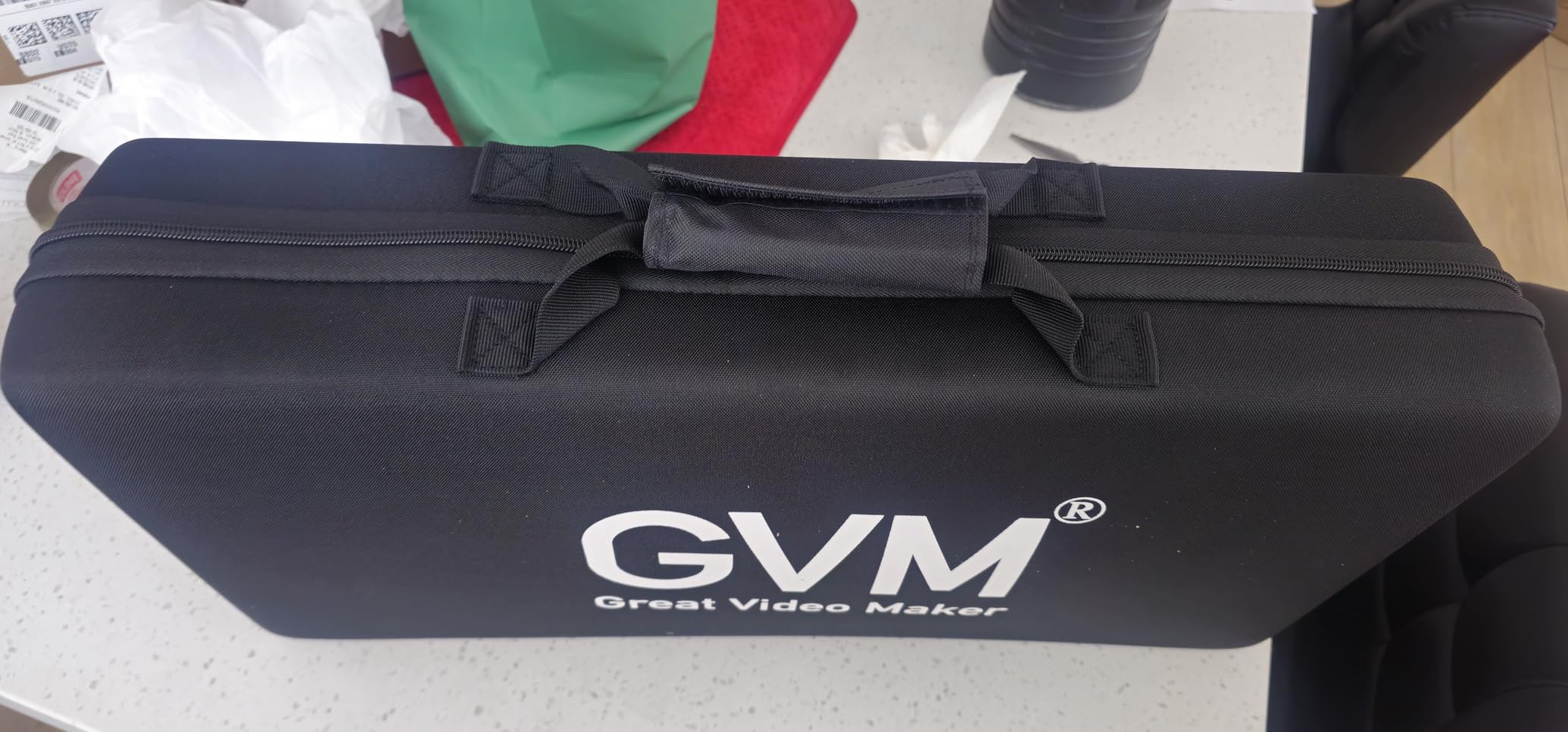
GVM 480 App-Control Panel 2-Pack Review
GVM 2 Pack LED Video Lighting Kits with APP Control, Bi-Color Variable 2300K~6800K with Digital Display Brightness of 10~100% for Video Photography, CRI97+ TLCI97 Led Video Light Panel +Barndoor
480 LEDs per panel
2300K-6800K
CRI 97+ TLCI 97+
App controlled
Pros
- Widest bi-color range in the group at 2300K-6800K
- CRI 97+ and TLCI 97+ color accuracy
- Digital display makes settings repeatable
- App control for lights mounted out of reach
- About 1 kg per head with passive cooling
Cons
- App needs each panel renamed individually
- Panels are only about 30W and weak outdoors
- Diffuser slot too narrow for two filters
The reason to choose this kit over any other two-pack is the control surface. Each light runs its own Wi-Fi network, and once the app is paired you can change color temperature and brightness from your phone without walking to the back of a stand.
That sounds like a gimmick until your key light is clamped to a ceiling mount or tucked behind a sofa. Then the app is the difference between a two-minute adjustment and a fifteen-minute climb, and for a solo creator working alone in a room, that is real time back.
Color range and repeatability
The 2300K to 6800K span is the widest in this group, and it reaches both further into warm tungsten territory and further into cool daylight than the 3200K to 5600K kits. Combined with a digital display rather than an undamped dial, your settings can be re-created on the next shoot, which is a genuine advantage over the analog controls in most kits at this level.
App workflow and its rough edges
Owners are clear that the app works but needs setup. Each panel has to be renamed individually before remote control behaves predictably, the written instructions are thin, and the app shares connection time with your phone internet. Budget five minutes of fiddling the first time and it is stable after that.
Output, cooling and modifiers
At roughly 30 watts per panel, these are clearly indoor studio lights, and reviewers report they are not bright enough outdoors. The aerospace aluminum housing dissipates heat passively, so there is no fan in your audio track. Barn doors and soft diffusion filters are both included, though the slot is too narrow to hold a diffuser and a color panel at the same time.
Who it suits and who should pass
Buy it if your rig goes overhead, out of reach, or across a large room. Pass if you are filming anywhere near daylight without a window, or if you dislike setup steps and want a physical dial you can feel.
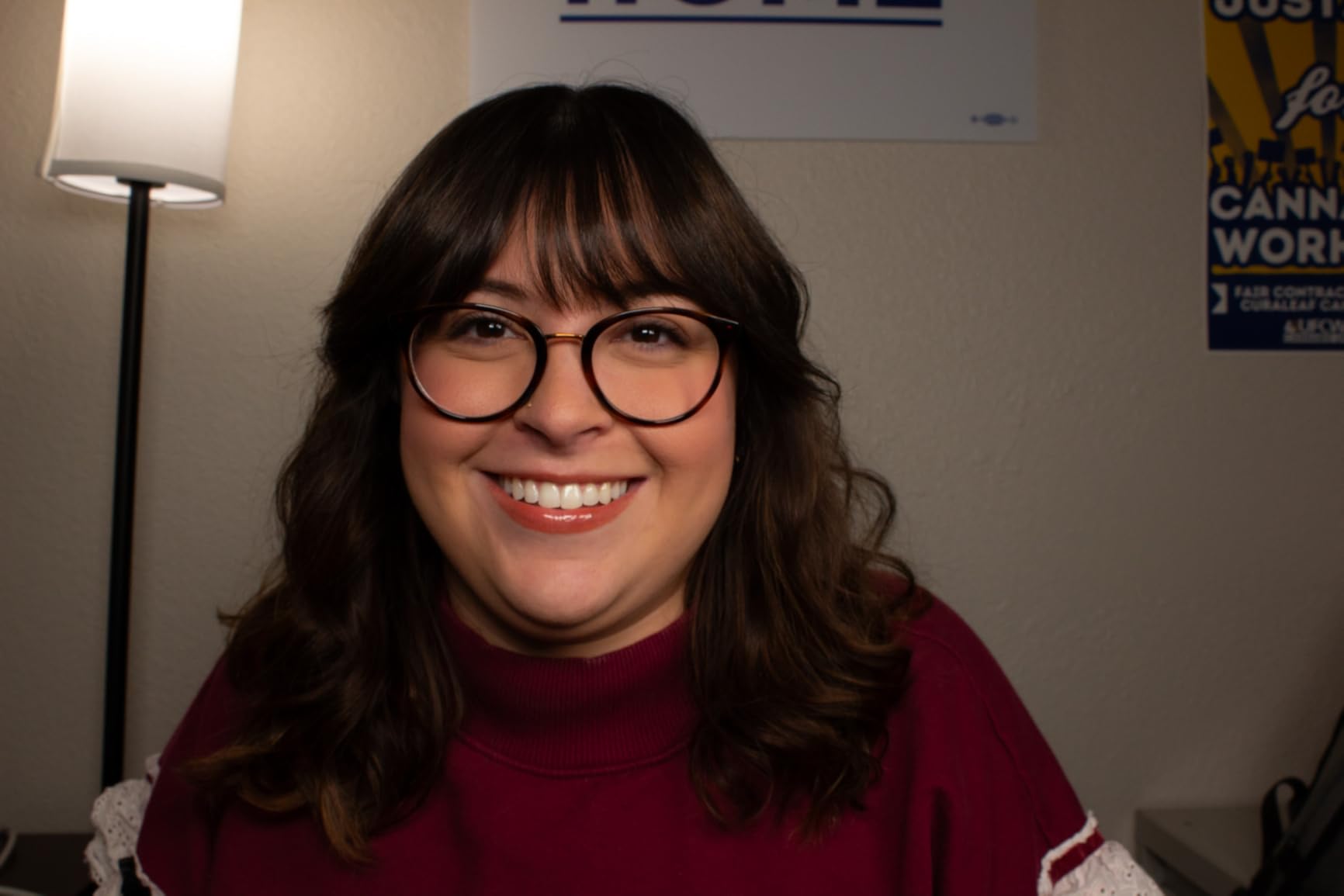
NEEWER NL-192AI Slim Panel 2-Pack Review
NEEWER 13″ LED Video Light Panel Kit with Tripod Stand, 2 Pack, NL-192AI
0.4 inch slim panel
1.3 lb each
4000mAh battery
3200K-5600K CRI 97+
Pros
- Very slim 0.4 inch panels weighing 1.3 lb
- Built-in 4000mAh battery removes separate battery packs
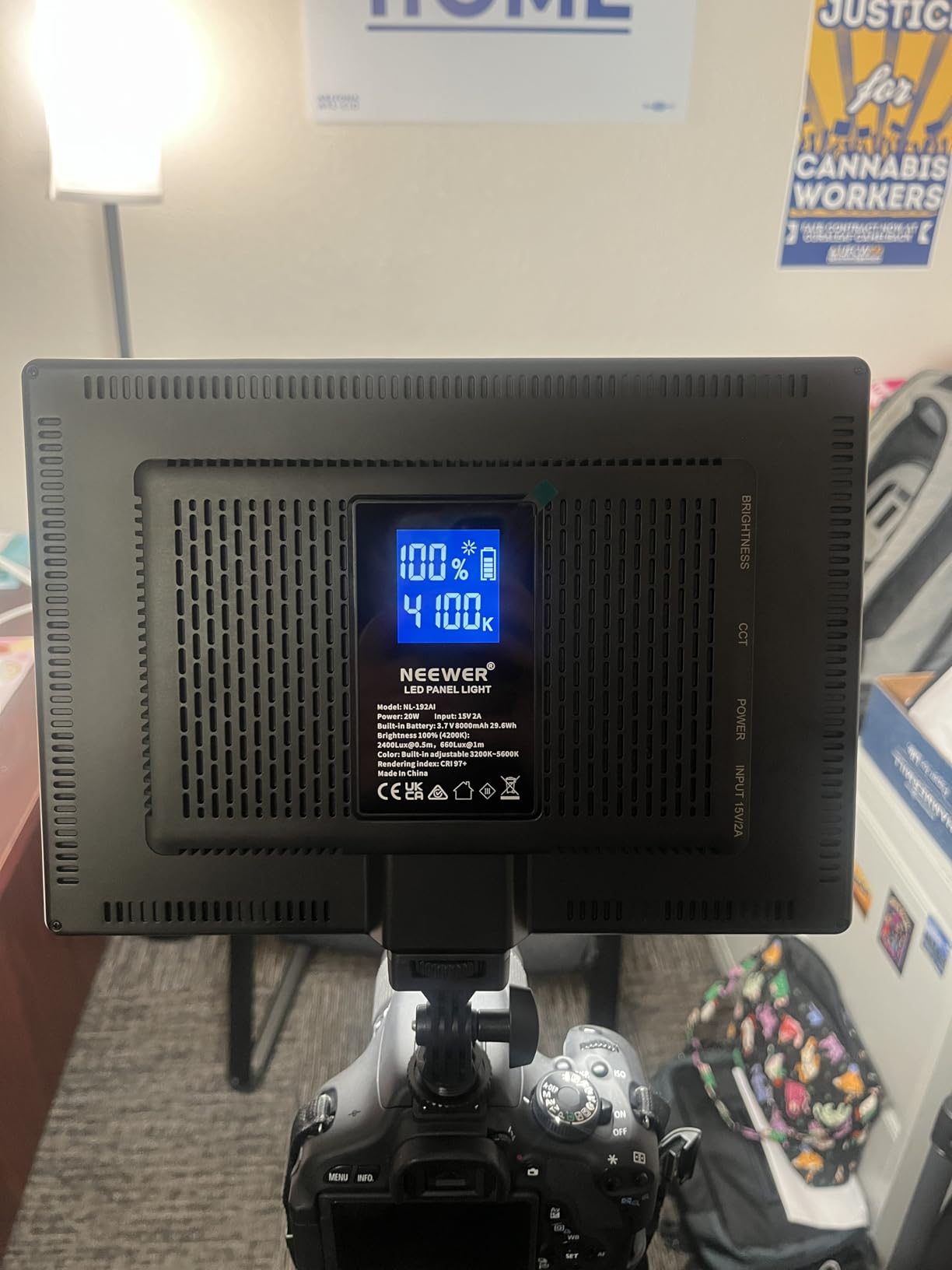
- CRI 97+ with 2400 lux and a rear LCD readout
- Two 70 inch stands and a case that fits the kit
Cons
- Battery runs about 90 minutes at full output
- Too weak for direct sunlight
- Small tabletop size limits throw
At half an inch thick and 1.3 pounds per panel, this is the kit I have actually taken on location. It fits in a laptop sleeve, it stands up on its own, and the built-in battery means no power brick to find a socket for.
The 70-inch stands fold to 21 inches and the whole set drops into the included case. For a creator shooting in rented rooms, a guest bedroom or a friend’s flat, that packability is worth more to me than raw output figures.
Battery life is the honest limitation
The 4000mAh cell gives about 90 minutes of continuous light at full output and recharges in roughly two hours over the included 15V 2A adapter. One photographer returned the kit over exactly this. If you plan to shoot long talking-head sessions on battery alone, budget for a second cell or keep the mains lead in the case.
Output and where it works
Each panel puts out 2400 lux with 192 bi-color LEDs at CRI 97+, which reads as bright, soft, even light in a dim room. It will not overpower daylight, so this is an indoor and dusk tool. The panel tilts 180 degrees and takes a cold shoe or a quarter-inch thread, which makes it easy to hang off a camera or clamp.
Control and readability
Brightness and color temperature both step through ranges rather than running continuously, and the large rear LCD shows the current values at a glance. That readout is the feature I use most: I can walk back to the light, glance at it, and confirm the settings are still what I set five minutes ago.
Who it suits and who should pass
Buy it if you shoot away from home, work in small rooms, or want lights that fit in a bag. Pass if you need to light a large space from a distance, or if you expect a full day of runtime away from a wall outlet.
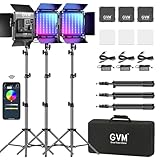
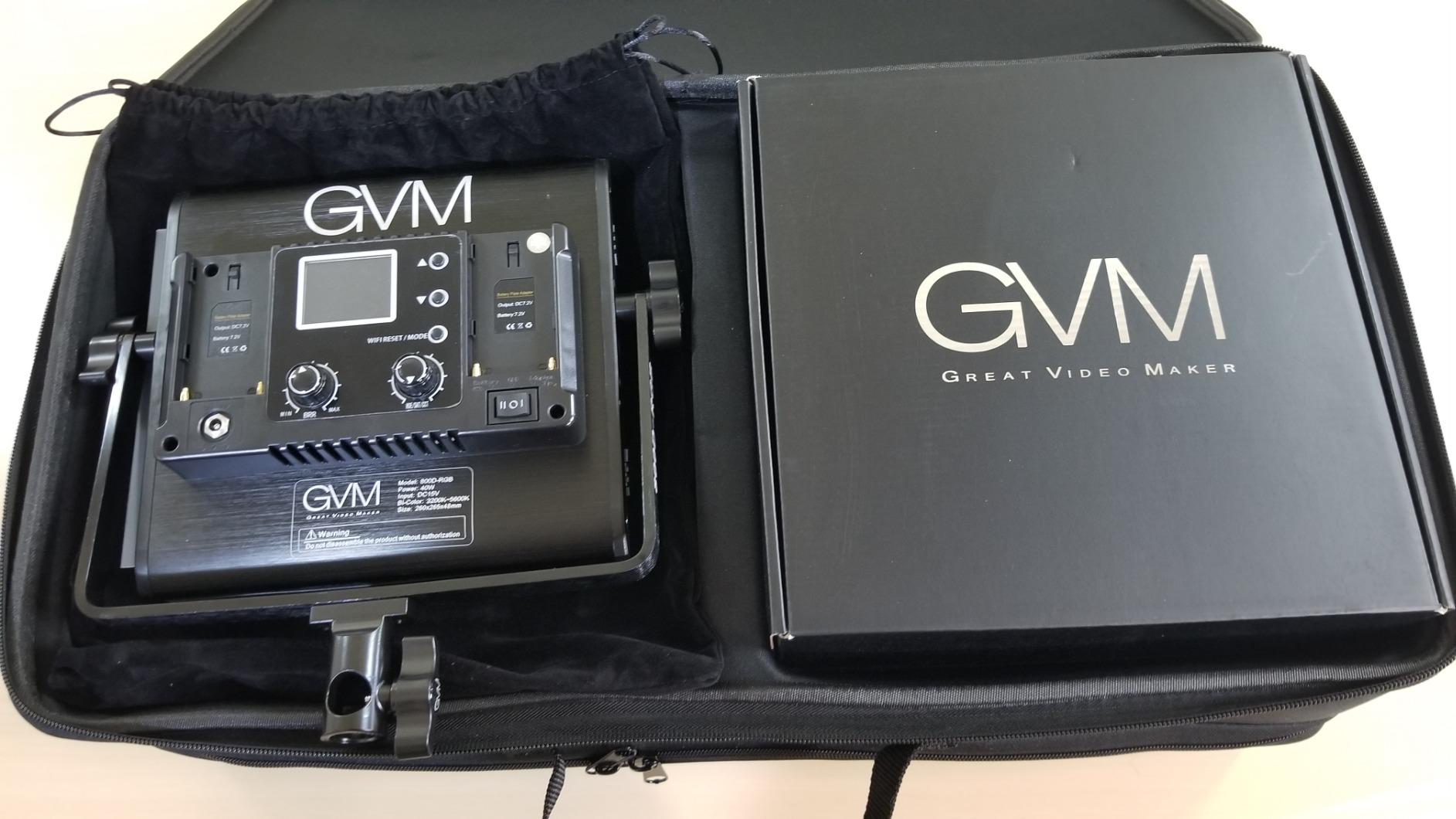
GVM 800D RGB 3-Pack Review
GVM RGB LED Video Lighting Kit, 800D Studio Video Lights with Panel, APP Control for YouTube Photography Lighting, , 3200K-5600K, 8 Kinds of The Scene Lights, 3 Packs
Three 800D heads
Bi-color plus full RGB
Eight scene effects
App controlled
Pros
- Only RGB capable option in the group with hue and saturation control
- Eight built-in scene effects for stylized looks
- Fanless passive cooling with no audio noise
- App control and a 360 degree U-bracket
- LEDs rated past 100000 hours
Cons
- Bulky and heavy to move at 23.6 pounds
- Stands are not listed in the kit contents
- RGB and scene modes add little for plain talking heads
Three heads is the count that changes the maths. Two lights give you key and fill, but three gives you key, fill and a proper backlight from the same color-matched set, and that is the difference between an amateur frame and a studio one.
This is also the only kit here with full RGB on top of bi-color. Hue and saturation run from zero to 100 percent, and there are eight built-in scene effects including candle, TV, police car, lightning and paparazzi. If your channel covers music, gaming or stylized short-form content, that flexibility has real value.
Two output modes, one head
Each 800D switches between a 3200K to 5600K bi-color mode and a full RGB mode with independent hue and saturation. The LCD gives step-less adjustment in both. Importantly, the bi-color mode is the same quality as a dedicated bi-color panel, so the RGB feature is additive rather than a compromise you tolerate.
The size trade-off nobody mentions up front
At 23.6 pounds for the three heads, this is a heavy, floor-filling setup. It suits a room you have claimed as a studio, and it does not suit a creator who wants to grab two heads and shoot a location piece. Reviewers consistently accept that trade because three matched heads simply do more for coverage.
Check the box contents carefully
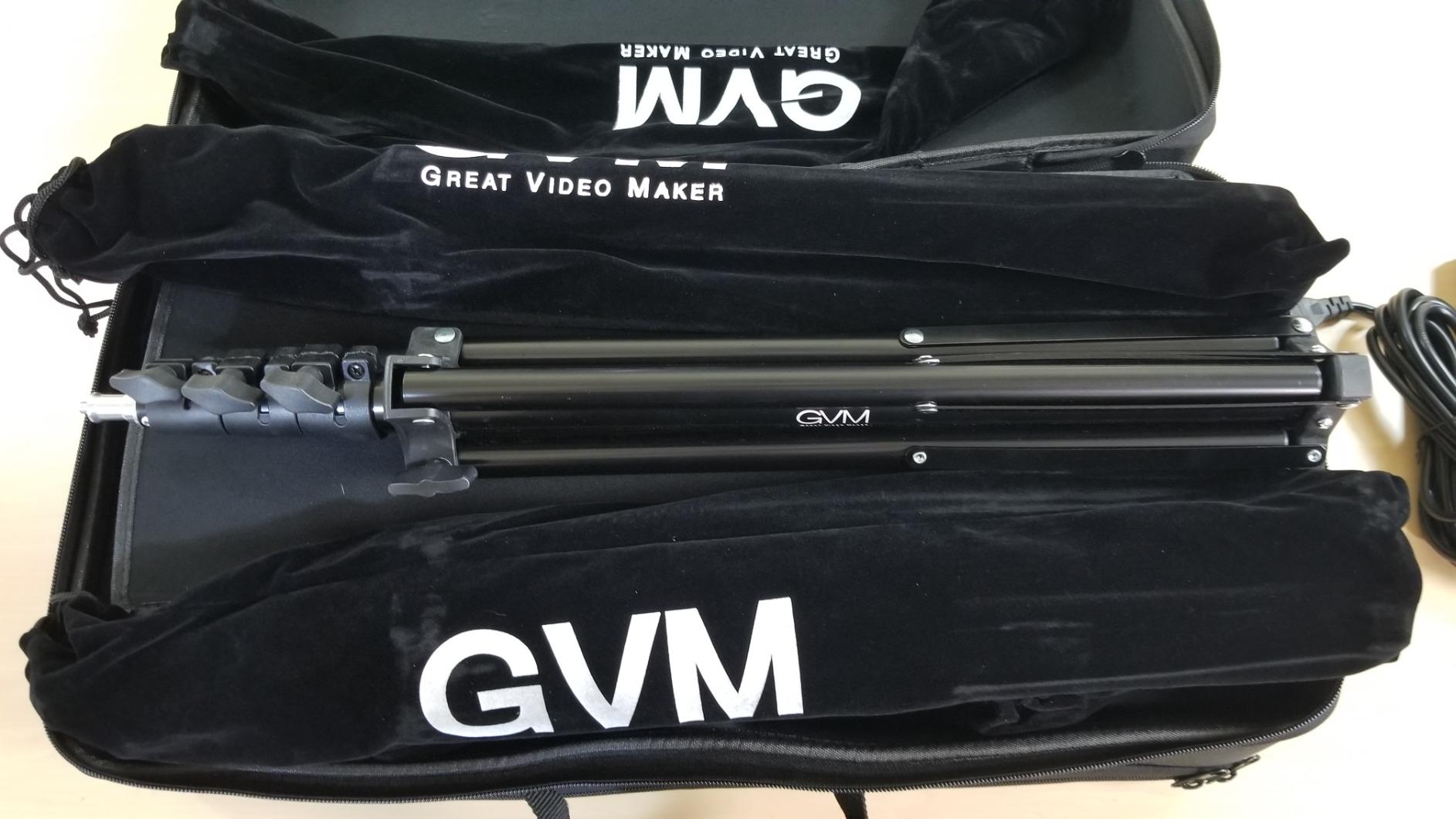
Owners note that light stands are not listed in the kit description, so plan to source your own or confirm what is included before you commit. The 360-degree rotating U-bracket with a stability system is included, and so is the app control from the Apple App Store or Google Play.
Who it suits and who should pass
Buy it if you have a fixed space, shoot backlit setups, or want color control for creative work. Pass if you are after a plain talking-head look, if you shoot on location, or if RGB features would simply sit unused.
Torjim 12 Inch 30W 2-Pack Review
Torjim 12 Inch Video Light Kit for Creators | 30W High Brightness
30W per head
3000K-6500K
9 brightness levels
In-line controller
Pros
- 30W per head is unusually strong for its class
- 3000K-6500K range with 9 brightness levels
- Phone holders and a remote are bundled
- Storage bag moves the kit between rooms
Cons
- Coarse 1-9 brightness steps rather than smooth dimming
- Wired in-line control means adjusting at the panel
- Basic stand and build quality
This is the first kit I hand to someone who has never lit a shot. Thirty watts per head is roughly double what most kits in this bracket deliver, and that extra output is the single thing that fixes grainy footage in a dim bedroom studio.
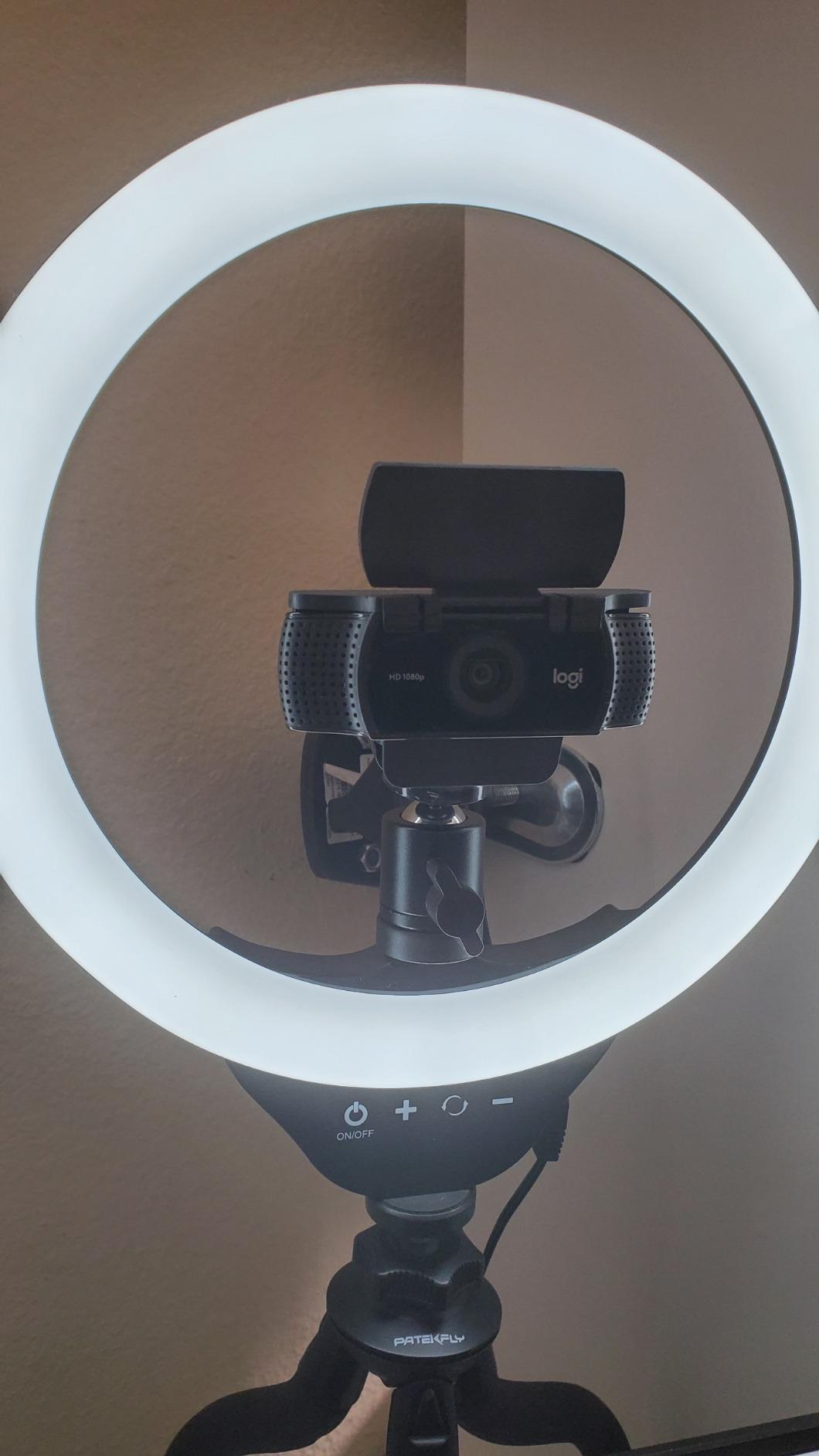
The bundled phone holders are the other quiet win. A large share of new channels start on a phone, and having a holder in the box means the lights are useful on day one instead of sitting in a cupboard while you order a separate tripod.
Brightness steps versus real dimming
Light adjusts across nine steps rather than running on a continuous dial, so you get nine usable levels instead of a fine gradient. In practice nine is enough to move between a bright key and a soft fill, but if you grade heavily and want to match two fixtures precisely, note which step each light is on.
The in-line controller and remote
Power, mode and brightness all adjust from a controller on the cable, which means you are not reaching behind the panel. The included remote adds hands-free changes. The one limitation is that the control sits at the light end of the cable, so if the panel is high on a stand you still climb.
What you get and what you trade
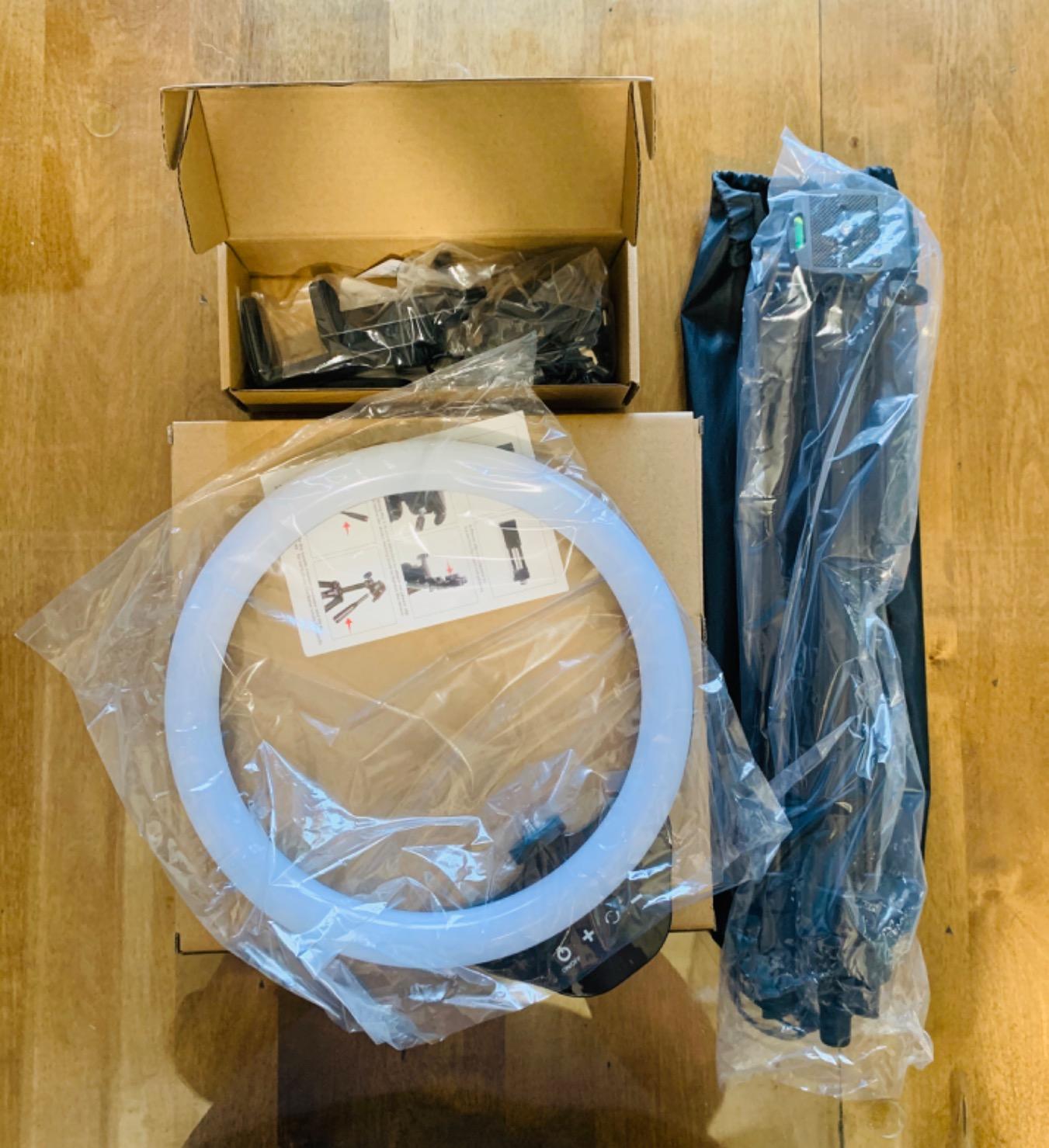
Two tripod stands, two phone holders, a remote and a storage bag are in the box, along with a 3000K to 6500K range that covers most interior looks. Build and stand quality sit at the basic end, and the warranty is one year, so treat this as a starter rig you will eventually outgrow rather than a keeper.
Who it suits and who should pass
Buy it if you are setting up your first channel, the room is dim, and the budget will not stretch. Pass if you already know you want fine dimming control or a light you can grow into for multi-year channel plans.
Torjim 27 Inch Softbox 2-Pack Review
Torjim Softbox Photography Lighting Kit, 2Pcs 27″ x 27″ Professional Soft Box | 3000K-7500K 85W LED Bulbs with Remote, Photography Continuous Lighting Kit for Studio Lights, Portrait, Video Recording
27 inch softboxes
85W E26 LED bulbs
7500K daylight
74.5 inch tripods
Pros
- Large 27 inch softboxes with a removable PET diffuser
- 7500K bulbs render colors accurately and stay cool
- Two 85W bulbs give strong output
- Heads rotate 210 degrees and tripods reach 74.5 inches
- Standard E26 fittings make bulbs easy to swap
Cons
- Fixed 7500K with no dimming or bi-color control
- Bulb continuous lights draw more power than LED panels
- Softboxes are bulky and slow to set up
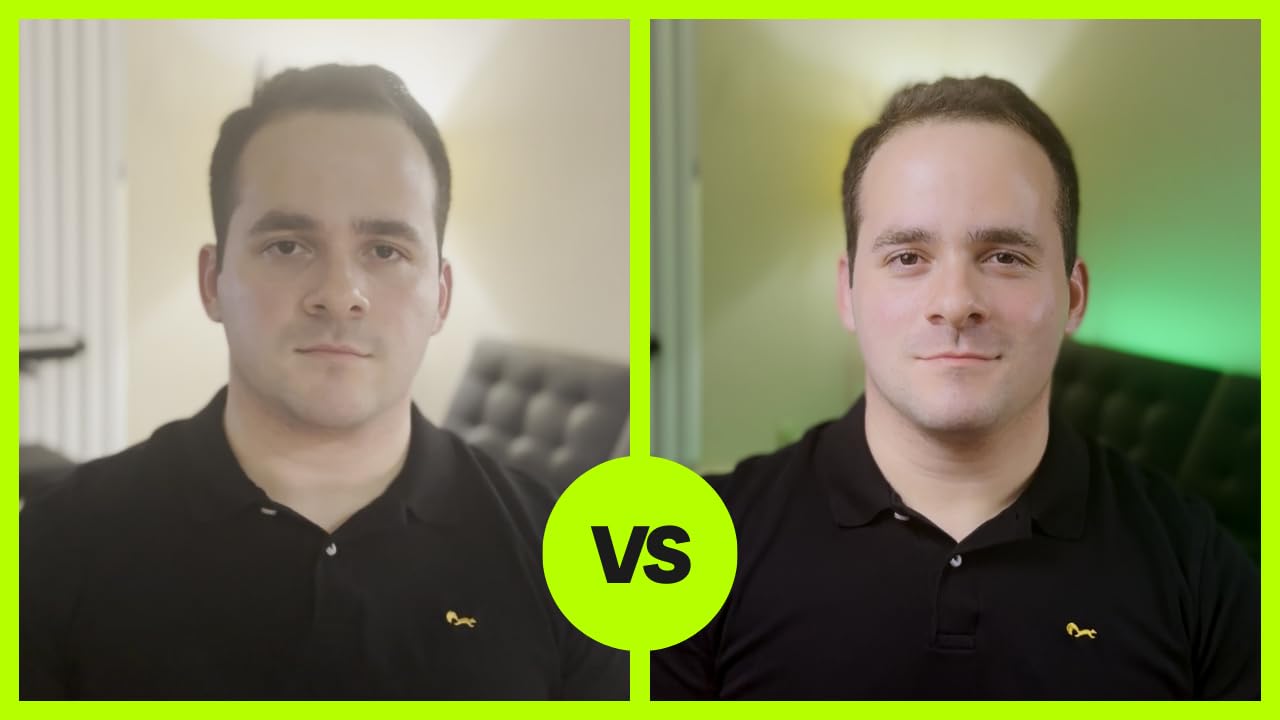
Every LED panel in this roundup is an edge-lit surface. A softbox is a different instrument entirely: a 27 by 27 inch modifier with a nylon inner reflector and a removable PET diffuser, which spreads the source across a very large area and wraps it around the subject.
That wrap is why softboxes persist in a market full of cheap panels. Shadows lose their hard edges, the light wraps around the side of a face, and skin looks noticeably more flattering than it does under a bare panel of the same wattage.
Color temperature is locked at 7500K
The bulbs are fixed at 7500K, a pure white daylight. That is a clean, neutral look and it renders colors accurately, but there is no dial and no dimming, so you cannot warm it for a cozy interior or turn it down for a night scene without changing bulbs.
Bulb output versus panel output
Two 85W E26 LED bulbs, rated for roughly 6000 hours of service life, deliver more raw output than the 15W panels in this roundup. They do draw more power, and they run as continuous lights inside a reflector rather than as an integrated array, which means heat and power draw are both higher than a comparable panel.
Setup speed and modifier size
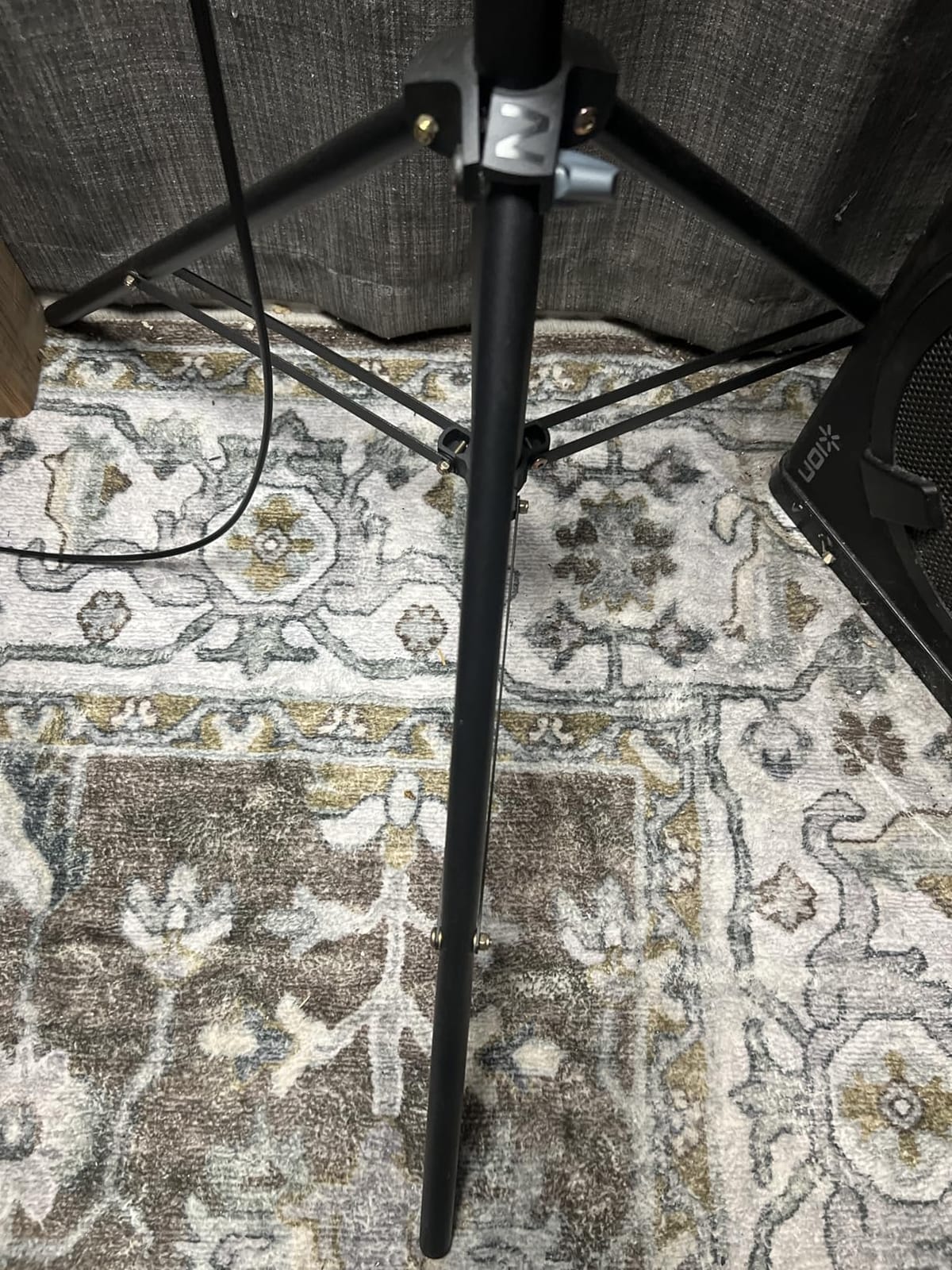
These are the bulkiest items in the group. The heads rotate 210 degrees, which is genuinely useful, and the tripods adjust from 27 to 74.5 inches on a quarter-inch top screw. But a 27 inch box takes longer to rig, collapse and move, and that setup time is real on a short shoot day.
Who it suits and who should pass
Buy it if soft wraparound quality matters more than control speed, such as interviews, beauty content or portrait work. Pass if you shoot across mixed color temperatures, need dimming, or want a rig that moves between locations in one bag.
NiceVeedi 2-Pack Studio Light Review
2-Pack LED Video Light Kit, NiceVeedi Studio Light, 2800-6500K Dimmable Photography Lighting Kit with Tripod Stand&Phone Holder, 73″ Stream Light for Video Recording, Game Streaming, YouTube
15W per panel
356 LED beads
CRI 97+
Three color presets
Pros
- Two panels make it easy to light a subject from both sides
- CRI 97+ LEDs with even non-harsh output
- Three color presets plus remote dimming from 10-100 percent
- Phone holders and a storage bag included
- Thousands of reviews from a large user base
Cons
- No wall charger included
- Panels need a strong USB supply and will not run reliably from a laptop port
- Tripod legs do not adjust individually
This is the most widely used kit in the group, with more than six thousand reviews behind it, and the feedback is broadly positive. Two 15W panels, 356 LED beads each at CRI 97+, and a thickened shell that does some of the diffusion work on its own.
Two lights is the right instinct for a first rig. With one panel you are always choosing between a flat frontal look and a shadow, and with two you can light from both sides and cut the shadow without needing a second light you had to buy separately.
Three presets instead of a full bi-color dial
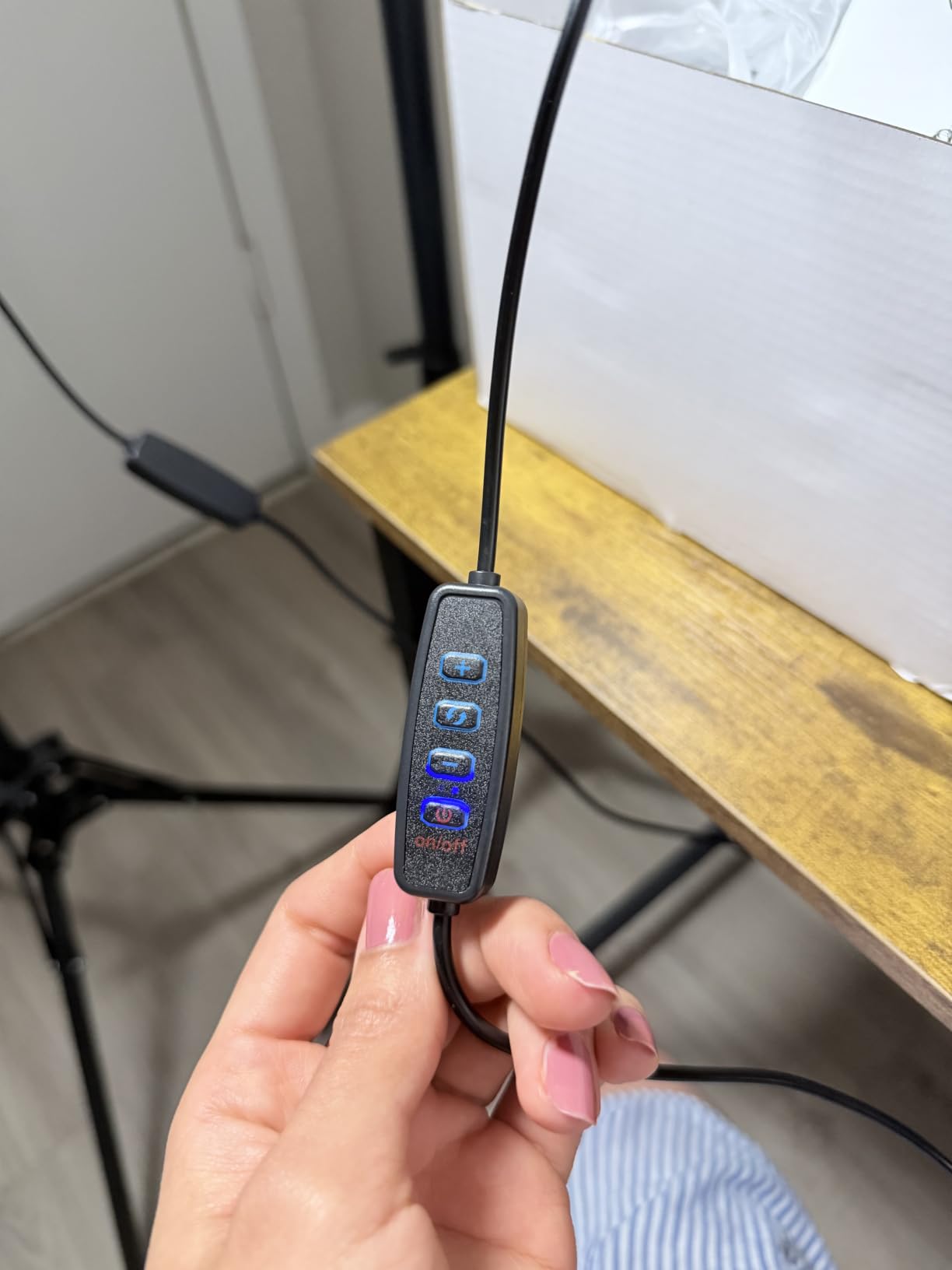
Color temperature steps through 2800K, 4800K and 6500K rather than running continuously, with remote dimming from 10 to 100 percent. Three presets cover warm interior, neutral and daylight, which is honestly enough for most beginner channels, but a creator matching a specific look will feel the limit quickly.
Power is the real gotcha
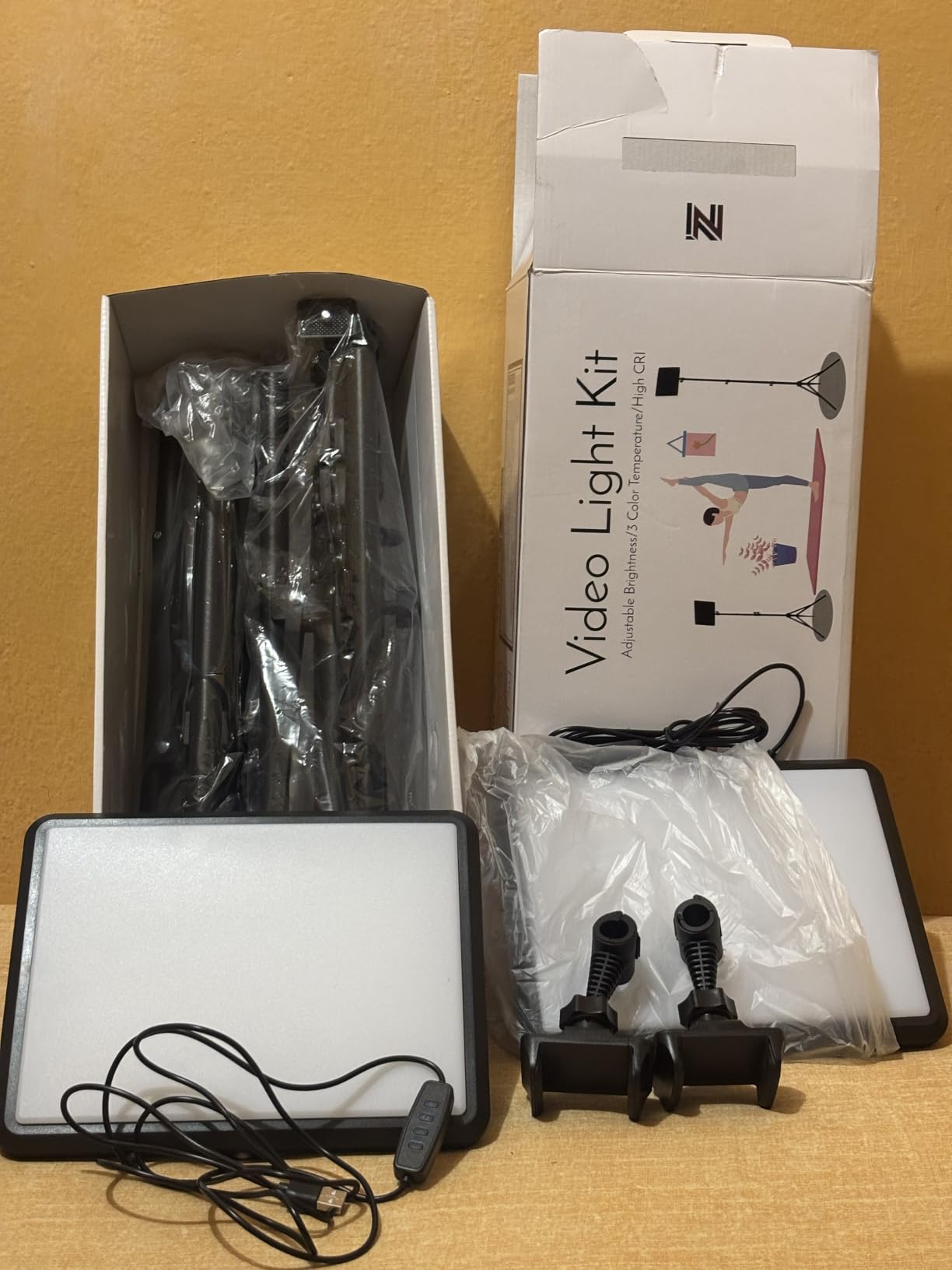
There is no wall charger in the box, and the panels draw enough current that they will not run reliably off a laptop or monitor USB port. Bring a mains USB supply of at least the recommended output and treat it as a required extra, not an optional one. Two USB-C adapters are included.
Stands, mounting and travel
The powder-coated aluminum tripods extend to 73 inches, fold to 17 inches and carry a quarter-inch mount with 180 degree panel rotation. The recurring complaint is that the legs do not adjust individually, which makes them awkward when a leg has to clear a desk edge or a stair. The storage bag holds the full kit.
Who it suits and who should pass
Buy it if you shoot on a phone or a mirrorless body, want even light from both sides, and can supply your own USB power. Pass if you need continuous color temperature control, or if your shoot locations have no spare socket nearby.
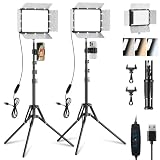
EMART 2-Pack With Magnetic Barndoors Review
EMART 2-Pack 15W LED Video Light Kit with Phone Holder & Barndoor
15W per panel
352 CRI 97+ LEDs
Magnetic barndoors
3 temp modes
Pros
- Magnetic barndoors let you flag and shape light
- CRI 97+ with 3 temperature modes and 10 brightness levels
- 73 inch powder-coated aluminum tripods
- Multiple cold shoe and quarter-inch mounts per panel
- Phone holder included for streaming
Cons
- No wall charger included
- Only 3 fixed color temperature steps
- Barndoors add drag and the panels feel heavy for their size
The magnetic barndoors are the reason to pick this kit over a similar two-pack at the same level. Most competitors in this bracket either omit spill control entirely or offer a thin plastic clip-on, and reviewers who compare the two directly report noticeably cleaner, more directed light.
Barn doors matter more in a real room than they sound like they should. They stop the panel from washing out your monitor or bouncing off a white wall behind the camera, which is the difference between a controlled frame and one where every nearby surface looks like a second light.
Ten brightness levels and three temperatures
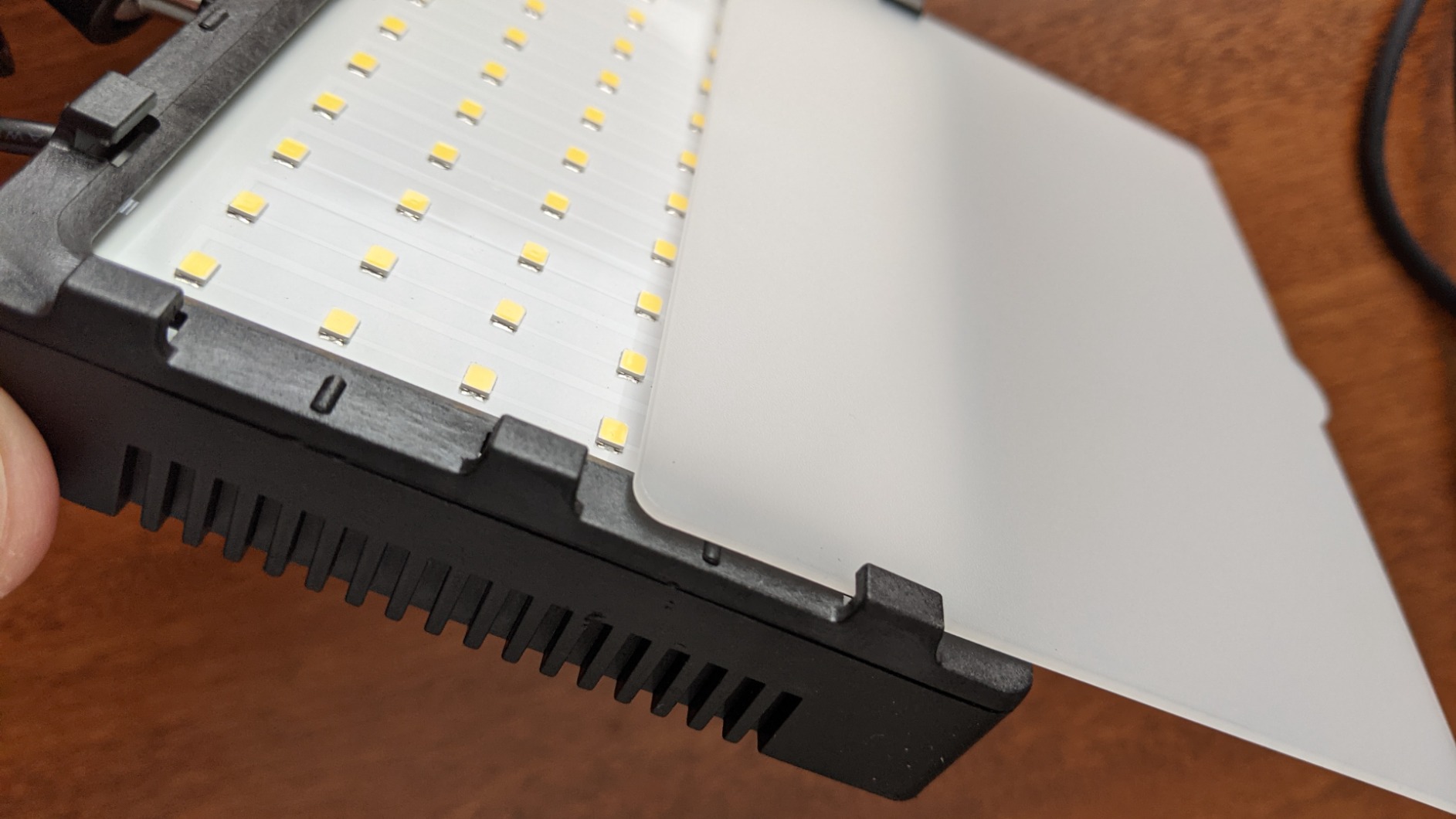
Each panel carries 352 high-CRI LEDs rated at 97+, with three color temperature settings spanning 2800K to 7000K and ten brightness levels. Ten levels is a finer gradient than most kits in this bracket offer, which makes balancing a key against a fill noticeably less fiddly.
Mounting points for an expanding rig
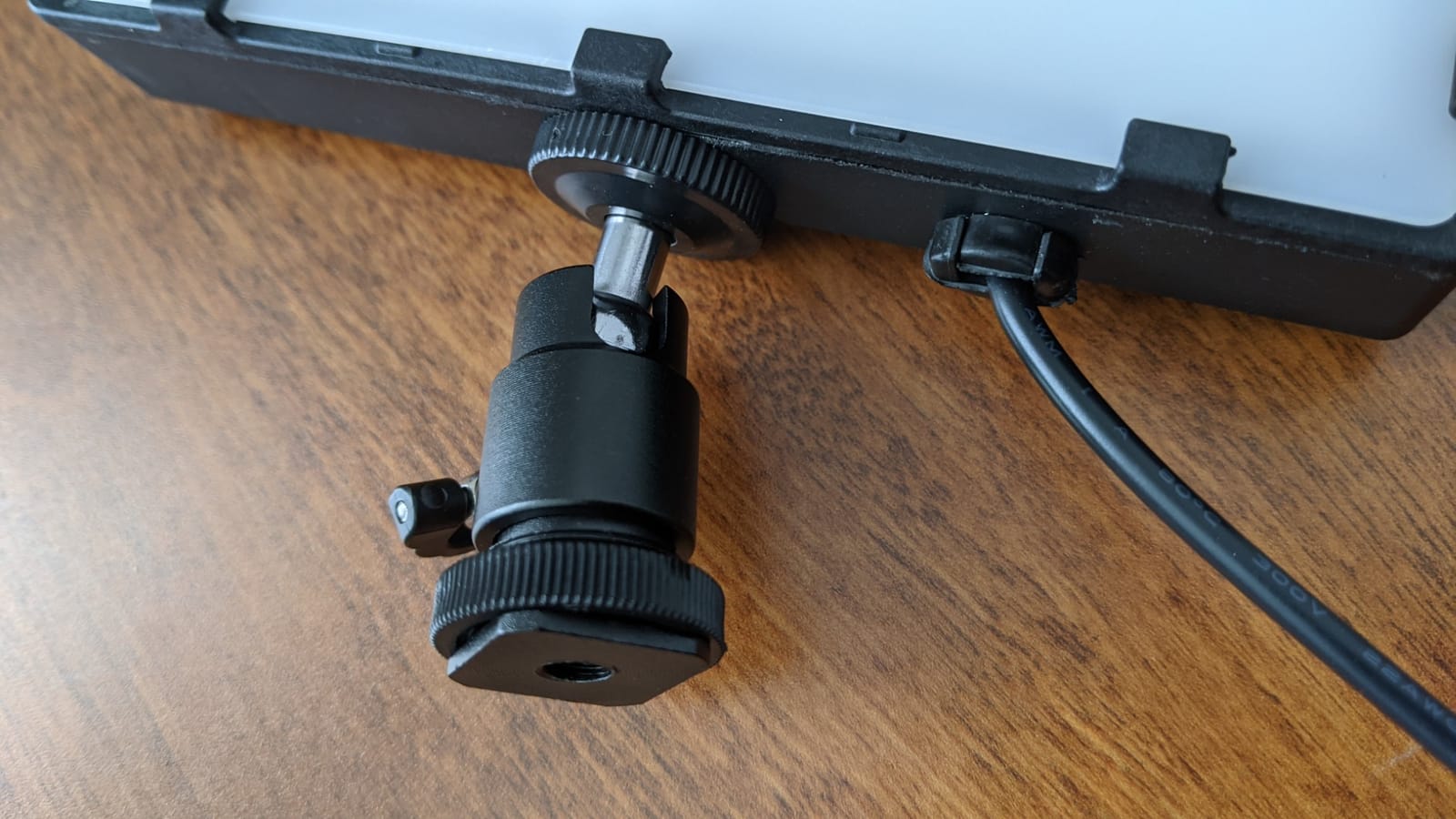
Each panel has four cold shoe ports and two quarter-inch screw connectors, which is generous and lets you attach a small camera, a microphone, or a second modifier as your kit grows. The powder-coated aluminum tripods extend to 73 inches, fold to 17 inches and tilt the panel 180 degrees, with height adjusted through three knobs.
Power and weight
Two 6.4 foot USB cables are included, but no wall charger, so plan on bringing a suitable USB power supply. Owners also note the barndoors add drag and the panels feel heavier for their size than rivals, which is a fair trade if you use them and an annoying one if you do not.
Who it suits and who should pass
Buy it if you are lighting a small room where spill control genuinely changes the result, or you want flexible mounting points as your setup grows. Pass if you need continuous bi-color adjustment, or if you are moving constantly and weight is the priority.
UBeesize 2-Pack Portable Panel Review
UBeesize LED Video Light Kit, 2Pcs Dimmable Continuous Portable Photography Lighting with Adjustable Tripod Stand & 5 Color Filters for Tabletop/Low-Angle Shooting, for Zoom, Game Streaming, YouTube
Two LED panels
180 degree ball heads
Cable dimming
Filters included
Pros
- Bright output for a first channel
- Color filters add creative options for product and tabletop work
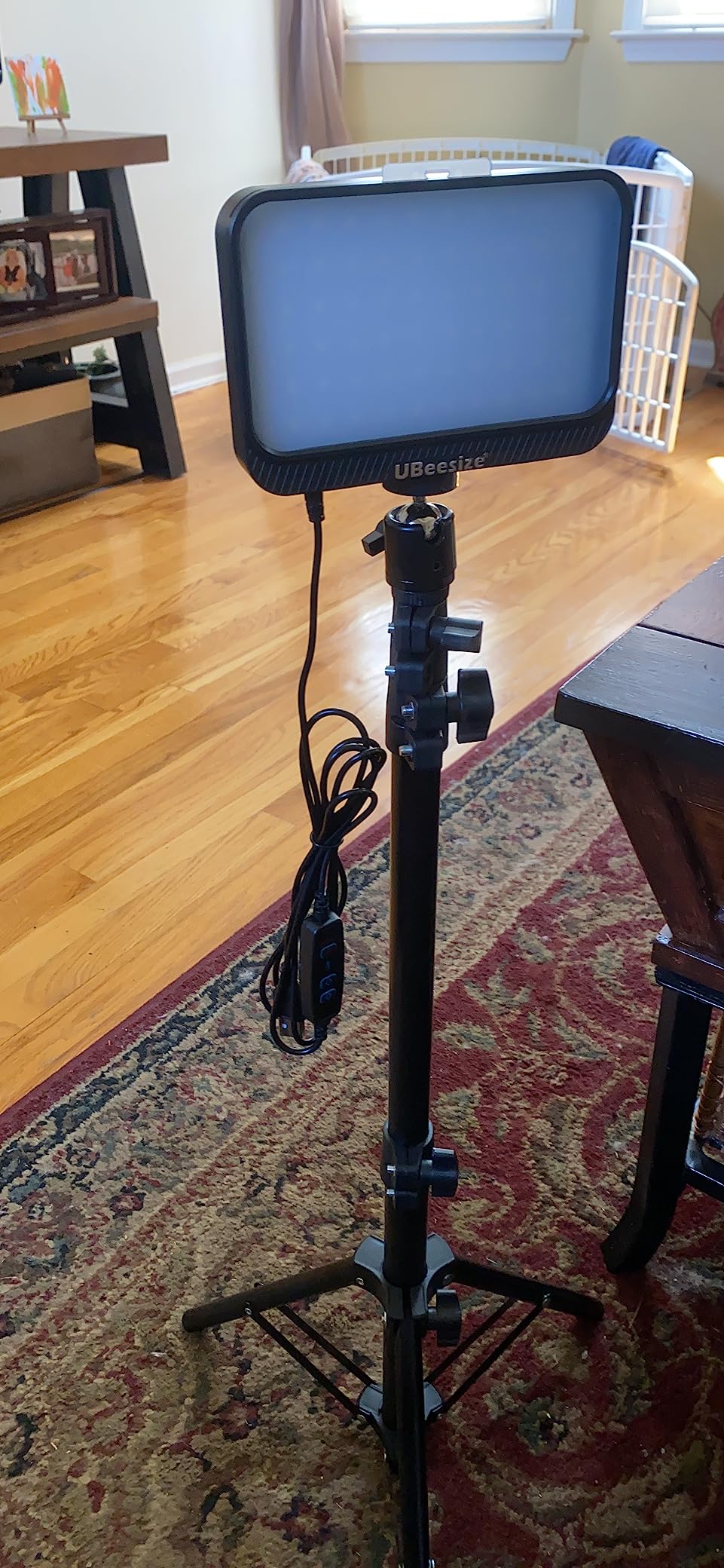
- Retractable tripods work at desk height
- Plugs into any USB port with no battery or charger
- 180 degree ball head with cable control dimming
Cons
- Tripod legs wobble at full extension
- Membrane button switches wear out quickly
- No storage bag included
This is the entry point in the roundup, and with close to seven thousand reviews it is also the most proven. For a first channel that needs a light now, a phone-first workflow, or tabletop and low-angle product shots, it does the job without a learning curve.
The color filters are what separate it from a bare two-pack. Red, orange, white and blue filters clip over the panels and give you creative looks for product videos, and the tripods retract to a working height of about 24 inches, which makes them genuinely usable at desk level rather than only at full height.
USB power and no battery
Every USB port will run these, including a laptop, so there is no battery pack, no charger and no wall socket to find. A 5V 2A wall plug is recommended for consistent output. Cable control handles brightness from 10 to 100 percent through up and down buttons on the lead, which is more convenient than reaching to the panel.
Build quality is the 4.2 story
The 4.2 average across nearly seven thousand reviews reflects hardware complaints rather than light quality. Tripod legs are not sturdy at full extension and wobble, the membrane switches wear out, and a small number of units arrive with damaged housings or fail shortly after purchase. Twelve months of manufacturer warranty is included.
Where these panels actually belong
This kit suits tabletop shooting, low-angle work, green screen setups, video calls and game streaming, which is exactly the list in the product details. It is a starter channel tool, not a keeper, and I would plan to replace it with a bi-color pair once the channel is producing consistently.
Who it suits and who should pass
Buy it if budget is the deciding factor, you shoot on a phone or laptop, and you need light this week. Pass if you need stable full-height stands, long-term durability, or color accuracy for skin tones in close-up work.
How to Choose a Video Lighting Kit for YouTube
Once you have seen the numbers, the decision narrows fast. These are the criteria that actually move the needle, in the order I would weigh them for a channel that needs to look credible on screen.
Match the color temperature range to your room
Buy bi-color. A fixed-temperature light forces you to either gel it or accept a mismatch against whatever is already in the room, and mismatched color temperature is the single most common cause of the greenish or orange cast that makes cheap footage look cheap. Aim for a range that includes roughly 5600K so you can reach daylight white, and 3000K or below if you film warm interiors. If you want to go further, a kit reaching 2300K to 6800K gives you room to grade later.
Read the CRI figure, then read the reviews
Anything at CRI 95 or above will render skin tones accurately, and most kits in this roundup sit at 96 or 97. The number tells you the floor, not the ceiling, so look for the color-rendering claims that come from actual measurement. Reviewers frequently flag a slight green cast even on high-CRI kits, and that is the kind of detail a spec sheet will never tell you.
Panel, softbox or COB: pick one job
An LED panel is fast, thin and easy to reposition, which is why it dominates this category. A softbox buys you genuinely soft wraparound light at the cost of bulk and setup time, and it is the better answer for interviews and close portrait work. A COB light throws much further and is the right tool for lighting a subject from across a room, but it produces harder light and usually wants a separate modifier. If you also shoot stills, our softbox lighting kit roundup covers that side in more detail.
On ring lights specifically, forum consensus has shifted hard against them for talking heads. The common complaint is a flat, unnatural look with a visible halo reflection in the eyes, which is exactly the artifact a slightly off-axis soft light avoids. They remain reasonable for beauty and makeup content shot on a phone.
Treat the stand as part of the spec
The stand is the most common failure point in this category, and it is the part buyers ignore. Softboxes are heavy at the top of a light stand, and a thin tripod will lean or collapse once one is clipped on. Look for locking adjustment knobs rather than friction collars, check the published load rating, and if you plan to add modifiers later, buy stands you can grow into. Cheap kit softboxes that feel flimsy in the hand stay flimsy on a set.
Check fan noise and power before you commit
For voiceover and podcast work, a cooling fan is audible in a quiet take. Passively cooled aluminum housings run silent, and several kits here use them. On power, decide early whether you will run on mains or on batteries: mains panels need a socket within reach, built-in batteries trade runtime for freedom, and USB panels need a supply strong enough to run them reliably rather than a laptop port. Buyers on these pages repeatedly return kits over short cables and missing wall chargers, so check what is in the box before you assume.
One last piece of advice borrowed straight from r/videography, where the advice is consistent enough to be worth following: start with two or three cheaper lights rather than one expensive fixture. Two matching panels will outperform a single premium head for almost every YouTube format, and you keep the flexibility to add a third later.
Frequently Asked Questions
What is the best lighting equipment for YouTube videos?
For most creators, two bi-color LED panels on stands are the answer. Look for a 3200K to 5600K range, CRI 95 or above, dimming from zero to 100 percent, and stands with locking knobs. Two matching panels let you light a subject from both sides and kill shadows, which matters more than raw brightness for talking-head footage.
How many lights do I need for a YouTube setup?
Two is the practical minimum and three is ideal. Use one as a key light roughly 45 degrees to one side and slightly above eye level, one as a dimmer fill on the opposite side, and a third behind the subject as a backlight to separate them from the background. A single light leaves a shadow on one side of the face that a camera exaggerates.
Is a ring light good for YouTube?
It depends on your content. Ring lights produce a flat, frontal look and leave a visible halo reflection in the eyes, which is why experienced creators tend to avoid them for talking heads. They still work well for beauty, makeup and phone-based vlogging because the even, shadowless quality suits close-up product and face work.
Do I need a softbox for YouTube videos?
Not to start. A thin diffusion sheet on a panel gets you most of the way, and a white wall or foam core board opposite the light acts as a free bounce. A softbox earns its place when you shoot interviews or close portraits and want light to wrap around the face rather than fall off into shadow.
What color temperature should I use for YouTube videos?
Around 5600K is the standard target because it matches daylight and looks neutral to most viewers. Set both lights to the same value and turn off other room lighting, because a warm ceiling bulb fighting daylight panels is the most common cause of a color cast. Warm interiors work better closer to 3200K.
Which Video Lighting Kit Should You Buy in 2026?
If you want one clear answer, the NEEWER 660 two-pack is the kit I recommend without hesitation. The output headroom lets one panel serve as a key while the second works as a backlight, the passive aluminum housing keeps your voiceover audio clean, and it carries the highest review count in the group.
If your budget is tighter, the Neewer 480 pair delivers the same two-light logic with simpler controls, and the Torjim 30W pair is the right call when the room is genuinely dim and you need brightness above all else. For color work and a fixed studio, the GVM 800D three-pack is the only kit here with real RGB control. For a rig that goes overhead, the GVM app-control pair is the smarter buy. For a soft, wrapping look on interviews, the Torjim softbox pair is the specialist choice. And if you are starting from a phone this week, the NiceVeedi, EMART and UBeesize pairs cover the entry tiers, with barndoors or filters as the deciding feature.
Whichever you choose, buy two matching lights rather than one, match every fixture to the same color temperature, and turn off the room lights first. Those three habits will improve your footage more than any spec on the box.
Related reading: our teleprompter roundup for YouTube and streaming covers the other piece of gear that turns a recording session into a finished video, and our video conferencing lighting picks use the same principles if you record calls and streams rather than scripted videos.
Leave a Reply