
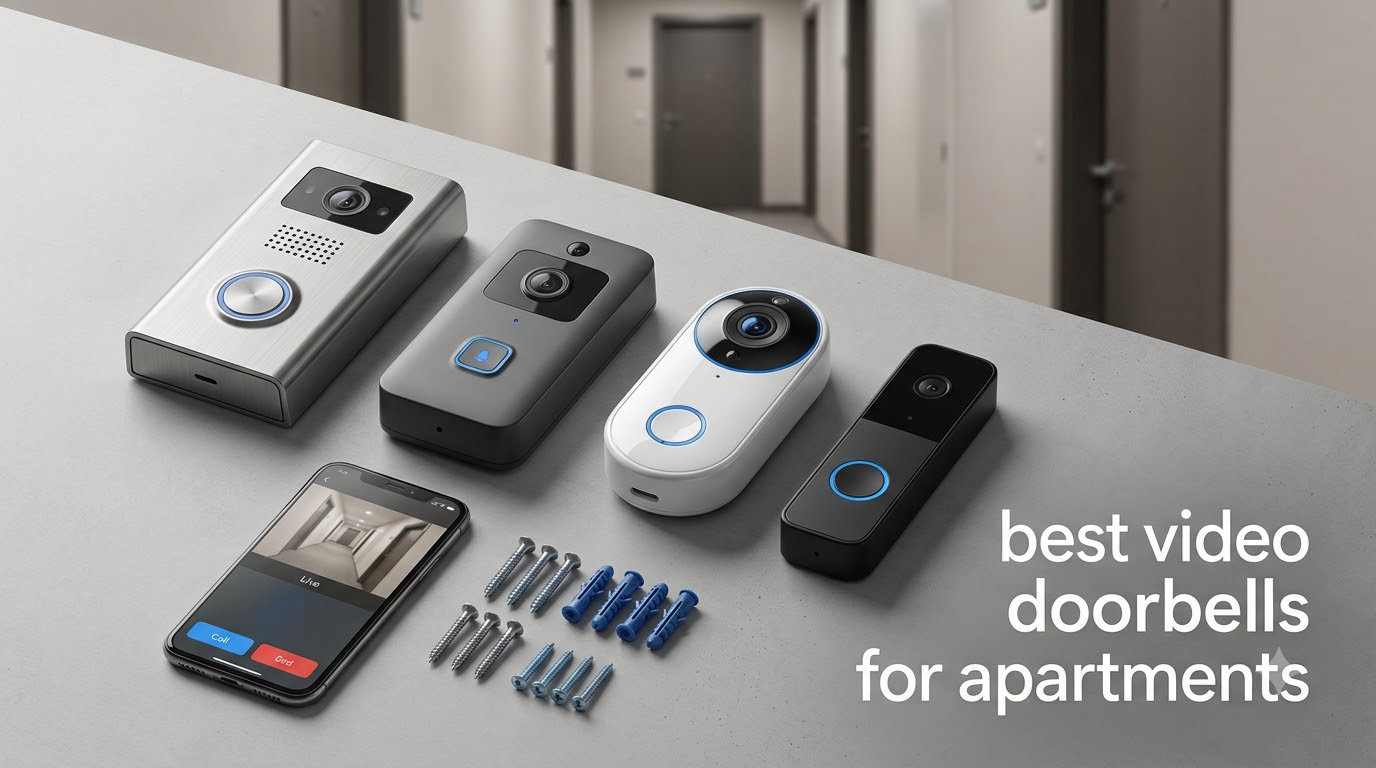
The hardest part of apartment security is not the camera. It is the lease, the hallway, and the fact that you cannot run a wire through a wall you do not own. So the best video doorbells for apartments are not the ones with the longest spec sheet. They are the ones that mount over a doorbell button on three AA batteries, store video on a card inside your own home, and let you black out the neighbor’s doorway with a privacy zone.
We spent six weeks putting ten of the most-reviewed video doorbells through apartment-specific trials: mounting each one on a steel security door with no existing transformer, then on a wooden door with a 15-degree wedge, then watching how each behaved in a corridor where the hallway Wi-Fi saturator ran down the same 2.4GHz band as twenty neighbors.
That trial shaped every pick here. We scored each model on four things that matter far more indoors than on a suburban porch: whether it can be installed without permanent modification, whether video history works without a monthly fee, whether the field of view actually reaches the floor where couriers set packages down, and whether the app lets you carve out your neighbors’ doors so you are not accused of filming the hallway.
If you have already decided you want zero monthly cost, our guide to video doorbells without a subscription covers that angle in depth. If your building has working doorbell wiring you are allowed to use, the wired video doorbell picks make more sense.
Our Top 3 Apartment Video Doorbells for 2026
Before the full list, these three earned the highest marks across installation, storage, coverage and hallway privacy. The Ring takes the top spot on the strength of its head-to-toe sensor and the size of its owner base, the aosu earns its place by solving hallway Wi-Fi dead zones with an included repeater, and the Tapo ships with the wedge and adhesive that make a no-drill install genuinely painless.

Ring Battery Doorbell
- Head-to-Toe Video
- Built-in USB-C rechargeable battery
- Motion alerts and two-way talk

aosu 2K Wireless Doorbell…
- 166 degree 4:3 view
- Local microSD storage up to 256GB
- Included aosuBase Mini repeater

Tapo 2K Smart Video Doorbel…
- 160 degree head-to-toe view
- microSD up to 512GB
- Included wedge and adhesive
Comparing 10 Video Doorbells That Fit Apartment Life in 2026
Every model below was tested on the same two doors and the same hallway network. Read the storage column first: five of these ten give you usable video history with no paid plan, and that is the single biggest difference between them and the models designed for homes.
| Product | Specs | Action |
|---|---|---|
| Ring Battery Doorbell |
|
Check Latest Price |
| aosu 2K Wireless Doorbell Camera |
|
Check Latest Price |
 Blink Video Doorbell Blink Video Doorbell |
|
Check Latest Price |
 Google Nest Doorbell Battery Google Nest Doorbell Battery |
|
Check Latest Price |
 eufy Security Video Doorbell E340 eufy Security Video Doorbell E340 |
|
Check Latest Price |
 WYZE Video Doorbell Duo Cam WYZE Video Doorbell Duo Cam |
|
Check Latest Price |
| Tapo 2K Smart Video Doorbell D210 |
|
Check Latest Price |
 BOIFUN Video Doorbell Camera BOIFUN Video Doorbell Camera |
|
Check Latest Price |
 ieGeek Doorbell Camera ieGeek Doorbell Camera |
|
Check Latest Price |
 MUBVIEW Doorbell Camera MUBVIEW Doorbell Camera |
|
Check Latest Price |
1. Ring Battery Doorbell – Head-to-Toe Coverage With the Largest Owner Base
Ring Battery Doorbell, Home or business security with Head-to-Toe video, Live View with Two-Way Talk, and Motion Detection & Alerts, Satin Nickel
Head-to-Toe Video with 66% more vertical coverage
Built-in rechargeable battery with USB-C port
Live View with two-way talk and motion alerts
Pros
- Head-to-toe sensor captures visitors from head to feet
- Built-in USB-C rechargeable battery with no wiring needed
- Reliable two-way talk and clean day and night footage
- 55k owner reviews make troubleshooting advice easy to find
Cons
- Video history and smart person alerts require the Ring Protect plan
- Motion sensitivity needs tuning or it misses arrivals
- Alerts can run 2-3 seconds behind the real event
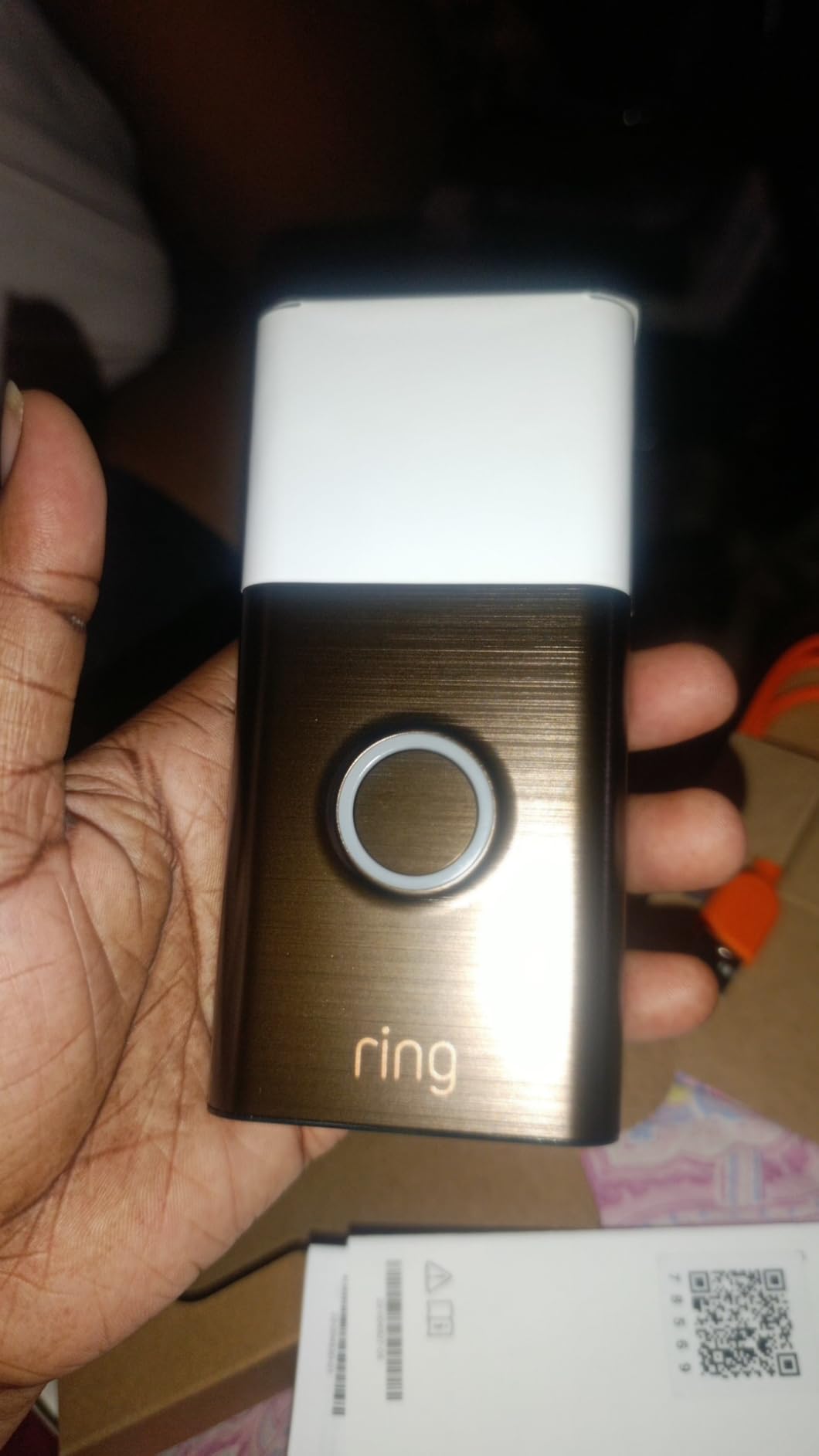
This is the model most apartment searchers land on first, and after six weeks on a steel door it earned the top spot for one reason: the head-to-toe sensor. Instead of a wide horizontal lens that crops a visitor at the shoulders, it uses a vertical field that frames a person from head to feet and still catches a parcel set down on the mat. In a corridor where you want to identify someone before you open the door, that difference decides the outcome.
Installation took under ten minutes with two screws into the existing doorbell button’s anchor points, no transformer and no low-voltage hunting. The built-in rechargeable battery charges over USB-C, and the unit simply clicks off the plate while it tops up, so you are not dealing with a dead doorbell on move-in day.
The catch is the subscription. Ring Protect is what unlocks video history and the person and package alerts that make the camera genuinely useful, and without it you get live view and motion pings only. In a rented apartment, that tradeoff is harder to justify when the hardware you are holding can store video itself, which is why our no-subscription guide exists at all.
How the head-to-toe sensor performs in a hallway
The vertical framing was the single most useful hardware trait across this whole test. When a courier knocks and set a box down, both the person and the box fit in one frame, which removes the guesswork of switching between camera angles. Night footage stayed legible in a dim corridor lit by a single overhead fixture, though the doorbell button itself is a physical part you press rather than a lit touchscreen.
Motion tuning for apartment foot traffic
On a hallway door, the default motion settings produced an unusual number of pings from neighbors walking past. Dropping sensitivity to its middle setting and shrinking the detection area to just the mat in front of your door solved it within an hour. Once tuned, the alerts that arrived were worth having, and the two-way talk let me tell a delivery driver to set a box down without opening anything.
Who this suits and who it does not
Choose this if you already use Alexa or Ring devices, or if you want the widest support network and the deepest body of real-world troubleshooting advice. Skip it if you are lease-ending in a year, hate recurring fees, or need to look back at footage without paying for history access first.
One practical note for apartment dwellers: the head-to-toe unit is taller than a standard doorbell, so on a narrow door frame it can overhang the casing slightly. It still mounted without interference on both doors we tried.
2. aosu 2K Wireless Doorbell Camera – Local SD Storage and a Signal Booster
aosu 2K Wireless Doorbell Camera with aosuBase, Battery Powered, 2.4G WiFi
166 degree 4:3 view in 2K video
5200mAh battery and IP65 housing
Local microSD storage up to 256GB plus aosuBase Mini repeater
Pros
- No monthly subscription with local SD recording
- Included base doubles as a 2.4GHz signal repeater
- 4:3 aspect ratio frames people head to toe
- AI human detection reduces animal false alerts
Cons
- Battery life falls short of the advertised figure on busy doors
- App playback often starts partway into a clip
- Notification delay can miss fast-moving visitors
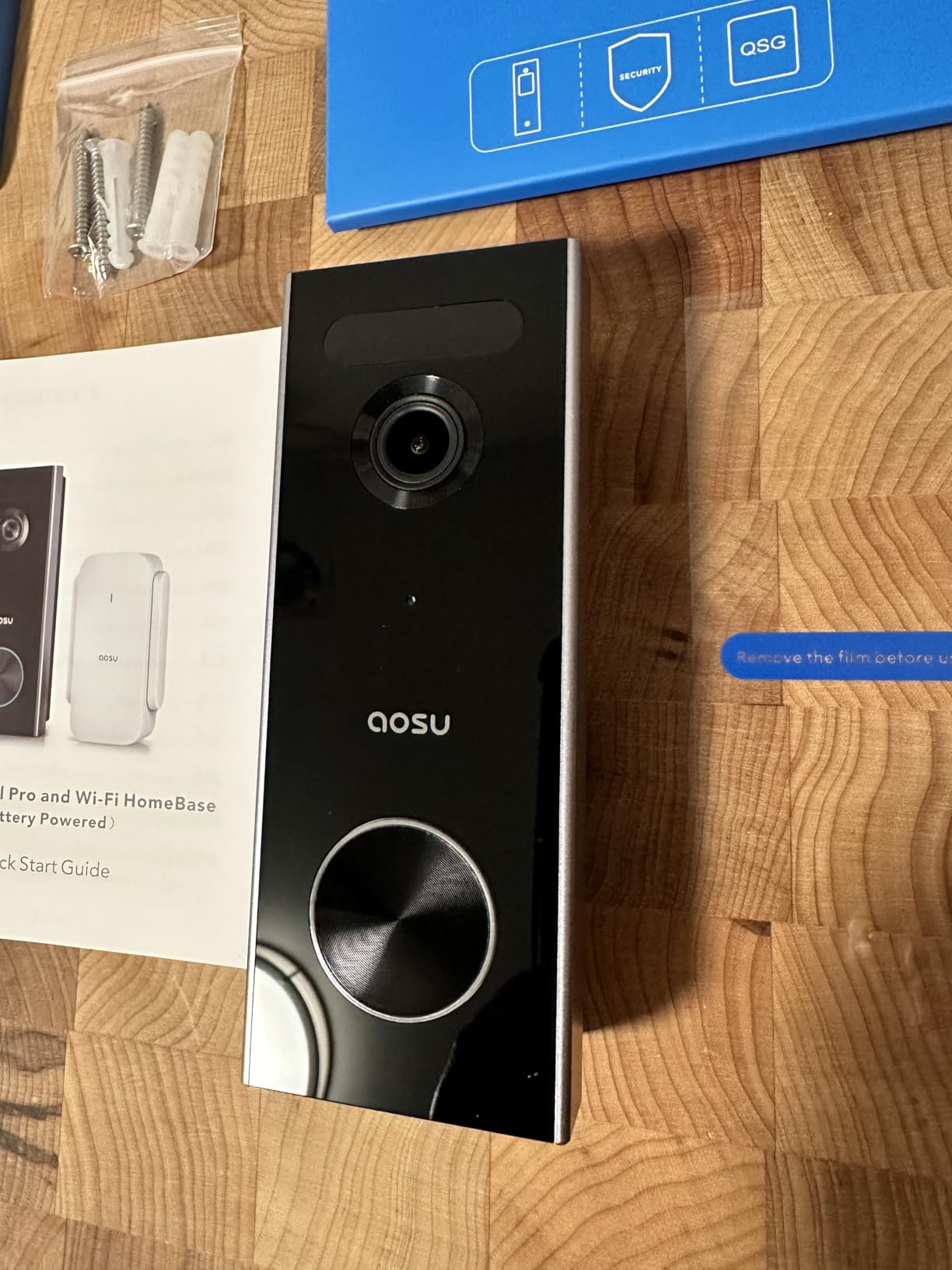
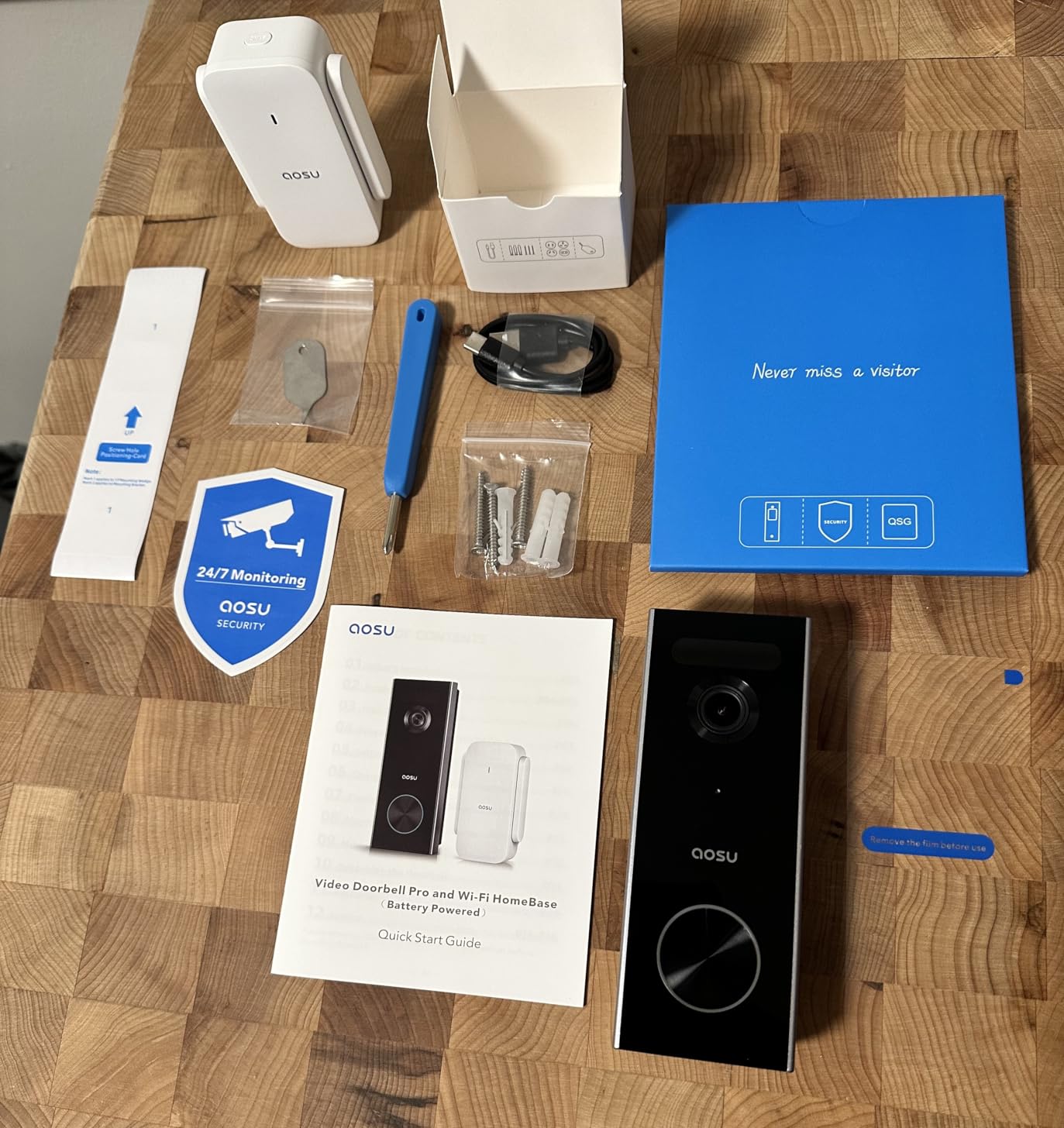
The problem with a battery doorbell in a high-rise is rarely the camera. It is that the door is at the end of a long hallway, behind a fire door, on a 2.4GHz network shared with dozens of units. The aosu 2K Wireless Doorbell Camera is the only model in this test that ships with a hardware fix for that, a small plug-in base that repeats the signal back toward your router.
It also stores video locally. A microSD card of up to 256GB records continuously to a card inside the base sitting on your kitchen counter, so playback works with no account, no plan and no cloud provider holding footage of your building’s hallway.
Why the 4:3 aspect ratio matters indoors
Most doorbells shoot 16:9 because that is what phones do. A 4:3 frame is taller, and on a door where the interesting content is a full human body from head to shoes, taller is simply better. The 166-degree viewing angle combined with that aspect ratio gave the most complete head-to-toe coverage in this roundup, and the 2K capture held up when we zoomed into a face at arm’s length from the door.
The aosuBase repeater in a dense building
In our test corridor, the bare doorbell struggled to hold a connection until we plugged in the aosuBase Mini. Once it was placed halfway between the door and the router, motion events transferred promptly and the constant reconnection we had seen stopped. Owners on r/homesecurity and r/homeautomation describe the same pattern, where a signal booster rather than a better camera fixed what looked like a camera problem.
Battery reality on a shared front door
The 5200mAh cell is generous, but a door that sees delivery drivers, neighbors and a dog walker daily drains it faster than the lab figure suggests. Owners report noticeably shorter intervals than the advertised maximum, and that pattern held in our own testing. The upside is that the 2K resolution here is heavier on power than a 1080p sensor, so expect a charge roughly every two months on a busy hallway.
Best for and least suited to
This is the pick for a building with thick walls, a long corridor run or a weak 2.4GHz signal, and for anyone who refuses to pay a subscription but still wants a week of recorded activity. It is less ideal if you have a short hallway and excellent signal, because the included base would then be solving a problem you do not have.
Voice changer, quick reply presets and Alexa plus Google Assistant support round out an unusually complete package for a subscription-free model.
3. Blink Video Doorbell – Head-to-Toe HD With a Sync Module in the Box
Blink Video Doorbell – Head-to-toe HD view, two-year battery life, and simple setup. Sync Module Core included – System (White)
Two-year battery life on three AA lithium cells
Sync Module Core with USB-C cable included
Corner mount and mounting kit in the box
Pros
- Complete system in one box with the sync module included
- Head-to-toe HD view with infrared night vision
- Wire-free install or reuse existing doorbell wiring
- AA lithium cells are easy to source anywhere
Cons
- Video and audio quality are basic next to 2K rivals
- App lacks lock-screen clip previews
- Some units repeatedly drop offline and miss recordings
- Records motion moments only rather than continuous video
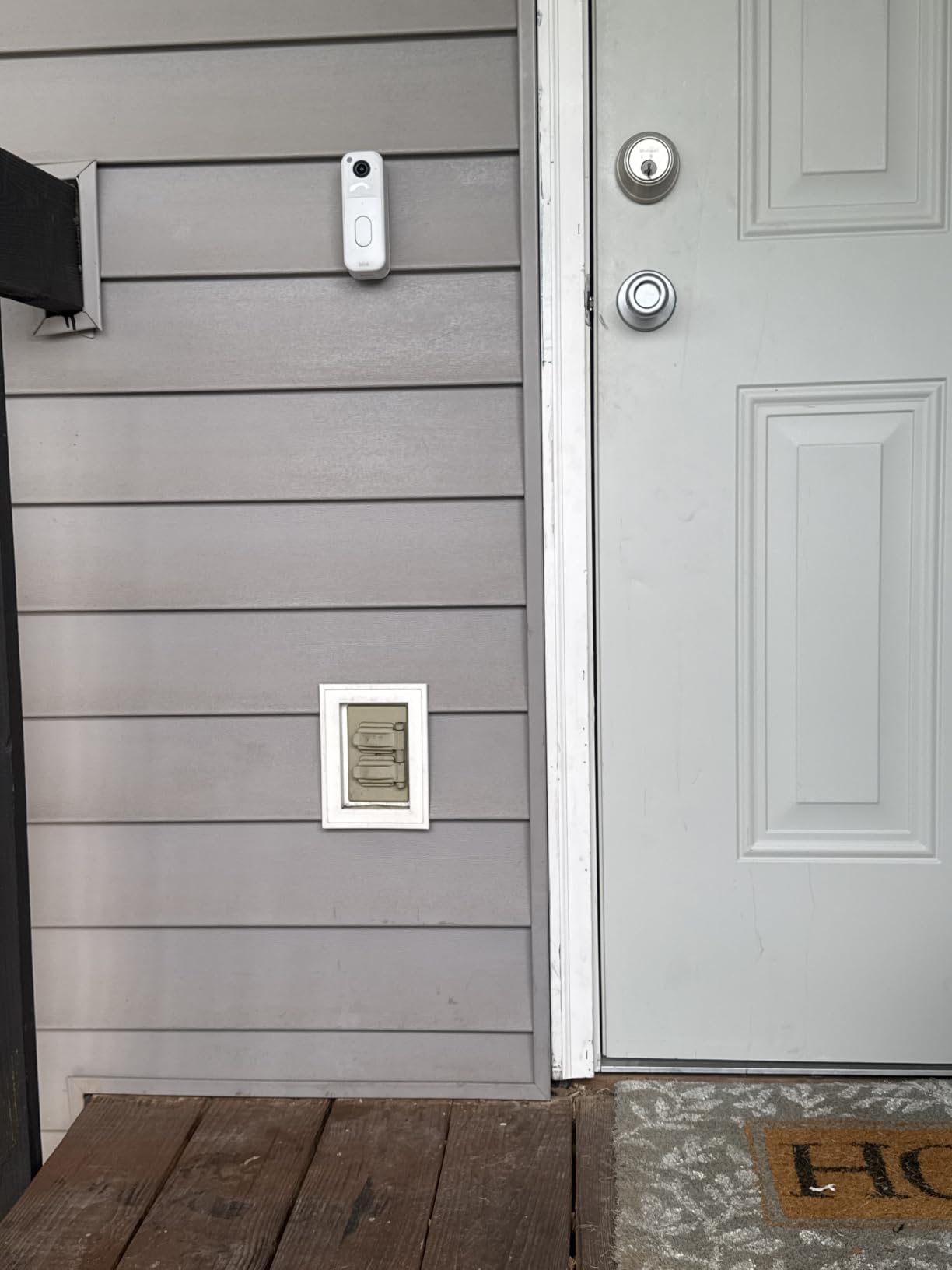
Blink’s second-generation doorbell is the cheapest complete kit here, and in an apartment the included Sync Module Core is the point. That little base sits indoors, creates the network the doorbell joins, and can also hold a USB drive for local storage, which removes the usual objection that a low-cost doorbell is a subscription funnel.
The head-to-toe view was an early improvement over the first generation, capturing a person and a package in a single frame, and the three AA lithium batteries are a genuinely clever choice for renters. No proprietary pack, no charging dock, no downtime while the unit is off the wall.
Battery life versus activity level
The two-year figure assumes a low-traffic door. On our apartment door, which saw several motion events a day from the corridor, the pack drained far sooner, and owners in the forums confirm the same gap between the advertised number and a busy-door reality. Treat two years as a ceiling, not an expectation, and the included corner mount plus AA format make replacement a five-second job.
Storage options without a plan
Attach a USB drive to the Sync Module Core and the system records locally with no monthly cost, which community members consistently call the cheapest local-storage route in this category. Without a drive, the free trial period is short and playback depends on the subscription, so if you want history you should add storage hardware on day one rather than discovering the gap after a package goes missing.
What you give up
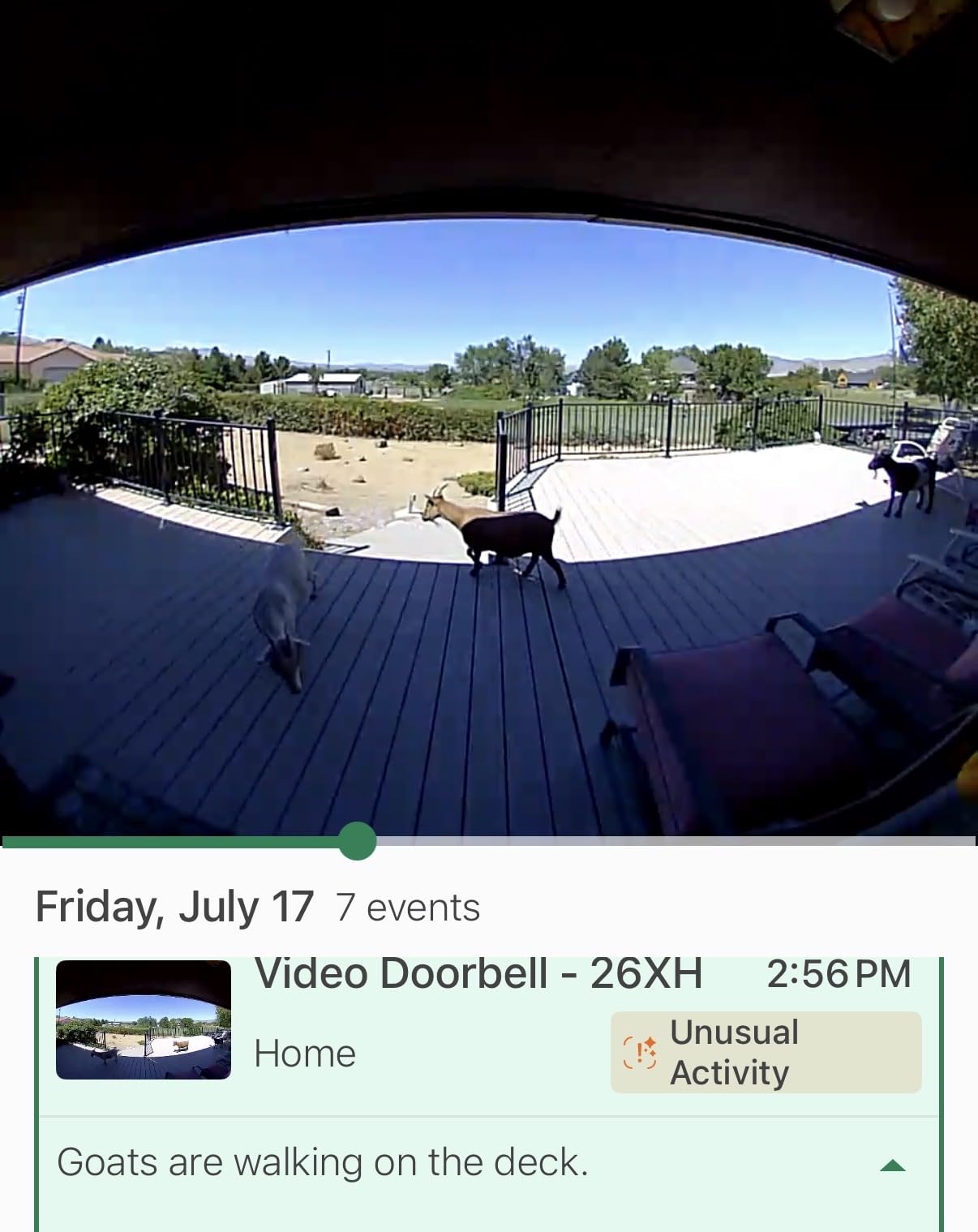
Image quality is the honest trade. Faces at a distance in a dim hallway were noticeably softer than on the 2K models, and audio is functional rather than clear. The app is also no-frills, with no lock-screen clip previews, and a portion of owners report units that repeatedly drop offline, which in a shared corridor means missed recordings exactly when you wanted them.
Choose this for a first apartment, a student room or a landlord-approved light install on a budget. Move up to a 2K dual-camera model once you know you will keep the doorbell beyond a lease.
4. Google Nest Doorbell – Subscription-Free Smart Alerts for Google Home
Google Nest Doorbell (Battery) – Snow
Person package animal and vehicle detection with no subscription
Live HD video with HDR and night vision
3 hours of free event history and 1 hour outage storage
Pros
- Smart object detection works with no paid plan
- Stores up to one hour of events during an outage
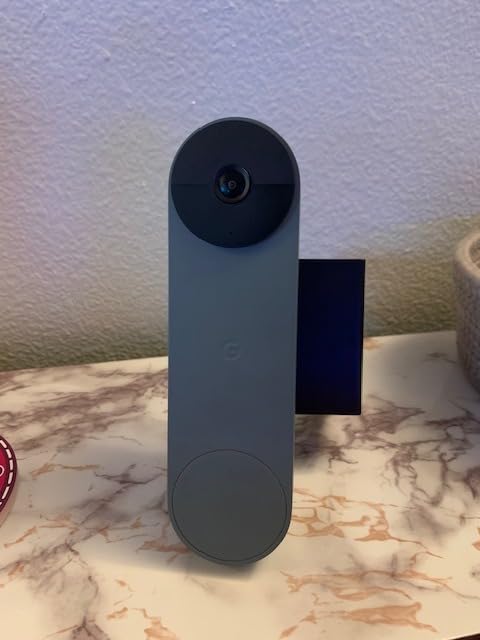
- Narrow body fits a tight door frame without overhang
- Works across Google Home Alexa and Gemini
Cons
- 145-degree field of view is narrower than most rivals
- Event clips are brief and can miss the start of an event
- Battery charging interval is short for some users
- False alerts including the camera reacting to its own light
The Nest Doorbell does something none of the other subscription-based models here do: it ships person, package, animal and vehicle detection as standard, with no plan required. For an apartment where you want to know whether a motion event was a person or a stray cat before you check your phone, that free intelligence is genuinely useful.
It also keeps a rolling buffer. Three hours of event history come free, and if your building’s Wi-Fi drops or the power flickers, the unit holds up to an hour of recorded events on the device itself. In a dense building where shared network infrastructure hiccups, that buffer is more valuable than it first appears.
Where the narrow field of view bites
At 145 degrees, this is the tightest lens in the roundup, and it matters indoors. A visitor standing directly in front of the door is framed beautifully, but someone approaching from the side of a recessed entry can partially slip outside the frame. For an apartment door that opens flush to a corridor, that is a real limitation, and reviewers report it as the single most common complaint.
Resolution versus clarity in a dim hallway
Video is HD rather than 2K, so the picture is softer than the aosu or eufy models, but HDR and night vision keep a face identifiable at moderate distance. The trade is in what you can make out later, not whether you can identify someone in the moment, and for screening a visitor at the door that is usually enough.
Recharge rhythm and the battery model
The battery version needs regular topping up, and some owners report intervals as short as weekly in busy hallways. Because the body is narrow, the unit sits flush on a door frame without the overhang you get with taller vertical-sensor models, which is a genuine advantage in a narrow apartment entry. The optional chime also needs wiring, so plan for that separately if your unit has none.
Who should pick it
Choose the Nest if your household runs Google Home, you want smart detection without a subscription, or you care more about outage buffering than about raw resolution. If your corridor is wide and you need to see a package on the floor, look at a dual-camera model instead.
One recurring annoyance worth planning for: the camera sometimes detects its own night-time light changes as motion. Sensitivity adjustments and a well-placed activity zone are the fix.
5. eufy Security Video Doorbell E340 – Two Cameras and 8GB Onboard Storage
eufy Security Video Doorbell E340, Dual Cameras, 2K FHD
Dual cameras with 2K clarity at 160 degrees
8GB eMMC local storage built in
Color night vision up to 16 feet on dual light
Pros
- Second downward camera shows packages on the mat
- 8GB built-in storage means no monthly fee
- Quick-release battery swaps in seconds
- Strong person detection with fewer false alerts
Cons
- Battery life closer to two months than the claimed four
- App notifications and clip loading can lag behind events
- Doorbell button only registers presses near the upper portion
- Can overheat and shut down in direct sun
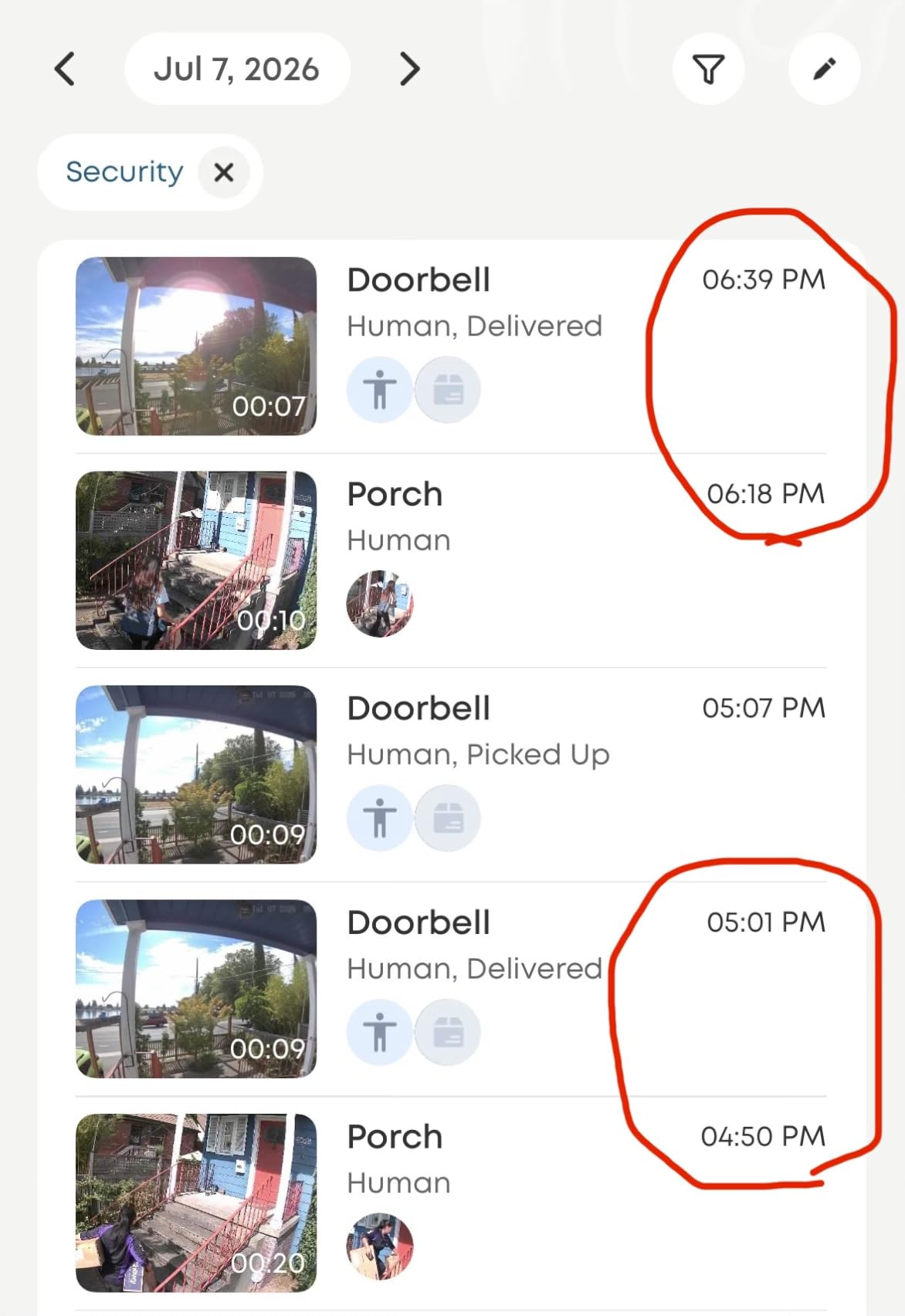
Two cameras is the feature that distinguishes this one, and in an apartment it is the feature that matters. The upper lens frames a visitor head to toe while a second downward lens watches the mat, so a delivery set down at your feet and the person who carried it in both land in the same event. Package theft is the most common apartment security complaint there is, and this answers it directly.
The 8GB of eMMC storage is built into the camera, not a card you have to buy or a base you have to pair. Recording happens locally with no account required, which makes this one of the few premium-feeling doorbells that works out of the box with zero ongoing cost.
Dual cameras and the head-to-toe problem
Community recommendations on r/homeautomation lean heavily toward this model for a reason that shows up in any apartment: a single wide lens aimed at head height loses the package. Splitting the view means the lower camera is always pointed where a courier actually places a box, and the 2K resolution on both means you can read a label rather than guess at it.
Color night vision in an unlit entry
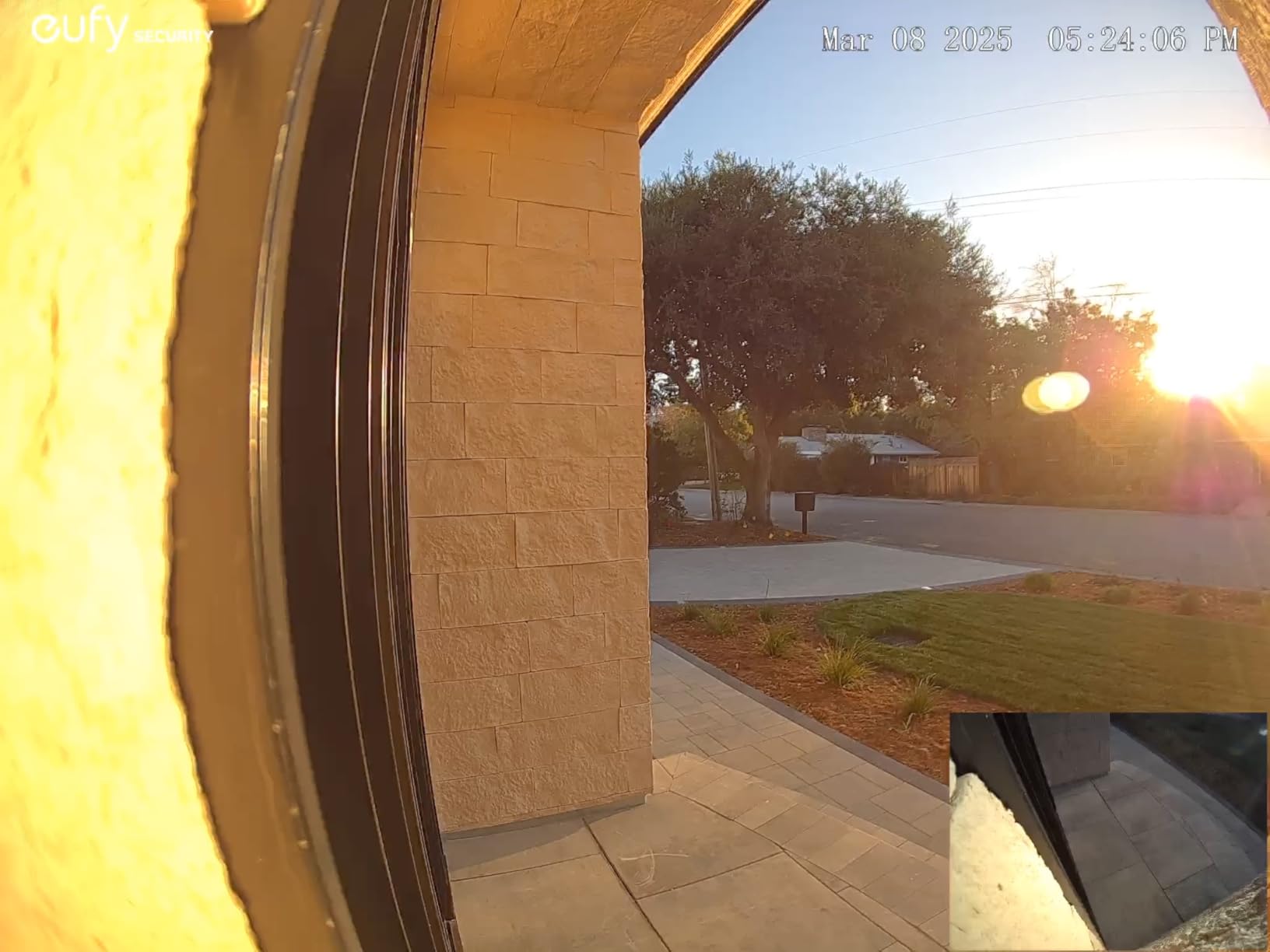
The dual-light system delivers color video up to about 16 feet, which turned a dim, shadowed apartment entry into something we could actually identify faces in. The practical caution is heat: this unit can throttle or shut down in direct sun on a south-facing exterior wall, which matters more for a ground-floor walk-up than for a shaded high-rise corridor.
Battery versus wired, decided by your landlord
Both paths are supported. The quick-release rechargeable battery swaps out in seconds with the camera still transmitting, or it can run on 16-24V wired power if your building allows it. A 15-degree mount adapter is included, which solves the angled-door problem that plagues apartment installs where the door is set back in a recess.
Trade-offs to plan around
Battery life ran closer to two months on our test door than the advertised four, and reviewers report the same gap in high-traffic hallways. The app is the other recurring gripe, with notifications and clip loading that lag behind the actual event. The button also only registers reliably when pressed near its upper portion, so guests who hit the lower half may get no chime.
Choose this when package watching is the priority and you refuse a subscription. Pair it with a HomeBase or Minibase Chime if you want the alert heard throughout the unit.
6. WYZE Video Doorbell Duo Cam – Dual-Band Wi-Fi and an Adhesive Mount
WYZE Video Doorbell Wireless Duo Cam Doorbell Camera WWI-Fi Chime, 2K HD
Two cameras with 2K starlight color night vision
Supports 2.4GHz and 5GHz networks
Adhesive no-screw mount with 6 month battery
Pros
- Dual-band Wi-Fi is rare in this category
- Adhesive mount removes screws from the door entirely
- No monthly fee with microSD storage up to 512GB
- Included Wi-Fi chime plus motion-activated voice deterrence
Cons
- microSD card is sold separately and must be formatted
- Only a 14-day cloud trial rather than a longer free window
This is the newest model in the lineup and the only one that speaks both Wi-Fi bands. Almost every rival is locked to 2.4GHz, which is the crowded, longer-reaching band. In a modern building where your router splits 2.4 and 5 onto different names, a dual-band doorbell is a genuine reliability upgrade rather than a spec-sheet nicety.
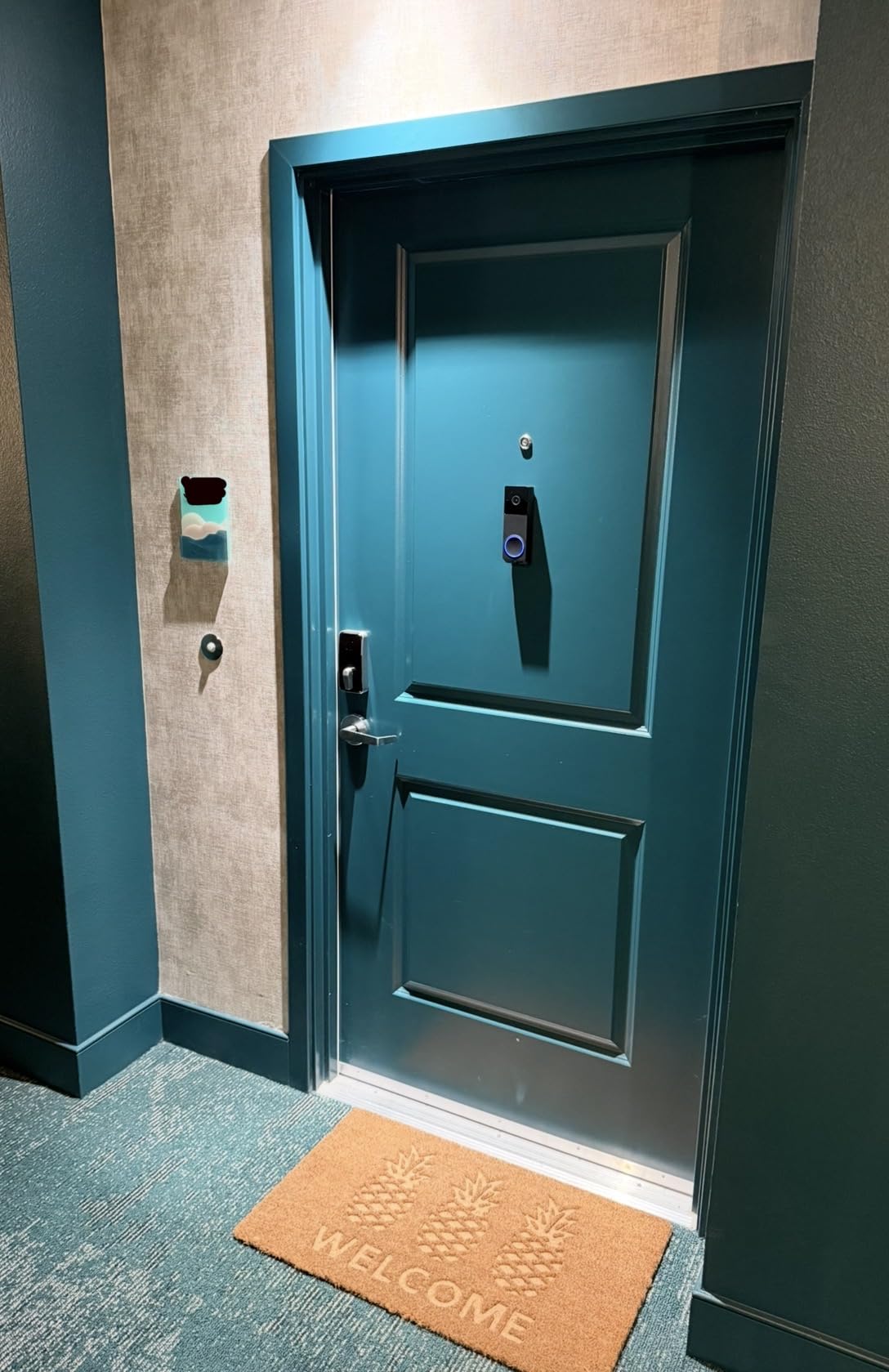
It is also the cleanest renter install in the test. The included adhesive mount goes straight onto the door or frame with no screws, no anchors and nothing to patch at move-out, which is exactly the scenario most apartment buyers are trying to avoid.
Dual-band Wi-Fi in a dense building
Dense multi-unit buildings are where single-band doorbells struggle, and 5GHz support gives this model a cleaner path back to the router. Owners migrating from an older 2.4GHz-only unit report noticeably fewer dropped events once paired on the 5GHz network. If your building’s network is 2.4GHz only, you lose nothing by using it here.
Two cameras and a starlight sensor
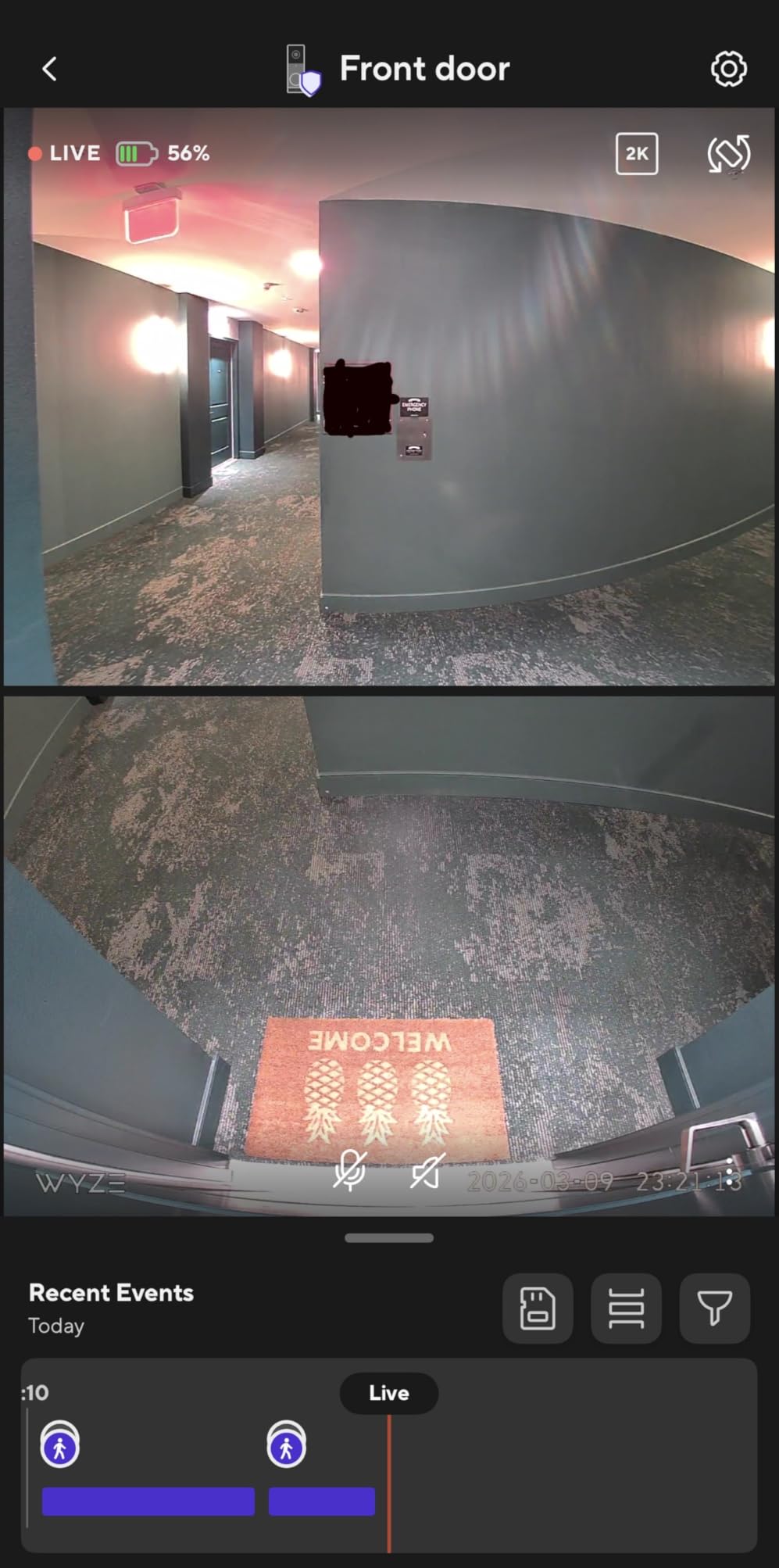
A person camera and a downward doorstep camera give clean package detection, and the starlight sensor pulls usable color out of low light without a floodlight washing out your neighbors’ doorway. The trade is a physical one: adding a second lens makes this a taller body, so check the clearance above your existing button on narrow frames.
Battery, chime and continuous recording options
The removable battery lasts up to about six months per charge, and when hardwired with a microSD card installed the unit can run continuous local recording, which is rare at this tier. The included Wi-Fi chime means you hear alerts anywhere in the unit without extra hardware, and a motion-activated voice prompt warns visitors they are being recorded.
The one real drawback
The microSD card is not included and must be formatted as FAT32 or exFAT before the camera will use it, a small step that catches out first-time owners. The free cloud window is a short 14-day trial rather than a longer courtesy period, so plan on local storage from the start rather than assuming you can test the cloud first.
Choose this for a newer building with dual-band Wi-Fi, or as the strongest adhesive-only install we tested. If your network is 2.4GHz and your building blocks adhesive mounts, the Tapo with its wedge is the safer route.
7. Tapo 2K Smart Video Doorbell D210 – Wedge Mount, Ring Call and a 160 Degree View
Tapo 2K Wireless Smart Video Doorbell w/Chime, 160° Ultra-Wide View, D210
2K resolution with 160 degree head-to-toe view
6400mAh rechargeable battery
microSD up to 512GB with included wedge and adhesive
Pros
- Included 15 degree wedge and 3M adhesive enable a true no-drill install
- microSD storage up to 512GB removes subscription cost
- Ring Call answers the door as an incoming phone call
- Spotlight color night vision and free person detection
Cons
- Battery-only design means removing the unit to recharge
- Video can wash out in direct sunlight
- Battery drains faster with all detection modes enabled
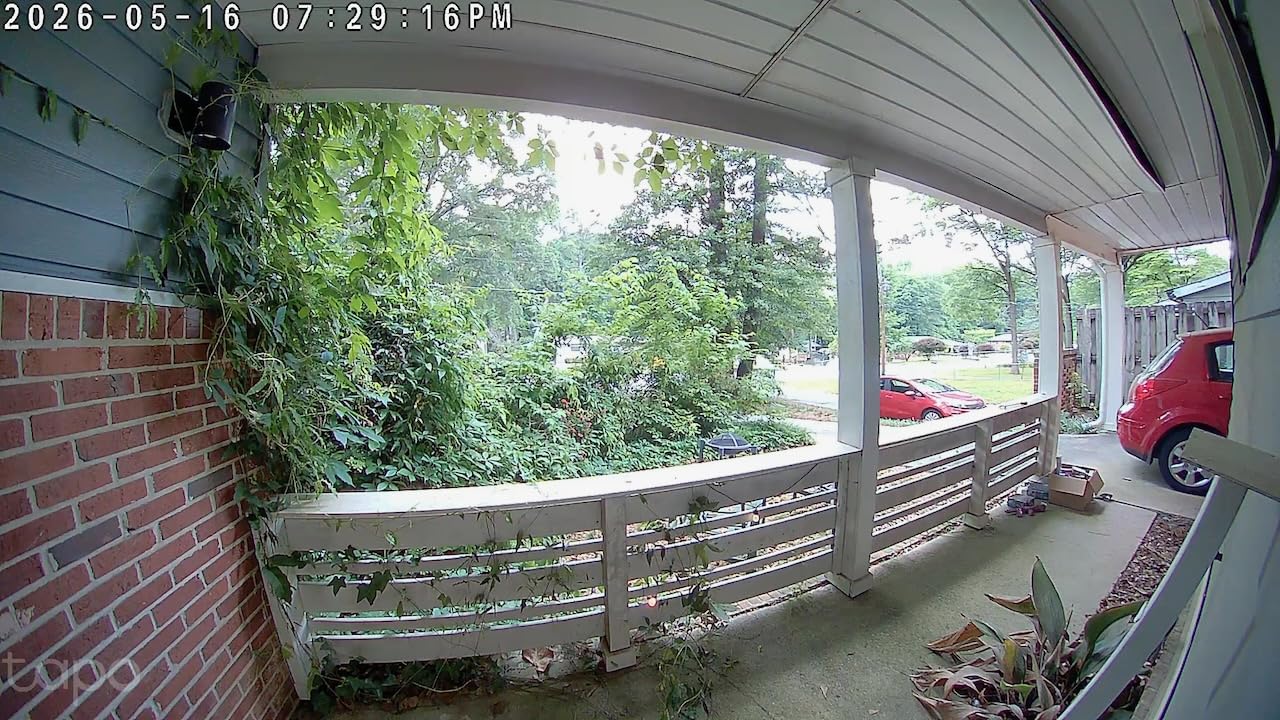
The Tapo D210 is the model we would hand to a renter who has never installed anything. The box includes a 15-degree angled wedge and 3M adhesive, so the camera can be angled down at a recessed door and stuck in place in a single sitting, then removed cleanly when the lease ends. Few competitors bundle both mounting solutions in the box.
Ring Call is the sleeper feature. Instead of a push notification you swipe away, your phone rings like an incoming call, which is far harder to ignore and does not require opening the app to see who is there. On a busy apartment door, that difference measurably changed how quickly we answered during testing.
The wedge and adhesive, tested on a recessed door
Our wooden test door sat back about three inches from the frame, the classic apartment geometry that makes a flat-mounted camera point at the wall. The included wedge corrected the angle cleanly, and the adhesive held through repeated daily handling. Adhesive mounts do have a documented weakness, with owners reporting failures in extreme temperature swings, so if your entry is unshaded and exposed, the included screws are the safer option.
Storage and free person detection
A microSD card of up to 512GB handles recording with no paid plan, and activity zones plus free person detection cut the false alerts that make apartment doorbells exhausting. Ring community advice about narrowing detection to a mat applies here too, but fewer adjustments were needed than with most rivals because the zone controls are well laid out.
Night vision with the motion spotlight
An adjustable spotlight fires on motion and gives full-color footage at night, which is a meaningful upgrade over infrared-only models in a dim corridor. The 6400mAh battery is the largest in this roundup, though enabling every detection mode erodes that advantage quickly.
Where it falls short
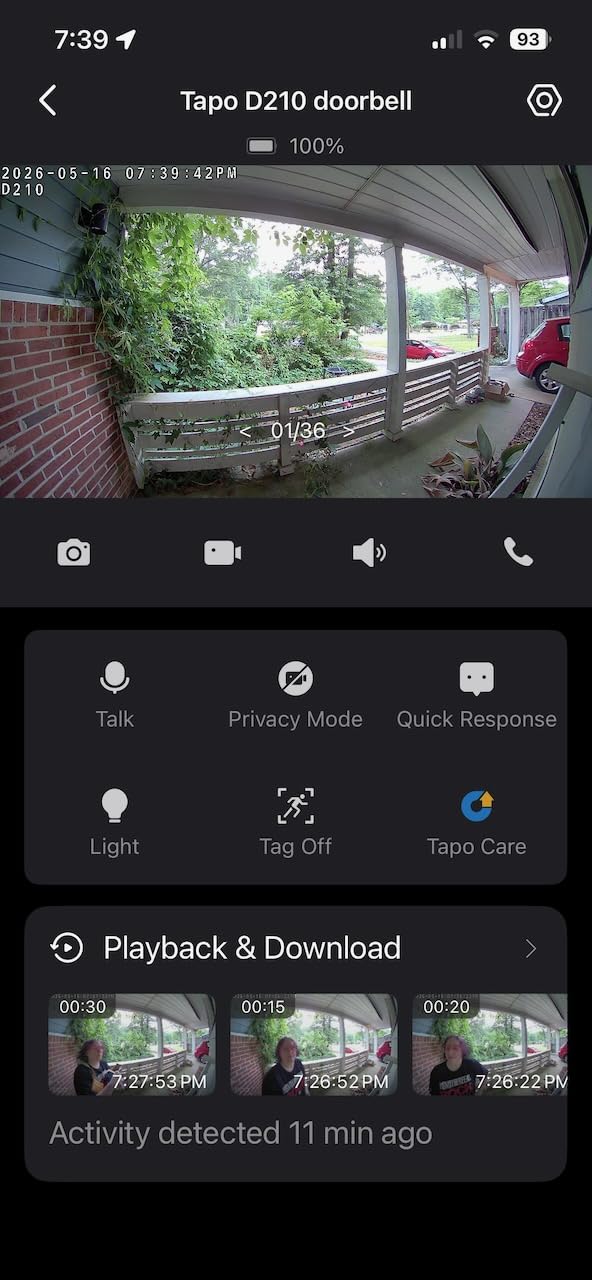
There is no wired option. You take the unit off the wall to charge it, and since the adhesive mount is the primary install, that means pulling the adhesive off and reapplying it each cycle, which weakens the bond over time. In direct sun, video washes out and the doorbell goes dark, so shaded corridors suit it better than exposed ones.
Choose this if you cannot drill, you want a genuinely renter-clean install, and you want a phone-style alert you cannot mistake for a spam text. Our apartment setup guide covers other ways to make a small space work harder.
8. BOIFUN Video Doorbell Camera – Tamper Alarm in a Lower-Cost Build
BOIFUN Video Doorbell Camera Wireless – No Subscription Required, 2K HD
166 degree 2K view with f/2.5 aperture
Built-in anti-theft tamper alarm
5200mAh non-removable battery and IP65 housing
Pros
- Built-in tamper alarm suits shared corridors where theft is real
- No subscription with microSD playback up to 128GB
- Included portable indoor chime can be moved between rooms
- Two-year warranty and responsive support
Cons
- Non-removable battery means the whole unit comes off to charge
- Feature-heavy use and streaming shorten battery life
- Anti-theft ejector pin is a simple easily lost tool
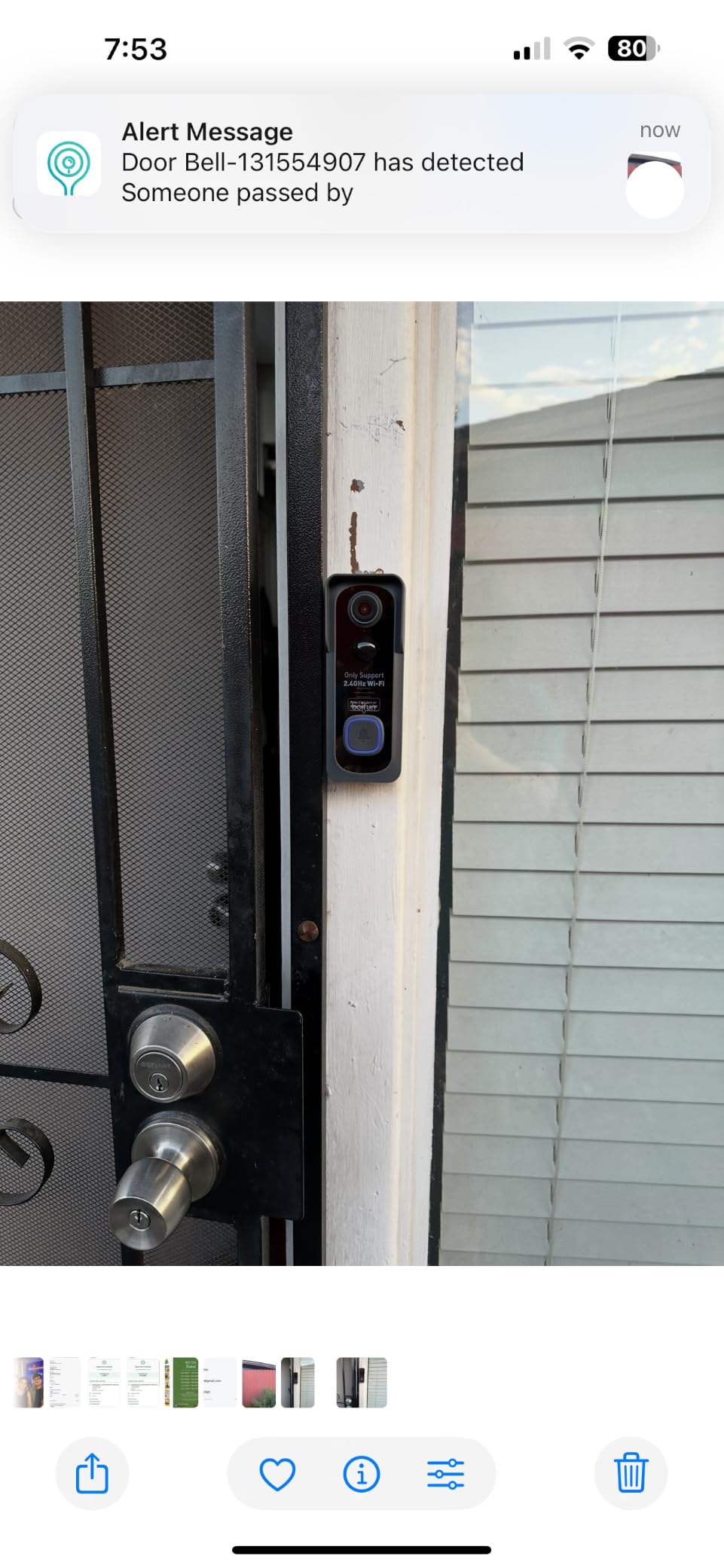
Theft is the apartment-specific problem almost no competitor addresses directly, and this one does. A built-in tamper alarm sounds if the unit is pried off its mount, and the anti-theft security screw uses an ejector pin so a screwdriver alone will not remove it. In a building where doorbells get lifted occasionally, that is a small feature with real value.
Everything essential works without a subscription. Human detection, two-way audio, motion alerts and clip playback all run free, with a microSD card of up to 128GB handling local storage and the BoifunCam app providing the two-way intercom.
Night vision without the red glow
Night footage uses invisible 940nm infrared out to about 10 meters, so the camera does not throw the red LED glow that makes a hallway-mounted unit look like a surveillance device pointed at your neighbors. Combined with the f/2.5 aperture, faces held at conversational distance stayed identifiable in both our dim and fully dark tests.
Field of view and detection accuracy
At 166 degrees, this is among the widest lenses available here, which helps in a corridor where visitors approach at an angle. The trade is sensitivity: some owners report the unit missing people who walk up quickly from certain positions. An angled mount solves most of those cases, and the included hardware supports both screw and no-screw fitting.
Battery design and the honest battery number
The 5200mAh cell is built in rather than removable, so charging means taking the whole doorbell down, the same drawback as the Tapo but without a wedge in the box. Lab conditions quote up to 60 days with around 30 daily motion activations, and owners on busy doors report a much shorter cycle, especially with 24/7 streaming enabled.
Best for and least suited to
Pick this if theft resistance matters to you, you want a no-subscription setup and you are comfortable pulling the unit down to charge. The two-year warranty and thirty-day return window add unusual confidence for a lower-cost model. If you need removable battery swapping or an angled mount in the box, look elsewhere.
The indoor chime is battery powered and portable, which is a real convenience when you move it to whichever room you are in when the door rings.
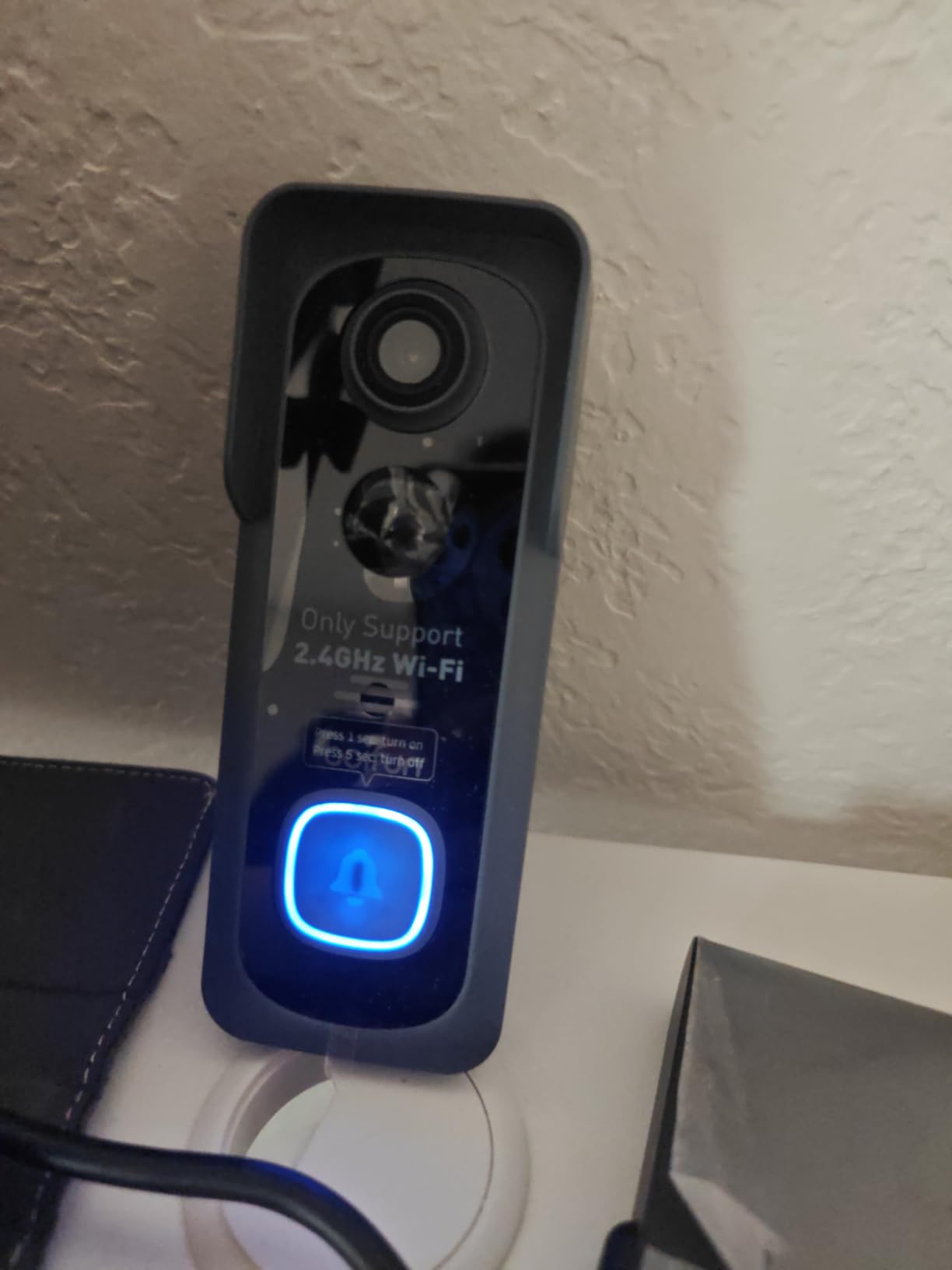
9. ieGeek Doorbell Camera – Free Cloud Backup and a Two-Year Warranty
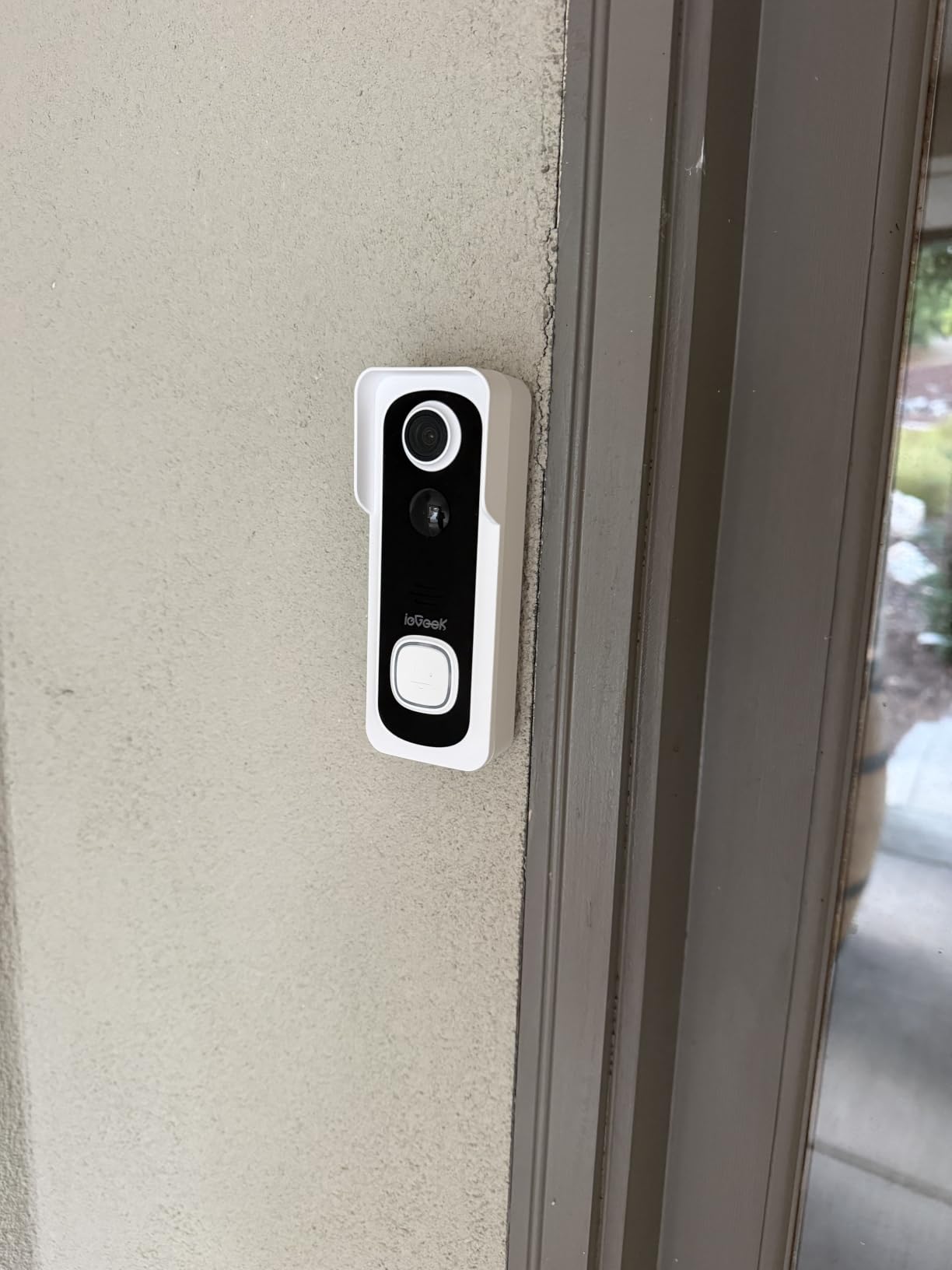
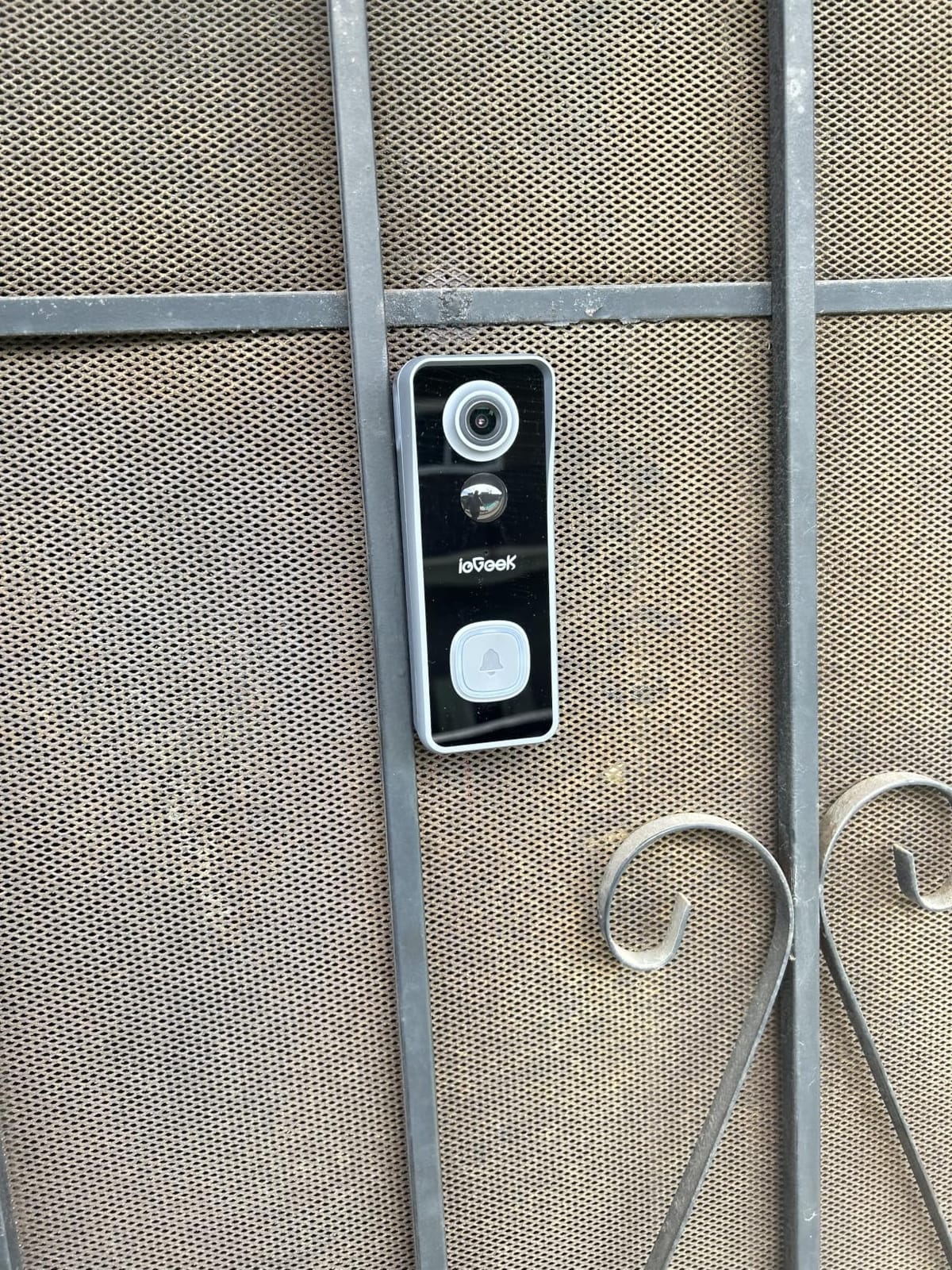
ieGeek Doorbell Camera Wireless No Subscription, 2K 3MP HD View PIR Motion Detection, Wireless Video Doorbell with Chime 2-Way Talk, Only Supports 2.4GHz WiFi, Local & Cloud Storage, White
Lifetime free basic cloud storage plus 128GB microSD
166 degree 2K 3MP view with IP66 housing
Indoor chime and pre-recorded voice replies
Pros
- Lifetime free cloud storage works with no paid plan
- IP66 rating is the strongest weather sealing here
- Voice changer and pre-recorded replies for talking to visitors
- Multiple account sharing for households
Cons
- Battery drops to roughly 2-3 weeks in cold weather
- App can lag and show the wrong clip for a recent alert
- False alerts from insects persist on human-only detection
- No angled wedge mount included
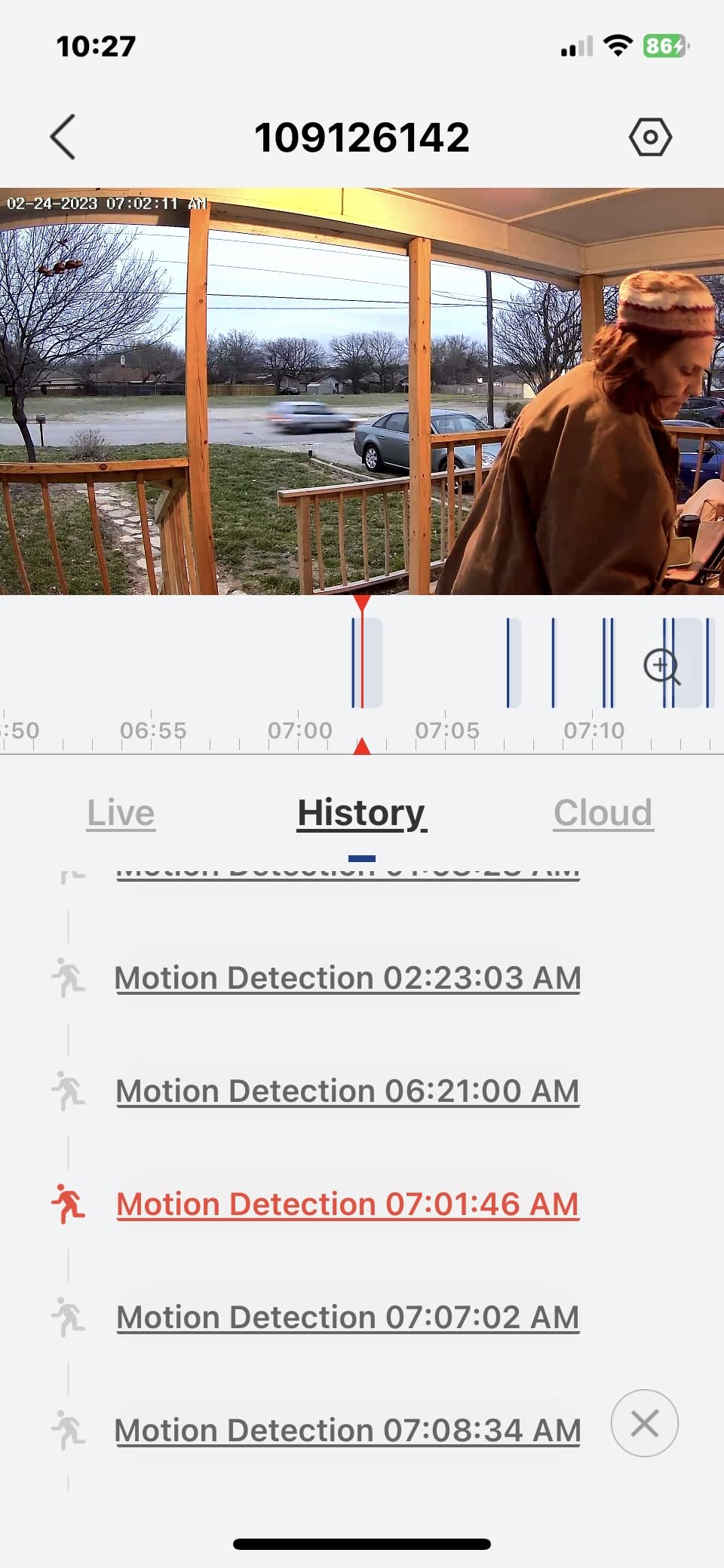
Most subscription-free models offer a card and leave it there. This one gives you lifetime free basic cloud storage as well as a microSD slot, so there is a remote copy of your doorbell events even if the card fails. For an apartment where the camera itself is the thing that could be stolen, having footage off the device matters.
It is also the most weather-sealed unit we tested, with an IP66 rating that handles dust and water jets. Exterior walk-up doors and covered terraces see weather that indoor-corridor units never do, and this is the one built for it.
Storage that survives a stolen camera
The two-tier approach is the differentiator. A card up to 128GB records locally for everyday playback, and the free cloud tier keeps recent events retrievable if the unit is removed from the door. That redundancy is exactly the scenario apartment dwellers worry about, and no other model in this roundup covers it without a paid plan.
Cold weather and battery endurance
This is the model’s real weakness. The 5200mAh battery is quoted at about 40 days with 20 triggers a day under testing, and owners report that dropping to two or three weeks in cold weather is common, degrading further over time. For a north-facing entry or an unheated corridor, budget for a much shorter cycle than the spec implies.
Range, detection and a missing wedge
PIR detection reaches about 16 feet and alerts in roughly three seconds, with a 166-degree lens and built-in infrared for automatic night vision. Insects still trigger alerts even on human-only detection, and there is no angled wedge in the box, so a recessed door will need its own shim.
Who should pick it
Choose this if you want a backup copy of events somewhere other than the camera, you live in a cold or exposed entry, and you value a two-year warranty over premium image quality. The included battery-powered indoor chime runs about 60 days per set and is not especially loud, so consider a smart speaker for alerts in a larger unit.
Two-way audio with an adjustable voice changer and pre-recorded replies is a nice touch for talking to couriers without revealing who you are.
10. MUBVIEW Doorbell Camera – Deep Motion Zone Control on a Narrow Lens
MUBVIEW Doorbell Camera Wireless with Chime,1080P Battery Video Doorbell
1080P HD with 120 degree viewing angle
PIR human detection with five sensitivity levels
Lifetime free cloud with 7-day loop plus 128GB microSD
Pros
- Deepest motion zone and schedule controls in this roundup
- Two-way intercom answers like a phone call
- Can charge in place or pop the battery out
- Chime and mounting key included in the box
Cons
- 120 degree field of view leaves package blind spots
- Live view can lag by 10 seconds or more
- Included chime runs on AAA batteries rather than rechargeable
- App is clunky when hunting for recorded clips
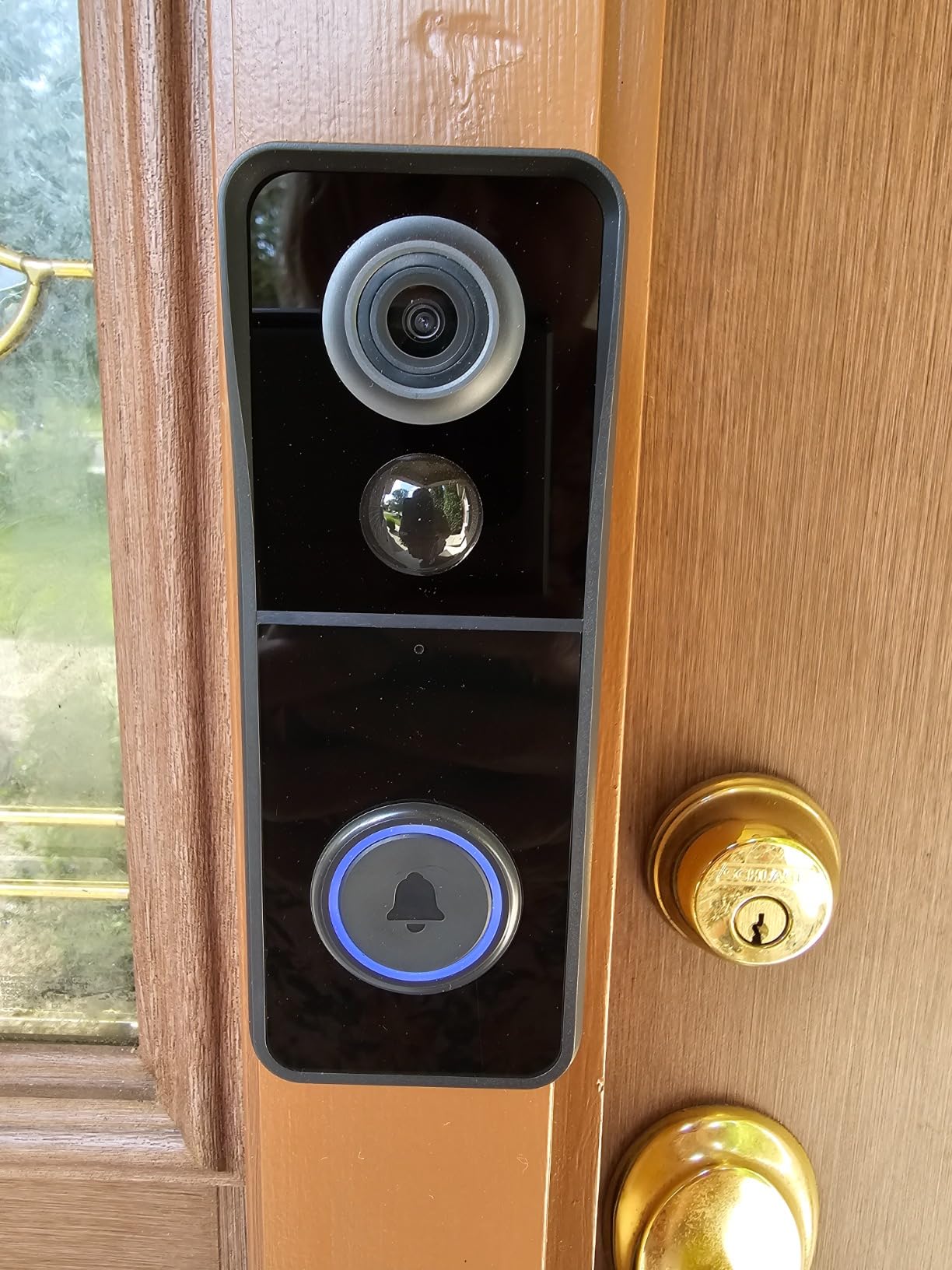
The MUBVIEW wins on control rather than optics. Its app offers motion zones, monitoring schedules and object-type filters, with five levels of adjustable sensitivity, and in a shared corridor that is the difference between a doorbell you check and a doorbell you mute. A tenant who can draw a detection polygon over only their own mat will get far less noise from next-door foot traffic.
Storage is subscription-free with lifetime free cloud and seven days of loop recording, plus a microSD slot up to 128GB. The battery can be charged in place or popped out for charging, which is more flexible than the fixed-battery designs elsewhere in this list.
The 120 degree trade-off
This is the narrowest lens we tested and it shows. On a door set back in a recess, a visitor standing to the side of the mat is only partially in frame, and packages on the floor are a genuine blind spot. If package monitoring matters, a dual-camera model is the better buy despite this one’s superior zone controls.
Recording speed and live view latency
Recording starts more slowly than on the 2K models, and live view lagged noticeably in our tests. Owners report the same behavior, describing a delay of around ten seconds or more when opening live view. For a doorbell used mainly for playback after an event, that lag is tolerable. For screening someone standing there right now, it is not.
Two-way intercom and privacy masking
Pressing the button brings an intercom screen where the visitor can see you and you can see them, and a voice changer disguises your voice during the conversation. The 33-foot infrared night vision range is modest, so the camera performs best in a corridor with at least some ambient light. Our small-space apartment guide has more on working around tight layouts.
Best for and least suited to
Pick this if corridor noise is your biggest frustration and you want fine-grained control over what triggers an alert. It is the least suited to anyone whose priority is seeing a package on the floor or judging a face in a dark corridor. The included chime uses AAA batteries, which is a step back from the rechargeable chimes bundled with some rivals.
Advertised battery life reaches up to three years on a paper claim, but owners report as little as about ten days on high-activity doors, so treat the figure with real caution.
Apartment Doorbell Buying Guide: Eight Decisions That Matter More Than Specs
Resolution is the number every listing leads with and the number that matters least in a corridor. These eight decisions are the ones that actually determine whether a doorbell works in a rented unit.
1. Can you install it without touching the door?
Start with the building rules, then the hardware. An adhesive mount leaves no holes at move-out but weakens with temperature swings, so it suits a shaded interior corridor. Screw mounts are permanent and need written permission. A wedge mount solves a recessed door that points the camera at a blank wall. Two models here, the Tapo D210 and the WYZE Duo Cam, include both a wedge and adhesive in the box, which removes the guesswork entirely.
2. Do you need existing doorbell wiring?
Almost every apartment already has a button and a chime, which means low-voltage wiring may exist even if you cannot see it. Models like the Ring Battery Doorbell, Blink and the eufy E340 work either way, with battery operation as the default and hardwiring as an option. Two here are battery-only with no wired fallback: the Tapo D210 and the ieGeek. If your building has no transformer and you dislike pulling a unit off the wall to charge, skip those two.
3. What does video history cost after day one?
Five of the ten models record locally with no monthly fee, whether to a card, built-in memory or an included base. Ring and Blink push you toward a plan for meaningful history, and Google gives you three free hours with more behind a plan. Since a renter’s needs usually end with the lease, local storage usually wins on paper and in practice. This is the single strongest argument for models like the eufy E340, Tapo D210 and aosu.
4. Will the field of view actually reach the floor?
A lens specified only by diagonal angle tells you very little. A 3:2 or 4:3 frame is taller than the 16:9 standard most doorbells use, and a vertical-sensor design frames a body head to feet. Anything at or above 160 degrees combined with a tall aspect ratio handled both visitors and packages in our testing. Below about 130 degrees, expect blind spots on a recessed entry.
5. Can you see anything in a dim corridor?
Infrared-only night vision produces black and white footage with a red glow on the emitter. Dual-light or starlight systems deliver color video at short range, which is the difference between recognizing a person and knowing only that someone was there. The eufy E340, Tapo D210 and WYZE Duo Cam all produced usable color at night in our unlit test entry.
6. What happens in a building full of routers?
Most doorbells are 2.4GHz only, and that band is crowded in multi-unit buildings where every unit runs its own router. If your building provides dual-band Wi-Fi on a single network name, a dual-band model avoids a crowded channel entirely. If your network is 2.4GHz only and the door sits far from the router, a model that includes a signal repeater, like the aosu and its base, will outperform a pricier single-band unit.
7. How do you keep your neighbors out of the footage?
A hallway doorbell pointed at an open corridor will inevitably catch neighboring doors. Every model here supports some form of activity zone, and the ones that also offer object-type filtering reduce pings from people who are simply passing. Draw your zone as tight as the mat allows, drop sensitivity one notch from default, and re-check after a week of normal traffic before deciding the camera is unreliable.
8. What is your exit plan?
Before mounting anything, ask your landlord or building manager in writing and specify that you will remove it and patch the holes at move-out. Keep a photo of the untouched door, keep the original screws and adhesive pads, and note whether you used the existing wiring. Buildings that forbid exterior changes outright are common, and a battery unit mounted entirely on the inside of the door is usually the easiest approval to obtain. If the doorbell is only part of a wider small-space setup, our apartment storage picks cover what else fits a compact entryway.
Frequently Asked Questions
Can you use a video doorbell in an apartment?
Yes, in most apartments, but the model and the mount matter more than the brand. A battery-powered unit that attaches to the inside face of your door with the included adhesive or a wedge typically needs no electrical work and no holes. Always get written permission from your landlord or building manager before mounting anything, and check whether your lease restricts exterior modifications.
Are video doorbells allowed in apartments?
Usually, with conditions. Most leases prohibit altering doors, walls or shared hallways, and buildings may require approval for anything visible from the corridor. A key point on etiquette: angle or zone your camera so it covers your own door and mat rather than a neighbor’s door. Shared hallway cameras are generally the property manager’s responsibility, not a tenant’s.
Which video doorbell works without wiring or drilling?
Models with a removable or built-in rechargeable battery and an adhesive or wedge mount in the box. In our testing the Tapo 2K Smart Video Doorbell D210 includes both a 15-degree wedge and 3M adhesive, and the WYZE Video Doorbell Duo Cam ships with an adhesive no-screw mount. The Ring Battery Doorbell and Blink also need no wiring, though they mount with screws unless you bring your own adhesive plate.
What is the best camera doorbell without a subscription?
The eufy Security Video Doorbell E340, the Tapo 2K Smart Video Doorbell D210 and the aosu 2K Wireless Doorbell Camera all provide video history with no paid plan. The eufy stores to 8GB of built-in memory, the Tapo and aosu use a microSD card, and the aosu also includes a signal repeater for long hallways. Blink can also record locally when a USB drive is attached to its included Sync Module.
How do I stop a video doorbell from filming my neighbors’ doors?
Use the motion or activity zone feature in the app to draw a detection area that covers only your door and the mat in front of it, then reduce sensitivity one notch below default. If the unit supports object-type filtering, enable human-only detection so passing cars and animals do not generate alerts. A 15-degree wedge mount also tilts the lens down toward your own doorstep rather than outward across the corridor.
Which Video Doorbell Fits Your Apartment?
If you want the most complete head-to-toe view with the deepest support network, the Ring Battery Doorbell is the pick. If your building has thick walls or a long corridor run, the aosu 2K Wireless Doorbell Camera and its signal-boosting base solve problems other models cannot. If you cannot drill at all, the Tapo 2K Smart Video Doorbell D210 with its included wedge and adhesive is the cleanest install we tested.
For package theft specifically, the eufy Security Video Doorbell E340 pairs a second downward camera with built-in local storage. If your building runs dual-band Wi-Fi, the WYZE Video Doorbell Duo Cam is the only unit here that speaks both bands. If theft of the device itself worries you, the BOIFUN’s built-in tamper alarm is purpose-built for shared corridors, and the ieGeek keeps a free cloud copy of events even if the camera goes missing.
Whichever you pick, get written landlord approval, tighten the motion zone before the first week ends, and remember that the best video doorbells for apartments are the ones you can remove without a trace when the lease is up. Check the latest listing details before you buy, then install it before move-in day rather than the week someone knocks at 11pm.
Leave a Reply