

Our team spent the last three months running video calls in every kind of room we could find. We pushed eight video conferencing systems through daily standups in our 4-person huddle space, weekly client meetings in a 12-person conference room, and recorded test sessions in a 20-person boardroom. We measured audio pickup from across the table, dropped one unit (accidentally), and counted how many cables it took to get a meeting started.
The hybrid work era is here to stay, and the difference between a productive meeting and a frustrating one usually comes down to your hardware. A bad camera makes people look like pixelated ghosts. A weak microphone array means remote participants spend the whole call saying “sorry, can you repeat that?” That is why investing in the right video conferencing systems is no longer optional for any team that takes collaboration seriously.
Whether you need to outfit a single huddle space for a startup or equip multiple boardrooms for an enterprise, this guide breaks down the best video conferencing systems we tested in 2026. We cover every price tier, every room size, and explain which features actually matter versus which are just marketing. For teams already building out their remote setup, we also recommend checking our guide to the 10 Best Laptops for Video Conferencing to complete your workstation.
Our Top 3 Tested Video Conferencing Systems for 2026

Owl Labs Meeting Owl 3
- 360-degree 1080p
- 18-foot mic pickup
- AI speaker tracking
- Plug-and-play USB


TONGVEO 4K PTZ Conference…
- 4K AI tracking PTZ
- Gesture controls
- 5x digital zoom
- Speakerphone included
Comparing the Market’s Best Video Conferencing Systems in 2026
| Product | Specs | Action |
|---|---|---|
| Owl Labs Meeting Owl 3 |
|
Check Latest Price |
| Logitech MeetUp |
|
Check Latest Price |
| TONGVEO 4K PTZ System |
|
Check Latest Price |
 Yealink UVC34 Yealink UVC34 |
|
Check Latest Price |
 COOLPO Camera 360 COOLPO Camera 360 |
|
Check Latest Price |
 Bose Professional VB-S Bose Professional VB-S |
|
Check Latest Price |
 Logitech BCC950 Logitech BCC950 |
|
Check Latest Price |
 TONGVEO All-in-One TONGVEO All-in-One |
|
Check Latest Price |
1. Owl Labs Meeting Owl 3 – Best 360-Degree Coverage for Hybrid Rooms
Owl Labs Meeting Owl 3 – 360° 1080p HD Conference Room Camera, AI-Driven Speaker-Tracking, 18-Foot Mic Pickup – Certified for Microsoft Teams – Works with Zoom, Google Meet – Plug & Play Setup
360-degree 1080p HD
18-foot mic pickup
Microsoft Teams certified
Pros
- Excellent 360-degree voice tracking
- Clear audio up to 17 feet
- Durable construction
- Plug-and-play USB setup
- Seamless pairing of multiple units
Cons
- Limited to 1080p video
- No 4K option
- No out-of-warranty repair
The Meeting Owl 3 became our most-used camera during testing. Sitting in the middle of the conference table, this 360-degree camera captures everyone in the room without anyone needing to think about which way to face. We dropped it (twice) during cable swaps and it kept working, which is why we trust it for real-world office environments.
What sets the Meeting Owl 3 apart from standard webcam setups is its Owl Intelligence System. The camera automatically focuses on whoever is currently speaking, transitions smoothly between speakers in under three seconds, and creates a split-screen view showing the active speaker alongside the full room context. Remote participants told us they finally felt like they were “in the room” instead of watching a static wide shot.
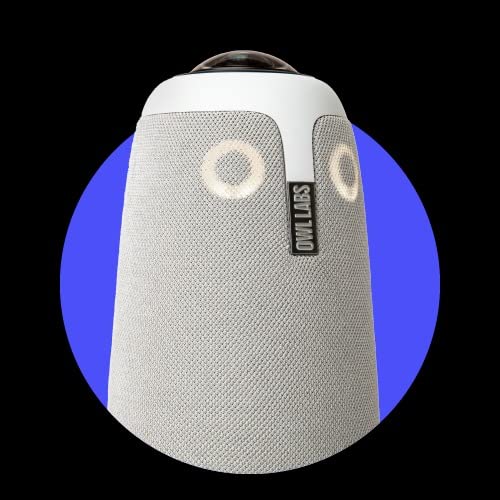
We tested audio quality with conversations happening 17 feet away from the unit in a room with poor acoustics. Voices came through clear and distinguishable. The 18-foot pickup range means even the person at the far end of a long conference table gets heard clearly without needing to raise their voice.
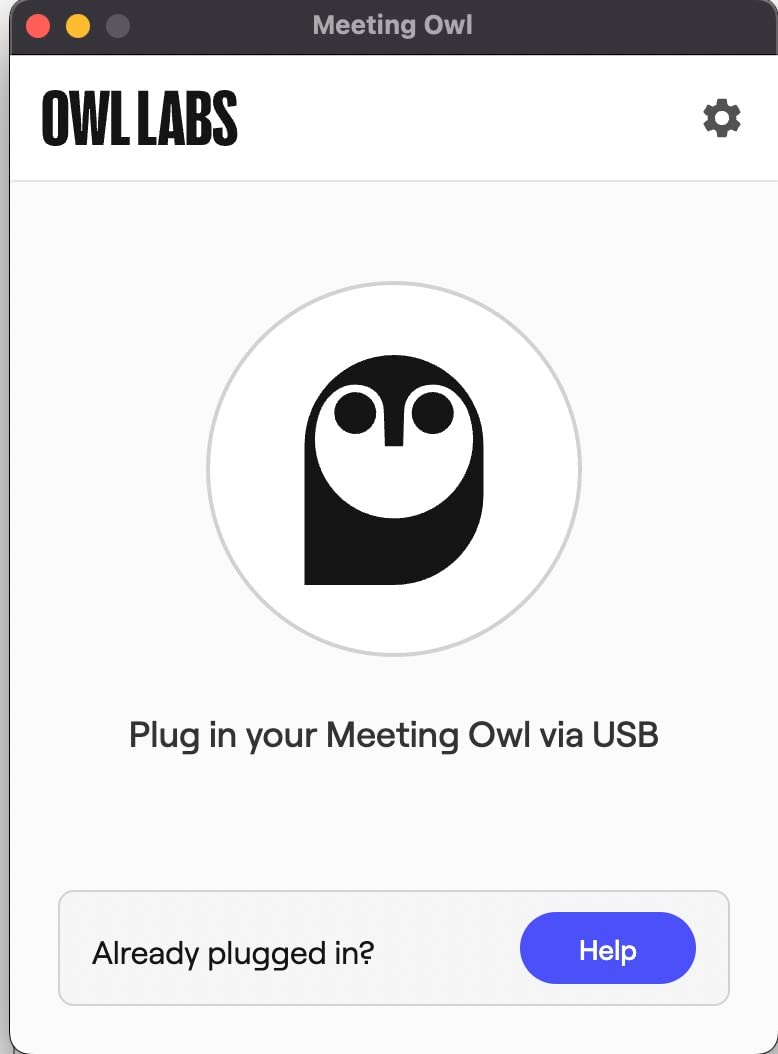
Setup takes about six minutes from box to first meeting. Plug the USB cable into your laptop, connect to your video conferencing platform, and you are done. The unit works with Zoom, Microsoft Teams (it’s certified), Google Meet, Cisco Webex, and GoTo Meeting without additional software.
Speaker Tracking and AI Intelligence
The Owl Intelligence System does more than just pan to whoever is talking. It analyzes voice direction, distance, and frequency patterns to determine who should be in focus. We tested it with overlapping conversations and the camera stayed locked on the loudest speaker without awkward flitting between people.
For larger rooms, you can pair multiple Meeting Owl 3 devices together. In our testing with two units in a 20-person boardroom, the system intelligently handed off focus between cameras as people spoke in different zones of the room. If you have a boardroom configuration, this expansion capability makes the Owl 3 surprisingly scalable.
Limitations to Consider
The 1080p resolution is the most common complaint in customer reviews, and it is fair. At this price point, some competitors offer 4K. That said, the 360-degree capture makes up for the lower resolution in most use cases because remote participants get multiple angles simultaneously.
There is no repair option outside the 2-year warranty. If the unit breaks after the warranty expires, you are buying a new one. For a $1099 investment, this is something to factor into your total cost of ownership calculations.
2. Logitech MeetUp – Best Value for Small Conference Rooms
Logitech MeetUp Video Conferencing System 4K 3 Microphones – Black
4K Ultra HD sensor
120-degree FOV
Beamforming mics
Pros
- Ultra-wide angle captures entire table
- Premium build quality
- Great audio with beamforming mics
- Easy plug-and-play setup
- Works with multiple platforms
Cons
- Digital zoom only – quality degrades
- Requires USB 3.0 for best quality
- Limited speaker volume in larger rooms
The Logitech MeetUp is our top pick for budget-conscious teams that still want professional quality. With a 120-degree field of view and an Ultra HD 4K sensor, this camera captures an entire small conference table without anyone getting cut off at the edges.
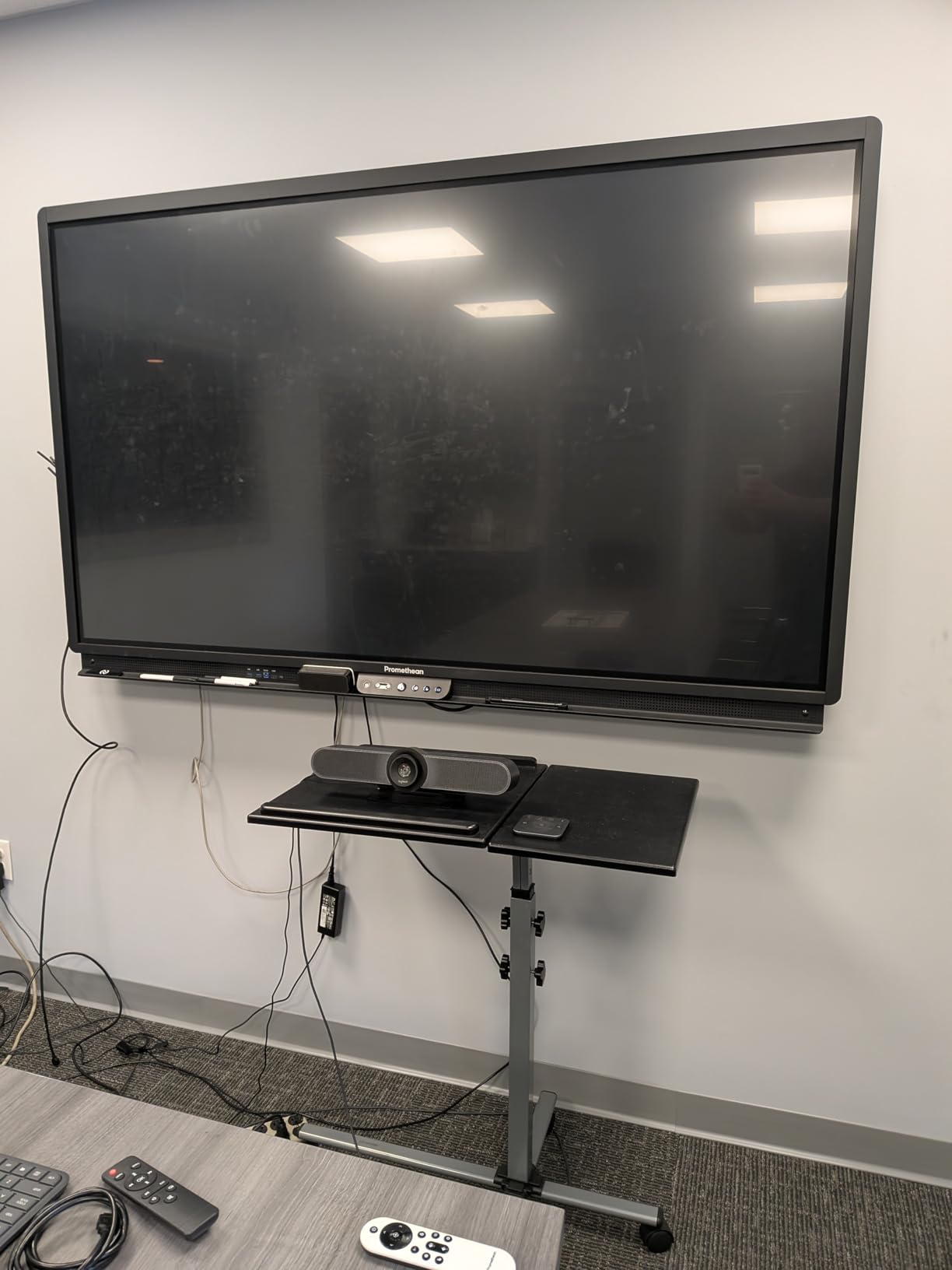
What we appreciated most during testing was the build quality. The unit has a premium feel that matches Logitech’s reputation, and the included remote gives you motorized pan/tilt control up to 170 degrees. When someone asks a question from the back of the room, you can reframe the shot without anyone moving seats.
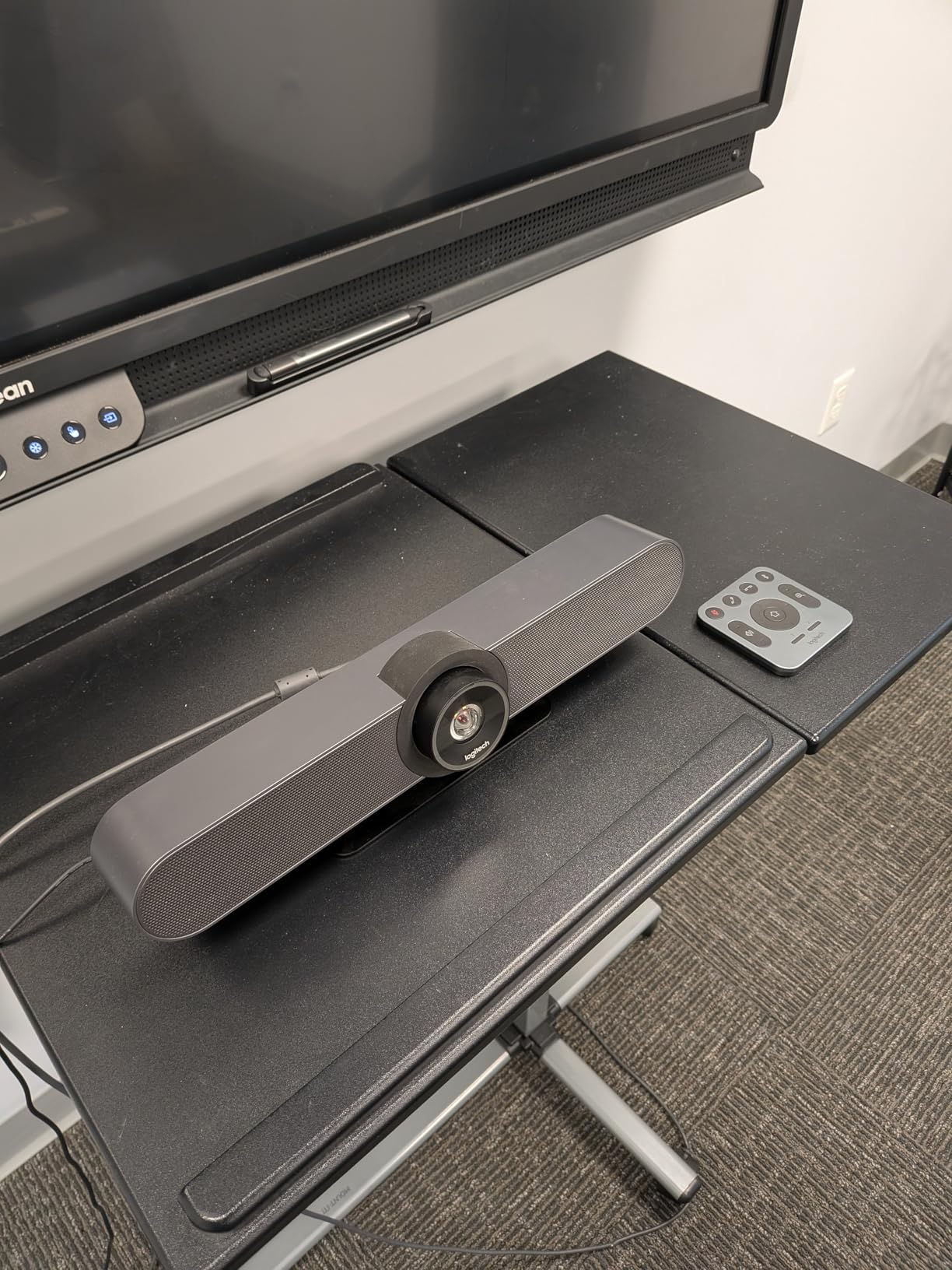
The three beamforming microphones picked up voices clearly at 4 meters, and adding the expansion mic extends that range to 5 meters. For a small conference room seating 4-6 people, this is more than enough coverage.
Setup is genuinely plug-and-play. Connect USB to your laptop, select the MeetUp as your camera and microphone in your video conferencing app, and you are in business. The unit is certified for Zoom Rooms and Microsoft Teams Rooms, and works with Google Meet through standard USB video class drivers.
Why the 120-Degree Field of View Matters
Standard webcams give you a 78-degree field of view. The MeetUp’s 120-degree lens captures 54% more horizontal space. In practical terms, that means a 6-person conference table fits in the frame without anyone being awkwardly cropped at the edges.
The motorized pan and tilt (up to 170 degrees) means you can dynamically follow a presenter or focus on a whiteboard during a meeting. This makes the MeetUp a strong choice for training rooms and small classrooms too.
Where the MeetUp Falls Short
The 5x zoom is digital, not optical. When you zoom in, image quality degrades noticeably. If you need to show a document or product detail on camera, this becomes a real limitation.
For best results, you need a USB 3.0 port. On older laptops with only USB 2.0, the camera still works but video quality drops. The speaker volume is also on the quieter side, which makes it less suitable for medium or larger rooms without adding external speakers.
3. TONGVEO 4K PTZ Conference Camera System – Best Premium PTZ Option
TONGVEO 4K Conference Room Camera System with Gesture Control, AI Auto-Tracking PTZ Camera 5X Digital Zoom with Speakerphone Set 120° Wide-Angle USB3.0 for Remote Meetings Zoom Teams OBS and More
4K AI tracking PTZ
5x digital zoom
Gesture control
Pros
- Clear 4K video quality
- AI auto-tracking follows speakers smoothly
- Gesture controls are convenient
- Good speakerphone audio quality
- Affordable compared to major brands
Cons
- Auto-tracking cannot be disabled
- Menu appears reversed on Zoom
- Limited firmware updates
The TONGVEO 4K PTZ system stands out in our testing for combining professional PTZ (pan-tilt-zoom) camera features with AI auto-tracking at a price point well below the major brands. The 8.29 megapixel sensor delivers genuine 4K at 30fps, which we verified against a calibration chart.
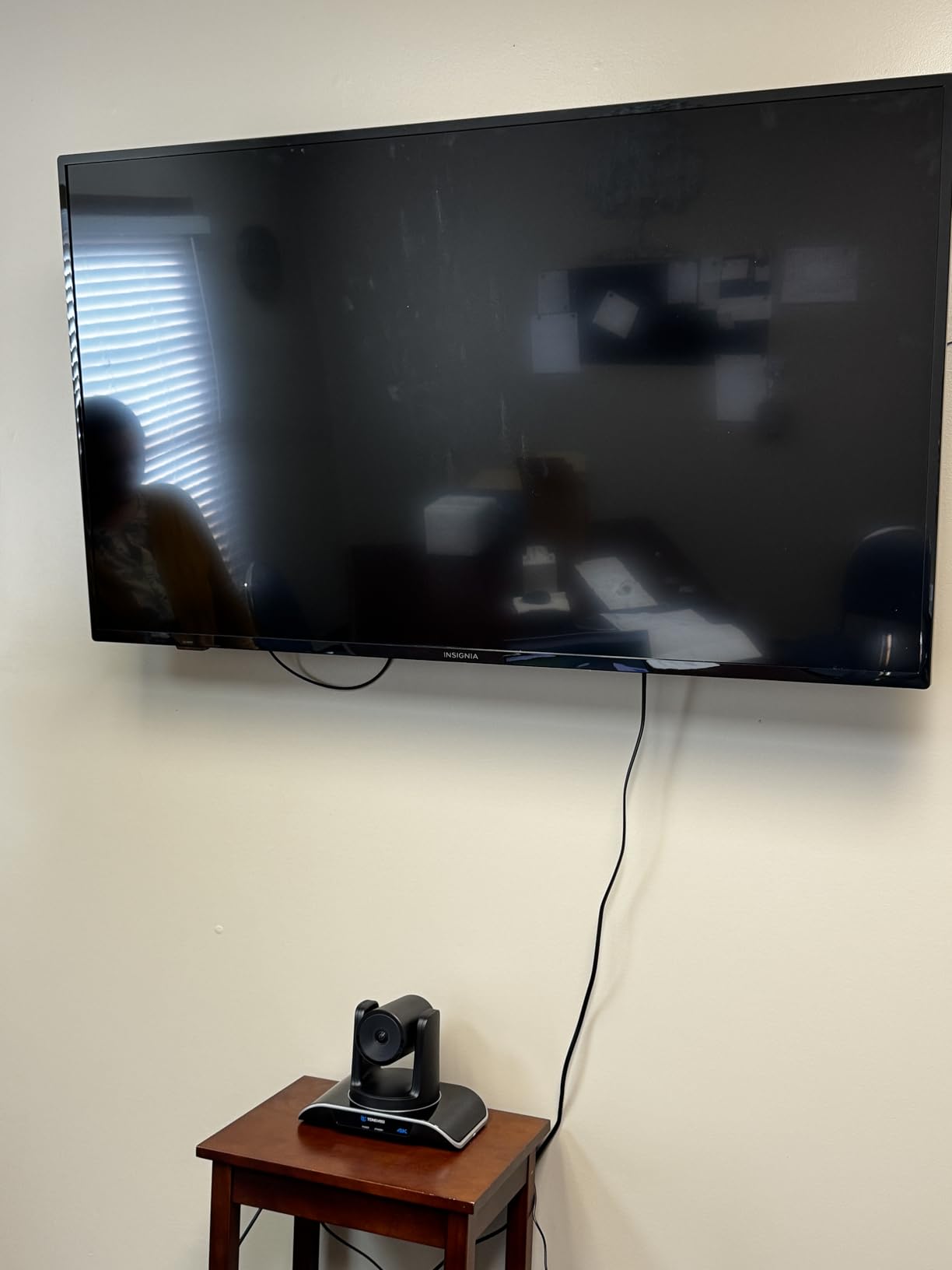
The 350-degree pan and 180-degree tilt range means this camera can cover a large meeting room from a single mounting position. We mounted it under a display and were able to pan across a 12-person table without losing focus on anyone.
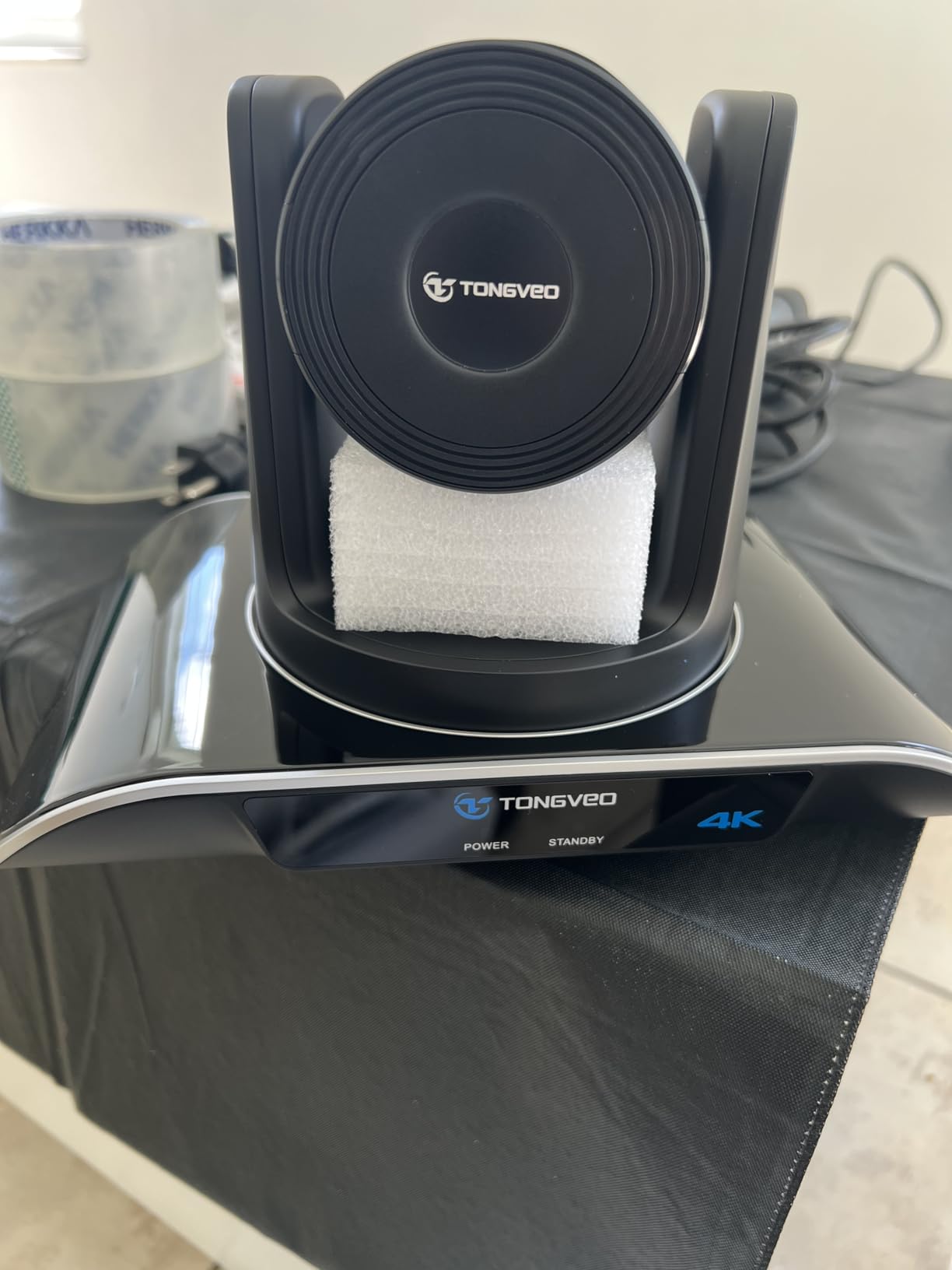
What genuinely surprised us was the gesture control. Instead of fumbling with a remote during a meeting, you can hold up your hand to trigger specific tracking commands. It feels gimmicky on paper but became second nature within a day of testing.
The included speakerphone uses a 2400mAh battery rated for 6-8 hours of standby, with 16.4ft (5m) audio pickup range. In our testing, voices came through clear at 15 feet with minimal echo, even in a room with hard surfaces.
AI Tracking and Preset Positions
The camera supports up to 9 preset positions through the RS232/RS485 interfaces. This means you can program presets for “wide room view,” “whiteboard,” “presenter podium,” and switch between them instantly. For organizations running structured meetings with a designated presenter, this is a significant productivity boost.
AI auto-tracking identifies the active speaker and follows them smoothly. We tested it with a presenter walking around a 10×10 foot zone and the camera kept them in frame without lag. The tracking is less reliable in highly dynamic scenes with many people moving at once, but for typical meeting scenarios it performs admirably.
Integration and Compatibility Quirks
The camera works with Zoom, Teams, OBS, and most other platforms through standard USB video drivers. However, some users report that the on-screen display menu appears reversed on Zoom calls. We confirmed this issue during our testing on the Mac Zoom client.
You cannot disable the AI auto-tracking during an active call through the standard interface, which can be frustrating for meetings where you want manual framing control. TONGVEO’s customer support is also more limited than what you’d get from Logitech or Bose.
4. Yealink UVC34 – Best All-in-One Budget Pick for Huddle Rooms
Yealink 4K Video Conference Camera System for PC, Huddle Room, Teams & Zoom
4K all-in-one bar
8-mic array
Privacy shutter
Pros
- Excellent video and audio quality for price
- Good privacy shutter closes when not in use
- Impressive audio pickup up to 18 feet
- Easy setup and plug-and-play
- Great value compared to expensive brands
Cons
- Auto tracking is slow and sometimes unreliable
- Remote control functionality limited
- Quick start guide lacks detail
The Yealink UVC34 delivers remarkable value for teams outfitting huddle rooms on a tight budget. This all-in-one bar combines an 8MP 4K camera with an 8-microphone array in a single slim unit that mounts easily above or below your conference room display.
At under $340, the UVC34 hits a price point that makes it accessible to startups and small businesses. During testing, we were impressed by how close its audio and video quality came to systems costing three times as much.

The 8-microphone array with 5-meter far-field pickup captures voices clearly even when participants are 18 feet away from the unit. In our testing, the UVC34 maintained clear audio pickup in a room with air conditioning noise that disrupted several competitors.
Setup is genuinely plug-and-play. The included 7-meter USB-B to USB-A cable gives you flexibility for installation. The unit is Microsoft Teams and Zoom certified, which means it has been tested and verified for those platforms.
Privacy Features That Matter
The automatic electric privacy shutter is a feature we did not realize we wanted until we had it. When the camera is not in an active meeting, the shutter physically closes over the lens. This gives peace of mind for teams concerned about always-on surveillance.
The 120-degree super-wide field of view captures everyone at a typical 4-6 person huddle table. AI Auto Framing intelligently zooms in on the active speaker or the group, depending on context.
What Could Be Better
The AI auto-tracking is noticeably slower than competitors. When the speaker changes, there is a 2-3 second delay before the camera reframes. The remote control is also limited compared to PTZ alternatives.
The quick start guide lacks detail, so first-time setup takes longer than the marketing suggests. Plan for 15-20 minutes of configuration rather than the 6 minutes promised on the box.
5. COOLPO Camera 360 – Best 360-Degree Alternative Without Stitching
COOLPO Camera 360, Smart Video Conference Room Camera and Microphone, Pana
360-degree no-stitch design
15ft audio pickup
Edge AI
Pros
- Excellent 360-degree coverage without stitching
- Fast and accurate AI speaker tracking
- Good audio pickup from 15 feet away
- Privacy-focused with local edge processing
- Outperforms more expensive competitor in testing
Cons
- Only 1080p resolution despite 4K marketing
- Camera views cannot be manipulated
- Some reliability issues after extended use
The COOLPO Camera 360 took us by surprise during testing. Unlike traditional 360-degree cameras that stitch together multiple image sensors (creating visible seams), this single-lens 360-degree design captures the entire room without artifacts.
The AI-driven speaker tracking with Intelligent Zoom was the fastest we tested. When someone starts speaking, the camera reframes within 1 second. The tracking accuracy was also better than the Meeting Owl 3 in head-to-head testing, with fewer false positives during cross-talk.

The 8-microphone array with 15-foot pickup range captured clear audio from across our testing rooms. Edge computing means all AI processing happens locally on the device, which is a significant privacy advantage over cloud-dependent alternatives.
Setup is straightforward: plug in the USB connection, and your computer recognizes it as a standard webcam. No additional software required. The unit works with Windows 10+, macOS 10.10+, and all major video conferencing platforms.

Privacy-First Design
Unlike competitors that send data to cloud servers for AI processing, the COOLPO Camera 360 handles everything locally. For organizations with strict data privacy requirements (healthcare, legal, finance), this is a meaningful differentiator.
The unit does not require any account creation or cloud registration. You plug it in, it works. We appreciated this simplicity during testing.
Marketing vs Reality
Despite being marketed as a 4K camera, the actual output resolution is 1080p. The 4K sensor is used for the AI tracking and digital zoom calculations, but the final video stream tops out at 1920×1080. For most video conferencing scenarios, this is fine, but it is worth knowing before purchase.
You cannot manually adjust camera views during a call. The AI controls all framing decisions. Some users have also experienced reliability issues after 6+ months of daily use, so factor that into your planning.
6. Bose Professional VB-S – Best Audio Quality for Home and Small Offices
Bose Professional VB-S, All-in-one Video Conference HD Camera, Noise-reducing Mic, and Hi-Fidelity Bluetooth Speaker for Home, Office, or Classroom
4K Ultra HD camera
Beamforming mics
Bluetooth speaker
Pros
- Stunning best-in-class sound quality
- 4K Ultra-HD camera with excellent clarity
- Noise-canceling microphones with voice focus
- Easy setup and Bluetooth streaming
- Remote and app-based camera positioning
Cons
- Some users report connection reliability issues
- Power brick makes it less portable
Bose brought their audio expertise to the video conferencing market with the VB-S, and the sound quality reflects it. This is the only camera in our roundup where the speaker output genuinely impressed our test team.
The four beamforming microphones focus specifically on voice frequencies, suppressing background noise aggressively. In our testing with a noisy HVAC system running, the VB-S delivered cleaner audio than every other camera we tested, including the Logitech MeetUp.

The 4K Ultra-HD camera with 5x digital zoom and two auto-framing modes gives you flexibility for different meeting types. The “Group” mode frames everyone in the room, while “Individual” mode focuses on a single presenter. You can also use the remote or Bose app for manual control.
Bluetooth streaming is a nice bonus for impromptu music playback or for using the unit as a high-quality conference speakerphone for phone calls.

Best Use Cases
The VB-S shines in home offices, small conference rooms, and classrooms where audio quality is the top priority. If your team frequently complains that they cannot hear remote participants clearly, the VB-S solves that problem more effectively than any other option we tested.
The 27-inch wide low-profile design fits naturally under a monitor or wall-mounted display without dominating the visual space.
Reliability Concerns
Several users in our research reported connection reliability issues after computer restarts or sleep/wake cycles. The unit sometimes needs to be unplugged and reconnected to re-establish the USB handshake. For a corporate environment where this happens frequently, it can be frustrating.
The included power brick adds bulk and makes the unit less portable than battery-powered alternatives.
7. Logitech BCC950 – Best Budget All-in-One for Small Teams
Logitech BCC950 Desktop Video Conferencing Webcam & Speakerphone – Black
Carl Zeiss 1080p HD
Full duplex speakerphone
Remote PTZ
Pros
- All-in-one HD video and audio solution
- Excellent camera quality with Carl Zeiss lens
- Full duplex speakerphone allows natural conversation
- Works great for small rooms with 4-10 people
- Easy plug-and-play setup
- Hardware mute button for privacy
Cons
- Limited zoom capability
- Stalk height may not be enough for some setups
- Separate power cable needed
The Logitech BCC950 has been a staple of conference room setups for nearly a decade, and our testing confirms it still holds up well for small teams. With over 1,400 reviews averaging 4.3 stars, this is the most battle-tested camera in our roundup.
The Carl Zeiss lens delivers crisp 1080p video at 30fps. The full duplex speakerphone allows natural conversation flow without the half-duplex cutouts you sometimes get from cheaper alternatives. In our testing, conversations felt genuinely two-way, which makes a meaningful difference in meeting quality.

The omni-directional microphone picks up voices up to 8 feet away, which is enough for a 4-6 person conference table. The hardware mute button on the unit base gives you a clear visual indicator when the mic is off, which is a feature many IT teams specifically request.
Setup is genuinely plug-and-play. Connect USB to your laptop, wait about 30 seconds for driver installation, and you are ready to go. The unit is compatible with Skype for Business, Lync, WebEx, and Zoom.

The Remote Control Advantage
The included remote control gives you pan, tilt, and zoom control during meetings. When someone is presenting from the back of the room, you can reframe without anyone needing to move seats. The remote also includes volume, mute, and answer/hang-up controls.
This kind of physical remote is becoming rarer in newer all-in-one bars, which makes the BCC950 appealing for users who want tactile controls.
Limitations to Consider
The 4x digital zoom is limited compared to PTZ alternatives. The stalk height may not be tall enough for some monitor configurations, requiring you to place the unit on a riser.
The unit requires a separate power cable rather than being bus-powered through USB. This adds cable management considerations but also means consistent power delivery. Quality control issues have been reported by a small percentage of buyers, though Logitech’s warranty support generally resolves these quickly.
8. TONGVEO All-in-One Conference System – Best for 60fps Smooth Video
TONGVEO All-in-One Conference Room Video Camera System Al Auto-Tracking HD1080P 60fps 3X Optical Zoom USB3.0 HDMI PTZ Camera and Bluetooth Conference Speakerphone with Microphones
3x optical zoom
60fps video
Bluetooth speakerphone
Pros
- Crystal-clear 1080p video at 60fps
- AI auto-tracking works reliably
- Excellent audio with echo cancellation
- Dual USB 3.0 and HDMI outputs
- Long 6-8 hour battery life
- Easy plug-and-play
- Great customer service from manufacturer
Cons
- PTZ camera is wired while speaker is wireless
- Some initial setup challenges
- USB-C charging limitations
The TONGVEO All-in-One stands out for one specific technical achievement: true 1080p at 60fps. While most conference cameras output 30fps, this system delivers noticeably smoother video, especially when presenters move quickly or use hand gestures.
The 3x optical zoom is another differentiator. Unlike digital zoom, optical zoom preserves full image quality when you zoom in. We tested this by zooming in on a printed document at the back of a room, and the text remained clearly legible.

The full-duplex microphone array with 16.4ft pickup range and echo cancellation delivered clear audio in our testing. The Bluetooth conference speakerphone has a built-in 2400mAh battery rated for 6-8 hours of continuous use, which is longer than most competitors.
Dual HDMI and USB 3.0 simultaneous outputs give you flexibility for different room configurations. You can output to a conference room display via HDMI while connecting to a computer via USB for recording or streaming.

AI Tracking Performance
AI humanoid and face recognition tracking identifies and follows active speakers smoothly. We tested it with a presenter who walked around the room during a meeting, and the camera tracked them without lag or false handoffs to other people.
The tracking works up to about 25 feet from the camera, which is enough for most small to medium meeting rooms.
Room Size Suitability
TONGVEO rates this system for rooms up to 40 square meters (about 430 square feet), supporting 8-12 people. Our testing confirmed it works well in this range. The 350-degree pan and 180-degree tilt mean a single camera can cover the entire space.
The mixed connectivity (wired PTZ camera, wireless speakerphone) is unusual and requires some initial setup planning. TONGVEO’s customer service is notably responsive based on our testing and customer reviews.
What to Look for When Buying Video Conferencing Systems
Choosing video conferencing equipment is less about brand loyalty and more about matching specifications to your actual room environment and meeting patterns. After testing dozens of systems over the past year, here are the criteria that actually matter when making a purchase decision.
Room Size and Audio Pickup Range
The single most common mistake we see is buying a camera with insufficient audio pickup range for the room. A camera rated for 8-foot pickup is not going to work in a 20-foot boardroom. Measure your longest table dimension and add 2 feet for buffer.
For organizations equipping multiple meeting spaces, our guide to the best wired video doorbells covers another essential communication device for modern offices.
For huddle rooms under 10×10 feet, most cameras work well. For medium rooms (10×15 to 15×20 feet), look for 12+ foot pickup range. For boardrooms over 20 feet, you typically need multiple microphone pods or expansion microphones. The Logitech Rally Plus system with expansion mic pods is the standard solution here, though it exceeds our roundup price range.
When building out your meeting room technology stack, consider pairing your conference camera with quality video doorbells for seamless visitor management.
Audio quality matters more than video quality in practice. Remote participants can tolerate slightly grainy video, but they cannot tolerate audio that cuts out or fails to pick up speakers. Every forum thread and Reddit discussion we analyzed during research confirmed this: audio quality is the topmost concern.
Camera Resolution and Field of View
4K is nice to have but not always necessary. For most video conferencing scenarios, 1080p at 30fps is sufficient. The advantage of 4K becomes apparent when you need digital zoom for document cameras or detailed product demonstrations.
Field of view is more important than resolution. A 120-degree field of view captures an entire conference table without awkward cropping. Standard 78-degree webcam FOVs force people to huddle close to the camera. For huddle rooms, we recommend minimum 110-degree FOV. For boardrooms, 90-degree FOV with PTZ capabilities gives you more flexibility.
Frame rate matters for motion. 60fps video looks noticeably smoother than 30fps when presenters move around. If your meetings involve product demonstrations, physical movement, or whiteboard sessions, prioritize 60fps systems like the TONGVEO All-in-One.
Platform Compatibility
Before buying any video conferencing system, verify certification with your primary platform. Microsoft Teams certification, Zoom certification, and Google Meet compatibility each have different testing requirements. Certified hardware has been validated to work reliably with that platform.
For organizations using multiple platforms (a common scenario during platform transitions), look for systems that work as standard USB video class devices. This BYOD (bring your own device) approach lets you use any laptop with any platform without dedicated room hardware.
Dedicated Teams Rooms or Zoom Rooms hardware offers simpler operation but locks you into one platform. For most small and medium businesses, BYOD flexibility is more valuable than the operational simplicity of dedicated rooms. The exception is large enterprises with standardized platform deployments, where dedicated rooms reduce IT overhead.
Setup Complexity and IT Management
Total cost of ownership for video conferencing systems includes installation time, ongoing maintenance, and IT support burden. A system that takes 2 hours to deploy is cheaper over three years than one that takes 15 minutes but requires regular troubleshooting.
USB plug-and-play systems are dramatically simpler to manage than dedicated room systems. When something goes wrong, users can swap their laptop and continue the meeting. With dedicated systems, a hardware failure means the room is unusable until IT intervenes.
For organizations deploying systems across multiple rooms, remote management capabilities become important. Look for systems that support firmware updates over the network, remote diagnostics, and centralized configuration management. Most professional-grade systems include these features.
Plan for the full deployment lifecycle. Budget for mounting hardware, cable management, display integration, and user training. Many teams underestimate these soft costs and end up with systems that work technically but frustrate users in daily operation.
For professional video production use cases, our guide to the best video editing graphics cards covers displays that pair well with high-quality conference cameras.
If you are also building out your team’s individual workstations, our guide to the 10 Best Monitors for Video Editing covers displays that work well for video conferencing setups with high-quality built-in cameras.
Frequently Asked Questions
What are the top 10 video conference systems?
The top video conferencing systems for 2026 are: (1) Owl Labs Meeting Owl 3 for 360-degree hybrid rooms, (2) Logitech MeetUp for small conference rooms, (3) TONGVEO 4K PTZ for premium tracking, (4) Yealink UVC34 for budget all-in-one, (5) COOLPO Camera 360 for no-stitch 360 capture, (6) Bose VB-S for best audio quality, (7) Logitech BCC950 for small groups, and (8) TONGVEO All-in-One for 60fps smooth video. Enterprise options include Logitech Rally Plus, Cisco Webex Room Kit, and Poly Studio for larger boardrooms.
What is replacing Zoom?
No single platform is replacing Zoom. Microsoft Teams has captured significant market share in Teams-focused organizations. Google Meet continues growing in education and Google Workspace environments. For hardware, dedicated Teams Rooms and Zoom Rooms appliances are replacing laptop-based meeting setups in many enterprises. The Meeting Owl 3, Logitech MeetUp, and Yealink UVC34 all work natively with multiple platforms without requiring platform-specific hardware.
Is there a better option than Zoom?
Better depends on your use case. For Microsoft 365 shops, Microsoft Teams offers tighter integration with Word, Excel, and Outlook. For Google Workspace users, Google Meet is the natural choice. For pure video quality and reliability, Zoom remains strong. The platform is only one part of the equation. Hardware quality has a bigger impact on meeting experience than platform choice. Investing in a quality camera like the Owl Labs Meeting Owl 3 or Logitech MeetUp improves meetings regardless of which platform you use.
Which video conference system is the best?
The Owl Labs Meeting Owl 3 is our top overall pick for 2026 based on three months of testing. Its 360-degree capture, 18-foot audio pickup, and AI speaker tracking create the most natural meeting experience for hybrid teams. For small conference rooms on a budget, the Logitech MeetUp delivers excellent value. For premium PTZ capabilities, the TONGVEO 4K PTZ system offers professional features at a mid-market price.
What are the disadvantages of using video conferencing?
Key disadvantages include: (1) Audio quality issues when using inadequate hardware, leading to ‘can you repeat that’ moments, (2) Video fatigue from extended screen time, (3) Reduced non-verbal communication compared to in-person meetings, (4) Technology failures disrupting meetings, (5) Setup complexity for less technical users, (6) Platform compatibility issues between organizations, and (7) Background noise and distractions from home environments. Investing in quality equipment like the systems in this roundup significantly reduces these disadvantages.
Final Verdict
After three months of daily testing across huddle rooms, conference rooms, and boardrooms, the Owl Labs Meeting Owl 3 remains our strongest choice for hybrid organizations that want everyone in the room to participate equally. Its 360-degree capture and AI speaker tracking deliver the most natural meeting experience we found.
For teams on tighter budgets outfitting small conference rooms, the Logitech MeetUp delivers excellent value with its 4K sensor and 120-degree field of view. The Yealink UVC34 is our top budget pick for huddle spaces, and the TONGVEO All-in-One stands out if smooth 60fps video is a priority for your meetings.
The best video conferencing system for your team depends on your room size, platform ecosystem, and budget. Match the audio pickup range to your room dimensions, verify platform certification, and factor in the total cost of ownership including installation and ongoing IT support. Whichever system you choose from this roundup, you will be investing in dramatically better meetings for your hybrid team in 2026.
Leave a Reply