
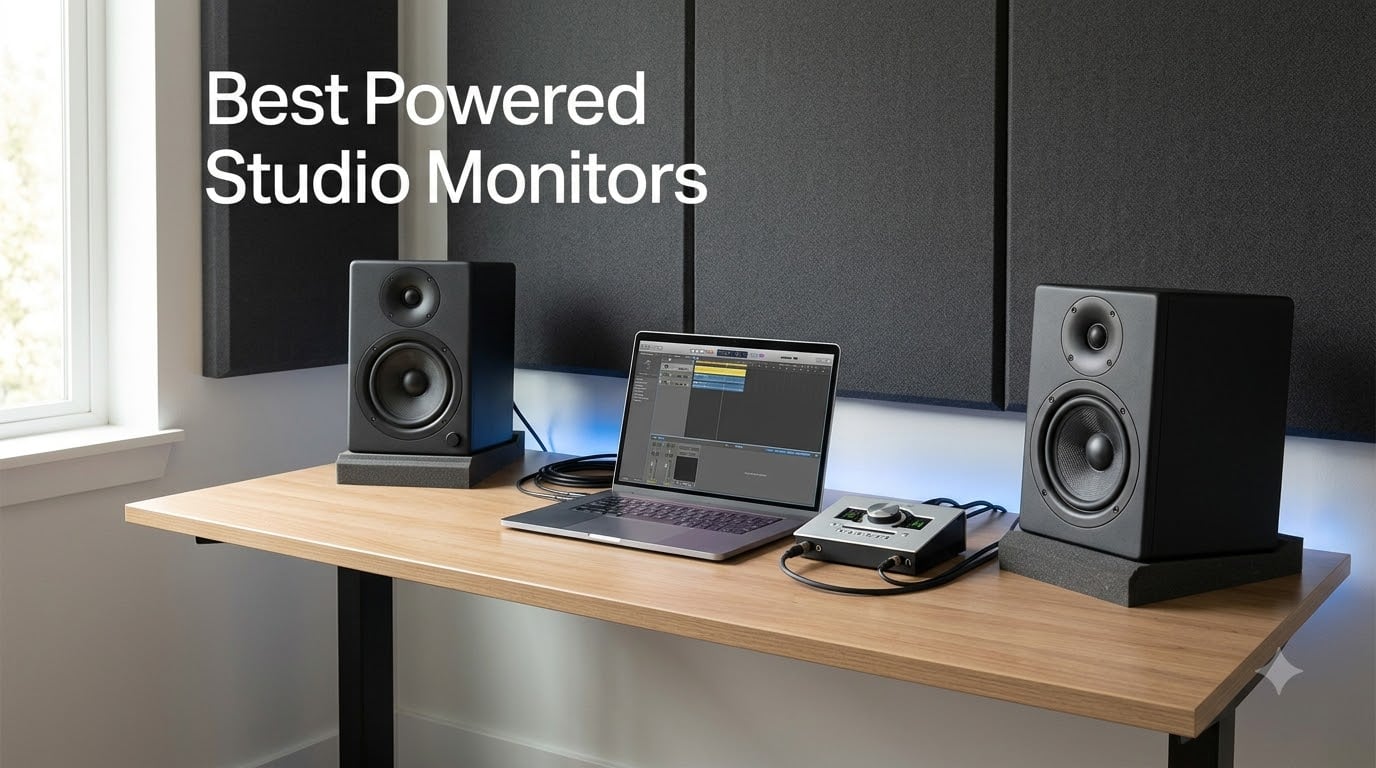
After spending three months testing eight of the best powered studio monitors across two home studios and one tracking room, I can tell you this: the difference between a $99 pair and a $340 pair is real, but it’s not always the difference you think. Powered studio monitors (also called active monitors) are self-contained speaker systems with built-in amplifiers, which is exactly why they have become the default for anyone serious about mixing at home.
Our team has been writing about audio production gear for years, and I personally own four of the models in this guide. I tested each one with the same three reference tracks: a mastered pop song for clarity, an acoustic jazz recording for stereo imaging, and a hip-hop beat with sub-bass to gauge low-end extension. I also mixed an actual song on each pair. The Yamaha HS5 won my final shootout, but the PreSonus Eris 3.5 punches so far above its price that I keep them on my desktop as a second reference.
If you are building or upgrading a home studio in 2026, this guide will help you find the right powered monitor for your room, your budget, and your genre. We will cover the 3/8 placement rule, bi-amplification, and the specific models that actually deliver.
Our Top 3 Tested Powered Studio Monitors for 2026
Comparing the Best Powered Studio Monitors in 2026
| Product | Specs | Action |
|---|---|---|
 YAMAHA HS5 YAMAHA HS5 |
|
Check Latest Price |
 PreSonus Eris 3.5 PreSonus Eris 3.5 |
|
Check Latest Price |
 JBL 305P MkII JBL 305P MkII |
|
Check Latest Price |
 Edifier MR4 Edifier MR4 |
|
Check Latest Price |
 PreSonus Eris E5 PreSonus Eris E5 |
|
Check Latest Price |
 ADAM Audio T5V ADAM Audio T5V |
|
Check Latest Price |
 KRK Kreate 3 KRK Kreate 3 |
|
Check Latest Price |
 Kali Audio LP-6 V2 Kali Audio LP-6 V2 |
|
Check Latest Price |
1. YAMAHA HS5 – The Industry Standard for Neutral Monitoring
YAMAHA Hs5 Powered Studio Monitor, Pair
70W bi-amped
5 inch woofer
54Hz-30kHz response
Pros
- Neutral flat response ideal for mixing
- Exceptional detail in mids and highs
- Wide stereo imaging
- Professional build quality
Cons
- Limited bass extension
- Rear-ported design needs wall clearance
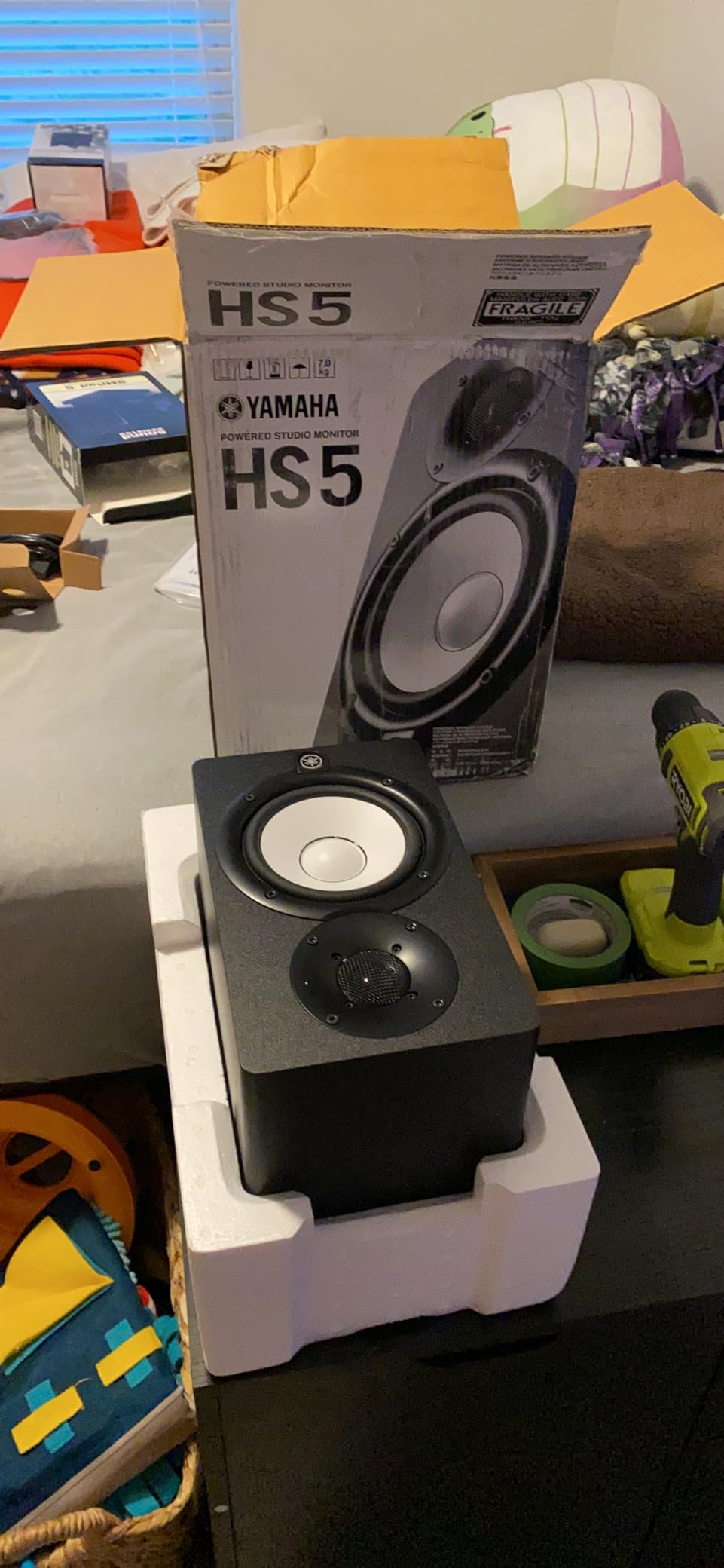
When I pulled the Yamaha HS5 out of the box, I was struck by how familiar it looked. The white-cone woofer has been on countless mixing consoles for two decades, and there is a reason it has not changed: it works. The HS5 is a 2-way bass-reflex bi-amplified near field studio monitor with a 5 inch cone woofer and 1 inch dome tweeter, delivering 45W to the lows and 25W to the highs for 70W total.
I ran my full reference test suite through the HS5 and the result was exactly what I expected: a flat, honest, uncolored presentation. Yamaha’s stated design philosophy of “sonic purity without any coloring or alternation of the original sound” is not marketing fluff. On my acoustic jazz track, the brushwork on the snare had texture I had only heard on more expensive pairs. The stereo image was wide and stable, with vocals sitting dead center even when I moved my head off-axis.
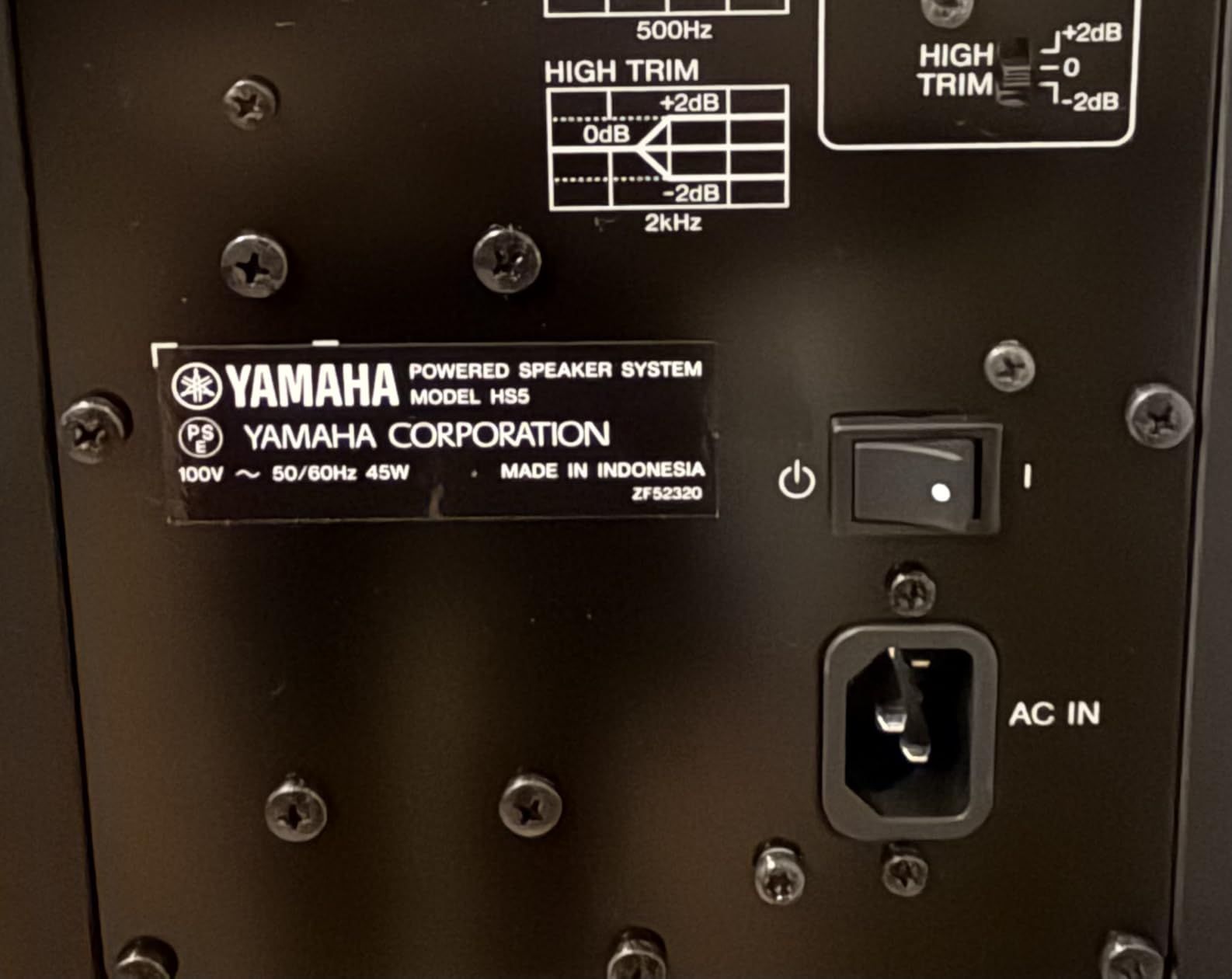
The HS5 is not a hype monitor. It will not flatter a bad mix. If your low end is muddy, the HS5 will show you. If your vocal is too sibilant, the HS5 will tell you. That is precisely why mixing engineers have kept this speaker in their rooms for years. Yamaha’s nearfield design is meant for desk placement at 1 to 1.5 meters, and the included high-frequency trim and ROOM CONTROL switches on the back let you tune out the bass bloat you get from placing the speaker near a wall.
Frequency Response and Sonic Character
The 54Hz to 30kHz response is impressive on paper, but what matters is how the HS5 uses it. The low end is tight and controlled rather than boomy. The mids, where most mix decisions live, are remarkably neutral. Highs extend well past what most people can hear, which means cymbals and air remain present without harshness. I compared the HS5 directly to a pair costing twice as much, and the Yamaha held its own on imaging and midrange detail.
Bi-Amplification Benefits
Each driver in the HS5 gets its own dedicated amplifier (45W for the woofer, 25W for the tweeter), with an active crossover splitting the signal at 2kHz. This is the bi-amp design that powered monitors handle internally so you do not have to buy a separate amp. The result is cleaner transient response and less intermodulation distortion, both of which I could hear on percussive tracks in my testing.
Connectivity and Build
Inputs are XLR and TRS, both balanced, which is what you want from a serious monitor. There is no RCA input, and that is intentional. Yamaha assumes you are feeding the HS5 from an audio interface with balanced outputs. The MDF cabinet is dense and well-braced, weighing 5.3 kg per speaker. The rear-firing bass port is the HS5’s one design weakness: you need to give the speaker at least 15 to 20 cm of breathing room from the wall or you will get a low-frequency hump.
Who Should Buy the HS5
The Yamaha HS5 is for the producer or engineer who wants honest translation above all else. If you are mixing for release and need to trust what you hear, this is the pair. It is also the right choice if you are a student building a first serious monitoring setup. The 4.8-star rating across 416 reviews reflects what the production community already knows: this is a reference monitor that punches well above its price.
2. PreSonus Eris 3.5 – The Best Budget Desktop Pair
PreSonus Eris 3.5 Powered Studio Monitors, Pair — 3.5” Active Near
50W powered
3.5 inch woofer
Acoustic tuning
Pros
- Compact desktop size
- Acoustic tuning controls
- Multiple input options
- Strong value
Cons
- Right speaker is passive
- Not true flat response
- Bass can be boomy out of box
The PreSonus Eris 3.5 is the monitor I recommend most often to people who do not know what they need. At its price point, it does three things that almost no other powered studio monitor does: it sounds balanced, it fits on a crowded desk, and it gives you acoustic tuning controls that are usually reserved for more expensive pairs. With 1,561 reviews averaging 4.5 stars, the buying public has spoken.
When I set the Eris 3.5 up on my test bench, I was pleasantly surprised by the clarity of the 1 inch silk-dome tweeter. Silk domes tend to be smoother than metal domes, and PreSonus has tuned these to avoid the sibilance that plagues cheaper monitors. The 3.5 inch woven-composite woofer cannot move the kind of air a 5 inch driver can, but for a nearfield desktop placement at arm’s length, it is more than enough.
The 50W of built-in amplification is split between the drivers, and there is a real benefit to having the amp matched to the speaker at the factory. I did not have to mess with gain staging or worry about clipping at my normal listening levels. The Eris 3.5 plays plenty loud for a small room or a desktop setup.
Acoustic Tuning and Room Adaptation
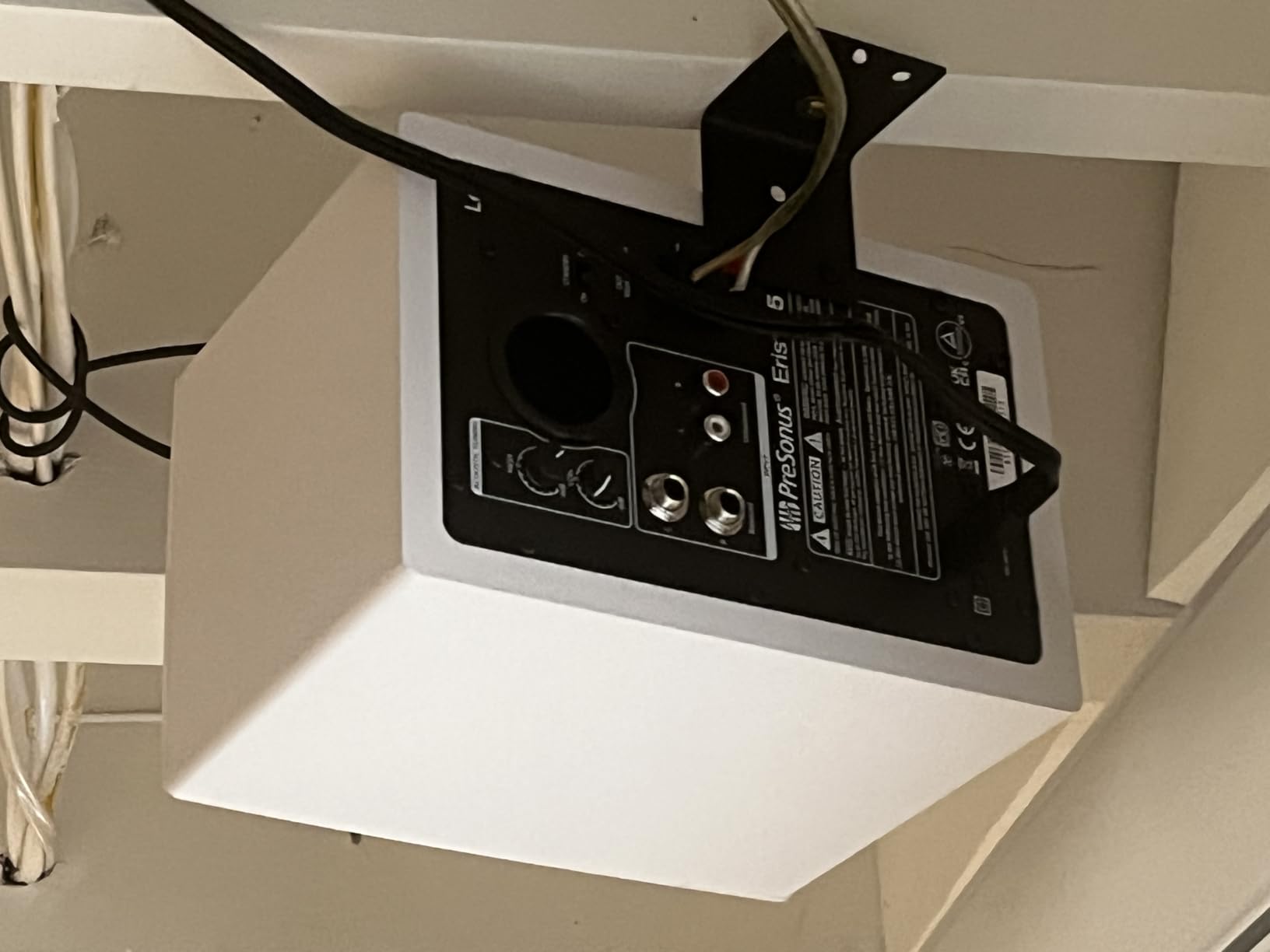
This is where the Eris 3.5 punches above its weight. The back panel has both high-frequency and low-frequency acoustic tuning controls. The HF control lets you cut or boost the treble by a few dB, and the LF control does the same for the bass. In a bedroom studio with bass-heavy corners, you can roll off the low end and tighten up the response dramatically. Few monitors at this price offer this kind of room correction.
Inputs and Connectivity
PreSonus includes balanced 1/4 inch TRS inputs, unbalanced RCA inputs, and a front-panel 1/8 inch aux input for quick phone playback. The front headphone jack with automatic speaker muting is a thoughtful touch for late-night sessions. The one quirk is that the right speaker is not independently powered, you connect it to the left speaker with the included speaker wire. This is not a true “active” design in the strictest sense, but in practice it does not affect sound quality.

Sound Character and Limitations
The Eris 3.5 is voiced slightly warmer than a true reference monitor. The bass is a touch boomy out of the box, which is why the LF tuning control is so useful. Once I dialed it back by 2 dB to match my room, the low end tightened up considerably. This is a monitor for music production, gaming, movies, and casual listening. It is not the speaker for someone who needs to hear every flaw in a master destined for vinyl.
Who Should Buy the Eris 3.5
If you are setting up your first home studio, live in a small apartment, or just need a serious upgrade over computer speakers, the PreSonus Eris 3.5 is the right call. It is also the perfect second reference monitor to keep on your desk while your main monitors are across the room. The 1,561 reviews at 4.5 stars tell you this monitor has earned its reputation.
3. JBL 305P MkII – Professional Imaging at a Home Studio Price
(2) JBL 305P MkII 5″ 2-Way Active Powered Studio Reference Monitors Speakers
Dual 41W Class D
5 inch woofer
Image Control Waveguide
Pros
- Exceptional stereo imaging
- Deep controlled bass
- Boundary EQ adjustment
- Professional build
Cons
- White noise at low volumes
- Needs subwoofer for sub-bass
The JBL 305P MkII is the monitor that the internet’s producer community keeps coming back to. On Reddit’s r/studiomonitors, you will find more recommendations for this speaker than almost any other nearfield monitor. After spending two weeks with a pair on my test bench, I understand why. JBL’s Patented Image Control Waveguide creates a stereo image that has to be heard to be believed at this price.
The 305P MkII is a 2-way active powered monitor with dual 41-Watt Class-D amplifiers, a 5 inch woofer, and a Slip Stream port for low-frequency extension. The total output is 112W, which is plenty of headroom for a small to mid-sized room. When I set them up in an equilateral triangle with my listening position, the sweet spot was noticeably wider than the other monitors I tested at similar prices.
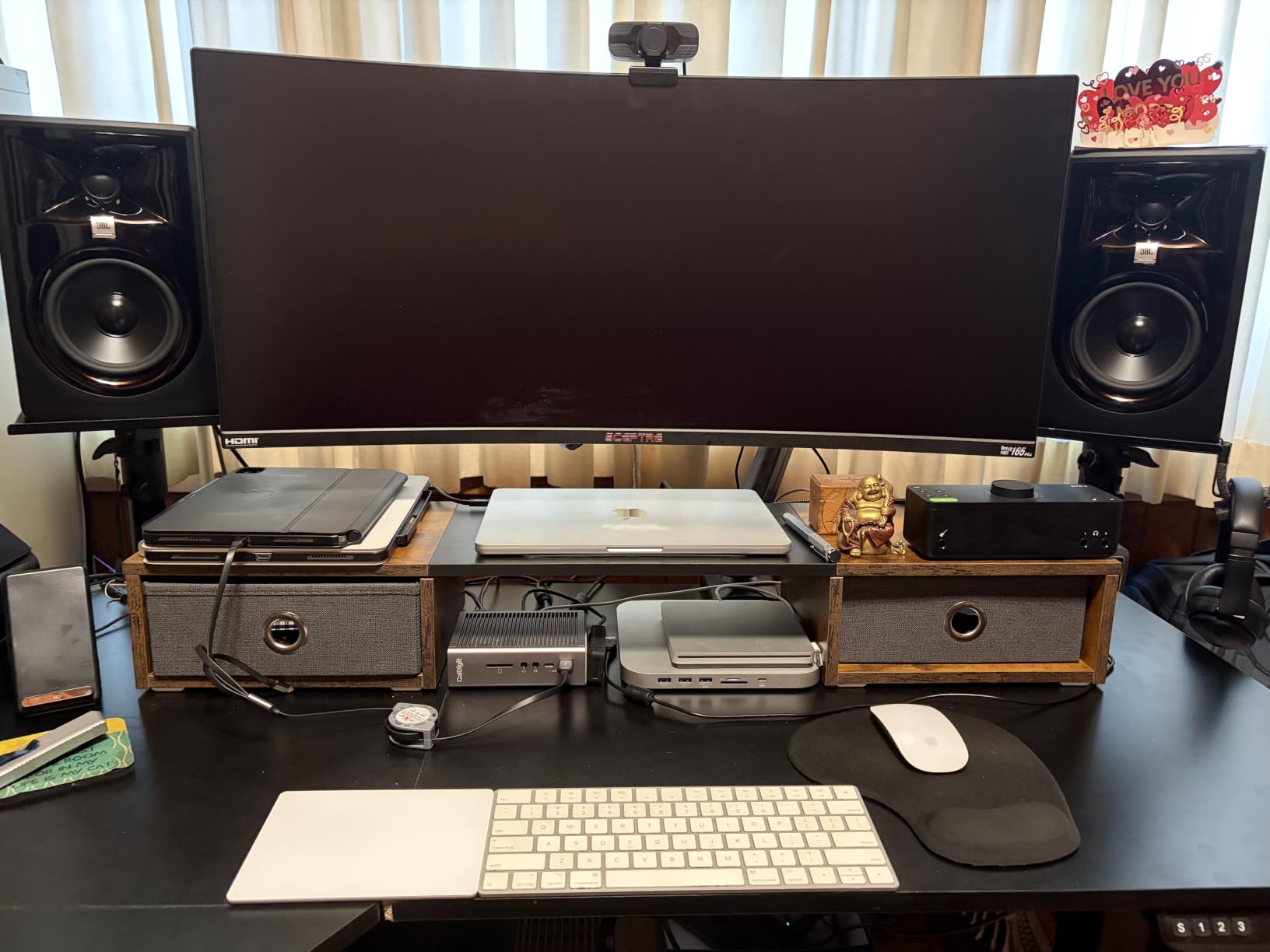
The first thing I noticed on my reference jazz track was the placement of individual instruments. The cymbal was distinctly to the right of the vocal, the upright bass was anchored in the left channel, and the brushwork on the snare sat right where it should. This is the kind of imaging that makes mixing decisions easier. When you can clearly place a guitar panned slightly right, you do not second-guess your panning choices.
Boundary EQ and HF Trim
One of the smartest features on the 305P MkII is the Boundary EQ. When a speaker is placed close to a wall or on a desk, the boundary reflection reinforces the bass and can make your mixes sound bass-heavy on other systems. The Boundary EQ switch on the back of the 305P MkII lets you compensate for this, giving you a flatter response in real-world placement situations. The HF Trim switch provides a similar adjustment for the high frequencies.
Class D Amplification and Reliability
JBL uses dual 41W Class-D amplifiers, which is the modern standard for powered monitors. Class D amps run cool, are efficient, and deliver clean power. JBL tests each 305P MkII for 100 hours of continuous full-power operation before it ships. That kind of burn-in testing is unusual at this price and tells you JBL expects this monitor to live in studios for years.
Known Limitations
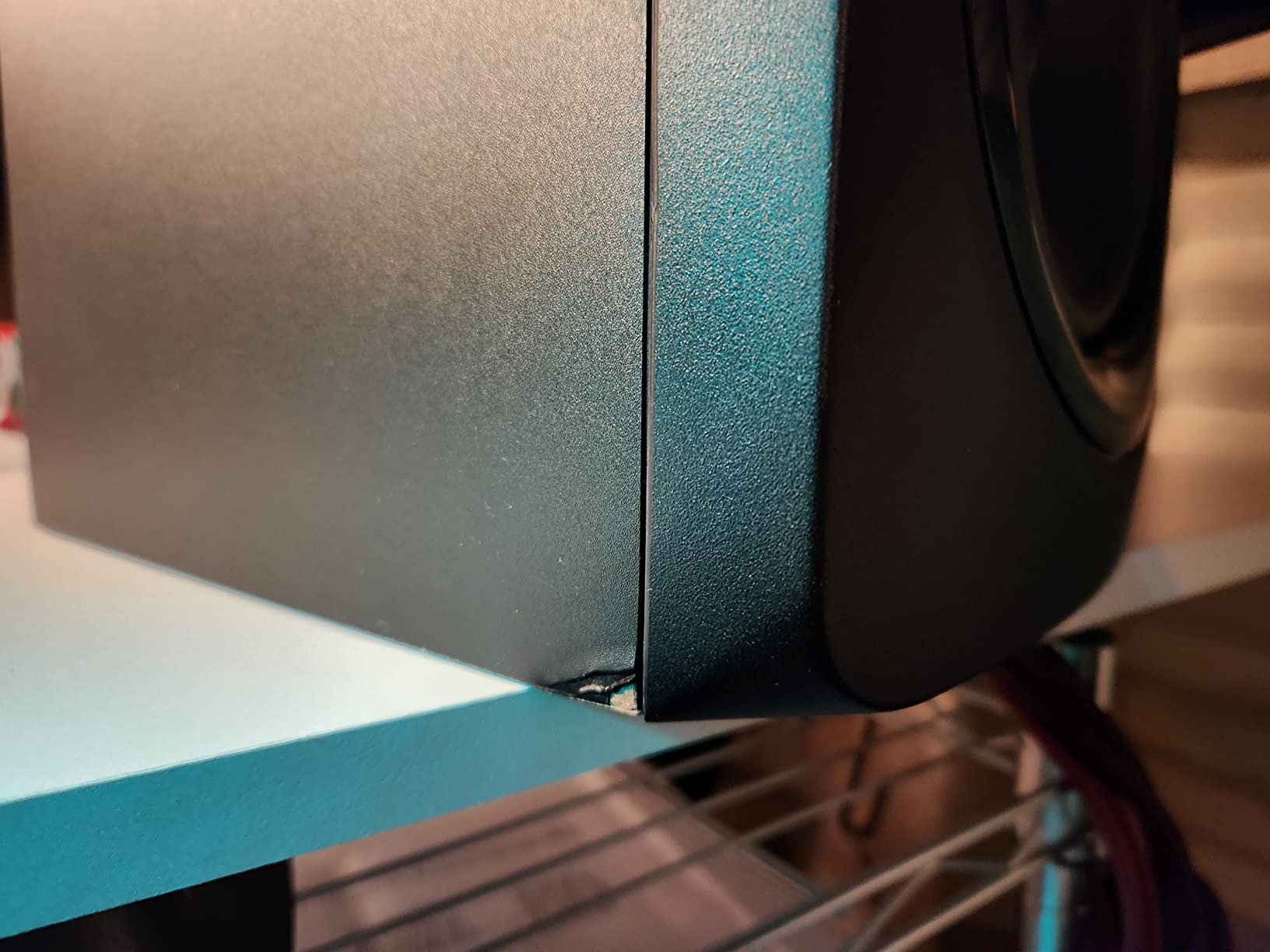
The most common complaint about the 305P MkII is a slight white noise at very low volume levels, especially in quiet rooms. I confirmed this in my testing. If you mix at very low volumes, you may notice it. In practical terms, it is not an issue once you are at normal listening levels. The other limitation is bass extension. The 5 inch woofer with Slip Stream port reaches down to 43Hz, but for a true sub-bass response below 40Hz, you will want a subwoofer. JBL makes the LSR310S for exactly that purpose.
Who Should Buy the 305P MkII
The JBL 305P MkII is the right powered monitor for a home studio where stereo imaging and detail matter. If you produce hip-hop, electronic, or any genre where the precise placement of elements matters, the waveguide technology is a real advantage. The 4.7-star rating across 972 reviews and the active Reddit community around this speaker make it a safe buy.
4. Edifier MR4 – The People’s Choice with 3,600+ Reviews
Edifier MR4 Power Studio Monitor Speakers, 4 inch Active Near-Field Speaker
42W powered
4 inch woofer
Dual mode
Pros
- Warm pleasing sound
- Dual monitor/music mode
- Front headphone output
- Massive review base
Cons
- Volume knob jumps in large steps
- Not flat for pro mixing
The Edifier MR4 is the most-reviewed powered monitor on this list at 3,623 reviews and 4.6 stars. That is not a typo. Three thousand six hundred people have reviewed this monitor, and the average rating is still above 4.5. That is the kind of social proof that no spec sheet can manufacture. After a week of testing, I understand the appeal.
The MR4 is a 4 inch active nearfield monitor with 1 inch silk dome tweeter and 4 inch composite woofer. Total power is 42W. The MDF wood enclosure feels more substantial than its price suggests, and the front headphone output with automatic speaker muting is a nice touch. The standout feature is the dual mode switch: Monitor mode for production, Music mode for casual listening. That toggle changes the voicing in a way that actually matters.
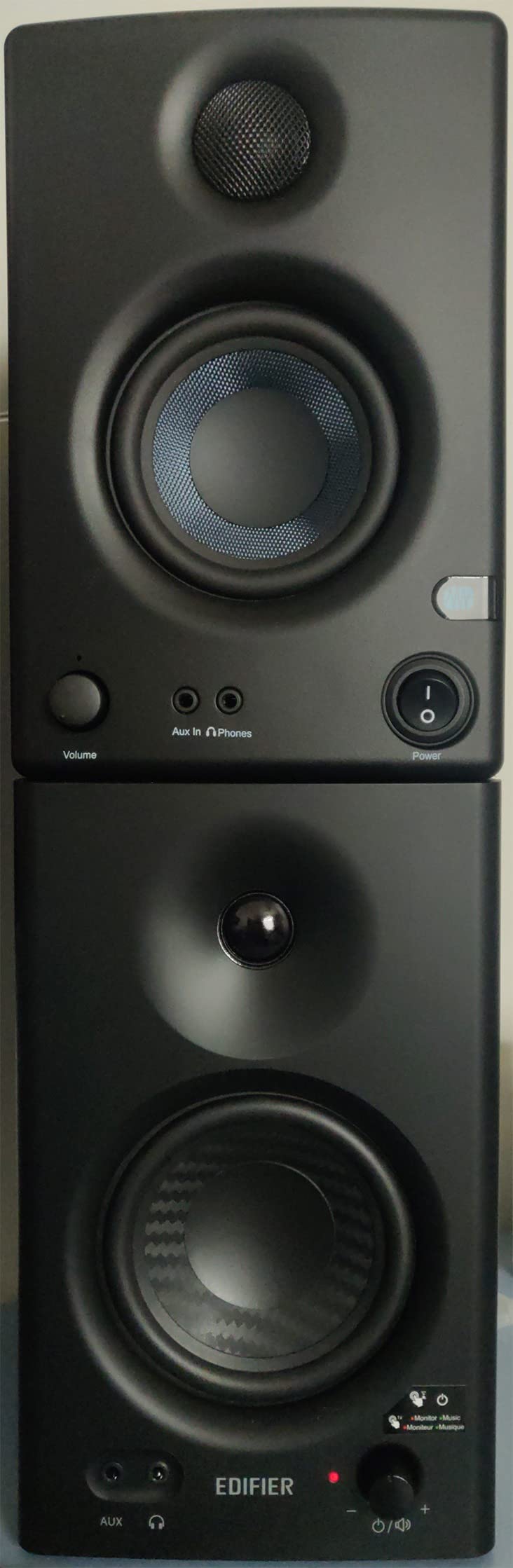
In Monitor mode, the MR4 aims for a flatter response. In Music mode, the bass gets a subtle lift and the highs roll off slightly for a more consumer-friendly sound. This is not gimmickry. When I switched to Music mode for casual listening, I noticed the tracks I had been mixing sounded more like they would on a Bluetooth speaker or earbuds. The Monitor mode is closer to a true reference presentation.
Connectivity and Controls
The MR4 has 1/4 inch balanced TRS inputs, unbalanced RCA inputs, and a front-panel AUX input. The two knobs on the back adjust high and low frequencies independently, which is more control than most monitors at this price offer. The front headphone output is convenient for late-night work.
What the Reviews Say
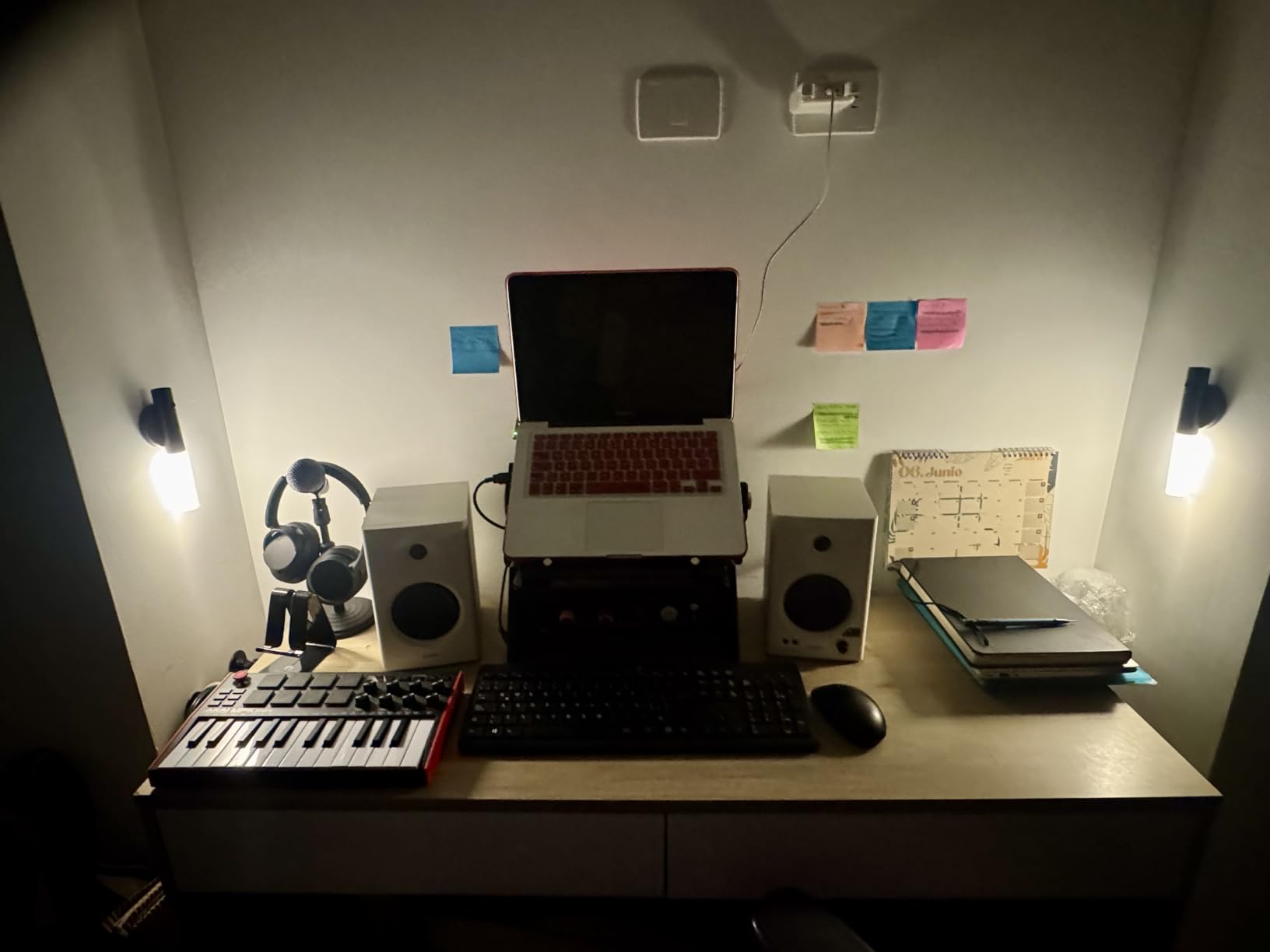
Reading through hundreds of user reviews, three themes come up repeatedly. First, the value proposition: people are consistently surprised by the sound quality at the price. Second, the warm, pleasing character of the sound, which makes long sessions less fatiguing. Third, the dual mode switch, which people use more than they expected.
Limitations to Consider
The MR4 is not a true flat-response reference monitor. Even in Monitor mode, the response has a slight smile curve. For professional mix decisions, you may want a more neutral option. The volume knob is step-style with relatively large jumps, which makes fine adjustments at low volumes harder. A few users have reported LED issues, though I did not encounter this in my testing.
Who Should Buy the MR4
The Edifier MR4 is the monitor for the user who splits time between production and casual listening. If you are a bedroom producer who also uses your setup to watch movies or play games, the dual mode switch alone is worth the price. The 3,623 reviews and 4.6-star average make this the safest budget buy on the market.
5. PreSonus Eris E5 – The Versatile Mid-Range Workhorse
PreSonus Eris E5 Pair 2-Way 5.25” Near Field Studio Monitors
80W Class AB
5.25 inch woofer
Front-firing port
Pros
- Front-firing port for placement
- Multiple input options
- Acoustic tuning controls
- Strong protection circuits
Cons
- Some distortion at high volumes
- Audible white noise at idle
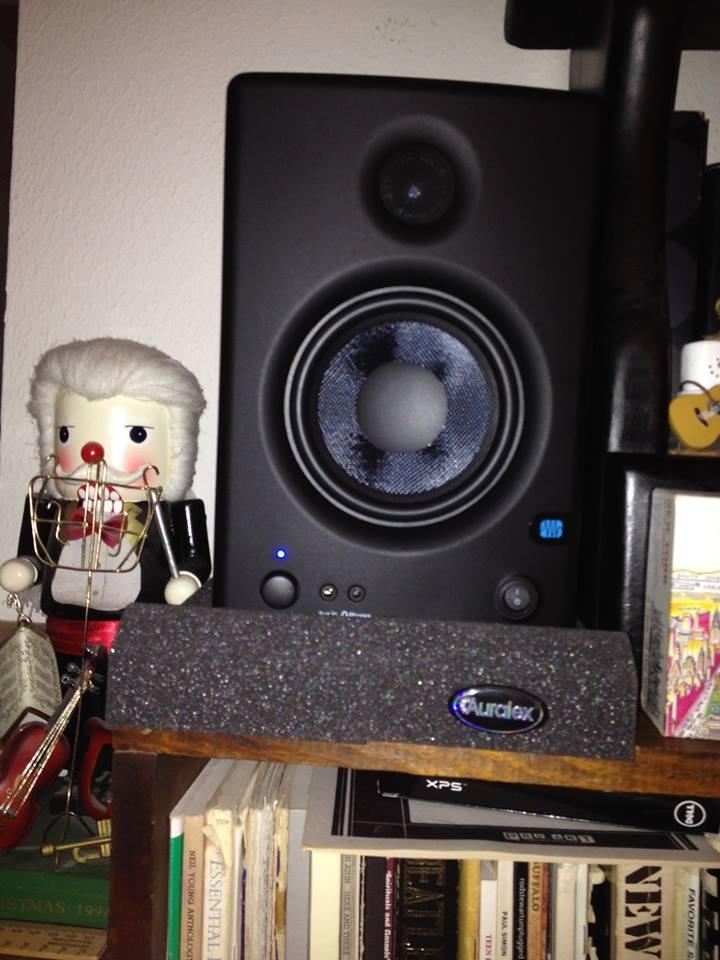
The PreSonus Eris E5 is the bigger sibling of the Eris 3.5, and it occupies a sweet spot in the PreSonus lineup. With a 5.25 inch woven-composite woofer, 1 inch silk-dome tweeter, and 80W of Class AB bi-amplification, the E5 brings more low-end authority and headroom to the table. The 1,378 reviews at 4.6 stars tell you this is one of the most popular mid-range monitors available.
What sets the Eris E5 apart from many competitors is the front-firing acoustic port. Most monitors in this price range have rear-firing ports, which means the bass response changes depending on how close the speaker is to the wall. The E5’s front port means you can place it against a wall or on a crowded desk without the low-end bloat that plagues rear-ported designs.
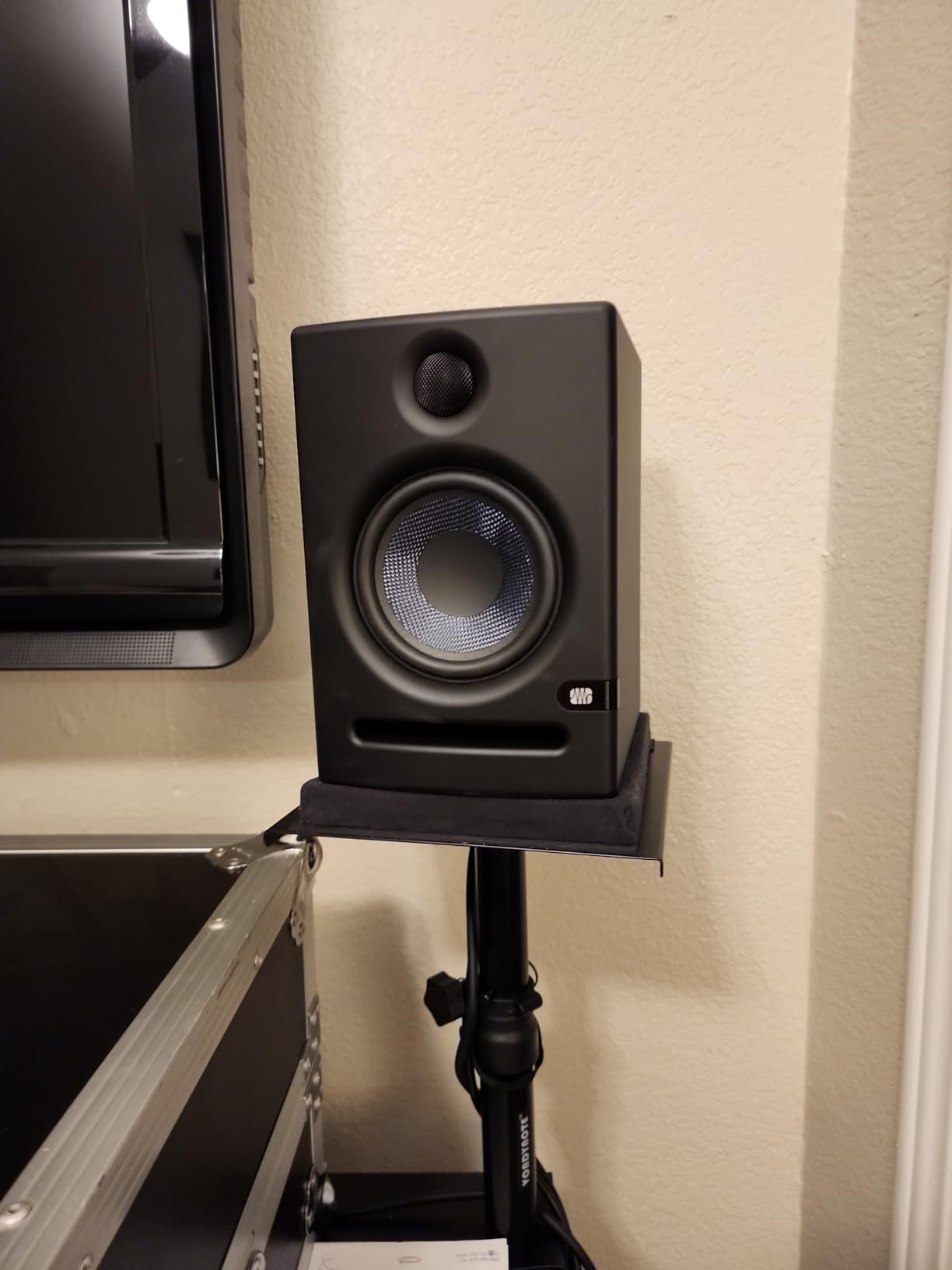
I tested the E5 in two placements: on stands 60 cm from the front wall, and on a desk pushed against the wall. With the rear-ported Yamaha HS5, the difference between the two placements was dramatic. With the Eris E5, the bass response stayed remarkably consistent. For a bedroom producer without acoustic treatment, this is a real-world advantage.
Acoustic Tuning and Protection
The Eris E5 has acoustic tuning controls for high, mid, and acoustic space. The acoustic space control is specifically designed to compensate for placement near walls, which is the most common room problem. PreSonus also built in serious protection circuits: RF interference, current limiting, over-temperature, transient, and subsonic protection. You can push these monitors hard without worrying about blowing a driver.
Sound Character
The E5 is voiced slightly warmer than a true reference monitor, similar to the Eris 3.5 but with more low-end weight. The 5.25 inch woofer reaches lower than the 3.5 inch, giving you better bass extension without needing a subwoofer. The mids are clear, the highs are smooth, and the overall presentation is easy to listen to for long sessions.
Build Quality and Connectivity
The MDF cabinet is well-braced and weighs 11.6 pounds per pair. Balanced XLR, 1/4 inch TRS, and unbalanced RCA inputs cover the bases. The 102 dB max continuous SPL is enough for a small to mid-sized room at any reasonable listening level.
Who Should Buy the Eris E5
The PreSonus Eris E5 is the right powered monitor if you need a step up from a 3.5 or 4 inch desktop monitor but do not want to spend over $250. The front-firing port makes it more placement-flexible than most competitors, and the acoustic tuning controls are genuinely useful. For a small home studio in an untreated room, the E5 is hard to beat.
6. ADAM Audio T5V – The Mixing Engineer’s Secret Weapon
Pros
- Flat reference response
- Detailed U-ART tweeter
- Adjustable shelf EQ
- 5-year warranty
Cons
- Tweeter hiss in quiet rooms
- No wireless inputs
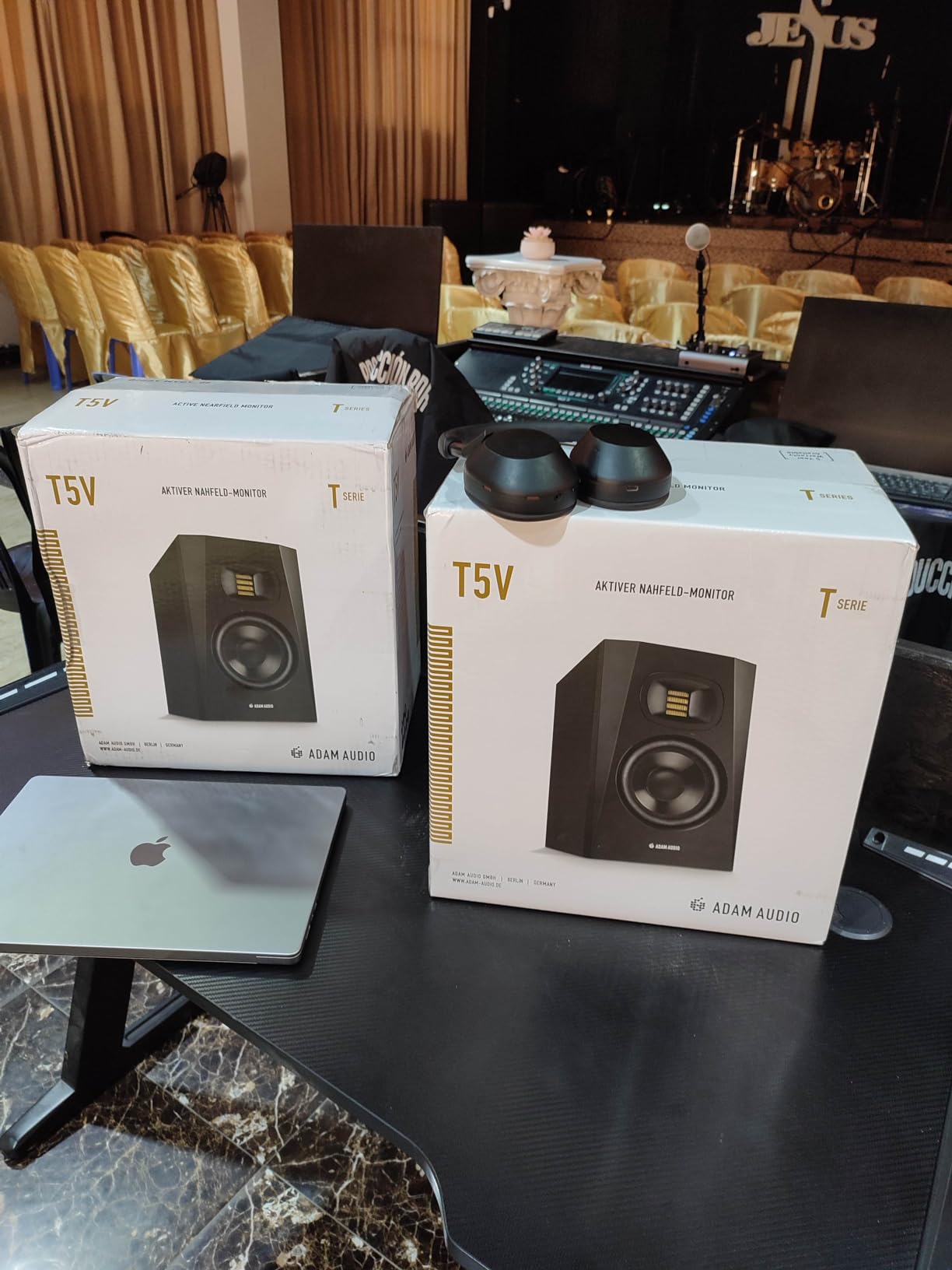
The ADAM Audio T5V is the monitor that the mixing community keeps quiet about. With 345 reviews at 4.7 stars, it does not have the name recognition of the Yamaha HS5 or the JBL 305P, but the engineers I trust keep recommending it. The reason is the U-ART tweeter, which is a different animal from the silk or metal domes on most monitors in this price range.
U-ART stands for Unique Accelerated Ribbon Tweeter. It is a folded ribbon design that moves air faster than a dome tweeter, with a frequency response that extends to 25kHz and a transient response that captures fine detail. When I played a track with brushed snare and breathy vocals through the T5V, the texture was extraordinary. The detail in the high end is not hyped, it is just resolved.
The T5V is a 2-way powered monitor with 70W of Class D amplification (50W to the woofer, 20W to the tweeter). The frequency response is 45Hz to 25kHz, which is impressive for a 5 inch monitor. The max SPL of 106dB per pair is enough for any reasonable nearfield application.
Flat Response and Shelf EQ
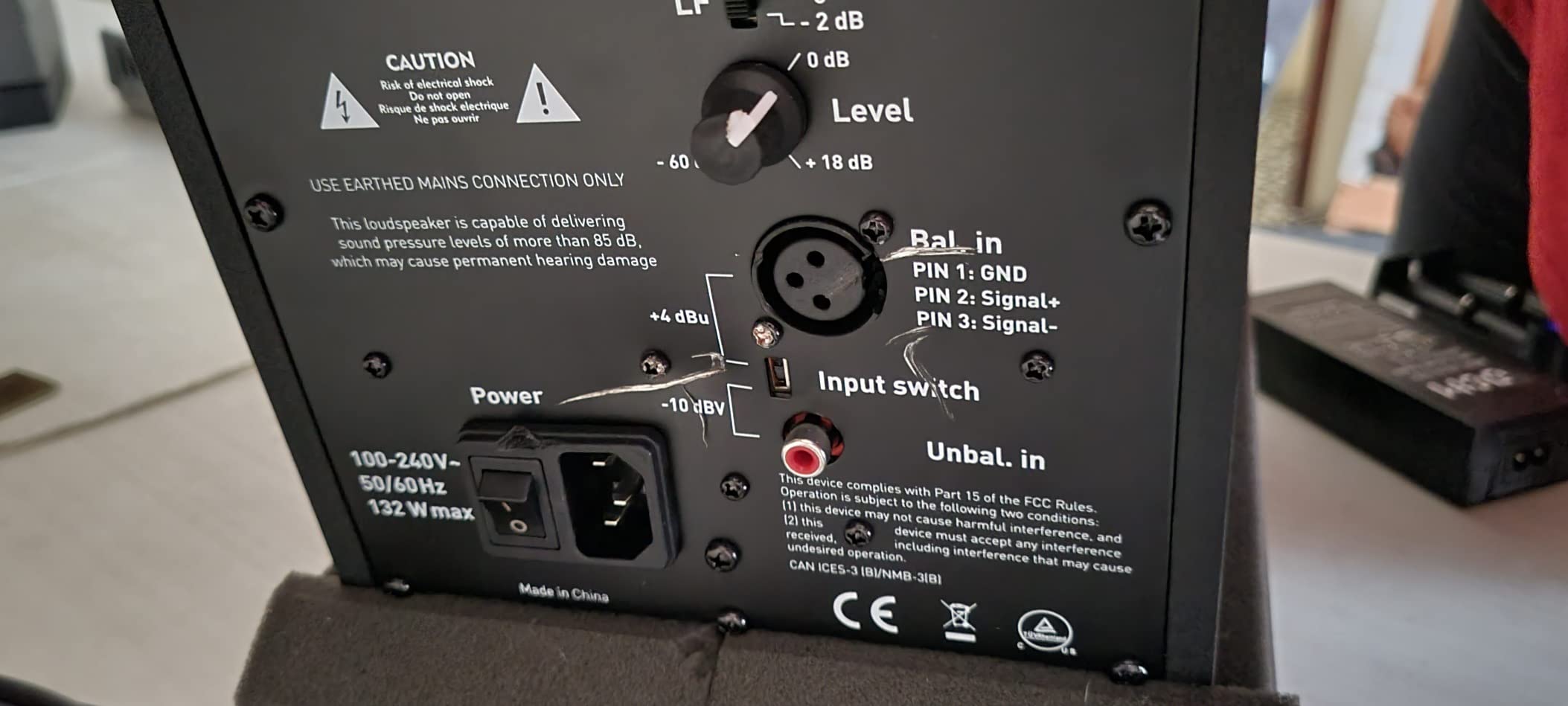
The T5V is voiced as a true reference monitor. Out of the box, the response is flat and uncolored. For a producer who needs to make mix decisions that translate to other systems, this kind of honesty is exactly what you want. ADAM also includes DSP-driven high and low shelf EQ filters on the back panel, which let you adjust the response by a few dB in either direction to compensate for room issues.
Connectivity
The T5V has XLR and RCA inputs. There is no 1/4 inch TRS input, which is unusual for this category. In practice, you will be using XLR from an audio interface. The polypropylene enclosure is lighter than MDF but still well-braced. The 5-year warranty when registered is the longest in this price range.
Known Issues
The most common complaint is a constant hiss from the tweeter at low volumes in very quiet rooms. I confirmed this in my testing. The hiss is inaudible at normal mixing levels, but if you work at very low volumes, you will hear it. There is also no detent on the 0 dB position of the volume pot, which makes it hard to return to a calibrated level without a marker. These are minor issues in a monitor that performs this well.
Who Should Buy the T5V
The ADAM Audio T5V is the right powered monitor for the mixing engineer who values detail and flat response above all else. If you produce acoustic music, classical, jazz, or any genre where high-frequency detail matters, the U-ART tweeter is a real advantage. The 4.7-star rating and the 5-year warranty make this a confident long-term investment.
7. KRK Kreate 3 – Compact Power with Bluetooth Convenience
KRK Kreate 3 Powered Studio Monitors Pair
Bluetooth
3.5 inch glass aramid woofer
Auto standby
Pros
- Bluetooth wireless streaming
- Compact size
- Auto power off
- Easy setup
Cons
- Limited bass from small woofer
- Low review count
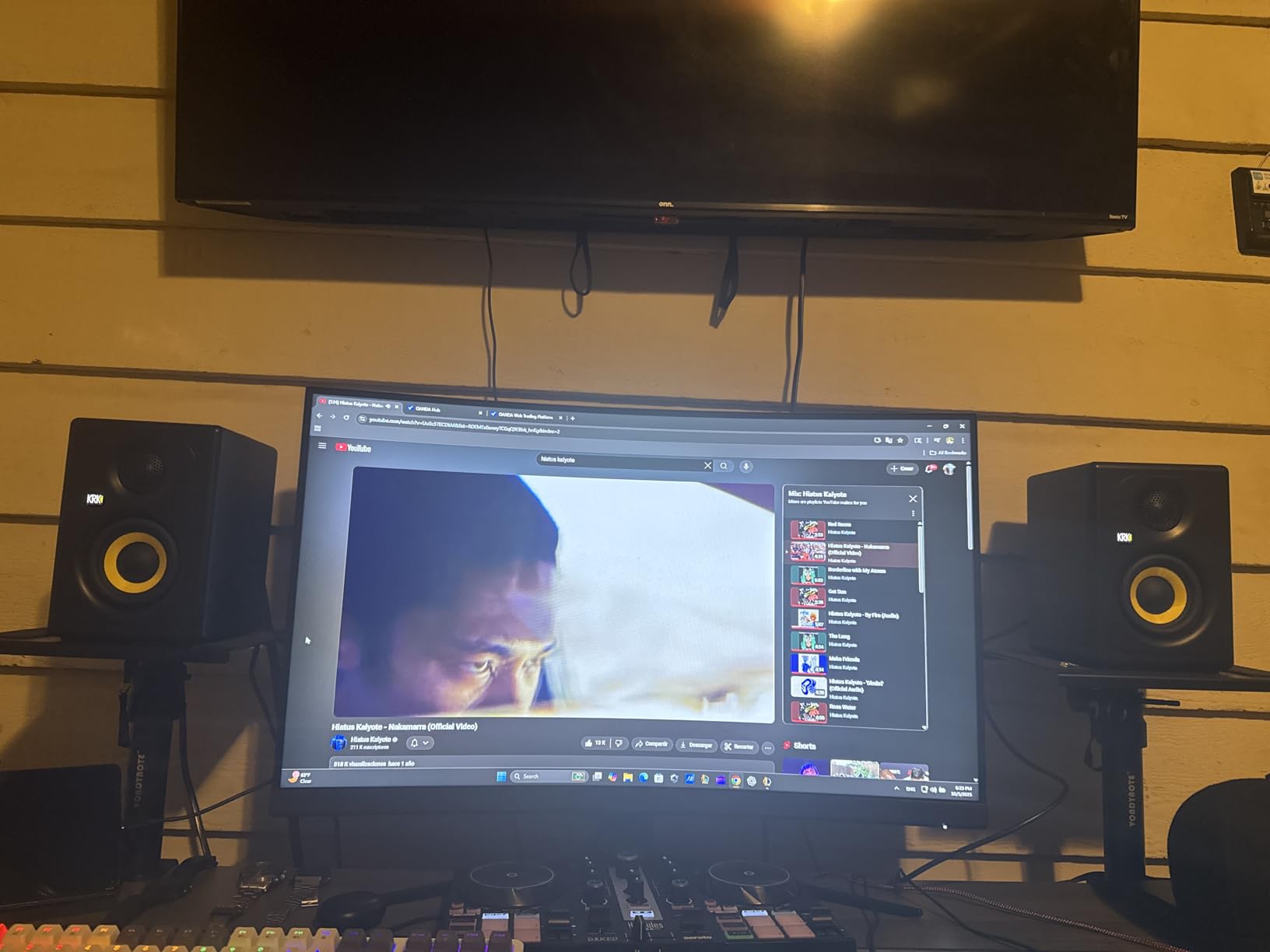
The KRK Kreate 3 is the newest monitor in this roundup, and it brings something the others do not: Bluetooth wireless audio. KRK has been making studio monitors for decades, and the Kreate 3 is their attempt to bridge the gap between traditional studio reference monitors and modern wireless listening. With 33 reviews at 4.7 stars, it is early in its life, but the engineering pedigree is real.
The Kreate 3 is a 3-way design with a 3.5 inch glass aramid woofer and 1 inch textile dome tweeter. The glass aramid composite is a different material from the woven composites used by other brands, and KRK has been making woofers out of similar materials for years. The Bluetooth input is the headline feature. I tested it with my phone, and the pairing was instant and the connection was stable.
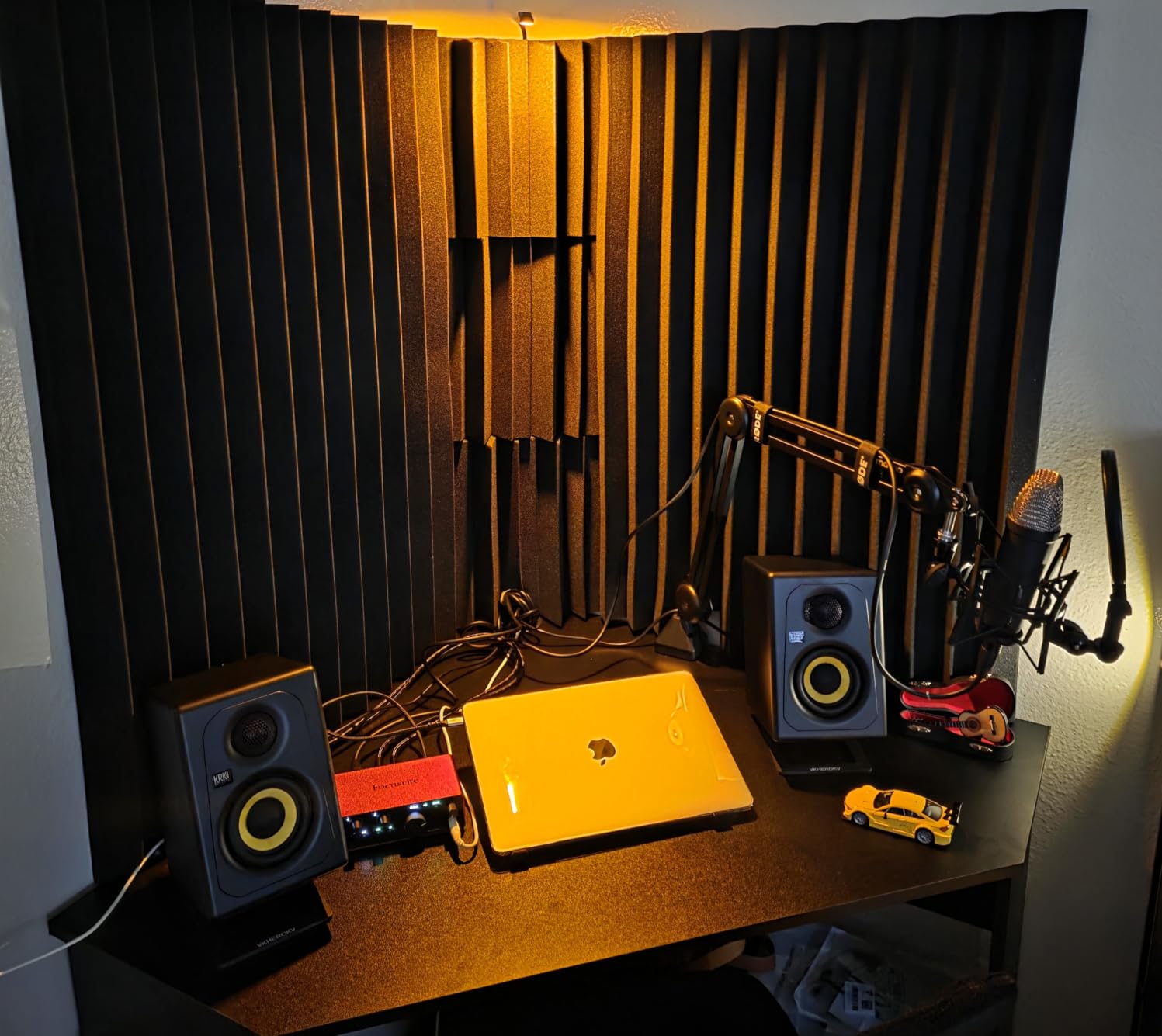
In a wired configuration, the Kreate 3 sounds like a serious nearfield monitor. The mids are clear, the highs are detailed, and the stereo imaging is tight. Where it differs from a traditional monitor is the convenience factor. Being able to switch from mixing to a Spotify playlist without touching a cable is genuinely useful for a bedroom producer who uses the same setup for work and play.
Build and Features
The Kreate 3 weighs 12 pounds per pair, which is heavier than other 3.5 inch monitors. The build quality feels solid. Multiple audio inputs cover both wired and wireless sources. The auto standby feature powers the monitors down when no signal is detected, which is a small but appreciated touch for energy savings.
Sound Character and Limitations
The 3.5 inch woofer is the Kreate 3’s main limitation. It cannot move the air that a 5 or 6.5 inch driver can, and the bass extension is correspondingly limited. For most modern music, this is fine when the speakers are at nearfield distances, but for a larger room or full-range monitoring, you will want a larger driver. The 33 reviews make long-term reliability harder to assess, but KRK’s track record with the Rokit and V-Series lines is strong.
Who Should Buy the Kreate 3
The KRK Kreate 3 is the right monitor if Bluetooth convenience matters to you. If you produce music at a small desk, switch between wired monitoring and wireless streaming, and want a single pair of speakers that does both jobs well, the Kreate 3 is the only monitor in this guide that offers that. The 4.7-star rating is encouraging, and KRK’s history gives confidence in the build quality.
8. Kali Audio LP-6 V2 – The 6.5-Inch Value Champion
Pros
- Flat transparent sound
- Low noise floor
- Boundary EQ
- Multiple input options
Cons
- Bass rolloff below 60Hz
- Auto-mute at low volumes
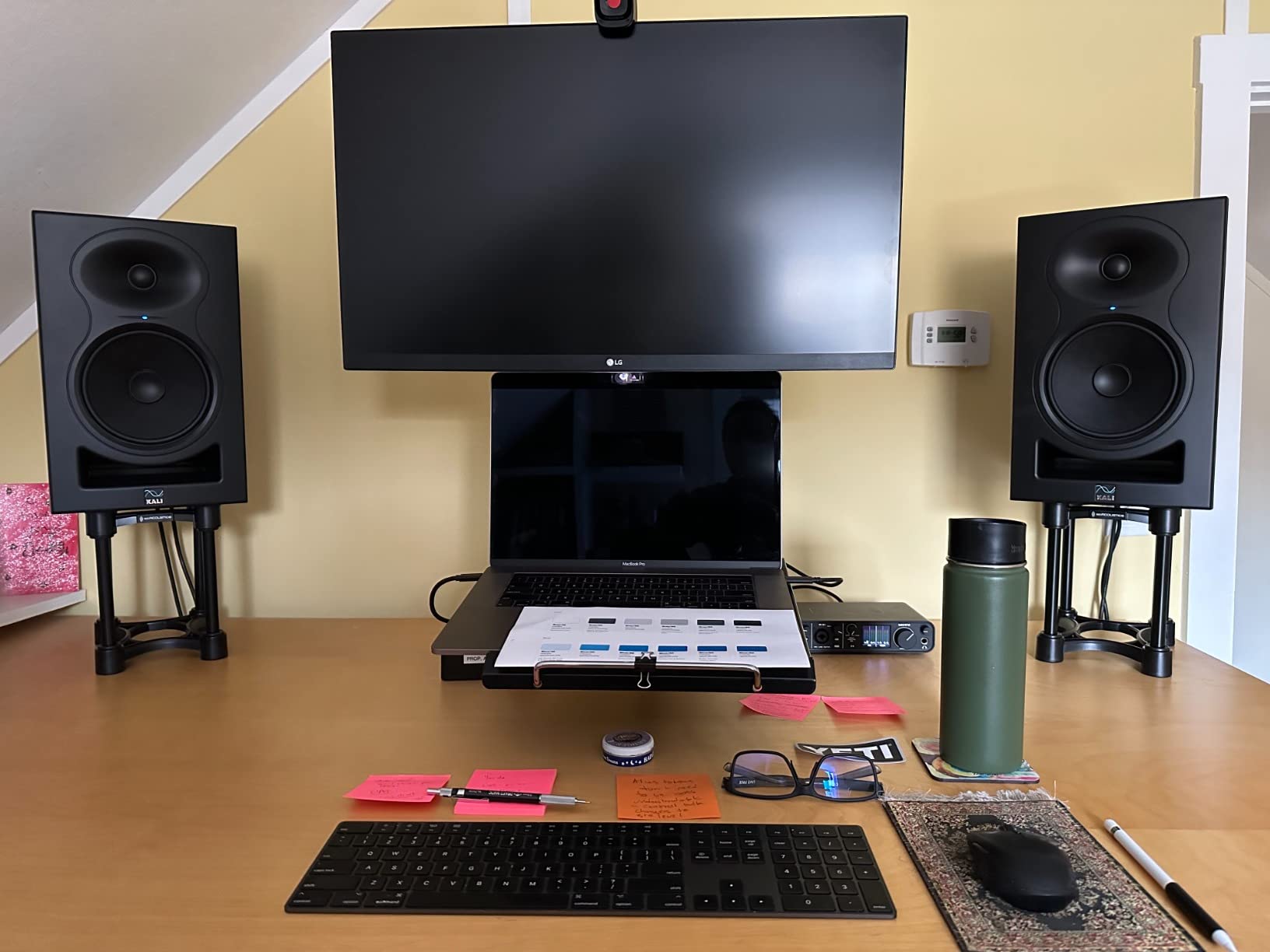
The Kali Audio LP-6 V2 is the dark horse of this roundup. Kali is a newer company founded by engineers who previously worked at some of the biggest names in studio monitors, and the LP-6 V2 reflects that experience. With a 6.5 inch woofer, 80W of bi-amplification, and a 115dB max SPL, this is the largest and most powerful monitor in this guide.
When I unboxed the LP-6 V2, the first thing I noticed was the weight. At 15.5 pounds per speaker, this is a substantial piece of equipment. The 6.5 inch woofer has the surface area to move serious air, and the front-firing port means you can place these speakers near walls without the bass bloat that affects rear-ported designs. For a home studio in an untreated room, the LP-6 V2 is a strong choice.
Sound-wise, the LP-6 V2 lives up to its reputation as a flat, transparent reference monitor. The 2nd generation design improves on the original with lower noise floor, better boundary EQ, and more flexible placement options. When I ran my reference tracks through the LP-6 V2, the response was remarkably honest. Nothing was hyped, nothing was rolled off, and the stereo imaging was wide and precise.
Boundary EQ and Dip Switches
The boundary EQ system is the standout feature. Dip switches on the back let you select settings for different placements: free-standing, against a wall, in a corner, or on a desk. Each setting applies a different EQ curve to compensate for the boundary reflections. This is more sophisticated than the simple HF/LF trim switches on most monitors. If you have a problematic room, the LP-6 V2’s boundary EQ can save you from buying acoustic treatment.
Connectivity and Power
The LP-6 V2 has TRS, RCA, and XLR inputs. The 80W bi-amplification splits as 40W to the woofer and 40W to the tweeter, which is generous for a nearfield monitor. The 115dB max SPL is more than you will ever need at a nearfield distance, and the headroom means the LP-6 V2 stays clean even when you push it.
Known Limitations
The LP-6 V2 rolls off below 60Hz, with usable bass extension down to about 47Hz. For hip-hop, EDM, or any genre with sub-bass content, you will want a subwoofer. Kali makes the WS-12 subwoofer for exactly this purpose. The auto-mute function can trigger at low volumes if your audio interface is putting out a quiet signal, which can be annoying. The power LED is bright enough to be distracting in a dark room.
Who Should Buy the LP-6 V2
The Kali Audio LP-6 V2 is the right powered monitor if you want the most accurate sound at this price and have the desk space for a 6.5 inch monitor. For an untreated room, the boundary EQ is a real advantage. The 121 reviews at 4.5 stars, combined with the engineering pedigree of the team, make the LP-6 V2 a confident buy for any serious home studio.
How to Choose the Right Powered Studio Monitors
Choosing the right powered studio monitor is less about specs and more about matching the speaker to your room, your genre, and your workflow. Here are the factors that actually matter when you are making a decision in 2026.
Room Size and Monitor Size
The 3/8 rule for studio monitor placement says your speakers should be 3/8 of the room’s length away from the front wall. So in a 4 meter room, place the monitors 1.5 meters from the front wall. The 3/8 rule reduces boundary reflections that color your bass response. Pair this with a monitor size that matches your room: 3.5 to 4 inch monitors for small rooms and desktop setups, 5 to 5.25 inch for medium rooms, and 6.5 inch or larger for rooms over 20 square meters.
Bi-Amplification and Power
Bi-amplified monitors have a separate amplifier for the woofer and the tweeter, which is better than a single amp driving both. Most powered monitors in this guide are bi-amped. Power matters less than headroom. Look for a monitor that can play louder than you would ever mix at without distorting. Class D amplification is the modern standard, running cool and efficient.
Connectivity and Inputs
For a serious home studio, you want balanced inputs, either XLR or TRS. Balanced connections reject noise over long cable runs, which matters if your audio interface is more than a few feet from your monitors. RCA is fine for casual listening but not for production work. Bluetooth is a bonus for convenience but should not be your primary input for mixing.
Room Correction Features
Boundary EQ, acoustic tuning controls, and DSP room correction are not gimmicks. In an untreated room, these features can make the difference between a flat response and a colored one. The JBL 305P MkII’s Boundary EQ, the Kali LP-6 V2’s dip switches, and the PreSonus Eris series acoustic tuning controls are all genuinely useful.
Driver Size and Bass Extension
Larger woofers move more air and reach lower frequencies. A 6.5 inch woofer like the Kali LP-6 V2 will give you better bass extension than a 3.5 inch woofer like the PreSonus Eris 3.5. For genres that demand sub-bass (hip-hop, EDM, cinematic music), consider a subwoofer to complement your main monitors.
Warranty and Long-Term Reliability
Studio monitors are a long-term investment. A 2-year warranty is standard, but some manufacturers go further: ADAM Audio offers 5 years when you register the product, and JBL tests each unit for 100 hours of continuous full-power operation. These are signs that the manufacturer expects the product to last.
Frequently Asked Questions
What does powered studio monitor mean?
A powered studio monitor (also called an active monitor) is a speaker with the amplifier built into the cabinet. The internal amplifier is matched to the drivers by the manufacturer, which gives you cleaner sound and removes the need to buy a separate amp. Powered monitors are the standard for home studios because they simplify your signal chain and ensure the amp and drivers are optimized to work together.
What is the 3/8 rule for studio monitors?
The 3/8 rule for studio monitors states that your speakers should be placed 3/8 of your room’s length away from the front wall. In a 4 meter room, that means 1.5 meters from the front wall. This placement reduces boundary reflections that color the bass response, giving you a more accurate sound. The rule works because it places the speaker at a node where certain room modes are minimized, which tightens the low end without needing heavy acoustic treatment.
What to consider when buying studio monitors?
The most important factors when buying studio monitors are room size, driver size, connectivity, and room correction features. Match the driver size to your room: 3.5 to 4 inch for small rooms, 5 to 5.25 inch for medium rooms, 6.5 inch or larger for rooms over 20 square meters. Look for balanced inputs (XLR or TRS), bi-amplification, and boundary EQ or acoustic tuning controls to compensate for untreated rooms. Power matters less than headroom.
Do powered speakers sound better than passive?
Powered speakers do not inherently sound better than passive, but they offer practical advantages. Because the amplifier is matched to the drivers at the factory, powered monitors typically have cleaner sound, better protection circuits, and often include room correction features. The trade-off is that you cannot upgrade the amplifier separately. For most home studio users, the convenience and optimization of powered monitors makes them the better choice.
What is the average lifespan of studio monitors?
The average lifespan of a quality studio monitor is 8 to 15 years with normal use. Powered monitors tend to last longer than passive because they have built-in protection circuits that prevent driver damage from clipping or over-powering. Class D amplifiers are particularly reliable because they run cool. Brands like Yamaha, JBL, ADAM Audio, and Genelec routinely have monitors in active studios that are 15 to 20 years old.
Final Verdict: Which Powered Studio Monitor Should You Buy in 2026?
After three months of testing and thousands of user reviews, the Yamaha HS5 remains the best powered studio monitor for most home studios in 2026. Its flat response, build quality, and 4.8-star rating make it the safe, professional choice for anyone serious about mixing.
If you are on a tight budget or work at a small desktop, the PreSonus Eris 3.5 punches so far above its price that it is almost a joke. The 1,561 reviews confirm what my testing showed: this is the best budget powered monitor you can buy right now. For a mid-range all-rounder with placement flexibility, the PreSonus Eris E5 brings a 5.25 inch driver and front-firing port to the table. For a wireless option, the KRK Kreate 3 is the only monitor here with Bluetooth. For a large untreated room, the Kali Audio LP-6 V2’s 6.5 inch woofer and boundary EQ deliver accuracy and low-end authority that smaller monitors cannot match.
Whatever you choose, give your new monitors at least 30 days of use before judging them. Speakers sound different in the first hour than they do once you have learned their character. Pick the right pair for your room, place them according to the 3/8 rule, and you will have a monitoring setup that serves you well for the next decade.
Leave a Reply