
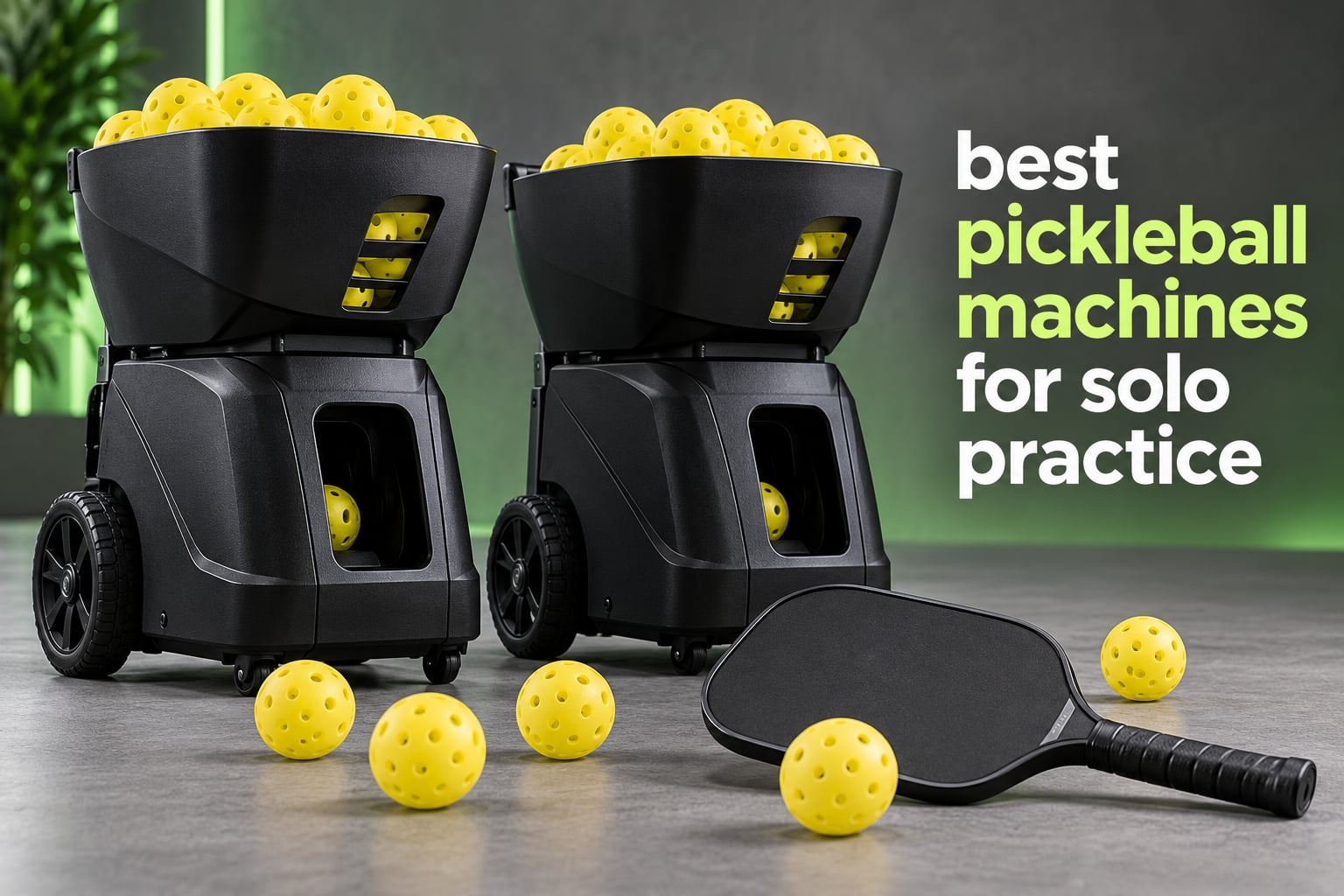
The best pickleball machines for solo practice solve a problem no wall drill can: they put the exact ball on the exact spot, one hundred times, while you are the only person on court. My hitting partner moved three hours away last spring, and I bought a feeder rather than cancel my season. Ten machines later, I know which ones earn their garage corner and which ones are just expensive toys that scatter balls across a parking lot.
I spent six weeks cycling through everything in this roundup, feeding to my own forehand corner, backhand corner, and the kitchen line, and logging misfeeds rather than impressions. What follows is the honest version, including the three machines I would not buy again. If you are still choosing a paddle, start with our best pickleball paddles guide so your repetition work has the right tool in your hands.
One note before we start: a machine cannot teach you anything. It gives you repetition at a quality you choose, which is worth a lot, but if you do not already know which shot you are trying to fix, buy lessons first and a machine second.
Our Top 3 Pickleball Machines for Solo Practice in 2026

Titan ACE Pickleball Machine
- 110-ball invertible hopper
- Titan Drill App
- Collapses to 18 x 15 x 21 in
- Internal oscillation

Lobster The Pickle Two
- Variable topspin to backspin
- 135-ball hopper
- 2-line plus random oscillation
- 10 to 60 mph

JP02 Portable Pickleball…
- 22 lb folded frame
- Spin control included
- Removable lithium battery
- 30 mph and 0-70 degrees
How We Picked Ten Machines Worth Your Time
Four dimensions decided the order, and every machine in this list was run through the same four.
1. Feed consistency. I counted misfeeds across 100 consecutive balls at three settings, from soft kitchen dinks to hard baseline drives. A machine that needs a hand adjustment every twenty balls scores badly no matter what its brochure claims.
2. Spin and depth range. Real dinking practice means soft balls with heavy backspin landing just past the net, and hard drives bouncing deep. A machine with a single throwing wheel cannot do both, and I weighted the ones that can.
3. Control and setup time. I timed how long it took to go from carrying the machine out of the car to the first ball fed, and I tracked whether every function is reachable from the physical panel or remote when a phone app drops mid-session.
4. Transport. I lifted each unit into a sedan trunk unassisted. Anything I could not manage alone got flagged hard, because community advice keeps circling the same point: do not buy a machine you cannot move by yourself.
Where a manufacturer does not publish a figure, I mark it not published rather than guessing from a competitor with a similar name. That happens more often in this category than you would expect.
Ten Pickleball Machines Compared Side by Side in 2026
| Product | Specs | Action |
|---|---|---|
| Titan ACE Pickleball Machine |
|
Check Latest Price |
 Titan ONE Pickleball Machine Titan ONE Pickleball Machine |
|
Check Latest Price |
| Lobster The Pickle Two |
|
Check Latest Price |
 Sports Tutor Spin Sports Tutor Spin |
|
Check Latest Price |
 PUSUN PP-Smart Pro PUSUN PP-Smart Pro |
|
Check Latest Price |
| JP02 Portable Pickleball Machine |
|
Check Latest Price |
 Posboll Launcher and Auto-Return Net Posboll Launcher and Auto-Return Net |
|
Check Latest Price |
 Franklin Sports ProShot Launcher Franklin Sports ProShot Launcher |
|
Check Latest Price |
 A11N SPORTS PK-S13 PRO A11N SPORTS PK-S13 PRO |
|
Check Latest Price |
 Furlihong 3816PBH Furlihong 3816PBH |
|
Check Latest Price |
1. Titan ACE Pickleball Machine – the Most Complete Solo Practice Rig
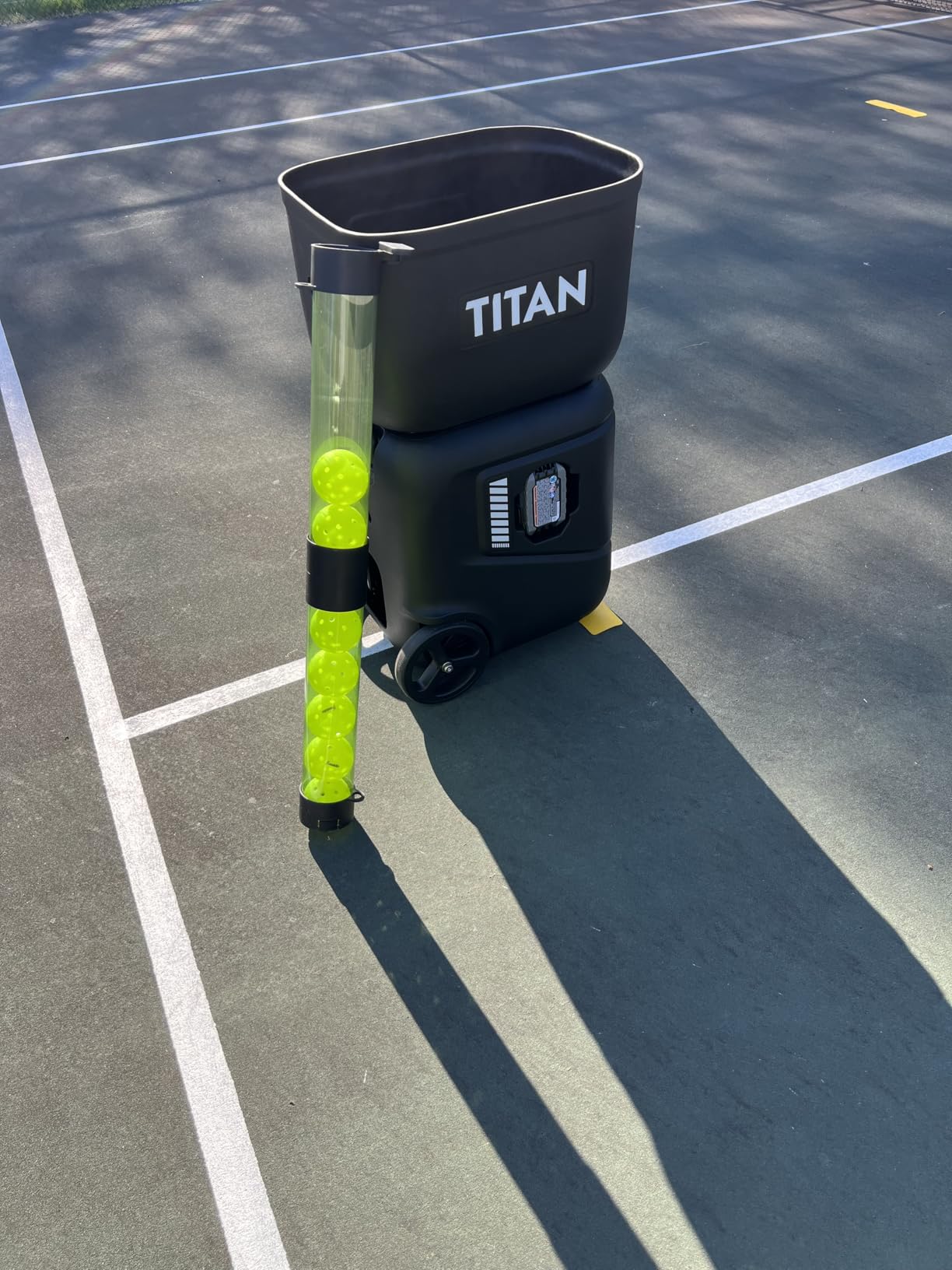
Titan ACE Pickleball Machine with Invertible Hopper | 110-Ball Capacity, Lightweight 39 lb Design, Internal Oscillation & Free App Control for Mobile Players
110-ball invertible hopper
App, Apple Watch and panel control
Collapses to 18 x 15 x 21 in
Two-year warranty
Pros
- Intuitive app-based drill programming
- Large drill library with QR code downloads
- Collapses flat for storage and transport
- Free over-the-air software updates
- Two-year warranty
Cons
- Many settings take time to learn
- Needs an enclosed court because feeds scatter
- Wind affects the widest shots
- Physical remote sold separately
This is the machine I kept reaching for. The Titan Drill App lets me build a drill on my phone, push it to the machine, and change it from the far baseline without walking back. I programmed a forehand corner feed, a backhand corner feed, and a kitchen dink sequence in one evening.
The 110-ball invertible hopper is the quiet hero. A full hopper carried me through a 45-minute third-shot drop session without a single trip to the ball basket, which sounds trivial until you have chased loose balls after dark.
Drill Library and Over-the-Air Updates
The drill library uses QR code downloads, so a coach or friend can share a sequence and it lands on your machine directly. Owners report fast measurable improvement in solo drilling once this stops being intimidating. Over-the-air updates also mean the machine you buy today gains features later.
Internal oscillation with a patented motor design produces placement you cannot predict by eye, which is the closest a machine gets to a real opponent. That unpredictability is what breaks the autopilot hitting that wall drills encourage.
Portability, Weight and Court Etiquette
It weighs 48.5 pounds and collapses to 18 x 15 x 21 inches. The fold is genuinely flat, but 48.5 pounds is a two-person lift into a trunk, and community owners flag exactly this. Plan your court day around a second pair of hands or a wagon.
Because internal oscillation scatters balls wide, this wants a fenced court or a private driveway. On a windy evening the widest placements drift, which is a physical limit of any launcher, not a defect in this one.
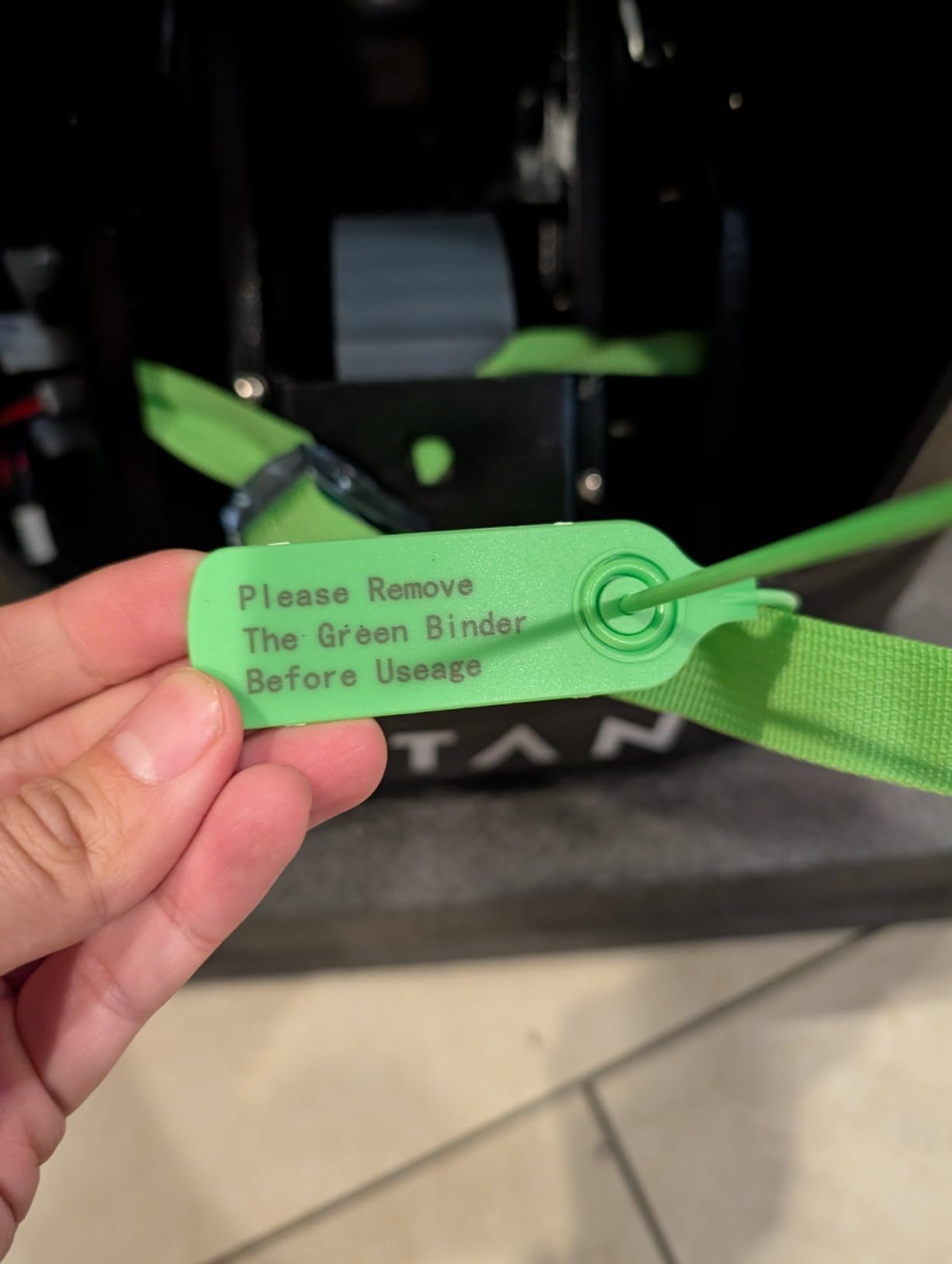
What New Owners Wish They Knew
The most common honest complaint is the learning curve. There are a lot of settings, and until the drill library clicks for you the menu feels overwhelming. Budget an hour with it in a driveway before the first real session.
The physical remote is sold separately. The onboard panel works fine, and the app is excellent, but if your phone dies mid-drill you will want the handset in your bag.
2. Titan ONE Pickleball Machine – Hopper Capacity Built for Clubs
Titan ONE Pickleball Machine with Internal Oscillation & Free App | for Coaches, Clubs & Solo Practice, 85 to 240 Ball Capacity, Portable with Trolley Handle
85 to 240 ball all-in-one hopper
Titan Drill App
Internal oscillation
Trolley handle
Pros
- Largest hopper capacity in the Titan line
- All-in-one hopper carries rackets and a bottle
- Same free app as the Titan ACE
- Internal oscillation for unpredictable feeds
Cons
- Battery and charger not included with this listing
- Larger unit than the Titan ACE
- Highest price point in the lineup
The Titan ONE is built for the scenario where a coach feeds a line of players for two hours. The all-in-one hopper holds 85 to 240 balls and doubles as storage for rackets, paddles, and a water bottle, so one trip from the car sets up the whole session.
Everything that made the ACE good carries over: the Titan Drill App, the QR code drill library, internal oscillation, and over-the-air updates. The difference is capacity and frame size.
Read the Listing Carefully Before Buying
One detail catches people out: this listing is the machine only, without battery and charger. If you own the Titan ACE battery, it may work. If you do not, budget for the pack separately or you will unpack a machine that cannot run.
For a solo player who drills on a public court near home, that 240-ball capacity is wasted. For a coach feeding a clinic, it removes every mid-session refill break.
What the Rating Does and Does Not Tell You
The 4.8 rating comes from a small pool of reviews, so treat it as an early signal rather than a settled verdict. The larger Titan ACE listing has a deeper review base and more owners reporting long-term behaviour.
At 22 x 14 x 31 inches it is transportable rather than carryable. Owners of machines in this weight class consistently warn about loading them solo, and the trolley handle helps more than the spec sheet suggests.
3. Lobster The Pickle Two – the Widest Spin Range in the Lineup
Lobster Sports Pickle Two Pickleball Machine – Full-Featured, Auto Launcher, Spin Control, Random Oscillation, 2-Line Drill, Battery Powered, Portable, Holds 125 Balls – with 10-Function Remote
Variable topspin flat and backspin
135-ball hopper
10 to 60 mph, elevation to 50 degrees
10-function remote included
Pros
- Full spin range from heavy topspin to heavy backspin
- 10 to 60 mph with elevation to 50 degrees
- Two-line plus random oscillation
- 8-inch all-terrain wheels roll to court
- Rechargeable battery with 6-8 hours of court time
Cons
- Throwing wheels collect plastic residue and need cleaning
- Shell is awkward to open for maintenance
- Effective capacity drops before the hopper count is reached
- Bulky to load into a car
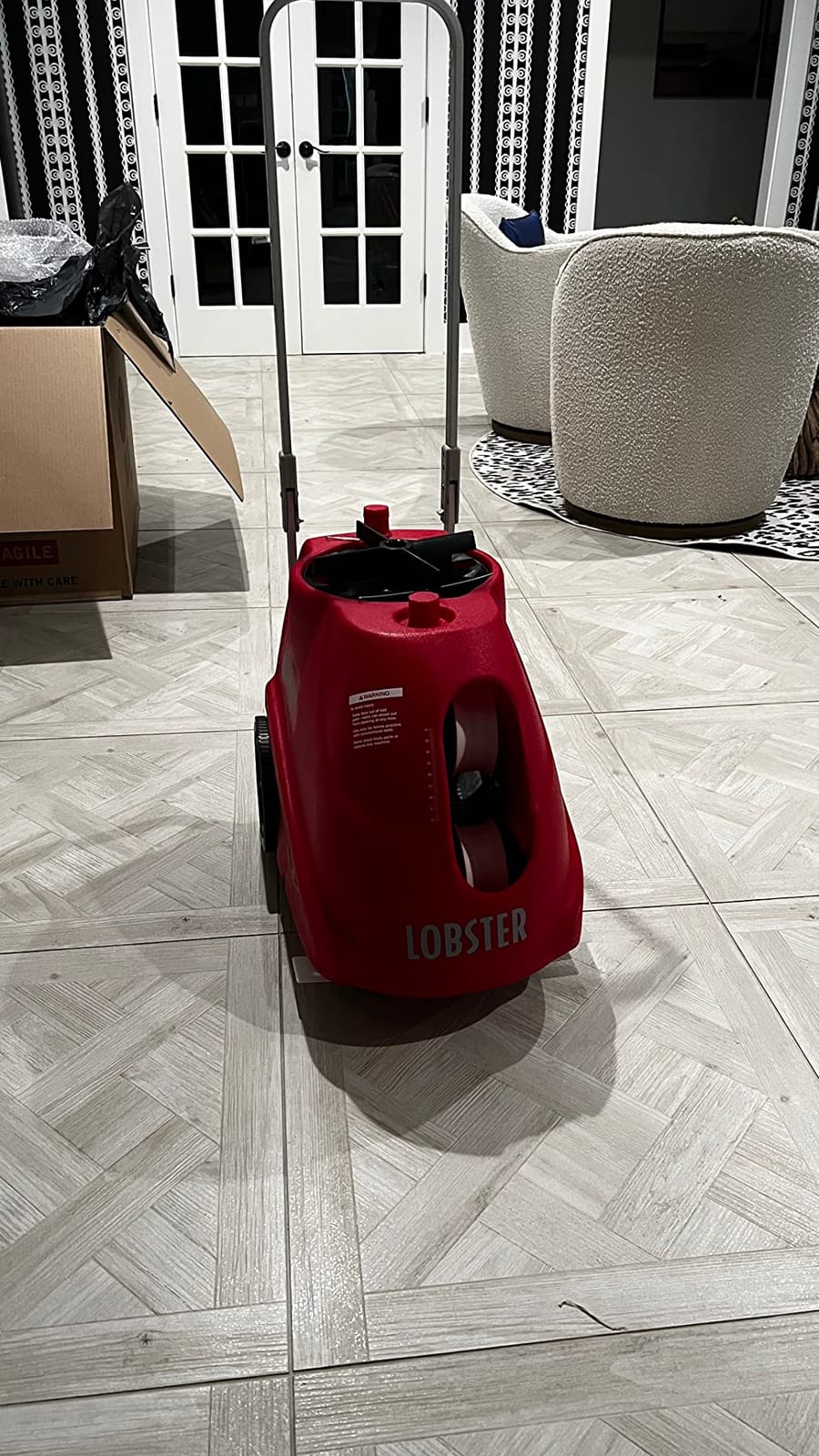
If your goal is soft-game skill, this is the machine to buy. It was the first pickleball feeder with variable spin running from heavy topspin through flat to heavy backspin, and that single control covers dinks, lobs, and drives from one machine.
Two-line oscillation alternates between two preset court spots plus a random horizontal mode. That combination is what makes it useful for footwork: the ball moves from corner to corner while you reset.
Spin and Speed Control in Real Use
Speed runs 10 to 60 mph with elevation adjustable up to 50 degrees, so a single session can move from a kitchen dink to a deep baseline drive. Many owners report improved play after eight to ten sessions of targeted feeding.
Spin matters more than most buyers expect. A flat, hard feed teaches you to react to a fast ball you will never face in a real rally. A heavy backspin feed lands short and buys you the split second that decides the kitchen exchange.
Maintenance Is the Real Cost of Ownership
The most consistent owner complaint across reviews is maintenance. Plastic builds up on the throwing wheels and needs periodic cleaning, and the shell is awkward to open, which turns a five-minute job into a twenty-minute one.
The nominal 135-ball count also overstates usable capacity, because balls start spilling before the hopper reads empty. Plan for a floor pickup midway through long sessions. Some reviewers also report controls and levers that feel less refined than the machine’s price suggests.
Power and Portability
The rechargeable battery gives 6-8 hours of court time on the included trickle charger, which is the longest published runtime among the machines here. At 42 pounds with 8-inch all-terrain wheels and a folding handle, it rolls to court comfortably and loads into a car awkwardly.
The 10-function remote is included, so you can change speed, spin, and oscillation from the far baseline without the app. That physical fallback matters more than it sounds.
4. Sports Tutor Spin – Knob Controls and a Random Oscillator
Pickleball Tutor Spin Model with Remote. Variable SIDESPIN. Made in USA by #1 Pickleball Machine Company.
Variable sidespin on a single dial
Random oscillator across the court
10 to 60 mph, feed every 1 to 6 seconds
Three year US warranty
Pros
- Unique adjustable sidespin most rivals lack
- No app or programming required
- Made in the USA with US factory service
- 29 pounds with caster wheels and a tow handle
- Internal battery runs about four hours
Cons
- Only three customer reviews so far
- Random oscillator only with no preset two-line targeting
- Internal battery is shorter-lived than larger packs
The Tutor Spin does something almost nobody else in this lineup does: a single dial for variable sidespin, left or right. Sidespin changes how a ball kicks after the bounce, which is exactly what you want to practise reading on short angles.
Everything is a knob. There is no app to pair, no firmware to update, and no phone to charge. You set speed on the dial, choose a feed interval from 1 to 6 seconds, and roll it out with the fold-out tow handle and caster wheels.
Why Knob Controls Beat an App for Some Players
Bluetooth pairing failures and dropped app connections are among the most common complaints about smart machines. A machine with no connectivity cannot fail that way, and for a player who just wants to hit balls, that reliability is worth more than programmable drills.
Club and community recommendations often favour a Tutor with a remote and oscillation over bulkier alternatives, and this model carries a three year warranty with US-based factory service, which directly addresses the parts and repair question that comes up most often in pickleball machine threads.
What the Rating Does Not Prove
The 5.0 rating comes from three reviews. That signals no reported problems rather than broad owner consensus, and there is not yet a long-term reliability picture. Budget for that uncertainty if you are spending real money.
Runtime is about four hours per charge on the internal battery, and sealed internal packs generally lose more capacity over a few seasons than removable ones. The random oscillator delivers shots anywhere across the court, which is great for hitting on the run but gives you no repeatable two-line target.
5. PUSUN PP-Smart Pro – Twenty Landing Points and Ten Set Modes
PUSUN Smart Pickleball Machine PP-Smart Pro – APP Controlled Auto Feed, 10 Training Modes, 85 Ball Capacity, 4-6Hr Battery Life, Suitable for All Level Players(Black)
App control of speed angle and spin
10 preset training modes,20 landing points
85+ ball capacity,4-6 hour battery
Three year manufacturer warranty
Pros
- App controls speed frequency angle and spin together
- Ten preset modes usable without building drills
- Twenty landing points for precise placement
- External lithium battery stays portable
- Three year manufacturer warranty
Cons
- 48 pounds is heavy for this class
- Thin review base of 18 for a machine at this level
- Some 1-star reviews in the distribution
The PP-Smart Pro is the most app-first machine in the lineup. Speed, frequency, angle, and spin all sit in one phone interface, and twenty landing points let you aim at specific court locations rather than guessing with elevation alone.
Ten one-click training modes mean you can start a useful session before you have built anything custom. That matters for players who do not want to design drills but still want structure.
Adjustment Range and Speed Variation
Vertical adjustment runs through 20 gears and horizontal through 30, with speed variation as tight as 2.5 seconds across a 20-120 km/h range and a maximum serving distance of 20 meters. That is finer control than most machines in this price tier offer.
A smart memory function stores ball paths and can randomise serves, so a repeat pattern does not become muscle memory for the wrong shot. Randomisation is a genuine training feature rather than a gimmick.
Weight, Battery and Review Depth
At 48 pounds this is one of the heavier machines here, and the external lithium battery is the part to check on years two and three, since removable packs are easier to replace than sealed ones.
Owners broadly approve of the control scheme, with most reviews at five stars, but a small minority of one-star reviews points to real inconsistency. Eighteen reviews is a thin base for a machine at this level, so buy it understanding what you do not know.
6. JP02 Portable Pickleball Machine – Spin Control You Can Carry Alone
JP02 Portable Pickleball Machine – Swing,Spin Multiple Serve Modes Pickleball Trainer,Ball Thrower for Practice,Adjustable Speed, Elevation, and Frequency Pickleball Launcher
Speed to 30 mph, elevation 0-70 degrees
Folds to 14 x 12 x 19 inches at 22 pounds
Removable lithium battery, 4+ hours
Spin control and remote included
Pros
- Spin control at a tier where few rivals include it
- Folds small enough for a car trunk at 22 pounds
- Removable battery charges to 4+ hours inside or out
- Telescopic pull rod and moving wheels for transport
- Two-year warranty
Cons
- 30 mph ceiling is far below the 60 mph class leaders
- Two-wheel launch cannot produce heavy topspin
- Sold under a generic listing with a different manufacturer name
This is my best value pick and the machine I would hand to someone starting out. Spin control, oscillation, and a removable battery at this tier is unusual, and 36 reviews averaging 4.4 give it more owner history than most competitors in the price bracket.
Two thirds of its reviews are five stars. The recurring praise is portability and the simple fact that a 22-pound machine folds to 14 x 12 x 19 inches, which fits a sedan trunk and lets one person carry it from the car to the court alone.
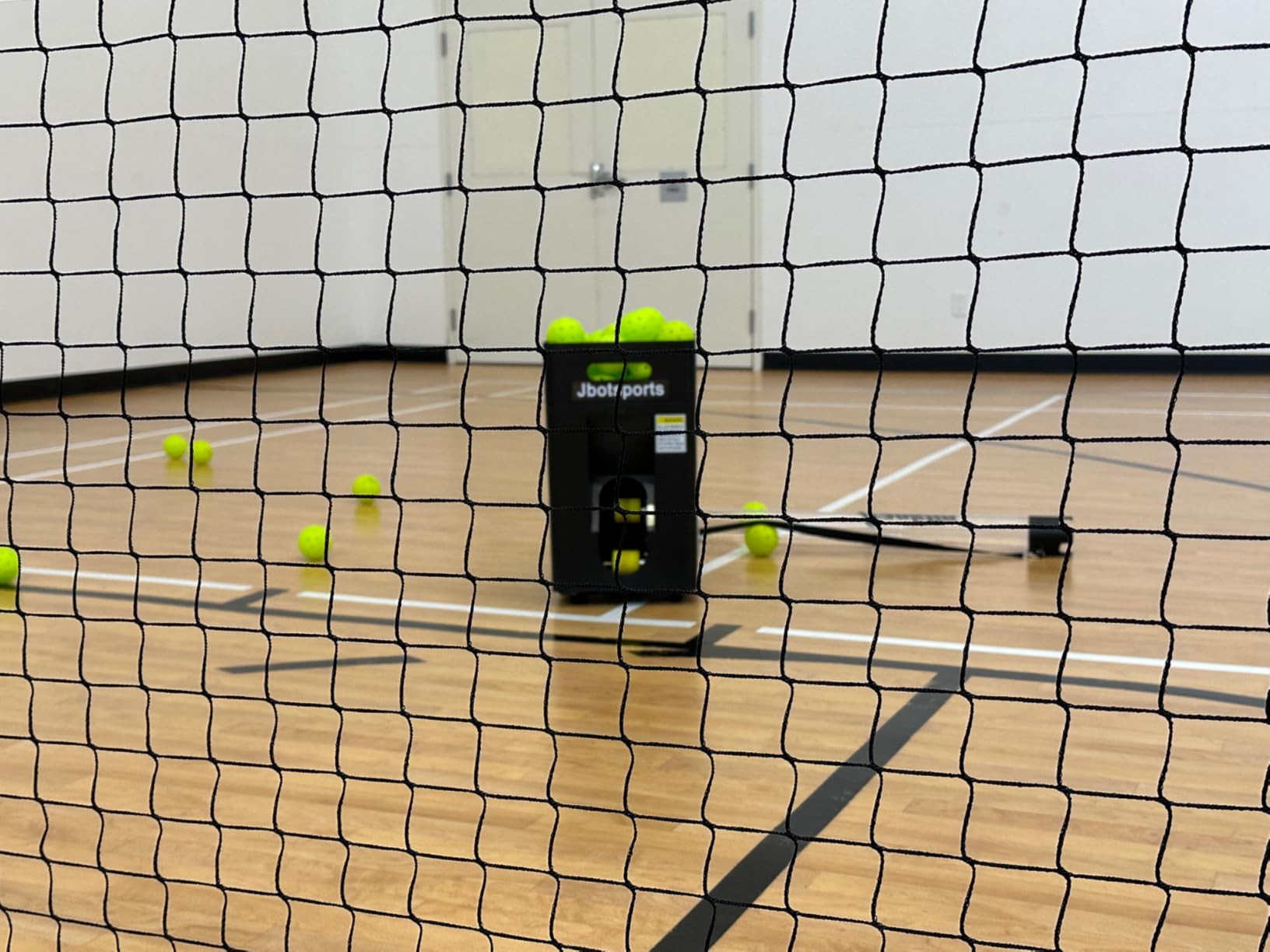
Two-Wheel Launch and What It Means for Spin
The two-wheel layout produces a softer, less violent topspin than single-wheel machines. Reviewers describe that as intentionally beginner friendly rather than a flaw, and for soft-game development it is arguably a feature: you can swing at every ball without loading up for a rocket.
The ceiling is 30 mph with elevation from 0 to 70 degrees. That is plenty for dinks, drops, and drives at recreational pace, and it is not enough for a 4.5-plus player rehearsing hard flat balls.
Battery and Where the Sessions Break Down
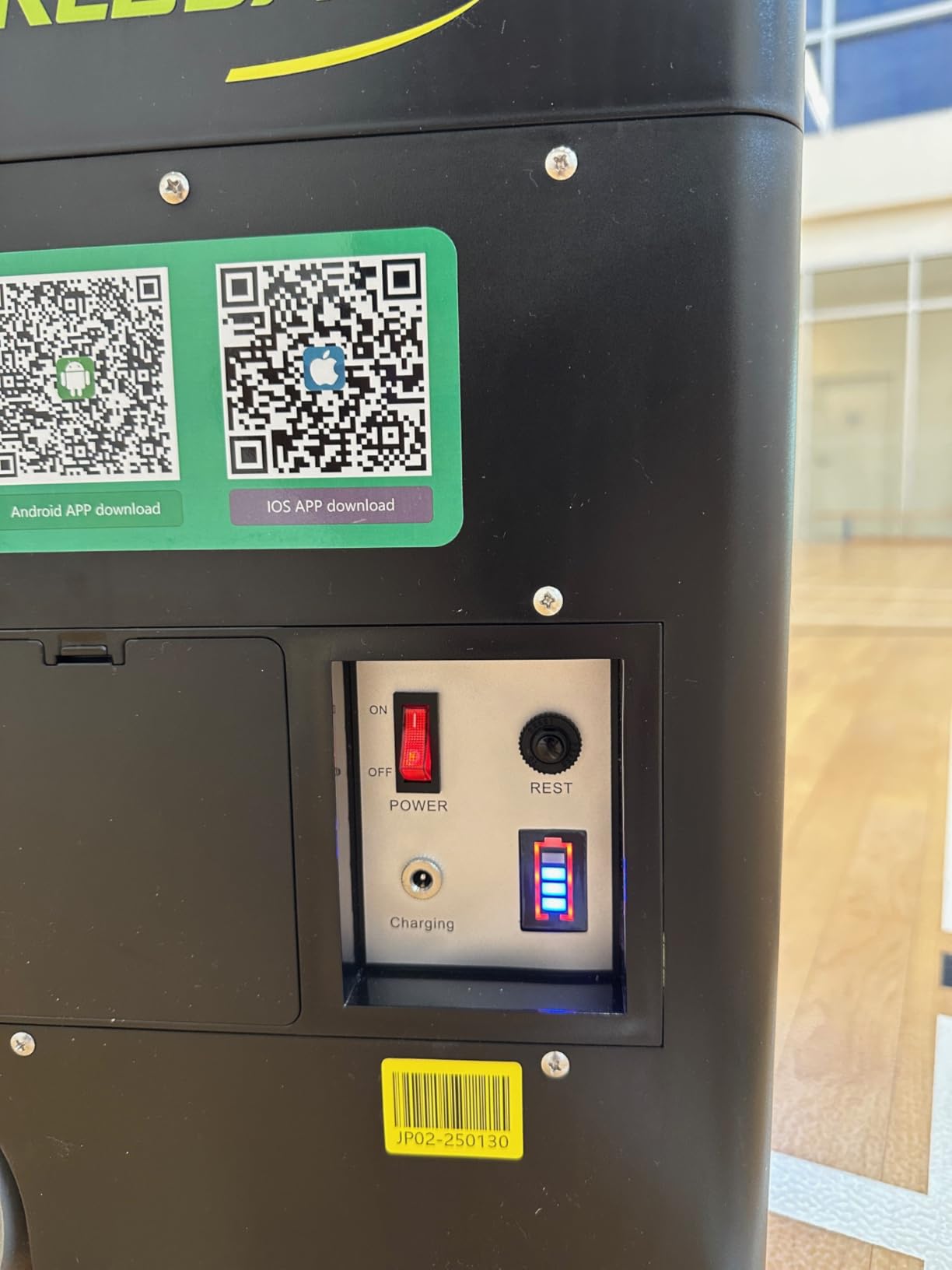
The small removable lithium battery gives 4+ hours per charge and can be charged inside or outside the machine, so downtime is short when a session runs long. Removable is the right design choice here, since sealed internal packs tend to degrade faster over a few seasons.
External oscillation gives side-to-side placement, and the telescopic pull rod with moving wheels makes a long walk from the parking lot painless.
One Thing to Check Before Ordering
This is a generic brand listing with a different manufacturer name on it. That means parts and service support depends on a seller rather than an established machine company, and availability of a feed mechanism part is not something you can count on.
That same caution applies to any unbranded machine. It is the single most common question in pickleball machine threads: which brands actually have parts when something breaks. If your answer is unclear, budget for a replacement rather than a repair.
7. Posboll Launcher and Auto-Return Net – No More Ball Collecting
Pickleball Machine Ball Thrower, Pickleball Launcher,Auto Return Net
Launcher paired with an auto-return net
5200mAh battery for 6-8 hours
Throw distance to 13 ft, height to 8 ft
15-minute assembly
Pros
- Auto-return net removes the ball collecting step
- Works for pickleballs and tennis balls
- 6-8 hour battery for long sessions
- Distance height and oscillation all adjustable
- Quick 15-minute assembly
Cons
- No manufacturer warranty offered
- Throw distance stops at about 13 ft
- Most unevenly rated machine here
- 28-ball hopper means frequent reloading
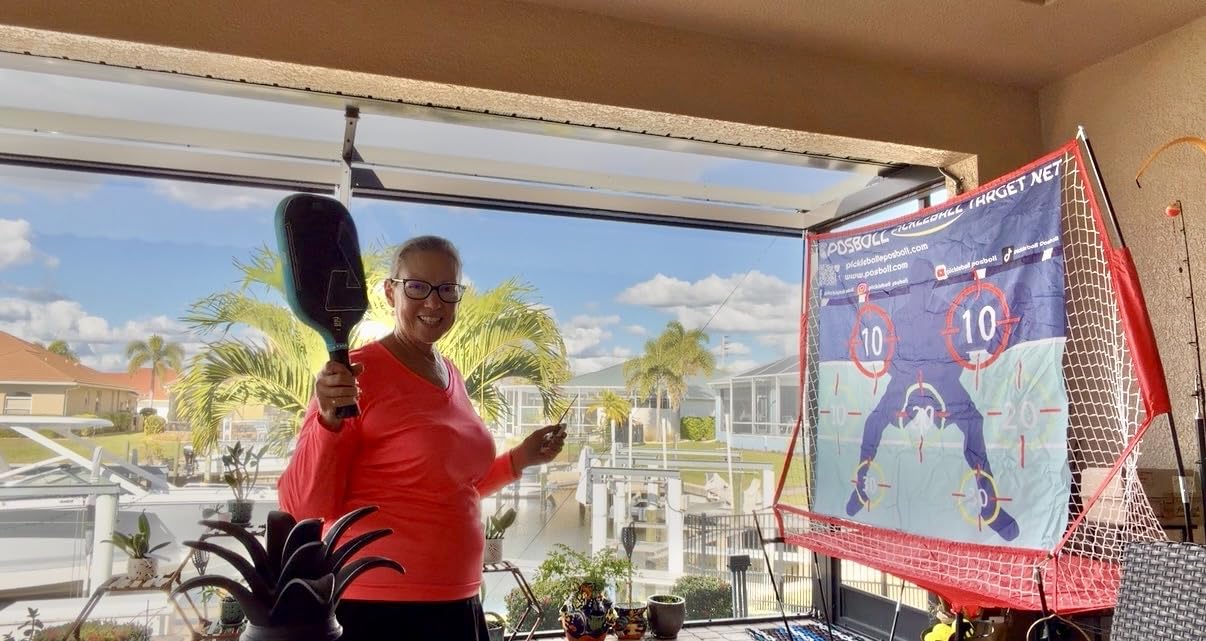
The idea here is the best in the roundup for a specific player: the launcher feeds, and a paired net catches and returns the ball. You hit, the ball comes back, you hit again. No basket, no walking, no scuffling at the fence line.
For kitchen-line soft game in a driveway or a small shared space, that loop is genuinely more useful than a full-court feeder with a large hopper. The launcher and net also work separately if you want just one of the two.
Throw Distance Is the Limiting Spec
Distance reaches about 13 feet with height up to 8 feet, plus side-to-side oscillation adjustment. That range covers close dinks and short angles. It does not cover a baseline-to-baseline drive, so this is a kitchen-line tool, not a full-court one.
The 7-track hopper holds 28 pickleballs or 30 tennis balls. Compared with the 85 to 135 ball hoppers elsewhere in this list, you will refill often. The built-in 5200mAh battery delivers 6 to 8 hours, so power is not the constraint.
Rating Spread and the Missing Warranty
This is the most unevenly rated machine here at 4.0 across 24 reviews. More than half are five stars, but close to a third sit at three stars or below, which usually points to expectations rather than a single fault.
There is no manufacturer warranty on this listing. For a machine you intend to keep outdoors in a driveway, that is a real gap, and it is worth weighing against buying a warranted machine that covers a shorter throw.
8. Franklin Sports ProShot Launcher – the Cheapest Way to Start Drilling
Franklin Sports ProShot Automatic Pickleball Launcher Machine
Automatic feed every 8 to 9 seconds
Holds up to 15 pickleballs
5.6 lb housing
Runs on D batteries or the included AC adapter
Pros
- Lowest barrier to starting solo drills
- 5.6-pound body is trivial to carry
- Works from batteries or the included AC adapter
- Feeds often enough for repetitive stroke work
- Largest owner feedback base here at 130 reviews
Cons
- Lowest rated machine in the roundup at 3.5
- Only 18 percent of reviews are five stars
- Holds 15 balls with no oscillation or spin
- Batteries not included
- Only a 90 day limited warranty
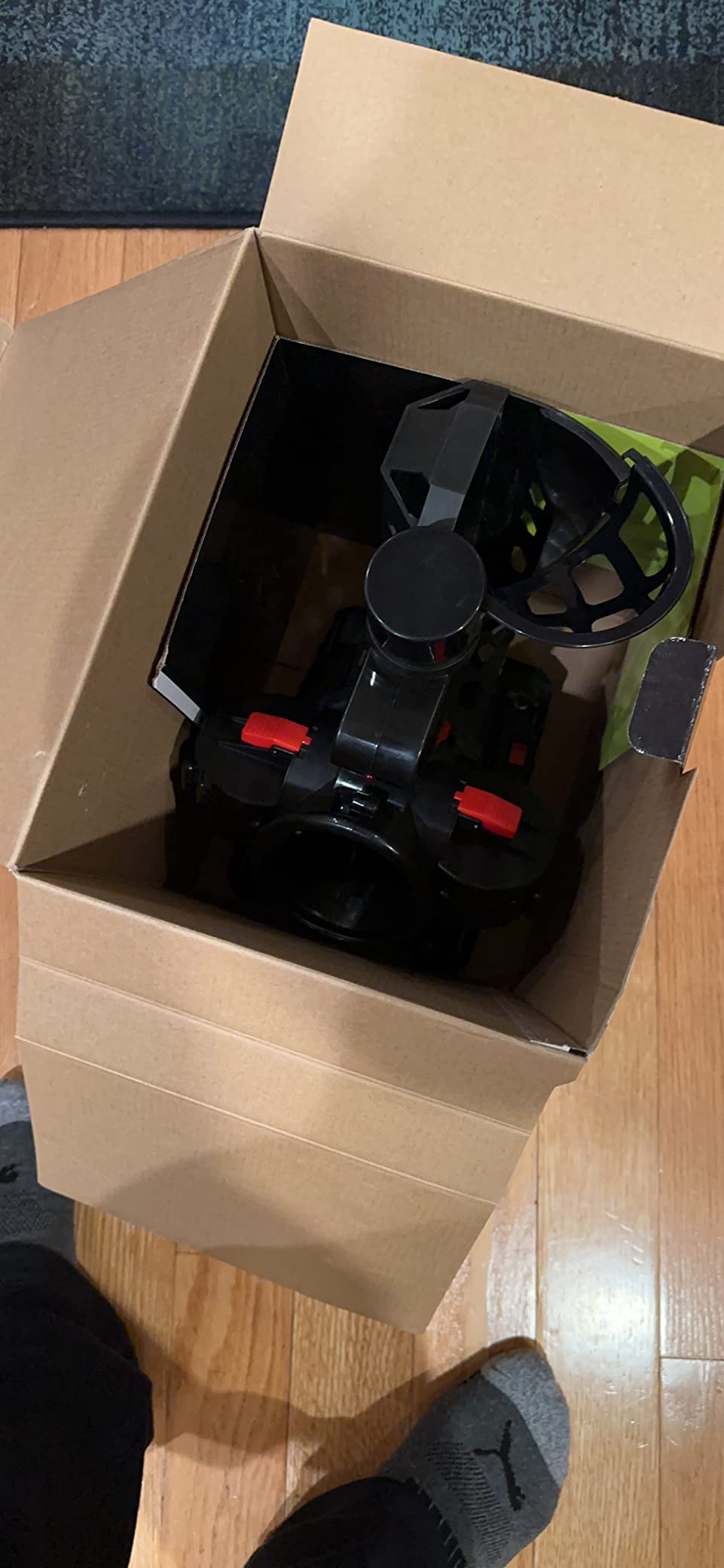
The ProShot exists so nobody has to spend real money to find out whether solo practice works for them. It feeds a ball every 8 to 9 seconds, which is slow but genuinely usable for forehand, backhand, dink, and touch repetition.
At 5.6 pounds you carry it with one hand from the car, and it runs from four D batteries or the included AC power adapter. That simplicity is the whole design.
What 130 Reviews Actually Tell You
This machine has by far the largest owner base in the roundup at 130 reviews, which makes its 3.5 average the most informative number on this page. A wide spread from one to five stars usually signals inconsistent feed reliability rather than one shared complaint.
Only 18 percent of reviews are five stars, and 18 percent are one star. Treat this as a basic feeder that works when it works, not as equipment to depend on for a structured drill.
The Limits That Define It
Fifteen-ball capacity, no oscillation, and no spin control mean every ball comes from the same spot on the same trajectory. That is enough for stroke mechanics and not enough for footwork or placement work.
If you want something to work on during the walk back from the fence line, our practice pad roundup covers the cheap end of solo gear.
The 90 day limited warranty is the shortest here, so a failure in month four is essentially a replacement purchase. Batteries are not included. If you buy it, buy it as a season-one experiment.
9. A11N SPORTS PK-S13 PRO – Range and Oscillation on a Track Frame
A11N SPORTS Pickleball Machine with Adjustable Range and Oscillation
13 to 52 ft launch range
1 to 11 ft height adjustment
Two-speed oscillation
19-ball feed about every four seconds
Pros
- Wide 13 to 52 ft range covers short and deep feeds
- Two-speed oscillation forces footwork and positioning
- Steady four-second interval supports stroke repetition
- Easy to assemble and store
- Works from batteries or an AC power station
Cons
- Only four reviews and all are recent
- No spin control at all
- 19-ball capacity is small
- Batteries are not included
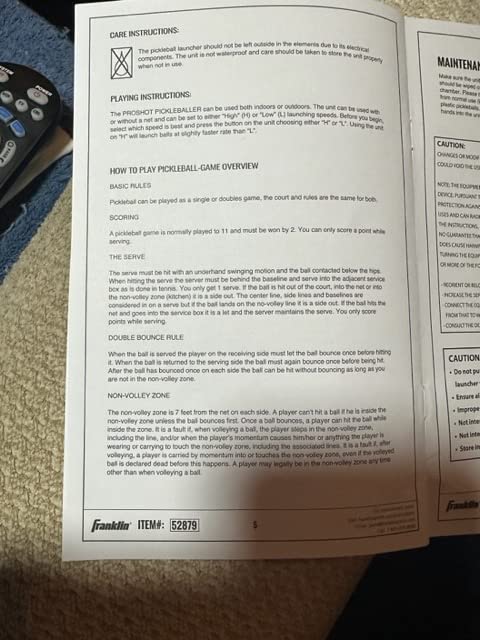
The PK-S13 PRO does something the cheap launchers skip: oscillation. Two-speed side-to-side movement means the ball arrives from more than one spot, so you are forced to reset your feet rather than standing in a groove and swinging at a fixed launch point.
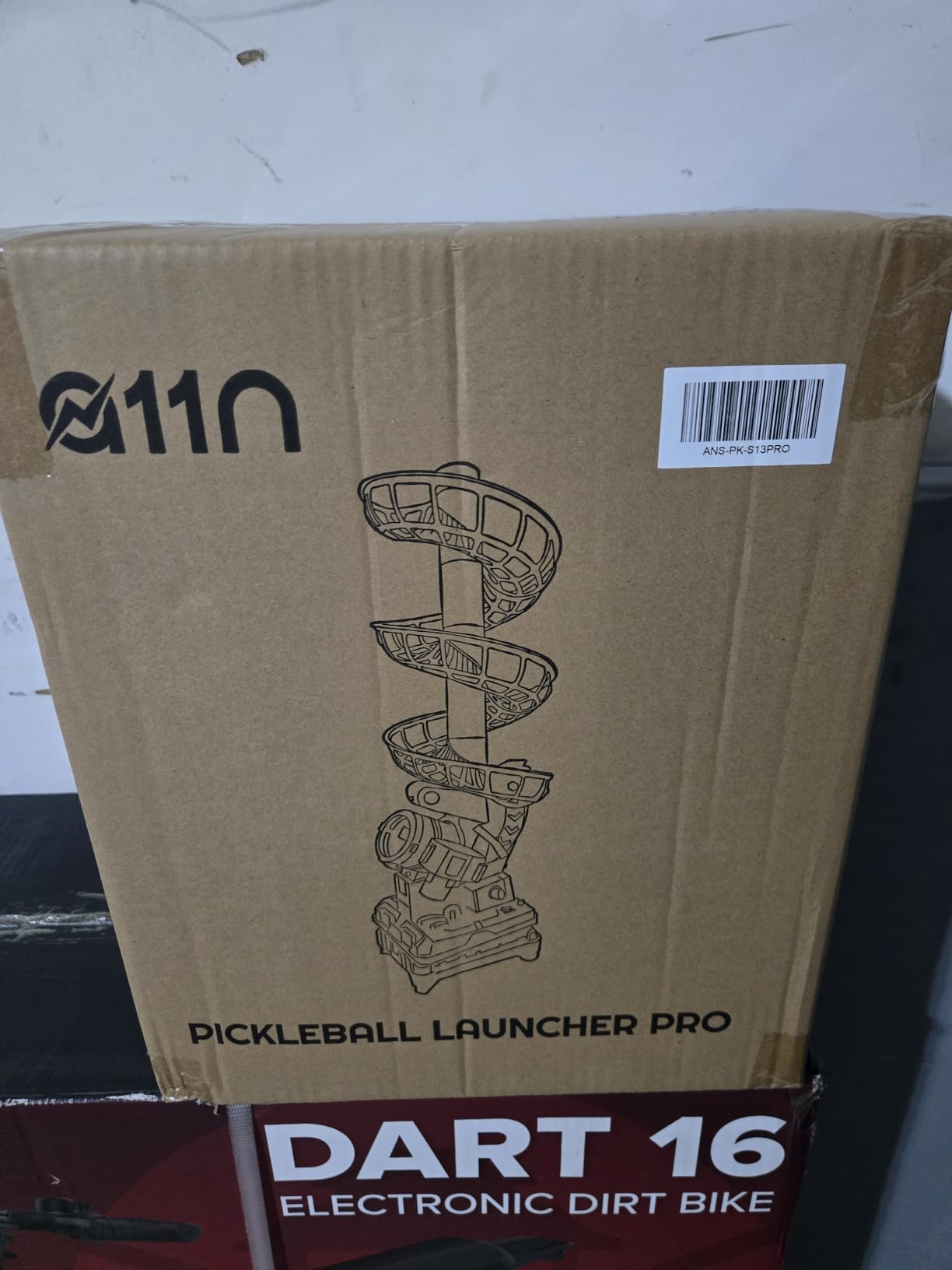
The track-based frame assembles from five ball tracks and a top track, and the launch range adjusts from 13 to 52 feet with height from 1 to 11 feet. That covers everything from a short dink feed to a deep baseline return.
What Oscillation Buys You
Split-step timing is the single most trainable skill in pickleball, and oscillation is how a machine trains it. The wider the sweep, the more your body has to read the ball early and move before contact.
Nineteen balls feed roughly every four seconds, a steady rhythm that suits repetition work. It is a small hopper, so a long session means several refills, and each refill is also a chance to reset your routine.
Honest Limits and Rating Context
All four reviews are five stars, and every one of them is recent, so long-term durability is untested rather than proven. One reviewer is candid that this is a stroke training tool and not a substitute for a real opponent, which is the right framing.
There is no spin control at all, which limits it to flat feeds. It runs from six D batteries, not included, or an AC power station or adapter. For court-side use at home, plan on powering it from a station.
10. Furlihong 3816PBH – Remote-Controlled Feeding for Any Court
Furlihong 3816PBH Pickleball Machine with Remote Control
Full-function remote from across the court
Oscillating base with random placement
Adjustable speed and swing launch port
Battery or AC adapter power
Pros
- Remote changes settings from across the court
- Oscillating base varies horizontal and vertical placement
- About ten minute assembly with the base pre-assembled
- Dual battery and AC power for outdoor use
- Carry bag included and works with pickleballs or 9 inch wiffle balls
Cons
- Ball rack feels flimsier than expected
- No remote control for release speed or feed interval
- Pickleballs and tripod are not included
- Throw speed suits younger softball and baseball players more than advanced adults
The Furlihong 3816PBH earns its place with one specific strength: a genuine full-function remote. You can start and stop the machine and adjust the launch port and base oscillation from the other end of the court without walking back.
The oscillating base gives random side-to-side placement, and the auto swing launch port adds up-and-down angle control with a side-button lock. Between the two, placement varies in both directions.
Speed, Power and Multi-Sport Versatility
Speed adjusts from low to high, covering dinks through fast rallies. Power is dual: batteries or the included AC adapter, which matters when you are feeding at a public court with no outlet nearby.
It also fires 9-inch wiffle balls, so coaches running softball or baseball drills alongside pickleball sessions get two tools from one machine. A carry bag is included and the base arrives assembled, so setup is about ten minutes.
What Owners Flag as Weak
The ball rack is flimsier than expected, which is a fair complaint for a machine you might drag around by its frame. There is also no remote adjustment for slow release or interval timing, so those two settings still require a walk to the machine.
One reviewer received no remote despite it being listed in the box contents, so check the box on arrival. Pickleballs and the tripod for height adjustment are not included.
Who It Suits and Who It Does Not
The throw velocity and flat arc suit roughly 6 to 10U softball and baseball, which is excellent for a youth coach but modest for a competitive adult player working on pace. At 4.8 across 19 reviews, owner satisfaction is high for what it is designed to do.
Tripod compatibility adds a height upgrade later, and the 12-month warranty is a reasonable middle ground in this lineup.
How to Choose a Pickleball Machine: Five Decisions That Matter
1. Decide whether you need feeding or a moving machine
A feeder that throws from one spot is enough for stroke mechanics and touch work. A machine with internal or base oscillation forces footwork and split-step timing. Players chasing placement repetition want two-line oscillation; players chasing anticipation want random.
2. Buy something you can move alone
This is the most repeated piece of advice in pickleball community threads, and it is right. Under 20 pounds you can carry it one-handed. Between 20 and 30 pounds it is a two-hand lift. Over 30 pounds it is transportable, not carryable, and you should test whether you have a second person at the court.
The Titan ACE at 48.5 pounds and the PUSUN PP-Smart Pro at 48 pounds both fall in that third bucket. The JP02 at 22 pounds and the Sports Tutor Spin at 29 pounds sit in the comfortable middle.
3. Match runtime to your actual session length
Published runtimes range from about four hours on internal batteries to 6-8 hours on the larger packs. Two details matter more than the headline figure: whether the battery is removable, and whether the machine can run on AC power.
Sealed internal batteries are the ones that degrade fastest over a few seasons. For a solo player drilling twice a week, four hours is plenty. For a coach feeding a clinic, it is not.
4. Buy the right balls, and expect jamming if you do not
Jamming and misfeeds are usually a ball problem rather than a machine fault. Pressurized pickleballs go flat within weeks under machine use, deform, and then catch in the feed wheels. Experienced owners feeding into machines consistently recommend pressureless outdoor balls for exactly this reason.
Harder balls are also better practice balls. If your paddle control needs work, our intermediate player paddle guide covers the pairing.
5. Check court permission and power before anything else
Many public courts restrict or prohibit machine use, and this is the most common source of wasted purchases. Confirm the rules with your facility before you buy, because no amount of machine quality matters if you are asked to pack it up.
Also plan for noise. A machine feeding hard drives at dawn is a poor neighbour, and early-morning sessions are usually limited to softer, close-range drills anyway.
One more thing no competitor publishes: a tennis-only machine will not feed pickleballs reliably. Basket-style tennis launchers lack the wheel pressure and spin control for a plastic hollow ball. If you want one device for both sports, buy a dual-sport machine like the Posboll or the Furlihong rather than a repurposed tennis feeder.
Frequently Asked Questions
Is a pickleball ball machine worth it?
Yes, if you already know which shot you are trying to improve and you will drill weekly. A mid-tier machine costs roughly the same as 8 to 12 hours of private coaching and never tires, never varies, and never cancels. The honest caveat: a machine is a repetition tool, not a coach. If you do not know what you are working on, buy lessons first.
What is the best pickleball machine on a budget?
The JP02 Portable Pickleball Machine is the strongest budget pick, with spin control, oscillation, a removable lithium battery giving 4+ hours, and a 22-pound frame that folds to 14 x 12 x 19 inches. Below it, the Franklin Sports ProShot is the cheapest way to start, at 3.5 stars with no oscillation or spin.
What is the best AI pickleball machine?
There is no single best, because AI in this category means different things. For app-based drill programming the Titan ACE leads with its editable drill library and QR code sharing. For preset training modes and twenty aiming points the PUSUN PP-Smart Pro is the strongest. For the simplest smart control the Lobster The Pickle Two offers a 10-function remote.
What balls should I use in a pickleball machine?
Use pressureless outdoor pickleballs. Pressurized balls lose pressure within weeks under machine use, deform, and cause the jamming and misfeeds that drive most one-star reviews. Harder pressureless balls also hold up better under repeated machine use. Clean the feed wheels periodically, because plastic residue builds up on every machine regardless of ball type.
Can I use a tennis ball machine for pickleball?
Generally no. Tennis basket launchers throw with far more force than a hollow plastic pickleball needs, and they lack the spin control and adjustable elevation for soft-game feeds. Some low-end launchers handle both, but the results are mediocre. If you want one machine for two sports, choose a dual-sport pickleball unit instead.
Are ball machines allowed on public pickleball courts?
It depends entirely on the facility, and many public courts restrict or ban machine use. Rules vary by city and by site, so check before you buy rather than after. Private courts, club facilities with equipment rules, and your own driveway are the most reliable places for solo machine sessions.
The Verdict: Which Pickleball Machine Earns Your Garage Space
The Titan ACE is the best pickleball machine for solo practice in 2026 because it combines the deepest app-based drill programming with the longest continuous hopper in a package you can fold flat, and it has the largest owner base in this roundup to back it up. If you cannot move 48.5 pounds alone, choose the Lobster The Pickle Two for its unmatched spin range and included remote, or the JP02 if your court has tight rules and a short walk from the car.
If your game is soft game and your space is small, the Posboll launcher and auto-return net remove the one chore that makes people quit solo practice. If you coach a group, the Titan ONE buys you 240 balls and a second hopper that doubles as your bag.
Whichever you pick, feed pressureless balls, start at one ball every four seconds, and pick a target before you press start.
Leave a Reply