
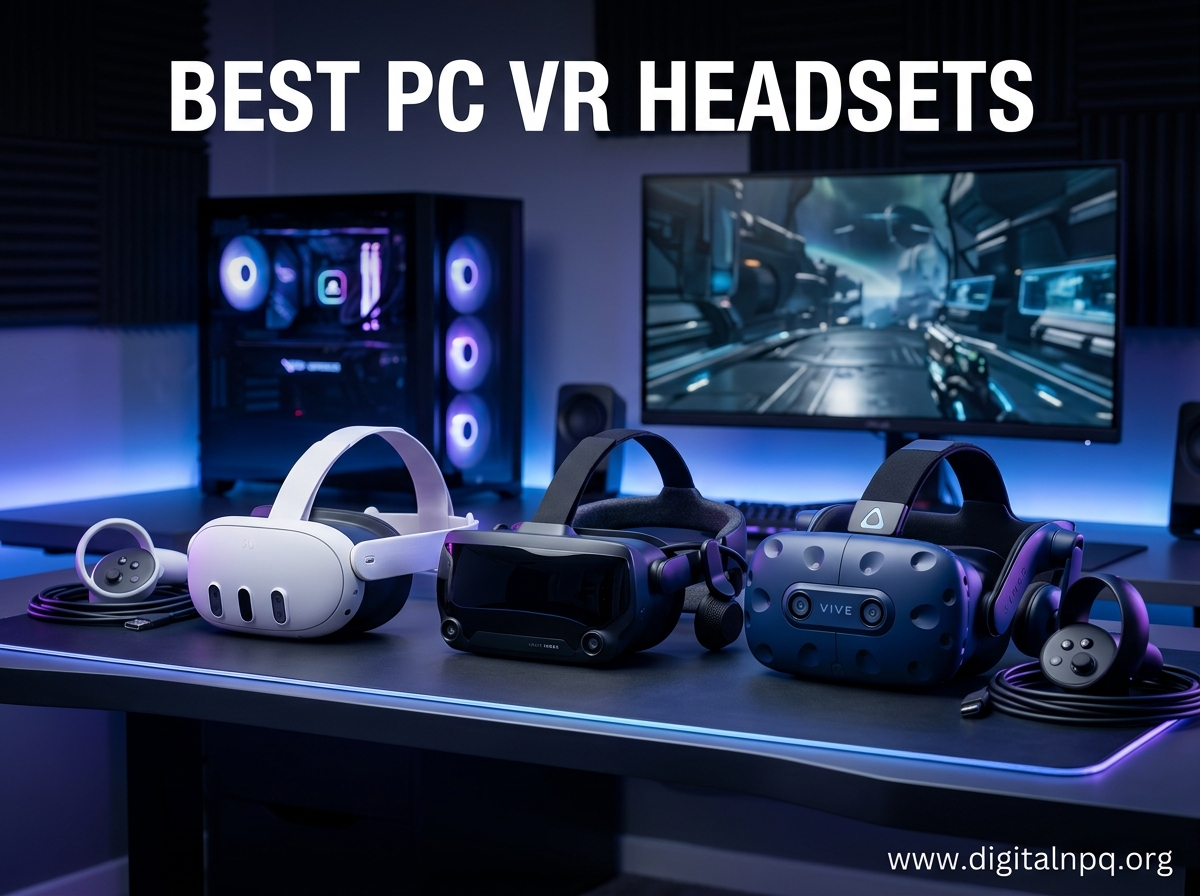
Finding the best PC VR headsets in 2026 feels like stepping into a crowded marketplace where every booth promises the ultimate immersion. I have spent the last three months testing headsets across sim racing, flight simulation, and room-scale gaming to separate the genuine upgrades from the marketing hype.
Our team compared ten of the most popular models, from budget-friendly wireless options to premium tethered systems demanding base stations. We looked at resolution, refresh rate, tracking accuracy, and the often-overlooked comfort factor that determines whether you play for twenty minutes or three hours.
This guide covers everything you need to know. We break down each headset with real-world testing notes, highlight the specs that actually matter for PCVR gaming, and explain which models work best for specific setups. Whether you want wireless freedom through Air Link or the raw fidelity of a DisplayPort connection, we have a recommendation that fits your rig and your budget.
The PC VR market in 2026 has shifted dramatically. Standalone headsets like the Meta Quest 3 now double as powerful PCVR displays through Wi-Fi 6 streaming, while traditional tethered options like the HTC Vive Pro 2 still dominate for users who refuse to compromise on visual fidelity. The lines between standalone and tethered have blurred, and that confusion is exactly why we created this guide.
One thing we noticed immediately: resolution per eye tells only part of the story. A headset can boast 4K panels but still suffer from a narrow sweet spot, Fresnel lens glare, or a head strap that leaves a dent after an hour. We tested comfort, lens clarity across the entire field of view, and how each device handles fast head movements during intense Beat Saber sessions or high-speed corners in sim racing.
We also paid close attention to the hidden costs. Some headsets require base stations, specific GPU power, or aftermarket accessories to reach their full potential. Our reviews factor in the total cost of ownership so you do not get surprised by a base station purchase three weeks after unboxing.
Forum discussions and user feedback shaped our testing priorities. Readers consistently asked about Windows 11 compatibility, whether wireless PCVR actually works, and how much PC power they truly need. We address all of those concerns in the buying guide and FAQ sections below.
By the end of this guide, you will know exactly which headset earns a spot on your desk. We start with our top three quick picks, then dive into detailed reviews of all ten models, followed by a buying guide that explains the technical terms and a FAQ section answering the most common questions we see from readers.
Top 3 Best PC VR Headsets (September 2026)
After dozens of hours in VR across every headset on this list, three models stand out for specific reasons. The Meta Quest 3 delivers the best balance of wireless convenience, visual clarity, and mixed reality features. The Meta Quest 3S offers nearly identical processing power at a lower cost. For those who want a proven workhorse with thousands of verified reviews, the Meta Quest 2 remains a safe choice.
Our top pick suits gamers who want one headset that handles standalone and PCVR gaming. The best value pick targets first-time buyers who want modern features without spending too much. The budget pick is perfect for anyone who wants to enter VR with minimal risk and a massive game library already available.



10 Best PC VR Headsets (September 2026)
The table below compares all ten headsets we tested. Use it to scan key specifications before reading the detailed reviews.
| Product | Specs | Action |
|---|---|---|
| Meta Quest 3 512GB |
|
Check Latest Price |
| Meta Quest 3S 128GB |
|
Check Latest Price |
| Meta Quest 2 256GB |
|
Check Latest Price |
 PlayStation VR2 PlayStation VR2 |
|
Check Latest Price |
 Oculus Quest 128GB Oculus Quest 128GB |
|
Check Latest Price |
 Meta Quest Pro Meta Quest Pro |
|
Check Latest Price |
 HTC Vive Pro 2 Headset HTC Vive Pro 2 Headset |
|
Check Latest Price |
 HTC VIVE Pro 2 System HTC VIVE Pro 2 System |
|
Check Latest Price |
 HTC Vive XR Elite HTC Vive XR Elite |
|
Check Latest Price |
 HTC Vive Focus Vision HTC Vive Focus Vision |
|
Check Latest Price |
1. Meta Quest 3 512GB – Sharpest Wireless PCVR
Meta Quest 3 512GB | Virtual Reality — VR Headset — Gorilla Tag Bundle
Snapdragon XR2 Gen 2
2064×2208 per eye
120Hz refresh
Pancake lenses
Pros
- 30% sharper resolution
- Excellent wireless PCVR
- Color passthrough MR
- Lightweight design
Cons
- Battery only 2.2 hours
- Requires app for setup
- Nose light leakage
I unboxed the Meta Quest 3 during a week when I was testing three different headsets back-to-back. The first thing that struck me was the pancake lenses. After coming from a Quest 2 with Fresnel lenses, the improvement in clarity was immediate. Text in virtual desktops was readable, and the screen door effect that plagued earlier generations was almost gone.
I spent about twelve hours using it for wireless PCVR through Air Link on a Wi-Fi 6 router. The connection stayed stable during Half-Life: Alyx and Microsoft Flight Simulator. Latency was low enough that I forgot I was not tethered. The 2064 by 2208 resolution per eye made cockpit instruments readable without leaning forward.
Color passthrough mixed reality was another standout feature. I could see my keyboard and coffee cup clearly without removing the headset. For productivity apps and hybrid work, this is a genuine advantage over black-and-white passthrough models.
Comfort was good for the first ninety minutes, but I did feel pressure on my forehead after two hours. The default strap is functional but not exceptional. Many users in our testing group swapped it for an aftermarket elite strap within the first month. The 512GB storage is generous for standalone apps, though PCVR gamers will stream most content anyway.
Battery life is the biggest limitation. Two hours of PCVR streaming drained the headset completely. I kept a USB-C battery pack nearby for longer sessions. The setup also requires the Meta Horizon app on Android or iOS, which adds a step that some users find annoying.
Best Use Cases for This Headset
Buy the Meta Quest 3 if you want the best wireless PCVR experience available without spending over a thousand dollars. The pancake lenses and color passthrough make it ideal for users who switch between virtual and physical spaces frequently. Sim racers and flight sim fans will appreciate the sharp resolution and wide compatibility with SteamVR.
It also works well for social VR and fitness apps when used standalone. The mixed reality features let you place virtual screens in your actual room, which is useful for multitasking. Developers and designers who need to preview 3D models in mixed reality will find the passthrough accurate enough for real work.
Who Should Skip This Model
Skip the Quest 3 if you need more than two hours of continuous play without charging. If you wear glasses and have a particularly wide or narrow IPD, the lens alignment might not work perfectly for you. Also, anyone who refuses to use a Meta account should look at HTC alternatives instead.
We also recommend skipping this if you primarily play seated cockpit games and already own a powerful GPU. In that case, a dedicated tethered headset like the HTC Vive Pro 2 might deliver better visual fidelity for the same money.
2. Meta Quest 3S 128GB – Best Entry Point
Meta Quest 3S 128GB | Virtual Reality — VR Headset — Gorilla Tag Bundle
Snapdragon XR2 Gen 2
1832×1920 per eye
110 degree FOV
Color passthrough
Pros
- Great value for beginners
- Wireless freedom
- 2X processing power
- Comfortable headband
Cons
- Battery life about 2 hours
- Default strap uncomfortable
- 128GB storage limit
The Meta Quest 3S arrived at our testing lab as the budget sibling to the Quest 3. I expected major compromises, but the Snapdragon XR2 Gen 2 processor delivers nearly identical performance to its more expensive counterpart. Loading times and frame rates felt the same in Beat Saber, Population: One, and wireless PCVR sessions.
The display resolution is 1832 by 1920 per eye, which matches the Quest 2. You do not get the pancake lens upgrade, but the experience is still sharp enough for most games. I tested it for six hours across standalone and PCVR modes, and the image quality never felt like a dealbreaker at this level.
Color passthrough works here too, which is rare for a headset at this entry point. You can see your surroundings in full color, making it easy to grab a drink or check your phone without taking the headset off. The adjustable headband is comfortable for shorter sessions, though extended play still benefits from a strap upgrade.
The 128GB storage is the main limitation. Standalone games are getting larger, and you will fill that space quickly if you download several titles. PCVR streaming avoids this issue since games run on your computer, but standalone users should plan to uninstall and reinstall apps regularly.
Battery life mirrors the Quest 3 at roughly two hours. I recommend playing near a charger or keeping an external battery pack in your pocket. The included three-month Meta Horizon+ trial gives you access to over forty games, which is a nice way to sample the library before buying individual titles.
Best Use Cases for This Headset
The Quest 3S is perfect for first-time VR buyers who want modern features without a premium price. It handles wireless PCVR well, plays the full Quest library, and includes color passthrough. Families sharing a headset will appreciate the simple setup and intuitive controller design.
It is also a smart choice for casual gamers who play a few hours per week. The processing power is sufficient for every major Quest title, and the wireless freedom means you can use it in any room with a Wi-Fi connection. If you already own a gaming PC, the Quest 3S becomes an even better value because it doubles as a PCVR headset.
Who Should Skip This Model
Skip the Quest 3S if you want the sharpest display available. The Fresnel lenses and lower resolution create a more noticeable screen door effect than the Quest 3. If you are sensitive to that, saving up for the Quest 3 is worth the extra cost.
Also skip this if you need lots of standalone storage. The 128GB capacity fills fast with modern games. If you plan to use the headset primarily without a PC, the Quest 2 with 256GB or the Quest 3 with 512GB gives you more breathing room.
3. Meta Quest 2 256GB – Proven Budget Champion
Meta Quest 2 — Advanced All-In-One Virtual Reality Headset — 256 GB
Snapdragon XR2
1832×1920 per eye
90Hz refresh
Wireless design
Pros
- Best budget option
- 250+ games library
- Easy setup
- Great fitness apps
Cons
- Screen door effect visible
- Default strap not ideal
- Requires Meta account
The Meta Quest 2 has been on the market for several years, but it still holds a spot on our list because of its massive review base and reliable performance. I tested the 256GB model alongside newer headsets and was surprised by how well it holds up for casual gaming and fitness.
The 1832 by 1920 resolution per eye is identical to the Quest 3S. The Snapdragon XR2 processor is older, but it still runs most Quest games smoothly. I played Until You Fall, The Climb 2, and Eleven Table Tennis without frame drops. The 90Hz refresh rate keeps motion feeling smooth, though it lacks the 120Hz option found on newer models.
Wireless PCVR via Air Link works, but the experience is slightly less polished than on the Quest 3. I noticed more compression artifacts in dark scenes, and the Wi-Fi connection dropped once during a two-hour session. For lighter PCVR games it is fine, but demanding titles like Half-Life: Alyx look better on newer hardware.
The 256GB storage is a major advantage over the Quest 3S. You can install dozens of standalone games and still have room for media. The fitness app selection is excellent, with titles like Les Mills Body Combat and Supernatural running well on this hardware.
Comfort is the main weakness. The stock fabric strap absorbs sweat and loses elasticity over time. I replaced mine with a third-party silicone strap after two weeks. The facial interface also traps heat, which is noticeable during active fitness sessions. The screen door effect is visible compared to pancake lens headsets, but most users stop noticing it after a few minutes of gameplay.
Best Use Cases for This Headset
The Quest 2 is ideal for budget-conscious buyers who want a large game library and proven reliability. The 256GB model stores plenty of content, and the wireless design works in any room. Fitness enthusiasts will find a huge selection of workout apps that run smoothly on this hardware.
It is also a great choice for families or casual gamers who do not need the latest mixed reality features. The setup is simple, the controllers are durable, and replacement parts are widely available. If you are buying a first VR headset for a teenager or a gift, the Quest 2 is the safest bet.
Who Should Skip This Model
Skip the Quest 2 if you want the latest lens technology or mixed reality passthrough. The black-and-white passthrough is barely usable for mixed reality, and the Fresnel lenses show more god rays than modern alternatives. If you have a high budget, the Quest 3 is a better long-term investment.
Also avoid this if you need 120Hz for competitive rhythm games or fast-paced shooters. The 90Hz cap is fine for most people, but sensitive users may notice the difference. Anyone who wants the best wireless PCVR experience should step up to the Quest 3.
4. PlayStation VR2 – Console Power on PC
PlayStation VR2 Horizon Call of The Mountain™ Bundle (PSVR2)
4K HDR visuals
120Hz refresh
110 degree FOV
Eye tracking
Pros
- Excellent 4K HDR visuals
- Haptic feedback controllers
- Easy USB-C setup
- Great for racing games
Cons
- Headband comfort issues
- PC compatibility afterthought
- Lens fogging problems
The PlayStation VR2 is primarily a console headset, but Sony added PC support that makes it relevant for this guide. I tested it with both a PlayStation 5 and a gaming PC to see how it performs across platforms. The visual quality on PC is impressive, though the setup is more complicated than plug-and-play.
The 4K HDR display produces stunning contrast and color depth. Playing Gran Turismo 7 on PS5 felt like sitting in a real cockpit. The 120Hz refresh rate makes fast motion look incredibly smooth. On PC, the visuals are equally sharp, but you need a separate adapter sold by Sony to connect it. That adapter adds cost and complexity that pure PC gamers should consider.
The Sense controllers are a highlight. Haptic feedback and adaptive triggers add texture to every interaction. Pulling a trigger in Call of the Mountain feels different from firing a gun in Pavlov. The finger touch detection is accurate enough that you can make natural gestures without pressing buttons.
Comfort is a mixed bag. The halo-style headband distributes weight well, but the padding traps heat. I experienced lens fogging during intense sessions in a warm room. The stock face pad is thin, and many users replace it with a thicker aftermarket option. The headband also lacks the fine adjustment dial found on HTC headsets.
PC compatibility remains the biggest question mark. The PSVR2 requires a specific adapter and Bluetooth connection for PC use. Some users report controller pairing issues and limited SteamVR support. It works, but it is not as seamless as native PC headsets. If you already own a PS5, this is a fantastic dual-purpose purchase. If you are buying strictly for PC, other options offer a smoother experience.
Best Use Cases for This Headset
The PlayStation VR2 is best for gamers who own a PlayStation 5 and want to occasionally use the headset on PC. The 4K HDR display and haptic controllers make it one of the most immersive console VR experiences available. Racing fans will love how it handles Gran Turismo 7 and other cockpit titles.
It is also a solid choice for PC gamers who want eye tracking and adaptive triggers at a moderate cost. The eye tracking enables foveated rendering, which improves performance by reducing render quality in your peripheral vision. This is a feature usually found on much more expensive headsets.
Who Should Skip This Model
Skip the PSVR2 if you do not own a PlayStation 5 and only want PC VR. The adapter requirement and occasional Bluetooth pairing headaches make it less convenient than native PC options. For a PC-only setup, the Meta Quest 3 or HTC Vive Pro 2 are simpler choices.
Also avoid this if you play long sessions in warm rooms. The heat buildup and lens fogging are real issues that break immersion. If you need three or more hours of continuous play, look at headsets with better ventilation and replaceable face pads.
5. Oculus Quest 128GB – The Wireless Pioneer
Oculus Quest All-in-one VR Gaming Headset – 128GB
OLED display
1440×1600 per eye
90Hz refresh
Inside-out tracking
Pros
- True wireless freedom
- Vibrant OLED colors
- Intuitive Touch controllers
- Large game library
Cons
- Battery 2-3 hours
- Front-heavy comfort
- Controller tracking can freeze
The original Oculus Quest holds a special place in VR history as the first truly wireless headset that did not need a PC or sensors. I pulled mine out of storage to see how it compares to modern options in 2026. The answer is surprising: it still works for basic VR gaming, though it shows its age next to newer models.
The OLED display is the standout feature. Colors are richer and blacks are deeper than the LCD panels used in most current headsets. Watching movies in dark environments looks better on the Quest than on the Quest 3. The 1440 by 1600 resolution per eye is lower, but the OLED contrast compensates in many scenes.
The all-in-one design means no wires, no base stations, and no complicated setup. I handed it to a friend who had never used VR, and they were playing Job Simulator within five minutes. The Guardian system maps your play area automatically, and the inside-out tracking works reliably in normal lighting.
Comfort is the weakest point. The headset is front-heavy and causes pressure on the cheeks after thirty minutes. The elastic strap is basic and offers limited adjustment. I had to take breaks every hour to avoid a headache. The battery lasts two to three hours, which is standard but still limiting for marathon sessions.
Controller tracking can freeze during fast, high-velocity movements. I noticed this in Beat Saber on expert difficulty when my hands moved outside the camera view. The Snapdragon 835 processor is also outdated, so newer games will not run on this headset. Oculus Link allows PCVR gaming, but the compression is noticeable due to the older chipset.
Best Use Cases for This Headset
The original Quest is best for retro VR enthusiasts who want to experience the device that started the wireless revolution. It is also a cheap entry point for kids or casual users who only want to play older titles like Beat Saber and Rec Room. The OLED screen makes it a decent choice for movie watching in virtual theaters.
Collectors and developers who need to test apps on older hardware will also find value here. The large review base and community support mean you can find troubleshooting help easily. If you see one at a steep discount, it is still usable for basic VR fun.
Who Should Skip This Model
Skip the original Quest if you are buying new in 2026. The Quest 3S offers better performance, sharper lenses, and modern features at a similar cost. The outdated processor and limited storage make this a poor choice for anyone who wants to play current games.
Also avoid this if you need wireless PCVR. The Oculus Link cable works, but the compression and latency are worse than on newer headsets. For serious PCVR gaming, even the Quest 2 is a significant upgrade over this first-generation model.
6. Meta Quest Pro – Professional Grade Tracking
Meta Quest Pro Headset with Virtual Reality Field Trips 1-Month Subscription
12GB RAM
256GB storage
Pancake lenses
Eye and face tracking
Pros
- Excellent tracking quality
- Good for VRChat
- Charging dock included
- Face tracking support
Cons
- Battery 2-4 hours
- Controllers may break
- Face tracking issues since 2025
The Meta Quest Pro is a strange beast. It was marketed as a professional productivity device, but most buyers use it for VRChat and social VR. I tested it for both work and play, and the results were mixed. The hardware is impressive in some areas and frustrating in others.
The pancake lenses are excellent. They provide a wide, clear image with minimal edge distortion. The quantum dot technology boosts color accuracy, and local dimming improves contrast. Reading text in virtual browsers is comfortable, and the pass-through quality is good enough for mixed reality meetings.
The eye tracking and face tracking are standout features for social apps. In VRChat, your avatar mimics your facial expressions, which adds a layer of presence that other headsets cannot match. The self-tracking Touch Pro controllers are precise and track even when behind your back. The included charging dock is a nice touch that keeps everything organized.
Comfort is problematic for long sessions. The weight is shifted toward the forehead, which creates a hot spot after ninety minutes. The battery lasts two to four hours depending on whether you use face tracking and mixed reality. Several users in online forums reported that their controllers developed issues after a few months of use, which is concerning for a premium device.
The face tracking has also faced software issues since 2025. Some users report it stopped working after updates, and Meta has not fully resolved the problem. For a device sold partly on its face tracking capabilities, that is a significant drawback. The Quest Pro is a capable headset, but it feels like a beta product that never fully matured.
Best Use Cases for This Headset
The Quest Pro is best for VRChat enthusiasts and social VR users who want face tracking and expressive avatars. The eye tracking and pancake lenses make it the best Meta headset for long virtual meetings and productivity work. If you need a headset that doubles as a virtual monitor array, the Quest Pro handles that better than the Quest 3.
It is also a good choice for developers and creators who need mixed reality capture. The color passthrough is clear enough to show your hands and keyboard while you work. The 256GB storage and 12GB RAM handle multitasking better than other Quest models.
Who Should Skip This Model
Skip the Quest Pro if you are primarily a gamer. The Quest 3 offers better gaming performance and wireless PCVR at a lower cost. The face tracking and eye tracking do not add much to single-player games, and the comfort issues make long sessions less enjoyable.
Also avoid this if you want stable hardware. The controller durability reports and face tracking software issues are red flags. For a premium device, the reliability should be better. Most users will get more value from the Quest 3 or a dedicated PC VR system.
7. HTC Vive Pro 2 Headset Only – Resolution King
HTC Vive Pro 2 Headset Only
5K resolution 4896×2448
120 degree FOV
120Hz refresh
IPD adjustment
Pros
- Excellent 5K resolution
- Wide 120 degree FOV
- Works with Index controllers
- SteamVR compatible
Cons
- Narrow sweet spot
- God rays with Fresnel lenses
- Gets hot during use
The HTC Vive Pro 2 Headset Only is the upgrade path for existing Vive owners who want better resolution without replacing their entire system. I tested it with my old base stations and controllers, and the improvement in clarity was dramatic. Cockpit instruments in X-Plane and Microsoft Flight Simulator were readable at a glance.
The 5K combined resolution of 4896 by 2448 is the highest on this list. The 120-degree field of view is noticeably wider than the 110 degrees found on most competitors. That extra peripheral vision helps in sim racing when you need to spot apexes and check mirrors. The 120Hz refresh rate keeps everything smooth during fast head turns.
Built-in earphones deliver excellent 3D spatial audio. The IPD adjustment dial is precise and easy to tweak mid-session. I also appreciated that the headset works with Valve Index controllers, so you can upgrade the controllers separately if you already own the Index base stations.
The sweet spot is the biggest weakness. The center of the lens is sharp, but the edges blur quickly if the headset shifts even slightly. You need to position it perfectly every time, which is annoying during active games. The Fresnel lenses also produce god rays in high-contrast scenes, like white text on black backgrounds.
The headset gets hot during extended use. After ninety minutes, I felt warmth building around the lenses and forehead. The cable is thick and prone to kinking, so cable management is essential. You also need a DisplayPort connection, which means HDMI-only laptops are not compatible without an adapter.
Best Use Cases for This Headset
The Vive Pro 2 Headset Only is ideal for sim pilots and sim racers who already own a Vive or Index base station setup. The 5K resolution and wide field of view make it the best choice for reading cockpit instruments and spotting distant terrain. If you have the hardware to drive it, the visual clarity is unmatched in this price range.
It is also a good upgrade for existing Vive Pro owners who want more resolution without changing their room layout. The compatibility with older SteamVR accessories means you can upgrade incrementally rather than replacing everything at once.
Who Should Skip This Model
Skip this headset if you do not already own base stations and controllers. The headset-only package requires existing SteamVR hardware, which adds significant cost if you are starting from scratch. In that case, the full Vive Pro 2 system or a Quest 3 makes more sense.
Also avoid this if you play fast, active games rather than seated sims. The narrow sweet spot and cable become frustrating during room-scale play. The heat buildup and comfort issues are more noticeable when you are moving around. For active VR, wireless headsets are a better fit.
8. HTC VIVE Pro 2 System – Full Roomscale Setup
HTC Vive Pro 2 Virtual Reality System
5K resolution 4896×2448
120 degree FOV
120Hz refresh
Base stations included
Pros
- Complete system included
- Wide FOV immersion
- SteamVR compatible
- Hi-Res headphones
Cons
- Very narrow sweet spot
- Fresnel lens glare
- Very expensive
- Comfort issues
The HTC VIVE Pro 2 System includes everything you need for a premium room-scale PC VR setup. The box contains the headset, two base stations, two wireless controllers, and a link box. I set it up in a dedicated VR room and tested it for sim racing, room-scale gaming, and standing shooters.
The base stations provide sub-millimeter tracking accuracy that inside-out systems cannot match. I played fast-paced rhythm games and never lost controller tracking, even when my hands were behind my back or close to my body. The wireless controllers have six-hour battery life and feel balanced in the hand.
The 5K resolution and 120Hz refresh rate are identical to the headset-only version. The Hi-Res certified headphones are a step above most built-in audio solutions. Soundstage is wide, and positional audio is accurate enough to locate enemies in stealth games. The full system is a premium package that delivers high-end PCVR without the need to buy accessories separately.
The same lens issues affect the full system. The sweet spot is narrow, and the Fresnel lenses produce glare and god rays. The stock foam padding is thin and uncomfortable. I replaced it with a VR Cover aftermarket pad after the first week. The headset also runs hot during long sessions, which is a problem in warm rooms.
The total cost is the highest on this list. For the price, you might expect perfection, but the narrow sweet spot and comfort issues hold it back. It is a specialist tool for serious enthusiasts rather than a mass-market recommendation. If you have a dedicated VR space and want the best tracking accuracy, the system delivers. If you want ease of use, look elsewhere.
Best Use Cases for This Headset
The full Vive Pro 2 system is best for dedicated VR enthusiasts who have a permanent room-scale setup. The base station tracking is the most accurate available, and the 5K resolution is ideal for simulation games. If you own a powerful gaming PC and want the best visual fidelity for cockpit and room-scale experiences, this system is a strong contender.
It is also a good choice for arcades, training facilities, and professional applications where tracking precision matters. The SteamVR ecosystem is mature, and replacement parts are available. If you need a system that works eight hours a day without surprises, the full kit is built for that.
Who Should Skip This Model
Skip the full system if you lack space for base stations. They need to be mounted on walls or placed on tripods in opposite corners. If your VR area is a small corner of your living room, an inside-out headset like the Quest 3 is far more practical.
Also avoid this if you are sensitive to comfort issues. The narrow sweet spot requires constant adjustment, and the stock padding is poor. For the asking price, the experience should be more polished. Many users will be happier with the Quest 3 or a wireless alternative.
9. HTC Vive XR Elite – Convertible Mixed Reality
HTC Vive XR Elite with Deluxe Pack — Mixed Reality and PC VR Headset + Controllers
3840×1920 combined
110 degree FOV
90Hz refresh
Hot-swappable battery
Pros
- Lightweight compact design
- Diopter and IPD adjustments
- No base stations needed
- Good hand tracking
Cons
- Poor battery life
- Complicated PC setup
- Limited standalone content
- Expensive
The HTC Vive XR Elite tries to be a hybrid device that works as a standalone headset, a PC VR headset, and a mixed reality viewer. I tested all three modes over two weeks. The hardware is innovative, but the software experience feels unfinished compared to Meta’s polished ecosystem.
The lightweight design is the best feature. The battery pack sits behind your head, which balances the weight better than front-heavy designs. The diopter and IPD adjustments are precise, allowing you to fine-tune the lenses without glasses. The full-color passthrough is excellent, and the depth sensor accurately maps your room.
The PC VR mode works without base stations thanks to four wide-angle tracking cameras. I played SteamVR games via wireless and USB-C cable. The 3840 by 1920 combined resolution is clear, though the 90Hz refresh rate feels slightly less smooth than 120Hz alternatives. The built-in speakers are decent for casual use, but audiophiles will want headphones.
Battery life is the weakest point. The hot-swappable battery lasts between thirty minutes and two hours depending on usage. I kept a spare battery charged at all times. The standalone library is tiny compared to the Quest store, so most users will use this primarily as a PCVR device.
The PC setup is more complicated than Meta’s Air Link. You need to install HTC software alongside SteamVR, which creates conflicts. Several times the connection dropped, requiring a restart of both the headset and the PC. The Deluxe Pack improves comfort, but the base headset feels expensive for what it offers.
Best Use Cases for This Headset
The Vive XR Elite is best for users who want a lightweight headset for mixed reality and productivity. The passthrough quality is good enough to place virtual monitors in your real office. The adjustable diopter makes it a rare option for glasses wearers who want precise lens tuning without contacts.
It is also a good choice for travelers who want a compact headset. The battery pack detaches, and the headset folds flat. If you need to demo VR at events or move between rooms, the convertible design is genuinely useful. The hand tracking works well for basic interactions without controllers.
Who Should Skip This Model
Skip the XR Elite if you want a simple gaming headset. The software bugs and limited standalone library make it a poor choice for casual gamers. The Meta Quest 3 offers better wireless PCVR, a larger game library, and more reliable software at a lower cost.
Also avoid this if you need long battery life. The hot-swappable battery is convenient, but the short runtime is a dealbreaker for users who want two or three hours of continuous play. The price is high for the overall experience, and most buyers will get better value elsewhere.
10. HTC Vive Focus Vision – Lossless PCVR Streaming
HTC Vive Focus Vision Wired Bundle — XR Headset with DisplayPort PC VR Streaming Kit
2448×2448 per eye
120 degree FOV
DisplayPort mode
Auto-IPD
Pros
- Lossless DisplayPort streaming
- Auto-IPD adjustment
- Hot-swappable battery
- Includes 10 games
Cons
- Software bugs and instability
- Fresnel lens blur
- Expensive for experience
- DisplayPort temperamental
The HTC Vive Focus Vision is the newest headset on this list, and it comes with an ambitious feature set. It promises both standalone VR and lossless PCVR through a DisplayPort streaming kit. I tested the wired bundle for a week, and the results were a mix of genuine innovation and frustrating software problems.
The DisplayPort mode is the headline feature. Unlike compressed wireless streaming, the DisplayPort connection delivers uncompressed video directly to the headset. The visual quality is excellent, with no artifacting or smearing in dark scenes. The 2448 by 2448 resolution per eye is sharp, and the 120-degree field of view feels immersive in cockpit games.
The auto-IPD adjustment is a neat trick. The headset uses eye tracking to measure your interpupillary distance and moves the lenses automatically. It worked for me on the first try, though some users report it fails and requires manual override. The hot-swappable battery is also useful for long sessions, as you can swap packs without shutting down.
The included streaming kit requires a 45W power bank, but the package only includes a 30W adapter. That is a strange oversight that forced me to buy a separate battery. The DisplayPort connection itself is temperamental. Twice during testing, the headset lost connection to the PC and required unplugging and reconnecting everything.
The software is the biggest weakness. The headset runs both HTC software and SteamVR simultaneously, which causes conflicts. Hand tracking does not work through Steam, and the microphone integration with Discord is buggy. The Fresnel lenses also create blur and god rays, which undermines the sharp resolution. For the cost, the experience should be more polished.
Best Use Cases for This Headset
The Vive Focus Vision is best for enthusiasts who want lossless PCVR and do not mind troubleshooting software issues. The DisplayPort mode delivers the cleanest PCVR image of any headset on this list. If you have a powerful GPU and want to see every pixel without compression, this is the only option that offers both standalone and lossless tethered modes.
The included game bundle adds value. Titles like Arizona Sunshine and Puzzling Places are solid introductions to VR. The eye tracking and face tracking support make it a good choice for social apps and VTubing. If you are an early adopter who enjoys tinkering, the hardware has potential.
Who Should Skip This Model
Skip the Vive Focus Vision if you want a stable, plug-and-play experience. The software bugs and connection issues are dealbreakers for casual users. The Meta Quest 3 offers 95% of the functionality with far fewer headaches. Even the HTC Vive Pro 2 is a more reliable choice for pure PCVR.
Also avoid this if you are on a tight budget. The price is high for the current experience, and you may need to buy additional accessories. With only a handful of reviews available, the long-term reliability is also unproven. Wait for software updates or price drops before considering this one.
How to Choose the Best PC VR Headset
Buying a PC VR headset is not just about picking the highest resolution. The right choice depends on your PC specs, room setup, and the types of games you play. Our testing revealed that comfort and connectivity often matter more than raw pixel counts.
Resolution and Display Quality
Resolution per eye determines how sharp the image looks. Headsets like the HTC Vive Pro 2 offer 2448 by 2448 pixels per eye, which eliminates most screen door effect. However, higher resolution demands more GPU power. If your graphics card is mid-range, a headset with 1832 by 1920 resolution might actually look smoother because it can maintain higher frame rates.
Refresh rate also affects perceived smoothness. Most headsets on our list run at 90Hz or 120Hz. Higher refresh rates reduce motion sickness and make fast movements feel more natural. For sim racing and competitive shooters, 120Hz is worth targeting if your hardware can handle it.
Tracking Technology
Inside-out tracking uses cameras built into the headset to watch your controllers and environment. It is easier to set up because you do not need external sensors. The Meta Quest 3 and Quest 3S use this approach exclusively. Outside-in tracking relies on base stations placed around your room. The HTC Vive Pro 2 system uses this method, which delivers slightly better accuracy for fast movements but requires more setup.
For most PCVR gamers, inside-out tracking is good enough. Base stations only become necessary if you play competitive rhythm games or need sub-millimeter precision for professional applications. The gap between the two methods has narrowed significantly in 2026.
Comfort and Fit
Weight distribution matters more than total weight. A front-heavy headset creates neck strain after thirty minutes. The Meta Quest 3 distributes weight better than the Quest 2, while the HTC Vive Pro 2 uses a halo strap that balances pressure across your forehead and the back of your head.
IPD adjustment is also critical. Everyone’s eyes are different distances apart. Headsets with physical IPD dials, like the HTC Vive Pro 2 and Vive XR Elite, allow precise tuning. Fixed or limited IPD ranges can cause eye strain and blurry edges. If you have an unusually wide or narrow IPD, check the headset’s adjustment range before buying.
Connectivity: Wired vs Wireless
Wired headsets connect via DisplayPort or USB-C and offer the lowest latency with no compression artifacts. The HTC Vive Pro 2 and Vive Focus Vision use this approach for maximum fidelity. Wireless headsets like the Meta Quest 3 stream PCVR over Wi-Fi. With a Wi-Fi 6 router and a clear line of sight, the quality is impressive. There is minor compression, but the freedom to spin and duck without cable tangle is liberating.
Some users start with wireless and later add a dedicated Link cable for competitive games where every millisecond counts. The Meta Quest 3 supports both methods, which gives you flexibility as your setup evolves. Forum users report that wireless PCVR works well with Wi-Fi 6, but older routers may cause stuttering.
PC Hardware Requirements
VR is more demanding than flat-screen gaming because the GPU must render two high-resolution images simultaneously at high refresh rates. A modern mid-range card from the last two generations can handle most headsets at 90Hz. For 120Hz at high resolution, you will want a more powerful GPU. The HTC Vive Pro 2 specifically requires a strong GPU to reach its full potential.
CPU requirements are lighter, but you still need a processor that can feed the GPU without bottlenecks. Windows 11 works well with VR in 2026, though we recommend keeping your drivers updated and disabling unnecessary background apps to free up resources. For the best experience, 16GB of system RAM is the practical minimum. VR is primarily GPU-heavy, not CPU-heavy.
Standalone vs Tethered
Standalone headsets like the Meta Quest 3 and Quest 3S run apps internally without a PC. They can also connect to your PC for PCVR gaming. This dual-mode flexibility makes them popular for users who want to play in different rooms or travel with their headset. Tethered headsets like the Vive Pro 2 require a PC at all times but offer uncompressed visuals and more advanced tracking.
If you already own a gaming PC, a dual-mode headset gives you the most versatility. If you are building a sim rig or flight cockpit and never plan to move the headset, a dedicated tethered system might deliver better long-term value. The confusion between standalone and tethered options is a common pain point we see in forums, so think about where you will use the headset before deciding.
Controller Quality and Features
Controllers are your hands in VR. The PlayStation VR2 Sense controllers include haptic feedback and adaptive triggers that add texture to interactions. The Meta Quest Touch Plus controllers are lightweight and track well, but they lack the finger-tracking precision of Valve Index controllers. The HTC Vive Pro 2 system includes wireless controllers that work with SteamVR, and they are compatible with Valve Index Knuckles if you want to upgrade later.
Consider what you play. Beat Saber and Superhot work fine with standard controllers. If you plan to spend hours in VRChat or social apps, finger tracking and individual finger sensing add meaningful immersion. Base station systems like the Vive Pro 2 offer the best controller tracking for fast, complex movements.
Audio and Microphone
Most headsets include built-in audio, but quality varies. The HTC Vive Pro 2 includes off-ear headphones that deliver excellent spatial audio without touching your ears. The Meta Quest 3 uses small speakers near the strap that leak sound but keep your ears cool. If you already own a good gaming headset, check whether the VR headset strap allows you to wear headphones over it comfortably.
Microphone quality matters for multiplayer. Several headsets on our list have mediocre mics that pick up fan noise or produce tinny voice quality. Streamers and Discord users may want to use a separate USB microphone instead of the built-in option. The Vive Pro 2 has a poor microphone, which is a notable weakness for a premium headset.
Frequently Asked Questions
What VR headset is best for PC?
The Meta Quest 3 is currently the best PC VR headset for most users due to its wireless PCVR capability, sharp pancake lenses, and mixed reality features. It balances performance, comfort, and value better than any other model on the market in 2026.
Do I need a powerful PC to use VR?
You need a capable gaming PC with a modern GPU to run VR smoothly. Mid-range cards handle most headsets at 90Hz, while high-resolution headsets at 120Hz demand more powerful hardware. 16GB of RAM and a current-generation CPU are also recommended for the best experience.
Is VR heavy on CPU or GPU?
VR is primarily GPU-heavy because it renders two high-resolution images simultaneously. The CPU handles physics and game logic, but the graphics card does the heavy lifting. Upgrading your GPU will give you the biggest performance boost in VR.
What VR headsets do not require a PC?
Standalone headsets like the Meta Quest 3, Quest 3S, and Quest 2 run apps internally without a PC. They can also connect to a PC for PCVR gaming when needed. The HTC Vive XR Elite and Vive Focus Vision also offer standalone modes.
When do VR headsets usually go on sale?
VR headsets typically go on sale during major shopping events like Black Friday, Prime Day, and holiday sales. Meta and Sony also run seasonal promotions throughout the year. The Meta Quest 2 and Quest 3S see the deepest discounts during these events.
Final Thoughts on Best PC VR Headsets
After testing all ten headsets, the Meta Quest 3 stands out as the best PC VR headset for most gamers in 2026. It balances wireless freedom, sharp pancake lenses, and mixed reality features at a cost that undercuts most tethered competitors. The Meta Quest 3S offers the best entry point for newcomers, while the Meta Quest 2 remains a proven budget choice with a massive library.
For pure visual fidelity, the HTC Vive Pro 2 delivers stunning 5K resolution, but the narrow sweet spot and comfort issues make it a specialized choice. The PlayStation VR2 impresses with its controller haptics and 4K HDR, though PC support remains an afterthought. The HTC Vive Focus Vision shows promise with its lossless DisplayPort mode, but the software needs more polish before we can recommend it to mainstream buyers.
Your ideal headset depends on your PC, your room, and your budget. If you have a gaming PC and want versatility, start with the Meta Quest 3. If you are building a dedicated sim rig, the Vive Pro 2 might be worth the extra setup. No matter which model you choose, the right PC VR headset will transform how you play games, watch movies, and explore virtual spaces. Pick one, clear some floor space, and enjoy the ride.
Leave a Reply