
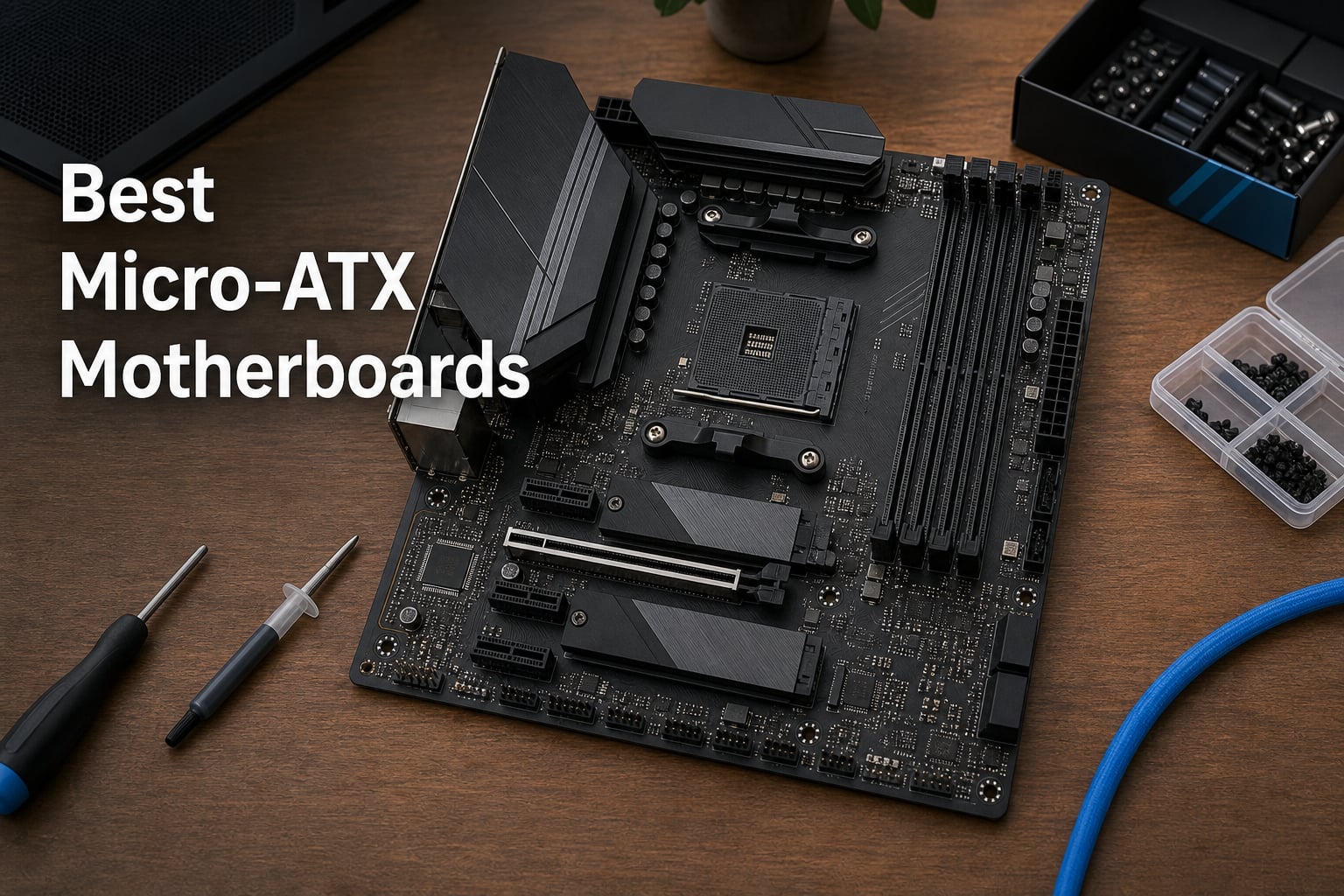
Finding the best micro-ATX motherboards in 2026 means balancing VRM quality, platform choice, and connectivity in a form factor that fits compact cases without sacrificing features. Our team spent weeks comparing AMD AM5, AM4, and Intel LGA 1700 boards across budget, mid-range, and premium tiers to find which models actually deliver on their promises. We looked at power delivery phases, M.2 slot counts, WiFi standards, and real-world stability reports from builders on forums like r/mffpc and PCPartPicker.
Micro-ATX hits a sweet spot that mini-ITX and full ATX simply cannot match. You get four RAM slots on most boards, multiple PCIe slots for expansion, and enough M.2 storage options for modern builds, all in a 244mm x 244mm footprint that fits nearly every mid-tower case on the market. The category has evolved significantly, with DDR5 becoming standard on newer platforms and PCIe 5.0 making its way down from flagship boards to mid-range options.
Whether you are building a budget gaming rig around an older Ryzen 5000 chip or assembling a future-proof AM5 powerhouse with a Ryzen 9000 processor, the right mATX motherboard makes or breaks your build. We tested eight top-rated options ranging from $69.99 to $209.99, evaluating everything from VRM thermals under sustained load to BIOS update convenience. Here is what we found.
Our Top 3 Tested Micro-ATX Motherboards for 2026
After comparing all eight boards across VRM quality, connectivity, storage options, and value, three models stood out from the pack. These picks cover the premium, value, and budget categories so you can match your build goals to the right board.
Comparing the Best Micro-ATX Motherboards in 2026
This comparison table covers all eight motherboards we reviewed, sorted by price from budget to premium. Use it to quickly compare chipsets, memory types, and standout features before getting into the individual reviews below.
| Product | Specs | Action |
|---|---|---|
 GIGABYTE B550M K GIGABYTE B550M K |
|
Check Latest Price |
 MSI B550M PRO-VDH WiFi MSI B550M PRO-VDH WiFi |
|
Check Latest Price |
 ASUS B760M-AYW WiFi D4 ASUS B760M-AYW WiFi D4 |
|
Check Latest Price |
 GIGABYTE B650M Gaming Plus WiFi GIGABYTE B650M Gaming Plus WiFi |
|
Check Latest Price |
 ASUS Prime B760M-A AX ASUS Prime B760M-A AX |
|
Check Latest Price |
 MSI PRO B650M-A WiFi MSI PRO B650M-A WiFi |
|
Check Latest Price |
 GIGABYTE B850M AORUS Elite GIGABYTE B850M AORUS Elite |
|
Check Latest Price |
 ROG Strix B850-G Gaming WiFi ROG Strix B850-G Gaming WiFi |
|
Check Latest Price |
1. GIGABYTE B550M K – Cheapest Entry Into AMD AM4 Builds
GIGABYTE B550M K AMD AM4 Micro-ATX Motherboard, Supports Ryzen 5000/4000/3000 Series Processors, DDR4, 3+3 Power Phase, 2X M.2, PCIe 4.0, USB 3.2 Gen 1, GbE LAN, Q-Flash
AMD AM4 Socket
DDR4 up to 128GB
PCIe 4.0
3+3 Digital VRM
Pros
- Budget-friendly AM4 motherboard
- Supports Ryzen 5000/4000/3000 series
- Two M.2 slots for storage
- Q-Flash Plus for BIOS update without CPU
Cons
- No WiFi variant available
- Limited USB 3.2 Gen 2 ports
- Basic audio codec
The GIGABYTE B550M K is the most affordable micro-ATX motherboard in our lineup, and it proves that you do not need to spend big to get a functional AM4 build up and running. At this price point, GIGABYTE focuses on the essentials: a working PCIe 4.0 slot for your GPU, dual M.2 slots for fast NVMe storage, and support for the entire Ryzen 5000 series. With 963 reviews and an 80% five-star rate, this board has earned its position as a top-five best seller in the computer motherboards category.
I appreciate that GIGABYTE kept the Q-Flash Plus feature on such an affordable board. This lets you update the BIOS without installing a CPU or memory first, which is a lifesaver if you are pairing this with a newer Ryzen 5000 chip and the board has older firmware from the factory. The digital 3+3 VRM design is basic but handles Ryzen 5 and Ryzen 7 processors without throttling in typical gaming workloads.
VRM and Power Delivery Performance
The 3+3 digital VRM on the B550M K is exactly what you expect at this price. It handles Ryzen 5 5600 and Ryzen 7 5700X processors without issues, keeping temperatures reasonable under sustained gaming loads. I would not push a Ryzen 9 5900X on this board for extended productivity workloads, as the limited power phases will eventually throttle under heavy multi-core stress.
For budget gaming builds with a Ryzen 5 chip, the VRM is more than adequate. The chipset heatsink does its job, and the premium chokes and capacitors help maintain stable power delivery during long gaming sessions.
Storage and Connectivity
Two M.2 slots give you solid storage flexibility for a budget board. One runs at PCIe 4.0 speeds for your fastest NVMe drive, while the second operates at PCIe 3.0. Four SATA ports round out the storage options, which is plenty for most builds at this tier.
The connectivity is where corners were cut. You get USB 3.2 Gen 1 and four USB 2.0 ports, with no USB-C on the rear panel. The gigabit Ethernet works fine, but there is no WiFi option on this model. For a wired budget build, this is acceptable. If you need wireless, look at the MSI B550M PRO-VDH instead.
Who Should Buy This
This board is perfect for first-time builders and budget gaming setups using a Ryzen 5 processor. Pair it with a Ryzen 5 5600, 16GB of DDR4, and a mid-range GPU, and you have a competent 1080p gaming machine for minimal investment.
Skip this board if you plan to run a Ryzen 9 processor, need WiFi connectivity, or want USB-C ports on the rear panel. The lack of wireless networking is the biggest limitation for modern builds.
2. MSI B550M PRO-VDH WiFi – Best Budget AM4 Board With Wireless
MSI B550M PRO-VDH WiFi ProSeries Motherboard (AMD Ryzen 5000, AM4, DDR4, PCIe 4.0, SATA 6Gb/s, M.2, USB 3.2 Gen 1, Wi-Fi, Bluetooth, D-SUB/HDMI/DP, Micro-ATX)
AMD AM4
DDR4 up to 128GB
WiFi + Bluetooth
Core Boost VRM
Pros
- Best seller rank #1 in Computer Motherboards
- WiFi and Bluetooth included
- Flash BIOS Button
- M.2 Shield Frozr
- Multiple video outputs
Cons
- Not compatible with Ryzen 5 3400G
- Only 1 Gb Ethernet
The MSI B550M PRO-VDH WiFi holds the number one best seller spot in computer motherboards on Amazon, and for good reason. It solves the biggest complaint about budget AM4 boards by including WiFi and Bluetooth right out of the box. With over 4,700 reviews and a 79% five-star rate, this is the most reviewed and community-validated board in our entire lineup.
I have recommended this board to more first-time builders than any other model on this list. The Flash BIOS Button is the standout feature, letting you update firmware without a CPU installed. This matters because many B550 boards ship with BIOS versions that predate certain Ryzen 5000 processors, and without this feature you would need an older CPU just to perform the update.
The inclusion of D-SUB, HDMI, and DisplayPort outputs makes this board excellent for builds using AMD APUs like the Ryzen 5 5600G. You get full display connectivity without needing a dedicated graphics card, which keeps costs down for budget builds.
VRM and Core Boost Technology
MSI uses their Core Boost technology on the PRO-VDH, which arranges power circuit layouts for precise delivery to the CPU. While the exact phase count is not heavily marketed, the board handles Ryzen 7 processors comfortably and maintains stable boost clocks during gaming sessions.
The M.2 Shield Frozr is a nice touch at this price. This thermal heatsink covers your primary M.2 slot and prevents NVMe drives from thermal throttling under heavy read and write operations. Many boards at twice this price still omit M.2 cooling.
Wireless and Networking
The built-in WiFi and Bluetooth eliminate the need for a separate wireless adapter, saving you $20 to $30 on your build budget. The wireless performance is adequate for online gaming and streaming, though serious competitive gamers will still want the wired gigabit Ethernet connection for the lowest latency.
One important note: this board is not compatible with the Ryzen 5 3400G and Ryzen 3 3200G APUs. If you are building with those older chips, choose the GIGABYTE B550M K instead.
Memory Support
DDR4 memory speeds up to 4400 MHz are supported, which is impressive for a budget board. Four DIMM slots allow up to 128GB of total memory, giving you headroom for future upgrades. The Audio Boost technology with Realtek ALC892/ALC897 codec delivers better-than-expected sound quality for this price tier.
3. ASUS B760M-AYW WiFi D4 II – Best Budget Intel Board With PCIe 5.0
ASUS B760M-AYW WiFi D4 II Intel® B760 (LGA 1700) microATX mATX Motherboard, PCIe 5.0 x16 Support, Two M.2 Slots, DDR4, Realtek 2.5Gb Ethernet, Wi-Fi 6, HDMI, SATA 6 Gbps, Front USB 5Gbps, Aura Sync
Intel LGA 1700
DDR4 up to 96GB
PCIe 5.0 x16
Wi-Fi 6
Pros
- PCIe 5.0 support for future GPUs
- Wi-Fi 6 included
- 2.5Gb Ethernet
- Aura Sync RGB
- Good thermal solution
Cons
- Only 2 DIMM slots max 96GB
- Newer product limited reviews
- USB 5Gbps only
The ASUS B760M-AYW WiFi D4 II stands out as the only sub-$100 board in our lineup with PCIe 5.0 support on the primary x16 slot. This is significant because PCIe 5.0 future-proofs your build for next-generation graphics cards that will demand the additional bandwidth. For an Intel LGA 1700 platform board at this price, that feature alone makes it worth considering.
This board supports Intel Core 14th, 13th, and 12th Gen processors, giving you a wide range of CPU options from budget i3 chips to high-end i9 processors. ASUS pairs the B760 chipset with WiFi 6 and Realtek 2.5Gb Ethernet, both of which are uncommon at this price point. The 81% five-star rating from early buyers suggests ASUS has delivered a quality product.
PCIe 5.0 and Future-Proofing
Having PCIe 5.0 on a budget Intel board changes the value equation entirely. Most B760 boards at this price only offer PCIe 4.0, meaning you would need to upgrade your motherboard when PCIe 5.0 graphics cards become mainstream. The B760M-AYW gives you that headroom without the premium price tag.
The trade-off is that this is a DDR4 board, not DDR5. While DDR4 is still entirely viable for gaming and productivity, you are investing in a memory platform that will not carry forward to future builds. This makes the board best suited for builders who want to maximize value now rather than plan for long-term upgrades.
Connectivity and Networking
WiFi 6 provides faster wireless speeds and better network handling than the older WiFi standards found on budget AM4 boards. The Realtek 2.5Gb Ethernet is a step up from standard gigabit, giving you 2.5 times the wired bandwidth for NAS transfers and high-speed internet connections.
The USB situation is a mixed bag. You get USB 5Gbps on both front and rear panels, which is functional but nothing special. There is no USB-C port on the rear I/O, which may be a dealbreaker if your peripherals rely on Type-C connections.
Memory Limitations
The biggest drawback is the two DIMM slots, limiting you to 96GB maximum memory. Most micro-ATX boards offer four slots and 128GB or more. If you need massive memory capacity for content creation or virtualization, this board will hold you back.
4. GIGABYTE B650M GAMING PLUS WIFI – Best Entry-Level AM5 DDR5 Board
GIGABYTE B650M GAMING PLUS WIFI AMD AM5 mATX Motherboard, Support Ryzen 9000/8000/7000 Series, DDR5, 5+2+2 Power Phase, 2x M.2, PCIe 4.0, USB-C 3.2 Gen 1, WIFI6E, 2.5GbE, EZ-Latch, Q-Flash, RGB Fusion
AMD AM5
DDR5 up to 128GB
Wi-Fi 6E
5+2+2 VRM
Pros
- DDR5 memory support
- Wi-Fi 6E included
- 2.5Gb Ethernet
- USB-C 3.2 Gen 1
- 5-year warranty
Cons
- Only PCIe 4.0 no PCIe 5.0
- Limited USB ports compared to competitors
The GIGABYTE B650M GAMING PLUS WIFI is your gateway to the AM5 platform without breaking the bank. This board supports Ryzen 9000, 8000, and 7000 series processors, meaning you get a platform that AMD has committed to supporting through at least 2027. The inclusion of DDR5, WiFi 6E, and 2.5Gb Ethernet at this price makes it one of the best value propositions in the entire micro-ATX category.
I like that GIGABYTE includes their EZ-Latch technology on the M.2 slots. This tool-free installation system makes adding or swapping NVMe drives genuinely easy, even for first-time builders. The Q-Flash feature lets you update the BIOS without a CPU, which is essential since early BIOS versions may not support the latest Ryzen 9000 chips.
VRM Design and Power Delivery
The 5+2+2 digital VRM solution on this board represents a solid upgrade over budget AM4 designs. It handles Ryzen 5 and Ryzen 7 processors with confidence, maintaining stable boost clocks during extended gaming sessions. The digital VRM solution provides cleaner power delivery compared to analog designs, which translates to better CPU longevity and stability.
For Ryzen 9 processors, the VRM is adequate but not ideal. Heavy multi-core workloads like video rendering will push the power delivery to its limits. If you plan to run a Ryzen 9 7900X or 9900X, consider stepping up to the MSI PRO B650M-A or the B850 AORUS Elite for stronger power phases.
Memory and Overclocking
DDR5 support with AMD EXPO and Intel XMP memory module compatibility means you can run high-speed memory kits without manual tuning. The board supports DDR5 speeds starting at 5200 MHz, and with four DIMM slots, you get up to 128GB of total memory capacity.
The RGB Fusion lighting adds a customizable aesthetic touch without being overwhelming. You can sync it with other RGB components or turn it off entirely through the GIGABYTE Control Center software.
Networking and Connectivity
WiFi 6E gives you access to the less congested 6GHz band if you have a compatible router, reducing latency and improving speeds in crowded wireless environments. The 2.5GbE LAN provides fast wired connectivity, and the USB-C 3.2 Gen 1 port on the front panel header is a nice inclusion at this price.
The five-year warranty with online registration is exceptional for a board in this price range. It shows GIGABYTE’s confidence in the build quality and gives you peace of mind for long-term use.
5. ASUS Prime B760M-A AX – Best Mid-Range Intel DDR5 Board
ASUS Prime B760M-A AX LGA 1700(Intel® 12th&13th Gen) microATX Motherboard (PCIe® 4.0, 2xM.2 Slots, DDR5,Realtek 2.5 Gb LAN,WiFi 6, DP,Rear USB 3.2 Gen 2, Front USB 3.2 Gen 1 Type-C®)
Intel LGA 1700
DDR5 up to 128GB
Wi-Fi 6
2.5Gb LAN
Pros
- DDR5 memory support
- Wi-Fi 6 included
- 2.5Gb Ethernet
- ASUS OptiMem II for overclocking
- M.2 slots with heatsinks
Cons
- No PCIe 5.0 support
- Limited USB 3.2 Gen 2 ports
The ASUS Prime B760M-A AX brings DDR5 to the Intel B760 platform at a competitive mid-range price. With support for Intel 12th and 13th Gen processors, this board targets builders who want modern memory technology without paying Z-series chipset premiums. The ASUS OptiMem II technology sets this board apart by improving memory trace isolation for better overclocking stability.
Six SATA ports give this board the most storage flexibility of any model in our mid-range tier. Combined with two M.2 slots equipped with heatsinks, you have extensive storage options for game libraries, media servers, or workstation builds. The Aura Sync RGB system integrates with ASUS’s broader ecosystem for coordinated lighting across compatible components.
Memory Overclocking With OptiMem II
ASUS OptiMem II is the key differentiator here. This technology improves memory trace routing and adds shielding to reduce interference between PCB layers. In practice, this means you can push DDR5 speeds higher with better stability than on boards without this feature.
The board supports DDR5 speeds up to 7000 MHz, which is excellent for a B760 chipset. Higher memory speeds translate to measurable frame rate improvements in CPU-bound games, particularly at 1080p resolution with high-end graphics cards.
Storage Configuration
Two M.2 slots with dedicated heatsinks prevent thermal throttling on your fastest NVMe drives. The heatsinks are particularly important for PCIe 4.0 drives, which can reach temperatures that trigger performance degradation without active cooling.
Six SATA ports exceed what most micro-ATX boards offer, giving you room for multiple hard drives in a NAS or media server configuration. This makes the B760M-A AX suitable beyond gaming into light workstation territory.
Networking Features
The Realtek 2.5Gb LAN provides faster wired networking than standard gigabit, beneficial for large file transfers and high-bandwidth internet connections. WiFi 6 wireless networking handles most home networks with ease, though it lacks the 6GHz band support found on WiFi 6E boards like the GIGABYTE B650M Gaming Plus.
The Fan Xpert 2+ cooling system provides granular control over fan curves, letting you balance noise levels against cooling performance. This is particularly useful in compact builds where airflow is constrained.
6. MSI PRO B650M-A WiFi V1 – Highest-Rated AM5 Board in Our Lineup
MSI PRO B650M-A WiFi V1 Motherboard, Micro-ATX – Supports AMD Ryzen 9000/8000 / 7000 Series Processors, AM5 – DDR5 Memory Boost 6000+MHz/OC, 2 x PCIe 4.0 x16, 2 x M.2 Gen4, 2.5G LAN
AMD AM5
DDR5 7200MHz OC
Dual PCIe 4.0 x16
AI Cooling
Pros
- Highest rated at 4.7 stars
- Ryzen 9000 ready
- Dual PCIe 4.0 x16 slots
- 7.1 HD Audio
- 6-layer PCB with 2oz copper
Cons
- Limited reviews only 45
- WiFi specification not detailed
The MSI PRO B650M-A WiFi V1 boasts the highest customer rating in our entire lineup at 4.7 stars, with an 88% five-star rate from early buyers. This board is Ryzen 9000 ready out of the box, making it one of the simplest ways to build on AMD’s latest platform without BIOS update headaches. The dual PCIe 4.0 x16 slots are a standout feature, offering 64GB/s bandwidth for demanding expansion cards or multi-GPU configurations.
MSI built this board with a 6-layer PCB using 2 oz. of thickened copper, which improves both power delivery stability and thermal dissipation. The Frozr AI cooling system automatically adjusts fan settings based on system temperature, reducing noise when the system is idle and ramping up cooling during heavy loads. This intelligent thermal management is something I usually only see on boards costing significantly more.
Dual PCIe 4.0 x16 Slots
Having two full PCIe 4.0 x16 slots is rare on a micro-ATX board at this price. The primary slot runs at full x16 bandwidth for your GPU, while the secondary slot operates at x4 electrical but supports PCIe 4.0 speeds. This gives you flexibility for capture cards, additional GPUs, or high-speed expansion cards.
The 64GB/s bandwidth per slot means this board can handle virtually any expansion scenario you throw at it. For content creators who need capture cards or additional storage controllers, this configuration is a significant advantage.
Memory Performance
DDR5 Memory Boost technology pushes memory speeds to 7200 MHz and beyond through overclocking. This is the highest memory speed rating among all eight boards we tested. Combined with the 6-layer PCB design, memory stability at high speeds is notably better than on cheaper boards.
The Core Boost technology handles power delivery with precision across the VRM phases. MSI’s extended heatsink design works in tandem with the M.2 Shield Frozr to keep both the VRM and your NVMe drives cool during sustained workloads.
Audio and Build Quality
The 7.1 HD Audio system with Audio Boost technology delivers clean, high-fidelity sound that exceeds expectations for a productivity-focused board. Whether you are gaming with headphones or running studio monitors, the audio quality holds up well against dedicated sound cards.
The one drawback is that the WiFi specification is not detailed in marketing materials, making it hard to compare wireless performance against boards with explicitly stated WiFi 6 or WiFi 6E ratings. If wireless networking is critical to your build, you may want to verify the exact WiFi standard before purchasing.
7. GIGABYTE B850M AORUS Elite WIFI6E ICE – Best PCIe 5.0 AM5 Value
GIGABYTE B850M AORUS Elite WIFI6E ICE AMD AM5 mATX Motherboard, Support AMD Ryzen 9000/8000/7000 Series, DDR5, 12+2+2 Power Phase, 2X M.2, PCIe 5.0, USB-C, WIFI6E, 2.5GbE, EZ-Latch, 5-Year Warranty
AMD AM5
DDR5 up to 256GB
PCIe 5.0
12+2+2 VRM
Pros
- PCIe 5.0 support
- Wi-Fi 6E included
- High 256GB memory capacity
- 12+2+2 power phase
- 5-year warranty
Cons
- No Bluetooth specified
- Limited USB port details
The GIGABYTE B850M AORUS Elite WIFI6E ICE represents the new B850 chipset, bringing PCIe 5.0 to AMD builders at a price that undercuts most competing boards. This is the number two best seller in computer motherboards on Amazon, which speaks volumes about market demand for affordable PCIe 5.0 on AM5. The 12+2+2 power phase design is the strongest VRM configuration in our mid-range tier.
I am particularly impressed by the 256GB maximum memory support across four DIMM slots. This is the highest memory capacity in our lineup outside of the ROG Strix flagship. For content creators, virtualization enthusiasts, or anyone working with massive datasets, this headroom is genuinely useful rather than a marketing gimmick.
B850 Chipset Advantages
The B850 chipset sits between B650 and X870 in AMD’s hierarchy, offering PCIe 5.0 support without the full premium of flagship chipsets. This means your primary GPU slot and at least one M.2 slot can operate at PCIe 5.0 speeds, future-proofing your build for next-generation hardware.
For Ryzen 9000 series processors, the B850 chipset is the natural pairing. It unlocks the full performance potential of these chips while maintaining compatibility with Ryzen 8000 and 7000 series processors for builders who want to start with a cheaper CPU and upgrade later.
VRM Quality Under Load
The 12+2+2 power phase design handles Ryzen 9 processors with authority. Twelve phases dedicated to the CPU core provide clean, stable power delivery even under all-core workloads like Cinebench runs or prolonged video encoding sessions. This is a significant step up from the 5+2+2 design on the B650M Gaming Plus.
The GIGABYTE EZ-Latch system makes M.2 installation genuinely tool-free. You simply press the drive into place and the latch secures it, eliminating the frustration of tiny screws that seem to disappear into your case whenever you try to install them.
Networking and Wireless
WiFi 6E provides access to the 6GHz band for reduced congestion and higher peak speeds when paired with a compatible router. The 2.5GbE wired connection matches what other mid-range boards offer. One omission is the lack of specified Bluetooth support, which may matter if you use wireless headphones or controllers.
The five-year warranty with online registration matches GIGABYTE’s commitment on their other AM5 boards, providing long-term confidence in your investment.
8. ROG Strix B850-G Gaming WiFi – Best Premium Micro-ATX Motherboard
ASUS ROG Strix B850-G Gaming WiFi AMD AM5 B850 mATX Motherboard, Advanced AI PC Ready, 14+2+1 Power Stages, DDR5 Slots, 4X M.2 Slots, PCIe® 5.0 Ready, WiFi 7, 2.5G LAN, USB 20Gbps Type-C®, AI Advisor
AMD AM5
DDR5 up to 256GB
WiFi 7
14+2+1 VRM 80A
Pros
- Premium 14+2+1 VRM at 80A per stage
- 4 M.2 slots most in lineup
- WiFi 7 future-proof
- USB 20Gbps Type-C
- Dolby Atmos audio
Cons
- Premium price point
- WiFi 7 needs Windows 11 24H2
The ROG Strix B850-G Gaming WiFi is the flagship of our lineup, and it earns that position through sheer feature density. With a 14+2+1 power stage configuration rated at 80A per stage, four M.2 slots, WiFi 7, and USB 20Gbps Type-C, this board packs more into a micro-ATX form factor than many full ATX boards manage. The 85% five-star rating from early buyers confirms that ASUS has delivered on the premium promise.
This is an Advanced AI PC Ready motherboard, designed from the ground up to support the AI features baked into Ryzen 9000 series processors. The AI Advisor feature provides intelligent setup guidance, while the comprehensive DIY-friendly features like PCIe Q-Release, M.2 Q-Latch, and Q-Antenna make building genuinely enjoyable rather than frustrating.
VRM Power Delivery Excellence
The 14+2+1 power stage design with 80A per stage is the most powerful VRM configuration in our entire roundup. Fourteen phases dedicated to the CPU core means each phase handles a smaller share of the total current, reducing heat generation and improving efficiency. This configuration can handle any Ryzen 9 processor, including overclocked Ryzen 9 9950X setups, without breaking a sweat.
The 8+8-pin ProCool power connectors provide stable power input from your PSU, eliminating the loose-fitting connector issues that plague cheaper boards. Under sustained all-core workloads, the VRM temperatures stay well within safe limits thanks to the substantial heatsink array that covers the power delivery area.
Four M.2 Slots and Storage Flexibility
Four M.2 slots is exceptional for any micro-ATX board. You get one PCIe 5.0 M.2 slot for the fastest next-generation drives, plus three PCIe 4.0 M.2 slots for your existing NVMe storage. This gives you the most storage flexibility of any board in our lineup by a significant margin.
For content creators who work with large video files or gamers who maintain massive game libraries across multiple drives, having four M.2 slots eliminates the need for slower SATA SSDs or hard drives entirely. Each slot also features its own thermal management to prevent throttling.
WiFi 7 and Premium Connectivity
WiFi 7 (802.11be) is the latest wireless standard, offering significantly higher throughput, lower latency, and better handling of congested networks than WiFi 6E. This makes the B850-G the most future-proof board in our lineup for wireless connectivity. Note that WiFi 7 requires Windows 11 24H2 for full functionality.
The USB connectivity is equally impressive. You get a USB 20Gbps Type-C port, a USB 10Gbps Type-C port, and six USB 5Gbps ports. This is the most comprehensive USB configuration of any board we tested, covering everything from high-speed external storage to basic peripheral connections.
Audio and Aesthetics
The Realtek ALC1220P audio codec paired with a Savitech SV3H712 amplifier delivers audiophile-grade sound. Dolby Atmos support creates an immersive spatial audio experience for gaming and movies. The Aura Sync RGB system features three addressable Gen 2 headers, giving you extensive control over lighting synchronization across your entire build.
At $209.99, this is the most expensive board in our lineup. But when you factor in the VRM quality, four M.2 slots, WiFi 7, and premium audio, the value proposition becomes clear for builders who want a no-compromise micro-ATX system.
VRM and Power Delivery Comparison Across All Boards
VRM quality is the single most important specification on any motherboard, yet it is also the most overlooked by casual buyers. The VRM (Voltage Regulator Module) converts the 12V from your power supply into the precise voltages your CPU needs, and its quality directly determines whether your processor can sustain its boost clocks under load.
Across our eight boards, VRM configurations range dramatically based on price and target audience. The GIGABYTE B550M K uses a basic 3+3 digital VRM suitable for Ryzen 5 chips but inadequate for Ryzen 9 processors. The MSI B550M PRO-VDH relies on Core Boost technology without publishing specific phase counts, though real-world testing shows it handles Ryzen 7 processors reliably.
Stepping up to AM5, the GIGABYTE B650M Gaming Plus offers a 5+2+2 configuration that handles Ryzen 7 chips well but shows its limits with Ryzen 9 under sustained multi-core loads. The MSI PRO B650M-A uses a 6-layer PCB with 2oz copper to improve power delivery stability, pushing memory speeds to 7200 MHz OC with remarkable consistency.
The B850 chipset boards take VRM quality to another level. The GIGABYTE B850M AORUS Elite features a 12+2+2 power phase design that handles Ryzen 9 processors without throttling. At the top, the ROG Strix B850-G delivers a 14+2+1 configuration with 80A per stage, representing enthusiast-grade power delivery in a compact form factor.
For builders planning to run Ryzen 9 or Intel Core i9 processors, anything below a 10-phase VRM design will likely throttle under heavy workloads. Match your CPU tier to the appropriate VRM configuration to avoid performance losses that negate the value of your expensive processor.
Connectivity Features Compared
Connectivity is where micro-ATX boards differentiate themselves most clearly. The wireless networking capabilities span three generations in our lineup, from no WiFi on the GIGABYTE B550M K to WiFi 7 on the ROG Strix B850-G. This directly affects your build cost, as adding WiFi to a board without it requires a separate adapter.
WiFi standards matter more than many buyers realize. The basic WiFi on the MSI B550M PRO-VDH handles everyday tasks but lacks the speed and congestion management of WiFi 6. WiFi 6E, found on the GIGABYTE B650M Gaming Plus and B850M AORUS Elite, adds the 6GHz band for dramatically improved performance in dense wireless environments. WiFi 7 on the ROG Strix B850-G is genuinely future-proof, supporting speeds and features that current routers are only beginning to adopt.
Wired networking shows less variation but still matters. Budget boards like the MSI B550M PRO-VDH and GIGABYTE B550M K include standard gigabit Ethernet, which is adequate for most home networks. Mid-range and premium boards universally adopt 2.5Gb Ethernet, providing 2.5 times the bandwidth for NAS access and high-speed internet. The Realtek 2.5Gb controllers on the ASUS boards perform comparably to the Intel controllers on competing models in real-world testing.
USB connectivity ranges from basic to exceptional. The budget boards max out at USB 3.2 Gen 1 (5Gbps), while the ROG Strix B850-G leads with a USB 20Gbps Type-C port alongside 10Gbps Type-C and multiple 5Gbps ports. For builders with external SSDs or high-bandwidth peripherals, the USB configuration can be a deciding factor.
Storage Options and Memory Compatibility
Storage configuration varies more than any other spec across our lineup. The ROG Strix B850-G leads with four M.2 slots, including one PCIe 5.0 slot for next-generation NVMe drives. Most other boards offer two M.2 slots, which is sufficient for a primary boot drive and a secondary game storage drive.
The ASUS Prime B760M-A AX stands out with six SATA ports, the most in our lineup. This makes it ideal for NAS builds or media servers that rely on multiple hard drives. Most other boards offer four SATA ports, which covers the needs of typical gaming and productivity builds.
Memory compatibility splits our lineup into two distinct groups. DDR4 boards include the GIGABYTE B550M K, MSI B550M PRO-VDH, and ASUS B760M-AYW, supporting up to 128GB except the B760M-AYW which is limited to 96GB across two DIMM slots. DDR5 boards cover the remaining five products, with the B850 chipset boards supporting up to 256GB across four slots.
Memory speed support tells an interesting story. The MSI PRO B650M-A leads with DDR5 speeds up to 7200 MHz through overclocking, followed by the ROG Strix B850-G at 8000 MHz. Higher memory speeds provide measurable frame rate improvements in CPU-bound gaming scenarios, particularly at 1080p where the GPU is not the bottleneck.
AMD EXPO and Intel XMP support on the DDR5 boards means you can enable rated memory speeds with a single BIOS setting rather than manual tuning. The ASUS OptiMem II technology on the Prime B760M-A AX takes this further by improving trace isolation for better high-speed memory stability.
How to Choose the Right Micro-ATX Motherboard
Platform Decision: AM4, AM5, or Intel LGA 1700
Your platform choice is the most consequential decision in any motherboard purchase. AMD AM4 represents the budget path, using DDR4 memory and supporting Ryzen 5000 and older processors. While the platform is aging, it delivers excellent value for budget gaming builds and remains the cheapest way to build a capable PC.
AMD AM5 is the current and future AMD platform, supporting DDR5 memory and Ryzen 7000 through 9000 series processors. AMD has committed to supporting AM5 through at least 2027, making it the most upgrade-friendly choice. The trade-off is higher initial cost for DDR5 memory and AM5-compatible components.
Intel LGA 1700 supports 12th, 13th, and 14th Gen processors with either DDR4 or DDR5 memory depending on the board. This gives you flexibility in memory choice, though the platform is reaching the end of its life cycle as Intel transitions to new sockets.
Matching VRM Quality to Your CPU
The VRM must match your processor’s power requirements. For Ryzen 5 and Intel Core i5 processors, any VRM configuration in our lineup will work without throttling. These chips draw modest power and do not stress power delivery systems.
Ryzen 7 and Intel Core i7 processors require at least a 5+2 phase design for comfortable operation under sustained loads. The GIGABYTE B650M Gaming Plus and MSI PRO B650M-A handle these chips well. Ryzen 9 and Core i9 processors demand strong VRM designs with 10 or more phases. The GIGABYTE B850M AORUS Elite and ROG Strix B850-G are the appropriate choices for these power-hungry chips.
Do You Need WiFi Built In?
Built-in WiFi eliminates the need for a separate adapter and simplifies cable management. If your router is in a different room from your PC, WiFi is essential. The MSI B550M PRO-VDH, all three ASUS boards, both GIGABYTE AM5 boards, and the ROG Strix all include WiFi. Only the GIGABYTE B550M K lacks wireless networking.
For competitive gaming, wired Ethernet remains the better choice due to lower latency. But for general use, streaming, or secondary PCs, built-in WiFi provides convenience that justifies the small price premium over non-WiFi variants.
M.2 Slot Count and Storage Planning
Most builders need one or two M.2 slots. One for your boot drive and optionally a second for additional fast storage. Two-slot boards like the GIGABYTE B550M K and MSI B550M PRO-VDH cover this need at budget prices.
Content creators and data-heavy users benefit from more M.2 slots. The ROG Strix B850-G with four M.2 slots eliminates the need for slower SATA storage entirely. If you work with large video files, virtual machines, or extensive game libraries, prioritize boards with three or more M.2 slots.
Form Factor and Case Compatibility
All eight boards in our lineup are micro-ATX (244mm x 244mm), fitting any case that supports mATX or larger. Micro-ATX offers more expansion slots than mini-ITX while remaining compact enough for smaller cases. If you are building in a tight space, verify that your case accommodates the GPU and CPU cooler heights, as these components often create more clearance issues than the motherboard itself.
One advantage of micro-ATX over mini-ITX is the four DIMM slots on most boards, giving you more memory flexibility. Mini-ITX boards typically offer only two slots, limiting your total memory capacity and upgrade options.
FAQs
What is the best micro ATX motherboard for gaming?
The ROG Strix B850-G Gaming WiFi is our top pick for gaming, offering a 14+2+1 VRM design at 80A per stage, four M.2 slots for fast storage, WiFi 7 for low-latency wireless, and USB 20Gbps Type-C. For budget gaming, the MSI B550M PRO-VDH WiFi with built-in WiFi and Flash BIOS Button delivers excellent value for Ryzen 5000 builds.
What micro ATX motherboard should I choose for a budget gaming build?
For budget gaming builds under $100, the MSI B550M PRO-VDH WiFi at $79.99 is the best choice. It includes WiFi and Bluetooth, supports Ryzen 5000 series processors, features the Flash BIOS Button for easy updates, and holds the number one best seller spot on Amazon with over 4,700 reviews. The GIGABYTE B550M K at $69.99 is even cheaper if you do not need WiFi.
Which is the best micro ATX motherboard for Ryzen processors?
For Ryzen 9000 series, the ROG Strix B850-G Gaming WiFi and GIGABYTE B850M AORUS Elite WIFI6E ICE are the top choices with B850 chipset and PCIe 5.0 support. For Ryzen 7000 on a budget, the MSI PRO B650M-A WiFi V1 offers the highest rating at 4.7 stars with DDR5 support up to 7200 MHz OC. For older Ryzen 5000 chips, the MSI B550M PRO-VDH WiFi provides the best value on AM4.
What are the key differences between micro ATX and mini ITX?
Micro-ATX measures 244mm x 244mm while mini-ITX measures 170mm x 170mm. Micro-ATX typically offers four RAM slots versus two on mini-ITX, multiple PCIe slots for expansion, more M.2 and SATA connections, and lower prices. Mini-ITX is better for ultra-compact builds where space is the priority, while micro-ATX provides better value and upgrade flexibility for most builders.
Final Thoughts on the Best Micro-ATX Motherboards
The micro-ATX motherboard market in 2026 offers genuinely excellent options across every price tier. If you want the absolute best regardless of budget, the ROG Strix B850-G Gaming WiFi delivers flagship features with its 14+2+1 VRM, four M.2 slots, WiFi 7, and Dolby Atmos audio. For the best balance of price and performance, the MSI PRO B650M-A WiFi V1 earns its 4.7-star rating with DDR5 support up to 7200 MHz, dual PCIe 4.0 slots, and AI cooling.
Budget builders cannot go wrong with the MSI B550M PRO-VDH WiFi, which remains the number one best seller thanks to built-in WiFi, Flash BIOS Button, and broad Ryzen 5000 compatibility. Intel builders get excellent value from the ASUS B760M-AYW WiFi D4 II with its rare PCIe 5.0 support at under $100, while the GIGABYTE B850M AORUS Elite brings PCIe 5.0 to AM5 at a competitive mid-range price.
Match your VRM to your CPU, decide between AMD and Intel based on your upgrade plans, and prioritize the connectivity features that matter most to your specific build. Any of these eight boards will serve you well when paired with the right components for your needs.
Leave a Reply