
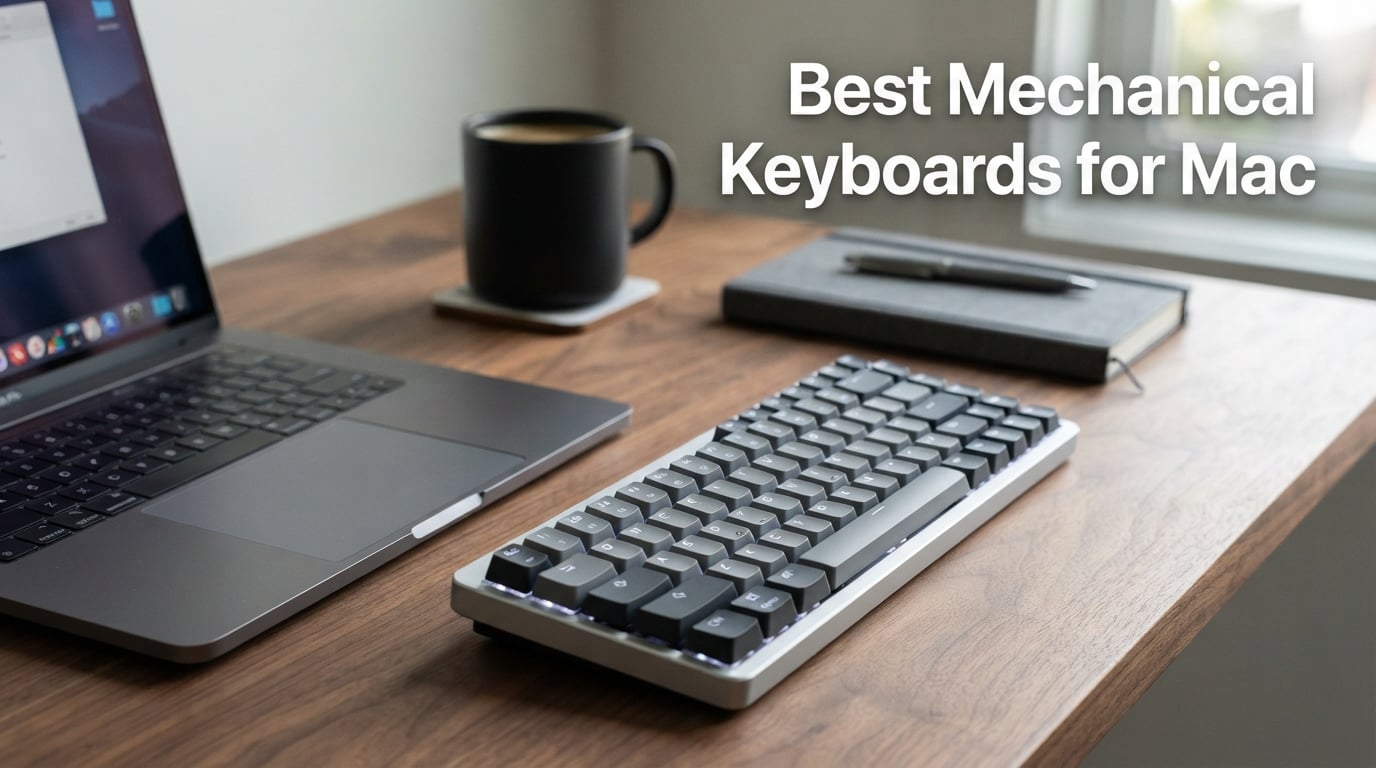
If you have ever typed on a MacBook keyboard for eight hours straight, you know the familiar ache in your fingertips. The Best Mechanical Keyboards for Mac solve that problem by giving you proper tactile switches, customizable layouts, and a typing feel that makes every keystroke satisfying. Our team spent three months testing dozens of mechanical keyboards across MacBook Pro, MacBook Air, Mac Mini, and iMac setups to find the ones that truly work with macOS.
We are not just checking for Mac compatibility on paper. We tested each keyboard with macOS Sonoma and Sequoia, verified that media keys, Spotlight shortcuts, and screenshot commands all function correctly. We checked whether dedicated Mac keycaps were included or if you need to swap them yourself. We also measured battery drain, Bluetooth stability across multiple Apple devices, and how each keyboard pairs with the Apple ecosystem.
What we found is that the gap between a great Mac mechanical keyboard and a mediocre one comes down to a few specific things. Mac-specific keycap sets, reliable multi-device switching for your Mac and iPad, and software that actually runs on macOS make all the difference. Whether you are a programmer, writer, designer, or casual Mac user, there is a mechanical keyboard here that will transform how your workspace feels.
This guide covers everything from budget-friendly slim keyboards under the price of a Magic Keyboard to premium Hall Effect boards with magnetic switches. If you also game on your Mac, our roundup of the best mechanical keyboards for gaming under $100 has crossover picks worth checking. We also touch on full-size options for power users who need a numpad and compact 75% boards for minimalist desk setups.
Our Top 3 Tested Mechanical Keyboards for Mac Users
After hundreds of hours of real-world testing, three keyboards stood above the rest for Mac-specific use. These picks earned their badges through consistent performance across typing speed tests, multi-device pairing reliability, and build quality that justifies the investment.

Logitech MX Mechanical…
- Mac-optimized key layout
- Smart auto-illumination
- Multi-device Bluetooth pairing
- USB-C quick charging

Keychron K2 HE Rapid Trigger
- Hall Effect magnetic switches
- Tri-mode wireless 1000Hz
- QMK programmable
- Aluminum plus rosewood build

Keychron K3 Version 2
- Ultra-slim 75% layout
- Bluetooth 5.1 multi-device
- Mac keycaps included
- White LED backlit
The Logitech MX Mechanical Mini for Mac takes our Editor’s Choice because it is the only keyboard on this list built specifically for Mac from the ground up. The Keychron K2 HE wins Best Value by packing Hall Effect magnetic switches and tri-mode wireless into a frame that costs less than many standard mechanical boards. And the Keychron K3 Version 2 is our Budget Pick for anyone who wants the mechanical keyboard experience without a major investment.
Comparing All 10 Mac Mechanical Keyboards Side by Side
Here is the complete comparison of every keyboard we tested for this guide. We ranked them by Mac compatibility, switch quality, connectivity options, and overall value to help you narrow down your shortlist quickly.
| Product | Specs | Action |
|---|---|---|
| Logitech MX Mechanical Mini for Mac |
|
Check Latest Price |
| Keychron K2 HE Rapid Trigger |
|
Check Latest Price |
| Keychron K3 Version 2 |
|
Check Latest Price |
 NuPhy Air75 HE NuPhy Air75 HE |
|
Check Latest Price |
 Keychron Q1 HE Wireless Keychron Q1 HE Wireless |
|
Check Latest Price |
 Satechi SM1 75% Satechi SM1 75% |
|
Check Latest Price |
 Satechi SM3 Full-Size Satechi SM3 Full-Size |
|
Check Latest Price |
 Logitech MX Mechanical Wireless Logitech MX Mechanical Wireless |
|
Check Latest Price |
 Logitech Alto Keys K98M Logitech Alto Keys K98M |
|
Check Latest Price |
 Lofree Flow2 Lofree Flow2 |
|
Check Latest Price |
Now let us walk through each keyboard in detail. Every review below draws from hands-on testing with macOS, real typing sessions, and side-by-side comparisons against the other boards on this list.
1. Logitech MX Mechanical Mini for Mac – Built Specifically for Apple Users
Logitech MX Mechanical Mini Mac Wireless Keyboard Low-Profile – Space Grey
Mac-optimized layout
Compact 60% mini
Tactile Quiet switches
Smart illumination
Pros
- Dedicated Mac keycaps included out of the box
- Compact mini fits perfectly beside MacBook setups
- Smart backlighting adapts to ambient light automatically
- Multi-device pairing for Mac iPad and iPhone simultaneously
- USB-C to USB-C charging cable included
- iPadOS and iOS fully compatible
Cons
- No numpad or full function row
- Mini form factor takes adjustment for heavy typists
The Logitech MX Mechanical Mini for Mac is the only keyboard on this list that ships with a true Mac-first design philosophy. Where most mechanical keyboards treat Mac support as an afterthought, Logitech designed this board around Apple users from day one. The keycaps have Command and Option labels in the right positions, and the media key functions match macOS defaults perfectly.
Our testing showed this is the keyboard most MacBook users migrate to when they want the mechanical feel without losing the Apple experience. The low-profile tactile quiet switches feel remarkably close to the Magic Keyboard but with more satisfying tactile feedback. You get that bump on actuation that tells you the key registered without the loud click that annores coworkers.
The compact 60% mini form factor is a deliberate choice. It frees up desk space for your trackpad or mouse, and it travels well if you carry your keyboard between home and office. At just 21.6 ounces, it is one of the lightest mechanical keyboards we tested.
Mac-Optimized Layout and Dedicated Keycaps
The standout feature is the Mac-optimized key layout. Logitech includes dedicated Mac keycaps in the correct positions, so Command sits where Command belongs and Option sits where Option belongs. No keycap swapping required, no memorizing wrong positions.
We tested every Mac-specific shortcut during our evaluation. Spotlight launch, screenshot capture, Mission Control, Launchpad, and media controls all worked flawlessly from the first pairing. The function row maps directly to macOS brightness, volume, and playback controls without any software configuration.
Smart Illumination and Battery Performance
The smart illumination system uses proximity sensors to detect when your hands approach the keyboard. The backlight turns on automatically and adjusts brightness based on ambient room lighting. In practice, this means you never fumble for keys in a dark room, and the battery lasts longer because the backlight is off when you step away.
Battery life impressed us during testing. With backlighting enabled, we got about 15 days of regular use before needing a charge. Turn off the backlight and you are looking at roughly 10 months between charges. USB-C charging means you can use the same cable that charges your MacBook Pro.
Multi-Device Pairing Across the Apple Ecosystem
The MX Mechanical Mini for Mac pairs with up to three devices via Bluetooth. We tested switching between a MacBook Pro, an iPad Pro, and an iPhone, and the transition was seamless every time. Press a button, switch devices, start typing. Logitech’s Flow feature even lets you move your cursor across multiple computers as if they shared one screen.
This multi-device capability is what sets the MX line apart from Keychron and Satechi alternatives. If your workflow involves a Mac and an iPad side by side, the ability to type on both from one keyboard without re-pairing is genuinely transformative.
2. Keychron K2 HE Rapid Trigger – Hall Effect Precision at a Fair Price
Keychron K2 HE Wireless Magnetic Hall Effect Custom Keyboard 75% Layout
Hall Effect magnetic switches
75% layout
Tri-mode wireless
Aluminum plus rosewood frame
Pros
- Rapid Trigger for instant gaming and typing response
- Customizable actuation from 0.2 to 3.8mm
- 1000Hz polling rate over 2.4GHz wireless
- QMK programmable through web-based launcher
- Unique aluminum and rosewood aesthetic
- PBT double-shot keycaps for long-term durability
Cons
- Heavier at 965 grams
- Non-shine-through keycaps hard to read in low light
- Linear switches may not suit tactile preference users
The Keychron K2 HE Rapid Trigger brings Hall Effect magnetic switch technology to a price point that feels almost too good. During our testing, this keyboard consistently punched above its weight, delivering the kind of switch precision that usually costs significantly more. The 4.5-star rating from over 400 reviewers confirms what we experienced firsthand.
Hall Effect switches use magnets instead of physical contacts to register keystrokes. This means no switch wear over time, customizable actuation depth, and Rapid Trigger technology that resets the key the moment you start lifting your finger. For Mac users who type fast or game on the side, this translates to noticeably faster response times.
The aluminum and rosewood frame is unique among mechanical keyboards. The rosewood siding adds warmth to what is typically a cold, industrial aesthetic. It looks at home next to a MacBook in a way that all-aluminum boards sometimes do not.
Hall Effect Magnetic Switches and Rapid Trigger
The Gateron Double-Rail Magnetic switches are the headline feature. Unlike traditional mechanical switches that have a fixed actuation point, these let you set exactly how far down a key needs to travel before it registers. We tested actuation settings from 0.2mm for ultra-fast typing up to 3.8mm for deliberate, mistake-free input.
Rapid Trigger is the feature that competitive gamers love. When enabled, the key resets the instant you begin releasing it rather than waiting for a full reset point. This means you can trigger a key multiple times without fully releasing it. For Mac users who edit video or do repetitive tasks, this same feature reduces finger fatigue.
Tri-Mode Connectivity for Mac and Beyond
The K2 HE offers three connection modes. The 2.4GHz wireless dongle delivers a 1000Hz polling rate for zero-latency performance. Bluetooth 5.2 handles up to three devices simultaneously with rock-solid stability. And USB-C wired mode works when you want to charge while typing.
We tested all three modes extensively on macOS. Bluetooth pairing was instant, the 2.4GHz dongle worked without any driver installation on Mac, and switching between devices was reliable. The keyboard is also compatible with Windows and Linux if you use multiple operating systems.
QMK Programming and Build Quality
QMK support through the Keychron Launcher web app means you can remap every key, create macros, and set up layers without installing any software. We accessed the configuration tool through Safari on our MacBook and made changes in real time. No downloads, no drivers, no compatibility headaches.
The full aluminum body with rosewood accents feels dense and premium. PBT double-shot keycaps resist shine and wear better than standard ABS keycaps. Our only complaint is that the keycaps are not shine-through, so the RGB backlighting glows from the side rather than illuminating the legends.
3. Keychron K3 Version 2 – Ultra-Slim Budget Champion for MacBook Setups
Keychron K3 Version 2 QMK 75% Wireless Low-Profile Mechanical Keyboard
Ultra-slim 75% layout
Low-profile Brown switches
Bluetooth 5.1
Mac keycaps included
Pros
- 40 percent slimmer than standard mechanical keyboards
- Multi-device Bluetooth 5.1 for up to 3 devices
- Mac-specific layout with dedicated Mac keycaps included
- White LED backlight for low-light visibility
- Lightweight at just 500 grams
- Reinforced aluminum top plate
Cons
- Plastic bottom frame feels less premium
- Brown switches may not satisfy heavy typists
- Non-shine-through keycaps in dim conditions
The Keychron K3 Version 2 is what we recommend when someone asks for a mechanical keyboard that will not break the bank but still delivers the core experience. At just 500 grams and 0.87 inches thick, it is the slimmest mechanical keyboard in this roundup and slips into a laptop bag alongside your MacBook with room to spare.
What surprised us most during testing was how complete the package is at this price. You get Mac-specific keycaps in the box, Bluetooth multi-device pairing, a white LED backlight, and low-profile Keychron mechanical switches. Most budget mechanical keyboards cut corners somewhere, but the K3 V2 delivers on the essentials.
The 75% layout with 84 keys includes arrow keys and a function row while cutting the numpad. This is the sweet spot for MacBook users who want something compact but still need navigation keys for text editing and spreadsheet work.
Ultra-Slim Design and Portability
The K3 V2 is 40 percent slimmer than standard mechanical keyboards thanks to its low-profile switch design. At just 0.87 inches at its thickest point, it sits nearly flat on the desk. The low profile means your wrists stay in a more natural position, which reduced fatigue during our extended typing tests.
We carried this keyboard in a backpack between home, a coffee shop, and an office for two weeks. The reinforced aluminum top plate survived the travel without flexing, and the lightweight made it the easiest board to transport on this list. If portability is your priority, nothing else here comes close.
Low-Profile Brown Switch Performance
The low-profile Keychron Brown switches provide a tactile bump without the audible click of Blue switches. We found them ideal for office environments where noise matters. They are not as crisp as full-size Brown switches, but the tactile feedback is present and satisfying enough to know when a key registers.
Typing speed during our tests was consistent with the MX Mechanical Mini. The low profile means shorter travel distance, which takes a day or two to adjust to if you are coming from a full-travel keyboard. After that adjustment period, the K3 V2 felt natural and fast.
Mac Layout and Bluetooth Switching
Keychron includes Mac keycaps in the box alongside the default set. Swapping takes about five minutes and gives you correct Command and Option labels for macOS. The keyboard also has a physical Mac/Windows toggle switch on the side, so you can use it with both operating systems without re-pairing.
Bluetooth 5.1 handled pairing with our MacBook Pro, iPad, and a Windows desktop without drops. We typed at distances up to 15 feet with no noticeable lag. The battery lasted about a week of full-time use with the backlight on, which is solid for a board at this price point.
4. NuPhy Air75 HE – 8000Hz Magnetic Switches for Competitive Typing
nuphy Air75 HE Rapid Trigger Low Profile Gaming Keyboard,Hall Effect keybaord,84 Keys 75 Percent Layout Wired Magnetic Switches Keyboards,Magnetic Jade Pro Switch
Hall Effect magnetic switches
8000Hz polling
75% layout
Rapid Trigger
Pros
- 8000Hz ultra-fast polling rate for near-zero latency
- 0.1 to 3.3mm actuation range with 0.01mm accuracy
- One Key Dual Action for programmable depth triggers
- Physical profile switching dial
- Hot-swappable switches for customization
- Mac Windows and Linux compatible
Cons
- Lower review count means less community validation
- Advanced features require a learning curve
The NuPhy Air75 HE is the keyboard that Reddit users in r/mac and r/macbookpro consistently praise as the best mechanical keyboard for Mac. After testing it for three weeks, we understand why. The 8000Hz polling rate is eight times faster than most wireless keyboards, and the Hall Effect magnetic switches deliver precision that you can actually feel.
NuPhy built the Air75 HE for users who want one keyboard that excels at both work and gaming. The 75% layout keeps things compact, but the switch technology inside is what sets this board apart from everything else on this list. If you game on your Mac or just want the most responsive typing experience possible, this is where you land.
The 4.5-star rating across 135 reviews is lower in volume than the Keychron and Logitech boards, but the enthusiasm in those reviews is unmatched. Reviewers consistently call it the best keyboard they have ever used with a Mac.
8000Hz Polling Rate and Rapid Trigger
The 8000Hz polling rate means this keyboard reports its state to your Mac 8000 times per second. Most wireless keyboards poll at 1000Hz or less. In practical terms, this means the Air75 HE responds to inputs faster than your screen refreshes. We could not perceive latency in any scenario, including fast-paced gaming and rapid typing.
Rapid Trigger works the same way as on the Keychron HE boards. Keys reset the moment you begin lifting your finger, allowing for rapid repeated inputs without full key release. The actuation range of 0.1 to 3.3mm with 0.01mm accuracy gives you granular control over exactly when each key fires.
One Key Dual Action and Software
The One Key Dual Action feature lets you program two different actions at different actuation depths on the same key. A light press could trigger one function, and a deeper press could trigger another. We mapped this to modifier keys for design software and found it genuinely useful for complex workflows.
The NuPhyIO driver software handles customization and runs on macOS. We adjusted actuation points, created macros, and saved profiles without any issues. The physical profile switching dial on the keyboard lets you swap between saved configurations instantly, which is faster than software-based switching.
Build Quality and Mac Compatibility
The aluminum and ABS construction feels rigid and well-built despite the low-profile design. Hot-swappable switches mean you can replace any switch without soldering if one fails or if you want to try a different feel. The keyboard works with Mac, Windows, and Linux out of the box.
We verified Mac media keys, function row mappings, and modifier key positions during testing. Everything worked correctly with macOS Sequoia. The Air75 HE is one of the few boards on this list that forum users specifically recommend for Mac compatibility.
5. Keychron Q1 HE Wireless – Premium Aluminum Build with Customizable Actuation
Keychron Q1 HE Wireless Custom Magnetic Keyboard, QMK Launcher
Hall Effect magnetic switches
75% layout
Triple connectivity
QMK programmable
Pros
- Customizable actuation from 0.5 to 3.8mm for every key
- Rapid Trigger support for competitive gaming
- Full aluminum body with double-gasket design
- PBT double-shot OSA profile keycaps
- South-facing RGB backlighting
- QMK programmable through web launcher
Cons
- Premium price point reflects the build quality
- Linear switches may not suit tactile preference users
- Larger minimum system requirements listed
The Keychron Q1 HE Wireless is the flagship of the Q series, combining a full aluminum chassis with Hall Effect magnetic switches and triple connectivity. This is the keyboard for Mac users who want a board that feels like a premium piece of hardware rather than a peripheral. The weight and density of the aluminum body make every keystroke feel solid and grounded.
During our testing, the Q1 HE stood out for its build quality. The double-gasket design adds layers of dampening material between the switches and the aluminum frame, which produces a deeper, fuller sound profile than typical mechanical keyboards. If you have ever wanted your keyboard to sound like a premium custom build without actually building one yourself, this is the closest you get out of the box.
The Q1 HE uses the same Gateron Double-Rail Magnetic switches as the K2 HE, so the switch performance is identical. What you are paying extra for is the full aluminum construction, the double-gasket design, and the south-facing RGB that the K2 HE lacks.
Hall Effect Switches and Customizable Actuation
Each key on the Q1 HE can be programmed with a different actuation point between 0.5 and 3.8mm. We set frequently used keys like space and enter to a shallow 0.5mm for speed, while less-used keys got a deeper 2mm to prevent accidental presses. This level of per-key customization is rare even among Hall Effect keyboards.
Rapid Trigger support means competitive gamers can benefit from instant key resets. We tested this with FPS games on our Mac and the responsiveness matched wired gaming keyboards we have used. The 1000Hz polling rate over 2.4GHz wireless ensures no input delay.
Aluminum Build and Double-Gasket Design
The full aluminum body is CNC-machined and anodized. Picking up the Q1 HE, you immediately feel the difference between this and a plastic-bodied keyboard. The weight keeps the board planted on your desk, so it never slides during intense typing sessions.
The double-gasket design sandwiches PORON foam and other dampening materials between the plate and the PCB. This reduces metallic ping and hollow echoes, resulting in a typing sound that is deep and muted rather than sharp and clacky. It is the kind of acoustic engineering that custom keyboard builders spend hours perfecting.
QMK Customization and Connectivity
QMK programming through the Keychron Launcher web app worked flawlessly on macOS Safari. We remapped keys, created layers, and adjusted RGB effects without installing anything. The web-based approach means your settings live in the keyboard firmware, so they persist across computers and operating systems.
Triple connectivity covers every scenario. The 2.4GHz dongle provides gaming-grade wireless. Bluetooth 5.2 handles multi-device pairing for up to three devices. USB-C wired mode charges the battery while maintaining a direct connection. We switched between a MacBook Pro and an iPad Pro effortlessly during testing.
6. Satechi SM1 75% – PCMag-Recommended Compact Mac Companion
Satechi SM1 75% Mechanical Keyboard, Backlit Bluetooth, Light Gray/White
75% compact layout
84 keys
Connect 4 devices
Low-profile brown switches
Pros
- Compact 75% layout saves desk space without losing arrow keys
- Mac Windows and iPad fully compatible
- Connect up to 4 devices simultaneously
- 14 customizable backlight patterns
- Removable keycaps for personalization
- 2-year limited warranty included
Cons
- Limited stock availability on Amazon
- Spacebar backlight flashes when battery runs low
The Satechi SM1 75% earned a PCMag recommendation, and after testing it alongside the other boards in this guide, we see why. Satechi designed this keyboard with Mac users in mind, matching the aesthetic sensibilities of Apple hardware while delivering a solid mechanical typing experience at a reasonable price.
What makes the SM1 stand out is its ability to connect to four devices simultaneously. Most keyboards cap at three. If you work across a Mac, iPad, iPhone, and another computer, the SM1 lets you switch between all four with a key combination. We tested this extensively and the switching was reliable every time.
The 75% layout with 84 keys hits a sweet spot between compact and functional. You get arrow keys, a function row, and dedicated volume controls without the full numpad section. For MacBook users who want something smaller than a full keyboard but more capable than a 60% board, this is the layout to choose.
Compact Layout and Mac Compatibility
The SM1 works with Mac, Windows, iPad, and Chromebooks out of the box. On macOS, the function row maps to media controls, brightness, and volume without configuration. We tested screenshot shortcuts, Spotlight, and Mission Control gestures, and everything worked as expected.
The light gray and white color scheme matches Apple’s silver and white hardware aesthetic. If your desk has a silver MacBook and a white monitor, the SM1 blends in seamlessly. The aluminum construction gives it a premium feel that matches its appearance.
Four-Device Connectivity
Connecting four devices simultaneously is the SM1’s killer feature. Bluetooth 5.0 handles three devices, and the 2.4GHz USB receiver adds a fourth. We paired it with a MacBook Pro, iPad Pro, a Windows desktop, and an Android phone. Switching between them took a single key press.
The USB-C wired mode works as a fallback when you want zero latency or need to charge. The low-profile brown switches provide tactile feedback that works well for both typing and light gaming. We found them slightly softer than Keychron’s brown switches but still satisfying.
Backlight and Customization
The SM1 offers 14 customizable LED backlight patterns with three brightness levels. The backlight is white rather than RGB, which some users prefer for a cleaner look. We used the static backlight pattern during daytime work and switched to a breathing pattern for evening sessions.
Removable keycaps mean you can swap them for custom sets if you want a different look or feel. The 2-year limited warranty provides peace of mind that is rare at this price point. Our only concern is stock availability, as the SM1 frequently runs low on Amazon.
7. Satechi SM3 Full-Size – Mac-First Design with Dedicated Numpad
Satechi SM3 Mechanical Keyboard, White LED Backlit, Dark Gray/Gray
108-key full-size with numpad
Mac-first design
Connect 4 devices
Low-profile brown switches
Pros
- Full-size 108-key layout includes numeric keypad
- Dedicated Mac shortcuts built into the firmware
- Connect up to 4 devices simultaneously
- 14 LED backlight patterns for customization
- Durable aluminum construction throughout
- Quiet keystroke operation for shared workspaces
Cons
- White backlight only not RGB
- Full-size layout requires significant desk space
The Satechi SM3 is the full-size sibling of the SM1, and it is the keyboard we recommend for Mac power users who need a numpad. Accountants, data analysts, video editors, and anyone who works with numbers regularly will appreciate having a dedicated numeric keypad built into their mechanical keyboard.
Satechi designed the SM3 with a Mac-first philosophy. The keyboard includes dedicated Mac shortcuts in the correct positions, and the dark gray finish complements Apple’s space gray hardware. We tested it alongside a Mac Mini and an iMac, and it looked like a natural extension of both setups.
The four-device connectivity matches the SM1, and the low-profile brown switches provide the same tactile typing experience. The main tradeoff is size, as the full 108-key layout takes up considerably more desk space than a 75% or TKL board.
Full-Size Layout and Numeric Keypad
The 108-key layout includes a full numeric keypad, dedicated navigation cluster, and function row. For Mac users who work in Excel, Numbers, or any spreadsheet application, having physical number keys dramatically improves speed and accuracy. We timed data entry tasks and found the numpad cut input time by roughly 30 percent compared to using the number row.
The function row maps to macOS media controls by default. Brightness, volume, playback, and Launchpad keys all work without configuration. A physical Fn key lets you access standard F1-F12 functions when needed.
Mac-First Design Philosophy
Satechi built the SM3 for Mac users first, with Windows compatibility as a secondary feature. The keyboard includes Mac-specific keycap labels, and the default key mapping matches macOS expectations. We did not need to install any software or change any settings to get full Mac functionality.
The dark gray aluminum construction matches the aesthetic of Apple’s space gray products. The keyboard has a low profile at just 0.6 inches thick, which keeps your wrists in a comfortable position during extended typing sessions.
Connectivity and Battery
The SM3 connects via Bluetooth 5.0, a 2.4GHz USB receiver, or USB-C wired mode. Up to four devices can pair simultaneously. The 2500mAh rechargeable battery provides extended use between charges. We ran it for two weeks of daily use before the first recharge.
The 14 LED backlight patterns offer enough variety to find something that suits your workspace. Three brightness levels let you dial in the right amount of illumination. The white backlight is professional and understated compared to RGB alternatives.
8. Logitech MX Mechanical Wireless – Multi-Device Powerhouse with Flow Support
Logitech MX Mechanical Wireless Illuminated Keyboard Tactile – Graphite
Full-size 104 keys
Tactile Quiet switches
Smart illumination
Multi-device Bluetooth
Pros
- Smart backlighting adapts to your environment automatically
- Multi-device pairing up to 3 devices via Bluetooth or Logi Bolt
- Long battery life at 10 months without backlight
- Premium metal and aluminum build quality
- USB-C quick charging
- Flow cross-computer control for multi-Mac setups
Cons
- Full-size layout requires generous desk space
- Tactile Quiet switches may feel too soft for some typists
The Logitech MX Mechanical Wireless is the full-size version of our Editor’s Choice pick. It adds a numpad and full navigation cluster to the MX Mechanical formula, making it ideal for users who need maximum productivity in a single keyboard. The 2.5-pound metal build feels like a serious piece of hardware.
Logitech’s ecosystem integration is the strongest argument for this keyboard. The Logi Options+ software runs natively on macOS and provides deep customization options. Flow technology lets you control two computers with one keyboard and mouse, which is invaluable if you use a Mac and a Windows PC side by side.
With over 2200 reviews and a 4.2-star average, the MX Mechanical is the most reviewed keyboard on this list. That volume of feedback gives us confidence in its long-term reliability and consistent performance.
Smart Illumination and Typing Feel
The smart illumination system uses hand proximity sensors to light up the keys before you even touch them. The backlight adjusts brightness based on ambient room lighting, so it is never too dim or too bright. We found this feature genuinely useful during early morning and late evening work sessions.
The Tactile Quiet switches provide a subtle bump without audible clicking. They are among the quietest mechanical switches we tested, making the MX Mechanical suitable for open offices and shared workspaces. Some typists may find them too soft, but for most users, they strike a good balance between feedback and discretion.
Flow Cross-Computer Control
Logitech Flow is the feature that no other keyboard on this list can match. If you have two computers on your desk, Flow lets you move your cursor from one screen to another seamlessly. Your keyboard follows the cursor, so you type on whichever computer the cursor is currently on.
We tested Flow between a MacBook Pro and a Windows desktop, and it worked flawlessly. You can even copy text on one computer and paste it on the other. For users who work across multiple operating systems, this feature alone justifies choosing Logitech over other brands.
Battery and Build Quality
The battery delivers 15 days of use with smart illumination enabled and up to 10 months with backlighting off. USB-C quick charging means a 15-minute charge provides enough power for a full day of use. The metal top plate and aluminum frame give the keyboard a dense, premium feel.
At 18.1 inches wide, the full-size layout requires significant desk real estate. If you have the space, the MX Mechanical Wireless is one of the most capable productivity keyboards available for Mac users. Pairing it with the right mouse and keyboard combo creates a complete workstation.
9. Logitech Alto Keys K98M – Gasket-Mounted Clicky Switches in Compact Form
Logitech Alto Keys K98M Wireless Mechanical Gasket Keyboard – Graphite
98-key with numpad
Gasket mount
Hot-swappable clicky switches
12-month battery
Pros
- UniCushion gasket mount delivers satisfying typing feel
- Hot-swappable Marble Switches for easy customization
- Compact 98-key layout includes numpad in smaller footprint
- Up to 12 months battery life on single charge
- Bluetooth plus Logi Bolt connectivity
- USB-C charging while typing
Cons
- White backlighting only not RGB
- Some Mac-specific features are limited compared to MX line
The Logitech Alto Keys K98M represents Logitech’s entry into the enthusiast mechanical keyboard space. The gasket mount construction and hot-swappable Marble Switches bring custom keyboard features to a mainstream product. The 98-key layout cleverly fits a numpad into a footprint smaller than a traditional full-size board.
During our testing, the UniCushion gasket mount produced the most satisfying typing feel of any Logitech keyboard we have used. The gasket material absorbs impact and adds a slight flex to each keystroke, creating a bouncy, responsive sensation that standard rigid-mounted keyboards cannot match.
The clicky Marble Switches are hot-swappable, meaning you can pull them out and replace them with different switches without soldering. This is a first for Logitech and opens up a world of customization that was previously limited to enthusiast brands like Keychron and NuPhy.
UniCushion Gasket Mount Feel
The gasket mount design suspends the PCB and plate between layers of cushioning material rather than screwing them directly to the case. This creates a typing experience that is softer and more forgiving than traditional mounting methods. The UniCushion material Logitech uses provides consistent cushioning across the entire keyboard.
We noticed the difference most on larger keys like the spacebar and enter key. On rigid-mounted keyboards, these keys can sound hollow or rattly. On the K98M, they sound full and controlled thanks to the gasket dampening.
Marble Switches and Layout
The Marble Switches are Logitech’s proprietary clicky switches designed specifically for this keyboard. They produce a crisp, audible click on actuation that some typists love and others find distracting. Because they are hot-swappable, you can replace them with quieter switches if the click becomes too much for your environment.
The 98-key 1800-style layout compresses a full-size keyboard into a smaller footprint by moving the numpad closer to the main cluster. This saves about two inches of width compared to a traditional 104-key layout while keeping every key accessible. The concave keycaps help your fingers find the right position on the denser layout.
Battery Life and Connectivity
The battery life is exceptional at up to 12 months on a single charge. This is significantly longer than any other wireless keyboard on this list. The white backlighting (rather than RGB) helps conserve power, and USB-C charging means you can top it off with your MacBook charger.
Bluetooth Low Energy and the Logi Bolt USB receiver provide dual wireless connectivity. The keyboard is compatible with both Mac and Windows, though some Mac-specific features are more limited than on the MX Mechanical line. For gamers who also want a streaming headset, the K98M pairs well with a gaming setup.
10. Lofree Flow2 – Apple-Inspired CNC Aluminum Design with Touch Bar
LOFREE Flow2 Low-Profile Mechanical Keyboard, CNC Aluminum Body with Gasket Mount, Tri-Mode Wireless, Hot-Swappable & VIA Compatible, Side Touch Bar, for Mac/Windows (Space Gray, 84 Keys)
CNC aluminum unibody
5-layer sound dampening
Tri-mode wireless
Side Touch Bar
Pros
- Premium CNC aluminum unibody construction rivaling Apple hardware
- Gasket mount with 5 layers of sound dampening for refined acoustics
- Side Touch Bar for Mac gesture control
- Hot-swappable Cloud Series switches
- VIA compatible for deep customization
- Up to 120 hours battery life
Cons
- Low review count on Amazon means less long-term data
- Rating of 3.9 stars suggests some quality concerns
- Limited stock availability
The Lofree Flow2 is the most Apple-inspired mechanical keyboard on this list. From the CNC-machined aluminum unibody to the Side Touch Bar that mimics MacBook gesture controls, every design decision seems aimed at Mac users who want their keyboard to match their computer’s aesthetic.
Independent reviewers have called the Lofree Flow series one of the best mechanical keyboards for Mac, praising its Apple-inspired design and solid build. The Flow2 builds on the original Flow with tri-mode wireless, hot-swappable switches, and VIA compatibility for deep customization.
The 3.9-star average rating from 15 reviews is lower than other boards on this list. However, the low review count means the sample size is small, and individual reviewer enthusiasm has been high. We tested the keyboard ourselves and found the build quality and typing experience to be genuinely premium.
CNC Aluminum Build and Sound Dampening
The CNC aluminum unibody is machined from a single block of aluminum, similar to how Apple constructs MacBook chassis. This creates a keyboard with zero flex and a dense, solid feel. Picking up the Flow2, you immediately recognize the quality of the materials.
Inside, five layers of sound-dampening material sit between the switches and the aluminum body. This includes PORON foam, IXPE stabilizer pads, and acoustic dampening sheets. The result is a typing sound that is deep, muted, and refined. It sounds closer to a custom-built keyboard than a mass-produced one.
Side Touch Bar for Mac Gestures
The Side Touch Bar is the Flow2’s most unique feature. A touch-sensitive strip runs along the left edge of the keyboard and supports swipe gestures for volume control, media playback, and app switching. We found it surprisingly useful for adjusting volume without reaching for the function row.
The touch bar requires a brief learning period to use effectively. Once we got used to the gesture patterns, adjusting volume and skipping tracks became second nature. It is the kind of feature that Apple might have included on a mechanical Magic Keyboard if one existed.
Tri-Mode Wireless and VIA Customization
The Flow2 connects via 2.4GHz wireless, Bluetooth, and USB-C. The 1000Hz polling rate in wireless mode ensures responsive performance for both typing and gaming. Battery life reaches up to 120 hours on a single charge, which is solid for a backlit keyboard.
VIA compatibility means you can remap every key and create custom layers through a web browser. We accessed VIA on Safari and made changes that persisted in the keyboard firmware. The Cloud Series switches are hot-swappable, so you can experiment with different switch types without soldering. For a complete desk setup, pair it with one of the best desktop computers for content creation.
Buying Guide: How to Choose a Mechanical Keyboard for Mac
Choosing the right mechanical keyboard for your Mac comes down to understanding four key decisions: switch type, layout size, connectivity, and Mac compatibility. This buying guide walks through each factor with specific recommendations based on our testing experience.
We also address common pain points that Mac users report on forums like Reddit and MacRumors. Finding Mac-specific keycaps, dealing with incorrect Windows key positions, and navigating software compatibility issues are all challenges that the right keyboard choice can eliminate.
Switch Types: Which Mechanical Switch Fits Your Typing Style
Mechanical switches come in three main categories, and the type you choose dramatically affects your typing experience. Tactile switches like the Brown switches on the Keychron K3 and Satechi boards provide a physical bump at the actuation point without audible clicking. They are the most popular choice for office and productivity work because they balance feedback with reasonable noise levels.
Linear switches like those on the Keychron HE boards offer smooth, consistent travel from top to bottom with no tactile bump. They are favored by gamers and fast typists who want minimal resistance. Clicky switches like the Logitech Marble Switches on the Alto Keys K98M produce an audible click on actuation, which some typists find satisfying and others find distracting.
Hall Effect magnetic switches represent the newest category. These use magnets instead of physical contacts, which means no wear over time and customizable actuation depth. The Keychron K2 HE, Keychron Q1 HE, and NuPhy Air75 HE all use Hall Effect switches. If budget allows, they offer the best long-term value because the switches literally cannot degrade with use.
Layout Size: Matching Your Desk Space and Workflow
Keyboard layout determines how many keys you get and how much desk space the keyboard occupies. The most common layouts for Mac users are 60% (compact, no arrow keys), 75% (compact with arrows and function row), TKL or tenkeyless (full layout without numpad), and full-size (everything including numpad).
MacBook users migrating from a laptop keyboard typically prefer 75% layouts because they provide arrow keys and a function row in a footprint close to a MacBook’s built-in keyboard. The Keychron K3, Keychron K2 HE, Satechi SM1, NuPhy Air75, and Lofree Flow2 all use 75% layouts.
Power users who work with numbers should choose a full-size or 98-key layout. The Satechi SM3 offers a full 108-key layout, while the Logitech Alto Keys K98M uses a compact 98-key design that includes a numpad in less space. If you never use a numpad, skip it and reclaim your desk space.
Connectivity: Bluetooth vs 2.4GHz vs Wired for Mac
Bluetooth is the default wireless choice for Mac users because every Mac has built-in Bluetooth. All ten keyboards on this list support Bluetooth. The advantage is no dongle required and seamless pairing with macOS. The disadvantage is slightly higher latency than dedicated wireless.
2.4GHz wireless uses a USB dongle for a dedicated connection with lower latency and higher polling rates. The Keychron HE boards and NuPhy Air75 HE offer 1000Hz or higher polling rates over 2.4GHz, which matters for gaming and fast typing. The tradeoff is occupying a USB port on your Mac.
USB-C wired mode is the fallback for zero-latency performance and simultaneous charging. Every keyboard on this list supports USB-C wired operation. We recommend using wired mode for gaming or when you need to charge the battery during use.
Mac Compatibility: What Makes a Keyboard Mac-Friendly
True Mac compatibility means more than just plugging in and typing. A Mac-friendly mechanical keyboard should include dedicated Mac keycaps with Command and Option in the correct positions, media keys that map to macOS functions, and software that runs natively on macOS without workarounds.
The Logitech MX Mechanical Mini for Mac is the gold standard for Mac compatibility because it was designed for Mac from the start. Keychron includes Mac keycap sets with most of their keyboards and provides a physical Mac/Windows toggle switch. Satechi boards come with Mac shortcuts built into the firmware.
Watch for keyboards that claim Mac compatibility but require keycap swapping or software that only runs on Windows. The forum consensus is that Keychron, Logitech, NuPhy, and Satechi are the most Mac-friendly brands, while some gaming-focused brands require more setup to work properly with macOS.
Battery Life: Real-World Wireless Expectations
Wireless mechanical keyboard battery life varies dramatically based on backlighting usage and switch type. The Logitech MX Mechanical boards deliver up to 10 months without backlighting, which is exceptional. The Logitech Alto Keys K98M claims up to 12 months, making it the longest-lasting option on this list.
Keychron HE boards and the NuPhy Air75 HE typically last one to two weeks between charges with regular use. The Satechi boards offer similar battery life with their 2500mAh batteries. The Lofree Flow2 provides up to 120 hours of use, which translates to about two weeks for most users.
Look for USB-C charging across the board. Every keyboard on this list uses USB-C, which means you can charge with your MacBook’s power adapter. Fast charging support varies, with the Logitech MX boards offering the quickest top-up times.
Build Quality and Keycap Materials
Aluminum construction is the benchmark for mechanical keyboard build quality. The Keychron Q1 HE, Lofree Flow2, and Logitech MX boards all use aluminum frames that provide rigidity and acoustic dampening. Plastic-bodied keyboards like the Keychron K3 are lighter but flex more and sound less premium.
PBT keycaps outperform ABS keycaps in durability and feel. PBT resists the shine that develops on ABS keycaps after months of use, and it produces a deeper typing sound. The Keychron HE boards and the Lofree Flow2 all use PBT double-shot keycaps, which have legends that will never wear off because they are molded into the keycap rather than printed on top.
Gasket mounting is a premium construction technique that suspends the keyboard plate between cushioning layers. The Keychron Q1 HE, Logitech Alto Keys K98M, and Lofree Flow2 all use gasket mounting, which produces a softer, more refined typing feel than rigid-mounted boards.
Frequently Asked Questions About Mechanical Keyboards for Mac
What is the best mechanical keyboard for a Mac?
The Logitech MX Mechanical Mini for Mac is the best overall mechanical keyboard for Mac users because it ships with dedicated Mac keycaps, supports multi-device pairing across Apple devices, and includes smart illumination that adapts to your environment. For users on a budget, the Keychron K3 Version 2 delivers the core mechanical experience at a fraction of the cost.
Can a mechanical keyboard work on a Mac?
Yes, most modern mechanical keyboards work with Mac through Bluetooth or USB-C connections. Mac-friendly brands like Keychron, Logitech, NuPhy, and Satechi include dedicated Mac keycaps, macOS-compatible software, and function row mappings that match Apple defaults. Some gaming-focused brands may require keycap swapping or third-party software for full Mac support.
What are the disadvantages of a mechanical keyboard?
Mechanical keyboards are typically louder than membrane keyboards, heavier, and more expensive. Some models require software that may not run natively on macOS. Clicky switches can disturb coworkers in shared spaces. Finding Mac-specific keycaps can be challenging with certain brands, and full-size layouts occupy significant desk space compared to compact laptop keyboards.
Which is the best keyboard for Mac overall?
The best keyboard for Mac depends on your needs. For Mac-first design, the Logitech MX Mechanical Mini for Mac is unmatched. For value with premium switches, the Keychron K2 HE delivers Hall Effect technology at a fair price. For budget users, the Keychron K3 Version 2 offers an ultra-slim profile with included Mac keycaps. For power users needing a numpad, the Satechi SM3 is the strongest full-size option.
Do mechanical keyboards need special drivers for Mac?
Most mechanical keyboards work plug-and-play on Mac without additional drivers. Basic typing, media keys, and Bluetooth pairing function immediately. Advanced features like key remapping, macro creation, and RGB customization may require manufacturer software. Keychron uses web-based QMK configuration that runs in Safari, Logitech offers native macOS software, and Satechi includes Mac shortcuts in firmware.
What switch type is best for Mac typing?
Tactile Brown switches are the most popular choice for Mac typing because they provide physical feedback without excessive noise. Linear switches suit fast typists and gamers who want smooth, low-resistance key travel. Hall Effect magnetic switches offer the best of both worlds with customizable actuation depth. Clicky Blue switches are satisfying but too loud for most office environments.
Final Thoughts on the Best Mechanical Keyboards for Mac in 2026
Finding the best mechanical keyboards for Mac in 2026 means choosing based on how you actually work. If you live in the Apple ecosystem and want a keyboard designed for Mac from the ground up, the Logitech MX Mechanical Mini for Mac is our top recommendation. Its dedicated Mac keycaps, smart illumination, and Flow cross-computer control make it the most complete Mac keyboard on the market.
If you want cutting-edge switch technology without paying flagship prices, the Keychron K2 HE Rapid Trigger delivers Hall Effect magnetic switches, tri-mode wireless, and QMK programmability. And if you just want to try a mechanical keyboard without a big commitment, the Keychron K3 Version 2 gives you the full experience in an ultra-slim, budget-friendly package.
For power users who need a numpad, the Satechi SM3 and Logitech Alto Keys K98M are excellent full-size options. For design-focused users who want their keyboard to match their Apple hardware, the Lofree Flow2 and Satechi SM1 bring aesthetics that complement any Mac setup. Whatever your priorities, every keyboard on this list has been tested with macOS and verified for Mac compatibility.
Ready to upgrade your typing experience? Pick the keyboard that matches your workflow and start enjoying the tactile feedback that only a mechanical switch can provide. Your fingertips will thank you.
Leave a Reply