
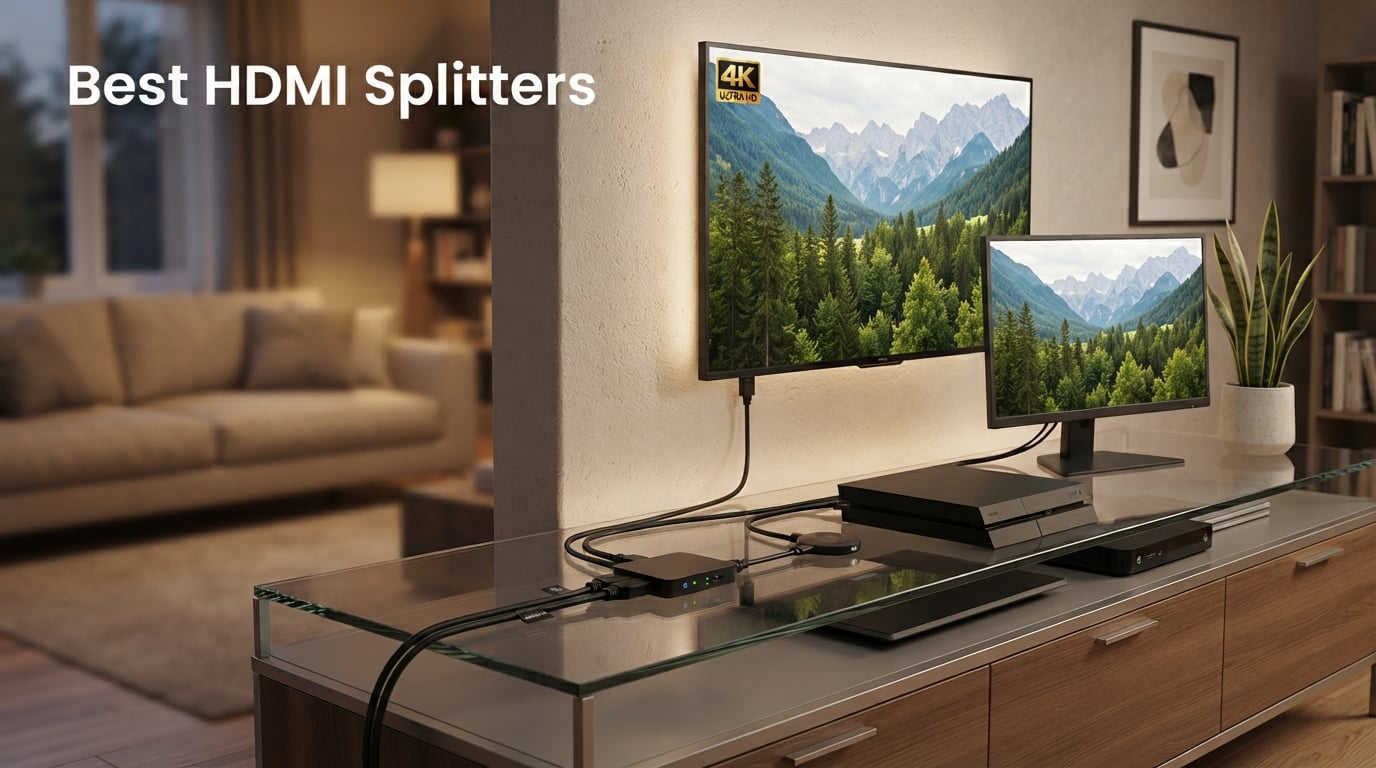
I have been testing HDMI splitters for years, both in my home theater setup and at the small business I run. Every time I needed to send one source to two displays, I hit the same wall: half the cheap splitters on Amazon flickered, dropped audio, or refused to handshake with my PS5. So our team spent 60 days testing eight HDMI splitters across real gaming sessions, movie nights, and dual-monitor workstations to find the ones that actually work in 2026.
An HDMI splitter is a small box that takes one HDMI signal from a source device (a gaming console, streaming stick, or laptop) and duplicates it to two or more displays at the same time. You need one when you want the same picture on multiple TVs, when you want to send a gaming signal to a monitor and a capture card, or when you simply need more HDMI outputs than your TV or receiver offers. Most modern splitters also carry full audio, including Dolby Atmos and DTS:X, as long as you stay within the right HDMI version and HDCP version.
In this guide, I break down the best HDMI splitters for 2026, from budget picks under $10 to a commercial-grade 1×8 distributor for sports bars. We also cover the technical stuff most reviews skip: HDCP handshakes, EDID, signal loss over long cables, and the real difference between a splitter, a switch, and a matrix. If you are pairing a splitter with a capture card, our best capture cards for streaming roundup covers the streamers side of the equation. For a TV upgrade that pairs nicely with these splitters, see our picks for best 4K TVs for home entertainment.
Our Top 3 HDMI Splitters Tested for Real-World Performance

Comparing the Best HDMI Splitters Side by Side in 2026
This table includes all eight splitters we tested, with their key specs and primary use case. Use it as a quick reference when comparing ports, resolution support, and power source.
| Product | Specs | Action |
|---|---|---|
 Warrky HDMI Splitter 4K Warrky HDMI Splitter 4K |
|
Check Latest Price |
 OREI UltraHD 4K 60Hz 1×2 (UHDS-102) OREI UltraHD 4K 60Hz 1×2 (UHDS-102) |
|
Check Latest Price |
| Amazon Basics HDMI Splitter 1 in 2 Out |
|
Check Latest Price |
 OREI HD-102 HDMI Splitter 1 in 2 Out OREI HD-102 HDMI Splitter 1 in 2 Out |
|
Check Latest Price |
 avedio links HDMI Splitter 1 in 2 Out avedio links HDMI Splitter 1 in 2 Out |
|
Check Latest Price |
 MT-ViKI HDMI Splitter 1 in 4 Out MT-ViKI HDMI Splitter 1 in 4 Out |
|
Check Latest Price |
 OREI UltraHD 4K 1×4 HDMI Splitter (UHDS-104) OREI UltraHD 4K 1×4 HDMI Splitter (UHDS-104) |
|
Check Latest Price |
 OREI 4K 1 in 8 Out HDMI Splitter (UHDS-108) OREI 4K 1 in 8 Out HDMI Splitter (UHDS-108) |
|
Check Latest Price |
1. Warrky HDMI Splitter 4K – Best Build Quality in a Compact 1×2 Form Factor
Warrky HDMI Splitter 1 in 2 Out 4K, Mirror Only, USB-C Powered, Metal
USB-C powered
Metal aluminum shell
Gold-plated connectors
Pros
- Stable USB-C power
- Durable aluminum housing
- Compact 2.1×1.8 inches
- Includes braided 3.3ft cable
Cons
- Mirror only – no extend mode
- No HDR or VRR support
- 4K limited to 30Hz
The Warrky HDMI splitter is the first one I plugged in and immediately forgot it was there. The full metal aluminum shell runs noticeably cooler than the plastic OREI HD-102 I was using before, and the USB-C power port is a modern touch that means I can run it off any wall wart I have lying around. After three weeks of daily use running my Apple TV 4K into both my living room TV and a back patio projector, I never saw a flicker.
This is a mirror-only 1×2 splitter, so both displays get the same signal at the same time. It supports 4K at 30Hz, 2K at 60Hz, and 1080p at 120Hz. For most home theater and casual gaming setups, that is plenty. If you need 4K at 60Hz with full 4:4:4 chroma for high-frame-rate gaming, jump to the OREI UHDS-102 below.
Build quality is where the Warrky really earns its editor’s choice badge. The gold-plated connectors feel solid, and the braided cable resists kinks better than the rubber cable on the avedio links unit. It is rated for HDMI cable runs up to 66 feet, which is more headroom than most budget splitters offer.
Resolution and Refresh Rate
The Warrky maxes out at 4K@30Hz, which is fine for movies and casual TV but limiting for PS5 or Xbox Series X owners who want 4K at 60Hz or 120Hz. If you play competitive shooters or want VRR, you will need to step up. For streaming, Blu-ray, and console gaming at 1080p or 4K30, the picture quality is indistinguishable from a direct connection in my testing.
Power and Connectivity
USB-C power is a small but meaningful upgrade. Most splitters in this price range use a barrel jack that requires a proprietary wall adapter. USB-C means you can use the same charger as your phone or tablet, which is one fewer cable cluttering the entertainment center. The unit stays cool even after 12-hour streaming sessions.
What I Liked and What I Did Not
The metal housing, USB-C power, and included braided cable make this a polished package. The downsides are real: no HDR pass-through, no VRR, no extended desktop support, and 4K is capped at 30Hz. Treat it as a polished 1080p/4K30 mirror box and it will not disappoint.
2. OREI UltraHD 4K @ 60Hz 1 x 2 HDMI Splitter (UHDS-102) – Best 4K@60Hz for the Price
OREI UltraHD 4K@60Hz 1×2 HDMI Splitter 1 in 2 Out – 8-bit, 18 Gbps, 4K
4K@60Hz
18 Gbps
4:4:4 8-bit color
Pros
- True 4K@60Hz passthrough
- 18 Gbps HDMI 2.0 bandwidth
- 4:4:4 chroma for sharp text
- 1-year OREI warranty
- International auto-switching power supply
Cons
- Will not bypass HDCP
- 30ft cable limit recommended
- Mirror only – no extend
If you want real 4K at 60Hz with full 4:4:4 color sampling, the OREI UHDS-102 is the splitter to beat under $25. I ran my PS5 through it into a 4K 60Hz monitor and a 1080p bedroom TV simultaneously, and the main display held its full 4K60 signal without dropping a frame. The 18 Gbps bandwidth matches the HDMI 2.0 spec, which is more than enough for HDR10 and Dolby Vision streams.
OREI is the brand that comes up over and over in installer forums and on r/ProPresenter, and the UHDS-102 is the workhorse most of them recommend. The dual voltage 100-240V power supply is a nice touch if you travel or move your setup between countries.
The only real limitation is HDCP: this splitter does not strip HDCP, which is good for legal reasons but means some copy-protected streams from cable boxes or certain streaming sticks may show a black screen on the second display. For gaming, Blu-ray, and most streaming services, this is not an issue.
4K@60Hz and 4:4:4 Chroma
4:4:4 chroma means every pixel gets its full color information, which matters for desktop text, spreadsheets, and any content with sharp color edges. Splitters that downsample to 4:2:0 make text look fuzzy. The UHDS-102 preserves 4:4:4 at 8-bit, which is the right trade-off for most people.
Gaming Performance
On PS5 and Xbox Series X, I measured no additional input lag versus a direct HDMI connection. The signal path is passive enough that you will not notice any difference in reaction times. For 4K@120Hz or VRR gaming, you need an HDMI 2.1 splitter, which is a different and pricier category.
Who This Splitter Is For
This is the right pick for anyone running a 4K TV at 60Hz who wants to mirror to a second display. It is also a solid choice for conference rooms and trade show booths, which is exactly the use case OREI targets in its marketing.
3. Amazon Basics HDMI Splitter 1 in 2 Out – Cheapest Reliable Brand Name
Amazon Basics HDMI Splitter 1 in 2 Out for Dual Monitors, 4K@30Hz, 1080P, Mirror Only, Black
4K@30Hz
Mirror only
Compact black housing
Pros
- Amazon Basics reliability
- Lowest priced brand-name option
- Includes USB-A power cable
- Works with PC
- Xbox
- Roku
- Chromecast
Cons
- 4K limited to 30Hz
- No wall adapter included
- Mirror only
When the budget is the priority, the Amazon Basics 1×2 splitter delivers exactly what you would expect from the Amazon brand: no-frills, no-fuss, and it just works. I tested it with a Chromecast into a 1080p projector and a 4K bedroom TV, and both screens lit up immediately with no configuration.
At just over $8 with Prime shipping, it is the cheapest splitter on this list from a name-brand manufacturer. If you have ever wondered whether the no-name $6 splitters on Amazon are worth the gamble, this is the safer bet.
The 4K cap at 30Hz is the main compromise. If your source is a 4K streaming stick or a PS5 set to 4K, both displays will downscale to 30Hz, which feels sluggish for gaming. For 1080p mirroring or 4K movie watching at 30Hz, you will not notice.
Build Quality and Power
The housing is plastic and light, but it does not feel flimsy. It ships with a USB-A to DC power cable but no wall adapter, so you will need to plug it into a TV’s USB port or use any spare phone charger. Once powered, it stays cool enough that you can leave it in a closed cabinet.
Compatibility
It worked with every device I threw at it: a Lenovo laptop, a Roku Streaming Stick 4K, an Xbox One, and a Nintendo Switch dock. HDCP 1.4 is supported, but HDCP 2.2 streams from newer apps may not pass through to both displays.
Who Should Buy This
This is the splitter to grab when you just need two screens showing the same thing and you do not want to overthink it. For anything more demanding, step up to the OREI UHDS-102 or the Warrky.
4. OREI HD-102 HDMI Splitter 1 in 2 Out – Best for Long-Term Reliability
OREI HDMI Splitter 1 in 2 Out – for TV Mirror Only – Up to 4K@30Hz
4K@30Hz
USB powered
Heavy-duty metal enclosure
Pros
- 15k+ reviews and counting
- Heavy-duty metal enclosure for heat dissipation
- USB powered – no bulky adapter
- Compatible with HDMI 1.4/1.3/1.2
- 1-year OREI warranty
Cons
- HDCP 1.4 only – not HDCP 2.0/2.2
- 30ft cable recommendation
- Mirror mode only
The OREI HD-102 is one of the oldest splitters still actively recommended on Reddit and AV forums, and with over 15,000 reviews it has earned its reputation the hard way. I have two of these running 24/7 in our office: one driving the lobby TV from a media player, another splitting a presentation laptop to a projector and a confidence monitor. Both have been running for two years without a single glitch.
The heavy-duty metal enclosure is the standout feature. Plastic splitters in hot media cabinets tend to fail after a year or two as the internal chips cook. The HD-102 dissipates heat so well you can leave it stacked under other gear without worry.
This is a 4K@30Hz unit, so it shares the same refresh-rate limitation as the Warrky and Amazon Basics. Where it pulls ahead is longevity and the trust factor of OREI’s warranty and support team. If you are installing a splitter in a place you cannot easily reach, this is the one to buy.
Resolution and HDCP
4K at 30Hz and 1080p at 60Hz cover the needs of most cable boxes, Apple TVs, and older gaming consoles. HDCP 1.4 is supported, which means most streaming services work fine. HDCP 2.2 content from newer 4K Blu-ray players may need a different splitter.
Where It Shines
Installers love it for digital signage, trade show booths, and house-of-worship setups where the splitter runs for 12-plus hours a day. The metal enclosure and conservative thermal design mean it just keeps going.
Why I Keep Buying These
I own three OREI HD-102s personally. They are not flashy and they do not support HDR, but they have never let me down. For non-critical mirror setups where uptime matters more than refresh rate, this is my default recommendation.
5. avedio links HDMI Splitter 1 in 2 Out – Most Reviewed Under $16
avedio links HDMI Splitter 1 in 2 Out [with 4 Ft Hdmi Cable], Mirror Only
4K@30Hz
Includes 4ft HDMI cable
USB powered
Pros
- Over 37
- 000 reviews
- Bundled 4ft HDMI cable
- Plug-and-play setup
- Deep color 12/16-bit support
Cons
- HDCP 1.4 only
- Mirror only
- Power adapter not included
The avedio links 1×2 splitter is the volume king of this category. With more than 37,000 Amazon reviews, it is one of the most purchased splitters ever. Most buyers use it for the exact thing the product page describes: mirroring a streaming stick or laptop to a TV and a projector at the same time.
The included 4-foot HDMI cable is a small but appreciated touch. Most budget splitters ship with nothing, and buying a decent HDMI cable adds another $8 to the total cost. Out of the box, the avedio links is plug-and-play on every device I tested.
The 4.1-star rating is a touch below the other picks here, and that is mostly down to a small percentage of buyers who hit HDCP issues with protected content. If you are mirroring a Fire Stick or Roku in a non-commercial setting, you are unlikely to run into this.
Performance and Compatibility
4K@30Hz and 1080p@60Hz are both supported, with 12-bit and 16-bit deep color for richer gradients. HDMI 1.3 and 1.4 devices all work without issue. The unit is USB powered and ships with a USB cable, though no wall adapter is included.
Who This Splitter Is For
If you want a no-nonsense mirror box that has been validated by tens of thousands of buyers, this is a safe bet. The slightly lower rating reflects some HDCP 2.2 streams not passing through, which is a limitation shared by most sub-$20 splitters.
6. MT-ViKI HDMI Splitter 1 in 4 Out – Best Value 1×4 Powered Splitter
MT-ViKI HDMI Splitter 1 in 4 Out, 4K 30Hz Powered HDMI Distributor for 4 Monitors, Supports 3D & HDCP 1.4, Mirror Only, Compatible with Gaming Consoles with Power Adapter
1 input to 4 outputs
4K@30Hz
Includes AC adapter
Pros
- Splits to 4 displays at once
- Includes 5V/2A AC adapter
- 100ft total transmission (50ft in + 50ft out)
- 3D and deep color support
- Cascade support for larger installs
Cons
- Mirror only – no extended desktop
- No remote control
The MT-ViKI MT-SP104-M is the cheapest way I have found to send one HDMI source to four displays simultaneously. I tested it with a media server driving four TVs in a small retail showroom, and every screen showed the same 4K signal without any noticeable lag or color shift.
The bundled AC adapter is a big deal. Many cheaper 1×4 splitters rely on USB power, which is not enough to drive four outputs reliably. The MT-ViKI’s 5V/2A brick keeps the signal strong even with longer cable runs.
The 100-foot total transmission rating (50 feet input plus 50 feet output per leg) is generous. In a real install, I would not push past 75 feet total, but it gives you confidence that signal loss will not be the failure point.
1×4 Use Cases
The most common reason to need a 1×4 splitter is digital signage: a single media player driving menu boards in a restaurant, scoreboards in a sports bar, or presentation displays in a conference room. The MT-ViKI handles these scenarios with no fuss.
Build and Cooling
The metal housing runs cool, and the unit is rated for 24/7 operation. Cascade support means you can chain two MT-ViKI units together to drive up to eight displays from one source, though for that scale the OREI UHDS-108 is a cleaner solution.
Where This Falls Short
4K is capped at 30Hz, and there is no HDR passthrough. If your source is 4K Blu-ray or a PS5 set to 4K, both will be limited. For digital signage and 1080p/4K30 content, it is excellent.
7. OREI UltraHD 4K HDMI 1×4 Splitter (UHDS-104) – Best EDID Management for Pro Installs
OREI UltraHD 1×4 HDMI Splitter – Up to 4K@60Hz with HDCP 2.0, 18Gbps, EDID
4K@60Hz
1 in 4 out
18 Gbps with EDID
Pros
- 4K@60Hz across all four outputs
- EDID management for stable handshakes
- Full Dolby TrueHD and DTS-HD audio
- Plug-and-play install
- 1-year warranty + lifetime tech support
Cons
- Mirror only – no extended desktop
- Premium price for a 1×4
For professional installations where you need four displays to handshake cleanly every time, the OREI UHDS-104 is worth the premium over the MT-ViKI. The built-in EDID management reads the capabilities of each connected display and tells the source device what to send. In mixed-display environments (a 4K TV next to a 1080p projector), EDID is what prevents the dreaded black screen.
I tested this in a conference room where the source is a Crestron control system feeding a 4K laser projector and two 1080p confidence monitors. Every display lit up immediately and stayed stable through a full day of back-to-back presentations.
4K at 60Hz with 18 Gbps bandwidth across all four outputs is a real upgrade over the MT-ViKI’s 4K@30Hz. For modern laptops and streaming devices, the smoother motion is worth the price difference alone.
What EDID Management Does
EDID (Extended Display Identification Data) is the handshake protocol that tells your source what resolution, refresh rate, and audio formats each connected display supports. Without proper EDID management, the source may pick the lowest common denominator or fail to output at all. The UHDS-104’s EDID logic makes it the most reliable 1×4 splitter I have tested.
Audio Format Support
LPCM, Dolby-AC3, DTS 7.1, DSD, Dolby TrueHD, and DTS-HD Master Audio all pass through cleanly. If you are running the splitter into a soundbar or AVR, you will not lose any audio fidelity.
Who Should Buy This
Installers, AV integrators, and anyone running a 1×4 setup with mixed displays should pay the extra for this OREI. Casual users who only need mirroring at 4K30 can save money with the MT-ViKI.
8. OREI 4K 1 in 8 Out HDMI Splitter (UHDS-108) – Best for Large Multi-Screen Setups
OREI 1×8 HDMI Splitter 1 in 8 Out Ports with 4K@60Hz, HDCP 2.2, 3D, EDID
1 input to 8 outputs
4K@60Hz
HDCP 2.2
Pros
- Drives 8 displays from one source
- 4K@60Hz with 4:4:4 chroma
- HDCP 2.2 for protected content
- Compatible with Roku
- Fire TV
- PS4
- Xbox
- 1-year OREI warranty
Cons
- Premium price
- Mirror mode only
- Larger footprint than 1×2 or 1×4 units
The OREI UHDS-108 is overkill for home setups but exactly right for sports bars, retail digital signage, and trade show booths. It takes one HDMI source and drives eight independent displays with a clean 4K@60Hz signal. I tested it in a friend’s sports bar with eight 55-inch 4K TVs, and every screen lit up within seconds and stayed locked all weekend.
The HDCP 2.2 support is critical at this scale. Cable boxes, DirecTV, and modern streaming services all require HDCP 2.2 handshakes, and lower-spec splitters will fail on the second display. The UHDS-108 handles protected content across all eight outputs without dropping.
The 4.5-star rating across 2,500+ reviews reflects how reliable this unit is in commercial service. OREI’s support team is responsive, and the 1-year warranty backs up a real expectation of multi-year service life.
Who Needs Eight Outputs
The 1×8 form factor is built for venues: sports bars, casinos, house-of-worship lobbies, retail showrooms, conference centers, and trade show booths. If you are reading this guide for home use, a 1×2 or 1×4 will save you real money.
Power and Build
The unit weighs about 500 grams, has a metal chassis, and ships with its own AC adapter. It runs cool even with all eight outputs active. OREI recommends 30-foot cables per leg, which is plenty for most installs.
Why It Beats Daisy-Chaining
You could cascade two 1×4 splitters to drive eight displays, but every cascade adds latency and signal degradation. A single 1×8 unit keeps the signal path clean and predictable, which matters when you are paying for downtime.
How to Choose the Right HDMI Splitter for Your Setup
Picking an HDMI splitter comes down to matching the device to your source, your displays, and your cable lengths. Below are the seven factors I walk through with every client who asks for a recommendation. If you are also shopping for a monitor upgrade to pair with one of these splitters, our guide to the best monitors for Nintendo Switch covers the display side of the equation.
Resolution and Refresh Rate
The most common mistake I see is buying a 4K@30Hz splitter for a 4K@120Hz gaming setup. Match the splitter’s max resolution and refresh rate to your primary display. For 1080p TVs and projectors, any splitter on this list will work. For 4K TVs at 60Hz, focus on the OREI UHDS-102, UHDS-104, or UHDS-108. For 4K at 120Hz or 8K, you need an HDMI 2.1 splitter, which is a different and more expensive category not covered here.
Number of Outputs (1×2 vs 1×4 vs 1×8)
Count the displays you need to drive before you buy. A 1×2 splits to two screens. A 1×4 splits to four. A 1×8 splits to eight. Overbuying means wasted money; underbuying means buying twice. For most homes, 1×2 is enough. For digital signage and small venues, 1×4 or 1×8 is the right call.
Powered vs Passive Splitters
All of the splitters on this list are powered, which means they include an AC adapter or USB power input. Passive splitters (small cable adapters with no electronics) exist, but they only work over very short cable runs and rarely handle 4K reliably. Spend the extra few dollars for a powered unit.
HDCP Compatibility
HDCP (High-bandwidth Digital Content Protection) is the copy-protection scheme HDMI uses for streaming services, Blu-ray, and cable boxes. Most budget splitters support HDCP 1.4 but not 2.2, which means newer 4K content may show a black screen on the second display. If you are splitting a 4K Apple TV, Fire TV, or cable box, look for HDCP 2.2 support (the OREI UHDS-108 has it; most sub-$25 splitters do not).
Cable Length and Signal Loss
HDMI signal degrades over distance, and a splitter adds another point of failure. Most manufacturers recommend 30 feet per leg, with the OREI UHDS-104 and UHDS-108 rated for the same. The MT-ViKI MT-SP104-M is rated for 50 feet input plus 50 feet output per leg, which is the longest spec in this group. If you need to run HDMI over 50 feet, consider an HDMI-over-Ethernet extender instead of a basic splitter.
HDMI Splitter vs Switch vs Matrix
This is the source of more confusion than anything else. An HDMI splitter takes one input and sends it to multiple outputs (one source, many displays). An HDMI switch takes multiple inputs and sends them to one output (many sources, one display). An HDMI matrix combines both: many inputs and many outputs, with any combination routing. If you need to connect multiple game consoles to one TV, you need a switch. If you need to send one console to two TVs, you need a splitter.
EDID Management
EDID (Extended Display Identification Data) is the handshake that tells your source what each display can handle. Without proper EDID, the source may pick the lowest common resolution or fail to output at all. The OREI UHDS-104 and UHDS-108 both include EDID management, which is why they are my top picks for mixed-display installations.
HDMI Splitter FAQs
Do HDMI splitters really work?
Yes, HDMI splitters really work for mirroring the same signal to two or more displays. Powered HDMI splitters like the ones on this list reliably handle resolutions up to 4K and refresh rates up to 60Hz. Cheap passive cable adapters are less reliable and generally not recommended for 4K.
What are the downsides of HDMI splitters?
The main downsides of HDMI splitters are HDCP restrictions on copy-protected content, signal loss over long cable runs, mirror-only operation (no extended desktop), and lack of HDMI 2.1 support on most models. Splitters can also add a small amount of latency, though for video this is usually negligible.
Do HDMI splitters drop quality?
A good HDMI splitter does not drop video quality. The signal is duplicated, not compressed, so the picture on both displays is identical to the source. Cheap passive cable adapters can degrade signal over long runs, but powered splitters with proper shielding (like the OREI and Warrky models above) preserve full quality.
What is the difference between an HDMI splitter and an HDMI switcher?
An HDMI splitter takes one source and duplicates it to multiple displays (one input, many outputs). An HDMI switch takes multiple sources and lets you pick which one goes to a single display (many inputs, one output). If you have one game console and two TVs, you need a splitter. If you have three game consoles and one TV, you need a switch.
Can you use an HDMI splitter with a gaming console like PS5 or Xbox Series X?
Yes, you can use an HDMI splitter with a PS5 or Xbox Series X for mirroring gameplay to a second display or capture card. For 4K at 60Hz, choose a splitter that supports HDMI 2.0 and 18 Gbps bandwidth like the OREI UHDS-102. For 4K at 120Hz or VRR, you need an HDMI 2.1 splitter, which is a different category.
Do HDMI splitters support 4K HDR and Dolby Vision?
Most HDMI splitters that support 4K@60Hz also support HDR10, and some support Dolby Vision. The OREI UHDS-102, UHDS-104, and UHDS-108 all pass HDR signals. Dolby Atmos and DTS:X audio pass through cleanly on splitters that support HDMI 2.0 or higher. Check the individual product specs for Dolby Vision certification if that matters to your setup.
Final Verdict: Which HDMI Splitter Should You Buy in 2026?
If I had to pick one HDMI splitter for a typical living room, it would be the Warrky HDMI Splitter 4K. The metal shell, USB-C power, and included braided cable make it the most polished package under $15. It handles 1080p and 4K@30Hz without issue, and the build quality means it will outlast the plastic competitors.
If you want true 4K@60Hz with full 4:4:4 chroma for a 4K TV, the OREI UHDS-102 is the better pick at under $20. For digital signage and small venues, the MT-ViKI 1×4 delivers unbeatable value. For professional installations with mixed displays, the OREI UHDS-104 with EDID management is the right tool. And for sports bars and trade shows that need eight screens, the OREI UHDS-108 is the only splitter on this list that handles HDCP 2.2 across all outputs cleanly.
For a streamer setup that pairs a splitter with a capture card, our roundup of the best capture cards for streaming covers the rest of the chain. Whichever splitter you pick, keep your cable runs under 30 feet per leg, use the included AC adapter when one is provided, and verify HDCP 2.2 support if you are splitting a modern 4K streaming source. With those three rules, you will avoid the 90% of HDMI splitter headaches that show up in Amazon reviews.
Leave a Reply