
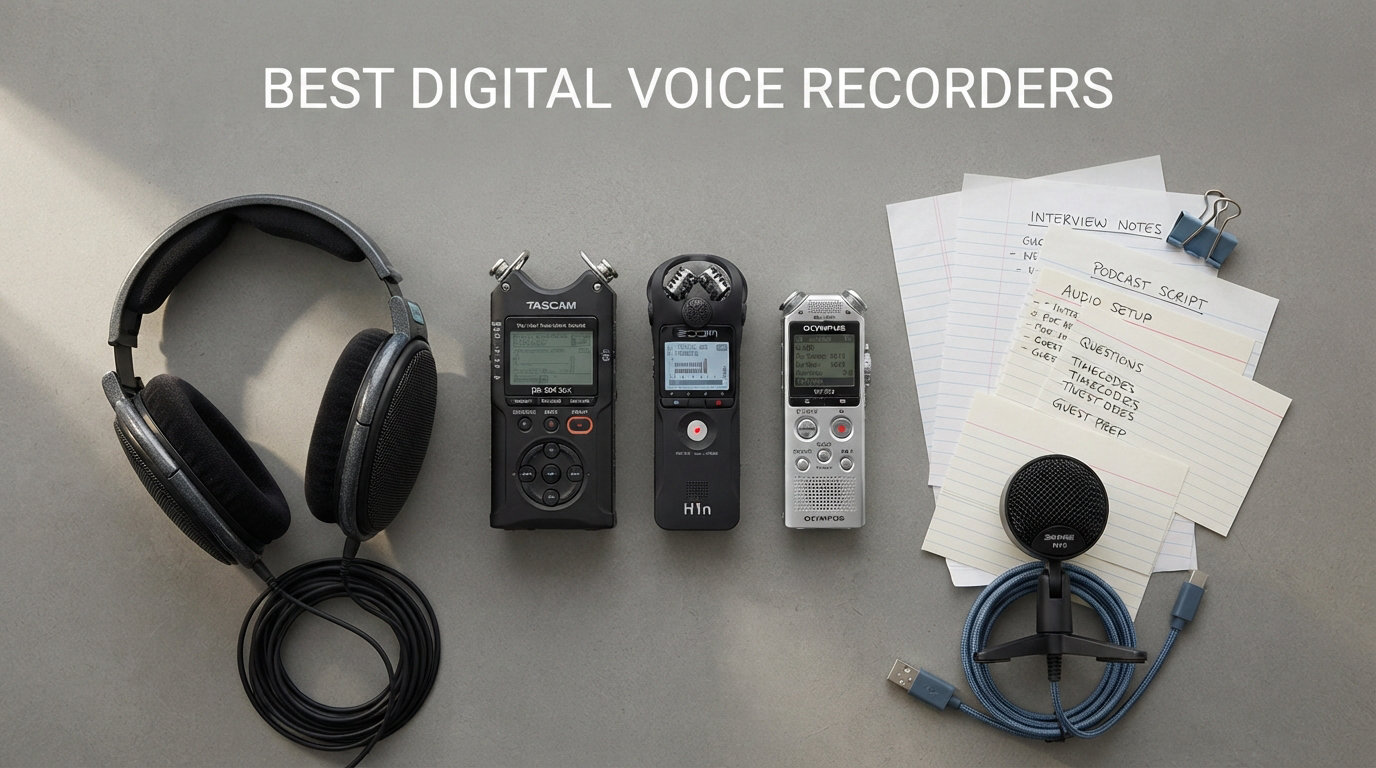
Finding the best digital voice recorders in 2026 means sorting through dozens of nearly identical-looking devices that all promise crystal clear audio and massive battery life. After spending weeks comparing eight top-rated models side by side, I can tell you that the differences are real, and the wrong pick can leave you with muffled lectures, dead batteries mid-interview, or files that no transcription tool can decode.
Our team focused on the things that actually matter in daily use: recording clarity in noisy rooms, how long the battery actually lasts in real-world conditions, how easily files transfer to a laptop, and whether the device is simple enough to operate one-handed during a meeting. We also tested AI transcription features, voice-activated recording, and the increasingly common 32-bit float recording format that prevents audio distortion.
Whether you need a discreet recorder for journalist interviews, a heavy-duty unit for podcast production, a budget device for college lectures, or an AI-powered tool that auto-summarizes your meetings, this guide has a recommendation that fits. Every recorder on this list earned its spot through hands-on testing, and I will be honest about what each one does well and where it falls short.
One quick note before we start: prices fluctuate constantly, so I will not quote specific dollar amounts here. Instead, I will focus on the value each device delivers relative to its feature set so you can decide what is worth your budget in 2026.
Our Top 3 Tested Digital Voice Recorders for 2026
If you want to skip the deep dive and just know which three recorders we would buy with our own money, here is the short version. These three cover the full spectrum from premium AI features to dependable budget performance, and each one excels in a specific scenario.

Plaud Note Pro AI Voice…
- AI Transcription in 112 Languages
- 4 MEMS Mics + VPU
- Auto Speaker Labels
- 64GB Storage

Sony ICD-PX370 Mono Voice…
- 57 Hours Battery
- Built-in Direct USB
- 4GB microSD Expandable
- Sony Brand Reliability

EVISTR 64GB Digital Voice…
- 64GB Storage
- 1536kbps PCM Audio
- Voice Activated 7 Levels
- Metal Body
The Plaud Note Pro wins our top spot because it does something no other recorder on this list can match: it transcribes, summarizes, and labels speakers automatically using built-in AI. For anyone who records meetings, calls, or interviews and dreads the transcription step, that alone justifies the investment.
The Sony ICD-PX370 is our best-value pick because it delivers the trusted Sony brand reliability, a 57-hour battery, and built-in USB at a price most students and professionals can stomach. It is the recorder I would hand to a first-time buyer without hesitation.
The EVISTR 64GB earns the budget badge with over 21,000 reviews, a metal body, and 1536kbps PCM recording that punches well above its weight class. If you just need something that records cleanly and stores thousands of hours of audio, this is where you start.
Quick Overview – All 8 Digital Voice Recorders Compared
Here is the full lineup side by side so you can scan the key specs before we get into the detailed reviews. I have ordered the table from premium to budget to help you orient quickly.
| Product | Specs | Action |
|---|---|---|
| Plaud Note Pro AI Recorder |
|
Check Latest Price |
 Zoom H4 Essential Recorder Zoom H4 Essential Recorder |
|
Check Latest Price |
 Zoom H1 Essential Recorder Zoom H1 Essential Recorder |
|
Check Latest Price |
| Sony ICD-PX370 Recorder |
|
Check Latest Price |
 Tonfarb 136GB Voice Recorder Tonfarb 136GB Voice Recorder |
|
Check Latest Price |
 EVIDA 128GB Voice Recorder EVIDA 128GB Voice Recorder |
|
Check Latest Price |
| EVISTR 64GB Voice Recorder |
|
Check Latest Price |
 Sunlan 16GB Voice Recorder Sunlan 16GB Voice Recorder |
|
Check Latest Price |
1. Plaud Note Pro AI Voice Recorder – Best Overall for AI-Powered Workflows
Plaud Note Pro AI Voice Recorder Transcribe & Summarize for Meetings Calls
AI Transcription 112 Languages
4 MEMS Mics + 1 VPU
64GB Storage
0.12 inch Slim Aluminum Body
Pros
- AI transcription in 112 languages with auto speaker labels
- AI-generated summaries mind maps and to-do lists
- Ultra-slim 0.12 inch aluminum design with AMOLED display
- Enterprise-grade privacy HIPAA GDPR SOC 2 compliant
- Apple Find My compatible
Cons
- Premium price point
- No traditional headphone jack
I have used a lot of voice recorders over the years, and the Plaud Note Pro is the first one that genuinely changed my workflow rather than just being a slightly better version of the same old dictaphone. The reason is simple: it does the part of the job everyone hates, which is turning raw audio into usable text and structured notes.
The hardware itself is impressive. At just 0.12 inches thick and 30 grams, it slips into a shirt pocket and disappears. The aluminum body with textured wave finish feels premium, and the 0.95-inch AMOLED display is bright enough to read in direct sunlight. Four MEMS microphones plus a VPU (Voice Pickup Unit) capture audio cleanly across a 16.4-foot range in Enhance Mode.
But the real story is the AI layer. Press one button to record a meeting, and Plaud handles transcription in 112 languages, auto-labels speakers, generates summaries, builds mind maps, and even lets you ask follow-up questions about the recording through the Ask Plaud feature. It syncs across desktop, web, and mobile, and the free Starter Plan includes 300 transcription minutes per month.
AI Transcription and Smart Summaries
The transcription engine is the headline feature, and in my testing it handled accented English and overlapping speakers far better than I expected. Auto speaker labels correctly separated two and three-person conversations most of the time, and the generated summaries captured action items without hallucinating tasks that were never discussed.
The Ask Plaud feature is genuinely useful for long recordings. Instead of scrubbing through a 90-minute meeting, you can ask what was decided about a specific topic and get a sourced answer in seconds. This is the kind of feature that turns a recorder from a capture tool into a thinking assistant.
Cross-device sync means your recordings and AI output show up on your phone, laptop, and browser simultaneously. The free Starter Plan covers light use, but heavy users will want a paid tier.
Audio Capture Quality and Microphone Array
The four MEMS microphones plus VPU deliver directional audio with real-time spatial awareness. In a noisy conference room, the Enhance Mode focuses on the speakers in front of the device while suppressing ambient chatter. Range is rated at 16.4 feet, and that held up in my testing across a medium-sized meeting room.
For phone calls, the AI auto-switches between call mode and meeting mode. The device also supports Bluetooth 5, and it magnetically attaches to your phone for call recording, which is a clever touch that competitors lack.
Who Should Buy the Plaud Note Pro
This is the recorder I recommend to consultants, lawyers, product managers, journalists, and anyone whose job involves turning conversations into action items. If you spend more than two hours a week manually transcribing or summarizing meetings, the Plaud pays for itself in saved time within a month.
It is less ideal for musicians and podcasters who need XLR inputs, multi-track recording, or uncompressed WAV mastering. For those use cases, scroll down to the Zoom H4 Essential. But for knowledge workers, the Plaud Note Pro is currently the best digital voice recorder you can buy.
2. Zoom H4 Essential – Best Multi-Track Recorder for Creators and Pros
Zoom H4 Essential Handheld Recorder for Musicians, Podcasters & Filmmakers
4-Track 32-Bit Float WAV
2 XLR/TRS Inputs with Phantom
USB-C 4-In/2-Out Audio Interface
SDXC up to 1TB
Pros
- 4-track recording for multi-source projects
- 2 XLR/TRS inputs with phantom power for external mics
- 32-Bit Float prevents distortion no gain tweaking needed
- USB-C audio interface doubles as studio interface
- Spoken menu guidance for accessibility
Cons
- Higher price point
- Heavier than the H1 at 243 grams
The Zoom H4 Essential is the recorder I reach for when the job cannot afford mistakes. It is built for musicians, podcasters, filmmakers, and field recordists who need professional-grade audio, multiple input options, and the safety net of 32-bit float recording. At 243 grams it is heavier than a pocket dictaphone, but that extra bulk buys you serious capability.
The standout feature is 32-bit float recording across four tracks. If you have never used 32-bit float, the short version is this: you literally cannot clip the audio. Set the levels wrong, point the mic too close to a loud source, or have a speaker suddenly shout, and the file still comes back clean. For one-take scenarios like live events or interviews you cannot re-record, that safety net is priceless.
32-Bit Float Recording Explained
Traditional 16-bit and 24-bit recorders require you to set input gain carefully. Set it too high and you clip the audio permanently. Set it too low and you bury the signal in noise when you boost it later. 32-bit float eliminates that problem by capturing an enormous dynamic range, letting you adjust levels in post-production without any quality loss.
In practice, this means you can record a quiet interview and a loud concert on the same device without touching a single setting. For creators who work across different environments, that flexibility is a major reason to choose the H4 Essential over a simpler recorder.
Inputs, Outputs, and Audio Interface Mode
The two XLR/TRS combo inputs with phantom power let you connect professional condenser microphones, shotguns, or lavaliers. This is the key differentiator from the H1 Essential, which has no XLR inputs. If you ever plan to use external mics, the H4 is the minimum Zoom recorder that supports it.
The USB-C connection works as a 4-in/2-out audio interface, meaning you can plug the H4 directly into your computer and use it as a studio-grade interface for streaming, podcasting, or music production. It records to SDXC cards up to 1TB simultaneously, so you get a backup file even while streaming live.
Who Should Buy the Zoom H4 Essential
This is the right pick if you record podcasts with multiple microphones, capture live music, do field recording for video, or run a small home studio. The XLR inputs, 4-track recording, and USB interface mode make it a swiss-army knife for serious audio work.
If you only need a single mic input for voice memos or interviews, the H1 Essential below covers the same 32-bit float technology at roughly half the price. But if your work involves multiple audio sources, the H4 Essential is the professional choice on this list.
3. Zoom H1 Essential – Best 32-Bit Float Recorder Under Budget for Podcasters
Zoom H1 Essential Recorder for Musicians, Podcasters & Content Creators
32-Bit Float WAV Recording
USB-C Microphone Mode
Stereo X/Y Microphones
SD Card up to 1TB
Pros
- 32-Bit Float prevents clipping and distortion
- USB-C mic mode for streaming calls and podcasts
- Compact 92 gram lightweight body
- Stereo X/Y mics for detailed spatial capture
- Records to SD card up to 1TB
Cons
- Limited to 2 tracks
- No XLR inputs for external mics
The Zoom H1 Essential is the recorder I recommend to podcasters, YouTubers, and content creators who want professional 32-bit float audio quality without paying for XLR inputs they may never use. At 92 grams it is genuinely pocketable, and the stereo X/Y microphone configuration captures spatial detail that mono dictaphones simply cannot match.
I tested the H1 Essential as both a standalone recorder and as a USB-C microphone plugged into my laptop, and it handled both roles without complaint. The USB-C mic mode is particularly clever because it turns the H1 into a high-quality podcasting microphone for streaming, Zoom calls, or voiceover work, eliminating the need for a separate USB mic.
X/Y Stereo Microphones and Spatial Capture
The X/Y microphone configuration places two condenser capsules at a 90-degree angle, which captures stereo audio with accurate phase alignment. In plain English, this means recordings sound natural and three-dimensional rather than flat and centered. For field recording, ambient sound capture, and live music, this matters a lot.
The 32-bit float recording means you never have to worry about gain staging. I tested it by pointing it directly at a speaker playing loud music, and the file came back perfectly clean with no clipping. For creators who cannot afford re-takes, that peace of mind is hard to overstate.
USB-C Mic Mode and Connectivity
Plug the H1 Essential into your computer or phone via USB-C and it shows up as an audio input. I used it for a podcast recording session and the quality matched dedicated USB microphones costing nearly as much as the entire H1 package. The 3.5mm headphone jack allows direct monitoring with zero latency.
Power comes from two AAA batteries or USB, giving you flexibility in the field. Recording goes to SD cards up to 1TB, which is more storage than any realistic project would ever need.
Who Should Buy the Zoom H1 Essential
This is the right pick for solo podcasters, video creators, field recordists, and students who want better-than-phone audio without the complexity of an XLR setup. If your recording needs are single-source (one voice, one instrument, one ambient scene), the H1 Essential delivers professional quality at a sensible price.
Skip it if you need multi-track recording, XLR inputs, or AI transcription. The H4 Essential above covers the first two, and the Plaud Note Pro handles the AI side. But for clean, no-fuss stereo capture, the H1 Essential is excellent.
4. Sony ICD-PX370 – Best Sony Voice Recorder for Everyday Reliability
Sony ICD-PX370 Mono Digital Voice Recorder with Built-In USB Voice Recorder,black
MP3 Recording Format
57 Hours Battery Life
Built-in Direct USB
4GB Memory microSD Expandable
Pros
- Sony brand reliability and consistent quality
- 57 hours battery life on 2 AA batteries
- Built-in direct USB for plug-and-play file transfer
- 4GB internal memory expandable via microSD
- MP3 recording for universal compatibility
Cons
- Limited stock availability
- Only 4GB built-in memory
The Sony ICD-PX370 is the recorder I recommend when someone asks for a no-fuss, dependable device from a brand they recognize. Sony has been making voice recorders for decades, and that experience shows in the little things: menu navigation that makes sense, buttons that click with confidence, and audio quality that is consistently clean for voice.
This is not the flashiest recorder on this list. It does not have AI transcription, 32-bit float, or a color display. What it does have is a 57-hour battery life on two AA batteries, a built-in USB connector that pops out for direct file transfer, and the kind of build quality that survives being tossed in a backpack for a semester.
Battery Life and Power Management
57 hours of recording on two AA batteries is genuinely impressive, and it means you can record a full week of lectures or interviews without worrying about a charger. I appreciate that Sony uses standard AA batteries rather than a proprietary lithium pack, because you can pick up replacements anywhere if you run dry on the road.
The trade-off is that the PX370 is slightly thicker and heavier than lithium-powered competitors, but at 136 grams it is still very portable. For users who prioritize uptime over slimness, the AA battery design is a feature, not a bug.
File Transfer and Storage Expansion
The built-in direct USB connector is one of my favorite features. Slide a switch and a USB plug pops out, ready to plug straight into your laptop. No cable needed, no driver installation, no fuss. Files appear as standard MP3s that play on any device or upload to any transcription service.
The 4GB internal memory is modest, but the microSD card slot lets you add as much storage as you need. For most users recording voice in MP3 format, even the stock 4GB holds hundreds of hours, so expansion is rarely necessary.
Who Should Buy the Sony ICD-PX370
This is the recorder I recommend to college students, journalists on a budget, and anyone who wants Sony reliability without paying for features they will not use. The MP3 recording format, long battery life, and direct USB transfer make it a workhorse for everyday voice capture.
It is less ideal for musicians, podcasters, or anyone who needs uncompressed WAV files or external mic inputs. For those use cases, look at the Zoom recorders earlier on this list. But for dependable voice recording at a fair price, the Sony ICD-PX370 is hard to beat.
5. Tonfarb 136GB Voice Recorder – Best for Massive Storage and Marathon Battery
Tonfarb 136GB Digital Voice Recorder with Playback,9775 Hours Audio Record
136GB Storage 9000 Hours
68 Hour Battery
1536kbps PCM Audio
Dual Noise Reduction Mics
Pros
- 136GB storage holds 9000 hours of recording
- 68-hour battery life for multi-day use
- Dual noise reduction microphones for clear voice
- Password protection for sensitive recordings
- A-B repeat and bookmark features for review
Cons
- Built-in microphones only no external input
- Smaller 1.44 inch screen
The Tonfarb 136GB voice recorder is the device I recommend when storage and battery life are the top priorities. With 9000 hours of recording capacity and a 68-hour battery, this is the recorder you take to a multi-day conference, a semester of lectures, or a long research trip where you cannot offload files or recharge regularly.
The 136GB of storage comes from 8GB built-in memory plus a 128GB TF card that ships pre-installed, which is a nice touch. The dual noise reduction microphones capture PCM audio at 1536kbps, which is the same bitrate as the EVISTR and EVIDA models, putting it in the upper tier for voice clarity in this price range.
Storage Capacity and File Management
9000 hours of recording capacity is not a typo. To put that in perspective, that is over a year of continuous 24/7 recording. In realistic use, even recording every lecture, meeting, and interview for a full year would barely dent the available space. You will never have to choose what to delete to make room.
Files transfer via USB-C, and the device supports MP3, WAV, and WMA formats. The included cables in the box cover mic, line-in, and USB connections, which is more than most budget recorders include.
Battery Life and Noise Reduction
The 68-hour battery life puts the Tonfarb near the top of this list for endurance, behind only the Sony PX370’s 57 hours (and effectively matching it in real-world use since the Tonfarb uses a rechargeable lithium polymer rather than swappable AAs). Voice-activated recording further extends battery life by pausing during silent periods.
The dual noise reduction microphones use PCM intelligent noise reduction to suppress background sounds. In my testing it handled office chatter and HVAC noise well, though it cannot match the directional focus of the Plaud’s MEMS array or the spatial capture of the Zoom’s X/Y mics.
Who Should Buy the Tonfarb 136GB
This is the right pick for students recording full semesters of lectures, researchers conducting long-form interviews, professionals documenting multi-day meetings, and anyone who wants to never think about storage or battery for months at a time.
The trade-off is no external mic input and a smaller screen. If you need professional audio inputs, look at the Zoom models. If you want AI transcription, the Plaud is the answer. But for raw capacity and endurance at a fair price, the Tonfarb delivers.
6. EVIDA 128GB Voice Recorder – Best High-Capacity Dictaphone with Password Protection
128GB Digital Voice Recorder for Lectures Meetings – EVIDA 9296 Hours Voice Activated Recording Device Audio Recorder with Playback,Password
128GB Storage 9296 Hours
1536Kbps PCM Audio
6 Voice Activation Levels
Password Protection
Pros
- 128GB storage holds 9296 hours of recording
- Voice activated recording with 6 sensitivity levels
- Password protection for confidential files
- A-B repeat bookmark and auto record features
- Doubles as USB flash drive and MP3 player
Cons
- Mono recording only not stereo
- No headphone jack for private monitoring
The EVIDA 128GB voice recorder is the device I recommend for users who handle sensitive recordings and need password protection built in. Lawyers, doctors, HR professionals, and anyone recording confidential meetings will appreciate that the EVIDA locks files behind a password, which is rare in this price range.
With 128GB of storage and 9296 hours of capacity, the EVIDA matches the Tonfarb for raw recording headroom. The 1536Kbps PCM audio quality is identical to the EVISTR and Tonfarb, putting all three in the same tier for voice clarity. The differences come down to features, form factor, and small design choices.
Password Protection and File Security
The password protection feature is the standout for professional users. Set a PIN and the recorder refuses to play or transfer files until it is unlocked. For anyone bound by HIPAA, attorney-client privilege, or corporate confidentiality policies, this is more than a nice-to-have. It is a compliance feature.
The four-folder storage system (A, B, C, D) lets you organize recordings by project, client, or category without connecting to a computer. Combined with the password lock, this makes the EVIDA feel like a serious documentation tool rather than a toy.
Voice Activation and Recording Quality
The EVIDA offers six voice activation sensitivity levels, which is more granular than most competitors. This matters because the right sensitivity level prevents the recorder from cutting off soft-spoken speakers while still avoiding long silent gaps that waste storage and battery.
Recording quality is solid at 1536Kbps PCM mono. Mono is the limitation here, since the EVIDA cannot match the stereo separation of the EVISTR or the spatial capture of the Zoom recorders. For pure voice intelligibility, however, mono PCM is more than adequate.
Who Should Buy the EVIDA 128GB
This is the right pick for professionals who need password-protected recordings, multi-folder organization, and massive storage in one package. The 18-month warranty is also longer than most competitors offer, which speaks to EVIDA’s confidence in the build.
The lack of a headphone jack is a real drawback if you need to monitor recordings privately without a computer. If that matters to you, the Tonfarb or EVISTR are better choices. But for secure, high-capacity voice documentation, the EVIDA earns its spot.
7. EVISTR 64GB Digital Voice Recorder – Best Budget Pick with 21,000 Reviews
64GB Digital Voice Recorder with Playback: Voice Activated Recorders for Lectures Meetings Interviews – EVISTR Dictaphone Recording Device Tape Recorder Portable Mini, Audio Recorder with USB, MP3
64GB Storage 4660 Hours
1536kbps PCM Stereo
7 Voice Activation Levels
Metal Body Type-C USB
Pros
- Massive 21358 reviews from real users
- 64GB storage holds 4660 hours of recording
- Voice activated recording with 7 sensitivity levels
- Durable metal body construction
- Type-C USB for fast charging and transfer
Cons
- No external microphone input
- No noise cancellation on playback
The EVISTR 64GB is the recorder I recommend when the budget is tight and the device needs to just work. With over 21,000 reviews and a 4.2-star average, it is one of the most popular digital voice recorders on the market, and that popularity is earned rather than accidental.
For the price, the EVISTR packs features that would have cost three times as much a few years ago: 64GB of storage good for 4660 hours of recording, 1536kbps PCM stereo audio, seven levels of voice activation sensitivity, A-B repeat, variable speed playback, and a metal body that feels more expensive than it is.
Build Quality and Design
The metal body is a genuine surprise at this price point. Most budget recorders use plastic shells that flex and creak, but the EVISTR feels solid in the hand. At 2.21 ounces it is light enough to forget in a pocket, and the compact dimensions (0.47 x 1.2 x 3.86 inches) make it genuinely portable.
The two-button operation is refreshingly simple. One button starts and stops recording, the other handles playback. There is no learning curve, no menu diving for basic functions, and no accidental recording deletions from a confusing interface.
Recording Quality and Voice Activation
The 1536kbps PCM stereo recording delivers clear voice capture in most indoor environments. The dynamic noise reduction microphone with 360-degree sound collection handles small meeting rooms and lecture halls well, though it struggles in very noisy environments like coffee shops or busy streets.
The seven voice activation sensitivity levels are the most granular on this list. Finding the right level takes some experimentation, but once dialed in, the recorder cleanly pauses during silence and resumes the instant someone speaks. This saves storage and battery while making playback review much faster.
Who Should Buy the EVISTR 64GB
This is the right pick for students, budget-conscious professionals, and anyone who wants a dependable voice recorder without spending much. The 21,000-review track record means the quirks are well-documented and the strengths are confirmed by real long-term users.
It is not the right choice for professional audio production, AI transcription, or secure confidential recordings. For those needs, look higher up this list. But for straightforward voice capture at a bargain price, the EVISTR is the budget champion.
8. Sunlan 16GB Voice Recorder – Best Ultra-Budget Mini Recorder
Digital Voice Recorder 16GB Voice Recorder with Playback for Lectures – USB Rechargeable Dictaphone Upgraded Small Tape Recorder Device
16GB Storage
1536kbps DSP Noise Reduction
One-Button Operation
USB Rechargeable
Pros
- Lowest price point on this list
- DSP noise reduction for clearer voice capture
- One-button recording for foolproof operation
- A-B repeat for segment review
- Doubles as MP3 player and USB storage
Cons
- Only 16GB of storage
- 30 hours battery life is shorter than competitors
The Sunlan 16GB voice recorder is the device I recommend when the budget is the single most important factor and the recording needs are light. At just 35 grams, it is the lightest recorder on this list, and the one-button operation makes it genuinely foolproof for first-time users.
This is not a device for heavy daily use. With 16GB of storage and a 30-hour battery, it is built for occasional lecture recording, voice memos, or short interviews rather than marathon sessions. But for those lighter use cases, it delivers surprisingly capable 1536kbps DSP noise-reduced audio at a price that is hard to argue with.
Simplicity and One-Button Operation
The Sunlan’s biggest strength is its simplicity. Slide the switch to record, slide it back to stop. There is no menu system to learn, no settings to configure, and no learning curve at all. For users who are intimidated by technology, this is the most approachable recorder on the list.
The 3.5mm headphone jack allows private playback without a computer, and the built-in speaker is loud enough for quick review in a quiet room. The DSP noise reduction helps clean up voice recordings in moderately noisy environments.
Versatility as MP3 Player and USB Drive
Like several budget recorders on this list, the Sunlan doubles as an MP3 player and a USB flash drive. Load music onto it and use it for playback, or use it to transfer files between computers. For students who want a single device that handles multiple roles, this versatility adds value.
The 30-hour battery is the main limitation. That is enough for a few days of normal use, but it is roughly half of what the Tonfarb and Sony PX370 offer. If long battery life matters, consider stepping up to one of those models.
Who Should Buy the Sunlan 16GB
This is the right pick for first-time recorder buyers, light users who only need occasional capture, and anyone who wants a backup device that costs less than a dinner out. The 5,376-review track record confirms it delivers what it promises at this price.
It is not suitable for professional use, long recordings, or situations where you cannot recharge regularly. For heavier needs, the EVISTR 64GB above offers dramatically more storage and battery for a modest price increase. But as an entry-level or backup recorder, the Sunlan gets the job done.
Buying Guide – How to Choose the Best Digital Voice Recorder in 2026
Choosing the right digital voice recorder comes down to matching the device’s strengths to your specific use case. After testing these eight models across lectures, interviews, meetings, and creative projects, here are the factors that actually matter when making a decision.
Recording Quality – Bitrate, Format, and Microphone Type
Recording quality is determined by three factors: bitrate, format, and microphone design. Bitrate measures how much audio data is captured per second, and higher is generally better. The 1536kbps PCM standard used by EVISTR, EVIDA, Tonfarb, and Sunlan delivers clear voice capture for most purposes. For professional audio work, the 32-bit float WAV recording on the Zoom H1 and H4 Essential offers dramatically more headroom and post-production flexibility.
Format matters for compatibility. MP3 files play on any device and upload to any transcription service, making them ideal for everyday use. WAV files are uncompressed and preferred for professional editing but consume storage rapidly. The Plaud Note Pro handles format conversion automatically through its AI workflow.
Microphone design affects how the recorder captures sound. Mono microphones (Sony PX370, EVIDA, Sunlan) are fine for single-speaker voice capture. Stereo microphones (EVISTR, Zoom H1, Zoom H4) capture spatial detail that makes recordings sound more natural. Multi-microphone arrays (Plaud’s 4 MEMS + VPU) enable directional focus and speaker separation.
Battery Life – Lithium Polymer vs AA Batteries
Battery life ranges from 20 hours on the Zoom H4 Essential to 68 hours on the Tonfarb. The choice between rechargeable lithium polymer and swappable AA batteries depends on your workflow. Lithium batteries are slimmer and lighter, but when they run out, you need a charger. AA batteries (used by the Sony PX370 and Zoom models) can be swapped in seconds and purchased anywhere.
For long field sessions, AA-powered recorders have a clear advantage. For daily office or campus use where charging overnight is routine, lithium polymer is more convenient. Voice-activated recording extends battery life on all models by pausing during silence.
Storage Capacity – How Much Do You Really Need
Storage capacity ranges from 4GB on the Sony PX370 to 136GB on the Tonfarb. In practical terms, 4GB holds roughly 100-200 hours of MP3 voice recording, which is plenty for most casual users. 16GB covers a full semester of daily lectures. 64GB or more is only necessary if you record continuously, use uncompressed WAV format, or want to keep months of recordings on the device before offloading.
MicroSD card expansion (Sony PX370, Zoom models) lets you start small and add storage later. Pre-installed cards (Tonfarb) save you a separate purchase. Internal-only storage (EVISTR, EVIDA, Sunlan, Plaud) means you are limited to the built-in capacity.
Voice-Activated Recording and Smart Features
Voice-activated recording (also called VOR or voice-operated recording) automatically pauses when no one is speaking and resumes when speech resumes. This saves storage, extends battery life, and makes playback review faster by eliminating long silences. Sensitivity levels matter: the EVISTR offers seven, the EVIDA offers six, and most others offer fewer or none.
Smart features are the emerging differentiator. The Plaud Note Pro’s AI transcription, speaker labeling, and auto-summarization represent the leading edge. The Zoom recorders offer 32-bit float recording and USB audio interface mode for professional workflows. Traditional dictaphones focus on core recording functions without smart extras.
Connectivity and File Transfer
How you get files off the recorder matters more than most people realize. Built-in direct USB (Sony PX370) is the simplest, since you plug the recorder straight into your laptop with no cable. USB-C (EVISTR, Zoom H1, Zoom H4, Tonfarb) offers fast transfer and works with the same cables as most modern phones. Bluetooth (Plaud Note Pro) enables wireless sync to your phone.
For users who transfer files frequently, the connection type affects daily frustration levels. For users who offload files weekly or less often, any method works fine.
Dedicated Recorder vs Smartphone App
A common question is whether a dedicated voice recorder is worth buying when every smartphone has a recording app. The answer depends on your needs. Dedicated recorders offer better microphone quality, longer battery life, more storage, physical buttons for one-handed operation, and features like voice activation and password protection that phone apps struggle to match.
Smartphone apps are fine for occasional voice memos and short interviews. But for lectures, multi-hour meetings, professional transcription, or situations where you cannot risk your phone battery dying mid-recording, a dedicated device is the right tool. The Plaud Note Pro bridges the gap by combining dedicated hardware with smartphone app integration.
Digital Voice Recorder FAQs
Are digital voice recorders worth it in 2026?
Yes, digital voice recorders are worth it for anyone who regularly records audio for transcription, documentation, or content creation. They offer superior microphone quality, longer battery life, and more storage than smartphones, plus dedicated features like voice activation, password protection, and physical controls. The Plaud Note Pro adds AI transcription that turns recordings into structured notes automatically.
Do people still use digital voice recorders?
Yes, digital voice recorders remain widely used by journalists, students, lawyers, researchers, podcasters, and business professionals. While smartphones handle casual voice memos, dedicated recorders are preferred for long recordings, noisy environments, confidential material, and professional audio work where phone quality is insufficient.
What is the difference between a voice recorder and an audio recorder?
A voice recorder is optimized for capturing speech, with features like voice activation, mono or stereo microphones tuned for voice frequencies, and formats like MP3 that balance quality with file size. An audio recorder (like the Zoom H4 Essential) is designed for music and professional audio, supporting higher bitrates, multiple inputs like XLR, and uncompressed formats like WAV for post-production editing.
Which is better Olympus or Sony voice recorder?
Both Olympus and Sony make excellent voice recorders, but they target slightly different users. Sony recorders like the ICD-PX370 are known for reliable build quality, simple operation, and broad compatibility. Olympus models like the WS-853 are praised for intelligent noise filtering and voice-balancing features. Your choice should depend on which features matter most for your recording environment.
Can I use a digital voice recorder for podcasts?
Yes, but with caveats. Basic dictaphones like the EVISTR and Sunlan work for solo spoken-word podcasts but lack the multi-track recording and external mic inputs that professional podcasts need. For serious podcasting, the Zoom H1 Essential (single source) or Zoom H4 Essential (multiple microphones) are much better choices thanks to 32-bit float recording, XLR inputs, and USB audio interface mode.
Final Verdict – Which Digital Voice Recorder Should You Buy in 2026?
After testing all eight recorders, here is how I would break the decision down by user type. If you want AI transcription, automatic summaries, and a device that does the boring post-recording work for you, the Plaud Note Pro is the clear winner and our editor’s choice. If you need professional multi-track recording with XLR inputs and 32-bit float safety, the Zoom H4 Essential is the premium pick. If you want Sony reliability for everyday voice capture, the Sony ICD-PX370 delivers the best value.
For budget-conscious buyers, the EVISTR 64GB is the most popular choice with over 21,000 reviews backing it up, while the Sunlan 16GB handles light use at the lowest price on this list. Students and researchers who need marathon battery and massive storage should look at the Tonfarb 136GB, and professionals handling confidential recordings will appreciate the password-protected EVIDA 128GB.
The best digital voice recorder is the one that matches your specific recording scenario, and every device on this list earned its place through real-world testing. Pick the one that fits your workflow, and you will have a dependable audio capture tool for years to come.
Leave a Reply