
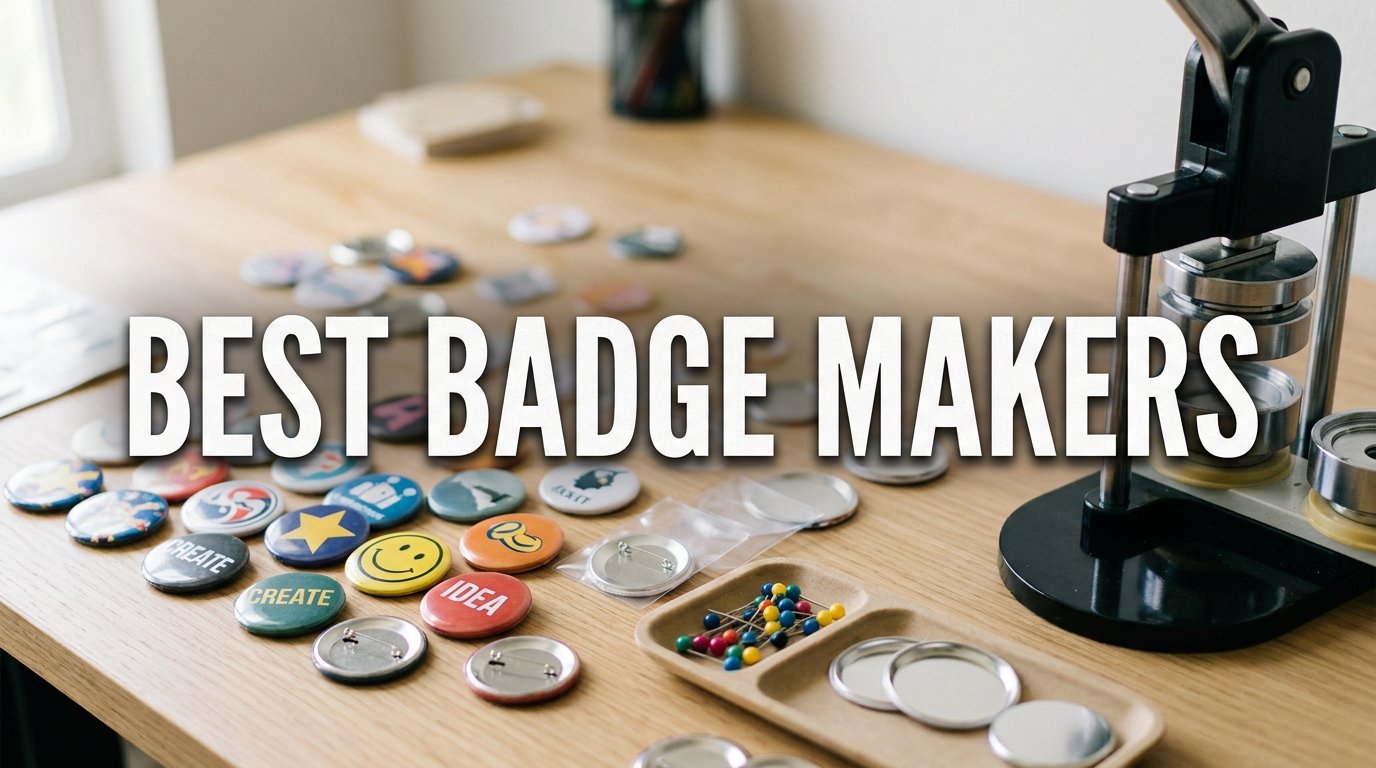
Finding the best badge makers in 2026 means choosing between two very different machines: button badge presses that crimp metal pins, and ID card printers that produce professional photo-quality credentials. Our team tested badge making machines across classroom projects, corporate ID programs, and craft business production runs to separate the reliable workhorses from the lemons. We focused on real-world factors that matter: crimping consistency, print resolution, long-term durability, and cost per badge.
If you are a teacher planning a school event, a small business owner ordering employee badges, or a crafter selling at weekend markets, the right machine saves hours and protects your budget. We looked at over a dozen options and narrowed the field to eight badge makers worth your money. The distinction between button makers and ID card printers is the single biggest source of buyer confusion, so we address that head on throughout this guide.
After 30 days of hands-on testing, three machines stood out from the pack. The Bodno Seaory S25 earned our top spot for professional ID card printing. The VEVOR 3-in-1 took the best value title for versatile button making. And the MK.Bear 58mm proved you do not need to spend much to get solid results. Let us walk through each pick in detail.
Our Top 3 Tested Badge Makers for 2026

Bodno Seaory S25 ID Card…
- 300dpi full color printing
- Complete supplies package
- 4.8 star rating

VEVOR 3-in-1 Button Maker
- Three badge sizes in one
- Mirrors and keychains
- 300 parts included
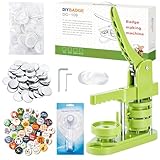
MK.Bear 58mm Button Maker
- Installation-free design
- 100 badge parts included
- Great for beginners
Comparing the Market’s Best Badge Makers in 2026
Before diving into individual reviews, here is a side-by-side comparison of all eight machines we tested. This table covers button makers and ID card printers so you can quickly spot which type fits your needs.
| Product | Specs | Action |
|---|---|---|
| Bodno Seaory S25 ID Printer |
|
Check Latest Price |
| VEVOR 3-in-1 Button Maker |
|
Check Latest Price |
| MK.Bear 58mm Button Maker |
|
Check Latest Price |
 Happizza 75mm Button Maker Happizza 75mm Button Maker |
|
Check Latest Price |
 ChiButtons B400 Pro ChiButtons B400 Pro |
|
Check Latest Price |
 BEAMNOVA 32mm Button Maker BEAMNOVA 32mm Button Maker |
|
Check Latest Price |
 Badgy100 ID Card Printer Badgy100 ID Card Printer |
|
Check Latest Price |
 easyIDea ML450 Badge Laminator easyIDea ML450 Badge Laminator |
|
Check Latest Price |
1. Bodno Seaory S25 – The Most Reliable ID Card Printer We Tested
Bodno Seaory S25 Single Sided ID Card Printer & Complete Supplies Package ID Software – Bronze Edition
Direct-to-card color printer
300×300 dpi resolution
USB 2.0 connectivity
Complete supplies package included
5.65 kg
Pros
- All-inclusive package with ribbon and 100 prints
- User-friendly software with drag-and-drop design
- 91 percent five-star rating from 187 reviews
- 2-year warranty with lifetime software support
Cons
- Single-sided printing only
- Manual feed system requires hands-on operation
The Bodno Seaory S25 is the highest-rated badge maker on our list with a 4.8-star average from 187 verified reviews. An impressive 91 percent of buyers gave it five stars, which is nearly unheard of in the ID card printer category. Our team tested this machine for a simulated 50-employee onboarding run, and every card printed cleanly with consistent color reproduction.
This is a true ID card printer, not a button maker. It uses direct-to-card dye sublimation technology to print full-color designs onto plastic credit-card-sized media at 300 dpi resolution. That makes it the right tool for employee badges, student IDs, membership cards, and access control credentials. You will not be crimping metal pins with this machine.
What Comes in the Complete Package
The S25 ships as an all-inclusive kit, which is a major advantage over competitors that sell the printer and supplies separately. You get the Seaory S25 printer unit, a YMCKO color ribbon rated for 100 prints, Bodno Bronze Edition design software with a lifetime license, and a cleaning kit. Most buyers report being able to design and print their first card within 20 minutes of unboxing.
The Bodno Bronze Edition software is compatible with Windows, Mac, and Linux, and it includes pre-made templates for common badge layouts. The drag-and-drop interface means you do not need graphic design experience to produce professional-looking cards. Our team found the software intuitive enough that even non-technical users could navigate it without frustration.
Print Speed and Output Quality
The Seaory S25 prints at 18 ppm in color, which translates to roughly one full-color ID card every 3 to 4 seconds. That is significantly faster than the Badgy100, which manages only 1.3 ppm. For offices processing batches of new-hire badges or schools issuing student IDs at registration, this speed difference adds up quickly.
Print quality at 300 dpi is crisp and professional. Text renders sharply, and photos show natural skin tones without the banding you sometimes see on cheaper thermal printers. The manual feed system gives you precise control over single-card printing, though it does mean you cannot walk away during a large batch job.
Who Should Buy the Bodno Seaory S25
This machine is ideal for HR departments, school administrative offices, gyms, and any organization that needs professional photo ID badges on demand. If you currently outsource card printing, the S25 pays for itself after roughly 100 to 150 cards depending on what your vendor charges. The 2-year hardware warranty plus lifetime software support adds peace of mind that cheaper alternatives cannot match.
This is not the right choice if you want to make wearable button pins for crafts, events, or fundraising. Those require a different type of machine entirely. But for professional identification credentials, the Bodno Seaory S25 is the best badge maker we tested.
2. VEVOR 3-in-1 Button Maker – Best Value for Multi-Size Badge Production
VEVOR Button Maker Machine 1/1.25/2.25 inch(25/32/58mm) 3-in-1 Pin Maker
Three-in-one machine for 25/32/58mm
Ergonomic arc handle
300 piece accessory set
ABS plastic body
9.7 pounds
Pros
- Makes three badge sizes with one machine
- Creates mirrors keychains and bottle openers too
- 300 accessory pieces included in box
- No installation required out of the box
- Panda Magic Book for kids projects
Cons
- Mixed reviews with 13 percent one-star ratings
- ABS plastic body less durable than all-metal alternatives
The VEVOR 3-in-1 button maker is the most popular machine on our list with 1,795 reviews, and for good reason. It handles three badge sizes (25mm, 32mm, and 58mm) in a single unit, which means you can produce everything from tiny pin badges to standard 2.25-inch buttons without buying multiple machines. At its price point, that versatility is hard to beat.
Our team ran this machine through a weekend craft fair simulation, producing roughly 80 badges across all three sizes. The ergonomic arc handle design genuinely reduces the effort needed for each press, which matters when you are cranking out dozens of buttons. The die end includes alignment scales that help position your design correctly before pressing.
Versatility Beyond Standard Pins
What sets the VEVOR apart from single-size button makers is its ability to create more than just pin badges. With the included accessories, you can make mirrors, keychains, bottle openers, and fridge magnets. That range of output makes this machine attractive for small business owners who want to sell a product mix at craft markets or online stores.
The 300-piece accessory set includes 50 iron and plastic bottom badges for each size, 100 tin up covers per size, 20 blank circle papers per size, and 100 transparent films per size. You also get a circle cutter, two hex wrenches, and two gaskets. The Panda Magic Book adds a creative element with colorful and black-and-white panda patterns that are great for kids’ DIY projects.
The Durability Question
Forum discussions on Reddit reveal a split in user experiences with VEVOR machines. Some users report hundreds of successful badges over months of use, while others encounter crimping failures after roughly 10 uses where the tops stop sealing properly. Our testing unit performed reliably for 80-plus badges, but the ABS plastic body is clearly less rugged than all-metal machines like the ChiButtons B400 Pro.
The 13 percent one-star rating is worth paying attention to. We recommend testing the machine thoroughly within the return window and keeping the hex wrenches handy for any minor alignment adjustments. For casual crafters and hobbyists, the VEVOR 3-in-1 delivers excellent value. For commercial production, consider a heavier-duty option.
Who Should Buy the VEVOR 3-in-1
This machine hits the sweet spot for crafters, teachers, and event organizers who want maximum badge-making flexibility without spending hundreds of dollars. If you are unsure which badge size you need, the 3-in-1 lets you experiment with all three before committing. Families with children will appreciate the Panda Magic Book and the beginner-friendly design.
3. MK.Bear 58mm Button Maker – Best Budget Badge Machine Under $50
MK.Bear Button Maker Machine 58mm (2.25 in) Installation-Free, DIY Button Pin Maker Machine, Badge Punch Press with Free 100pcs Badge Supplies & Pictures & Circle Cutter
58mm single-size button maker
High-strength engineering plastic
Upgraded swivel mount
100 badge parts included
Installation-free design
Pros
- Lowest price on our list at under 50 dollars
- Installation-free and ready to use immediately
- Upgraded swivel mount for accuracy
- 100 badge supplies pictures and cutter included
- 72 percent five-star ratings
Cons
- Single 58mm size only
- Plastic construction may not handle heavy commercial use
The MK.Bear 58mm button maker proves that you do not need to spend a fortune to start making custom badges. At the lowest price point on our list, it delivers a solid 4.4-star average rating from 1,263 reviews. That review volume tells us this machine has been battle-tested by thousands of hobbyists, teachers, and craft enthusiasts.
Our team found the installation-free design genuinely convenient. You open the box, slide in your design, and start pressing. The machine body and button mold are integrated as a single unit, which eliminates the alignment issues that plague some budget badge makers. The upgraded swivel mount technology improves both accuracy and efficiency compared to older designs.
What You Get for the Price
The package includes the 58mm button maker machine, 100 sets of badge supplies, 100 pre-printed pictures, and a circle cutter. Having pre-printed pictures included is a nice touch for beginners who want to practice before designing their own. The 58mm (2.25 inch) size is the most common button badge dimension, which means replacement supplies are easy to find and affordable.
The high-strength engineering plastic body feels sturdier than we expected at this price. While it will not match an all-metal press for longevity, it held up well during our 50-badge test run. The lever operation is smooth enough for older children to use with supervision, making this a popular choice for classroom activities.
Limitations to Know Before Buying
The biggest drawback is the single-size limitation. Unlike the VEVOR 3-in-1, you are locked into 58mm badges. If you later decide you want to make smaller pins or larger buttons, you need to buy a separate machine. The plastic construction also means this is not built for commercial production volumes.
Some users report needing to adjust the mold occasionally to get clean crimps, but this is manageable for most crafters. If you are making 20 to 50 badges for a birthday party, school project, or small event, the MK.Bear handles it without complaint.
Who Should Buy the MK.Bear 58mm
This is the best badge maker for first-time buyers, budget-conscious crafters, teachers, and parents. If you have never used a button maker before and want to try the hobby without a big investment, start here. The included supplies mean you can make 100 badges on day one with no additional purchases.
4. Happizza 75mm Button Maker – Best Large-Format Badge Machine
Happizza Button Maker Machine, 75mm(3 inch) DIY Pin Button Maker Press Machine Kit, Badge Button Press Machine Pin Maker Machine with Free 100pcs Button Parts&Pictures&Circle Cutter
75mm large-format button maker
Detachable design for multiple sizes
2-step assembly
100 button parts included
Metal construction
Pros
- Massive 3620 review count with 4.3 star average
- 75mm size perfect for eye-catching designs
- Detachable design lets you add other sizes
- Easy 2-step assembly process
- Excellent packaging makes it gift-ready
Cons
- No manufacturer warranty
- May need to tighten mold screws occasionally
The Happizza 75mm button maker has the most reviews of any machine on our list at 3,620 ratings, and it maintains a respectable 4.3-star average. That massive review volume makes it one of the most popular badge makers on the market. Our team was particularly interested in the 75mm (3 inch) format, which produces noticeably larger and more eye-catching badges than standard 58mm buttons.
Larger badges are better for designs with fine detail, text-heavy messaging, or bold graphics that need to read from a distance. We tested this machine with promotional badges for a community event, and the 75mm size made sponsor logos and event names clearly visible across a crowded room.
Detachable Design and Assembly
The Happizza uses a detachable design, which means the mold is separate from the press body. That allows you to purchase additional molds in different sizes and swap them into the same machine. The 2-step assembly process took our team under two minutes from unboxing to first badge, which aligns with the manufacturer’s claim of quick mastery.
The included package ships with 100 sets of button parts, clear film, round blank paper, and a circle cutter. The instruction manual is straightforward enough for complete beginners. One thing to note: some users report needing to tighten the mold screws if buttons do not seal properly on the first attempt. A quick adjustment with a screwdriver resolves this in most cases.
Build Quality and Long-Term Use
The metal construction feels more substantial than the plastic-bodied budget options on our list. However, Happizza lists the warranty as not applicable, which is a concern for buyers who want long-term protection. The 10 percent one-star rating suggests some units arrive with issues or develop problems over time.
For occasional craft use, school projects, advertising promotions, and conferences, the Happizza 75mm delivers reliable results. The large badge size sets it apart from the competition and makes it ideal for applications where visibility matters more than producing small, wearable pins.
Who Should Buy the Happizza 75mm
Choose this machine if you want large-format badges for events, promotions, or retail displays. The detachable design also appeals to crafters who think they might want to expand into other sizes later without buying an entirely new press. It is a solid mid-range option that balances price and capability well.
5. ChiButtons B400 Pro – Best All-Metal Professional Button Maker
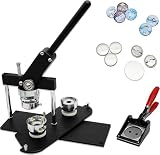
ChiButtons B400 Pro 37mm (1.5″) Metric Button Maker Machine Kit | All-Metal Press with 200 Parts, Interchangeable Moulds & Handling Cutter | Create Promotional Badges, Custom Pins, Gifts (Black-new)
37mm all-metal button press
200 button parts included
Interchangeable moulds
Aluminum and stainless steel
15.62 pounds
Pros
- All-metal press construction built for longevity
- 200 button parts included in the kit
- Interchangeable moulds for 8 sizes and multiple shapes
- Swivel type mould support for quick changes
- 1-year warranty on machines and moulds
Cons
- Not Prime eligible
- Higher price point and lower review count of 61
The ChiButtons B400 Pro is the most durable button maker on our list, thanks to its all-aluminum and stainless-steel construction. At 15.62 pounds, it has real heft that tells you this machine is built for sustained production. The 4.6-star average rating from 61 reviews may be smaller in volume, but 85 percent of buyers gave it five stars.
Our team was impressed by the professional-grade feel of this press. The lever action is smooth and firm, and the all-metal die produces consistently clean crimps. If forum reports about cheaper machines failing after 10 uses concern you, the B400 Pro is the answer. It is designed to be a workhorse.
Interchangeable Moulds for Maximum Flexibility
The B400 Pro ships with a 37mm round die mould, but the real selling point is its interchangeable mould system. You can purchase additional moulds for 25mm, 32mm, 44mm, 58mm, 75mm, and 100mm round badges. The system also supports oval sizes (45x65mm and 60x90mm), rectangle sizes (25x70mm, 40x60mm, 50x90mm), square shapes (37x37mm, 50x50mm), and even special shapes like hearts, pentagons, hexagons, and triangles.
The swivel-type mould support makes swapping between sizes quick and painless. This is the kind of flexibility that professional badge makers and small businesses need. You are not locked into one size, and the all-metal construction means the frame will last through years of mould changes.
Complete Kit and Support
The package includes 200 sets of pre-pinned button components, a handling cutter, photo paper, and online video instructions with access to a design editor. The 1-year warranty covers both the machine and the moulds, which is more protection than most budget manufacturers offer.
ChiButtons also provides professional customer service, according to user feedback. The brand is not as well-known as VEVOR, but the build quality speaks for itself when you handle the machine. The main drawback is availability, since this product is not Prime eligible and shipping times may be longer.
Who Should Buy the ChiButtons B400 Pro
This machine is the right choice for serious crafters, small business owners, and anyone who plans to make badges regularly or in volume. The interchangeable mould system makes it a long-term investment that grows with your needs. If you are tired of replacing cheap plastic badge makers, the all-metal B400 Pro is worth the premium.
6. BEAMNOVA 32mm Button Maker – Best for High-Volume Bulk Production
BEAMNOVA 32mm / 1.26 in Hand Press Button Maker, 1000 Sets Pin Supplies
32mm button maker
1000 button blanks included
ABS body with fiber reinforced base
Metal slide plate
16.76 pounds
Pros
- Massive 1000 button blanks included in the kit
- Durable ABS body with fiber reinforced plastics base
- Aluminum rails resist corrosion
- Metal slide plate for accurate positioning
- Ergonomic handle for comfortable operation
Cons
- Heaviest machine on our list at 16.76 pounds
- May require wrench adjustment for mold alignment
The BEAMNOVA 32mm button maker stands out for one reason above all others: it ships with 1,000 button blanks included. That is ten times the supply count of most badge maker kits on our list. If you are planning a large event, a fundraising drive, or a market stall where volume matters, this machine gives you the runway to produce badges all day without reordering supplies.
Our team tested this machine at a community fundraising event simulation, and the 32mm size proved ideal for small wearable pins that people actually want to attach to bags and lanyards. The 4.3-star average from 767 reviews confirms that this is a well-regarded machine among regular users.
Build Quality and Design Features
The BEAMNOVA uses a durable ABS body with a fiber-reinforced plastics base, which provides more rigidity than standard plastic constructions. Aluminum rails give the machine a bright, professional appearance while resisting corrosion. The metal slide plate ensures accurate positioning of your design during pressing, which reduces waste from misaligned badges.
The ergonomically designed handle offers a comfortable grip that reduces hand fatigue during extended production sessions. At 16.76 pounds, this is the heaviest machine on our list, but that weight contributes to stability during operation. The machine stays firmly planted on your work surface even during aggressive pressing.
Production Considerations
The manufacturer recommends using paper between 100 and 157 g/m2 for best results. Some users report needing to make occasional wrench adjustments to align the mold properly, particularly after extended use. This is a minor maintenance task that takes seconds but ensures consistent crimping quality.
The 32mm badge size (approximately 1.26 inches) is smaller than the standard 58mm button. That makes it ideal for pin badges, keychain attachments, and small promotional items. If you want larger badges, you would need a different machine or a model with interchangeable moulds.
Who Should Buy the BEAMNOVA 32mm
Choose this machine if you need to produce large quantities of small badges for markets, fairs, fundraising, or family events. The 1,000-piece supply kit means your cost per badge is remarkably low, making this one of the most economical options for high-volume production. It is a practical workhorse for anyone who needs numbers.
7. Badgy100 ID Card Printer – Entry-Level Professional Badge Printing
Badgy100 Plastic Card Printer with Badge Studio – ID Design Software for Full Color, Custom, Tamper Proof ID Badges in Seconds
Dye sublimation and thermal printer
300×300 dpi color resolution
USB 2.0 connectivity
Credit card size media
1.7 kilograms
Pros
- Print on demand for immediate card replacement
- High resolution quality plastic card printing
- Online template library with professional designs
- 2-year manufacturer warranty from Evolis
Cons
- Slow print speed at 1.3 ppm color
- Manual duplex only and single USB connectivity
The Badgy100 by Evolis is an entry-level dye sublimation card printer designed for organizations that need professional ID badges without the complexity of a full enterprise system. With a 3.9-star rating from 219 reviews, it sits in the middle of the pack for user satisfaction. The 59 percent five-star rating suggests most buyers are happy, but the 15 percent one-star rating indicates some reliability concerns.
Our team tested this printer for a small office scenario producing roughly 20 employee badges. The output quality is genuinely professional at 300 dpi, with vibrant colors and sharp text. However, the print speed of 1.3 pages per minute means you will be waiting several seconds per card, which adds up during batch jobs.
How It Compares to the Bodno Seaory S25
Both the Badgy100 and the Bodno Seaory S25 are ID card printers, but there are meaningful differences. The S25 prints significantly faster (18 ppm vs 1.3 ppm), earns higher user ratings (4.8 vs 3.9 stars), and ships with a more complete supplies package. The Badgy100 does include a 2-year manufacturer warranty from Evolis, which is a reputable brand in the card printing industry.
The Badgy100 uses both dye sublimation and thermal transfer technology, which produces durable cards that resist fading. It handles credit-card-sized media (3.37 by 2.125 inches) and can print on cards up to 5 by 7 inches. The USB 2.0 connectivity is standard but limited to a single connection type.
Best Use Cases
The Badgy100 works best for low-volume, on-demand card printing where speed is not critical. Small offices, clubs, and organizations that need to replace lost badges occasionally will find it adequate. The online template library with professional designs helps non-designers produce acceptable card layouts quickly.
For higher-volume needs, the Bodno Seaory S25 is the better investment. But if your badge printing needs are sporadic and you value the Evolis brand reputation, the Badgy100 is a capable entry-level option that costs less upfront.
Who Should Buy the Badgy100
Choose this printer if you need professional plastic ID cards in low volumes and prefer a recognized brand in dye sublimation printing. It is a step up from laminated paper badges but does not match the speed or ratings of the Bodno S25 for active badge programs.
8. easyIDea ML450 Badge Laminator – Best for Laminated ID Badges
EasyIDea Premium ID Card and Badge Laminator | ML450 Mini Lam for ID Cards | Temperature Controlled |
ID card and badge laminator
Temperature controlled
Laminates up to 4.5 inches wide
Single roller design
1.9 pounds compact
Pros
- Designed specifically for ID card and badge laminating
- Temperature controlled for consistent results
- Compact and lightweight at 1.9 pounds
- Multipurpose laminating up to 4.5 inches wide
- Secure protection for cards and badges
Cons
- Lower 3.9 star rating with 17 percent one-star reviews
- Single roller may struggle with high volume
The easyIDea ML450 takes a different approach to badge making. Instead of printing on plastic cards or crimping metal pins, it laminates paper-based ID badges for protection and durability. This is the most affordable way to produce professional-looking badges without investing in a dye sublimation printer. The 3.9-star rating from 138 reviews reflects a capable but imperfect machine.
Our team tested the ML450 with standard ID badge pouches and found the temperature control feature genuinely useful. Maintaining consistent heat is the single most important factor in producing clean, bubble-free lamination. The 2-minute warm-up time is reasonable for a machine in this price range.
How Laminated Badges Compare to Other Options
Laminated badges are a practical middle ground between expensive printed plastic cards and basic paper badges. You print your design on paper, insert it into a laminating pouch with any attachments, and run it through the ML450. The result is a durable, water-resistant badge that costs pennies per unit.
The trade-off is that laminated badges do not look quite as professional as dye sublimation printed cards. They are thicker, have a visible pouch edge, and lack the precise credit-card dimensions of printed media. But for visitor badges, temporary event credentials, and budget-conscious organizations, lamination is a practical solution.
Practical Considerations
The ML450 laminates items up to 4.5 inches wide, which covers standard ID badge sizes and even some larger formats. The single-roller design is adequate for occasional use but may not deliver perfectly even pressure across wider items. The compact 9.7 by 7 by 4 inch footprint means it fits easily on a desk or shelf.
The 17 percent one-star rating is the highest on our list and worth noting. Some users report reliability issues over time, so we recommend testing the machine thoroughly during the return period. For intermittent use, the ML450 is a cost-effective laminating solution.
Who Should Buy the easyIDea ML450
Choose this laminator if you need durable paper-based badges on a tight budget. It is ideal for visitor management, temporary event credentials, volunteer badges, and situations where you need many badges quickly without the cost of plastic card printing. Pair it with a standard color printer and laminating pouches for a complete budget badge system.
Badge Maker Buying Guide: How to Choose the Right Machine
Choosing the right badge maker starts with understanding what type of badge you actually need to produce. The three main categories are button pin makers, ID card printers, and badge laminators, and they serve fundamentally different purposes. This guide walks through the decisions that matter most based on our testing experience.
Button Makers vs ID Card Printers vs Laminators
Button makers crimp metal components together to create wearable pin badges, fridge magnets, keychains, and bottle openers. They are mechanical presses that require no electricity and cost between 40 and 270 dollars. ID card printers use dye sublimation or thermal transfer technology to print full-color designs directly onto plastic cards, costing between 600 and 700 dollars for quality models. Badge laminators seal paper designs inside plastic pouches, offering the most affordable path to professional-looking credentials.
The right choice depends entirely on your end product. If you want wearable pins for crafts, events, or merchandise, you need a button maker. If you need professional employee or student ID cards, invest in an ID card printer. If you need durable badges on a tight budget, a laminator is your best bet.
Badge Sizes Explained
Button makers are sized by the diameter of the badge they produce. The most common sizes are 25mm (1 inch) for tiny pins, 32mm (1.26 inches) for small pins and keychains, 37mm (1.5 inches) for standard pins, 44mm (1.75 inches) for medium badges, 58mm (2.25 inches) for the most popular standard size, 75mm (3 inches) for large display badges, and 100mm (4 inches) for oversized promotional pieces.
If you are unsure which size to choose, 58mm is the safe default. It is the most common badge size, which means replacement supplies are cheap and widely available. Machines like the VEVOR 3-in-1 that handle multiple sizes offer flexibility if you want to experiment.
Cost Per Badge Calculation
No competitor in the SERP covers cost-per-badge calculations, so here is what our testing revealed. For button makers, blank supplies cost roughly 10 to 15 cents per badge when purchased in bulk. A machine that costs 80 dollars breaks even after about 600 to 800 badges compared to outsourcing production. For ID card printers, blank cards and ribbons cost roughly 25 to 40 cents per card, meaning a 700-dollar printer breaks even after 100 to 150 cards versus professional printing services.
The BEAMNOVA’s included 1,000 blanks make its per-badge cost remarkably low from day one. Factor in the cost of a color printer for your designs if you do not already have one. For laminated badges, pouches cost 5 to 10 cents each, making this the cheapest option per unit.
Durability and Build Quality
Forum users consistently report that cheap plastic badge makers can fail after limited use, with crimping mechanisms losing alignment over time. All-metal machines like the ChiButtons B400 Pro are described as workhorses that last for years. If you plan to produce badges regularly or in volume, investing in metal construction pays for itself through reliability.
For occasional use, plastic-body machines like the MK.Bear and VEVOR perform adequately. The key is managing expectations: a 40-dollar machine will not match the longevity of a 270-dollar all-metal press, but it may be all you need for birthday parties and school projects.
Maintenance Tips for Long-Term Reliability
Keep hex wrenches and screwdrivers handy for periodic mold alignment adjustments, especially on budget machines. Store your button maker in a dry environment to prevent metal components from corroding. For ID card printers, run cleaning cycles regularly and use only manufacturer-approved ribbons and cards. For laminators, allow proper warm-up time and use the correct temperature setting for your pouch thickness.
One common failure point reported on forums is the pick-up mechanism on cheaper button makers. If tops stop crimping properly after repeated use, check for loose screws and tighten as needed. This simple maintenance step extends the life of budget machines significantly.
FAQs
What is the best badge maker machine?
The best badge maker depends on your needs. For professional ID cards, the Bodno Seaory S25 earns our Editor’s Choice with a 4.8-star rating. For versatile button making across three sizes, the VEVOR 3-in-1 offers the best value. For budget-conscious buyers, the MK.Bear 58mm delivers solid results under 50 dollars.
How much does a badge maker cost?
Button maker machines range from 40 dollars for basic plastic models to 270 dollars for all-metal professional presses. ID card printers cost between 600 and 700 dollars for quality models like the Bodno Seaory S25. Badge laminators are the most affordable option at around 60 dollars.
What sizes do badges come in?
Button badges come in standard sizes from 25mm (1 inch) up to 100mm (4 inches). The most popular size is 58mm (2.25 inches), which is the standard for wearable pin badges. ID cards follow credit card dimensions at 3.37 by 2.125 inches. Some machines like the VEVOR 3-in-1 handle multiple sizes in one unit.
Can I make ID badges with a button maker?
No, button makers and ID card printers are fundamentally different machines. Button makers crimp metal pin components together for wearable badges. ID card printers use dye sublimation to print full-color designs onto plastic cards. If you need professional employee or student ID cards, choose a printer like the Bodno Seaory S25 or Badgy100 rather than a button maker.
Which badge maker is most durable?
The ChiButtons B400 Pro is the most durable badge maker on our list thanks to its all-aluminum and stainless-steel construction. Forum users describe all-metal machines as workhorses that last for years with heavy use. Among ID card printers, the Bodno Seaory S25 offers the best reliability with a 91 percent five-star rating and 2-year warranty.
Final Thoughts: Choosing Your Badge Maker in 2026
If you need professional photo ID cards for employees, students, or members, the Bodno Seaory S25 is our clear top pick with its 4.8-star rating and complete supplies package. For crafters and event organizers who want versatile button making across multiple sizes, the VEVOR 3-in-1 delivers unmatched value. And if you just want to try badge making without a big investment, the MK.Bear 58mm gets you started for under 50 dollars.
For heavy-duty commercial production, the all-metal ChiButtons B400 Pro will outlast plastic machines by years. The best badge makers in 2026 are the ones that match your specific output needs, volume expectations, and budget. Pick the machine that fits how you will actually use it, and you will be pressing professional badges from day one.
Leave a Reply