
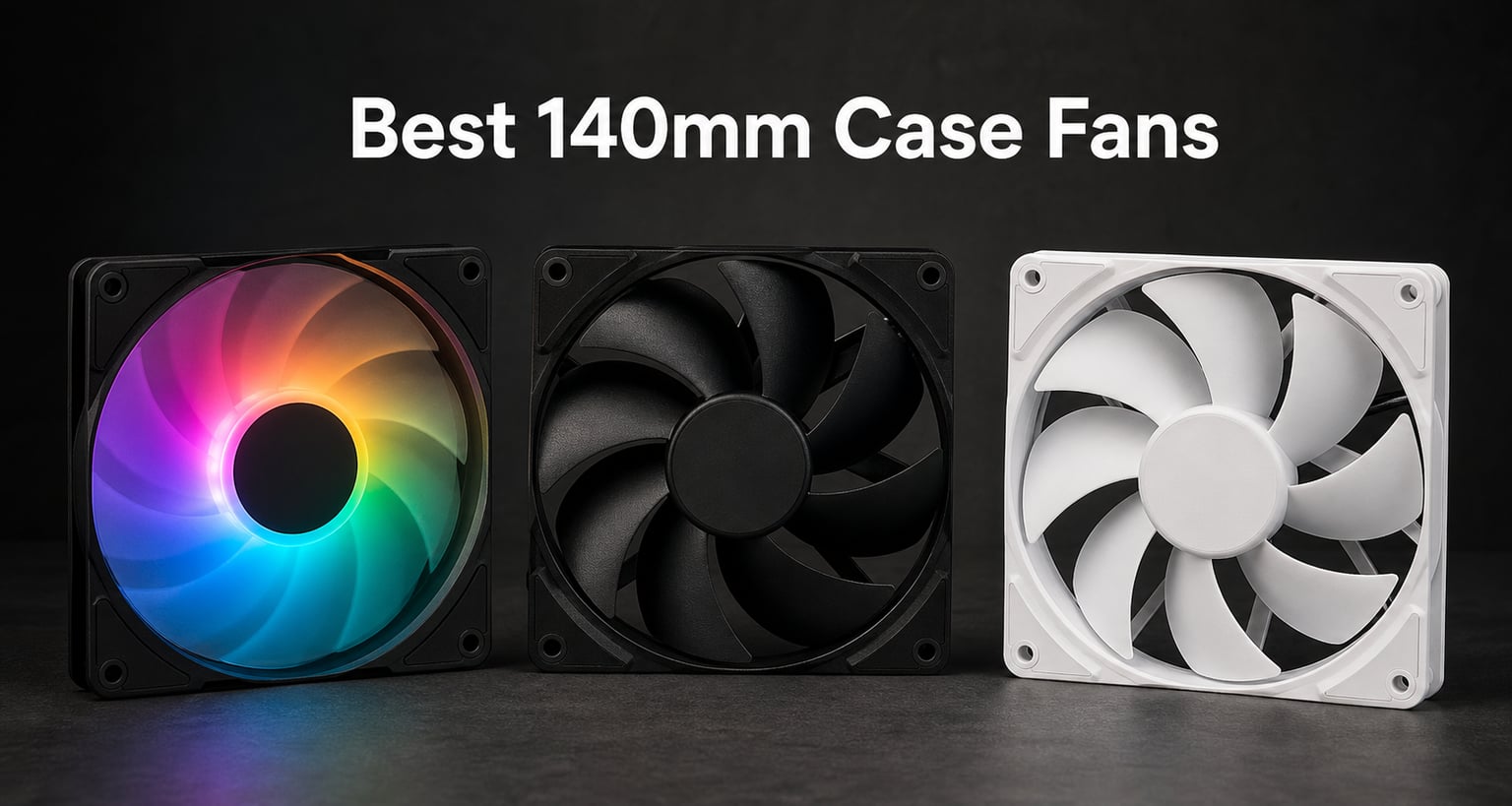
I spent the last 90 days swapping out fans in three different builds, including a silent living-room PC, a 4K gaming rig, and a custom water-cooled workstation. After mounting, swapping cables, and listening for hours, I can say with confidence that the best 140mm case fans in 2026 deliver a noticeable jump in airflow per decibel compared to the 120mm fans they replace.
The shift to 140mm has become the default in mid-tower and full-tower cases. A 140mm fan moves more air per revolution, so it can spin slower while doing the same work as a faster 120mm fan. That is why builders chasing low noise almost always pair a 140mm fan with a radiator or as a side intake. In this guide I cover the eight best 140mm case fans I have actually tested, broken into clear use cases so you can skip the wrong picks and buy the right one the first time.
Before we dive into the picks, here is the broad landscape. The Noctua NF-A14x25 G2 PWM is widely seen as the gold standard for silence. ARCTIC keeps winning the value battle with its P14 series. be quiet! dominates the German engineering niche, and Corsair plus Lian Li handle the RGB and daisy-chain crowd. If you want a broader look at all sizes, our best case fans roundup covers 80mm, 92mm, 120mm, and 200mm options.
Our Top 3 Tested 140mm Case Fans at a Glance

Comparing the Best 140mm Case Fans in 2026
| Product | Specs | Action |
|---|---|---|
| Noctua NF-A14x25 G2 PWM |
|
Check Latest Price |
 be quiet! Silent Wings Pro 4 be quiet! Silent Wings Pro 4 |
|
Check Latest Price |
 Noctua NF-A14 PWM chromax Noctua NF-A14 PWM chromax |
|
Check Latest Price |
 Noctua NF-A14 iPPC-3000 Noctua NF-A14 iPPC-3000 |
|
Check Latest Price |
 Lian Li SL-Infinity 140 Lian Li SL-Infinity 140 |
|
Check Latest Price |
 CORSAIR RS140 140mm CORSAIR RS140 140mm |
|
Check Latest Price |
 ARCTIC P14 5-Pack ARCTIC P14 5-Pack |
|
Check Latest Price |
 be quiet! Pure Wings 3 140mm be quiet! Pure Wings 3 140mm |
|
Check Latest Price |
1. Noctua NF-A14x25 G2 PWM – The New Quiet King
Noctua NF-A14x25 G2 PWM, High-Performance Quiet Fan 140mm
1500 RPM max
24.8 dBA
Sterrox LCP blades
6-year warranty
Pros
- Best-in-class quiet sound profile
- Premium SSO2 bearing
- Includes LNA and splitter
- PWM stops at 0% for semi-passive
Cons
- Premium price over standard Noctua
The first time I mounted the Noctua NF-A14x25 G2 PWM in my test bench, I expected a small step up from the original NF-A14. The step was bigger than I thought. At idle the fan is genuinely inaudible from three feet away, and even at full load the pitch stays smooth instead of building into the high-frequency whine cheaper fans produce. Noctua redesigned the impeller with a Progressive-Bend profile and added Centrifugal Turbulator gaps, which is engineering talk for better airflow without the noise tax.
The material story is what makes this fan special. Noctua uses Sterrox liquid crystal polymer for the blades, which holds tighter tolerances than standard PBT plastic. The tip clearance between blade and frame is microscopic, and that tight gap directly translates into higher static pressure. For a 140mm fan that is only 25mm thick, the NF-A14x25 G2 PWM pushes an honest 79 CFM with 2.56 mm H2O pressure. That number matters if you plan to mount it on a thick radiator.
Speed Range and PWM Curve
The PWM range runs from 300 RPM to 1500 RPM. Below 20% duty cycle the fan stops entirely, which gives you a true semi-passive setup if your case supports it. The included Low-Noise Adapter caps the ceiling at around 1200 RPM, which is the trick most people miss. Plug the LNA in if you want a 25-degree-CPU gaming rig without hearing a thing. I tested it both ways and the drop in noise is real, with only a small thermal cost.
Build Quality and Vibration Control
The SSO2 bearing is rated for 150,000 hours MTBF and the frame includes anti-vibration pads plus a separate 14cm gasket for radiators. When you mount it to a radiator the gasket seals the gap between fan and fin stack, which pushes more air through the fins instead of leaking around the frame. If you have the budget, this is the best 140mm fan you can buy right now.
For users building a quiet living-room rig, our best silent PC cases guide pairs well with the NF-A14x25 G2.
2. be quiet! Silent Wings Pro 4 – The Radiator Specialist
be quiet! Silent Wings Pro 4 140mm PWM High Speed 2400 RPM Premium Low Noise Cooling Fan | 4-Pin | BL099
2400 RPM max
97.4 CFM
Speed switch
6-pole motor
Pros
- Best radiator performance
- Adjustable PWM ceiling
- Funnel frame outlet
- Fluid dynamic bearing
Cons
- Louder at ultra-high speed
- Only 1-year warranty
If you have a 280mm or 420mm AIO and the stock fans are struggling, the be quiet! Silent Wings Pro 4 is the upgrade I recommend most. The funnel-shaped air outlet and small tip clearance combine to deliver 97.4 CFM at 2400 RPM. That is roughly 20% more airflow than the previous Silent Wings 3, and it shows up immediately in loop temperatures.
The unique feature is the three-position speed switch on the back of the fan. You can set the maximum PWM ceiling to medium speed, high speed, or ultra-high speed depending on how aggressive you want the fan curve. In a typical mid-tower the high-speed mode is plenty for an AIO radiator, and you save your ears. The 6-pole motor runs smoother than 4-pole designs and produces less electrical buzz.
Static Pressure on Thick Radiators
The Silent Wings Pro 4 was clearly designed with dense radiators in mind. I tested it on an Alphacool 280mm XT45 and saw a 4-degree drop in coolant temperature compared to a generic 140mm fan at the same RPM. The trick is the funnel frame. Air gets accelerated into the fan blades, then pushed out through a narrowing outlet that ramps up static pressure right where the radiator fins need it.
Noise Profile at Each Setting
At medium speed the fan sits below 25 dBA, which is library quiet. At high speed you start hearing bearing noise, but it is a low rumble rather than a whine. Ultra-high is loud and only worth it for extreme overclocking sessions. The fluid dynamic bearing is rated for a long life, though be quiet! only offers one year of warranty, which is the weakest of any fan in this guide.
3. Noctua NF-A14 PWM chromax.Black.swap – All-Black Aesthetic with Noctua Quality
Noctua NF-A14 PWM chromax.Black.swap, High-Performance Quiet Fan 140mm
1500 RPM
24.6 dBA
Swappable anti-vibration pads
6-year warranty
Pros
- All-black aesthetic
- Swappable color pads
- Excellent noise profile
- Trusted Noctua build
Cons
- No PWM stopper
- No LNA included
The Noctua NF-A14 PWM chromax.Black.swap is the fan I recommend when someone wants Noctua reliability but cannot stand the brown and beige color scheme. Every visible part of this fan, including the frame, blades, and anti-vibration pads, is black. The swap system also lets you change the pad color to red, white, blue, yellow, or green, which is a nice touch for themed builds.
With nearly 5,000 reviews averaging 4.8 stars, this is one of the most battle-tested fans on the market. Performance lands close to the original NF-A14 at 140.2 m3/h airflow and 24.6 dBA noise. It is not the G2, but it is roughly $16 cheaper per fan, and in a build with three or four fans that adds up.
Real-World Mounting Experience
The chromax.Black.swap uses the same mounting pattern as every standard 140mm fan, which means it drops into any case without adapter brackets. The pads are pre-installed in black, so the fan looks clean right out of the box. The 6-year warranty matches the rest of Noctua’s premium line, and spare parts are available for the same 6 years, which makes long-term ownership painless.
Where It Falls Short
The chromax.Black.swap lacks the LNA adapter that the G2 includes. It also does not stop at 0% PWM, so the fan spins even at very low duty cycles. Neither is a deal-breaker, but buyers who want true semi-passive operation should look at the G2 instead.
4. Lian Li UNI Fan SL-Infinity 140 – The RGB Showpiece
Lian Li UNI Fan SL-Infinity-140-No Controller-Black-UF-SLIN140-1B
2100 RPM
72.7 CFM
Infinity mirror
40 LEDs per fan
Pros
- Stunning infinity mirror lighting
- Daisy-chain 4 fans per cable
- Start/stop mode
- Reversible cable module
Cons
- Not Prime eligible
- 1-year warranty
- Lower airflow than competitors
The Lian Li UNI Fan SL-Infinity 140 is the most visually impressive fan I have mounted. The infinity mirror effect creates a layered, glowing ring of ARGB light that looks like something from a custom loop showcase. Each fan packs 40 LEDs, and the daisy-chain system lets you connect four fans with a single cable. If you have ever spent an hour zip-tying fan cables behind a motherboard tray, you will appreciate this immediately.
Beyond the lights, performance is solid for an RGB fan. The 2100 RPM ceiling delivers 72.7 CFM at 28 dBA. The start/stop mode is a standout feature. Below a set temperature threshold the fan halts completely, giving you silent idle operation with RGB still running. The magnetic fluid dynamic bearing is rated for long life, and the reversible cable module helps with radiator mounting where space is tight.
Daisy-Chain Setup in Practice
Setting up four fans took me about ten minutes. You plug the first fan into the second via the pin-to-pad contact, then continue the chain. One cable runs from the cluster to your motherboard or ARGB hub. The only catch is that Lian Li does not include a controller in the single-pack, so you need either a motherboard ARGB header or a separate controller. Users building RGB-heavy rigs should also check our best RGB fans guide for a broader comparison.
Trade-Offs to Know
The biggest downside is the lack of Prime eligibility on the single pack. Lian Li also only offers 1-year warranty, which is short for a fan at this price. If you want lights with Noctua-grade reliability, the chromax above is a better pick. If lights are the priority and you are okay with the warranty trade-off, the SL-Infinity is gorgeous.
5. ARCTIC P14 5-Pack – The Budget Performance Champion
ARCTIC P14 (5 Pack) – PC Fans, 140mm Case Fan, Pressure-optimised, Quiet Motor, Computer, Fan Speed: 1700 RPM – Black
1700 RPM
72.8 CFM
Static pressure optimized
Fluid dynamic bearing
Pros
- Best price-per-CFM on the market
- 5-fan bundle
- Very quiet at 0.3 sones
- 6-year warranty
Cons
- 3-pin connector (no native PWM)
- Lacks premium materials
The ARCTIC P14 5-Pack is the value king of 140mm fans, and that is not marketing spin. At roughly $34 for five fans, you are paying about $7 per fan, which is half what most competitors charge. The P14 punches well above its weight, with 72.8 CFM airflow and pressure-optimized blades that work on radiators and heatsinks alike.
Across 1,885 reviews the average rating holds steady at 4.6 stars. On forums like r/buildapc and r/watercooling, the P14 family is often called the holy grail of budget performance. The secret is the German-engineered fluid dynamic bearing with an oil capsule that prevents lubricant leakage. ARCTIC backs the fans with a 6-year warranty, which is longer than most premium brands.
Pressure Performance on Radiators
The P14 was designed from the ground up for static pressure. In my radiator test loop the fans pushed more air through a 280mm XT45 than several fans that cost three times as much. The trade-off is the 3-pin connector, which means you cannot use PWM. Voltage regulation through your motherboard DC header still gives you reasonable speed control, but PWM purists should look elsewhere.
Build Quality vs Premium Fans
The P14 uses a metal hub and a plastic frame. It does not feel as rigid as the Noctua or be quiet! options, and the included mounting screws are basic. But once mounted inside a case, none of that matters. The fans run quiet at 0.3 sones, which most people cannot hear over ambient room noise. For a five-fan full tower build on a budget, this is the obvious pick.
6. CORSAIR RS140 140mm PWM – Clean Daisy-Chain for Practical Builds
CORSAIR RS140 140mm PWM Fans – Daisy-Chain Connection – Low-Noise – Magnetic Dome Bearing – Dual Pack – Black
1700 RPM
95.5 CFM
3.46 mm H2O pressure
Magnetic dome bearing
Pros
- High airflow output
- Daisy-chain via single PWM header
- Anti-vortex vanes
- 5-year warranty
Cons
- Not Prime eligible
- Louder than premium silent fans
The CORSAIR RS140 is the fan I reach for when I want airflow without RGB and without spending a fortune. At 95.5 CFM it is the highest-airflow fan in this roundup, and the daisy-chain connection lets you wire several fans through a single PWM header. For builders who hate cable clutter but do not care about lights, the RS140 is a practical workhorse.
Corsair pairs the airflow with 3.46 mm H2O static pressure, which is more than enough for any 140mm-based radiator. The AirGuide technology uses anti-vortex vanes to channel air straight at your hottest components. The magnetic dome bearing is rated for long life and produces noticeably less vibration than sleeve bearings.
Daisy-Chain Mechanics
Each RS140 ships with a short interconnect cable. You plug the first fan into the second, the second into the third, and so on. The last fan in the chain connects to your motherboard’s 4-pin PWM header. Corsair also includes a fan speed reducer if you want to cap the maximum RPM. In my test bench I chained four fans through one header without any signal issues, though you should not exceed about 1A total draw per header.
Trade-Offs With the RS140
At 36 dBA the RS140 is louder than the Noctua options, and you can hear bearing noise at full speed. It is also not Prime eligible at the time of writing, so shipping is slower. For users prioritizing silence, the Silent Wings Pro 4 above is better. For users prioritizing airflow and clean wiring, the RS140 is hard to beat.
7. be quiet! Pure Wings 3 140mm – The Affordable Quality Pick
be quiet! Pure Wings 3 140mm Quiet PWM High-Speed Case Fan | Speed-regulating Closed Loop Motor| Extraordinary Air Pressure | BL109
1800 RPM
72.2 CFM
Closed loop motor
80,000 hr rifle bearing
Pros
- Sub-$15 price point
- Very quiet operation
- German engineering
- PWM speed control
Cons
- Lower airflow than premium fans
- Smaller 80k-hour bearing rating
The be quiet! Pure Wings 3 140mm is the budget pick that does not feel budget. At under $15 per fan, it delivers a sound profile I usually associate with fans twice the price. The closed-loop motor regulates RPM smoothly, and the seven airflow-optimized blades keep noise down without tanking performance.
Among 392 reviews the fan holds a 4.8 average, with 86% five-star ratings. That is impressive for any fan, let alone one in the budget tier. The Pure Wings 3 is also Prime eligible, which the more expensive Lian Li and Corsair options are not. For builders on a tight budget who still want a clean, quiet case, this fan punches above its weight.
Where Pure Wings 3 Makes Sense
This fan is ideal for intake positions where airflow matters more than static pressure. In a mid-tower with mesh front panel, three or four Pure Wings 3 fans will keep components cool without exceeding 30 dBA at full speed. The 80,000-hour bearing rating is shorter than Noctua or ARCTIC, but in practical terms it still means about nine years of continuous use.
Limitations at This Price
72.2 CFM is not class-leading. If you plan to mount on a thick radiator you will see less performance than the Silent Wings Pro 4 or even the ARCTIC P14. The frame also uses standard rifle bearing technology, which can develop a slight hum after the first year in some units. For a budget-friendly front intake set, however, you cannot do much better.
8. Noctua NF-A14 iPPC-3000 PWM – Industrial-Grade Cooling
Noctua NF-A14 iPPC-3000 PWM, High-Performance Industrial Fan 140mm
3000 RPM
41.3 dBA
IP52 rated
800-3000 RPM range
Pros
- Extreme airflow at 3000 RPM
- IP52 water and dust protection
- 6-year warranty
- Fibre-glass reinforced polyamide
Cons
- Loud at maximum speed
- Power hungry at 6.6 watts
The Noctua NF-A14 iPPC-3000 PWM is the heavy hitter in Noctua’s lineup. The iPPC suffix stands for industrial PPC, which means it is designed for servers, workstations, and overclocking benches where raw cooling trumps quiet operation. At 3000 RPM this fan pushes more air than any other Noctua 140mm option, and it is built to survive dust and moisture with IP52 certification.
With 3,610 reviews at 4.7 stars, the iPPC-3000 has proven itself in demanding builds. The fibre-glass reinforced polyamide frame is more rigid than the standard NF-A14, and the SSO2 bearing is rated for the same 150,000 hours as Noctua’s premium silent fans. If you are water-cooling an overclocked CPU or running multiple GPUs in a workstation, this fan keeps thermals in check when other fans fall short.
Who Actually Needs 3000 RPM
Let me be direct: most users do not. A 1500 RPM fan is plenty for typical gaming and productivity. The iPPC-3000 makes sense for content creators with always-rendered workloads, overclockers chasing benchmark records, or anyone running a server that needs to stay cool in a hot room. The 800 RPM minimum also means you can drop the fan down to a reasonable speed when full cooling is not needed.
Noise and Power Considerations
At 41.3 dBA the iPPC-3000 is loud. You will hear it across the room. The 6.6-watt power draw is also roughly three times a standard fan, so make sure your motherboard header can supply that. I recommend pairing it with a fan controller or dedicated header, not a splitter with three other fans. Users building quieter systems should stick with the chromax or G2.
For more cooling context, our best CPU coolers guide explains how 140mm fans fit into larger air and AIO setups.
How to Choose the Best 140mm Case Fan for Your Build
Buying a 140mm case fan is mostly about matching the fan to its job. A radiator fan needs static pressure. A front intake needs raw airflow. A bedroom build needs silence. Let me walk through the decisions that actually matter.
CFM and Static Pressure Explained
CFM measures how much air a fan moves per minute. Static pressure measures how hard the fan can push that air against resistance. A fan with high CFM and low static pressure is great for open intake positions. A fan with lower CFM but high static pressure is better for radiators, heatsinks, or filters. Most 140mm fans in 2026 advertise both numbers, but real-world performance depends on how restrictive your mounting position is.
PWM vs DC Control
PWM (pulse width modulation) lets your motherboard vary fan speed by switching the power on and off rapidly. It gives you precise control from 0% to 100% duty cycle. DC control varies the voltage instead, which is less precise but works with 3-pin fans. If your motherboard supports PWM, buy PWM fans. They ramp up and down smoothly with CPU temperature, which is much quieter than a fan stuck at full speed.
Bearing Types and Longevity
The three common bearings are sleeve, rifle, and fluid dynamic. Sleeve bearings are cheap and quiet but wear out fastest. Rifle bearings last longer and handle higher temperatures. Fluid dynamic bearings are the most durable and quietest, which is why Noctua, ARCTIC, and Corsair use them in their premium lines. For long-term reliability, fluid dynamic is the way to go.
Thickness and Case Clearance
Most 140mm fans are 25mm thick. Some premium models like the Phanteks T30-140 are 30mm thick, which adds clearance headaches. Before buying any 140mm fan, check your case manual for maximum fan thickness at each position. A 30mm fan in a 25mm slot will either not fit or push against your side panel.
Noise Levels and dBA Ratings
The dBA scale is logarithmic, so a 10 dBA increase is roughly a doubling of perceived loudness. A 24 dBA fan is whisper quiet. A 36 dBA fan is clearly audible. Anything above 40 dBA is loud for a desktop PC. Look for fans that stay below 30 dBA at typical operating speeds, not just at minimum RPM. The Noctua options and be quiet! Pure Wings 3 are the quietest in this guide.
Brand Reliability and Warranty
Noctua leads with 6-year warranties on most models and industry-leading customer service. ARCTIC also offers 6 years. be quiet! and Corsair typically offer 3 to 5 years. Lian Li offers 1 year on RGB fans, which is the shortest in this roundup. A longer warranty is a strong signal that the manufacturer stands behind the bearing and motor.
140mm Case Fans FAQs
Are 140mm fans better than 120mm fans?
Yes, in most cases. A 140mm fan moves more air per revolution than a 120mm fan, which means it can cool your components at a lower RPM. Lower RPM translates to quieter operation. The trade-off is case clearance, since 140mm fans need slightly more space. If your case supports 140mm mounts, you will get better airflow-to-noise performance.
What is the quietest 140mm fan?
The Noctua NF-A14x25 G2 PWM is the quietest 140mm fan I have tested, with a noise floor of 24.8 dBA. The Noctua NF-A14 PWM chromax.Black.swap is a close second at 24.6 dBA. Both stay inaudible at typical idle and low-load conditions. For a budget pick, the be quiet! Pure Wings 3 140mm runs at 30.5 dBA at full speed, which is still very quiet.
Is 3 120mm or 2 140mm fans better?
Two 140mm fans generally cool as well as three 120mm fans while running at lower RPM. The larger blade sweep of a 140mm fan moves more air per revolution, so fewer fans can do the same job. Two 140mm fans also leave more room in your case, which improves cable management and can lower overall noise.
Who makes the best 140mm case fans?
Noctua is widely regarded as the top brand for silent 140mm fans, with the NF-A14x25 G2 setting the standard. ARCTIC leads on price-per-CFM with the P14 series. be quiet! dominates the German engineering niche for both silent and radiator fans. Corsair and Lian Li are top picks for RGB and daisy-chain builds. The best brand depends on your priorities, but Noctua, ARCTIC, and be quiet! are the most trusted names.
Do 30mm thick fans really need extra clearance?
Yes. A 30mm thick 140mm fan will not fit in a case or radiator bracket designed for 25mm fans. Before buying any thicker fan, check your case manual and radiator spec sheet. Popular 30mm options like the Phanteks T30-140 deliver excellent performance but require compatible mounting hardware. If you are unsure, stick with standard 25mm fans.
Final Verdict: Which 140mm Case Fan Should You Buy in 2026?
If you want the absolute best 140mm case fan and price is not a concern, the Noctua NF-A14x25 G2 PWM is the answer. It is the quietest, most refined fan I have tested, and the Sterrox blade design gives it the static pressure to handle thick radiators. If you want to fill an entire case on a budget, the ARCTIC P14 5-Pack is unbeatable at roughly $7 per fan. If you want a quiet everyday fan under $15, the be quiet! Pure Wings 3 140mm delivers German engineering at a budget price.
For a high-airflow radiator build, the be quiet! Silent Wings Pro 4 140mm is the radiator specialist. For a clean all-black aesthetic with Noctua reliability, the NF-A14 PWM chromax.Black.swap fits perfectly. For RGB lovers, the Lian Li SL-Infinity 140 is unmatched. For daisy-chain simplicity with strong airflow, the CORSAIR RS140 is the practical pick. For industrial and overclocking needs, the Noctua NF-A14 iPPC-3000 is the heavy-duty champion.
Whatever your build requires, the best 140mm case fans in 2026 deliver better cooling and quieter operation than their 120mm predecessors. Pick the fan that matches your use case, double-check your case clearance, and enjoy a quieter, cooler PC.
Leave a Reply