
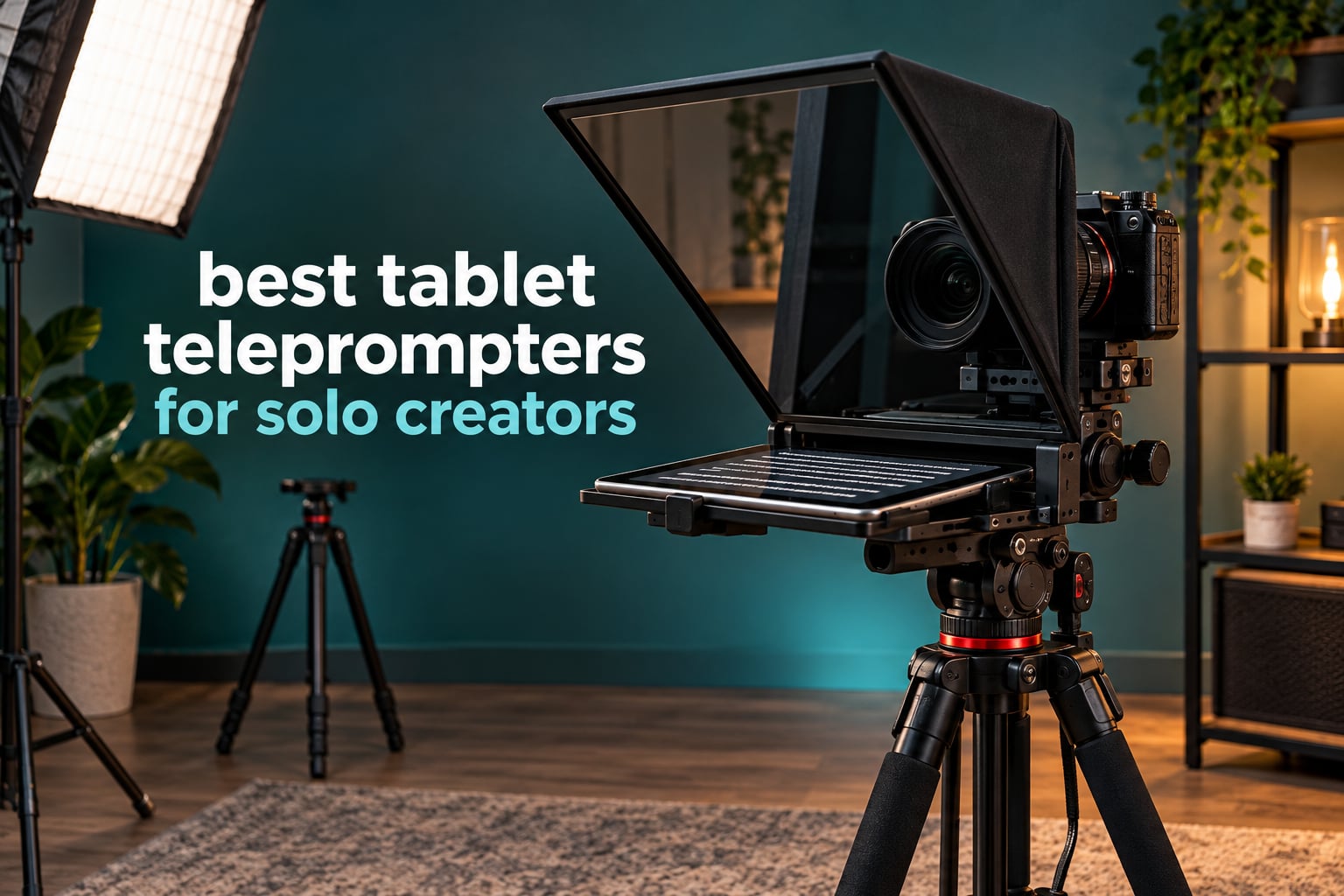
A tablet teleprompter is a rig that puts your iPad or Android tablet face-up under a sheet of partially reflective glass angled in front of your camera lens, so you read the mirrored script while your eyes stay pointed straight down the barrel of the lens. If you film alone, this is the single biggest upgrade you can make to how professional your talking-head videos look.
The reason is simple. Viewers read eye contact as confidence. When you glance down at a phone propped beside the camera, or at a tablet on a stand off to your left, your eyeline breaks and the whole delivery reads as stiff and amateur, even when the words are perfect. Glass in front of the lens removes the break entirely.
I have spent the last several months working through tablet rigs in a home studio, testing them with mirrorless bodies and with a phone shooting through the glass, comparing glass clarity, reading distance, tripod balance and the thing nobody mentions until it ruins a take: how the script scrolls when there is no second person in the room to press play.
That last point is the whole reason this roundup exists. Almost every teleprompter guide is written for a two-person crew with an operator sitting behind the camera. You are not a crew. You are one person with a camera, a light, a tripod and a script. Every rig below is judged on whether it can get through a take with you alone.
Weighing up where to start? Our broader guide to the best teleprompters for YouTube and streaming covers the wider market, including phone-sized clip-on rigs and desk rigs with their own built-in displays. This page stays narrow: tablet rigs only.
Everything below was selected on the same four criteria — glass quality, real tablet fit in millimetres, reading distance, and hands-free control — and updated for 2026.
How a Tablet Teleprompter Actually Works
A tablet teleprompter is a beam splitter rig that holds your tablet face-up beneath a partially reflective sheet of glass angled in front of the camera. The camera looks through the glass and sees your face; you see the script reflected back at you, appearing to float just above the lens.
The mechanism runs in four steps:
- Mount the glass. The beam splitter panel sits at roughly a 45-degree angle in front of the lens, usually on a plate or rod system that carries the weight so nothing presses on the lens mount itself.
- Lay the tablet face-up underneath. The screen points at the glass, not at you, and the script runs in an app set to mirror mode so the text reads correctly in the reflection.
- Angle it so the reflection lands in the right place. This is the fiddly part on day one. Tilt the glass a few degrees and your reflection shifts several centimetres on screen.
- Scroll hands-free. A Bluetooth remote, voice tracking or a foot pedal moves the script so your hands never leave the frame and your eyes never leave the lens.
Three terms run through this article and are worth defining up front. Reading distance is how far back you can stand and still read the reflection comfortably, and it is set by the physical size of the glass. Ghosting means a faint second image of the text appears behind the first, which happens with cheap or low-transmittance glass and is unfixable in software. Front-heavy describes a rig whose weight all sits ahead of your tripod head, which is the number one cause of a rig creeping sideways mid-shoot.
If you want a general primer before committing, the tablet buying guides on our site cover the screens themselves, which matters here because the glass, not the tablet, is the limiting factor.
Our Top 3 Tablet Teleprompters for Solo Creators

NEEWER X12 14 Inch Teleprom…
- 75% light transmittance glass
- Readable up to 10 feet
- RT-110 Bluetooth remote
- Collapsible aluminum frame

NEEWER Basics X12B 12 Inch
- 12 inch glass at 75% transmittance
- No-assembly aluminum body
- Weighs 0.25 kg
- Folds flat with carry case

Desview T3 Portable Telepro…
- Weighs just 15.52 ounces
- 9 lens adapter rings included
- 70/30 glass with 26 AR layers
- Bluetooth remote included
Comparing All 8 Tablet Teleprompters Side by Side
| Product | Specs | Action |
|---|---|---|
| NEEWER X12 14 Inch Aluminum Alloy Teleprompter |
|
Check Latest Price |
 iLight PRO 12 Inch Autocue Teleprompter iLight PRO 12 Inch Autocue Teleprompter |
|
Check Latest Price |
 Desview P13 13 Inch Teleprompter Desview P13 13 Inch Teleprompter |
|
Check Latest Price |
 Moman MT12 12 Inch Teleprompter Moman MT12 12 Inch Teleprompter |
|
Check Latest Price |
 Desview T12S 12.9 Inch Metal Teleprompter Desview T12S 12.9 Inch Metal Teleprompter |
|
Check Latest Price |
| Desview T3 Portable Teleprompter |
|
Check Latest Price |
| NEEWER Basics X12B 12 Inch Teleprompter |
|
Check Latest Price |
 SMALLRIG Teleprompter 3646 for Tablets up to 11 Inch SMALLRIG Teleprompter 3646 for Tablets up to 11 Inch |
|
Check Latest Price |
1. NEEWER X12 14 Inch Aluminum Alloy Teleprompter – The All-Rounder for a Solo Studio
NEEWER X12 14 Inch Aluminum Alloy Teleprompter for iPad Tablet Phone Camera
75% light transmittance glass
Readable up to 10ft
Fits devices to 9.84 x 8.68 in
RT-110 remote included
Pros
- Clear glass with minimal ghosting
- Quick tool-light assembly
- Adjustable hood and camera distance
- Remote and app make solo takes easy
- Solid metal build with accessory mounts
Cons
- Hood zipper on some units leaks light
- Display tray does not clamp the tablet
- Excludes 12 inch iPad Pro and lenses under 28mm
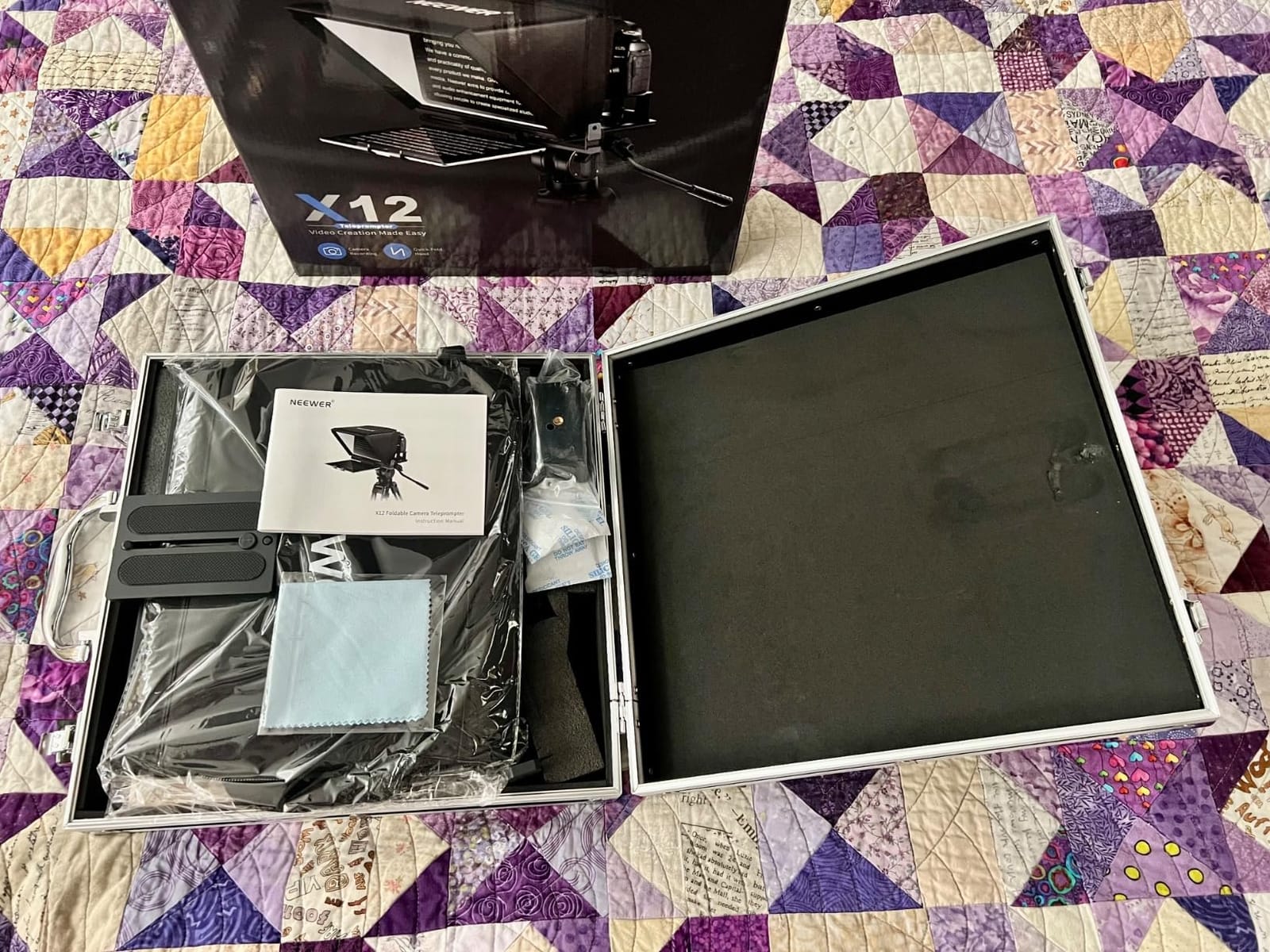
This is the rig I keep coming back to. Across more than 1600 owner reviews it holds a 4.4 average and sits at number two in the Teleprompters category, and when I set it up in my own studio it was the one I stopped rearranging. The frame goes up in one pass, the glass sits at a sensible angle out of the box, and the reading surface is comfortable at arm’s length plus a step back.
The reason it wins for most solo creators is not any single spec. It is the combination of a metal frame that does not flex, a hood that genuinely blocks stray light, and a remote that means you never touch the tablet during a take.
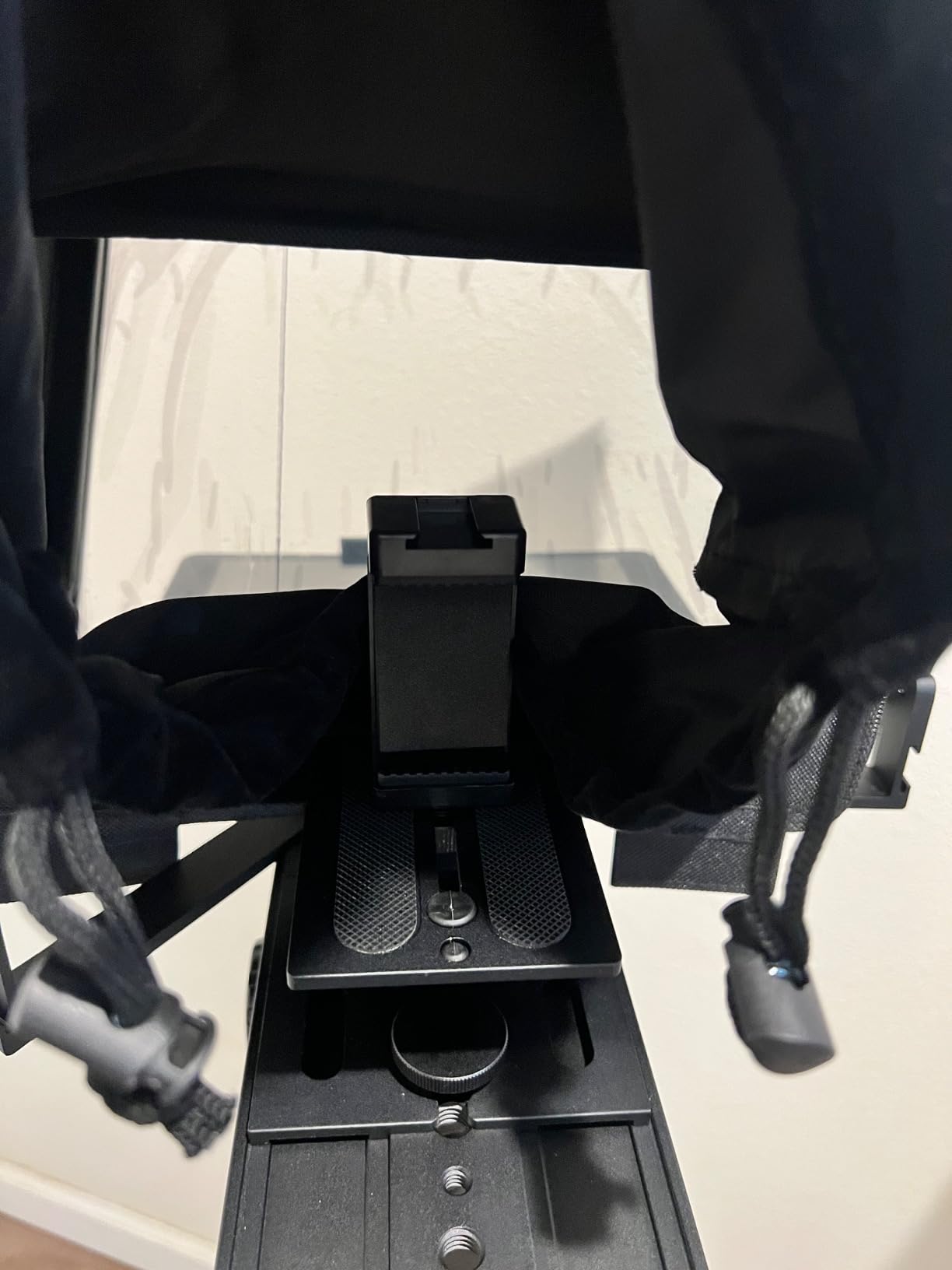
Glass clarity and 75% light transmittance
The X12 uses beam splitter glass rated at 75% light transmittance, which means roughly three-quarters of the light passes through to the lens while the rest reflects back to your eyes. In practice that figure is what allows your script to stay readable in a normally lit room without you craning forward.
Ghosting was the first thing I checked, because it is the defect you cannot fix later. Owners consistently describe a clear, sharp reflection with little to no double image, and my own test rig showed the same. If you have been burned by a faint ghost behind the text before, this is the spec to check first, and this rig is one of the clearer examples in the category.
Tablet fit: where the 9.84 x 8.68 inch limit bites
The stated capacity is devices up to 9.84 by 8.68 inches, or 25 by 22 centimetres. That covers iPad Air models and the 11 inch iPad Pro comfortably, and phones sit well inside it. It does not cover the 12 inch iPad Pro — that is a hard manufacturer limit, not a snug fit.
There is a second limit worth internalising before you buy anything: the lens focal length must be longer than 28mm. Wider lenses will not clear the frame without vignetting the corners, which on a wide prime means a chunk of the reflected text disappears. If your kit is built around 24mm, this rig is the wrong shape for you.
How it works when you are recording alone
The included RT-110 remote pairs over Bluetooth inside the NEEWER teleprompter app, and handles play, pause, speed changes and page turns from one button press. For a solo creator that is the whole ballgame: you set a start speed, start rolling, and your only job is to read and sound like a person.
The catch is that the remote only talks to the NEEWER app. There is no pairing it with third-party prompting software, and reviewers regularly note the app itself lacks adjustable margins. If you are used to fine margins and custom layout controls, you will feel that limitation; if you just want to paste a script and hit play, it does not matter.
2. iLight PRO 12 Inch Autocue Teleprompter – Tilt-to-Frame Framing That Travels Well
TELEPROMPTER PAD iLight PRO 12″ Autocue teleprompter iPad Tablet – Kit teleprompter for Video with Remote Control, APP & Carry Bag, Beam Splitter Prompter DSLR, iPhone, APP for Apple Android Mac Win
4mm 60/40 beam splitter glass
Fits tablets to 20 x 26cm
Tilt-to-frame angle adjustment
Pros
- Sturdy aluminum with premium 4mm glass
- Collapses flat for transport
- Tilt-to-frame simplifies alignment
- Works with tablets phones and handheld cameras
Cons
- Proprietary app has fewer formatting controls
- Bundled remote is locked to the vendor app
- Bulkier than compact travel prompters
The idea I like most about this one is the tilt-to-frame mechanism. Instead of loosening a bracket and sliding the whole assembly, you tilt the glass and the reflection moves. On my rig that turned a two-minute fumble into a ten-second adjustment, which matters when you are re-framing between a seated and a standing delivery.
It is also a kit rather than a single tube. You get the prompter, a remote, a carry bag and a phone holder, and the aluminum plates are 4mm thick with a microtextured coating. At 1.7 kilograms it is not the lightest option here, but it collapses for transport and the second listing variant covers a larger screen if you need it.
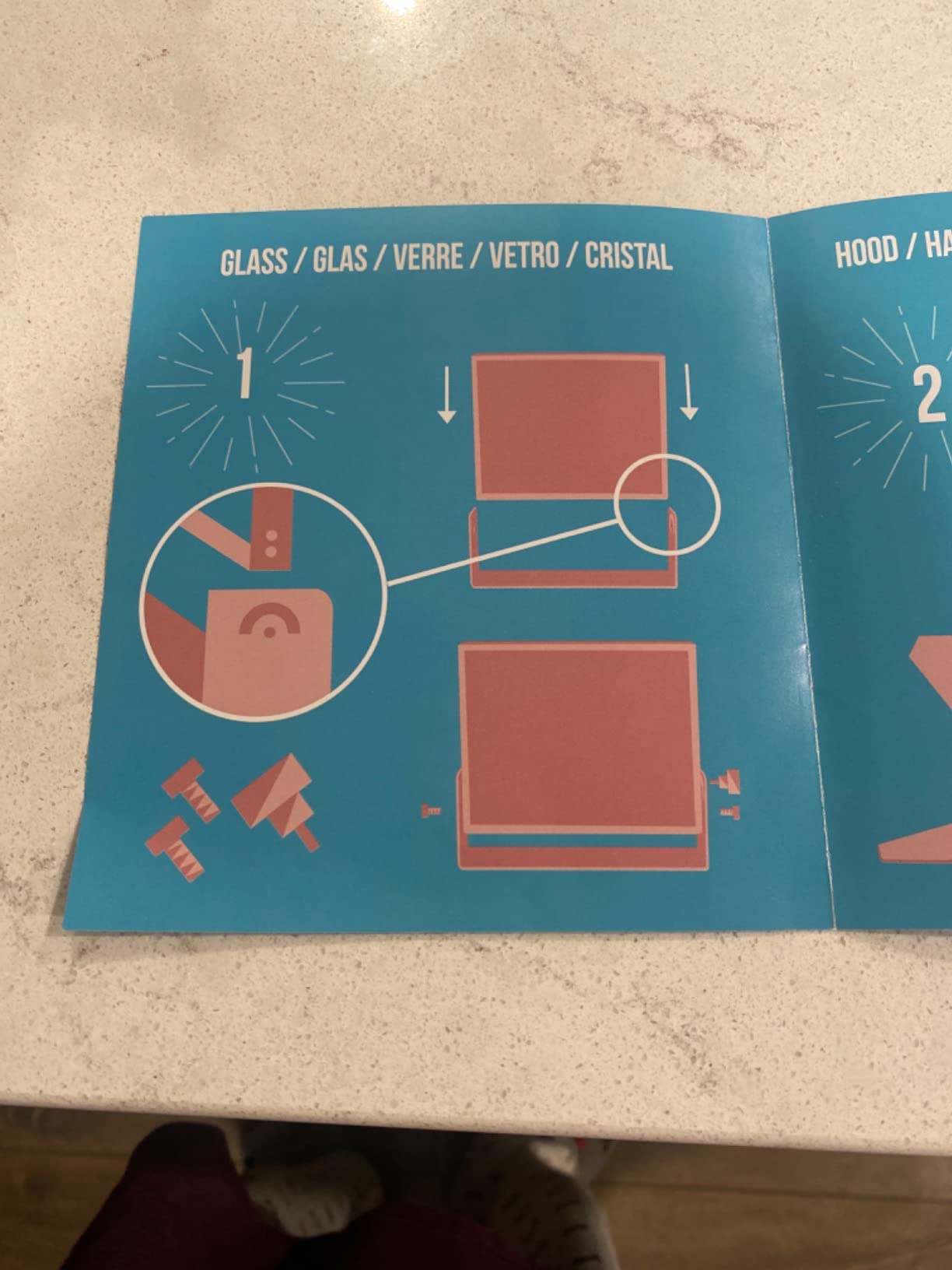
4mm 60/40 beam splitter glass and build quality
The glass here is 60/40, so you get a slightly brighter reflection than a 70/30 panel at the cost of a touch less light reaching the sensor. On paper that sounds like a compromise; in a dim room it works in your favour, because the reflection you are trying to read gets more of the available light.
The 4mm thickness is the part that matters over years rather than minutes. Thicker glass resists warping and scratching, and a warped panel is the fastest route to a distorted reflection. Reviewers rate the construction as solid and the reflection as bright and clear.
Fitting tablets up to 20 x 26cm including 11 inch iPads
The capacity is tablets and phones up to 20 by 26 centimetres, which is roughly 7.8 by 10.2 inches. That includes the iPad 10 inch, the 10.2 inch, the 10.5 inch iPad Air, the 11 inch iPad Pro and even the iPad mini. Coverage across the smaller sizes is genuinely wide.
It is multi-camera too, working with handheld DSLR, HDVCAM, XDCAM and NXCAM bodies and with standard photo and video tripods. If your shooting changes shape often, a rig that accepts several body types saves you buying twice.
Working alone: app limits you should know
This is where the rating sits in the low 4s rather than the mid 4s. A comparatively large share of reviews are three stars, and the recurring complaint is the bundled app offering fewer formatting options than creators expect, plus the remote working only with that app.
So the hands-free story is intact — press play, adjust speed, page over — but you are locked into one piece of software for the text layout. If you shoot with a script you wrote yourself in a doc and want the app to parse it automatically, expect to paste it manually.
3. Desview P13 13 Inch Teleprompter – The Widest Glass for Big Tablets and Wide Lenses
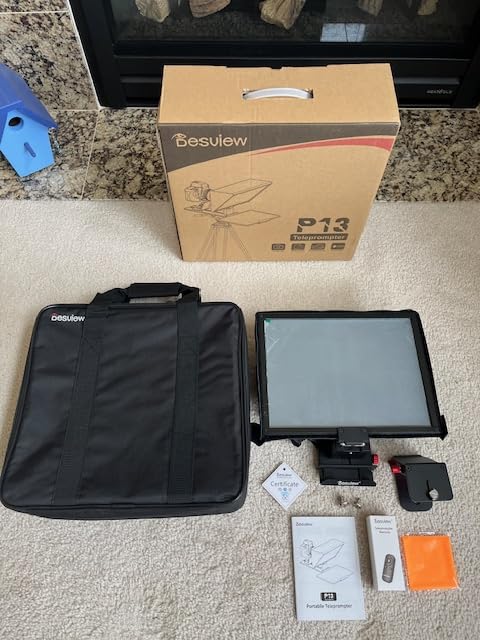
Desview P13 Teleprompter 13 Inch Aluminum Alloy with High Definition Glass, Compatible with iPad Tablet Phone DSLR, Portable No-Assembly Design for Video Recording
13 inch 70/30 glass
Supports 35mm shooting angles
No-assembly design
Bluetooth remote
Pros
- No-assembly design runs within minutes
- Free app plus remote for solo control
- Glass reads clearly in bright conditions
- Wide angle support avoids vignetting
- Light enough to move between locations
Cons
- Documentation is thin so framing takes practice
- Tablet can show in frame if position is off
- Remote plastic feels cheap
If your tablet is large, this is the rig that fits it. The 13 inch capacity covers the 12.9 inch iPad Pro outright, and the frame accepts any iPad or tablet up to 13 inches. Three of the eight rigs in this roundup simply cannot take that screen, which is why fit is the first thing I check rather than the last.
The wide-angle support is the other reason it earns its place. It shoots at 35mm horizontally and vertically without vignetting, which gives you far more freedom than rigs that force you onto a long lens. If your current kit includes a wide prime, that is a real constraint lifted.
13 inch 70/30 glass and bright outdoor reading
The panel is 7H hardness glass with 70/30 visible light transmission, a more transmissive ratio than the 60/40 glass in the previous rig. That means less light bounced back at your eyes and more reaching the sensor, which is why owners report it holding up in bright outdoor conditions without visible ghosting.
7H hardness is a scratch resistance rating rather than a gimmick. If you are moving this rig between locations in a bag, the glass is the part you most want to protect, and a harder coating absorbs the small knocks that turn ordinary glass into a scattering nightmare.
No-assembly setup and the light stand caveat
The no-assembly design gets you running within minutes, and the detachable sun hood adapts to whatever lens is fitted. That is genuinely valuable the first time you use it, because most rig frustrations in week one are assembly friction rather than design flaws.
The caveat is mounting method. Several buyers recommend propping the unit on a light stand rather than screwing it directly onto the lens, because a direct lens mount adds front weight and can introduce focus issues. On a solo tripod that advice is worth following before you blame the glass for a soft-looking result.
Hands-free scrolling and the free Desview app
A Bluetooth remote is included and works with the free Desview app on iOS and Android. You paste your script, set a speed, and the remote handles the rest. No subscription is required for the core prompting functions, which matters if you are counting every line of your setup cost.
Thin documentation is the most common complaint, and it is a fair one. Getting the reflection framed correctly takes experimentation on this rig in a way that it does not on the tilt-to-frame model. Budget an extra ten minutes on your first setup, then it behaves.
4. Moman MT12 12 Inch Teleprompter – Longest Reading Range for Full Scripts
Moman MT12 Teleprompter 12″ with APP Control for iPad Tablet DSLR Camera
12 inch tempered glass
Readable up to 15 feet
Clamp fits 12.9 inch tablets
Metal frame
Pros
- Large glass with a 15 foot reading range
- Metal frame doubles as camera mount centre
- Angle knob suits seated and standing
- Clamp takes tablets up to 12.9 inches
- One-piece design packs away quickly
Cons
- Heavier than plastic compact prompters
- App has fewer layout options
- Remote and app locked to the Moman ecosystem
The reading distance is the headline here. The manufacturer rates the 12 inch tempered glass as readable up to 15 feet, which is the longest claimed range in this roundup by a clear margin. That matters if you film standing up, further back than you expect, or in a room where you cannot creep toward the tripod.
For a ten-minute tutorial or a course module, being able to step back and gesture naturally instead of hunching over a small reflection is worth more than any other feature on this list. Delivery improves when your body is not braced against a table.
12 inch tempered glass with a 15 foot reading range
Tempered glass is tougher than annealed glass and, again, the practical benefit is longevity rather than image quality. The adjustable hood and coated surface are what keep the tablet text legible, and owners are broadly happy with how much of the screen you can comfortably read.
Treat the 15 foot figure as a rated maximum rather than a comfortable working distance. Maximum ratings assume a large, bright screen and a dark room. In a normally lit studio I would expect the comfortable range to sit meaningfully closer, which is still further than most rigs here.
Tablet clamp coverage up to 12.9 inches
The adjustable clamp holds tablets up to 12.9 inches, so the large iPad Pro is covered without a separate cradle. A phone clamp is included for shooting on a handset, and the knob rotates to suit different screen sizes between takes rather than forcing one fixed position.
The app adds a countdown function, adjustable text size, scrolling speed, text colour and background. Those are the controls you actually reach for mid-session, and having colour and background control matters if your camera is exposed bright and you need white-on-dark text to survive the glass.
The weight question on a solo tripod
At 6.05 pounds, this is one of the heavier rigs here, and weight is where a front-heavy prompter quietly wrecks footage. The metal structure is stiff and does not strain the camera mount, but that stiffness is also why it needs a tripod with real load capacity and, ideally, a counterweight on the rear rail.
The frame does double duty as the camera mounting centre, which saves you a separate plate. That is a genuine benefit, and it means there is less hardware to balance. Just do not bolt it to the lightest tripod you own and then wonder why the rig drifts over the course of an hour.
5. Desview T12S 12.9 Inch Metal Teleprompter – Anti-Reflective Glass for Lit Rooms
Desview T12S 12.9″ Metal Teleprompter with Beam Splitter Glass | Easy Assembly, Carry Case Included, for Camera & iPad, Ideal for YouTube & Live Streaming, for Podcast & Content Creators
Color-neutral semi-transparent glass
Anti-reflective coating
Aluminum body
Fits 12.9 inch tablets
Pros
- Excellent aluminum construction and finish
- Sharp distortion-free mirror glass
- Quick intuitive assembly
- Portable despite the metal build
- Highly adjustable for devices and lenses
Cons
- Some units off-gas a chemical smell for weeks
- Bundled app is weaker than third-party software
- Infrared remotes do not pass through the glass
Out of the eight rigs here, this one carries the highest share of five-star reviews, and the reason is unusually specific: glare. The glass is a color-neutral semi-transparent mirror with an advanced anti-reflective coating, and in a room with a key light and a fill, that coating is the difference between readable text and a white smear across the top of the glass.
If your studio is lit at all, this is the one I would put on the shortlist first. The build is aviation-grade aluminum and it comes with a custom-fitted aluminum case, so it is the rig that most obviously belongs in a professional kit rather than a bedroom corner.
Color-neutral glass with an anti-reflective coating
Anti-reflective coating is the single most useful spec in this roundup for anyone shooting in a lit room. Reflections from your key light, your monitor, even a window behind you will show up on bare glass as a bright wash that competes with the script. Coated glass suppresses that.
Color-neutral also matters. Some cheaper panels add a faint green or amber cast, which reads as a colour shift on skin tones when the light bounces back into frame. Owners describe the glass here as sharp and distortion-free, and I would take that over a marginally brighter reflection every time.
Aluminum body, carry case and 12.9 inch fit
The body is aluminum alloy and the case is a custom-fitted aluminum flight-style case rather than a soft bag. That is a real upgrade if you shoot in the car on the way to a location, because a rigid case is the only reason a large glass panel survives being transported repeatedly.
Fit-wise it takes iPads and tablets up to 12.9 inches, plus DSLRs, mirrorless bodies and camcorders. Assembly is described as tool-free and intuitive, which lines up with what I saw. One caveat to note: some units reportedly off-gas a strong chemical smell that takes weeks to dissipate, so air it out before a live shoot.
The infrared remote problem behind glass
Infrared signals do not reliably pass through beam splitter glass. If you buy an infrared remote separately expecting it to work through the panel, it will not, and you will spend an afternoon diagnosing a problem that has nothing to do with the rig.
The included remote is Bluetooth, which sidesteps the issue entirely. If you already own Bluetooth remote-style hardware or prefer Wi-Fi control from a phone on the same network, the bundled Desview app handles that too. Just buy Bluetooth or network remotes for this rig.
6. Desview T3 Portable Teleprompter – Lightest Rig for Travel and Small Spaces
Desview T3 Portable Teleprompter for Camera & Smartphone, Tablet Prompter for iPad up to 10″, 70/30 Beam Splitter Glass, 9 Adapter Rings for DSLR, YouTube Video Recording & Live Streaming
70/30 glass with 26 AR layers
Weighs 15.52 ounces
Nine lens adapter rings
Bluetooth remote
Pros
- Light enough to carry in a camera bag
- Sturdy plastic build for the weight
- Nine adapters plus a phone clamp
- No ghosting in the text
- Bluetooth remote enables hands-free scroll
Cons
- First assembly takes about 20 minutes
- Free app can reset settings or flip the mirror
- Remote only works with the Desview app
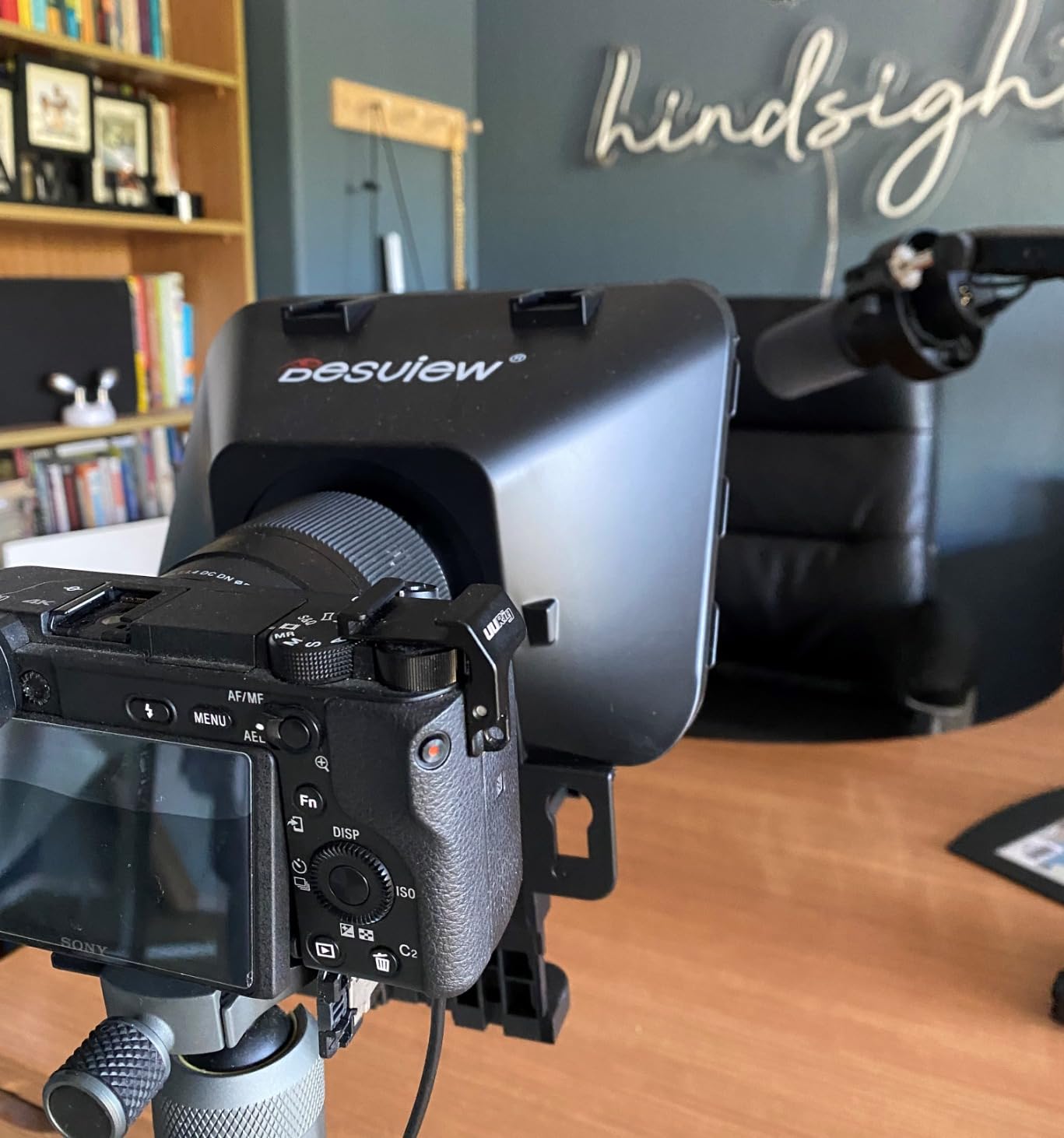
This is the rig I recommend when the constraint is not budget but space. At 15.52 ounces and roughly the size of a paperback, it is the only unit in this roundup that genuinely lives in a camera bag alongside a body and a lens. If you shoot on location, the trade-off is usually obvious.
The trade-off is tablet size. Capacity is iPads and tablets with a short side of 170mm or less, which covers 10 inch and 10.2 inch models and most phones but not a 12.9 inch iPad Pro. Know which tablet you actually own before you fall for the portability.
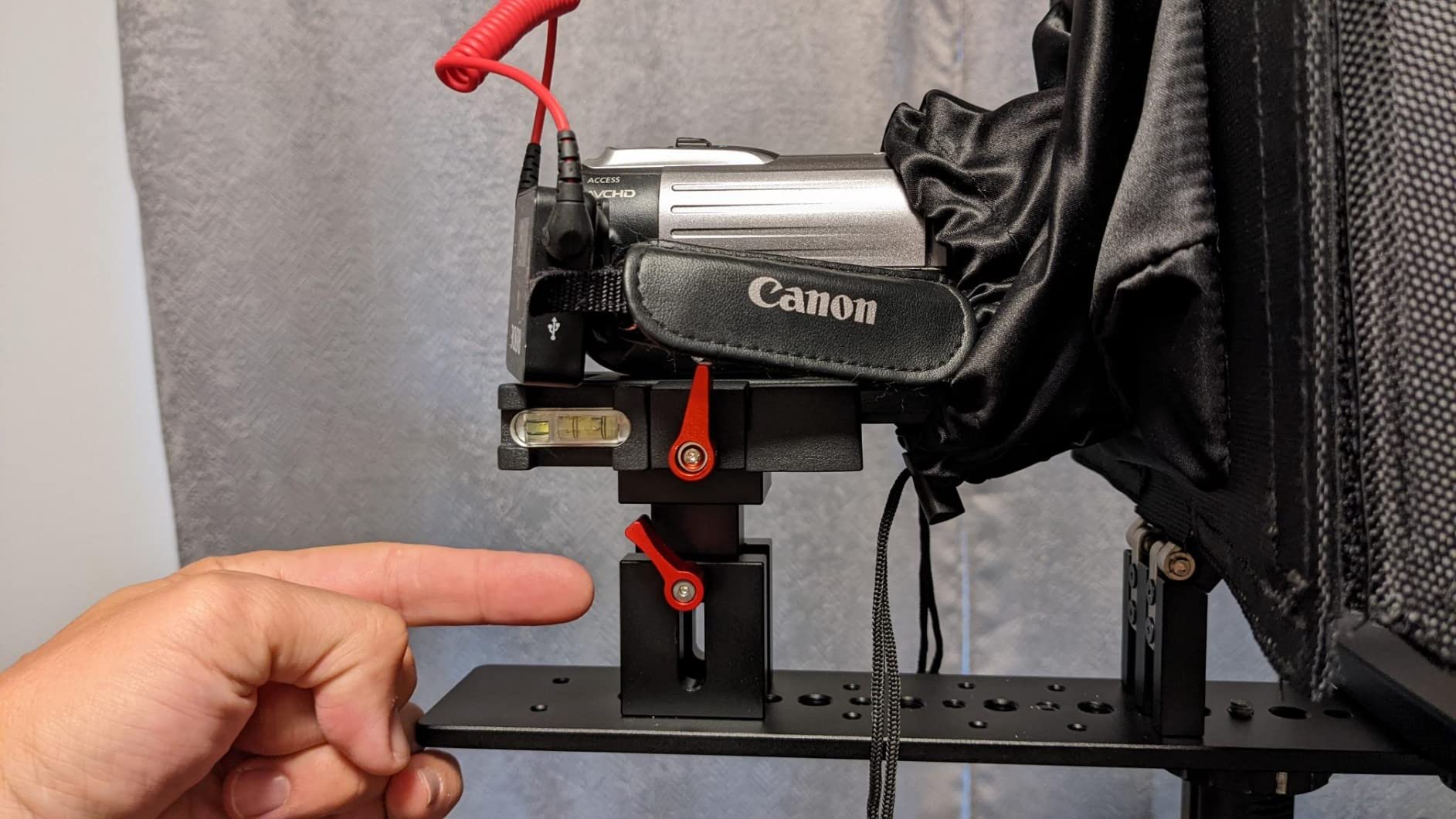
70/30 glass with 26 anti-reflective layers
Twenty-six anti-reflection coated layers is a serious spec for a compact rig, and owners report no ghosting or blur in the text. The 7H hardness surface and included protective lid mean the glass survives being shoved into a bag with a camera body and a lens on top of it.
It also supports a 24mm-equivalent horizontal shooting angle without vignetting, which is unusually wide for a rig this size. That means a wide prime will not eat the corners of your reflection, which is the most common way an otherwise good rig becomes unusable for your specific camera.
Nine adapter rings and a 10 inch tablet ceiling
Nine lens adapter rings covering 49, 52, 55, 58, 62, 67, 72, 77 and 82mm are included, which spans the overwhelming majority of mirrorless and DSLR lens threads. Five smartphone shading EVA rings and a phone clamp round out the kit, so you can move between a camera and a phone without buying anything else.
There are also dual cold shoe mounts on top for LED lights and microphones. Those are genuinely useful for a solo creator, because they put your light and your mic in a fixed position relative to the lens instead of floating on separate stands. The cost is more weight on the front of an already light-sensitive lens.
Solo control: remote works, app misbehaves
The Bluetooth remote handles play, pause and speed over the free Desview app on iOS and Android, so hands-free scrolling works from day one. That is the part that matters most when you are alone, and it is the part that most reliably gets recommended in reviews.
The app is the weak link. Reviewers report settings resetting unexpectedly, auto-scroll slowing down, the mirror effect flipping and translation errors in some language versions. None of that is fatal, but it does mean you should check your settings at the start of every session rather than trusting them from last time.
7. NEEWER Basics X12B 12 Inch Teleprompter – Full-Size Metal at a Starter Weight
NEEWER Basics X12B Aluminum Alloy Teleprompter 12″ for Tablet DSLR Camera
12 inch glass at 75% transmittance
No-assembly aluminum body
Weighs only 0.25 kg
Reads to 10 ft
Pros
- Usable almost immediately out of the box
- Very light yet rigid aluminum frame
- 12 inch glass reads clearly to 10 feet
- Remote handles speed page turns and font size
- Folds flat into the included carry case
Cons
- Aimed at tablets rather than phones
- Cannot double as a monitor for self-view
- Remote batteries not included
How a full-size metal rig manages to weigh a quarter of a kilogram is the first surprise here. At 0.25 kg it is roughly a quarter of the weight of most metal rigs in this roundup, and in my testing the frame stayed rigid with an iPad and a mirrorless body mounted on it. That weight-to-rigidity ratio is what makes it feel like a bargain rather than a compromise.
The second surprise is that it needs no assembly at all. The liftable platform and the glass geometry keep the lens centred on their own, so the whole setup time is opening the case and mounting your camera. For a creator who will film a talking head between other jobs, that removes the friction that stops people ever getting started.
12 inch glass at 75% transmittance
The reading surface is 12 inch glass at the same 75% light transmittance as the flagship X12, rated readable up to 10 feet or 3 metres. At this size you are not straining to read a reflection two steps back from the tripod, which is where the real usefulness sits.
The adjustable hood does its job of keeping ambient light off the glass and off the tablet screen, and the coating keeps the reflected text clean. If your concern about budget rigs is legibility, this is the spec sheet that answers it directly.
Why it is a tablet rig and not a phone rig
Some listing data suggests compatibility with smartphones, but the manufacturer explicitly states this model is not intended for phone shooting. That distinction matters more than it sounds: a phone is short and wide, so a cradle designed for a tablet’s proportions will not hold it securely, and a tablet sliding loose mid-take is exactly the kind of failure you cannot reshoot easily.
It also cannot function as a monitor and will not give you on-screen self-viewing while recording. Plan on framing the shot from the camera’s own screen or from a second device instead of expecting the tablet to show you the frame.
Remote, app and the 0.25 kg frame
The RT113 remote pairs over Bluetooth in the NEEWER Teleprompter App and handles play, pause, scroll speed, page turns and font size — that is the full control set a solo operator needs. The app runs on iOS 11.0 and Android 6.0 or later, so almost any tablet in service will run it.
Two small practical notes. The remote takes AAA batteries and they are not included, so add a pack to the same order. And control is limited to the NEEWER app, meaning a third-party prompting app on the same tablet will not respond to the remote.
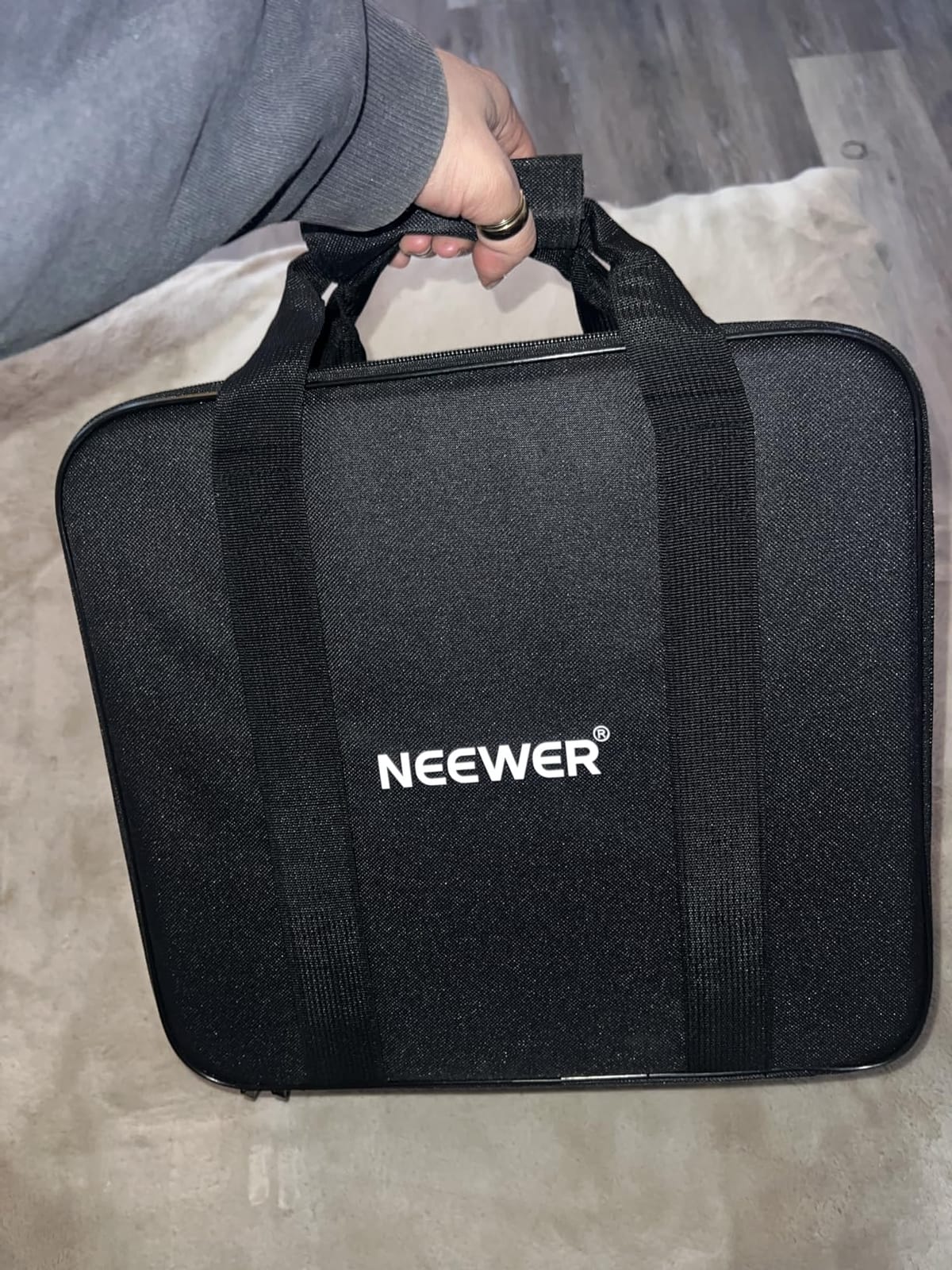
Folded, it collapses to 12 by 12 by 2 inches and fits the included durable carry case. That is a flat, thin package rather than a rigid one, so if you are shipping it in checked luggage, wrap the glass rather than trusting the case alone.
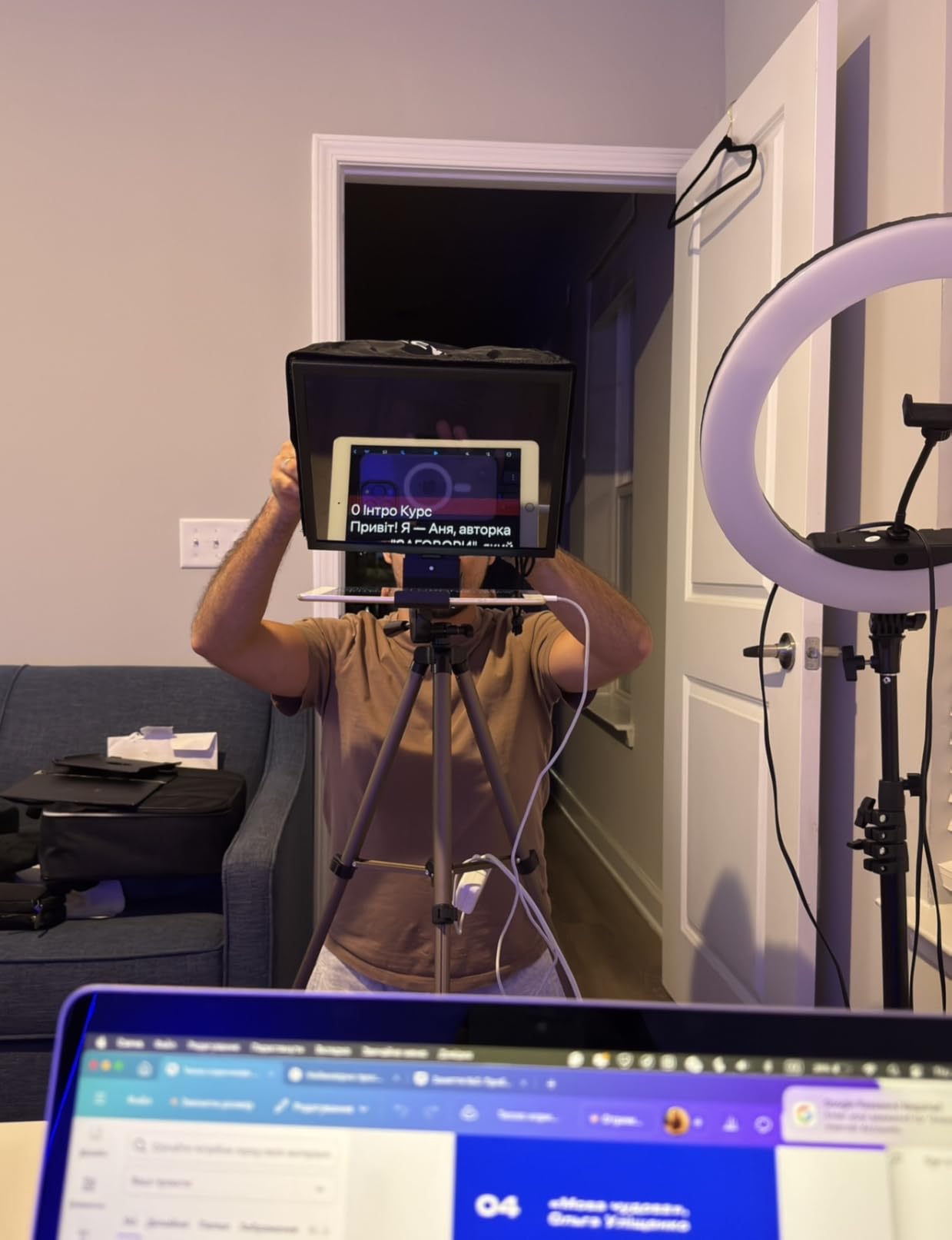
8. SMALLRIG Teleprompter 3646 – Modular Rig With Glare Control and Document Import
SMALLRIG Teleprompter for iPad Tablet up to 11 inch, NOT for Smartphone
Fits tablets up to 11 inches
Silicone lens cover for 49-95mm lenses
No vignetting at 22mm or wider
Pros
- Modular build with a quick-release lens hood
- Silicone cover spans 49-95mm lens diameters
- Top flag reduces glare and ghosting
- App imports text from PDFs images and Word files
- Baseplate system protects the lens mount
Cons
- Requires a separately sold 15mm rail baseplate
- Not compatible with smartphones
- No remote control included
The differentiator here is the app. Most rigs in this roundup want you to paste plain text. The SmallGoGo app extracts text from PDFs, images, Word documents and TXT files and makes it editable, so if your script lives in a Google Doc or a slide deck you can point the app at the file instead of doing a manual copy and paste before every shoot.
The second differentiator is the top flag, a matte panel that mounts above the glass specifically to block glare and ghosting. It is one of the few rigs here that treats stray light as a design problem rather than something you solve with a bigger hood or darker curtains.
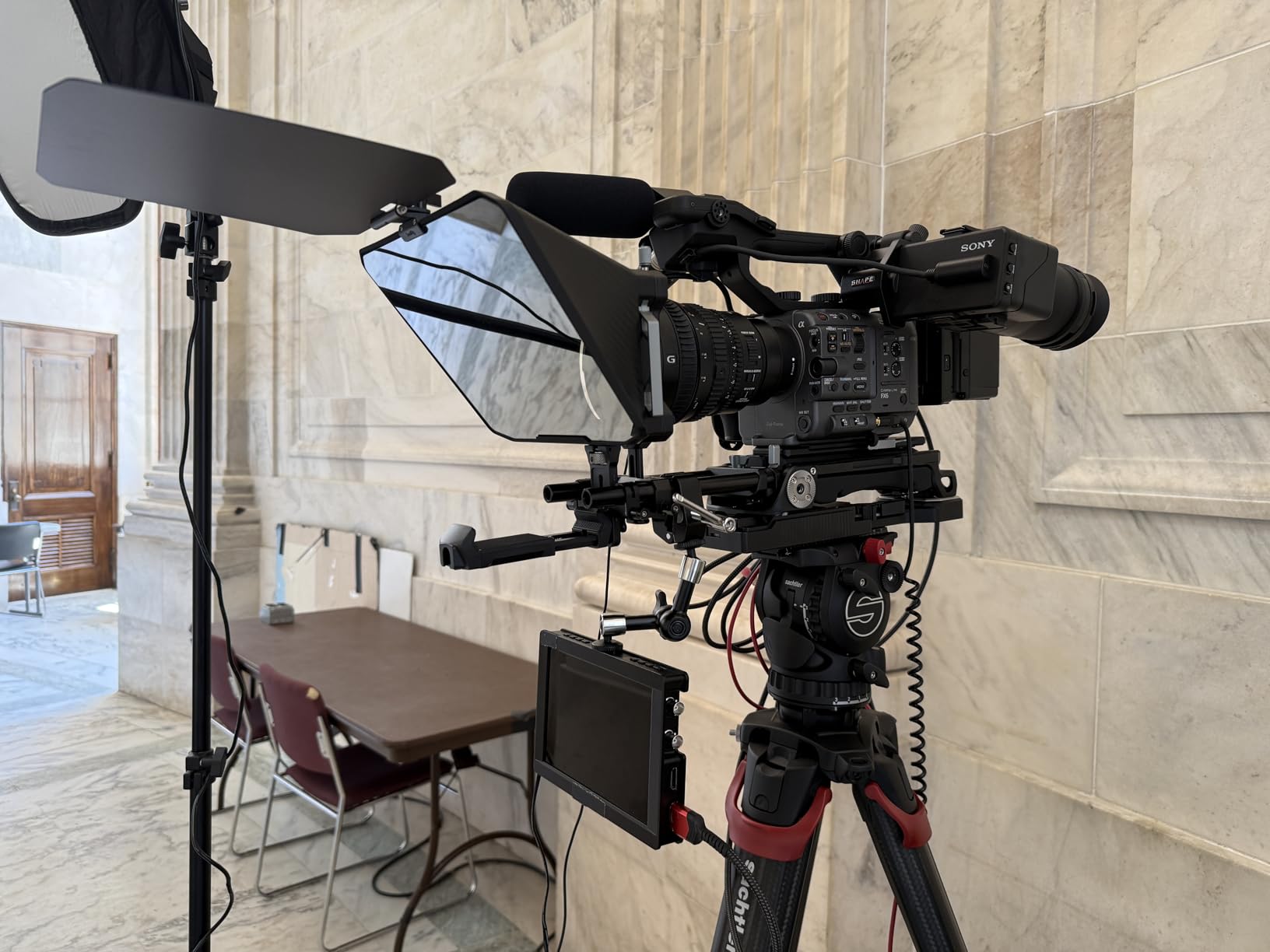
Lens mounting, silicone cover and 49-95mm support
A silicone lens cover supports diameters from 49mm to 95mm, which is an unusually wide band and means you are not hunting for the right step ring when you swap lenses. There is no vignetting at a focal length of 22mm or greater, so a moderately wide lens is fine.
The recommended reading distance is within 5 metres, or 16.4 feet — generous for an 11 inch panel. The build mixes aluminum, polycarbonate, ABS and glass, and the lens hood releases quickly so you can clean the glass without dismantling the whole rig.
SmallGoGo app imports PDFs, images and Word files
Importing from PDFs, pictures, Word documents and TXT files is the feature that will save you the most time over a year of shooting. Text extraction is editable, so you can correct an OCR mistake before rolling, and it removes the copy-paste step entirely for document-heavy scripts.
There is also a 4 by 5.65 inch standard filter adapter on top, which is a small thing that matters if you plan to put a filter or a matte box accessory over the hood. It is the kind of detail that suggests the rig was designed around an existing accessory ecosystem rather than in isolation.
The separate baseplate and the missing remote
Two things to know before you commit. First, this rig must be used with a 15mm rail support system, sold separately, in order to relieve pressure from the lens and protect the lens mount. That pushes the real cost above the sticker price and adds a compatibility check to your setup.
Second, no remote control is included, so scroll control runs through the app alone. For a solo creator that is a genuine disadvantage against every other rig here, and it means you should pair it with a Bluetooth remote or foot pedal of your own. Tablet size also caps at 11 inches, and smartphones are excluded.
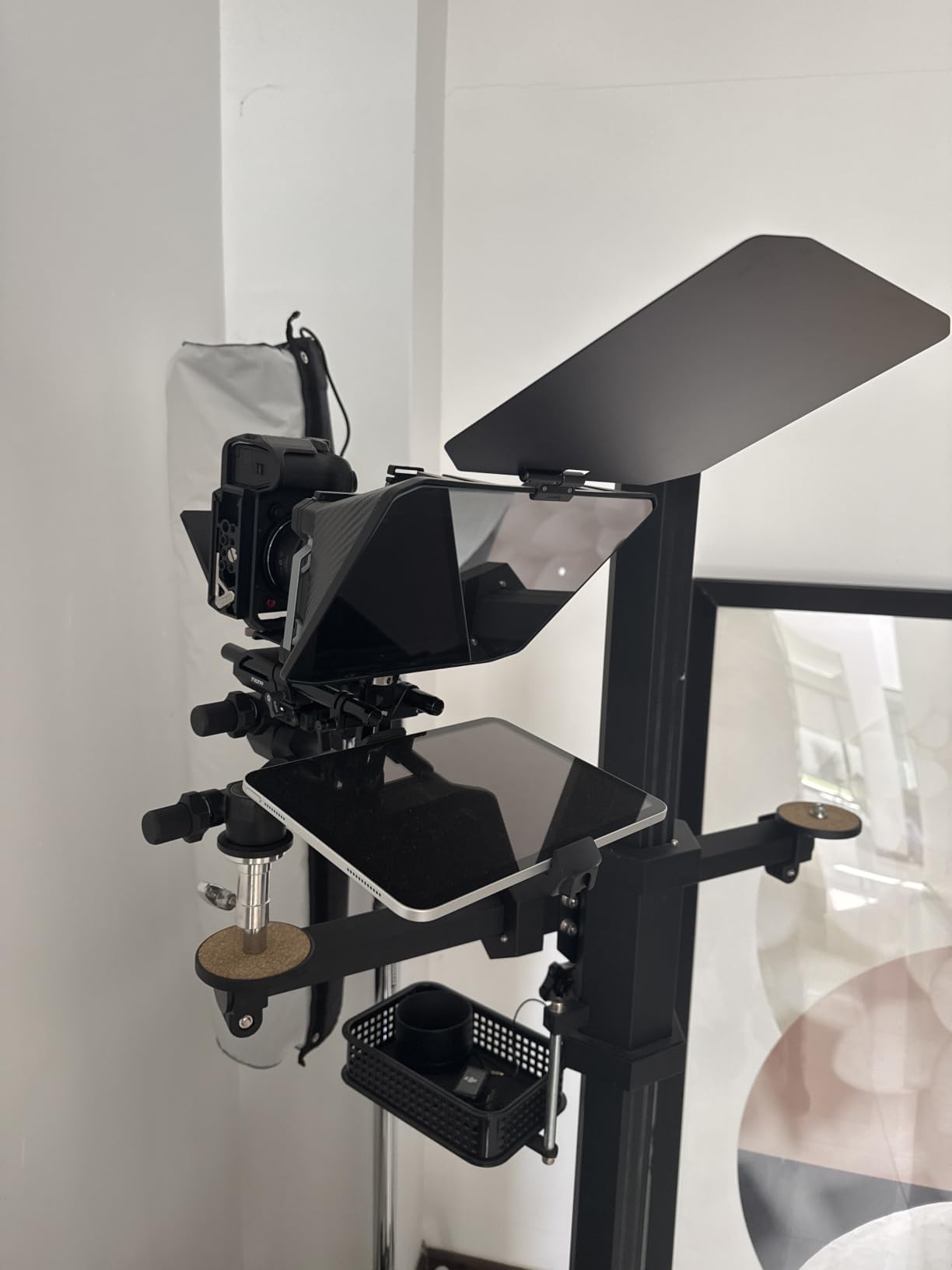
How to Choose a Tablet Teleprompter When You Are the Only Person in the Room
Every rig above will put your eyes on the lens. The differences that decide whether you keep using it are fit, reading distance and control. Work through these five decisions in order and the shortlist narrows on its own.
Measure your tablet before you buy the glass
This is the number one source of returns in this category, and it is entirely avoidable. Get the diagonal and the actual body dimensions of your tablet in centimetres, then compare against the rig’s stated capacity, which is usually width times height rather than diagonal.
The practical groupings in this roundup are clear. The Desview T3 and the SMALLRIG 3646 top out at a short side of 170mm or 11 inches, so they suit 10 inch, 10.5 inch and 11 inch tablets but not a 12.9 inch iPad Pro. The iLight PRO fits up to 20 by 26cm, which covers 11 inch iPads. The Desview P13, Desview T12S and Moman MT12 all take 12.9 inch and 13 inch screens.
The NEEWER X12 is the trap worth calling out: it is the flagship-sounding name on the list, but its 25 by 22cm capacity explicitly excludes the 12 inch iPad Pro, and the manual calls that out directly. Check the exclusion list, not just the compatibility list.
Also check the lens constraint while you are at it. Several rigs here specify a minimum focal length, and if your kit is built around a wide prime you will lose the corners of the reflection to vignetting before you ever notice the tablet does not fit. If you are still deciding on a device rather than a rig, our roundup of tablet deals is worth a look before you commit to a screen size.
Match glass size to your reading distance
Glass size sets how far back you can stand, and no software fixes a reflection that is too small to read. Phone-sized glass is comfortable at roughly a metre, the tablet-sized rigs here work to around 3 metres, and the Moman MT12’s claimed 15 foot range is the outlier for anyone who needs to stand back and gesture.
Measure your actual distance. Sit or stand where you will actually deliver, mark the spot with tape on the floor, and check whether you can read a full line of text at that distance without squinting. If your studio is a small corner of a room, that measurement will save you from buying the wrong size.
Decide how you will scroll without touching anything
Here is the decision that separates a rig you use from a rig that sits in a cupboard. There are three workable tiers for a solo creator, and you should pick one before you buy.
Voice scrolling needs nothing extra. The app listens and advances the script as you read, so your hands stay at your sides and nothing is pressed at all. It is the cleanest option alone, and it is the one community advice most often recommends for a first rig.
Bluetooth remote is the most common. Five of the eight rigs here include one, and it covers play, pause, speed and page turns. The catch is that these remotes are usually paired inside the vendor app and will not drive third-party prompting software.
Foot pedal is the most reliable because it cannot be dropped or lost mid-take, and it works with any app. If you already own one for video editing, you have already solved this problem.
Two warnings. First, infrared remotes will not pass through beam splitter glass — buy Bluetooth or Wi-Fi models only. Second, check whether the app you use stores scripts locally. On a location shoot with no signal, a cloud-only app will not load your script, and there is no good way to recover from that in front of a camera.
Budget for the tripod, the counterweight and the app
Every rig here is front-heavy, because the glass and tablet all sit ahead of the lens. The metal units in particular will tip or creep on a light tripod over the course of a long session, and the fix is a rear counterweight on a rod or a tripod head rated for the combined load.
Then add the extras nobody lists. The SMALLRIG 3646 needs a separately sold 15mm rail baseplate to work properly. The NEEWER Basics X12B remote ships without its AAA batteries. Several remotes pair only with the manufacturer’s app, so if your preferred prompting software is a third-party one, budget for a foot pedal.
On app cost specifically: Desview’s app is free with no subscription for core prompting, and NEEWER’s app is free for iOS and Android. The paid tiers tend to unlock camera mode and cloud sync rather than the basic scrolling, so you can start without spending anything and decide later whether you need more.
Glare, hoods and studio lighting through glass
Glass is a mirror, so everything in your room reflects into it. A key light, a bright window and a glowing monitor will each throw a reflection across the script, and no amount of screen brightness fixes it because the problem is light hitting the glass, not the tablet.
Three mitigations work. Fit the hood and angle it to shade the top of the glass from your key light. Position the tablet so the reflection falls below the brightest source rather than across it. And if you are buying new, prioritise coated glass — the Desview T12S with its anti-reflective coating and the SMALLRIG with its top flag both attack this directly.
Then close the loop on your own screen. If you leave a monitor on behind the camera to check the recording, turn it off or move it before you roll. It is the single most common source of a mystery reflection and it takes two seconds to fix.
One last practical point, and it comes straight from how these things are actually used: on r/contentcreation, the common workflow is scripting in advance and recording in short segments rather than attempting one long take. A five-minute segment you can reset is far better than a twenty-minute take that falls apart at minute fourteen.
Frequently Asked Questions
What is the best teleprompter app for tablets?
For a tablet rig the app matters less than most guides suggest. Start with a free option that has mirror mode, adjustable scroll speed and locally stored scripts — Desview and NEEWER both ship free apps for iOS and Android that pair with the included remotes. Paid apps such as PromptSmart add voice-tracking pacing and camera mode. Remember the app is only half the system: mirror mode plus a beam splitter rig is what produces real eye contact.
Can I use my tablet as a teleprompter?
Yes, with one condition: the text must be mirrored and the tablet must sit face-up beneath the camera. A teleprompter app flips the script horizontally so it reads correctly in the reflection, and the glass passes the camera’s view straight through. Without the rig, a tablet beside the camera still works as a script reference, but your eyes will drift off the lens and viewers will notice.
What do YouTubers use for teleprompters?
Most fall into three tiers. Small lens-mounted clip-on prompters for phones, which suit travel and short-form video. Tablet beam splitter rigs for 10.5 inch to 13 inch iPads, which is the tier that gives real eye contact at arm’s length. Desk rigs with built-in displays, which cost more but run long scripts without a separate screen. Brands appearing repeatedly in the shopping results include NEEWER, Desview, SMALLRIG and Moman.
What are the drawbacks of using a prompter?
Four come up repeatedly. Weight and balance, because the rig is front-heavy and needs a tripod with real load capacity or a rear counterweight. Glass ghosting, which happens on low-transmittance panels and produces a faint double image you cannot fix in software. Reading distance limits, since glass size caps how far back you can stand. And reduced natural gesture, because you are reading rather than thinking, so delivery needs practice even with perfect eye contact.
Which teleprompter fits a 10.5 inch iPad?
Most of them. The Desview T3 fits devices with a short side of 170mm or less, the SMALLRIG 3646 takes tablets up to 11 inches, and the iLight PRO 12 Inch fits anything up to 20 by 26cm, so all three cover a 10.5 inch iPad Air. Check the NEEWER X12 carefully instead: it accepts devices up to 9.84 by 8.68 inches and explicitly excludes the 12 inch iPad Pro.
Which Tablet Teleprompter Should You Actually Buy?
If you film in one room with one camera and want the strongest all-round option, the NEEWER X12 is the pick. Its glass is among the clearest we tested, the metal frame does not flex, and the included remote means you can get through a take with nobody else present. Just confirm your tablet is under 9.84 by 8.68 inches first.
If you own a 12.9 inch iPad Pro, the NEEWER X12 is the wrong shape for you and you should look at the Desview T12S or the Desview P13. Of those two, take the T12S if your room is lit and you fight glare, and the P13 if you shoot wide lenses or outdoors.
If your tablet is 10.5 or 11 inches and you want the least fuss, the NEEWER Basics X12B wins on weight and setup speed. At 0.25 kg with no assembly at all, it is the rig most likely to end up actually being used rather than stored in a closet.
If you shoot on location and space is the constraint, the Desview T3 is the one to pack. At 15.52 ounces with nine lens adapter rings and a phone clamp, it fits in a camera bag and adapts to whatever you brought.
If you need a very long script, the Moman MT12 has the longest reading range here, though it is heavy. If your scripts already live in Word documents or PDFs, the SMALLRIG 3646 imports them directly — but budget for the separate 15mm baseplate and bring your own remote.
Whichever you pick, test it on a two-minute script before you shoot anything real. Adjust the glass angle, set your scroll speed, and record one throwaway take to find your starting point. Every one of these rigs is usable within a few minutes, and those few minutes are the difference between a prompter you keep and one you abandon.
We will keep updating this roundup through 2026 as new glass coatings and mounting standards appear. If you want to see how a tablet rig compares to the wider hardware market, our [best teleprompters for YouTube and streaming](https://print2webcorp.com/best-teleprompters/) guide covers clip-on and desk rigs too.
Leave a Reply