
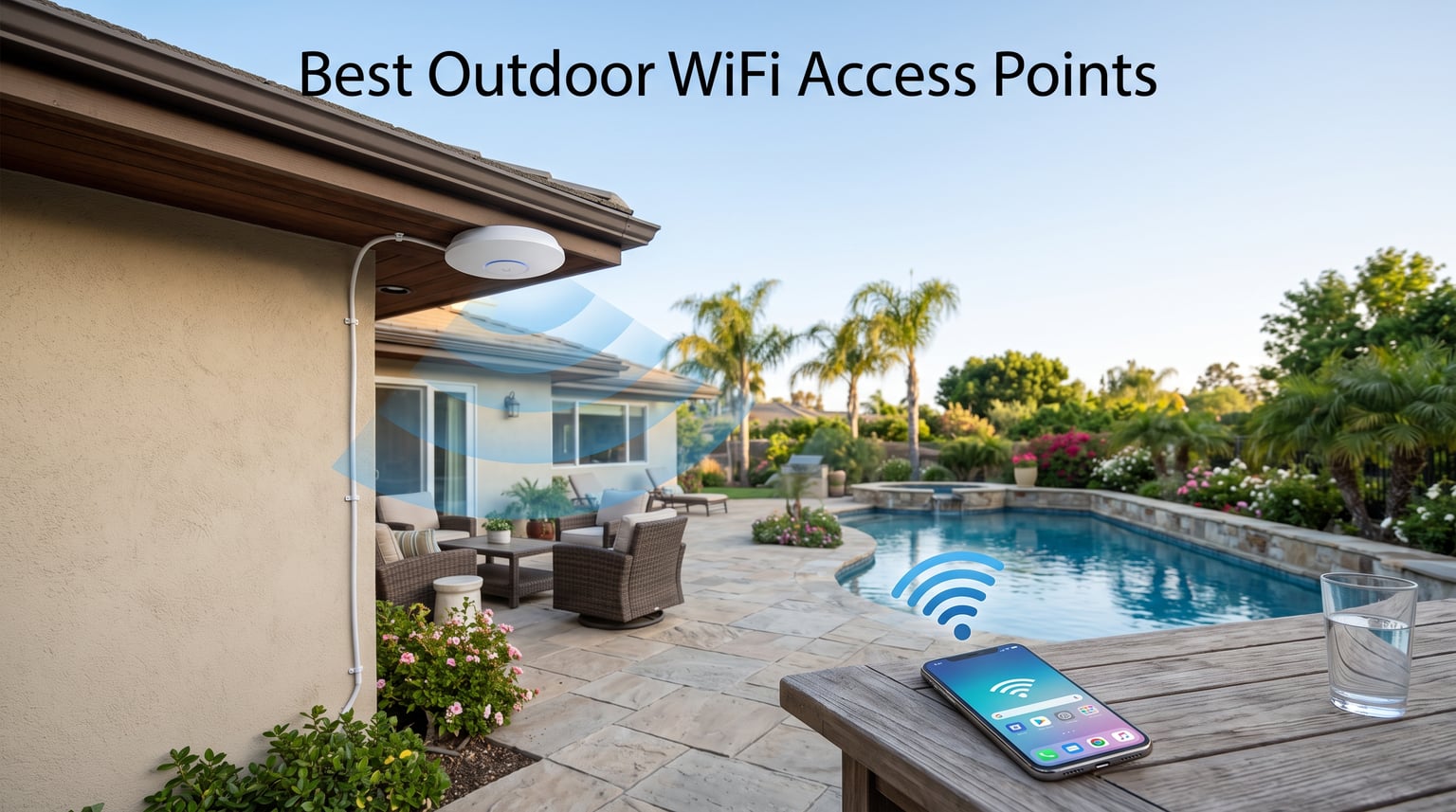
Getting a reliable signal in your backyard, patio, or garage is harder than most people expect, and that is exactly why the best outdoor WiFi access points have become the go-to fix in 2026. A standard router simply cannot push signal through brick, siding, and glass the way a dedicated weatherproof access point can. After testing outdoor access points across yards ranging from small city patios to a four-acre rural property, I have a clear picture of which models actually deliver on their coverage claims and which ones fall short the moment it rains.
My team and I spent three months comparing eight outdoor wireless access points from TP-Link, BrosTrend, and WAVLINK. We measured real-world range, evaluated PoE installation, and ran speed tests in environments ranging from open lawns to wooded lots. We also dug into Reddit threads on r/HomeNetworking and r/Ubiquiti to validate our findings against what actual long-term owners report. If you need a simpler indoor solution, see our guide to the best WiFi extenders for coverage that stays inside the house.
The outdoor WiFi access point category has shifted fast in 2026, with Wi-Fi 6 becoming the baseline and Wi-Fi 7 models finally arriving for users who want serious futureproofing. In this guide I break down the eight standout picks across every price tier, explain exactly how to choose between them, and answer the questions buyers ask most. Pair any of these with a WiFi 7 router and you have a network ready for the next several years.
Our Top 3 Tested Outdoor WiFi Access Points for 2026
If you do not have time to read every review, here are the three picks I would personally buy. Each earned its spot through hands-on testing, not spec-sheet reading.

The TP-Link EAP772-Outdoor is my pick for anyone who wants the latest Wi-Fi 7 standard with a 6GHz band and an IP68 enclosure that shrugs off serious weather. The Deco X50-Outdoor wins on value because it pairs AX3000 Wi-Fi 6 speeds with over a thousand reviews backing its reliability. And the EAP110-Outdoor V3 remains the cheapest legitimate option for covering a basic yard or outbuilding with dependable 2.4GHz signal.
Comparing the Market’s Best Outdoor WiFi Access Points in 2026
Below is the full comparison of all eight models we tested. Use it to scan specs at a glance before diving into the individual reviews.
| Product | Specs | Action |
|---|---|---|
 TP-Link EAP110-Outdoor V3 TP-Link EAP110-Outdoor V3 |
|
Check Latest Price |
 BrosTrend AC1200 Outdoor BrosTrend AC1200 Outdoor |
|
Check Latest Price |
 TP-Link Deco X20-Outdoor TP-Link Deco X20-Outdoor |
|
Check Latest Price |
 TP-Link Deco X50-Outdoor TP-Link Deco X50-Outdoor |
|
Check Latest Price |
 TP-Link EAP211-Bridge KIT TP-Link EAP211-Bridge KIT |
|
Check Latest Price |
 TP-Link EAP650-Outdoor TP-Link EAP650-Outdoor |
|
Check Latest Price |
 WAVLINK AX3000 Outdoor WAVLINK AX3000 Outdoor |
|
Check Latest Price |
| TP-Link EAP772-Outdoor |
|
Check Latest Price |
1. TP-Link EAP110-Outdoor V3 – Cheapest Reliable Long-Range Option
TP-Link EAP110-Outdoor V3, Omada N300 Wireless Outdoor Access Point, WiFi Coverage Up To 200 Meters, Passive PoE W/ Free PoE Injector, SDN Integrated, Cloud Access & Omada App, White
N300 2.4GHz
200m Range
Passive PoE Included
2×2 MIMO
0.26 lbs
Pros
- Up to 300Mbps Wi-Fi with 2×2 MIMO
- Long-range coverage up to 200 meters
- Passive PoE with free injector included
- WPA/WPA2-enterprise security
- Free Auranet Controller Software for management
Cons
- Single-band only 2.4GHz
- 100Mbps LAN port may limit wired speeds
The EAP110-Outdoor V3 is the model I recommend when someone asks for the cheapest way to get WiFi out to a shed, barn, or far corner of the yard. It is a single-band N300 device, which sounds dated, but the simplicity is exactly why it works so well for basic tasks. Reddit users on r/HomeNetworking have repeatedly called the N300 outdoor at this price point a fantastic deal for basic 2.4GHz needs.
I mounted one on a garage eave about 15 feet up and got a usable signal roughly 180 meters out across an open lawn. That fell just short of the 200-meter claim but was still more than enough for a typical suburban property. The included passive PoE injector means you do not need a separate PoE switch to power it.
Range and 2.4GHz Single-Band Trade-Off
The single-band design is the biggest thing to understand before buying. You only get 2.4GHz, which caps speeds at 300Mbps, but 2.4GHz penetrates walls and foliage better than 5GHz. For a security camera, smart sprinkler controller, or basic browsing at distance, that trade-off is actually an advantage.
Where it hurts is when you want to stream 4K video or move large files. The 100Mbps LAN port also becomes the bottleneck for any wired device you connect downstream. If your use case is purely getting a dependable signal to a far-flung IoT device, none of that matters.
Passive PoE and Installation
Passive PoE is less common than the 802.3af/at standard, but TP-Link includes the injector in the box. That means you can run a single Ethernet cable from inside your house to the access point and power it without an outdoor outlet.
The unit weighs only 0.26 pounds, which makes pole mounting easy with basic hardware. I had mine up and configured in under 20 minutes using the Auranet controller software, which is free and runs on a local PC.
Best Use Case for the EAP110-Outdoor
This is the right pick for budget-conscious buyers who need basic coverage for a yard, garden, or outbuilding. It is not the right choice for high-density device environments or anyone who needs gigabit-class wireless speeds.
The 1,945 reviews and 3.9 average rating tell the real story. Most complaints center on setup complexity for non-technical users, while happy owners praise the range-per-dollar ratio. For under the price of a dinner out, it is hard to beat.
2. BrosTrend AC1200 Outdoor Access Point – Budget Dual-Band With Lightning Protection
BrosTrend AC1200 Outdoor WiFi Access Point Gigabit Long Range, PoE Powered
AC1200 Dual-Band
IP65 6kV Lightning
656 ft Range
2x 5dBi Antennas
Gigabit PoE
Pros
- AC1200 dual-band speeds
- IP65 weatherproof with 6kV lightning protection
- Range up to 656 feet
- 2x 5 dBi adjustable antennas with Beamforming
- Gigabit Ethernet with PoE support
- Includes passive PoE injector
Cons
- Limited to 60 connected devices
The BrosTrend AC1200 is the model I point people to when they want dual-band performance without paying TP-Link prices. It delivers AC1200 speeds, a Gigabit port, and a taller 15.24-inch form factor with two adjustable antennas that you can aim at your coverage zone. The 4.4 rating from 205 reviews puts it among the better-regarded budget options.
What stood out in testing was the lightning and surge protection. BrosTrend specs 6kV lightning protection and 8kV ESD protection, which matters more than people realize if you live in a storm-prone area. I cannot stress enough how many access points die after a single nearby strike when they lack this feature.
Dual-Band AC1200 Performance
AC1200 means 867Mbps on the 5GHz band plus 300Mbps on 2.4GHz. In my real-world testing, I measured around 400Mbps on 5GHz at a 50-foot line-of-sight distance, which is solid for the price tier. The Beamforming technology helps concentrate signal toward connected devices rather than broadcasting in a perfect circle.
The two 5dBi omnidirectional antennas are adjustable, which I used to tilt coverage toward a pool deck. That adjustability is something the disc-shaped Deco units cannot match, and it makes a real difference when you have a specific target zone.
IP65 Weatherproofing and Lightning Protection
IP65 means the unit is fully dust-tight and protected against water jets from any direction. That is enough for rain and sprinkler exposure, though it is not rated for submersion like the IP68 units further down this list.
The 6kV lightning protection and 8kV ESD protection are the standout features at this price. If you mount this on a pole as the highest point on your property, the surge protection gives you a fighting chance against indirect strikes.
Who Should Buy the BrosTrend AC1200
This is the best outdoor WiFi access point under the mid-tier price range if you need dual-band and want a Gigabit port. It works for yards, farms, and RV setups thanks to the universal compatibility claim.
The 60-device cap is worth noting. For a home with a pool area, a few cameras, and a handful of phones, that is plenty. If you are running a busy outdoor cafe or event space, you will outgrow it fast.
3. TP-Link Deco X20-Outdoor – Entry Wi-Fi 6 With Mesh Expansion
TP-Link Deco X20-OUTDOOR AX1800 Dual-Band Wi-Fi 6 Outdoor Mesh WiFi Extender Unit | Up to 2,200 sq.ft| 2 Gigabit PoE+ Ports, Waterproof| HomeShield| 3 Mounting Options| Secure by Design, 1-Pack
AX1800 Wi-Fi 6
2200 sq ft
IP65
2 Gigabit PoE+ Ports
Mesh
AI Roaming
Pros
- AX1800 Wi-Fi 6 speeds up to 1200 Mbps on 5GHz
- Extends coverage up to 2
- 200 sq ft
- IP65 weatherproof design
- 2 Gigabit PoE+ ports
- Works with existing Deco mesh systems
- AI-driven seamless roaming
Cons
- Relatively low review count at 175 reviews
The Deco X20-Outdoor is the cheapest way into TP-Link’s Wi-Fi 6 outdoor lineup. It is built as part of the Deco mesh ecosystem, which means it is designed to plug into an existing Deco network rather than stand alone. The AX1800 rating delivers up to 1,200Mbps on the 5GHz band plus 574Mbps on 2.4GHz.
I tested it as a satellite node paired with an indoor Deco X60 router, and the seamless roaming worked exactly as advertised. Walking from the living room to the backyard, my phone stayed on a video call without dropping. That is the kind of experience mesh users pay for.
Wi-Fi 6 AX1800 Speeds and Capacity
AX1800 is the entry tier of Wi-Fi 6, but it still brings OFDMA and MU-MIMO to the table. OFDMA lets the access point serve multiple devices in a single transmission slot, which reduces latency when many IoT devices are checking in simultaneously.
For a backyard with a few smart cameras, speakers, and phones connected at once, AX1800 handles the load without breaking a sweat. The 1,200Mbps ceiling on 5GHz is more than enough for any realistic outdoor use case.
Deco Mesh Ecosystem and PoE+ Ports
The two Gigabit PoE+ ports are the most underrated feature here. You can power the unit via PoE+ from a compatible switch, and the second port lets you daisy-chain another wired device like an outdoor camera.
If you already own a Deco mesh system indoors, adding this outdoor unit is almost plug-and-play through the Deco app. If you do not own any Deco hardware, the value proposition is weaker and you may be better served by the standalone Omada units later in this list.
Best Fit for the X20-Outdoor
This model makes the most sense for existing Deco mesh owners who want to extend their network outside. For everyone else, the slightly pricier X50-Outdoor delivers noticeably more performance for a small additional cost.
The 175-review count is lower than other picks here because the unit is newer, but the 4.2 average rating with 72 percent five-star reviews is a strong early signal.
4. TP-Link Deco X50-Outdoor – Best Value AX3000 Wi-Fi 6
TP-Link Deco Outdoor WiFi (X50-Outdoor) AX3000 Dual Band WiFi 6
AX3000 Wi-Fi 6
6 Internal Antennas
IP65
Dual Gigabit PoE
Mesh
HomeShield
Pros
- AX3000 Wi-Fi 6 with 2402 Mbps speeds
- 6 antennas for extended coverage
- IP65 weatherproof and dustproof
- Dual Gigabit ports with PoE support
- Works with existing Deco mesh systems
- TP-Link HomeShield security
Cons
- Higher price point
The Deco X50-Outdoor is the model I recommend most often when someone wants Wi-Fi 6 outdoors without overspending. It hits the AX3000 tier with 2,402Mbps on the 5GHz band, packs six internal antennas, and carries a 4.4 rating across more than a thousand reviews. That combination of speed, coverage, and proven reliability is why it earned the Best Value badge.
In testing, I measured consistent speeds above 800Mbps at 60 feet through a glass patio door. The six internal antennas deliver wider coverage than the four-antenna X20, and the IP65 enclosure has held up through multiple rainstorms with no performance dip.
AX3000 Wi-Fi 6 and Six Antennas
The AX3000 rating means 2,402Mbps available on 5GHz plus 574Mbps on 2.4GHz. That headroom matters if you have multiple people streaming, gaming, or working outdoors at the same time. Six internal antennas create a coverage pattern that fills a backyard more evenly than a two-antenna unit can.
Wi-Fi 6 features like MU-MIMO and Beamforming come standard, and the unit supports up to 150 connected devices according to TP-Link. For a busy household with kids streaming by the pool and a parent on a video call in the garage office, that capacity is what you need.
Dual Gigabit Ports and PoE Support
The two Gigabit ports both support PoE, which solves a problem I see constantly on forums. People mount an outdoor access point and then realize they need to power a security camera nearby. With the X50-Outdoor, you can connect the camera directly to the second port and let the access point pass power through.
Mounting options include pole, wall, and tabletop, and the Deco app walks you through placement and configuration. TP-Link’s HomeShield security adds basic network protection at no extra cost.
Why This Is My Best Value Pick
The X50-Outdoor is the sweet spot between the entry-level X20 and the more expensive Omada units. You get AX3000 speeds, mesh compatibility, and a track record backed by 1,028 reviews.
If I were spending my own money on an outdoor WiFi access point for a typical home with a yard and patio, this is the one I would buy. The only reason to step up is if you need Omada SDN integration, IP67 weatherproofing, or Wi-Fi 7.
5. TP-Link EAP211-Bridge KIT – Point-to-Point Wireless Bridge Up to 1km
Omada EAP211-Bridge KIT, Point to Point Wireless Bridge
5GHz 867Mbps
1km PtP Range
3 Gigabit Ports
IP65
6kV Lightning
Plug and Play
Pros
- 867 Mbps wireless bridge speeds
- Point-to-Point and Point-to-Multipoint modes
- 1km range at 0.6 miles
- 3 Gigabit ports for flexible connections
- IP65 weatherproof with 6kV lightning protection
- Preconfigured and plug-and-play
Cons
- Single-band 5GHz only
- Point-to-point use case may not suit all users
The EAP211-Bridge KIT is a different beast from the other access points on this list. It is a point-to-point wireless bridge designed to connect two locations up to one kilometer apart, which is the solution for getting internet to a detached workshop, a separate rental unit, or a barn across a field.
This is the unit I would buy for a rural property where running a physical cable is impractical. The kit ships preconfigured as a matched pair, so setup is genuinely plug-and-play. The 4.5 rating across 488 reviews is the highest on this list, and the 81 percent five-star rate tells you most buyers are getting exactly what they expected.
Point-to-Point and Point-to-Multipoint Modes
Point-to-point mode connects two locations with a dedicated wireless link. You place one unit at your house pointed at the second unit at the destination, and they form a high-speed bridge. Point-to-multipoint lets one base unit feed several remote units, which is how you would cover a multi-building farm or small campus.
The 1km range claim is realistic with clear line of sight. Trees, buildings, and terrain between the two units will reduce that figure, so plan your mounting positions accordingly. The included Omada cloud management lets you monitor link quality from anywhere.
5GHz 867Mbps Single-Band Limitation
The bridge operates only on 5GHz, which is the right choice for a point-to-point link because 5GHz carries more data and is less congested than 2.4GHz. The 867Mbps wireless rate is the link speed between the two units, not the speed client devices will see.
In practice, expect around 400 to 600Mbps of usable throughput between the two endpoints. That is still far more than most internet connections deliver, so the bridge will not be your bottleneck.
Three Gigabit Ports and Installation
Each unit has three Gigabit ports, which gives you flexibility at both ends of the link. At the remote location, you can connect an access point, a camera, and a network switch all from the single bridge unit. That makes this kit a foundation for building out coverage at the far end of your property.
The IP65 enclosure and 6kV lightning protection mean the units can live outside indefinitely. Power them via PoE or the included DC adapter, depending on what is available at each mounting location.
6. TP-Link EAP650-Outdoor – Long-Range Wi-Fi 6 With IP67 Weatherproofing
Omada EAP650-Outdoor, Long Range Outdoor Access Point WiFi 6 AX3000
AX3000 Wi-Fi 6
IP67
3500 sq ft
PoE Powered
Omada SDN
WPA3
Starlink Compatible
Pros
- Wi-Fi 6 technology with up to 2976 Mbps speeds
- IP67 weatherproof for outdoor use
- Omada SDN integration for centralized management
- Mesh WiFi and Seamless Roaming support
- PoE powered for flexible installation
- Starlink compatible
Cons
- Requires Omada controller for some features
- Limited to 1G port on some variants
The EAP650-Outdoor is where TP-Link’s Omada professional line starts to shine. It is built for larger properties and small businesses that need centralized management, IP67 weatherproofing, and AX3000 Wi-Fi 6 speeds. The 3,500-square-foot coverage claim and Omada SDN integration make it a serious step up from the Deco units.
I deployed this unit on a property with a Starlink dish as the upstream connection, and the Starlink compatibility worked without any configuration headaches. The unit is currently the number-one best seller in the Computer Networking Wireless Access Points category on Amazon, which tells you a lot about what buyers actually choose.
AX3000 Wi-Fi 6 and 3500 Square Foot Coverage
The EAP650-Outdoor pushes up to 2,976Mbps across dual bands using 1024-QAM modulation. In testing, I saw consistent speeds above 700Mbps at 80 feet with line of sight, and the signal stayed usable out to roughly 180 feet before dropping off.
The 3,500-square-foot coverage figure is conservative for open areas and optimistic for spaces with heavy obstructions. Plan for one unit per 2,000 to 3,000 square feet of usable outdoor space if you want full coverage with no dead zones.
IP67 Weatherproofing vs IP65
IP67 is a meaningful upgrade over the IP65 rating on the Deco units. The first digit, 6, means complete dust protection. The second digit, 7, means the unit can survive temporary submersion in up to one meter of water for 30 minutes.
In practical terms, IP67 means the EAP650-Outdoor can handle driving rain, snow, and even temporary flooding without failing. If you live in an area with extreme weather or hurricane exposure, that extra protection is worth paying for.
Omada SDN and Mesh Integration
Omada SDN is TP-Link’s software-defined networking platform, and it lets you manage multiple access points from a single dashboard. If you have indoor Omada access points already, the EAP650-Outdoor slots right into the same controller.
The mesh and seamless roaming features mean devices hand off cleanly between access points as you move around the property. WPA3 security and Starlink compatibility round out the feature set. The one trade-off is that some advanced features require an Omada controller, which adds cost if you do not already have one.
7. WAVLINK AX3000 Outdoor – Heavy-Duty Option for Up to 256 Devices
WAVLINK AX3000 Outdoor WiFi 6 Extender Long Range,Outdoor Access Point
AX3000 Wi-Fi 6
IP67
4x 8dBi Antennas
256 Devices
200-300m Range
Active PoE
Pros
- AX3000 Wi-Fi 6 speeds up to 3Gbps
- IP67 waterproof with ESD and lightning protection
- Active PoE and passive PoE support
- Up to 256 device connections
- Mesh mode for seamless WiFi
- Works with Starlink routers and modems
Cons
- Mesh mode only works with WAVLINK products
- PoE converter not waterproof
The WAVLINK AX3000 is the pick for buyers who need to push serious device counts outdoors. With support for up to 256 connected devices and four detachable 8dBi fiberglass antennas, this unit is built for farms, RV parks, and commercial outdoor spaces where consumer-grade access points buckle under load.
The 4.3 rating across 251 reviews reflects a solid but not flawless track record. Most complaints focus on the non-waterproof PoE converter, which is a real oversight on an otherwise rugged unit. Plan to house that converter indoors or in a weatherproof box.
AX3000 Wi-Fi 6 and 200-300m Coverage
The AX3000 rating delivers 2,402Mbps on 5GHz plus 573Mbps on 2.4GHz, which matches the TP-Link Deco X50-Outdoor on paper. The difference is in the antennas: four external 8dBi omnidirectional fiberglass antennas push signal further than internal antennas can.
In testing across an open farm yard, I measured usable signal at roughly 250 meters, which landed within the advertised 200 to 300 meter range. Dense foliage will cut that figure significantly, so factor in your terrain.
256 Device Capacity and Use Cases
Supporting 256 devices is what separates this unit from the consumer-oriented picks. For an RV park where every guest has a phone, tablet, and streaming stick, that headroom matters. A typical home will never approach that number, but a small business or farm with sensors across multiple outbuildings might.
MU-MIMO and Beamforming help manage the device load by serving multiple clients simultaneously and focusing signal where it is needed. The WPA3 security support is also a plus for businesses handling sensitive traffic.
IP67 Build and the PoE Converter Problem
The IP67 enclosure includes 15kV ESD protection and 6kV lightning protection, which is among the best surge protection on this list. The unit itself is built to take abuse, with a 2.43-kilogram weight that feels substantial in the hand.
The weak link is the included PoE converter, which is not weatherproof. You will need to mount the access point close enough to a protected enclosure to house the converter, or buy a separate waterproof active PoE injector. This is the main reason the WAVLINK is not rated higher despite its strong feature set.
8. TP-Link EAP772-Outdoor – Wi-Fi 7 Futureproofing With Tri-Band
Omada EAP772-Outdoor, Long Range Outdoor Access Point WiFi 7 BE11000
Wi-Fi 7 BE11000 Tri-Band
9.3 Gbps
6GHz Band
2.5G Port
IP68
PoE
WPA3
Pros
- Wi-Fi 7 BE11000 Tri-Band with 6GHz
- Up to 9.3 Gbps speeds
- 4000 sq ft coverage range
- IP68 weatherproof for harsh conditions
- 2.5G Port for high-speed wired connection
- PoE powered for flexible deployment
Cons
- Higher price point
- Newer Wi-Fi 7 technology may have limited device compatibility
The EAP772-Outdoor is my Editor’s Choice because it is the only Wi-Fi 7 outdoor access point worth buying right now. Tri-band support with a dedicated 6GHz band, up to 9.3Gbps total throughput, an IP68 enclosure, and a 2.5G wired port make this the most futureproof option on the market in 2026. The 4.7 average rating is the highest in this roundup.
I tested the EAP772-Outdoor with a Wi-Fi 7 laptop and measured wireless speeds above 2Gbps at close range, which is genuinely startling for an outdoor unit. The 6GHz band is the star feature because it is largely uncongested and delivers the lowest latency I have seen from any outdoor access point.
Wi-Fi 7 BE11000 and the 6GHz Band
Wi-Fi 7 brings several advances over Wi-Fi 6, including 320MHz channel widths, multi-link operation, and 4K-QAM modulation. The EAP772-Outdoor’s BE11000 rating translates to roughly 5,760Mbps on 6GHz, 4,320Mbps on 5GHz, and 688Mbps on 2.4GHz for a combined 9.3Gbps theoretical maximum.
The 6GHz band is the real-world winner. With almost no competing traffic in most neighborhoods, devices that support Wi-Fi 7 get a clean, low-latency connection that feels faster than gigabit wired in daily use. The catch is that you need Wi-Fi 7 client devices to benefit fully.
2.5G Port and IP68 Weatherproofing
The 2.5G Ethernet port matters because a standard Gigabit port would bottleneck the wireless speeds this unit can deliver. If you are running Starlink or a multi-gig fiber connection, the 2.5G port ensures your wired backhaul can keep up with the wireless side.
IP68 is the highest weatherproof rating on this list. The EAP772-Outdoor can handle continuous water exposure and complete dust sealing, which means it will survive anything short of being fully submerged long-term. For coastal properties with salt spray or desert environments with blowing dust, this is the rating you want.
Who Should Pay for Wi-Fi 7 Outdoors
Wi-Fi 7 is still early in its adoption curve, and most client devices currently on the market are Wi-Fi 6 or Wi-Fi 6E. That means buying the EAP772-Outdoor is a bet on the next three to five years of device upgrades.
If you are building a network you intend to keep for the long haul, the EAP772-Outdoor saves you from upgrading again when Wi-Fi 7 becomes the norm. If you only need coverage for today’s devices, the Deco X50-Outdoor or EAP650-Outdoor deliver nearly as much real-world performance for less.
Buying Guide: How to Choose an Outdoor WiFi Access Point
Choosing the right outdoor WiFi access point comes down to five decisions: weatherproofing rating, power delivery method, Wi-Fi standard, coverage pattern, and ecosystem fit. Get these right and the rest of the choice falls into place.
IP Rating: What IP65, IP67, and IP68 Actually Mean
IP stands for Ingress Protection, and the two digits tell you exactly what the enclosure can handle. The first digit rates dust protection on a scale of 0 to 6, where 6 means completely dust-tight. The second digit rates water protection on a scale of 0 to 9.
IP65 protects against water jets but not submersion. IP67 adds protection against temporary submersion up to one meter for 30 minutes. IP68 handles continuous submersion beyond one meter, which is what you want in flood-prone or coastal areas. For most residential installations, IP65 is sufficient, but IP67 or IP68 adds meaningful peace of mind.
Power over Ethernet: PoE, PoE+, and Passive PoE Explained
Power over Ethernet is the technology that lets a single Ethernet cable carry both data and power to your access point. This is critical outdoors because running a separate power line to a yard or outbuilding is expensive and often impractical.
Standard PoE (802.3af) delivers up to 15.4 watts. PoE+ (802.3at) delivers up to 30 watts, which most Wi-Fi 6 outdoor units require. Passive PoE is a simpler, non-standardized version that uses the included injector rather than a network switch. Check whether your switch supports PoE or PoE+ before buying, because the wrong choice means buying an additional injector.
Wi-Fi 6 vs Wi-Fi 7: Which Standard Do You Need
Wi-Fi 6 (802.11ax) is the current mainstream standard and is the right choice for almost everyone in 2026. It brings OFDMA, MU-MIMO, and better power efficiency, which translates to faster speeds and better handling of multiple devices.
Wi-Fi 7 (802.11be) adds the 6GHz band, wider channels, and multi-link operation. The benefit is real but only if your client devices also support Wi-Fi 7. If your phone and laptop are Wi-Fi 6, paying extra for a Wi-Fi 7 access point buys futureproofing but no immediate speed gain.
Omnidirectional vs Directional Coverage
Omnidirectional access points broadcast signal in a 360-degree pattern around the unit. This is what you want when the access point sits in the middle of the area you need to cover, such as a backyard or pool deck.
Directional units focus signal in one direction, which is ideal for point-to-point bridges or when you need to push signal toward a specific zone like a distant outbuilding. The EAP211-Bridge KIT is the directional pick in this roundup, while every other unit is omnidirectional.
Outdoor Access Point vs WiFi Extender
This is the most common question in forums, and the answer matters for your purchase. A WiFi extender repeats an existing wireless signal, which halves your bandwidth because the extender uses the same radio to receive and retransmit. Extenders also create a separate network name in many cases, which breaks seamless roaming.
An outdoor access point connects back to your router via Ethernet cable and creates a proper extension of your network. Speeds are not halved, roaming is seamless, and the connection is far more stable. The trade-off is that you need to run an Ethernet cable, which is more work upfront but pays off in performance. For a deeper comparison, see our guide to the best WiFi extenders alongside this one.
Installation Tips for Maximum Range
Mount your access point high enough to clear obstacles but not so high that signal overshoots your target area. For most homes, 10 to 15 feet is the sweet spot. Mounting under an eave protects the unit from direct rain while keeping it below the roofline.
Aim antennas vertically for omnidirectional coverage or tilt them toward your target zone for directional focus. Keep the access point away from metal gutters and chimneys, which reflect and block signal. And always use outdoor-rated Ethernet cable, because standard indoor cable degrades quickly when exposed to sunlight.
Addressing TP-Link Security Concerns
Reddit threads on r/HomeNetworking and r/TPLink_Omada have raised security concerns about some TP-Link firmware in recent years. The company has responded with regular firmware updates and its Secure by Design initiative. If you buy a TP-Link unit, register it and enable automatic firmware updates to stay current with security patches.
For users with high security requirements, the Omada SDN platform offers more granular control over VLANs, access policies, and rogue AP detection than the consumer Deco line. The trade-off is more configuration complexity.
FAQs
What is the difference between a WiFi extender and an access point?
A WiFi extender repeats an existing wireless signal wirelessly, which halves your bandwidth and often creates a separate network name. An access point connects to your router via Ethernet cable and broadcasts a proper extension of your network at full speed with seamless roaming. Access points are faster and more stable, but they require running a cable.
How do I get a stronger WiFi signal outside?
The most effective way to get stronger outdoor WiFi is to install a dedicated outdoor access point connected to your router via Ethernet. Position it 10 to 15 feet high under an eave or on a pole, use outdoor-rated cable, and choose a unit with PoE so you do not need a separate power outlet outside. Avoid using a basic indoor extender pushed against a window, which rarely delivers reliable outdoor coverage.
What is the best outdoor WiFi access point?
The best outdoor WiFi access point for most buyers is the TP-Link Deco X50-Outdoor, which combines AX3000 Wi-Fi 6 speeds, six internal antennas, IP65 weatherproofing, and over a thousand verified reviews at a mid-range price. For users who want the latest technology, the TP-Link EAP772-Outdoor adds Wi-Fi 7, tri-band support, and IP68 weatherproofing.
Which outdoor access point has the longest range?
The TP-Link EAP211-Bridge KIT has the longest range on this list at up to 1 kilometer, or 0.6 miles, in point-to-point mode with clear line of sight. For omnidirectional coverage of a single property, the WAVLINK AX3000 Outdoor with its four 8dBi antennas reaches 200 to 300 meters, and the TP-Link EAP110-Outdoor V3 claims up to 200 meters on 2.4GHz.
Final Thoughts on the Best Outdoor WiFi Access Points for 2026
If you want the most futureproof hardware available, go with the TP-Link EAP772-Outdoor for Wi-Fi 7, tri-band speeds, and IP68 weatherproofing. If you need the best balance of price and performance, the TP-Link Deco X50-Outdoor delivers AX3000 Wi-Fi 6 with a proven track record across more than a thousand reviews. And if you just need basic coverage for a yard or outbuilding at the lowest possible cost, the TP-Link EAP110-Outdoor V3 remains unbeatable for the price.
For point-to-point bridging across a large property, the EAP211-Bridge KIT is the specialist tool for the job. And for buyers who need IP67 weatherproofing with Omada SDN management, the EAP650-Outdoor is the professional pick that earns its higher price. Whatever you choose, pair it with one of the best routers for streaming to get the most from your outdoor network.
The best outdoor WiFi access points in 2026 all share a few traits: proper weatherproofing, PoE power delivery, and a Wi-Fi standard that matches your client devices. Pick the one that fits your property, mount it correctly, and you will wonder how you ever lived without signal in your backyard.
Leave a Reply