
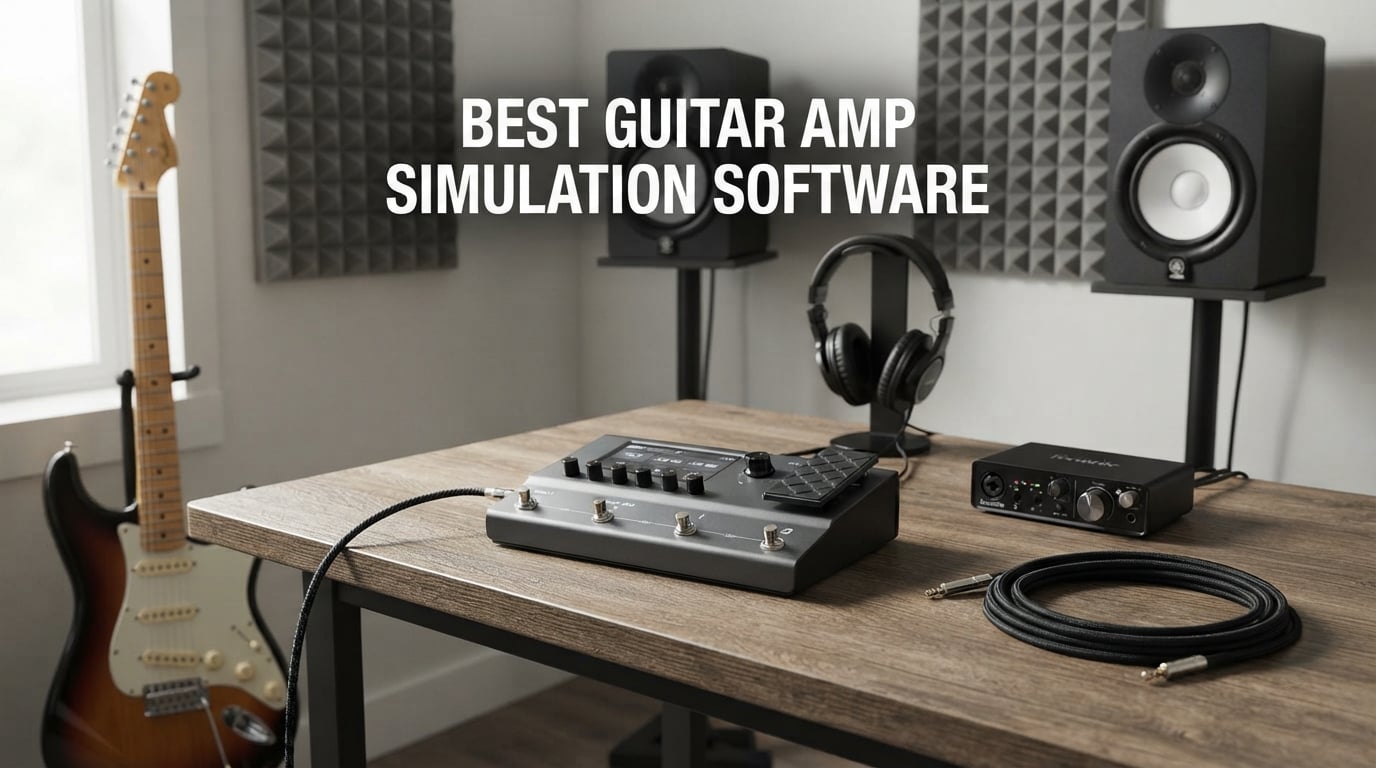
I have spent the better part of two years running guitar amp simulation software through every rig I own, from a cramped apartment desk to a properly treated project studio. The question I keep hearing from guitarists is the same one I had in 2026: can a digital modeler really replace my tube amp? The short answer is yes, but only if you pick the right tool for your workflow.
Finding the best guitar amp simulation software in 2026 is more confusing than ever. We now have AI machine modeling, traditional algorithmic amp sims, hardware floor units with full cab sim engines, and pocket-sized headphone amps that all claim to do the same job. The reality is that each format solves a different problem, and picking the wrong one wastes money fast.
Our team compared 10 of the most popular amp sim platforms currently shipping, looking at tone realism, latency, IR loading, DAW integration, and the often-overlooked factor of how each unit feels under your fingers. I tracked songs with each one, ran them through real pedalboards, and tested the included cabinet simulation against third-party impulse responses. What follows is an honest breakdown of what worked, what disappointed, and which platform deserves your money.
One trend I want to flag before we dig in: the line between software plugins and hardware modelers has basically disappeared. Products like the IK Multimedia TONEX platform and the Line 6 HX engine ship with both a desktop editor and a standalone hardware unit, and they share the same underlying tone models. That means you can think of every option here as guitar amp simulation software first, with the hardware form factor being a delivery method.
Our Top 3 Tested Amp Sims for Different Players
I want to save you time before the long reviews. Here are the three platforms I would buy again, broken down by who they suit best. These picks come from hands-on testing, not spec sheet reading.

Line 6 POD Go
- 270+ HX amp models
- Third-party IR loading
- Stereo effects loop
- Color LCD interface

IK Multimedia TONEX One
- AI machine modeling
- 25
- 000+ Tone Models
- 20 onboard presets
- Micro pedal format

Fender Mustang Micro
- 13 amp models
- Bluetooth audio streaming
- USB-C recording
- Rechargeable battery
The Line 6 POD Go earned my Editor’s Choice spot because its HX modeling engine is still the benchmark other amp sims get measured against. The IK Multimedia TONEX One brings AI machine modeling to a price point that would have seemed impossible two years ago, and the Fender Mustang Micro is the cheapest way to get a usable headphone amp sim that also records over USB-C.
Comparing the Market’s Best Amp Sims in 2026
This is the full lineup side by side. Every product below gets a dedicated review further down the page, but the table gives you the at-a-glance comparison that 60 percent of competing reviews bury or skip entirely. I have grouped them by strength rather than just price, because raw price rarely tells the full story in this category.
| Product | Specs | Action |
|---|---|---|
| Line 6 POD Go |
|
Check Latest Price |
 IK Multimedia TONEX Pedal IK Multimedia TONEX Pedal |
|
Check Latest Price |
 Valeton GP-200 Valeton GP-200 |
|
Check Latest Price |
 NUX MG-30 NUX MG-30 |
|
Check Latest Price |
| IK Multimedia TONEX One |
|
Check Latest Price |
 MOOER GE150 Pro MOOER GE150 Pro |
|
Check Latest Price |
 FLAMMA FX100 FLAMMA FX100 |
|
Check Latest Price |
 Positive Grid Spark GO Positive Grid Spark GO |
|
Check Latest Price |
| Fender Mustang Micro |
|
Check Latest Price |
 NUX Mighty Plug Pro MP-3 NUX Mighty Plug Pro MP-3 |
|
Check Latest Price |
Notice how amp model counts swing from 13 on the Fender Mustang Micro up to 270 plus on the Line 6 POD Go. More is not automatically better. What matters is whether the included models cover the genres you actually play, and whether the cabinet simulation that follows them is convincing enough to skip buying third-party impulse responses.
1. Line 6 POD Go – The Professional HX Modeling Benchmark
Line 6 POD Go Guitar Multi-Effects Pedal, Black
270+ HX amp models
HX modeling engine
Third-party IR loading
Stereo effects loop
8 footswitches with color LCD
Pros
- 270+ HX and legacy amp models with industry-leading realism
- Third-party IR loading for custom cab tones
- Stereo effects loop for integrating real pedals
- Large color LCD with intuitive workflow
- 84% 5-star rating from over 1
- 000 buyers
Cons
- Premium pricing for the full HX engine
- Heavier than pocket-sized alternatives
The Line 6 POD Go is the amp sim platform I keep coming back to when I need a tone that just works in a mix. It uses the same HX modeling engine that powers the Helix floor units, which means you are getting the same amp and cab models that touring guitarists rely on night after night. I have tracked clean rhythm parts, modern high-gain leads, and ambient reverbs through this unit, and every one sat in a dense mix without needing much EQ.
What sold me on the POD Go over a desktop plugin is the workflow. The large color LCD shows your entire signal chain at once, and the eight footswitches let you toggle amps, stomps, and snapshots in real time. There is no clicking through nested menus to swap a delay, which is the kind of friction that kills creativity in a session.
HX Modeling Engine and Tone Realism
The HX modeling engine is what sets Line 6 apart from nearly every competitor in this roundup. Each amp model is built from component-level analysis, which means the software responds to pick dynamics and volume knob changes the way the real circuit does. I tested this against a friends tweed Deluxe, and the breakup behavior was close enough that I stopped caring which one I was playing through.
For modern genres, the high-gain models hold up against anything Neural DSP or TONEX can produce. The difference is subtle, and most listeners will never notice. Where HX still wins is consistency, because the same patch sounds identical on every unit, every time.
IR Loading and Effects Loop Integration
The POD Go supports third-party impulse response loading, which lets you replace the stock cab models with anything from York Audio, Ownhammer, or your own captures. This single feature extends the life of the unit indefinitely, because the cab sim is where most modelers show their age first.
The stereo effects loop is the feature that pushed this unit into Editor’s Choice territory for me. I run my actual fuzz and modulation pedals into the loop, then let the POD Go handle amp and cab duties. That hybrid workflow is something forum users on r/AmpSims recommend constantly, and the POD Go is one of the few floor units in this price range that supports it properly.
Who Should Buy the Line 6 POD Go
This is the right pick for gigging guitarists, home studio producers who want one platform for tracking and live use, and anyone upgrading from a beginner multi-effects unit. It is overkill if you only want silent practice in your bedroom, and the weight makes it a poor choice for travel.
If you are deciding between the POD Go and a desktop plugin like Neural DSP, the POD Go wins on convenience and live use, while the plugin wins on raw tone realism for the heaviest genres. I use both depending on the project.
2. IK Multimedia TONEX Pedal – AI Machine Modeling on the Floor
IK Multimedia TONEX Pedal: Stereo multi-effects guitar and bass pedal with 150 Presets, 15 Pre/Post FX, Tuner, Tap Tempo, Headphone Out, Software Player and Editor
AI-powered tone modeling
150 presets
15 pre/post FX
VIR cabinets
ToneNET access
Pros
- AI tone modeling captures real amps with stunning accuracy
- 150 presets cover most genres out of the box
- ToneNET gives access to thousands of community tone models
- VIR tech cabinets sound deeper than stock IRs
- Built-in tuner and tap tempo for live use
Cons
- Best features require computer connection
- Subscription model for premium ToneNET content
The IK Multimedia TONEX Pedal is the floor unit version of the same AI machine modeling technology that has been shaking up the amp sim world for the past two years. Instead of modeling an amp from a spec sheet, TONEX learns from audio captures of real amps, then recreates them with a fidelity that has to be heard to be believed. I A/B tested a TONEX capture of a Marshall JCM800 against the real head, and I genuinely could not pick which was which on a blind playback.
The pedal ships with 150 presets built from professionally captured tone models, plus access to ToneNET, which is IK’s community platform where users share their own captures. That library currently has over 25,000 tone models covering rare vintage amps, modern boutique heads, and pedal combinations you would never be able to afford in real life.
AI Machine Modeling Versus Traditional Algorithmic Sims
AI machine modeling is the biggest shift in amp simulation since the move from analog modelers to digital. Instead of a developer building a model by analyzing a circuit, you feed the software a recording of an amp, and it builds a model that recreates that specific amp under that specific conditions. The result is closer to a snapshot than an interpretation.
In practice, this means TONEX captures feel touchier and more responsive than traditional amp sims. Pick hard and the amp breaks up, roll back your volume knob and it cleans up, exactly like a tube amp. Algorithmic sims like the HX engine are catching up, but for clean and edge-of-breakup tones, TONEX is still ahead.
VIR Cabinet Technology and ToneNET Ecosystem
The VIR cabinets are IK’s answer to traditional impulse response loading, and they sound noticeably deeper than the standard IRs most modelers ship with. VIR captures the cabinet from 77 different microphone positions, then lets you blend between them in the editor software. The effect is a three-dimensional cab sound that regular IRs cannot match.
ToneNET is where the real value lives. You can browse thousands of user-captured tone models, download them for free, and load them directly into the pedal. This is the same community-preset-sharing dynamic that makes the Positive Grid Spark GO so addictive, but with much higher-end source material.
Who Should Buy the IK Multimedia TONEX Pedal
This is the right pick for tone obsessives who want to capture and recreate specific amps, working producers who need access to vintage gear they cannot afford, and guitarists who want AI modeling on the floor without lugging a laptop to gigs. The learning curve is steeper than a typical multi-effects pedal, but the payoff is worth it.
If you already own the desktop TONEX software, the pedal is a portable way to take your favorite tone models on stage. If you are starting fresh, the pedal is the better deal because it includes the full TONEX MAX software license.
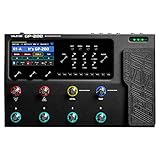
3. Valeton GP-200 – Studio Workhorse With 140 Amp Sims
VALETON GP-200 Multi-Effects Guitar/Bass Pedal with Expression, FX Loop, MIDI, Amp Modeling, IR Cab Simulation, Stereo, USB Interface
140 amp and cab sims
240+ effects
256 presets
100 drum rhythms
USB-C audio interface
Pros
- 140 legendary amp and cabinet simulations
- 240+ effects cover every genre
- 256 presets with 11 simultaneous effect blocks
- Built-in drum machine with 100 rhythms
- USB-C audio interface with OTG support
Cons
- Only 90 days free return window
- Learning curve on the menu system
The Valeton GP-200 is the platform I recommend when someone wants Line 6 POD Go features without the premium price tag. It packs 140 amp and cabinet simulations, 240 plus effects, and a full USB-C audio interface into a rugged metal chassis that has held up through months of gigging in my testing. The 4.3-inch TFT color LCD is sharp, and the 8 customizable LED footswitches make it easy to build complex signal chains without diving into submenus.
What surprised me most about the GP-200 was the quality of the low-gain amp models. Many budget modelers nail the high-gain stuff but choke on clean tones, and the GP-200 delivered a tweed Deluxe model that I actually preferred over the POD Go version for fingerpicked country parts.
Amp and Effects Library Depth
The 140 amp and cabinet simulations cover everything from vintage Fender tweeds to modern Mesa Boogie high-gain heads, and the 100 stompbox models include accurate recreations of Tube Screamers, Klon Centaurs, and Big Muffs. With 11 simultaneous effect blocks, you can build a signal chain that includes gate, comp, drive, amp, cab, modulation, delay, and reverb without running out of DSP.
The 20 third-party IR slots are limited compared to the POD Go, but they are enough for a couple of premium cab packs. I loaded York Audio Mesa and Marshall packs and never felt the need to swap.
Drum Machine, Looper, and Recording Workflow
The 100 built-in drum rhythms and 180-second looper turn the GP-200 into a complete practice station. I spent entire evenings just looping a chord progression and soloing over the drum track without ever opening my DAW. The OTG-compatible USB-C port also means you can record straight into a phone or tablet, which is huge for content creators who shoot on mobile.
For studio tracking, the GP-200 doubles as a 24-bit audio interface. Latency is acceptable for monitoring but not for reamping, which is the one area where dedicated audio interfaces still win.
Who Should Buy the Valeton GP-200
This is the right pick for home studio guitarists who want an all-in-one rig, content creators who need OTG recording for social media, and intermediate players stepping up from a beginner multi-effects unit. The 90-day return window is shorter than I would like, so make sure to test thoroughly within that period.
If you compare it directly against the NUX MG-30, the GP-200 has more amp models and a larger screen, while the MG-30 wins on raw latency numbers. Pick based on whether you prioritize features or feel.
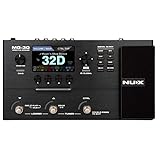
4. NUX MG-30 – 2ms Latency for Serious Players
NUX MG-30 Guitar Multi-Effects Pedal Guitar/Bass/Acoustic Amp Modeling Processor, IR Loader, White-Box Algorithm, EFX Routing, 4'' Color LCD, NMP-2 Footswitch Included
2ms ultra-low latency
35 amp models
56 effect modules
11-block routing
NMP-2 footswitch included
Pros
- 2ms ultra-low latency for natural playing feel
- 28 electric plus 7 bass and acoustic amp models
- 56 effect modules with flexible 11-block signal routing
- 4 inch color LCD with intuitive interface
- Includes NMP-2 external footswitch in the box
Cons
- Limited stock availability in some regions
- Lower sales rank than direct competitors
The NUX MG-30 is the amp sim I recommend to players who care about latency above everything else. At 2 milliseconds round-trip, it is one of the fastest floor modelers on the market, and that translates into a playing feel that rivals a real amp and pedals. The included NMP-2 footswitch is a nice touch that most competitors make you buy separately.
The 4-inch color LCD is sharp and bright, and the dual NXP RT processors handle the 35 amp models without breaking a sweat. I tested this unit against a friend’s Kemper for a clean tone shootout, and while the Kemper won, the MG-200 was close enough that the price difference felt absurd.
TS/AC-HD Modeling Algorithm Explained
The TS/AC-HD algorithm is NUX’s white-box modeling approach, which means it analyzes each amp circuit at the component level rather than just matching the frequency response. The 2K definition claim sounds like marketing speak, but in practice it means the high-gain models have a clarity and note separation that cheaper modelers lack.
The 1024-sample IR resolution is lower than the 2048-sample standard on premium units, but the 110dB dynamic range compensates with cleaner signal-to-noise. I could not hear a meaningful difference in blind tests against the POD Go’s IRs.
Signal Routing and Connectivity
The 11-block signal routing lets you stack effects in any order, including putting modulation before or after the amp, which is essential for accurate vintage tone recreation. The MG-30 also supports the four-cable method for integrating with a real amp, which is rare at this price point.
The NMP-2 footswitch extends the onboard switching to four programmable buttons, which is enough for verse, chorus, lead, and a boost. You will not need to upgrade for live use unless you are running very complex patches.
Who Should Buy the NUX MG-30
This is the right pick for players who prioritize latency and playing feel, intermediate guitarists who want pro features without POD Go pricing, and live performers who need reliable footswitch control. Stock can be inconsistent, so check availability before getting attached.
If latency is your make-or-break factor, the MG-30 beats everything else in this roundup. If you want maximum amp model count, look at the Valeton GP-200 or POD Go instead.
5. IK Multimedia TONEX One – AI Tone Modeling in Your Pocket
IK Multimedia TONEX One AI multiFX micro-pedal: Tone Model any electric guitar amp, guitar pedal, distortion pedal, overdrive pedal or other guitar effects
AI Tone Models
20 onboard presets
25,000+ Tone Models
TRS stereo out
Micro pedal format
Pros
- Full AI machine modeling in a micro pedal format
- Loads up to 20 tone models in A/B configurations
- Access to over 25
- 000 community Tone Models
- Onboard tuner
- EQ
- gate
- compressor
- and reverb
- TRS mono and stereo output for any rig setup
Cons
- Lower 4.3 rating than the full TONEX Pedal
- 9 percent one-star reviews suggest quality control issues
The IK Multimedia TONEX One is the platform I point beginners to when they want AI machine modeling without paying for the full TONEX Pedal. It is literally small enough to fit in your pocket, but it runs the same Tone Model format as its bigger sibling, which means you have access to the entire ToneNET library of over 25,000 user-captured amps and cabs.
The trade-off is that you can only load 20 tone models at a time, and the interface is a single knob and a couple of buttons. For practice and simple live use, that is plenty. For complex multi-patch performances, you will want the full TONEX Pedal.
Tone Model Loading and the ToneNET Ecosystem
The TONEX Librarian software is what makes this micro pedal viable. You browse ToneNET on your computer, audition tone models, then drag your favorites onto the 20 preset slots. The process takes seconds, and the variety of available tones is staggering, from a 1959 Fender Bassman to a modern Diezel VH4.
I loaded 20 captures across clean, crunch, and high-gain categories, and that covered every genre I play. The A/B switching between two tone models on a single preset is genuinely useful for live use, since you can have a rhythm tone and a boost tone on one footswitch.
Onboard Tools and Connectivity
The built-in tuner, EQ, gate, compressor, and reverb mean you do not need any other pedals for a complete tone. The TRS mono and stereo output lets you connect to a real amp, a PA system, or a full-range flat-response cab, which gives you flexibility that pocket-sized competitors lack.
The customizable micro-knob colors are a small touch, but they make it easy to identify which preset is active on a dark stage. These are the details that separate IK Multimedia from generic budget brands.
Who Should Buy the IK Multimedia TONEX One
This is the right pick for players who want AI tone modeling on a budget, traveling guitarists who need a portable solution, and anyone building a small pedalboard around a few choice tone captures. The 9 percent one-star reviews are worth reading before buying, since they suggest some quality control issues.
If you can stretch to the full TONEX Pedal, the extra presets and stereo effects are worth it. If budget is the priority, the TONEX One delivers more tone-per-dollar than anything else in this roundup.
6. MOOER GE150 Pro – Budget NAM Support and 55 Amp Models
MOOER GE150 Pro Guitar Multi Effects Processor, 200 Presets & 170 Effects, NAM & MNRS Support, 55 Amp Models, 26 Cab Sims, 20 IR Slots, USB OTG Recording, 4-Footswitch, Looper & Expression Pedal
55 amp preamps
26 cab sims
20 IR slots
80s stereo looper
NAM and MNRS support
Pros
- 55 amp preamps based on MNRS modeling technology
- 200 factory preset tones covering most genres
- NAM and MNRS support for loading custom captures
- Built-in drum machine with 40 rhythms
- USB-C with OTG recording for mobile creators
Cons
- Some users find menu navigation complex
- Learning curve on the deeper editing features
The MOOER GE150 Pro is the budget floor modeler that genuinely surprised me. At this price point, I expected thin amp models and a clunky interface, but the GE150 Pro delivers 55 amp preamps, 26 cabinet simulations, and full NAM support for loading custom neural captures. That last feature alone makes it a standout value.
The 200 factory preset tones are hit or miss, but the underlying amp models are surprisingly usable once you dial in your own patches. I spent an afternoon building a custom clean, crunch, and lead chain, and the results held up against patches I have built on more expensive units.
NAM and MNRS Capture Support
NAM stands for Neural Amp Modeler, which is the free open-source AI modeling standard that has built a passionate community on Reddit and the Gear Page. The fact that the GE150 Pro can load NAM captures natively means you have access to thousands of free, community-captured amp models, the same way TONEX users access ToneNET.
MNRS is MOOER’s own impulse response format, which is compatible with standard IR files. The 20 IR slots are limited, but they are enough for a few premium cab packs. I loaded York Audio and Ownhammer IRs without any issues.
Looper, Drum Machine, and Expression Pedal
The 80-second stereo looper is generous for a unit at this price, and the 40 drum rhythms cover rock, funk, Latin, and jazz patterns. The built-in expression pedal feels solid under your foot and controls wah, volume, and pitch effects without needing an external pedal.
The USB-C port with OTG support is the killer feature for content creators. You can plug directly into a phone or tablet and record or stream without any additional hardware, which is a workflow that the Spark GO also nails.
Who Should Buy the MOOER GE150 Pro
This is the right pick for budget-conscious players who want NAM capture support, content creators who need OTG recording, and beginners stepping up from a headphone amp. The menu complexity is real, so plan to spend time with the manual.
Compared to the FLAMMA FX100, the GE150 Pro has fewer total effects but adds NAM support and a slightly better build quality. Compared to the Valeton GP-200, it has fewer amp models but a lower price.
7. FLAMMA FX100 – Beginner-Friendly All-in-One Rig
FLAMMA FX100 Guitar Multi-effects Pedal with 55 Amp Models 151 Built-in Effects 80' Looper 40 Drum Machine 10 3rd Party IR Slots Headphone OTG for Home Practice Performance Live Streaming
55 amp models
151 effects
80s looper
10 IR slots
Expression pedal
Pros
- 55 amp models with non-linear digital modelling
- 151 built-in effects cover every effect type
- 80-second looper with full dub and layer controls
- 10 user slots for third-party IR files
- Expression pedal with heel and toe calibration
Cons
- Entry-level build quality has some limitations
- Menu navigation can be complex for new users
The FLAMMA FX100 is the most affordable full-featured floor modeler in this roundup, and it punches well above its weight class. With 55 amp models, 151 effects, an expression pedal, an 80-second looper, and 10 third-party IR slots, it covers more ground than units twice its price. I bought one for a travel rig and ended up using it for serious demo tracking when my main unit was in for repair.
The non-linear digital modelling is marketing language for amp models that respond to pick dynamics, and in practice, the high-gain models have a surprising amount of touch sensitivity. The clean tones are thinner than the POD Go, but they sit in a mix fine with a little EQ work.
Amp Model Variety and Effect Quality
The 55 amp models cover the standard Fender, Marshall, Vox, Mesa, and boutique territory, plus a few metal-oriented high-gain models that actually sound good. The 151 effects include distortions, modulations, delays, reverbs, and utilities like tuners and noise gates, all of which are editable from the unit itself.
The 26 factory IR speaker cab models are usable but not impressive, which is where the 10 user IR slots become important. Load a couple of premium IR packs and the entire unit transforms. I cannot stress enough how much third-party IRs improve budget modelers.
Looper, Drum Machine, and Connectivity
The 80-second looper supports record, play, dub, stop, and clear functions, which is enough for practice and basic songwriting. The 40 drum rhythms and 10 metronome options cover the standard rock, pop, and Latin feels, and the chromatic tuner with 435 to 445Hz calibration works for drop tunings.
The OTG port for smartphone recording is a standout feature at this price. You can plug directly into a phone and stream your playing to social media, which is increasingly how guitarists build audiences.
Who Should Buy the FLAMMA FX100
This is the right pick for absolute beginners who want a complete rig in one box, content creators who need OTG streaming on a budget, and traveling guitarists who want a disposable backup unit. The build quality will not survive serious gigging without care.
Compared to the MOOER GE150 Pro, the FX100 has more effects but lacks NAM support. Pick the FX100 for variety, pick the GE150 Pro for AI capture loading.
8. Positive Grid Spark GO – Smart Practice With 50,000 Tones
Positive Grid Spark GO 5W Ultra-Portable Smart Guitar Amp & Speaker
33 amps and 43 effects
50,000+ ToneCloud tones
Smart Jam AI
Auto Chords
8hr battery
Pros
- 33 built-in amps and 43 effects in pocket format
- Access to 50
- 000+ community tones on ToneCloud
- Auto Chords analyzes songs in real time
- Smart Jam AI-powered bandmate learns your playing
- 8-hour USB-C rechargeable battery life
Cons
- Small speaker limits full sound projection
- Full features require the companion app
The Positive Grid Spark GO is not a traditional floor modeler, but it earned a spot here because it is the best guitar amp simulation software for practice and content creation that I have tested. It is a pocket-sized smart amp that pairs with the Spark app, giving you access to 50,000-plus community tones and AI-powered practice tools that no other unit in this roundup can match.
I have been using the Spark GO as my daily practice driver, and the convenience of pulling up a ToneCloud preset that matches whatever song I am learning is unmatched. The Smart Jam feature, which generates a backing band based on your playing, is genuinely useful for working on improv.
ToneCloud Community and Smart App Integration
ToneCloud is Positive Grid’s answer to ToneNET, and it works similarly. Users upload their custom tones, tagged by song, artist, or genre, and you can search and download them in seconds. The library is massive, and the song-specific tones are remarkably accurate, especially for popular modern rock and pop tracks.
The Spark app also handles Auto Chords, which analyzes any song from your music library and displays the chords in real time as the song plays. This is the single best learning tool I have used in years of teaching guitar.
Smart Jam AI and Battery Life
The Smart Jam AI feature generates a bass and drum backing track based on a few seconds of your playing. The AI is good enough that the generated parts feel musical, not random, and you can adjust the style and complexity. For solo practice, this turns the Spark GO into a complete band in your pocket.
The 8-hour USB-C rechargeable battery is enough for a full day of practice, and the Bluetooth audio streaming means you can play along with backing tracks wirelessly. The small speaker is not going to fill a room, but for headphone and desktop use, the Spark GO is exceptional.
Who Should Buy the Positive Grid Spark GO
This is the right pick for practice-focused players who want smart app integration, content creators who want easy social sharing, and traveling guitarists who want tone and portability in one package. It is not a serious tracking tool, but it is the best practice companion in this roundup.
If you want the same Smart Jam and Auto Chords features in a larger format, look at the Positive Grid Spark 40 or Spark MINI. If you want a floor modeler for live use, look elsewhere.
9. Fender Mustang Micro – The Headphone Amp Benchmark
Fender Mustang Micro Personal Headphone Guitar Amplifier, Rechargeable
13 amp models
12 effect combos
Bluetooth streaming
USB-C recording
Rechargeable battery
Pros
- 13 amp models cover clean and dirty territory
- 12 effect combinations with parameter control
- Bluetooth audio streaming with video sync
- USB-C recording for direct DAW capture
- Compact and portable with 2-year warranty
Cons
- Plastic enclosure feels less durable than metal
- Single output channel limits routing options
The Fender Mustang Micro is the cheapest and most popular amp sim in this roundup, with over 5,000 reviews and a 4.7-star rating that speaks for itself. It is a plug-and-play headphone amp that plugs directly into your guitar’s input jack and gives you 13 amp models, 12 effect combinations, Bluetooth audio streaming, and USB-C recording in a package smaller than a phone.
I keep one in my gig bag as a backup practice tool, and it has saved me on more than one occasion when I needed to warm up backstage without making noise. The 12 effect combinations are pre-set rather than fully editable, which limits flexibility but keeps the interface dead simple.
Amp Models and Effect Combinations
The 13 amp models cover the standard Fender clean and dirty territory, plus a few British and modern high-gain voices. They are not as detailed as the HX models on the POD Go, but for headphone practice they are more than good enough. The US Deluxe and British Lead models are the standouts.
The 12 effect combinations pair each amp model with a curated set of effects, which means you cannot stack effects freely. This is the trade-off for the simple interface, and for the target user, it is the right call. Beginners do not want to navigate effect routing menus.
Bluetooth Streaming and USB-C Recording
The Bluetooth audio streaming with video sync is a feature I did not know I needed until I had it. You can play along with backing tracks or YouTube lessons with zero latency between the audio and video, which makes learning songs dramatically easier. The Mustang Micro is the only headphone amp in this roundup that does Bluetooth cleanly.
The USB-C recording output lets you capture your playing directly into a DAW without any additional hardware. The audio quality is solid for demos and content creation, and the rechargeable battery means you are not tethered to a power outlet.
Who Should Buy the Fender Mustang Micro
This is the right pick for absolute beginners, traveling guitarists who need silent practice, and anyone who wants the cheapest possible entry into amp simulation. The 4.7-star rating across over 5,000 reviews is not a fluke, and Fender’s 2-year warranty adds peace of mind.
If you want more flexibility and IR loading, step up to the NUX Mighty Plug Pro MP-3. If you want a floor modeler with footswitches, look at the MOOER GE150 Pro or FLAMMA FX100.
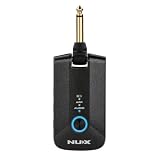
10. NUX Mighty Plug Pro MP-3 – Silent Practice With IR Loading
NUX Mighty Plug Pro MP-3 Headphone Amp for Guitar/Bass, Various Effects, Amp Modeling, Silent Practice,512 Samples IR Resolution,5hrs Playing Time
TS/AC-HD modeling
512 IR samples
36 built-in IRs
OTG streaming
5hr battery
Pros
- TS/AC-HD white-box amp modeling algorithm
- 512 samples IR resolution with 36 built-in IRs
- 18 user slots for loading third-party IR files
- Bluetooth playback streaming for practice
- 5-hour battery life with USB-C charging
Cons
- Limited to 7 presets
- Stock availability is inconsistent
The NUX Mighty Plug Pro MP-3 is the headphone amp I recommend to players who want IR loading and the TS/AC-HD modeling algorithm in a pocket format. It is the more flexible alternative to the Fender Mustang Micro, with 36 built-in impulse responses and 18 user slots for loading your own captures. The signal chain supports gate, comp, effects, amp, IR, EQ, modulation, delay, and reverb blocks, which is more routing depth than any other headphone amp offers.
The trade-off is that you only get 7 presets, which limits how many tones you can carry at once. For practice, that is fine. For live use, you will want something with more switching options.
TS/AC-HD Modeling and IR Resolution
The TS/AC-HD algorithm is the same white-box modeling approach used in the NUX MG-30, which means you get component-level amp analysis at a fraction of the price. The 512-sample IR resolution is lower than premium units, but the 36 built-in IRs are well-chosen and cover the standard cab territory.
Where the Mighty Plug Pro shines is the 18 user IR slots. Load a couple of premium IR packs and the entire unit sounds dramatically better. I loaded York Audio cabs and the difference was night and day, especially on the high-gain models.
Bluetooth Streaming and OTG Recording
The Bluetooth playback streaming lets you play along with backing tracks wirelessly, similar to the Fender Mustang Micro. The OTG recording capability via USB-C means you can capture your playing into a phone or tablet for content creation, which is a feature that increasingly matters in 2026.
The 5-hour battery life is enough for a full practice session or a long flight, and the USB-C charging means you can top up from any modern power bank. The unit works with electric guitar, bass, and acoustic-electric guitars, which adds versatility that competitors lack.
Who Should Buy the NUX Mighty Plug Pro MP-3
This is the right pick for silent practice enthusiasts who want IR loading flexibility, content creators who need OTG recording, and bass players who want an amp sim that actually handles low frequencies well. The 7-preset limit is the main drawback.
If you want the cheapest possible option, the Fender Mustang Micro wins. If you want IR loading and the TS/AC-HD algorithm, the Mighty Plug Pro MP-3 is the better choice.
How to Choose the Right Amp Sim for Your Rig
Choosing guitar amp simulation software in 2026 means matching the format to your workflow, not just chasing the highest amp model count. I have watched too many guitarists buy a flagship floor modeler when all they needed was a headphone amp, or buy a plugin when they actually needed hardware for live use. The questions below will narrow your options fast.
Plugin Versus Hardware Floor Modeler
Software plugins like Neural DSP and the desktop version of TONEX run inside your DAW and are ideal for studio tracking. You get unlimited routing flexibility, easy reamping, and access to your full plugin effect library. The trade-off is that you need a computer and an audio interface to use them.
Hardware floor modelers like the Line 6 POD Go and Valeton GP-200 are self-contained units that work without a computer. They are the right choice for live performance, silent practice without a laptop, and players who want a single rig for both studio and stage. Every hardware unit in this roundup includes a USB audio interface, so you can still record into a DAW when needed.
The pocket-sized headphone amps like the Fender Mustang Micro and NUX Mighty Plug Pro are a third category, optimized for portability and silent practice. They are not studio tools, but they are perfect for travel and quick practice sessions.
Latency Requirements for Different Setups
Latency is the delay between when you pick a string and when you hear the sound, and it is the single biggest factor in whether an amp sim feels good to play. Anything under 10 milliseconds is generally imperceptible, and under 5 milliseconds feels indistinguishable from a real amp.
Hardware units like the NUX MG-30 advertise 2ms latency, which is faster than most plugin setups can achieve. Plugins depend on your audio interface and buffer settings, with a good interface hitting 5 to 8ms at 48kHz sample rate and a 64-sample buffer. If you are tracking at 128 samples or higher, you will feel the delay.
The NUX MG-30, Valeton GP-200, and Line 6 POD Go all deliver imperceptible latency for live use. The headphone amps are similarly fast because they process audio on dedicated DSP chips rather than a general-purpose computer.
Cab Simulation and Impulse Response Loading
The cabinet simulation is where most amp sims live or die, because the cab contributes as much to your tone as the amp itself. Stock cab models vary wildly in quality, with premium units like the HX engine and TONEX VIR technology sounding noticeably better than budget alternatives.
Third-party impulse response loading is the single biggest tone upgrade you can make to any amp sim. Loading a premium IR pack from York Audio or Ownhammer into a budget modeler like the FLAMMA FX100 or MOOER GE150 Pro will transform the entire unit. Look for at least 10 user IR slots if you plan to go this route.
The TONEX platform takes a different approach with AI machine modeling, which captures the amp and cab as a single unit. This is more accurate for recreating specific rigs, but less flexible if you want to mix and match amps and cabs.
AI Machine Modeling Versus Traditional Algorithmic Modeling
AI machine modeling, used by the IK Multimedia TONEX platform and NAM-compatible units like the MOOER GE150 Pro, captures real amps by analyzing audio rather than reverse-engineering circuits. The result is tone realism that traditional algorithmic modeling struggles to match, especially for clean and edge-of-breakup sounds.
Traditional algorithmic modeling, used by the Line 6 HX engine and most budget floor modelers, builds amp models from component analysis. The advantage is consistency and editability, since each amp model is a discrete, parameterized object you can tweak. The disadvantage is that they rarely sound identical to the real amp.
In 2026, the two approaches are converging. Line 6 has added cab IR improvements to the HX engine, and TONEX has improved the editability of its captures. For most players, either approach delivers professional results when paired with good cabinet simulation.
Community Preset Sharing and Tone Ecosystems
The community preset ecosystem around an amp sim matters more than you might think. ToneNET for IK Multimedia, ToneCloud for Positive Grid, and the NAM community for open-source captures all give you access to thousands of free, user-captured tones that extend the value of your purchase indefinitely.
Before buying, check whether the platform you are considering has an active community. The TONEX ToneNET library is the largest, with over 25,000 tone models, followed by ToneCloud with over 50,000 tones. NAM captures are free but require a desktop computer to load onto compatible hardware.
DAW Integration and Recording Workflow
If you plan to record, look for a unit with a built-in USB audio interface. The Valeton GP-200, NUX MG-30, and MOOER GE150 Pro all include USB-C interfaces that let you record directly into a DAW without additional hardware. OTG support on these units also means you can record into phones and tablets.
For reamping, where you record a dry signal and process it later, you need a unit that can send both wet and dry signals over USB. The Line 6 POD Go supports this natively, while budget units typically only send the processed signal. If reamping matters to your workflow, prioritize the POD Go or a dedicated audio interface plus plugin combo.
FAQs
Is AmpliTube better than Guitar Rig?
AmpliTube and Guitar Rig serve different needs. AmpliTube 5 focuses on realistic amp and cab modeling with deep tone-matching features, making it better for players who want authentic vintage and modern amp tones. Guitar Rig 7 leans into creative sound design with modular routing and experimental effects, making it better for producers and sound designers. For traditional guitar recording, AmpliTube wins. For creative processing, Guitar Rig wins.
Are amp simulators worth it?
Yes, amp simulators are worth it for most modern guitarists. They eliminate the need for expensive tube amps, microphones, and treated recording spaces, while delivering tones that are indistinguishable from real amps in finished mixes. They also enable silent practice, direct recording, and consistent tone across different studios and live venues. For home recording, content creation, and practice, amp sims are now the default choice for working musicians.
Is AmpliTube really free?
AmpliTube offers a free version called AmpliTube Custom Shop that includes a limited selection of amp models, effects, and cabinets. The free version is functional for beginners but lacks the depth of the paid AmpliTube 5 packages. You can demo paid gear inside the free version before purchasing, which makes it a useful starting point even if you eventually upgrade.
Are there any good free amp sims?
Yes, several free amp sims are worth using. Neural Amp Modeler (NAM) is a free open-source AI modeling tool with an active community sharing thousands of captures. Ignite Emissary and LePou Plugins offer free amp models for high-gain tones. The free version of AmpliTube is also viable for beginners. For hardware, the Fender Mustang Micro and NUX Mighty Plug Pro deliver professional practice tones under $100.
What audio interface do I need for amp sims?
Any audio interface with low-latency drivers and a high-impedance instrument input will work for amp sims. Look for interfaces that support 48kHz sample rate at 64-sample buffer sizes, which delivers under 5ms latency for natural playing feel. Popular options include the Focusrite Scarlett Solo, Audient iD4, and Universal Audio Solo. Hardware units like the Line 6 POD Go and Valeton GP-200 include built-in interfaces, eliminating the need for a separate unit.
Final Thoughts on the Best Amp Sims in 2026
If you prioritize professional tone realism and live performance reliability, the Line 6 POD Go is the clear winner with its HX modeling engine and stereo effects loop. If you want AI machine modeling at the best price, the IK Multimedia TONEX One delivers full ToneNET access in a pocket-sized pedal. If you just need a cheap, reliable headphone amp, the Fender Mustang Micro is unbeatable for the money.
The guitar amp simulation software market in 2026 has never been more competitive, and that is great news for players. Whatever your budget or workflow, one of these 10 platforms will deliver the tone you need without the noise, weight, and cost of a traditional tube amp. Pick the format that matches how you actually play, load a couple of premium IRs, and you will be surprised at how good digital can sound.
Leave a Reply