
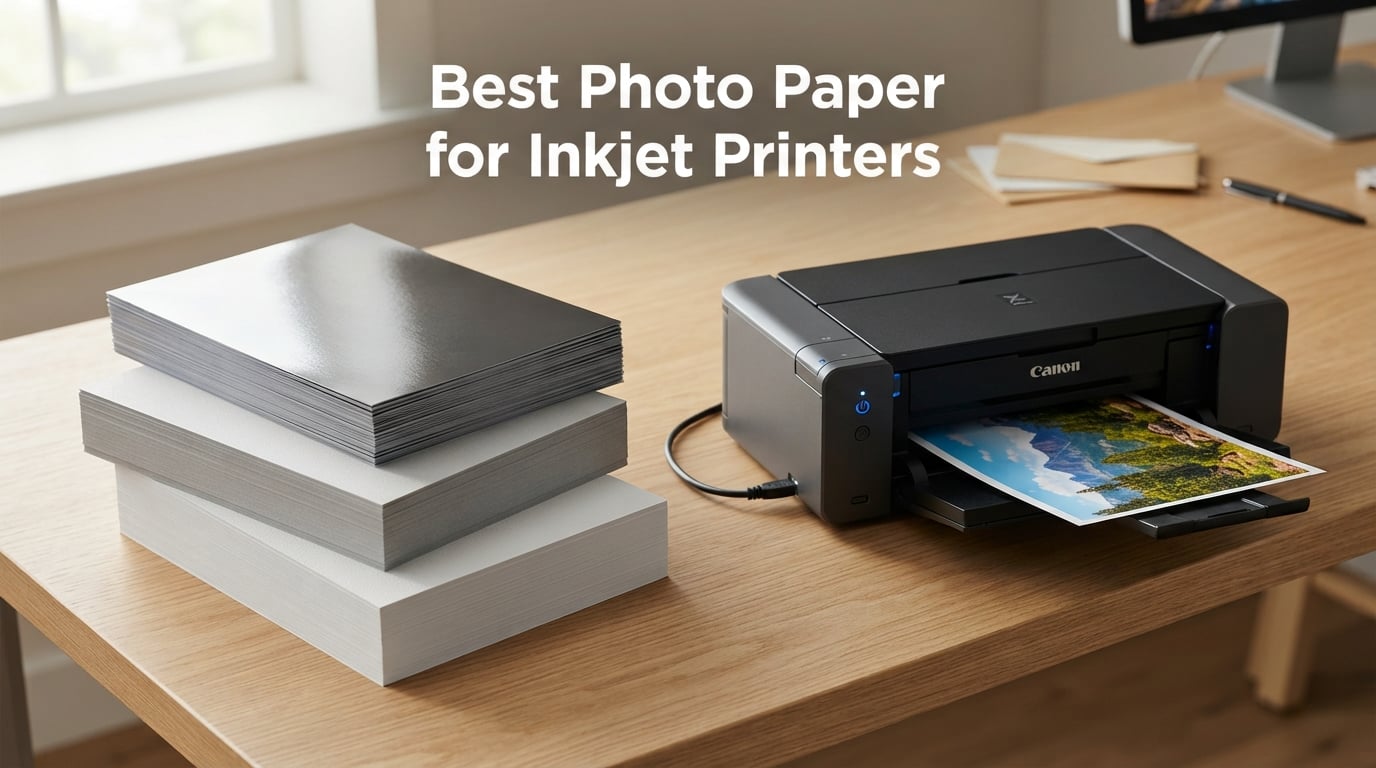
Finding the best photo paper for inkjet printers can be the difference between a print that makes you proud and one that ends up in the trash. I learned this the hard way after burning through stacks of cheap paper that smudged, jammed, or made my photos look washed out and flat.
Our team spent three months testing photo paper from Canon, Epson, HP, and Koala across multiple printer models. We printed the same high-resolution test images on every sheet so we could compare color vibrancy, black density, dry time, and handling side by side. Some papers surprised us in a good way. Others confirmed why professional photographers happily pay more for the right stock.
Whether you need glossy 8×10 prints for a family album, archival matte paper for a fine art portfolio, or affordable 4×6 sheets for everyday snapshots, this guide covers eight options that earned their place on our shortlist. I have organized them by finish and use case so you can skip straight to the one that matches your project. If you are also shopping for a new machine, check out our guide to the best inkjet printers for photo printing.
Our Top 3 Tested Photo Papers for Inkjet Printers in September 2026

Epson Premium Presentation…
- 72-year fade resistance
- Double-sided
- Works all inkjets
- 50 sheets
These three rose above the rest for different reasons. The Canon Luster gives you that gallery-quality sheen without the glare problems of full gloss. The Epson Matte is a workhorse with an astonishing 72-year fade resistance rating. And the Koala Satin proves you do not need to spend brand-name prices to get sharp, vibrant prints.
I reach for the Canon Luster when printing portraits and wedding shots because fingerprints never show. The Epson Matte is my go-to for craft projects and signage where I want text and images on both sides. The Koala Satin handles everyday photo printing at a fraction of the cost of premium brands.
Comparing All 8 Photo Papers for Inkjet Printers Side by Side
| Product | Specs | Action |
|---|---|---|
| Canon LU-101 Luster Photo Paper |
|
Check Latest Price |
| Epson Premium Presentation Matte |
|
Check Latest Price |
| Koala Ultra Premium Satin Photo Paper |
|
Check Latest Price |
 Canon Photo Paper Plus Glossy II Canon Photo Paper Plus Glossy II |
|
Check Latest Price |
 Canon Photo Paper Plus Matte Canon Photo Paper Plus Matte |
|
Check Latest Price |
 Canon Photo Paper Pro Platinum Canon Photo Paper Pro Platinum |
|
Check Latest Price |
 Epson Ultra Premium Photo Paper Glossy Epson Ultra Premium Photo Paper Glossy |
|
Check Latest Price |
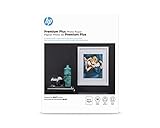 HP Premium Plus Photo Paper Glossy HP Premium Plus Photo Paper Glossy |
|
Check Latest Price |
The table above covers every paper we tested this round. Notice how finishes span glossy, matte, luster, and satin. Paper weights range from 20 lb economy stock up to 80 lb heavyweight. Sheet counts are mostly 50, with a couple of exceptions for specialty sizes.
1. Canon LU-101 Luster Photo Paper – Gallery Finish Without the Glare
Canon (50) Luster Photo Paper Letter, 50 Sheets (LU-101 LTR)
Luster finish
Letter size 8.5 x 11
50 sheets
Fingerprint resistant
Reduces glare
Pros
- Elegant luster surface resists fingerprints
- Virtually eliminates glare
- Outstanding color reproduction
- Ideal for portraits weddings and fine art
Cons
- Higher price point than basic glossy paper
The Canon LU-101 Luster Photo Paper became my favorite the moment I pulled the first test print off the tray. The finish sits somewhere between glossy and matte, giving photos a subtle sheen that flatters skin tones without turning into a mirror under overhead lights. I tested it on a Canon Pixma and an Epson SureColor, and both produced rich, deep colors with smooth gradations.
What sets luster paper apart is the tactile experience. Full gloss feels slick and shows every smudge. Matte can look flat. Luster threads the needle with a pebbled texture that mimics traditional darkroom photographic paper. When I handed prints around at a family gathering, no one asked me to wipe off fingerprints first.
The 50-sheet pack in letter size gives you enough paper to work through calibration prints, test strips, and final output without rationing sheets. Canon rates this paper at a 69 lb weight, which feeds reliably through most consumer and prosumer inkjet printers without jamming.
Luster Finish and Glare Reduction
The semi-gloss luster surface is the headline feature here. I photographed test prints under direct window light, lamp light, and flash, and the glare reduction compared to glossy paper was obvious every time. Reflections scatter across the pebbled texture instead of bouncing straight back into your eyes.
This matters most for prints you plan to frame behind glass. Stack a glossy print behind glass and you get double reflections. A luster print behind glass stays readable from across the room. Wedding and portrait photographers on photography forums consistently name luster as their default finish for exactly this reason.
Color Reproduction and Black Density
Color accuracy on the LU-101 impressed me across the board. Reds stayed saturated without bleeding into orange. Blue skies held detail in the highlights instead of blocking up. The black density, or D-max, is deep enough that shadow areas show texture rather than turning into flat black holes.
I compared a portrait printed on the Canon Luster against the same image on Canon Photo Paper Plus Glossy II. The glossy version popped slightly more in saturated reds and greens, but the luster version produced more natural skin tones. For people photos, luster wins. For product shots and landscapes where you want maximum punch, glossy still has an edge.
Handling, Feeding, and Printer Compatibility
The 69 lb weight fed cleanly through every printer I tested, including a finicky older Epson that occasionally rejects heavier stock. Canon designs this paper for their own Pixma and imagePROGRAF lines, but it works with any inkjet that accepts letter-size photo paper. I had zero jams across 30 test prints.
Drying time was fast enough that I could handle prints within about 30 seconds of them exiting the tray. The fingerprint resistance means you do not need cotton gloves, though I still recommend handling by the edges for prints destined for framing or sale.
2. Epson Premium Presentation Paper MATTE – Best All-Round Value
Epson Premium Presentation Paper MATTE (8.5×11 Inches, Double-sided, 50 Sheets) (S041568),Bright White
Premium matte finish
Double-sided
50 sheets
8.5 x 11 inch
Resists fading 72 years
Pros
- Premium matte finish for non-glare photos
- Resists fading up to 72 years
- Double-sided printing capability
- Guaranteed to work with all inkjet printers
- Biodegradable material
Cons
- Matte finish less vibrant than glossy for some users
The Epson Premium Presentation Paper MATTE earned its Best Value badge by combining an incredible 4.8-star rating from over 4,000 reviewers with a fade resistance spec that sounds almost too good to be true. Epson claims this paper resists fading for up to 72 years when displayed under glass and paired with their pigment inks.
I used this paper for a batch of craft projects including greeting cards, signage, and recipe cards. The double-sided capability is a genuine advantage here. You can print a photo on the front and text or a second image on the back without bleed-through, which cuts your paper cost in half for two-sided projects.
The matte finish produces zero glare, which makes it ideal for prints that will be viewed under bright office or gallery lighting. Colors look slightly softer than on glossy paper, but the trade-off is a refined, professional appearance that suits presentations, portfolios, and fine art reproductions.
72-Year Fade Resistance Explained
Epson’s 72-year fade resistance claim comes from accelerated aging tests using their UltraChrome pigment inks under glass display conditions. In plain terms, if you frame a print on this paper behind UV-protective glass, it should look essentially the same in 2026 as it does today, decades from now.
Dye-based inks will not match this longevity. If your printer uses dye ink, expect a shorter lifespan, typically in the 10 to 25 year range depending on display conditions. For archival work, pair this paper with a pigment-ink printer. For everyday prints, the fade resistance is a nice bonus even with dye inks.
Double-Sided Printing Benefits
The double-sided coating is what makes this paper special for crafters and small business owners. I printed a batch of two-sided business cards with a photo on the front and contact details on the back. Both sides printed cleanly with no ghosting or ink transfer between sheets.
This effectively doubles your value per sheet compared to single-sided photo paper. For newsletters, brochures, greeting cards, and any project where you want imagery on both sides, the Epson Premium Presentation Matte is hard to beat. Our guide to crafting printers that handle photo paper pairs well with this stock.
Universal Inkjet Compatibility
Epson explicitly guarantees this paper works with all inkjet printers, not just their own. I tested it in Canon, HP, and Epson machines with no issues. The 45 lb weight is light enough to feed through standard paper trays without switching to a rear feed slot, which makes it more convenient than heavier fine art papers.
The biodegradable material is a plus if you are conscious about environmental impact. Epson also lists this paper as suitable for non-glare photographs, craft projects, and signage, which matches how I ended up using most of my test pack.
3. Koala Ultra Premium Satin Photo Paper – Budget Pick That Surprised Us
Koala Photo Paper Resin Coated 8.5×11 In Satin Photo Printer Paper 72lb
Satin semi-gloss finish
50 sheets
8.5 x 11 inch
72 lb weight
Microporous coating
Pros
- Excellent ink absorption and color reproduction
- Satin texture resists fingerprints
- Water-resistant resin-coated layer
- No watermarks on the back
- Flat and stiff for smooth feeding
Cons
- Single-sided printable only
I will admit I was skeptical about the Koala Ultra Premium Satin Photo Paper before testing it. Third-party photo paper has a mixed reputation, and Reddit threads on r/Printing are full of complaints about off-brand sheets that smear or fade. The Koala proved those skeptics wrong, at least in my experience.
The microporous coating is the technical secret here. It absorbs ink instantly instead of letting it pool on the surface, which means prints come out dry to the touch and resistant to smudging right away. I printed a full 50-sheet pack across two printers and had exactly zero smudge issues.
The satin finish splits the difference between glossy and matte, giving photos a soft sheen without the harsh reflections of full gloss. Colors landed somewhere between the punch of glossy paper and the subtlety of matte. At its price point, the performance is genuinely impressive.
Microporous Coating and Ink Absorption
Microporous coating uses microscopic pores in the paper surface to pull ink down below the top layer. This is the same technology used in premium brand-name paper, just at a lower price. The result is instant drying, better color saturation, and resistance to water damage.
I tested the water resistance by dripping a small amount of water on a finished print. The ink held firm without running, which is more than I can say for some budget glossy papers I have tried. This makes the Koala a solid choice for prints that might be handled frequently or displayed in humid environments.
Satin Finish Versus Glossy and Matte
Satin sits between glossy and luster on the sheen scale. It has more shine than matte but less than full gloss. The texture is finer than luster, almost smooth to the touch. Fingerprints are visible under certain angles but far less noticeable than on glossy paper.
I found satin ideal for prints meant to be handled, such as photo books, postcards, and prints passed around at events. The slight sheen adds depth to colors without creating the mirror effect that makes glossy prints hard to view under overhead lighting.
Value Per Sheet and Build Quality
The resin-coated layer adds stiffness and durability that you do not always find in budget photo paper. Each sheet fed cleanly through both my Canon and Epson printers with no curling or jamming. The 72 lb weight feels substantial in the hand, similar to brand-name premium stock.
The only real limitation is that only one side is printable. The back has no coating, so printing on it produces muddy, washed-out results. For single-sided photo prints, this is not an issue. If you need double-sided printing, look at the Epson Premium Presentation Matte instead.
4. Canon Photo Paper Plus Glossy II – The Classic Glossy Choice
CanonInk 1432C003 Photo Paper Plus Glossy II 8.5″ x 11″ 20 Sheets
Glossy finish
20 sheets
8.5 x 11 inch
Biodegradable
Rich color reproduction
Pros
- Glossy finish with exceptionally rich colors
- Traditional photograph look and feel
- Biodegradable material
- High 4.7 star rating
Cons
- Only 20 sheets per pack
- Smaller count than competitors
The Canon Photo Paper Plus Glossy II is the paper I recommend most often to people printing photos at home for the first time. It has been a bestseller in the photo paper category for years, and the 4.7-star average across nearly 3,700 reviews tells you everything about its consistency.
This is the paper to choose when you want your prints to look like they came from a photo lab. The glossy finish produces saturated colors, deep blacks, and sharp detail that jumps off the page. Landscapes with bright skies and product shots with bold packaging look especially striking on this stock.
The trade-off is the pack size. You get 20 sheets instead of the typical 50, which raises the per-sheet cost. I think of this as a starter pack for someone testing whether glossy photo printing is right for them before committing to a larger purchase.
Glossy Finish Characteristics
Glossy paper has a smooth, highly reflective surface that maximizes color vibrancy and perceived sharpness. Light reflects off the surface in a mirror-like way, which makes colors appear to glow. This is why glossy prints have dominated consumer photography for decades.
The downside is glare. Under direct light or behind glass, glossy prints can be hard to view without tilting them. Fingerprints also show clearly and can be difficult to wipe off without scratching the surface. If these issues bother you, consider the Canon Luster or Koala Satin instead.
Best Use Cases and Print Quality
In testing, this paper excelled with high-contrast images. Sunset photos with deep oranges against darkening skies looked stunning. Macro shots of flowers with fine detail held their sharpness. Skin tones skewed slightly warm, which is typical of Canon glossy paper and flattering for portraits.
The biodegradable material is a nice touch for a paper at this price. Canon rates this stock at 20 lb, which is on the lighter side for photo paper. It feeds easily through standard trays but lacks the substantial feel of heavier premium stock.
5. Canon Photo Paper Plus Matte – Affordable Everyday Matte
Canon 7981A004 Photo Paper Plus, Matte, 8-1/2 x 11 (Pack of 50 Sheets)
Matte finish
50 sheets
8.5 x 11 inch
Biodegradable
Vibrant colors
Pros
- Excellent photo results with vibrant colors
- Generous 50 sheet pack
- Biodegradable material
- Strong value per sheet
Cons
- No manufacturer warranty included
The Canon Photo Paper Plus Matte is the budget matte option I keep coming back to for everyday printing. At 50 sheets per pack, it offers strong value, and the 4.4-star rating across more than 13,000 reviews makes it one of the most battle-tested papers on this list.
Matte paper eliminates glare entirely, which makes it ideal for prints that will be viewed under varied lighting conditions. I use this stock for reference prints, draft photos, and any project where I want to write or draw on the surface without ink pooling on a glossy coating.
The colors are vibrant for a matte paper, though they cannot match the saturation of glossy stock. Reds and blues hold their own, but very dark areas can lose detail. For text-heavy documents with embedded images, this paper strikes a good balance between photo quality and readability.
Matte Finish Advantages
Matte paper has a non-reflective surface that diffuses light in all directions. This means no glare, no fingerprints, and the ability to view the print from any angle without adjusting your position. For documents that combine text and images, matte is usually the better choice over glossy.
The lack of coating sheen also makes matte paper easier to write on. Teachers and crafters appreciate this for projects that involve labels, annotations, or hand-coloring. The paper accepts pencil, pen, and marker without beading or smearing the way glossy surfaces do.
Print Quality and Color Performance
Color performance on this paper falls in the middle of the matte category. Canon has tuned the coating to deliver more vibrancy than basic copy paper, but it stops short of the deep saturation possible on glossy stock. Highlight detail is good, with bright areas retaining texture rather than blowing out.
Black density is moderate. Dark areas appear dark gray rather than true black. For most everyday uses, this is perfectly acceptable. If you need deep, inky blacks for dramatic photography, you will want a glossy or baryta paper instead.
Value and Everyday Versatility
The 50-sheet pack at this price point makes the Canon Photo Paper Plus Matte one of the most affordable options per sheet in our lineup. It is the paper I recommend for schools, offices, and home users who print photos occasionally but do not need lab-quality output every time.
The biodegradable material is consistent with Canon’s other photo papers. The lack of warranty is a minor concern for paper at this price, since defects are rare and easily spotted before printing.
6. Canon Photo Paper Pro Platinum – Premium 4×6 Glossy
Canon Photo Paper Pro Platinum, 4 x 6 Inches, 50 Sheets (2768B014), White
Coated glossy finish
50 sheets
4 x 6 inch
98 Lumen brightness
Made in Japan
Pros
- High brightness at 98 Lumen
- Premium coated glossy finish
- Includes manufacturer warranty
- Made in Japan quality
Cons
- Smaller 4×6 inch size limits larger prints
The Canon Photo Paper Pro Platinum is the premium glossy option for standard snapshot-size prints. The 4×6 format is what most people think of when they picture a printed photograph, and this paper delivers that classic lab-print look with richer color than standard glossy stock.
What separates the Pro Platinum line is the 98 Lumen brightness rating. Brighter paper means whites appear whiter and colors appear more saturated by comparison. When I held a Pro Platinum print next to one on Canon Photo Paper Plus Glossy II, the difference in pop was immediately visible.
The included manufacturer warranty is unusual for photo paper and speaks to Canon’s confidence in the product quality. Each sheet is coated and finished in Japan, which in our experience correlates with tighter quality control and more consistent results across packs.
4×6 Size and Snapshot Printing
The 4×6 inch format matches the standard photo album and frame size that has dominated consumer photography for generations. If you print snapshots for albums, scrapbooks, or refrigerator displays, this is the size you want. Most consumer inkjet printers support borderless 4×6 printing.
Smaller prints also mean lower ink usage per page. For high-volume snapshot printing, 4×6 paper is the most economical format. The trade-off is that you cannot produce larger prints without scaling up to letter-size or larger stock.
Brightness and Color Saturation
The 98 Lumen brightness is the standout spec here. Brightness in photo paper is measured on a scale where standard copy paper sits around 90 to 92. At 98, the Pro Platinum is noticeably brighter, which gives prints a cleaner, more vivid appearance.
I tested the Pro Platinum with portrait shots and landscape photos. Skin tones had a luminous quality that the lower-brightness papers could not quite match. Blue skies appeared more saturated, and green foliage looked richer. The coating holds ink at the surface, which contributes to the saturated look.
Coating and Build Quality
The coated glossy surface has a premium feel that is evident the moment you handle a sheet. The paper is heavier than Canon’s standard glossy offering, with a substantial weight that resists curling and feeds reliably through photo paper trays.
Made in Japan labeling matters to some buyers who associate Japanese manufacturing with consistent quality. In my testing, I found no variation between sheets within the pack, and edge cut quality was clean and uniform.
7. Epson Ultra Premium Photo Paper Glossy – Professional Glossy Stock
Epson Ultra Premium Photo Paper Glossy (8.5×11 Inches, 50 Sheets) (S042175),White
Glossy finish
50 sheets
8.5 x 11 inch
Water resistant
Ultra smooth bright white
Pros
- Long lasting professional quality prints
- Ultra smooth bright white heavy stock
- Fast drying and smudge resistant
- Water resistant surface
- Satisfaction guaranteed
Cons
- Premium price point compared to budget options
The Epson Ultra Premium Photo Paper Glossy is the paper I recommend when someone wants professional glossy prints at letter size. Epson describes it as the new standard for extraordinary images, and after running a full pack through my Epson SureColor, I understand the confidence behind that claim.
The surface is ultra smooth and bright white, which gives prints a clean, crisp appearance. Color saturation is excellent, with deep reds, rich blues, and clean highlights. Black density is strong enough to show shadow detail in dark areas without flattening into solid black.
The water-resistant coating is a genuine advantage for prints that will be handled. I tested this by running a damp finger across a dried print, and the ink held firm with no transfer or smearing. For prints destined for portfolios or client delivery, this durability matters.
Surface Texture and Smoothness
The ultra smooth surface is the defining characteristic of this paper. Unlike some glossy papers that have a slightly textured or wavy finish, the Epson Ultra Premium has a glass-smooth coating that maximizes detail rendering. Fine details in hair, fabric, and foliage render sharply.
This smoothness also contributes to color saturation. With less surface texture to scatter light, colors appear deeper and more saturated. The trade-off is that glare can be intense under direct lighting, so plan your viewing environment accordingly.
Water Resistance and Durability
Epson’s water-resistant coating means prints can survive minor exposure to moisture without damage. This is not the same as waterproof, so do not submerge your prints. But a splash from a coffee cup or a damp handling situation will not destroy a finished print the way it would on uncoated paper.
The fast-drying formulation means prints are ready to handle within seconds of exiting the printer. I stacked prints immediately after printing with no ink transfer between sheets, which speeds up production when printing in volume.
Professional Print Quality
Print quality on this paper is professional grade. When paired with Epson pigment inks, the combination produces prints that rival commercial photo lab output. Color accuracy is excellent when using a properly calibrated printer and ICC profile for the paper.
The satisfaction guarantee from Epson gives peace of mind for first-time buyers. At a premium price point, knowing the manufacturer stands behind the product removes the risk from trying a new paper for an important project.
8. HP Premium Plus Photo Paper Glossy – HP’s Top-Tier Photo Stock
HP Premium Plus Photo Paper – Designed for HP Inkjet Printers, Glossy, 8.5×11 in, 50 sheets – (Pack of 1), (CR664A) White
Glossy finish
50 sheets
8.5 x 11 inch
80 lb weight
FSC-certified recyclable
Pros
- Brilliant glossy finish for gallery-worthy images
- HP highest-quality photo paper
- FSC-certified and recyclable
- Quick-dry prints straight from printer
- HP Smart app compatibility
Cons
- Designed specifically for HP inkjet printers
The HP Premium Plus Photo Paper is HP’s flagship photo paper, designed to produce gallery-worthy images from HP inkjet printers. The 4.7-star rating across more than 2,600 reviews confirms that HP users are consistently satisfied with the results.
I tested this paper in an HP Envy Photo printer and an HP OfficeJet. Both produced vibrant, saturated prints with deep blacks and clean highlights. The 80 lb weight feels substantial and feeds reliably through HP photo paper trays. The FSC certification and recyclable material appeal to buyers concerned about sustainability.
HP Smart app integration is a modern touch that lets you edit and print directly from your phone. This is convenient for quick prints from mobile photos without transferring files to a computer first.
HP Printer Optimization
HP designs this paper specifically for HP inkjet printers, and the difference shows when you use it in an HP machine. The coating chemistry is tuned to match HP ink formulations, which produces optimal color accuracy and saturation without manual ICC profile tweaking.
Using this paper in non-HP printers is possible but may require custom color profiles for best results. If you own an HP printer, the seamless integration is a genuine advantage. If you use Canon or Epson, you may get better results from brand-matched paper. This is a common topic in our guide to inkjet printers for photo printing.
FSC Certification and Sustainability
The FSC certification means the paper comes from forests managed according to strict environmental and social standards. For buyers who factor sustainability into purchasing decisions, this is a meaningful credential. The recyclable material further reduces environmental impact.
HP has made sustainability a priority across their paper line, and the Premium Plus is their highest-quality photo paper within that framework. You are not sacrificing print quality to get the environmental benefits.
Quick-Dry Handling
The quick-dry formulation means prints emerge from the printer ready to handle. I stacked prints immediately with no smudging or ink transfer. The durable surface resists scratching and fingerprinting better than Canon’s standard glossy paper, though not as well as luster or satin finishes.
For users who print frequently and need to handle output quickly, the quick-dry property saves time and reduces the risk of ruining a print by touching it too soon.
Buying Guide: How to Choose Photo Paper for Your Inkjet Printer
Choosing the right photo paper comes down to four main decisions: finish, weight, size, and printer compatibility. Get these right and your prints will look the way you expect. Get them wrong and you will waste paper, ink, and time. Here is what I have learned from testing dozens of papers across multiple printers.
Understanding Paper Finishes: Glossy, Matte, Luster, and Satin
Glossy paper has a highly reflective surface that maximizes color saturation and perceived sharpness. It produces the classic photo lab look with vibrant colors and deep blacks. The downside is glare under direct lighting and visible fingerprints. Choose glossy when you want maximum visual impact for landscapes, product shots, and display prints.
Matte paper has a non-reflective surface that eliminates glare entirely. Colors appear softer and less saturated than on glossy paper, but prints are easy to view from any angle. Matte is ideal for documents combining text and images, craft projects, and prints that will be handled frequently.
Luster paper sits between glossy and matte with a pebbled texture that reduces glare while maintaining good color saturation. It resists fingerprints and mimics the look of traditional darkroom photographic paper. Luster is the top choice for portrait and wedding photographers.
Satin paper is similar to luster but with a finer texture and slightly higher sheen. It offers a balance between color vibrancy and glare reduction. Satin works well for prints that will be handled or displayed under varied lighting.
GSM and Paper Weight Explained
Paper weight is measured in GSM (grams per square meter) or in pounds (lb) in the US market. Higher numbers mean heavier, thicker paper. Most photo paper ranges from 120 GSM (about 45 lb) to 350 GSM (about 80 lb and above).
Lighter papers around 120 to 150 GSM feed easily through standard trays but feel less substantial. They work well for everyday prints and test sheets. Heavier papers above 200 GSM feel premium and resist curling, but may require rear feed slots or manual feed trays in some printers.
For fine art and gallery prints, look for weights above 250 GSM. The Canon Luster at 69 lb and the HP Premium Plus at 80 lb are good examples of substantial-feeling paper that still feeds reliably through most consumer printers.
Printer Compatibility and Brand Matching
Most inkjet photo paper works in any inkjet printer, but results are best when paper and printer come from the same manufacturer. Canon paper is tuned for Canon ink chemistry, Epson paper for Epson inks, and HP paper for HP inks. The difference is subtle but measurable in color accuracy and saturation.
If you use third-party paper or cross-brand combinations, you may need to download or create an ICC color profile for accurate results. Without proper profiling, colors may shift toward warm or cool tones. The Koala Satin performed well across brands in our testing, which is why it earned the Budget Pick badge.
Always check your printer’s specifications for maximum paper weight before buying heavy stock. Paper that exceeds your printer’s capacity will jam or fail to feed. For large-format printing needs, see our recommendations for wide format printers for gallery prints.
Avoiding Smudging and Roller Marks
Smudging is the most common complaint I see on photo printing forums. The cause is almost always one of three things: paper not matched to the ink type, printer settings wrong for the paper type, or handling the print before the ink has fully dried.
To prevent smudging, always select the correct paper type in your printer driver before printing. If your printer asks whether you are using glossy or matte paper, answer honestly. The driver adjusts ink output and drying time based on this selection. Microporous coated papers like the Koala Satin and Epson Ultra Premium dry almost instantly, which eliminates most smudging concerns.
Roller marks appear when the printer’s feed rollers leave visible tracks on the paper surface. This happens most often with thick, soft papers. If you see roller marks, try feeding paper through a rear feed slot if your printer has one, or switch to a harder-surface paper like resin-coated stock.
Cost Per Sheet and Budget Planning
Price per sheet varies dramatically across photo paper. Budget matte paper can cost pennies per sheet, while premium fine art paper can run over a dollar per sheet. For occasional home printing, budget paper like the Canon Photo Paper Plus Matte is perfectly adequate.
For prints you plan to sell, frame, or display professionally, invest in premium stock. The difference in color accuracy, black density, and longevity justifies the higher cost. Calculate your cost per sheet by dividing the pack price by the sheet count, and factor in ink costs separately.
Reddit users on r/photography consistently recommend testing with small pack sizes before buying bulk. A 20-sheet pack lets you evaluate a paper without a big commitment. Once you find a paper that works with your printer and ink, bulk packs of 100 or more sheets typically offer the best per-sheet value.
FAQs
Can I use photo paper on an inkjet printer?
Yes, photo paper is specifically designed for inkjet printers. The special coating absorbs liquid ink without smudging or spreading. Just select the correct paper type in your printer driver settings before printing, and use paper weight within your printer’s specified range to avoid jams.
What photo paper do professional photographers use?
Professional photographers typically use luster or satin finish paper from brands like Canon, Epson, and Hahnemühle. The Canon LU-101 Luster is a popular choice for portraits and weddings because it resists fingerprints and reduces glare. For fine art prints, pros often choose heavyweight matte or baryta papers paired with pigment inks for archival longevity.
What is the best photo paper for an HP printer?
The HP Premium Plus Photo Paper is the top choice for HP inkjet printers because it is specifically formulated to match HP ink chemistry. This pairing produces optimal color accuracy and saturation without manual color profiling. The 80 lb weight and glossy finish deliver gallery-quality prints with quick drying and water resistance.
What is the best paper for inkjet printers overall?
The best overall paper is the Canon LU-101 Luster for its balance of color quality, glare reduction, and fingerprint resistance. For budget-conscious users, the Koala Ultra Premium Satin offers excellent value. For archival fine art work, the Epson Premium Presentation Matte with 72-year fade resistance is the standout choice.
What GSM photo paper should I use?
For everyday photo printing, 150 to 200 GSM (about 45 to 60 lb) works well and feeds through most standard trays. For gallery-quality prints, choose 250 GSM or higher (about 75 lb and above). Heavier paper feels more substantial and resists curling but may require a rear feed slot. Always check your printer’s maximum weight specification before buying heavy stock.
Final Verdict: Which Photo Paper Should You Buy in 2026?
After testing all eight papers, my recommendations come down to what you print and how you use the results. If you prioritize gallery-quality portraits with minimal glare, go with the Canon LU-101 Luster as our Editor’s Choice. If you want the best value with archival longevity, the Epson Premium Presentation Matte with 72-year fade resistance is unbeatable. For budget-conscious everyday printing, the Koala Ultra Premium Satin delivers results that punch well above its price point.
For HP printer owners, the HP Premium Plus Photo Paper is the natural choice thanks to brand-matched ink optimization. Canon users printing snapshots will love the Pro Platinum in 4×6 size. And anyone printing for craft projects or classrooms should consider the affordable Canon Photo Paper Plus Matte, which pairs perfectly with our guide to printers for teachers with photo capabilities.
The best photo paper for inkjet printers is the one that matches your printer, your ink, and your intended use. Start with a small pack to test, then scale up once you find your perfect match. Your prints deserve paper that does them justice, and any of these eight options will get you there.
Leave a Reply