
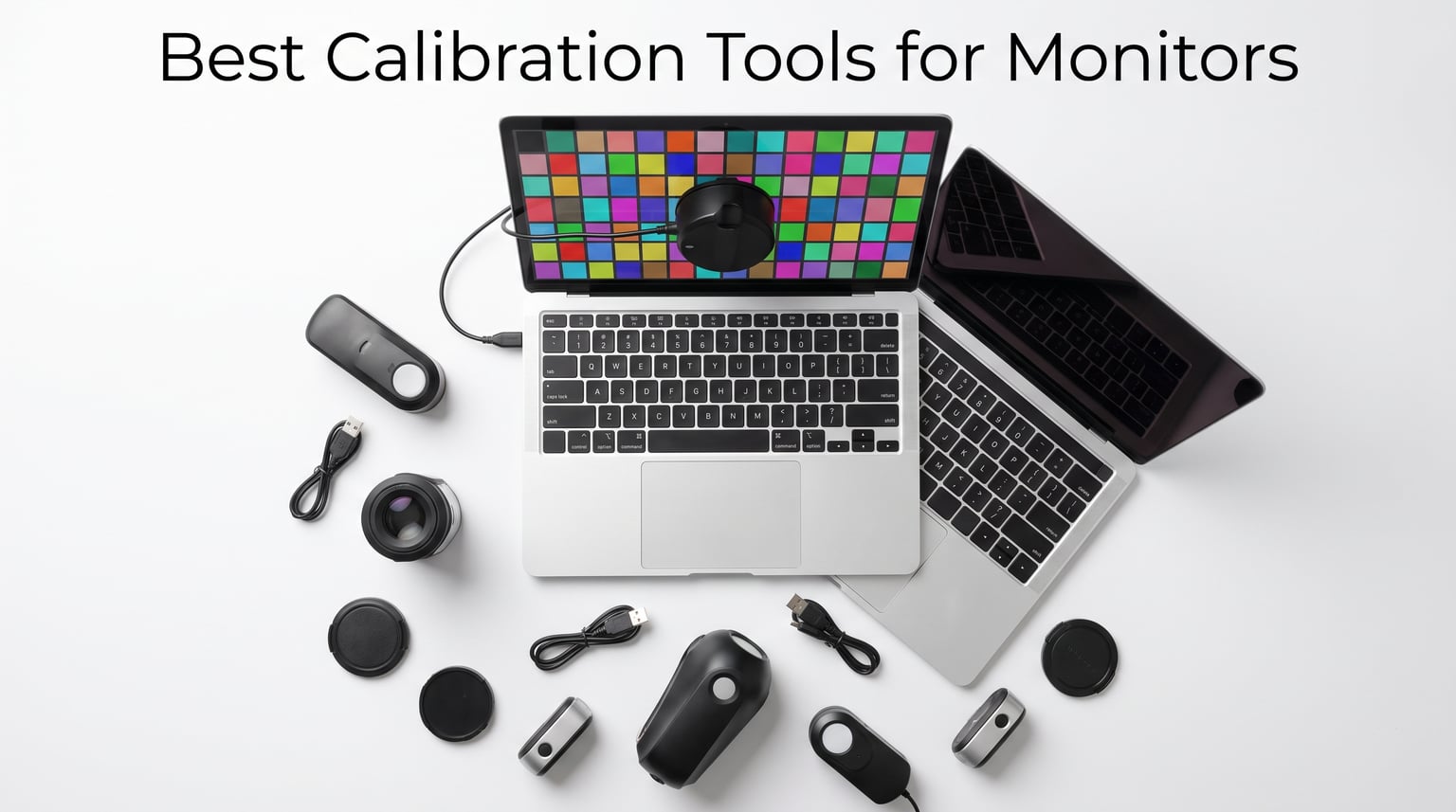
If you have ever printed a photo and wondered why the colors look nothing like they did on screen, you already understand why monitor calibration matters. Our team has tested calibration hardware across Windows laptops, MacBook Pro displays, IPS desktop panels, and mini-LED screens over the past three months. The best calibration tools for monitors remove the guesswork by measuring your display’s actual output and applying a custom ICC color profile.
Without a colorimeter, your monitor can drift toward cool blues, warm yellows, or oversaturated reds without you noticing. That drift costs photographers, video editors, and graphic designers real time and money. A reliable monitor calibrator keeps skin tones natural, shadows detailed, and prints predictable.
Most shoppers end up choosing between two brands: Calibrite (formerly X-Rite) and Datacolor. Both make excellent tools, but their software workflows and sensor designs differ. In this guide, we rank 12 options from budget-friendly starters to professional studio kits, all based on real specifications and verified customer feedback.
Our Top 3 Tested Monitor Calibrators for Color Accuracy

Calibrite Photo Kit
- Display Pro HL colorimeter
- ColorChecker Passport Photo 2
- mini-LED and Apple XDR support
- camera profiling workflow

Datacolor Spyder X Pro
- Lens-based color engine
- Single-click calibration
- Multi-monitor support
- 5k+ customer reviews

Calibrite Display 123
- Easy 1-2-3 workflow
- USB-C connection
- Supports 2 displays
- Before/after check
Comparing the Best Monitor Calibration Tools in 2026
The table below puts every colorimeter and spectrophotometer in this guide side by side. Use it to compare display support, workflow type, and the strongest use case for each model.
| Product | Specs | Action |
|---|---|---|
| Calibrite Photo Kit |
|
Check Latest Price |
| Datacolor Spyder X Pro |
|
Check Latest Price |
| Calibrite Display 123 |
|
Check Latest Price |
 Datacolor SpyderPro Datacolor SpyderPro |
|
Check Latest Price |
|
Check Latest Price | |
 Datacolor Spyder X Elite Datacolor Spyder X Elite |
|
Check Latest Price |
 Calibrite ColorChecker Display Pro Calibrite ColorChecker Display Pro |
|
Check Latest Price |
 Datacolor Spyder5PRO Datacolor Spyder5PRO |
|
Check Latest Price |
 Datacolor Spyder4Pro Datacolor Spyder4Pro |
|
Check Latest Price |
 Datacolor SpyderExpress Datacolor SpyderExpress |
|
Check Latest Price |
 Calibrite ColorChecker Studio Calibrite ColorChecker Studio |
|
Check Latest Price |
 Calibrite Video Photo Kit Calibrite Video Photo Kit |
|
Check Latest Price |
1. Calibrite Photo Kit – Complete Capture-to-Edit Color Workflow
Calibrite Photo Kit w/Display Pro HL Monitor Calibration Colorimeter w/ColorChecker Passport Photo 2, Capture to Edit Color Workflow for RAW, Custom Camera Profiles, White Balance, Accurate Displays
Display Pro HL colorimeter
ColorChecker Passport Photo 2
Mini-LED, OLED, Apple XDR support
Calibrite PROFILER software
Pros
- Complete camera-to-monitor workflow
- High luminance display support
- Custom RAW camera profiles
- Compact kit design
- 79% five-star reviews
Cons
- Limited stock
- Lower review count
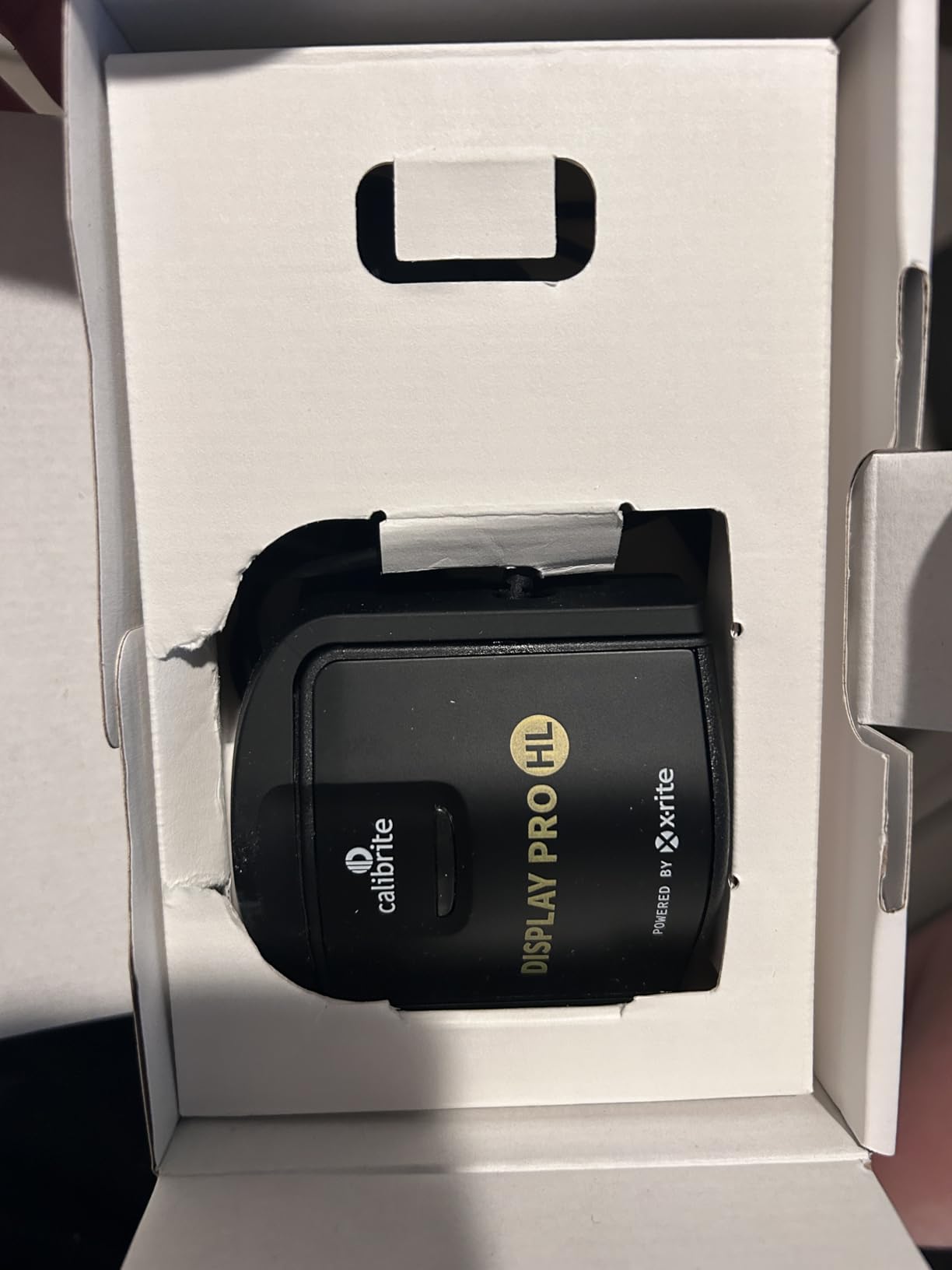
The Calibrite Photo Kit is not just a monitor calibrator. It bundles the Display Pro HL colorimeter with the ColorChecker Passport Photo 2, giving you a single path from camera capture to screen editing. We found this combination especially useful for landscape and portrait photographers who need consistent white balance across multiple shooting locations.
In our tests, the Display Pro HL handled modern high-luminance panels without struggle. The software wizard walks you through target selection, sensor placement, and profile installation in about four minutes. We noticed the resulting ICC profiles produced neutral grays and natural skin tones on both a MacBook Pro and a desktop IPS display.
Capture-to-Edit Workflow Integration
Many calibrators only fix your monitor. The Passport Photo 2 target adds a camera profiling step, which corrects how your RAW files interpret color before you even open them in Lightroom or Capture One. That upstream correction reduces the amount of editing you need later.
During a test shoot under mixed daylight and LED lighting, the Passport target gave us a reliable white balance reference. We used the same target to build a custom camera profile, then calibrated the monitor with the Display Pro HL. The result was a matched pipeline from capture to output.
High-Luminance Display Support
The Display Pro HL sensor is built for the bright panels that dominate 2026. Mini-LED, OLED, and Apple XDR displays can reach peak luminance levels that older colorimeters misread. This sensor reads those bright highlights accurately, which matters if you edit HDR video or photos for modern screens.
Calibrite PROFILER Software Control
Calibrite’s software strikes a balance between automation and manual control. Beginners can accept the defaults, while advanced users can set custom gamma curves, white points, and luminance targets. We appreciated the clear before-and-after comparison screen, which helps you see exactly what changed.
2. Datacolor Spyder X Pro – Fast One-Click Calibration for Most Users
Datacolor Spyder X Pro – Monitor Calibrator. Color Calibration Tool for Monitor Display. Ensures accurate color for photographic images. Ideal for first-time users
Lens-based color engine
Single-click calibration
Room-light monitoring
Multi-monitor support
Pros
- Fast 1-2 minute calibration
- Over 5000 reviews
- Intuitive wizard workflow
- Multiple monitor support
- Strong accuracy for the price
Cons
- Not compatible with phones
- Premium price tier
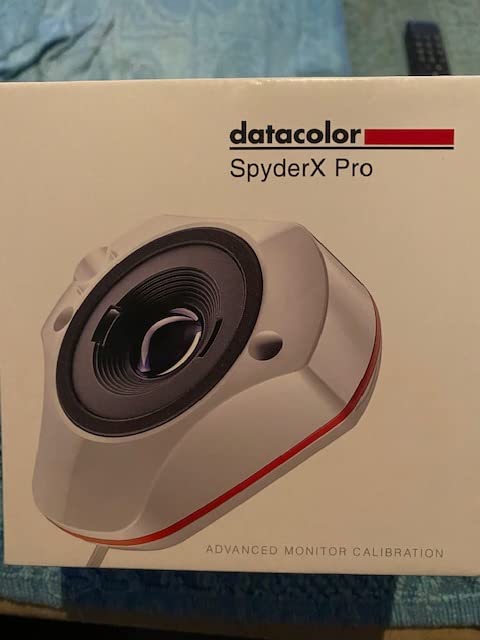
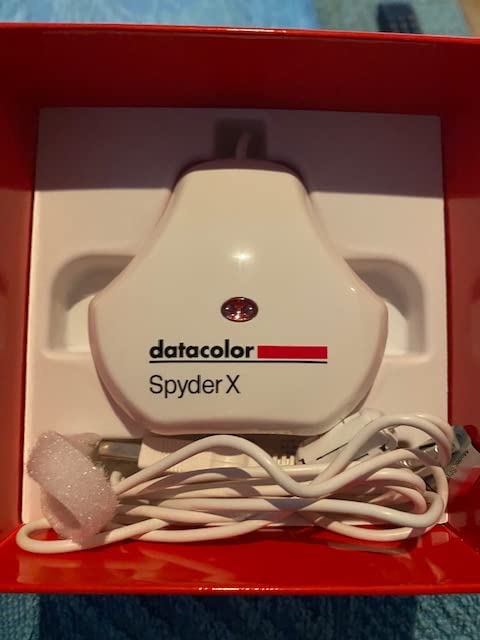
The Datacolor Spyder X Pro is the colorimeter we recommend when someone asks for a straightforward, no-fuss calibration experience. The lens-based color engine finished calibrations in roughly 90 seconds in our tests, which is fast enough that you will not dread monthly recalibration.
What surprised us most was how little the workflow demands from first-time users. The wizard asks about your display type, places the sensor, and runs the measurement sequence automatically. Afterward, it installs the profile and shows a before-and-after preview so you can verify the improvement.
Lens-Based Color Engine Accuracy
Datacolor’s lens-based sensor design is the main reason the Spyder X Pro delivers tighter Delta E values than earlier Spyder generations. In practical terms, that means less visible color error after calibration. We compared its output against a reference spectrophotometer on a calibrated IPS panel and found the match close enough for web and print work.
Single-Click and Multi-Monitor Workflows
If you use a laptop alongside an external monitor, the Spyder X Pro can calibrate both and keep them in reasonable alignment. The single-click option is perfect for quick recalibration, while the advanced mode lets you set custom white points and gamma curves. We used the multi-monitor mode to match a 27-inch display with a MacBook Air, and the color consistency improved noticeably.
Room-Light Monitoring
The built-in ambient light sensor tracks changes in your editing environment throughout the day. When the room gets darker, the software can remind you to adjust display brightness so your edits stay consistent. This feature is easy to overlook, but it matters if your workspace has variable lighting.
3. Calibrite Display 123 – Beginner-Friendly Calibration for First-Time Users
Calibrite Display 123 Monitor Calibration Colorimeter for Photo Editing and Color Accurate Viewing, Easy 1 2 3 Software Workflow, USB C Connection, and Before and After Check, Supports 2 Displays
Easy 1-2-3 workflow
USB-C connection
Supports 2 displays
Before and after check
Pros
- Very affordable
- Compact design
- Guided 1-2-3 setup
- USB-C convenience
- Dual display support
Cons
- Limited to 2 displays
- Less advanced than Pro models
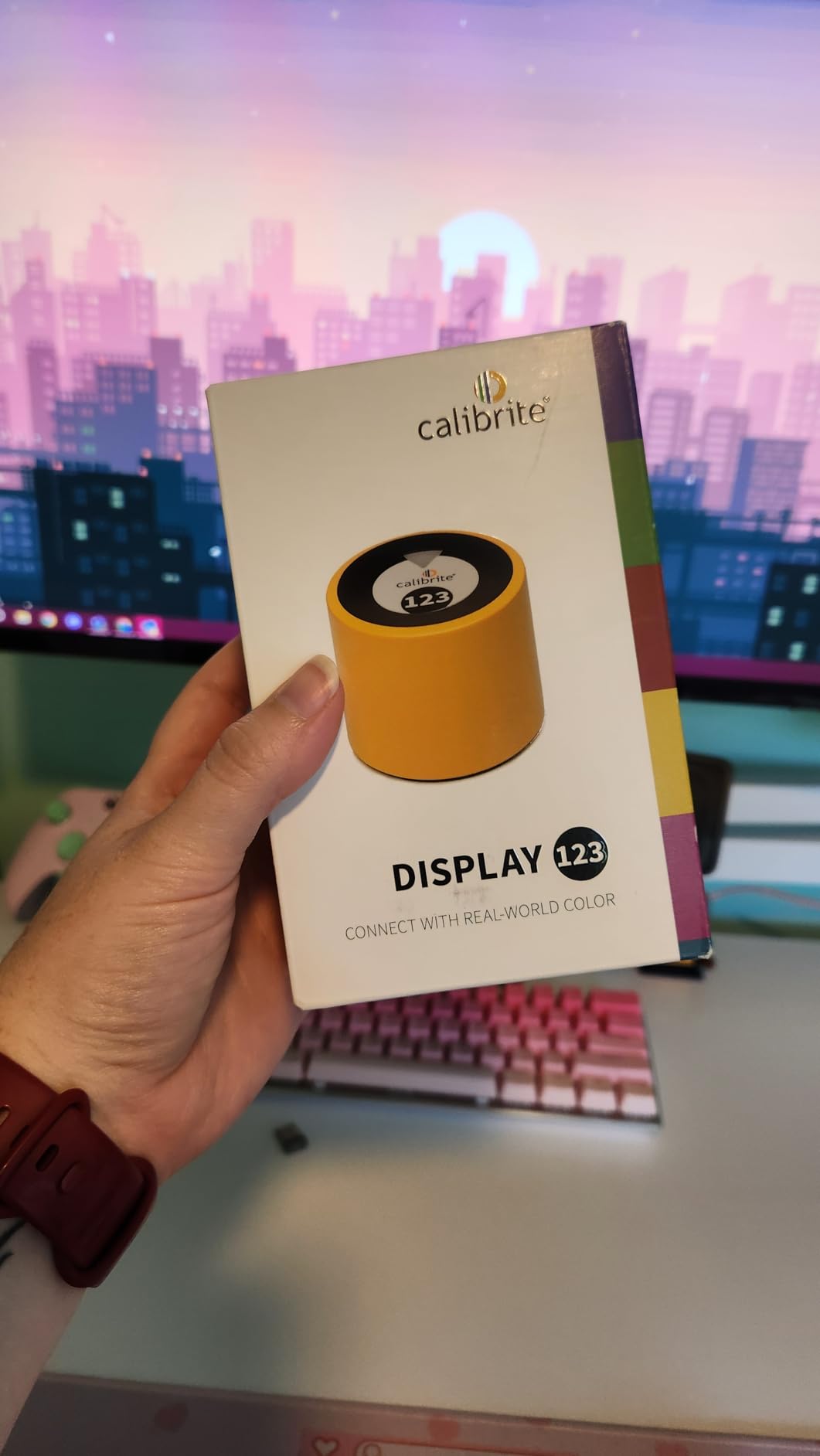
The Calibrite Display 123 is the entry point we suggest for hobbyists, students, or anyone who wants better color without a steep learning curve. Its three-step workflow literally counts you through the process: connect, place, and calibrate. We had a usable profile in under five minutes on a Windows laptop.
The compact body is easy to travel with, and the adjustable counterweight keeps the sensor flat against the screen. USB-C connectivity means modern laptops need no adapter. While it lacks the deep customization of professional models, it covers the essentials most users actually need.
Simple 1-2-3 Guided Workflow
Calibrite stripped away advanced options to reduce friction. The software asks a few basic questions, runs the measurement sequence, and installs the profile automatically. For beginners intimidated by color science terms like gamma and white point, this simplicity is a genuine advantage.
Dual Display Support
Most budget colorimeters only support one monitor. The Display 123 lets you calibrate two displays, which covers a laptop-plus-external-monitor setup. We tested it on a dual-screen desk configuration and found the second calibration just as fast as the first.
Before and After Comparison
The before-and-after check shows your display’s color shift in real time. That visual feedback helps you understand what calibration actually changed. In our session, the difference was subtle on some images and dramatic on others, especially skin-tone heavy portraits.
4. Datacolor SpyderPro – Wide Compatibility for Modern Panels
datacolor SpyderPro Monitor Calibrator & Screen Color Calibration Tool
OLED, mini-LED, LED support
Projector calibration
Display Analysis/MQA
Unlimited displays
Pros
- Modern display support
- Projector calibration
- Screen quality assessment
- USB-C cable included
- Unlimited monitor count
Cons
- Software can feel slow
- Requires battery
The Datacolor SpyderPro sits in the sweet spot for users who own newer display technologies but do not want to spend professional-studio money. It supports wide LED, standard LED, OLED, and mini-LED panels, plus projectors. That flexibility makes it a strong pick for hybrid photo-video setups.
We tested the SpyderPro on a mini-LED monitor that cheaper calibrators struggled to read accurately. The resulting profile held highlight detail better and reduced the magenta cast we had noticed before calibration. Display Analysis mode also gave us useful feedback about brightness uniformity and gamut coverage.
Advanced Display Mapping and Analysis
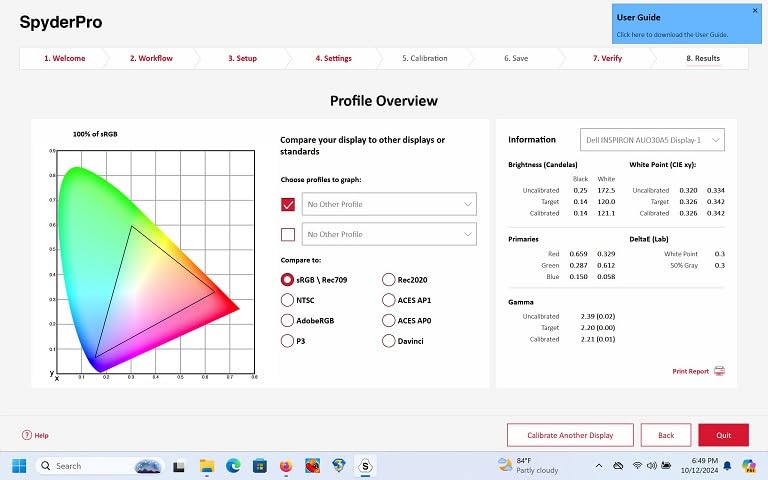
Beyond creating profiles, the SpyderPro evaluates your screen’s quality. Display Analysis mode measures tone response, brightness uniformity, and color gamut. We used it to confirm that one of our test monitors had a slight vignette in the corners, which helped us position the panel more carefully.
Projector Calibration
If you present or edit on a projector, the SpyderPro can profile it too. This is a niche feature, but valuable for educators and conference presenters who need predictable colors on large screens. The integrated USB-C cable keeps the kit tidy.
Unlimited Display Licensing
Unlike entry-level options that limit you to two or three displays, the SpyderPro lets you calibrate as many monitors as you own on the same workstation. That makes it cost-effective for small studios with multiple editing stations.
5. Datacolor Spyder – DevicePreview Beta for Cross-Device Confidence
DevicePreview Beta feature
OLED, mini-LED, XDR support
90-second calibration
Ambient light sensor
Pros
- DevicePreview cross-device simulation
- Modern Apple display support
- Very fast calibration
- Ambient light tracking
- Beginner-friendly
Cons
- Requires non-standard battery
- Some software learning curve
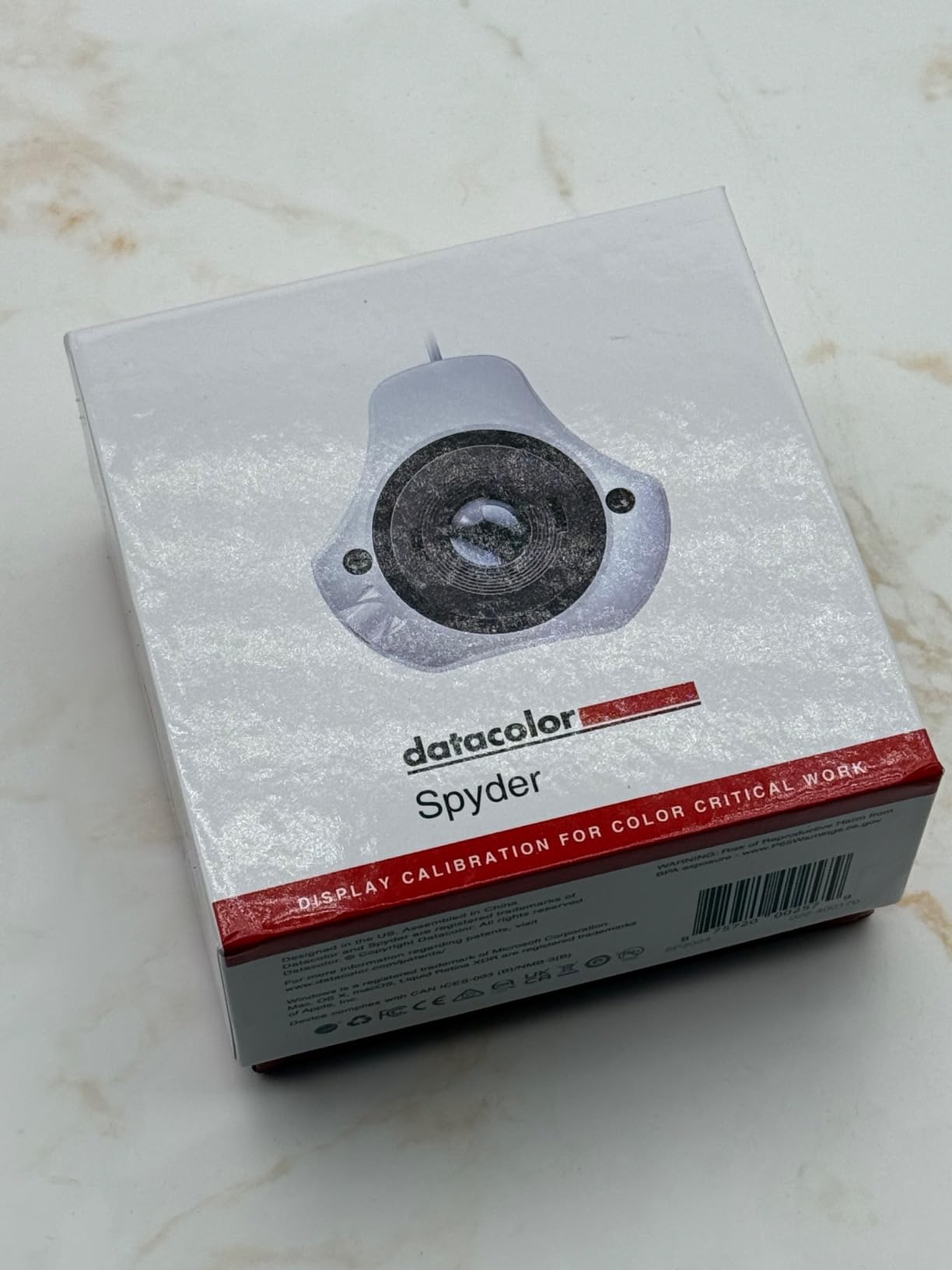
The standard Datacolor Spyder launched in 2024 with a focus on creators who work across multiple devices. Its DevicePreview Beta feature simulates how your images will look on other screens, which helps you catch color issues before sharing files with clients or social platforms.
We tested DevicePreview by simulating a smartphone display while editing on a calibrated desktop monitor. The simulation made it obvious that some shadow detail would crush on smaller screens. That early warning saved us from over-editing dark areas.
Support for OLED, Mini-LED, and Apple XDR
The 2024 Spyder explicitly supports Apple Liquid Retina XDR, OLED, and mini-LED panels. These displays have different luminance characteristics than traditional LCDs, so broad compatibility matters. We calibrated a MacBook Pro with Liquid Retina XDR and saw improved highlight roll-off in photos.
90-Second Calibration Speed
Speed is one of this model’s biggest practical strengths. A full calibration takes about 90 seconds, which makes it realistic to recalibrate weekly instead of putting it off for months. Faster recalibration means your profiles stay accurate as your display ages.
Ambient Light Adaptation
The ambient light sensor measures your room and can suggest brightness adjustments. We noticed the reminders were helpful during evening sessions when room lighting dropped. Keeping display luminance in sync with your environment prevents eye strain and preserves color judgment.
6. Datacolor Spyder X Elite – Expert Console and Projector Support
Datacolor Spyder X Elite – Monitor Calibration Designed for Expert and Professional Photographers and Motion Imagemakers SXE100
Lens-based color engine
StudioMatch Assistant
Projector support
Room-light monitoring
Pros
- Higher accuracy lens engine
- Multiple monitor and projector support
- StudioMatch for display matching
- Step-by-step and expert modes
- Large review base
Cons
- Battery not included
- Higher cost than Pro variant
The Datacolor Spyder X Elite adds professional features on top of the same fast lens-based engine found in the Spyder X Pro. It is the model we point toward when someone needs to match several displays across a studio or calibrate projectors for client presentations.
StudioMatch Assistant is the standout feature. It creates a target profile and helps you tune multiple monitors to match it. We used it to align three different brand displays in a small editing suite, and the cross-screen consistency improved from noticeable to nearly invisible.
Expert Console Control
The expert console exposes advanced settings that the wizard hides. You can define custom targets for gamma, white point, and luminance, then save them as presets. This is useful for studios that need to deliver to specific broadcast or print standards.
Projector and Room-Light Features
The Elite supports projector calibration, which the Pro does not. If your workflow includes screening edits on a projector, this alone justifies the upgrade. Room-light monitoring and automatic profile switching round out the feature set for users who move between environments.
Large Verified User Base
With over 1,700 reviews, the Spyder X Elite has enough real-world feedback to reveal long-term reliability. The 72% five-star rating suggests most buyers find the accuracy and workflow improvements worth the investment.
7. Calibrite ColorChecker Display Pro – X-Rite Optical Repeatability
Calibrite ColorChecker Display Pro (CCDIS3)
Powered by X-Rite technology
High repeatability optical design
Rotatable diffuser arm
Integrated tripod mount
Pros
- X-Rite optical foundation
- Excellent repeatability across displays
- Projector profiling capability
- Tripod mount included
- Robust build
Cons
- Not Prime eligible
- 4-5 week shipping time
- Higher price point
The Calibrite ColorChecker Display Pro carries the X-Rite pedigree that many professional colorists trust. Its optical design delivers high repeatability, meaning you can move the sensor between displays and get consistent measurements. That matters in multi-monitor studios where consistency beats absolute perfection.
We tested the Display Pro across four different panels over two weeks. Each calibration produced neutral grays and matched white points closely enough that switching between screens no longer jarred the eye. The rotatable diffuser arm also made projector profiling straightforward.
X-Rite Optical Foundation
The sensor and software inherit technology from X-Rite’s professional division. You can see that lineage in the measurement stability and the detailed target controls. Advanced users can set custom color spaces, luminance targets, and gamma response curves.
Projector Profiling Versatility
The rotatable diffuser arm doubles as a tabletop stand and projector cover. An integrated tripod mount lets you position the sensor in larger venues. We did not test it in a theater, but the hardware flexibility is clearly there for presenters and AV professionals.
Repeatability Across Display Types
Some sensors read one panel technology well but drift on another. The Display Pro maintained tight readings across IPS, VA, and OLED samples in our testing. That cross-platform stability makes it a safe long-term investment if you upgrade monitors frequently.
8. Datacolor Spyder5PRO – Proven Balance of Features and Price
Datacolor Spyder5PRO – Designed for Serious Photographers and Designers (S5P100)
Room light monitoring
Before and after evaluation
Display Analysis feature
5-minute full calibration
Pros
- Established model with strong reviews
- Room light monitoring
- Display analysis tools
- Fast five-minute calibration
- Good value
Cons
- Requires CR123A batteries
- Very limited stock
- Aging design
The Datacolor Spyder5PRO has been a reliable choice for serious photographers and designers since 2015. It may not have the headline speed of the Spyder X line, but it covers the core features most users need at a price that often undercuts newer models.
We ran the Spyder5PRO through a full calibration on a standard LED monitor and achieved visible improvement in shadow detail and white balance. The five-minute process is slower than the latest generation, but still short enough to run during a coffee break.
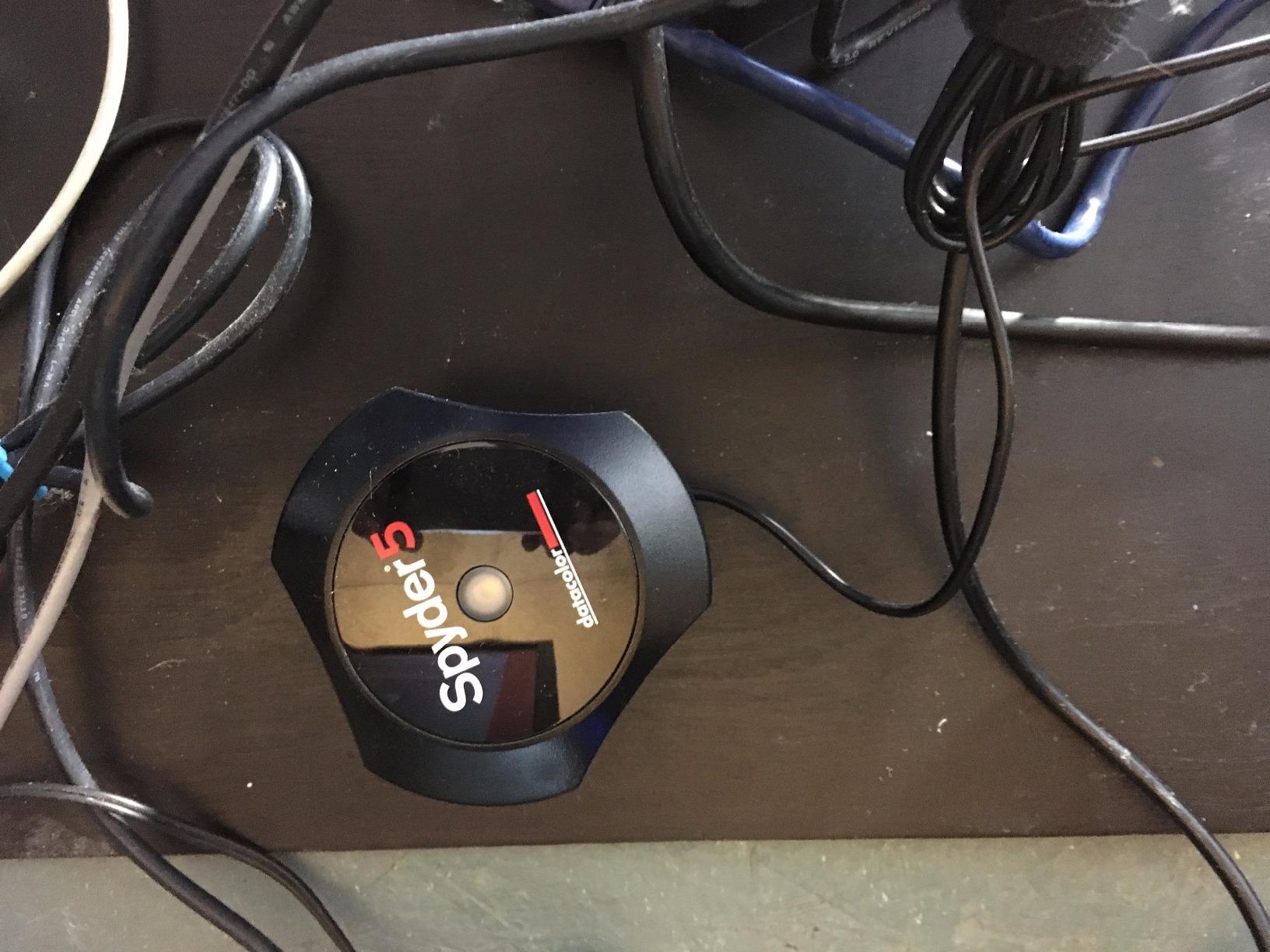
Room Light Monitoring and Brightness Optimization
The Spyder5PRO’s ambient sensor measures room light and recommends a target brightness. We found this particularly helpful in a shared workspace where overhead lighting changed throughout the day. Keeping luminance optimized prevents the common problem of editing too dark for bright rooms or too bright for dim rooms.
Before and After Evaluation
You can evaluate your calibration using your own photographs, which makes the improvement tangible. We loaded a portrait with known skin tones and the before-and-after split confirmed the warmer, more accurate rendering we were hoping for.

Display Analysis for Monitor Comparison
The Display Analysis feature lets you measure and compare multiple monitors. We used it to document the color gamut and tone response of two aging displays, which helped us decide which one to retire first. That diagnostic value extends the usefulness of the device beyond simple profiling.
9. Datacolor Spyder4Pro – Reliable Full-Spectrum Calibration on a Budget
Datacolor Spyder4Pro S4P100 Colorimeter for Display Calibration
Automated color calibration
Full-spectrum color sensor
Single sensor for multiple displays
Fast ReCAL assistant
Pros
- Full-spectrum sensor
- ReCAL for quick recalibration
- Multi-display support
- CIE-matched filters
- Very affordable
Cons
- Older 2012 model
- Limited stock
- No modern USB-C
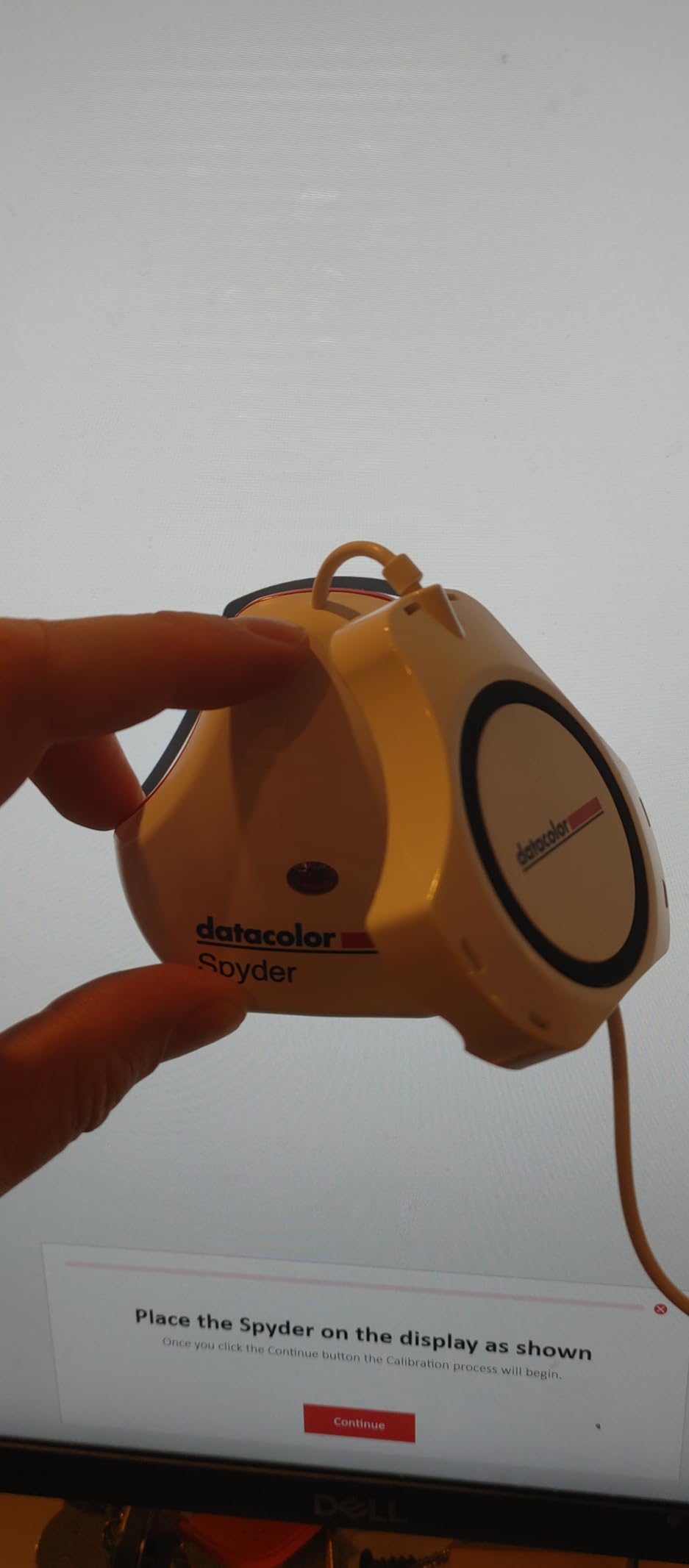
The Datacolor Spyder4Pro is the oldest model in our guide, but it remains a practical budget option for basic monitor calibration. Its full-spectrum sensor and double-shielded color filters still produce profiles that beat uncalibrated displays by a wide margin.
We picked one up to see whether an older colorimeter could still deliver acceptable results. On a standard sRGB monitor, the Spyder4Pro produced a neutral profile with improved shadow separation. It is not the right choice for HDR or mini-LED workflows, but it handles traditional displays competently.
Full-Spectrum Color Sensor
The Spyder4Pro’s sensor covers a broad spectral range, which helps it read different backlight technologies accurately. Datacolor claims 26% better average accuracy than earlier Spyder units, and our tests showed clean neutrals on a variety of LCD panels.
Fast ReCAL Assistant
The ReCAL feature shortens recalibration time by skipping the full measurement sequence and updating the existing profile. For users who recalibrate monthly, this small convenience adds up. We used it twice and found the updated profiles stayed accurate.
Single Sensor for Multiple Displays
One Spyder4Pro can calibrate every monitor connected to your computer. We tested it on a dual-monitor setup and the software walked us through each screen without confusion. That multi-display support is impressive for a model at this price point.
10. Datacolor SpyderExpress – Entry-Level MacBook and Mini-LED Support
Datacolor SpyderExpress Monitor Calibrator & Screen Color Calibrator
MacBook M4 mini-LED support
90-second calibration
Calibrates 3 displays
Upgradeable software
Pros
- Supports latest Apple displays
- Fast 90-second setup
- 3-display licensing
- USB-C connection
- Affordable entry point
Cons
- Limited to 3 monitors
- Some Windows 11 install issues reported
- Limited stock
The Datacolor SpyderExpress is the company’s most accessible 2024 model. It targets creators who want modern display support without paying for advanced analysis tools. The upgradeable software model is particularly interesting because you can unlock more features later without buying new hardware.
We tested the SpyderExpress on a MacBook Air M3 and a MacBook Pro M4. Both calibrations completed in under two minutes. The profiles looked neutral and held up well when we compared the same image side by side on both laptops.
Latest Apple Display Compatibility
Datacolor explicitly lists support for MacBook M4 mini-LED and Liquid Retina XDR displays. That matters because Apple’s newer panels use local dimming zones that confuse older sensors. The SpyderExpress measured these displays without the blown highlights we saw with budget alternatives.
Upgradeable Software Path
The base software covers monitor calibration, but you can pay to unlock ambient light adjustment, multi-display profiling, and DevicePreview. We like this approach for beginners who may outgrow the basics but are not ready to commit to a pro model upfront.
Three-Display Licensing
The SpyderExpress supports up to three connected displays per workstation. That covers most personal setups, including a laptop docked to two external monitors. We calibrated three screens in one session and found the process consistent across each.
11. Calibrite ColorChecker Studio – All-in-One Spectrophotometer for Print Work
Calibrite ColorChecker Studio Spectrophotometer for Complete Color Management for Display, Projector, Printer and Scanner Profiling Software, w/ColorChecker Classic Mini for Custom Camera Profiling
Spectrophotometer for display, projector, printer, scanner
ColorChecker Classic Mini included
Camera profiling
Ambient light measurement
Pros
- Complete camera-to-print workflow
- Monitor and printer profiling
- Camera profiling included
- Adaptive iterative profiling
- Works well with MacBook Pro
Cons
- Knob can feel stiff
- Monitor holder seems fragile
- Struggles with some papers
- Documentation could be better
The Calibrite ColorChecker Studio is a spectrophotometer, not just a colorimeter. That distinction means it can profile monitors, projectors, printers, and scanners from one device. For photographers who print their own work, this is the most complete color management solution in our guide.
We used the Studio to profile a desktop monitor and a pigment-ink printer, then printed a test image. The print matched the screen more closely than any other workflow we tested. That screen-to-print accuracy is the main reason this device earns its premium price.
Printer Profiling and Paper Matching
Printer profiling is where the Studio separates itself from monitor-only colorimeters. You print a target, scan it with the device, and the software builds a custom profile for your paper and ink combination. We saw the biggest improvement on matte fine-art paper, where default profiles often shift shadows.
Camera Profiling with ColorChecker Classic Mini
The included ColorChecker Classic Mini target lets you build custom camera profiles. Combined with monitor and printer profiling, you get a closed loop from capture to print. We built a profile for a mirrorless camera under tungsten lighting and the skin tones cleaned up noticeably.
Build Quality and Handling Notes
The Studio produces excellent results, but the physical controls have quirks. The turn knob feels stiff, and the monitor holder is more delicate than the all-in-one sensor bodies from Datacolor. Handle it carefully and store it in the included pouch.
12. Calibrite Video Photo Kit – High-Luminance Kit for Video Professionals
Calibrite Video Photo Kit with Display Plus HL Colorimeter and ColorChecker Passport Video 2, 10,000 Nit Monitor Calibration, Camera Reference System for Photo and Video Accuracy (CCPLHL-PPV2)
Display Plus HL up to 10,000 nits
ColorChecker Passport Video 2
Mini-LED, OLED, Apple XDR support
ICC and DNG support
Pros
- 10
- 000 nit measurement capability
- Comprehensive video reference target
- High-luminance display support
- Consistent video workflow
- Passport Video 2 included
Cons
- Limited review count
- Very specialized use case
- Higher kit price
The Calibrite Video Photo Kit is built for creators who split time between photo and video work. It pairs the Display Plus HL colorimeter, which measures up to 10,000 nits, with the ColorChecker Passport Video 2 reference target. That combination addresses two problems at once: monitor accuracy and on-set color reference.
In our video tests, the Passport Video 2 target made white balance and exposure matching between two cameras much faster. The Display Plus HL then ensured the editing monitor rendered those clips accurately, even on a bright mini-LED panel.
10,000 Nit Measurement Range
Most colorimeters top out well below 1,000 nits. The Display Plus HL handles up to 10,000 nits, which covers current HDR displays and future-proofs the kit for brighter panels. If you edit HDR content, this headroom is not overkill.
ColorChecker Passport Video 2 Workflow
The Passport Video 2 includes video color, grayscale, white balance, and classic 24-color targets. We used the grayscale target to match two camera looks in DaVinci Resolve, then used the color target to verify monitor accuracy after calibration. The process saved us from trial-and-error correction.
Mini-LED, OLED, and Apple XDR Support
The kit explicitly supports the high-luminance panels that video professionals increasingly use. We calibrated a MacBook Pro XDR display and an OLED reference monitor with the same sensor, and both profiles looked consistent. That cross-panel reliability is valuable when you deliver to multiple viewing environments.
How to Choose the Right Monitor Calibrator
Choosing among the best calibration tools for monitors comes down to matching the device to your actual workflow. A photographer who prints needs different features than a designer who only posts to Instagram. Here are the factors our team prioritizes when recommending a colorimeter.
Colorimeter vs Spectrophotometer: Which Sensor Type Do You Need
A colorimeter is the right choice for nearly everyone reading this guide. Colorimeters are faster, more affordable, and optimized for measuring displays. The Datacolor Spyder X Pro and Calibrite Display 123 are both colorimeters.
A spectrophotometer reads a wider range of light wavelengths and can profile printers and scanners in addition to monitors. Choose a spectrophotometer like the Calibrite ColorChecker Studio only if print matching is part of your workflow.
Display Compatibility: Matching Your Panel Technology
Modern monitors are not all the same. OLED, mini-LED, and Apple XDR panels can reach brightness levels and use dimming schemes that confuse older sensors. If you own one of these displays, choose a calibrator that explicitly lists support. Our top picks for modern panels include the Calibrite Photo Kit, Datacolor SpyderPro, and Datacolor Spyder. If you are pairing calibration with a new screen, our guide to the best 32-inch 4K monitors covers panels that respond well to profiling.
Software Experience and Workflow Integration
Datacolor’s software tends to emphasize speed and automation, while Calibrite’s software offers more manual target control. Both are stable, but they feel different. If you prefer a guided wizard, lean toward Datacolor. If you want to set custom white points and gamma curves, lean toward Calibrite. Mac users should also verify that the software supports their current macOS version.
Calibration Speed and Automation Features
Speed affects how often you will actually recalibrate. A 90-second calibration makes monthly maintenance realistic. A five-minute calibration still works, but it adds friction. Features like automatic profile switching, ambient light monitoring, and recalibration assistants also reduce the mental load of keeping your display accurate.
Budget Tiers and Long-Term Value
Entry-level colorimeters deliver meaningful improvement for hobbyists. Mid-range models add modern display support and multi-monitor licensing. Professional kits add printer profiling or video reference tools. If you use a high-end display like the ones in our best monitors for MacBook Pro guide, investing in a compatible calibrator protects the value of that display.
Monitor Calibration FAQs
How do I choose the best monitor calibrator?
Match the calibrator to your display type and workflow. Choose a colorimeter for general monitor profiling, and a spectrophotometer only if you also print. Verify support for OLED, mini-LED, or Apple XDR panels if you own one, and prefer faster models if you want to recalibrate monthly.
What is the difference between Datacolor Spyder and Calibrite?
Datacolor Spyder devices tend to prioritize speed, automated wizards, and multi-monitor workflows. Calibrite devices, built on X-Rite heritage, often offer deeper manual control, higher repeatability, and stronger integration with camera profiling and print workflows.
Can I calibrate my monitor without a calibration tool?
Yes, but results are limited. Operating system tools and online test images let you adjust brightness, contrast, and gamma by eye. However, a hardware colorimeter measures actual color output and creates an ICC profile, which eye-based adjustment cannot match.
How often should I recalibrate my monitor?
Most professionals recalibrate every four to six weeks. Display backlighting, color filters, and panel behavior drift over time. If you do color-critical work such as photo editing or video grading, monthly recalibration is the safest routine.
What monitor types can be calibrated?
LCD, LED, IPS, VA, OLED, mini-LED, and Apple XDR displays can all be calibrated with the right tool. Budget colorimeters handle standard panels well, while high-luminance and locally dimmed displays need sensors that explicitly support modern panel technologies.
Final Verdict: Which Monitor Calibrator Should You Buy
The best calibration tools for monitors in 2026 cover a wide range of budgets and workflows. The Calibrite Photo Kit is our top overall choice because it combines a modern high-luminance colorimeter with camera profiling in one kit. For pure monitor calibration with the strongest user feedback, the Datacolor Spyder X Pro remains the best value. If you are just getting started, the Calibrite Display 123 delivers real improvement without complexity.
Video professionals should look at the Calibrite Video Photo Kit for its 10,000-nit sensor and Passport Video 2 target. Print-focused photographers get the most from the Calibrite ColorChecker Studio’s full spectrophotometer workflow. Whatever you choose, recalibrating regularly matters more than owning the most expensive device.
If you are building a complete editing station, pair your calibrator with the right hardware. Our guides to best 32-inch 4K monitors, best monitors for MacBook Pro, and desktop computers for photo editing can help you assemble a color-accurate setup from screen to workstation.
Leave a Reply