
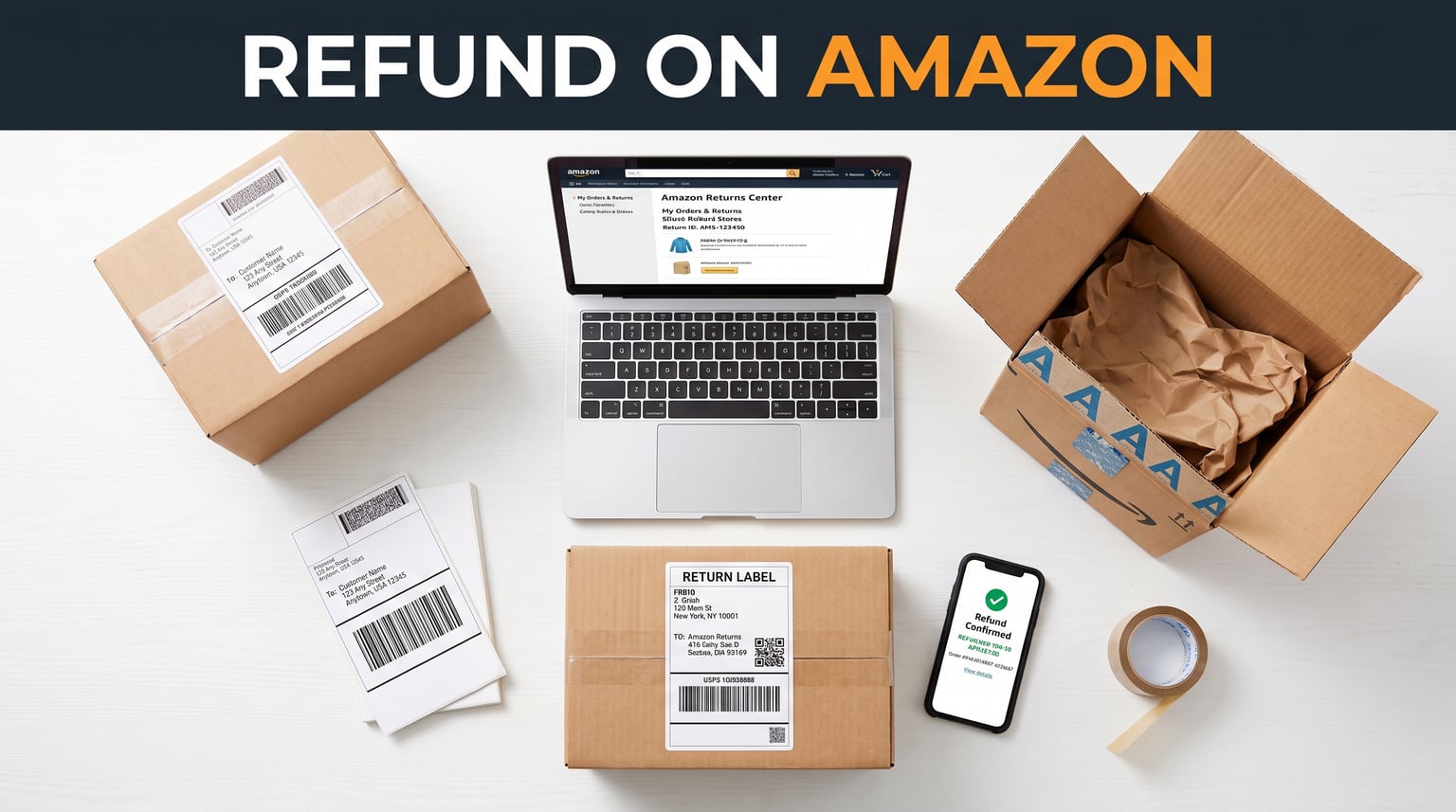
Amazon lets you return most items within 30 days of delivery for a full refund on Amazon, making the process one of the most customer-friendly in e-commerce. You simply head to Your Orders, select the item, click Return or Replace Items, pick a reason, and choose your refund method. Depending on how you paid, your money lands back in your account anywhere from 2 hours (Amazon Gift Card) to 10 business days (debit card) after Amazon receives the return. This guide walks you through every step, from filing the request to troubleshooting delayed payments.
Getting a refund on Amazon does not have to be a frustrating experience. Whether your package arrived damaged, the seller sent the wrong product, or you simply changed your mind, Amazon’s return policy covers a remarkably wide range of scenarios. I have spent years ordering from Amazon and navigating its returns system for everything from small accessories to large electronics, and I can tell you that knowing the exact steps saves hours of confusion.
This updated 2026 guide covers the full Amazon refund process, including the current return policy, step-by-step instructions, refund timelines broken down by payment method, how to handle gift returns, what to do when a third-party seller refuses to cooperate, and how to escalate a delayed refund that seems stuck in limbo.
What You Will Discover Here:
Exact step-by-step instructions for requesting a refund through Your Orders.
Current refund timelines by payment method (gift card, credit card, debit card).
How to return a gift using the 17-digit order number from the packing slip.
Amazon A-to-z Guarantee coverage for third-party seller disputes.
Troubleshooting advice for delayed refunds and escalation paths.
Where to drop off returns for free, including Kohl’s, UPS, and Amazon Hub Lockers.
Understanding Amazon’s Refund Policy and Your Rights
Amazon’s return policy grants buyers a 30-day return window from the date of delivery for the vast majority of items. During that window, you can send products back in their original condition for a full refund. Some categories have extended windows, while a few restricted items (like certain health products or customized goods) carry shorter or nonstandard policies.
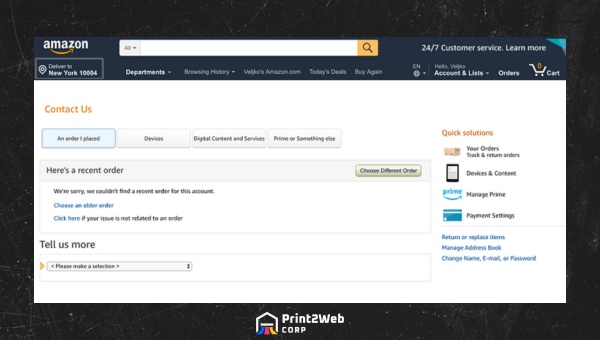
As a consumer, you have the right to receive products that match their listing description. If an item arrives defective, significantly different from what was advertised, or never shows up at all, you are entitled to your money back. Amazon backs this up with its customer service infrastructure and, for third-party orders, the A-to-z Guarantee.
Know Your Consumer Rights
Consumer protection laws give you leverage when something goes wrong with an online purchase. If a product is faulty, not as described, or arrives well past its guaranteed delivery date, you have grounds to request a full or partial refund. Amazon operates within these legal frameworks and generally resolves disputes without requiring formal legal action.
Understanding these rights matters because some shoppers accept subpar outcomes simply because they are unaware of what they are owed. When a product fails to meet expectations or a seller is uncooperative, knowing that the law and Amazon’s own policies are on your side gives you the confidence to push for a proper resolution.
How Amazon-Fulfilled vs. Third-Party Returns Differ
Items fulfilled directly by Amazon tend to process faster because Amazon controls the warehouse, the return receipt, and the refund issuance. Once the carrier scans your return package at a drop-off location, Amazon often issues an instant refund before the item even arrives back at the warehouse.
Third-party seller returns, on the other hand, depend on the individual seller’s responsiveness. The seller sets their own return address and must confirm receipt before the refund goes through. This can add several days to the process, and disputes may require filing an A-to-z Guarantee claim if the seller is unresponsive or refuses a legitimate return. For a deeper look at how seller-fulfilled orders work, check out our guide on Amazon FBM merchant fulfillment.
How to Request a Refund on Amazon: Step-by-Step
The most common question shoppers have is simply how to start the refund process. The entire procedure takes place through the Your Orders dashboard and can be completed in under five minutes. Here is the exact sequence of steps for both desktop and mobile users.
Step 1: Go to Your Orders. Log in to your Amazon account (either on the website or the Amazon mobile app) and navigate to the Your Orders page. This is accessible from the top navigation bar on desktop or the menu icon on mobile.
Step 2: Find the order. Scroll through your recent orders or use the search function to locate the specific item you want to return. If the order is older than three months, adjust the time filter at the top of the page.
Step 3: Click Return or Replace Items. Next to the item, click or tap the Return or Replace Items button. A new screen will appear asking you to select the reason for the return.
Step 4: Choose a return reason. Select the reason that best matches your situation from the dropdown menu. Options typically include defective item, wrong item sent, no longer needed, item not as described, or arrived damaged. The reason you select can affect whether Amazon requires the item back or issues a returnless refund.

Step 5: Select your refund method. Amazon will ask whether you want the refund credited back to your original payment method or issued as an Amazon Gift Card balance. Choosing the gift card option typically processes much faster, sometimes within hours.
Step 6: Choose a return method. Pick how you want to send the item back. Amazon usually offers several free options: drop off at a UPS Store, Kohl’s, Whole Foods, Amazon Books, Amazon Go, Amazon Fresh, or an Amazon Hub Locker. Some areas also offer scheduled pickup. If your package was never delivered, you can still request a refund. See our guide on what to do when your Amazon package is not delivered for specific steps.
Step 7: Print the return label and ship. Amazon generates a prepaid return shipping label (and sometimes a QR code for label-free returns). Pack the item securely in its original packaging if possible, attach the label, and drop it off at your chosen location. Once the carrier scans the package, Amazon often initiates your refund immediately.
After completing these steps, you can track the status of your return through Your Orders by clicking the View Return/Refund Status link. Amazon also provides a Refund Status Tracker that shows where your money is in the pipeline.
Amazon Refund Timeline by Payment Method
One of the biggest sources of confusion is how long the refund actually takes. The answer depends entirely on your payment method. Amazon publishes specific timelines, and understanding them helps set realistic expectations so you are not left wondering whether something went wrong.
Amazon Gift Card Balance: 2 to 3 hours after Amazon processes the return. This is the fastest option.
Credit Card: 3 to 4 business days after Amazon processes the return. Your card issuer may add additional processing time.
Debit Card: Up to 10 business days after processing. Debit refunds are slower because of bank processing chains.
Checking Account (ACH): Up to 10 business days, similar to debit card timelines.
Promotional Certificate: Refunded as a new promotional certificate, typically within 2 to 3 business days.
Instant Refund (Gift Card): Issued immediately when the carrier scans your return package, before the item reaches Amazon’s warehouse.
The key takeaway is that choosing an Amazon Gift Card refund dramatically speeds up the process. If you shop on Amazon regularly, this option puts money back in your account almost immediately. If you need the funds returned to your bank, expect to wait several business days for credit card refunds and potentially longer for debit cards.
Amazon starts the clock on these timelines only after it receives and processes your returned item (or after the carrier scans it for instant refunds). Shipping time to the warehouse is additional, so factor in 2 to 5 transit days depending on your location and the return method chosen.
Reasons for Seeking a Full or Partial Refund On Amazon
Not every Amazon order goes smoothly. Understanding which situations qualify for a refund helps you build a strong case when you contact customer service. Here are the most common valid reasons:
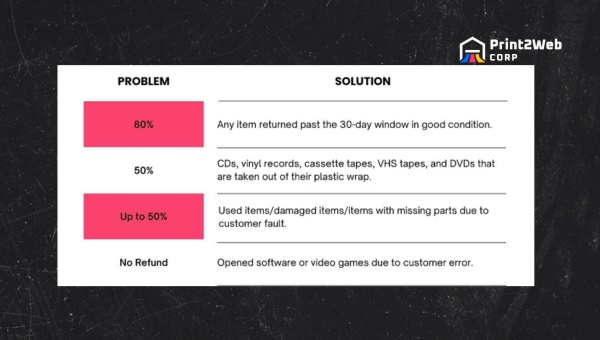
Product Defects: The item arrives broken, damaged, or fails to function as advertised out of the box.
Not As Described: The product differs significantly from its listing in size, color, model, material, or features.
Wrong Item Received: Amazon or the seller shipped an entirely different product. Learn exactly what to do when Amazon sends the wrong item to streamline your return.
Late Delivery: The item arrives well past its guaranteed delivery date and is no longer needed.
Package Never Arrived: The tracking shows delivered but nothing showed up, or the package was lost in transit.
Unauthorized Charges: You spot a charge for an item you did not order, which may indicate fraud or a billing error.
Poor Quality or Counterfeit: The product is substantially lower quality than advertised or is a suspected counterfeit.
Damaged and defective items almost always receive faster, more generous refund treatment than returns based on personal preference changes. If the issue is Amazon’s fault (wrong item, damaged in transit, never delivered), you may also receive a prepaid return label and an instant refund without waiting for the item to reach the warehouse.
Refund Without Return: Amazon’s Returnless Refund Policy
One of the most frequently asked questions is whether Amazon will issue a refund without requiring you to send the item back. The answer is yes, but only under specific circumstances. Amazon uses an automated system that evaluates each return request based on factors like item value, category, and the buyer’s return history.
Low-value items, typically under $15 to $25, are the most common candidates for returnless refunds. The logic is simple: the cost of processing and shipping the return often exceeds the refund amount, so Amazon simply credits your account and tells you to keep or dispose of the item. This is not guaranteed for every low-value order, but it happens frequently enough that it is worth knowing about.
Damaged or defective items may also qualify for returnless refunds, especially when the product cannot be resold (such as perishable goods or personal care items). If Amazon instructs you to keep the item and still processes your refund, this is an official returnless refund, not an error.
It is worth noting that Amazon tracks return patterns. If your account shows an unusually high number of returns, including returnless refunds, Amazon may flag your account or restrict future returns. Legitimate returns for genuinely defective or incorrect items are generally tolerated, but exploiting the system carries real consequences.
How to Return a Gift on Amazon
Returning a gift is a slightly different process because you may not have the original order in your own account. Amazon makes this manageable through its Online Returns Center using the gift order number.
Step 1: Go to the Amazon Online Returns Center (amazon.com/returns). You do not need to be logged in to the gift giver’s account.
Step 2: Enter the 17-digit order number from the packing slip or gift receipt. If the gift did not include a packing slip, contact Amazon customer service with the gift giver’s name and email for assistance locating the order.
Step 3: Select the item you want to return and choose a reason from the dropdown menu.
Step 4: Choose whether you want a refund issued as an Amazon Gift Card (the standard option for gift returns). The gift giver will not be notified that you returned their gift.
Step 5: Select a return method (UPS drop-off, Kohl’s, Amazon Hub Locker, etc.) and print the prepaid return label or use the QR code option.
Gift refunds almost always come as Amazon Gift Card credit rather than returning money to the original buyer’s payment method. This protects the gift giver’s privacy while still giving you store credit for the item’s value.
Amazon A-to-z Guarantee: Protection for Third-Party Orders
When you buy from a third-party seller on Amazon, the return process can get complicated if the seller is unresponsive, refuses a legitimate return, or never ships your order. That is where the Amazon A-to-z Guarantee comes in. It acts as a safety net that lets you file a claim directly with Amazon when a seller fails to resolve the issue.
When to File an A-to-z Claim
You can file an A-to-z Guarantee claim when you have already contacted the seller and they have failed to respond within 48 hours, or when the seller refuses to resolve one of the following situations: the item never arrived, the item was significantly different from its description, the item was damaged or defective, or the seller charged you incorrectly.
How to File an A-to-z Claim
The filing process is straightforward. Go to Your Orders, locate the problematic order, and select Problem with Order. Choose the issue from the list of options, then select Request Refund under the A-to-z Guarantee section. Provide any supporting details, such as photos of damaged items or correspondence with the seller.
Amazon reviews the claim and typically issues a decision within 1 to 2 weeks. If approved, Amazon refunds you directly and deals with the seller internally. You can check your claim status anytime through the same Problem with Order section on Your Orders.
Understanding how third-party fulfillment works can help you anticipate which orders might run into return issues. Our article on Amazon FBM merchant fulfillment breaks down what seller-fulfilled orders involve and why they sometimes create return friction.
Amazon Return Locations: Where to Drop Off Items
Amazon offers numerous free return drop-off locations, and in many cases you do not even need a box or a printed label. Here are the most common return locations available in 2026:
Kohl’s: Most Kohl’s stores accept Amazon returns at the customer service desk. Many locations offer label-free, box-free returns using a QR code.
UPS Store: Bring your boxed item with the prepaid Amazon return label, or use the QR code for label-free returns at participating locations.
Whole Foods Market: Many Whole Foods locations accept Amazon returns, often with the QR code option.
Amazon Hub Lockers: Self-service lockers available at grocery stores, apartment buildings, and convenience stores. You receive a pickup code after selecting this option during the return process.
Amazon Physical Stores: Amazon Books, Amazon Go, Amazon Fresh, and Amazon 4-star locations accept returns.
Scheduled Pickup: In select areas, Amazon offers free home pickup where a carrier collects the packaged return from your doorstep.
The QR code return option is one of the most convenient features Amazon has introduced in recent years. Instead of printing a label and finding a box, you simply show the QR code at the drop-off counter and hand over the item in its original packaging. The location handles the rest.
What to Do When Your Amazon Refund Is Delayed
Most Amazon refunds arrive within the stated timeline, but delays do happen. Forum discussions reveal that some shoppers wait six weeks or more despite Amazon acknowledging the refund is owed. If your refund seems stuck, here is a structured escalation path.
Step 1: Check the Refund Status Tracker
Go to Your Orders and click View Return/Refund Status on the relevant order. This shows whether Amazon has received the returned item and where the refund is in the processing pipeline. Sometimes the delay is simply the item in transit to the warehouse.
Step 2: Contact Amazon Customer Service
If the status shows the refund was processed but the money has not appeared, start a chat or request a callback through the Amazon app or website. Be ready with your order number and the date you dropped off the return. A tip from experienced Amazon shoppers: always get email confirmation of any promises made during a chat session. Chat support agents sometimes promise refunds that never get processed, and a written record gives you leverage when following up.
Step 3: Escalate to a Supervisor
If the front-line agent cannot resolve the issue, politely request to speak with a supervisor. Supervisors have broader authority to issue manual refunds and override stuck processing. Take notes during the conversation, including the supervisor’s name and the expected resolution date.
Step 4: Contact Executive Customer Relations
For persistent issues, reach out to Amazon’s Executive Customer Relations team by emailing [email protected]. Include your order number, a summary of every contact attempt, dates of previous conversations, and the refund amount owed. This team handles escalated complaints and has a reputation for cutting through bureaucracy when standard channels fail.
Patience is important but so is persistence. If weeks pass with no movement, escalate to the next level. Amazon’s policies favor the customer, but the system sometimes requires a nudge to function properly.
Amazon’s Goodwill Refund Explained
Occasionally, Amazon issues a goodwill refund or courtesy credit for minor inconveniences that do not rise to the level of a full return. Examples include slightly delayed deliveries, minor packaging damage that does not affect the product, or small listing discrepancies that you bring to Amazon’s attention.
These refunds are discretionary and not guaranteed. They depend on factors like your account history, Prime membership status, the item’s value, and the nature of the complaint. Long-term customers with few returns tend to receive more generous goodwill gestures than accounts with frequent return activity.
It never hurts to politely explain your situation to customer service. Even if a full return is not warranted, Amazon may offer a partial credit or a promotional certificate as a gesture of goodwill.
Frequently Asked Questions
How do I get a refund on an Amazon order?
Go to Your Orders, find the item, click Return or Replace Items, select a return reason, choose your refund method (original payment or Amazon Gift Card), pick a return drop-off option, and ship the item back. Amazon processes the refund after receiving the return, or instantly when the carrier scans the package for eligible orders.
How does a refund work with Amazon?
Amazon issues refunds to your original payment method or as an Amazon Gift Card balance. Gift card refunds appear within 2 to 3 hours, credit card refunds take 3 to 4 business days, and debit card refunds can take up to 10 business days. For eligible orders, Amazon may issue an instant refund when the carrier scans your return package at the drop-off location.
Can I get a refund on Amazon without returning the item?
Yes, Amazon issues returnless refunds for certain items, typically low-value products under $15 to $25 or items that cannot be resold (such as perishables or damaged goods). The system evaluates each request based on item value, category, return reason, and account history. If Amazon tells you to keep the item and still processes your refund, that is an official returnless refund.
How long do I have to request a refund on Amazon?
Most items have a 30-day return window from the date of delivery. Some categories, such as electronics during the holiday season, may have extended windows. A few restricted items have shorter windows. Always check the specific return policy listed on the product page before purchasing.
How do I speak directly to my third-party seller for refund queries?
Go to Your Orders, find the order, and click Problem with Order. Select Contact Seller to send a message. Sellers are expected to respond within 48 hours. If the seller does not respond or refuses a legitimate return, you can file an A-to-z Guarantee claim through the same Problem with Order menu.
What should I do if my refund isn’t credited back to my account?
First, check the Refund Status Tracker in Your Orders. If the refund shows as processed but has not appeared, contact Amazon customer service via chat or phone. Get written confirmation of any promises. If the issue persists, ask to speak with a supervisor or email Executive Customer Relations at [email protected] with your order details and contact history.
Does Amazon give 100% refunds?
Yes, Amazon issues full 100% refunds for most returns made within the 30-day window when the item is returned in its original condition. Damaged, defective, or incorrectly shipped items typically receive full refunds including original shipping costs. Some categories may have restocking fees, and partial refunds may apply if the item is returned in less-than-original condition.
Can I get a refund in a form different from my original payment method?
Yes, Amazon can issue refunds as an Amazon Gift Card balance instead of returning funds to your original payment method. In many cases, choosing the gift card option processes the refund significantly faster (within 2 to 3 hours). Amazon may also convert promotional certificate refunds into new promotional credit rather than cash.
How do I file an Amazon A-to-z Guarantee claim?
Go to Your Orders, find the third-party order, select Problem with Order, choose your issue from the list, and select Request Refund under the A-to-z Guarantee section. You must have first contacted the seller and allowed 48 hours for a response. Amazon reviews the claim and typically issues a decision within 1 to 2 weeks.
How to change refund method for Amazon?
During the return process, Amazon asks you to choose a refund method. You can select either your original payment method or an Amazon Gift Card balance. Once the return is submitted, you generally cannot change the refund method, so choose carefully at the time of filing.
Conclusion
Getting a refund on Amazon comes down to knowing the right steps and acting within the 30-day return window. Head to Your Orders, select Return or Replace Items, choose your reason, pick a refund method, and drop the package at a convenient location. For most orders, the money lands back in your account within a few business days, or within hours if you opt for an Amazon Gift Card refund.
If you run into trouble with a third-party seller, the A-to-z Guarantee gives you a direct path to resolution through Amazon itself. And if a refund gets stuck, the escalation ladder from customer service to supervisor to Executive Customer Relations ensures you have options at every stage. The key is persistence, documentation, and knowing your rights as a consumer.
Amazon’s return system is designed to be straightforward, and with this 2026 guide in hand, you can shop with confidence knowing exactly what to do when something goes wrong. Need a refund on another platform? Check out our guide on how to request a refund on Etsy for similar step-by-step instructions. For a broader comparison of return policies across marketplaces, our eBay vs Amazon breakdown covers the key differences.
Leave a Reply