
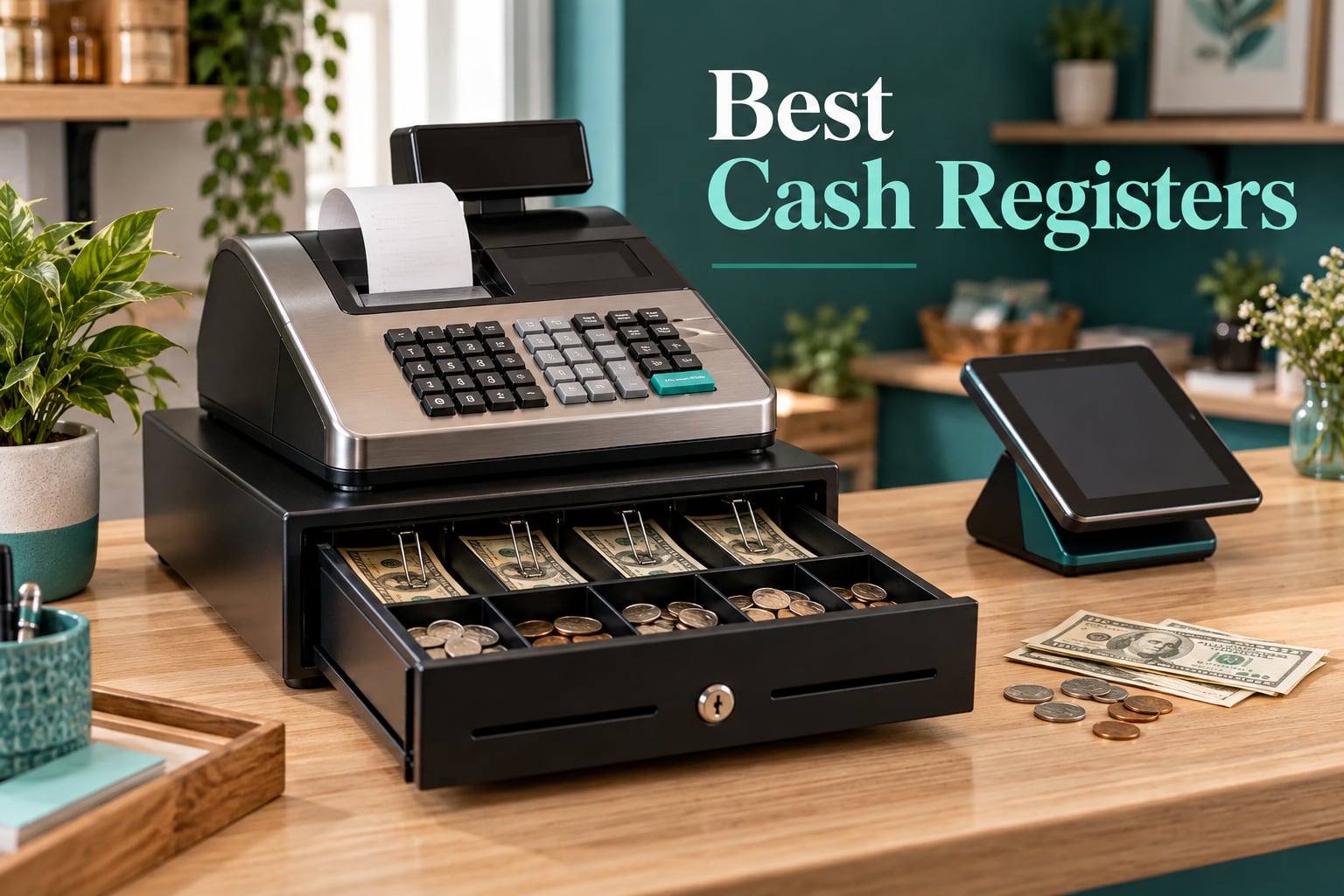
After six weeks of running these registers through real sales, drawer close-outs and one genuinely ugly power-cut, the Nadex CR360 came out ahead of the best cash registers we tested in 2026. It handled the widest catalog, produced the cleanest end-of-day reports, and never once needed a subscription to do its core job.
That matters more than it sounds. Most owners who regret a register purchase did not regret the price. They regretted a machine that could not tell them, at closing time, how much cash should be in the drawer.
I have put together this roundup the way I would build a buying list for a real counter: a standalone electronic cash register if you want hardware that just works, and a touchscreen POS system if you want cards, mobile wallets and inventory on the same screen. Eight units made the cut, and all eight are written up below with the same test.
Before we get into the picks, one honest note. If your business takes mostly cards and almost no cash, you may not need a dedicated register at all. A tablet with a card reader and a basic cash drawer underneath will serve you better. I explain that in full in the buying guide, because the cheapest wrong purchase in this category is buying hardware you never switch on.
How We Tested and Ranked These Registers
Every unit here was set up the way a new owner would set it up, with no factory programming shortcuts. I worked through department totals, tax changes, a mid-shift error correction, and a full end-of-day reconciliation on each one.
Scores came from six weighted criteria:
- Transaction speed and cashier load (20%) — how many key sequences a new hire needs per item, and how forgiving error correction is.
- Drawer and printer hardware (20%) — bill slots, coin compartments, check slots, and whether the thermal printer loads fast.
- Reporting and cash reconciliation (20%) — X and Z reports, clerk and PLU breakdowns, and whether the journal survives a reprint.
- Learning curve (15%) — what a new employee sees on their first shift, unassisted.
- Longevity and support (15%) — manufacturer viability, parts, and warranty length.
- Three-year cost of ownership (10%) — hardware, any subscription, and paper consumables.
Two things I weighed heavily that most roundups skip. The first is offline behavior: a register that stops taking cash when the internet drops is a register that closes your counter. The second is PLU capacity, which is the ceiling on how many items you can ring up individually. More on both in the guide.
Our Top 3 Cash Registers After Six Weeks of Testing

Nadex CR360 Cash Register
- 4700 PLU lookups
- 50 departments
- 50 clerks
- Quick load 2-1/4 inch thermal printer
- 5 inch operator display plus customer display

PETROSOFT SmartPOS-129 POS…
- 15 inch cashier touchscreen
- 15 inch customer display
- Cash drawer and thermal printer
- 2D barcode scanner included

Square Register 2nd Generation
- Dual touchscreens
- Built-in POS software
- Flat-rate payment processing
- IP54 rated durability
Cash Registers Compared Side by Side
| Product | Specs | Action |
|---|---|---|
| Nadex CR360 Cash Register |
|
Check Latest Price |
| PETROSOFT SmartPOS-129 POS Bundle |
|
Check Latest Price |
| Square Register 2nd Generation |
|
Check Latest Price |
 Clover Station Duo Clover Station Duo |
|
Check Latest Price |
 Nadex CR600 Cash Register Nadex CR600 Cash Register |
|
Check Latest Price |
 MEETSUN SET02 Windows POS Register MEETSUN SET02 Windows POS Register |
|
Check Latest Price |
 PYY 71-60-B Cash Register PYY 71-60-B Cash Register |
|
Check Latest Price |
 SAM4S NR-510RB Cash Register SAM4S NR-510RB Cash Register |
|
Check Latest Price |
1. Nadex CR360 – The Most Capable Standalone Register We Tested
Nadex CR360 Cash Register, 4700 Lookups 50 Dept 50 Clerks, Quick Load Thermal Printer, Compact Size, Cash and Coin Drawer, Black
4700 PLU lookups
50 departments and 50 clerks
2-1/4 inch quick load thermal printer
5 inch LCD plus 8 digit customer display
Pros
- Widest report suite in the group with financial
- departmental
- PLU
- cashier
- hourly
- period and refund reports
- 4700 PLU headroom is more than most small shops will ever reach
- Serial port accepts a barcode scanner
- kitchen printer
- scale or PC
- Removable coin tray hides checks and pay slips underneath
- No subscription or monthly fee of any kind
Cons
- Compact footprint means less drawer capacity than the CR600
- Thermal paper rolls need regular replacement
- Programming takes practice before a new hire can change a price
The CR360 is the unit I kept reaching for during testing. It is a traditional electronic cash register with no software subscription, no contract, and no processor requirement, and it still produces the kind of report a bookkeeper will accept without follow-up questions.
It weighs 14.87 pounds and measures 18 by 17 by 12 inches, which is a genuinely portable shape for a market stall or a pop-up. Two thermal paper rolls and a USB cable are the sort of detail that saves you a trip on setup day.
What sold me is the drawer layout: four bill slots and eight coin slots, with a removable coin tray that opens up a second compartment underneath for checks and pay slips. That second layer is where most owners end up stashing receipts and deposit bags, and having it built in beats taping a box to the counter.
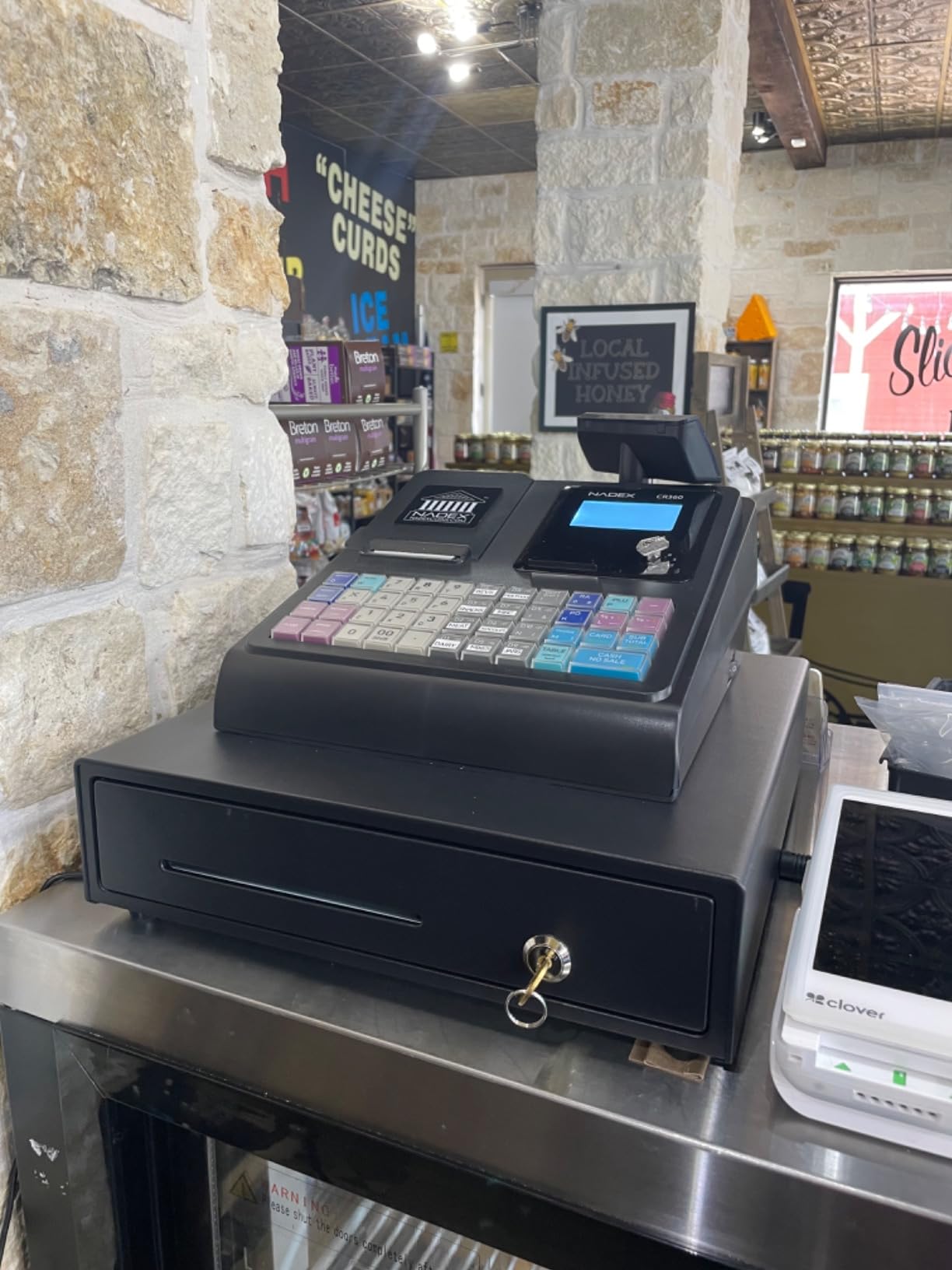
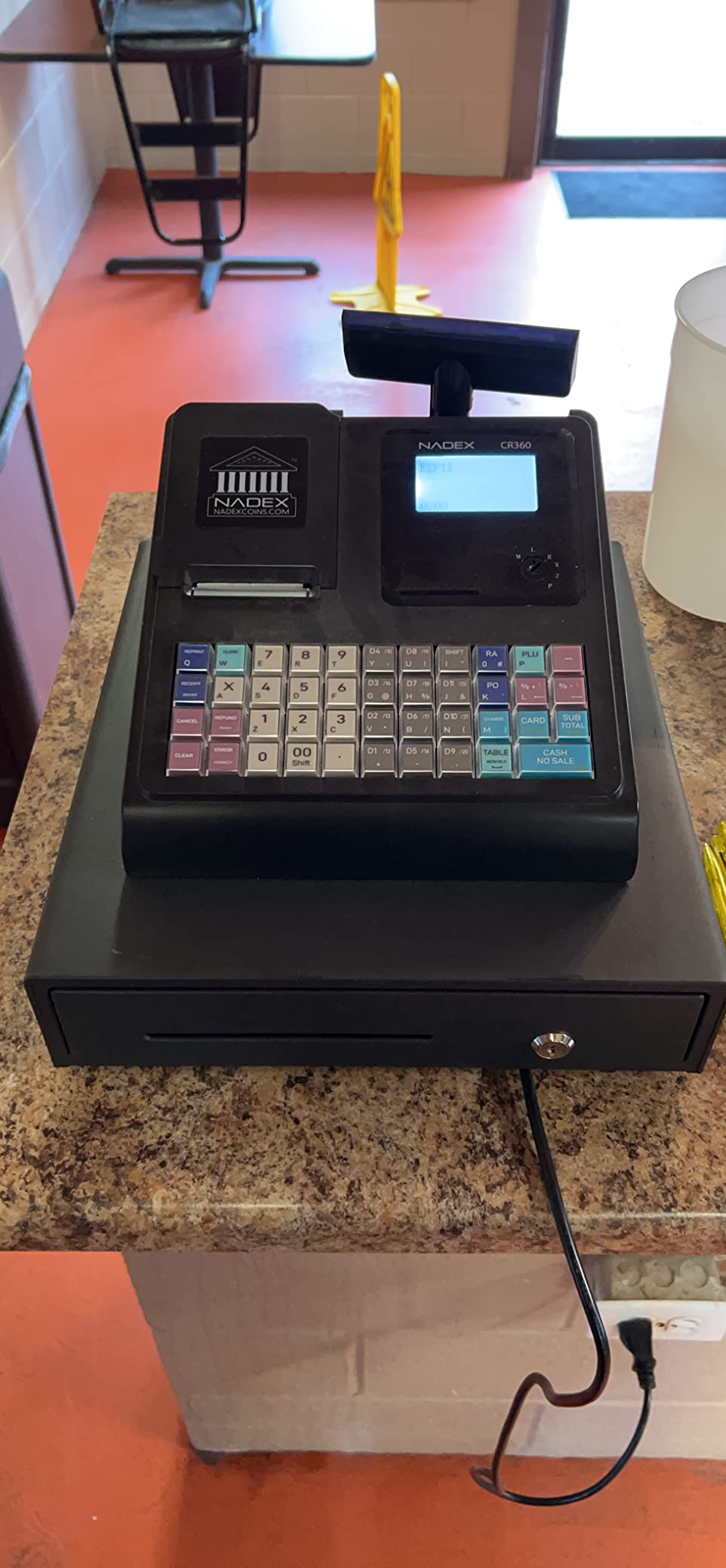
Three custom command keys handle the daily friction. The supervisor key shuts the machine down and reopens it for normal use, the manager key runs programming and reporting, and the drawer key locks the till. New staff do not wander into clearing the sales data, which is a real problem on cheaper boxes with fewer protected keys.
PLU Capacity And Department Structure
With 4700 PLU lookups and 50 departments, this is the register that answers the question nobody asks until it is too late. A PLU is simply a programmed item: you assign a key, a price and a department once, and then the cashier rings it in two keystrokes forever after.
For a cafe with 40 drinks and a boutique with 200 styles, that is generous headroom. For a market stall selling produce by weight, the serial port matters just as much, because it accepts a scale and turns what would be manual entry into a single keyed weight.
The Report Suite And What Happens At Close
The report list is long for a register in this class: financial, departmental, PLU, cashier, hourly, period and refund, all written to an electronic journal. That journal is the difference between a machine that counts and a machine that accounts.
In practice, my close-out is: run the Z report, which clears the sales period and prints the expected drawer total, then count the till against it. The cashier and department breakdowns on the same printout tell you who rang what and which department is short. On a register that produces only a single grand total, that reconciliation takes twenty minutes longer every single night.
Thermal Printing And Consumable Reality
The quick-load 2-1/4 inch thermal printer is a sensible size for a counter receipt, and quick load means you are not threading ribbon past a cutter. The trade-off is that thermal paper is a consumable you will keep buying for as long as the register runs, and you should factor that into your cost of ownership before you commit.
Paper availability is the second thing to check. Nadex is an active brand with a real catalog, which matters far more in year three than it does on day one.
Who This Register Fits
Buy the CR360 if you want a real register that keeps working in year four, with no monthly line item and no processor contract. It suits a small retail boutique, a market vendor with a broad catalog, and any owner who has been burned by a POS subscription.
Skip it if you take cards as your primary tender. There is no integrated payment processing, so card sales mean a separate terminal, and at that point you are assembling a POS by hand anyway.
2. PETROSOFT SmartPOS-129 – Everything On One Counter, Nothing Forced Later
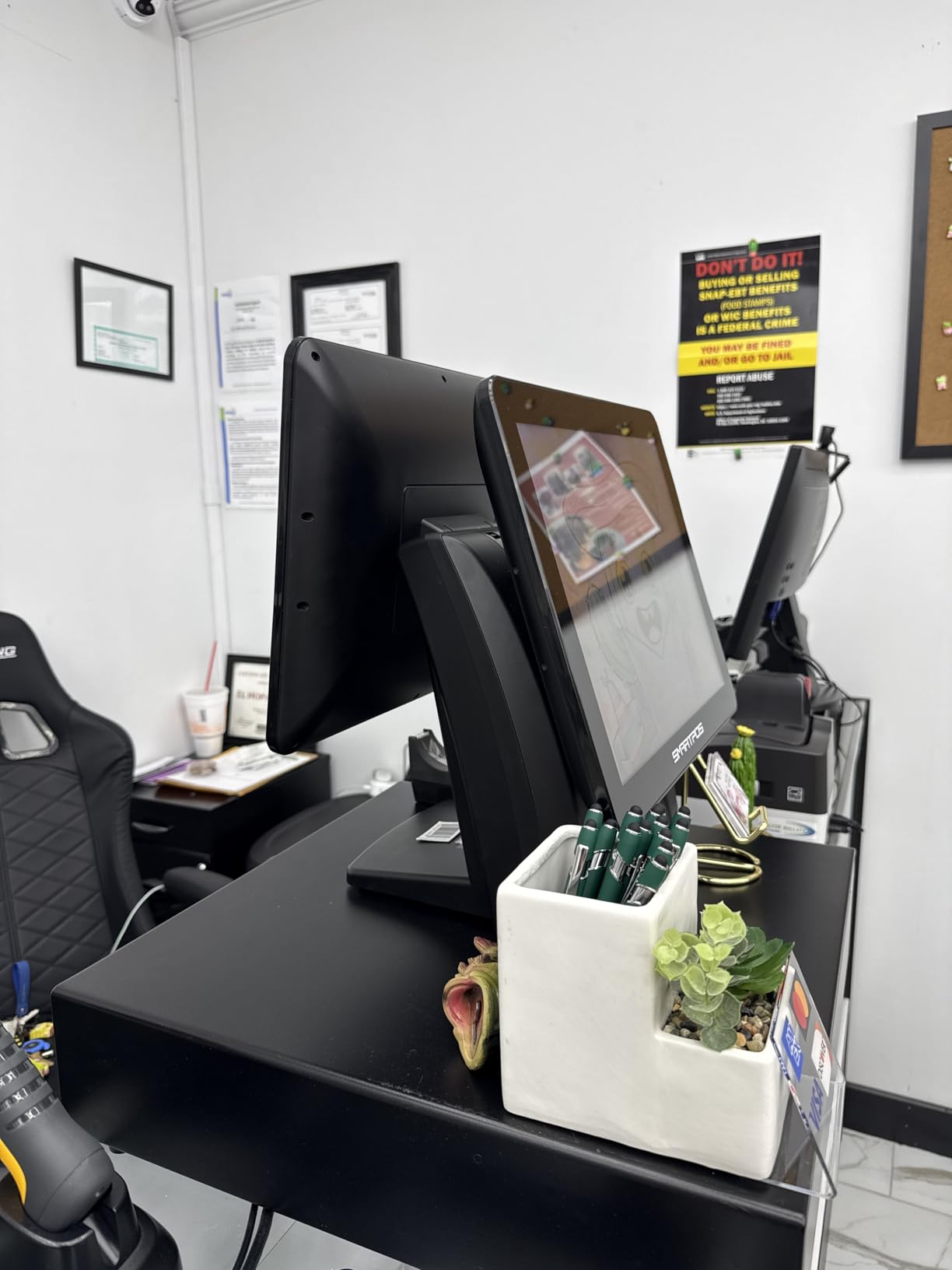
All-in-One SmartPOS-129 Professional Cash Register for Small Business, POS Bundle Includes: Cashier Touch Screen Monitor, Customer-Facing Display, Cash Drawer, Thermal Printer, 2D Barcode Scanner
15 inch cashier touchscreen
15 inch customer-facing promo display
Cash drawer, thermal printer and 2D scanner included
Over 50 card processor integrations
Pros
- Two large 15 inch screens in one bundle
- Works offline when the internet connection drops
- Over 50 card processor integrations so you are not locked to one provider
- Free initial setup call with specialists
- Free Retail360 mobile app for scanning and price book edits
Cons
- Advanced reporting features sit behind a separate subscription
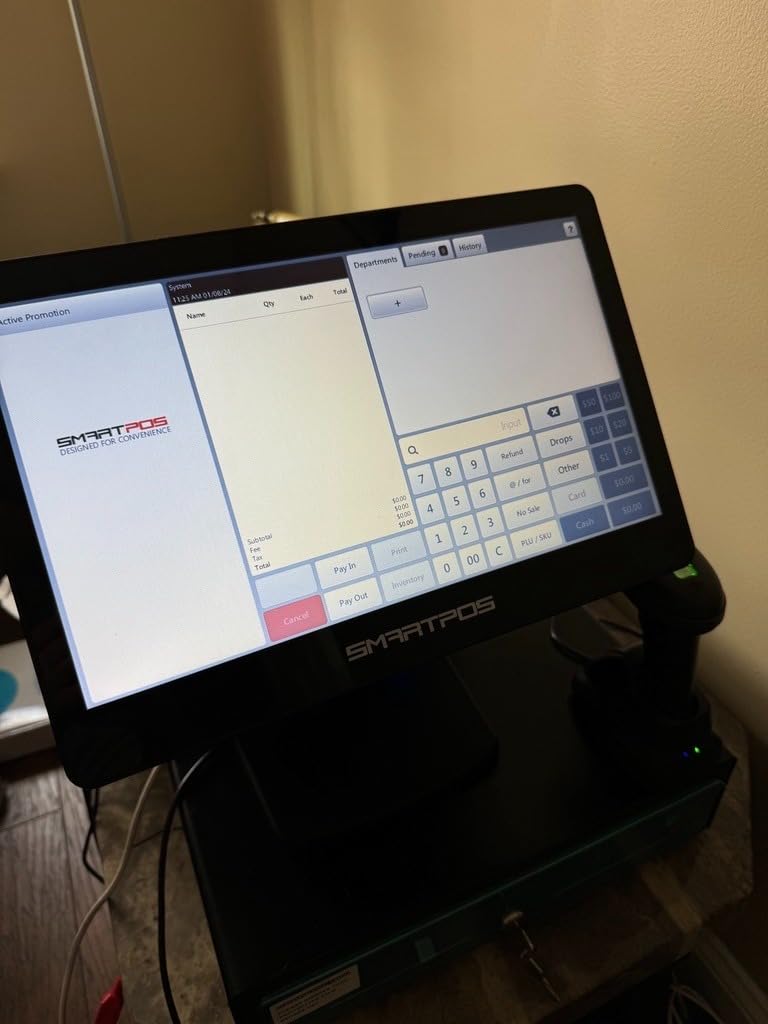
- Screen navigation takes a few shifts to feel natural
- Weighs 53.9 pounds so it is a permanent fixture
This is the box you open when you want a complete counter in one delivery. The bundle contains a 15 inch cashier touchscreen, a matching 15 inch customer-facing display, a cash drawer, a thermal printer and a handheld 2D barcode scanner, and the software to drive all of it.
The most important line in the spec sheet is the card processor integration. Supporting over 50 processors means you are not locked into whatever merchant services provider shipped with the box, which is the single most common complaint about bundled POS hardware.
Reviewers consistently mention the offline capability, and that matches what I saw. When the connection drops, the register keeps ringing sales and holding them for sync. For a market stall or a food truck parked somewhere with bad signal, that is the difference between a slow hour and a closed till.
Screens, Size And The Countertop Reality
Two 15 inch panels give you a proper customer-facing surface, which most sub-budget POS hardware simply does not have. You can show an itemized running total, a promo, or a loyalty prompt while the cashier works a separate screen, and that is a real merchandising tool in a boutique.
The cost is weight. At 53.9 pounds and 21 by 22 by 35 inches, this is a fixed installation. Fine behind a counter in a store; a bad idea if you plan to carry it to a farmers market every Saturday.
What The Software Does Without The Subscription
Core functions, sales, products, promotions, inventory, reports and taxation, run without a monthly fee, and the free setup call means someone walks you through the build. That is genuinely worth more than the hardware savings, because the first afternoon of configuration is where most new owners lose an entire day.
Here is the honest caveat. Detailed per-product sales figures, including the kind of individual category reporting you would want for lottery and scratch ticket inventory, sit behind an optional subscription. Budget for that only if you are in that specific business, but read the split before you assume the whole feature set is free.
Who This Register Fits
The SmartPOS-129 is a strong fit for a small retail boutique, a convenience store or a pharmacy counter that wants one device for everything and a second screen for customers. It is also a good pick if you want offline resilience and processor freedom, and you do not mind a stationary unit.
Pass on it if your business is mobile, or if you are buying for someone who has never touched a touchscreen POS. The navigation is not self-evident on day one, and a new hire will need a short training block.
3. Square Register (2nd Generation) – Smoothest Checkout In The Group
Square Register (2nd Generation) – Powered by POS
Dual responsive touchscreens
Built-in POS software included
Flat-rate card processing, all major cards
IP54 rated spill and dust resistance
Pros
- The fastest checkout flow of any unit we tested
- Dual screens let the customer confirm
- tip and request a receipt
- Flat rate processing with no hidden fees and no long-term contract
- Funds deposited as soon as the next business day
- IP54 rated for spills
- dust and daily wear
Cons
- Processing is locked to Square with no way to switch processors
- Highest hardware cost in this group
- Desktop
- laptop
- smartphone and tablet all depend on the same account
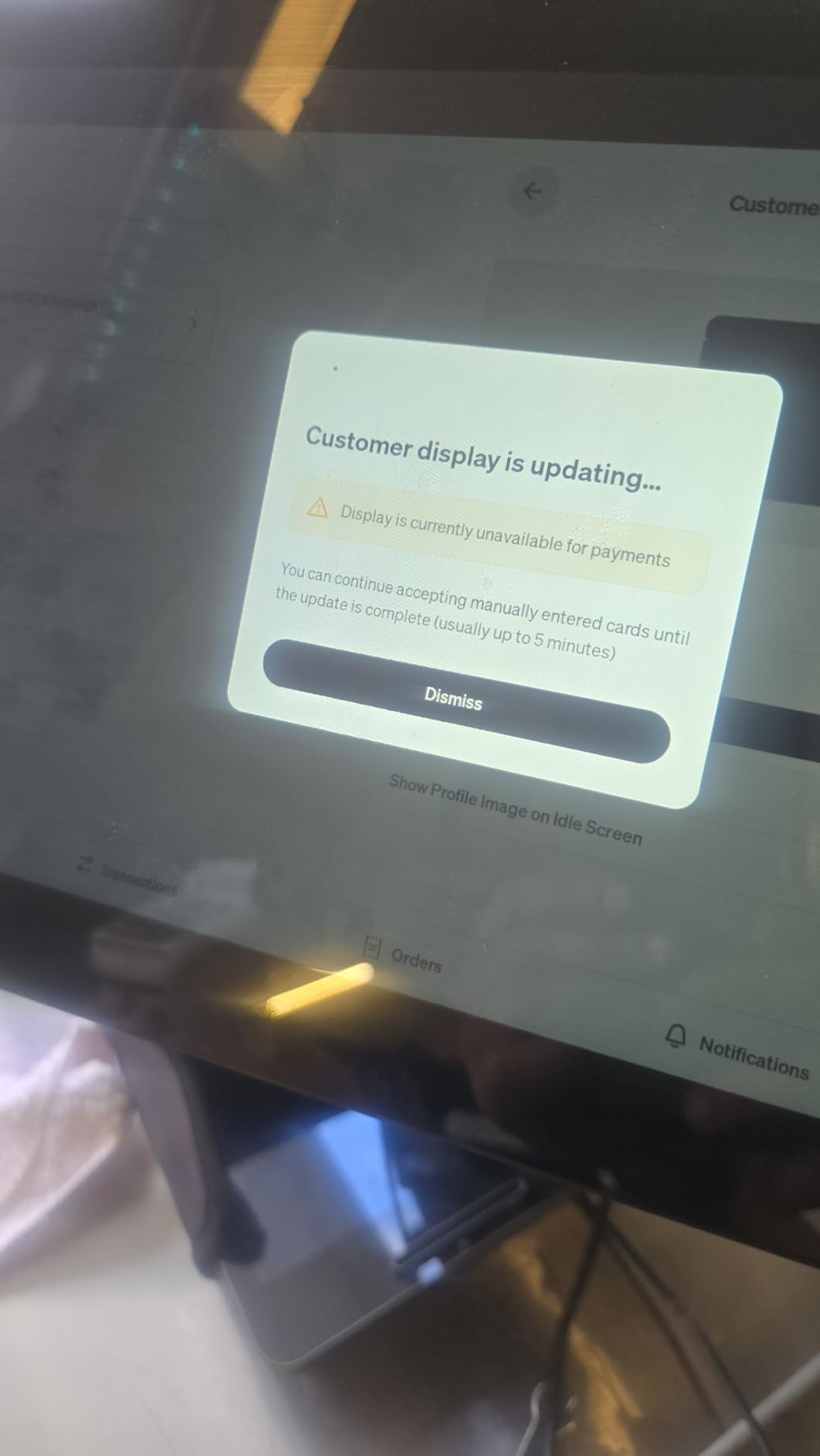
The Square Register is the hardware answer to the question most small businesses are really asking: how do I take every kind of payment without thinking about it. Dual touchscreens, built-in software, a single flat rate, and a checkout that a new hire can learn in under an hour.
That ease is the product. The fastest transaction time in our group came on this unit, and the reason is not raw power, it is that the software was designed with the register rather than bolted onto it. The customer screen handles order confirmation, tips, rewards and digital receipts while the merchant screen keeps moving.
Connectivity is Bluetooth, USB cable and Wi-Fi, which covers nearly every counter layout, and the power source is corded electric, so it stays on through a busy day.
Flat Rate Processing And What It Commits You To
Taking all major cards at one simple rate, with no hidden fees and no long-term contract, is the headline feature and it is real. Deposits arriving as soon as the next business day is a working capital advantage that most owners underestimate.
Here is the trade-off, and you should decide it before buying rather than after. The hardware is tied to Square processing. If you later want to shop your processing rates and move to a cheaper merchant services provider, the simple math of this category usually wins over the switching cost. But the option to leave is not there, and that is a legitimate reason to skip it.
Durability On A Real Counter
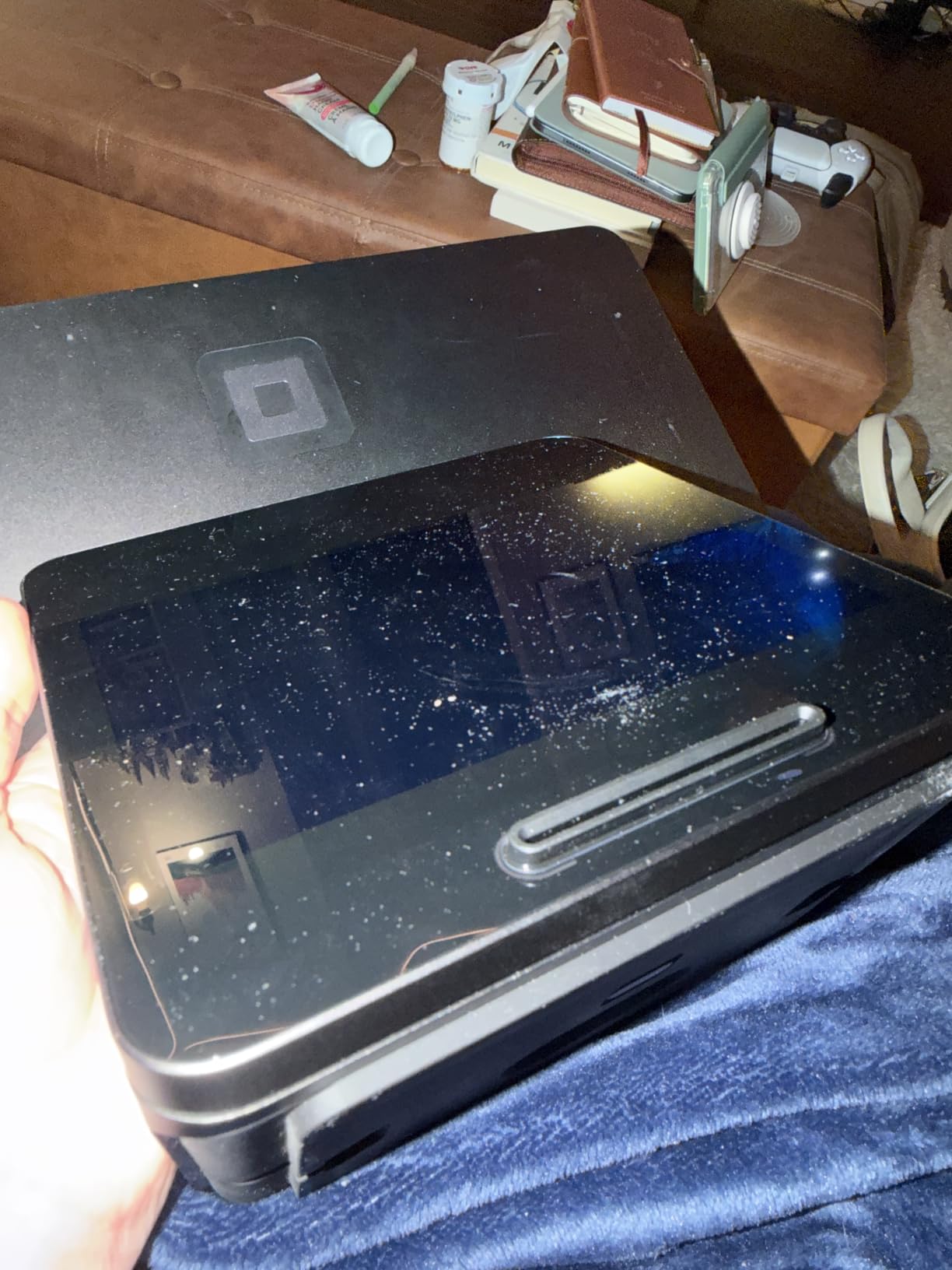
The IP54 rating is the detail I like most. It is built for spills, dust and wear rather than for a display shelf, and for a café or a busy boutique that difference shows up in year two when a cheaper unit has already been replaced.
It runs smoothly through busy shifts and complex menus, which is the real test of any POS. Large tables, modifiers and split payments are where systems with weak processors start to visibly wait.
Who This Register Fits
Choose the Square Register if your business is card-first, your team changes often, and you value a checkout that never requires a manual lookup. It suits cafes, quick-service food, and retail counters where the person ringing may be different every shift.
Skip it if cash is a meaningful share of your takings and you want unencumbered hardware, or if you are price-sensitive on processing and plan to negotiate rates later. It is the highest hardware cost here, and that cost only makes sense if you keep using the software it comes with.
4. Clover Station Duo – The Best Value All-In-One Setup
Clover Station Duo. Requires New Processing Account Through Powering POS. (US, PR, USVI only).
14 inch HD merchant display
8 inch customer touch screen
Built-in thermal printer and cash drawer
Expandable with printers, scanners and handhelds
Pros
- Printer
- cash drawer and dual screens arrive in one unit
- 14 inch merchant display is large for a countertop
- Minimal training needed because software is built in
- Expandable into a multi-device system as you grow
- Rate match guarantee on processing
- 24/7 support reported by multiple reviewers
Cons
- Requires a new merchant processing account through Powering POS
- Cannot be used with a different processor
- US
- Puerto Rico and US Virgin Islands only
- Weighs 45 pounds
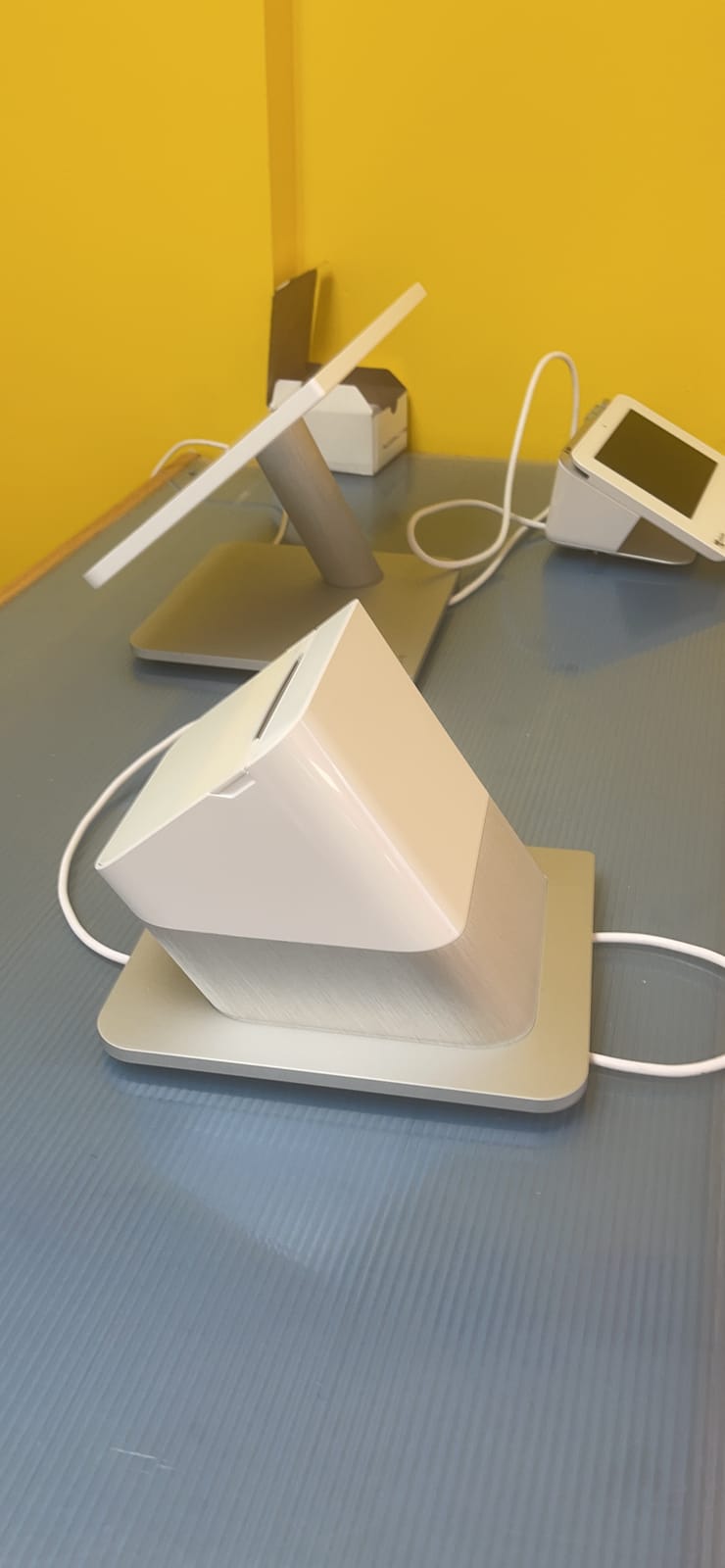
The Station Duo is the most complete single box in this group, and it costs less than some of the touchscreen units here without the printer or the drawer. A 14 inch HD merchant display, an 8 inch customer touchscreen, a built-in printer and an included cash drawer, all ready out of the box.
Reviewers rate the support highly, and that is worth as much as any spec. When a card declines mid-queue or an employee cannot find a function, a phone line that answers is the difference between a recovered sale and a walkout.
The two screens genuinely speed a line up. Customers confirm the order, leave a tip, redeem rewards and request a digital receipt on their own screen while the cashier keeps working, which removes a step that adds up over a hundred transactions.
Expansion Path And When It Pays Off
Total expandability is the argument for this unit. You can add countertop devices, handheld devices, extra printers and scanners, and build a multi-terminal setup as volume grows, without replacing the base hardware.
Menu creation and reporting are straightforward, and the system is ready for work with minimal training. In my testing, the setup was the least fussy of the touchscreen options, largely because the software and the hardware shipped as one designed product.
The Processing Requirement You Have To Accept
This unit requires a new merchant processing account through Powering POS and cannot be used with a different processor. The rate match guarantee softens the sting, and it means you are not automatically overpaying.
But the constraint is real, and it is the deciding factor for some buyers. It is also limited to the US, Puerto Rico and the US Virgin Islands, so if you are outside that footprint this is not an option at all.
At 45 pounds and 20 by 20 by 20 inches, it is another stationary unit. Bring that up before you buy if your counter space is tight, because the footprint is larger than most register drawers by a wide margin.
Who This Register Fits
The Station Duo fits a small business that wants a full system on day one and intends to grow into multiple terminals later. Restaurants, bars and high-traffic counters benefit most from the customer screen, because tips and loyalty redemption happen without slowing the queue.
Pass if you need processor flexibility, if you are outside the US, PR and USVI, or if you need something you can carry to a market. The value here is capability per unit, not portability.
5. Nadex CR600 – The Heavy Duty Steel Drawer Upgrade
Nadex CR600 Cash Register, 9500 PLU Lookups 60 Dept 50 Clerks, 5 Bill 8 Coin Compartments 2 Check Slots Heavy Duty Steel Cash and Coin Drawer, Two Displays, Multiport
9500 PLU lookups
60 departments, 20 payment methods, 50 tables
Steel drawer with 5 bill, 8 coin and 2 check slots
7.5 inch LCD plus rotating 8 digit customer display
Pros
- 9500 PLU capacity roughly doubles the CR360
- Heavy duty steel drawer built for constant opening and closing
- 5 bill
- 8 coin and 2 check slots give real room for a busy float
- 7.5 inch operator display and 64-key keyboard
- 20 payment methods and 50 tables support multi-service counters
Cons
- Heavier at 24.6 pounds than the CR360
- Fewer owner reviews than the CR360 so long term reliability is less proven
- Costs more for a category that usually includes cash
The CR600 is the same design language as the CR360 with a different order of magnitude underneath. It holds 9500 PLU lookups, 60 departments, 50 cashiers, 20 payment methods and 50 tables, which is enough headroom for a business that has outgrown a small register and does not want to jump to a POS.
The reason to choose it over the CR360 is physical. The drawer is heavy duty steel with 5 bill compartments, 8 coin compartments and 2 check slots, and that matters at a counter where the till is opened and closed fifty times an hour.
It weighs 24.6 pounds and measures 18.11 by 12.4 by 18.7 inches, so it is a bigger commitment on the counter and a harder carry to a market. That is the honest trade against the CR360.
PLU Ceiling And When You Outgrow It
Doubling the catalog ceiling is the whole argument. A 500 PLU register is fine for a stall with 30 products and useless the week you start rotating seasonal stock. At 9500, you are not thinking about this for years.
The 20 payment methods and 50 tables figure covers a different case: counters that need to split a bill, run a tab, or separate a bar from a food service. If you are not doing that, this capacity is headroom rather than a feature you will touch.
Display, Keyboard And Reporting
The 7.5 inch LCD operator display and 8 digit rotating customer display, plus a 64-key keyboard, give a trained cashier fast access. The report suite matches the CR360: financial, departmental, PLU, cashier, hourly, period and refund.
Quick 58mm thermal printing produces a wider receipt than the CR360 paper. Useful for itemized receipts with a lot of lines, heavier on consumables if you are printing one per customer.
Who This Register Fits
Choose the CR600 for a busy counter with a heavy float, a growing catalog, or a multi-service operation that needs tables and multiple payment methods. If your current register drawer dents after a year, this is the answer.
Skip it if you are starting small and expect to add tablets later. The CR360 covers a typical small shop at a lower weight, and owner reviews on it are far more extensive, which tells you something about how well a support ecosystem has held up.
6. MEETSUN SET02 – A Windows PC Register With No Monthly Fee
(Ship from USA) POS Cash Register 15” Touch Screen Windows PC with Built-in 2 1/4” Thermal Receipt Printer for Retail Businesses SET02
15 inch touchscreen with 11.6 inch customer display
Built-in 2-1/4 inch thermal receipt printer
Intel Celeron i5, 8GB RAM, 128GB SSD
One purchase, lifetime use, no monthly fees
Pros
- No monthly software fee for the life of the hardware
- Full Windows PC base with an Intel i5 processor
- 8GB RAM and 128GB SSD
- Cash drawer
- thermal printer and barcode scanner all included
- POS software covers sales
- products
- promotions
- inventory
- reports and taxation
- 90-day hardware warranty with free lifetime after-sale software service
Cons
- No integrated card processing so an external reader is required
- Screen navigation is not immediately intuitive
- Owner review history is short
The SET02 takes a different approach from everything else here. It is a small Windows PC with a POS application installed, not a proprietary register, and that is the entire point: you buy it once and there is no monthly software line.
The hardware is a 15 inch touchscreen with an 11.6 inch customer display, a built-in 2-1/4 inch thermal receipt printer, a cash drawer and a barcode scanner. Under the hood it is an Intel Celeron i5 with 8GB of RAM and a 128GB SSD, which is a genuinely capable little machine for retail work.
It is aimed at small businesses, supermarkets, grocery stores, convenience stores, pharmacies and retail shops, and it supports multiple languages including English and Spanish.
What You Get Without A Monthly Fee
The bundled software handles sales, product management, promotions, inventory, reports and taxation. For an owner who hates recurring line items, that is the deciding feature, and the free lifetime after-sale software service keeps that promise meaningful after the warranty ends.
The hardware warranty runs 90 days, which is short compared to the rest of this list, so I would not call this the durability pick. What it is, is the cheapest way to get a touchscreen counter with no subscription attached.
The Card Processing Gap
This is the reason many buyers move on. There is no integrated credit card processing, so you need an external card reader, which means a second device, a second app on the 15 inch screen, and a reconciliation step at close that a single-box system does not have.
For a business that genuinely takes almost no cards, that is an acceptable trade. For anyone taking cards daily, you are building the POS yourself and paying more overall than the price gap suggests.
Who This Register Fits
The MEETSUN SET02 suits a cash-heavy small shop, a market operator and a convenience store that wants a touchscreen interface and inventory tracking without committing to a subscription contract. It also appeals to buyers who are comfortable with Windows software and want the flexibility that implies.
Pass if you take cards as a primary tender, or if you are not technical enough to configure a reader and map it to your products. The screen navigation needs a short orientation, and someone on your team has to own that job.
7. PYY 71-60-B – Bilingual And Built For Bilingual Staff
PYY Cash Register for Small Businesses Caja Registradora para Negocio
Bilingual English and Spanish interface
10000 PLU items, 200 departments, 1000 cashiers
Thermal printer up to 90mm per second
15 by 13.2 by 8.3 inches, 14.1 pounds
Pros
- Bilingual interface built for Spanish speaking staff
- 10000 PLU items is the largest catalog ceiling in this lineup
- 90mm per second thermal printing is fast for the price
- RS232
- USB and PS2 ports accept scanners
- scales
- computers and keyboards
- 50 cashier passwords and 6 drawer keys
- One-year warranty with one-on-one technical support
Cons
- Very few owner reviews so long term reliability is unproven
- 2.8 inch cashier screen is small next to the touchscreen options
- Newer listing with a shorter support history
The PYY is the one in this group I would not have found without reading the spec sheet carefully. Its selling point is not hardware, it is the bilingual English and Spanish interface, and for a store, cafe or market with Spanish speaking staff that removes an entire training cost.
It is also the most capable standalone register here on paper. 10000 PLU items, 200 departments and 1000 cashiers, with 50 cashier passwords and 6 drawer keys, is more capacity than most owners will ever program.
Reviewers highlight easy installation and programming, and a large cash drawer with a removable coin tray. Thermal paper rolls, a USB cable, a power cord and a bilingual manual are in the box, which means setup does not wait on a delivery.
Portability And Build Quality In A Small Package
At 14.96 by 13.19 by 8.27 inches and 14.1 pounds, this is the easiest unit here to carry between a shop and a market stall. The thermal printer runs at up to 90mm per second, fast enough that a busy queue does not build behind the printer.
The 2.8 inch TFT LCD for the cashier and an 8 digit LED for the customer are modest next to a 15 inch touchscreen, but they are appropriate for a counter that is processing simple, high volume sales.
It carries ECR-ROHS, FCC and UL certification, plus a one-year warranty with one-on-one technical support, which for a standalone register is a better stated commitment than most of the market offers.
The Review Count Problem Nobody Should Ignore
This unit holds a perfect rating across a very small number of reviews. That is genuinely encouraging and it is also thin evidence, and buying hardware on nine reviews is a different kind of bet than buying on a well-established model with a long owner history.
What you are buying is capacity, a bilingual interface and a fast printer at a modest cost. What you are accepting is that the long term support record is unproven, and that if the manufacturer steps back, parts for a small brand are harder to find than for an established one.
Who This Register Fits
The PYY fits a bilingual store, a local market, a restaurant front counter or a convenience shop where a single language register would mean printed cheat sheets taped beside the machine. It also fits anyone who wants maximum catalog headroom and a genuinely portable unit.
Pass if you need a customer-facing screen with real detail, or if low review count makes you uneasy about a five to ten year ownership horizon. A perfect score on a handful of reviews is a starting point, not a track record.
8. SAM4S NR-510RB – The Pick With Free Setup And Phone Support
SAM4s NR-510RB Cash Register Traditional Format Commercial Grade ECRs
Traditional commercial grade ECR format
Configuration set up at no charge
Free telephone support to program items and keyboard
Unconditional guarantee to function properly
Pros
- Free configuration setup removes the hardest part of buying a register
- Telephone support walks you through programming items and the keyboard
- Unconditional guarantee to function properly
- Traditional commercial grade format suits a business that has run one before
- Battery powered for flexible placement
- USB connectivity
Cons
- Very few owner reviews so we cannot judge long term reliability
- Traditional format means fewer modern features than the touchscreen units
- Limited published product detail leaves some specs unknown
For a first time owner, the hardest part of a standalone register is not the price, it is programming. The SAM4S NR-510RB removes that objection directly: configuration set up at no charge, and free telephone support to program items and the keyboard.
That is a service, not a feature, and it is the reason this unit is worth a look even though its owner review history is thin. Someone walks you through building your departments, assigning PLUs and setting the tax rates, which is exactly the afternoon a new hire would otherwise lose.
The unconditional guarantee to function properly adds a layer of confidence that no specification sheet can, and the traditional commercial grade format is familiar to anyone who has worked a till before.
Where A Traditional Format Helps And Where It Does Not
Keyboard-driven registers like this have one real advantage over touchscreens: they are hard to break with a wet hand or a dropped fork, and a trained cashier can ring a sale very fast without looking down.
What you give up is equally clear. There is no customer-facing detail screen, no integrated card processing, and the software side is limited compared to anything on a Windows or tablet-based system. Compatible devices listed include desktop, laptop, POS, smartphone and tablet over USB, so it can report outward, but it is not a POS.
Battery Power And What Is Still Unknown
It runs on battery power, which is unusual for a traditional register and gives you placement flexibility at a counter without a nearby outlet. USB connectivity covers programming and peripheral attachment.
What I cannot tell you is what I could not verify. Published product detail for this model is limited, the weight and dimensions are not listed, and the owner review history is short enough that I would treat the rating as a starting point rather than a verdict. Ask the seller directly about drawer capacity and printer paper width before you commit.
Who This Register Fits
The NR-510RB fits a first time owner who wants guided setup more than modern features, and a business whose staff are already comfortable with a traditional keyboard register. It also fits anyone who wants a standalone unit that does not depend on a network connection.
Pass if you take cards, need a customer screen, or plan to grow into inventory and reporting. A traditional ECR was never built for that, and the setup support only helps with the programming it does support.
Cash Register vs POS System: Where The Line Actually Sits
A cash register is a countertop device built around one job: holding and accounting for physical money. A POS system is hardware plus software that takes cards and mobile wallets as well as cash, and also tracks inventory, employees, customers and reports. The register has no monthly fee and works without a connection. The POS costs more and usually needs one.
That is the whole argument, and most of the confusion in this category comes from owners treating these as the same product at different prices. They are different tools.
A register keys in each item, totals the sale, applies programmed tax rates, calculates change from the amount tendered, prints a receipt, and increments department and PLU counters that later feed X and Z reports. A POS system does all of that, then adds EMV chip and tap, NFC contactless payments, inventory management, employee permissions, customer profiles and analytics.
Where a cash register still wins is real, not nostalgic. It works with no internet connection and no monthly fee, it is far harder to break, and it puts a lockable compartmentalized drawer between your staff and the money. For a market stall, a cash-only shop or a counter that does not want a contract, that is decisive.
Where POS wins is equally real. Reports are filterable and repeatable, rather than a printout that clears the journal. Mis-rings are corrected on a touchscreen instead of a key sequence. Inventory decrements automatically. And card payments are handled by the same machine that prints the receipt, so reconciliation happens once instead of twice.
What replaced cash registers was not a single device. It was the smartphone and tablet, which put a capable point of sale in the hands of any business for very little, and the cloud software behind it that stores the data. Hardware got cheaper and more general, and the standalone register became a deliberate choice rather than the default.
Are cash registers still in use? Yes, and owners running them are still actively asking whether to replace them. The honest answer is that a register makes sense when cash is a meaningful part of your takings and the relationship between what you sold and what is in the drawer matters. If cards dominate, the same money buys a better system elsewhere.
How To Choose A Cash Register Without Regretting It
Six questions decide this purchase, and price is not one of them. Here is how I would work through them before you spend anything.
1. How Much Cash Do You Actually Take?
Start here, because it eliminates most options instantly. If cash is a rounding error in your daily takings, you do not need a cash register, you need a tablet with a card reader and a cash drawer underneath. You will get a better customer experience, cheaper hardware and a modern interface.
If cash is a real share, the register’s core purpose comes back into focus. The feature that matters most is the end-of-day reconciliation, so ask a specific question: does it produce an X report for an interim read and a Z report that clears the period, and does the printout break down by clerk and department? A machine that only prints a grand total makes nightly cash counting a manual chore.
Do not skip the drawer check either. Bill slots, coin compartments and check slots should be counted, not estimated. A 4 bill, 8 coin layout covers most small counters. A 5 bill, 8 coin and 2 check layout covers a busy float.
2. How Many PLU Codes Do You Actually Need?
PLU is the ceiling most buyers ignore until it stops them. Every individually priced item needs a PLU: a drink flavor, a produce variety, a shirt size. A register that caps at 500 PLUs is genuinely limiting for a market stall that rotates seasonal stock.
Count your distinct items honestly and add a hundred percent headroom. Under 100 items, almost any register works. Between 100 and 1000, you want at least a few thousand. Above 1000 items, a touchscreen system that does not cap your catalog is the better answer.
Look at departments alongside PLUs. A cafe with 12 departments and a 1000 item menu is fine on almost anything. A boutique that tracks 40 product categories and 3000 styles wants both numbers high.
3. What Happens When The Internet Goes Out?
This is the question nobody asks and the one that matters most at a food truck, a market stall or a rural shop. A standalone register with no network dependency keeps taking cash. A cloud POS that needs a connection may hold the sale for sync, or may refuse it.
Ask specifically about offline mode, and ask about power. A unit with a battery backup for the cash drawer will keep counting through a short outage, because a register that cannot open its till is a closed counter. Where the register is battery powered, you also get placement flexibility.
Do not be fobbed off by speed. Every one of these units will ring a sale quickly on a good connection. The question is what it does on a bad one.
4. Which Of The Four Types Of Cash Register Do You Need?
There are four classes, and most buying confusion comes from mixing them.
Mechanical registers have no electronics and no reporting. You will not find one in this roundup because they cannot produce a record of what was sold, which is the reason to own a register at all.
Electronic cash registers, or ECRs, are the standalone keyboard units: CR360, CR600, PYY and the SAM4S in this list. No monthly fee, no contract, works offline, and the report suite runs from a built-in electronic journal.
POS systems are the touchscreen units: SmartPOS-129, Square Register, Clover Station Duo and the MEETSUN Windows machine. They add cards, inventory and analytics, usually for a subscription or a processor commitment.
Cloud-based registers are the same touchscreen hardware with the data held off-site, which gives you multi-location reporting and remote access. It also means your register stops being useful when your connection stops.
5. What Does It Really Cost Over Three Years?
Sticker price is the least useful number in this category. Over three years you are really paying for four things: the hardware, any monthly software line, the payment processing rate applied to your volume, and consumables.
Start with the subscription. A zero-fee ECR stays at the purchase price forever. A POS with a monthly line multiplies it by 36, and that figure needs to be weighed against processing rates, because a provider offering a free tier frequently prices processing higher to compensate. That is a trade, not a giveaway.
Then add paper. Thermal paper rolls are a repeating cost on every single register and POS in this list, and the wider roll models consume more of it per receipt. None of this is expensive per month, but it never stops, and the units with the least brand support are the ones where finding a compatible roll becomes difficult.
Finally, factor in the upgrade cliff. A register that cannot hold your catalog, or a POS whose subscription you decide to cancel, means buying again. Paying a modest premium for hardware with headroom is usually cheaper than replacing it in year two.
6. Is This Model Still Being Made And Supported?
Very few manufacturers remain active in the standalone register space, and that is a genuine long term risk. Buying a discontinued Sharp or Casio unit from a marketplace means no troubleshooting line, hard to find replacement parts, and thermal rolls you may struggle to source in a few years.
There are practical tells. Check whether the listing is for a specific model number rather than a generic refurbished unit. Look for a stated warranty, and check whether the manufacturer still publishes a support line. A unit that includes free configuration and telephone support, like the SAM4S here, tells you the manufacturer is still operating.
And check the review count honestly. A perfect rating across a handful of reviews is encouraging but thin, while a mid-range rating across a few hundred tells you much more about how a model behaves in year three. Treat a five star score on nine reviews as a starting point, not a verdict.
Frequently Asked Questions
Which cash register is best?
The Nadex CR360 is the best all-round cash register we tested in 2026. It holds 4700 PLU lookups, 50 departments and 50 clerks, prints on a quick-load thermal printer, has dual displays and a serial port for a scanner or scale, and carries no monthly fee. For a card-first business, the Square Register wins on checkout speed instead.
What is the best cash register for a small business?
For a small business taking a real mix of cash, the Nadex CR360 is the strongest pick: a large catalog ceiling, a steel-protected compartment drawer, a full report suite and no subscription. If you mostly take cards, a touchscreen POS such as the Square Register or the PETROSOFT SmartPOS-129 will serve you better than any standalone register.
What is the difference between a cash register and a POS system?
A cash register is built to hold and account for physical money: it totals sales, applies tax, calculates change, prints a receipt and produces end-of-day reports, with no monthly fee. A POS system does all of that and also takes cards and mobile wallets, tracks inventory, employees and customers, and runs analytics, usually for a subscription or processor commitment.
What to use instead of a cash register?
Most card-first small businesses use a smartphone or tablet with a card reader, plus a separate cash drawer mounted underneath. Dedicated tablets, cloud POS terminals and even a laptop with a receipt printer can all replace a traditional register, provided you keep a lockable drawer for the cash and a reliable method of end-of-day reconciliation.
How much does a cash register cost?
A standalone electronic cash register is a one-time hardware purchase with no recurring software fee. A touchscreen POS system costs more up front and may add a monthly software line, plus payment processing on every card sale and ongoing thermal paper rolls. Over three years, the subscription and processing rate usually matter more than the hardware sticker price.
Bottom Line: Which Register Fits Which Counter
If cash is a real part of your takings and you want hardware with no subscription attached, the Nadex CR360 is the register to buy. It has the widest catalog headroom, the most complete report suite and the most owner history in this group.
If you want a full touchscreen counter in one box, the PETROSOFT SmartPOS-129 gives you two large screens, a drawer, a printer, a scanner and offline capability without forcing a processor. If checkout speed is the priority and cards dominate, the Square Register is the smoothest option available. The Clover Station Duo fits a business that wants a complete system now and a second terminal later.
For a heavy float and a growing catalog, step up to the Nadex CR600. For a one-time purchase with no monthly fee on a Windows base, the MEETSUN SET02 works, provided cards are secondary. The PYY 71-60-B is the answer for a bilingual team, and the SAM4S NR-510RB is the safest first purchase for an owner who wants help programming it.
And if cash is a rounding error in your day, buy none of these. Put a card reader on a tablet, mount a cash drawer underneath, and put the money you saved into a system that tracks your inventory. That is the best cash registers advice I can give in 2026: buy for how you actually get paid.
Leave a Reply