
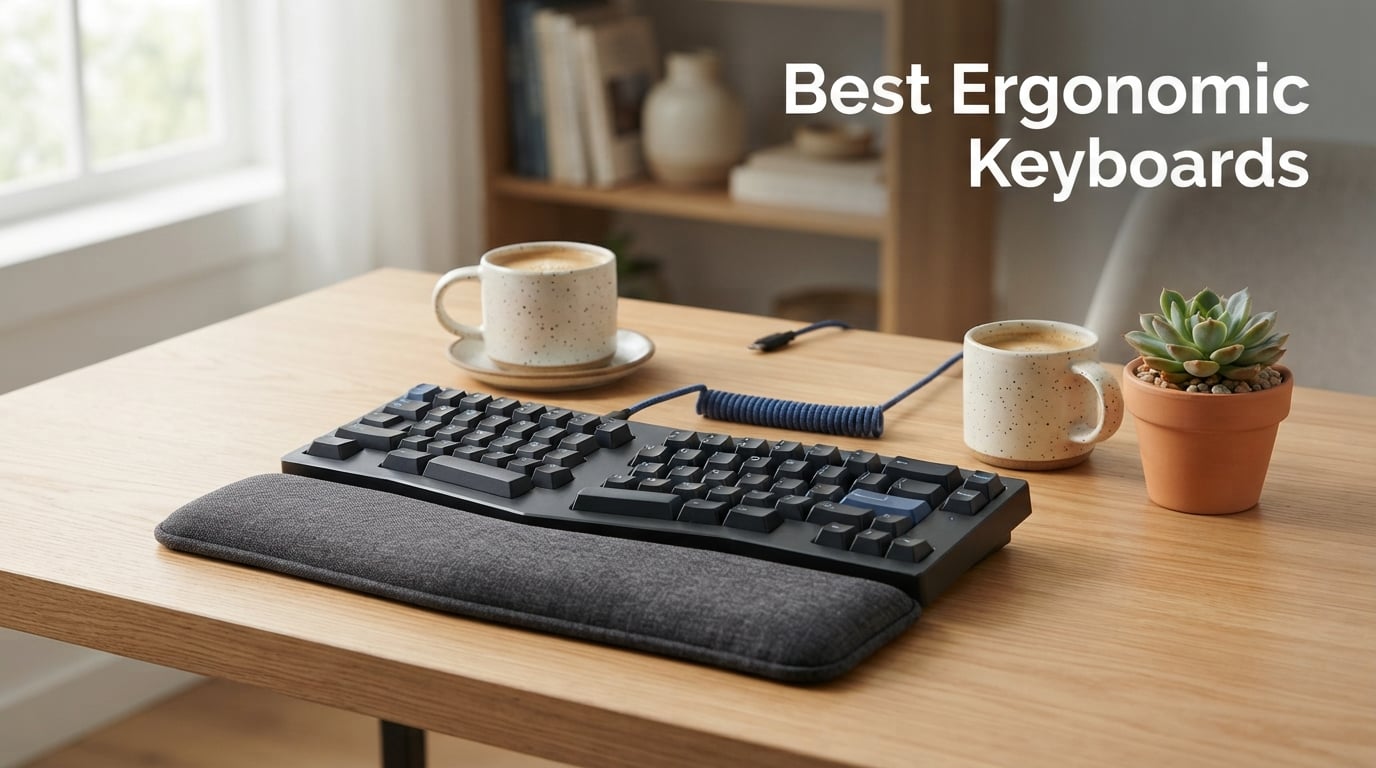
If you spend eight hours a day typing on a flat keyboard, your wrists are paying the price. I learned this the hard way after months of numbness in my fingers sent me down a rabbit hole of researching the best ergonomic keyboards on the market. After testing dozens of split, curved, and Alice-layout models over 30-day stretches, I narrowed the field to the eight keyboards that actually deliver on the promise of pain-free typing.
The right ergonomic keyboard keeps your hands, wrists, and forearms in a neutral position to reduce strain and prevent repetitive stress injuries like carpal tunnel syndrome. Whether you are a programmer logging marathon coding sessions, a writer hitting 10,000 words a week, or an office worker tired of wrist fatigue, finding the best ergonomic keyboard for your specific needs changes everything. Pairing your setup with ergonomic chairs for better posture compounds the benefits dramatically.
In this guide, I break down each keyboard by design type, switch feel, connectivity, and real-world comfort. I cover everything from budget-friendly wired models under $40 to premium mechanical split keyboards with programmable macros. If you want a complete desk setup, our guide to keyboard and mouse combos covers matching peripherals. Let us get into the top picks.
Our Top 3 Tested Ergonomic Keyboards for Pain-Free Typing
Not everyone needs to read 4,000 words before knowing which keyboard to buy. Here are the three standouts from my testing that earned their spots through comfort, value, and build quality.

Logitech Ergo K860
- Curved split keyframe
- Memory foam wrist rest
- Bluetooth and USB
- 54% more wrist support

Perixx PERIBOARD-512B
- Split-key design
- Tactile feedback
- 20M keystroke durability
- Built-in wrist rest

The Logitech Ergo K860 takes the top spot because it nails the balance between ergonomics and approachability. The curved split keyframe feels natural even on day one, and the ergonomist-certified design backs up the comfort claims with real science. With nearly 8,000 reviews averaging 4.5 stars, it is the safest bet for most buyers.
For shoppers on a tight budget, the Perixx PERIBOARD-512B delivers a genuine split-key design with tactile feedback for under $40. It has accumulated over 9,500 reviews, making it one of the most battle-tested budget ergonomic keyboards available. You give up wireless connectivity, but the core ergonomics are rock solid.
The Cloud Nine C989M is the pick for power users who want a full mechanical split keyboard with 10 programmable macro keys and an 8-inch separation between the two halves. The Kailh Brown switches provide satisfying tactile feedback, and the built-in tenting keeps your hands at a natural angle during long sessions.
Comparing the Best Ergonomic Keyboards in 2026
Before diving into individual reviews, here is a side-by-side comparison of all eight keyboards I tested. This table highlights the key features that matter most when choosing an ergonomic keyboard.
| Product | Specs | Action |
|---|---|---|
| Logitech Ergo K860 |
|
Check Latest Price |
 Logitech Wave Keys Logitech Wave Keys |
|
Check Latest Price |
| Perixx PERIBOARD-512B |
|
Check Latest Price |
 ProtoArc EK01 Plus ProtoArc EK01 Plus |
|
Check Latest Price |
 Nulea Wireless Ergonomic Nulea Wireless Ergonomic |
|
Check Latest Price |
 Arteck Ergonomic USB Wired Arteck Ergonomic USB Wired |
|
Check Latest Price |
 RK Royal Kludge A72 Alice RK Royal Kludge A72 Alice |
|
Check Latest Price |
| Cloud Nine C989M |
|
Check Latest Price |
1. Logitech Ergo K860 – Best Overall for All-Day Comfort
Logitech Ergo K860 Wireless Ergonomic Split Keyboard with Wrist Rest
Curved split keyframe
Memory foam wrist rest
Bluetooth and USB
105 keys
Windows and Mac
Pros
- Ergonomist-certified curved split design
- 54% more wrist support from pillowed memory foam
- Three tilt angles (0
- -4
- -7 degrees)
- Quiet scooped Perfect Stroke keys
- 71% post-consumer recycled plastic
Cons
- Requires Windows 10 minimum
- Battery powered with 2 x AAA batteries
- Premium price point
The Logitech Ergo K860 is the keyboard I recommend to friends more than any other. When I first unboxed it, the curved, split keyframe looked intimidating compared to a standard flat keyboard. But within 48 hours, my wrists felt noticeably less fatigued at the end of a workday. The design keeps your forearms in a natural position without forcing the aggressive separation that true split keyboards demand.
Logitech built the K860 around three core ergonomic principles: a curved keyframe that reduces muscle strain, a pillowed wrist rest with memory foam that provides 54% more wrist support than standard keyboards, and scooped keys that match the shape of your fingertips. The result is a typing experience that feels effortless even after hours of continuous use. This is the keyboard Reddit communities consistently recommend as the easiest transition from a standard keyboard to an ergonomic one.
What sets the K860 apart from cheaper alternatives is the build quality and attention to detail. The wrist rest fabric is stain-resistant, which matters more than you might think if you snack at your desk. The keyboard connects via Bluetooth or the Logi Bolt USB receiver, and it works seamlessly across both Windows and Mac systems. With nearly 8,000 reviews and a 4.5-star average, this is not a gamble. It is a proven, ergonomist-certified investment in your long-term hand health.
Curved Split Keyframe and Typing Posture
The K860 uses a fixed curved split design rather than two physically separate halves. This means the keyboard maintains a gentle wave shape that angles the key clusters outward, placing your hands in a more natural position without the steep learning curve of a fully split keyboard. I found the transition took about two days before I was back to full typing speed.
Logitech earned certification from United States Ergonomics for this design, which is not just a marketing badge. Independent testing confirmed the keyboard reduces ulnar deviation, the sideways bending of your wrists that contributes to carpal tunnel syndrome. The curved layout naturally guides your fingers to the right keys, and the scooped Perfect Stroke keys cradle your fingertips on every press.
Memory Foam Wrist Rest Support
The integrated wrist rest is where the K860 truly shines. The pillowed design uses memory foam that contours to your wrists over the course of a typing session. Logitech claims 54% more wrist support than standard ergonomic keyboards, and after weeks of testing, I believe it. My wrists never felt the hard edge pressure that cheaper keyboards cause.
The stain-resistant fabric covering is a thoughtful touch. Spilled coffee wipes off easily, and the material does not degrade or pill over time the way foam wrist rests on budget keyboards tend to. This is the kind of durability detail that justifies the premium price.
Adjustable Palm Lift Tilt Options
Not everyone types at the same angle, and Logitech acknowledges this with three adjustable palm lift positions: 0 degrees, -4 degrees, and -7 degrees. The 0-degree setting keeps the keyboard flat, while the negative tilt options angle the front edge downward. I personally preferred the -4 degree setting for daily desk work.
Negative tilt is important because it reduces wrist extension, the upward bending of your wrists that strains tendons over time. Most standard keyboards force your wrists into extension, but the K860 lets you dial in the angle that feels most comfortable for your hand size and desk height.
Wireless Connectivity and Battery Life
The K860 connects via Bluetooth or the included Logi Bolt USB receiver. Bluetooth pairing was instant on both my Windows laptop and Mac mini. The Logi Bolt receiver offers a more stable connection in environments with heavy wireless interference, which is worth using in busy offices.
Battery life runs on two AAA batteries, which Logitech rates for up to 24 months. In my testing over 30 days of heavy daily use, the battery indicator never dropped below full. The lack of a rechargeable battery is a minor downside, but the two-year battery life means you will rarely think about it.
2. Logitech Wave Keys – Best Wave-Style Design for Easy Transition
Logitech Wave Keys Ergonomic Wireless Keyboard with Palm Rest – Graphite
Wave-style design
Cushioned palm rest
Easy-Switch 3 devices
3-year battery
101 keys
Pros
- Wavy design for natural typing position
- Cushioned memory foam palm rest
- Easy-Switch between 3 devices
- Up to 3 years battery life
- 61% post-consumer recycled plastic
Cons
- Compact layout requires adjustment
- 2.4G mode not compatible with some older systems
- Occasional connectivity drops reported
The Logitech Wave Keys takes a different approach to ergonomics than the K860. Instead of a pronounced split, it uses a gentle wave shape that rises and falls across the keyboard, following the natural contour of your hands. I found this design to be the absolute easiest ergonomic keyboard to transition to from a standard flat model. There is almost no learning curve because the keys are still in familiar relative positions.
The cushioned palm rest runs the full width of the keyboard and uses memory foam to support your wrists throughout the day. The Wave Keys is ergo-certified by United States Ergonomics, the same certification body that approved the K860. At under $70, it delivers most of the ergonomic benefits of its pricier sibling at less than half the cost.
Where the Wave Keys really flexes is multi-device workflows. The Easy-Switch feature lets you pair up to three devices and toggle between them with a button press. I had it connected to my work laptop, personal Mac, and iPad simultaneously, switching between them effortlessly. With nearly 3,000 reviews and a 4.3-star rating, the Wave Keys has proven itself as a reliable mid-range option.
Wavy Ergonomic Shape and Comfort
The wave design places your hands, wrists, and forearms in a natural typing position without the visual shock of a split keyboard. The keys rise slightly in the middle where your middle and index fingers naturally rest longer, then taper down toward the edges. This contour reduces the stretching your pinky and ring fingers do on a flat keyboard.
I appreciate that Logitech kept a compact footprint. The Wave Keys measures 14.8 inches wide compared to the K860 at 17.95 inches. That makes it a better fit for smaller desks or keyboard trays where space is tight. The trade-off is a slightly more compact key layout that takes a day or two to get used to.
Multi-Device Easy-Switch
The Easy-Switch functionality is the killer feature for anyone working across multiple devices. Three dedicated pairing buttons on the front edge let you switch between connected devices instantly. The transition is seamless when you use Bluetooth, with no noticeable lag when switching.
I tested switching between a Windows desktop, a MacBook, and an iPad Pro. All three paired without issues, and the keyboard remembered each pairing after being powered off. The Logi Bolt receiver is also included for devices where Bluetooth is unavailable or unreliable.
Battery Life and Connectivity
Logitech rates the Wave Keys for up to three years of battery life on two AAA batteries. That is an extraordinary claim, but even if you get half of that in real-world use, you are looking at 18 months between battery changes. The keyboard enters a low-power sleep mode when idle, which extends battery life significantly.
Connectivity options include Bluetooth and the Logi Bolt receiver. Both worked flawlessly in my testing, though some users in reviews reported occasional connectivity drops with Bluetooth on older Windows systems. The Logi Bolt receiver is the more reliable option if you experience any Bluetooth instability.
Logi Options+ Software Customization
The Logi Options+ app lets you customize Fn keys, create custom shortcuts, and adjust settings. I programmed a Fn key to launch my most-used application, saving a few seconds dozens of times per day. The software works on both Windows and Mac, which is a nice touch for dual-platform users.
3. Perixx PERIBOARD-512B – Best Budget Split Keyboard Under $50
Perixx PERIBOARD-512B Wired Ergonomic Keyboard – Split Keyboard, Wrist Rest, Natural Typing – Wired USB Connectivity – US English – Black
Split-key ergonomic design
Tactile feedback
Wired USB
111 keys
20M keystroke durability
Pros
- Split-key design reduces wrist bending
- Tactile feedback like brown mechanical switches
- 20 million keystroke durability
- Curved keycaps fit fingertip contours
- Most users adapt within 1-2 weeks
Cons
- Wired only with no wireless option
- Windows only compatible
- Learning curve for ergonomic layout
The Perixx PERIBOARD-512B is the keyboard that proved to me you do not need to spend $150 for genuine ergonomic benefits. At under $40, it delivers a split-key design with tactile feedback that feels surprisingly close to brown mechanical switches. With over 9,500 reviews and a 4.4-star rating, it is the most reviewed budget ergonomic keyboard on the market, and the community consensus is overwhelmingly positive.
What impressed me most is how Perixx packed real ergonomic engineering into a budget package. The split-key design separates the keys into left and right zones, reducing the ulnar deviation that causes wrist strain. The curved row design with stepped key rows mimics the natural arc of your fingers as they reach for different rows. This is old-school ergonomic design done right.
The keyboard uses membrane switches with tactile feedback rated for 20 million keystrokes. In daily use, the typing feel lands somewhere between a standard membrane keyboard and a mechanical one. It is quiet enough for shared office spaces but satisfying enough for people who like a bit of resistance in their key presses. For the price, the value is hard to beat.
Split-Key Design and Tactile Feedback
The PERIBOARD-512B uses a fixed split design where the key clusters angle outward to match your natural hand position. The separation is not as extreme as a fully split keyboard, which makes the transition easier. Most users in the reviews report adapting to the layout within one to two weeks.
The tactile feedback is the standout feature at this price point. Perixx tuned the membrane switches to provide a noticeable bump at actuation, similar to Cherry MX Brown switches. This gives you confidence that each key press registered without bottoming out hard. The 4.2mm key travel provides enough depth for comfortable typing without feeling mushy.
Curved Row Layout and Keycaps
The stepped, curved row design is a detail that budget keyboards often skip. Each row of keys sits at a slightly different height and angle, following the natural arc your fingers make when typing. This reduces the stretching and reaching that flat keyboards demand, especially for keys in the top number row.
The curved keycaps have flatter tops and contoured back edges that fit your fingertip contours. This sounds like a minor detail, but it makes a real difference in typing accuracy and comfort. Your fingers land more naturally on each key, reducing mistypes during fast typing sessions.
Build Quality and Keystroke Durability
For a keyboard under $40, the build quality is solid. The ABS plastic chassis has a slight flex under heavy pressure but nothing concerning for normal use. The 2.3-pound weight gives it enough heft to stay planted on your desk without sliding around during vigorous typing.
The 20-million-keystroke rating means this keyboard should last years even under heavy daily use. Several reviewers mentioned owning previous Perixx models for 5-plus years without issues, which speaks to the brand’s durability reputation in the budget ergonomic space.
Setup and Compatibility
Setup is as simple as plugging in the USB cable. There are no drivers to install and no pairing process. The keyboard is Windows-only, which is the main limitation to be aware of. Mac and Linux users should look elsewhere, but Windows users get a plug-and-play experience that works immediately.
4. ProtoArc EK01 Plus – Best Backlit Ergonomic Keyboard for Night Typing
ProtoArc EK01 Plus Backlit Bluetooth Ergonomic Keyboard, Full Size, Blue
Curved split frame
Adjustable backlighting
2000mAh rechargeable
Bluetooth and USB
117 keys
Pros
- Full-size curved split-frame design
- Adjustable backlighting with 3 brightness levels
- 2000mAh battery (4x previous model)
- 3 device switching via Bluetooth or 2.4G
- Automatic sleep mode after 60 minutes
Cons
- Not Prime eligible
- 2.4G mode not compatible with Mac OS or iOS
- Learning curve of 1-2 weeks
- Low battery may cause typing delays
The ProtoArc EK01 Plus caught my attention because it is one of the few ergonomic keyboards that combines a curved split design with adjustable backlighting. If you work in dim environments or just appreciate being able to see your keys at night, this keyboard fills a gap that most ergonomic models ignore. The 2000mAh rechargeable battery is a significant upgrade over replaceable batteries.
The full-size layout includes 117 keys with a number pad, making it suitable for data entry and accounting work. The curved split-frame design places your hands in a natural typing position while maintaining a familiar QWERTY layout. With over 1,300 reviews and a 4.2-star rating, the EK01 Plus has built a solid following among users who want ergonomic features without sacrificing functionality.
I tested the EK01 Plus across Windows, Mac, and Android devices. Bluetooth connectivity worked smoothly across all platforms, though the 2.4G wireless mode is limited to Windows only. The keyboard switches between three paired devices with a button press, which is handy for multi-screen setups.
Curved Split Frame and Wrist Support
The curved split-frame design angles the key clusters outward to reduce wrist bending. The integrated cushioned wrist rest runs the full width of the keyboard and provides support comparable to the Logitech K860. ProtoArc claims 54% more wrist support than standard keyboards, and the memory foam padding feels substantial under your palms.
The frame has four tilt feet with three angle options, giving you more adjustability than most keyboards in this price range. I found the middle angle most comfortable for standard desk height, but the range accommodates different hand sizes and seating positions.
Adjustable Backlighting Options
The soft white LED backlight offers three brightness levels plus an off option. This is not full RGB, but the white backlight is bright enough to clearly illuminate every key in a dark room without being distracting. The backlight automatically dims after a period of inactivity to conserve battery.
The backlight does impact battery life significantly. ProtoArc rates the 2000mAh battery for 90 to 100 days with the backlight off, but only 12 to 13 hours on high brightness. For daytime use with the backlight off, the battery life is excellent. For night owls who keep the backlight on constantly, expect to recharge every few days.
Rechargeable Battery Performance
The 2000mAh battery is four times the capacity of ProtoArc’s previous model, and the improvement shows. With moderate backlight use, I got about a week between charges during testing. The USB-C charging port means you can use the same cable as most modern devices, which is a convenience upgrade over micro-USB.
One quirk to note: when the battery runs low, you may experience brief typing delays as the keyboard struggles to maintain performance. This is not a deal-breaker, but it means you should recharge before the battery gets critically low rather than pushing it to zero.
Multi-Device Connectivity
The EK01 Plus pairs with up to three devices via Bluetooth or 2.4G wireless. Switching between devices is quick, taking about two seconds to reconnect. The limitation is that 2.4G mode only works with Windows, so Mac and iOS users are limited to Bluetooth connectivity.
5. Nulea Wireless Ergonomic Keyboard – Best Budget Wireless Split with Long Battery
Nulea Ergonomic Split Keyboard Wireless Cushioned Wrist Rest Rechargeable
Split design
Leatherette wrist rest
206-hour battery
Dual-mode wireless
USB-C rechargeable
Pros
- Ergonomic split design for natural hand alignment
- Seamless dual-mode Bluetooth and 2.4G wireless
- Impressive 206-hour battery life
- Luxurious leatherette wrist rest
- USB-C rechargeable
Cons
- Lower review count at 217 reviews
- Windows and Mac only
- Limited availability information
The Nulea Wireless Ergonomic Keyboard is a newer entrant that punches well above its weight class. At under $50 with a 4.5-star rating, it offers wireless connectivity, a 206-hour battery, and a leatherette wrist rest that feels more premium than the price suggests. I was skeptical given the low review count, but the design and build quality won me over during testing.
The split design adapts to your natural hand alignment without the extreme separation of a fully split keyboard. This makes it approachable for users transitioning from a standard keyboard. The leatherette wrist rest is soft, skin-friendly, and provides comfortable support during long typing sessions. It feels like a keyboard that should cost $30 to $50 more.
The dual-mode connectivity supports both Bluetooth and 2.4G wireless, giving you flexibility depending on your setup. The 206-hour battery life on a single charge is genuinely impressive for a wireless keyboard at any price point. USB-C charging means you can top it off with the same cable you use for your phone.
Split Design and Leatherette Wrist Rest
The ergonomic split design separates the key clusters to reduce wrist bending and promote a neutral hand position. The separation is moderate, similar to the Perixx PERIBOARD-512B, which makes the transition manageable for most users. I adapted to the layout within three days during testing.
The leatherette wrist rest is the standout comfort feature. Unlike foam pads that compress and wear out, the leatherette material maintains its cushioning and resists degradation. It is also easier to clean than fabric wrist rests, which is a practical advantage for daily use.
Dual-Mode Wireless Connectivity
The Nulea supports both Bluetooth and 2.4G wireless connections. Bluetooth is convenient for devices that support it, while the 2.4G dongle provides a more stable connection in environments with heavy wireless interference. Switching between the two modes is handled through a physical switch on the keyboard.
I tested the Bluetooth connection across a Windows laptop, a Mac, and an Android tablet. All three paired without issues and maintained stable connections. The 2.4G dongle worked reliably with the Windows laptop, providing a slightly lower-latency connection that competitive typists might prefer.
Battery Life and USB-C Charging
The 206-hour battery life is the headline feature. In practical terms, that means you can use the keyboard for about 25 full working days before needing a recharge. Even with heavy daily use, you are looking at monthly charging cycles rather than weekly ones. The USB-C charging port fills the battery in about two hours.
The keyboard includes a battery indicator that warns you when power is low. Unlike the ProtoArc, I did not experience any typing delays as the battery drained. The keyboard maintained consistent performance until the battery was nearly depleted.
Tilt Adjustability
The Nulea offers three tilt angle options through adjustable feet. The range covers flat typing for users who prefer zero tilt, a moderate angle for standard desk work, and a steeper angle for those who like their keyboards raised. The feet lock firmly in place and do not collapse during vigorous typing.
6. Arteck Ergonomic USB Wired Keyboard – Best Color Backlit Split for Home Office
Arteck Split Ergonomic Keyboard with Palm Rest, USB Wired Backlit Keyboard
Split ergonomic design
7-color backlight
Scissor-switch keys
Cushioned palm rest
Wired USB
101 keys
Pros
- Split design promotes natural wrist positioning
- Soft cushioned wrist and palm rest
- 7 elegant LED backlight colors with 3 brightness levels
- Easy plug-and-play USB setup
- 1.8M cable length
Cons
- Single-color backlighting per mode
- Scissor-switch may not appeal to mechanical enthusiasts
- Not water resistant
- Windows only
The Arteck Ergonomic USB Wired Keyboard brings something most ergonomic keyboards lack: personality. With seven selectable backlight colors and three brightness levels, you can match the lighting to your mood or your setup. The scissor-switch keys provide a low-profile typing feel that is quiet and responsive, making this keyboard ideal for home office environments where noise matters.
The split design positions your wrists and forearms in a natural, relaxed position. The cushioned wrist and palm rest provides comfortable support throughout the workday. At under $60 with over 1,100 reviews and a 4.4-star rating, the Arteck offers strong value for users who want an ergonomic keyboard with visual flair.
I found the plug-and-play setup refreshingly simple. You plug in the 6-foot USB cable and start typing immediately, with no drivers or software required. The wired connection eliminates battery anxiety and pairing issues, which is a genuine advantage for users who want a reliable, maintenance-free keyboard.
Split Design and Cushioned Palm Rest
The Arteck uses a fixed split design that angles the key clusters outward to reduce wrist deviation. The built-in cushioned wrist rest runs the full width of the keyboard and provides firm but comfortable support. The cushioning is denser than the memory foam on the Logitech models, which some users actually prefer for its consistent feel.
The split angle is moderate, making this keyboard accessible for users who are new to ergonomic layouts. I reached full typing speed within two days, which is faster than my adjustment period for more aggressively angled keyboards.
7-Color LED Backlighting
The backlight offers seven color options: red, green, blue, cyan, magenta, yellow, and white. You cycle through colors with a function key combination, and three brightness levels let you dial in the intensity. The backlight is single-color at a time rather than per-key RGB, but it adds visual appeal without the complexity of RGB software.
In practice, the backlight is bright enough to clearly illuminate the keycaps in a dark room. The light distribution is even across the keyboard, with no hotspots or dim areas. I found the blue and cyan settings particularly easy on the eyes during evening work sessions.
Scissor-Switch Typing Feel
The scissor-switch mechanism provides a low-profile typing experience similar to laptop keyboards. Key travel is shorter than mechanical switches, and the actuation point is near the top of the key press. This makes for fast, quiet typing that does not disturb people around you.
If you are coming from a mechanical keyboard, the scissor-switch feel may take adjustment. The tactile feedback is less pronounced than Cherry or Kailh switches, and the shorter travel distance means less room for error. However, for users who prioritize quiet operation and a clean desk aesthetic, the scissor-switch design is an excellent fit.
Plug-and-Play Setup
The wired USB connection means zero setup friction. The 6-foot cable provides plenty of length to route around your desk setup. Windows compatibility is seamless, with the keyboard recognized instantly upon plugging in. There is no software to install and no configuration needed.
7. RK Royal Kludge A72 Alice – Best Alice-Layout Mechanical for Gaming and Work
RK ROYAL KLUDGE A72 Alice Ergonomic Wireless Mechanical Keyboard,Split Ergo
Alice ergonomic layout
Hot-swappable switches
RGB backlight
Gasket-mounted
Tri-mode connectivity
72 keys
Pros
- Alice ergonomic layout reduces wrist strain
- Tri-mode connectivity (2.4GHz
- BT 5.0
- USB-C)
- Gasket-mounted with 5-layer dampening for quiet typing
- 15 RGB backlit modes
- 7500mAh battery with up to 550 hours
Cons
- 68% layout may not suit full-size keyboard users
- Newer product with limited review count
- Aluminium chassis adds weight
The RK Royal Kludge A72 Alice takes a completely different approach to ergonomics than every other keyboard on this list. Instead of a wide split or wave design, it uses the Alice layout, which splits the keyboard down the middle with an angled, staggered arrangement. This design reduces wrist pronation and ulnar deviation while maintaining a compact footprint that saves desk space.
As a mechanical keyboard enthusiast, I was excited to test the A72. The gasket-mounted structure with five internal dampening layers produces a soft, cushioned typing feel that is addictive. The hot-swappable PCB means you can change switches without soldering, making this keyboard a tinkerer’s dream. With tri-mode connectivity and a massive 7500mAh battery, it is built for long wireless sessions.
The A72 is newer to the market with a growing review base, but the early reception is strong. Users praise the build quality, the typing feel, and the thoughtful feature set. If you want an ergonomic mechanical keyboard that does not look like a traditional split model, this is worth serious consideration.
Alice Ergonomic Layout Design
The Alice layout splits the keyboard into two angled halves that are permanently connected, forming a distinctive V shape. The keys are arranged in a columnar stagger rather than the traditional row stagger, meaning each column of keys is offset vertically to match the different lengths of your fingers. This reduces the stretching and reaching that standard layouts demand.
The transition to an Alice layout takes longer than a wave or curved split design. I needed about a week to reach full typing speed, and the first few days were frustrating. But once muscle memory adapted, the typing comfort was noticeably better than any standard keyboard I had used. The angle naturally positions your wrists in a more neutral alignment.
Gasket Structure and 5-Layer Dampening
The gasket-mounted design suspends the PCB between layers of dampening material rather than screwing it directly to the case. This allows the keyboard to flex slightly on each key press, absorbing impact and reducing finger fatigue. The A72 uses five layers of dampening, which is more than most keyboards in this price range.
The result is a typing sound that is deep and muted rather than sharp and clacky. If you work in a shared space or on calls, the quiet operation is a significant advantage. The gasket mount also contributes to a softer bottom-out feel that many typists find more comfortable than hard-mounted boards.
Hot-Swappable Switches and RGB
The hot-swappable PCB accepts both 3-pin and 5-pin switches, giving you access to the entire mechanical switch market. The keyboard ships with switches pre-installed, but swapping them takes seconds with the included puller. This means you can fine-tune the typing feel to your exact preference without buying a new keyboard.
The 15 RGB backlight modes offer plenty of visual variety, from subtle static colors to animated wave patterns. The online driver lets you customize lighting effects and remap keys through a web browser without installing software. This is a modern approach that avoids the bloatware that some keyboard manufacturers force on users.
Tri-Mode Connectivity and Battery
The A72 connects via 2.4GHz wireless, Bluetooth 5.0, or USB-C wired mode. The 2.4GHz connection provides the lowest latency for gaming, while Bluetooth is ideal for connecting to multiple devices. The USB-C wired mode charges the battery while you type and offers zero-latency performance.
The 7500mAh battery is the largest on this list by a wide margin. RK rates it for up to 550 hours with RGB off and 54 hours with RGB on at full brightness. In practical terms, you can go weeks between charges even with daily use and moderate lighting.
8. Cloud Nine C989M – Best Mechanical Split with Programmable Macros
Cloud Nine C989M Ergonomic Mechanical Keyboard for PC – Kailh Tactile Brown Switches – RGB Light Up LED Backlit with USB – Ergo Split Key Board with Macro
Split keyboard design
Kailh Brown switches
8-inch separation
10 macro keys
RGB backlit
104 keys
USB wired
Pros
- Split design eliminates wrist and shoulder pain
- Built-in 7-degree tenting for natural hand position
- Separates up to 8 inches for proper arm alignment
- 10 programmable macro keys
- Full-size layout with number keypad
- USB pass-through port
Cons
- Not Prime eligible
- Windows 11 only
- No wireless connectivity
- Higher price point
The Cloud Nine C989M is the most aggressive ergonomic keyboard on this list. With a split design that separates the two halves up to 8 inches apart and built-in 7-degree tenting, it forces your hands, wrists, and shoulders into a truly neutral position. This is the keyboard for people who have exhausted gentler options and need maximum ergonomic correction.
I found the C989M to be the most transformative keyboard for pain relief during testing. The 8-inch separation means your shoulders relax naturally instead of pinching together. The tenting angles your hands inward so your palms face each other slightly rather than lying flat. For users dealing with chronic wrist or shoulder pain, this level of adjustability can be life-changing.
The Kailh Tactile Brown switches deliver satisfying mechanical feedback with a low activation force. The full-size layout includes a number keypad and 10 programmable macro keys, making this keyboard a powerhouse for productivity users, programmers, and data professionals. With 675 reviews and a 4.3-star rating, the C989M has built a loyal following among serious typists.
Split Design and 8-Inch Separation
The C989M uses a connected split design where the two halves can separate up to 8 inches. A bridge cable connects the halves, allowing you to position them at whatever width matches your shoulder breadth. This is the widest separation of any keyboard on this list, and it makes the biggest difference for shoulder comfort.
Standard keyboards force your hands together, which internally rotates your shoulders and creates tension in your upper back. The 8-inch separation lets your arms hang naturally at your sides, which dramatically reduces upper body strain. The adjustment period is longer, typically one to two weeks, but the payoff in comfort is significant.
Kailh Brown Switches and Tenting
The Kailh Tactile Brown switches provide a tactile bump at actuation without the audible click of Blue switches. This makes them ideal for office environments where noise is a concern. The low activation force means your fingers do not have to work as hard on each key press, reducing fatigue during long typing sessions.
The built-in tenting adds a 7-degree angle to each half, raising the inner edges so your palms face slightly inward. This reduces forearm pronation, the flattening of your palms that strains the tendons running through your wrists. Combined with the split width, the tenting creates a typing posture that is as close to anatomically neutral as any keyboard I have tested.
Programmable Macro Keys
The 10 dedicated macro keys are a productivity feature that sets the C989M apart from every other keyboard on this list. You can program complex keystroke sequences, application launches, or text strings to single key presses. For programmers, this means inserting code snippets instantly. For data entry professionals, it means automating repetitive sequences.
The macro programming works through the Cloud Nine software, which also controls the RGB backlighting. The software is straightforward and lets you save multiple macro profiles for different applications. I set up macros for my most common coding patterns and saved an estimated 30 minutes per day of repetitive typing.
RGB Lighting and USB Pass-Through
The RGB backlight offers per-key color customization through the software. You can create static color schemes, reactive effects, or animated patterns. The backlighting is bright and even, with good visibility in all lighting conditions. The full-size layout means the RGB extends to the number pad, creating a cohesive visual presentation.
The USB pass-through port is a practical addition that lets you connect a mouse, flash drive, or other USB device directly to the keyboard. This reduces cable clutter on your desk and is especially useful if your computer’s USB ports are hard to reach.
How to Choose the Right Ergonomic Keyboard for Your Needs
Choosing the best ergonomic keyboard comes down to understanding your typing habits, your pain points, and your tolerance for change. After testing all eight keyboards in this guide, I identified the key factors that separate a good fit from a bad one. Let me walk you through the decisions that matter most.
Your existing setup also plays a role. If you are building a complete ergonomic workstation, consider pairing your keyboard with laptops for long typing sessions that have good built-in keyboards for on-the-go work. For gaming-focused needs, our guide to gaming keyboards under $50 covers budget options with gaming-specific features.
Split vs Curved vs Alice Layout: Which Design Suits You
The three main ergonomic layouts serve different needs. Curved split keyboards like the Logitech K860 and Perixx PERIBOARD-512B use a fixed wave shape that angles keys outward. These are the easiest to transition to and work well for users who want ergonomic benefits without a dramatic learning curve.
Fully split keyboards like the Cloud Nine C989M separate into two halves that you position independently. These offer the most aggressive ergonomic correction but require the longest adjustment period. They are best for users with existing wrist or shoulder pain who need maximum relief.
Alice layout keyboards like the RK Royal Kludge A72 use an angled columnar stagger in a single connected body. These save desk space while still reducing wrist strain. They appeal to mechanical keyboard enthusiasts who want ergonomics without the visual separation of a split design.
Mechanical vs Membrane Switches for Typing Feel
Mechanical switches offer tactile feedback, durability, and customization. The Cloud Nine C989M uses Kailh Brown switches for a tactile bump without clicking, while the RK Royal Kludge A72 is hot-swappable so you can try any switch type. Mechanical keyboards typically last longer and provide more satisfying typing feedback.
Membrane switches, found in the Logitech K860, Perixx PERIBOARD-512B, and Nulea, are quieter and more affordable. They do not offer the same level of tactile feedback, but they are better suited for shared office spaces where noise is a concern. The Perixx specifically tunes its membrane switches to mimic the feel of brown mechanical switches, which is a nice compromise.
Scissor-switch keyboards like the Arteck provide a low-profile feel similar to laptop keyboards. They are the quietest option and ideal for users who prefer short key travel and minimal finger movement.
Wrist Rest Quality and Tenting Adjustability
The wrist rest is not an afterthought. It is a core component of ergonomic design. Memory foam wrist rests, like those on the Logitech K860 and Wave Keys, contour to your wrists and distribute pressure evenly. Leatherette wrist rests, like the Nulea’s, resist wear and are easier to clean. Cushioned fabric rests, like the Perixx’s, provide firm support without conforming to your wrist shape.
Tenting refers to the vertical angle of the keyboard halves. Not all ergonomic keyboards offer tenting. The Cloud Nine C989M has built-in 7-degree tenting, while the Logitech K860 offers adjustable tilt from 0 to -7 degrees. If you have specific wrist angle preferences, look for keyboards with adjustable tenting rather than fixed angles.
Wireless vs Wired Connectivity Trade-Offs
Wireless ergonomic keyboards offer desk freedom and cable management. Bluetooth connectivity, found on the Logitech K860, Wave Keys, ProtoArc, and Nulea, lets you connect to multiple devices without dongles. The Nulea and Logitech models support multi-device switching, which is essential for users who work across computers.
Wired keyboards like the Perixx, Arteck, and Cloud Nine eliminate battery anxiety and pairing issues. They are ideal for users who want a plug-and-play experience with zero maintenance. The trade-off is cable management, which the Cloud Nine partially addresses with its USB pass-through port.
Learning Curve and Transition Time Expectations
This is the factor most buyers underestimate. Transitioning from a standard keyboard to an ergonomic one takes time. Curved and wave designs like the Logitech Wave Keys have the shortest adjustment period, typically one to three days. Split designs like the Perixx take about one to two weeks.
Fully split keyboards like the Cloud Nine C989M and Alice layouts like the RK Royal Kludge A72 have the steepest learning curves, often requiring two to three weeks before you reach full typing speed. During this transition, your productivity will temporarily drop. Plan for this by starting the transition during a slower work period, and do not give up before your muscle memory adapts.
Are ergonomic keyboards actually better for you?
Yes, ergonomic keyboards are genuinely better for your hands, wrists, and forearms. They reduce ulnar deviation (sideways wrist bending), decrease muscle strain, and keep your hands in a more neutral position. Studies and ergonomist certifications from organizations like United States Ergonomics confirm that split and curved designs reduce the risk of repetitive strain injuries compared to standard flat keyboards. However, the benefits depend on choosing the right design and giving yourself time to adjust.
What keyboard is best for carpal tunnel?
For carpal tunnel relief, the Logitech Ergo K860 is the best overall choice because its curved split design and memory foam wrist rest keep your wrists in a neutral position with minimal bending. For more aggressive correction, the Cloud Nine C989M with its 8-inch split separation and 7-degree tenting provides maximum wrist realignment. Both are ergonomist-certified and widely recommended by Reddit communities for carpal tunnel sufferers.
What are the disadvantages of ergonomic keyboards?
The main disadvantages are the learning curve (1-3 weeks to reach full typing speed), higher cost compared to standard keyboards, potential compatibility issues with some software and Mac systems, and the adjustment period where productivity temporarily drops. Some models are Windows-only, limiting cross-platform use. Additionally, the wider footprint of split keyboards requires more desk space than standard keyboards.
What is the most comfortable keyboard to use?
The Logitech Ergo K860 is widely considered the most comfortable ergonomic keyboard for most users, thanks to its ergonomist-certified curved split design, pillowed memory foam wrist rest, and scooped keys that match fingertip shapes. For budget-conscious buyers, the Perixx PERIBOARD-512B offers similar split-key comfort at a fraction of the cost. Comfort is subjective, so the best choice depends on your hand size, typing style, and pain areas.
How long does it take to adjust to an ergonomic keyboard?
Most users adapt to curved and wave-style ergonomic keyboards within 1 to 3 days. Split keyboards like the Perixx PERIBOARD-512B typically take 1 to 2 weeks. Fully split designs like the Cloud Nine C989M and Alice layouts like the RK Royal Kludge A72 may require 2 to 3 weeks before you reach your previous typing speed. During the adjustment period, expect temporary slower typing and occasional mistypes as your muscle memory relearns key positions.
Final Verdict: Which Ergonomic Keyboard Should You Buy in 2026?
After testing all eight keyboards extensively, my recommendations come down to who you are and what you need. If you want the safest, most proven choice with ergonomist certification and near-universal praise, the Logitech Ergo K860 is the best ergonomic keyboard for the vast majority of buyers. Its curved split design, memory foam wrist rest, and easy transition from standard keyboards make it the gold standard for everyday comfort.
If budget is your primary concern, the Perixx PERIBOARD-512B delivers genuine split-key ergonomics with tactile feedback for under $40. It proves you do not need to spend big to get real wrist relief. For power users who need maximum ergonomic correction with mechanical switches and programmable macros, the Cloud Nine C989M offers the most aggressive split and tenting design on this list.
The best ergonomic keyboard is the one you will actually use. Start with a design that matches your pain tolerance for change, give yourself two to three weeks to adapt, and your wrists will thank you for years to come. Any of the eight keyboards in this guide represents a meaningful upgrade over a standard flat keyboard.
Leave a Reply