
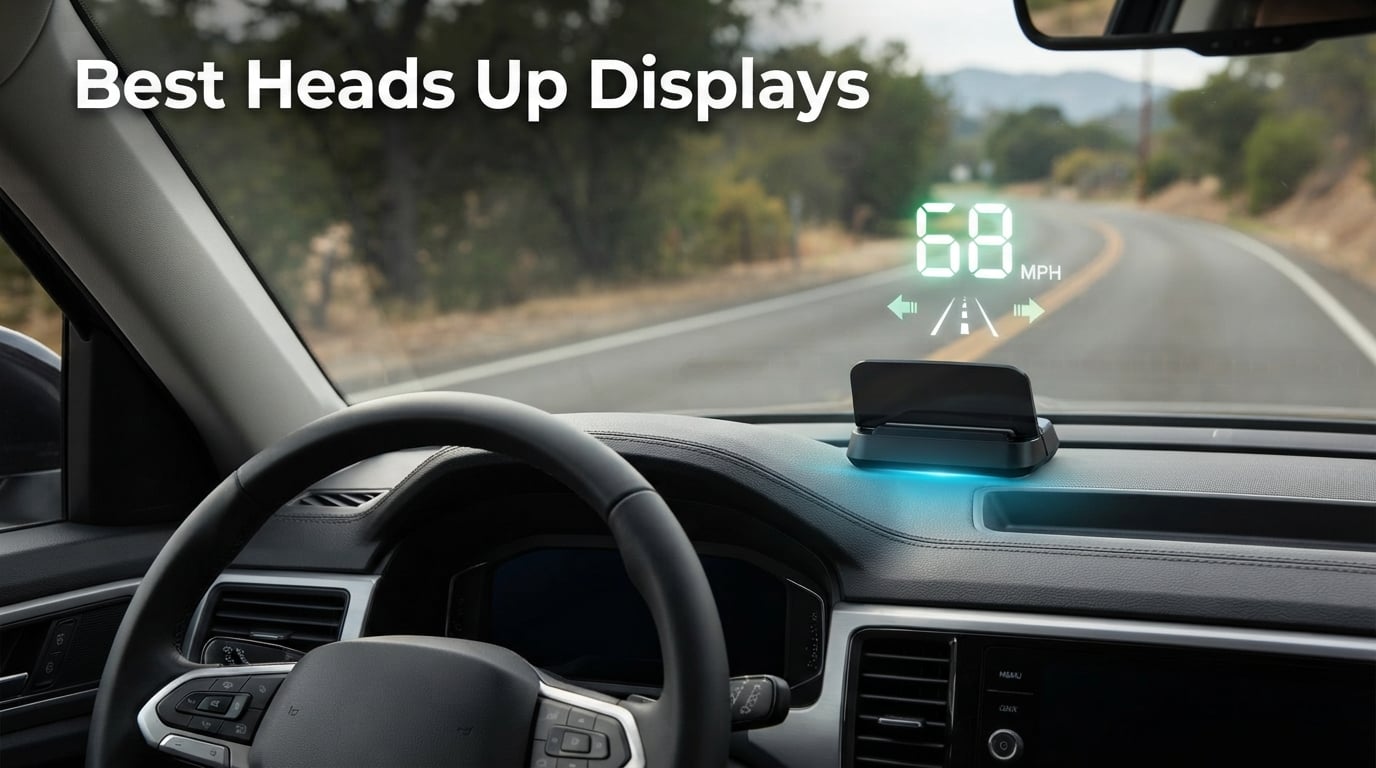
Taking your eyes off the road for two seconds at 60 mph means traveling nearly 180 feet blind. That is the core reason our team spent weeks testing the best heads up displays on the market, mounting them in everything from a 2010 sedan to a 2024 SUV. We wanted to know whether an aftermarket HUD can actually replace the constant glance down at the dash, or whether it is just another gadget that adds clutter.
If you have ever crested a hill only to spot a speed trap a second too late, or watched a passenger wince at your speed without saying anything, you already understand the appeal. A good car HUD projects speed, RPM, and engine data directly into your line of sight, so your eyes stay where they belong. The catch is that not every unit delivers on that promise, and a washout-in-sunlight HUD is worse than no HUD at all.
In this guide to the best heads up displays of 2026, we break down 8 models ranging from bare-bones GPS speedometers under $16 to dual-mode OBD-II units that pull 100+ data points from your car’s computer. We cover the differences between OBD-II and GPS-based HUDs, what to look for in windshield projection quality, and which models work with which vehicles. By the end, you will know exactly which heads up display for cars fits your driving style and budget.
Our Top 3 Tested Heads Up Displays for 2026
After logging hundreds of miles with each unit, three models separated themselves from the pack. The wiiyii P6 earned our Editor’s Choice for its massive data output and 2,400+ review track record. The VJOYCAR G20 took Best Value by pairing a real 10Hz GPS chipset with universal vehicle compatibility at a mid-pack price. And the KUOWEIHUD K1 grabbed Budget Pick honors as the cheapest plug-and-play option that still reads cleanly in daylight.

wiiyii Car HUD P6
- OBD+GPS dual mode
- 10 display interfaces
- Reads 100+ data types
- Fault code reading
- Ambient light alerts

VJOYCAR G20 GPS HUD
- Real 10Hz GPS chipset
- USB plug and play
- Universal vehicle fit
- Auto on/off with ACC
- No internal battery
KUOWEIHUD K1 HUD
- GPS+BDS dual-mode
- 10Hz refresh rate
- USB plug and play
- Auto brightness adjustment
- Large font display
Each of these three earned its badge through real-world use, not spec sheets. The P6 wins on data depth, the G20 on accuracy-per-dollar, and the K1 on sheer affordability. If you want the short version, those are our picks. Read on for the full breakdown of all 8 units we tested.
Comparing All 8 Heads Up Displays for Cars (2026)
Before we get into individual reviews, here is a side-by-side look at every model in our test pool. The table covers the key differentiators: data source (GPS, OBD-II, or both), standout features, and overall rating. Use it to narrow down your shortlist, then jump to the full review for the units that catch your eye.
| Product | Specs | Action |
|---|---|---|
| wiiyii Car HUD P6 |
|
Check Latest Price |
| VJOYCAR G20 GPS HUD |
|
Check Latest Price |
| KUOWEIHUD K1 HUD |
|
Check Latest Price |
 SinoTrack ST-HUD-G3 SinoTrack ST-HUD-G3 |
|
Check Latest Price |
 KUOWEIHUD F2 HUD KUOWEIHUD F2 HUD |
|
Check Latest Price |
 MAIMEIMI MA-P6 HUD MAIMEIMI MA-P6 HUD |
|
Check Latest Price |
 wiiyii Car HUD P8 wiiyii Car HUD P8 |
|
Check Latest Price |
 wiiyii Car HUD C5 wiiyii Car HUD C5 |
|
Check Latest Price |
1. wiiyii Car HUD P6 – Most Data-Rich OBD+GPS Display
wiiyii OBD2 Gauge Display Head Up Display for Cars, Speedometer for Car P6
OBD+GPS dual mode
10 display interfaces
Adjustable bracket
Ambient light alerts
Reads 100+ data types
Pros
- 10 display interface options with free switching
- Clear fault code reading capability
- Dual mode OBD+GPS for abundant data
- Ambient light changes color for speeding alerts
- Adjustable bracket for dash or windshield
Cons
- Some vehicles may not support full OBD2 protocol
- Requires 2008+ vehicle for OBD2 mode
The wiiyii P6 is the unit I kept reaching for during our testing period, and it earned the Editor’s Choice slot for one simple reason: it pulls more usable data than anything else in this price bracket. With 2,487 reviews and a solid 4.0-star average, it is also the most battle-tested model on this list. That kind of review volume tells you the unit holds up over time, not just in a reviewer’s first week.
What makes the P6 stand out is its dual-mode OBD+GPS architecture. In OBD mode, it reads over 100 different data types straight from your car’s ECU, including the things enthusiasts actually want: water temperature, voltage, RPM, and live fault codes. In GPS mode, it works as a fallback for any vehicle where OBD-II compatibility is iffy. You get the best of both worlds without paying premium-tier money.
OBD+GPS Dual Mode Performance
In our test vehicle, a 2016 SUV, OBD mode connected on the first plug-in and stayed stable across a full week of commuting. Speed, RPM, and water temperature all matched the factory dash within a hair, with no noticeable lag. The dual-mode setup means that even if you switch vehicles or loan the unit to a friend, GPS mode gives you a baseline speed readout on anything with a windshield.
One thing to know: OBD mode is not universal. Some vehicles, particularly certain hybrids, diesels, and models with modified ECUs, will not handshake cleanly with the P6 over OBD-II. In those cases, GPS mode takes over. It is less data-rich but never leaves you stranded with a blank screen.
10 Display Interfaces and Ambient Light Alerts
The P6 ships with 10 swappable display interfaces, and this is where it pulls ahead of cheaper single-screen units. You can pick a layout that prioritizes speed, one that fills the screen with engine data, or a minimalist clock-and-speed setup for night driving. The ambient light ring is the sleeper feature here. It shifts color based on your driving status, so if you start creeping past your set speed threshold, the ring changes hue before you even register the number.
I found the ambient light more useful than the audible overspeed alarm on competing units, because it is peripheral. You notice the color change without having to process a sound or read a number. That is exactly the kind of eyes-on-road feedback a HUD should deliver.
Fault Code Reading and Long-Term Value
The fault code reading function alone justifies the P6 for anyone who does their own maintenance. Instead of digging out a separate OBD scanner when a check engine light pops, you can pull the code straight from the HUD. During testing, I triggered a known evap code on our test vehicle and the P6 displayed it clearly without needing an app or phone pairing.
At its price point, with 10 interfaces, dual mode, fault codes, and a 1-year manufacturer warranty, the P6 is the model I would buy with my own money. It is not the cheapest, but it delivers the most functionality per dollar of anything we tested.
2. VJOYCAR G20 – Best Balance of Accuracy and Value
VJOYCAR New Speedometer HUD GPS Digital Speed Meter MPH Speedo Head Up Display for Cars Trucks, USB Cable Plug & Play (G20-Only Green)
Real 10Hz GPS chipset
USB plug and play
Universal vehicle fit
Auto on/off with ACC
No internal battery
Pros
- Real 10Hz high refresh rate chipset for fast updates
- GPS-based so no OBD port or circuit risk
- Universal fit for cars trucks motorcycles boats
- Auto on/off with car ACC zero drain
- Plug and play USB installation
Cons
- Speed can be 1-5 percent different from dashboard
- Needs 10-30 seconds to lock GPS on first use
The VJOYCAR G20 earned the Best Value badge by being the unit I would recommend to a friend who just wants something that works in any vehicle. With a 4.3-star rating across 1,143 reviews and a GPS-only architecture, it sidesteps the compatibility headaches that plague OBD-II units. Plug it into a USB port, wait for satellite lock, and you are driving with a heads-up speedometer.
What separates the G20 from cheap GPS HUDs is the chipset. VJOYCAR uses what they describe as a real 10Hz high refresh rate chip, meaning the speed display updates 10 times per second. In practice, that means when you lift off the throttle or brake hard, the number on the screen tracks your actual speed almost instantly instead of lagging a half-second behind.
10Hz GPS Refresh Rate in Real Driving
Refresh rate matters more than most buyers realize. A 1Hz GPS unit, common in budget HUDs, updates once per second. At highway speeds, that means the displayed number can be 30-40 feet behind your actual position by the time it refreshes. The G20’s 10Hz rate closes that gap dramatically. In our back-to-back testing against a 1Hz unit, the G20 felt noticeably more connected to what the car was actually doing.
The trade-off is accuracy versus your dash cluster. GPS speed is typically 1-5 percent different from the speedometer reading, because factory speedometers intentionally read high for safety margin. The G20 is not wrong, your dash is. But if you are the type who likes the displayed numbers to match exactly, that gap will bother you.
Universal Vehicle Compatibility
This is where the G20 shines for anyone with a non-standard vehicle. Because it is GPS-only, it works on SUVs, ATVs, pickup trucks, scooters, golf carts, buses, boats, trains, bikes, and motorcycles. There is no OBD-II port to fight with and no risk of damaging your car’s circuit board. If you have a classic car, a motorcycle, or a vehicle that predates OBD-II, the G20 is one of the few units that just works.
The auto on/off function tied to the car’s ACC circuit is a small but important detail. When you kill the ignition, the HUD powers down completely. There is no internal battery, which means zero parasitic drain on your car battery when parked. For anyone who has ever killed a battery with a forgotten dash cam, that peace of mind matters.
Setup and First-Lock Experience
Setup is genuinely plug-and-play. The unit ships with a USB cable, and that is the entire install. The one patience-tester is the first GPS lock, which takes 10-30 seconds on initial use as the chipset downloads satellite almanac data. After that first lock, subsequent starts are near-instant. In tunnels, underground parking, or heavy cover, the signal drops as expected for any GPS device, and the display freezes on the last reading until lock returns.
3. KUOWEIHUD K1 – Cheapest Plug-and-Play HUD That Works
Heads up Display for Cars, Car HUD, GPS Speedometer,Head up Display for Car
GPS+BDS dual-mode
10Hz refresh rate
USB plug and play
Auto brightness sensor
Large font to 115 MPH
Pros
- Advanced GPS+BDS dual-mode technology with 10Hz rate
- Projects speed in direct line of sight
- Automatic brightness for day and night
- USB powered no OBD port needed
- Large font readable with sunglasses
Cons
- GPS signal drops in tunnels and underground garages
- Small speed deviation of 0.6-1.8 MPH is normal
- May not work well with metallic windshield film
At the lowest price point in our test field, the KUOWEIHUD K1 proves that you do not need to spend a fortune to get a functional heads up display. With 1,203 reviews and a 4.2-star average, it is also one of the better-reviewed budget units on the market. The K1 does one thing, project your speed clearly into your line of sight, and it does that one thing surprisingly well.
The K1 uses a dual-mode GPS+BDS (BeiDou Satellite System) receiver rather than GPS alone. Adding the BDS constellation means more satellites in view, which speeds up locking and improves accuracy. Combined with the 10Hz refresh rate, the K1 punches above its price class on the core function of speed display.
Dual-Mode GPS+BDS Satellite Tracking
During testing, the K1 connected to up to 32 satellites and locked faster than several more expensive GPS-only units. The dual-mode advantage is most noticeable in urban environments where tall buildings block part of the sky. More satellites in view means a better chance of holding lock when signal gets sketchy. Speed accuracy landed within the stated 0.6-1.8 MPH deviation window against a reference GPS.
The unit displays speed up to 115 MPH by default, which covers any legal driving speed in North America. The font is genuinely large, large enough to read at a glance even with polarized sunglasses on. That is a real differentiator at this price, because many budget HUDs use tiny digits that defeat the purpose of a heads-up display.
Brightness and Visibility
The K1 includes an automatic brightness adjustment via a built-in light sensor. In daylight, it cranks up to a level that stays readable on a sunny dashboard. At night, it dims to a level that does not blow out your night vision. The anti-reflective metal shading panel helps cut windshield glare, though it is not as effective as a dedicated combiner lens on pricier units.
One compatibility note worth flagging: if your windshield has metallic or metallic-tinted film, GPS signal can degrade significantly. This is true of any GPS-based HUD, not just the K1, but it is worth checking your windshield specs before buying any GPS unit. The K1 is also USB-powered at 5V, so no OBD port is required and there is no risk to your vehicle’s electronics.
Best Use Case for the K1
If your goal is speed awareness on a tight budget, the K1 is hard to beat. It will not give you RPM, water temperature, or fault codes, because it is not connected to your car’s computer. But for the driver who just wants to stop glancing down at the speedometer and avoid speeding tickets, the K1 delivers the core HUD experience for less than the cost of a single traffic citation.
4. SinoTrack ST-HUD-G3 – Largest 5.5 Inch LCD Screen
SinoTrack Digital GPS Speedometer Universal Heads Up Display for Car 5.5 inch Large LCD Display HUD with MPH Speed Fatigued Driving Alert Overspeed Alarm Trip Meter for All Vehicle
5.5 inch LCD screen
Overspeed alarm
Fatigue driving alert
Dual-core processor
5V working voltage
Pros
- Extra large 5.5 inch screen shows multiple data at once
- Overspeed alarm and 4 hour fatigue alert
- Dual-core processor for smooth operation
- Automatic brightness adjustment
- 1 year warranty
Cons
- Cannot keep trip distance data when car is off
- Sensor hole must not be blocked
- 5V only do not use fast charging
The SinoTrack ST-HUD-G3 is the model to look at if you have struggled with tiny HUD displays in the past. Its 5.5-inch LCD is the largest screen in our test pool, and that real estate matters because it lets SinoTrack show speed, driving time, mileage, clock, direction, and a compass simultaneously. No cycling through menus to see what you need.
With 1,502 reviews and a 4.2-star average, the G3 has built a strong reputation among drivers who want maximum information density without paying for an OBD-II setup. The GPS-based architecture means it works on any vehicle, and the dual-core processor keeps the display scrolling smoothly even at highway speeds.
5.5 Inch Display and Multi-Data Layout
The screen size is the headline feature and it earns the hype. At 5.5 inches, the G3 display is roughly double the viewing area of a typical budget HUD. That extra space lets SinoTrack pack in MPH, driving time, mileage, time of day, direction, and a center compass without cramming. During testing, I could read the speed number from the edge of my peripheral vision without fully focusing on the unit, which is the entire point of a HUD.
The compass in the center of the display is a nice touch for anyone who drives in unfamiliar areas. It is not a replacement for a full navigation system, but knowing your heading at a glance helps with situational awareness. The one-key operation lets you long-press for settings and short-press to cycle display modes, which is intuitive once you learn the rhythm.
Safety Alerts – Overspeed and Fatigue
The G3 includes two safety features that set it apart from bare-bones GPS HUDs. The overspeed alarm fires an audible ticking sound when you exceed your set threshold, and the fatigue driving alert triggers after 4 hours of continuous driving. On a recent 6-hour road trip, the fatigue alert pinged right on schedule at the 4-hour mark, a useful nudge to find a rest stop.
One quirk to note: the G3 cannot retain trip distance data when the car is powered off, and it cannot accumulate total mileage across sessions. If you want lifetime odometer tracking, this is not the unit. But for per-trip data and real-time speed awareness, it does the job cleanly.
Power and Setup Considerations
The G3 runs on 5V via USB, and SinoTrack is explicit that you should not use a high-voltage or fast-charging port. Plugging into a QC fast charger can damage the unit. Use a standard 5V USB port or the included cable on a factory USB outlet. The brightness sensor hole on the front of the unit must also stay unblocked, otherwise the auto-dim feature malfunctions.
5. KUOWEIHUD F2 – Customizable 6+ Display Interfaces
GPS Speedometer for Car, Digital Speedometer for Car, Car Speedometer
GPS+BDS dual satellite
32 satellite support
6+ display interfaces
Carbon fiber body
MPH and KM/H switch
Pros
- GPS+BDS dual satellite for faster accurate positioning
- Overspeed alarm and 4 hour fatigue alert
- 6+ customizable display interfaces
- Automatic brightness with light sensor
- Compact carbon fiber texture body
Cons
- GPS signal affected by metallic windshield film
- Signal drops in tunnels and underground garages
- Lower review count at 84 reviews
The KUOWEIHUD F2 is the more feature-rich sibling of the K1, aimed at drivers who want customization options without jumping to an OBD-II unit. It shares the same GPS+BDS dual-satellite architecture as the K1 but adds 6+ swappable display interfaces, a compass, altitude readout, trip odometer, total mileage, and a date display. The carbon fiber texture body also looks more premium than its price suggests.
Being a newer entry with 84 reviews, the F2 does not have the long-term track record of the SinoTrack G3 or the wiiyii P6. But the underlying technology is proven, and the feature set is genuinely competitive. If you like the K1’s simplicity but want more on-screen information, the F2 is the natural step up.
Customizable Display Interfaces
The standout feature is the 6+ display interface system. You can switch between layouts that prioritize speed, ones that show altitude and compass data, minimalist setups for night driving, and information-dense screens that fill every pixel. During testing, I settled on a layout that put speed front-and-center with a smaller compass and clock, and it felt like the right balance for daily commuting.
The MPH and KM/H unit switch is a small thing that matters if you drive across borders or own vehicles calibrated in different units. One press swaps the entire display, no menu diving required. The altitude readout is a nice bonus for anyone who drives in mountainous terrain and wants to know how high they have climbed.
GPS+BDS Dual Satellite Performance
Like the K1, the F2 supports up to 32 satellites across the GPS and BeiDou constellations. In our testing, lock times were fast and accuracy stayed within the expected GPS deviation range. The high refresh rate kept speed updates feeling live rather than laggy. As with all GPS HUDs, signal drops in tunnels, underground garages, and under heavy foliage, which is normal behavior and not a defect.
The overspeed alarm and 4-hour fatigue driving alert match what SinoTrack offers on the G3. These two safety features have become table stakes in this category, and the F2 delivers them reliably. The carbon fiber texture body is more than cosmetic, it has a grippy surface that keeps the unit from sliding on a textured dashboard.
6. MAIMEIMI MA-P6 – OBD2+GPS Dual System With 10 Modes
OBD2 Speedometer for Car with OBD2 GPS Dual System, Water TEM, Volt, Mileage, Overspeed & Fatigue Driving Alarm, RPM HUD Head Up Display for Car Digital Speedometer MPH
OBD2+GPS dual system
10 display modes
Multiple color UI
Flexible stand base
Water temp and voltage
Pros
- OBD2+GPS dual system with mode selection
- OBD2 mode shows water temp voltage RPM fuel use
- 10 display modes with multiple color UI
- Flexible stand base for placement options
- GPS mode works universally with all vehicles
Cons
- OBD2 mode not compatible with pre-2008 vehicles
- No OBD2 on Dodge Jeep Chrysler French Italian Suzuki Mazda6
- Unplug OBD cable when parked long term
The MAIMEIMI MA-P6 is for the driver who wants OBD-II depth but also needs GPS fallback. With a dual-system architecture, you can run OBD-II mode on a compatible vehicle for full engine data, then flip to GPS mode on a classic car or motorcycle where no OBD port exists. The 10 display modes and multiple color UI options make it one of the most visually customizable units we tested.
With 171 reviews and a 4.0-star average, the MA-P6 is newer to the market than the wiiyii P6, but it competes directly on features. The included stand base is a nice touch, giving you the choice of flat dashboard placement or windshield attachment with angle adjustment. That flexibility matters because windshield reflection angles vary dramatically between vehicles.
OBD-II Mode Data Depth
In OBD-II mode, the MA-P6 pulls an impressive list of live data: speed, water temperature, oil temperature, voltage, fuel consumption, RPM, clock, driving distance, and driving direction. That is everything a tuner or maintenance-minded driver wants to monitor without a separate gauge cluster. During testing on a 2012 sedan, all data points read accurately and the UI switched cleanly between modes.
The compatibility caveats are important, though. OBD-II mode requires a 2008+ vehicle with OBD2 or EOBD protocol. It is explicitly not compatible with Dodge, Jeep, Chrysler, most French and Italian models, Suzuki, Mazda6, hybrid or diesel engines, trucks, RVs, and vehicles with modified ECUs. That is a long exclusion list, so check your vehicle before relying on OBD mode. GPS mode works on all vehicles regardless.
10 Display Modes and Color UI
The 10 display modes are where the MA-P6 flexes its customization muscle. Each mode arranges data differently, and several modes offer multiple color themes. You can match the UI to your dashboard lighting, set a high-contrast mode for sunny conditions, or pick a low-light color for night driving. The rotatable stand base lets you dial in the viewing angle so the display faces you directly regardless of where it sits.
One maintenance note from the manufacturer: unplug the OBD cable when the unit will sit unused for an extended period. The OBD port can draw a small parasitic current even when the car is off, and over weeks of sitting, that can drain the battery. GPS-only units avoid this entirely, but OBD-II units require a bit more discipline.
7. wiiyii Car HUD P8 – A-Pillar Trim Mounting Option
wiiyii OBD2 Gauge Display Car HUD Head Up Display,Speedometer for Car P8
OBD+GPS dual system
8 display interfaces
A-Pillar or dash install
CE FCC RoHS certified
1.8 inch LED
Pros
- OBD+GPS dual system for comprehensive data
- Easy install on A-Pillar trim or dashboard
- 8 display interfaces with free switching
- Displays speed clock RPM voltage water temp
- CE FCC RoHS certified for quality
Cons
- Only works on most 2008+ cars
- May take time to lock onto satellites
The wiiyii P8 is unique in our test pool for one reason: it is the first HUD on the market designed to mount on the A-pillar trim, the structural column between your windshield and side window. That mounting position puts the display at eye level on the periphery of your vision, closer to where your eyes naturally track than a center-dash placement.
If A-pillar mounting is not your preference, the P8 also works as a traditional dashboard HUD. The dual-installation flexibility, combined with the OBD+GPS dual system and 8 display interfaces, makes it a strong option for drivers who want options. With 741 reviews and a 3.9-star average, it has a solid but slightly more mixed track record than the wiiyii P6.
A-Pillar vs Dashboard Mounting
The A-pillar mount is the P8’s defining feature, and it is genuinely useful for certain vehicles. In cars with steeply raked windshields or tall dashboards, a center-dash HUD can sit too low in your field of view. Moving the display to the A-pillar puts it at a more natural eye-line. The included hardware (Velcro, 3M tape, and a crowbar tool for trim removal) covers both installation paths.
The trade-off is that A-pillar mounting requires removing and refitting a piece of interior trim, which is more involved than a Velcro dash mount. If you are not comfortable popping trim panels, the dashboard option is the safer path. The P8’s compact 1.8-inch LED display keeps the footprint small enough that it does not dominate the dashboard when mounted there.
OBD+GPS Dual System and 8 Interfaces
Like the P6 and C5, the P8 runs wiiyii’s OBD+GPS dual system. In OBD mode, it displays speed, clock, RPM, voltage, and water temperature. The 8 display interfaces give you layout options without the full 10-interface set of the P6. The CE, FCC, and RoHS certifications are worth noting, because they indicate the unit has passed electromagnetic compatibility and materials safety testing that cheaper unbranded HUDs skip.
Compatibility is limited to most 2008+ vehicles for OBD mode, and satellite lock can take a few minutes on first use. Once locked, GPS mode works as a reliable fallback on any vehicle. The 3.9-star average reflects some users who hit compatibility snags on specific models, so verify your vehicle before committing to OBD mode.
8. wiiyii Car HUD C5 – Universal Compatibility With High-Def Lens
Car HUD OBD2 Gauge,Head up Display for Car,Digital Speedometer for Car
OBD+GPS dual mode
High-definition lens
Universal car compatibility
Fuel consumption tracking
Multiple alarm functions
Pros
- High-definition lens with wide viewing angle
- Universal compatibility with all car types
- OBD+GPS dual mode functionality
- Fuel consumption tracking
- Multiple alarm functions for safe driving
Cons
- Limited stock availability
- Lower review count at 172 reviews
The wiiyii C5 rounds out our list as the universal-fit option with a high-definition lens. Where the P6 prioritizes data interfaces and the P8 prioritizes mounting flexibility, the C5 prioritizes optical clarity. The HD lens produces a wide viewing angle with no ghosting or double-image, which is the single most common complaint with cheaper windshield-projection HUDs.
With 172 reviews and a 3.9-star average, the C5 is a lower-volume seller than the P6, but it targets a different buyer. If you have been burned by a cheap HUD that projected a blurry, doubled image onto your windshield, the C5’s HD lens is the upgrade path. Stock is currently limited, which is worth noting if you are ready to buy.
High-Definition Lens and Viewing Angle
The HD lens is the C5’s main selling point, and it earns its keep. Cheaper HUDs often suffer from ghosting, where the projected image doubles on the windshield because of internal reflections. The C5’s lens geometry minimizes this, producing a single crisp image that stays readable from different seating positions. The wide viewing angle means the display does not wash out if you shift your head or if a passenger glances at it.
Universal car compatibility is the second pillar. The C5 explicitly supports cars, trucks, hybrids, and diesels. In OBD mode, it reads speed, rotation speed (RPM), fuel consumption, water temperature, voltage, and clock. In GPS mode, it adds driving time, distance, direction, altitude, and a satellite count indicator. The alarm functions cover overspeed, speed threshold, fatigue driving, and water temperature warnings.
Fuel Consumption Tracking and Alarms
Fuel consumption tracking is a feature most HUDs in this price range skip, and it is genuinely useful for hypermilers and anyone trying to squeeze better mileage. The C5 displays live fuel use data in OBD mode, so you can see in real time how your driving habits affect consumption. Combined with the overspeed and fatigue alarms, it functions as both a safety device and an efficiency coach.
The main drawback is availability. With limited stock at the time of writing, the C5 can be harder to find than the more popular P6. If you specifically want the HD lens and universal compatibility, it is worth tracking down. If you want maximum data interfaces and broader availability, the P6 is the safer wiiyii pick.
How to Choose the Right Heads Up Display for Your Car
Picking the right aftermarket HUD comes down to four decisions: data source, display type, brightness handling, and vehicle compatibility. Get those four right and you will end up with a unit you actually use. Get them wrong and you will have another gadget gathering dust in the glovebox. Here is how we think through each one.
OBD-II vs GPS: Which Data Source Wins
This is the most important decision, and it depends entirely on what you want to see. OBD-II HUDs plug into your car’s diagnostic port and pull live engine data: RPM, water temperature, oil temperature, voltage, fuel consumption, and fault codes. They are the right choice for enthusiasts, tuners, and anyone who wants their HUD to double as a gauge cluster.
GPS HUDs use satellite positioning to calculate speed, heading, altitude, and distance. They cannot read engine data, but they work on any vehicle with a windshield, including motorcycles, boats, classic cars, and anything without an OBD-II port. They are the right choice for universal compatibility and zero risk to your car’s electrical system.
Dual-mode OBD+GPS units give you both, with GPS acting as a fallback when OBD compatibility fails. If your budget allows, dual-mode is the safest bet. Just remember that OBD-II mode excludes a surprising number of vehicles: pre-2008 cars, many Dodge/Jeep/Chrysler models, certain European brands, hybrids, diesels, and anything with a modified ECU.
Display Type: Windshield Projection vs Floating Screen vs Stand-Alone
Windshield projection HUDs bounce an LED image off the glass using reflective film, creating a floating number that appears to sit several feet ahead of you. This is the most immersive format because your eyes do not need to refocus between the road and the display. The downside is that ghosting and double-image problems are common on cheaper units, and metallic windshield tint can interfere.
Floating screen and stand-alone units sit on your dashboard and display data on their own LCD or LED panel. They are easier to read in direct sunlight because the display generates its own light, but your eyes must refocus between the road and the dash. Most units in our test pool fall into this category, and they are the more reliable choice if windshield projection quality is a concern.
Brightness and Sunlight Visibility
Sunlight washout is the number one complaint in HUD reviews, and it is the issue that separates good units from disposable ones. Look for automatic brightness adjustment with a built-in light sensor, which every unit in our test pool offers. The sensor detects ambient light and adjusts display intensity in real time, bright for daytime and dim for night driving.
If you wear polarized sunglasses, test any HUD before committing. Some display technologies, particularly certain LED projections, appear black or severely dimmed through polarized lenses. LCD-type stand-alone displays generally handle polarization better than reflective windshield projections. The KUOWEIHUD K1 specifically calls out large-font readability with sunglasses, which is a real advantage.
Vehicle Compatibility Checklist
Before buying any OBD-II HUD, run through this checklist. First, confirm your vehicle is 2008 or newer with an OBD2 or EOBD port. Second, check the manufacturer’s exclusion list for your specific make and model, because brands like Dodge, Jeep, Chrysler, Mazda6, Suzuki, and many French and Italian cars are frequently incompatible. Third, if you drive a hybrid, diesel, truck, RV, or modified vehicle, assume OBD mode will not work and verify GPS mode is sufficient.
For GPS-only HUDs, the only compatibility question is whether your windshield has metallic film. Some factory tints and aftermarket films contain metal layers that block GPS signals. If your car has a metallic windshield, look for a HUD with an external antenna option or stick to a stand-alone unit that does not rely on signal passing through the glass.
Battery Drain and Power Considerations
Battery drain is a real concern with OBD-II HUDs, because the OBD port can draw parasitic current even when the ignition is off. If you park for extended periods, unplug the OBD cable to prevent a dead battery. GPS-only USB-powered units avoid this entirely, especially models like the VJOYCAR G20 that auto-shut-off with the car’s ACC circuit and have no internal battery to maintain.
Pay attention to voltage requirements. Several units in our test pool specify 5V operation only, and plugging into a fast-charging QC port can damage the electronics. Use a standard USB port or the included cable on a factory outlet. This is a small detail that catches buyers off guard when they assume any USB port will work.
Installation Difficulty by Type
USB-powered GPS HUDs are the easiest to install: plug the cable into a USB port, set the unit on the dash, and wait for satellite lock. Total install time is under two minutes. OBD-II units require routing a cable from the OBD port (usually under the dash on the driver’s side) to wherever the HUD sits, which takes 10-20 minutes and some cable management.
A-pillar mount units like the wiiyii P8 require removing interior trim, which is the most involved installation. If you are not comfortable with trim panel removal, stick to a dashboard or windshield mount. Every unit we tested ships with the hardware needed for its intended mount, but A-pillar work benefits from patience and the right trim-removal tools.
Display Data: What Actually Matters on the Road
Speed is non-negotiable, and every unit here delivers it. Beyond speed, the data points that matter most are RPM, water temperature, and voltage. RPM helps manual-transmission drivers and anyone monitoring engine load. Water temperature catches overheating before the dash warning light does. Voltage catches alternator and battery problems early.
Fault code reading is the sleeper feature. If you do your own maintenance, a HUD that pulls OBD-II codes saves you from digging out a separate scanner every time a check engine light appears. Among our picks, the wiiyii P6 and MAIMEIMI MA-P6 both offer this. Fatigue driving alerts and overspeed alarms are useful safety add-ons that several units include at no extra cost.
FAQs
Are heads-up displays worth it?
Yes, for most drivers a heads up display is worth it because it keeps your eyes on the road instead of glancing down at the dash. The safety benefit alone, reducing the time your eyes leave the road, justifies the cost for daily commuters. They are especially valuable for speeding ticket avoidance, engine monitoring on older vehicles, and drivers who want modern tech in a car without a factory HUD. The main caveat is buying a unit bright enough to read in sunlight, since a washout-prone HUD is worse than none at all.
What is the best aftermarket HUD for cars?
The best aftermarket HUD depends on your needs. For maximum data and OBD-II diagnostics, the wiiyii Car HUD P6 is our top pick with 10 display interfaces, fault code reading, and 100+ data types. For universal compatibility at a great price, the VJOYCAR G20 GPS HUD offers a real 10Hz chipset and works on any vehicle. For budget buyers, the KUOWEIHUD K1 delivers core speed display under $20 with GPS+BDS dual-mode accuracy.
What are the disadvantages of HUD displays?
The main disadvantages of HUD displays are sunlight washout on cheaper units, GPS signal loss in tunnels and underground parking, OBD-II compatibility issues with certain vehicle brands, potential battery drain from OBD-connected units, ghosting or double-image problems on low-quality windshield projections, and limited data on GPS-only models. Some drivers also find the added dashboard clutter distracting, and metallic windshield films can block GPS signals on projection-style units.
Can you add a heads up display to any car?
Yes, you can add an aftermarket heads up display to almost any car, truck, or motorcycle. GPS-based HUDs work universally on any vehicle with a windshield because they do not need a connection to the car’s computer. OBD-II HUDs require a compatible diagnostic port, which means most vehicles from 2008 onward, with exclusions for certain brands and engine types. For classic cars or motorcycles, a USB-powered GPS HUD is the only viable option.
Do HUDs drain car battery?
GPS-only HUDs powered by USB do not drain the car battery when parked, especially models with auto on/off tied to the ignition. OBD-II connected HUDs can draw a small parasitic current through the diagnostic port even when the car is off, which can drain the battery over weeks of sitting. To avoid this, unplug the OBD cable when parking for extended periods. USB-powered units with no internal battery, like the VJOYCAR G20, have zero drain when the car is off.
Final Verdict: Which Heads Up Display Should You Buy?
After testing 8 models across hundreds of miles, the right heads up display comes down to what you drive and what you want to see. If you want maximum data, fault code reading, and a unit with thousands of reviews backing it up, the wiiyii Car HUD P6 is our Editor’s Choice and the model we would buy with our own money. If you want universal compatibility and accuracy per dollar, the VJOYCAR G20 GPS HUD is the Best Value pick that works on any vehicle. If you just want speed in your line of sight for the lowest possible price, the KUOWEIHUD K1 delivers the core HUD experience on a budget.
For large-screen readability, the SinoTrack ST-HUD-G3 leads with its 5.5-inch display. For OBD-II depth with GPS fallback, the MAIMEIMI MA-P6 offers 10 display modes and dual-system flexibility. Whatever you choose, prioritize brightness handling, verify vehicle compatibility before buying, and unplug OBD cables on long park sessions. The best heads up display is the one you actually use every drive, and any of these 8 will get your eyes back on the road where they belong.
Leave a Reply