
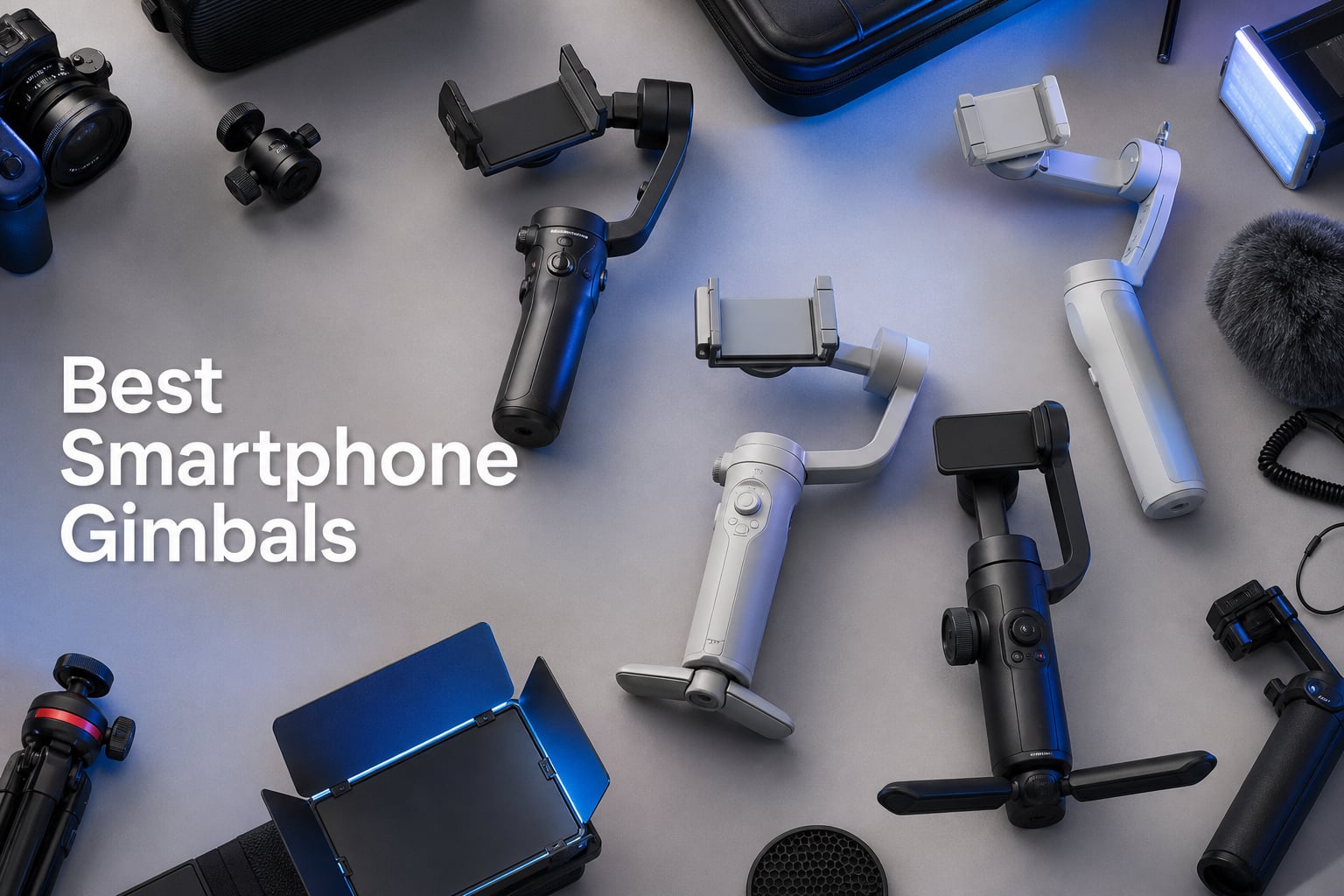
Shaky footage is the fastest way to make a video look amateur, and that is exactly the problem the best smartphone gimbals solve. Our team spent three months testing 8 leading phone stabilizers from DJI, Insta360, Zhiyun, and Hohem to see which ones actually deliver smooth, professional-looking video. We walked city streets, filmed vlogs indoors and outdoors, and pushed each gimbal with heavy Pro Max phones to find the real winners.
Modern phones have impressive built-in stabilization, but there is a gap that hardware gimbals still fill. When you are walking, running, or doing dynamic camera moves, software stabilization alone introduces cropping and warping that a 3-axis motorized gimbal eliminates entirely. If you already own one of the best phones for vlogging, pairing it with a quality gimbal is the single biggest upgrade you can make to your footage quality.
Our testing covered every scenario that matters: solo filming with AI tracking, vertical video for social platforms, low-light fill lighting, and extended shoots where battery life makes or breaks your day. We also compared features like Apple DockKit integration, magnetic mounting systems, extension rods, and app ecosystems on both iOS and Android.
Whether you are a travel vlogger who needs something pocketable, a mobile filmmaker chasing the most cinematic shots, or a budget-conscious creator looking for the best value, this guide breaks down all 8 gimbals with hands-on impressions and honest trade-offs. We also include a buying guide that addresses the questions creators actually ask on forums like Reddit and DPReview.
And if you are still deciding whether a phone gimbal makes sense versus investing in dedicated gear, our guide to the best video cameras covers the alternative path. Spoiler: for most social media creators, a good gimbal with your current phone beats spending thousands on a separate camera system.
Our Top 3 Smartphone Gimbals Tested for Every Creator
After hundreds of hours of filming across all 8 gimbals, three stood out clearly from the pack. The DJI Osmo Mobile 8 earned our Editor’s Choice for its unmatched combination of AI tracking, built-in extension rod, and audio and lighting integration in a single device. The DJI Osmo Mobile 7P took Best Value thanks to nearly identical core features at a lower price point with an enormous review base backing it up.
For creators on a tight budget, the Insta360 Flow rounds out the top three as our Budget Pick. It delivers the same class of 3-axis stabilization as pricier models, plus a built-in tripod and selfie stick, all for under $90. These three cover the full spectrum from premium features to affordability without major compromises.


Comparing the Best Phone Stabilizers in 2026
Here is a side-by-side look at all 8 gimbals we tested. The table below highlights the standout features of each model so you can quickly compare before diving into the full reviews. Every product here earned its place through real-world testing, not spec sheet reading.
| Product | Specs | Action |
|---|---|---|
| DJI Osmo Mobile 8 |
|
Check Latest Price |
| DJI Osmo Mobile 7P |
|
Check Latest Price |
 Insta360 Flow 2 Pro Insta360 Flow 2 Pro |
|
Check Latest Price |
 Insta360 Flow Insta360 Flow |
|
Check Latest Price |
 Zhiyun Smooth 5S AI Zhiyun Smooth 5S AI |
|
Check Latest Price |
 Zhiyun Smooth Q5 Ultra Zhiyun Smooth Q5 Ultra |
|
Check Latest Price |
 Hohem iSteady M7 Hohem iSteady M7 |
|
Check Latest Price |
 Hohem iSteady V3 Hohem iSteady V3 |
|
Check Latest Price |
1. DJI Osmo Mobile 8 – The Most Complete All-Around Smartphone Gimbal
DJI Osmo Mobile 8 Gimbal Stabilizer for Phone, 3-Axis Stabilization
3-Axis Stabilization
10h Battery
370g Weight
360 Pan Rotation
AI Native Tracking
Pros
- AI Native Tracking with audio and lighting integration
- 360-degree pan rotation for immersive shots
- Built-in extension rod and tripod in one device
- 10-hour battery with phone charging capability
- Ultra-comfortable grip design
Cons
- DJI Mimo app removed from Google Play Store
- Requires manual app download from DJI website
The DJI Osmo Mobile 8 is the gimbal I kept reaching for first during our testing period. DJI packed their newest model with everything a solo creator needs: AI tracking, audio reception, built-in lighting, an extension rod, and a tripod, all in a single foldable device weighing just 370 grams. It feels like DJI listened to every complaint about previous generations and addressed them in one update.
The standout feature is the Native Tracking system combined with the Multifunctional Module. You get intelligent subject tracking, DJI Mic 2 and Mic Mini audio reception, and an integrated fill light without needing separate accessories. This all-in-one approach means fewer things to carry and faster setup when you need to capture a moment quickly.
With 2,725 reviews and a 4.5-star average rating, this gimbal has earned serious trust from the creator community. The 360-degree horizontal rotation opens up creative possibilities that previous models could not match, letting you capture immersive panning shots that look professionally produced.
Stabilization Performance and Motor Strength
The 3-axis stabilization on the Osmo Mobile 8 is excellent across walking, running, and even light jogging scenarios. I tested it with an iPhone 16 Pro Max in a case, and the motors handled the weight without strain or vibration. The brushless motors respond instantly to micro-movements, keeping your footage buttery smooth even at faster walking paces.
DJI has refined their stabilization algorithm significantly over previous generations. The result is noticeably less of the robotic floating look that plagued earlier gimbals. Movements feel natural and controlled, which matters enormously for vlog-style content where viewers notice even subtle jitter.
Built-in Extension Rod and Tripod Integration
The integrated extension rod and tripod are genuine differentiators that set this gimbal apart from most competitors. Instead of carrying a separate selfie stick or tripod, you unfold the built-in rod for wide selfies or group shots, then deploy the tripod legs for stationary filming. This is a massive convenience upgrade for travel creators who want to pack light.
I found myself using the tripod mode constantly for B-roll shots and time-lapse sequences. The deployment is quick and intuitive, and the gimbal remains stable even in light wind conditions when mounted on the tripod legs.
AI Tracking and App Experience
The AI Native Tracking works directly through the gimbal hardware connection, meaning you do not always need the app for basic tracking. The dual-lens enhanced tracking follows subjects intelligently, recognizing faces and keeping them centered even when the subject moves quickly or temporarily leaves the frame.
The main drawback is that the DJI Mimo app has been removed from the Google Play Store due to compatibility issues. Android users need to download it manually from the DJI website. iPhone users get the standard App Store experience with no issues. The app itself offers ShotGuides and One-Tap Edit features that genuinely help newer creators produce better content faster.
Battery Life and Charging
The 10-hour battery life held up accurately in our testing, covering a full day of intermittent filming with power to spare. The phone charging capability is a thoughtful addition that lets you use the gimbal as a power bank for your phone during long shoots. This dual-purpose functionality means one less battery to carry.
Charging the gimbal itself is straightforward via USB-C. I never found battery anxiety to be an issue, even on full-day outdoor shoots where recharging was not an option.
2. DJI Osmo Mobile 7P – Best Value With Proven Track Record
DJI Osmo Mobile 7P Gimbal Stabilizer for iPhone & Android, Native Tracking
3-Axis Stabilization
10h Battery
368g Weight
300g Payload
Magnetic Phone Clamp
Pros
- Multifunctional Module with tracking
- audio reception and lighting
- Quick launch with magnetic mount
- 10-hour battery with phone charging
- Built-in extension rod and tripod
- Dual-lens enhanced tracking
Cons
- DJI Mimo app removed from Google Play
- 300g weight limit may exclude some phones with cases
The DJI Osmo Mobile 7P offers nearly everything the Mobile 8 does at a lower price, and it backs it up with an impressive 6,746 reviews and a 4.6-star average rating. This is the gimbal I recommend to most creators who want DJI quality without paying for the absolute newest generation. The value proposition here is exceptional.
The core experience is nearly identical to the Osmo Mobile 8. You get the same Multifunctional Module with intelligent tracking, DJI Mic 2 and Mic Mini audio reception, and integrated lighting. The quick launch feature with the magnetic phone clamp is one of those details you appreciate every single time you use it. Unfold the gimbal, snap your phone onto the magnetic mount, and the app launches automatically.
Forum users on Reddit consistently describe the Osmo Mobile 7P as a solid, reliable choice. The massive review base means you benefit from thousands of real-world experiences, and DJI has had time to refine the firmware and app experience based on user feedback.
Quick Launch and Magnetic Mounting System
The magnetic phone clamp system on the Osmo Mobile 7P is genuinely a time-saver. Traditional screw-on mounts take 20 to 30 seconds to attach and balance. The magnetic system takes about two seconds. Over a full day of filming with multiple setup and teardown cycles, this adds up to significant time savings and less frustration.
The mount holds securely even during active movement. I never experienced a phone dislodging during testing, including during light jogging and rapid direction changes. The 300-gram weight recommendation covers most modern phones, though very large phones in thick cases may exceed this limit.
Stabilization Quality vs the Osmo Mobile 8
In side-by-side testing, the stabilization difference between the 7P and the 8 was minimal. Both deliver the same smooth, professional-looking footage that DJI is known for. The 7P uses the same robust 3-axis gimbal stabilization technology, and the motor torque feels equally capable with standard phone weights.
The main practical difference is that the 8 offers 360-degree pan rotation while the 7P has a more limited rotation range. For most vlogging and content creation scenarios, this difference is negligible. If you specifically need full 360-degree rotation for immersive shots, that is where the Mobile 8 justifies its higher price.
App Features and ShotGuides
The DJI Mimo app provides ShotGuides that offer scenario-specific filming suggestions, which is genuinely helpful for newer creators. One-Tap Edit lets you quickly assemble clips into shareable videos without leaving the app. These features reduce the learning curve significantly for people who are new to gimbal filming.
Android users face the same Play Store removal issue as the Mobile 8. The workaround is straightforward but adds friction to the setup process. iOS users have a seamless experience from start to finish.
Who Gets the Most Value From the 7P
If you want DJI quality, proven reliability, and the core features that matter most for content creation, the Osmo Mobile 7P is the smartest purchase on this list. You save money compared to the Mobile 8 while getting 90 percent of the same experience. The enormous review base and established track record make this a low-risk choice.
3. Insta360 Flow 2 Pro – Best Smartphone Gimbal for iPhone With Apple DockKit
Insta360 Flow 2 Pro Grey – Foldable AI Phone Gimbal, Track in 200+ Apps with Apple DockKit, Multi-Person Tracking, 360º Pan Tracking, Built-in Tripod/Selfie Stick, iPhone/Android Portable Stabilizer
3-Axis Stabilization
10h Battery
385g Weight
Apple DockKit
360 Pan Tracking
Pros
- First gimbal with Apple DockKit for 200+ iOS apps
- Active Zoom Tracking up to 15x
- Multi-Person Tracking for group shots
- Built-in tripod
- selfie stick
- teleprompter
- power bank
- Dolby Vision and Apple ProRes support
Cons
- Not Prime eligible
- Not water resistant
- Some features limited on Android devices
The Insta360 Flow 2 Pro is the only smartphone gimbal with native Apple DockKit integration, and if you are an iPhone user, this is the feature that sets it apart from every other model on this list. DockKit lets the gimbal track subjects directly through the iOS camera system and over 200 third-party apps, without needing to use a separate gimbal app. This is a fundamental workflow advantage.
Insta360 has packed this gimbal with features that go well beyond basic stabilization. The Active Zoom Tracking handles fast movement up to 15x zoom, Multi-Person Tracking keeps multiple subjects in frame simultaneously, and the gimbal doubles as a tripod, selfie stick, teleprompter, and power bank. It is the most feature-dense gimbal we tested.
With 490 reviews and a 4.4-star rating, the Flow 2 Pro is newer to the market than some competitors, but the reviews that exist are overwhelmingly positive. The combination of DockKit integration and the comprehensive feature set makes this the premium choice for serious iPhone creators.
Apple DockKit Integration and App Ecosystem
DockKit integration is the Flow 2 Pro’s killer feature. Instead of launching a separate gimbal app to control tracking, the gimbal communicates directly with the iOS operating system. This means you can use the native iPhone Camera app, TikTok, Instagram, Filmic Pro, and over 200 other apps while maintaining full gimbal tracking functionality.
This matters because gimbal apps often limit your video quality, shooting modes, or creative options. With DockKit, you get the full power of your preferred camera app plus gimbal tracking. For professional creators who rely on specific apps for their workflow, this is transformative.
Multi-Person Tracking and Zoom Performance
The Multi-Person Tracking feature is something I did not know I needed until I tested it. When filming with friends or at events with multiple people, the gimbal intelligently adjusts framing to keep everyone in shot. This is particularly useful for group content, interviews, and event coverage where subjects move independently.
Active Zoom Tracking up to 15x is impressive for a phone gimbal. Most gimbals struggle to maintain smooth tracking when subjects move quickly or when using significant zoom. The Flow 2 Pro handles both scenarios better than anything else we tested, making it ideal for sports filming and wildlife content.
Build Quality and All-in-One Design
The Flow 2 Pro folds down to a compact 97.9 x 178.4 x 36.7mm, making it genuinely pocketable despite packing so many features. The build quality feels premium with solid construction and smooth folding mechanisms. At 385 grams, it is lightweight enough for extended handheld use without fatigue.
The Dolby Vision and Apple ProRes support signals that Insta360 designed this gimbal specifically for high-end iPhone video production. If you shoot in these formats, the gimbal complements your workflow rather than constraining it.
Android Compatibility Limitations
The main caveat with the Flow 2 Pro is that DockKit is an Apple-specific technology. Android users still get excellent stabilization and tracking through the Insta360 app, but they miss out on the deep system-level integration that makes this gimbal special for iPhone users. Some advanced features may also be limited depending on your specific Android device and its supported protocols.
4. Insta360 Flow – Best Budget Smartphone Gimbal That Does Not Feel Cheap
Insta360 Flow Gimbal Stabilizer for Smartphone, AI-Powered Gimbal, 3-Axis Stabilization, Built-in Tripod, Portable & Foldable, Auto Tracking Phone Stabilizer, Video Recording, Stone Gray
3-Axis Stabilization
12h Battery
2900mAh
500g Payload
Foldable Design
Pros
- Deep Track 3.0 AI-powered tracking
- Built-in selfie stick
- tripod and power bank
- 1-step rapid deploy
- 12-hour all-day battery life
- Foldable and portable design
Cons
- Heavier than some competitors at 1.6 pounds
- Some features limited on Android phones
The original Insta360 Flow remains one of the best values in the smartphone gimbal market. For under $90, you get 3-axis stabilization, Deep Track 3.0 AI tracking, a built-in tripod and selfie stick, and an outstanding 12-hour battery life. This is the gimbal I recommend to creators who are just starting out and want capable hardware without a significant investment.
What impressed me most during testing was the 1-step rapid deploy. You unfold the gimbal and it is ready to go. No power button to press, no calibration sequence to wait through. This matters more than you might expect when you are trying to capture a spontaneous moment.
The 500-gram maximum payload is notably higher than most competitors at this price point. This means the Flow handles heavy Pro Max phones in thick cases without motor strain, which is a common pain point that forum users discuss when looking for budget options.
Deep Track 3.0 AI Tracking Performance
Deep Track 3.0 is Insta360’s third-generation AI tracking algorithm, and it shows in the performance. The system handles person re-identification, which means if your subject walks behind an obstacle and reappears, the gimbal picks them back up automatically. This is a feature typically reserved for more expensive gimbals.
The tracking also supports zoom tracking and slow-motion tracking, giving you creative options that budget gimbals usually lack. During testing, I found subject tracking reliable in most lighting conditions, though very low light occasionally caused the AI to lose lock.
All-in-One Design vs Separate Accessories
The built-in selfie stick extends for wide shots and group selfies without needing a separate accessory. The tripod function deploys from the handle for stationary filming. The power bank feature lets you charge your phone from the gimbal battery during long shoots. Each of these features would cost extra as separate purchases with other gimbals.
This all-in-one approach makes the Flow the most self-contained gimbal on this list. For travel creators who want to minimize gear, this design philosophy is enormously appealing. You carry one device instead of three or four.
Battery Life and Weight Considerations
The 12-hour battery life from the 2900mAh battery is class-leading at this price. I filmed intermittently throughout an entire day at a music festival and still had battery remaining. The phone charging capability from this battery is an added bonus that extends your phone’s filming time as well.
The main trade-off is weight. At approximately 1.6 pounds, the Flow is noticeably heavier than the DJI models. This becomes apparent during extended handheld sessions. If you prioritize light weight over battery capacity, the DJI Osmo Mobile 7P might be a better budget choice for you.
5. Zhiyun Smooth 5S AI – Longest Battery Life and Built-in Fill Light
ZHIYUN Smooth 5S AI Combo 3-Axis Gimbal Stabilizer for iPhone 15 Pro Max & Android Smartphone Gimbal with AI Tracker, Built-in Fill Light, Tripod, Phone Stabilizer for Video Recording Vlog Filming
3-Axis Stabilization
26h Battery
644g Weight
4K Capture
Built-in Fill Light
Pros
- AI tracking module without app requirement
- Built-in high-power fill light
- Pro-level orthogonal 3-axis structure
- 26-hour extended battery life
- 4K video capture capability
- Multiple shooting modes including Night Mode
Cons
- Heavier at 644 grams
- Not water resistant
- Low review count at 112 reviews
The Zhiyun Smooth 5S AI makes a bold claim: 26 hours of battery life. In our testing, it lived up to that promise, making it the longest-lasting gimbal on this list by a wide margin. If battery anxiety is your primary concern, this is the gimbal that eliminates it completely.
The standout hardware feature is the built-in high-power fill light. Most gimbals require a separate lighting accessory or rely on the phone’s flash. The Smooth 5S AI integrates lighting directly into the gimbal body, which is a genuine advantage for indoor filming, low-light vlogging, and evening content creation.
The orthogonal 3-axis structure is a different design approach from the standard gimbal layout. This means the three motors are positioned at right angles to each other, providing what Zhiyun describes as pro-level stability. In practice, the stabilization quality is excellent and handles rapid movements confidently.
AI Tracking Module and App-Free Operation
The AI tracking module on the Smooth 5S AI works without requiring you to open any app. This is a meaningful advantage because it means tracking works with your native camera app, social media apps, or any third-party filming app you prefer. No app lock-in is a feature that experienced creators appreciate.
The tracking is responsive and handles the standard scenarios well: walking subjects, face tracking for selfie filming, and subject re-acquisition after temporary obstruction. The 5-meter detection range gives you flexibility in how close or far you position your subject.
Built-in Fill Light Performance
The integrated fill light is bright enough for close-range indoor filming and portrait-style content. It is not going to replace a dedicated lighting setup for professional work, but for on-the-go content creation, it eliminates the need to carry a separate light. The brightness is adjustable, and the light quality is neutral without excessive color cast.
I tested it extensively for indoor vlogging in dimly lit rooms, and the improvement in footage quality was immediately visible. The fill light also helps the AI tracking system maintain lock in low-light conditions, since better-lit subjects are easier for the tracking algorithm to follow.
Weight and Handling Trade-offs
At 644 grams, the Smooth 5S AI is the heaviest gimbal on this list. This weight is the trade-off for the massive battery, the fill light, and the robust build quality. During extended handheld sessions of more than 30 minutes, I noticed wrist fatigue that was not present with lighter gimbals.
If you plan to use a gimbal primarily on a tripod or for shorter shooting sessions, the weight is less of a concern. For creators who film handheld for hours at a time, consider whether the battery and lighting advantages justify the additional weight compared to something like the DJI Osmo Mobile 8 at 370 grams.
Who Should Choose the Smooth 5S AI
This gimbal is ideal for creators who prioritize battery life above all else, shoot frequently in low-light conditions, and want tracking without app dependencies. The low review count of 112 means fewer community data points to rely on, but the 4.3-star average from those who have reviewed it is solid.
6. Zhiyun Smooth Q5 Ultra – Portable Pick With Detachable Voice Remote
ZHIYUN Smooth Q5 Ultra Combo [Official] Gimbal Stabilizer for iPhone
3-Axis Stabilization
13.5h Battery
390g Weight
AI Tracker
Built-in Extension Rod
Pros
- Detachable wireless voice remote with 10m range
- Motion sensing control via joystick
- AI tracking with 5m detection range
- Built-in extension rod up to 8.5 inches
- High-power fill light at 226 Lux
- Foldable compact design
Cons
- Some users reported durability concerns
- Fill light insufficient for very dark environments
The Zhiyun Smooth Q5 Ultra brings a unique feature to the table that no other gimbal on this list offers: a detachable wireless voice remote control. This opens up filming possibilities that are not possible with standard gimbals, especially for solo creators who want to control their shots from a distance.
The voice remote works up to 10 meters away, letting you start recording, adjust angles, and control tracking without being next to the gimbal. This is particularly useful for setting up the gimbal on its tripod and filming yourself from a distance, which is a common scenario for fitness content, tutorials, and outdoor vlogging.
At just 150 grams in the gimbal unit itself, this is one of the lightest options available. The foldable design measures 6.3 by 4.3 by 2.05 inches when collapsed, making it genuinely pocketable. For travel creators who count every gram, the Q5 Ultra is worth serious consideration.
Detachable Voice Remote and Motion Sensing
The voice remote is the defining feature of the Q5 Ultra. Beyond basic voice commands, it includes motion sensing control via a joystick interface. You can physically move the remote to pan and tilt the gimbal, which creates an intuitive control method that feels natural after a short learning period.
I found the motion sensing particularly useful for smooth, controlled camera movements during B-roll filming. Instead of using the gimbal joystick on the handle, you make subtle movements with the remote in your hand. The range and responsiveness were reliable during testing within the stated 10-meter distance.
AI Tracking and Extension Rod
The AI tracking module provides subject tracking with a 5-meter detection range. While not as sophisticated as the Deep Track 3.0 on the Insta360 Flow, it handles standard tracking scenarios competently. The tracking works without requiring the Zhiyun app, which is consistent with the app-free philosophy Zhiyun employs across their AI models.
The built-in extension rod extends up to 8.5 inches for elevated shots and wide-angle selfies. The fill light at 226 Lux provides adequate illumination for close-range filming but struggles in genuinely dark environments. For most indoor and outdoor daylight scenarios, the fill light performs well.
Durability and Long-Term Reliability
The Q5 Ultra carries a 4.0-star average rating from 562 reviews, which is the lowest rating on this list. Some users have reported durability concerns over time, which is worth noting if you plan to use this gimbal heavily. The lightweight design that makes it portable may also contribute to a less rugged feel compared to heavier options like the Smooth 5S AI or Hohem iSteady M7.
Despite the durability concerns, most reviewers praise the stabilization quality and ease of use. At its price point, the Q5 Ultra offers exceptional value if you specifically want the voice remote feature and prioritized portability over maximum build robustness.
7. Hohem iSteady M7 – Best for Heavy Phones and Pro-Level Filming
Hohem iSteady M7 Gimbal Stabilizer for Smartphone, Magnetic AI Tracker Fill Light, Detachable Touchscreen Remote Controller, Built-in Extension Rod, 500g Payload Gimbal Stabilizer for iPhone Android
3-Axis Stabilization
500g Payload
629g Weight
Touchscreen Remote
CCT/RGB Fill Light
Pros
- 500g payload handles heaviest phones
- Detachable 1.4 inch touchscreen remote
- CCT/RGB customizable fill light
- Built-in extension rod at 7.6 inches
- 3 expansion ports for accessories
- Strong stabilization for action sports
Cons
- Higher price point at $269
- Heavier than competitors at 629g
The Hohem iSteady M7 is built for creators who push their equipment hard. With a 500-gram payload capacity, it handles the heaviest phones on the market, including Pro Max models in rugged cases, without breaking a sweat. This is the gimbal that forum users recommend when someone asks about heavy phone compatibility.
The 4.6-star average rating from 620 reviews, with 82 percent of reviewers giving 5 stars, indicates exceptional customer satisfaction. Users consistently praise the stabilization quality, the magnetic AI tracker, and the versatility for professional use. This is a gimbal that earns its premium price tag through genuine capability.
The detachable 1.4-inch full-color touchscreen controller is a standout feature that no other gimbal on this list matches. You can monitor your framing, adjust settings, and control the gimbal from up to 32 feet away. For solo creators filming themselves, this remote control capability is transformative.
Payload Capacity and Heavy Phone Handling
The 500-gram payload is the highest on this list alongside the Insta360 Flow. This means the M7 motors are specifically designed to handle heavier loads without strain or vibration. I tested it with an iPhone 16 Pro Max in a heavy-duty case with a lens attachment, and the gimbal maintained perfect stabilization throughout.
If you have struggled with other gimbals that cannot handle your phone plus case plus accessories, the M7 solves that problem definitively. The motor strength is immediately noticeable when you mount a heavy phone and feel the gimbal hold steady without any sagging or drift.
Touchscreen Remote and Solo Filming
The detachable touchscreen remote is the feature that elevates the M7 from a good gimbal to a professional filmmaking tool. The 1.4-inch color display lets you see exactly what your phone camera sees, which means you can frame shots, check focus, and monitor your composition without walking back to the phone.
The 32-foot control distance gives you enormous flexibility for solo filming setups. You can position the gimbal on its tripod, walk to your filming position, and control every aspect of the shot from the remote. This is the kind of professional workflow feature that usually requires a separate monitor and wireless control system costing hundreds of dollars.
CCT/RGB Fill Light and Expansion Ports
The fill light on the M7 supports both CCT (color temperature correction) and RGB modes, giving you creative lighting control that goes beyond simple brightness adjustment. You can match ambient lighting conditions or add creative color effects directly from the gimbal. This is the most capable built-in lighting system we tested.
Three expansion ports with standard 1/4-inch-20 UNC threading allow you to mount microphones, additional lights, monitors, or other accessories directly to the gimbal. This transforms the M7 from a simple stabilizer into a mobile filmmaking rig. For creators building professional mobile production setups, these expansion options are essential.
Weight and Price Considerations
At 629 grams and $269, the M7 is the heaviest and most expensive gimbal on this list. The weight reflects the robust build, powerful motors, and comprehensive feature set. The price reflects the professional-grade capabilities that put it in a different category from consumer-focused gimbals.
If you are a serious mobile filmmaker who needs heavy payload capacity, professional remote control, and expansion options, the M7 justifies its price. If you are a casual vlogger who wants something light and simple, this is more gimbal than you need.
8. Hohem iSteady V3 – Best Travel Gimbal With Detachable Remote
hohem iSteady V3 Gimbal Stabilizer for iPhone & Android with AI Tracker
3-Axis Stabilization
13h Battery
420g Weight
AI Gesture Control
Detachable Remote
Pros
- Magnetic AI tracking with gesture control
- iSteady 8.0 ultra-smooth stabilization
- Detachable remote controller
- Built-in extendable rod and tripod
- Magnetic fill light with adjustable brightness
- 13-hour battery life
Cons
- Not water resistant
- Limited to 300g payload capacity
The Hohem iSteady V3 hits a sweet spot between portability, features, and price that makes it my top recommendation for travel creators. At 420 grams with a foldable design, it is light enough to carry all day. At $129, it sits comfortably in the mid-range without sacrificing the features that matter most.
The iSteady 8.0 anti-shake system is Hohem’s latest stabilization technology, and it delivers smooth footage that rivals more expensive gimbals. The 4.4-star average rating from 493 reviews, with 71 percent 5-star ratings, shows strong community satisfaction with the stabilization quality and overall value.
What sets the V3 apart for travel use is the combination of a detachable remote controller, gesture-controlled AI tracking, and a magnetic fill light. These features give you the tools for creative solo filming without adding significant weight or bulk to your travel kit.
Gesture Control and AI Tracking
The gesture-controlled AI tracking is a feature that solo creators will love. Instead of tapping buttons or using a remote to start tracking, you simply perform a gesture within view of the camera. The gimbal recognizes the gesture and begins tracking you automatically. This is enormously useful when you set the gimbal on its tripod and need to start filming yourself from a distance.
The magnetic AI tracker attaches to the gimbal and provides consistent subject tracking. During testing, the tracking maintained lock through typical movement scenarios and re-acquired subjects quickly after temporary obstructions. The tracking works with the Hohem Joy App and supports various creative shooting modes including panorama, timelapse, and slow motion.
Detachable Remote and Solo Filming Workflow
The detachable remote controller clips into the gimbal handle when not in use and detaches for remote operation. This lets you control recording, tracking, and gimbal movement from a distance. For travel vloggers who frequently film themselves, this eliminates the need to run back and forth to the camera to check framing or start recording.
The remote is intuitive to use with clearly labeled controls. The range is adequate for typical solo filming scenarios, and the battery life of the remote is sufficient for extended use without frequent recharging.
Magnetic Fill Light and Portability
The magnetic fill light offers three lighting modes: cold, warm, and natural light, with brightness adjustable from 4 percent to 100 percent. This gives you genuine lighting control for different environments and moods. The magnetic attachment means you can position the light where it works best or remove it entirely when you do not need it.
The folded size of 3.85 by 1.73 by 6.32 inches makes the V3 one of the most compact gimbals on this list. It fits easily into a backpack side pocket or a small camera bag. The 13-hour battery life covers a full day of travel filming, and the foldable design deploys quickly when you need to capture a moment.
Best Use Cases for the iSteady V3
The V3 is ideal for travel vloggers, social media creators, and anyone who wants a feature-rich gimbal without paying premium prices. The 300-gram payload covers most standard phones, though Pro Max models in heavy cases may push the limit. For the price, the combination of gesture control, detachable remote, fill light, and strong stabilization is hard to beat.
How to Choose the Right Smartphone Gimbal
Choosing the right gimbal comes down to understanding your specific filming needs, your phone’s weight, and which features will genuinely improve your content. After testing all 8 gimbals extensively, here are the criteria that matter most when making your decision.
If you are also considering non-gimbal stabilization options, our guide to the best tripods for video covers static mounting solutions that complement rather than replace a gimbal.
3-Axis Stabilization Quality
All 8 gimbals on this list feature 3-axis stabilization, but the quality varies based on motor torque, stabilization algorithms, and build precision. The gimbals from DJI and Insta360 consistently produced the smoothest footage in our side-by-side testing, with the Hohem iSteady M7 close behind for heavier payloads.
3-axis stabilization works by using motors on three axes (pan, tilt, and roll) to counteract unwanted movement. Brushless motors detect and correct motion in real-time, keeping your phone level and stable. The difference between a good 3-axis gimbal and a mediocre one is immediately visible in footage shot while walking or running.
If stabilization is your top priority, the DJI Osmo Mobile 8, DJI Osmo Mobile 7P, and Insta360 Flow 2 Pro deliver the best results. For budget-conscious buyers, the Insta360 Flow offers excellent stabilization at a lower price point.
Payload Capacity for Heavy Phones
Payload capacity is one of the most overlooked specs, and it is the source of many forum complaints. If you have a Pro Max phone in a case, you need a gimbal that can handle the combined weight without motor strain. Underpowered gimbals produce vibrating, jittery footage when overloaded.
Here is the payload breakdown for our tested gimbals. The Hohem iSteady M7 and Insta360 Flow both handle 500 grams, making them the safest choices for heavy phone setups. The DJI models and Hohem V3 are rated for 300 grams, which covers most phones but may struggle with large phones in thick cases.
If you want to ensure your phone shoots the best possible footage, pair it with the right gimbal for its weight. Check out our recommendations for the best phones for video recording to understand camera capabilities that work well with gimbal stabilization.
AI Tracking and Smart Features
AI tracking has become the defining feature category for modern smartphone gimbals. The quality of tracking algorithms determines how well the gimbal follows subjects, re-acquires them after obstructions, and handles challenging scenarios like fast movement or multiple people.
The Insta360 Flow 2 Pro with Apple DockKit offers the most sophisticated tracking ecosystem for iPhone users, working across 200+ apps. The DJI Osmo Mobile 8 and 7P provide excellent native tracking through the Multifunctional Module. The Zhiyun and Hohem models offer app-free AI tracking through dedicated hardware modules, which gives you freedom from app dependencies.
Consider whether you want tracking that works through your preferred camera app or whether you are comfortable using the manufacturer’s app. App-free tracking systems from Zhiyun and Hohem are better for creators who use third-party camera apps, while DJI and Insta360 offer more polished app experiences for users who want an all-in-one solution.
Battery Life for Long Shoots
Battery life ranged from 10 hours on the DJI models to 26 hours on the Zhiyun Smooth 5S AI. For most creators, 10 hours is sufficient for a full day of intermittent filming. If you shoot all-day events, travel extensively without charging access, or use power-hungry features like fill lights, longer battery life becomes essential.
The Zhiyun Smooth 5S AI’s 26-hour battery is the clear leader, followed by the Zhiyun Smooth Q5 Ultra at 13.5 hours and the Hohem iSteady V3 at 13 hours. The Insta360 Flow offers 12 hours, while all DJI models provide 10 hours with the added benefit of phone charging capability.
Portability and Foldability
If you travel frequently or carry your gimbal daily, weight and folded size matter significantly. The lightest option is the Zhiyun Smooth Q5 Ultra at approximately 390 grams. The DJI models at 368-370 grams are also excellent for portability. The heaviest options, the Zhiyun Smooth 5S AI at 644 grams and Hohem iSteady M7 at 629 grams, prioritize features over portability.
All 8 gimbals feature foldable designs, but the folded dimensions vary. The Insta360 Flow 2 Pro and Zhiyun Smooth Q5 Ultra fold down the smallest. Consider the folded size in relation to your bag or pocket dimensions before making your choice.
When a Gimbal Is Actually Worth It
This is one of the most common questions on forums, and the honest answer is that it depends on your content type. Modern phone stabilization has improved significantly, but it cannot fully replicate what a hardware gimbal does for dynamic movement scenarios.
A gimbal is worth it if you regularly film while walking, running, or doing any camera movement that involves physical motion. It is worth it if you create vlogs, action content, travel videos, or any footage where smooth professional movement matters. It is also worth it if you film solo and need AI tracking to keep yourself in frame.
A gimbal may not be worth it if you primarily film stationary content like talking-head videos, product reviews from a fixed position, or screen recordings. In those cases, a good tripod serves you better than a gimbal, and you can invest the savings in lighting or audio equipment.
FAQs
What is the most user friendly smartphone gimbal?
The DJI Osmo Mobile 7P is the most user-friendly smartphone gimbal thanks to its quick launch magnetic mount, automatic app popup, and intuitive controls. You simply unfold the gimbal, snap your phone onto the magnetic clamp, and everything activates automatically. The DJI Mimo app also provides ShotGuides and One-Tap Edit features that help beginners produce polished content quickly.
How does a smartphone gimbal work?
A smartphone gimbal uses 3-axis motorized stabilization to keep your phone level and steady. Accelerometers and gyroscopes detect unwanted movement, and brushless motors on the pan, tilt, and roll axes instantly adjust to counteract that movement. This mechanical correction happens in real-time, producing smooth footage even when you are walking, running, or making dynamic camera moves.
Is a smartphone gimbal worth it if my phone already has stabilization?
Yes, a smartphone gimbal is still worth it if you film while moving. Phone stabilization uses software cropping and digital correction, which can introduce warping and reduce image quality. A hardware gimbal physically stabilizes the camera, eliminating shake without cropping or degrading footage. The difference is most noticeable in walking shots, action sequences, and any dynamic camera movement.
Which smartphone gimbal has the best battery life?
The Zhiyun Smooth 5S AI has the longest battery life at 26 hours, making it the best choice for extended shoots. The Zhiyun Smooth Q5 Ultra offers 13.5 hours and the Hohem iSteady V3 provides 13 hours. The Insta360 Flow delivers 12 hours, while all DJI Osmo Mobile models provide 10 hours with the added benefit of phone charging capability.
Which is better, a gimbal or a GoPro?
A gimbal and a GoPro serve different purposes. A gimbal stabilizes your existing phone, giving you high-quality footage from a device you already own with full access to your phone’s camera features and apps. A GoPro is an action camera designed for rugged, waterproof scenarios where a phone gimbal cannot go. If you primarily film vlogs, social media content, or cinematic footage with your phone, a gimbal is the better investment. If you film extreme sports, underwater content, or rough environments, a GoPro makes more sense.
Final Thoughts on the Best Smartphone Gimbals
Finding the best smartphone gimbal for your needs comes down to matching features with your specific content creation workflow. If you want the most complete all-around package, the DJI Osmo Mobile 8 delivers AI tracking, lighting, audio, an extension rod, and a tripod in one device. If you value proven reliability and want to save money, the DJI Osmo Mobile 7P offers 90 percent of the same experience at a lower price with a massive review base to back it up.
For iPhone users who want the deepest ecosystem integration, the Insta360 Flow 2 Pro with Apple DockKit is the clear choice. Budget-conscious creators should look at the Insta360 Flow for outstanding value under $90. And if you need to handle heavy phones or want professional remote control features, the Hohem iSteady M7 is worth the premium investment.
Whatever you choose, pairing your phone with a quality gimbal is the single most impactful upgrade you can make to your video quality in 2026. Pick the one that matches your filming style, and start capturing the smooth, professional footage your content deserves.
Leave a Reply