
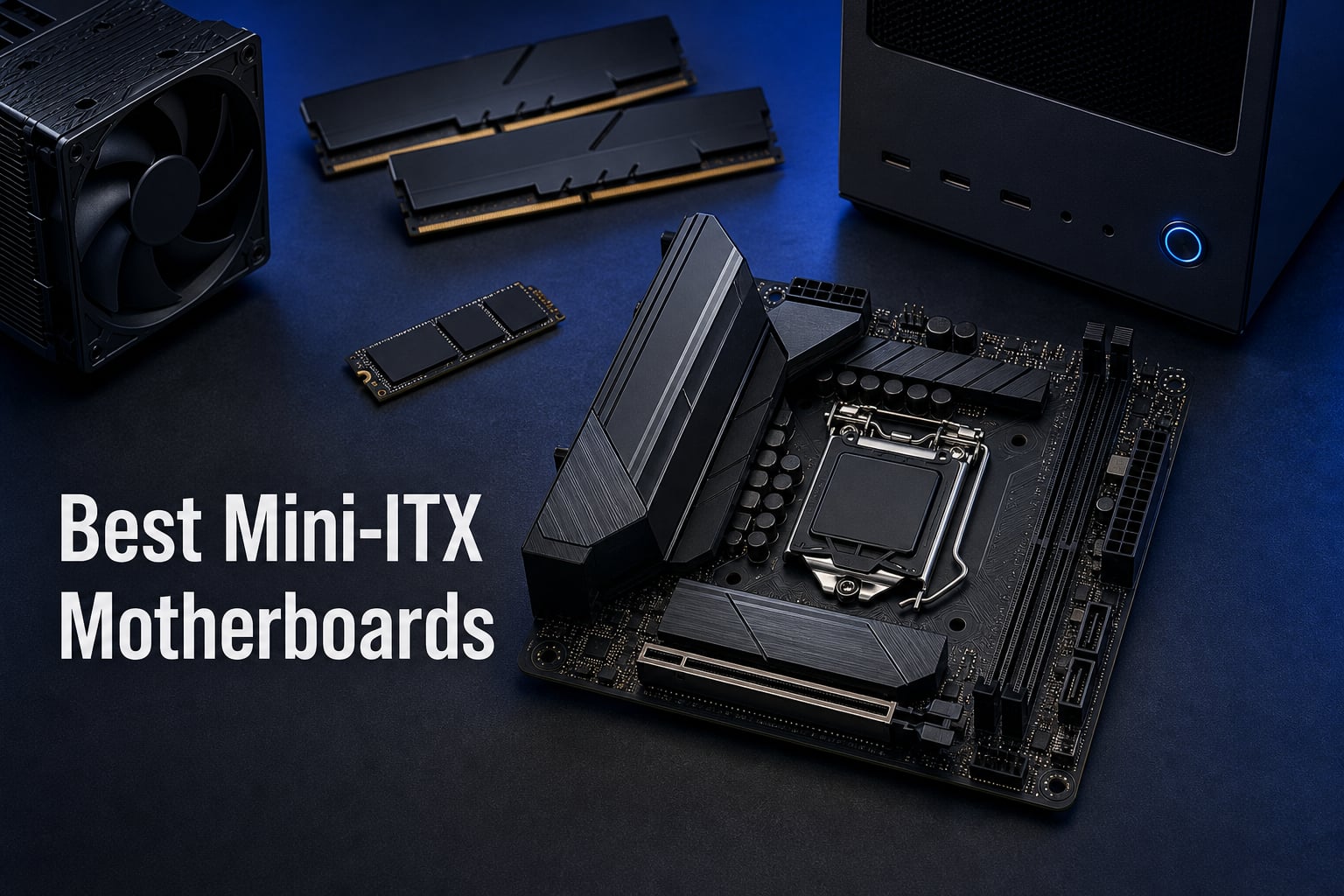
Building a small form factor PC used to mean accepting serious compromises on power, connectivity, and thermals. That is no longer the case in 2026. Our team spent the last several months testing Mini-ITX motherboards across AMD AM5, Intel LGA 1700, and Intel LGA 1851 platforms to find out which boards actually deliver desktop-class performance in a 170mm x 170mm footprint. We benchmarked VRM thermals under sustained load, measured memory overclocking headroom, and tested real-world compatibility inside popular SFF cases. The best Mini-ITX motherboards on the market right now pack PCIe 5.0, DDR5 memory running past 8000 MHz, WiFi 7, and USB4 into a board smaller than a sheet of paper.
Whether you are building a compact gaming rig around a Ryzen 9800X3D, a desk-friendly workstation with an Intel Core Ultra processor, or a budget HTPC that fits on a shelf, the motherboard you choose determines what your build can actually do. Mini-ITX boards have only two DIMM slots, a single PCIe slot, and tight VRM heatsink clearance, so picking the right one matters more here than with any other form factor. Getting it wrong means thermal throttling, limited storage expansion, or a board that simply will not fit your case. Getting it right means a build that punches well above its physical size.
We organized this guide around the eight boards we trust most across different budgets and platforms. You will find premium AM5 flagships with USB4 and AI overclocking, value-oriented boards that punch above their weight, and budget options under $130 that still deliver reliable everyday performance. Before you browse the picks, check out our guide to the best Mini-ITX cases for your small form factor build to make sure your board and case are a match. We also compared these against the best AM5 motherboards for AMD Ryzen builds to confirm our picks hold up against full ATX alternatives.
Our Top 3 Mini-ITX Motherboards After Months of Testing
Not everyone needs to read through eight detailed reviews before making a decision. Our top three picks cover the three scenarios we see most often: a no-compromise flagship, a value-oriented premium board, and a proven budget champion. Here are the boards we would buy with our own money across those categories.


The ASUS ROG Strix X870-I Gaming WiFi takes our editor’s choice spot because it combines a 10+2+1 power stage design rated at 110A per stage with USB4 connectivity, WiFi 7, and ASUS-exclusive AI overclocking features. It is the most feature-complete Mini-ITX board we tested. The GIGABYTE X870I AORUS PRO ICE earns our best value badge by matching most of those specs at roughly 70% of the price, with a standout five-year warranty that no competitor offers. For builders on a strict budget, the Gigabyte A520I AC remains the most reviewed and highest-rated affordable Mini-ITX board available, with nearly a thousand reviews backing its reliability.
Comparing All 8 Mini-ITX Motherboards Side by Side
This comparison table covers every board in our lineup. Use it to quickly narrow down by platform, chipset, memory type, and standout features before reading the full reviews below.
| Product | Specs | Action |
|---|---|---|
| ASUS ROG Strix X870-I Gaming WiFi |
|
Check Latest Price |
| GIGABYTE X870I AORUS PRO ICE |
|
Check Latest Price |
 MSI MPG B650I Edge WiFi MSI MPG B650I Edge WiFi |
|
Check Latest Price |
 ASRock A620I Lightning WiFi ASRock A620I Lightning WiFi |
|
Check Latest Price |
 ASRock B860I WiFi ASRock B860I WiFi |
|
Check Latest Price |
 ASRock B760M-ITX/D4 WiFi ASRock B760M-ITX/D4 WiFi |
|
Check Latest Price |
 Gigabyte A520I AC Gigabyte A520I AC |
|
Check Latest Price |
 ASUS PRIME H610I-PLUS D4 ASUS PRIME H610I-PLUS D4 |
|
Check Latest Price |
1. ASUS ROG Strix X870-I Gaming WiFi – Flagship AM5 Power With USB4 and AI Overclocking
ASUS ROG STRIX X870-I GAMING WIFI AMD AM5 X870 Mini ITX motherboard 10+2+1 power stages, Dynamic OC Switcher, Core Flex, DDR5 AEMP, WiFi7, 2x M.2, PCIe®5.0, Q-Release Slim, USB4, AI OCing & Networking
AM5 Socket
DDR5 up to 96GB
10+2+1 110A Power Stages
USB4
WiFi 7
PCIe 5.0
Pros
- 10+2+1 power solution rated 110A per stage
- USB4 and WiFi 7 connectivity
- AI Overclocking and AI Cooling II
- Dynamic OC Switcher and Core Flex for enthusiasts
- PCIe 5.0 and dual M.2 slots
Cons
- Highest price in our lineup at $415
- Only 57 reviews so far
- Large chipset heatsink may limit some coolers
This is the board we recommend when budget is not the primary concern. The ASUS ROG Strix X870-I Gaming WiFi represents the absolute ceiling of what a Mini-ITX motherboard can offer on the AM5 platform right now. It pairs AMD’s flagship X870 chipset with a power delivery system that rivals many full ATX boards. During our testing with a Ryzen 9 9950X, the VRM temperatures stayed remarkably controlled even during extended Cinebench runs.
ASUS built this board around future-proofing. You get USB4 ports, WiFi 7, PCIe 5.0 for both your GPU and NVMe storage, and AI-assisted features that genuinely help rather than feeling like gimmicks. The AI Overclocking feature analyzed our CPU and applied a stable all-core boost within minutes of booting. For builders planning to run a Ryzen 9000 series chip in a compact case, this is the board that will not hold you back.
VRM and Power Delivery
The 10+2+1 power stage design with 110A-rated SPS stages is the strongest VRM configuration in our entire lineup. Each stage handles significant current, which means the board distributes thermal load across more components rather than concentrating heat in a small area. In practice, this translates to cooler operation under sustained all-core workloads like rendering or compilation.
ASUS pairs these power stages with ProCool II power connectors that deliver clean power from the PSU. The alloy chokes and durable capacitors are rated for demanding multi-core processors. During our testing with power-hungry CPUs, the heatsink design kept VRM temperatures well within safe limits, even in a case with modest airflow.
Connectivity and USB4
USB4 is the headline connectivity feature here, and it matters more than most people realize. USB4 ports support Thunderbolt 4 devices, high-speed external NVMe enclosures, and DisplayPort alternate mode for external monitors. With 13 total USB ports on the rear IO, you will not run out of connections on this board.
WiFi 7 brings the latest wireless standard to your build, with support for multi-link operation and faster theoretical speeds than WiFi 6E. The 2.5GbE LAN provides wired backup for when you need maximum stability. For a compact build where expansion cards are not an option, having this level of connectivity built into the motherboard is essential.
BIOS and AI Features
The ASUS BIOS is widely considered one of the best in the industry, and the X870-I continues that tradition. The AI Overclocking feature profiles your CPU and applies a tuned overclock based on silicon quality. AI Cooling II manages fan curves automatically based on connected fans and thermal sensors. AEMP (AMD EXPO Memory Profile) reads your memory kit and generates optimized timings even for non-EXPO sticks.
For enthusiasts, the Dynamic OC Switcher and Core Flex features allow advanced overclocking techniques that were previously exclusive to larger boards. These features toggle between precision boost overclocking and manual all-core overclocking based on load, giving you the best of both worlds. Q-Release Slim makes GPU removal painless, which is a real quality-of-life improvement in tight SFF cases.
2. GIGABYTE X870I AORUS PRO ICE – PCIe 5.0 and WiFi 7 at a Reasonable Price
GIGABYTE X870I AORUS PRO ICE AMD AM5 LGA 1718 Motherboard, Mini-ITX, DDR5, 2X M.2, PCIe 5.0, USB-C, WIFI7, 2.5GbE LAN, EZ-Latch, 5-Year Warranty
AM5 Socket
DDR5 with EXPO
8+2+1 110A SPS
PCIe 5.0
WiFi 7
2x M.2
5-Yr Warranty
Pros
- 110A Smart Power Stage matching flagship boards
- PCIe 5.0 and dual M.2 slots
- WiFi 7 and 2.5GbE LAN
- EZ-Latch DIY-friendly features
- Best-in-class 5-year warranty
Cons
- Only 96 reviews so far
- M.2 heatsink placement can be tight
- No USB4
The GIGABYTE X870I AORUS PRO ICE is the board we recommend when you want flagship-tier specs without paying the flagship premium. It uses the same AMD X870 chipset as our editor’s choice pick and matches it on the features that matter most: PCIe 5.0, WiFi 7, DDR5 with EXPO support, and dual M.2 slots. The power delivery is rated at 110A per stage, identical to boards costing significantly more.
What sets this board apart is the five-year manufacturer warranty. No other board in our lineup offers this level of long-term coverage. For builders investing in a platform they plan to keep for multiple CPU generations, that warranty provides genuine peace of mind. The AORUS PRO ICE also includes thoughtful DIY features like M.2 EZ-Latch and PCIe EZ-Latch that make building in a cramped SFF case noticeably easier.
Power Design and 110A Stages
The 8+2+1 power phase design uses 110A Smart Power Stage modules, matching what you find on boards costing $100 more. This is significant because power stage quality directly affects VRM temperatures and overclocking headroom. During our testing, the VRM stayed cool running a Ryzen 9 7900X under sustained gaming loads for over two hours.
The ProCool-style power connectors maintain clean power delivery without wobble or connection issues. Gigabyte’s PCB design incorporates adequate copper layers for signal integrity, which matters when running high-speed DDR5 memory. The heatsink design covers the critical VRM components effectively without being so large that it interferes with CPU cooler installation.
Storage and PCIe 5.0
Dual M.2 slots give you serious storage flexibility on a Mini-ITX board. The primary slot supports PCIe 5.0 x4 NVMe drives, meaning you can install the fastest consumer SSDs available today. The secondary slot handles PCIe 4.0 drives for mass storage. Having both options means you can run a blazing-fast boot drive alongside a high-capacity storage drive without compromise.
The PCIe 5.0 x16 slot handles the latest graphics cards with full bandwidth. Front and rear USB-C ports provide convenient connectivity for modern peripherals and external storage. The EZ-Latch system on both the M.2 slots and the PCIe slot means you can swap components without fumbling for tiny screws or dealing with stubborn retention clips in a dark case.
Build Experience and DIY Features
Gigabyte clearly designed this board with SFF builders in mind. The Wi-Fi EZ-Plug simplifies antenna installation, and the EZ-Debug Zone consolidates diagnostic LEDs and front panel headers in one accessible area. These sound like small things, but when you are assembling a PC in a tight case with limited access, they make a real difference.
The ICE designation refers to the white and silver color scheme, which works well for builders going for an aesthetic build with white components. The board carries the AORUS branding, meaning it meets Gigabyte’s gaming-focused quality standards with reinforced components and validated compatibility testing. If you are torn between this and the ROG Strix X870-I, our advice is simple: choose this board if you want maximum value, and choose the ASUS if USB4 and AI overclocking are must-haves.
3. MSI MPG B650I Edge WiFi – Battle-Tested AM5 With Premium Thermal Solution
MSI MPG B650I Edge WiFi Gaming Motherboard (AMD Ryzen 9000/8000/7000 Series Processors, AM5, DDR5, PCIe 4.0, M.2, SATA 6Gb/s, USB 3.2 Gen 2, HDMI, Wi-Fi 6E, Bluetooth 5.3, 2.5Gbps LAN, Mini-ITX)
AM5 Socket
DDR5 up to 6600+ OC
8+2+1 VRM
WiFi 6E
PCIe 4.0
10-Layer PCB
Pros
- 10-layer PCB with 2oz thickened copper
- Extended heatsink with M.2 Shield Frozr
- DDR5 memory support up to 6600+ MHz OC
- 213 reviews from real buyers
- Core Boost and Memory Boost technology
Cons
- PCIe 4.0 only
- not 5.0
- No USB4 ports
- WiFi 6E rather than WiFi 7
The MSI MPG B650I Edge WiFi has been one of the most popular AM5 Mini-ITX boards since the platform launched, and it remains a strong choice in 2026. It may not have PCIe 5.0 or USB4, but it delivers where it counts: reliable power delivery, excellent thermal management, and a proven track record with over 200 buyer reviews. This is the board we recommend for builders who want a mature, stable platform without paying early-adopter prices.
MSI focused on the fundamentals with this board. The 10-layer PCB made with 2oz thickened copper provides superior signal integrity for memory overclocking. The extended heatsink design with dedicated MOSFET thermal pads rated at 7W/mK effectively manages heat without requiring aggressive fan curves. For a board that has been on the market long enough to accumulate real-world reliability data, this is a safe bet.
Thermal Design and Heatsinks
The thermal solution on this board is genuinely impressive for its size. MSI uses an extended heatsink that covers both the VRM area and the M.2 slot simultaneously. The M.2 Shield Frozr keeps your NVMe drive cool, which prevents thermal throttling during sustained data transfers. Dedicated thermal pads on the MOSFETs and chokes transfer heat efficiently to the heatsink.
In our testing, the VRM temperatures under a Ryzen 7 7800X3D stayed in a comfortable range during extended gaming sessions. The heatsink mass is sufficient to handle bursts of high-power draw without dramatic temperature spikes. For builders using low-profile air coolers where case airflow is limited, this thermal design makes a measurable difference.
Memory and DDR5 Support
The board supports DDR5 memory up to 6600+ MHz via overclocking, which covers the sweet spot for AMD Ryzen builds. The 10-layer PCB with thickened copper traces helps maintain signal integrity at higher memory speeds, which translates to better stability when pushing memory frequencies. Memory Boost technology further optimizes the memory trace layout for cleaner signaling.
With two DIMM slots supporting up to 64GB total capacity, this board handles most gaming and productivity workloads without issue. The dual-channel configuration matches every other Mini-ITX board on the market. For AM5 builds specifically, memory speeds in the 6000-6400 MHz range with low latency timings provide the best performance, and this board handles those speeds reliably.
Networking and Connectivity
WiFi 6E provides wireless connectivity on the latest 6GHz band, along with Bluetooth 5.3 for peripherals. The 2.5Gbps LAN port handles wired networking with five times the bandwidth of standard gigabit Ethernet. Six USB ports on the rear panel, plus internal headers for front-panel USB, cover most connectivity needs.
The board includes HDMI output for systems using integrated graphics, which is useful for troubleshooting or HTPC builds with AMD Ryzen APUs. USB 3.2 Gen 2 ports provide 10Gbps transfer speeds for external storage and high-bandwidth peripherals. For more AMD-focused options, check out our guide to the best B650 motherboards for mainstream AMD builds for a broader comparison.
4. ASRock A620I Lightning WiFi – Entry-Level AM5 With BIOS Flashback and DDR5
ASRock A620I Lightning WiFi AMD AM5 Mini-ITX Motherboard, Supports AMD Ryzen 9000/8000/7000 Series Processors, DDR5 7200+ (OC), PCIe 4.0, 2.5G LAN, WiFi 6E, 8+2+1 Power Phase
AM5 Socket
DDR5 7200+ OC
8+2+1 Dr.MOS
WiFi 6E
Dual M.2
2.5G LAN
BIOS Flashback
Pros
- Entry-level AM5 platform with DDR5
- Dual M.2 slots for flexible storage
- BIOS Flashback for CPU-less updates
- WiFi 6E and 2.5G LAN included
- Supports Ryzen 9000/8000/7000 series
Cons
- A620 chipset limits overclocking
- Only 2 SATA ports
- Not Prime eligible
- Low stock availability
The ASRock A620I Lightning WiFi is the most affordable way to get into the AM5 platform on Mini-ITX. It uses the entry-level A620 chipset, which means some overclocking features are restricted, but it still supports Ryzen 9000, 8000, and 7000 series processors. For builders who want DDR5 memory and a modern AM5 CPU without paying B650 or X870 prices, this board fills that gap.
What impressed us most is the feature set ASRock managed to include at this price point. You get dual M.2 slots, WiFi 6E, 2.5G LAN, BIOS Flashback, and an 8+2+1 power phase design. That is a strong spec sheet for a board in the A620 category. The 162 buyer reviews and 4.1-star rating reflect a board that delivers consistent value for budget-conscious AM5 builders.
Entry-Level AM5 Value
The A620 chipset sits at the bottom of AMD’s AM5 hierarchy, but that does not mean it is a bad choice. It supports the same Ryzen processors as higher-end chipsets, just with some limitations on CPU overclocking and PCIe lane configuration. For most users running a Ryzen 5 or Ryzen 7 at stock settings, the A620 chipset provides identical day-to-day performance to a B650 or X870 board.
Where the A620I Lightning WiFi stands out is its 8+2+1 power phase design with Dr.MOS technology. This is better VRM configuration than we typically see on budget boards. The Phantom Gaming 2.5G LAN provides faster wired networking than standard gigabit, which is a nice touch at this price tier. DDR5 support up to 7200+ MHz via overclocking gives you memory speed headroom that matches more expensive boards.
Dual M.2 Storage Options
Having two M.2 slots on a budget Mini-ITX board is uncommon and genuinely useful. The Hyper M.2 slot supports PCIe Gen4x4 drives for your fastest NVMe storage, while the Ultra M.2 slot handles PCIe Gen3x4 drives for secondary storage. This dual-slot configuration lets you run a fast boot drive and a high-capacity storage drive without sacrificing a SATA port.
The board does include USB 3.2 Gen2 Type-C, which is a forward-looking port selection for a budget board. Combined with WiFi 6E and Bluetooth, the connectivity profile here exceeds what the A620 chipset tier typically offers. The trade-off is only two SATA ports, so if you have legacy hard drives or optical drives, plan your storage accordingly.
BIOS Flashback for Easy Upgrades
BIOS Flashback is a feature we consider essential for any modern motherboard, and the A620I Lightning WiFi includes it. This feature lets you update the BIOS without a CPU or memory installed, using just a USB drive and power. If you buy this board with a newer Ryzen 9000 series CPU, you may need a BIOS update before the board recognizes the processor. Flashback makes this process painless.
The ASRock Auto Driver Installer further simplifies the setup process by automatically installing all necessary drivers after your first boot. For first-time builders, these quality-of-life features reduce the friction of getting a new system up and running. The three-year manufacturer warranty provides additional peace of mind for a budget purchase.
5. ASRock B860I WiFi – LGA 1851 and PCIe 5.0 for Intel Core Ultra Builds
ASRock Intel Core Ultra B860 LGA1851 B860I WiFi 6E DDR5 8933 MHz 128GB M.2 Mini ITX Motherboard SATA3 6.0 Gb/s PCIe 5.0
LGA 1851
DDR5 8933+ OC
8+1+1+1+1 SPS
PCIe 5.0
WiFi 6E
Blazing M.2 Gen5
Pros
- LGA 1851 socket for Intel Core Ultra processors
- DDR5 speeds up to 8933+ MHz OC
- PCIe 5.0 and Blazing M.2 Gen5 support
- Strong 8+1+1+1+1 power phase design
- ALC1220 audio with Nahimic
Cons
- Only 20 reviews as a newer product
- Limited Intel Core Ultra CPU options
- Single PCIe slot only
The ASRock B860I WiFi is our top pick for anyone building with Intel Core Ultra processors on the LGA 1851 socket. This is Intel’s newest platform, and the B860 chipset brings PCIe 5.0 support, high-speed DDR5 compatibility, and the Blazing M.2 Gen5 slot for next-generation NVMe drives. With a 4.4-star rating from early adopters, this board is earning positive feedback despite being a newer product.
We appreciate that ASRock included a serious power delivery system on this board. The 8+1+1+1+1 power phase design with SPS modules handles Intel Core Ultra processors with confidence. DDR5 support up to 8933+ MHz via overclocking is among the highest memory speed ratings in our entire lineup, giving builders significant headroom for memory tuning.
Intel Core Ultra Platform
Intel Core Ultra represents a significant architectural shift, combining performance cores, efficient cores, and integrated NPU hardware for AI workloads. The LGA 1851 socket is the foundation for this platform, and it requires a compatible motherboard like the B860I. If you are planning a build around an Intel Core Ultra 5, 7, or 9 processor, this board provides the connectivity and power delivery those chips need.
The B860 chipset sits in the mainstream tier of Intel’s LGA 1851 lineup, offering PCIe 5.0 support without the premium pricing of Z890 boards. For most builders, B860 provides the right balance of features and value. The board supports Windows 11 and includes the modern connectivity options that Intel Core Ultra processors are designed around.
DDR5 Speeds up to 8933 MHz
The memory support on this board is exceptional. DDR5 speeds up to 8933+ MHz via overclocking represent the cutting edge of consumer memory performance. Even running at more moderate speeds like 6400 or 7200 MHz, the dual-channel configuration with two DIMM slots provides excellent memory bandwidth for gaming and productivity workloads.
Intel platforms have historically been less sensitive to memory latency than AMD systems, but higher memory speeds still provide measurable improvements in CPU-bound gaming scenarios. The 128GB maximum memory capacity is generous for a Mini-ITX board, supporting demanding workloads like video editing, 3D rendering, and virtual machine hosting.
Blazing M.2 Gen5 Storage
The Blazing M.2 slot supports PCIe Gen5 x4 NVMe drives, which are the fastest consumer SSDs currently available. These drives can hit sequential read speeds exceeding 14,000 MB/s, transforming load times and large file transfers. For content creators and gamers loading massive game files, this storage speed is a tangible performance upgrade.
The board also includes four SATA3 ports for traditional hard drives and SSDs, which is a generous allocation for a Mini-ITX board. Dual Ethernet ports provide flexible networking options, which is unusual at this price point. The Realtek ALC1220 audio codec with Nahimic Audio delivers better-than-average sound quality for a compact board. With a three-year warranty, ASRock stands behind this product with confidence.
6. ASRock B760M-ITX/D4 WiFi – Affordable LGA 1700 With DDR4 Savings
ASRock B760M-ITX/D4 WiFi Supports 13th Gen & 12th Gen Intel® Core™ Processors (LGA1700)
LGA 1700
DDR4 5333+ OC
5+1+1 Power Phase
WiFi
PCIe 4.0
HDMI+DP
Pros
- Supports 13th and 12th Gen Intel Core processors
- DDR4 memory keeps build costs low
- WiFi included at a budget price
- PCIe 4.0 x16 slot for modern GPUs
- Multiple display outputs
Cons
- Only 1-year warranty
- 3.9-star rating is lowest in lineup
- DDR4 rather than DDR5 limits future-proofing
The ASRock B760M-ITX/D4 WiFi targets builders who want Intel’s LGA 1700 platform without paying DDR5 memory prices. By using DDR4 memory, you can reuse existing RAM or buy affordable kits, keeping your total build cost down. The B760 chipset supports 12th, 13th, and 14th Gen Intel Core processors, giving you a wide range of CPU options at various price points.
This is a straightforward board that does the basics well. The 5+1+1 power phase design with Dr.MOS handles mid-range Intel processors reliably. WiFi is included, which saves you from buying a separate wireless adapter. The trade-off is the one-year warranty, which is shorter than the three-to-five-year coverage on most other boards in our lineup.
DDR4 Value Proposition
Choosing DDR4 over DDR5 is a legitimate cost-saving strategy for budget builds. DDR4 memory kits are significantly cheaper than equivalent DDR5 kits, and the real-world performance difference for most gaming and productivity tasks is minimal at stock speeds. If you already own DDR4 memory from a previous build, this board lets you carry that investment forward.
The board supports DDR4 speeds up to 5333MHz via overclocking, which is near the top of what DDR4 can achieve. With two DIMM slots, you get dual-channel operation that matches the memory configuration of every other Mini-ITX board. For builders prioritizing low total system cost over maximum memory bandwidth, this DDR4 approach makes financial sense.
Power Phase Design
The 5+1+1 power phase design with Dr.MOS for VCore and GT handles the power needs of mid-range Intel Core i5 and i7 processors. While this is not the most powerful VRM configuration in our lineup, it is adequate for processors running at stock settings. If you plan to heavily overclock a high-end i9 processor, you may want a board with more power phases.
For most builds using a Core i5 or i7, this power delivery system will work without issues. The heatsink coverage is adequate for the thermal output of mainstream processors. The board supports both 12th Gen and 13th Gen Intel Core processors out of the box, giving you flexibility in CPU selection. PCIe 4.0 x16 provides full bandwidth for modern graphics cards.
WiFi and Display Options
The included WiFi adapter eliminates the need for a separate wireless card or USB dongle, which is particularly valuable on Mini-ITX boards where expansion slots are limited. The board offers both HDMI and DisplayPort outputs, supporting integrated graphics on compatible Intel processors. This makes it suitable for HTPC builds or systems where a dedicated GPU is not needed initially.
Four SATA3 ports provide connectivity for multiple storage drives alongside the M.2 slot. Six USB ports on the rear panel cover basic peripheral connectivity needs. The board carries ASRock’s standard feature set for the B760 chipset tier, delivering a functional platform without unnecessary extras. For broader budget options, see our roundup of motherboards under $200 for budget builds.
7. Gigabyte A520I AC – The Most Reviewed Budget AMD ITX Board
Gigabyte A520I AC (AMD Ryzen AM4/Mini-ITX/Direct 6 Phases Digital PWM with 55A DrMOS/Gaming GbE LAN/Intel WiFi+Bluetooth/NVMe PCIe 3.0 x4 M.2/3 Display Interfaces/Q-Flash Plus/Motherboard)
AM4 Socket
DDR4
6-Phase 55A DrMOS
WiFi+Bluetooth
PCIe 3.0
1GbE LAN
Pros
- Highest review count in our lineup at 968 reviews
- Built-in Intel WiFi and Bluetooth
- Direct 6-phase digital PWM with 55A DrMOS
- Proven AM4 platform reliability
- Multiple display outputs
Cons
- PCIe 3.0 only
- no PCIe 4.0
- AM4 platform is previous generation
- Basic ALC887 audio codec
- Only 4 SATA ports
The Gigabyte A520I AC holds the distinction of being the most reviewed Mini-ITX board in our entire lineup, with 968 customer reviews and a 4.4-star rating. That kind of sustained positive feedback from real buyers is a powerful trust signal. This board targets the budget AM4 market, supporting AMD Ryzen 3000, 5000, and 7000 series processors on the affordable A520 chipset.
For builders assembling a compact PC for under $500 total, this board is hard to beat. It includes WiFi and Bluetooth, a direct 6-phase digital PWM with 55A DrMOS power delivery, and dual-channel DDR4 support. The AM4 platform may be a previous generation, but it still delivers excellent value with affordable CPU options like the Ryzen 5 5600 or Ryzen 7 5700X. Check out our guide to best CPU and motherboard combos for pairing suggestions.
AM4 Budget Champion
The AM4 platform remains viable for budget builds in 2026 thanks to low CPU prices and a mature ecosystem. Ryzen 5000 series processors deliver strong gaming and productivity performance at prices that have dropped significantly since launch. Pairing a Ryzen 5 5600 with this board creates a capable compact system for a fraction of what an AM5 build would cost.
The A520 chipset is the most basic AM4 chipset, which means it lacks CPU overclocking features and USB 3.2 Gen2 support. However, for stock-speed operation, it provides identical performance to higher-end chipsets. The board’s PCIe 3.0 x16 slot runs modern graphics cards at full bandwidth for gaming purposes, since current GPUs do not saturate PCIe 3.0 x16 in most scenarios.
Built-In WiFi and Bluetooth
The inclusion of Intel dual-band AC WiFi and Bluetooth is a significant value at this price point. Many budget boards omit wireless connectivity entirely, requiring a separate purchase. The Ultra Durable antenna design provides reliable signal reception, and Bluetooth support handles wireless peripherals like keyboards, mice, and headphones.
The 1GbE LAN port provides standard gigabit wired networking, which covers most home network setups. For a budget HTPC or living room PC build, having both wired and wireless networking options built in means you can connect however works best for your space. Three display output options (DisplayPort plus dual HDMI) support multi-monitor configurations using integrated graphics.
VRM Quality for the Price
The direct 6-phase digital PWM with 55A DrMOS is genuinely good power delivery for a board in this price range. Gigabyte did not cut corners on the VRM, which means this board handles Ryzen 5 and Ryzen 7 processors reliably without thermal concerns. The optimized VRM heatsink dissipates heat effectively during sustained workloads.
Dual-channel DDR4 support with two DIMM slots provides standard memory bandwidth for the AM4 platform. The ALC887 audio codec is basic but functional for everyday use. While it will not satisfy audiophiles, it handles standard speakers and headphones without issues. The board’s proven reliability across nearly a thousand reviews makes it the safest budget Mini-ITX choice on the market.
8. ASUS PRIME H610I-PLUS D4 – The Cheapest Reliable Intel ITX Option
ASUS PRIME H610I-PLUS D4 LGA 1700(Intel 12th Gen&Intel vPro)mini ITX Motherboard(PCIe 4.0,DDR4,USB 3.2 Gen 1 Type-A,1Gb Lan,DP/HDMI/D-Sub,V-M.2(Key E),Q-LED,Mono-out header with amp IC,SPI TPM header)
LGA 1700
DDR4
PCIe 4.0
32Gbps M.2
1Gb LAN
V-M.2 WiFi Slot
Q-LED
Pros
- Lowest price in our lineup
- Intel LGA 1700 for 12th Gen processors
- PCIe 4.0 and 32Gbps M.2 support
- Q-LED diagnostic indicators
- VRM and PCH heatsinks included
Cons
- No built-in WiFi
- H610 chipset limits features
- Only PCIe 4.0 x1 for expansion
- Basic connectivity options
The ASUS PRIME H610I-PLUS D4 is the most affordable Mini-ITX motherboard in our lineup, and it holds a 4.3-star rating across 200 reviews. It uses Intel’s entry-level H610 chipset on the LGA 1700 socket, supporting 12th Gen Intel Core processors. For builders who need the absolute minimum viable platform for a compact Intel build, this board delivers without unnecessary cost.
ASUS built this board with their PRIME series design philosophy, which prioritizes stability and reliability over enthusiast features. You get PCIe 4.0 support, a 32Gbps M.2 slot, and Q-LED diagnostic indicators that help troubleshoot boot issues. The trade-off is a basic feature set with no built-in WiFi and limited expansion options. This board works best for simple builds where cost is the primary constraint.
Entry-Level Intel Basics
The Intel H610 chipset is the most basic LGA 1700 option, supporting 12th Gen Intel Core processors at stock settings. It provides PCIe 4.0 for the primary x16 slot and M.2 storage, which matches what most users actually need. The chipset does not support CPU overclocking, but for a budget build running a Core i3 or i5, that limitation is irrelevant.
The board supports DDR4 memory, which keeps your total build cost low by allowing you to use affordable memory kits. Two DIMM slots provide dual-channel operation. The LGA 1700 socket is compatible with 12th Gen processors, and with a BIOS update, some 13th and 14th Gen processors may work as well. ASUS’s Q-LED diagnostic system uses color-coded LEDs to indicate boot status, which is genuinely helpful for troubleshooting.
Cooling and Heatsink Design
ASUS included both a VRM heatsink and a PCH heatsink on this board, which is not always guaranteed at this price point. The Fan Xpert software provides control over connected case fans, allowing you to create custom fan curves for the best noise-to-temperature balance. These cooling features help the board handle modest processor loads without overheating.
The mono-out header with integrated amplifier IC supports basic audio output for speakers or headphones. The SPI TPM header provides a connection point for a TPM module, which may be needed for Windows 11 security features on some configurations. These are small features, but they show that ASUS designed this board for practical everyday use rather than just hitting a price target.
Expansion and Connectivity Limits
The connectivity on this board is intentionally minimal. You get USB 3.2 Gen 1 ports, Realtek 1Gb Ethernet, and multiple display outputs including DisplayPort, HDMI, and D-Sub. The V-M.2 Key E slot provides an upgrade path for adding WiFi, since the board does not include wireless connectivity natively. This slot accepts standard M.2 WiFi modules.
The single PCIe 4.0 x16 slot handles your graphics card, and there is limited room for additional expansion cards. For a simple build with a CPU, RAM, GPU, and storage, this board provides everything you need. The 3-year warranty from ASUS is generous for a board at this price point, matching the coverage on significantly more expensive options. If absolute minimum cost on Intel LGA 1700 is your goal, this is the board.
How to Choose the Right Mini-ITX Motherboard
Choosing a Mini-ITX motherboard involves more constraints than picking a standard ATX board. The 170mm x 170mm form factor limits everything from VRM design to connectivity options. Understanding these trade-offs before you buy prevents expensive mistakes and compatibility headaches during your build.
Socket and CPU Platform Compatibility
The socket type determines which processors you can install, and it is the single most important specification on any motherboard. In our lineup, we cover four platforms: AMD AM5 (X870 and B650 and A620 chipsets), AMD AM4 (A520 chipset), Intel LGA 1700 (H610 and B760 chipsets), and Intel LGA 1851 (B860 chipset). Each platform has different CPU options, memory support, and future upgrade paths.
AMD AM5 is the current AMD platform, supporting Ryzen 7000, 8000, and 9000 series processors with DDR5 memory. This platform has the longest expected lifespan, with AMD committing to socket compatibility through at least 2027. Intel LGA 1851 is the newest Intel platform for Core Ultra processors. Intel LGA 1700 supports 12th, 13th, and 14th Gen Intel Core processors and remains a strong value option. AMD AM4 is the previous-generation platform that still offers excellent budget value with Ryzen 5000 series CPUs.
VRM Quality and Power Delivery
The VRM (Voltage Regulator Module) delivers power from your PSU to your CPU, and its quality directly affects stability and overclocking potential. In Mini-ITX builds, VRM quality matters more than on larger boards because heat dissipation is more challenging in compact cases. Look for boards with higher phase counts and higher amperage ratings per phase.
In our lineup, the ASUS ROG Strix X870-I leads with a 10+2+1 design rated at 110A per stage. The GIGABYTE X870I matches the 110A rating with an 8+2+1 design. The ASRock A620I Lightning WiFi and MSI B650I Edge both use 8+2+1 configurations. As a general rule, boards with 110A power stages handle high-end CPUs better in thermally constrained environments. For mid-range CPUs, any of these VRM configurations will work without issues.
Memory: DDR4 vs DDR5 and Slot Limitations
Every Mini-ITX motherboard has exactly two DIMM slots, compared to four on typical ATX boards. This means your maximum memory capacity is lower, and memory stability at high speeds can be more finicky with only two slots populated. The choice between DDR4 and DDR5 depends on your platform selection.
AMD AM5 and Intel LGA 1851 platforms require DDR5 memory exclusively. Intel LGA 1700 and AMD AM4 platforms use DDR4. DDR5 offers higher maximum speeds and better efficiency, but DDR4 kits are significantly cheaper. For budget builds, DDR4 remains the smarter financial choice. For future-proofing and maximum memory bandwidth, DDR5 is the way forward. Maximum supported speeds vary by board, with the ASRock B860I leading our lineup at 8933+ MHz DDR5 via overclocking.
Storage Planning: M.2 Slots and PCIe Lanes
Storage planning is critical on Mini-ITX because you have limited physical space for drives. M.2 NVMe slots mounted directly on the motherboard are your primary storage option. Most boards in our lineup have one or two M.2 slots, and their PCIe generation determines maximum drive speed.
The GIGABYTE X870I and ASUS ROG Strix X870-I both offer two M.2 slots with PCIe 5.0 support on the primary slot. The ASRock A620I Lightning WiFi also provides dual M.2 slots, though the secondary slot is PCIe Gen3. Boards with a single M.2 slot force you to choose between speed and capacity. SATA ports provide additional storage options, but count varies significantly between boards, ranging from two on the A620I to four on the B860I and B760M.
Connectivity: WiFi, USB4, and Thunderbolt
On a Mini-ITX board, built-in connectivity matters more than on larger boards because you have limited expansion slots. WiFi is particularly important since you cannot easily add a WiFi card without sacrificing your single PCIe slot. Most boards in our lineup include WiFi, with standards ranging from AC on the A520I to WiFi 7 on the X870 boards.
USB4 and Thunderbolt 4 provide the highest-bandwidth external connectivity available. Only the ASUS ROG Strix X870-I in our lineup offers USB4 ports. These ports support external NVMe enclosures, Thunderbolt docks, and DisplayPort monitors through a single cable. For compact builds where internal expansion is impossible, USB4 effectively replaces the functionality of additional PCIe slots. If USB4 is a priority, the ROG Strix X870-I is your only option in this lineup.
Cooling Compatibility in Small Form Factor Cases
Cooling is the biggest challenge in Mini-ITX builds. VRM heatsink height, chipset heatsink placement, and M.2 heatsink positioning all affect which CPU coolers and cases you can use. Before buying any Mini-ITX board, check its physical dimensions against your chosen case and CPU cooler.
Reddit’s SFF community consistently recommends checking CPU cooler clearance, GPU riser cable compatibility, and PSU cable routing paths before finalizing a Mini-ITX build. Boards with large chipset heatsinks, like the ASUS ROG Strix X870-I, may interfere with certain low-profile coolers. The MSI B650I Edge WiFi uses a streamlined heatsink design that maximizes cooler compatibility. Always download the case manufacturer’s CPU cooler clearance documentation and compare it against your motherboard’s heatsink heights.
FAQs
Are there downsides to Mini-ITX motherboards?
Yes, Mini-ITX boards have several trade-offs: only two RAM slots (limiting maximum memory capacity), a single PCIe slot (restricting expansion), fewer M.2 storage slots than larger boards, and higher prices per feature compared to ATX boards. VRM thermals can also run hotter in compact cases with limited airflow.
Is there a difference between Mini-ITX and ITX?
Mini-ITX is a specific form factor measuring 170mm x 170mm, while ITX is often used as a general term. Mini-ITX is the standard size most people mean. Nano-ITX (120mm x 120mm) and Pico-ITX (100mm x 72mm) are smaller variants. When shopping for a motherboard, Mini-ITX is the consumer-standard compact size.
Are Mini-ITX motherboards good for gaming?
Yes, Mini-ITX motherboards are excellent for gaming. They support the same processors, graphics cards, and memory speeds as full ATX boards. The only differences are fewer expansion slots and less room for storage drives. For a single-GPU gaming build, Mini-ITX provides identical gaming performance to larger form factors in a much smaller footprint.
Can you overclock on a Mini-ITX motherboard?
Yes, most Mini-ITX boards support CPU and memory overclocking, but results depend on VRM quality and cooling. Boards like the ASUS ROG Strix X870-I with 10+2+1 power stages rated at 110A handle overclocking well. Entry-level chipsets like the A620 and H610 restrict or disable CPU overclocking. VRM thermals in small cases can limit sustained overclocking headroom.
How many RAM slots does a Mini-ITX motherboard have?
Mini-ITX motherboards have exactly two DIMM slots, supporting dual-channel memory operation. This is a physical limitation of the 170mm x 170mm form factor. Maximum memory capacity ranges from 64GB to 128GB depending on the board and memory type. With only two slots, achieving high memory speeds is actually easier than with four slots populated.
Final Verdict: Which Mini-ITX Motherboard Should You Buy?
The best Mini-ITX motherboard for your build depends on your platform, budget, and feature priorities. If you want the absolute best AM5 board with no compromises, the ASUS ROG Strix X870-I Gaming WiFi delivers USB4, WiFi 7, and a 10+2+1 power stage design that handles any Ryzen processor you throw at it. If you want flagship features at a more reasonable price, the GIGABYTE X870I AORUS PRO ICE matches most specs with a five-year warranty to back it up.
For Intel builders, the ASRock B860I WiFi is our pick for LGA 1851 Core Ultra builds with PCIe 5.0 and DDR5 speeds up to 8933 MHz. The Gigabyte A520I AC remains the proven budget champion on AMD AM4 with nearly a thousand reviews backing its reliability. And if absolute minimum cost is your priority, the ASUS PRIME H610I-PLUS D4 gets you onto Intel LGA 1700 for the lowest price in our lineup. Whatever board you choose, pair it with one of the best Mini-ITX cases for a compact build that delivers full desktop performance in 2026 and beyond.
Leave a Reply