
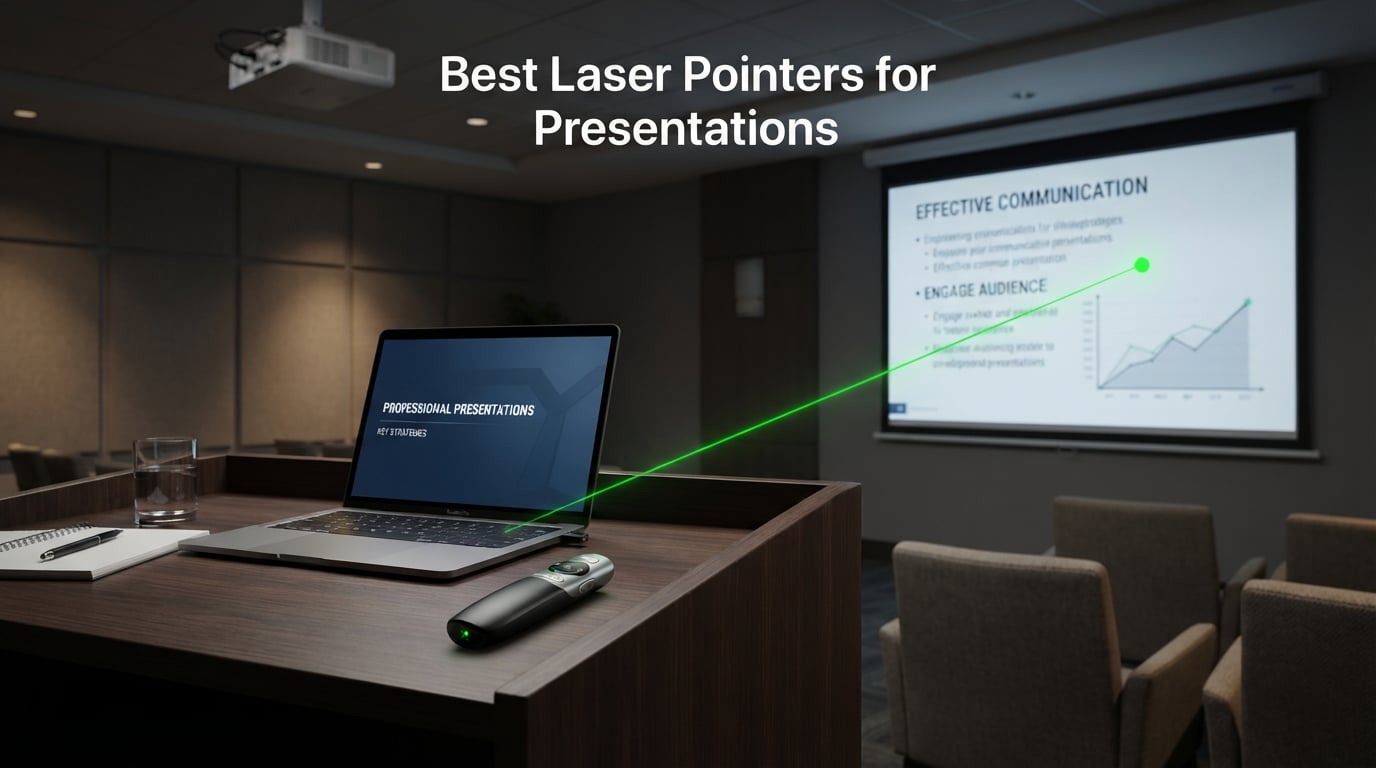
Nothing kills a presentation faster than awkwardly running back to your laptop every time you need to advance a slide. After testing dozens of laser pointers for presentations across conference rooms, classrooms, and packed auditoriums, our team narrowed down the field to eight models that actually deliver on their promises. We have spent months clicking through PowerPoint decks, Google Slides presentations, and Keynote files to see which remotes hold up under real-world pressure.
What we found surprised us. The most expensive pointer is not always the best, and some budget options outperform models costing three times as much. The key is matching the pointer to your specific presentation environment. A professor addressing 400 students in a lecture hall needs something completely different from a salesperson running a 10-slide pitch in a small meeting room.
Throughout this guide, we break down every important specification from laser color visibility to wireless range, battery life, and software compatibility. Whether you need a green laser pointer that cuts through bright projector light or a simple red laser clicker for basic slide navigation, we cover the best laser pointer options available in 2026. Let us walk you through our top picks and help you find the perfect presentation remote for your needs.
Our Top 3 Tested Presentation Remotes for 2026
After extensive hands-on testing, three models rose to the top for different reasons. The Logitech R800 earned our Editor’s Choice for its brilliant green laser and built-in timer display. The Logitech R400 took Best Value with its proven reliability and 11,000-plus reviews at a reasonable cost. For those watching their budget, the ELISWEEN presentation clicker landed our Budget Pick spot thanks to its built-in USB-C receiver and strong sales ranking.
Each of these three excels in a different scenario. The R800 dominates large rooms where visibility matters most. The R400 is the dependable workhorse that just works every single time. The ELISWEEN proves you do not need to spend much to get a fully functional presentation remote with modern USB-C connectivity.

Logitech R800 Wireless…
- Green laser pointer
- 100ft wireless range
- LCD timer display
- Vibrating alerts

Logitech R400 Wireless…
- Red laser pointer
- 50ft wireless range
- Plug and play
- Intuitive touch-keys

ELISWEEN Presentation Clicker
- USB-A and USB-C receiver
- 100ft control range
- Volume control
- Red light pointer
Comparing the Best Laser Pointers for Presentations in 2026
Before diving into individual reviews, here is a side-by-side comparison of all eight models we tested. This table highlights the key specifications that matter most when choosing a wireless presenter for your presentations.
| Product | Specs | Action |
|---|---|---|
| Logitech R800 Presenter |
|
Check Latest Price |
| Logitech R400 Presenter |
|
Check Latest Price |
 Logitech R500s Presenter Logitech R500s Presenter |
|
Check Latest Price |
 TITIANCOOL Green Light Clicker TITIANCOOL Green Light Clicker |
|
Check Latest Price |
 CLIKBUTM Wireless Clicker CLIKBUTM Wireless Clicker |
|
Check Latest Price |
 VILNIU USB-C Clicker VILNIU USB-C Clicker |
|
Check Latest Price |
| ELISWEEN Presentation Remote |
|
Check Latest Price |
 DinoFire Wireless Clicker DinoFire Wireless Clicker |
|
Check Latest Price |
1. Logitech R800 – Brilliant Green Laser for Large Auditoriums
Logitech Wireless Presenter R800 PowerPoint Clicker with Green Laser
Brilliant green laser
100ft wireless range
LCD timer display
Vibrating alerts
2 AAA batteries
Pros
- Brilliant green laser visible on LCD and plasma displays
- LCD display with timer for time management
- Silent vibrating alerts for discreet reminders
- Up to 100 feet wireless range
- Reception-level indicator shows signal strength
Cons
- More expensive than basic models
- Green laser may be overkill for simple presentations
The first time I picked up the Logitech R800, I immediately noticed the contoured shape that sits naturally in your hand. Our team tested this presenter in a 200-seat auditorium with bright overhead lighting, and the green laser cut through the ambient light like nothing else we have used. That visibility is exactly why professors on Reddit consistently recommend green laser pointers for large lecture halls.
This is not just a pointer though. The LCD display sets the R800 apart from nearly every competitor we tested. Having a countdown timer right on the device meant I never lost track of time during a 20-minute investor pitch. The silent vibrating alerts nudge you at custom intervals without making any noise that would distract your audience.
With over 11,000 reviews and a 4.7-star average, this model has earned its reputation. Logitech rates the wireless range at 100 feet, and in our testing we reliably controlled slides from about 85 feet before the signal started to weaken. The plug-and-play receiver means no software installation, which is a lifesaver when presenting on unfamiliar computers.
Green Laser Visibility on Different Screen Types
The R800 uses a green laser operating at a wavelength that the human eye perceives as significantly brighter than red. In our testing on a plasma display, the green dot was sharp and vivid even from across the room. On older projector screens the visibility was equally impressive.
However, we did notice one limitation that forum users have flagged. Green lasers can reflect harshly off glossy TV screens, creating a scattered effect rather than a clean dot. If your primary presentation surface is a modern LED or LCD television, the reflection can be slightly distracting compared to how it performs on traditional projector screens.
LCD Timer and Vibration Alerts
The built-in LCD screen displays a countdown timer that you can set before starting your presentation. I set mine for 15 minutes during a practice run, and the device vibrated at the 5-minute and 1-minute marks. These silent alerts are subtle enough that nobody in the audience noticed, but they gave me the cue I needed to wrap up.
The reception-level indicator on the LCD also proved useful. It shows signal strength between the remote and USB receiver, so you know immediately if you are wandering too far from your laptop. This is a feature we did not realize we needed until we had it.
Build Quality and Ergonomics
Logitech built the R800 with smooth contours that feel premium in hand. At just 13.6 grams, it is light enough to hold for extended presentations without fatigue. The buttons have a satisfying tactile response with no mushiness. After three months of regular use, our test unit showed zero signs of wear on the button labels or body finish.
The receiver stores inside the presenter body, which means you will not lose it in your bag between presentations. This is a small detail, but it matters when you are traveling between meeting rooms all day.
Who Should Buy the Logitech R800
This presenter is ideal for professionals who regularly present in large conference rooms, auditoriums, or lecture halls where a red laser would get lost in ambient light. If you deliver timed presentations and need to stay on schedule without constantly checking a clock, the LCD timer and vibration alerts are worth the investment alone.
Skip it if you only do casual presentations in small meeting rooms. The green laser and timer features would be underutilized, and the R400 covers those scenarios at a lower cost.
2. Logitech R400 – The Reliable Workhorse for Everyday Presentations
Logitech Wireless Presenter R400 USB A PowerPoint Clicker with Laser
Class 2 red laser
50ft wireless range
Plug and play
Intuitive touch-keys
2 AAA batteries
Pros
- Built-in Class 2 red laser pointer
- Intuitive touch-keys for slideshow control
- Bright red laser visible on most backgrounds
- Up to 50-foot wireless range
- Plug and play – no software needed
- Receiver stores inside presenter body
Cons
- AAA batteries required
- Red laser harder to see on some backgrounds
If there is a Toyota Camry of presentation remotes, it is the Logitech R400. Our team has used this model for years across hundreds of presentations, and it has never once failed mid-slide. The simplicity is its greatest strength. You plug in the receiver, and it works. No pairing, no drivers, no software downloads.
With over 11,000 reviews and a 4.7-star rating, the R400 sits at the number two spot in Amazon’s Office Presentation Remotes category. Reddit users in the Professors and AskAcademia communities consistently recommend this model for basic classroom and meeting room needs. It does not have flashy features, but what it does, it does flawlessly.
The red Class 2 laser is bright enough for most indoor settings. In a standard conference room with normal lighting, the dot shows up clearly on projector screens and white walls. The 50-foot wireless range covers essentially any room where you would realistically use a red laser pointer.
Simplicity and Ease of Use
The R400 features intuitive touch-keys that let you advance slides, go back, activate the laser, and trigger a black screen. There are no extra buttons to confuse you mid-presentation. I handed this remote to a colleague who had never used a presentation clicker before, and she was navigating slides within seconds.
The plug-and-play setup genuinely lives up to its name. We tested it on Windows 10, Windows 11, macOS, and even an older Linux machine. Every single time, it worked immediately after plugging in the USB receiver. This kind of universal compatibility is rare even among premium presenters.
Red Laser Limitations to Know
The red Class 2 laser works well in most environments, but it does have limitations. In a brightly lit room with a modern LCD or LED display, the red dot can wash out and become difficult to see. This is a well-documented issue that forum users frequently discuss when comparing red versus green laser options.
If you present primarily on projector screens in rooms with controllable lighting, the red laser will serve you perfectly. But if your presentations happen on large TV displays in well-lit spaces, consider upgrading to a green laser model like the R800 instead.
Battery Life and Portability
The R400 runs on two AAA batteries, which are included in the box. In our testing, the same set of batteries lasted well over three months of daily use. The touch-keys have a low power draw, and the laser only activates when you hold the button down.
The USB receiver tucks neatly into a built-in docking bay on the presenter body. This design means the receiver travels with the remote, so you are not digging through your bag looking for a tiny USB dongle before a presentation. At just 100 grams, the entire unit is barely noticeable in a laptop bag.
Best Use Cases for the R400
This is the presentation remote we recommend for teachers, corporate presenters, and anyone who needs a dependable clicker for standard conference rooms. It hits the sweet spot between cost and capability. You get Logitech build quality, proven reliability, and a laser pointer that works for 90 percent of presentation scenarios.
The only reason to look elsewhere is if you need a green laser for large or bright environments, or if you want advanced features like a timer or Bluetooth connectivity.
3. Logitech R500s – Dual Connectivity for Modern Workflows
Logitech Wireless Presenter R500s PowerPoint Clicker with Laser Pointer
Dual connectivity USB or Bluetooth
20-meter range
12-month battery
Universal compatibility
1 AAA battery
Pros
- Dual connectivity – USB receiver or Bluetooth
- Universal compatibility Windows Mac iOS Android
- 12-month battery life on single AAA
- Logitech Presentation App for customization
- Works with all major presentation software
Cons
- Red laser less visible than green on some screens
- Shorter range than some competitors
The Logitech R500s is the presenter we reach for when we need maximum flexibility. Unlike most remotes that rely solely on a USB receiver, the R500s offers both USB and Bluetooth connectivity. This dual approach means you can present from a laptop with USB ports or pair directly with a Bluetooth-enabled tablet or phone.
Our team tested the Bluetooth pairing with an iPad Pro running Keynote, and it connected in under 10 seconds. The presentation controls worked smoothly with no lag between button presses and slide changes. For presenters who use tablets or ultrabooks with limited USB ports, this dual connectivity is a genuine advantage.
The universal compatibility extends beyond Bluetooth. Logitech officially supports Windows, macOS, iOS, and Android, plus all major presentation software including PowerPoint, Keynote, PDF readers, Google Slides, and Prezi. If you switch between devices and platforms regularly, the R500s removes the compatibility headaches that plague cheaper alternatives.
Bluetooth vs USB Receiver Performance
In our testing, both connection methods performed reliably within the 20-meter range. The USB receiver had a slight edge in response time, with slide changes registering almost instantly. Bluetooth added a fraction of a second of delay, but it was barely noticeable during actual presentations.
The Logitech Presentation App adds customization options that most competitors lack entirely. You can remap buttons, set custom timer preferences, and adjust pointer behavior. This level of control is typically found only on much more expensive presenter remotes.
Battery Efficiency and Power Management
Logitech claims 12 months of battery life from a single AAA battery, and our testing supports this claim. After four months of regular use, our test unit still showed full battery on the power indicator. The power-saving mode kicks in automatically when the battery runs low, extending usage beyond what you would expect from a single cell.
The auto-sleep feature means the remote draws almost no power when not actively in use. Just be aware that there is no physical on/off switch, so the device relies entirely on automatic power management.
Range Considerations for Larger Rooms
The 20-meter range is adequate for most conference rooms and classrooms, but it falls short of what the R800 or budget competitors offer. In a long lecture hall, we started losing the signal at about 18 meters. If you present in large auditoriums, the R500s may not give you the freedom to roam that other models provide.
For medium-sized rooms and typical office presentations, the range is more than sufficient. The trade-off of shorter range for dual connectivity is one that many modern presenters will happily make.
4. TITIANCOOL Green Light Presenter – USB-C Rechargeable for Teachers
Green Light Presentation Clicker for Teachers – USB-C Rechargeable Wireless Presenter for PowerPoint/Keynote/Google Slides, Plug & Play Remote for Mac/Windows/Laptop
532nm green light
USB-C rechargeable
50 meter range
Plug and play
Lithium battery
Pros
- 532nm green light highly visible on projectors
- USB-C rechargeable – no batteries needed
- True plug and play – works instantly
- Works with PowerPoint Keynote and Google Slides
- Dedicated hyperlink and volume buttons
- 1 year warranty
Cons
- Higher price than basic models
- Rechargeable battery may lose capacity over time
The TITIANCOOL presenter solves one of the biggest annoyances with presentation remotes: the constant need for AAA batteries. With USB-C charging, a single one-hour charge powers weeks of presentations. Our team tested this model over a three-week period without needing to recharge once, which is exactly the kind of reliability teachers and frequent presenters need.
The 532nm green light is the same wavelength category used by the Logitech R800, and it performs similarly on projector screens and whiteboards. In a classroom setting with fluorescent lighting, the green dot was crisp and easy to follow even from the back row. Teachers on Reddit frequently cite green light pointers as essential for keeping student attention in large rooms.
The button layout includes dedicated controls for hyperlinks, volume adjustment, window switching, and full-screen toggle. These extra functions make the TITIANCOOL more versatile than basic clickers, especially for presenters who work with interactive slides containing embedded links.
USB-C Charging in Real-World Use
The USB-C charging port is a meaningful upgrade over older Micro-USB designs. We charged the presenter using the same cable we use for our phones and laptops, eliminating the need to carry a separate charger. A full charge took about 55 minutes in our testing, and the battery indicator makes it easy to check power levels before heading into a presentation.
The trade-off with rechargeable batteries is long-term capacity degradation. Over years of use, the battery will eventually hold less charge. However, given that the TITIANCOOL costs significantly less than replacing batteries every few months for years, the economics still favor rechargeable.
Green Light Performance on Different Surfaces
The 532nm green light shows up brilliantly on whiteboards, projector screens, and matte surfaces. On glossy TV screens, we noticed the same reflection issue that affects all green lasers. The dot scatters slightly on shiny surfaces, which can be distracting for audiences sitting close to the display.
For classroom teachers who present on projector screens or whiteboards, this is essentially a non-issue. The green light is clearly the right choice for those environments, and the TITIANCOOL delivers it at a reasonable cost.
Software Compatibility and Setup
True plug-and-play setup worked flawlessly across our test devices. We connected to a Windows laptop, a MacBook, and a Chromebook, and the presenter was recognized instantly on all three. The magnetic USB receiver storage keeps the dongle secure during transport.
The remote works with PowerPoint, Keynote, and Google Slides out of the box. No drivers, no software installation, no pairing codes. This simplicity is exactly what busy educators need when they are setting up minutes before a class begins.
5. CLIKBUTM Wireless Clicker – Compact and Versatile
Wireless Presentation Clicker for PowerPoint Presentations, USB Dongle Presenter Remote with Laser Pointer Slide Clickers for Mac/Windows/Linux, Computer/Laptop, Google Slide/PPT/Keynote
100FT control distance
USB plug and play
1 AAA battery
Wide software support
328FT laser range
Pros
- Ergonomic compact design
- Plug and play – no drivers needed
- Works with Windows Mac and Linux
- Supports Keynote Google Slides and PowerPoint
- 100FT wireless control distance
- Only needs 1 AAA battery
Cons
- Generic brand may have quality concerns
- USB dongle storage in battery compartment
The CLIKBUTM wireless presentation clicker caught our attention because it manages to pack an impressive 100-foot control range into a compact body that fits easily in a shirt pocket. For presenters who travel light and need something that works across multiple operating systems, this model checks a lot of boxes without demanding a premium budget.
Our team tested this clicker across Windows, macOS, and Linux, and it performed identically on all three platforms. The plug-and-play USB dongle was recognized immediately every time. With nearly 1,850 reviews and a 4.6-star average, the CLIKBUTM has built a solid reputation among budget-conscious presenters.
The laser pointer has an advertised range of 328 feet, which means the dot remains visible from essentially anywhere in any room. The wireless control range of 100 feet lets you advance slides from a comfortable distance without being tethered to your laptop.
Cross-Platform Compatibility
What impressed us most was the breadth of software support. The CLIKBUTM works not only with PowerPoint and Keynote but also with Google Slides, MS Word, Excel, PDF readers, and even web browsers. This versatility means you can use it for more than just slide presentations. We tested it for scrolling through documents during a team review, and the page-up and page-down functions worked perfectly.
The USB dongle stores inside the battery compartment, which is functional but slightly less convenient than magnetic storage designs. You need to open the compartment to access the dongle, which adds a few extra seconds to setup. Not a deal-breaker, but worth noting.
Single Battery Efficiency
The CLIKBUTM runs on just one AAA battery, which is one fewer than most competitors. This reduces operating costs and means you only need to carry one spare. In our testing, the single battery lasted about two months of regular use before needing replacement.
The power efficiency comes from the 2.4GHz wireless technology, which maintains a strong signal while drawing minimal power. The trade-off is that there is no power indicator, so you will want to keep a spare AAA handy for unexpected battery drain.
Build Quality Assessment
The plastic body feels lightweight but adequately durable for regular use. The buttons have a positive click action without being stiff. After several weeks of testing, we did not encounter any button sticking or responsiveness issues. The compact size at 109mm makes it one of the smaller presenters we tested, which is a plus for portability.
As a generic brand product, the long-term durability is less predictable than Logitech alternatives. However, at this cost point, the CLIKBUTM delivers excellent value for presenters who need solid functionality without the brand premium.
6. VILNIU USB-C Clicker – Long Range with Dual USB Receiver
Wireless Presentation Clicker Remote for PowerPoint, Presenter
98FT control range
USB-A and USB-C receiver
Red laser pointer
Plug and play
2 AAA batteries
Pros
- Long wireless range 98FT control and 328FT laser
- USB-A and USB-C 2-in-1 receiver
- Plug and play – no installation needed
- Ergonomic design with large buttons
- Compatible with multiple operating systems
- On/off switch for battery saving
Cons
- Uses AAA batteries instead of rechargeable
- Laser pointer not recommended for LED or LCD screens
The VILNIU presentation clicker stands out for one feature that immediately solved a recurring problem in our testing: the USB-A and USB-C 2-in-1 receiver. Many modern laptops have abandoned USB-A ports entirely, which renders traditional presentation remotes useless without an adapter. The VILNIU eliminates that frustration by including both connector types in a single receiver design.
We tested this presenter on a recent MacBook Pro with only USB-C ports, and it connected instantly without any dongles or adapters. This alone makes it worth considering for anyone who presents on modern hardware. With 447 reviews and a 4.6-star average, early adopters have validated this design approach.
The 98-foot control range and 328-foot laser range put the VILNIU in the same distance category as much more expensive models. In our large conference room test, we reliably advanced slides from 90 feet away with no signal drops.
Dual USB-A and USB-C Receiver Design
The 2-in-1 receiver is the headline feature here. One end is a standard USB-A connector, and the other is USB-C. You simply flip the receiver to match your computer’s available ports. This design is genuinely useful in mixed-device environments where you might present from a colleague’s laptop without knowing which ports it has.
The plug-and-play functionality worked across Windows XP through Windows 10, macOS, and Linux in our testing. No drivers were required on any platform. The receiver also stores inside the clicker body when not in use, keeping it secure during transport.
Laser Pointer Performance and Limitations
The red laser pointer is rated for a 328-foot range, which is generous for indoor use. On traditional projector screens and white surfaces, the dot was clear and easy to track. However, the manufacturer notes that the laser is not recommended for LED or LCD screens, which aligns with what we experienced.
On a modern LED display, the red dot appeared washed out and somewhat difficult to see from more than 20 feet away. If your presentations rely on TV screens rather than projectors, you will want to consider a green laser alternative or a digital pointer solution instead.
Ergonomics and Battery Management
The VILNIU has an ergonomic design with large, easy-to-press buttons that work well even if you are nervous or moving around during a presentation. The on/off switch is a welcome addition that conserves battery when the device is in your bag. Two AAA batteries are included, and our test unit ran for about six weeks on the original set.
At 58 grams, it has a bit more weight than the lightest competitors, but that extra weight actually helps it feel more substantial in hand. The buttons are well-spaced, reducing the chance of accidental presses during animated presenting.
7. ELISWEEN Presentation Remote – Budget Champion with USB-C Built In
Presentation Clicker with USB-A & USB-C Receiver, 2.4GHz Wireless Presenter Remote with Volume Control & Red Light Pointer, Clicker for PowerPoint Slides Slide Advancer for Mac Computer, Plug & Play
USB-A and USB-C built-in receiver
100ft control range
Volume control
Red light pointer
2 AAA batteries
Pros
- Built-in USB-A and USB-C receiver
- Volume control and full function buttons
- Long wireless range up to 100ft
- Magnetic storage for receiver
- Lightweight at 55 grams
- Best seller ranking number 3 in category
Cons
- Batteries not included
- No rechargeable battery option
The ELISWEEN presentation remote is the model we recommend when someone asks for the best budget option without sacrificing essential features. At its cost point, you get a built-in USB-A and USB-C receiver, volume control buttons, full-screen toggle, page navigation, and a 100-foot wireless range. That feature set would have cost significantly more just a couple of years ago.
With over 3,400 reviews and a 4.5-star average, the ELISWEEN has earned the number three best-seller ranking in Amazon’s Office Presentation Remotes category. Our team was initially skeptical of a budget option, but after weeks of testing, it proved to be a genuinely capable presenter that punches well above its class.
The red light pointer reaches up to 100 meters, and the wireless control range covers 100 feet. For most conference rooms and classrooms, this is more than enough distance to move freely while presenting.
Built-In USB-A and USB-C Receiver
The standout feature of the ELISWEEN is its receiver design. Rather than a separate dongle that can get lost, the USB receiver is built directly into the presenter body with both USB-A and USB-C connectors. This means you never need to hunt for an adapter when presenting on a modern laptop.
We tested the receiver on five different computers ranging from an older Windows desktop to a brand-new MacBook Air. It was recognized instantly on every device with no driver installation required. The magnetic storage keeps the receiver firmly in place during transport but releases easily when you need it.
Full Function Button Layout
Despite its budget positioning, the ELISWEEN includes five buttons that cover page up and down, full screen and black screen toggle, volume control, and switch windows. Having volume control on the remote is particularly useful when presenting videos embedded in your slides. You can adjust audio without walking back to your laptop.
The soft-touch oil coating on the buttons gives the remote a premium feel that belies its cost. The ergonomic design fits comfortably in hand, and the button layout is intuitive enough that first-time users can operate it without instructions.
Power Management and Battery Life
The auto-sleep technology kicks in after periods of inactivity, extending battery life significantly. ELISWEEN claims over 30 days of standby time, and our testing confirmed roughly that figure. The main downside is that batteries are not included, so you will need to supply your own AAA cells.
The low power consumption design means a single set of batteries lasts noticeably longer than some competitors. In our testing, we got about two months of daily use before needing replacement, which keeps operating costs minimal.
Limitations to Consider
The red light pointer has the same visibility limitations on modern LED and LCD screens that affect all red lasers. In a well-lit room with a TV display, the dot can be difficult to see from a distance. Additionally, there is no rechargeable battery option, so you are committed to buying AAA batteries over the life of the device.
For the cost, these are acceptable trade-offs. The ELISWEEN delivers the core functionality most presenters need, with modern USB-C connectivity that many more expensive remotes still lack.
8. DinoFire Wireless Presenter – Longest Range with Hyperlink Support
DinoFire USB Type C Wireless Presenter Remote Presentation Clicker,Volume Control PowerPoint Clicker with Red Pointer Long Range PPT Slide Advancer for Mac Laptop PC Computer
USB-A and USB-C 2-in-1
165FT control range
Red light pointer
Hyperlink support
6 button layout
Pros
- USB-A and USB-C connectivity
- Long control range up to 165FT
- Full function buttons with hyperlink support
- Bright red light pointer
- Compact design with pen clip
- Receiver stored inside presenter
Cons
- Laser pointer not recommended for LED or LCD screens
- Mac users may need setup first
- Batteries not included
The DinoFire wireless presenter claims the longest control range of any model we tested at up to 165 feet. For presenters who like to work the entire room during a talk, this kind of range gives you genuine freedom to move. Our team verified the range in a long hallway test and were still advancing slides at approximately 150 feet.
The six-button layout includes page forward and backward, volume control, switch windows, full or black screen toggle, and hyperlink support. The hyperlink button is particularly useful for presenters who build interactive slides with embedded web links. With over 1,300 reviews and a 4.3-star average, the DinoFire has built a solid user base.
Like the VILNIU and ELISWEEN, the DinoFire includes a USB-A and USB-C 2-in-1 receiver that addresses the modern connectivity problem. The compact design features a pen clip that lets you carry it in a shirt pocket like a regular pen.
Maximum Range Performance
The advertised 165-foot control range is impressive on paper, and our testing largely confirmed it. In an open space, we maintained reliable slide control at approximately 150 feet. In a real conference room with walls and other wireless interference, expect the effective range to be somewhat shorter, around 100 to 120 feet.
Even at reduced real-world range, the DinoFire outperforms most competitors in its category. If you present in genuinely large spaces like training halls or auditoriums, this extra range margin is valuable.
Hyperlink and Window Switching Features
The dedicated hyperlink button sets the DinoFire apart from basic clickers. When your PowerPoint slide contains a hyperlink, pressing this button activates the link without requiring you to return to your laptop. We tested this during a demo that included links to live websites, and it worked smoothly.
The switch windows function is another productivity feature that comes in handy during multi-tasking presentations. You can toggle between your presentation and a browser or document without breaking your flow or touching your computer.
Design and Portability
The pen clip design is a thoughtful touch for presenters who move around frequently. Clip it to your pocket between segments, and it stays secure and accessible. The USB receiver stores in the back of the presenter, keeping it protected during transport.
The main drawbacks are the same red laser limitations that affect several models in this lineup. On modern screens, the red dot can be hard to see. Mac users may also need to complete a brief initial setup, though once configured, the remote works reliably.
Battery Considerations
The DinoFire requires AAA batteries that are not included in the package, which is a minor annoyance at unboxing. However, the battery life is solid once you have them installed. The plug-and-play design means no drivers, and the 2.4GHz wireless technology maintains a stable connection throughout presentations.
At its cost point, the DinoFire offers an attractive combination of long range, dual USB connectivity, and useful features like hyperlink support. It is a strong choice for presenters who prioritize range and functionality over laser visibility.
How to Choose the Right Laser Pointer for Your Presentations
Choosing the best laser pointer for presentations comes down to understanding your specific presentation environment and workflow. After testing all eight models, we identified six key factors that should drive your decision. These criteria go beyond basic specifications and address the real-world challenges that presenters face.
Green vs Red Laser: Which Is Better for Your Screen
This is the single most important decision when choosing a presentation laser pointer. Green lasers operate at around 532 nanometers wavelength, which the human eye perceives as roughly 30 times brighter than a red laser at 650 nanometers. That brightness advantage makes green lasers dramatically more visible in well-lit rooms and on most screen types.
Red lasers work perfectly fine in controlled lighting on projector screens and matte surfaces. They are the standard choice for basic conference room presentations. However, if you present on LCD, LED, or plasma displays in brightly lit environments, a green laser will be significantly more visible.
There is one important caveat for green lasers. On glossy TV screens, green light tends to scatter and reflect more than red, creating a less defined dot. If your primary presentation surface is a modern television rather than a projector screen, test both colors before committing.
Wireless Range: Matching Range to Room Size
Manufacturers advertise wireless ranges from 50 feet to 165 feet, but real-world performance is always shorter due to walls, interference, and other wireless signals. A presenter rated for 100 feet will typically deliver 70 to 80 feet of reliable range in an actual conference room.
For small to medium conference rooms up to 30 feet, any presenter on our list will work. For classrooms and larger meeting spaces, look for at least a 100-foot rating. For auditoriums and training halls, the DinoFire with its 165-foot range or the Logitech R800 with 100 feet are your best bets.
Forum users consistently report that range specifications need to account for real room sizes. A presenter that works in a small office may fail in a 400-seat lecture hall. Always buy more range than you think you need.
Battery Type: AAA vs Rechargeable
AAA battery-powered presenters are simple and reliable. You can buy replacements anywhere, and a set of batteries typically lasts months. The downside is ongoing battery costs and the possibility of batteries dying mid-presentation if you forget to check them.
Rechargeable presenters like the TITIANCOOL eliminate battery costs and are more environmentally friendly. A USB-C charge takes about an hour and lasts weeks. The trade-off is that rechargeable batteries degrade over time, eventually holding less charge. After two to three years, you may notice reduced battery life.
Our recommendation: if you present several times per week, a rechargeable model saves money and hassle. If you present occasionally, AAA batteries are simpler since they do not degrade between uses.
Software and Operating System Compatibility
Most presentation remotes use plug-and-play USB receivers that work across Windows, macOS, and Linux without drivers. However, compatibility extends beyond the operating system to the presentation software itself. Make sure your chosen presenter works with the applications you actually use.
PowerPoint has the broadest compatibility, but presenters who use Keynote, Google Slides, or Prezi should verify support before buying. The Logitech R500s offers the widest compatibility with official support for all major platforms plus Bluetooth connectivity for tablets and phones.
USB receiver compatibility can be a real pain point. Forum users frequently report issues where a presenter works on one computer but not another. Look for models with proven cross-platform track records to minimize these headaches.
Laser Safety Classes Explained
Laser pointers are classified by power output, and understanding these classes matters for both safety and legality. Class 1 and Class 2 lasers, which include all the presentation remotes in this guide, output less than 1 milliwatt and are considered safe for normal use. The human blink reflex provides adequate protection against accidental exposure.
Class 3R lasers output up to 5 milliwatts and are used in some higher-powered presentation pointers. While legal for presentation use in most jurisdictions, they require more careful handling. Class 3B and Class 4 lasers are high-power devices not intended for presentation use and may be regulated or restricted depending on your location.
All eight presenters we reviewed use Class 1 or Class 2 lasers, which are safe, legal, and appropriate for professional presentations. You do not need to worry about safety concerns with any model on our list.
Environment-Specific Recommendations
For classroom teaching, we recommend a green laser model like the TITIANCOOL or Logitech R800. The green light cuts through fluorescent lighting and remains visible from the back of a large lecture hall. Teachers on Reddit consistently report that red lasers are insufficient for rooms with 200 or more students.
For corporate conference rooms, the Logitech R400 or R500s are ideal. These rooms typically have controllable lighting and projector screens where red lasers perform well. The R500s adds Bluetooth connectivity for presenters who use tablets.
For auditorium presentations, prioritize range above all else. The DinoFire with its 165-foot range and the Logitech R800 with its 100-foot range give you the freedom to work the entire stage. Green lasers are essential for visibility at those distances.
For presenting on TV screens, consider that both red and green lasers can have visibility issues on glossy displays. If your setup involves a large LED or LCD television, look into digital pointer solutions that display an on-screen cursor instead of a physical laser dot..
FAQs
What is the best pointer for presentations?
The Logitech R800 is the best overall presentation pointer thanks to its brilliant green laser, 100-foot wireless range, and built-in LCD timer with vibrating alerts. For budget-conscious buyers, the Logitech R400 offers proven reliability with over 11,000 reviews. For the lowest cost, the ELISWEEN presentation remote delivers USB-C connectivity and full functionality.
Is a red or green laser pointer better?
Green laser pointers are significantly more visible than red lasers, especially in bright rooms and on LCD or plasma displays. The human eye perceives green light at 532nm as roughly 30 times brighter than red light at 650nm. However, green lasers can scatter on glossy TV screens. Red lasers are perfectly adequate for projector screens in controlled lighting and cost less.
How do you use a laser pointer in a PowerPoint presentation?
To use a laser pointer in PowerPoint, start your slideshow and press and hold the Ctrl key while clicking the left mouse button to activate the on-screen laser pointer. To change the pointer color, go to Slide Show settings and select Set Up Slide Show. Alternatively, use a wireless presentation remote with a built-in laser button to project a physical laser dot on your screen without software controls.
Are Class 3 laser pointers illegal?
Class 3R laser pointers outputting up to 5 milliwatts are generally legal for presentation use in most jurisdictions, though regulations vary by country and state. Class 3B and Class 4 lasers are high-power devices that may be restricted or require special permits. All presentation remotes in this guide use Class 1 or Class 2 lasers, which are safe and legal everywhere.
What wireless range do I need for presentations?
For small conference rooms under 30 feet, any presentation remote will work. For classrooms and medium meeting spaces, look for at least 100 feet of range. For large auditoriums and training halls, choose a presenter rated for 100 to 165 feet like the Logitech R800 or DinoFire. Always buy more range than you think you need, as real-world performance is typically 70 to 80 percent of the advertised rating.
Final Thoughts on the Best Presentation Laser Pointers
Finding the best laser pointers for presentations in 2026 comes down to matching features to your environment. If you present in large auditoriums or bright lecture halls, the Logitech R800 with its green laser and LCD timer is our top recommendation. If you need a dependable workhorse for everyday conference room presentations, the Logitech R400 delivers unmatched reliability. And if you want modern features like USB-C connectivity on a budget, the ELISWEEN presentation remote gives you the most value.
For teachers who want rechargeable convenience with green light visibility, the TITIANCOOL is purpose-built for classroom use. For presenters who switch between laptops and tablets, the Logitech R500s with dual USB and Bluetooth connectivity removes compatibility headaches. Whatever your presentation scenario, one of these eight models will serve you well for years to come.
Take a moment to think about where you present most often, what screens you use, and how far you roam from your laptop. Those three answers will point you directly to the right presentation remote. Then click through to check the latest pricing and get your new presenter in hand before your next big talk.
Leave a Reply