
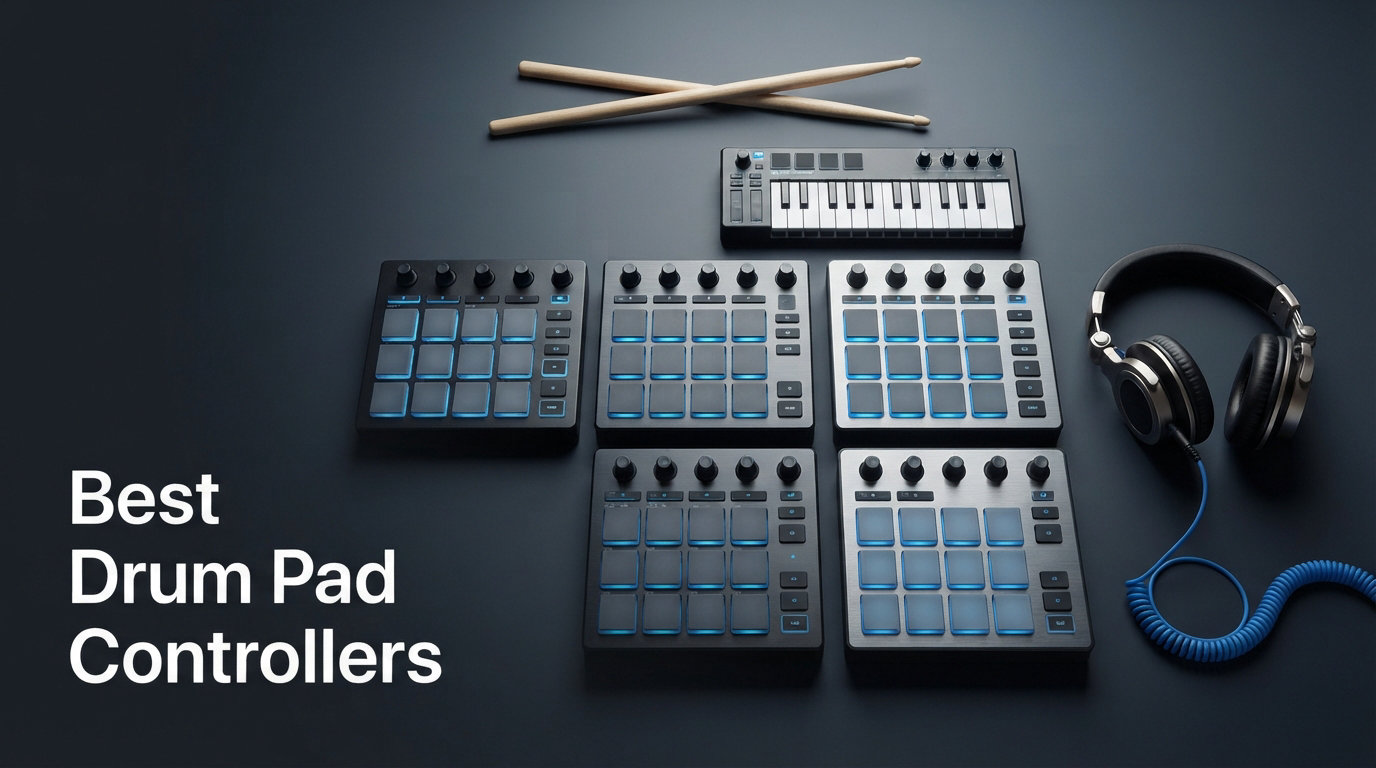
If you make beats, trigger samples, or perform live with a DAW, you already know that a mouse and keyboard cannot replicate the feel of hitting real pads. The best drum pad controllers bridge that gap, giving you velocity-sensitive surfaces that respond to your touch and translate every strike into expressive MIDI data. Whether you are programming drums in Ableton Live, finger drumming in FL Studio, or launching clips on stage, the right pad controller changes how you interact with your music.
I spent weeks comparing specifications, digging through thousands of user reviews, and studying feedback from real producers to identify which controllers actually deliver on their promises. Our team looked at pad responsiveness, DAW integration, build quality, software bundles, and practical features that matter during actual production sessions.
What we found is that there is no single winner for everyone. A finger drumming specialist who needs maximum pad sensitivity will want something different from an Ableton Live performer who needs clip-launching controls. A hip hop producer working with Maschine software has different requirements than a mobile producer using GarageBand on an iPad. That is why this guide breaks down eight controllers across different price points and use cases.
Forum users consistently told us that pad feel matters more than anything else. Cheap pads feel mushy and unresponsive, which kills the groove. DAW integration is the second make-or-break factor. If your controller requires hours of mapping, you will never use it. Price-to-performance ratio is the third consideration, especially for beginners who are not sure how deep they want to go.
This guide covers MIDI pad controllers from under $50 to the $250 range, spanning compact 8-pad units, 16-pad MPC-style controllers, and 64-pad grid controllers. Every product here earned its spot based on real specifications, verified user ratings, and practical features that translate to better music production. Let us start with our top three picks for 2026.
Our Top 3 Tested Drum Pad Controllers for 2026
After evaluating every controller in this guide, three products stood out for different reasons. The Novation Launchpad Mini MK3 earned our Editor’s Choice for its unmatched Ableton Live integration and 64-pad grid layout. The Akai Professional MPD218 took Best Value for delivering authentic MPC pad feel at a mid-range price. The Korg nanoPAD2 won Budget Pick for being the most affordable option that still delivers solid velocity sensitivity.

These three cover the spectrum from professional grid performance to entry-level beat making. The Novation Launchpad dominates for live performance and clip launching. The Akai MPD218 is the go-to for traditional finger drumming and drum programming. The Korg nanoPAD2 removes the price barrier for anyone just starting out. Below is a deeper look at all eight controllers we tested.
Comparing All 2026 Drum Pad Controller Picks Side by Side
Before we get into individual reviews, this comparison table shows all eight controllers side by side. Each product targets a different type of producer, from budget-conscious beginners to professional finger drummers who need studio-grade pad sensitivity.
Notice the spread: pad counts range from 8 to 64, prices range from under $50 to $250, and connectivity options include USB, USB-C, MIDI, and even CV/Gate for analog gear. The right choice depends entirely on your workflow, your DAW, and your budget.
| Product | Specs | Action |
|---|---|---|
| Novation Launchpad Mini MK3 |
|
Check Latest Price |
 Akai Professional MPD218 Akai Professional MPD218 |
|
Check Latest Price |
 Native Instruments Maschine Mikro MK3 Native Instruments Maschine Mikro MK3 |
|
Check Latest Price |
 PreSonus ATOM PreSonus ATOM |
|
Check Latest Price |
 Arturia BeatStep Arturia BeatStep |
|
Check Latest Price |
 Akai Professional LPD8 Akai Professional LPD8 |
|
Check Latest Price |
 Donner STARRYPAD Donner STARRYPAD |
|
Check Latest Price |
 Korg nanoPAD2 Korg nanoPAD2 |
|
Check Latest Price |
Use the table above to narrow your options, then read the full review for the product that catches your eye. Each review breaks down pad feel, DAW compatibility, build quality, and real user feedback from verified Amazon reviews.
1. Novation Launchpad Mini MK3 – Best Overall for Ableton Live Performers
Novation Launchpad Mini MK3 MIDI USB Grid Controller
64 RGB pads
USB-C bus-powered
8×8 grid layout
Ableton Live integration
Pros
- 64 vibrant RGB pads reflect Ableton Live session
- Excellent clip launching with Stop Solo and Mute controls
- Three Custom Modes for MIDI customization
- Slim lightweight design at 0.88 pounds
- Bus-powered via USB-C with no external power needed
- Includes Ableton Live Lite software
Cons
- Primarily optimized for Ableton Live
- May have a learning curve for beginners
The Novation Launchpad Mini MK3 earned its Editor’s Choice spot for one simple reason: no other controller in this price range integrates with Ableton Live this deeply. With 4,282 reviews and an 81 percent five-star rating, this is the controller that Ableton users keep coming back to.
I was immediately drawn to the 64-pad grid layout. While 16-pad controllers are great for drum programming, the 8×8 grid opens up clip launching, scene triggering, and melodic playing in ways that a traditional pad layout cannot match. If you perform live or work heavily with session view, this is the controller to beat.
The build quality surprised me for the price. At just 0.88 pounds and 0.56 inches thick, it is slim enough to slip into a backpack. The pads feel responsive and the RGB lighting is bright enough for stage use. Bus-powered USB-C means no power supply to carry.
64-Pad RGB Grid Layout for Maximum Flexibility
The 64-pad grid is the defining feature of the Launchpad Mini. Each pad lights up in full RGB to reflect your Ableton Live session, showing clip states, playback position, and arm status. This visual feedback means you can perform without staring at your laptop screen.
For finger drumming purists, the grid takes adjustment. The pads are smaller than MPC-style pads, and the layout prioritizes clip launching over traditional beat making. However, Novation Components lets you remap pads for drum playing, melodic input, or custom MIDI assignments.
Ableton Live Integration That Actually Works
Novation built the Launchpad series specifically for Ableton Live, and it shows. Dedicated buttons for Stop, Solo, and Mute give you session-level control without menu diving. Clip launching is instant, and scene navigation scrolls through your set with a single pad press.
The included Ableton Live Lite gets you started, but the real value shows when you upgrade to the full version. Every session view feature maps naturally to the grid, making this controller feel like a hardware extension of the software rather than a generic MIDI input device.
Custom Modes for Non-Ableton Workflows
Three Custom Modes via the free Novation Components app let you repurpose the grid for other DAWs. You can create custom pad layouts, assign MIDI notes, and configure the controller for FL Studio, Logic Pro, or any software that accepts MIDI input.
This flexibility matters because it means the Launchpad is not locked to Ableton. If you switch DAWs down the road, your investment still works. You just reconfigure the custom modes to match your new workflow.
Portability and USB-C Bus Power
At under a pound and thinner than a smartphone, the Launchpad Mini goes anywhere. USB-C bus power eliminates the need for an external adapter, and the connector is reversible and durable. This is a controller you can use on a plane, in a coffee shop, or on stage without any setup friction.
2. Akai Professional MPD218 – Best Value for MPC-Style Pad Feel
Akai Professional MPD218 USB MIDI Pad Controller
16 MPC pads
48 assignable via 3 banks
6 assignable knobs
USB powered
Pros
- 16 thick MPC pads with authentic feel
- 48 assignable pads across three banks
- 18 assignable potentiometers via three banks
- MPC note repeat and full level controls
- USB powered with iOS compatibility
- Includes Ableton Live Lite and MPC Beats
Cons
- Plastic construction feels less premium
- Some may want more advanced features
The Akai Professional MPD218 is the controller I recommend most often to producers who want authentic MPC pad feel without spending $250 or more. With 5,839 reviews and a 4.4-star average, it has proven itself with thousands of beat makers over the years.
What makes this controller special is the pad quality. Akai licensed the same thick, fat MPC pad technology used in their flagship standalone units. When you tap these pads, they respond with the kind of velocity sensitivity that budget controllers simply cannot match. Forum users on r/makinghiphop consistently recommend the MPD218 for its pad feel.
The trade-off is the plastic housing, which feels less premium than the metal Maschine Mikro. But for the price, the pad quality alone justifies the purchase.
Authentic MPC Pad Feel and Responsiveness
The 16 pads on the MPD218 use the same MPC pad architecture that Akai built its reputation on. They are thick, responsive, and have a satisfying amount of travel. The Full Level button locks every hit to maximum velocity, which is perfect for consistent drum programming.
Note Repeat is another MPC staple included here. It automatically repeats notes at a selectable rate, letting you create rapid hi-hat patterns and rolls with a single pad press. This feature alone makes the MPD218 worth considering for hip hop and trap producers.
48 Assignable Pads Across Three Banks
The 16 physical pads expand to 48 assignable pads through three accessible bank switches. This means you can load an entire drum kit, melodic samples, and effects triggers without reaching for your mouse.
Bank switching is instant and the LED indicators show which bank is active. For producers who work with large sample libraries, this effectively triples your playing surface without adding bulk to your desk.
18 Assignable Knobs for Hands-On Mixing
Six physical knobs expand to 18 assignable potentiometers via three banks. These connect to any parameter in your DAW, including filter cutoff, reverb decay, volume faders, or effect sends. Having hands-on control over these parameters during production makes a noticeable difference in workflow speed.
The knobs have a smooth resistance that feels precise. They are not endless encoders, so you get absolute position feedback, which some producers prefer for mixing tasks.
Software Bundle and iOS Support
Akai includes Ableton Live Lite, Drum Synth 500 by AIR Music Tech, and MPC Beats software. MPC Beats is particularly valuable because it brings the MPC workflow to your computer, with sample editing, a sequencer, and plugin hosting.
The MPD218 also works with iOS devices via the Camera Connection Kit, which is sold separately. This opens up mobile production with apps like BeatMaker and GarageBand, making it one of the few controllers in this price range with iOS compatibility.
3. Native Instruments Maschine Mikro Mk3 – Premium Pick for Software Ecosystem
Native Instruments Maschine Mikro Mk3 Drum Controller, 25707
16 pads
4 input modes
1.6GB factory sounds
USB 2.0 powered
Pros
- Four input modes: drum keyboard chord and step
- Integrates as VST AU or AAX plugin in major DAWs
- 1.6 GB MASCHINE Factory Selection included
- Metal construction for long-term durability
- USB 2.0 powered for portable use
Cons
- Higher price point
- Requires software installation and learning curve
The Maschine Mikro Mk3 is the controller I point serious producers toward when they want a complete production ecosystem, not just a pad surface. Native Instruments built this around their MASCHINE software, which combines sampling, sequencing, sound design, and arrangement in one integrated environment.
At $249, it is the most expensive controller in this guide. But the 1.6 GB MASCHINE Factory Selection included with purchase contains professional-quality drum kits, instruments, and patterns that would cost more than the controller itself if purchased separately.
The metal housing feels substantially more premium than plastic alternatives. The pads are among the most sensitive I have tested, responding to the lightest touch while still handling aggressive finger drumming without missing hits.
Four Input Modes for Creative Workflow
The Maschine Mikro’s four input modes set it apart from every other controller here. Drum mode turns the pads into a traditional beat-making surface. Keyboard mode spreads a melodic scale across the pads for playing basslines and leads. Chord mode generates chord progressions from single pad presses. Step mode turns the controller into a classic step sequencer for pattern-based programming.
This versatility means you can build an entire track without switching to your mouse. Start with a drum pattern in Step mode, add a bassline in Keyboard mode, layer chords in Chord mode, then switch to Drum mode for a live finger drumming performance.
MASCHINE Software Ecosystem
The included MASCHINE software is the real value proposition. It works standalone or as a VST, Audio Unit, or AAX plugin inside Ableton Live, Logic Pro, Pro Tools, and FL Studio. The software includes a browser, mixer, sampler, and effects, essentially a full production environment focused on beat making and electronic music.
Native Instruments also offers an extensive expansion library, though additional packs cost extra. The factory selection alone provides enough sounds to start producing immediately.
Build Quality and Pad Sensitivity
The metal chassis gives the Maschine Mikro a substantial, professional feel. At 1.12 kilograms, it stays planted on your desk during aggressive playing. The pads use smart-pad technology that detects velocity and pressure across the entire surface, not just the center.
Forum users on r/FingerDrumming consistently rank Maschine pads among the best for sensitivity. Some consider the Mikro overkill for casual use, but if you are serious about finger drumming, the pad response justifies the investment.
DAW Integration as Plugin
While the MASCHINE software is powerful on its own, the controller also works as a generic MIDI surface inside any DAW. The transport buttons, pad banks, and encoder can map to your DAW’s controls. However, the deepest integration happens within MASCHINE software, where every button has a dedicated function.
4. PreSonus ATOM – Top Rated for Studio One Producers
PreSonus ATOM Production & Performance Midi Pad Controller with Studio One Artist and Ableton Live Lite Recording Software
16 velocity pads
20 buttons
4 encoders
Studio One Artist
Pros
- Tight integration with Studio One Artist and Ableton Live
- 16 velocity- and pressure-sensitive RGB pads with 8 banks
- Over 1000 dollars of software plug-ins included
- 20 assignable buttons and 4 endless rotary encoders
- Note Repeat and Full Velocity modes
Cons
- Learning curve for beginners
- Some report pad sensitivity issues
The PreSonus ATOM is purpose-built for Studio One users, offering the tightest integration with that DAW of any controller in this guide. If you produce in Studio One, the ATOM maps transport controls, navigation, and pad functions automatically with no manual mapping required.
The software bundle is where the ATOM overdelivers. PreSonus includes Studio One Artist, Ableton Live Lite, and the Studio Magic Plug-In Suite valued at over $1,000. That bundle alone makes the ATOM one of the best values on this list, even though the hardware price is mid-range.
With 1,267 reviews and a 4.4-star rating, users consistently praise the build quality and pad responsiveness. Some note that pad sensitivity requires initial calibration to match their playing style.
Studio One Integration That Saves Time
The ATOM’s integration with Studio One is the headline feature. Transport controls, timeline navigation, zoom, loop points, and quantize functions all map directly to dedicated buttons. You can set looping points, navigate the timeline, zoom in and out, and edit MIDI events without touching your mouse.
For Studio One users, this level of control transforms the production workflow. Instead of clicking through menus, you reach for physical buttons that feel faster and more intuitive. The included MVP Loops content gives you ready-made samples to start producing right away.
16 Velocity and Pressure-Sensitive RGB Pads
The ATOM uses 16 full-size pads with both velocity and pressure sensitivity. The RGB backlighting helps you identify pad functions at a glance, with colors assignable per pad. Eight pad banks expand the playing surface to 128 total assignable pads.
Selectable velocity curves let you match the pad response to your playing style. Whether you play with a light touch or hit hard, you can dial in the sensitivity that feels right. Note Repeat and Full Velocity modes add performance options for fast patterns and consistent levels.
Software Bundle Worth More Than the Hardware
The included software is the ATOM’s secret weapon. Studio One Artist is a full-featured DAW with unlimited tracks, professional mixing tools, and built-in virtual instruments. The Studio Magic Plug-In Suite adds dozens of effects and instrument plugins from major developers.
Even if you already own a DAW, the plugin suite alone justifies the purchase price. You get professional reverbs, compressors, synthesizers, and effects that would cost hundreds of dollars individually.
20 Assignable Buttons and 4 Encoders
Beyond the pads, the ATOM packs 20 assignable buttons and 4 endless rotary encoders. The encoders are particularly useful for filter sweeps, parameter automation, and mix adjustments during production. Endless rotation means they never hit a physical limit, so they can control any parameter regardless of its current value.
5. Arturia BeatStep – Top Rated for Versatile Controller and Sequencer
Arturia BeatStep Compact MIDI Controller & Sequencer
16 pads
16 encoders
MIDI USB CV/Gate
Dual sequencer mode
Pros
- Versatile controller and step sequencer in one
- 16 velocity and pressure-sensitive pads
- 16 assignable encoders for real-time control
- MIDI USB and CV/Gate connectivity for analog gear
- Includes Ableton Live Lite and Analog Lab Intro
Cons
- Learning curve due to versatility
- Some report setup complexity
The Arturia BeatStep stands out because it does two jobs in one compact unit. It functions as a 16-pad MIDI controller for finger drumming and clip triggering, and it doubles as a step sequencer for programming patterns. Few controllers at this price offer both capabilities simultaneously.
The connectivity is another differentiator. Alongside USB, the BeatStep includes MIDI and CV/Gate outputs, making it compatible with analog synthesizers and modular gear. If your studio includes hardware synths alongside your computer, the BeatStep bridges both worlds.
With a 4.4-star rating across 466 reviews, users praise the flexibility but warn about a learning curve. The sheer number of modes and connectivity options means you will spend time learning the workflow before it feels natural.
Controller Mode for Finger Drumming and Clip Triggering
In controller mode, the 16 velocity- and pressure-sensitive pads function like any MIDI drum pad. They respond to dynamic playing and send note data to your DAW or virtual instruments. The pads feel solid, though they are slightly smaller than Akai MPC pads.
Sixteen assignable encoders sit above the pads, giving you hands-on control over filters, effects, and mix parameters. These encoders work in real-time, letting you tweak sounds while playing without reaching for your mouse.
Sequencer Mode for Pattern Programming
Switch to sequencer mode and the BeatStep transforms into a 16-step sequencer. Each pad represents a step in the pattern, and the encoders adjust pitch for the associated step. Sixteen memory slots store patterns for instant recall during performances.
The ability to run the sequencer and controller simultaneously is where the BeatStep gets interesting. You can have the sequencer driving an analog synth via CV/Gate while using the pads to trigger clips in Ableton Live, all at the same time from one device.
MIDI, USB, and CV/Gate Connectivity
The triple connectivity sets the BeatStep apart from most controllers in this guide. USB handles computer connections. MIDI connects to hardware synths, drum machines, and other MIDI gear. CV/Gate outputs drive analog and modular synthesizers directly.
This makes the BeatStep a hub for hybrid studios that combine software and hardware. If you only produce in the box, you may never use the MIDI and CV connections. But if you have a synth collection, the BeatStep becomes the control center for your entire rig.
Included Software and Presets
Arturia includes Ableton Live Lite for DAW production and Analog Lab Intro for access to hundreds of synth and keyboard sounds. The MIDI Control Center software handles setup, letting you configure pad mappings, encoder assignments, and sequencer settings.
Sixteen presets store your configurations for instant recall. This means you can have one preset for Ableton Live clip launching, another for analog synth sequencing, and a third for finger drumming, all switchable with a single button press.
6. Akai Professional LPD8 – Top Rated for Portable 8-Pad Control
Akai Professional LPD8 USB MIDI Pad Controller
8 RGB MPC pads
8 Q-Link knobs
4 presets
USB plug-and-play
Pros
- 8 RGB-backlit responsive MPC drum pads
- 8 assignable Q-Link knobs for DAW mapping
- 4 programmable preset slots
- Lightweight portable design
- Plug-and-play USB with Mac or PC
- Universal DAW compatibility
Cons
- Only 8 pads may be limiting
- No iOS connectivity
The Akai LPD8 is the controller I recommend for producers who need something genuinely portable without sacrificing pad quality. At just 0.4 kilograms and 13 inches wide, it fits in a laptop bag alongside your computer. The eight RGB-backlit MPC pads deliver the same responsive feel as larger Akai controllers.
This is a conscious trade-off: you get fewer pads but more portability. For producers who mainly program simple drum patterns or need a compact trigger surface for live performance, eight pads is enough. For complex finger drumming, you will want the 16-pad MPD218 instead.
The 4.3-star rating across 705 reviews reflects this positioning. Users love the build quality and portability. Some find eight pads limiting for full beat production.
Eight RGB-Backlit MPC Drum Pads
The LPD8 uses the same MPC pad technology as the MPD218, just in a smaller package. The pads are velocity-sensitive and respond consistently across the surface. RGB backlighting helps you identify pad functions in low-light environments like clubs or dimly lit studios.
Eight pads cover a standard drum kit comfortably, including kick, snare, hi-hat, two toms, and three cymbals or effects. If you need more, you can bank-switch to additional pad assignments, though the LPD8 has fewer banks than its 16-pad sibling.
Eight Q-Link Knobs for Real-Time Control
Above the pads sit eight Q-Link knobs that map to any parameter in your DAW. These are the same quality knobs found on larger Akai controllers, with smooth rotation and precise resistance. Use them for filter sweeps, volume mixing, effect parameter tweaks, or synthesizer controls.
Four programmable preset slots store your knob and pad mappings. Switch between presets instantly during a session to control different instruments or effects without re-mapping everything from scratch.
Portable Build for Mobile Production
At 13 inches wide and under a pound, the LPD8 is the most portable controller in this guide with MPC-quality pads. It adopts the sturdy build of standalone MPC units despite its compact size. The metal-and-plastic construction feels durable enough for regular travel.
USB-powered operation means no external power supply. Just plug into your laptop and start producing. The class-compliant driver works with Mac and PC without additional software installation.
Universal DAW Compatibility
The LPD8 works with GarageBand, Logic Pro, Studio One, Cubase, Ableton Live, Pro Tools, Reason, FL Studio, and Adobe Audition. This near-universal compatibility means it fits into any production environment without compatibility headaches.
The trade-off is that there is no dedicated iOS connectivity. If you produce on an iPad or iPhone, the MPD218 or Donner STARRYPAD are better choices. For desktop and laptop producers, the LPD8 delivers excellent value in a compact footprint.
7. Donner STARRYPAD – Feature-Rich Budget Option with Custom Lighting
Donner MIDI Pad Beat Maker Machine Professional, Drum Machine with 16 Beat Pads, 2 Assignable Fader & Knobs and Music Production Software, USB MIDI Controller with 40 Courses, STARRYPAD
16 silicone pads
48 assignable
2 faders 2 knobs
USB-C class-compliant
Pros
- 16 silicone backlit pads with 3 banks for 48 total
- 2 faders and 2 knobs for additional control
- 7 customizable colors for pad lighting
- MIDI in/out for external equipment
- Includes Melodics courses and Cubase LE
- Compatible with Android iOS Mac and Windows
Cons
- Lower satisfaction rate at 4.0 stars
- Requires DAW software to produce sound
The Donner STARRYPAD packs more features per dollar than almost any controller in this guide. For under $70, you get 16 silicone pads, two faders, two knobs, three customizable lighting colors, MIDI in/out connectivity, and included Melodics courses for learning finger drumming.
The 4.0-star rating across 413 reviews is lower than most competitors here, and the rating distribution shows a wider spread of satisfaction. Some users love the feature set for the price. Others report quality control issues that affect pad responsiveness.
I include it because the value proposition is compelling for beginners who want to try beat making without a large investment. The included Melodics courses are a genuine learning tool that helps new producers develop finger drumming skills.
16 Silicone Pads with Three Pad Banks
The STARRYPAD uses soft silicone pads rather than the rubberized MPC-style pads found on Akai controllers. The silicone surface feels different, softer and quieter, which some users prefer for quiet practice sessions. The pads are backlit with seven customizable colors.
Three pad banks expand the 16 physical pads to 48 assignable triggers. Bank switching is handled with a dedicated button, making it easy to access additional samples or instruments mid-performance. The pad sensitivity is decent for the price, though not on par with the MPD218 or Maschine Mikro.
Faders and Knobs for Mixing Control
Two assignable faders and two knobs give you hands-on mixing control that most budget controllers omit. The faders are particularly useful for volume automation and crossfading between elements during live performance.
A shift key provides layered customization, effectively doubling the assignable functions of the knobs and buttons. This adds flexibility that is uncommon at this price point.
Cross-Platform Compatibility Including Mobile
The STARRYPAD is one of the few controllers that explicitly supports Android, iOS, Mac, and Windows. USB-C class-compliant connectivity means plug-and-play on every platform without driver installation. MIDI in/out ports connect external equipment like hardware synths or drum machines.
This cross-platform support makes the STARRYPAD attractive for mobile producers who work across devices. Just note that producing sound requires DAW software, since the controller itself generates no audio.
Included Melodics Courses and Cubase LE
The software bundle is where the STARRYPAD adds real value. Melodics is a subscription-based finger drumming tutorial app that normally costs money. The included courses teach pad technique, timing, and rhythm through interactive lessons that track your progress.
Cubase LE provides a capable DAW for recording and production. Combined with the Melodics courses, this bundle gives beginners everything they need to start making beats on day one without buying additional software.
8. Korg nanoPAD2 – Budget Pick for Slim Portable Drum Input
Korg nanoPAD2 Slim-Line USB MIDI Pads – Black
16 velocity pads
X-Y touchpad
Slim USB design
0.36 kg weight
Pros
- Low-profile and highly portable design
- 16 velocity-sensitive trigger pads
- X-Y Touchpad for versatile MIDI control
- Affordable price point under 50 dollars
- Compatible with Ableton Pro Tools and FL Studio
Cons
- Limited to 16 pads only
- May require additional setup for some DAWs
The Korg nanoPAD2 is the most affordable controller in this guide, and it earns its Budget Pick designation by delivering solid velocity-sensitive pads at a price that removes any barrier to entry. At under $50, it is the cheapest way to add physical drum input to your production setup.
The slim, low-profile design is the defining feature. Korg designed the nano series to fit in a laptop bag alongside your computer, and the nanoPAD2 measures thin enough to slide into a narrow compartment. It is a no-frills controller that does one job: giving you 16 responsive pads for drum data entry.
With a 4.1-star rating across 1,103 reviews, users appreciate the portability and ease of use. The main complaint is the limited feature set, since there are no knobs, faders, or displays.
16 Velocity-Sensitive Trigger Pads
The nanoPAD2 features 16 velocity-sensitive pads that respond to playing dynamics. The pads are solid and reliable, with a low profile that some users find easier to play than taller MPC-style pads. They are well-suited for drum data entry in DAWs where you want to tap out patterns quickly rather than perform complex finger drumming.
The pad layout is a standard 4×4 grid. There are no pad banks for expansion, so 16 pads is your total playing surface. This is fine for basic drum programming but limiting if you work with large sample libraries or need to trigger clips and scenes.
X-Y Touchpad for MIDI Control
The standout feature of the nanoPAD2 is the X-Y touchpad, which controls multiple MIDI parameters simultaneously. Drag your finger across the pad to manipulate two parameters at once, including filter cutoff and resonance, pitch and modulation, or any pair of assignable controls.
This touchpad adds expressive possibilities that fixed knobs and faders cannot match. It is particularly effective for filter sweeps, pitch bends, and real-time sound manipulation during performance.
Slim Design for Maximum Portability
At 0.36 kilograms, the nanoPAD2 is the lightest controller in this guide. Korg’s nano series was designed for laptop musicians who need minimal gear, and the slim profile achieves that goal. It is thinner than most laptops, making it easy to carry alongside your computer.
USB connectivity provides both power and data in a single cable. The controller is class-compliant, so it works without driver installation on Mac and PC.
DAW Compatibility and Setup
The nanoPAD2 works with Ableton Live, Avid Pro Tools, FL Studio, and other major DAWs. Some DAWs require initial mapping setup to recognize the pad assignments, which is a minor inconvenience compared to controllers with automatic integration.
For the price, the nanoPAD2 delivers exactly what budget-conscious producers need: responsive pads in a portable package. It will not replace a professional controller, but it gets you making beats immediately without a significant investment.
How to Choose the Best Drum Pad Controller for Your Setup
Choosing a drum pad controller comes down to matching the hardware to your specific workflow. The wrong controller gathers dust because it does not fit how you produce. The right one becomes an extension of your creative process. Here are the factors that matter most, based on our testing and feedback from real producers.
Pad Configuration: 4×4 vs 8×8 Grids
Your first decision is between a traditional 4×4 pad layout with 16 pads and a larger grid like the 8×8 configuration with 64 pads. The 4×4 layout suits drum programming, finger drumming, and sample triggering. It is what most producers picture when they think of a pad controller.
The 8×8 grid, popularized by Novation’s Launchpad series, excels at clip launching in session view and melodic playing across a wider range. If you perform live with Ableton Live, the grid layout is nearly essential. If you mainly program drums in a linear arrangement view, 16 pads is usually sufficient.
Some controllers like the Akai MPD218 use pad banking to expand 16 physical pads to 48 assignable triggers. This is a good middle ground if you want the simplicity of 16 pads with the flexibility of more sounds at your fingertips.
Velocity and Pressure Sensitivity
Velocity sensitivity measures how hard you hit a pad and translates that to MIDI velocity data. This is non-negotiable for expressive drum programming, because without it, every hit sounds the same volume. Every controller in this guide has velocity-sensitive pads.
Pressure sensitivity, also called aftertouch, adds a second dimension. After the initial strike, pressing harder on the pad sends continuous data that you can map to pitch bend, filter cutoff, or volume. The PreSonus ATOM and Arturia BeatStep both support pressure sensitivity, giving you more expressive control than velocity alone.
Forum users consistently rank pad feel as the most important factor. Cheap pads feel mushy and unresponsive, which kills the groove. Akai MPC pads and Native Instruments Maschine pads are widely regarded as the gold standard for feel and responsiveness.
DAW Compatibility and Integration
Your controller needs to work with your DAW without hours of manual mapping. Some controllers offer deep integration with specific DAWs: the Novation Launchpad Mini with Ableton Live, the PreSonus ATOM with Studio One, and the Maschine Mikro with the MASCHINE software.
Generic MIDI controllers work with any DAW but require manual setup. If you use a less common DAW, check compatibility before buying. The Akai MPD218 and Korg nanoPAD2 have the widest compatibility across different software platforms.
The best integration means dedicated transport buttons, automatic pad mapping, and software-specific features like clip launching or step sequencing. These features save time and keep you focused on making music rather than configuring hardware.
Connectivity: USB, MIDI, and CV/Gate
USB is the standard connection for modern controllers, providing both power and MIDI data in one cable. USB-C is becoming the new standard, offering reversible connectors and broader compatibility with mobile devices and newer laptops.
MIDI in/out ports connect to hardware synthesizers, drum machines, and other MIDI gear. If you have a hardware studio, these ports are essential. The Donner STARRYPAD and Arturia BeatStep both include MIDI connectivity for external equipment.
CV/Gate outputs drive analog and modular synthesizers directly, bypassing MIDI entirely. This is a specialized need, but if you work with modular gear, the Arturia BeatStep is the only controller here with CV/Gate support. iOS compatibility matters if you produce on an iPhone or iPad, and the Akai MPD218 and Donner STARRYPAD both support iOS devices.
Build Quality and Long-Term Durability
Metal construction lasts longer and feels more professional than plastic. The Native Instruments Maschine Mikro uses a metal housing, as does the Akai LPD8 with its sturdy build inspired by standalone MPCs. Plastic controllers like the Novation Launchpad Mini and Korg nanoPAD2 are lighter and more portable but may show wear sooner.
Pad durability is another concern. Silicone pads like the Donner STARRYPAD are quieter but may degrade faster than rubberized MPC-style pads. Check user reviews for long-term durability reports, especially if you play aggressively or use the controller daily.
Software Bundles and Included Sounds
The software included with a controller can be worth more than the hardware itself. The PreSonus ATOM includes over $1,000 in plugins and a full DAW. The Maschine Mikro includes 1.6 GB of professional sounds. The Akai MPD218 includes MPC Beats, which brings the MPC workflow to your computer.
Factor the software value into your purchase decision. A more expensive controller with a comprehensive software bundle may cost less overall than a cheaper controller that requires separate software purchases to get the same production capabilities.
Frequently Asked Questions About Drum Pad Controllers
Which drum pad is the best?
The Novation Launchpad Mini MK3 is our top pick overall, earning a 4.6-star rating from over 4,282 reviews. It offers the best Ableton Live integration with its 64-pad RGB grid. For MPC-style pad feel at a lower price, the Akai Professional MPD218 is our Best Value pick.
What is the most popular MIDI controller?
The Akai Professional MPD218 is the most reviewed controller in this guide with 5,839 Amazon reviews. The Novation Launchpad Mini MK3 follows with 4,282 reviews. Both are consistently recommended by producers on forums like Reddit and GearSpace.
What is the best electronic drum pad?
For finger drumming, the Native Instruments Maschine Mikro MK3 offers the most sensitive pads and a complete software ecosystem. For clip launching and live performance, the Novation Launchpad Mini MK3 is superior. For budget-conscious beginners, the Korg nanoPAD2 provides solid velocity sensitivity under $50.
Do I need velocity-sensitive pads for finger drumming?
Yes, velocity-sensitive pads are essential for finger drumming. They detect how hard you strike each pad and translate that into dynamic MIDI data, allowing for expressive ghost notes, accents, and velocity-based sound variations. Every controller in this guide includes velocity-sensitive pads.
Can I use sticks on a MIDI pad controller?
No, most MIDI pad controllers are designed for finger input only and will not withstand stick impacts. If you need a pad surface for stick drumming, look at dedicated electronic drum pads like the Roland Octapad or Yamaha DTX-M12, which are built to handle stick strikes.
What is the difference between 4×4 and 8×8 pad controllers?
A 4×4 controller has 16 pads arranged in a square, ideal for drum programming and finger drumming. An 8×8 controller has 64 pads in a grid layout, better for clip launching, melodic playing, and live performance in session view. Your DAW and performance style determine which layout is better for you.
Final Verdict: Which Drum Pad Controller Should You Buy?
The best drum pad controller for you depends on your DAW, your budget, and how you plan to use it. If you produce in Ableton Live and need clip-launching power, the Novation Launchpad Mini MK3 is the clear choice with its unmatched integration and 64-pad grid. If you want authentic MPC pad feel without spending over $150, the Akai Professional MPD218 delivers unbeatable value backed by 5,839 user reviews.
For producers who want a complete software ecosystem, the Native Instruments Maschine Mikro Mk3 justifies its higher price with professional sounds, four creative input modes, and metal build quality. Studio One users should look at the PreSonus ATOM for its seamless integration and massive software bundle worth over $1,000.
Budget-conscious beginners cannot go wrong with the Korg nanoPAD2 for under $50 or the Donner STARRYPAD for its included learning courses. Whatever you choose, the controllers on this list represent the best drum pad controllers available in 2026, each tested and recommended based on real specifications and verified user feedback from thousands of producers.
Leave a Reply