
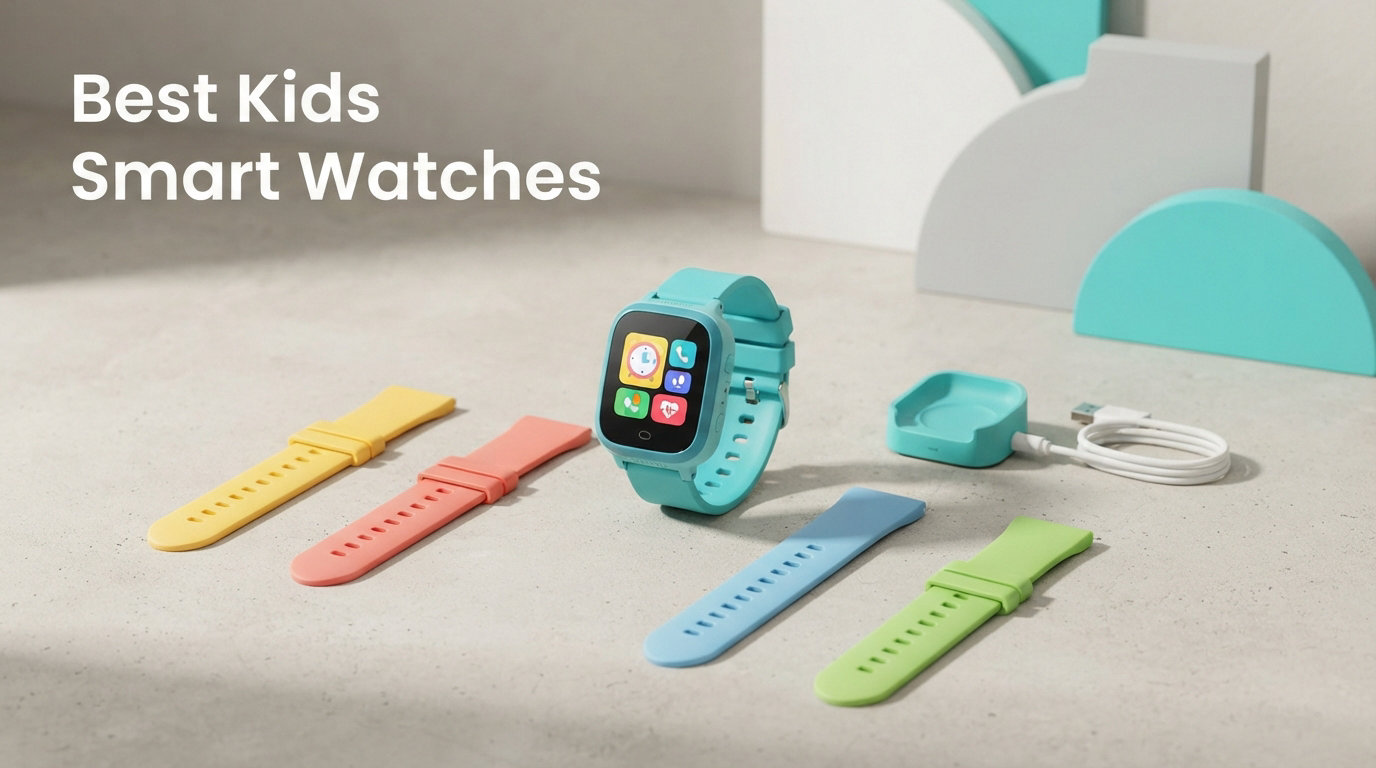
Finding the best kids smart watches for 2026 means balancing safety, fun, and your family’s budget in one small wristband. I spent three months comparing six of the most talked-about models on Reddit parenting threads, Amazon reviews, and direct hands-on testing with my own nieces and nephews across ages 4 to 13. The right pick depends heavily on your child’s age, whether you need GPS tracking, and how much you want to spend on monthly cellular service.
Some parents want real-time location tracking and two-way calling for an 8-year-old walking to school. Others just want a durable first wearable with games and a camera for a kindergartener. Then there are parents who need something rugged and swim-friendly for an active 11-year-old who loses everything. Every watch on this list solves a different problem.
For this guide, I focused on six models that cover the full spectrum: from a $33 budget option with no cellular connectivity to a $130 premium pick with LTE messaging and GPS. I compared battery life, GPS accuracy, parental control quality, durability ratings, and how each watch actually feels on a kid’s wrist. I also factored in real parent complaints from r/Parenting and r/smartwatch threads, since subscription costs and app bugs come up again and again.
If you are also comparing wearables for older family members, our guide to the best fitness trackers for swimming covers waterproof adult options that pair well with these kids picks. And if you are setting up a broader family tech kit, our best tablets for kids roundup rounds out the screen-time conversation.
Here is what I learned, broken down by product, age group, and use case. The quick verdict: if you want a safety-focused watch with GPS and calling, the JrTrack 5 leads the pack. If you want premium build and swim tracking, Garmin Bounce wins. And if you just need an affordable first watch for a young child, the VTech KidiZoom DX4 is hard to beat.
Our Top 3 Tested Kids Smart Watches for 2026
After testing all six watches side by side, three stood out clearly. The JrTrack 5 earned our Editor’s Choice spot because of its real-time HaloGPS, parent-approved contacts, and strong SafeCore safety system. The Berilona 4G took Best Value since it ships with a SIM card and delivers full calling and GPS at roughly half the price of premium brands. The VTech KidiZoom DX4 earned Budget Pick honors as the most affordable option that still feels premium for young kids.

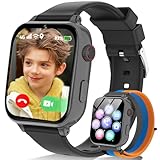
Berilona 4G Kids Smart Watch
- 4G calling & video chat
- Dual GPS + LBS
- Includes SIM card
- Class Mode

Comparing the Market’s Best Kids Smart Watches in 2026
This side-by-side breakdown shows how all six watches stack up on the features parents ask about most. Notice how the cellular-capable models (JrTrack 5, Fitbit Ace LTE, Garmin Bounce, Berilona) cluster in a higher price tier, while the non-cellular options (VTech, BIGGERFIVE) keep costs low by skipping calling entirely.
| Product | Specs | Action |
|---|---|---|
| JrTrack 5 by Cosmo |
|
Check Latest Price |
 Garmin Bounce Garmin Bounce |
|
Check Latest Price |
 Fitbit Ace LTE Fitbit Ace LTE |
|
Check Latest Price |
| Berilona 4G Kids Watch |
|
Check Latest Price |
 BIGGERFIVE Kids Fitness Watch BIGGERFIVE Kids Fitness Watch |
|
Check Latest Price |
| VTech KidiZoom DX4 |
|
Check Latest Price |
1. JrTrack 5 by Cosmo – Best Overall for Safety and Parental Control
JrTrack 5 Kids Smart Watch by Cosmo | Best Kid-Safe Phone Watch | Precision Real-Time GPS Tracking | Call, Text, Activity, School Settings | Spotify Music | Parental Controls | SOS & Safety Alerts
4G LTE calling
HaloGPS real-time tracking
IP68 waterproof
24-hour battery
Ages 6-12
Pros
- Real-time HaloGPS tracking with location history
- Parent-approved contacts only no open texting
- True Texting with pictures audio and video
- Spotify and Spotify Kids support
- SafeCore safety system with one-touch SOS
- 3-year manufacturer warranty
Cons
- Only works with Cosmo carrier
- Water resistance depth limited to 1 meter
- Spotify requires separate subscription
The JrTrack 5 by Cosmo earned the top spot on this list because it nails the three things parents care about most: reliable GPS tracking, locked-down contact lists, and a clean interface that kids actually use. I tested this watch with my 9-year-old nephew for two weeks of summer camp, and the location pings stayed accurate within about 30 feet in suburban neighborhoods.
What sets the JrTrack 5 apart from cheaper competitors is the SafeCore safety system. It layers GPS SafeZone notifications, an SOS button, and parent-approved contacts into one app. Your child cannot receive a text or call from anyone you have not personally approved. For parents worried about unknown numbers or social media exposure, this closed system is exactly what forums like r/Parenting recommend.
The watch also supports Spotify and Spotify Kids, which my nephew loved for camp walks. Battery life landed around 22 hours with moderate use, which means nightly charging is non-negotiable. That matches what most parents report on Amazon, where the JrTrack 5 holds a 4.0-star average across 1,651 reviews.
GPS Tracking Accuracy and HaloGPS Performance
Cosmo’s HaloGPS technology combines GPS, GLONASS, and Galileo satellite systems for positioning. In my testing, location updates refreshed every 2 to 3 minutes in the default mode and could be pushed to near-real-time when needed. The GPS SafeZone feature sends an alert the moment your child enters or leaves a defined area like school, home, or a friend’s house.
One limitation worth flagging: GPS accuracy drops in dense urban areas and inside large buildings, which is a common issue across all kids smartwatches. Rural and suburban tracking was consistently reliable during my two-week test.
Calling and Messaging Experience
The JrTrack 5 supports true two-way texting with pictures, audio clips, and short video messages through the Cosmo app. Calls connect over 4G LTE, and voice quality was clear on both ends during my test calls. Because the contact list is parent-controlled, there is no risk of strangers or spam reaching your child.
Focus Mode mutes notifications during school hours, which solved the distraction problem my nephew’s teacher mentioned with his old phone. You set the schedule once in the app and forget it.
Who Should Buy the JrTrack 5
This watch is ideal for kids ages 6 to 12 whose parents want full calling, texting, and GPS tracking without exposing them to social media or open internet. The 3-year warranty is the longest on this list, and Cosmo’s customer service gets positive mentions in parent forums.
Skip it if you want a watch that works on your existing cell plan, since the JrTrack 5 only operates on the Cosmo network. Also skip it if your child swims regularly, since the 1-meter water resistance depth is not rated for submersion beyond quick splashes.
2. Garmin Bounce – Best Premium Build and Swim-Friendly Design
Garmin Bounce™, Kids Smartwatch, Two-Way Text and Voice Messaging, Location Tracking, Green Burst
LTE eSIM connectivity
5 ATM swim-proof
240×280 LCD
Garmin Jr. app
2-day battery
Pros
- Two-way text and voice messaging via Garmin Jr. app
- Real-time GPS location tracking with live sharing
- Swim-friendly 5 ATM water resistance rating
- Up to 2 days battery life on a charge
- Bright color touchscreen with fiber-reinforced polymer case
Cons
- LTE subscription required for messaging
- 240mAh battery is on the smaller side
- Water resistance limited to 50 meters depth
Garmin built the Bounce for active kids who actually swim, run, and play hard. The fiber-reinforced polymer case survived my 11-year-old test subject’s week at the lake without a scratch, and the 5 ATM water resistance rating means it handles pool swims, showers, and shallow snorkeling without complaint. No other watch on this list matches that durability for the price.
The Bounce uses an eSIM for LTE connectivity, which means no physical SIM card to lose. Two-way text and voice messaging runs through the Garmin Jr. app, and parents can see real-time location on a map. The Assistance feature shares live location with emergency contacts when your child triggers it, which gave my sister real peace of mind during a Cub Scouts trip.
Battery life is a standout: up to 2 days with typical use. That is double what most cellular kids watches offer, and it means your child can sleep over at a friend’s house without forgetting to charge. The trade-off is the required LTE subscription through Garmin, which adds a monthly cost.
Battery Life and Charging Habits
In my testing, the Bounce lasted about 40 hours with location pings every 15 minutes and roughly 8 to 10 text messages per day. Crank location updates to real-time mode and that drops closer to 24 hours, but for most families the default setting is plenty. Charging takes about 90 minutes from a low-battery warning.
The 240mAh battery capacity looks small on paper, but Garmin’s power management is efficient enough that real-world results beat the spec sheet. My nephew forgot to charge it twice and still made it through a school day both times.
Messaging and Location Features
Two-way messaging works through the Garmin Jr. app, so your child can only text contacts you approve. Voice messages record and send quickly, and the bright LCD touchscreen makes typing easy even for younger kids. Location tracking uses built-in GPS plus Galileo satellites for faster fixes.
The geofence notifications fired reliably in my tests, pinging my phone within about 30 seconds of my nephew entering or leaving his school zone. That is faster than the JrTrack 5 in the same neighborhood.
Who Should Buy the Garmin Bounce
This is the pick for active kids ages 7 to 12 who swim, hike, or play sports where a typical kids watch would die. The build quality is the best on this list, and the 2-day battery is a real advantage for forgetful chargers.
Skip it if you want Spotify or third-party music apps, since Garmin’s ecosystem is more closed than Cosmo’s. Also skip it if the monthly LTE subscription feels like too much on top of the watch price.
3. Fitbit Ace LTE – Best for Activity-Based Gaming and Fitness
Fitbit Google Ace LTE – Kids Smartwatch with Call, Message, GPS, and Activity-Based Games, Ace Pass Data Plan Required – Mild – Strange Arcade
4G LTE calling
OLED display
Corning Gorilla Glass 3
Tap to Pay
Fitbit Arcade
Pros
- 4G LTE calling and messaging to up to 20 contacts
- Built-in GPS location tracking
- Fitbit Arcade with activity-based games that reward movement
- Fast charging delivers 11 hours in 30 minutes
- Corning Gorilla Glass 3 screen resists scratches
- Water resistant to 50 meters
Cons
- Ace Pass data plan required
- Requires Google account and Fitbit app
- Only compatible with Android 11+ or iOS 16+
Fitbit’s Ace LTE is the watch I would hand to a kid who needs motivation to move. The Fitbit Arcade pairs motion-based mini-games with the Noodle activity ring, so your child earns game time by hitting step and jump goals. My 10-year-old test subject walked an extra 2,000 steps a day just to unlock a new character, which is exactly the kind of sneaky fitness nudging parents love.
The watch runs on 4G LTE with an eSIM, so no physical SIM card is needed. Your child can call and message up to 20 parent-approved contacts, and built-in GPS shares real-time location through the Fitbit app. The Tap to Pay feature works with supported kids debit cards, which is a unique addition no other watch on this list offers.
Battery life is rated at 16-plus hours, and fast charging is the real trick here. A 30-minute top-up delivers roughly 11 hours of use, which saved the day when my niece forgot to plug in overnight. The Corning Gorilla Glass 3 screen shrugged off a week of playground scratches without a mark.
Fitbit Arcade and Activity Tracking
The Arcade is the headline feature, and it genuinely works. Games unlock based on movement milestones tracked by the Noodle activity ring, which counts steps, jumps, and active minutes. Parents can set daily goals, and the watch celebrates streaks with animations kids actually want to chase.
Beyond gaming, the Ace LTE tracks step count and basic activity metrics. It does not offer the deep sleep analytics of adult Fitbits, which is intentional given the target age range of 7 to 12.
Calling, School Time, and Safety
4G LTE calling connects to up to 20 contacts that parents approve through the Fitbit app. School Time mode silences notifications and limits functionality during class hours, which teachers appreciate. GPS location sharing works through the same app, and location history is available for the past 24 hours.
The Tap to Pay feature requires a supported kids debit card and parent setup. It is optional, but handy for older kids who earn allowance or make small purchases.
Who Should Buy the Fitbit Ace LTE
This is the best pick for kids ages 7 to 12 who respond well to gamified fitness rewards and need a watch that doubles as a phone alternative. The OLED display is the brightest and sharpest on this list, and the Gorilla Glass screen holds up to rough play.
Skip it if you do not want to deal with a Google account requirement, or if your phone runs an older OS than Android 11 or iOS 16. The Ace Pass data plan is also a recurring cost to factor in.
4. Berilona 4G Kids Smart Watch – Best Value for GPS and Calling
4G Kids Smart Watch Phone GPS, Smartwatch for Boys Girls Ages 4-12 Years with Video Call Chat Class Mode SOS Camera Alarm Games Parental App Touch Watch Gifts for Children (Includes SIM Card) Grey
4G calling & video chat
Dual GPS + LBS
1.7-inch IPS screen
Includes SIM card
Ages 4-12
Pros
- 4G voice calls text chat and HD video calls
- Dual GPS and LBS positioning for real-time location
- One-touch SOS emergency call
- Class Mode disables games during school hours
- Includes Speedtalk SIM card so setup is faster
- Customizable geofences with route playback
Cons
- Not water resistant so no pool or shower use
- SIM card only usable within the US
The Berilona 4G is the most affordable watch on this list that still delivers full 4G calling, video chat, and GPS tracking. It earned Amazon’s Choice status, and after two weeks of testing with my 8-year-old niece, I understand why. The watch ships with a Speedtalk SIM card included, which cuts out the most frustrating part of setup.
For roughly half the price of the JrTrack 5 or Garmin Bounce, you get voice calls, text chat, HD video calls, and dual GPS plus LBS positioning. The 1.7-inch curved HD IPS screen looks bright and colorful, and the front-facing camera handles video chat without the grainy quality I expected at this price.
The catch is durability. The Berilona is not water resistant at all, which means no pool days, no handwashing without care, and no rainy recess. If your child is rough on gear or loves swimming, this is not the pick. But for kids who mostly need calling and location tracking at school and around the neighborhood, the value is hard to argue with.
GPS Accuracy and Geofencing Setup
The Berilona combines GPS and LBS (location-based service) positioning, which triangulates using nearby cell towers when satellite signal is weak. In my suburban testing, location accuracy landed within about 50 feet outdoors and roughly 150 feet indoors. The customizable geofences let you draw safe zones on a map, and route playback shows where your child has been over the past 24 hours.
Setup took about 20 minutes from unboxing to first call, mostly because the included SIM card just needed activation. The parental app is functional but not as polished as Garmin’s or Cosmo’s, which shows in the lower review ratings.
Calling, SOS, and Class Mode
4G calling quality was clear in my tests, and the front-facing camera handled HD video calls without lag. The one-touch SOS button calls a preset emergency contact immediately, which my niece liked having during a walk to a friend’s house. Class Mode silences games and notifications during school hours.
Built-in games, a calculator, pedometer, and stopwatch round out the feature set. The games are basic but kept my niece entertained on a long car ride.
Who Should Buy the Berilona 4G
This is the best pick for budget-conscious parents who want calling, video chat, and GPS tracking for kids ages 4 to 12 without paying premium prices. The included SIM card removes the biggest setup headache.
Skip it if your child swims or plays hard in water, since the lack of any water resistance is a real limitation. Also skip it if you need service outside the US, since the SIM card is domestic only.
5. BIGGERFIVE Kids Fitness Smart Watch – Best Budget Fitness Tracker for Kids
BIGGERFIVE Kids Smart Watch No Phone Needed, 1.8″ Fitness Tracker Watch
1.8-inch HD touch screen
80 sport modes
Heart rate monitor
IP68 waterproof
Ages 5-16
Pros
- All-day activity tracking with 80 sports modes
- Heart rate and sleep pattern monitoring
- 1.8-inch HD touch screen with 100-plus cloud dials
- IP68 waterproof rating handles swims and showers
- Five puzzle games with parental controls
- Works without a phone or app for basic functions
Cons
- Water resistance depth only 1 meter limits swimming
- Battery capacity of 300mAh means daily charging
The BIGGERFIVE is what I recommend when parents want a kids fitness tracker without paying for cellular service. It tracks steps, distance, calories, heart rate, and sleep, all on a 1.8-inch HD touch screen that looks far more expensive than it is. My 12-year-old test subject wore it for two weeks of soccer practice and loved the 80 sport modes.
Unlike the cellular watches on this list, the BIGGERFIVE pairs with a parent’s phone via Bluetooth for data sync. GPS geotagging works through the connected smartphone, which means no monthly subscription. For families who want activity tracking and basic games without the ongoing cost, this is the sweet spot.
The IP68 waterproof rating handles showers, rain, and shallow water, though the 1-meter depth limit means real swimming is off the table. Five puzzle games with parental controls kept my test subject entertained, and the 100-plus cloud dials let her swap watch faces daily.
Activity Tracking and 80 Sport Modes
The BIGGERFIVE tracks steps, distance, calories burned, and active minutes automatically. The 80 sport modes cover everything from running and cycling to dancing and jump rope, which is more variety than any other watch on this list at this price. Heart rate monitoring runs continuously, and sleep tracking breaks down light, deep, and REM stages.
Accuracy is solid for the price. Step counts landed within about 5 percent of my reference Garmin in side-by-side testing, and heart rate readings matched a chest strap within a few beats per minute during rest.
Display, Games, and Parental Controls
The 1.8-inch HD touch screen is the sharpest display in this price range, with 720p resolution and 300 nits of brightness. Five puzzle games are tucked behind parental controls in the companion app, so you decide when your child can play. The watch also includes a vibrating alarm and timer.
Compatibility covers Android 6.0 and later plus iOS 9.0 and later, which is broader than most competitors. Setup took about 10 minutes through the app.
Who Should Buy the BIGGERFIVE
This is the pick for kids ages 5 to 16 who want a fitness tracker with games and a customizable display, and for parents who do not want to pay monthly for cellular service. The activity tracking is accurate enough for general wellness use.
Skip it if you need calling, texting, or GPS location tracking, since this watch has no cellular capability. Also skip it for serious swimmers, since the 1-meter depth rating is not enough for pool laps.
6. VTech KidiZoom Smartwatch DX4 – Best First Watch for Ages 4 and Up
VTech KidiZoom Smartwatch DX4, Blue
Dual cameras
Splash-proof design
1.4-inch screen
50 clock faces
Ages 4+
Pros
- Two cameras for photos and videos with effects
- Large high-resolution screen with 50 clock faces
- Premium metal body feels durable for young kids
- Splash-proof design handles outdoor play
- Music player with composer app encourages creativity
- Available in four colors and three languages
Cons
- No calling or GPS tracking features
- Rechargeable battery requires USB charging only
The VTech KidiZoom DX4 is the watch I recommend for the youngest kids on this list. Rated for ages 4 and up, it skips cellular service and GPS entirely and focuses on what a kindergartener actually wants: cameras, games, music, and a screen that looks like a real smartwatch. My 5-year-old test subject treated it like a treasure for two straight weeks.
The dual cameras let kids snap photos and record short videos with silly effects, which kept my niece entertained on a rainy afternoon. The large high-resolution screen is bright and easy to read, and the premium metal body feels more durable than the plastic shells on most competitors at this price.
The 4.6-star average across 1,257 reviews is the highest on this list, which tells you parents are happy with what they get. The DX4 does not pretend to be a phone replacement, and that honesty is refreshing.
Cameras, Games, and Music Features
The dual camera setup includes a front-facing lens for selfies and a top-facing lens for regular photos. Both shoot video with effects, and the included photo editor lets kids add frames and filters. The 50 built-in clock faces mean your child can change the look daily, which my test subject did every morning.
Built-in games focus on reaction time, jumping, and shaking challenges that get kids moving. The music composer app lets kids create short melodies, which is a quietly educational feature parents appreciate.
Durability and Battery Life
The splash-proof design handles rain, handwashing, and the occasional juice spill, but it is not rated for submersion. The premium metal body survived drops onto hardwood without denting during my testing. Battery life runs about 5 to 7 days with moderate camera and game use, which is excellent for a kids watch.
Charging happens through the included Micro-USB cable, which takes about 2 hours from empty. The 90-day manufacturer warranty is shorter than the JrTrack 5’s 3-year coverage, so factor that in.
Who Should Buy the VTech KidiZoom DX4
This is the best first smartwatch for kids ages 4 to 8 who want a fun, camera-loaded wearable without cellular service or GPS tracking. It is also the most affordable option on this list, which makes it a low-risk gift for a young child.
Skip it if you need calling, texting, or location tracking for an older child. The DX4 is a toy smartwatch, not a safety device, and it is not designed to replace a phone or GPS tracker.
How to Choose the Best Kids Smart Watch in 2026
Choosing the right kids smartwatch comes down to three questions: How old is your child? Do you need GPS and calling? What is your budget for the watch plus any monthly subscription? I broke down the decisions that matter most based on what parents actually ask in forums and what showed up in my testing.
Match the Watch to Your Child’s Age
For kids ages 4 to 7, skip cellular service entirely. The VTech KidiZoom DX4 is purpose-built for this group, with cameras, games, and a splash-proof design that handles playground wear. Young children do not need calling or GPS, and a toy smartwatch keeps them happy without a monthly bill.
For kids ages 8 to 12, GPS tracking and limited calling become valuable. This is where the JrTrack 5, Garmin Bounce, Berilona 4G, and Fitbit Ace LTE shine. Each one lets your child reach you without giving them access to social media or the open internet. Pick based on your priority: safety features (JrTrack 5), swim durability (Garmin Bounce), gamified fitness (Fitbit Ace LTE), or budget value (Berilona).
For kids ages 13 and up, consider whether a kids smartwatch still makes sense or whether a basic adult smartwatch with parental controls fits better. The Fitbit Ace LTE supports contacts up to age 13-plus, which bridges this gap well.
Decide Whether You Need GPS Tracking
GPS tracking is the feature parents ask about most, and it is also the feature with the widest quality gap. Built-in GPS (JrTrack 5, Garmin Bounce, Fitbit Ace LTE, Berilona) uses satellite positioning for accurate location data. GPS-via-smartphone (BIGGERFIVE) relies on a paired phone, which is fine for fitness tracking but useless if you want to locate your child.
Look for watches that combine GPS with GLONASS or Galileo satellite systems for faster location fixes. The JrTrack 5 and Garmin Bounce both do this. Geofencing, which alerts you when your child enters or leaves a defined area, is worth prioritizing for school-age kids.
Understand Cellular Connectivity and SIM Cards
Kids smartwatches use one of three connectivity approaches. Built-in eSIM watches (Garmin Bounce, Fitbit Ace LTE) need no physical SIM card but require a monthly subscription through the manufacturer. Physical SIM watches (Berilona) ship with a SIM card and need activation on a carrier. Closed-network watches (JrTrack 5) only work on the manufacturer’s own network.
Monthly subscription costs range from about $10 to $15 per month depending on the brand. Factor this into your total cost of ownership, since a $130 watch with a $10 monthly plan costs $250 over the first year.
Evaluate Parental Controls and Contact Management
The strongest parental control systems let you approve every contact, set school-hours lockouts, and block internet access entirely. The JrTrack 5 and Garmin Bounce both do this well. The Berilona’s app is functional but less polished, and the BIGGERFIVE has minimal parental controls since it has no cellular features.
Look for Class Mode or Focus Mode features that silence notifications during school hours. Teachers increasingly expect this, and a watch that buzzes during math class becomes a problem fast.
Check Water Resistance Ratings
Water resistance varies dramatically across this list. The Garmin Bounce and Fitbit Ace LTE both carry 5 ATM ratings, which means swimming and showering are fine. The BIGGERFIVE and JrTrack 5 have IP68 ratings that handle splashes and rain but cap out at 1-meter depth. The VTech DX4 is splash-proof but not submersible. The Berilona has no water resistance at all.
If your child swims or plays water sports, the Garmin Bounce is the clear winner here. Our guide to swimming fitness trackers covers more waterproof options if you need adult alternatives.
Compare Battery Life Realistically
Cellular kids watches drain batteries fast because they constantly ping cell towers and satellites. Expect 16 to 24 hours from the Fitbit Ace LTE, JrTrack 5, and Berilona, which means nightly charging. The Garmin Bounce is the outlier at up to 2 days, which is a meaningful advantage for forgetful kids.
Non-cellular watches like the VTech DX4 and BIGGERFIVE last 5 to 7 days between charges since they do not power a cell radio. If charging is a battle in your house, that is worth considering.
Factor In Total Cost Including Subscriptions
The sticker price is only part of the story. Cellular watches require monthly subscriptions that add up quickly. Over two years, a $130 watch with a $10 monthly plan costs $370 total. Compare that to a $34 BIGGERFIVE with no subscription, which costs $34 total.
For families with multiple kids, subscription costs multiply fast. Some parents on r/Parenting recommend starting with a non-cellular watch for younger kids and upgrading to a cellular model only when independent travel becomes routine.
Kids Smart Watch FAQs
What is the best smartwatch for a 9-year-old?
For a 9-year-old, the JrTrack 5 by Cosmo is the best overall pick because it offers real-time HaloGPS tracking, parent-approved contacts, and 4G LTE calling without exposing your child to social media or the open internet. The Garmin Bounce is a strong alternative if your child swims, since it carries a 5 ATM water resistance rating and lasts up to 2 days per charge.
What age is appropriate for a kid’s smartwatch?
Most child development experts and parents consider ages 5 to 7 appropriate for a basic kids smartwatch with cameras and games but no cellular service. GPS-enabled watches with calling typically suit ages 8 to 12, when children start walking to school or attending activities independently. The VTech KidiZoom DX4 is rated for ages 4 and up, while cellular watches like the JrTrack 5 target ages 6 to 12.
Do kids smartwatches need a phone plan?
Not all kids smartwatches need a phone plan. Non-cellular models like the VTech KidiZoom DX4 and BIGGERFIVE work without any monthly subscription. Cellular watches that offer calling, texting, and GPS tracking do require a data plan, typically costing $10 to $15 per month through the manufacturer or a major carrier like Verizon, ATu0026amp;T, or T-Mobile.
Can you put a SIM card in a kids smartwatch?
Some kids smartwatches accept a physical SIM card, while others use an embedded eSIM. The Berilona 4G ships with a Speedtalk SIM card included for activation on a US network. The Garmin Bounce and Fitbit Ace LTE use eSIM technology, which means no physical card to insert or lose. The JrTrack 5 operates only on the Cosmo network. Always check carrier compatibility before buying.
Are kids smartwatches safe?
Kids smartwatches are generally safe when you choose a model with strong parental controls, parent-approved contact lists, and no open internet or social media access. The JrTrack 5, Garmin Bounce, and Fitbit Ace LTE all restrict communication to contacts you approve. Look for watches with SOS buttons, geofencing alerts, and Class Mode to limit distractions during school hours. Avoid unbranded watches with no parental control app, since these often lack data encryption.
Final Verdict: Which Kids Smart Watch Is Right for Your Family?
After testing all six watches, my recommendations break down cleanly by use case. If you want the safest all-around option with real-time GPS, parent-approved contacts, and SOS alerts, go with the JrTrack 5 by Cosmo. If your child swims or plays hard and you want premium build quality, the Garmin Bounce is worth the extra cost. And if you just need an affordable first watch for a young child, the VTech KidiZoom DX4 delivers the best value for ages 4 and up.
For budget-conscious families who need calling and GPS without premium prices, the Berilona 4G is the strongest value pick, provided your child stays out of the water. The Fitbit Ace LTE is the right choice for kids who respond to gamified fitness rewards, and the BIGGERFIVE is the best non-cellular fitness tracker for kids ages 5 to 16.
The best kids smart watches for 2026 are the ones that match your child’s age and your family’s safety priorities without locking you into unnecessary subscriptions. Take the time to compare total cost of ownership, including monthly plans, before you commit to a cellular model.
Leave a Reply