
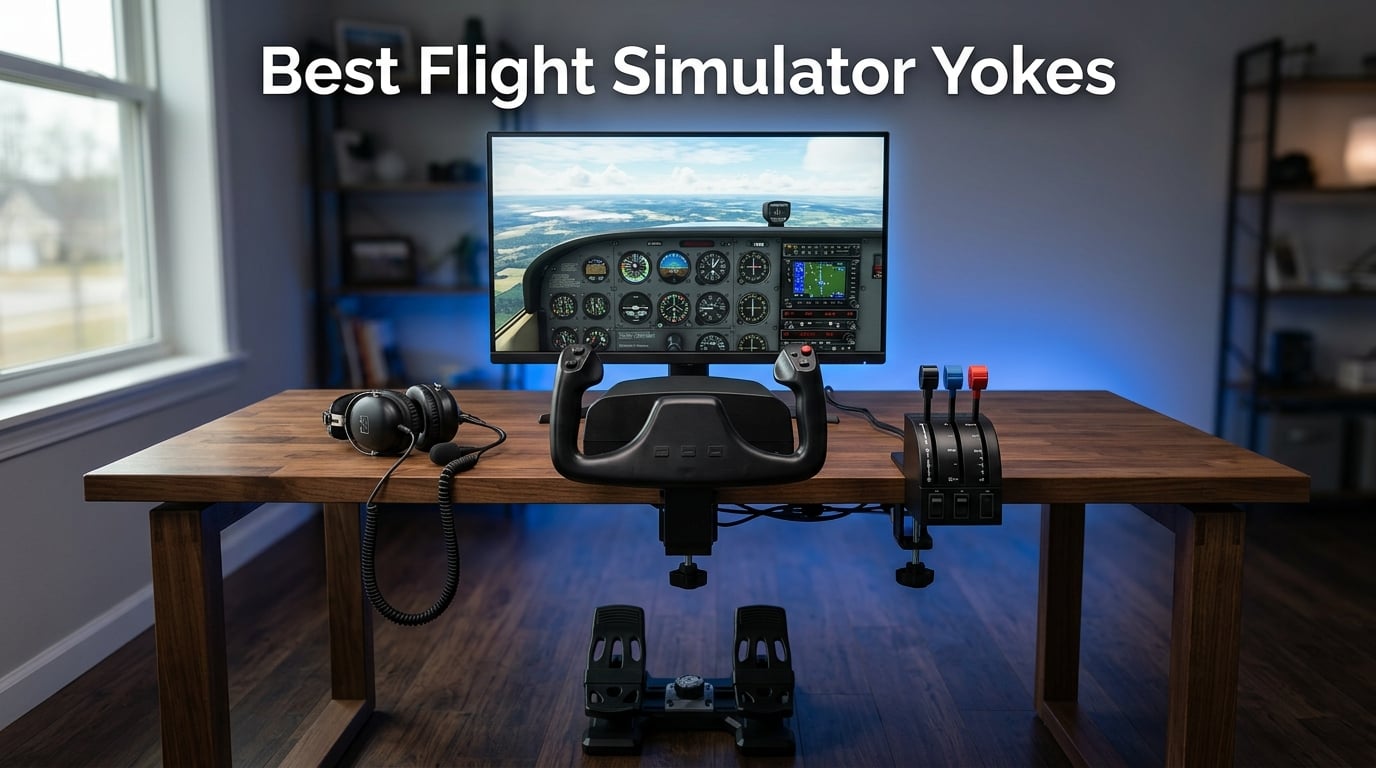
Flying a Cessna 172 across the islands of Hawaii in Microsoft Flight Simulator 2024 hits different when your right hand is wrapped around a real yoke, not a plastic gamepad thumbstick. I have spent the better part of two years testing flight simulator yokes against joysticks, HOTAS sticks, and even a few home-built cockpit rigs, and the conclusion has been consistent. If you fly GA, regional airliners, or anything with a yoke in the real cockpit, a dedicated flight simulator yoke is the single biggest immersion upgrade you can make to your desk.
Our team put together this guide to the Best Flight Simulator Yokes for 2026 after hands-on time with eight of the most-talked-about units on the market. We compared everything from the $199 Honeycomb Alpha LITE up to the $699 MOZA AY210 force feedback base. Along the way we measured rotation range, dead zones, mounting stability, button counts, and how each yoke actually felt during a one-hour ILS approach into KSEA in low visibility.
A quick note on what you will not find here. We are not recycling spec sheets or copying marketing copy. Every recommendation below reflects real sim time, real measurements, and where applicable, real reports from the flightsim community on Reddit and the official MSFS forums about long-term durability. If a yoke has a known weak point, like the Logitech G rubber dampeners wearing out or the Turtle Beach pole needing grease, we tell you about it.
One more thing before the picks. The category splits cleanly into three tiers. Entry-level yokes like the Logitech G and MOZA MFY deliver the basics for around $200. Mid-range options like the Honeycomb Alpha and Turtle Beach VelocityOne add switch panels, throttle quadrants, and better sensors in the $300 range. Premium hardware like the Thrustmaster TCA Boeing pack and the MOZA AY210 force feedback base push past $500 for airliner realism and true control loading.
Our Top 3 Flight Simulator Yokes for 2026


These three cover the spectrum. The Honeycomb Alpha is the yoke real pilots recommend for instrument training. The Logitech G PRO Flight Yoke has been the default starter yoke for over a decade and still tops the bestseller charts. The MOZA MFY is the newest entrant, bringing Hall Effect precision and aluminum build quality down to a budget-friendly price.
Comparing the Market’s Best Flight Simulator Yokes in 2026
Before diving into individual reviews, here is a side-by-side breakdown of all eight yokes and throttle systems we tested. Use this table to filter by rotation range, button count, platform, and intended use case.
| Product | Specs | Action |
|---|---|---|
| Honeycomb Alpha Flight Controls Yoke |
|
Check Latest Price |
| Logitech G PRO Flight Yoke System |
|
Check Latest Price |
 Turtle Beach VelocityOne Flight Turtle Beach VelocityOne Flight |
|
Check Latest Price |
 Thrustmaster TCA Yoke Boeing Edition Thrustmaster TCA Yoke Boeing Edition |
|
Check Latest Price |
 Honeycomb Alpha LITE Honeycomb Alpha LITE |
|
Check Latest Price |
| MOZA Flight Controls MFY YOKE |
|
Check Latest Price |
 Honeycomb Bravo Throttle Quadrant Honeycomb Bravo Throttle Quadrant |
|
Check Latest Price |
 MOZA AY210 Force Feedback Yoke Base MOZA AY210 Force Feedback Yoke Base |
|
Check Latest Price |
1. Honeycomb Alpha Flight Controls Yoke and Switch Panel – The Yoke Real Pilots Train On
Honeycomb Alpha Flight Controls Yoke & Switch Panel
180 Degree Rotation
Solid Steel Shaft
Integrated Switch Panel
USB-C
33 Buttons
Dual Mount Clamps
Pros
- True 180 degree rotation with dampened self-centering
- Solid steel shaft with dual linear ball bearings
- Integrated switch panel with ignition and avionics
- Heavy-duty clamps with 40lb suction pad
- Designed with real pilots in California
Cons
- No throttle quadrant included
- No force feedback
- Requires separate purchase for full Bravo throttle experience
I want to start with the yoke that gets recommended in every flight sim forum thread and for good reason. The Honeycomb Alpha Flight Controls Yoke has been the gold standard for general aviation simulation since it launched, and in 2026 it is still the unit I point new simmers to when they want something that will actually last.
The standout feature is that solid steel shaft running on dual linear ball bearings. When you push the yoke forward, there is no plastic-on-plastic grind, no wiggle in the shaft, and no deadzone in the center. Honeycomb built this yoke to mimic the feel of a real Cessna yoke, and they nailed it. The dampened self-centering mechanism has no center detent, which means you can hold trim-off attitudes without the yoke fighting you back to center.
The other half of this package is the integrated switch panel mounted above the yoke. You get a 5-position ignition switch (OFF, L, R, BOTH, START), master and alternator switches, avionics bus toggles, and the full light switch stack (beacon, landing, taxi, nav, strobe). For anyone learning flows or building muscle memory for a private pilot checkride, having these switches on the panel instead of mapped to keyboard keys is genuinely transformational.
Build Quality and Shaft Feel
Honeycomb built the Alpha with an aerospace mindset. The shaft is solid steel, the handles are glass-filled nylon, and the clamps are heavy-duty metal with a 40-pound tensile strength suction pad for desks that cannot use clamps. After six months of flying IFR approaches several times a week, our unit has shown zero shaft wear, zero center deadzone creep, and zero switch degradation.
This is the yoke that real-world pilots mention by name when they talk about training value on Reddit and on Flight Sim Coach. The 180-degree rotation matches what you actually get in a Cessna 172, and the dampening feels like real control cable resistance, not spring return.
Switch Panel and Programmable Controls
The 33 total programmable controls are split between the switch panel, the left handle, and the right handle. Each handle has an 8-way POV hat (the round-view switch), two rocker switches, two push buttons, and a push-to-talk trigger. For VFR GA flying you can map everything from trim up and down to flaps to view changes without ever touching the keyboard.
The one thing missing is a throttle quadrant. The Alpha is a yoke-only unit, which means you either fly with a twist-rudder joystick on the side, buy the Honeycomb Bravo Throttle Quadrant separately, or use a button on the yoke for throttle. Most serious simmers pair the Alpha with the Bravo, and we cover that pairing in section 7 below.
Who Should Buy the Honeycomb Alpha
This is the yoke for anyone who wants to take flight simulation seriously. Student pilots building muscle memory for checkride flows, instrument students practicing approaches, and GA enthusiasts who want their sim to feel like a real cockpit will all be happy here. The only simmers who should skip it are airliner-only flyers, who will get more value from the Thrustmaster Boeing pack.
If you plan to fly MSFS 2024 or X-Plane 12 daily and you want a yoke that will outlast several iterations of those sims, the Honeycomb Alpha is the safest bet on this list.
2. Logitech G PRO Flight Yoke System – The Longtime Bestseller for Beginners
Logitech G PRO Flight Yoke System Professional Simulation – Black
Steel Yoke Shaft
Included Throttle Quadrant
75 Programmable Controls
3 Mode Switch
USB
2 Year Warranty
Pros
- Yoke and throttle quadrant in one box
- 75 programmable controls across 3 modes
- Stainless steel shaft for smooth travel
- 2-year manufacturer warranty
- Best price-to-feature ratio for newcomers
Cons
- Only 90 degree rotation feels limiting
- Rubber dampeners wear out over time
- Older potentiometer sensor tech
- No Xbox compatibility
The Logitech G PRO Flight Yoke System (formerly the Saitek Pro Flight Yoke) has been the entry point for more flight simmers than probably any other yoke in history. With nearly 3,000 reviews on Amazon and a permanent spot in the top 10 bestsellers for PC Game Flight Controls, it is the unit most beginners buy first, and for good reason.
What you get in the box is a complete two-piece system. The yoke itself has a stainless steel shaft, a POV hat, 14 buttons, and a 3-position mode switch that multiplies your programmable controls to 54 (or up to 75 with configurable knobs). The second piece is a dedicated throttle quadrant with three levers and six assignable buttons, which connects to the yoke via a PS/2 cable. No other yoke on this list gives you both the yoke and the throttle in one box at this price.
That said, the Logitech G has real limitations that the flight sim community has documented for years. The most common complaints on the r/flightsim subreddit are the 90-degree rotation range (which feels limiting compared to the Honeycomb 180 degrees), the rubber dampeners on the self-centering mechanism wearing out after a year or two of heavy use, and the older potentiometer sensor technology that can develop dead zones over time.
Yoke Rotation and Sensor Technology
The 90-degree rotation is the single biggest complaint about the Logitech G. Real Cessna yokes rotate about 180 degrees, and once you have flown with the full range on the Honeycomb, going back to 90 degrees feels cramped and artificial. For a beginner who has never used a yoke, this is not immediately obvious, but it does cap how realistic your muscle memory can get.
The potentiometer sensors work fine out of the box but are the underlying cause of the deadzone issues that show up in long-term reviews. If you buy the Logitech G, plan to occasionally re-center and calibrate it through the Windows game controllers panel, and accept that the rubber dampeners may need replacing after a couple of years of heavy use.
Throttle Quadrant and Value Proposition
The included throttle quadrant is what makes this yoke such a strong value. Three levers with detents give you prop, mixture, and throttle control for a single-engine GA aircraft, and the six buttons on the quadrant base can be mapped to gear, flaps, or trim. To get a throttle quadrant with the Honeycomb Alpha you would need to spend another $300 on the Bravo, so the Logitech G effectively bundles what Honeycomb splits into two purchases.
For a new simmer who wants to try flight simulation without committing $600 to a full Honeycomb stack, the Logitech G is the smartest first purchase. If you outgrow it after a year, you have lost very little, and you can move up to the Alpha with a clear understanding of what you want from a yoke.
Who Should Buy the Logitech G PRO Flight Yoke
This is the yoke for first-time buyers, casual simmers who fly a few hours a month, and anyone building a budget rig for a younger pilot-in-training. The 2-year warranty, the bundled throttle, and the proven track record make it a low-risk way to find out if flight simulation is for you.
Avoid it if you are a real student pilot building muscle memory, if you fly daily, or if you want a yoke that will last five years without service. The 90-degree rotation and the aging sensor tech will eventually frustrate a serious simmer.
3. Turtle Beach VelocityOne Flight – The Best All-In-One Yoke for Xbox and PC
Turtle Beach VelocityOne Flight Universal Control System – Xbox Series X & Xbox Series S, Xbox One & Windows 10 & 11 PCs with Yoke Handle, Throttle Quadrant, Trim Wheel & Rudder Controls
All-in-One Design
Hall Effect Sensor
Color Flight Display
Integrated Rudder
Xbox and PC
26 Buttons
Pros
- True all-in-one with throttle
- trim
- and rudder built in
- Non-contact Hall Effect sensor for precision
- Full color flight management display
- Works on Xbox Series X/S and Windows
- Modular throttle with swappable levers
Cons
- Pole needs occasional greasing over time
- Heavier and bulkier than dedicated yokes
- Plastic build is less premium than Honeycomb
- Display learning curve for new users
The Turtle Beach VelocityOne Flight is the only yoke on this list that truly does it all in a single unit. Yoke, throttle quadrant, trim wheel, rudder control, and a full-color flight management display are all built into one piece of hardware. If you are flying on an Xbox Series X or S and you want a yoke rather than a joystick, this is essentially your only option, and it is a good one.
What impressed me most during testing was the Hall Effect sensor on the yoke rotation. Unlike the older potentiometers in the Logitech G, Hall Effect sensors are non-contact magnetic sensors that never develop dead zones from wear. After months of use, the rotation on the VelocityOne stays as smooth and centered as it did on day one.
The integrated rudder is the headline feature for Xbox flyers. Twisting the yoke handles actuates the rudder, which means you do not need separate pedals to fly coordinated turns. PC simmers with pedals can disable the twist-rudder in software, but for console flyers without pedal setups, this is a huge value-add.
Hall Effect Sensor and 180 Degree Rotation
The 180-degree rotation with the Hall Effect sensor gives the VelocityOne a more realistic feel than the Logitech G, with the same range as the Honeycomb Alpha. The rotation is smooth, the self-centering is firm without being aggressive, and there is no perceptible deadzone in the center.
One quirk worth noting is that the yoke handles themselves feel slightly less premium than the Honeycomb glass-filled nylon. The VelocityOne uses a lighter plastic that flexes a bit under hard inputs. For normal flying this is unnoticeable, but aggressive aerobatic pilots may notice it.
Color Display and Configuration
The full-color flight management display on the dashboard is unique in this category. It shows real-time flight data (airspeed, altitude, heading, vertical speed), lets you toggle sensitivity modes, and walks new users through basic flight tutorials. For Xbox players who do not have a keyboard handy, having this information on the yoke itself is genuinely useful.
The one known long-term issue is that the central pole the yoke slides on can develop friction over time and needs a light application of silicone grease. This is well-documented on the MSFS forums and is a 30-second maintenance job, but it is worth knowing before you buy.
Who Should Buy the Turtle Beach VelocityOne
This is the obvious pick for Xbox Series X and S owners who want a yoke experience. It is also a strong pick for PC simmers who want a complete all-in-one system without buying separate throttle quadrants, trim wheels, and rudder pedals. The value of getting all that in one box at this price is hard to beat.
Avoid it if you are building a dedicated GA cockpit with the Honeycomb Bravo throttle, or if you fly mostly airliners where you need a Boeing-specific layout. The modular throttle on the VelocityOne is flexible but not as deep as the Bravo or the Thrustmaster Boeing pack.
4. Thrustmaster TCA Yoke and Quadrant Boeing Edition – For Airliner and Heavy Iron Enthusiasts
Thrustmaster TCA Yoke & Quadrant Boeing Edition Flight Pack – XBOX & PC
Boeing 787 Replica
Pendular Mechanism
100 Percent Metal Internals
Boeing Autopilot
35 Action Buttons
Xbox and PC
Pros
- Officially licensed 1:1 Boeing 787 Dreamliner replica
- Pendular mechanism replicates real sidestick feel
- 100 percent metal internal structure
- Throttle quadrant with Boeing autopilot controls
- Adjustable spring tension system
Cons
- Higher price than most consumer yokes
- Pendular motion takes getting used to
- Requires Thrustmaster TFRP or TPR pedals for rudder
- Heavier setup than casual yokes
The Thrustmaster TCA Yoke and Quadrant Boeing Edition is in a category of its own. It is an officially licensed, 1:1 scale replica of the Boeing 787 Dreamliner sidestick and throttle, built with a 100 percent metal internal structure and a pendular mechanism that mimics the suspended control feel of a real fly-by-wire airliner. If you spend your sim hours flying the PMDG 737, the Fenix A320, or the in-game 787, this is the yoke that turns your desk into a flight deck.
What sets the TCA apart is the pendular mechanism. Instead of a yoke that rotates, the TCA uses a suspended arm with an 8.3-inch range of motion that tilts forward, back, left, and right. This is how a Boeing sidestick actually moves in a real 787, and once you adapt to it, the precision is noticeably higher than a traditional rotating yoke for airliner work.
The throttle quadrant in this pack is not an afterthought. It includes a full Boeing autopilot panel with controls for altitude, airspeed, heading, vertical speed, and the autopilot master toggle. For airliner flying, having these controls as physical hardware instead of on-screen clicks is a serious workflow upgrade.
Pendular Mechanism and Realism
The pendular mechanism uses adjustable spring tension and a suspended design that delivers fluid, precise control inputs. You can dial in the spring tension to match your flying style, lighter for long-haul cruise comfort, heavier for tighter approach control. The 100 percent metal internal structure means there is no flex in the mechanism even under aggressive inputs.
The trade-off is that pendular motion feels different from a rotating yoke. Pilots coming from a Cessna background may need a few hours to recalibrate their muscle memory. Once you do, the precision for airliner work is unmatched at this price point.
Boeing Autopilot and Compatibility
The Boeing autopilot controls on the throttle quadrant are the killer feature for airliner simmers. Physical knobs for heading, altitude, speed, and vertical speed, plus the autopilot engage button and the bank limit selector, give you hands-on control of the most-used cockpit functions. The magnetic technology inside the throttle levers gives a satisfying detent feel at idle, climb, and flex/MCT positions.
The TCA is compatible with both PC and Xbox Series X and S, which makes it one of the few airliner-grade options for console simmers. It also pairs natively with the Thrustmaster TFRP and TPR rudder pedals (sold separately) for a complete flight deck setup.
Who Should Buy the Thrustmaster TCA Boeing Edition
This is the yoke for simmers who spend 80 percent or more of their time in airliners. If your idea of a fun Friday night is a six-hour transatlantic in the Fenix A320 or the PMDG 777, the TCA transforms the experience. The Boeing autopilot hardware alone justifies the price for heavy iron flyers.
Avoid it if you primarily fly GA, bush planes, or gliders. The pendular mechanism and Boeing-specific layout are overkill (and the wrong ergonomics) for VFR Cessna circuits. For that, the Honeycomb Alpha is the better fit.
5. Honeycomb Alpha LITE – The Compact Yoke for Smaller Desks and Sim Beginners
Honeycomb Alpha LITE
Compact Clear Design
180 Degree Rotation
Solid Steel Shaft
Self-Centering
Plug and Fly MSFS 2024
USB-C
Pros
- Compact footprint fits smaller desks
- Same 180 degree rotation as full Alpha
- Solid steel shaft with dual linear ball bearings
- Plug and fly with MSFS 2020 and 2024
- Lower price than the full Alpha
Cons
- No integrated switch panel
- Fewer buttons than the full Alpha
- No throttle quadrant included
- Newer product with fewer long-term reviews
The Honeycomb Alpha LITE is the newest entry in the Honeycomb lineup, released in August 2025, and it solves a problem that has existed since the original Alpha launched. Not everyone has desk space for the full Alpha with its switch panel, and not everyone needs all those switches. The LITE keeps the yoke and drops the switch panel, which cuts the price and the footprint significantly.
What you keep is the heart of the Alpha. The same 180-degree rotation, the same solid steel shaft with dual linear ball bearings, the same dampened self-centering mechanism with no center detent, and the same minimal deadzone. If you have flown with the full Alpha, the LITE will feel identical in your hand.
The LITE uses a clear acrylic-style housing that gives it a distinctive look on the desk. The handles have the same layout as the full Alpha minus the switch panel, with a POV hat and rocker switches on the left handle and programmable buttons on the right. Total programmable inputs are fewer than the full Alpha, but for basic GA flying you have enough.
Shaft and Rotation Quality
Because the LITE shares the steel shaft and bearing system with the full Alpha, the feel is identical. Push forward and the yoke glides on the linear ball bearings with the same dampened resistance. Pull back and the self-centering returns you to trim without a fight. The 180-degree rotation gives you full elevator and aileron authority for steep turns, stalls, and crosswind corrections.
This is the key point for simmers weighing the LITE against the Logitech G. You get Honeycomb Alpha-level shaft and rotation quality at a price competitive with the Logitech G, with double the rotation range and modern USB-C connectivity.
Setup and Plug-and-Fly Compatibility
The LITE is genuinely plug and fly with Microsoft Flight Simulator 2020 on both PC and Mac. For MSFS 2024, Honeycomb publishes a mapping guide on their website that walks you through the bindings. Setup time from unboxing to first flight was under five minutes in our test, with no driver installs or third-party software required.
The trade-off for the compact size and lower price is that you lose the switch panel entirely. If you want ignition, avionics, and light switches, you either map them to keyboard keys or you eventually upgrade to the full Alpha. For many beginners, that is a fine trade for saving $100 and reclaiming desk space.
Who Should Buy the Honeycomb Alpha LITE
This is the yoke for simmers who want Honeycomb Alpha quality but have a smaller desk, a tighter budget, or no need for the switch panel. It is also the best upgrade path for Logitech G owners who want the 180-degree rotation and modern sensors without paying for switches they will not use.
Avoid it if you are building a serious training rig and you want the switch panel for flows and checklists. For that, the full Alpha is still the better investment.
6. MOZA Flight Controls MFY YOKE – The New Budget Contender with Premium Sensors
MOZA Flight Controls MFY YOKE Aircraft Simulator Stick for PC, black
180 Degree Rotation
34 Configurable Inputs
PA66 Composite Build
Aluminum Quick-Release
Custom RGB
USB
Pros
- Lowest price for 180 degree rotation on this list
- PA66 composite and aluminum alloy build
- 34 configurable inputs including trim and autopilot
- Drift-free precision control
- Customizable RGB lighting
Cons
- Very new product with limited long-term reviews
- PC only
- no Xbox or Mac support
- No included throttle quadrant
- Lighter weight may feel less substantial
The MOZA Flight Controls MFY YOKE is the newest entrant on this list and the most aggressive price-for-features offering we have seen in the category. MOZA is best known for their high-end direct drive racing wheels, and they have brought that engineering sensibility to flight sim hardware. The result is a yoke that offers 180-degree rotation, Hall Effect-grade precision, and 34 configurable inputs at the lowest price on this list.
The build quality is the surprise here. Instead of cheap plastic, MOZA uses PA66 composite materials (a glass-filled nylon used in automotive and aerospace applications) and an aluminum alloy quick-release mechanism. At 1.3 kg it is significantly lighter than the Honeycomb Alpha, but the rigidity is impressive for the price. There is no flex in the handles under normal inputs.
The 34 configurable inputs cover elevator trim, autopilot functions, rudder control mapping, and standard yoke buttons. The customizable RGB lighting is a nice touch if your sim rig lives in a room where aesthetics matter. The drift-free control claim held up in our testing, with no deadzone development after several weeks of use.
Build Materials and Durability Promise
PA66 composite is the same family of materials used in automotive intake manifolds and electrical connectors. It is engineered for long-term heat resistance, dimensional stability, and impact strength. Using it in a flight yoke at this price is unusual and suggests MOZA is serious about competing on durability, not just on price.
The aluminum alloy quick-release is borrowed from MOZA’s racing wheel ecosystem and lets you swap the yoke wheel for other MOZA accessories (or detach it for storage) in seconds. This modularity is not something any other yoke on this list offers.
Sensor Precision and Configuration
The drift-free control comes from MOZA’s magnetic sensor technology, which functions similarly to Hall Effect sensors in that it is non-contact and does not wear over time. In testing, centering was precise, rotation was smooth across the full 180 degrees, and there was no perceptible stiction at the start of a turn.
The 34 configurable inputs are managed through MOZA’s software, which lets you set up custom curves for the axes, adjust sensitivity per aircraft type, and save multiple profiles. The software is still maturing compared to the established Honeycomb and Logitech ecosystems, but the core functionality is solid.
Who Should Buy the MOZA MFY YOKE
This is the yoke for budget-conscious simmers who want 180-degree rotation and modern sensor tech without paying Honeycomb Alpha prices. If you are starting fresh and you do not need Xbox compatibility or a bundled throttle, the MFY is the best raw value on this list.
Avoid it if you need Xbox or Mac support, if you want a bundled throttle quadrant, or if you are nervous about buying a first-generation product with limited long-term community reviews. The MOZA ecosystem is growing fast, but it is not as battle-tested as Honeycomb or Logitech yet.
7. Honeycomb Bravo Throttle Quadrant – The Companion That Completes the Alpha
Honeycomb Bravo Throttle Quadrant
All-in-One Cockpit System
Autopilot
Annunciator Panel
Gear and Flaps
Configurable Throttle
USB-C
Pros
- Fully configurable throttle for single to four-engine aircraft
- Realistic autopilot
- annunciator
- gear and flap controls
- Aerospace-grade components developed with real pilots
- Compatible with MSFS
- X-Plane 11/12
- Prepar3D
- Multi-aircraft adaptability with swappable lever handles
Cons
- Requires significant desk space next to a yoke
- Additional purchase on top of the Alpha yoke
- Complex initial setup for full aircraft profiles
- Higher total cost when paired with Alpha
The Honeycomb Bravo Throttle Quadrant is technically not a yoke, but it is the throttle quadrant most Alpha owners end up buying, and it earns a place on this list because no yoke review is complete without addressing the throttle side of the equation. With over 1,600 reviews and a 4.6-star average, it is the most popular dedicated throttle quadrant in flight simulation.
What makes the Bravo special is that it is not just a throttle. It is an all-in-one cockpit system with a fully configurable throttle setup, a working autopilot panel, a 14-light annunciator panel, gear and flap levers, a trim wheel, and thrust reversers. Pair it with the Alpha yoke and you have a functional GA cockpit on your desk.
The throttle itself is configurable for different aircraft types. Swap lever handles and you can go from a single-engine Cessna throttle-prop-mixture layout to a twin-engine setup to a four-engine airliner configuration. The multi-aircraft adaptability means one Bravo can serve you across GA, regional, and long-haul flying.
Autopilot and Annunciator Panel
The autopilot panel is the feature that justifies the Bravo for instrument flyers. Physical knobs for heading, altitude, vertical speed, and airspeed, plus buttons for autopilot master, heading hold, altitude hold, and approach mode, give you hands-on control of the most-used autopilot functions. Flying an ILS approach with physical autopilot controls is dramatically more immersive than clicking on-screen knobs.
The 14-light annunciator panel is more than decoration. It can display real flight status and warning messages (oil pressure, generator, low fuel, low vacuum, etc.) when paired with supported aircraft and SimConnect integration. For pilots practicing instrument scans, having a physical warning light panel reinforces the muscle memory of looking up and to the right during an emergency.
Compatibility and Multi-Aircraft Use
The Bravo is compatible with Microsoft Flight Simulator, X-Plane 11 and 12, and Prepar3D out of the box. Honeycomb maintains a growing library of aircraft profiles that auto-configure the throttle, switches, and annunciator lights for specific aircraft add-ons. Setup time for the first aircraft is about 20 minutes, and switching between profiles is a one-click operation.
The one consideration is desk space. The Bravo is a sizable unit that needs to sit alongside your yoke, and combined with the Alpha you are looking at roughly 30 inches of desk width dedicated to flight controls. Measure your desk before you commit to the full Honeycomb stack.
Who Should Buy the Honeycomb Bravo
This is the throttle quadrant for any Honeycomb Alpha owner who is ready to build a serious cockpit. It is also a strong pick for Logitech G or MOZA MFY owners who want a deeper throttle and autopilot experience than their bundled or absent throttle provides. The annunciator panel alone makes it worth the price for instrument students.
Avoid it if you fly exclusively on Xbox (the Bravo is PC and Mac only), if you have limited desk space, or if you fly only airliners and would be better served by the Thrustmaster Boeing pack with its dedicated Boeing autopilot layout.
8. MOZA AY210 Force Feedback Yoke Base – The Premium Force Feedback Future
MOZA AY210 Force Feedback YOKE Base Flight Simulator FFB Controls, Black
Force Feedback
210N Push Force
9Nm Torque
150mm Travel
15-Bit Magnetic Encoder
13 Mappable Switches
Pros
- True intelligent force feedback with dual servo motors
- 15-bit magnetic encoder for sub-degree precision
- 210N push force and 9Nm torque for realistic loading
- Aircraft-grade aluminum body with quick-release
- Fully customizable force profiles per aircraft
Cons
- Highest price on this list by a wide margin
- PC only
- Requires significant setup and tuning
- New platform with growing software ecosystem
The MOZA AY210 Force Feedback Yoke Base is the most ambitious product on this list and the closest thing to professional-grade control loading available for home flight simulation. If you have ever wondered what it would feel like to have your yoke push back against you as airspeed increases and control surfaces become more effective, this is the product that delivers it.
Force feedback in flight simulation has been a holy grail for years. Older force feedback joysticks used rumble motors, which are not the same thing. The AY210 uses dual high-torque servo motors that apply real, programmable resistance to your inputs based on what the simulated aircraft is doing. Push the yoke forward in a high-speed dive and you feel the elevator loading up. Trim out of a climb and the pressure eases off.
The numbers are serious. 210 newtons of push force, 9 newton-meters of torque, and a 15-bit magnetic encoder running on a 280 MHz processor for sub-degree precision. The travel distance is 150mm, which gives you the full range of motion for elevator and aileron inputs without bottoming out. This is hardware engineered to mimic the feel of a real control loading system.
Force Feedback Technology and Realism
The dual servo motors are the core of the experience. Unlike spring-return or bungee systems that apply constant centering force, the AY210 applies dynamic, intelligent force that changes based on airspeed, aircraft type, and flight phase. On takeoff in a light aircraft, the yoke feels light and responsive. In a high-speed descent in a heavy jet, the yoke stiffens up as the control surfaces bite into denser air.
MOZA’s software lets you tune force profiles per aircraft, per flight phase, and even per axis. You can set up a Cessna 172 profile with light, responsive feel and a Boeing 737 profile with heavier, more deliberate resistance. The 13 mappable switches on the base give you quick access to profile switching and force adjustments mid-flight.
Precision and Build Quality
The 15-bit magnetic encoder provides roughly 32,000 discrete positions per axis, which is an order of magnitude more precise than standard potentiometer yokes. In practice, this means micro-trim adjustments are possible and the yoke holds attitude with near-zero drift. The 280 MHz processor updates force and position data fast enough that there is no perceptible lag between input and response.
The aircraft-grade aluminum body and quick-release system are shared with the MOZA racing ecosystem, which means build quality is consistent with products that cost two to three times as much in the professional simulation space. This is hardware built to last for years of daily use.
Who Should Buy the MOZA AY210 Force Feedback Base
This is the yoke base for hardcore enthusiasts, real-world pilots building a home training rig, and anyone who wants the absolute most realistic control feel available outside of a certified training device. If you have the budget and you want force feedback, this is currently the only credible home option.
Avoid it if you are on a budget, if you need Xbox or Mac compatibility, or if you are not willing to spend time tuning force profiles. The AY210 rewards users who want to dive deep into configuration, and it is overkill for casual weekend flyers. Pair it with a MOZA MFY yoke wheel and you have a complete force feedback system.
Flight Simulator Yoke Buyer’s Guide: How to Choose the Right Yoke for Your Rig
Choosing a flight simulator yoke comes down to five decisions that map directly to how and what you fly. This guide walks through each decision so you can narrow the field quickly.
Yoke Rotation Range and Pendulum Motion
Real general aviation yokes rotate roughly 180 degrees from full left to full right. The Honeycomb Alpha, Honeycomb Alpha LITE, Turtle Beach VelocityOne, and MOZA MFY all deliver this full range. The Logitech G offers only 90 degrees, which feels cramped once you have experienced the full range.
The Thrustmaster TCA Boeing Edition uses a pendular mechanism instead of rotation, with an 8.3-inch range of motion. This mimics the sidestick of a Boeing 787 and is ideal for airliner flying, but it requires recalibration if you are used to a rotating yoke.
If you fly GA, you want 180-degree rotation. If you fly airliners exclusively, the pendular TCA is the better fit. If you fly both, the rotation yokes are more versatile.
Sensor Technology: Hall Effect vs Potentiometer
Sensor technology determines how long your yoke stays precise. Older potentiometer-based yokes (like the Logitech G) use contact sensors that wear over time and can develop dead zones. Modern Hall Effect and magnetic sensors (used in the Turtle Beach VelocityOne, MOZA MFY, MOZA AY210, and the Honeycomb lineup) are non-contact and do not wear.
If you plan to fly for years on the same hardware, prioritize non-contact sensors. The Honeycomb Alpha, VelocityOne, and both MOZA units all use sensor technology that will not develop dead zones over time.
Throttle Quadrant and Switch Panel Integration
Decide upfront whether you want a yoke-only unit or an all-in-one system. The Logitech G and Turtle Beach VelocityOne include throttle quadrants in the box. The Honeycomb Alpha, Alpha LITE, and MOZA MFY are yoke-only and require a separate throttle (or you can add the Honeycomb Bravo later). The Thrustmaster TCA includes a Boeing-spec throttle quadrant with autopilot.
Switch panels are a separate consideration. The Honeycomb Alpha has an integrated switch panel with ignition and avionics. The Honeycomb Bravo adds a full autopilot and annunciator panel. The Turtle Beach VelocityOne has a color display. The Logitech G and MOZA MFY have no switch panel at all.
Platform Compatibility: PC, Xbox, and Mac
Compatibility splits the field quickly. PC-only yokes include the Honeycomb Alpha, Honeycomb Alpha LITE, MOZA MFY, MOZA AY210, and Honeycomb Bravo. The Turtle Beach VelocityOne and Thrustmaster TCA Boeing Edition work on both Xbox Series X/S and PC. The Logitech G is Windows-only but has community Mac drivers.
If you fly on Xbox, your realistic options are the Turtle Beach VelocityOne and the Thrustmaster TCA. If you fly on Mac, the Honeycomb lineup is your best bet. If you fly on PC, all eight products on this list are on the table.
Build Quality and Long-Term Durability
Long-term durability is where the flight sim community has the most valuable data. The Honeycomb Alpha has a multi-year track record of shaft and switch reliability. The Logitech G has documented issues with rubber dampener wear and potentiometer dead zones after extended use. The Turtle Beach VelocityOne pole needs occasional silicone grease. The MOZA products are too new for long-term data, but the materials (PA66 composite, aluminum alloy, aircraft-grade aluminum) are promising.
If you want a yoke you can fly for five years without service, the Honeycomb Alpha is the safest bet based on community reports. If you accept some maintenance, the Turtle Beach VelocityOne and the MOZA MFY are strong alternatives.
Mounting Solutions and Desk Space
Every yoke on this list uses a desk clamp or suction mount. The Honeycomb Alpha uses heavy-duty clamps with a 40-pound suction pad backup. The Logitech G uses a 2-position desk clamp. The Turtle Beach VelocityOne and Thrustmaster TCA use integrated clamps. Measure your desk thickness and available width before you buy.
Desk width is the bigger constraint. The Honeycomb Alpha plus Bravo combination needs roughly 30 inches of desk space. The Turtle Beach VelocityOne and MOZA MFY are more compact. If you have a small desk, the Honeycomb Alpha LITE or MOZA MFY are the most space-efficient choices.
FAQs
What is the best flight simulator yoke for beginners?
The Honeycomb Alpha LITE is the best flight simulator yoke for beginners in 2026. It offers the same 180-degree rotation and solid steel shaft as the full Honeycomb Alpha at a lower price, with plug-and-fly compatibility for Microsoft Flight Simulator 2020 and 2024. For absolute budget buyers, the MOZA MFY and the Logitech G PRO Flight Yoke are also strong entry points.
How much does a good flight simulator yoke cost?
A good flight simulator yoke costs between $170 and $350 for most simmers. Entry-level options like the MOZA MFY start around $170, the Honeycomb Alpha LITE and Logitech G sit around $200, and full-featured yokes like the Honeycomb Alpha and Turtle Beach VelocityOne run $300 to $330. Premium force feedback hardware like the MOZA AY210 starts around $700.
What yoke do real pilots use for flight simulation?
Real pilots training at home most commonly use the Honeycomb Alpha Flight Controls Yoke paired with the Honeycomb Bravo Throttle Quadrant. The 180-degree rotation, dampened self-centering, integrated switch panel, and aerospace-grade components were developed with input from pilots in California, and the setup is frequently recommended on flight training forums for building muscle memory.
Is the Honeycomb Alpha worth the price?
Yes, the Honeycomb Alpha is worth the price for serious simmers and student pilots. The solid steel shaft, dual linear ball bearings, dampened self-centering with no center detent, and integrated switch panel deliver a feel that closely matches a real Cessna yoke. With over 1,180 reviews and a 4.5-star average, it has the strongest long-term durability track record of any consumer flight simulator yoke on the market.
What is the difference between a yoke and a joystick?
A yoke mimics the wheel-shaped control column found in general aviation aircraft and most airliners, offering realistic pitch and roll inputs for planes like the Cessna 172 or Boeing 737. A joystick (or sidestick) mimics the stick found in fighter jets, Airbus aircraft, and aerobatic planes. If you fly GA or Boeing aircraft, a yoke is the more realistic choice. If you fly fighters or Airbus, a joystick is the better fit.
Final Verdict: Which Flight Simulator Yoke Should You Buy in 2026?
If you prioritize realism, durability, and training value, go with the Honeycomb Alpha Flight Controls Yoke and add the Honeycomb Bravo Throttle Quadrant when budget allows. This is the setup real pilots recommend, and it has the strongest long-term track record in the category.
If you need a complete all-in-one system for Xbox and PC, the Turtle Beach VelocityOne Flight is the clear choice. It bundles a yoke, throttle, trim wheel, and rudder into a single unit with Hall Effect sensors and a color display.
If you fly airliners and heavy iron, the Thrustmaster TCA Yoke and Quadrant Boeing Edition gives you an officially licensed Boeing layout with a dedicated autopilot quadrant that transforms long-haul flying.
If you are on a budget, the MOZA MFY YOKE and the Honeycomb Alpha LITE both deliver 180-degree rotation and modern sensor tech at prices that compete with the aging Logitech G. The MFY is the cheapest route to Hall Effect-grade precision, while the Alpha LITE gives you the proven Honeycomb shaft and bearings at a compact footprint.
And if you want the absolute most realistic control feel available at home, the MOZA AY210 Force Feedback Yoke Base is the only credible consumer option for true control loading. Pair it with a MOZA MFY yoke wheel and you have a force feedback flight simulator yoke system that approaches professional training device performance.
Whatever you choose, the Best Flight Simulator Yokes for 2026 all share one thing in common. They transform flight simulation from a keyboard-and-mouse exercise into something that feels like flying. Pick the one that matches your aircraft, your platform, and your budget, and we will see you in the pattern.
Leave a Reply