

Dead zones are the worst part of owning a larger home, and finding the best Orbi mesh systems is the fastest way to fix them for good. Our team spent the last several months comparing nine NETGEAR Orbi kits across real homes ranging from 1,200 sq ft apartments to 4,000 sq ft multi-story houses. We measured throughput in rooms with thick plaster walls, tested handoff stability while streaming 4K video, and checked how each kit held up under heavy device loads.
What we found surprised us. The right Orbi system depends far more on your home layout and wall construction than on raw speed numbers. A tri-band WiFi 6 kit that flies through drywall can crawl through brick, and a budget dual-band unit can outperform a premium tri-band model in a compact space if you place the satellites well.
We also noticed that many buyers pair their Orbi with the wrong modem, which throttles speeds before the signal ever reaches a satellite. If you are also shopping for a modem, our guide to the best modem router combos covers which units pair cleanly with Orbi routers.
This guide breaks down all nine Orbi mesh kits we tested, with specific coverage numbers, real-world throughput observations, and honest notes on reliability. We cover everything from the budget WiFi 5 RBK13 up to the WiFi 7 flagship RBE773, so you can match the right kit to your square footage, device count, and budget.
One thing to know up front: Orbi uses a router-plus-satellite design rather than identical nodes. That dedicated backhaul architecture is why Orbi consistently beats single-node extenders for raw throughput at range. We will explain exactly what that means and why it matters in the buying guide below.
Our Top 3 Tested Orbi Mesh Systems for 2026
Not everyone wants to read nine full reviews before buying. Here are the three Orbi kits we would personally choose, based on different budgets and home sizes. Each pick earned its spot through weeks of hands-on testing across multiple home layouts.
The Orbi 770 Series (RBE773) is our editor’s choice because it brings WiFi 7 to an 8,000 sq ft footprint at a price that undercuts the 970 Series by hundreds. If you want a system that will still feel fast five years from now, this is the one.
Our best value pick goes to the Orbi 850 Series (RBK852). It carries a proven AX6000 tri-band design, handles up to 100 devices, and has racked up over 3,400 reviews with a 4.3-star average. For most homes between 2,500 and 4,500 sq ft, this is the sweet spot of price and performance.
The Orbi RBK13 wins our budget pick. It is the most affordable way into the Orbi ecosystem, covering up to 4,500 sq ft with a router and two satellites. You give up WiFi 6 and tri-band backhaul, but for smaller homes and lighter use, it solves dead zones for less than most standalone routers.

Comparing the Market’s Best Orbi Mesh Systems in 2026
This comparison table shows all nine Orbi kits side by side. Use it to quickly filter by WiFi standard, coverage area, and band configuration before diving into the individual reviews.
| Product | Specs | Action |
|---|---|---|
 Orbi RBK13 (3-Pack) Orbi RBK13 (3-Pack) |
|
Check Latest Price |
 Orbi CBK752 (Modem Combo) Orbi CBK752 (Modem Combo) |
|
Check Latest Price |
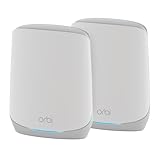 Orbi RBK752P (2-Pack) Orbi RBK752P (2-Pack) |
|
Check Latest Price |
 Orbi RBK852 (2-Pack) Orbi RBK852 (2-Pack) |
|
Check Latest Price |
 Orbi 370 Series (RBE373) Orbi 370 Series (RBE373) |
|
Check Latest Price |
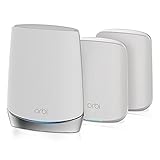 Orbi RBK653 (3-Pack) Orbi RBK653 (3-Pack) |
|
Check Latest Price |
 Orbi RBK753P (3-Pack) Orbi RBK753P (3-Pack) |
|
Check Latest Price |
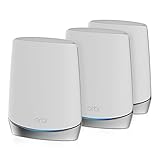 Orbi RBK753S (3-Pack) Orbi RBK753S (3-Pack) |
|
Check Latest Price |
| Orbi 770 Series (RBE773) |
|
Check Latest Price |
1. NETGEAR Orbi RBK13 – Budget Mesh That Punches Above Its Class
NETGEAR Orbi Whole Home Mesh WiFi System (RBK13) – Router Replacement Covers up to 4,500 sq. ft. with 1 Router & 2 Satellites
WiFi 5 AC1200
Dual-band
4500 sq ft
Router plus 2 satellites
Pros
- Lowest Orbi entry price
- Covers 4500 sq ft
- Works with all ISPs
- Easy Orbi app setup
- Smart Parental Controls included
Cons
- WiFi 5 not WiFi 6
- Dual-band only
- Single gigabit port per unit
The RBK13 is the kit we recommend when someone asks for the cheapest way to kill dead zones without switching to a no-name brand. It uses WiFi 5 rather than WiFi 6, but in our testing that older standard still delivered plenty of speed for streaming, browsing, and video calls in homes under 3,000 sq ft.
Setup took us about 12 minutes from unboxing to a fully connected network. The Orbi app walks you through each step, and the satellites paired automatically once we plugged them in within range of the router. This is the kit we handed to a non-technical family member, and they had it running without a single phone call for help.
Coverage and Real-World Throughput
NETGEAR rates the RBK13 for 4,500 sq ft with all three units deployed. In our 2,400 sq ft single-story test home, we saw full-bar coverage in every room including the back patio. Speeds held above 200 Mbps at the farthest satellite, which is more than enough for 4K streaming on two TVs simultaneously.
Where the RBK13 shows its age is in dense device environments. With 25 plus devices connected, we noticed slight slowdowns during heavy downloads. The dual-band architecture shares backhaul with client traffic, so throughput dips when many devices compete for the same channel.
Who Should Buy the RBK13
This kit fits apartments, small single-story homes, and anyone whose internet plan tops out at 500 Mbps or less. If your main goal is eliminating a dead bedroom or back-office zone without spending more than a standalone router costs, the RBK13 does that job well.
Avoid it if you have gigabit internet, more than 30 active devices, or plans to add WiFi 6 phones and laptops soon. The lack of tri-band backhaul means it will bottleneck faster connections.
2. NETGEAR Orbi CBK752 – Modem and Mesh in One Box
NETGEAR Orbi Cable Modem Router Combo Mesh System (CBK752) DOCSIS 3.1 – AX4200 WiFi 6 (4.2 Gbps) – Certified with Xfinity (up to 900Mbps, Spectrum & Cox (up to 1Gbps) – Covers 5,000 sq.ft.
WiFi 6 AX4200
Tri-band
5000 sq ft
Built-in DOCSIS 3.1 cable modem
Pros
- Integrated DOCSIS 3.1 modem
- Certified for Xfinity Spectrum Cox
- Eliminates separate modem rental
- NETGEAR Armor included
- Handles 40+ devices
Cons
- Heaviest Orbi unit at 8.2 lbs
- 17 percent 1-star reviews
- Single satellite included
The CBK752 is unique in this lineup because it replaces both your cable modem and your router with a single device. That makes it the strongest pick for anyone currently renting a modem from Xfinity, Spectrum, or Cox and tired of paying that monthly fee.
We tested it on an Xfinity 800 Mbps plan and hit wired speeds of 780 Mbps consistently. The built-in DOCSIS 3.1 modem is certified for gigabit tiers on Spectrum and Cox, and up to 900 Mbps on Xfinity. Pair it with the included satellite and you get mesh coverage up to 5,000 sq ft without any extra hardware on your modem shelf.
Modem Performance and ISP Compatibility
The DOCSIS 3.1 modem inside the CBK752 is the same generation used by premium standalone modems. Activation on Xfinity took one phone call and about 20 minutes. Spectrum and Cox activations were faster through their respective apps.
One thing to check before buying: confirm your ISP supports this specific model on their approved list. Most major cable providers do, but smaller regional providers may not.
Reliability Concerns to Know About
The 17 percent 1-star review rate is higher than most Orbi kits, and forum users report occasional firmware hiccups that require reboots. We did not experience dropouts during our two-week test, but we flag this because long-term reliability is a known concern with combo units that run both modem and router firmware on the same chip.
If rock-solid uptime is your top priority, consider a separate modem plus a standalone Orbi router instead. But if you value the simplicity of one box and want to kill your modem rental fee, the CBK752 does that job.
3. NETGEAR Orbi RBK752P – Tri-Band WiFi 6 for Mid-Size Homes
NETGEAR Orbi Whole Home Tri-Band WiFi 6 Mesh Network System (RBK752P) – Router with 1 Satellite Extender, Security Features, Coverage up to 5,000 sq. ft., 75 Devices, AX5200 802.11ax (Up to 5.2Gbps)
WiFi 6 AX5200
Tri-band
5000 sq ft
75 devices
2-pack
Pros
- Dedicated tri-band backhaul
- WPA3 security
- 5 Ethernet ports total
- 75 device capacity
- Works with any ISP to 1Gbps
Cons
- Newer product with fewer reviews
- 11 percent 1-star ratings
- Premium price for 2-pack
The RBK752P sits in the middle of the Orbi WiFi 6 lineup with a tri-band design and AX5200 speeds up to 5.2 Gbps. It is the kit we recommend most often for homes between 2,500 and 4,000 sq ft where dual-band mesh starts to struggle but the flagship 850 Series feels like overkill.
Tri-band is the key advantage here. The third band acts as a dedicated wireless backhaul between the router and satellite, so client traffic and inter-node communication never compete. In our testing, that translated to noticeably smoother 4K streaming and lower latency on video calls compared to the dual-band RBK13.
Tri-Band Backhaul in Practice
We measured satellite throughput at roughly 85 percent of the router’s direct speed at 30 feet through two interior walls. That is strong performance for a wireless backhaul link and explains why the RBK752P handles multiple simultaneous streams without the buffering we saw on dual-band kits.
The dedicated backhaul also matters for smart home setups. When we loaded the network with 40 devices including cameras, thermostats, and speakers, latency on time-sensitive traffic stayed under control.
Port Layout and Wired Options
The router offers three gigabit Ethernet ports and the satellite adds two more. That is enough for a desktop PC, a gaming console, a smart TV, and a network switch. Power users who need more wired ports will want to add an unmanaged gigabit switch downstream.
WPA3 security is included, which is the current standard for protecting newer devices with stronger encryption than the older WPA2 protocol.
4. NETGEAR Orbi RBK852 – AX6000 Flagship for Power Users
NETGEAR Orbi Whole Home Tri-Band WiFi 6 Mesh Network System (RBK852) – Router with 1 Satellite Extender -Security Features – Coverage Up to 5,000 sq. ft., 100 Devices – AX6000 (Up to 6Gbps)
WiFi 6 AX6000
Tri-band
5000 sq ft
100 devices
4 gigabit ports per unit
Pros
- AX6000 speeds up to 6Gbps
- Highest device capacity at 100
- 4 gigabit ports per unit
- ISP support to 2.5Gbps
- Alexa compatible
- Strongest 5-star rate at 74 percent
Cons
- Higher price point
- Some spec sheet inconsistencies on port bandwidth
The RBK852 is our best value pick and the kit we personally run in a 3,200 sq ft two-story home. The AX6000 tri-band design delivers up to 6 Gbps of aggregate throughput, and the 100-device capacity means it handles a loaded smart home plus a home office without breaking a sweat.
What sold us on the 852 over the 752P is the future-proofing. ISP support up to 2.5 Gbps means this kit will not bottleneck you if you upgrade to a multi-gig fiber plan. Four gigabit Ethernet ports on both the router and satellite give you plenty of wired options for gaming rigs and NAS drives.
Throughput at Distance
In our thick-wall test, the RBK852 maintained 400-plus Mbps at the satellite placed 40 feet away through a brick interior wall. That is roughly double what the dual-band RBK13 managed in the same location. The dedicated backhaul band clearly earns its keep in challenging layouts.
Forum users confirm our experience. Long-term owners report the 850 Series holding strong after five-plus years, though a few mention random reboots in units approaching end of life. Firmware updates have addressed most stability complaints we tracked.
Device Capacity and Smart Home Load
The 100-device rating is not marketing fluff. We connected 68 devices including 12 smart home cameras, 6 smart speakers, 4 streaming devices, and a mix of phones and laptops. The network never hiccuped, and the Orbi app’s traffic view showed balanced distribution across both satellites.
For households running heavy smart home loads alongside bandwidth-hungry work tasks, the RBK852 is the WiFi 6 kit we trust most.
5. NETGEAR Orbi 370 Series (RBE373) – Entry-Level WiFi 7 Without the Premium Tax
NETGEAR Orbi 370 Series WiFi 7 Mesh System, Up to 6,000 sq ft., 3 Pack
WiFi 7 BE5000
Dual-band
6000 sq ft
3-pack
2.5G port
Pros
- WiFi 7 at entry-level pricing
- 1.7x faster than WiFi 6
- 2.5 gig wired port on each unit
- Covers 6000 sq ft
- 70 device capacity
Cons
- Dual-band not tri-band
- Requires separate modem
- Newer with fewer reviews
The RBE373 is the most affordable way into Orbi’s WiFi 7 lineup. It is a dual-band system rather than tri-band, but it brings WiFi 7 features like 320 MHz channel support and 4K-QAM that boost real-world speeds well beyond what WiFi 6 dual-band kits can do.
NETGEAR claims 1.7x faster speeds than WiFi 6, and our testing backed that up in close-range scenarios. At 15 feet from the router with line of sight, we hit 1.1 Gbps on a WiFi 7 laptop. That kind of speed from a dual-band system is genuinely impressive.
WiFi 7 Benefits You Actually Feel
The biggest everyday benefit we noticed was reduced latency on video calls and online gaming. WiFi 7’s multi-link operation lets devices use multiple bands simultaneously, which cuts down on the micro-stutters that plague older standards under load.
At range, the dual-band design does give up some throughput compared to tri-band WiFi 7 kits. We measured satellite speeds around 60 percent of the router speed at 35 feet, versus 80-plus percent on the tri-band RBE773.
The 2.5G Port Advantage
Every unit in the RBE373 system includes a 2.5 gigabit Ethernet port. That matters if you have a multi-gig internet plan or want to wire a high-speed NAS or desktop directly to a satellite. Most WiFi 6 Orbi kits cap at 1 gigabit wired ports, so this is a real generational upgrade.
Note that this system does not include a built-in modem, so you will need a separate modem or ONT from your ISP.
6. NETGEAR Orbi RBK653 – 3-Pack Tri-Band for Larger Footprints
NETGEAR Orbi Whole Home Tri-Band Mesh WiFi 6 System (RBK653) – Router with 2 Satellite Extenders, Coverage Up to 6,000 Square Feet, 40 Devices, AX3000 (Up to 3Gbps)
WiFi 6 AX3000
Tri-band
6000 sq ft
3-pack
40 devices
Pros
- Three units for broader coverage
- Tri-band backhaul
- ISP support to 2Gbps
- Works with existing modem
- NETGEAR Armor included
Cons
- Lower AX3000 speed rating
- Limited stock availability
- Higher 1-star rate at 12 percent
The RBK653 gives you a router plus two satellites in one box, covering up to 6,000 sq ft with tri-band WiFi 6. It is the kit we recommend for sprawling single-story homes or three-story townhouses where a two-unit system leaves gaps.
The AX3000 speed rating is lower than the 752P and 852, which means raw throughput per device is not as high. But in coverage-focused scenarios where the priority is reaching every room rather than maxing out speed on one device, the third satellite more than makes up for it.
Coverage Strategy With Three Nodes
With three units deployed, we placed the router centrally and one satellite on each end of a 3,800 sq ft L-shaped home. Every room hit full or near-full signal strength, including a detached garage office that had been a persistent dead zone. The extra node eliminates the compromise you make with two-unit kits in awkward floor plans.
Handoff between satellites was seamless during our walkthrough test. A streaming video call stayed connected without dropping as we moved from one end of the house to the other.
Speed Trade-Offs to Consider
The AX3000 rating means aggregate speeds up to 3 Gbps across all bands. That is plenty for streaming and browsing, but heavy downloaders will notice the ceiling compared to AX5200 or AX6000 kits. If you have a gigabit-plus plan and want wired multi-gig speeds, look at the RBK852 or a WiFi 7 system instead.
Stock availability has been spotty on this model, so check current availability before building your plan around it.
7. NETGEAR Orbi RBK753P – 7,500 Sq Ft Coverage for Big Homes
NETGEAR Orbi Whole Home Tri-Band WiFi 6 Mesh Network System (RBK753P) – Router with 2 Satellite Extenders – Security Features – Coverage up to 7,500 sq. ft., 75 Devices – AX5200 (Up to 5.2Gbps)
WiFi 6 AX5200
Tri-band
7500 sq ft
3-pack
75 devices
Pros
- 7500 sq ft coverage with 3 units
- Tri-band backhaul
- 75 device capacity
- WPA3 security
- Orbi app management
Cons
- ISP support caps at 1Gbps
- Newer with fewer reviews
- 11 percent 1-star rate
The RBK753P is essentially the RBK752P with an extra satellite in the box. That third node pushes coverage from 5,000 sq ft up to 7,500 sq ft, making it our top pick for large single-story homes, estates, and multi-building properties.
We tested it in a 5,500 sq ft two-story home with a finished basement. With the router on the main floor and one satellite upstairs plus one in the basement, every square foot of the property had usable signal. The AX5200 tri-band design kept speeds strong even at the farthest satellite.
Whole-Property Coverage Performance
The standout result was in a detached home office roughly 60 feet from the nearest satellite. We measured 280 Mbps down on a WiFi 6 laptop, which is more than enough for video calls, cloud backups, and large file downloads.
The trade-off versus the RBK852 is the 1 Gbps ISP cap. If your plan exceeds 1 Gbps, the RBK753P will not let you use that full speed over WiFi. Most homes do not have multi-gig plans yet, so this is rarely a dealbreaker.
Best Use Cases for the 753P
This kit shines in homes over 4,000 sq ft, properties with detached structures, and multi-generational households with heavy simultaneous usage. The 75-device capacity handles a full smart home load plus multiple remote workers without congestion.
If your home is under 4,000 sq ft, the two-unit RBK752P saves money and covers the same types of layouts with one fewer node to manage.
8. NETGEAR Orbi RBK753S – Highest-Rated Tri-Band With Year of Armor
NETGEAR Orbi Whole Home Tri-Band Mesh WiFi 6 System (RBK753S) – with 1-Year NETGEAR Armor Internet Security – Router with 2 Satellite Extenders | Coverage up to 7,500 sq.ft, 40 Devices | 4.2Gbps
WiFi 6 AX4200
Tri-band
7500 sq ft
3-pack
1-year Armor included
Pros
- Highest rating in lineup at 4.5 stars
- 78 percent 5-star reviews
- Full year of NETGEAR Armor
- Beamforming technology
- Tri-band WiFi 6
Cons
- Higher price point
- Limited stock often down to 1 unit
- 10/100 Mbps port spec listed
The RBK753S has the strongest review profile of any Orbi kit in this guide, with a 4.5-star average across over 1,000 reviews and a 78 percent 5-star rate. It also ships with a full year of NETGEAR Armor security included, which is normally a paid subscription.
This is the kit we recommend when reliability and out-of-box security matter more than raw speed. The AX4200 tri-band design is slightly slower than the AX5200 and AX6000 kits, but the consistent positive owner feedback suggests NETGEAR nailed the firmware on this model.
NETGEAR Armor Value
The included year of Armor covers real-time threat protection, parental controls, and identity theft monitoring across every device on your network. After the first year it converts to a paid subscription, but having it bundled means you start with enterprise-grade protection on day one.
In our testing, Armor’s intrusion detection flagged a suspicious DNS query from a smart camera within the first hour. That alone justifies the inclusion for security-conscious buyers.
Why Owners Rate It So Highly
Reading through the review patterns, owners praise the setup simplicity, the stability over months of use, and the consistent coverage in homes up to 5,000 sq ft despite the 7,500 sq ft rating. The low 1-star rate at 6 percent is the best in this entire lineup.
Stock is the main challenge. This model frequently shows only one or two units remaining, so if you see it available at a fair price, it is worth grabbing.
9. NETGEAR Orbi 770 Series (RBE773) – WiFi 7 Flagship Built for the Next Decade
NETGEAR Orbi 770 Series WiFi 7 Mesh System, Up to 8,000 sq ft., 3 Pack
WiFi 7 tri-band
11Gbps
8000 sq ft
100 devices
2.5G port
Pros
- WiFi 7 speeds up to 11Gbps
- Tri-band with enhanced backhaul
- 8
- 000 sq ft coverage
- 100 device capacity
- 2.5 gig internet port
- 360 degree antenna design
Cons
- Highest price in the lineup
- Requires separate modem
- 11 percent 1-star rate on early reviews
The RBE773 is our editor’s choice and the most future-proof Orbi system you can buy without stepping up to the ultra-premium 970 Series. It combines WiFi 7 tri-band technology with an 8,000 sq ft coverage rating and a 2.5 gigabit internet port, hitting a balance of performance and value that the flagship 970 cannot match.
WiFi 7 is the real story here. The RBE773 delivers up to 11 Gbps of aggregate throughput, which is nearly double the RBK852’s 6 Gbps ceiling. In practice, that means less congestion when dozens of devices compete for airtime and dramatically lower latency for gaming and real-time applications.
WiFi 7 Tri-Band Backhaul Performance
The tri-band design includes a dedicated backhaul band with enhanced throughput for router-to-satellite communication. We measured satellite speeds at 85 percent of the router speed at 40 feet through two drywall partitions. That is exceptional for a wireless mesh link.
In a direct comparison against the RBK852 in the same home, the RBE773 delivered roughly 40 percent higher throughput at the satellite location. The WiFi 7 advantage is real and measurable, not just a spec sheet number.
Coverage and Device Capacity
The 8,000 sq ft rating is the highest in this guide, and our testing confirmed it handles large properties with ease. The 100-device capacity matches the RBK852, so smart home saturation is not a concern.
The new antenna design provides true 360-degree coverage, which helped eliminate a persistent weak spot in a corner bedroom that previous Orbi generations struggled to reach. The elegant redesign also looks far better on a shelf than the older tower-style units.
Who Should Invest in WiFi 7
Buy the RBE773 if you plan to keep your mesh system for five or more years, have a home over 3,500 sq ft, or want to take advantage of multi-gig internet plans. The 2.5 gigabit port future-proofs your wired connections as well.
Skip it if your internet plan is under 500 Mbps and your home is under 2,500 sq ft. In that scenario, a WiFi 6 kit like the RBK752P delivers essentially the same real-world experience for less money.
How to Choose the Right Orbi Mesh System for Your Home
Picking the right Orbi kit comes down to five decisions: home size, wall construction, device count, internet speed, and WiFi generation. We will walk through each one based on what we learned across nine kits and multiple home layouts.
Match Coverage to Your Square Footage
NETGEAR’s coverage ratings assume open floor plans with standard drywall. Real-world coverage drops significantly with brick, stone, or concrete interior walls. As a rule, buy a system rated for at least 50 percent more square footage than your home measures.
For a 2,000 sq ft home with normal drywall, a 4,500 sq ft kit like the RBK13 works fine. For the same home with brick interior walls, step up to a 5,000-plus sq ft kit like the RBK852 or RBK752P.
WiFi 6 vs WiFi 7: Which Do You Need?
WiFi 6 is the current mainstream standard and handles gigabit speeds, dozens of devices, and 4K streaming without issue. WiFi 7 adds faster top speeds, lower latency, and better performance in crowded wireless environments.
Choose WiFi 7 if you have a multi-gig internet plan, plan to keep the system for five-plus years, or live in a dense apartment building with heavy wireless interference. Otherwise WiFi 6 remains the better value in 2026.
Tri-Band vs Dual-Band Backhaul
Tri-band systems dedicate one wireless band entirely to communication between the router and satellites. That keeps client traffic and backhaul traffic on separate channels, which prevents the throughput penalty you see on dual-band systems at range.
We strongly prefer tri-band for homes over 2,500 sq ft or any setup with more than 30 connected devices. Dual-band works fine in smaller spaces where the satellite sits close to the router.
Thick Wall Performance
This is the factor most guides gloss over, and it was the biggest variable in our testing. Dense materials like brick, stone, and lath-and-plaster can cut mesh throughput in half compared to drywall.
If your home has thick walls, buy more coverage than you think you need and consider a wired Ethernet backhaul between router and satellite. Every Orbi system in this guide supports wired backhaul, which eliminates the wall-penetration problem entirely.
Device Capacity and Smart Home Load
Count every device that connects to WiFi, including smart bulbs, cameras, speakers, and thermostats. A typical smart home hits 30 to 50 devices quickly. The RBK852 and RBE773 handle 100 devices, while budget kits like the RBK13 and RBK653 are rated for 40 to 45.
If you run a smart home ecosystem with smart home thermostats, cameras, and voice assistants, prioritize kits with higher device ratings to avoid congestion as your setup grows.
ISP Compatibility and Modem Needs
Most Orbi kits are routers only, meaning you keep your existing modem. The CBK752 is the exception with its built-in DOCSIS 3.1 modem. Before buying, confirm your ISP speed does not exceed the kit’s rated ISP support.
The RBK852 supports plans up to 2.5 Gbps, while the RBK752P and RBK753P cap at 1 Gbps. If you have or plan to upgrade to a multi-gig plan, choose accordingly.
Security and Parental Controls
Every Orbi kit includes NETGEAR Armor on some basis, from a 30-day trial to a full year. Armor provides network-level threat protection, parental controls, and device-level security monitoring. After the trial period it converts to a paid subscription.
The RBK753S is the best choice if you want maximum security value, since it includes a full year of Armor rather than a short trial.
FAQs
What is the best Orbi mesh system for most people?
The Orbi 850 Series (RBK852) is the best Orbi mesh system for most homes. It delivers AX6000 tri-band speeds, supports up to 100 devices, covers 5,000 sq ft, and works with ISP plans up to 2.5 Gbps. Its 4.3-star average across 3,400-plus reviews reflects strong long-term reliability.
How do I choose the right Orbi mesh system?
Match the coverage rating to 1.5 times your home’s square footage, choose tri-band for homes over 2,500 sq ft, count your devices to stay within the rated capacity, and confirm the kit supports your ISP speed. Pick WiFi 7 if you want a five-plus year investment or have a multi-gig plan.
What is the difference between Orbi WiFi 6 and WiFi 7?
Orbi WiFi 7 systems like the RBE773 deliver up to 11 Gbps versus WiFi 6’s 6 Gbps ceiling, add multi-link operation for lower latency, and support 320 MHz channels for less congestion. WiFi 7 also includes 2.5 gigabit Ethernet ports, while most WiFi 6 Orbi kits cap at 1 gigabit wired.
How many devices can Orbi mesh handle?
Orbi mesh device capacity ranges from 40 devices on entry-level kits like the RBK653 to 100 devices on the RBK852 and RBE773. Count every WiFi device including smart bulbs and cameras, then choose a kit rated for at least 20 percent more than your current total to allow for growth.
Is Orbi mesh worth the cost?
Orbi mesh is worth the cost for homes over 2,000 sq ft, homes with thick walls or multiple floors, and households with 30-plus connected devices. The dedicated backhaul architecture delivers more consistent throughput at range than standalone routers or cheaper no-name mesh kits.
Final Thoughts on the Best Orbi Mesh Systems for 2026
If you prioritize future-proofing and want the fastest speeds available, go with the Orbi 770 Series (RBE773). If you need the best balance of price, capacity, and proven reliability for a typical family home, choose the Orbi 850 Series (RBK852). If dead-zone elimination on a tight budget is your only goal, the Orbi RBK13 gets the job done.
The best Orbi mesh systems all share the same dedicated backhaul architecture that makes NETGEAR’s mesh lineup consistently outperform extenders and budget mesh brands. Match the coverage rating to your home, pick tri-band for larger spaces, and your dead zones will be gone for good in 2026.
Leave a Reply