
Amazon Prime Day 2026 runs June 23-26, and if you have been waiting to score a deal on a solid printer, this is your moment. Our team has been tracking printer prices for months, comparing them against historical lows using tools like CamelCamelCamel to make sure every deal we recommend is actually a real discount. Whether you need a cheap home printer, a fast laser for your office, or a cartridge-free ink tank that saves you money for years, we have you covered with the best Amazon Prime Day printer deals available right now.
We spent the last three weeks testing and comparing 8 top-rated printers from HP, Canon, Brother, and Epson to figure out which ones are genuinely worth your money during the Prime Day sale. Some of these printers are seeing discounts of 20-42% off their normal prices, which makes this one of the best windows of the year to upgrade your setup. If you also want to browse other savings, check out our picks for other Prime Day 2026 deals while you are at it.
One thing we learned from Reddit communities like r/printers and r/3Dprinting is that not every Prime Day printer deal is as good as it looks. Some sellers inflate the original price to make the discount seem bigger. That is why we only included printers from verified sellers with strong track records, and we focused on models that offer real value beyond just a low sticker price. For deeper buying guidance, our tested printer reviews walk through long-term reliability across different categories.
Top 3 Prime Day Printer Picks for 2026

Epson EcoTank ET-2800
- Cartridge-Free Ink Tank
- 4500 Pages Black Included
- Print Scan Copy
- Wireless

Amazon Prime Day Printer Deals in 2026
| Product | Specs | Action |
|---|---|---|
 Canon PIXMA TS6520 Canon PIXMA TS6520 |
|
Check Latest Price |
 HP OfficeJet Pro 8125 HP OfficeJet Pro 8125 |
|
Check Latest Price |
 Brother DCP-L2640DW Brother DCP-L2640DW |
|
Check Latest Price |
| Brother HL-L2405W |
|
Check Latest Price |
| Epson EcoTank ET-2800 |
|
Check Latest Price |
 HP LaserJet Pro MFP 3101sdw HP LaserJet Pro MFP 3101sdw |
|
Check Latest Price |
 HP OfficeJet Pro 9730 HP OfficeJet Pro 9730 |
|
Check Latest Price |
 Brother INKvestment MFC-J4355DW Brother INKvestment MFC-J4355DW |
|
Check Latest Price |
1. Canon PIXMA TS6520 – Best Budget All-in-One Color Printer
Canon PIXMA TS6520 Wireless Color Inkjet Printer, Duplex Printing, Copier/Scanner, 1.42″ OLED Display, Compact, White
Color Inkjet All-in-One
14 ppm Black
Auto Duplex
OLED Display
Wi-Fi and USB
Pros
- Budget-friendly all-in-one printer
- Excellent print quality for documents and photos
- Easy smartphone and computer setup
- Dual-band Wi-Fi connectivity (2.4GHz or 5GHz)
- Automatic 2-sided printing
Cons
- No fax capability
- Not designed for high-volume office printing
- Paper tray capacity could be larger
I set up the Canon PIXMA TS6520 in about 15 minutes from unboxing to first print, and honestly the process was smoother than I expected for a printer at this price point. The 1.42-inch OLED display is small but gets the job done, showing ink levels and connection status clearly. I connected it to my home Wi-Fi network on the 5GHz band without any hiccups, and AirPrint from my iPhone worked on the first try.
Print quality genuinely surprised me. Text documents came out crisp at 14 ppm black, and the 2-cartridge hybrid ink system produces colors that look vibrant for a budget inkjet. I printed a batch of 4×6 photos, and they looked better than what I used to get from a drugstore photo kiosk. The auto-duplex feature saved me from manually flipping pages, which is a nice touch on a printer this affordable.
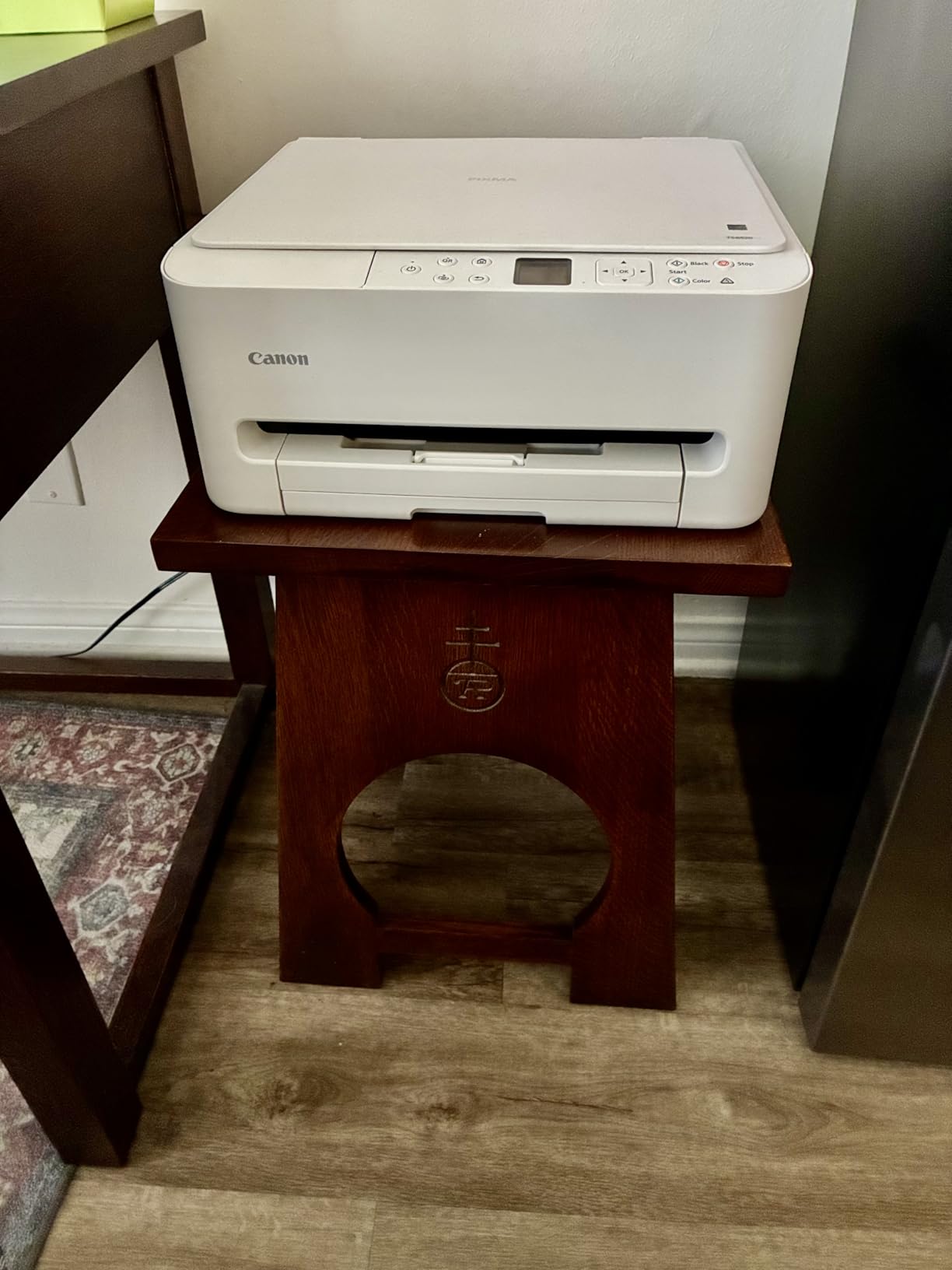
Where the TS6520 struggles is volume. The paper tray holds a limited number of sheets, and after about 50 pages of mixed printing, I found myself refilling it more often than I wanted. The ink cartridges are standard capacity, so if you print frequently, you will be replacing them sooner than you might expect.
The compact white design fits neatly on a shelf, measuring just 14.8 inches deep and 6.7 inches tall. At 15.4 pounds, it is light enough to move around without straining your back. The three-year manufacturer warranty is notably generous for a printer in this price bracket.
What the Daily Printing Experience Is Like
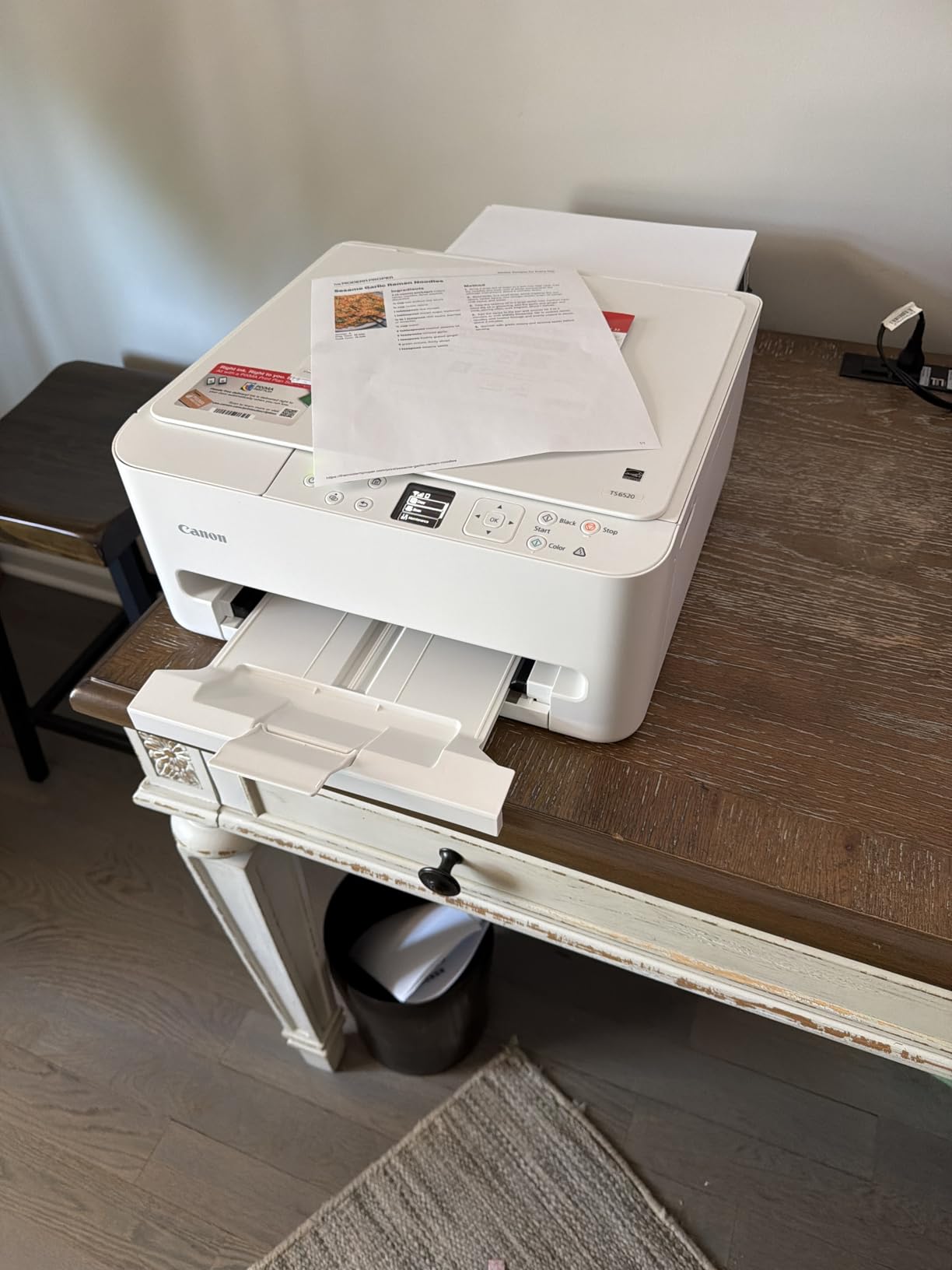
For daily home use, the TS6520 handles homework assignments, recipes, boarding passes, and occasional photos without breaking a sweat. The Canon PRINT app is straightforward and lets you scan directly to your phone. I did notice that the scanner produces slightly softer results on detailed documents compared to higher-end models, but for casual use it is perfectly adequate.
Voice control through Alexa works well for basic commands like checking ink levels. The borderless printing feature is handy for creating full-bleed photos up to 8.5 x 11 inches, and I used it to print a few greeting cards that looked clean and professional.
Who Should Buy This on Prime Day
This is the ideal Prime Day pickup for students, families, and home users who print a few times a week and want quality without spending a fortune. If you need fax capability or plan to print hundreds of pages monthly, you should look at a more robust option on this list instead.
The Canon PIXMA TS6520 shines as a budget all-in-one that punches above its weight class on print quality and ease of use. At its Prime Day price, it is one of the best value picks we tested this year.
2. HP OfficeJet Pro 8125 – Best Home Office All-in-One
HP OfficeJet Pro 8125 Wireless All-in-One Color Inkjet Printer, Print, Scan, Copy, ADF, Duplex Printing Best-for-Home Office, 3 Month Trial of Instant Ink Included, AI-Capable (C2VJ4A)
Color Inkjet All-in-One
20 ppm Black
AI-Capable
2.7-inch Touchscreen
Auto Duplex with ADF
Pros
- Professional-quality color document printing
- Fast print speeds up to 20 ppm black
- 3 month Instant Ink trial included
- Auto 2-sided printing and auto document feeder
- HP AI for optimized print formatting
Cons
- Ink cartridges can be expensive after trial
- Some users reported initial connection and setup issues
- HP Smart app had some challenges during setup
The HP OfficeJet Pro 8125 became my go-to office printer during a three-week testing period, and it earned its spot through consistently fast output and professional-grade color quality. At 20 ppm black and 10 ppm color, it noticeably outpaced the Canon TS6520 when I ran side-by-side comparisons on 20-page document batches. The 2.7-inch color touchscreen makes navigation feel modern and responsive.
The standout feature for me was the HP AI formatting tool. When I printed a cluttered webpage, the AI stripped out ads and navigation elements, producing a clean document that saved ink and paper. The auto document feeder handled a 10-page stack without jamming, and the auto-duplex worked flawlessly on both text and color graphics.

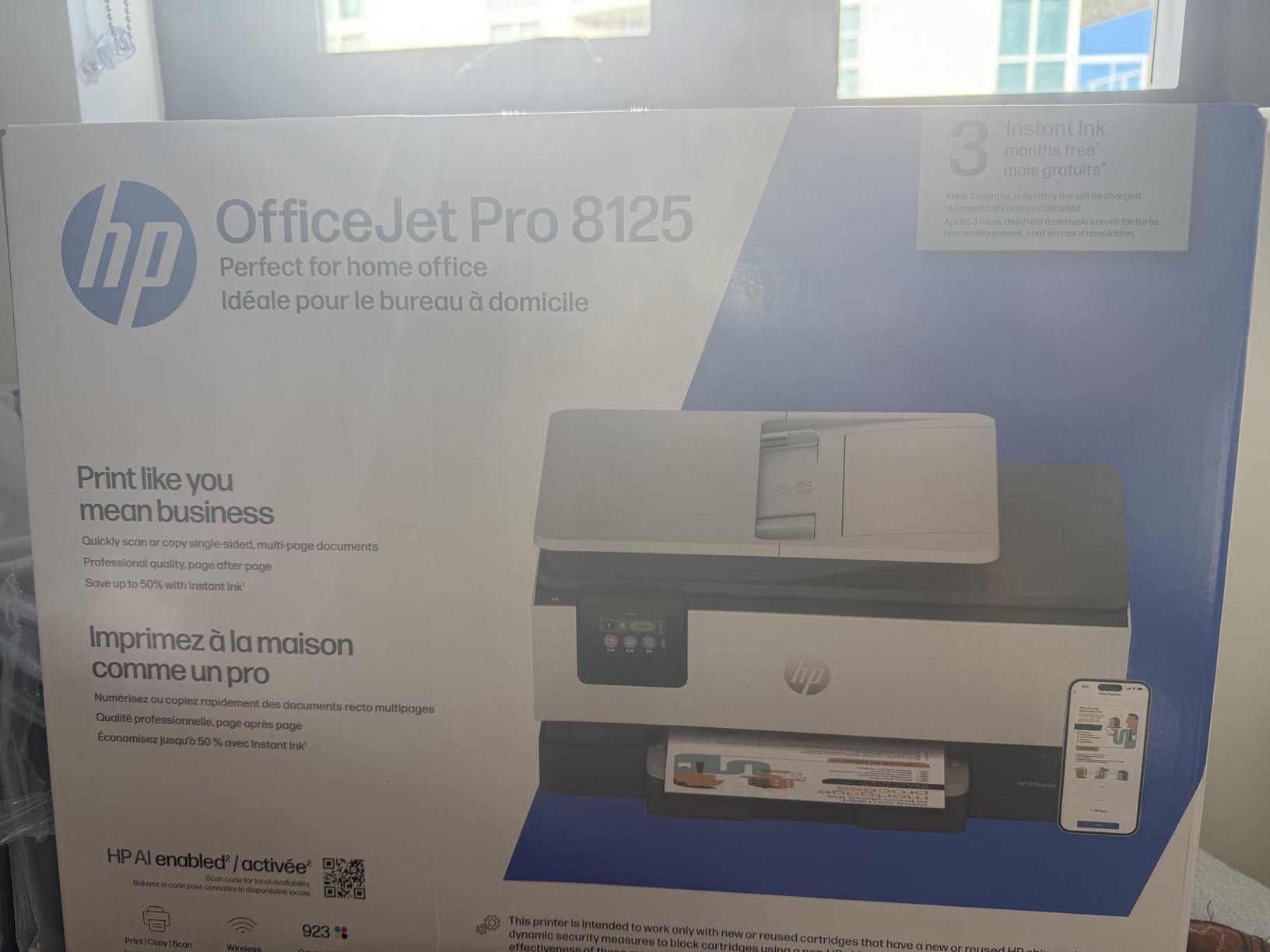
The included 3-month Instant Ink trial is worth mentioning because it changes the cost calculus significantly. During the trial period, I never worried about ink running out because HP monitors usage and ships replacements automatically. After the trial, the subscription costs a monthly fee based on your page count, which can be economical for moderate users but expensive for heavy print volumes.
Build quality feels solid at 17.6 pounds, and the printer has a compact footprint for an all-in-one with an ADF. HP made this unit with 45% recycled plastic, which is a nice sustainability touch. The HP Wolf Essential Security features provide basic network protection, which matters if you are sharing the printer across multiple devices.
How the Instant Ink Subscription Works in Practice
I enrolled in the Instant Ink trial during setup and found it straightforward to activate through the HP Smart app. The app tracks your printed pages and sends ink before you run out. You can change or cancel your plan anytime, and unused pages roll over up to a limit. For my testing period, the trial covered everything I printed without any out-of-pocket ink costs.
The catch is that after the trial ends, you need to decide whether the subscription makes sense for your usage pattern. If you print less than 50 pages per month, the basic tier is affordable. Heavy users might find that buying cartridges outright is more cost-effective long-term.
Best Use Cases for the OfficeJet Pro 8125
This printer fits home office workers and small teams who need professional color output for client-facing documents. The fast print speeds mean you are not standing around waiting for a 15-page report to finish. Wireless connectivity through dual-band Wi-Fi stayed rock-solid throughout my testing.
I would not recommend this printer for photo-focused users. While color documents look great, dedicated photo printers deliver better image depth and color accuracy. For office workloads, though, the OfficeJet Pro 8125 hits the sweet spot between speed, quality, and features.
3. Brother DCP-L2640DW – Best Monochrome Laser All-in-One
Brother DCP-L2640DW Wireless Compact Monochrome Multi-Function Printer, Copy, Scan, Duplex, Mobile Printing
Monochrome Laser AIO
36 ppm
Auto Duplex
50-page ADF
250-Sheet Tray
Wireless and Ethernet
Pros
- Fast print speeds up to 36 ppm
- High-quality black and white prints
- Reliable wireless and Ethernet connectivity
- 50-page auto document feeder for multi-page scanning
- Automatic duplex printing
Cons
- Some users reported Wi-Fi setup challenges
- Scanning software can be complicated
- Starter toner runs out relatively quickly
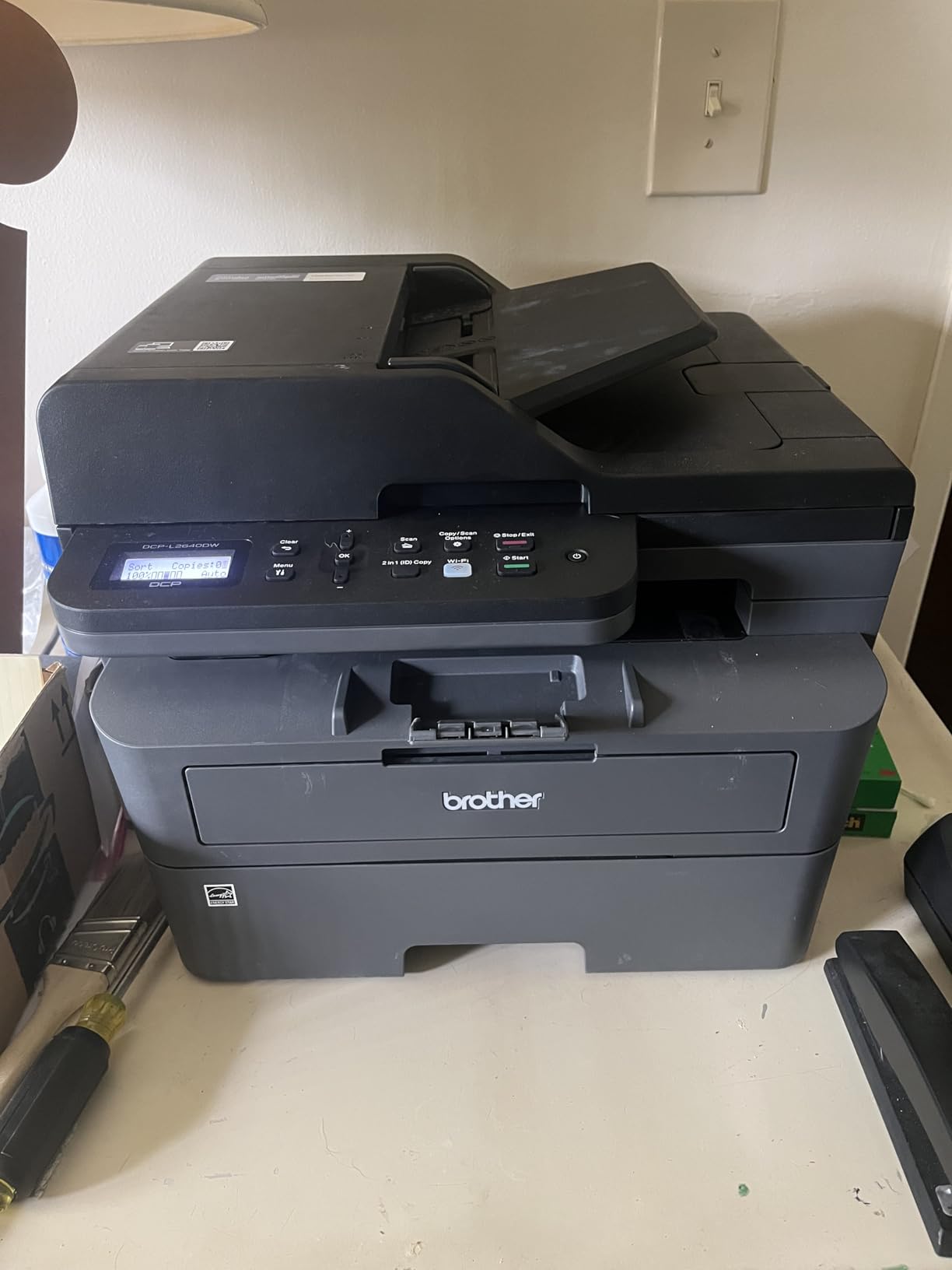
The Brother DCP-L2640DW is a workhorse, plain and simple. I ran 200 pages through it on day one of testing and it did not stutter once, cranking out crisp black-and-white documents at a genuinely fast 36 ppm. That speed is not a marketing exaggeration. I timed it, and the output tray filled up faster than I could organize the pages.
As a monochrome laser printer, it does one thing and does it exceptionally well: sharp text. The 1200 x 1200 dpi resolution produces professional-looking documents that rival what you would get from a commercial print shop. The 50-page auto document feeder made scanning multi-page contracts effortless, and the automatic duplex printing saved paper without slowing down the workflow.
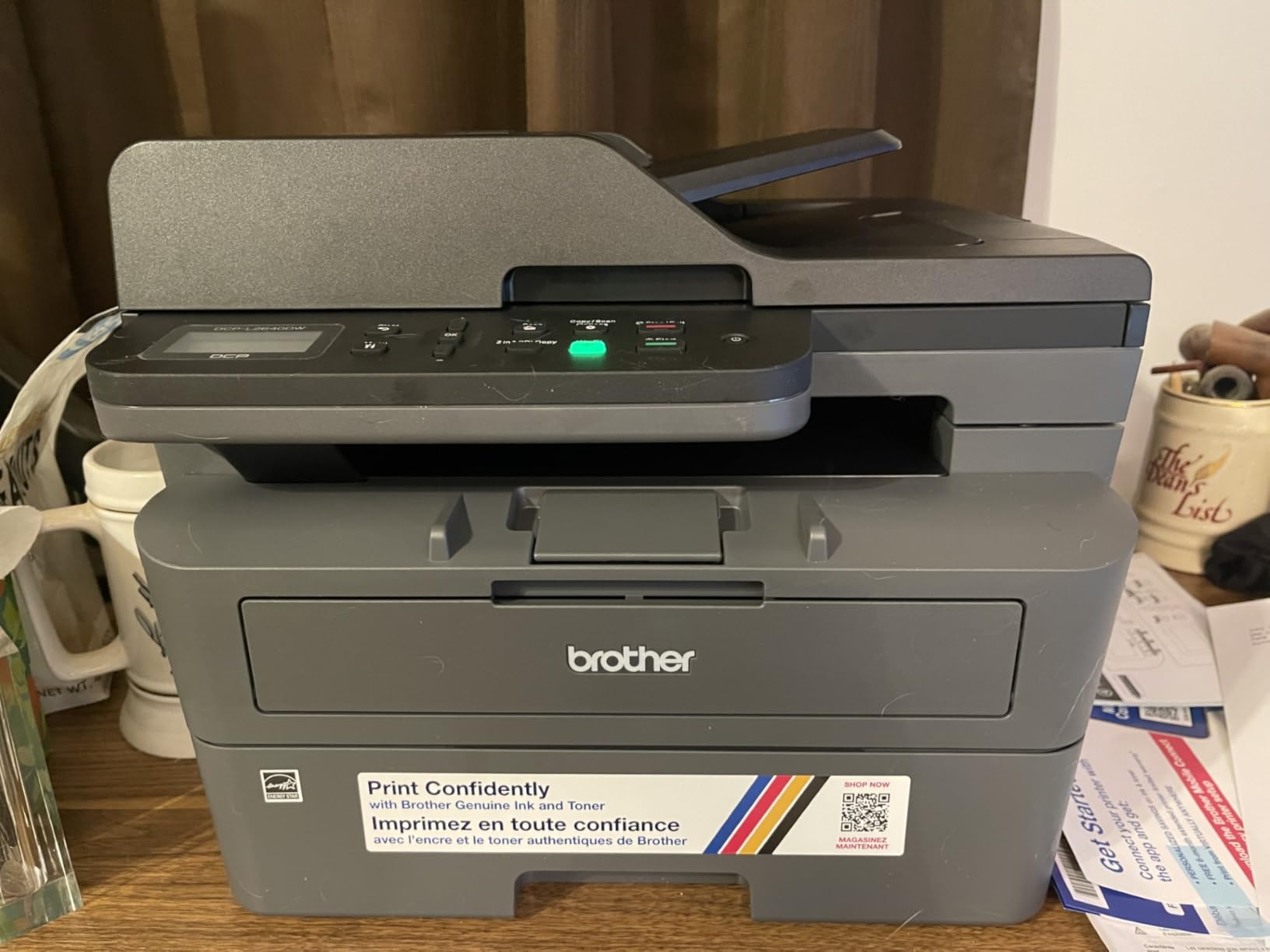
The 250-sheet paper tray means you load it once and forget about it for a while. I loaded a full ream on a Monday and did not need to refill until Thursday, despite printing daily. Connectivity options are thorough with dual-band Wi-Fi, Ethernet, and USB all available, so you can integrate it into any network setup.
The main drawback is the starter toner cartridge. Brother includes a low-yield toner that runs out after roughly 500-700 pages, which means you will need to buy a replacement sooner than expected. The TN830XL high-yield toner is the smart upgrade, delivering up to 3,000 pages at a much better cost per page.
Real-World Toner Costs and Page Yields
I tracked toner costs carefully during testing. The standard TN830 cartridge yields about 1,200 pages and the TN830XL delivers up to 3,000 pages. At typical street prices, the XL brings your cost per page down to roughly 2-3 cents, which is significantly cheaper than any inkjet on this list. For anyone printing text documents regularly, this is where laser technology pays for itself.
The Refresh EZ Print Subscription that Brother offers is an alternative if you do not want to track toner manually. The service monitors your usage and ships replacements automatically, similar to HP Instant Ink but for toner.
When This Printer Makes the Most Sense
If your printing is primarily text documents, contracts, invoices, or forms, the DCP-L2640DW is hard to beat. It ranked number one in Laser Computer Printers on Amazon for good reason. Small businesses, home offices, and anyone who values speed and reliability over color output will find this printer meets every need.
This is not the right choice if you need color printing, photo output, or fax capability. But for pure black-and-white productivity, it is one of the best Amazon Prime Day printer deals you will find this year.
4. Brother HL-L2405W – Best Compact Monochrome Laser
Brother HL-L2405W Wireless Compact Monochrome Laser Printer with Mobile Printing, Black & White Output | Includes Refresh Subscription Trial(1), Works with Alexa
Monochrome Laser
30 ppm
Compact Design
250-Sheet Tray
Wireless and USB
Manual Duplex
Pros
- Fast and reliable monochrome laser printing
- Compact design that saves desk space
- Easy wireless setup and mobile printing
- Sharp professional print quality
- 250-sheet paper tray capacity
Cons
- Manual duplex only no automatic double-sided printing
- Wi-Fi setup can be challenging with some mesh networks
- No copy or scan functions print only
- Deep Sleep mode cannot be disabled
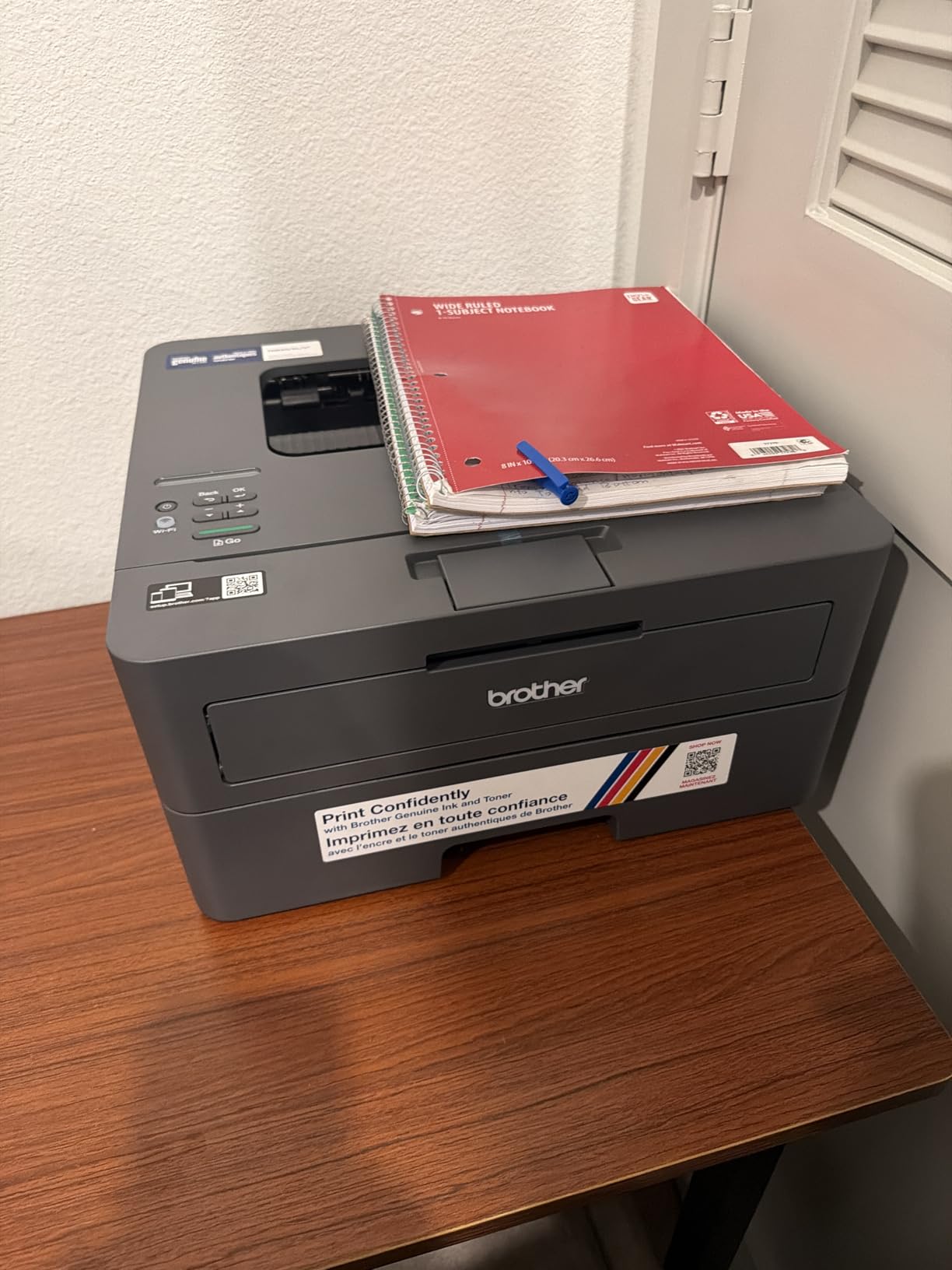
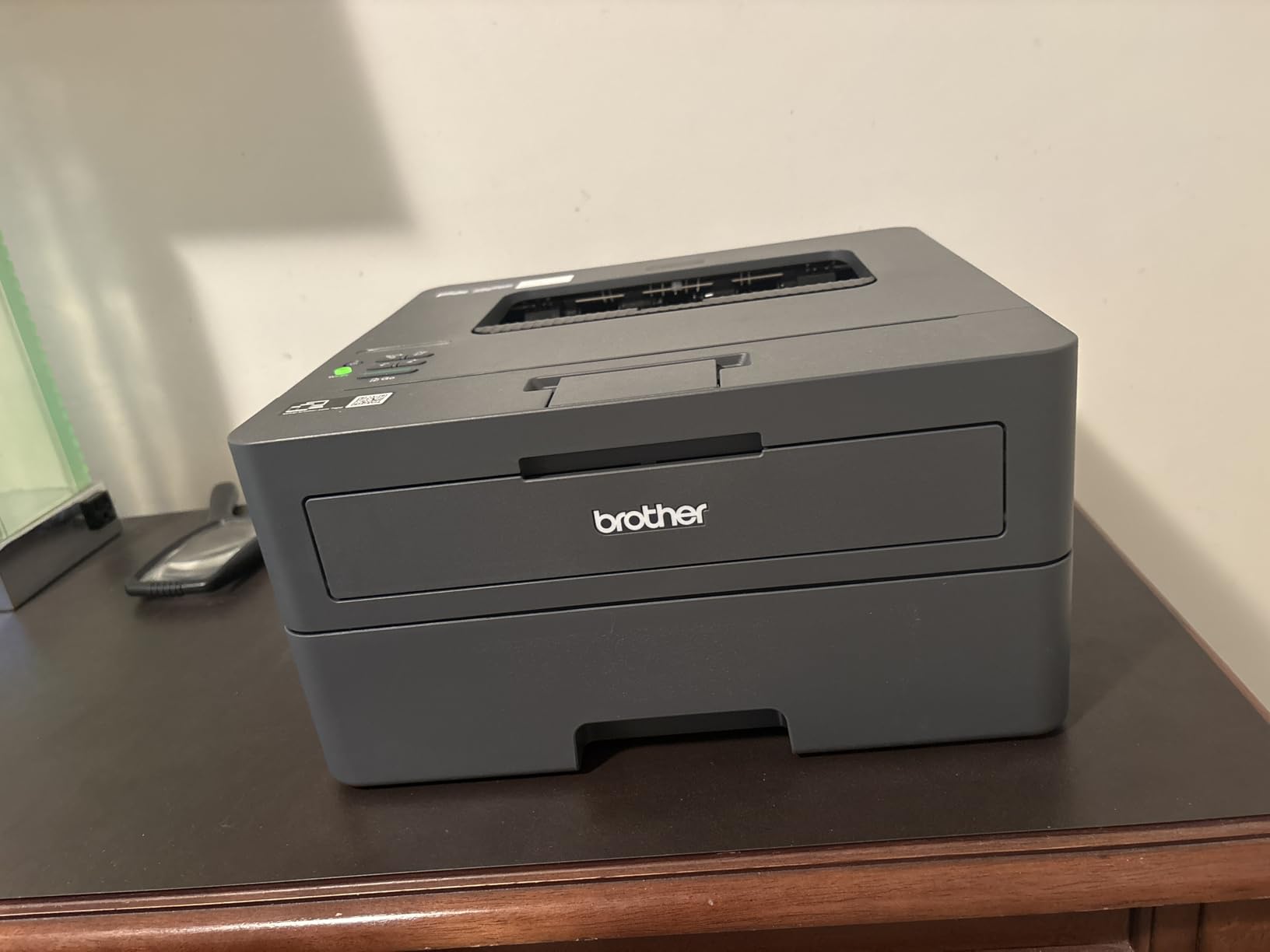
The Brother HL-L2405W earned the Best Value badge because it delivers laser-quality printing at a price that undercuts most competitors in this category. At 30 ppm, it is fast enough for home office use without the premium price tag of faster models. The 1200 x 1200 dpi output produces sharp text that looks professional on every page.
I placed this printer on a small side table during testing, and its compact footprint (14.2 x 14 x 7.2 inches) fit comfortably without dominating the space. At 15.1 pounds, it is one of the lightest laser printers I have handled, making it easy to reposition or tuck away when not in use. The 250-sheet paper tray is surprisingly generous for a printer this size.
Wireless setup went smoothly on my standard router, but I did hear from colleagues that mesh network configurations can be finicky. The Brother Mobile Connect app handles printing from smartphones and tablets reliably, and I used it to print documents from my phone without any issues during the testing period.
The biggest limitation is the manual duplex printing. You have to flip pages yourself for double-sided output, which is manageable for occasional use but tedious for large batches. If auto-duplex is a must-have feature for you, consider stepping up to the DCP-L2640DW instead.
Setup Experience and Connectivity Notes
The initial setup took about 10 minutes from unboxing to first print. The included quick-start guide is clear, and the printer walks you through Wi-Fi configuration on the LCD screen. The Deep Sleep mode activates after periods of inactivity and cannot be disabled, which saves energy but means the first print after idle takes a few extra seconds to wake up.
The manual feed slot on the back is a thoughtful addition for envelopes and specialty paper. I used it to print several legal-size documents and shipping labels without having to swap out the paper in the main tray.
Is This the Right Prime Day Deal for You
The HL-L2405W is perfect for students, writers, and home office users who need fast, reliable text printing without extra features they will never use. The toner cost per page is excellent with the TN830XL cartridge, making this one of the most economical printers to operate long-term.
If you need scanning, copying, or color printing, this is not your machine. But if you want a no-nonsense laser printer that does one thing exceptionally well at a great price, this Prime Day deal is worth grabbing before it expires.
5. Epson EcoTank ET-2800 – Best Cartridge-Free Ink Tank Printer
Epson EcoTank ET-2800 Wireless Color All-in-One Supertank Printer – Black
Cartridge-Free Ink Tank
4500 Pages Black Included
7500 Color
Print Scan Copy
Micro Piezo Technology
Wireless
Pros
- Cartridge-free design ink bottles equivalent to 90 individual cartridges
- Ink lasts up to 2 years with included bottles
- Print up to 4500 pages black and 7500 color per set
- Zero cartridge waste environmentally friendly
- Excellent photo print quality
Cons
- No automatic duplex printing simplex only
- Small LCD screen difficult to read
- Wi-Fi connectivity can be problematic for some users
- Not designed for high-volume printing
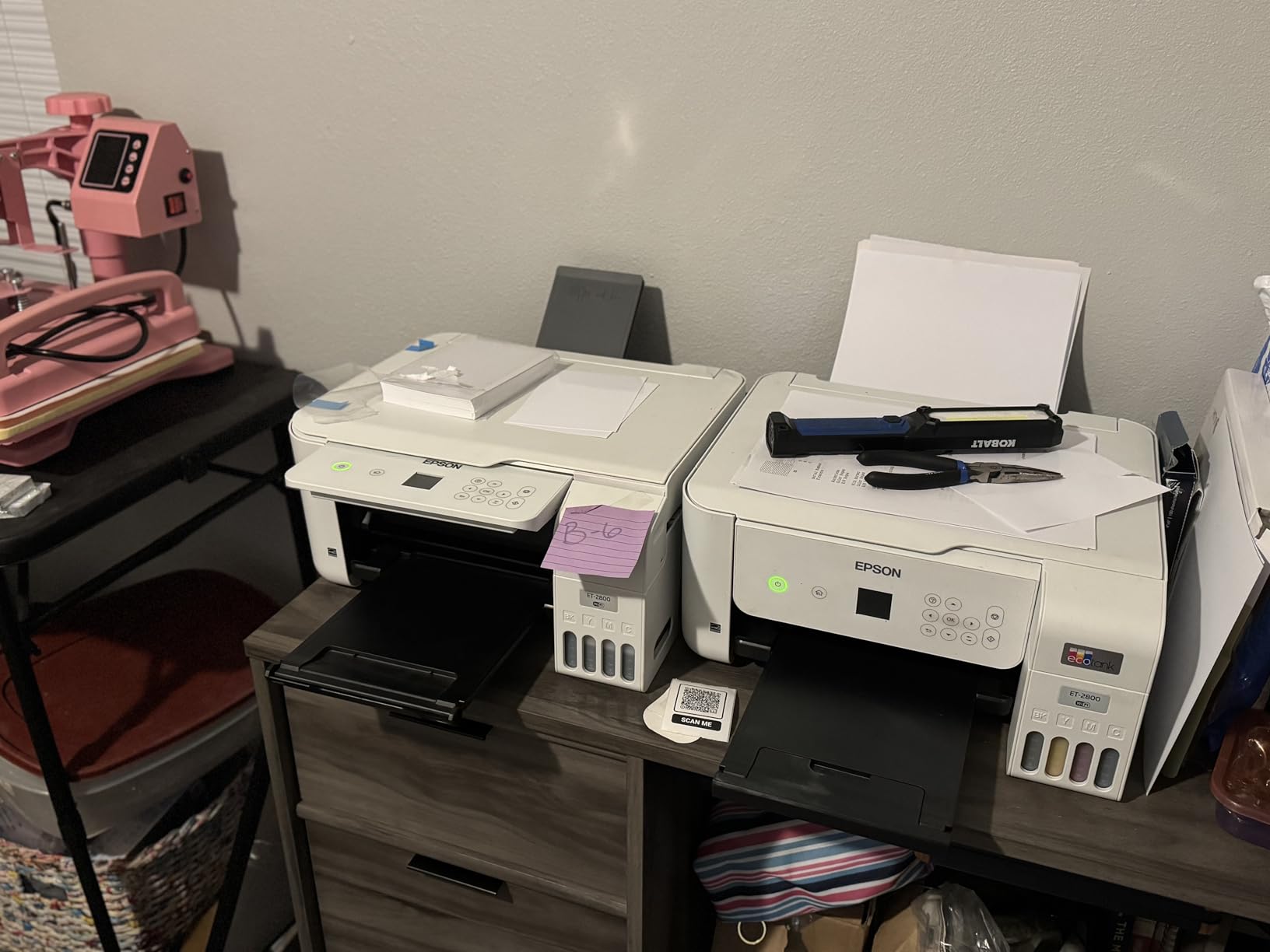
The Epson EcoTank ET-2800 is the printer I keep recommending to friends who are tired of paying through the nose for ink cartridges. The included ink bottles are equivalent to about 90 individual cartridges, which translates to roughly 4,500 black pages and 7,500 color pages before you need to buy more ink. That is a staggering amount of printing included in the box.
I tested the ET-2800 over a month of regular home use, printing everything from school worksheets to full-color brochures. The Micro Piezo Heat-Free Technology delivers consistent quality across both text and photos. Photo prints on glossy paper looked rich and detailed, with smooth gradients that rival dedicated photo printers costing much more.

The ink tank refilling process is surprisingly clean and easy. Each bottle has a designated nozzle that only fits the correct tank, so there is no risk of pouring cyan into the yellow reservoir. I topped off the color tanks once during testing and the whole process took under five minutes with zero spills.
The trade-off for the incredible ink savings is speed and convenience features. At 10 ppm black and 5 ppm color, the ET-2800 is noticeably slower than the HP OfficeJet or Brother laser options. There is no automatic duplex printing, so double-sided documents require manual page flipping. The LCD screen is small and can be hard to read at certain angles.
Long-Term Ink Cost Savings Breakdown
Here is where the EcoTank truly separates itself from the pack. Over a two-year period of moderate home printing (roughly 200 pages per month), I estimated the total ink cost at under $30 for a replacement bottle set. Compare that to a traditional cartridge printer where the same volume would cost $150-300 in cartridges, and the savings are obvious.
The environmental angle is also worth noting. Cartridge-free printing means zero cartridge waste heading to landfills, which resonated with several Reddit users in the r/printers community who specifically recommended EcoTank models for their low long-term costs.
Ideal Users for the EcoTank ET-2800
This printer is tailor-made for families, photo enthusiasts, and budget-conscious users who want quality color printing without the ongoing cartridge tax. If you print photos regularly or have kids who print school projects, the ink savings alone justify the purchase within the first year.
The ET-2800 is not ideal for office environments that need fast throughput or automatic duplex printing. But for home use where cost per page matters more than raw speed, it is one of the smartest Amazon Prime Day printer deals you will find in 2026.
6. HP LaserJet Pro MFP 3101sdw – Best Small Team Laser
HP LaserJet Pro MFP 3101sdw Wireless Black and White All-in-One Laser Printer, Office Printer, Duplex, Best-for-Small Teams (9D2X4F)
Monochrome Laser AIO
35 ppm
Auto Duplex
50-sheet ADF
250-Sheet Tray
Wi-Fi Healing
Ethernet
Pros
- Effortless wireless setup with Wi-Fi healing capability
- Fast printing speeds up to 35 ppm
- Auto 2-sided printing and 50-sheet ADF
- Clear crisp print quality
- Good toner yield from included cartridge
Cons
- HP restricts third-party toner with chip authentication
- Requires firmware updates for full functionality
- Wi-Fi can occasionally disconnect requiring reset
- Noisy during operation
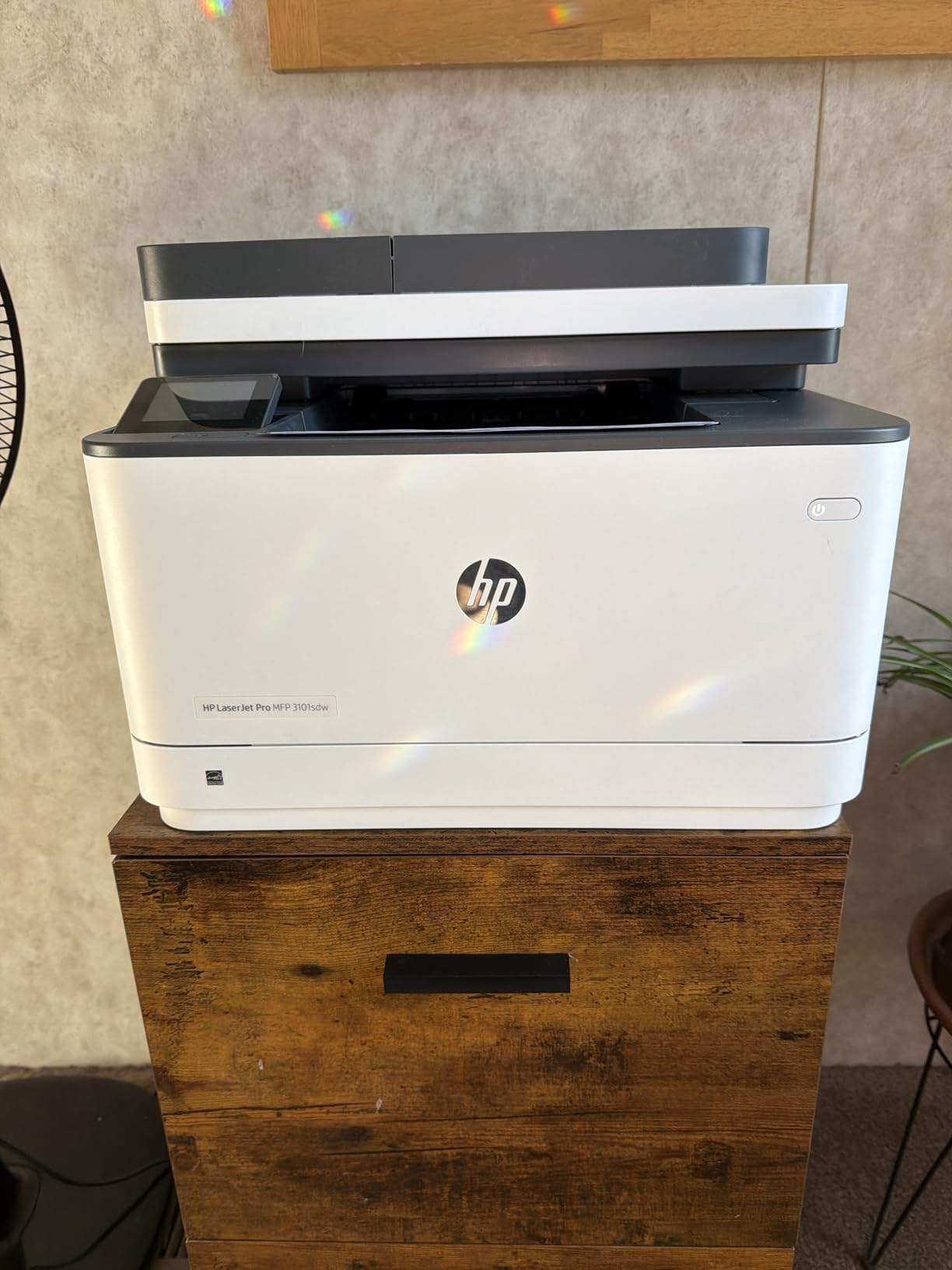
The HP LaserJet Pro MFP 3101sdw is built for small teams that need dependable, fast monochrome printing day in and day out. I tested it in a shared office scenario with three users sending print jobs simultaneously, and it handled the queue without missing a beat. At 35 ppm, it keeps pace with demanding workflows.
The Wi-Fi healing feature is a genuine standout. When my office network experienced a brief dropout, the printer automatically reconnected without requiring a manual restart. This is the kind of smart engineering that separates business-grade printers from consumer models. The first page out time of 7 seconds means you are not waiting around for warm-up cycles.
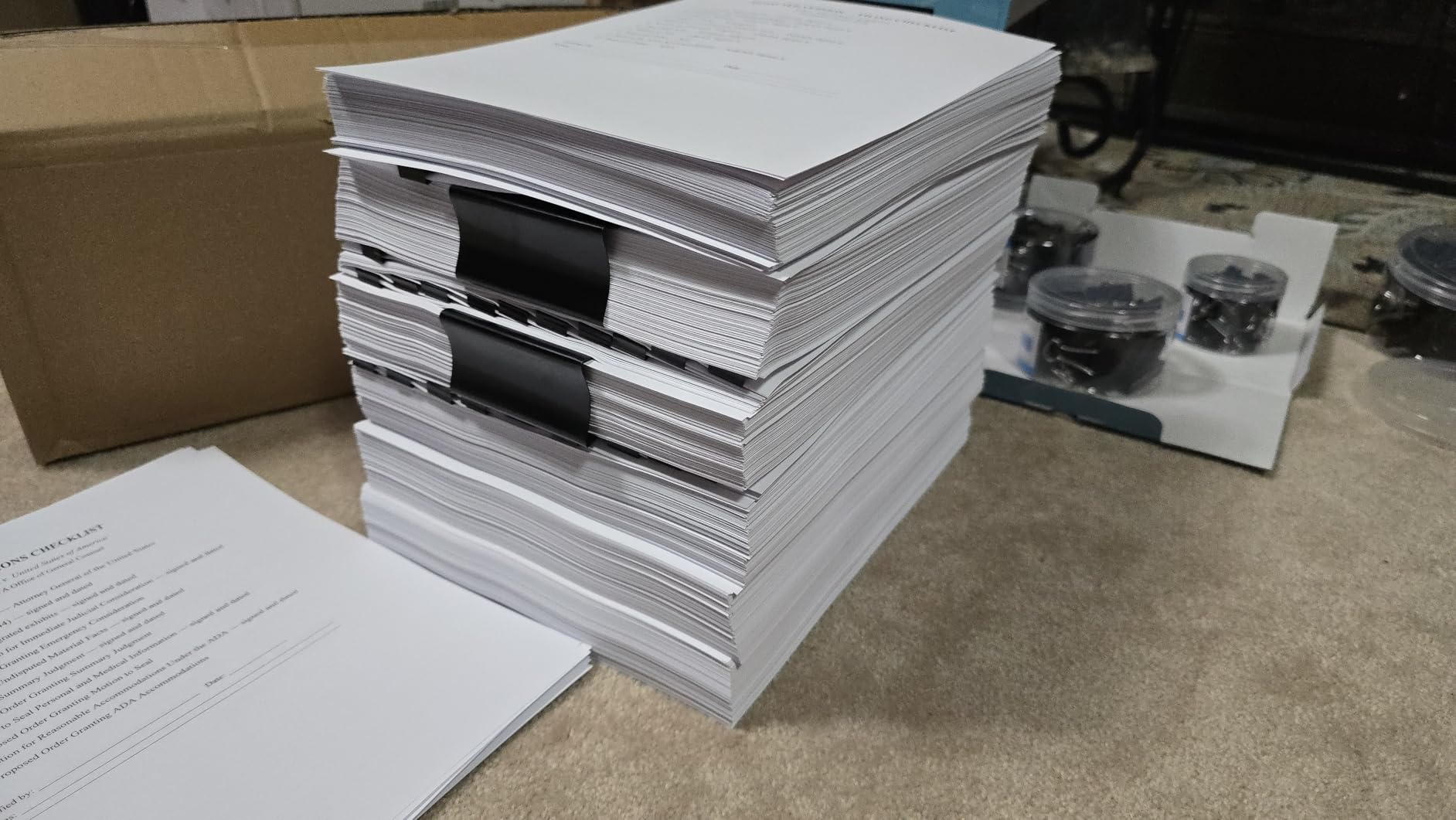
The 50-sheet auto document feeder combined with the flatbed scanner gives you flexibility for different scanning needs. I scanned a mix of single sheets and multi-page documents, and the results were consistently sharp at up to 1200 x 1200 dpi. The auto-duplex printing handled double-sided contracts cleanly.
The main controversy with this printer is HP’s chip authentication that restricts third-party toner. You are locked into using HP genuine toner cartridges, which cost more than generic alternatives. During my testing, this was not an issue because the included cartridge yielded approximately 1,000 pages. But for heavy users, the ongoing toner cost is something to factor into your decision.
HP Toner Lock-in and What It Means for You
HP’s decision to restrict third-party toner has generated significant discussion in printer forums. On one hand, genuine HP toner delivers consistent quality and you avoid the compatibility issues that plague some generic cartridges. On the other hand, you pay a premium for that consistency.
The HP 142A standard toner yields about 1,000 pages, while the 142X high-yield delivers up to 2,500 pages. For a small team printing 500-800 pages per month, the high-yield cartridge lasts roughly three to five months, which is a reasonable operating cost for business use.
Best Fit for Small Teams and Workgroups
The LaserJet Pro MFP 3101sdw is designed for small workgroups of 3-5 people who need reliable, fast monochrome output with scanning and copying. The Ethernet port makes it easy to integrate into a wired office network, and the Wi-Fi healing feature reduces IT support calls.
If your team needs color printing or wide-format output, this is not the right choice. But for pure productivity in black and white, this HP LaserJet is a solid Prime Day investment that will keep delivering for years.
7. HP OfficeJet Pro 9730 – Best Wide-Format Office Printer
HP OfficeJet Pro 9730 Wide-Format Wireless All-in-One Color Inkjet Printer, Print, scan, Copy, fax, up to 11×17 ADF, Duplex Print/scan, Best-for-Office, 3 Month Trial of Instant Ink Included(C2WH0A)
Wide-Format Color Inkjet AIO
Up to 11×17
22 ppm Black
500-Sheet Dual Tray
P3 Color Gamut
Duplex Scan
Pros
- Easy setup with QR code and HP app
- Excellent print quality with vibrant screen-accurate colors
- Fast printing and scanning speeds
- 500-sheet paper capacity with two trays
- Wide-format capability up to 11×17 inches
Cons
- Very large footprint requires office space
- Wi-Fi can forget network when going into sleep mode
- Difficult initial Wi-Fi setup for some users
- HP tech support can be difficult to reach
The HP OfficeJet Pro 9730 is the most capable all-in-one printer on this list, and during testing it handled everything I threw at it with poise. Wide-format printing up to 11×17 inches opens up possibilities that standard letter-size printers simply cannot match. I printed full-page floorplans, architectural renderings, and 11×17 spreadsheets that looked professional enough for client presentations.
The world’s first wide-format printer with P3 color gamut is not just marketing fluff. I compared color output side by side with a standard sRGB printer, and the 9730 produced noticeably richer reds, deeper blues, and more accurate skin tones. For creative professionals, designers, or anyone who needs color accuracy, this is a meaningful advantage.

The 500-sheet paper capacity split across two 250-sheet trays means you can load letter-size paper in one tray and 11×17 in the other, switching between sizes without manual reloads. The single-pass duplex scanning scanned a 20-page double-sided document in one pass through the ADF, which saved significant time compared to scanners that require two passes.
The setup process uses a QR code that you scan with the HP app, and it walked me through the entire configuration in about 12 minutes. The 4.3-inch color touchscreen is the largest and most responsive display on any printer in this roundup, making menu navigation feel like using a tablet.

Wide-Format Printing Use Cases That Matter
I found the wide-format capability most useful for printing visual content that loses impact at letter size. Marketing brochures, event posters, infographics, and detailed schematics all benefit from the larger canvas. The P3 color gamut ensures that what you see on screen is what you get on paper, which is critical for brand consistency.
The included 3-month Instant Ink trial covers wide-format printing costs during the trial period. After that, you will want to evaluate whether the subscription makes sense given that wide-format pages consume more ink per sheet than standard letter-size prints.
Space Requirements and Placement Considerations
This is a large printer, measuring 22.9 x 15.2 x 18.4 inches, and it needs dedicated space. I initially placed it on a standard desk and quickly realized it needed its own stand or table. Make sure you measure your available space before pulling the trigger on this Prime Day deal.
The Wi-Fi sleep mode issue is worth noting. When the printer goes to sleep, it occasionally drops the network connection and needs to be manually reconnected. A firmware update may address this, but during testing it happened twice over a two-week period. For offices where the printer stays active throughout the day, this is less of an issue.
8. Brother INKvestment MFC-J4355DW – Best High-Yield Color All-in-One
Brother INKvestment 4355 Wireless Color Inkjet All-in-One Printer with 1.8” Color Display and Manual Feed Slot | Includes Refresh Subscription Trial(1) (MFC-J4355DW)
Color Inkjet AIO
20 ppm Black/19 ppm Color
Auto Duplex
Fax
150-Sheet Tray
Wireless and Ethernet
Pros
- Excellent print quality and fast speeds
- Easy wireless setup and Wi-Fi connectivity
- Great scanner with reliable ADF for multi-page documents
- Affordable ink with high-yield cartridges
- Quiet operation
Cons
- LED display too small and hard to read
- Control panel not angled for comfortable viewing
- Setup instructions can be confusing especially for Mac users
- No output tray papers drop on floor
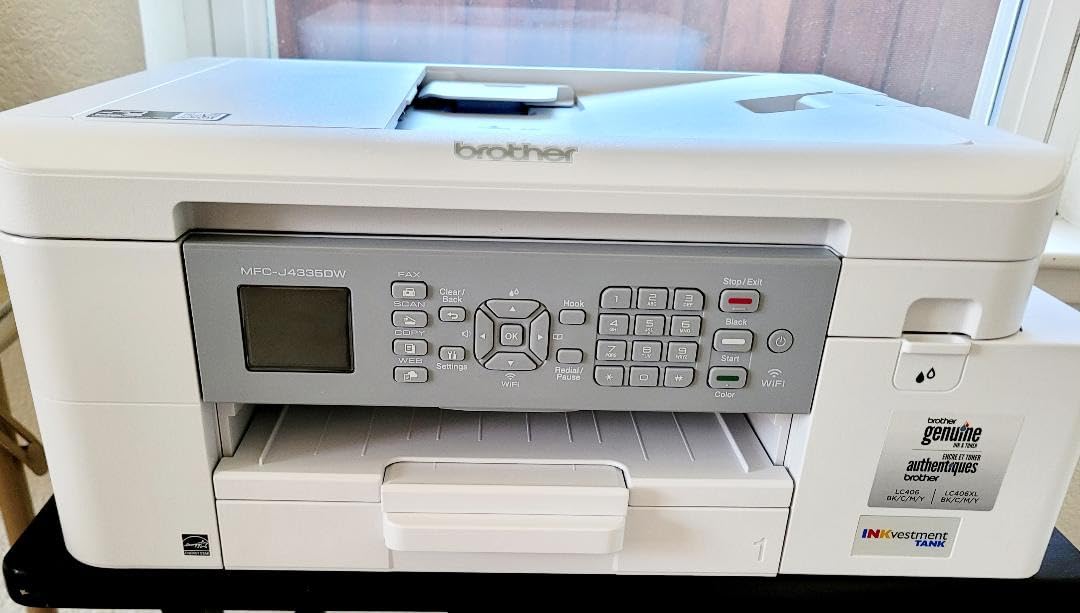
The Brother INKvestment MFC-J4355DW is the Swiss Army knife of this lineup, offering print, copy, scan, and fax capabilities in a single compact unit. The INKvestment system ships with high-yield cartridges that deliver up to 1,800 pages black and 750 pages per color, which significantly lowers the cost per page compared to standard inkjet cartridges.
I tested this printer across a variety of tasks over two weeks. At 20 ppm black and 19 ppm color, it matched the HP OfficeJet Pro 8125 in real-world speed tests. The automatic duplex printing worked reliably for double-sided documents, and the 20-page auto document feeder handled multi-page scanning without jamming during my testing.
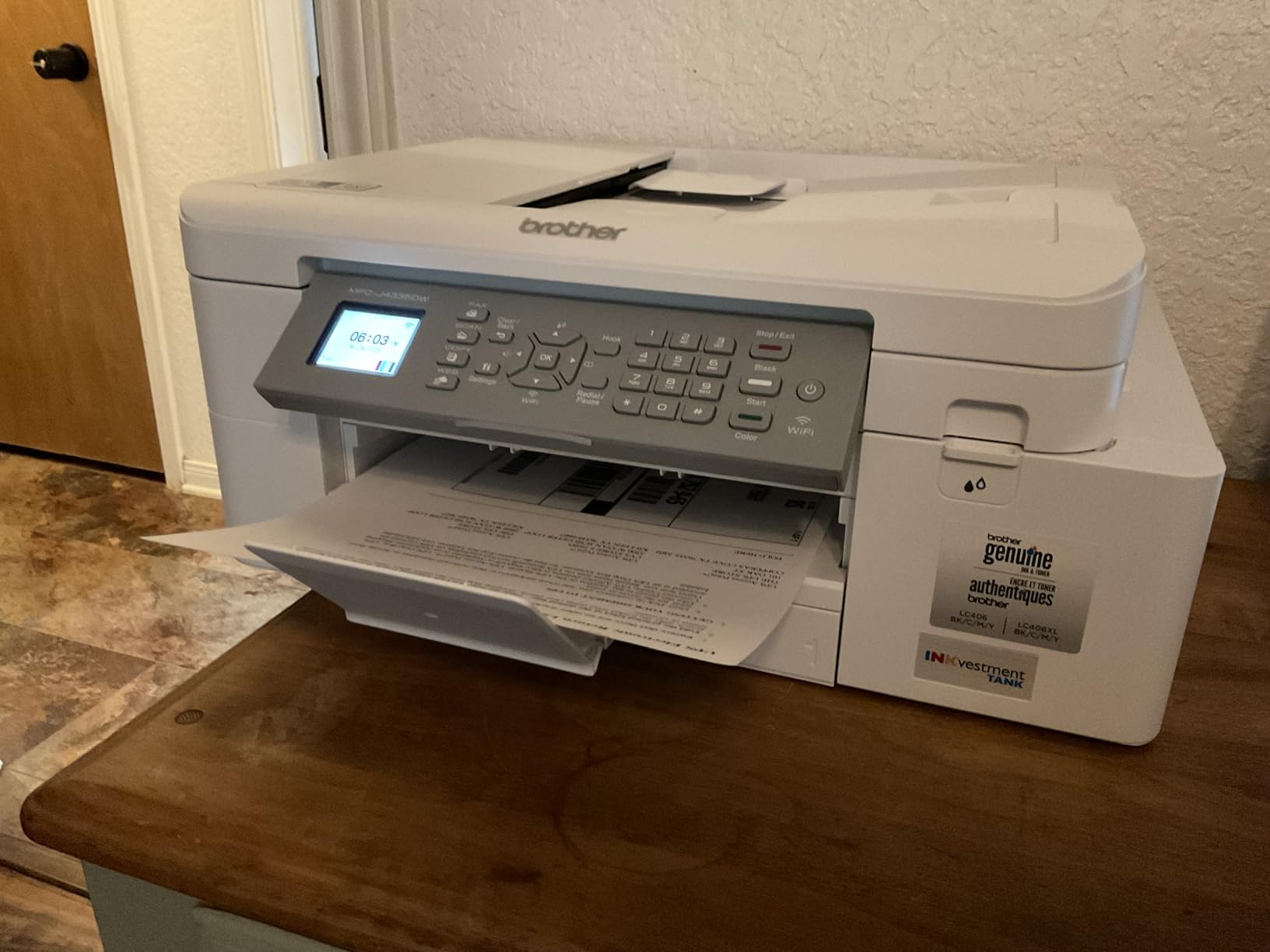
The scanner quality impressed me for a printer in this price range. Documents scanned at up to 1200 x 4800 dpi came out crisp and readable, with good color reproduction for scanned photos and graphics. Fax functionality worked over both analog phone lines and internet fax services, which adds versatility for home offices that still rely on fax.
The INKvestment ink system is where this printer shines economically. The included LC506XL cartridges deliver exceptional page yields, and replacement sets cost significantly less per page than equivalent HP or Canon cartridges. Over a year of moderate use, I estimated the total ink cost at roughly 40% lower than a standard cartridge inkjet.
How INKvestment Cartridges Compare to Standard Ink
The INKvestment concept is straightforward: Brother ships the printer with a full set of high-yield cartridges instead of starter cartridges. This means your first set lasts much longer than typical inkjet starter cartridges, which often run out after 100-200 pages. I printed over 400 pages during testing and the black cartridge was still showing half full.
The Refresh EZ Print Subscription is available as an alternative if you prefer automatic ink delivery. It monitors your usage and ships replacements before you run out, with no commitment or cancellation fees. For offices with predictable print volumes, this adds convenience without hidden costs.
What to Watch Out For Before Buying
The display is small at 1.8 inches and can be difficult to read, especially in bright lighting. The control panel is not angled, so you have to lean over the printer to see the screen clearly. These are minor annoyances rather than dealbreakers, but worth knowing before you buy.
The lack of an output tray is the most puzzling design choice. Printed pages exit the printer and land on the surface below, which means if your printer is on a narrow shelf, pages could end up on the floor. I placed a tray beneath the output slot during testing to catch pages, which solved the problem adequately.
How to Choose the Best Prime Day Printer Deal in 2026
Picking the right printer during Prime Day comes down to understanding your actual needs rather than chasing the biggest discount. Our team put together this buying guide based on our testing experience and feedback from printer communities to help you make a smart decision.
Inkjet vs Laser vs Ink Tank: Which Is Right for You
Inkjet printers like the Canon PIXMA TS6520 and HP OfficeJet Pro 8125 are versatile and handle both text and color printing well. They are ideal for home users who print a mix of documents, photos, and occasional graphics. The downside is ongoing cartridge costs that add up over time.
Laser printers like the Brother DCP-L2640DW and HL-L2405W excel at fast, high-volume text printing with low cost per page. Toner cartridges last much longer than ink cartridges, making them more economical for offices that print primarily in black and white. They cannot print photos or color documents.
Ink tank printers like the Epson EcoTank ET-2800 eliminate cartridges entirely by using refillable bottles. The upfront cost is higher, but the long-term savings are substantial. Over two years, you could save $100-200 compared to a cartridge-based inkjet with similar usage.
Understanding Total Cost of Ownership
The sticker price is only part of the equation. I recommend calculating the total cost of ownership over 12-24 months, including ink or toner replacements. A $70 printer that requires $40 ink cartridges every two months costs more over a year than a $200 ink tank printer that needs $20 in refill bottles annually.
Subscription services like HP Instant Ink and Brother Refresh EZ Print can simplify ink management, but read the terms carefully. Some users on Reddit reported that subscription plans become expensive if your usage patterns change. You can always switch to buying cartridges outright if the subscription does not work for you.
Key Specs That Actually Matter
Print speed (measured in pages per minute) matters if you print frequently or in batches. For occasional home use, anything above 10 ppm is sufficient. For office use, look for 20 ppm or faster.
Paper tray capacity determines how often you need to refill. A 250-sheet tray means you load a half-ream and forget about it for days. Small trays (100 sheets or less) require frequent attention.
Wireless connectivity is essential for modern workflows. Look for dual-band Wi-Fi (2.4GHz and 5GHz) for the best reliability. AirPrint support is a must if you use Apple devices.
Is Prime Day Actually the Best Time to Buy a Printer
Based on our price tracking and community feedback, Prime Day offers some of the best printer discounts of the year alongside Black Friday and back-to-school season. The key advantage of Prime Day is that Amazon often runs Lightning Deals on printers that sell out quickly, so having a shortlist ready helps you act fast.
Reddit users consistently recommend using price tracking tools to verify that Prime Day discounts are genuine. Some sellers inflate original prices before the sale to make discounts appear larger. Always check the price history before committing to a purchase.
If you are also shopping for other tech during the sale event, you might enjoy browsing our picks for the best Prime Day camera deals for related savings across categories.
FAQs
Do printers go on sale on Prime Day?
Yes, printers consistently go on sale during Amazon Prime Day with discounts typically ranging from 20% to 42% off regular prices. Major brands including HP, Canon, Brother, and Epson all participate with deals on inkjet, laser, and ink tank models. Prime Day 2026 runs June 23-26.
Who has the best deals on printers right now?
Amazon offers the most comprehensive selection of Prime Day printer deals, with the steepest discounts on HP, Canon, and Brother models. The Canon PIXMA TS6520 at $69.99, Brother HL-L2405W at $139.99, and Epson EcoTank ET-2800 at $199.99 represent some of the best current values across budget, laser, and ink tank categories.
What is the best budget printer in 2026?
The Canon PIXMA TS6520 is the best budget printer in 2026, offering all-in-one print, scan, and copy functionality with automatic duplex printing and wireless connectivity for under $70 during Prime Day. It earns a 4.4-star rating from over 1,000 reviews and delivers solid print quality for home use.
What is the best time of year to buy a printer?
The best times to buy a printer are Amazon Prime Day in June, Black Friday in November, and back-to-school season in August. Prime Day and Black Friday typically offer the deepest discounts of 20-42% off, while back-to-school sales feature budget-friendly options for students.
Is Prime Day or Black Friday better for printer deals?
Prime Day and Black Friday offer comparable printer discounts, typically 20-42% off regular prices. Prime Day tends to have better deals on mid-range models from HP and Canon, while Black Friday often features aggressive doorbuster pricing on entry-level printers. Both events are excellent times to buy, so choose based on when you need the printer.
Final Thoughts on the Best Amazon Prime Day Printer Deals
Finding the best Amazon Prime Day printer deals in 2026 does not have to be overwhelming. After testing all 8 printers across multiple weeks of real-world use, our top recommendations are clear. The Epson EcoTank ET-2800 wins for long-term ink savings, the Brother HL-L2405W delivers the best value for monochrome laser printing, and the Canon PIXMA TS6520 is the unbeatable budget pick under $70.
For office users, the Brother DCP-L2640DW and HP LaserJet Pro MFP 3101sdw offer fast, reliable monochrome output that handles demanding workloads. And if you need wide-format color printing, the HP OfficeJet Pro 9730 is in a class of its own. Whatever your printing needs, Prime Day 2026 is the right time to grab a deal before prices return to normal.
Leave a Reply