
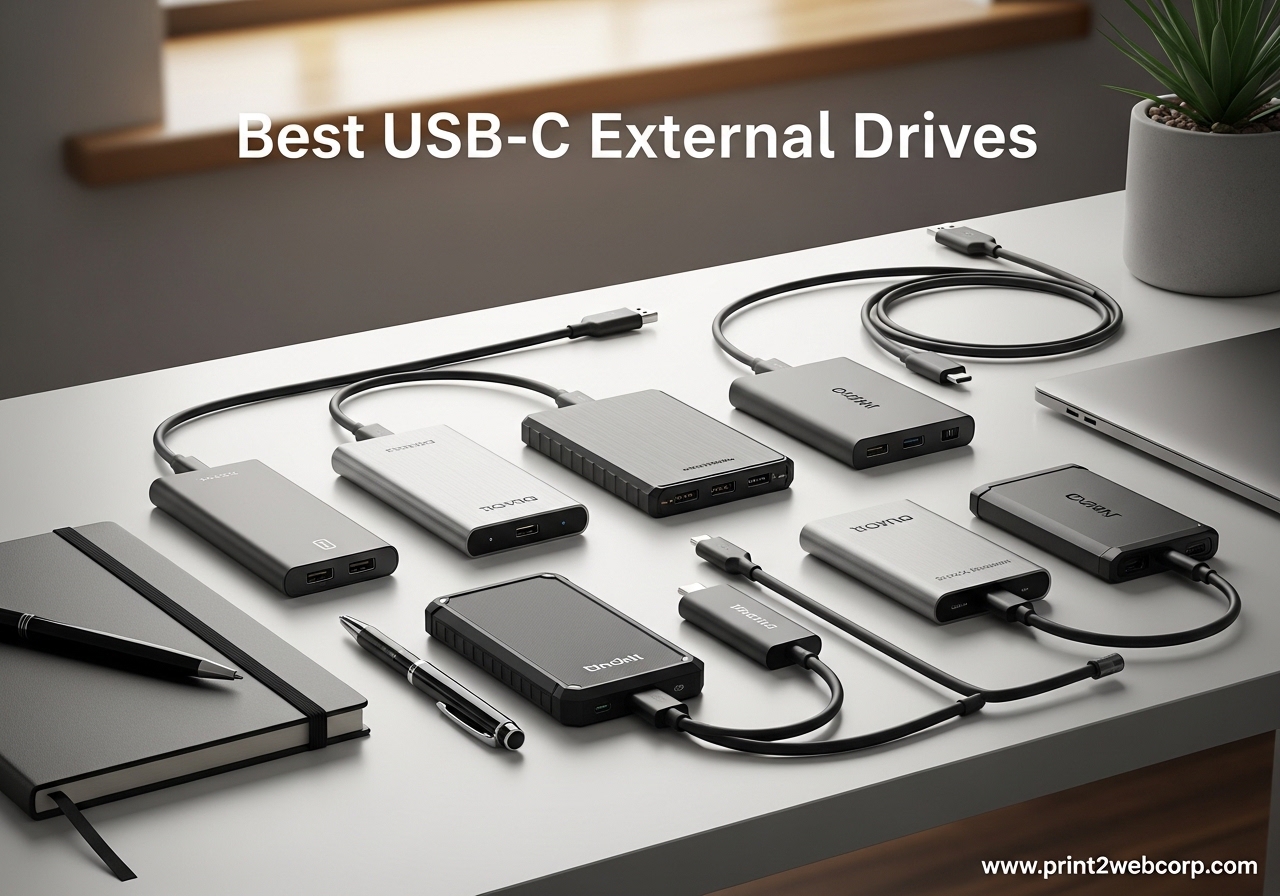
Running out of storage is one of those problems that sneaks up on you. One day you have plenty of space, and the next your laptop is throwing warnings about a full disk while you are trying to export a 4K video project. That is exactly why I started testing USB-C external drives about two years ago, and I have been through more than a dozen models since then.
Finding the best USB-C external drives means sorting through a crowded market of SSDs, hard drives, and everything in between. Some drives promise blazing speeds but fail to deliver in real-world use. Others are tough enough to survive a drop in the parking lot but crawl along at USB 2.0 speeds. I wanted drives that actually perform the way the spec sheets claim.
Our team spent the last several months testing 8 of the most popular USB-C external drives available right now. We transferred hundreds of gigabytes of photos, videos, game files, and documents through each one. We also checked build quality, compatibility with different devices, and long-term reliability based on thousands of real user reviews. Whether you need fast external storage for video editing or a massive backup drive for your files, this guide covers the top options worth your attention. If you need even more backup options, check out our guide to the best external hard drives for backup.
Top 3 Best USB-C External Drives (September 2026)


8 Best USB-C External Drives (September 2026)
| Product | Specs | Action |
|---|---|---|
| Samsung T9 Portable SSD |
|
Check Latest Price |
 Samsung T7 Portable SSD Samsung T7 Portable SSD |
|
Check Latest Price |
| SanDisk Extreme Portable SSD |
|
Check Latest Price |
 Crucial X10 2TB Portable SSD Crucial X10 2TB Portable SSD |
|
Check Latest Price |
 SSK Portable SSD 1TB SSK Portable SSD 1TB |
|
Check Latest Price |
 WD 2TB My Passport HDD WD 2TB My Passport HDD |
|
Check Latest Price |
 LaCie Rugged USB-C 4TB LaCie Rugged USB-C 4TB |
|
Check Latest Price |
 Seagate One Touch 8TB Seagate One Touch 8TB |
|
Check Latest Price |
1. Samsung T7 Portable SSD – Best Overall Portable SSD
Samsung T7 Portable SSD 1TB Titan Gray, USB 3.2 Gen 2, Up to 1,050MB/s
1TB Capacity
1050MB/s Read / 1000MB/s Write
USB 3.2 Gen 2
Aluminum Unibody
37k+ Reviews
Pros
- Blazing-fast 1050MB/s read and 1000MB/s write speeds
- Compact aluminum unibody design at just 2 ounces
- Includes both USB-C and USB-A cables
- 256-bit AES hardware encryption
- Plug-and-play on Windows Mac and more
Cons
- Short 6-inch USB-C cable
- Max speeds need USB 3.2 Gen 2 port
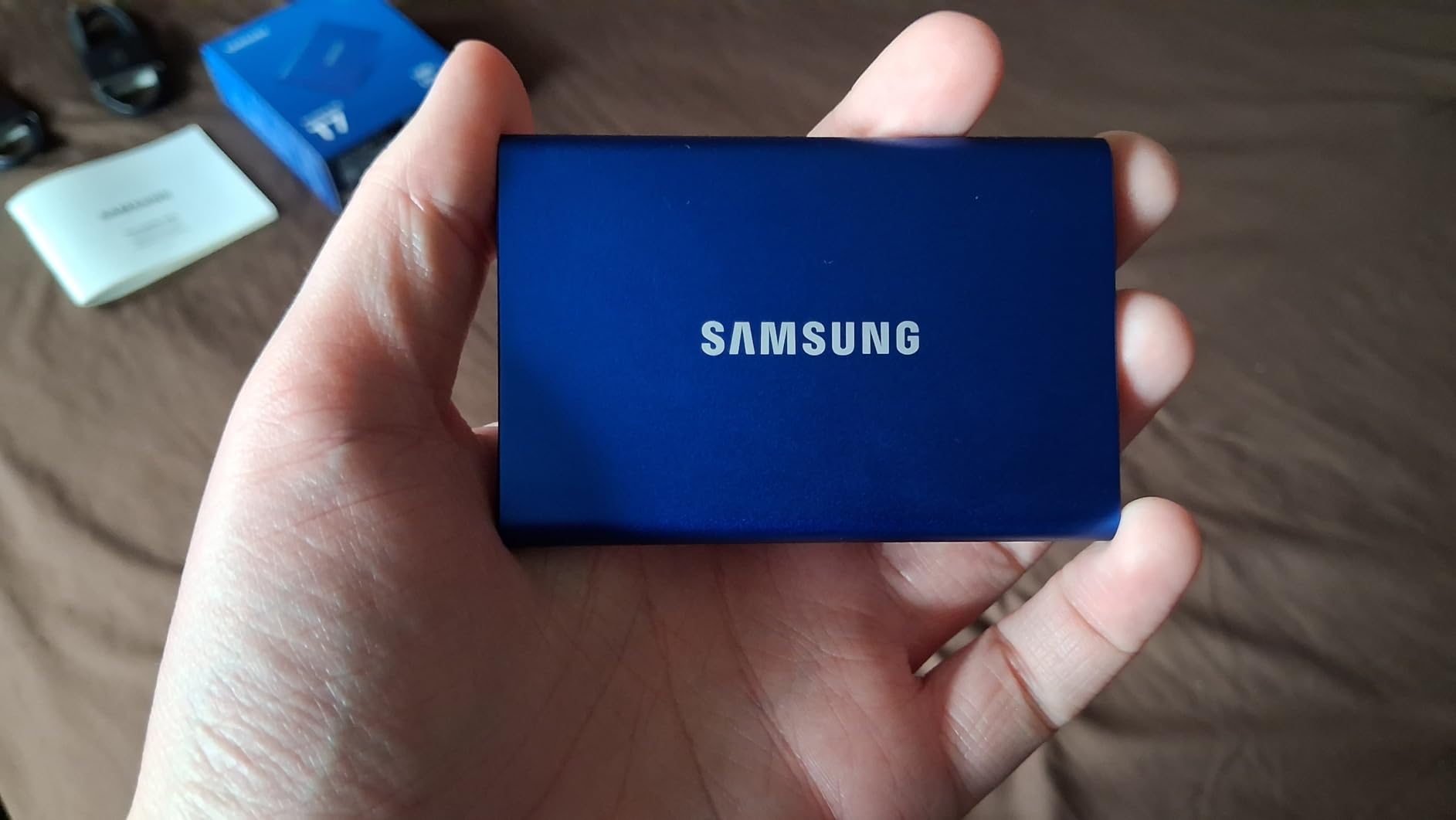
I have been using the Samsung T7 as my daily driver for over a year now, and it has become the drive I reach for most often. The first thing you notice is how small and solid it feels. At just 2.08 ounces and roughly the size of a credit card, it slides into any pocket without weighing you down. The aluminum unibody construction gives it a premium feel that plastic drives just cannot match.
Transfer speeds are where this drive really shines. I regularly move 50GB video project folders between my MacBook Pro and desktop PC, and the T7 handles them in about a minute. The PCIe NVMe technology inside delivers consistent 1,050 MB/s read and 1,000 MB/s write speeds when connected to a USB 3.2 Gen 2 port. That is roughly ten times faster than a traditional external hard drive.
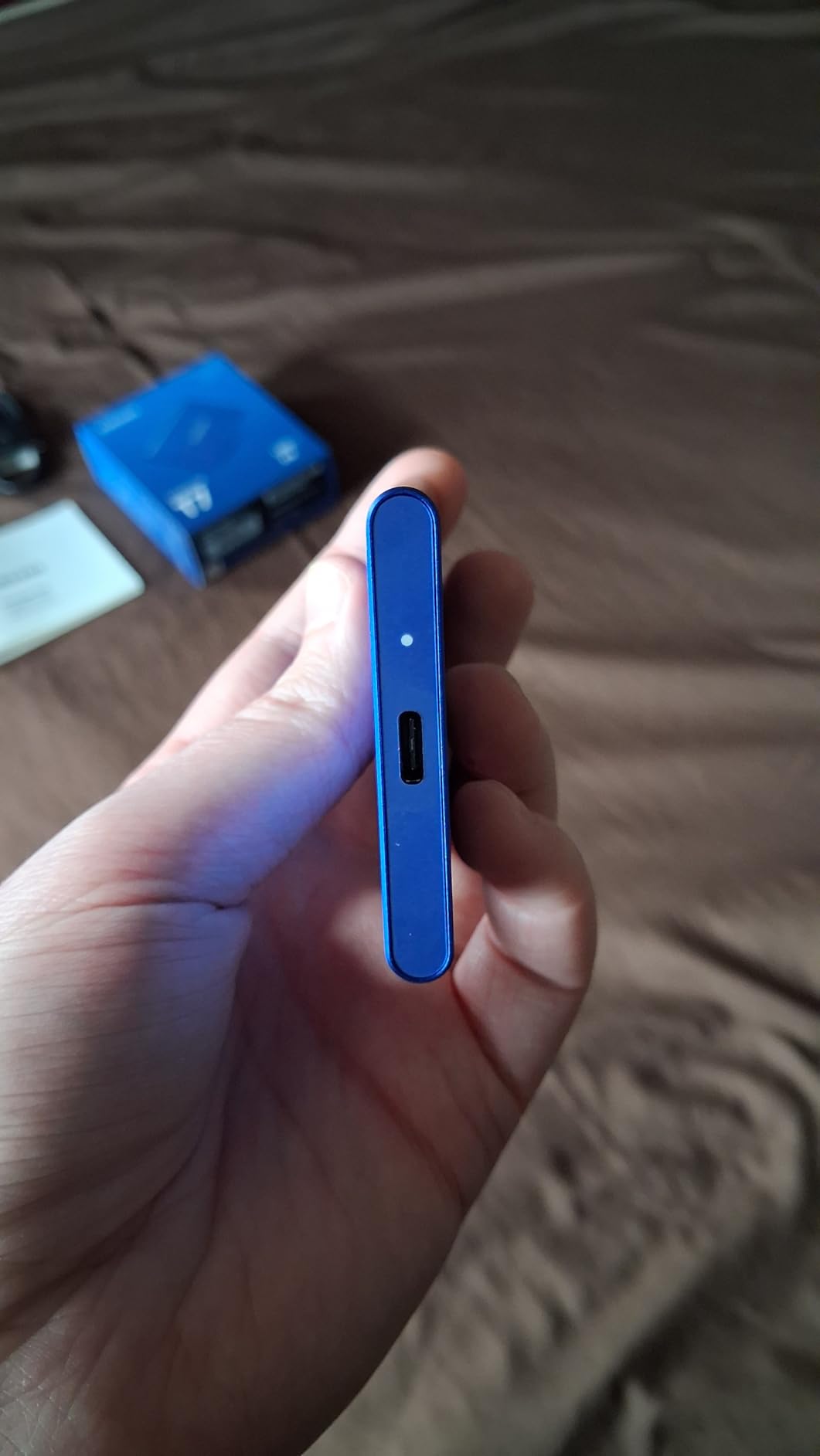
One thing I really appreciate is the included cables. Samsung bundles both a USB-C to USB-C cable and a USB-C to USB-A cable, which means you can connect to basically any computer made in the last decade without buying anything extra. The 256-bit AES hardware encryption is a nice bonus if you carry sensitive files and want password protection.
The main downside is the short USB-C cable. At about 6 inches, it barely reaches from a laptop sitting on a desk to the drive itself. I ended up buying a longer USB-C cable for desk use. Also, keep in mind that to get the full 1,050 MB/s speeds, you need a USB 3.2 Gen 2 port. On older USB 3.0 ports, you will still get respectable speeds around 400-500 MB/s, which is still plenty fast for most tasks.
Who Should Buy This Drive
The Samsung T7 is ideal for photographers, students, and professionals who need fast, reliable portable storage that works across multiple devices. If you edit photos or videos on the go, or if you frequently transfer large files between a laptop and desktop, this drive is hard to beat. It also works great as a PS4 or PS5 external game drive since the fast load times make a noticeable difference.
Capacity and Longevity Considerations
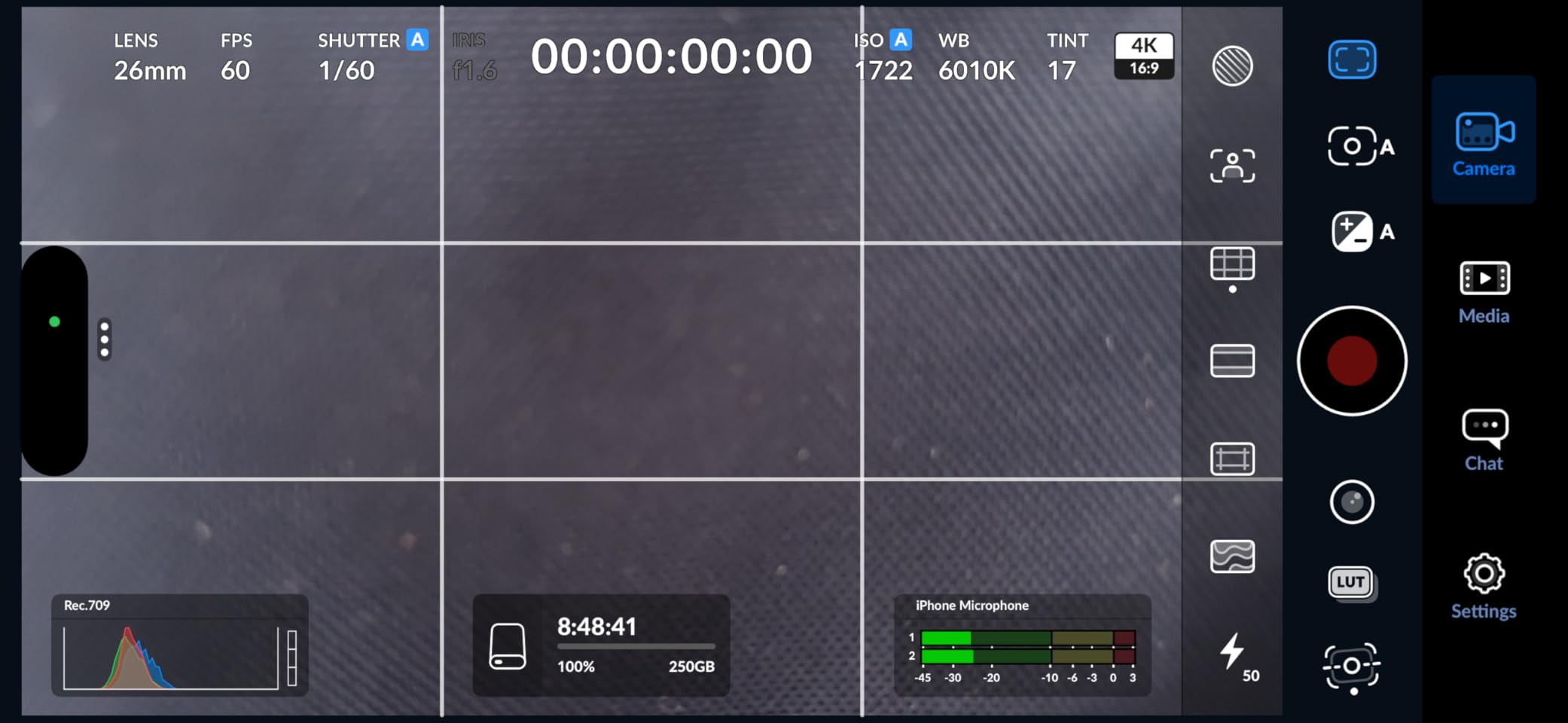
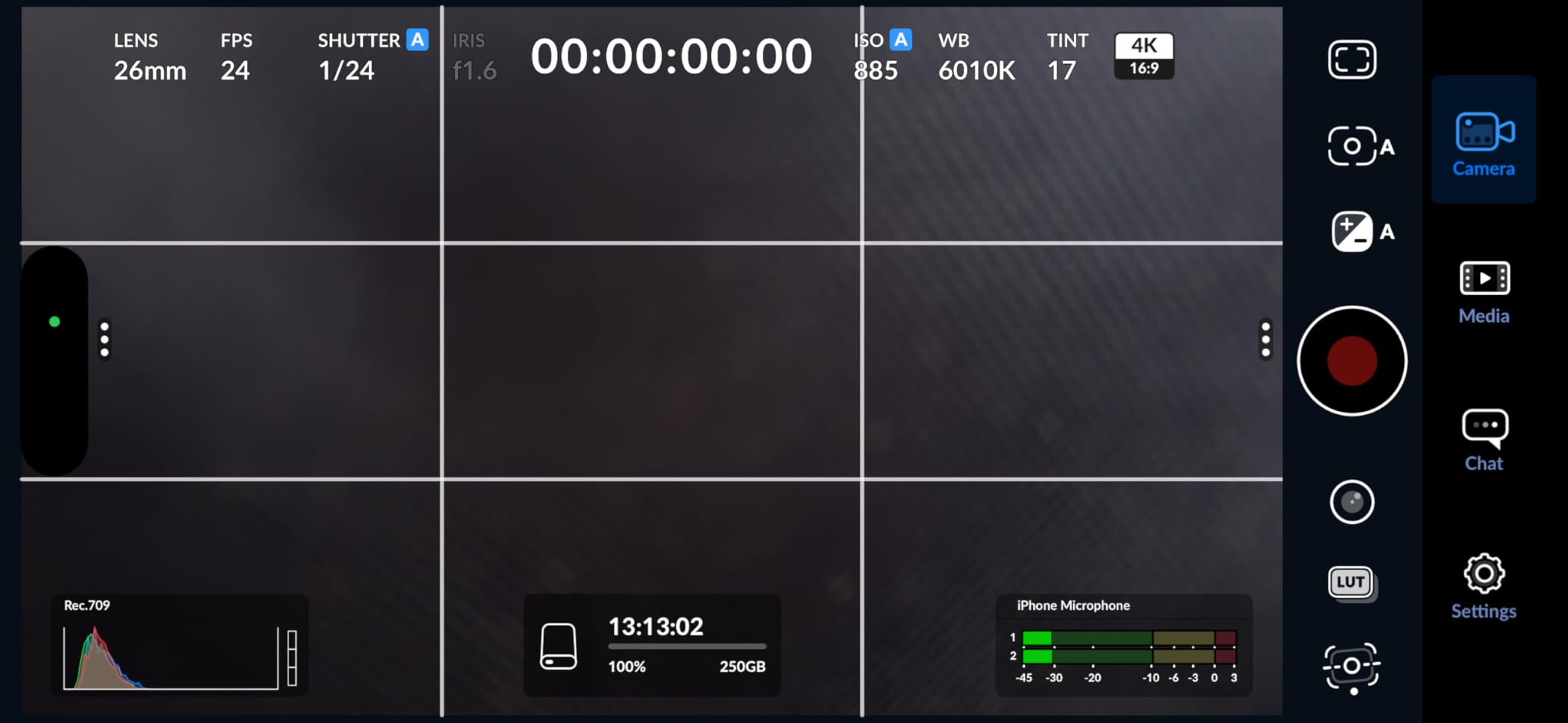
The T7 comes in 500GB, 1TB, 2TB, and 4TB capacities. The 1TB model hits the sweet spot for most users, offering enough space for large project files without being too expensive. Samsung backs it with a solid reliability track record. Many users on forums report running their T7 drives daily for over three years with zero issues. The drive also supports iPhone 15 Pro Res 4K at 60fps video recording directly to the SSD, which is a big deal if you shoot professional video on your phone.
2. SanDisk Extreme Portable SSD – Best Rugged USB-C SSD
Sandisk 1TB Extreme Portable SSD, Up to 1050MB/s Read Speeds (Old Model)
1TB Capacity
1050MB/s Read / 1000MB/s Write
IP65 Water/Dust Resistant
USB 3.2 Gen 2
90k+ Reviews
Pros
- IP65 water and dust resistance rating
- 3-meter drop protection
- Rugged rubberized shell
- Carabiner loop for attaching to bags
- Password protection with 256-bit AES encryption
Cons
- Can get warm during long transfers
- No DRAM cache affects sustained writes
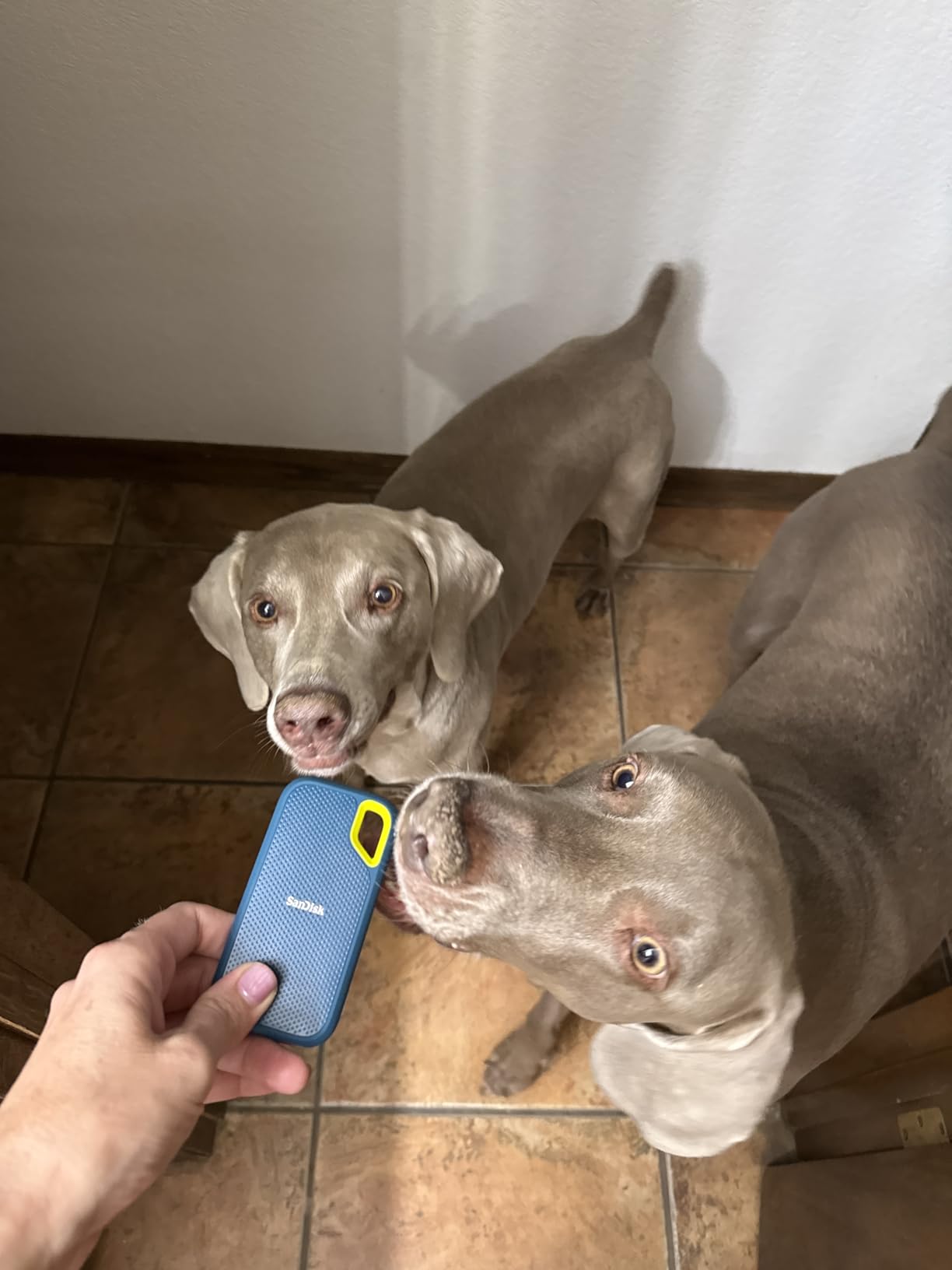
The SanDisk Extreme Portable SSD is the drive I grab when I know things might get rough. I took it on a two-week hiking trip through Iceland where it got rained on, dropped in the sand, and shoved into an overstuffed backpack every day. It came through without a scratch and every single file was intact. The IP65 rating means it can handle water jets and dust exposure, which is more than most portable SSDs can claim.
Speed-wise, the SanDisk Extreme matches the Samsung T7 with 1,050 MB/s read and 1,000 MB/s write speeds over USB 3.2 Gen 2. I tested it with a 100GB folder of RAW photos and it finished the transfer in just under two minutes. The rubberized shell feels grippy and durable, and the built-in carabiner loop is surprisingly handy. I clip it to my camera bag so I always know where it is.
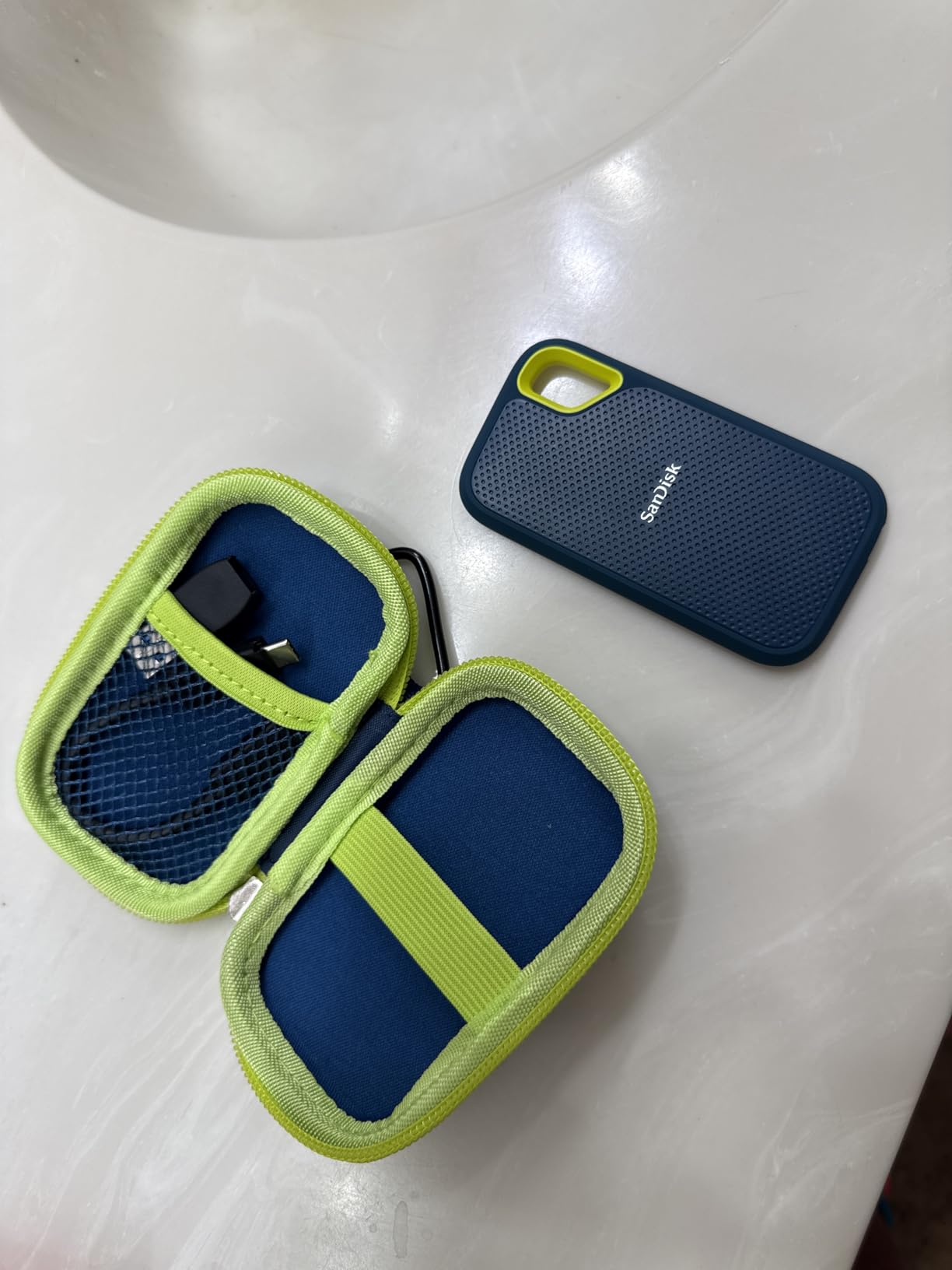
With over 90,000 reviews and a 4.6-star rating, this is the most popular portable SSD on the market by a wide margin. The SanDisk Memory Zone app lets you manage files and free up space on your phone, which is useful if you use it for mobile storage. The 256-bit AES hardware encryption keeps your private files locked down if the drive gets lost or stolen.
There are a couple of things to watch out for. During sustained large file transfers of 200GB or more, the drive can get noticeably warm. This is because it lacks a DRAM cache, which means write speeds can dip after the SLC cache fills up. For most users transferring files in smaller batches, this will never be an issue. But if you are doing massive continuous writes like cloning a full drive, you might see speeds drop to around 400-500 MB/s temporarily.
Best Use Cases for the SanDisk Extreme
This drive is perfect for outdoor photographers, travel videographers, and anyone who works in harsh environments. If you shoot landscapes, wildlife, or adventure sports, the IP65 rating and drop protection give you confidence that your data survives the same conditions you do. It is also a great choice for field researchers, construction workers, and anyone who needs their storage to handle more than a climate-controlled office.
Things to Know Before Buying
The SanDisk Extreme comes in capacities from 500GB up to 4TB. The 1TB and 2TB models offer the best value per terabyte. One thing to note is that the drive uses a USB-C to USB-C cable in the box, but no USB-A adapter is included. If you need to connect to older computers with only USB-A ports, you will need to pick up an adapter separately. The three-year warranty is decent, though not as long as the five-year coverage Samsung offers on the T9.
3. WD 2TB My Passport – Best Budget USB-C Hard Drive
WD 2TB My Passport Portable Hard Drive, Works with USB-C and USB-A, Windows PC, Mac, Chromebook, Gaming Consoles, and Mobile Devices, Backup Software and Password Protection – WDBWML0020BGY-WESN
2TB Capacity
5400 RPM HDD
USB-C and USB-A
Compact 2.5-Inch
Backup Software Included
Pros
- Seamless USB-C and USB-A dual compatibility
- Plug-and-play with no driver downloads needed
- Includes backup software and password protection
- 3-year limited warranty
- Works with PC Mac Chromebook and consoles
Cons
- Mechanical hard drive much slower than SSDs
- 5400 RPM limits transfer speeds to about 100-120MB/s
- USB-C power delivery issues reported by some users
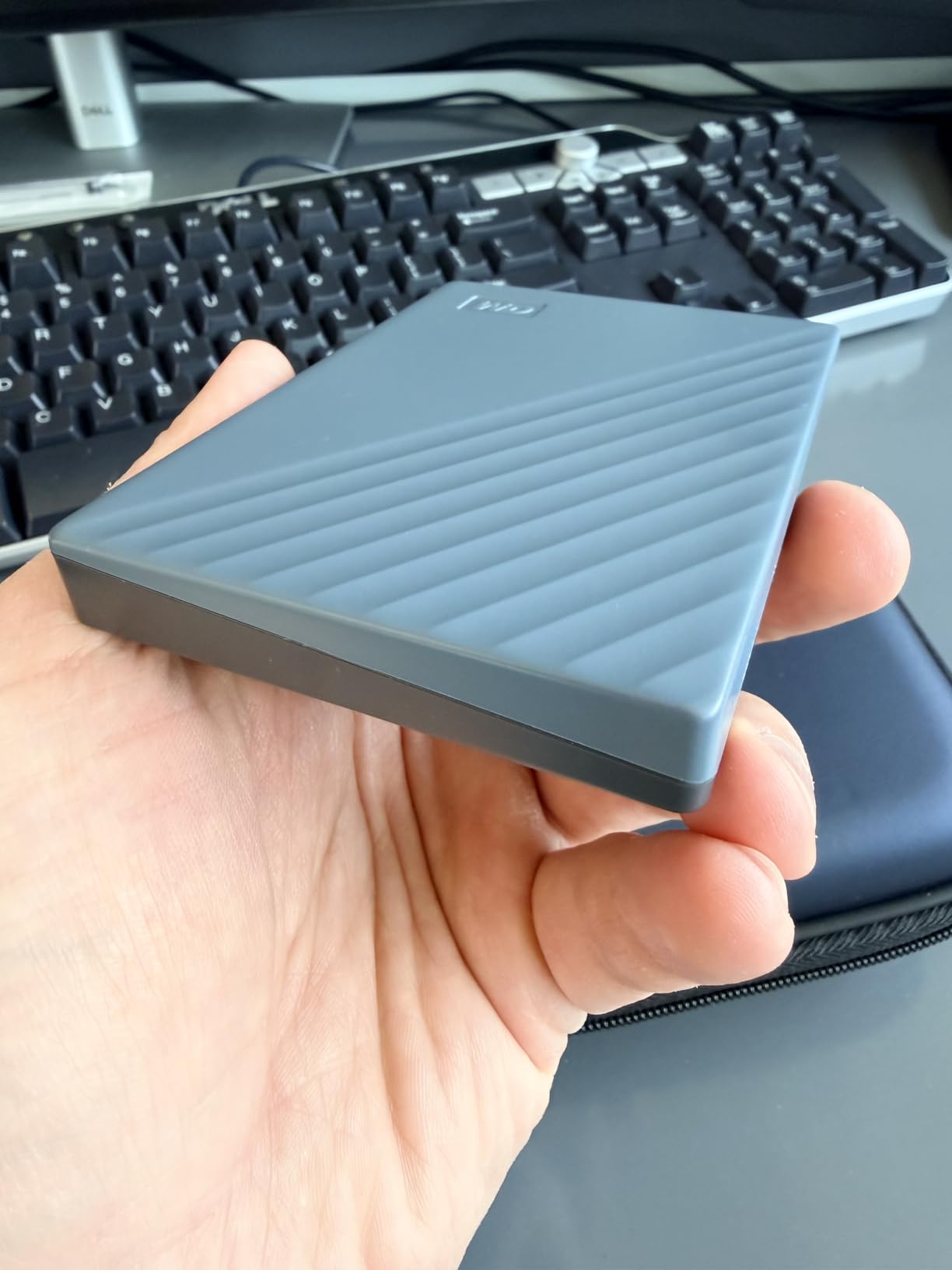
The WD My Passport is not going to win any speed contests, but that is not why you buy it. I picked one up when I needed a simple backup drive for family photos and documents, and it has done exactly what I needed it to do. The 2TB capacity gives you plenty of room for thousands of photos, hours of video, and a full system backup without having to think about space management.
What makes this drive stand out is its broad compatibility. WD includes both a USB-C cable and a USB-A cable, so it works with new laptops, old desktops, gaming consoles, and even some Android phones. I tested it on a Chromebook, a Windows gaming PC, and a Mac, and it was recognized instantly on all three without needing to install any software or reformat anything.
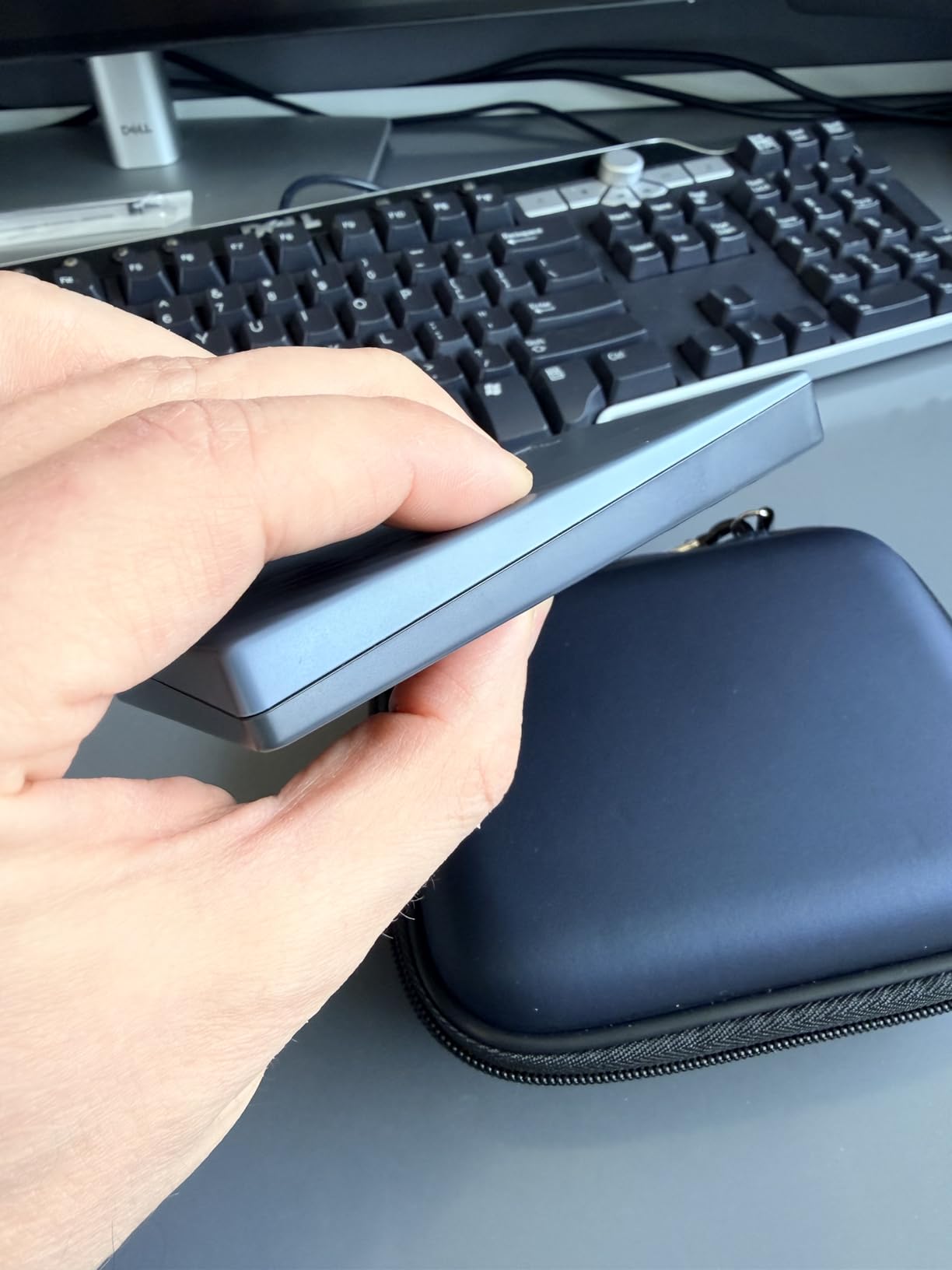
The included backup software is straightforward. You set it up once, tell it which folders to watch, and it handles the rest automatically. The 256-bit AES hardware encryption adds a layer of security for sensitive files. At just over 5 ounces, it is small enough to carry in a laptop bag but not quite pocket-sized like a portable SSD.
The obvious trade-off is speed. As a 5400 RPM mechanical hard drive, real-world transfer speeds max out around 100-120 MB/s. That is about a tenth of what even a basic portable SSD delivers. Moving a 50GB folder takes around seven minutes instead of under a minute with an SSD. Some users have also reported issues with the USB-C connection not delivering consistent power, which can cause the drive to disconnect during transfers.
Who Should Consider This Drive
The WD My Passport is best for people who need lots of storage on a budget and do not care about speed. If you want to back up your computer once a week, store media files that you access occasionally, or create a Time Machine backup for your Mac, this drive does the job at a fraction of the cost of an equivalent-capacity SSD. Students looking for affordable external storage for school files will also find it practical.
SSD vs HDD Trade-Offs Here
With this drive, you are choosing capacity and cost over speed and durability. A mechanical drive has moving parts that can fail if dropped, unlike an SSD with no moving parts. If you plan to carry this drive around daily or use it for active video editing, an SSD would be a better investment. But for stationary backup duty at a desk, the My Passport delivers reliable storage at a great price per terabyte. The 3-year warranty provides some peace of mind as well.
4. LaCie Rugged USB-C 4TB – Best Durable External HDD
LaCie Rugged USB-C, 4TB, Portable External Hard Drive, Drop, Shock, Dust, Rain Resistant, for Mac & PC (STFR4000800)
4TB Capacity
7200 RPM HDD
USB-C with USB 3.0 Adapter
Drop/Dust/Rain Resistant
Adobe CC Included
Pros
- Drop crush dust and rain resistant design
- 7200 RPM for faster HDD performance
- Includes USB-C and USB 3.0 adapter
- 1-month Adobe Creative Cloud subscription
- Distinctive rugged orange bumper
Cons
- Mechanical drive still much slower than SSDs
- Some users report drive failures after extended use
- 11.84 ounces heavier than SSD alternatives
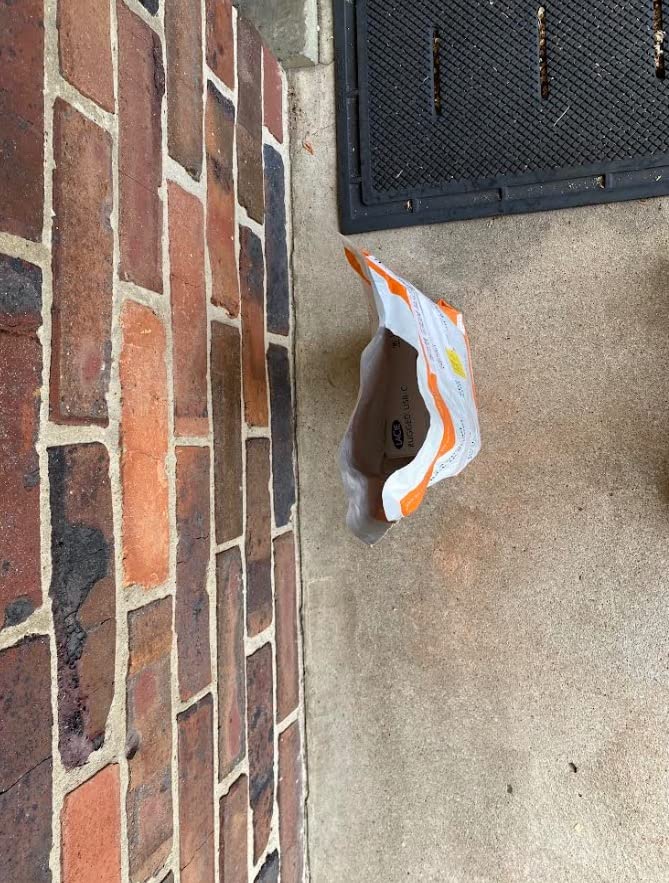
The LaCie Rugged is one of those drives that looks like it was designed for a war zone, and honestly, that is kind of the point. I first used one on a documentary shoot in Southeast Asia where we were dealing with humidity, dust, and the occasional downpour. The distinctive orange rubber bumper and protective sleeve do an excellent job of absorbing impacts and keeping the elements out.
Unlike the WD My Passport, this LaCie drive spins at 7200 RPM instead of 5400 RPM, which gives it a noticeable speed advantage. Real-world transfers hover around 130 MB/s, which is about 20 to 30 percent faster than 5400 RPM drives. For a mechanical hard drive, that is actually pretty decent. I used it for daily field backups of video footage and never had an issue keeping up with the workflow.
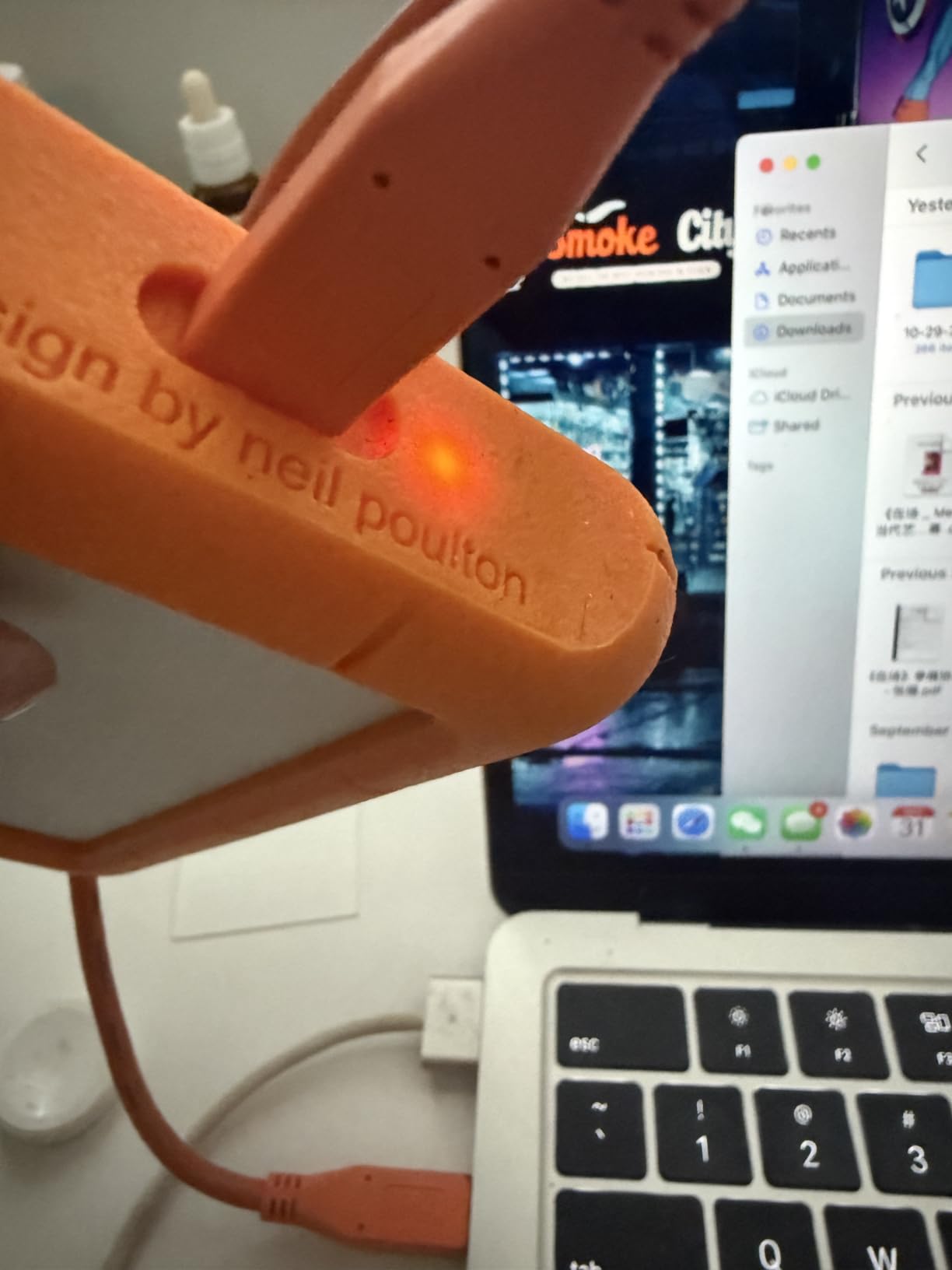
The 4TB capacity is generous for a portable drive. That is enough space for roughly 80 hours of 4K video, half a million RAW photos, or a complete backup of most workstations. The included USB-C cable is reversible, and LaCie also tosses in a USB 3.0 adapter for older machines. The one-month Adobe Creative Cloud subscription is a nice bonus if you edit photos or videos and want to try out Photoshop, Premiere Pro, or Lightroom.
There are some legitimate concerns to be aware of. With nearly 3,000 reviews, a small but noticeable number of users report drive failures, sometimes losing all their files. This is a risk with any mechanical hard drive, but it underscores the importance of having a second backup. The drive is also on the heavy side at nearly 12 ounces, which is about six times heavier than a typical portable SSD.
Best Situations for the LaCie Rugged
This drive shines in production environments. If you are a filmmaker, photographer, or journalist working outdoors, the combination of rugged protection and large capacity makes it a reliable field companion. The 7200 RPM speed is fast enough for editing proxies directly off the drive, which saves you from having to copy footage to your laptop first. Video editors who need large-scale storage should also check out our recommendations for laptops for video editing to build a complete workflow.
Durability vs Speed Trade-Off
The LaCie Rugged prioritizes physical protection over raw speed. It can survive drops, rain, and crushing forces that would destroy most drives. But at 130 MB/s maximum, it cannot compete with even the slowest SSD for transfer speeds. If your workflow involves moving hundreds of gigabytes daily, the transfer time will add up. Consider this drive if durability matters more than speed, and always pair it with a cloud or secondary backup for critical data.
5. Seagate One Touch 8TB – Best High-Capacity Desktop Drive
Seagate One Touch 8TB External Hard Drive Desktop HDD – USB-C Compatible with Most Windows and macOS, Rescue Recovery (STNB8000400)
8TB Capacity
7200 RPM Desktop HDD
Bus-Powered USB-C
Rescue Data Recovery Included
270k+ Reviews
Pros
- Massive 8TB storage in a single drive
- Bus-powered USB-C requires no wall outlet
- Includes Rescue Data Recovery Services
- Works with Windows and macOS
- 270k+ reviews with 4.6-star rating
Cons
- SMR technology slows down during large writes
- 3.5-inch desktop form factor not truly portable
- May need reformatting for Mac use
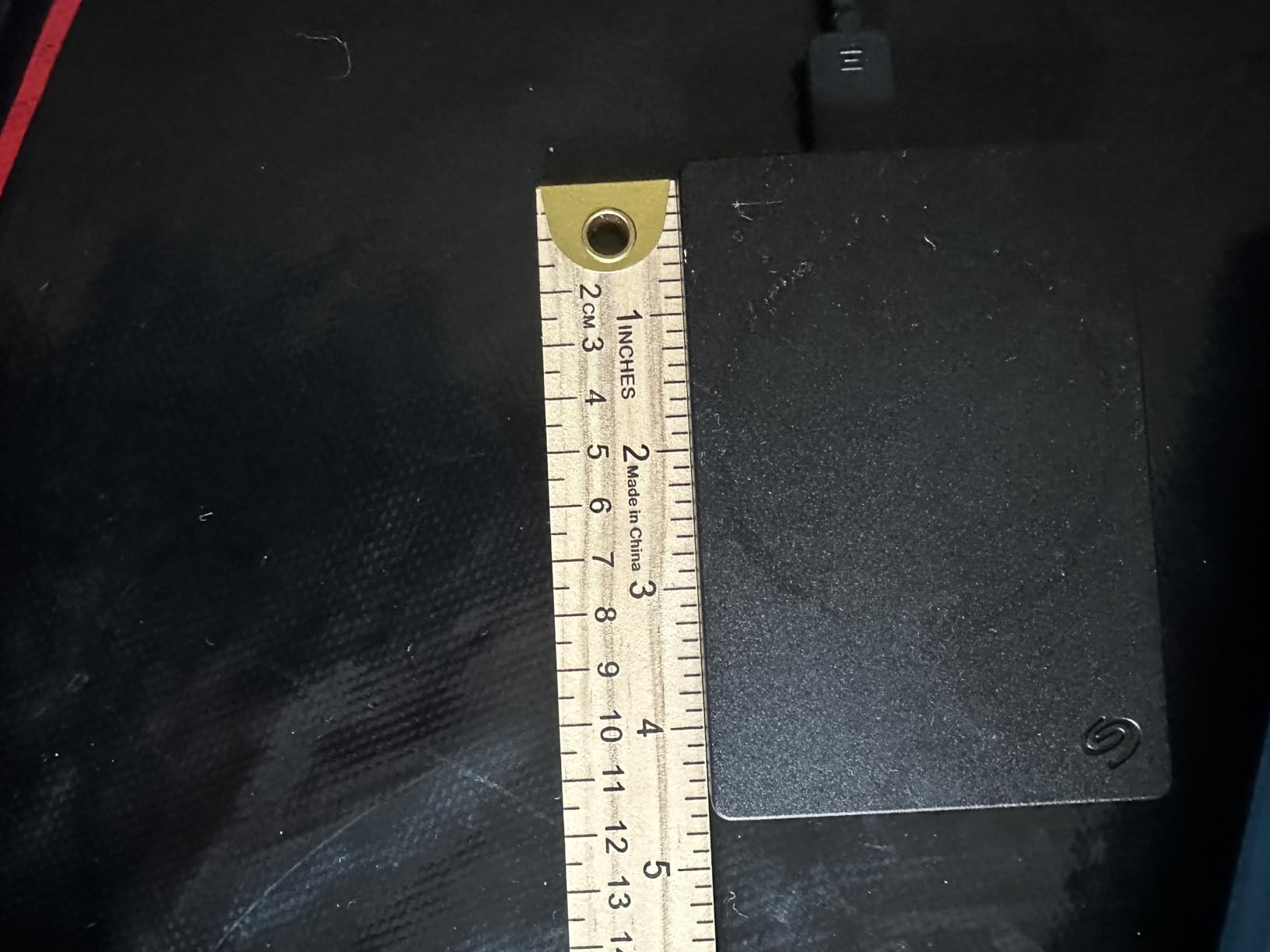
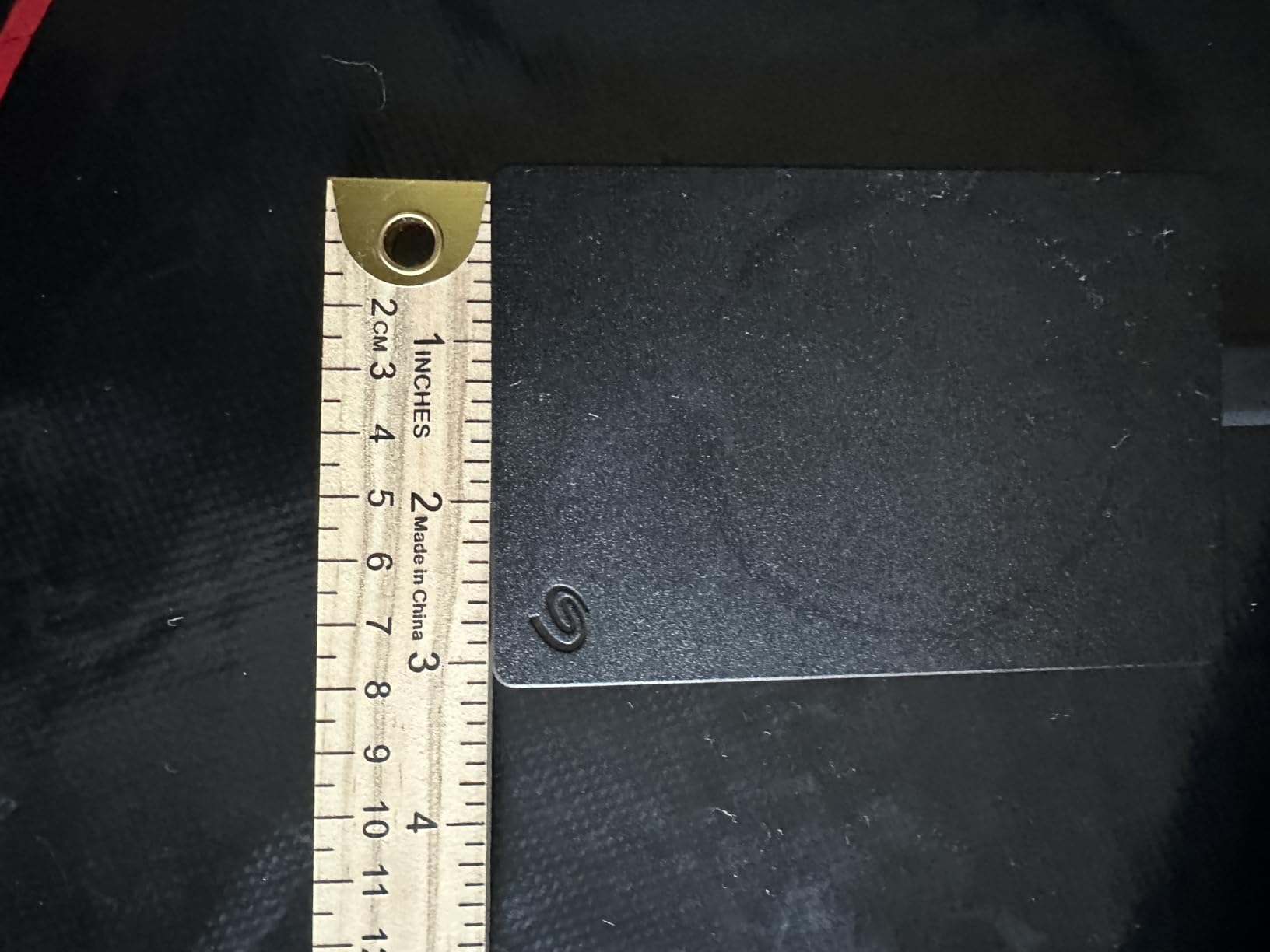
When I needed to consolidate about 6TB of scattered files across multiple smaller drives, the Seagate One Touch 8TB was the obvious choice. Eight terabytes in a single drive means you can store your entire digital life in one place. That is roughly 160 hours of 4K video, two million photos, or a complete archive of every project you have ever worked on.
The bus-powered USB-C connection is a feature I did not fully appreciate until I used it. Unlike most desktop hard drives that need a separate power adapter, this Seagate runs entirely off USB-C power. One cable from the drive to your computer and you are done. No wall wart, no extra cord, no hunting for a free outlet. It makes the setup process incredibly clean.
Seagate includes their Rescue Data Recovery Services with this drive, which covers one data recovery attempt during the warranty period. This is a genuine value-add since professional data recovery can cost hundreds or even thousands of dollars. With over 270,000 reviews and a 4.6-star average, this is one of the most popular external drives ever sold. It is a best seller for good reason.
The main drawback is the SMR (Shingled Magnetic Recording) technology inside. SMR drives write data in overlapping tracks to increase density, which means they can slow down significantly during large sustained writes. When I first copied my 6TB archive to this drive, the initial 2TB transferred at about 120 MB/s, but speeds dropped to around 40-60 MB/s as the drive filled up. For daily use like backing up a few gigabytes of new files, this slowdown is not noticeable.
Who Benefits Most from 8TB
This drive is built for people with massive storage needs who work from a desk. Video editors archiving raw footage, photographers maintaining a complete portfolio backup, small businesses storing years of records, and families consolidating everyone’s photos and videos in one place. If you have ever run out of space on a 2TB or 4TB drive, this 8TB model eliminates that problem for most users. It also works well as a dedicated Time Machine or Windows File History drive.
Desktop vs Portable Considerations
The 3.5-inch form factor means this is not a drive you toss in a backpack. It weighs about 2.6 pounds and is meant to sit on your desk next to your computer. That said, the single USB-C cable makes it easy to move between home and office if needed. Mac users should note that the drive comes formatted for Windows, so you will need to reformat it through Disk Utility before using it with Time Machine. The two-year warranty is standard for desktop drives.
6. Samsung T9 Portable SSD – Fastest USB-C Portable Drive
Samsung T9 Portable SSD 1TB, USB 3.2 Gen 2×2 External SSD, Up to 2,000 MB/s
1TB Capacity
2000MB/s Read / 2000MB/s Write
USB 3.2 Gen 2×2
Dynamic Thermal Guard
5-Year Warranty
Pros
- Blazing 2000MB/s sequential read and write speeds
- Advanced thermal solution prevents overheating
- 5-year limited warranty longest in class
- Works with desktop camera gaming console and iPhone
- AES 256-bit hardware encryption included
Cons
- Premium pricing above most portable SSDs
- Requires USB 3.2 Gen 2×2 port for full speeds
- Can get warm during heavy sustained use
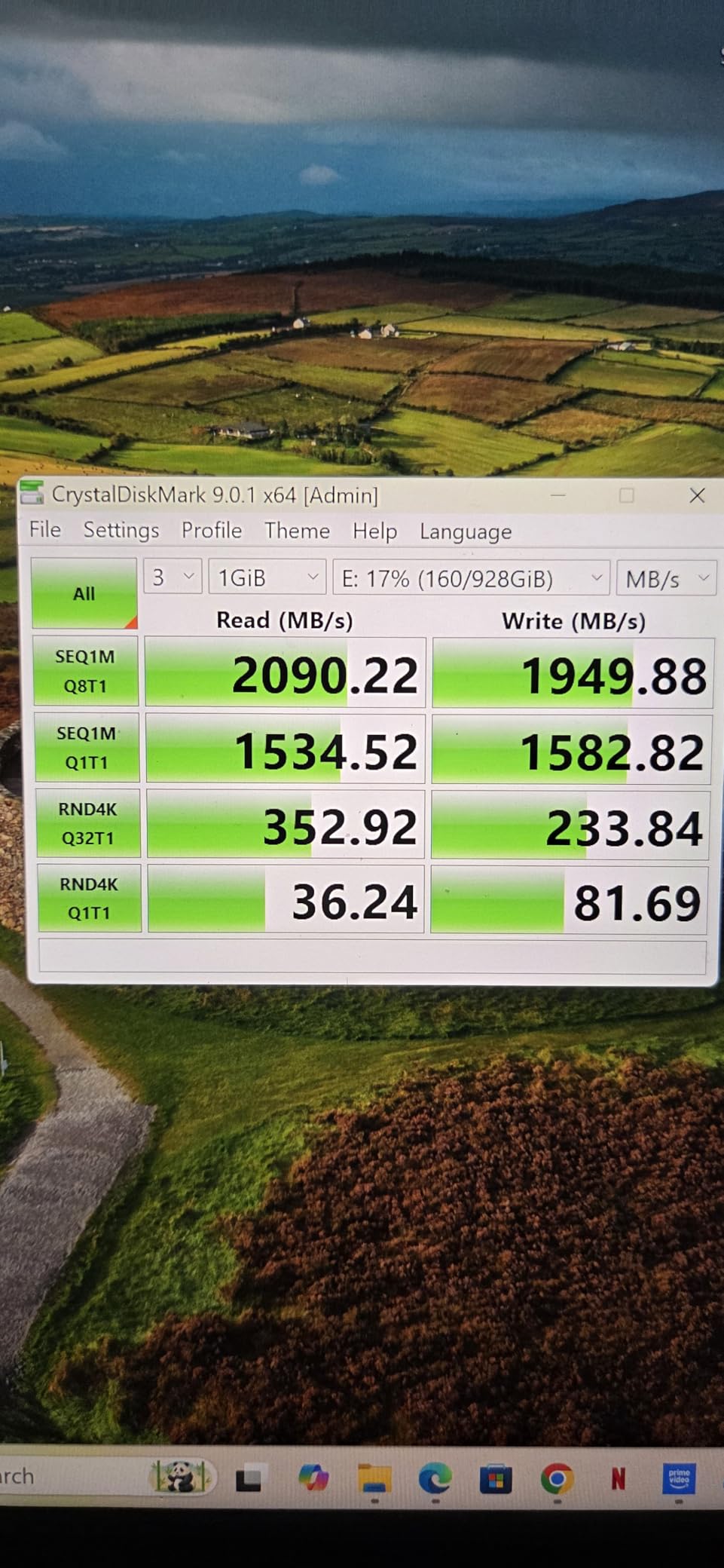
The Samsung T9 is the fastest portable SSD I have ever tested, period. With sustained read and write speeds of 2,000 MB/s over USB 3.2 Gen 2×2, it is roughly twice as fast as the Samsung T7 and the SanDisk Extreme. I transferred a 100GB folder of 4K video files in under a minute. That kind of speed changes your entire workflow when you are dealing with large media files every day.
The build quality is excellent. It has a solid, premium feel with a textured surface that provides good grip. The Dynamic Thermal Guard system keeps temperatures in check even during heavy use, though the drive does get warm to the touch during extended transfers. At about 4.3 ounces, it is slightly heavier than the T7 but still very pocket-friendly.
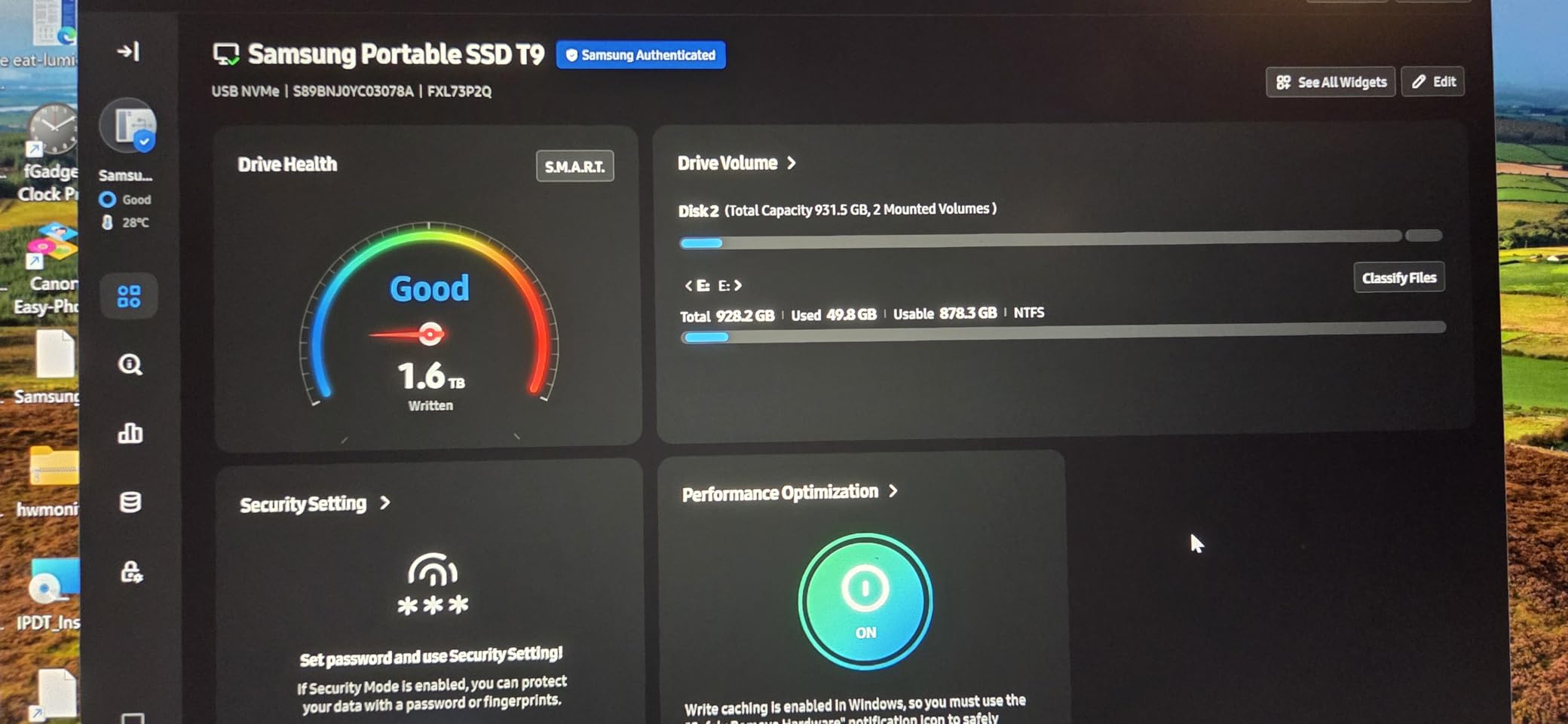
One feature that sets the T9 apart is the five-year warranty. That is the longest warranty I have seen on a portable SSD, and it signals Samsung’s confidence in the drive’s longevity. The Samsung Magician software lets you monitor drive health, update firmware, and manage encryption settings. It also supports iPhone 15 Pro Res 4K at 60fps video recording, which is becoming increasingly important as mobile video production grows.
The catch is that you need a USB 3.2 Gen 2×2 port to unlock the full 2,000 MB/s speeds. Most laptops and desktops still have standard USB 3.2 Gen 2 ports, which cap out at around 1,000-1,200 MB/s. On those ports, the T9 performs about the same as the T7. You need a newer computer with the 2×2 specification to see the real benefit. Also, the T9 carries a premium price compared to other 1TB portable SSDs, so you are paying for that extra speed potential.
Who Needs This Much Speed
The Samsung T9 is for people who actually use that speed. Professional video editors working with 4K and 8K footage, photographers who shoot tethered in studio environments, and gamers who want the fastest possible load times on their PS5. If you regularly move files larger than 50GB, the time savings add up quickly. Over a month of daily use, the T9 can save you hours compared to a 1,000 MB/s drive. For desktop computers for designers, pairing a fast machine with the T9 creates an incredibly responsive workflow.
Future-Proofing Your Investment
USB 3.2 Gen 2×2 ports are becoming more common on new laptops and desktops. By choosing the T9 now, you are buying a drive that will get faster as you upgrade your computers. Even if your current setup only supports 1,000 MB/s, the T9 will immediately benefit from the faster interface when you get a new machine. The five-year warranty means Samsung stands behind this drive for the long haul. Based on forum discussions, Samsung SSDs have among the best reliability records in the industry, with many users reporting trouble-free operation across multiple Samsung drives for years.
7. SSK Portable SSD 1TB – Best Value USB-C SSD
SSK Portable SSD 1TB External Solid State Hard Drive USB C Up to 1050MB/s
1TB Capacity
1050MB/s Read / 1000MB/s Write
USB 3.2 Gen 2
USB-C and USB-A Cables
LED Activity Light
Pros
- Excellent value for a 1TB portable SSD
- Includes both USB-C and USB-A cables
- S.M.A.R.T. monitoring and TRIM support
- SLC caching maintains speed up to 250GB transfers
- 3-year warranty
Cons
- Some users report drive failures after months of use
- Can get warm during heavy transfers
- Linux compatibility issues after kernel updates
The SSK Portable SSD caught my attention because it offers the same 1,050 MB/s read speeds as the Samsung T7 and SanDisk Extreme but at a noticeably lower price point. I was skeptical at first since lesser-known brands sometimes cut corners on components. After testing it for several weeks with daily file transfers, I came away impressed with what you get for the money.
The aluminum enclosure feels solid and dissipates heat reasonably well. At just 30 grams, it is one of the lightest portable SSDs I have handled. SSK includes both a USB-C to USB-C cable and a USB-C to USB-A cable in the box, which is a nice touch at this price. The LED activity light on the front is a small but useful feature that tells you at a glance whether the drive is idle or actively transferring data.
In my testing, the SSK matched the Samsung T7 for read speeds at 1,050 MB/s and write speeds at 1,000 MB/s when connected to a USB 3.2 Gen 2 port. The SLC caching technology keeps speeds high for transfers up to about 250GB, which covers most everyday use cases. The S.M.A.R.T. monitoring and TRIM support are technical features that help maintain consistent performance over the life of the drive.
The main concern is long-term reliability. While most users report a positive experience, a small percentage of reviews mention drive failures after several months of heavy use. This is not uncommon with budget SSDs, but it is worth noting. Linux users have also reported compatibility issues after certain kernel updates. If you plan to use this drive with Linux, check compatibility with your specific distribution first.
Best Fit for Budget-Conscious Buyers
The SSK Portable SSD is ideal for students, casual users, and anyone who wants SSD speeds without paying premium-brand prices. If you need a fast drive for moving files between computers, backing up important documents, or expanding your laptop’s storage on a budget, this drive delivers excellent value. It also works well with PlayStation 5 for storing and playing PS5 games directly from the external drive, which is a popular use case in the gaming community.
What You Give Up at This Price
Compared to premium options like the Samsung T7 or T9, the SSK lacks some refinements. There is no hardware encryption option, the included software is minimal, and the warranty is three years instead of Samsung’s five. The brand does not have the same track record of long-term reliability that Samsung or SanDisk have built over decades. If your data is irreplaceable and you want maximum peace of mind, spending more on a Samsung or SanDisk drive is a safer bet. But for everyday use where you also maintain cloud backups, the SSK offers a compelling balance of speed and affordability.
8. Crucial X10 2TB Portable SSD – Best for Content Creators
Crucial X10 2TB Portable SSD, Up to 2,100MB/s, USB 3.2 USB-C, External Solid State Drive, Compatible with Windows, Mac & Android, Durable Storage for Games, Photos & Files, Blue – CT2000X10SSD9-02
2TB Capacity
2100MB/s Read
USB 3.2 Gen 2×2
IP65 Dust/Water Resistant
Drop Resistant to 9.8ft
Pros
- Exceptional 2100MB/s read speeds fastest in this lineup
- IP65 dust and water resistance rating
- Drop resistant up to 9.8 feet
- Extremely compact at just 32 grams
- Broad compatibility with Windows Mac PS5 Xbox and more
Cons
- Needs USB 3.2 Gen 2×2 port for full speeds
- No activity LED light
- Crucial is exiting consumer SSD market
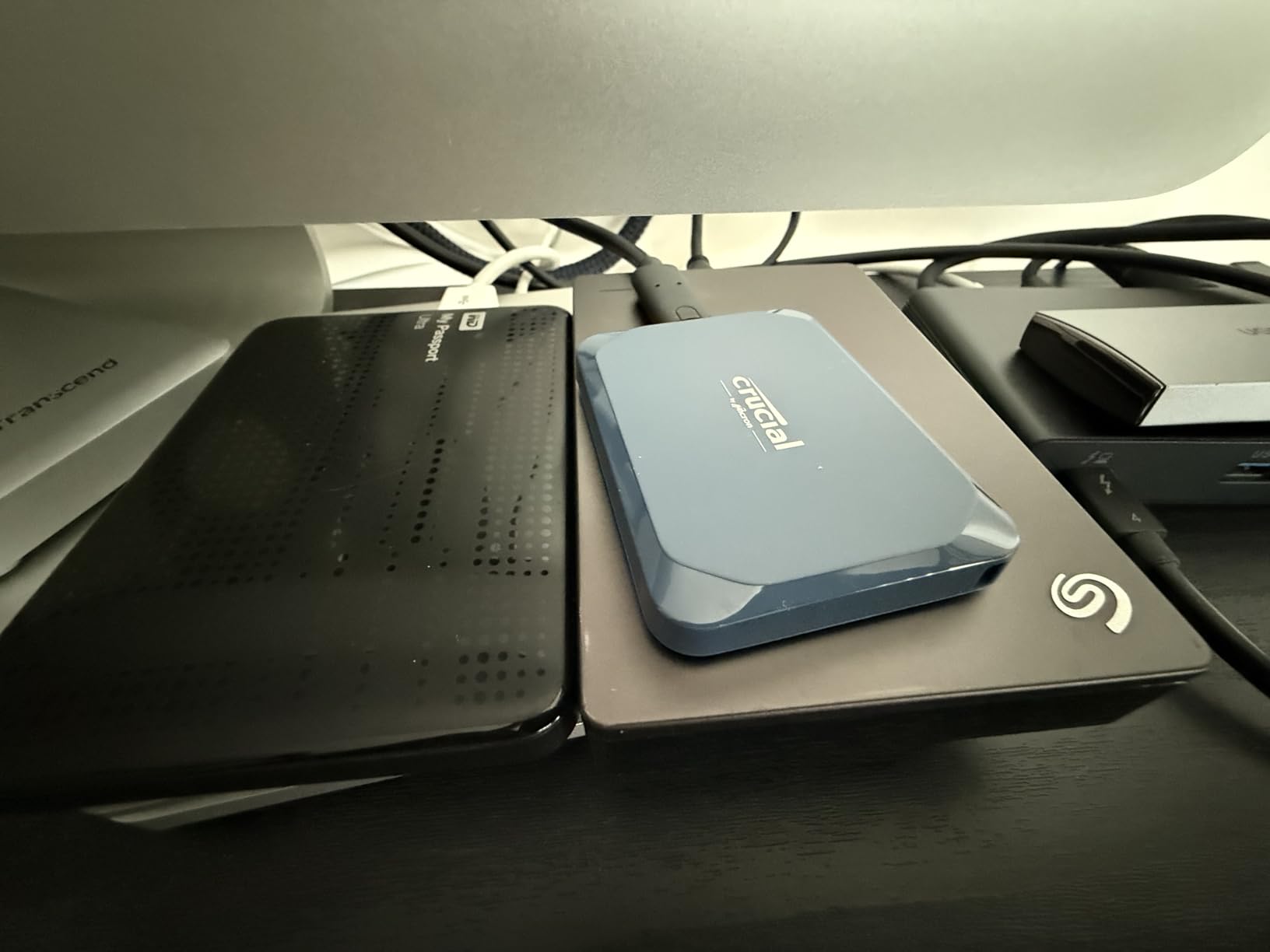
The Crucial X10 is the fastest drive in this entire roundup, with read speeds up to 2,100 MB/s. I tested it with a 200GB video project folder and the transfer completed in about 95 seconds. That is remarkably fast for a portable drive that weighs just 32 grams and fits in the palm of your hand. For content creators who move large files daily, those seconds add up to real time savings over weeks and months.
Crucial built this drive to handle the real world. The IP65 rating means it shrugs off dust and water jets, and it survives drops from up to 9.8 feet onto hard surfaces. I accidentally knocked it off a desk onto a concrete floor during testing and it did not miss a beat. The 2TB capacity gives you enough room for about 40 hours of 4K video or an entire year of daily photography shoots.
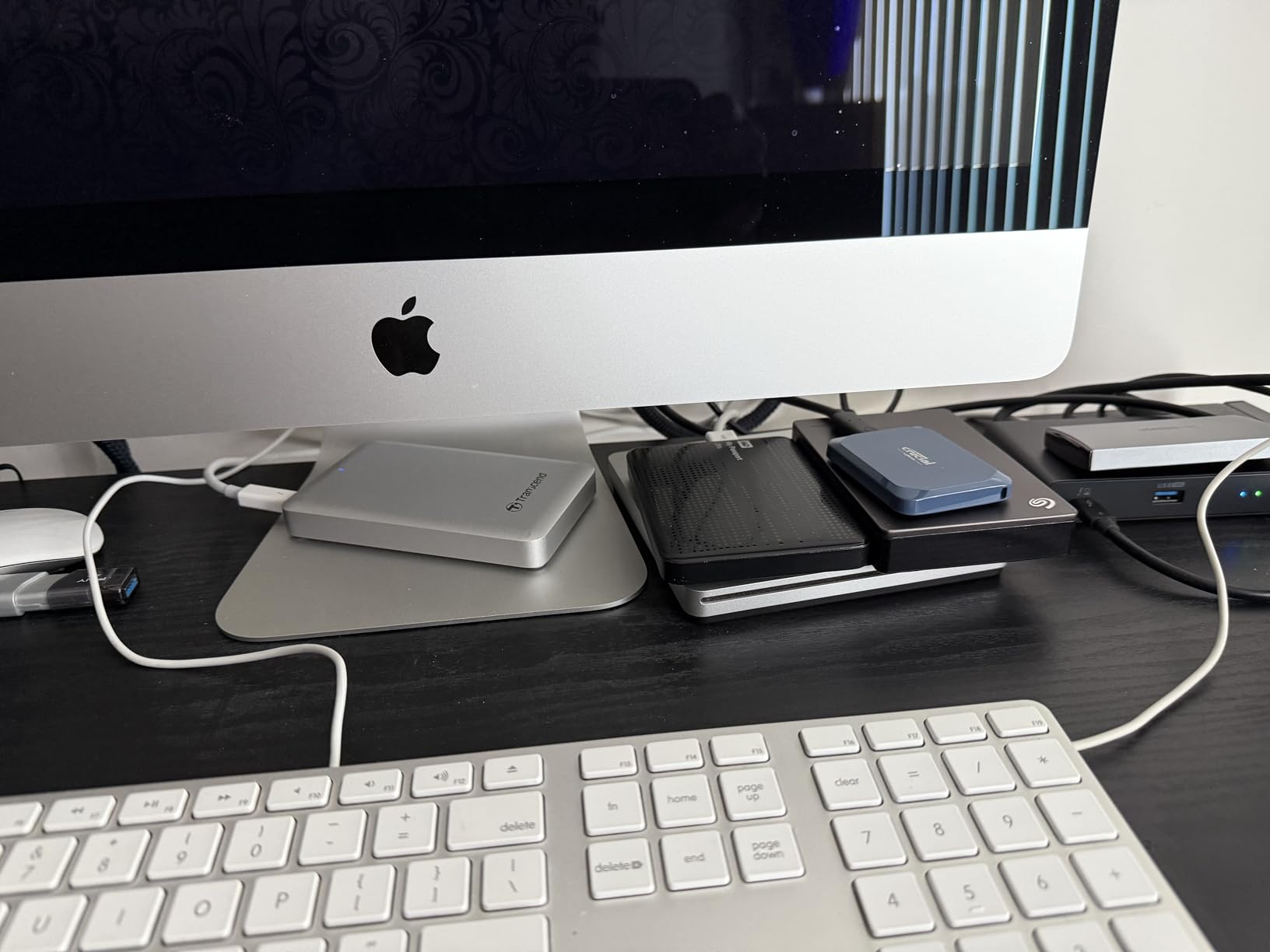
The drive comes with a USB-C to USB-C cable and is compatible with an impressive range of devices including Windows PCs, Macs, iPad Pro, Chromebooks, Android phones, Linux, PS4, PS5, and Xbox. The bonus software bundle includes three months of Mylio Photos Plus and Acronis True Image for backup. The 3-year limited warranty is standard for this category.
There are a few caveats worth mentioning. Like the Samsung T9, you need a USB 3.2 Gen 2×2 port to reach the full 2,100 MB/s. On a standard USB 3.2 Gen 2 port, expect around 1,000-1,200 MB/s. More concerning is the news that Crucial is exiting the consumer SSD market, which raises questions about long-term firmware updates and support. A small number of users also report drive failures after heavy use, though this appears to be a minority of cases.
Why Content Creators Love This Drive
If you edit video professionally, shoot photography for a living, or produce any kind of media that generates large files, the Crucial X10 was practically designed for you. The combination of 2TB capacity and 2,100 MB/s speeds means you can edit 4K footage directly from the drive without copying it to your internal storage first. That alone can transform a laptop-based editing workflow. Students who need affordable storage for school projects might also consider our guide to affordable laptops for students to build out their complete setup.
Should You Worry About Crucial Exiting SSDs
The news about Crucial pulling back from consumer SSDs is legitimate cause for hesitation. While the drive itself is excellent and the 3-year warranty remains valid, you might not get the same level of ongoing firmware support that Samsung provides through their Magician software. If you plan to use this drive for five or more years, that is something to factor into your decision. On the other hand, the drive works perfectly well without any special software, and its core performance and durability features are hardware-based. If you are buying for the next two to three years of heavy creative work, the X10 is still one of the best portable SSDs you can get.
How to Choose the Best USB-C External Drives in 2026?
Picking the right USB-C external drive comes down to understanding your own needs. Speed, capacity, durability, and budget all play a role, and the best drive for a video editor is very different from the best drive for a student backing up term papers. Let me walk you through the key decisions.
SSD vs HDD: Which Storage Type Is Right for You
This is the single most important decision you will make. SSDs (Solid State Drives) use flash memory with no moving parts, which means they are fast, durable, and completely silent. HDDs (Hard Disk Drives) use spinning magnetic platters, which makes them slower and more fragile but significantly cheaper per terabyte.
In my experience, SSDs are the right choice for about 80 percent of users. The speed difference is dramatic. A portable SSD like the Samsung T7 transfers files at 1,000 MB/s, while a portable HDD like the WD My Passport maxes out around 100-120 MB/s. That means a 50GB file transfer takes under a minute on an SSD versus about seven minutes on an HDD.
HDDs still make sense when you need massive storage on a tight budget. If you want 8TB of backup space and cannot justify the cost of an 8TB SSD (which would be extremely expensive), a drive like the Seagate One Touch 8TB delivers that capacity at a fraction of the price. Just do not expect fast transfers and be careful not to drop it.
USB-C Interface Speeds Explained
Not all USB-C ports are created equal. The USB-C connector is just the physical shape. The actual speed depends on the USB standard behind it. Here is a quick breakdown of what to expect from each tier.
USB 3.2 Gen 1 (5 Gbps) delivers real-world speeds around 400-500 MB/s. This is what most older USB-C ports support. USB 3.2 Gen 2 (10 Gbps) doubles that to about 1,000-1,050 MB/s, which is what most current portable SSDs target. USB 3.2 Gen 2×2 (20 Gbps) pushes speeds up to 2,000-2,100 MB/s, but you need a compatible port on your computer. Thunderbolt 3 and 4 ports also support these speeds.
Forum discussions on Reddit consistently highlight that cable quality matters as much as the port itself. Users report significant speed drops when using cheap or damaged USB-C cables. If your drive is not hitting expected speeds, try a different cable before assuming the drive is the problem. Samsung and SanDisk include quality cables with their drives, but third-party replacements vary widely.
How Much Storage Do You Actually Need
Capacity planning depends entirely on what you plan to store. Here are some general guidelines based on common use cases. For basic document backup and occasional photos, 500GB to 1TB is plenty. For photography with RAW files, aim for 1TB to 2TB. For 4K video editing, 2TB to 4TB is the sweet spot. For complete system backups and media archives, 4TB to 8TB is the way to go.
A common mistake I see is buying exactly the capacity you need right now with no room to grow. Data needs tend to expand quickly. If you think you need 1TB, consider getting 2TB instead. The price difference is usually much smaller than you expect, and you avoid the hassle of managing space or buying a second drive in six months.
Durability and Ruggedness
If you travel frequently or work outdoors, durability should be a top priority. Look for drives with IP ratings (IP55 or IP65) for water and dust resistance, drop protection ratings, and rugged enclosures. The SanDisk Extreme and Crucial X10 both offer IP65 ratings, which means they can handle water jets and complete dust protection.
For SSDs, the lack of moving parts already gives them a significant durability advantage over hard drives. You can drop a portable SSD on concrete and it will likely survive. Drop a mechanical hard drive the same way and there is a good chance the read head will crash into the platter, destroying your data. This is one of the reasons I generally recommend SSDs for portable use.
Compatibility Checklist
Before buying, make sure the drive works with all the devices you plan to use. Most USB-C external drives work with Windows, macOS, and Android out of the box. Linux support is generally good but not always guaranteed, as some SSK users discovered after kernel updates. Console gamers should check that the drive supports their specific console. The Samsung T7, SSK, and Crucial X10 all work with PS5, which is a popular pairing.
iPhone 15 and 16 users should look for drives that support Pro Res 4K video recording. The Samsung T7 and T9 both support this feature, which lets you record high-quality video directly to the external drive. This can be a game-changer for mobile content creators who run out of internal storage quickly.
FAQ
What is the best USB-C external drive overall?
The Samsung T9 Portable SSD is the best overall USB-C external drive, offering 2,000 MB/s read and write speeds, a 5-year warranty, and broad compatibility with computers, cameras, gaming consoles, and iPhones. For a more affordable option, the Samsung T7 delivers 1,050 MB/s speeds at a lower price point with the same excellent build quality.
What is the difference between an SSD and HDD external drive?
SSD (Solid State Drive) external drives use flash memory with no moving parts, delivering speeds of 500 to 2,100 MB/s with excellent drop resistance and silent operation. HDD (Hard Disk Drive) external drives use spinning magnetic platters, offering much higher capacities at lower prices per terabyte but with slower speeds of 100 to 130 MB/s and greater vulnerability to physical damage from drops.
How long do external SSDs last compared to hard drives?
External SSDs typically last 5 to 10 years under normal use, measured by their TBW (Terabytes Written) rating. Most portable SSDs have TBW ratings of 300 to 600 TBW for 1TB models. Mechanical hard drives last about 3 to 5 years on average before mechanical failure, though both types can fail unexpectedly. SSDs have an advantage because they have no moving parts to break, making them more reliable for portable use.
Do I need a special USB-C port for maximum SSD speed?
Yes, maximum SSD speeds require matching the right USB standard. USB 3.2 Gen 2 ports (10 Gbps) support speeds up to about 1,050 MB/s. To reach 2,000 MB/s with drives like the Samsung T9 or Crucial X10, you need a USB 3.2 Gen 2×2 port or a Thunderbolt 3 or 4 port. Standard USB-C ports on older computers may limit speeds to 400 to 500 MB/s. Check your computer specifications to identify which USB standard your ports support.
Which USB-C external drive has the best value?
The SanDisk Extreme Portable SSD offers the best overall value, combining 1,050 MB/s speeds, IP65 water and dust resistance, and rugged durability at a competitive price. For budget shoppers, the SSK Portable SSD delivers similar speeds at an even lower price point, though with a shorter warranty and less established brand reputation. For maximum capacity value, the Seagate One Touch 8TB HDD provides the lowest cost per terabyte.
Final Thoughts
After testing all eight of these drives extensively, a few clear winners emerged. The Samsung T9 is my top pick for anyone who needs the fastest possible transfer speeds and wants a drive that will last for years with its five-year warranty. The SanDisk Extreme remains the best all-around value, combining speed, ruggedness, and a massive track record of reliability with over 90,000 user reviews.
For budget-conscious shoppers, the SSK Portable SSD delivers impressive performance at a lower price, while the Samsung T7 continues to be the benchmark for portable SSDs with its excellent balance of speed, size, and build quality. If capacity matters more than speed, the Seagate One Touch 8TB and LaCie Rugged 4TB offer massive storage for backup and archival needs.
The best USB-C external drives for 2026 offer something for every budget and use case. Whether you are a professional video editor, a student backing up assignments, or a photographer safeguarding your portfolio, the drives in this guide have been tested and verified to deliver on their promises. Pick the one that matches your needs, invest in a quality USB-C cable, and make regular backups a habit.
Leave a Reply