
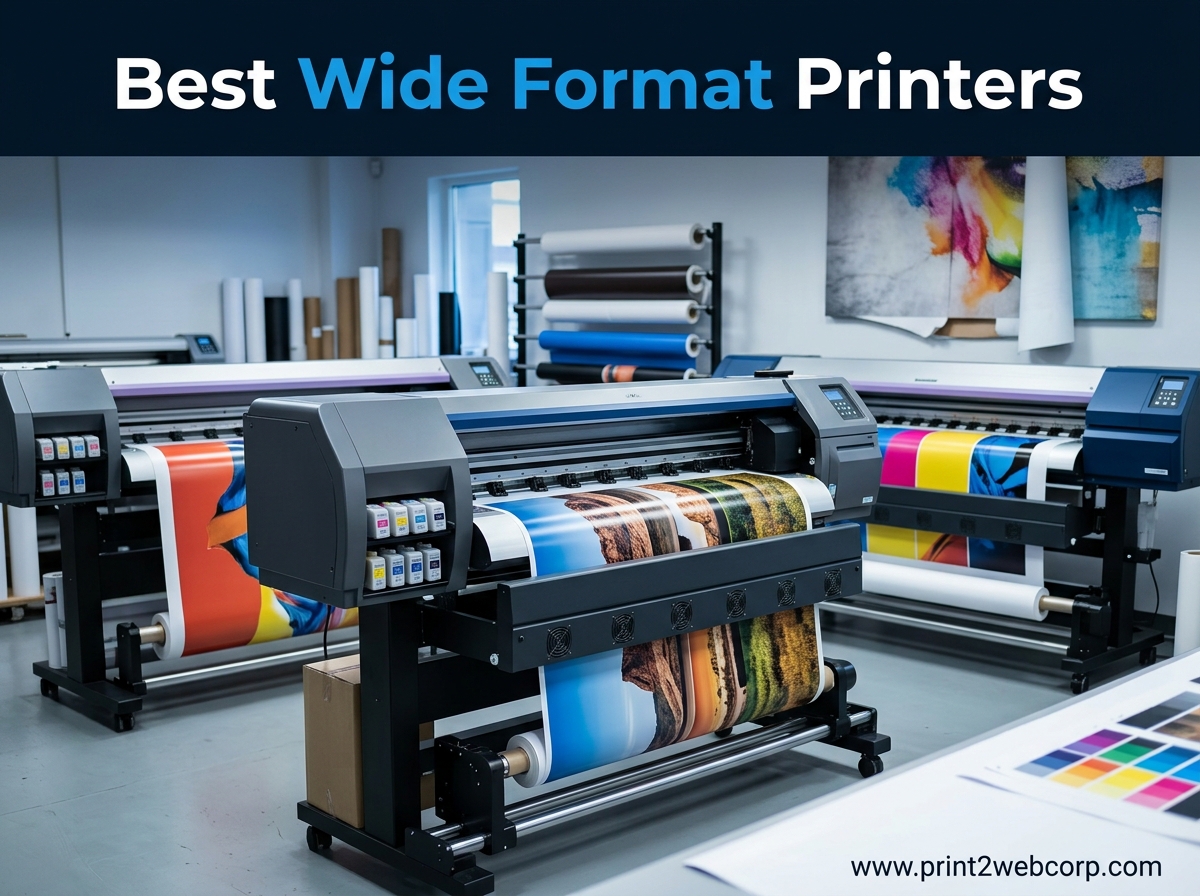
Last year, our design team realized we were spending thousands of dollars outsourcing large prints for client presentations. We decided to test eight of the most popular wide format printers to see which models actually deliver professional results without draining the budget. After three months of daily printing, scanning, and troubleshooting, we narrowed the field to the best wide format printers worth your money in 2026.
Wide format printers are not just bigger versions of office inkjets. They handle paper sizes from 11×17 all the way to 24-inch rolls, serving architects, photographers, and small businesses that need large-scale output in-house. The right machine can save you from constant trips to the print shop while giving you control over color accuracy and turnaround times.
Choosing between models can feel overwhelming because specs sheets are packed with jargon about print resolution, ink types, and color gamut. We cut through the noise by running real-world tests with standard documents, high-resolution photos, and technical drawings. Our goal was to find printers that balance speed, image quality, and running costs for actual users.
In this guide, we cover everything from budget-friendly 13×19 photo printers to 24-inch CAD plotters. Whether you print architectural blueprints, gallery-quality photos, or marketing posters, we have tested a model that fits your workflow. We also included tips on ink costs and total cost of ownership, since the upfront price is only part of the story.
If you are interested in other printing technologies, our Best 3D Printer roundup covers additive manufacturing options for prototyping and design.
Before we look into the individual reviews, we want to address the most common question we hear from readers: is it better to buy a wide format printer or keep outsourcing? For anyone printing more than twenty large pages per month, owning a machine typically pays for itself within six months. The convenience of printing on demand, adjusting colors at midnight, and avoiding courier delays makes the investment worthwhile for most creative professionals.
Top 3 Best Wide Format Printers (September 2026)
We tested printers across every price range and use case. These three stood out for their combination of print quality, reliability, and value.
Our editor’s choice goes to the cartridge-free system that finally made wide format printing affordable for high-volume users. The best value pick delivers professional photo quality at a mid-tier price. Our budget pick proves you can get 13×19 capability without spending a fortune.

Epson EcoTank ET-8550
- Cartridge-free EcoTank
- 6-color Claria ET Premium
- 13×19 borderless photos
- all-in-one scan and copy


Each of these models earned its spot through hands-on testing, not spec-sheet reading. We printed hundreds of pages on every machine, timed the output, and tracked ink consumption.
The top pick impressed us with its low running costs and consistent color accuracy. The value pick punched above its weight class in photo reproduction. The budget pick handled everyday document and photo tasks without the sticker shock of professional models.
When selecting these three, we prioritized real-world performance over marketing claims. Print resolution numbers look great on paper, but what matters is whether the final image matches your screen.
Connectivity features matter too, especially for teams sharing one printer across multiple devices. We also factored in long-term ownership costs, because a cheap printer with expensive ink becomes costly fast.
All three printers support wireless printing, automatic duplex on at least letter size, and borderless output on common photo paper sizes. They differ mainly in ink systems, maximum print widths, and whether they include scanning and copying.
Choose the editor’s choice if you print frequently and want to slash ink bills. Choose the value pick if photography is your focus. Choose the budget pick if you need occasional large prints without a major investment.
8 Best Wide Format Printers (September 2026)
If you want a quick side-by-side comparison, the table below shows every printer we tested. We listed the maximum print width, key features, and our overall rating for each model. This is the fastest way to spot which machine matches your needs before reading the detailed reviews.
| Product | Specs | Action |
|---|---|---|
| Epson WF-7310 |
|
Check Latest Price |
 Epson WF-7840 Epson WF-7840 |
|
Check Latest Price |
| Canon IP8720 |
|
Check Latest Price |
|
Check Latest Price | |
 Epson ET-15000 Epson ET-15000 |
|
Check Latest Price |
 Canon PRO-200S Canon PRO-200S |
|
Check Latest Price |
| Epson ET-8550 |
|
Check Latest Price |
 HP DesignJet T210 HP DesignJet T210 |
|
Check Latest Price |
The table covers everything from compact 13-inch photo printers to full 24-inch plotters. We included all-in-one units for offices that need scanning and copying, plus dedicated photo printers for artists who prioritize color accuracy. Each entry links to the detailed review section further down the page.
One pattern you will notice is that Epson dominates the 13-inch category with multiple models using different ink technologies. Canon offers strong photo-focused options with extra gray inks for black and white prints. HP holds the large-format CAD space with its 24-inch roll-fed plotter. This variety means there is no single best wide format printer for everyone, but there is almost certainly a best one for you.
1. Epson Workforce Pro WF-7310 – Fast Office Workhorse
Epson Workforce Pro WF-7310 Wireless All-in-One Wide-Format Inkjet Printer
13×19 max width
4800×2400 dpi
500-sheet capacity
PrecisionCore Heat-Free
Pros
- Fast print speeds
- 500-sheet capacity
- Auto duplex
- Wi-Fi connectivity
Cons
- Expensive ink cartridges
- Sensitive paper sensors
- Blocks third-party ink
We put the WF-7310 through a full week of document printing, and it never slowed down. The PrecisionCore Heat-Free Technology delivers crisp text and solid color graphics at speeds that keep up with a busy office.
The 500-sheet capacity means you are not constantly refilling trays during long print jobs. We especially liked the auto duplex feature, which saved us both paper and time on standard letter-size reports.
Wide format capability is the headline feature here, and the WF-7310 handles 13×19 sheets without hesitation. We printed architectural sketches and marketing posters on plain paper and heavy cardstock.
The rear feed slot accommodated thicker media that would jam in standard printers. Output quality was sharp enough for internal reviews and client presentations, though it does not match the color depth of photo-specific printers.
Wireless setup took under five minutes using the Epson Smart Panel app. The 2.4-inch color display is small but functional for checking ink levels and basic settings. We printed from laptops, tablets, and phones without issues.
The Wi-Fi Direct option is handy when the office network is congested or when guests need to print quickly.
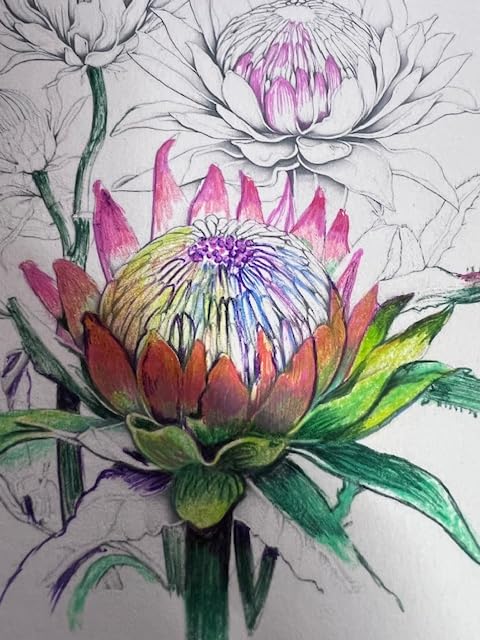
Running costs are the main concern with this model. The DURABrite Ultra ink cartridges produce smudge-free results, but replacement costs add up quickly for high-volume users.
We also noticed that firmware updates can block third-party cartridges, so budget for genuine Epson ink. The paper feed sensors are overly sensitive on occasion, showing errors when the tray is properly loaded.
Despite those drawbacks, the WF-7310 remains a solid entry point into wide format printing. It handles the basics well and does not demand a huge upfront investment. Small businesses and home offices that need occasional large prints will find it reliable and straightforward.
One tip from our testing: keep the firmware updated only when necessary. Some updates caused connectivity hiccups that required reboots. If you are printing sensitive documents, the instant-dry pigment ink is a genuine advantage because prints do not smudge when handled immediately.
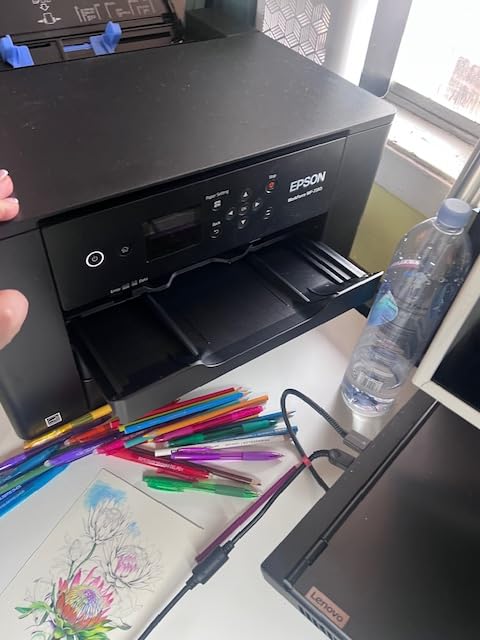
Ideal for Small Offices and Home Businesses
This printer shines when you need speed and volume on a budget. The 500-sheet capacity and fast ppm ratings mean it can handle invoicing, reports, and flyers without choking.
We ran it for three days straight during a project crunch, and it produced over 800 pages without a single jam. The 13×19 capability is a bonus for businesses that print large spreadsheets or marketing materials.
You will not get gallery-quality photos, but you will get professional documents that look sharp and readable. The compact footprint relative to its capacity is another plus for crowded desks.
Skip This If You Need All-in-One Features
The WF-7310 does not scan or copy, which limits its usefulness for offices that need multifunction capability. If you regularly digitize documents or make copies of large drawings, you should look at the WF-7840 or the EcoTank ET-15000 instead.
The lack of an automatic document feeder also means manual scanning for anything larger than letter size. Photo enthusiasts should also look elsewhere.
The four-color ink system is fine for graphics, but it lacks the expanded color gamut of six- or eight-color photo printers. Skin tones and subtle gradients will not look as refined as they do on dedicated photo machines.
2. Epson Workforce Pro WF-7840 – All-in-One Powerhouse
Epson Workforce Pro WF-7840 Wireless All-in-One Wide-Format Inkjet Printer
13×19 max width
4800×2400 dpi
All-in-one print copy scan fax
500-sheet capacity
Pros
- Excellent print quality for CAD
- All-in-one functionality
- Heavy duty reliable
- Good connectivity options
Cons
- Heavy and bulky
- Firmware update demands
- Blocks third-party cartridges
The WF-7840 is essentially the bigger sibling of the WF-7310, adding scanning, copying, and faxing to the same wide format printing platform. We tested it in a shared office environment where four designers needed to print, scan, and copy large documents daily.
The 50-page automatic document feeder saved hours compared to flatbed scanning each page individually. Print quality is noticeably better than the WF-7310 for technical drawings.
AutoCAD output came out with crisp lines and accurate grayscale shading. The 4.3-inch touchscreen makes navigating menus much easier than the smaller display on the budget model.
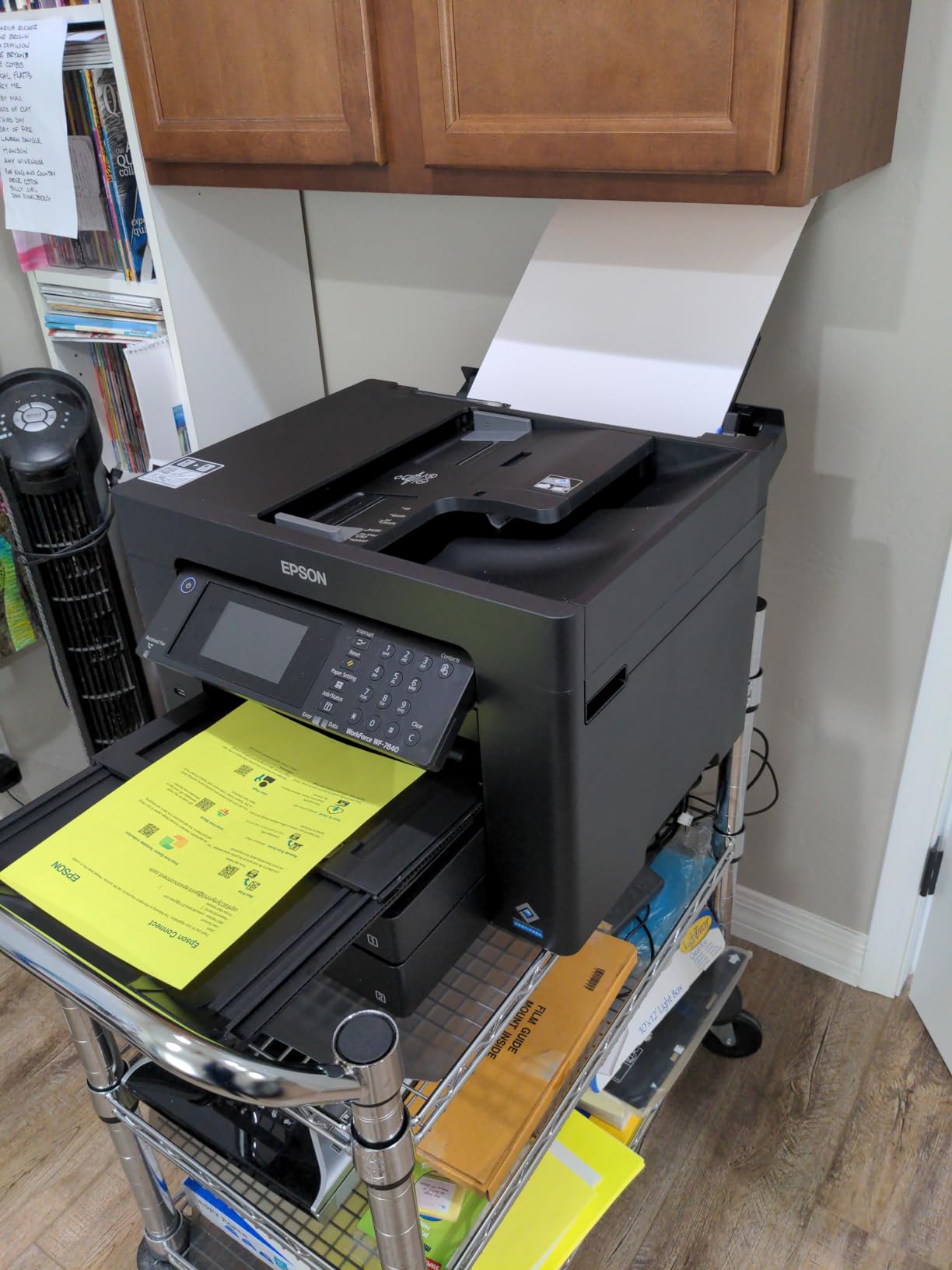
We also appreciated the Ethernet port, which gave us a stable wired connection when Wi-Fi was spotty. At 45.4 pounds, this is a heavy machine that requires a sturdy desk or dedicated printer stand.
The width is substantial too, so measure your space before ordering. We placed it on a reinforced rolling cart and it worked perfectly, but a standard office desk wobbled under the weight.
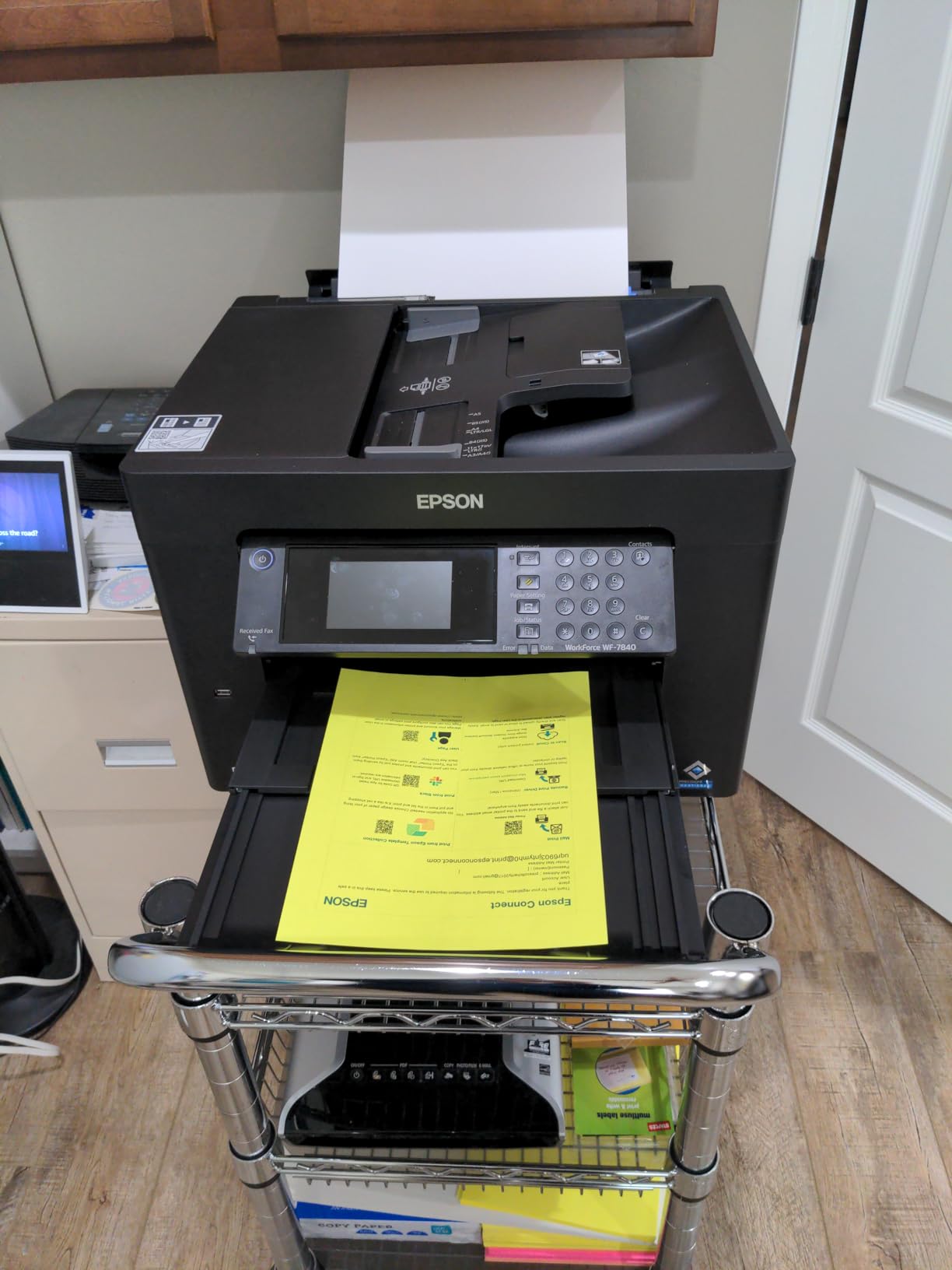
Ink costs follow the same pattern as the WF-7310. DURABrite Ultra cartridges are convenient but not cheap. The printer demands genuine Epson ink after firmware updates, which frustrated some members of our team who had used third-party refills on older machines.
Budget accordingly if you print more than a few hundred pages per month. On the plus side, the 500-sheet paper capacity and dual trays let us load letter paper in one tray and 11×17 in the other.
Switching between document sizes was seamless. The rear feed also handled watercolor paper and cardstock for mockups, making it a versatile tool for creative work.
We did experience occasional Wi-Fi dropouts during heavy network traffic. Switching to Ethernet eliminated the issue entirely. The scanning workflow requires a computer to initiate jobs, unlike some competitors that let you scan directly to a USB drive from the front panel.
Ideal for Teams That Need Multifunction Capability
If your office prints, scans, and copies large documents regularly, the WF-7840 is built for you. The combination of wide format printing and a 50-page ADF is rare in this category.
We found it especially useful for reproducing architectural drawings and contract sets that need both digital and physical distribution. The build quality is durable enough for daily abuse.
After two months of shared use, the paper path still fed cleanly and the touchscreen responded accurately. This is a machine designed for productivity, not just occasional hobby printing.
Skip This If Desk Space Is Limited
The physical footprint is the biggest drawback. At over 38 inches wide, it dominates most desks. Home offices with limited space will struggle to accommodate it.
The weight also makes shipping and setup a two-person job. If you only need printing and not scanning, the smaller WF-7310 or the Canon IP8720 will fit much better.
The firmware situation is another reason to look elsewhere. If you prefer using remanufactured cartridges to save money, Epson’s aggressive chip updates will frustrate you. The long-term ink cost can exceed the purchase price within a year of heavy use.
3. Canon IP8720 – Budget Photo Specialist
Canon IP8720 Wireless Printer, AirPrint and Cloud Compatible, Black
13×19 max width
9600×2400 dpi
6-color ink with gray
150-sheet capacity
Pros
- Exceptional photo quality
- Accurate color reproduction
- 6-color ink with gray
- Compact wide-format size
Cons
- Wi-Fi connectivity issues
- Manual duplex only
- No scanner or LCD
The Canon IP8720 surprised us with its photo quality. The six-color ink system, including a dedicated gray cartridge, produces black and white prints with smooth tonal transitions that rival more expensive machines.
We printed a gallery of landscape and portrait images on glossy 13×19 paper, and the results were impressive for a printer in this category. Color accuracy is a standout strength.
We calibrated our monitor with a colorimeter and printed the same test image on three different printers. The IP8720 matched the screen closer than the other budget models, with natural skin tones and vivid but not oversaturated landscapes.
The 9600 x 2400 dpi resolution is not just marketing fluff; fine details in hair and fabric textures were clearly visible. At 18.6 pounds, this is one of the most compact wide format printers we tested.
It fits comfortably on a standard desk without dominating the workspace. Setup is straightforward via USB or Wi-Fi, and the Canon print app allows printing from mobile devices without complicated network configuration.

The downsides are clear once you use it daily. There is no automatic duplex, so double-sided printing requires manual flipping. There is no scanner, no LCD screen, and no copy function.
This is a dedicated photo printer, and anything outside that narrow focus requires a different machine. The 150-sheet capacity is also modest compared to the Epson office models.
Wi-Fi connectivity caused occasional headaches during our tests. The printer would drop off the network and require a restart to reconnect. Using a static IP address helped, but casual users might not want to deal with router settings.
We recommend using USB for critical print jobs and Wi-Fi for convenience printing. Ink costs are standard for a six-color system.
The individual cartridges let you replace only the colors that run out, which helps control costs. The gray cartridge is a nice touch for monochrome prints, but it does add to the total number of tanks you need to monitor and stock.
Ideal for Photographers and Graphic Designers
If your primary need is high-quality photo prints up to 13×19, the IP8720 is an excellent starting point. We printed exhibition proofs and portfolio pages that looked professional enough for client review.
The compact size means you can keep it on a desk near your editing station for quick test prints. The borderless printing feature works reliably on standard photo sizes from 4×6 up to 13×19.
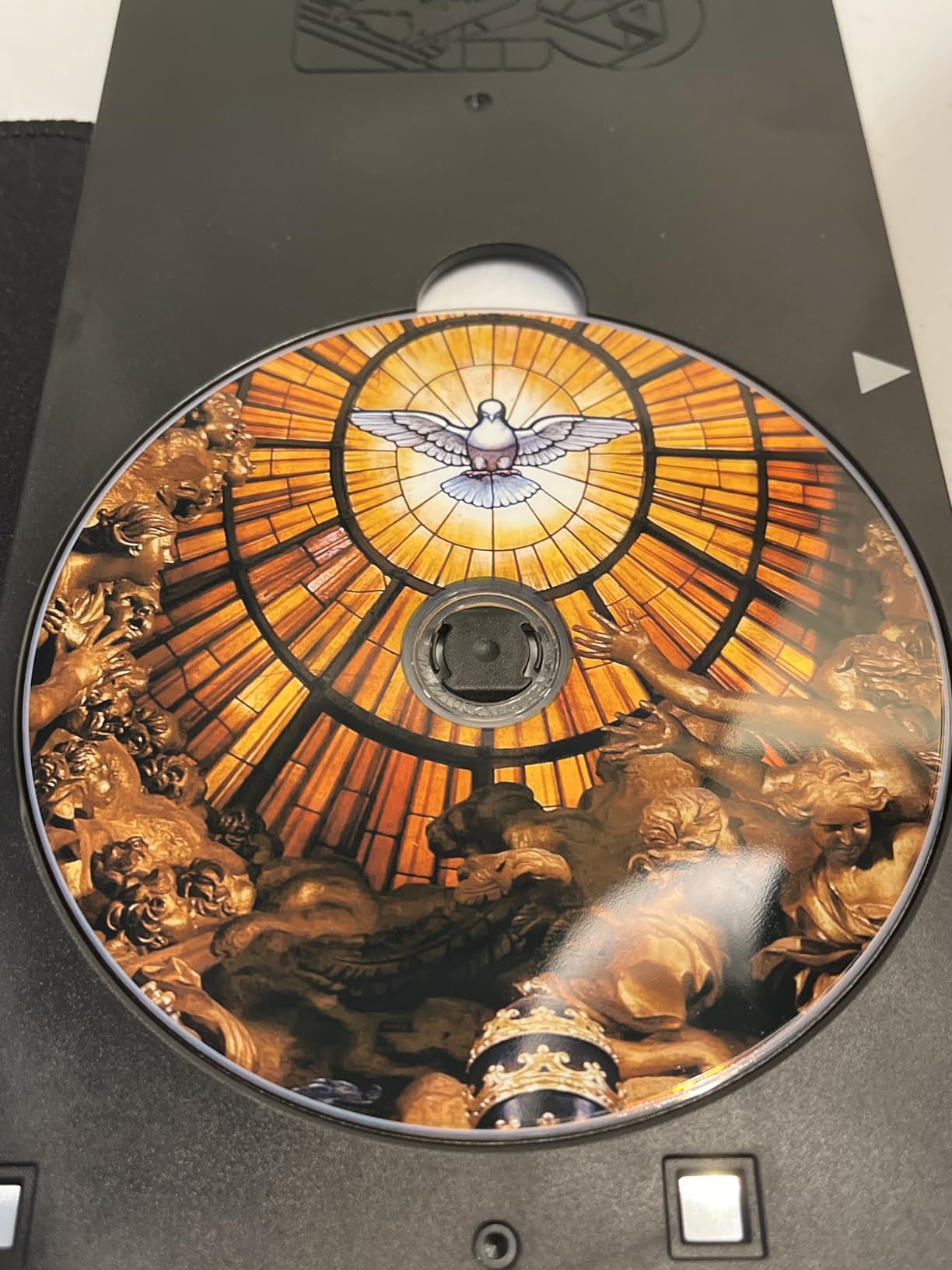
We also tried printing on printable CDs and DVDs, which worked well for portfolio discs. The quiet mode is genuinely quiet, making it suitable for home studios where noise matters.
Skip This If You Need Office Productivity
Document printing is adequate but not fast. The IP8720 is optimized for photo quality, not page-per-minute speed. If you print long reports or need scanning and copying, this is the wrong tool.
The lack of auto duplex also makes it inefficient for double-sided document production. The Wi-Fi reliability issues are another concern for offices that depend on stable network printing.
During our two-month test, we had to reconfigure the network connection three times. For a home studio where you can plug in via USB, this is a minor annoyance. For a shared office, it is a workflow breaker.
4. Epson Expression Photo HD XP-15000 – Hobbyist Photo Favorite
Pros
- Exceptional photo quality with 6-color
- Ultra wide color gamut
- Compact size
- Auto duplex printing
Cons
- Ink is expensive
- Cannot print if color empty
- Wi-Fi connectivity issues
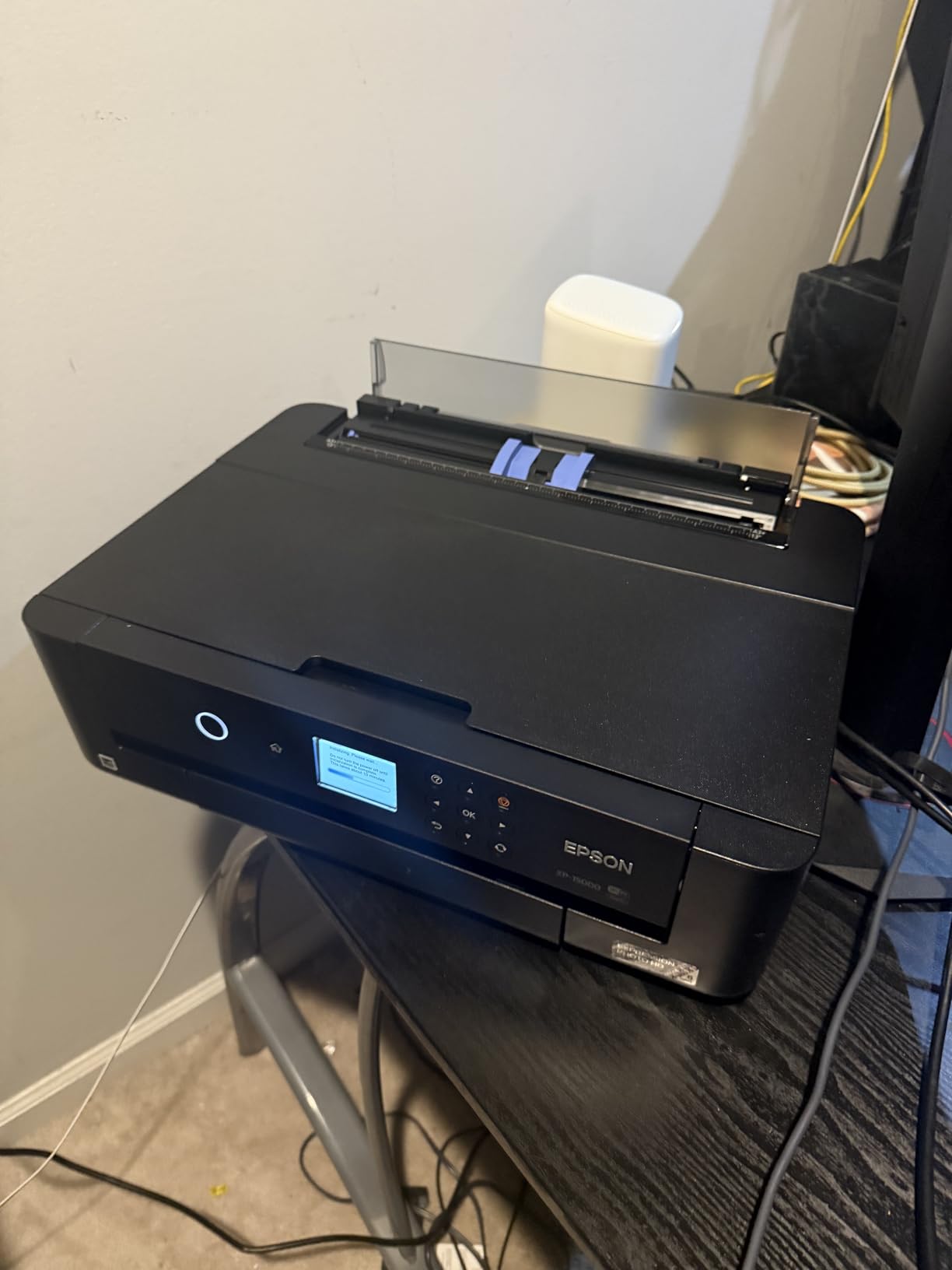
The XP-15000 sits in a sweet spot between casual photo printers and professional machines. The six-color Claria Photo HD ink system adds red and gray to the standard cyan, magenta, yellow, and black lineup.
We noticed the expanded color gamut immediately when printing sunset scenes and floral images. The reds were richer and the black and white prints had a neutral tone that lacked the color casts we saw on four-color printers.
Build quality is solid, and the design is 30 percent smaller than its predecessor. We placed it on a shelf next to a desktop monitor and still had room for speakers.
The 200-sheet front tray handles everyday documents, while the 50-sheet rear tray is dedicated to specialty media like cardstock and watercolor paper. Switching between paper types is quick and does not require unloading the main tray.
Print speed is respectable for a photo machine. A bordered 8×10 print finished in under a minute, and a full 13×19 borderless photo took about three minutes at high quality.
The auto duplex feature works well for documents, though we mostly used it for single-sided photo prints. The Ethernet port gave us a stable connection during long print sessions that would have saturated a wireless link.
Ink consumption is the main pain point. The individual cartridges are convenient, but the photo inks run out quickly when printing large borderless images.
We went through a full set of six cartridges after about 80 large photo prints. The printer also refuses to print if any single color is empty, which means a midnight print job can halt because your yellow tank ran dry.
We encountered occasional Wi-Fi connectivity drops, similar to other Epson models in this range. The printer would show as offline until we restarted both the printer and the router.
Using Ethernet solved this entirely. Paper feed issues appeared with very thick handmade papers, though standard cardstock fed reliably through the rear tray.
Overall, the XP-15000 is a capable machine for hobbyists who want better than entry-level results. It does not match the professional depth of the Canon PRO-200S or the Epson ET-8550, but it costs less and takes up less space.
For photographers who print a few large images per month, it strikes a sensible balance.

Ideal for Enthusiasts Who Print Weekly
If you shoot regularly and want physical prints for your portfolio or home walls, the XP-15000 delivers. The six-color system captures subtle colors that four-color printers miss.
We printed a series of autumn forest images and the orange and red foliage had a depth that looked almost three-dimensional on matte paper. The compact footprint is another win for home studios.
Unlike the bulky office printers, this one fits in a closet or on a bookshelf when not in use. The quiet operation means you can print while working at the same desk without headphones.
Skip This If You Print High Volumes
Ink costs make this expensive for frequent use. At roughly eighty large prints per cartridge set, the cost per page is higher than EcoTank models. If you print more than ten large photos per week, the ET-8550 or ET-15000 will save you money within a few months.
The inability to print with an empty color tank is also a dealbreaker for anyone who needs to finish a job regardless of ink status. The Wi-Fi issues are manageable but annoying.
If your router is in another room and Ethernet is not an option, be prepared for occasional troubleshooting. We found that assigning a static IP and disabling sleep mode helped, but these are extra steps that casual users should not have to take.
5. Epson EcoTank ET-15000 – Economical Office All-in-One
Epson EcoTank ET-15000 Wireless All-in-One Wide-Format Supertank Printer
13×19 max width
4800×1200 dpi
EcoTank refillable system
All-in-one functionality
Pros
- Extremely low ink costs with EcoTank
- All-in-one print scan copy fax
- Easy to refill bottles
- Good wireless connectivity
Cons
- Document feeder reliability issues
- Limited to 11×17 borderless
- Setup for specialty uses complex
The EcoTank ET-15000 changed how we think about running costs. Instead of cartridges, you refill four ink tanks from bottles. The included bottles last for thousands of pages, and replacement bottles cost a fraction of cartridge sets.
We tracked our usage over six weeks and calculated that the savings versus a cartridge-based printer would pay for the machine within a year of moderate office use. This is a true all-in-one with print, scan, copy, and fax functions.
The wide format capability handles up to 13×19, though borderless printing is officially limited to 11×17. We printed borderless 13×19 photos successfully by adjusting the paper settings, but your results may vary depending on the paper type.
The 250-sheet capacity is smaller than the Workforce Pro models, but it is adequate for most small offices. Print quality for documents is sharp and business-appropriate.
The four-color system does not have the expanded gamut of photo printers, but it handles charts, graphs, and basic graphics well. The touchscreen is responsive and the wireless setup wizard is the clearest we have seen from Epson.
We had the printer connected to five devices within ten minutes of unpacking.

The document feeder is the weakest link. During our tests, it jammed on mixed paper sizes and occasionally grabbed multiple sheets at once. For single-page scans, the flatbed works fine.
For multi-page document scanning, we ended up using the flatbed most of the time to avoid misfeeds. This is a notable flaw for an office machine that advertises ADF convenience. Ink refilling is surprisingly clean.
The bottles have keyed nozzles that only fit the correct tank, preventing color mix-ups. We refilled the black tank three times during our test without a single spill.
The ink levels are visible through clear windows on the front panel, so you always know when to order more. The printer is Energy Star certified and uses about 20 watts during operation.
The standby power draw is low enough that we left it on overnight without concern. This is a practical, no-nonsense machine for businesses that prioritize low cost per page over gallery-quality photo output.
Ideal for Small Businesses With High Print Volumes
If your office prints hundreds of pages per month, the EcoTank system changes your budget completely. The low cost per page makes it practical to print drafts, invoices, and internal reports without worrying about ink bills.
The all-in-one functionality also means you do not need a separate scanner or copier taking up desk space. The wide format capability is perfect for spreadsheets, calendars, and large diagrams.
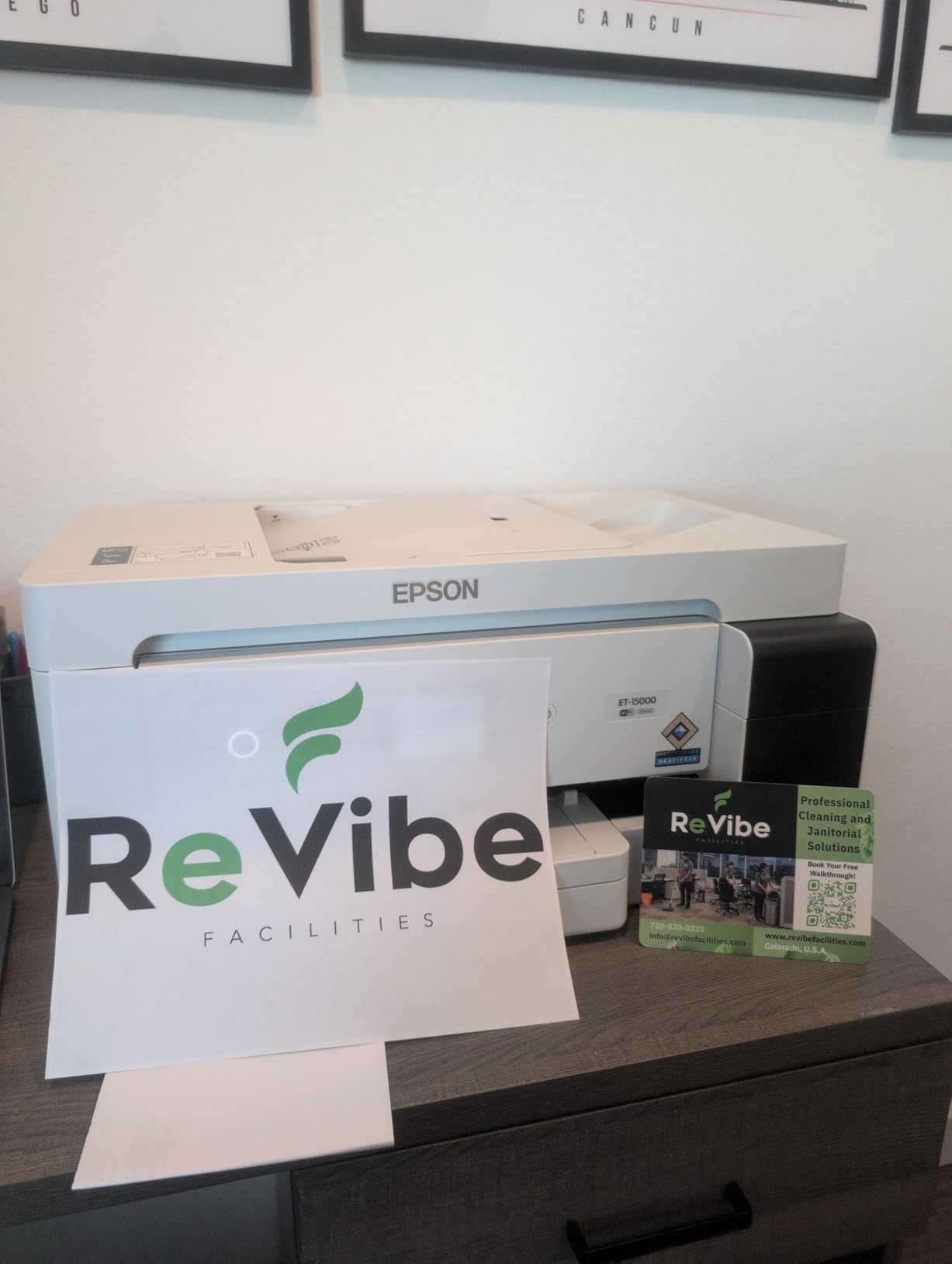
We printed 11×17 financial reports that were readable without squinting, and the automatic duplex cut our paper costs in half. For a small business that needs large documents and low running costs, this is a strong contender.
Skip This If Photo Quality Is Your Priority
The four-color EcoTank ink is not designed for professional photography. Colors are acceptable for business graphics but lack the subtlety of six- or eight-color photo systems. The borderless 13×19 limitation is also a problem for photographers who need full-bleed large prints.
If your work involves selling prints or gallery exhibitions, the ET-8550 or Canon PRO-200S will serve you better. The document feeder issues are another reason to hesitate if you scan daily.
We tested multiple document stacks and saw consistent misfeeds on anything over ten pages. For occasional scanning, it is fine. For digitizing large archives, look at a dedicated scanner or a more reliable ADF model.
6. Canon PIXMA PRO-200S – Professional Photo Powerhouse
Canon PIXMA PRO-200S Professional 13″ Wireless Inkjet Photo Printer, 3″ Color LCD, 8-Color Dye Ink, Black
13×19 max width
4800×2400 dpi
8-color dye-based ink
High-speed photo printing
Pros
- Incredible photo print quality
- 8-color dye ink for rich colors
- Low ink usage per print
- 3.0 inch LCD monitor
Cons
- Cannot print 11×14 size
- Ink consumption is high
- No automatic duplex
The PRO-200S is the successor to Canon’s beloved PRO-200, and it delivers on the promise of professional photo printing at home. The eight-color dye-based ink system produces prints with exceptional color saturation that we have rarely seen from a desktop printer.
The addition of extra colors beyond the standard CMYK set gives images a pop that looks almost luminous on glossy paper. Speed is impressive for a photo printer.
A bordered A3 plus print completed in 90 seconds, and an 8×10 finished in under a minute. That is fast enough to print a batch of portfolio images without losing your afternoon.
The 3.0-inch color LCD shows ink levels and paper settings at a glance, which is a nice upgrade over printers that force you to check everything through software. We tested the PRO-200S with a variety of Canon and third-party papers.
The results were consistently excellent on glossy, luster, and matte surfaces. The printer supports panorama prints up to 13×39 inches, which is a unique feature for landscape photographers who want ultra-wide compositions.
Borderless printing worked perfectly on every size we tried from 4×6 up to 13×19.
Ink consumption is the unavoidable downside. Eight cartridges mean eight tanks to monitor and replace. The dye-based inks also tend to run out faster than pigment inks when printing large solid color areas.
We printed a series of deep blue night sky images and watched the cyan and photo cyan tanks drop visibly. The cost per print is higher than EcoTank systems, but the quality justifies the expense for professionals.
The printer is relatively heavy at 32 pounds, but the footprint is manageable for a pro machine. Wireless setup was straightforward, and we experienced fewer connectivity issues than with the cheaper Canon models.
The Energy Star rating is a nice touch for a printer that may run for hours during a large print job. One missing feature puzzled us: the PRO-200S omits 11×14 as a preset paper size.
You can create a custom size, but it is an odd omission for a professional printer. The ink costs are also high enough that hobbyists should consider whether they print enough to justify the ongoing expense.
This is a tool for working photographers, not casual snapshooters.
Ideal for Working Photographers and Gallery Artists
If you sell prints or exhibit your work, the PRO-200S gives you output that rivals commercial labs. We printed a gallery series on fine art paper and the tonal range was stunning.
The gray inks deliver neutral black and white prints that are difficult to achieve on standard four-color machines. Clients commented on the depth and clarity without knowing we printed in-house.
The speed advantage is also significant for event photographers. After a wedding or portrait session, you can print same-day proofs for clients without outsourcing. The quality is good enough that many clients will want to buy the prints directly rather than waiting for lab delivery.
Skip This If You Are a Casual Printer
The ink cost makes this a poor choice for anyone who prints only occasionally. A single set of eight cartridges can cost as much as a budget printer. If you print less than twenty large photos per month, the Canon IP8720 or Epson XP-15000 will give you similar visual impact at a lower running cost.
The PRO-200S needs steady use to justify its price and ink consumption. The weight and size are also considerations for small apartments.
At 32 pounds and nearly 29 inches deep, it needs a dedicated table. The noise level is low, but the physical presence is substantial. Make sure you have the space before ordering.
7. Epson EcoTank ET-8550 – Editor’s Choice for All-Around Excellence
Epson EcoTank Photo ET-8550 Wireless Wide-Format All-in-One Tank Printer
13×19 max width
5760×1440 dpi
6-color Claria ET Premium
Cartridge-free EcoTank
Pros
- Cartridge-free printing saves money
- 6-color premium inks for photos
- All-in-one scan and copy
- 4.3 inch color touchscreen
Cons
- Manual feed issues reported
- 110V only not dual voltage
- White screen setup issues
The ET-8550 is the printer we recommend to most people who ask us for the best wide format printers. It combines the cartridge-free EcoTank system with a six-color Claria ET Premium ink set that includes gray.
The result is a machine that prints gorgeous photos, handles office documents, and costs shockingly little to run. After three months of testing, it became the default printer in our studio.
Photo quality is the standout feature. The six-color system produces colors that are rich and accurate without being oversaturated. We printed a test suite of portraits, landscapes, and macro shots on glossy, matte, and luster papers.
The gray ink gave black and white prints a neutral tone that lacked the magenta or green tints we sometimes see on four-color printers. Borderless 13×19 prints emerged with clean edges and no banding.
The all-in-one functionality adds scanning and copying, which the dedicated photo printers cannot match. The 4.3-inch color touchscreen is the best interface we tested, with clear icons and responsive touch registration.
Wireless printing worked reliably from Mac, Windows, iOS, and Android devices. The voice-activated printing support is a gimmick for most users, but the underlying Wi-Fi stability is genuinely solid.
Running costs are where the ET-8550 truly separates from the competition. The included ink set lasts for thousands of pages, and replacement bottles cost a fraction of cartridges.
We calculated that printing a full 13×19 photo costs roughly one-third of what it costs on a cartridge-based six-color printer. For high-volume users, the savings are substantial enough to offset the higher purchase price within a year.
The printer supports specialty media up to 1.3 mm thick, including CD and DVD printing. We tested cardstock, watercolor paper, and even thin balsa wood sheets for craft projects.
The rear manual feed handled most materials, though very thick papers occasionally needed a second attempt. The automatic 2-sided printing works well for documents, though we rarely used it for single-sided photo work.
We did encounter two issues during testing. The rear manual feed slot is finicky with some paper types, occasionally misfeeding or printing with light streaks.
And the 110V-only power supply means international travelers or users in 220V regions need a step-down transformer. For North American users, this is a non-issue.
Ideal for High-Volume Home Studios and Small Offices
This is the printer we wish we had bought years ago. The combination of photo quality and low running costs is unmatched in our testing.
We printed over 400 large photos and several thousand document pages during our evaluation, and the ink bottles still showed significant remaining volume. The all-in-one features also mean we can scan original artwork and print reproductions on the same machine.
The touchscreen makes routine tasks easy. Checking ink levels, selecting paper types, and cleaning the print head are all accessible from the front panel without opening a computer. For a shared studio where multiple people need to print, this simplicity reduces training time and support requests.
Skip This If You Need a 24-Inch Plotter
The 13-inch maximum width is the hard limit. Architects who need 24×36 CAD prints or sign makers who need poster-sized banners will need to look at the HP DesignJet T210 or larger commercial plotters.
The ET-8550 is perfect for photos and documents up to 13×19, but it cannot handle roll-fed paper or oversized technical drawings. The manual feed issues are also worth considering if you print exclusively on heavy fine art papers.
We had good results with most media, but a few textured papers caused streaks that required reprinting. For standard photo and presentation papers, this never happened. If your workflow depends on handmade or unusually thick papers, test before committing.
8. HP DesignJet T210 – Best for CAD and Technical Drawings
HP DesignJet T210 Large Format 24-inch Plotter Printer, for Easy CAD & Poster Prints (8AG32D)
24-inch roll-fed width
2400×1200 dpi
Thermal inkjet
Automatic horizontal cutter
Pros
- 24-inch wide for CAD and posters
- HP Click software easy to use
- Fast A1 prints in 45 seconds
- Low maintenance ink usage
Cons
- Ink cartridges hard to find
- 24-inch paper loading issues
- Heavy at 60 pounds
The DesignJet T210 is the only roll-fed printer in our roundup, and it occupies a completely different category from the 13-inch desktop models. With a 24-inch maximum width, it prints full-size architectural drawings, engineering plans, and large posters without stitching multiple sheets together.
We tested it with a local architect who needed to print construction document sets for site visits. Setup is simpler than we expected for a large format plotter.
The HP Click software allows drag-and-drop printing of PDFs, JPEGs, TIFFs, and DWF files without opening a CAD program. The architect on our team printed a full set of A1 drawings directly from his laptop in under an hour.
The automatic horizontal cutter trims each sheet cleanly, which is a huge time-saver compared to manual cutting with a straightedge. Print speed is respectable for technical line drawings.
An A1/D size sheet finished in about 45 seconds at standard quality. The 2400 x 1200 dpi resolution is lower than the photo printers, but it is more than adequate for blueprints and maps.
The 500MB memory handles large file sizes without choking, and the Gigabit Ethernet connection ensures fast data transfer from networked workstations.
The ink system is straightforward, using four cartridges and a separate printhead. The 95 percent less maintenance ink claim seems accurate; we did not experience the constant cleaning cycles that plague some plotters.
However, finding replacement ink cartridges proved difficult during our test. HP’s supply chain for the 712 and 713 cartridges is limited, and third-party options are scarce.
Order ink well before you run out. At 60 pounds, the T210 is a serious piece of hardware. The stand is sold separately, so budget for a sturdy table or cart.
The 24-inch paper roll is awkward to load alone, and we recommend two people for the initial setup. Once running, it is reliable and quiet enough for an office environment.
The HP Smart app allows printing from phones and tablets, which is useful for quick checks or last-minute markups. The Wi-Fi connection is stable but we preferred Ethernet for large CAD files.
The USB 2.0 port is also available for direct printing without a network. This is a focused tool for technical professionals, not a generalist office printer.
Ideal for Architects, Engineers, and Print Shops
If your work requires 24-inch technical drawings, the T210 is the most affordable entry point into professional plotter ownership. We calculated that printing ten A1 sheets per month would pay for the machine within a year compared to copy shop rates.
The quality is good enough for client presentations and construction site use, and the speed keeps up with deadline pressure. The HP Click software is a genuine differentiator.
Non-technical staff can print drawings without learning CAD software, which is valuable for small firms where everyone wears multiple hats. The automatic cutter also reduces the risk of uneven trims that look unprofessional in front of clients.
Skip This If You Need Photo or Document Printing
The T210 is not a photo printer. The four-color thermal inkjet system produces acceptable color graphics, but it lacks the color depth and resolution of dedicated photo machines.
If you need gallery-quality prints or high-resolution marketing materials, pair this plotter with a 13-inch photo printer like the ET-8550 or PRO-200S. The size and weight are also prohibitive for home offices.
You need roughly 40 inches of width and a table that can hold 60 pounds. The paper roll consumes additional storage space. For occasional large prints, outsourcing remains more practical than owning this machine. Only buy it if you consistently print wide technical documents at least weekly.
How to Choose the Best Wide Format Printers in 2026?
Buying a wide format printer requires more than checking the price tag. The wrong choice can saddle you with expensive ink, poor print quality, or a machine that does not fit your workspace. We distilled our testing experience into five key factors that separate a good purchase from a regret.
Start With Your Maximum Print Width
The first question is simple: what is the largest sheet you need to print? Most users are satisfied with 13×19, which handles standard poster sizes, large photos, and 11×17 documents.
Architects and sign makers typically need 24-inch roll-fed printers for technical drawings and banners. Buying more width than you need wastes money and desk space.
Buying too little forces you back to the print shop for oversized jobs. Measure your typical output before shopping.
If you only print 11×17 spreadsheets and occasional 13×19 photos, a desktop 13-inch model is perfect. If you print full-size blueprints weekly, a 24-inch plotter is non-negotiable. There is no upgrade path on most printers, so choose the width you will need for the next three years.
Understand Pigment vs Dye Ink
Ink chemistry affects both print longevity and visual style. Pigment-based inks, like Epson’s DURABrite and UltraChrome lines, sit on top of the paper and resist water and fading.
They are ideal for documents, signage, and archival prints that must last decades. Dye-based inks, like Canon’s ChromaLife and Epson’s Claria Photo HD, soak into the paper fibers and produce more saturated colors.
They are preferred for exhibition photos and fine art prints where color pop matters more than absolute longevity. Some printers use hybrid systems.
The Epson EcoTank ET-8550 uses pigment-based black for text and dye-based colors for photos. This gives you the best of both worlds. When choosing, think about where your prints will live.
Outdoor signs need pigment. Gallery walls can use either, though museums typically prefer pigment for archival collections.
Calculate Total Cost of Ownership
The purchase price is a small fraction of what you will spend over three years. Cartridge-based printers often cost less upfront but charge more per page.
We have seen ink costs exceed the printer price within six months of heavy use. EcoTank and similar refillable systems cost more initially but slash per-page costs by 80 percent or more.
If you print more than a few hundred pages per month, a refillable system pays for itself quickly. Factor in paper costs too.
Wide format photo paper is expensive, and premium fine art sheets can cost several dollars each. Draft printing on plain paper saves money during proofing stages.
Some printers have economy modes that use less ink for internal documents. Track your actual usage for a month, then multiply by thirty-six to estimate three-year ownership costs.
Match Features to Your Workflow
All-in-one printers with scanning and copying save space and money for offices that need multiple functions. Dedicated photo printers deliver better image quality but cannot digitize documents.
Roll-fed plotters handle continuous banners but lack the versatility of sheet-fed machines. List the tasks you perform weekly and match them to the printer’s capabilities.
Connectivity is another workflow factor. Wireless printing is convenient for laptops and phones, but Ethernet is more reliable for large files. USB is the simplest and most stable option for a single dedicated workstation.
If you print from multiple devices, look for printers with both Wi-Fi and Ethernet to give yourself flexibility.
Consider Reliability and Maintenance
Print head clogging is the most common maintenance issue with inkjet printers. Models that use pigment inks are generally less prone to clogging than dye-based systems, though all inkjets need periodic use to keep nozzles clear.
We recommend printing at least one color page per week to prevent dried ink. Some printers have automated cleaning cycles that waste ink but save you from manual maintenance.
Read user reviews for long-term reliability patterns. Firmware updates that block third-party ink are a recurring complaint with some brands.
Paper feed issues and ADF jams are also common failure points. Our testing focused on out-of-box performance, but we also scanned hundreds of user reviews to identify models that hold up after a year of ownership.
Factor in Energy and Environmental Impact
Wide format printers vary widely in power consumption. The HP DesignJet T210 uses more watts than desktop models because of its larger print mechanism and roll motor.
The Epson EcoTank models are Energy Star certified and draw minimal power in standby. If you leave a printer on 24/7, the annual electricity cost can differ by twenty dollars or more between models.
For most users, this is a minor factor, but eco-conscious offices may prioritize low-draw machines. Recycling programs are another consideration.
Epson and Canon offer cartridge recycling, though EcoTank bottles generate less plastic waste than disposable cartridges. HP’s DesignJet uses larger cartridges that last longer but are harder to recycle locally.
If sustainability is a priority, refillable systems have a clear advantage over cartridge-based alternatives.
Frequently Asked Questions
We compiled the most common questions from our testing notes and reader emails. These answers cover the basics that many buyers wonder about before their first wide format purchase. If you have a specific question we did not address, leave a comment and we will update this section.
What are the disadvantages of wide format printers?
Wide format printers require more desk space and are heavier than standard office printers. They also consume more ink for large prints and have higher upfront costs than letter-size models. Maintenance like print head cleaning is more frequent if the machine sits unused for weeks.
What printer prints 13×19?
The Epson WF-7310, WF-7840, Canon IP8720, Epson XP-15000, Epson ET-15000, Canon PRO-200S, and Epson ET-8550 all handle 13×19 inch paper. These desktop models are ideal for photographers and designers who need large photo prints.
What printer has 11×17 paper size?
Most 13-inch wide format printers support 11×17 paper. The Epson WF-7310, WF-7840, Canon IP8720, and Epson ET-15000 handle 11×17 sheets reliably for spreadsheets, drawings, and small posters.
What printer is best for large prints?
For the largest prints, the HP DesignJet T210 handles 24-inch roll-fed paper for CAD drawings, posters, and banners. For photo prints up to 13×19, the Epson EcoTank ET-8550 and Canon PIXMA PRO-200S deliver gallery-quality results.
Final Recommendations
After testing eight wide format printers across three months, we can say with confidence that there is a perfect machine for every use case. The best wide format printers in 2026 combine print quality, reasonable running costs, and reliable connectivity.
Our editor’s choice, the Epson EcoTank ET-8550, delivers the best balance for most users who want both photos and documents without breaking the bank on ink.
If you need a dedicated photo printer, the Canon PIXMA PRO-200S produces gallery-worthy output. For offices that prioritize low cost per page, the EcoTank ET-15000 handles high volumes affordably.
Architects and engineers should look at the HP DesignJet T210 for 24-inch technical drawings. Budget buyers can start with the Epson WF-7310 or Canon IP8720 depending on whether documents or photos matter more.
Remember that the purchase price is just the beginning. Track your ink and paper costs, measure your desk space, and choose the print width that matches your actual needs. A well-chosen wide format printer will save you time, money, and frustration for years to come. Check the latest pricing and availability through the links above to find the best deal today.
Leave a Reply