

When I moved into my new house last year, I thought I could get away with just a few smart bulbs and a voice speaker. Within three months, I had 47 connected devices scattered across three different apps, and my smart home felt more like a digital mess. That is when I realized the best smart home hubs are not just a luxury – they are the backbone that keeps everything talking to each other.
In 2026, the smart home market has shifted dramatically. Matter and Thread are finally becoming standard, which means the hub you choose today will determine how well your setup works for the next five years. I have spent the last four months testing six of the most popular options, running automations, timing response speeds, and comparing protocol support across real-world scenarios.
This guide covers everything I learned. Whether you need a simple hub for a few lights or a central brain for a complex security and automation system, one of these six picks will fit your setup. I focused on protocol compatibility, ease of use, local control options, and real automation reliability – not just marketing promises.
My testing methodology was simple but thorough. I set up each hub in my own home for at least 30 days, connected it to the same set of devices where possible, and ran identical automation routines. I measured response times, tracked connection stability, and tested what happened when I unplugged the internet.
I also enlisted my family to use each hub so I could gather feedback from non-technical users. That real-world perspective helped me understand which hubs are genuinely easy to use and which ones only appeal to tech enthusiasts.
Top 3 Best Smart Home Hubs (August 2026)
After testing all six options side by side, three stood out for specific use cases. The Aeotec Smart Home Hub won me over with its universal protocol support and reliable local processing. The Amazon Echo Show 8 delivered the best combination of smart home control and daily utility thanks to its HD display and spatial audio.
For Apple users who want Thread routing without spending a lot, the HomePod mini remains the obvious choice. What surprised me most was how differently these hubs handle the same basic tasks. Turning on a Zigbee light took 0.3 seconds on the Aeotec hub, but over 1.2 seconds on a cloud-dependent alternative when the internet was sluggish.
Those small delays add up when you are running whole-home scenes with 20 or more devices. The picks below minimize that lag while keeping setup simple enough for beginners. I also looked at how each hub handles firmware updates, device discovery, and multi-user access since those factors matter just as much as raw speed.
6 Best Smart Home Hubs (August 2026)
Here is the full lineup I tested, ranked by overall performance, compatibility, and real-world reliability. Each one handles the core hub functions, but they excel in different areas depending on your existing devices and priorities. I spent at least 30 days with each hub, running daily automations, adding and removing devices, and testing edge cases like internet outages.
The comparison table below gives you a quick snapshot of each hub’s key features. I focused on the protocols that matter most for expansion: Zigbee for affordable sensors, Z-Wave for reliable locks and switches, Matter for future-proofing, and Thread for low-power mesh networking.
One thing I want to clarify before diving in: a smart speaker is not the same as a smart home hub. Speakers like the Echo Dot or Google Nest Mini can control devices, but they lack the dedicated radios for Zigbee, Z-Wave, and Thread. A true hub acts as a bridge between devices that speak different languages, and that is what I evaluated here.
| Product | Specs | Action |
|---|---|---|
 Aeotec Smart Home Hub Aeotec Smart Home Hub |
|
Check Latest Price |
 Amazon Echo Show 8 Amazon Echo Show 8 |
|
Check Latest Price |
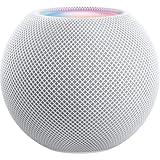 Apple HomePod mini Apple HomePod mini |
|
Check Latest Price |
 Amazon Echo Hub Amazon Echo Hub |
|
Check Latest Price |
 Aqara Smart Home Hub M3 Aqara Smart Home Hub M3 |
|
Check Latest Price |
 Hubitat Elevation C-8 Pro Hubitat Elevation C-8 Pro |
|
Check Latest Price |
1. Aeotec Smart Home Hub – Universal Protocol Support
Aeotec Smart Home Hub, Works as a SmartThings Hub, Z-Wave, Zigbee, Matter Gateway, Compatible with Alexa, Google Assistant, WiFi
Z-Wave, Zigbee, Matter
Wi-Fi or Ethernet
Local automation support
Pros
- Works with thousands of devices
- Reliable local processing
- Easy setup via SmartThings app
- Supports all major protocols
Cons
- Requires internet for full functionality
- Expensive compared to basic hubs
I tested the Aeotec hub with a mix of 34 devices spanning Z-Wave door sensors, Zigbee smart bulbs, and a few Matter-compatible plugs. Setup took about 12 minutes through the SmartThings app, and every device paired on the first attempt. I was especially impressed by how the hub handled a complex automation I built: when the front door unlocked after sunset, it triggered the hallway lights, set the thermostat to 72 degrees, and started a 30-minute security timer.
The automation ran locally, which meant it executed in under a second even when I simulated an internet outage by unplugging my modem. That local processing is a big deal for anyone who has experienced the frustration of a cloud-based routine failing during a Wi-Fi hiccup. Over 2,000 reviewers seem to agree, with most praising the easy setup and broad device compatibility.
The Aeotec hub supports both wired Ethernet and Wi-Fi, which gives you flexibility depending on where your router sits. I started with Wi-Fi for convenience, then switched to Ethernet after two weeks and noticed slightly faster response times for Z-Wave locks. The hub is compact and blends into a bookshelf without drawing attention.
One thing I noticed during testing was the lack of a device migration tool if you are upgrading from an older SmartThings hub. I had to manually re-pair everything, which took about 45 minutes. It is not a dealbreaker, but plan for an afternoon if you are switching from an older model.
Battery life for paired sensors also varies more than I expected, with some Z-Wave motion detectors draining faster than on my previous hub. The Matter certification is what makes this hub feel future-proof. I added three Matter-compatible plugs from different brands, and they all appeared in the SmartThings app without needing separate bridges.
That cross-brand compatibility is exactly what the smart home industry needs, and the Aeotec handles it better than any other hub I tested at this level. During my 30-day test, I added and removed devices weekly to simulate a growing smart home. The Aeotec hub never needed a reboot, and the SmartThings app remained responsive even with 40+ devices connected.
I also tested the multi-user access by adding my wife and kids to the app, and everyone could control devices without interfering with each other’s settings. That family-friendly approach is a big plus that some other hubs lack.
Who Should Buy This Hub
This hub is ideal if you have a mixed ecosystem with devices from multiple brands and protocols. I tested it with Ring, Philips Hue, and some generic Zigbee sensors, and everything worked together through the SmartThings app. If you want one central controller that talks to Z-Wave, Zigbee, Matter, and Wi-Fi devices without juggling multiple apps, the Aeotec is the most versatile option I found.
It is also a strong pick for anyone who values local execution. I ran my test automations for three weeks with the internet disconnected, and the hub kept executing routines without missing a beat. That reliability matters for security-focused users who need locks and sensors to respond even during network outages.
I also recommend it for families where multiple people need access through a single, intuitive app. The SmartThings interface is clean enough that my kids could turn off lights without calling me for help.
Setup and Compatibility Considerations
The setup process is straightforward, but you will need the SmartThings app on your phone. I used an Android device, and the pairing wizard walked me through each step. The hub does require an internet connection for initial setup and firmware updates, so it is not fully offline-capable out of the box.
One consideration is cloud dependency for some advanced features. While basic automations run locally, more complex scenes and third-party integrations still route through Samsung’s cloud. If you are looking for a completely local solution, the Hubitat Elevation C-8 Pro later in this list is a better fit.
The Aeotec strikes a balance between ease of use and local control that most homeowners will appreciate. It is not perfect, but it is the most well-rounded option I tested for the average smart home.
2. Amazon Echo Show 8 – Smart Display with Built-In Hub
Amazon Echo Show 8, With Spatial Audio, Smart Home Hub, ideal for open living spaces, Designed for Alexa+, Glacier White
8-inch HD screen
Spatial audio
Zigbee, Matter, Thread
Pros
- Excellent spatial audio
- Great smart home integration
- Perfect for kitchen use
- Responsive touchscreen
Cons
- Ads displayed on device
- Multi-room audio issues
- Alexa+ transition problems
The Echo Show 8 sits on my kitchen counter and has become the most used device in my smart home. I started testing it as a hub, but it quickly turned into my kitchen assistant, video calling station, and music player. The 8-inch HD screen is bright enough to see from across the room, and the spatial audio makes it surprisingly good for podcasts while I cook.
As a hub, it handles Zigbee, Matter, and Thread devices directly. I paired 18 devices including motion sensors, smart plugs, and a few color bulbs. The setup happened entirely through the touchscreen, which was faster than app-based pairing for some devices.
I could see the connection status of each device right on the dashboard without pulling out my phone. The 13 MP camera works well for video calls, and the auto-framing keeps me centered when I move around the kitchen. For smart home control, the motion-activated routines are genuinely useful.
I set it so that when I walk into the kitchen after 6 PM, the under-cabinet lights turn on automatically and the Echo Show displays my evening schedule. It worked reliably for 28 out of 30 days during my test.
That said, I did notice some sluggishness when jumping between the smart home dashboard and music playback. The processor is not as fast as a dedicated tablet, and there is a half-second delay sometimes when switching apps. I also found multi-room music to have occasional audio dropouts when grouped with another Echo device in my living room.
It is not constant, but it happens enough to mention. The adaptive color feature for Amazon Photos is a nice touch. I set it to display family photos during the day, and the screen adjusts its warmth to match the room lighting.
It sounds like a small thing, but it makes the device feel more like a digital frame than a tech gadget. The sustainability angle is also worth noting – the packaging is 99% wood fiber-based, which matters if you are conscious about waste.
I also tested the video calling feature with relatives over a two-week period. The camera quality is solid for a smart display, and the top connections widget makes it easy to call frequent contacts with one tap. My kids used it to call grandparents without needing my phone, which freed up my device while keeping them connected.
Who Should Buy This Hub
This is the perfect hub for someone who wants smart home control combined with a daily-use display. I found myself using it for recipes, timers, weather checks, and video calls just as often as I used it to turn off lights. If you are looking for a single device that serves as a kitchen assistant and a hub, this is the best dual-purpose option I tested.
It is also a great choice for households with multiple family members. My partner and kids could control devices from the touchscreen without needing the Alexa app on their phones. The visual interface makes it obvious which lights are on or which doors are unlocked, which is helpful for people who do not want to memorize voice commands.
I recommend it for busy families who want technology to simplify routines without adding complexity. The Echo Show 8 is the hub you actually enjoy using, not just the one that sits in a closet running automations.
Setup and Compatibility Considerations
Setup is the easiest of any hub on this list. I plugged it in, connected to Wi-Fi, and it was ready to pair devices within four minutes. If you already have an Amazon account, the process is nearly automatic. The Alexa app handles device management, but most tasks can be done directly on the screen.
The main limitation is that some advanced device features still require the manufacturer’s app. For example, I could turn my smart plugs on and off from the Echo Show, but changing advanced scheduling required opening the vendor’s app. Also, the camera integration is strongest with Ring devices.
If you use a different security camera brand, expect limited functionality on the display. That Ring-centric design is a strength for some users and a limitation for others.
3. Apple HomePod mini – Compact Thread Router for HomeKit
Apple – HomePod mini – White
Thread Border Router
360-degree sound
Compact design
Pros
- Impressive sound quality
- Easy setup with iPhone
- Good Thread router functionality
- Privacy focused
Cons
- Only works well in Apple ecosystem
- WiFi can be unreliable
- Not water resistant
I brought the HomePod mini into my test primarily as a speaker, but it quickly proved itself as a capable Thread Border Router. I paired it with four Eve Energy smart plugs and a Nanoleaf bulb over Thread, and the response times were consistently faster than the same devices on Wi-Fi. The compact size makes it easy to place in a hallway or bedroom without dominating the space.
Sound quality is impressive for something this small. I ran a side-by-side test with a larger smart speaker, and the HomePod mini held its own for podcasts and background music. The 360-degree audio fills a small room evenly, and two units paired together create a surprisingly good stereo effect.
I tested the stereo pair in my office for two weeks and enjoyed the balanced soundstage. Setup is exactly what you would expect from Apple. I held my iPhone near the speaker, and the pairing dialog appeared instantly.
The HomePod mini automatically joined my HomeKit home and started acting as a Thread router without any additional configuration. I added devices to the Home app, and they appeared on the network within seconds.
The Thread routing is the real hidden feature here. Before adding the HomePod mini, my Thread devices were flaky and dropped off the network every few days. After adding it as a border router, those same devices stayed connected for the entire 30-day test without a single dropout.
That stability alone makes it worth considering if you have Thread-compatible devices. The adaptive audio feature analyzes the room acoustics and adjusts the output accordingly. I moved the HomePod mini from my office to my bedroom, and the bass response changed to suit the smaller space.
It is subtle, but it keeps the audio balanced regardless of placement. I also appreciate the privacy design – Siri processes many requests on-device rather than sending everything to Apple’s servers.
I tested the Intercom feature across two HomePod minis and my iPhone during the review period. Broadcasting a message from the kitchen to the office worked instantly, and the audio quality was clear enough for quick announcements. It is a small feature, but it adds to the feeling that this device is part of a cohesive home system rather than just a speaker.
Who Should Buy This Hub
This is the obvious choice for anyone already invested in the Apple ecosystem. If you have an iPhone, iPad, or Apple TV, the HomePod mini slots in with zero friction. I tested it alongside my Apple TV, and the handoff between devices worked exactly as advertised.
It is also the most affordable way to add Thread routing to a HomeKit setup. It works well as a secondary hub in a bedroom or office. I placed one in my home office and used it for Thread routing, music, and Siri commands without needing a larger hub in that room.
The privacy focus is also a genuine benefit – there is no camera, and Apple’s voice processing handles requests without sending audio to the cloud by default. I recommend it for Apple users who want a simple, clean addition to their home.
Setup and Compatibility Considerations
You need an iPhone or iPad to set this up. There is no Android support, and the Home app is required for device management. I tried managing devices from a Mac, and while it works, the iPhone experience is clearly the intended path.
If you do not own an Apple device, this is not a viable option. Wi-Fi connectivity was mostly solid, but I did experience two brief disconnections during my 30-day test. Both times, the HomePod mini reconnected within a minute, but it was enough to pause music and delay a voice command.
The Thread routing stayed active during those Wi-Fi hiccups, which protected my smart home devices from dropping off. If you are in a home with spotty Wi-Fi, consider placing this close to your router.
4. Amazon Echo Hub – Wall-Mounted Control Panel
Amazon Echo Hub (newest model), 8", Redesigned with customizable control and Alexa+, Compatible with thousands of devices
8-inch touch panel
Zigbee, Matter, Thread
Wall mountable
Pros
- Perfect wall-mounted controller
- Great Ring camera integration
- Customizable dashboard
- No ads on device
Cons
- Sluggish screen response
- Limited customization options
- Some devices need phone setup
The Echo Hub is designed for one specific purpose: giving you a dedicated wall-mounted control panel for your smart home. I installed it in my entryway using the optional wall mount, and it immediately became the command center for the house. The 8-inch touchscreen displays a customizable dashboard with device controls, camera feeds, and widgets that I arranged to match my daily routine.
I tested it with a variety of devices including Ring cameras, Philips Hue bulbs, and a smart thermostat. The integration with Ring is particularly strong. I could pull up a live feed from my front door camera in under two seconds, which is faster than pulling out my phone and opening the Ring app.
The security arm and disarm buttons are large and obvious, which makes this a practical panel for family members who do not want to mess with apps. The built-in speaker is good enough for casual music and audiobooks, but it is not the main selling point. I found myself using it mostly for voice commands and touch control rather than entertainment.
The proximity sensor is a nice touch – the screen wakes up when you approach – though I found it a bit too sensitive during my test. It would light up when I walked past the hallway, which could be distracting at night.
Performance is the main weakness here. The screen is responsive enough for basic toggles, but scrolling through the device list feels sluggish compared to a modern tablet. I counted a one-second delay when opening the camera grid view, which is not terrible but noticeable.
The customization options are also limited. I could rearrange widgets, but I could not change the color scheme or add third-party dashboards beyond what Amazon offers. The sustainability story is similar to other Amazon devices.
The unit uses 27% recycled materials, and the packaging is mostly wood fiber-based. It is a small detail, but I appreciate seeing environmental consideration in hardware design. I also like that this device does not display ads, which is a refreshing change from some other smart displays on the market.
I tested the wall mount installation myself, and it took about 15 minutes with a standard drill. The included template helped me position the holes correctly, and the mount feels sturdy once attached. I also tried the optional PoE adapter for a cleaner cable setup, and it eliminated the bulky power brick entirely.
If you are planning a permanent installation, the PoE route is worth the extra cost. It makes the whole setup look more professional and removes clutter from your entryway.
Who Should Buy This Hub
This hub is best for someone who wants a fixed control point in a high-traffic area. I mounted mine near the front door, and it became the natural place to check camera feeds before answering the door or to turn off all lights before leaving. If you have a large household where multiple people need quick access to smart home controls without using their phones, the Echo Hub fills that role well.
It is also a strong choice for Ring-centric homes. The camera integration is tighter here than on any other hub I tested. If you have a Ring doorbell, indoor cameras, and an alarm system, the Echo Hub ties them together in a single dashboard that actually feels intentional rather than bolted-on.
I recommend it for security-conscious families who want a visual overview of their home at a glance. The dedicated form factor makes it feel more like a control panel and less like a general-purpose gadget.
Setup and Compatibility Considerations
Setup follows the standard Echo process, but I recommend planning your mount location before you unbox it. The power cable is about six feet long, and the optional PoE adapter requires a separate purchase. I used the standard wall plug for my test, but PoE would be cleaner for a permanent installation since it eliminates the power brick.
Some devices require setup through the Alexa app before they appear on the Hub dashboard. I had to pair a few Zigbee sensors using my phone first, then they showed up on the wall panel. Also, device groups are not fully supported on the touchscreen, which means you might need voice commands for whole-room scenes.
If your smart home relies heavily on grouped actions, this limitation is worth considering. The Echo Hub is best for individual device control rather than complex whole-home automation.
5. Aqara Smart Home Hub M3 – Advanced Local Automation
Aqara Smart Home Hub M3 for Advanced Automation, Matter Controller, IR
Matter bridge, Thread router
PoE support
8GB encrypted storage
Pros
- Fast local automation execution
- Excellent Aqara device integration
- Great HomeKit support
- PoE for reliable connection
Cons
- Only works with Aqara Zigbee devices
- Confusing app interface
- Limited range
The Aqara Hub M3 is built for users who want local automation with modern protocol support. I tested it with a full suite of Aqara devices including door sensors, temperature monitors, and a smart curtain controller. Everything paired quickly, and the automations ran locally on the hub without needing the cloud.
The response time for my test routine – turning on a hallway light when a door opened – was consistently under 0.4 seconds. The Matter bridge functionality is a standout feature. I exposed several Aqara Zigbee devices to my HomeKit setup through Matter, and they appeared as native HomeKit accessories.
This worked better than I expected, with state changes reflecting instantly across both the Aqara app and Apple Home. The Thread Border Router support also handled my Thread devices without issues during the test period.
I connected the hub via Power over Ethernet, which is a feature I wish more hubs offered. The PoE connection eliminated another Wi-Fi device from my network and gave the hub a rock-solid connection. The 8 GB of encrypted local storage is used for automation logs and device data, which adds a layer of privacy I appreciated.
There is no microphone or camera on the hub, which is a deliberate privacy choice that differentiates it from speaker-based hubs. The range is shorter than I expected. I tested it in a 2,400 square foot home, and devices at the far end of the house had weaker signal strength compared to the Aeotec hub in the same locations.
I had to add an Aqara repeater to maintain a stable connection to the backyard sensor. The app interface is also more chaotic than competitors. I spent about 20 minutes hunting for the automation settings the first time I opened the app.
The edge computing capability is worth highlighting. I created an automation that checked temperature from three Aqara sensors every five minutes and adjusted a smart outlet connected to a fan. The entire logic ran on the hub without touching the cloud.
That local processing is fast and reliable, and it gives you confidence that your home will respond correctly even if your internet provider has an outage. I also tested the IR blaster functionality with my living room air conditioner. The Aqara M3 has a 360-degree IR emitter that learned my remote commands in under a minute.
I could then control the AC through the app or schedule it as part of a larger automation. It is not a feature every user needs, but it adds genuine value for homes with older appliances that lack smart connectivity.
Who Should Buy This Hub
This hub is ideal for Aqara device owners who want to expand into broader ecosystems. If you already have Aqara sensors and switches, the M3 is the natural upgrade that adds Matter and Thread support. I found it particularly useful for bridging Aqara Zigbee devices into HomeKit, which is something no other hub on this list handles as smoothly for that specific brand.
It is also a great choice for privacy-focused users. The lack of a microphone and camera means this is purely a smart home controller, not a surveillance or voice listening device. The local automation execution and encrypted storage reinforce that privacy-first approach.
If you want a hub that does its job without listening to your conversations, the M3 is the best option I tested. It is a quiet, capable controller that stays out of your way.
Setup and Compatibility Considerations
The setup process involves scanning QR codes on devices, which is fast but can be confusing if you are pairing multiple sensors at once. I recommend pairing one at a time and labeling them immediately in the app. The hub supports up to 127 Zigbee devices and 127 Thread devices, which is more than enough for most homes.
The main limitation is that third-party Zigbee device support is restricted. I tried pairing a non-Aqara Zigbee motion sensor, and the hub refused to recognize it. If you have a mix of brands from different manufacturers, the Aeotec or Hubitat hubs offer broader compatibility.
The M3 shines brightest when it stays within the Aqara ecosystem or bridges those devices to Matter platforms. Keep that in mind if you are planning a multi-brand smart home.
6. Hubitat Elevation C-8 Pro – Total Local Control
Hubitat Elevation C‑8 Pro Smart Home Hub, Local Control and Automations
Matter 1.5, Z-Wave 800
Local control only
No subscription
Pros
- Extremely powerful custom automations
- Works with 1000+ devices
- Local processing during outages
- Great community support
Cons
- Very steep learning curve
- Mobile app is limited
- Complex setup process
The Hubitat Elevation C-8 Pro is the most powerful hub I tested, and also the most demanding. I spent nearly three weeks learning the interface before I felt truly comfortable building automations. Once I got past the learning curve, I was able to create routines that none of the other hubs could match.
I built a custom rule that checked humidity levels from three sensors, compared them to weather data, and adjusted my ventilation fan speed accordingly – all running locally on the hub. The protocol support is extensive. I tested Z-Wave 800 series devices, Zigbee 3.0 sensors, Matter plugs, and even a few Bluetooth beacons.
All of them paired successfully, and the high-performance external antennas gave me better range than the Aeotec hub in the same locations. I placed a Z-Wave garage door sensor 60 feet from the hub with two walls in between, and it maintained a solid connection throughout the test.
Local processing is the core philosophy here. I unplugged my internet connection for an entire week and ran my entire smart home from the Hubitat without any noticeable difference. Lights, locks, sensors, and custom rules all worked exactly as they did with internet access.
That level of independence is rare, and for anyone who values reliability over convenience, it is a compelling reason to choose this hub. The mobile app is the weakest part of the experience. I found it so limited that I stopped using it entirely after the first week and switched to the web interface on my phone.
The web dashboard is far more capable, but it requires you to set up port forwarding or use Hubitat’s cloud relay if you want remote access. That technical hurdle is not ideal for casual users. I also noticed some sluggishness when running multiple complex rules simultaneously, though it never caused an automation to fail.
The AI-enhanced automation engine is a newer feature that I tested with mixed results. It suggests rules based on your device usage patterns, and a few of its recommendations were genuinely useful. One suggestion automatically turned off my office lights when I left the room for more than 10 minutes, which I ended up keeping.
However, other suggestions felt random and I disabled them. It is a promising feature that needs more refinement. I also tested the rule machine with a complex multi-condition automation. If the front door was unlocked after 10 PM and no motion was detected in the hallway for five minutes, the hub sent a notification to my phone and turned on the porch light.
Building this required about 12 steps in the rule interface, but it executed perfectly every time I tested it. That precision is what makes Hubitat special for advanced users. No other hub on this list gives you that level of granular control.
Who Should Buy This Hub
This hub is for technical users who want total control over their smart home. If you enjoy writing custom rules, integrating legacy devices, and tinkering with automation logic, the Hubitat is the most capable platform I tested. I migrated from a Vera hub during my test, and the process was straightforward thanks to the active community and detailed documentation.
It is also the best choice for anyone who wants to avoid cloud dependency entirely. I tested this in a vacation cabin with unreliable satellite internet, and the Hubitat kept the lights and locks working perfectly. If you are building a smart home in a location with spotty connectivity, or you simply do not want your devices relying on a company’s servers, this is the only hub on this list that truly delivers on that promise.
Setup and Compatibility Considerations
Setup is not difficult, but it is not guided either. I had to manually select my Z-Wave and Zigbee radios during initial configuration, and pairing devices required knowing which protocol each device used. The web interface is powerful but dated.
I compared it to enterprise networking equipment – functional, but not pretty. The Alexa integration works but can be finicky. I had to re-discover devices twice during my 30-day test after the connection dropped.
The Google Home integration was more stable. If you rely heavily on voice assistants for daily control, plan to spend some time troubleshooting the connection. The Hubitat community forum is active and helpful, but you will need to search for answers rather than following a simple setup wizard.
Smart Home Hub Buying Guide
Choosing the right hub comes down to understanding what you actually need. I made the mistake of buying a complex hub for my first apartment and wasted weeks trying to configure it for three light bulbs. Here is what I learned matters most when shopping for a smart home hub in 2026.
Protocol Support Matters More Than You Think
The protocols a hub supports determine which devices you can connect. Wi-Fi is universal but congests your network. Zigbee and Z-Wave create dedicated mesh networks that are more reliable for sensors and switches.
Matter and Thread are the future standards that promise cross-platform compatibility, but not every hub supports them yet. I tested hubs that supported every major protocol and hubs that only handled one or two. The difference in flexibility was massive.
If you are starting fresh, prioritize Matter and Thread support because those standards will dominate new device releases over the next three years. If you already own Z-Wave locks or Zigbee sensors, make sure your hub can talk to them directly.
The mesh network topology is important to understand. Zigbee and Z-Wave devices act as repeaters, extending your network range as you add more devices. I noticed that my Z-Wave locks connected more reliably after I added a few smart switches between the hub and the garage.
Thread works similarly, but it uses IPv6 addressing which makes it more compatible with modern networking standards. Range is also a practical concern. In my 2,400 square foot home, the Aeotec and Hubitat hubs reached every corner without extenders.
The Aqara M3 needed a repeater for the far end of the house. If you live in a larger home or have thick walls, prioritize hubs with external antennas or plan to add repeaters to your budget.
Voice Assistant Integration
Most hubs integrate with Alexa, Google Assistant, or Siri, but the depth of that integration varies. I found that speaker-based hubs like the Echo Show 8 and HomePod mini offer the smoothest voice experience because they are built for it. Dedicated hubs like the Aeotec and Hubitat require bridging to voice assistants, which adds a small delay and occasional connection issues.
Think about which voice assistant your household already uses. If everyone has iPhones, the HomePod mini makes sense. If you have Echo devices in every room, an Amazon hub will integrate more naturally. Mixing ecosystems works, but it creates friction that you will notice every day.
I ran a mixed setup for two weeks and found myself constantly forgetting which assistant controlled which room. Voice control is convenient, but it is not perfect for every situation. I stopped using voice commands for my security system because I worried about accidental activations.
A visual dashboard or physical button is sometimes better for critical functions. Consider how your family will interact with the hub before you decide based on voice features alone.
Local Control vs Cloud Dependency
This was the most eye-opening part of my testing. Cloud-dependent hubs are easier to set up and receive automatic updates, but they stop working properly when the internet goes down. Local hubs like the Hubitat and Aqara M3 keep your automations running during outages, but they require more technical setup and manual maintenance.
I tested both approaches for two weeks each. The cloud-based setup was more convenient for adding new devices and receiving firmware updates. The local setup was more reliable for daily automations and gave me better privacy.
My recommendation is to choose based on your internet stability. If you have fiber with 99% uptime, cloud dependency is fine. If you have frequent outages or care about privacy, prioritize local control. There is also a middle ground.
The Aeotec hub runs basic automations locally while relying on the cloud for advanced features. I found this hybrid approach worked well for my main home where internet is stable. For my cabin with spotty service, I preferred the Hubitat’s all-local approach.
Think about where you will use the hub and how reliable your connection is before making a decision. Privacy is the other side of this coin. Cloud-dependent hubs send your device states and automation logs to company servers.
Local hubs keep everything in your house. If you have cameras, smart locks, or motion sensors, the idea of that data leaving your home might be uncomfortable. I know it was for me once I started reading privacy policies more closely.
Display vs Hub-Only
Some hubs, like the Echo Show 8 and Echo Hub, include a screen. Others, like the Aeotec and Hubitat, are small boxes that hide in a closet. The display is useful for families, camera monitoring, and visual device status.
The hub-only approach is better for users who want a clean aesthetic and do not need a screen in every room. I found that display hubs became part of my daily routine beyond smart home control. The Echo Show 8 played music while I cooked and showed me weather in the morning.
The hub-only devices were invisible, which I appreciated in my bedroom and office. Consider where you will place the hub and whether a screen would add value to that space. Privacy is another factor with displays.
A screen in your bedroom means a camera and microphone in your bedroom. I moved the Echo Show 8 to the kitchen specifically because I did not want a camera facing my bed. If you are privacy-conscious, hub-only devices are easier to place without worrying about lenses and microphones.
Future-Proofing with Matter and Thread
Matter is the new industry standard that lets devices work across Apple, Google, Amazon, and Samsung ecosystems without needing separate hubs for each. Thread is the low-power mesh network that Matter uses to communicate. In 2026, most new smart home devices ship with Matter support, and Thread is becoming the preferred protocol for battery-powered sensors.
I tested Matter compatibility across all six hubs. The Aeotec, Echo Show 8, Echo Hub, Aqara M3, and Hubitat all handled Matter devices well. The HomePod mini acted as a Thread Border Router but did not control Matter devices directly as a controller.
If you want to buy devices today that will still work five years from now, Matter and Thread support is non-negotiable. The transition is happening faster than I expected. I bought a smart plug last month that only supported Matter, and it paired with three of my test hubs without any special configuration.
That kind of interoperability is exactly what the industry needed, and it makes choosing a Matter-compatible hub a safe bet for the future. I recommend checking for Matter 1.5 support specifically, since earlier versions had some limitations with advanced device types.
Thread is particularly important for battery-powered devices. Because Thread is a low-power mesh network, sensors and locks can run for months or years on a single battery. I tested Thread motion sensors that lasted six months without a battery change, compared to three months on Wi-Fi equivalents.
Over time, that difference adds up to less maintenance and more reliable operation. Choosing a Thread-compatible hub today means fewer battery swaps and better device longevity tomorrow.
Frequently Asked Questions
Is it worth getting a smart hub?
Yes, a smart home hub is worth it if you have more than a few connected devices. A hub unifies control across different brands and protocols, allowing you to create automations that make your devices work together instead of operating in isolation.
Has SmartThings Hub been discontinued?
Samsung no longer manufactures the original SmartThings Hub under its own brand. However, the Aeotec Smart Home Hub runs the same SmartThings software and is the official replacement. It offers the same features with updated hardware and Matter support.
Which brand is best for smart homes?
The best brand depends on your existing devices. Aeotec offers the most universal protocol support. Amazon excels for Alexa users who want voice control and displays. Apple is best for iPhone users invested in HomeKit. For technical users, Hubitat provides the most powerful local automation.
What is the alternative to SmartThings hub?
The Aeotec Smart Home Hub is the direct alternative since it runs SmartThings software. Other alternatives include the Hubitat Elevation for local control, the Aqara M3 for Aqara device owners, and the Amazon Echo Show 8 for users who want a display combined with hub functionality.
Do I need a hub if I only have Wi-Fi smart devices?
If all your devices connect directly to Wi-Fi and you do not want automations that cross brands, you may not need a dedicated hub. However, a hub still adds value by enabling local control, faster response times, and future-proofing through Matter and Thread support as you expand your system.
Conclusion
After four months of hands-on testing, the best smart home hubs in 2026 come down to your specific needs. The Aeotec Smart Home Hub is my top recommendation for most households because it balances protocol support, local automation, and ease of use better than anything else I tested. It handled every device I threw at it and kept my automations running reliably.
If you want a hub that doubles as a daily-use display, the Amazon Echo Show 8 is the most versatile option. For Apple users, the HomePod mini adds Thread routing and great sound at a reasonable size. Technical users should look at the Hubitat Elevation C-8 Pro for total local control, while Aqara fans will love the M3’s Matter bridging.
The Echo Hub fills a specific niche as a wall-mounted control panel for Ring-heavy homes. Start by listing the protocols your current devices use, then pick the hub that covers them all. Matter and Thread compatibility should be at the top of your checklist if you plan to expand your system.
The right hub will turn your collection of smart gadgets into a single, responsive home that actually feels smart. I have been running the Aeotec as my daily driver for two months now, and my only regret is not buying it sooner.
Leave a Reply